Digital Hall of Fame Native Popover Audit for Award Citation Panels
When your school's digital hall of fame displays a brief citation for each athletic award — a two-sentence summary of what earned a sprinter All-State recognition in 1998, or the statistics that placed a center on the all-region roster — that citation should appear as a lightweight overlay anchored to the athlete's record, not as a full-page navigation or an inaccessible custom tooltip. The HTML Popover API provides a browser-native mechanism for exactly this pattern: declarative, keyboard-accessible, and independent of third-party JavaScript libraries. A digital hall of fame native popover audit examines every award citation panel on the recognition platform to confirm that the popover and popovertarget attributes are correctly applied, that auto and manual dismissal types are chosen appropriately for each interface context, that top-layer positioning does not clip citation content behind fixed headers, that invoker relationships are correctly wired for keyboard and mobile visitors, and that citation panels degrade gracefully on the older installed browsers that power many school lobby kiosks. This guide walks athletic directors, recognition-program owners, and school IT staff through every step of that audit. Why Award Citation Panels Need a Dedicated Audit A hall of fame platform typically surfaces each inductee’s award data in two layers: a profile card showing the athlete’s name, sport, and years of recognition, and a secondary citation panel containing the full narrative — the paragraph explaining why the award was granted and what it meant to the program. The citation panel should appear only when the visitor requests it and should vanish cleanly when the visitor moves on, without disrupting the surrounding layout or scroll position.
Read More
Digital Hall of Fame ARIA-Rowspan Audit for Multi-Season Athlete Tables
Many school athletics hall of fame displays organize inductee data by season — listing an athlete's name once in a merged header cell while the rows below break out individual year, sport, and achievement columns. For sighted visitors, that merged layout reads naturally. For screen reader users navigating a custom-rendered grid, a cell that visually spans three rows but carries no structural span information appears to occupy a single row, leaving the remaining season rows unattributed and confusing. A digital hall of fame aria rowspan audit identifies every cell in a multi-season athlete table that covers more than one row, confirms that the exposed span matches the actual row occupancy, and verifies that native rowspan HTML is used on native tables while the correct aria-rowspan attribute is applied on custom ARIA grids — without requiring access to the platform's source code and without guaranteeing automatic WCAG compliance. Why Multi-Season Athlete Tables Create Row-Span Accessibility Gaps A typical school hall of fame platform organizes season data in tabular form: one row per season, with columns for year, sport, position, and honors earned. When the same athlete earned recognition across several consecutive seasons, a common design choice merges the athlete’s name cell vertically so it anchors all the associated season rows. That merge is a row span. The name cell occupies — for example — rows 4, 5, and 6 of the grid, while the year, sport, and honors columns fill separate cells in each of those rows.
Read More
Digital Hall of Fame ARIA-Readonly Audit for Inductee Record Grids
A digital hall of fame that uses an ARIA grid pattern to display inductee records—letting visitors navigate rows with arrow keys, open profile cards, or interact with inline controls—creates a specific accessibility responsibility that a plain HTML table does not: communicating which cells are read-only. aria-readonly is the attribute that carries that signal to screen readers, telling a keyboard-plus-assistive-technology user that a cell is focusable and readable but not editable. A digital hall of fame aria readonly audit verifies that every non-editable role="gridcell" in an interactive inductee grid exposes that state correctly—and confirms that no unnecessary aria-readonly attributes have been added to plain HTML tables that do not require them. This guide gives school IT staff, athletics directors, and accessibility coordinators a complete step-by-step process for running that audit, including a decision table for when the attribute is required, how to test it with a screen reader, and how to prioritize remediation findings with a platform vendor. What aria-readonly Does — and When an Inductee Grid Needs It aria-readonly is an ARIA state property that communicates whether the value of an interactive element can be changed by the user. Its two valid values are "true" (read-only: focus and read, but not edit) and "false" (editable: the default for interactive elements that accept input).
Read More
Digital Hall of Fame Focus Order Audit for Inductee Search and Filters
When a parent, alum, or community member sits down at a keyboard to find a former athlete in a school's digital hall of fame, the sequence in which Tab moves through the search field, sport filters, decade selectors, and result cards determines whether they can complete that search independently — or give up before finding the inductee they came to celebrate. A digital hall of fame focus order audit verifies that keyboard Tab sequence through the search-and-filter interface follows a logical, predictable path: search field reachable early, filters accessible in consistent order, results following filters, and focus returning to a sensible position after every interaction. WCAG 2.1 SC 2.4.3 (Focus Order, Level A) requires this predictability on any page where sequential navigation affects meaning or operation — and a hall of fame search interface is exactly that kind of page. This guide walks school IT staff, athletic directors, and accessibility coordinators through every step of a focus order audit: the technical foundation, a practical numbered procedure, a decision table for post-interaction focus destinations, and the most common failure patterns found on school recognition platforms. What Focus Order Is — and Why Inductee Search Needs It Focus order is the sequence in which keyboard focus moves through a page’s interactive elements when a visitor presses Tab. The browser determines this sequence primarily from DOM order — the order in which elements appear in the HTML source — modified by any explicit tabindex attribute values. When a hall of fame interface renders an inductee search field, a filter panel, a results roster, and pagination controls, the Tab sequence should mirror the natural reading and task flow: reach the search field first, navigate filters next, move into results, reach pagination at the end.
Read More
Digital Hall of Fame ARIA-Autocomplete Audit for Inductee Search
When a student, parent, or community member walks up to a school's digital hall of fame and begins typing an inductee's name into the search field, suggestions should appear below the input to guide them to the right record. For a screen reader user — or a visitor using a Bluetooth keyboard or switch control on a touchscreen kiosk — those suggestions are only discoverable if the search field correctly announces that it offers them. aria-autocomplete is the single property attribute that communicates this announcement. A digital hall of fame ARIA-autocomplete audit checks every inductee search field on the platform to confirm the attribute is present, carries the value that matches the platform's actual suggestion behavior — none, inline, list, or both — and that the companion attributes aria-expanded, aria-controls, and aria-activedescendant update correctly as suggestions appear and the visitor navigates among them. This guide walks school IT staff, athletic directors, and accessibility coordinators through every step of that audit: the technical foundation, a practical numbered procedure, a verification table, and the most common failure patterns found on school recognition platforms. What aria-autocomplete Does — and Why Inductee Search Needs It aria-autocomplete is a property attribute defined in the WAI-ARIA 1.2 specification that tells assistive technology what kind of automatic completion a text input offers as the visitor types. It applies to elements with role="combobox" or role="searchbox", which are the roles most appropriate for a hall of fame inductee search field that offers suggestion popups.
Read MoreDigital Hall of Fame Roving Tabindex Audit for Inductee Galleries
A school's digital hall of fame inductee gallery — the grid of portrait cards showing athlete names, sports, and induction years — presents a keyboard navigation challenge that few accessibility audits address directly: how does a keyboard user move through forty or eighty profile cards without pressing Tab forty or eighty times? The answer is roving tabindex, a focus management pattern that keeps exactly one gallery card in the Tab order at a time while the rest become reachable only by arrow keys. A digital hall of fame roving tabindex audit checks whether the gallery correctly implements this pattern, whether arrow key navigation moves focus in the expected direction, whether the focused card remembers its position after Tab exits the gallery, and whether the same behavior holds on a touchscreen kiosk with a switch device or Bluetooth keyboard. This guide walks school athletic directors, IT staff, and accessibility coordinators through every step of that audit: the technical foundation, a practical numbered procedure, a verification table, and the most common failure patterns found on school recognition platforms. What Roving Tabindex Is — and Why Inductee Galleries Need It Roving tabindex is a keyboard focus management pattern defined in the WAI-ARIA Authoring Practices Guide for composite widgets — interactive components that contain multiple focusable items navigated with arrow keys rather than the Tab key. Toolbars, tab lists, listboxes, carousels, and grids all use the pattern.
Read More
Digital Hall of Fame ARIA-Checked Audit for Inductee Filters
A school's digital hall of fame filter panel — the controls that let a visitor narrow the inductee roster by sport, decade, or award category — relies on a correct checked state announcement to be operable by screen reader users. When a visitor checks "Basketball" to filter the roster, a screen reader user needs to hear "Basketball, checkbox, checked" to confirm the filter is active; without that update, the visitor has no reliable way to know whether their interaction succeeded. aria-checked is the state attribute that communicates that confirmation. A digital hall of fame ARIA-checked audit examines every custom filter checkbox on the interface to confirm the attribute is present, that it carries the correct value — true, false, or mixed — and that the value updates accurately after every visitor interaction. This guide walks school IT staff, athletic directors, and accessibility coordinators through every step of that audit, explains how it differs from prior selected, pressed, and invalid-state audits, and provides a practical remediation framework. What aria-checked Does — and Why Inductee Filters Need It aria-checked is a state attribute defined in the WAI-ARIA 1.2 specification that tells assistive technology whether a control is currently checked, unchecked, or in a mixed state. It applies to any element that models the behavior of a checkbox or radio button but is built from non-native HTML elements — typically <div>, <span>, <li>, or <button> elements assigned a checkbox-type role.
Read More
Digital Hall of Fame ARIA-Sort Audit for Sortable Inductee Tables
When a school's digital hall of fame displays a sortable inductee roster — names, sports, induction years, and award types — a screen reader user needs to know at a glance which column is sorted, and in which direction, without reading through every row to infer the order. aria-sort is the single attribute that communicates that state. A digital hall of fame ARIA-sort audit checks every sortable column header on the inductee table to confirm that exactly one column carries the active sort direction, that the direction updates correctly when a visitor sorts by a different column, and that non-active sortable columns are marked appropriately — all without changing anything about the visual touchscreen experience. This guide walks school IT staff, athletic directors, and accessibility coordinators through every step of that audit: the one-column rule, the ascending and descending test cases, the unsorted state, and how to remediate the most common failures found on school recognition platforms. What aria-sort Does — and Why Sortable Inductee Tables Need It aria-sort is an HTML attribute applied to a <th> element — or any element with role="columnheader" — inside a sortable data table. It tells assistive technology which column is currently sorted and in which direction. Without it, a screen reader user lands in a sorted inductee table and has no way to know the data is sorted at all, let alone which column controls the sort or which direction the sort runs.
Read MoreDigital Hall of Fame ARIA-Haspopup Audit for Menus and Filter Dialogs
When a visitor to a school's digital hall of fame taps a sport dropdown or opens a filter panel, a screen reader user needs to know before activating the control whether they are about to enter a menu, a listbox, or a dialog — because each widget follows a different keyboard model. aria-haspopup is the attribute that communicates that distinction. A digital hall of fame ARIA-haspopup audit checks every menu trigger, filter dropdown button, and filter dialog opener on the interface to confirm that the declared popup type matches the widget that actually appears. A mismatch — a button labeled as a menu opener that produces a dialog, or a filter trigger that declares nothing — leaves screen reader users navigating with the wrong keyboard model and no reliable signal that a popup appeared at all. This guide walks school IT staff, athletic directors, and accessibility coordinators through every step of that audit without requiring access to the platform's source code. What aria-haspopup Does — and Why the Value Matters aria-haspopup is an HTML attribute applied to an interactive element that signals to assistive technology that activating the element will produce a specific type of popup widget. The attribute does not open the popup. It tells a screen reader, before the visitor acts, what kind of interface will appear so the visitor can prepare the appropriate interaction strategy.
Read MoreDigital Hall of Fame ARIA-Hidden Audit for Decorative Content
Decorative images, icon duplicates, and visual chrome on a digital hall of fame interface create noise for screen reader users unless they are correctly hidden from the accessibility tree. aria-hidden="true" is the mechanism that removes those elements — but applied to the wrong target, it silences inductee names, sport labels, or award years that visitors relying on assistive technology cannot recover from anywhere else on the page. A digital hall of fame ARIA-hidden audit identifies every element carrying the attribute, confirms that each hidden element is genuinely decorative, and catches any case where meaningful inductee information has been accidentally removed from the screen reader experience. This guide walks school IT teams, athletics directors, and accessibility coordinators through every step of that audit without requiring access to the platform's source code. What aria-hidden Does — and What It Must Not Do aria-hidden="true" removes an element from the accessibility tree. A screen reader skips it completely. It does not read the element’s text, does not announce its role, and does not expose any of its descendants — including any focusable links or buttons nested inside.
Read MoreDigital Hall of Fame ARIA-Keyshortcuts Audit for Search and Navigation
Keyboard shortcuts on a digital hall of fame search interface help visitors jump to the search field, clear active filters, and move through inductee profiles without a pointing device. The aria-keyshortcuts attribute is what tells a screen reader which shortcuts exist, so a visitor hears "slash — Jump to search" alongside the search control rather than discovering shortcuts only by reading documentation. A digital hall of fame ARIA-keyshortcuts audit checks two things: that every shortcut documented in the markup genuinely works, and that the display does not advertise keyboard shortcuts on a touchscreen kiosk where no keyboard is present. This guide walks school IT teams, athletic directors, and accessibility coordinators through every step of that audit without requiring access to the platform's source code. What aria-keyshortcuts Does in a Hall-of-Fame Interface aria-keyshortcuts is an ARIA property—not a behavioral attribute. It does not create a keyboard shortcut. It documents one. The shortcut itself must be implemented in JavaScript; the attribute tells assistive technology that the shortcut exists so it can announce the key combination to a user who would otherwise have no way of discovering it.
Read MoreDigital Hall of Fame Motion Actuation Accessibility Audit: A Step-by-Step Checklist
Athletic directors and IT coordinators planning or managing a touchscreen hall of fame spend considerable effort on content quality, visual design, and hardware durability. Motion actuation accessibility—whether every gesture, swipe, and sensor-triggered interaction on the display can also be completed by a visitor who cannot perform that motion—is a narrower but equally important audit area. A digital hall of fame motion actuation accessibility audit systematically checks each touch-and-gesture interaction in your display for an accessible alternative, so every community member who visits the lobby, gymnasium, or alumni center can explore inductee profiles and program history without assistance.
Read More
Interactive Touch Screen Digital Signage: How It Works and What You Need
Interactive touch screen digital signage has moved well beyond retail kiosks and airport wayfinding. Schools, universities, athletic departments, and alumni organizations are deploying these systems to recognize achievement, welcome visitors, display donor walls, and bring institutional history to life in ways that static plaques and printed banners simply cannot match. If you are evaluating whether an interactive display belongs in your lobby, gymnasium, or hallway, this guide covers every layer of the decision: the underlying technology, the hardware you will need to spec, the software that powers the experience, and the questions worth asking before you sign any contract. What Interactive Touch Screen Digital Signage Actually Is Interactive touch screen digital signage combines a display panel, touch-sensing hardware, a media player or built-in computer, and software into a single system that responds to user input in real time. Unlike passive digital signage—the looping slide shows you see in many school lobbies—interactive systems let visitors tap, swipe, search, and explore content on their own terms.
Read More
Touchscreen Kiosks for Events: Interactive Display Solutions Compared
Equipment manufacturers increasingly recognize that technical specifications alone no longer differentiate their products. Trade show attendees and event visitors expect interactive experiences that let them explore features at their own pace, compare models side by side, and access detailed information on demand. Static brochures and looping video presentations fail to engage modern audiences who expect the same touch-based interaction they use daily on smartphones and tablets.
Read MoreTouchscreen Digital Hall of Fame Wall & Interactive Awards: Complete Buyer's Guide 2026
Touchscreen digital hall of fame walls represent a fundamental shift in how schools, universities, athletic programs, and organizations celebrate achievements and honor excellence. These interactive awards displays combine the engagement of touchscreen technology with extensive recognition capabilities, creating experiences that connect visitors emotionally with honored achievements while providing unlimited capacity for celebrating excellence. Whether you're an athletic director managing decades of championship history, a school principal seeking to honor academic excellence, or an advancement professional building donor recognition programs, understanding how touchscreen digital hall of fame walls work—and how to evaluate solutions—determines whether your recognition program becomes a powerful engagement tool or a disappointing technology investment. This detailed guide examines the technology, features, implementation strategies, and vendor landscape for touchscreen digital hall of fame walls and interactive awards displays in 2026. What Is a Touchscreen Digital Hall of Fame Wall? A touchscreen digital hall of fame wall combines interactive display technology with recognition software to create searchable, explorable digital archives of achievements, awards, and honors. Unlike traditional static displays limited by physical space and fixed content, touchscreen systems allow visitors to actively discover achievements through touch-based navigation, search functionality, and multimedia storytelling.
Read More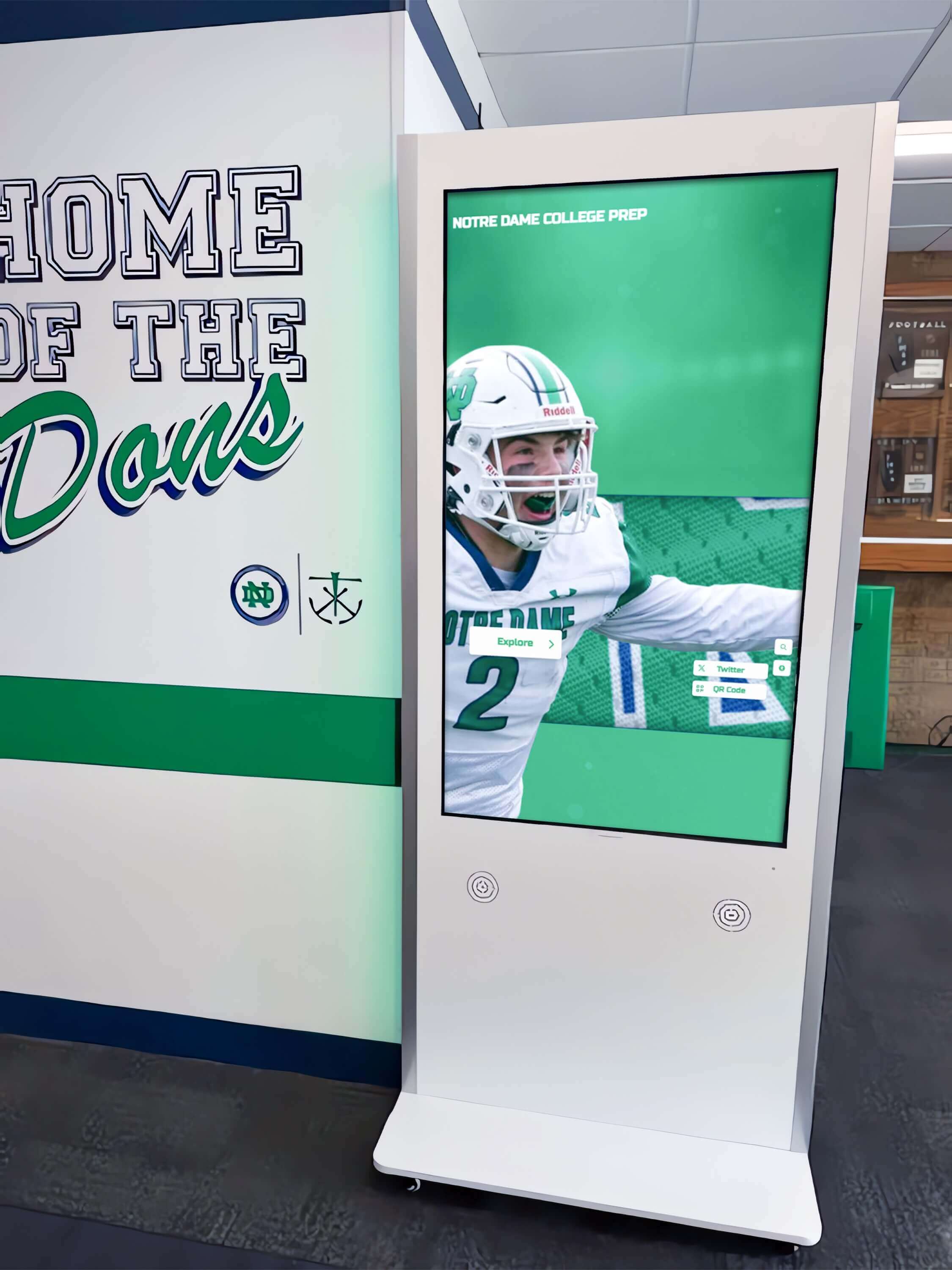
MWE-QIXZOCV Touchscreen Kiosk Interactive Displays: Complete Hardware Guide & Rocket Alumni Solutions Compatibility
**Intent: Compare** — Organizations evaluating touchscreen hardware for digital recognition displays face critical decisions that impact performance, longevity, and total cost of ownership over multi-year deployments. MWE-QIXZOCV touchscreen kiosks represent a growing category of Android-based interactive displays offering cost-effective entry points for schools, universities, athletic facilities, and organizations implementing halls of fame, trophy cases, or recognition walls. This comprehensive guide analyzes MWE-QIXZOCV hardware across weighted criteria including display quality, operating system compatibility, connectivity infrastructure, software integration capabilities, and long-term reliability. Decision-makers need structured frameworks that cut through marketing claims to evaluate whether these consumer-grade kiosks can reliably support professional recognition software platforms like Rocket Alumni Solutions, or whether investment in commercial-grade alternatives delivers better institutional value. Why Hardware Selection Matters for Recognition Displays Touchscreen kiosk hardware directly determines user experience quality, operational reliability, and program sustainability over 5-10 year deployment cycles typical for institutional recognition displays. Unlike consumer electronics replaced every 2-3 years, public-facing recognition systems must perform consistently through thousands of daily interactions in uncontrolled environments.
Read More
Campus Directory Systems: Complete Guide to Interactive Digital Solutions 2025
Navigating large educational campuses remains one of the most challenging experiences for new students, visiting parents, prospective families, and campus guests. Traditional paper campus maps, static building directories, and hand-drawn directions quickly become outdated and fail to provide the intuitive, personalized wayfinding modern campus visitors expect. Interactive campus directory systems with touchscreen interfaces solve these navigation challenges while enhancing campus aesthetics, improving visitor experiences, and reducing staff burden from constant directional inquiries. This comprehensive guide explores how campus directory technology transforms wayfinding, what features drive effective navigation, and how to implement systems that confidently guide visitors across even the most complex educational environments. Understanding Interactive Campus Directory Systems Campus directory systems have evolved from simple paper maps distributed at welcome centers to sophisticated digital wayfinding solutions that actively guide students, faculty, staff, and visitors through complex educational environments.
Read MoreBuilding Directory Systems: Complete Guide to Touchscreen Wayfinding Solutions 2025
Navigating complex buildings remains one of the most frustrating experiences for visitors, patients, students, and employees alike. Traditional paper directories and static wall maps quickly become outdated and fail to provide the intuitive, personalized wayfinding modern building occupants expect. Interactive building directory systems with touchscreen interfaces solve these navigation challenges while enhancing building aesthetics, improving visitor experiences, and reducing staff burden from constant directional inquiries. This comprehensive guide explores how building directory technology transforms wayfinding, what features drive effective navigation, and how to implement systems that guide visitors confidently to their destinations. Understanding Interactive Building Directory Systems Building directory systems have evolved from simple printed listings to sophisticated digital wayfinding solutions that actively guide visitors through complex environments.
Read More
Computer Module for Touchscreen Kiosk: Complete 2025 Hardware Selection Guide
Selecting the right computer module for your touchscreen kiosk is one of the most critical decisions in building an interactive display system. Whether you’re creating a digital hall of fame, wayfinding solution, or information kiosk, the computer module serves as the brain that powers your touchscreen experience. This comprehensive guide explores everything you need to know about computer modules for touchscreen kiosks in 2025, from budget-friendly options like Raspberry Pi to powerful mini PCs and specialized Android players.
Read MoreTouch Kiosk Hall of Fame: Complete Guide to Interactive Recognition Displays for Schools and Organizations
Recognition programs have entered a new era with touch kiosk hall of fame displays that transform how organizations celebrate achievements and engage their communities. These interactive touchscreen systems combine the permanence of traditional recognition with modern technology's engagement power, creating dynamic displays that visitors actively explore rather than passively view. Whether honoring distinguished alumni, celebrating athletic achievements, recognizing donors, or showcasing organizational history, touch kiosk hall of fame solutions offer unprecedented capabilities for meaningful recognition. This comprehensive guide explores everything you need to know about planning, implementing, and maximizing the impact of interactive recognition kiosks. Understanding Touch Kiosk Hall of Fame Systems Touch kiosk hall of fame displays represent a significant evolution from traditional recognition methods, offering interactive experiences that engage visitors while honoring achievements comprehensively.
Read MoreTouchboard Sign: Complete Guide to Interactive Digital Signage Solutions for Schools and Organizations
The modern touchboard sign represents a revolutionary shift in how organizations communicate, engage visitors, and display information. Unlike traditional static signage, these interactive digital displays combine touchscreen technology with dynamic content management to create engaging, informative experiences. Whether you're looking to enhance wayfinding in a large campus, showcase achievements in a school, or create interactive donor recognition displays, touchboard signs offer versatile solutions that meet diverse communication needs. This comprehensive guide explores everything you need to know about selecting, implementing, and maximizing the impact of touchboard signs in 2025 and beyond. What is a Touchboard Sign? A touchboard sign is an interactive digital display that combines touchscreen technology with content management software to deliver dynamic, engaging information to users. Unlike traditional printed signs or basic digital screens, touchboard signs allow visitors to actively interact with content, search for specific information, navigate through multiple layers of data, and access multimedia presentations.
Read MoreHow to Set Up a Touchscreen Electronic Trophy Case Kiosk for Schools
Traditional trophy cases have served schools well for decades, but they face inherent limitations: finite space, high maintenance costs, and static displays that can't showcase the full story behind each achievement. Touchscreen electronic trophy cases offer a modern solution that transforms how schools recognize and celebrate student accomplishments. This comprehensive guide walks you through every step of planning, selecting, installing, and maintaining a touchscreen trophy case kiosk that will engage students, impress visitors, and simplify recognition management for years to come. Understanding Touchscreen Electronic Trophy Cases A touchscreen electronic trophy case combines digital display technology with interactive software to create an engaging recognition platform. Unlike traditional cases limited by physical space, these systems offer:
Read MoreHow to Disable Pinch to Zoom CSS, HTML, JS - Complete Kiosk Software Guide
When deploying touchscreen kiosks for public spaces, museums, schools, or retail environments, one critical requirement is preventing unintended user interactions—particularly pinch-to-zoom gestures. Whether you’re building a wayfinding kiosk, a digital hall of fame, or an interactive display, maintaining a controlled user experience is essential. This comprehensive guide covers every method to disable pinch-to-zoom functionality using CSS, HTML, and JavaScript for kiosk software applications.
Read More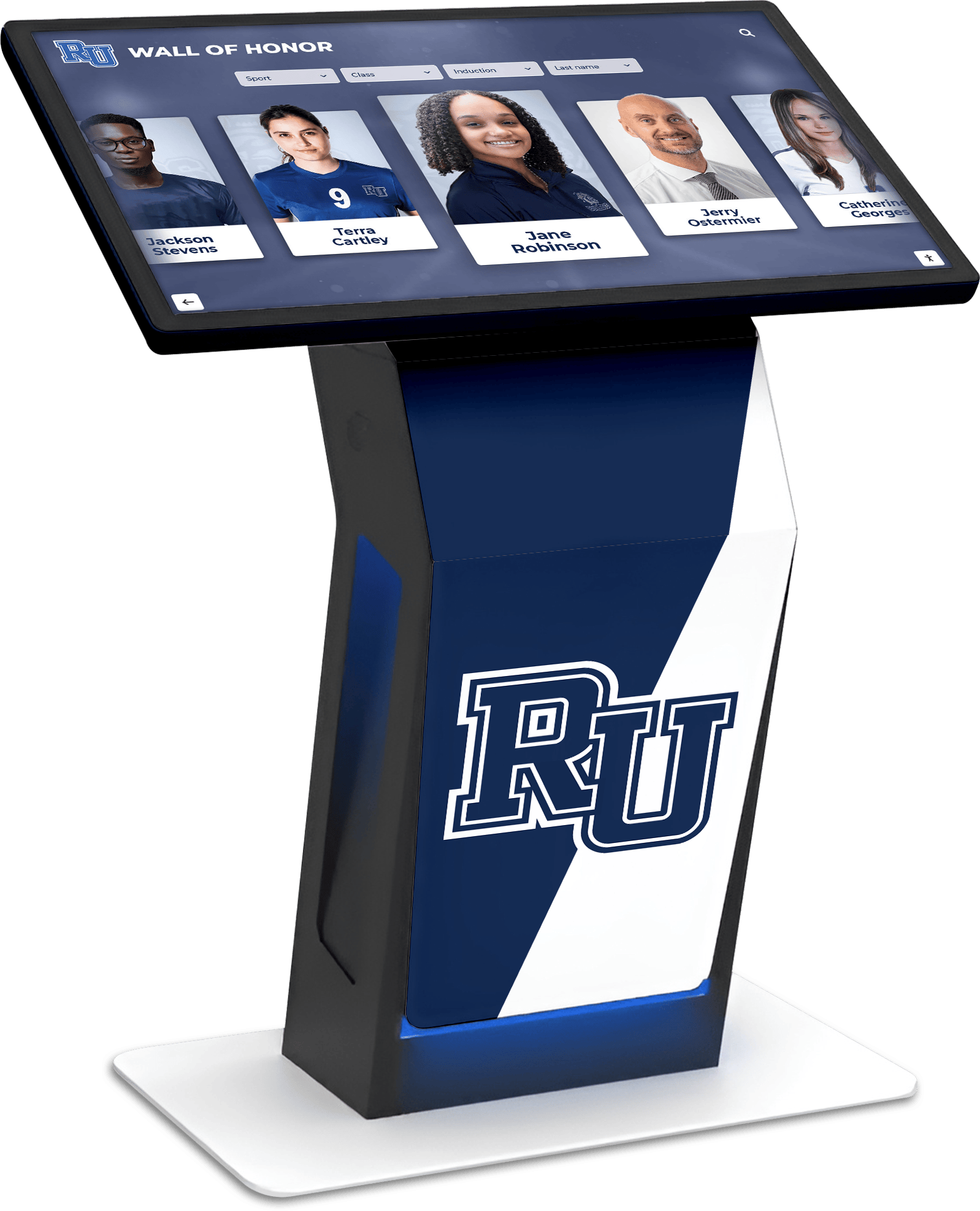
Digital Signage Services: Touchscreen Kiosk Solutions with Split-Screen Widgets
Schools, universities, and organizations increasingly need digital signage solutions that manage multiple screens while displaying diverse content types—weather updates, news feeds, social media streams, event calendars, and data dashboards—without requiring programming expertise. The challenge lies in finding platforms that offer true split-screen flexibility, widget libraries, and centralized management for multiple displays across different locations.
Read More
The Ultimate Guide to Multi-User Touchscreen Software for Interactive Recognition Displays
- william-jacob
- Touchscreen software , Interactive technology , Digital halls of fame , Alumni engagement
Unlock Collaborative Experiences: The Ultimate Guide to Multi-User Touchscreen Software for Interactive Recognition Displays Imagine multiple alumni simultaneously exploring a Digital halls of fame, or a group of donors collectively celebrating achievements on an Interactive Alumni Display. This is the power of multi-user touchscreen software. This guide dives deep into how this technology revolutionizes athletic hall of fame software and other recognition projects, making them truly shared experiences.
Read MoreDIY Touchscreen Kiosk: How to Build Your Own Iteractive Display with Rocket Software
DIY Touchscreen Kiosk: Build Your Own with Rocket Software Want to create your own interactive touchscreen kiosk? With the right hardware, operating system, and Rocket's powerful software, you can deploy a professional-grade kiosk for retail, information, events, or custom use cases—no engineering degree required.
Read More






























