
Digital Hall of Fame Optgroup Audit: Make Sport and Era Filters Understandable
A digital hall of fame sport or era filter built with a native <select> element and <optgroup> groups gives visitors a familiar, browser-native control: they open a dropdown, see labeled categories like "Fall Sports" or "1990s Era," and choose an option. When the groups are labeled correctly and the markup is well-formed, the control works without any JavaScript and is operable by keyboard and assistive technology by default. When the groups are missing their label attribute, when a group label is mistakenly treated as a selectable choice, or when a disabled group silently blocks all child selections, visitors — including those using screen readers or keyboard navigation — encounter a filter that behaves unexpectedly. A digital hall of fame optgroup audit examines every native select sport and era filter on the platform to confirm the required label attribute is present and descriptive, that group labels are correctly distinguished from selectable options, that disabled groups are applied deliberately and consistently, that nesting is not attempted, and that the select element itself retains a visible label for context. This guide walks athletic directors, recognition-program staff, and school IT reviewers through exactly that audit. What a Native Select Optgroup Does — and Why Labels Matter A <select> element presents a list of <option> items a visitor can choose from. An <optgroup> element groups those options under a shared label, making a long list of sports or era ranges scannable at a glance. Instead of seeing forty sport names in a flat list, a visitor sees “Fall Sports,” “Winter Sports,” and “Spring Sports” as visible headers, with the relevant sport names indented beneath each.
Read MoreDigital Hall of Fame ARIA-Rowspan Audit for Multi-Season Athlete Tables
Many school athletics hall of fame displays organize inductee data by season — listing an athlete's name once in a merged header cell while the rows below break out individual year, sport, and achievement columns. For sighted visitors, that merged layout reads naturally. For screen reader users navigating a custom-rendered grid, a cell that visually spans three rows but carries no structural span information appears to occupy a single row, leaving the remaining season rows unattributed and confusing. A digital hall of fame aria rowspan audit identifies every cell in a multi-season athlete table that covers more than one row, confirms that the exposed span matches the actual row occupancy, and verifies that native rowspan HTML is used on native tables while the correct aria-rowspan attribute is applied on custom ARIA grids — without requiring access to the platform's source code and without guaranteeing automatic WCAG compliance. Why Multi-Season Athlete Tables Create Row-Span Accessibility Gaps A typical school hall of fame platform organizes season data in tabular form: one row per season, with columns for year, sport, position, and honors earned. When the same athlete earned recognition across several consecutive seasons, a common design choice merges the athlete’s name cell vertically so it anchors all the associated season rows. That merge is a row span. The name cell occupies — for example — rows 4, 5, and 6 of the grid, while the year, sport, and honors columns fill separate cells in each of those rows.
Read MoreDigital Hall of Fame Shadow DOM Accessibility Audit: Check Labels Across Component Boundaries
When a hall of fame platform builds its inductee search interface out of web components with shadow DOM encapsulation, standard ARIA label linkages stop working at the component boundary. An aria-labelledby attribute that references an ID in the main document cannot reach inside a shadow root, and an id defined inside a shadow root is invisible to elements outside it. A digital hall of fame shadow DOM accessibility audit checks that every label, accessible name, and focus navigation path crossing a web component boundary is established through mechanisms that actually work — such as the ElementInternals API or internal aria-label attributes — rather than ID references that the browser silently cannot resolve. This guide gives school IT staff, athletics directors, and accessibility coordinators a step-by-step process for running that audit, even without access to the component's source code. Why Shadow DOM Changes the Accessibility Label Problem Standard ARIA label associations work through ID references. A visible label element in the document carries an id attribute, and a form control carries an aria-labelledby attribute that references that ID. The browser resolves the reference by finding the element with that ID in the same document scope and using its text content as the control’s accessible name.
Read More
Digital Hall of Fame ARIA-Readonly Audit for Inductee Record Grids
A digital hall of fame that uses an ARIA grid pattern to display inductee records—letting visitors navigate rows with arrow keys, open profile cards, or interact with inline controls—creates a specific accessibility responsibility that a plain HTML table does not: communicating which cells are read-only. aria-readonly is the attribute that carries that signal to screen readers, telling a keyboard-plus-assistive-technology user that a cell is focusable and readable but not editable. A digital hall of fame aria readonly audit verifies that every non-editable role="gridcell" in an interactive inductee grid exposes that state correctly—and confirms that no unnecessary aria-readonly attributes have been added to plain HTML tables that do not require them. This guide gives school IT staff, athletics directors, and accessibility coordinators a complete step-by-step process for running that audit, including a decision table for when the attribute is required, how to test it with a screen reader, and how to prioritize remediation findings with a platform vendor. What aria-readonly Does — and When an Inductee Grid Needs It aria-readonly is an ARIA state property that communicates whether the value of an interactive element can be changed by the user. Its two valid values are "true" (read-only: focus and read, but not edit) and "false" (editable: the default for interactive elements that accept input).
Read More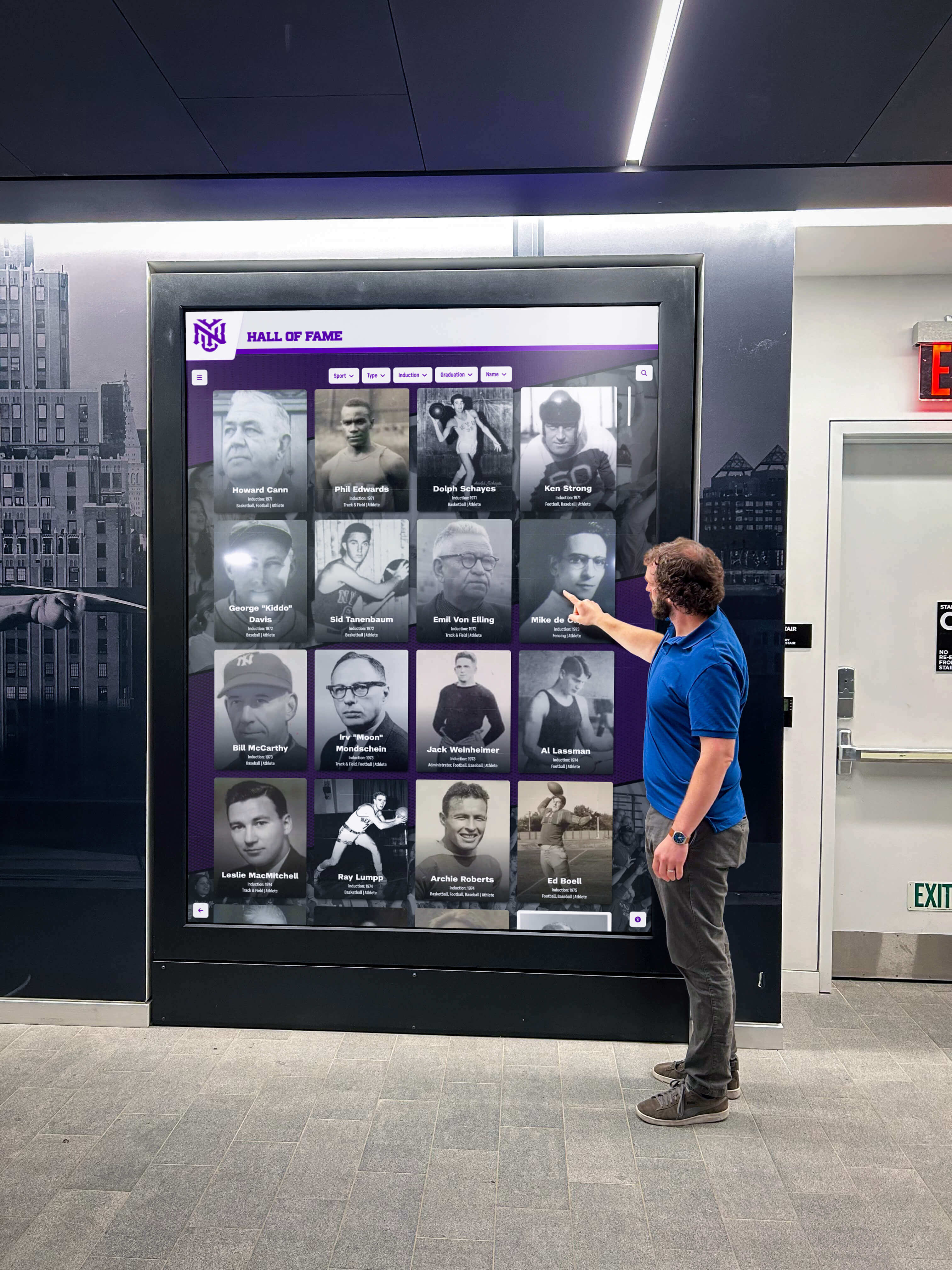
Digital Hall of Fame ARIA-Autocomplete Audit for Inductee Search
When a student, parent, or community member walks up to a school's digital hall of fame and begins typing an inductee's name into the search field, suggestions should appear below the input to guide them to the right record. For a screen reader user — or a visitor using a Bluetooth keyboard or switch control on a touchscreen kiosk — those suggestions are only discoverable if the search field correctly announces that it offers them. aria-autocomplete is the single property attribute that communicates this announcement. A digital hall of fame ARIA-autocomplete audit checks every inductee search field on the platform to confirm the attribute is present, carries the value that matches the platform's actual suggestion behavior — none, inline, list, or both — and that the companion attributes aria-expanded, aria-controls, and aria-activedescendant update correctly as suggestions appear and the visitor navigates among them. This guide walks school IT staff, athletic directors, and accessibility coordinators through every step of that audit: the technical foundation, a practical numbered procedure, a verification table, and the most common failure patterns found on school recognition platforms. What aria-autocomplete Does — and Why Inductee Search Needs It aria-autocomplete is a property attribute defined in the WAI-ARIA 1.2 specification that tells assistive technology what kind of automatic completion a text input offers as the visitor types. It applies to elements with role="combobox" or role="searchbox", which are the roles most appropriate for a hall of fame inductee search field that offers suggestion popups.
Read MoreDigital Hall of Fame Roving Tabindex Audit for Inductee Galleries
A school's digital hall of fame inductee gallery — the grid of portrait cards showing athlete names, sports, and induction years — presents a keyboard navigation challenge that few accessibility audits address directly: how does a keyboard user move through forty or eighty profile cards without pressing Tab forty or eighty times? The answer is roving tabindex, a focus management pattern that keeps exactly one gallery card in the Tab order at a time while the rest become reachable only by arrow keys. A digital hall of fame roving tabindex audit checks whether the gallery correctly implements this pattern, whether arrow key navigation moves focus in the expected direction, whether the focused card remembers its position after Tab exits the gallery, and whether the same behavior holds on a touchscreen kiosk with a switch device or Bluetooth keyboard. This guide walks school athletic directors, IT staff, and accessibility coordinators through every step of that audit: the technical foundation, a practical numbered procedure, a verification table, and the most common failure patterns found on school recognition platforms. What Roving Tabindex Is — and Why Inductee Galleries Need It Roving tabindex is a keyboard focus management pattern defined in the WAI-ARIA Authoring Practices Guide for composite widgets — interactive components that contain multiple focusable items navigated with arrow keys rather than the Tab key. Toolbars, tab lists, listboxes, carousels, and grids all use the pattern.
Read More
Digital Hall of Fame ARIA-Checked Audit for Inductee Filters
A school's digital hall of fame filter panel — the controls that let a visitor narrow the inductee roster by sport, decade, or award category — relies on a correct checked state announcement to be operable by screen reader users. When a visitor checks "Basketball" to filter the roster, a screen reader user needs to hear "Basketball, checkbox, checked" to confirm the filter is active; without that update, the visitor has no reliable way to know whether their interaction succeeded. aria-checked is the state attribute that communicates that confirmation. A digital hall of fame ARIA-checked audit examines every custom filter checkbox on the interface to confirm the attribute is present, that it carries the correct value — true, false, or mixed — and that the value updates accurately after every visitor interaction. This guide walks school IT staff, athletic directors, and accessibility coordinators through every step of that audit, explains how it differs from prior selected, pressed, and invalid-state audits, and provides a practical remediation framework. What aria-checked Does — and Why Inductee Filters Need It aria-checked is a state attribute defined in the WAI-ARIA 1.2 specification that tells assistive technology whether a control is currently checked, unchecked, or in a mixed state. It applies to any element that models the behavior of a checkbox or radio button but is built from non-native HTML elements — typically <div>, <span>, <li>, or <button> elements assigned a checkbox-type role.
Read More
Digital Hall of Fame ARIA-Sort Audit for Sortable Inductee Tables
When a school's digital hall of fame displays a sortable inductee roster — names, sports, induction years, and award types — a screen reader user needs to know at a glance which column is sorted, and in which direction, without reading through every row to infer the order. aria-sort is the single attribute that communicates that state. A digital hall of fame ARIA-sort audit checks every sortable column header on the inductee table to confirm that exactly one column carries the active sort direction, that the direction updates correctly when a visitor sorts by a different column, and that non-active sortable columns are marked appropriately — all without changing anything about the visual touchscreen experience. This guide walks school IT staff, athletic directors, and accessibility coordinators through every step of that audit: the one-column rule, the ascending and descending test cases, the unsorted state, and how to remediate the most common failures found on school recognition platforms. What aria-sort Does — and Why Sortable Inductee Tables Need It aria-sort is an HTML attribute applied to a <th> element — or any element with role="columnheader" — inside a sortable data table. It tells assistive technology which column is currently sorted and in which direction. Without it, a screen reader user lands in a sorted inductee table and has no way to know the data is sorted at all, let alone which column controls the sort or which direction the sort runs.
Read MoreDigital Hall of Fame ARIA-Haspopup Audit for Menus and Filter Dialogs
When a visitor to a school's digital hall of fame taps a sport dropdown or opens a filter panel, a screen reader user needs to know before activating the control whether they are about to enter a menu, a listbox, or a dialog — because each widget follows a different keyboard model. aria-haspopup is the attribute that communicates that distinction. A digital hall of fame ARIA-haspopup audit checks every menu trigger, filter dropdown button, and filter dialog opener on the interface to confirm that the declared popup type matches the widget that actually appears. A mismatch — a button labeled as a menu opener that produces a dialog, or a filter trigger that declares nothing — leaves screen reader users navigating with the wrong keyboard model and no reliable signal that a popup appeared at all. This guide walks school IT staff, athletic directors, and accessibility coordinators through every step of that audit without requiring access to the platform's source code. What aria-haspopup Does — and Why the Value Matters aria-haspopup is an HTML attribute applied to an interactive element that signals to assistive technology that activating the element will produce a specific type of popup widget. The attribute does not open the popup. It tells a screen reader, before the visitor acts, what kind of interface will appear so the visitor can prepare the appropriate interaction strategy.
Read MoreDigital Hall of Fame ARIA-Hidden Audit for Decorative Content
Decorative images, icon duplicates, and visual chrome on a digital hall of fame interface create noise for screen reader users unless they are correctly hidden from the accessibility tree. aria-hidden="true" is the mechanism that removes those elements — but applied to the wrong target, it silences inductee names, sport labels, or award years that visitors relying on assistive technology cannot recover from anywhere else on the page. A digital hall of fame ARIA-hidden audit identifies every element carrying the attribute, confirms that each hidden element is genuinely decorative, and catches any case where meaningful inductee information has been accidentally removed from the screen reader experience. This guide walks school IT teams, athletics directors, and accessibility coordinators through every step of that audit without requiring access to the platform's source code. What aria-hidden Does — and What It Must Not Do aria-hidden="true" removes an element from the accessibility tree. A screen reader skips it completely. It does not read the element’s text, does not announce its role, and does not expose any of its descendants — including any focusable links or buttons nested inside.
Read MoreDigital Hall of Fame ARIA-Keyshortcuts Audit for Search and Navigation
Keyboard shortcuts on a digital hall of fame search interface help visitors jump to the search field, clear active filters, and move through inductee profiles without a pointing device. The aria-keyshortcuts attribute is what tells a screen reader which shortcuts exist, so a visitor hears "slash — Jump to search" alongside the search control rather than discovering shortcuts only by reading documentation. A digital hall of fame ARIA-keyshortcuts audit checks two things: that every shortcut documented in the markup genuinely works, and that the display does not advertise keyboard shortcuts on a touchscreen kiosk where no keyboard is present. This guide walks school IT teams, athletic directors, and accessibility coordinators through every step of that audit without requiring access to the platform's source code. What aria-keyshortcuts Does in a Hall-of-Fame Interface aria-keyshortcuts is an ARIA property—not a behavioral attribute. It does not create a keyboard shortcut. It documents one. The shortcut itself must be implemented in JavaScript; the attribute tells assistive technology that the shortcut exists so it can announce the key combination to a user who would otherwise have no way of discovering it.
Read MoreDigital Hall of Fame ARIA-Atomic Audit for Complete Live-Region Announcements
When a visitor to a school's digital hall of fame types a name into the search field or taps the Basketball filter, the result count updates—"Showing 12 inductees"—and a sighted visitor sees it instantly. A screen reader user relies on an ARIA live region to hear that update without moving focus to it. Whether the announcement is "12" or "Showing 12 inductees in Basketball" depends on a single attribute: aria-atomic. A digital hall of fame ARIA-atomic audit checks every live region on the interface—result counts, search status messages, filter confirmations, loading indicators, and error notices—to confirm that each one announces a complete, contextual phrase rather than a bare fragment. This guide walks school IT staff, athletic directors, and accessibility coordinators through every step of that audit without requiring access to the platform's source code. What ARIA Live Regions Do in a Hall-of-Fame Interface Most content on a hall of fame webpage or kiosk is static: inductee names, portrait images, career summaries, and sport categories are loaded once and do not change while a visitor browses. ARIA live regions exist for the content that does change—content that updates in response to a visitor’s action without a full page reload.
Read More
Digital Hall of Fame Language-of-Parts Audit for Inductee Profiles
A school's digital hall of fame may already carry a correct page-level language declaration—the lang="en" attribute on the root HTML element that tells screen readers to apply English pronunciation rules across the entire page. That declaration, required by WCAG 3.1.1, is only the first layer of multilingual accessibility. When an inductee profile contains a Spanish quotation from a coach, a Japanese rendering of an inductee's name, a Latin school motto, or an archival caption originally written in French, each of those passages needs its own language designation under WCAG 3.1.2 (Language of Parts). Without it, a screen reader reads every word on the profile page with English phonetics—mispronouncing the inductee's name, garbling the quotation, and making the archival context unintelligible to visitors who rely on synthesized speech. A digital hall of fame language of parts accessibility audit identifies every profile field where this mismatch exists and provides the markup fixes that restore correct pronunciation for every visitor. Page Language Versus Language of Parts: The Core Distinction Every digital hall of fame platform should begin with a correct page-level language declaration:
Read MoreDigital Hall of Fame Label in Name Audit for Voice Control and Screen Readers
When a voice-control user looks at a digital hall of fame and says "click View Jane Doe's Profile," the interface should activate. If the button's accessible name is "View profile" instead of "View Jane Doe's Profile," the command fails silently—the user sees a labeled button but cannot activate it by speaking what they read. WCAG 2.1 Success Criterion 2.5.3 (Label in Name, Level A) exists to prevent exactly this gap. For school administrators and accessibility teams responsible for inductee display platforms, a label in name audit identifies every button, link, and interactive control where the visible text and the programmatic accessible name have drifted apart—and confirms the interface is operable by voice-control users and accurate for screen reader users who hear accessible names read aloud. What WCAG Label in Name Requires—and What It Does Not WCAG 2.1 Success Criterion 2.5.3 — Label in Name (Level A) states: for user interface components with labels that include text or images of text, the name contains the text that is presented visually.
Read MoreDigital Hall of Fame Reading Order Accessibility Audit for Inductee Pages
Reading order on a digital hall of fame inductee page is the sequence in which a screen reader or keyboard user encounters an honoree's name, sport, achievements, media, and navigation controls—determined by the DOM, not by the visual layout. When CSS floats, absolute positioning, or flexbox reversal create a gap between what sighted visitors see and what assistive technology announces, the inductee's story arrives in a scrambled sequence that undermines the recognition the school worked hard to create. This guide defines reading order in plain terms, shows where inductee pages most commonly break it, provides a numbered audit process schools can run without developer access, and supplies a visual-order versus programmatic-order comparison table ready for answer-engine extraction. What Is Reading Order and Why Does It Matter for Inductee Pages Reading order is the sequence in which content is presented to a visitor who is not viewing the page visually—specifically, the order in which a screen reader announces elements and the order in which keyboard focus moves from one interactive control to the next. It is determined by the Document Object Model (DOM): the linear arrangement of HTML elements in the page’s source code, independent of how CSS positions them on screen.
Read More






























