



Key Takeaways
Compare installation options for digital hall of fame displays in schools. Understand who handles mounting, power, network setup, and what to expect from turnkey vendors, AV contractors, and in-house teams.
Understanding Digital Hall of Fame Installation Requirements
Before comparing installation service providers, clarifying exactly what installation involves helps schools evaluate whether potential installers possess necessary capabilities and experience.
Physical Mounting and Structural Considerations
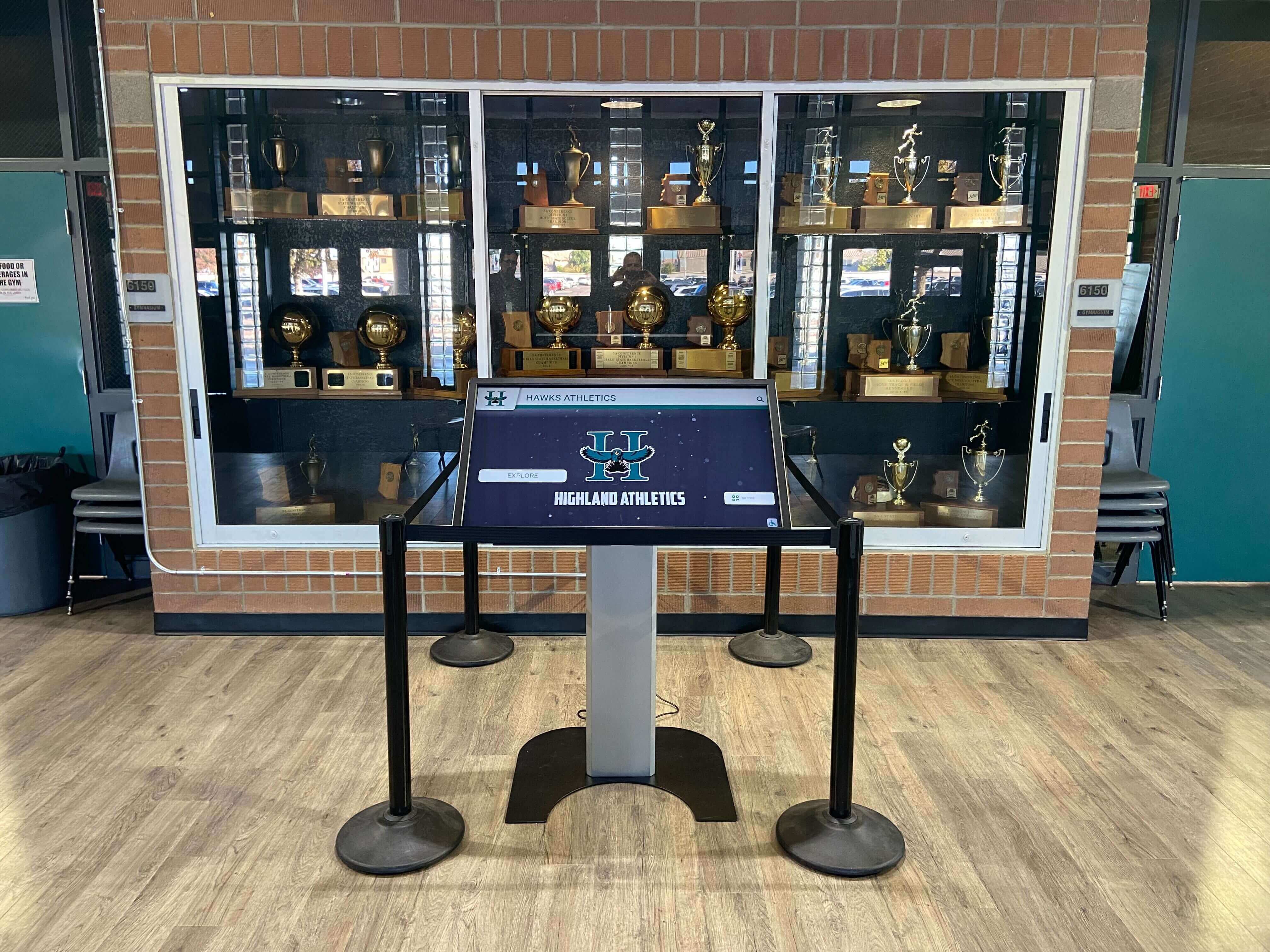
Digital hall of fame displays require secure mounting supporting substantial weight over decades of continuous operation. A typical 55-inch commercial touchscreen display weighs 60-80 pounds, while larger 75-inch units approach 120 pounds. Add mounting hardware, and total weight exceeds what standard drywall anchors can safely support.
Wall Structure Assessment represents the critical first step. Installers must identify wall composition—concrete block, metal studs with drywall, wood framing, or brick—and determine appropriate mounting approaches for each. Concrete and block walls accept heavy-duty expansion anchors, while stud walls require locating studs and using lag bolts into structural members. Installers unfamiliar with school construction may attempt residential mounting approaches that fail under commercial display weight.
Load-Bearing Verification becomes essential for larger displays or installations supporting multiple screens. Professional installers calculate total weight including displays, mounting brackets, and any decorative surrounds, then verify wall capacity supports this load with appropriate safety factors. Schools have encountered failures when installers underestimate requirements or skip load calculations entirely.
Height and Viewing Angle Optimization balances accessibility requirements with ergonomic considerations. The Americans with Disabilities Act (ADA) mandates that interactive displays accommodate wheelchair users, typically requiring lower mounting than passive displays. However, mounting too low invites damage from carts, equipment, and student contact. Experienced installers position displays at 40-48 inches from floor to screen center—accommodating wheelchair access while maintaining protection from ground-level hazards.
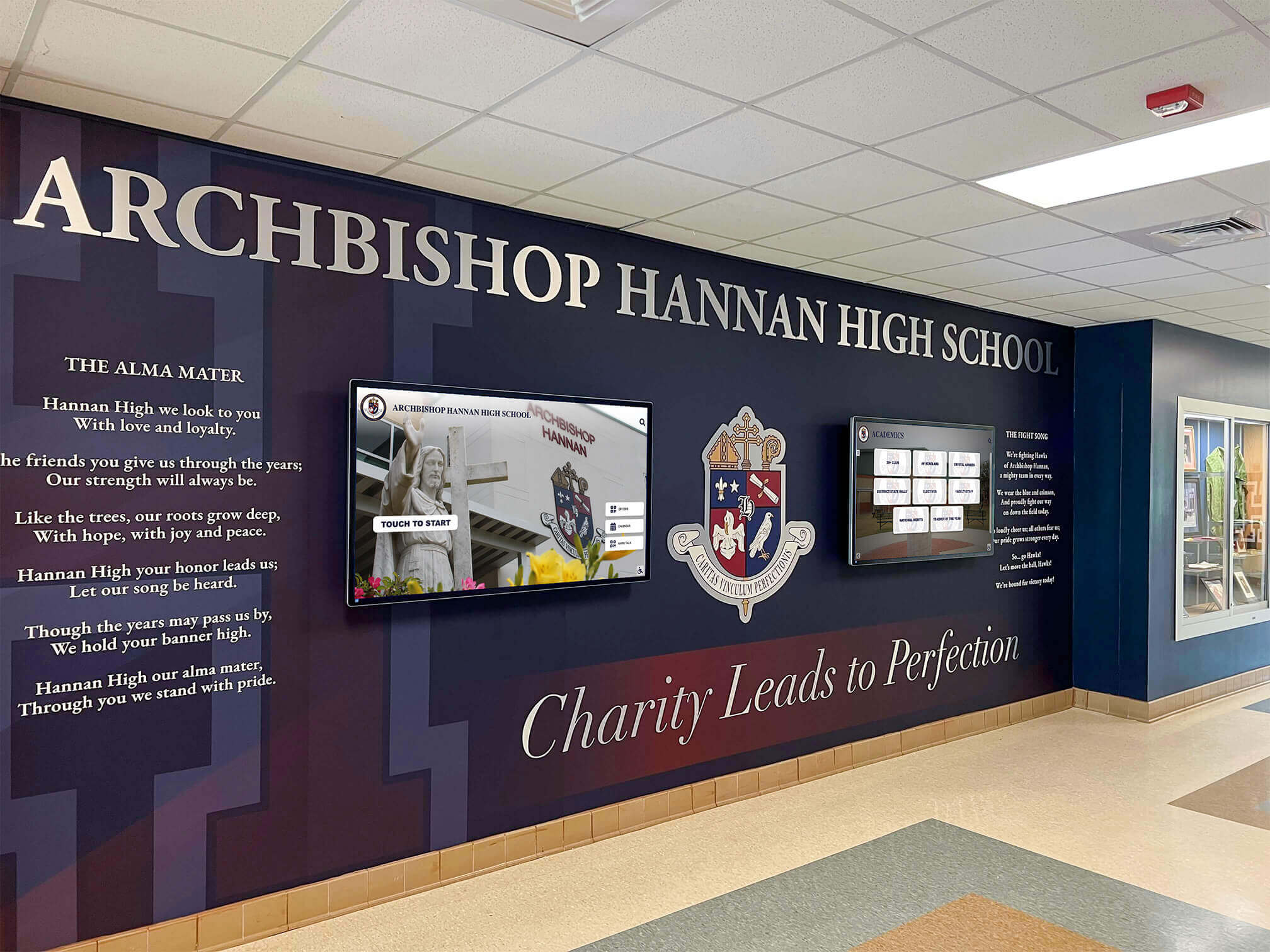
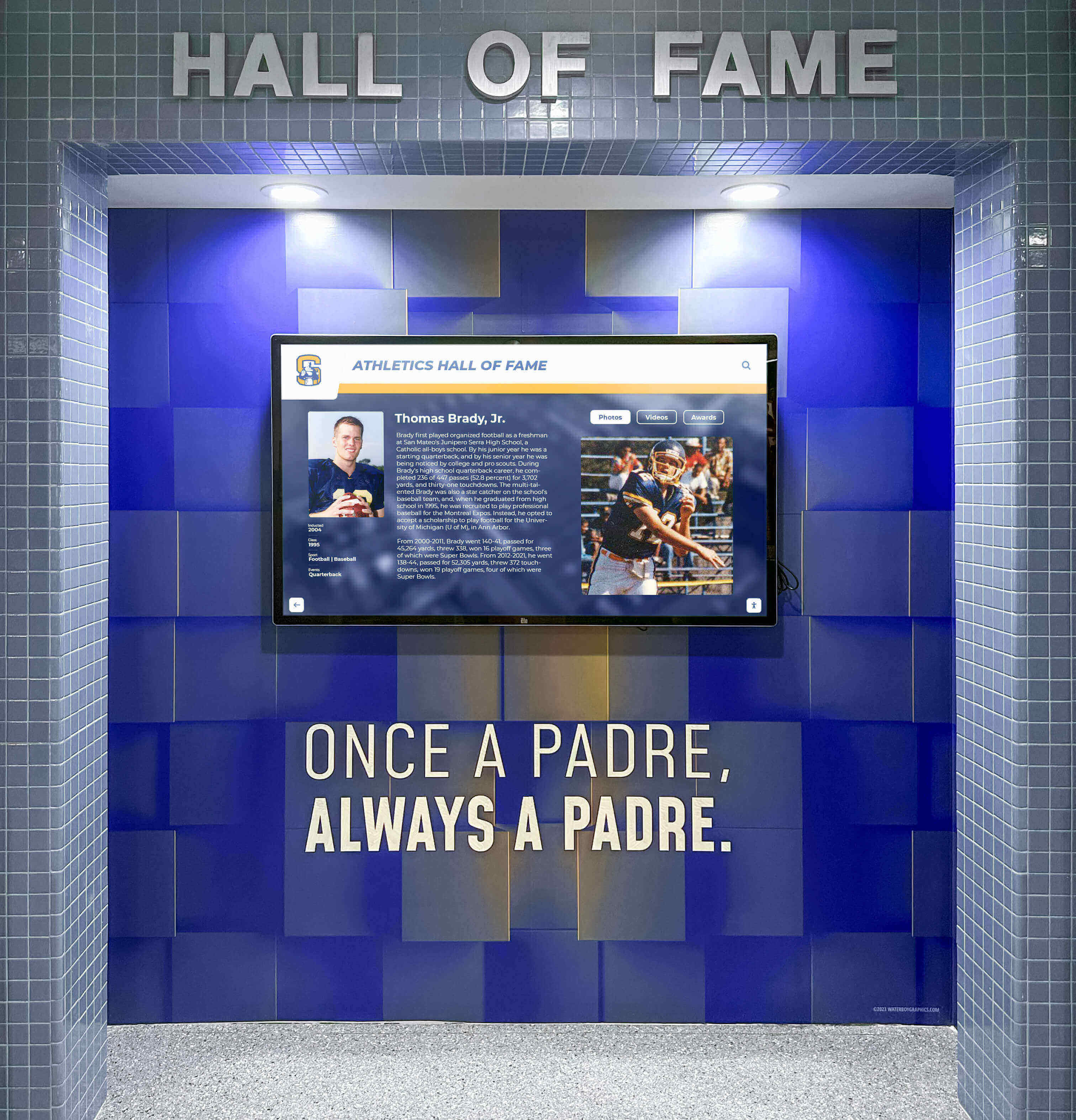
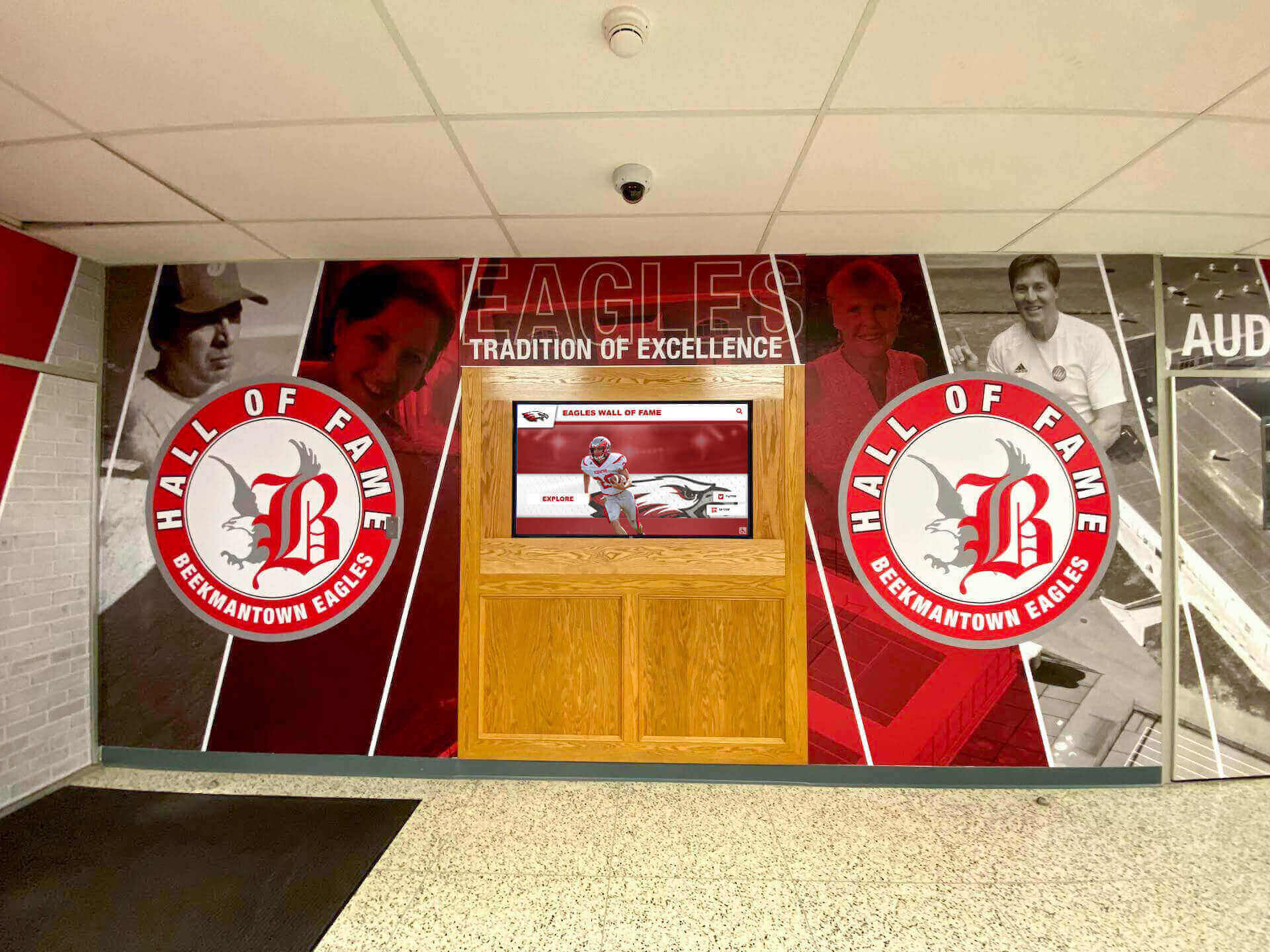
Cable Management and Aesthetic Integration separates professional from amateur installations. Visible cables, exposed conduit, and surface-mounted power outlets create unprofessional appearances undermining recognition program prestige. Quality installations include recessed conduit, in-wall cable routing, and mounting plates concealing connections. The best installers coordinate with facilities teams, architects, or designers to integrate displays seamlessly with surrounding architecture rather than treating them as afterthoughts bolted onto finished walls.
Electrical Power Requirements and Safety Compliance
Digital displays require reliable electrical power meeting current code requirements and providing adequate capacity for equipment operation.
Dedicated Circuit Installation proves necessary for most installations. Commercial touchscreen displays with integrated computers consume 200-400 watts continuously. While this falls within standard outlet capacity, fire codes and electrical standards require dedicated circuits for fixed equipment operating continuously. Installers must verify existing electrical infrastructure or coordinate new circuit installation meeting National Electrical Code (NEC) requirements.
Outlet Placement and Accessibility requires careful planning. Display locations rarely align with existing electrical outlets, necessitating new outlets positioned where displays mount. Professional installers coordinate outlet placement during roughing-in before wall finishes, enabling concealed wiring. Retrofit installations require surface conduit or cutting into finished walls—work requiring licensed electricians familiar with commercial building codes.
Surge Protection and Power Conditioning extends equipment life and prevents failures from electrical anomalies common in school environments. Quality installations include dedicated surge suppressors rated for commercial equipment, protecting displays from voltage spikes, lightning-induced surges, and power fluctuations. Schools in areas with unreliable power benefit from uninterruptible power supplies (UPS) maintaining operation during brief outages and enabling graceful shutdowns during extended power loss.
Code Compliance and Permitting varies by jurisdiction but typically requires permits for new electrical circuits and inspections verifying code conformance. Installers must understand local requirements, obtain necessary permits, schedule inspections, and document compliance. Schools working with installers unfamiliar with commercial electrical codes risk installations failing inspection, requiring expensive remediation, or creating liability exposure if issues emerge later.
Network Infrastructure and Connectivity Setup
Digital hall of fame systems require network connectivity for content management, remote monitoring, and cloud-based functionality. Installation quality significantly impacts ongoing reliability and performance.
Network Architecture Assessment determines whether existing infrastructure adequately supports display requirements. Modern digital recognition systems function on standard networks but benefit from adequate bandwidth, low latency, and reliable connectivity. Installers should evaluate:
- Available network capacity at installation locations
- Whether new network drops require installation
- Distance limitations from network switches to displays
- Wireless coverage quality if hardwired connections prove impractical
- VLAN segmentation separating displays from student networks
- Firewall rules enabling cloud platform access while maintaining security
Cabling Infrastructure Installation follows structured cabling standards ensuring reliable long-term performance. Professional installations use Category 6 or better Ethernet cabling, properly terminated and tested, with adequate service loops enabling future maintenance. Installers cut corners by using Category 5e cable, incorrect terminations, or insufficient testing discover reliability problems only after walls close and displays activate.
Network Equipment Configuration extends beyond just connecting cables. Displays require IP addresses (static or DHCP reservations), switch port configuration, firewall rule updates enabling platform access, and DNS configuration resolving required domains. Schools lacking IT staff capable of these configurations need installers providing complete network integration rather than just running cables and hoping connectivity works.
Remote Access and Management Setup enables administrators updating content from offices rather than physically accessing displays. Professional installers verify remote connectivity functions before completing projects, document access procedures for school staff, and provide troubleshooting contact information when connectivity issues emerge.
Installation Service Provider Options: Complete Comparison
Schools can engage various types of service providers for digital hall of fame installation, each offering distinct advantages and limitations.
Turnkey Vendor Installation Services
Many digital recognition platform providers offer comprehensive installation services managing every aspect from initial facility assessment through final system activation and staff training.
Comprehensive Project Management
Turnkey vendors assign dedicated project managers coordinating all installation activities. Rather than schools juggling multiple contractors, electricians, network technicians, and equipment suppliers, the vendor acts as single point of contact managing the complete project. This approach particularly benefits schools lacking facilities staff with time or expertise managing complex technology installations.
Project managers handle:
- Pre-installation site surveys assessing mounting locations, power availability, and network infrastructure
- Coordination with school facilities teams scheduling work during appropriate timeframes
- Electrical and network contractor engagement for infrastructure requirements
- Equipment procurement, configuration, and delivery coordination
- Installation crew scheduling and supervision
- Quality verification ensuring all components function correctly
- Staff training on content management and basic troubleshooting
- Warranty and support coordination for post-installation issues
Integrated Hardware, Software, and Installation
Because vendors supply displays, mounting hardware, and recognition platforms as integrated solutions, installations avoid compatibility issues that plague projects where schools purchase components separately and expect them to work together seamlessly.
Turnkey providers pre-configure software on display hardware, test systems before shipping, and arrive at schools with equipment ready for installation and activation rather than requiring on-site configuration troubleshooting. This integration accelerates installation timelines and reduces risk of technical problems delaying launches.
Specialized Installation Expertise
Vendors installing digital recognition systems regularly develop specialized expertise that general contractors lack. They understand common school construction challenges, know which mounting approaches work best in various environments, and recognize potential problems before they cause delays.
Experienced vendors have installed hundreds of similar systems, creating knowledge bases about mounting best practices, cable routing solutions, network configuration requirements, and troubleshooting approaches that schools would learn through expensive trial-and-error if managing installations independently.
Single-Source Warranty and Support
When vendors handle complete installation, schools maintain single point of contact for any issues—hardware failures, software problems, mounting concerns, or operational questions. This contrasts with scenarios where schools must determine whether problems stem from displays, software, mounting, power, or network, then engage appropriate contractors for remediation.
Comprehensive warranties covering hardware, software, and installation mean vendors can’t deflect responsibility by blaming other parties. If displays fail, vendors replace them. If mounting proves inadequate, vendors remediate it. If network configuration prevents proper operation, vendors resolve connectivity issues.
Typical Pricing and Investment
Turnkey installation adds 15-30% to equipment costs but includes comprehensive services schools would otherwise purchase separately. For a typical 55-inch interactive display system, total turnkey investment including hardware, software, installation, configuration, and training ranges $8,000-$15,000 depending on complexity.
This pricing includes:
- Commercial-grade touchscreen display
- Secure mounting hardware
- Media player or integrated computer
- Software platform licensing
- Complete installation services
- Electrical and network infrastructure work (up to specified limits)
- System configuration and testing
- Administrator training
- Initial warranty period
Schools must clarify exactly what “installation” includes versus additional costs. Reputable vendors provide detailed scope documentation preventing disputes about what pricing covers.
Ideal Use Cases for Turnkey Services
Turnkey vendor installation works best for schools that:
- Lack facilities or IT staff with capacity for complex installations
- Prefer single-source accountability over managing multiple contractors
- Value rapid deployment with minimal internal coordination burden
- Want vendors who stand behind complete solutions rather than deflecting problems
- Need specialized expertise about recognition display installations
- Prioritize reliability over absolute minimum cost
Solutions like Rocket Alumni Solutions provide comprehensive turnkey services specifically designed for educational recognition installations, handling mounting, power, network setup, and system configuration as integrated offerings.
Specialized Audiovisual Contractors
Schools with existing relationships with commercial audiovisual companies can engage these contractors for digital display installations as part of broader technology projects.
Technical Expertise and Equipment Knowledge
Professional AV contractors specialize in display technology, understanding commercial equipment specifications, mounting requirements, signal routing, and system integration. They regularly install interactive displays, video walls, and presentation systems across various commercial and educational environments.
This technical expertise proves valuable when installations involve:
- Multiple synchronized displays requiring video distribution
- Integration with existing AV systems or control platforms
- Complex mounting scenarios requiring custom fabrication
- Specialized equipment beyond standard interactive displays
- Coordination with architectural elements or millwork
Access to Commercial Equipment and Suppliers
AV contractors maintain relationships with commercial equipment manufacturers and distributors, accessing products not available through consumer channels. They procure commercial-grade displays rated for continuous operation, professional mounting systems, and specialized cables meeting commercial installation standards.
Electrical and Low-Voltage Licensing
Many commercial AV contractors hold electrical licenses enabling them to install power circuits, or maintain relationships with licensed electricians they regularly collaborate with. They understand structured cabling standards, hold low-voltage licensing where required, and follow installation codes ensuring compliant, reliable infrastructure.
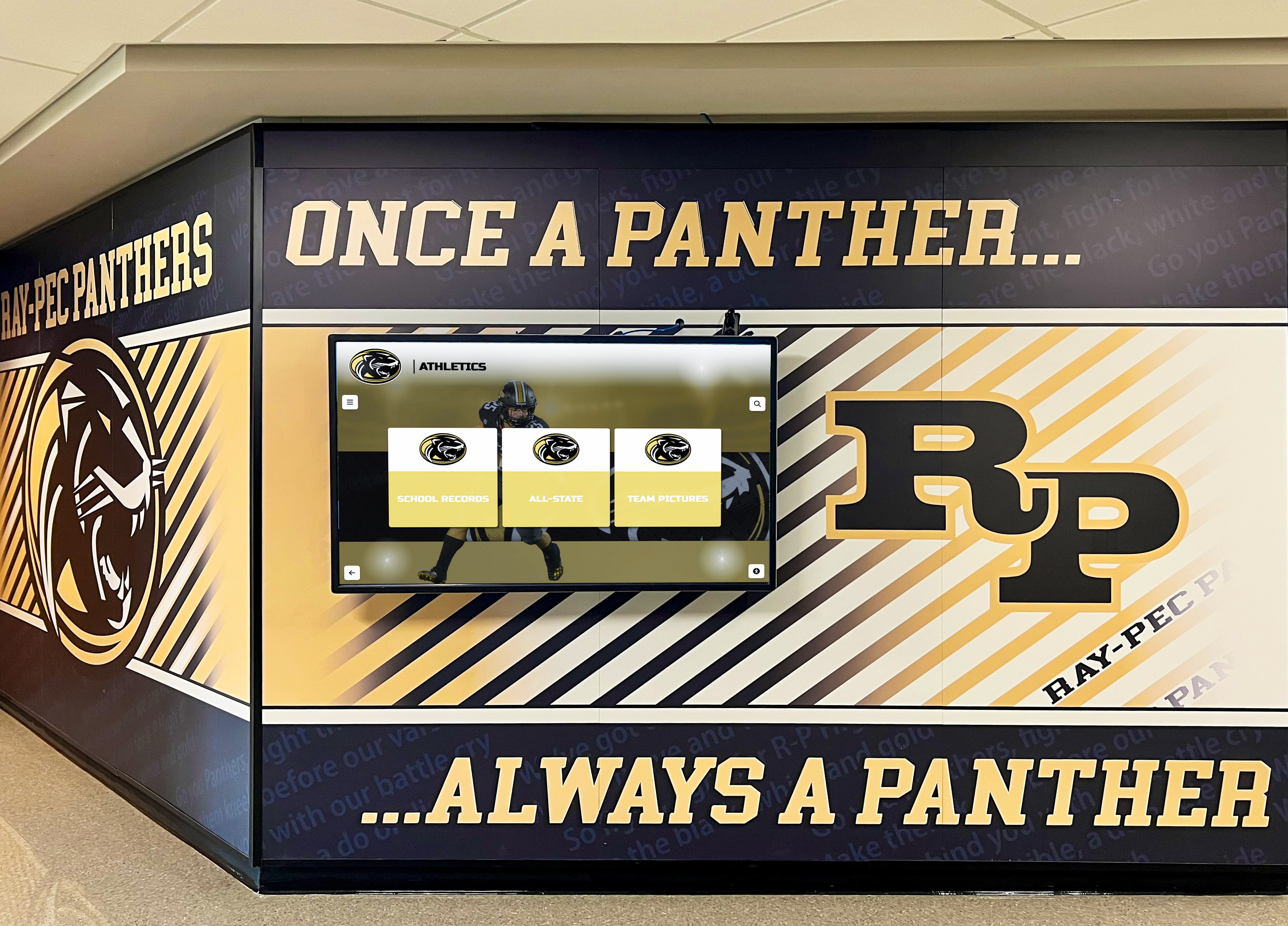
Project-Based Pricing with Detailed Scopes
AV contractors typically provide detailed quotes itemizing labor, materials, and equipment costs. This transparency enables schools to understand exactly what they’re purchasing and make informed decisions about optional versus essential components.
Pricing structures usually include:
- Hourly labor rates for installation crews
- Equipment costs at contractor pricing (plus markup)
- Specific deliverables (mounting, cable runs, terminations, testing)
- Project management and coordination fees
- Warranty terms on installation workmanship
Schools can often negotiate pricing, request value engineering suggestions, or modify scopes to fit available budgets.
Limitations in Specialized Recognition Software
While AV contractors excel at hardware installation, they rarely provide expertise about recognition platform software, content management systems, or strategies for digital hall of fame programs. They install displays and establish connectivity but may offer limited assistance with software configuration, content development, or ongoing platform management.
Schools must either possess internal capability managing recognition software or engage platform vendors separately for software setup, training, and support. This split responsibility works well when schools have IT staff comfortable with software configuration but creates coordination challenges when schools need comprehensive support.
Typical Investment Range
AV contractor installation costs vary substantially based on project complexity, regional labor rates, and equipment specifications. For single-display installations in straightforward locations, installation labor ranges $1,500-$3,500. Complex projects involving multiple displays, extensive infrastructure work, or challenging mounting environments can cost $5,000-$10,000+ for installation services alone.
Schools must separately procure displays, mounting hardware, media players, and software licenses unless contractors provide turnkey equipment packages.
Ideal Use Cases for AV Contractors
Engaging AV contractors makes sense when schools:
- Already maintain relationships with preferred AV vendors
- Have internal capability managing recognition software independently
- Need installations as part of larger AV renovation projects
- Require specialized technical capabilities beyond basic display mounting
- Want detailed pricing transparency and negotiation flexibility
- Possess facilities staff capable of project coordination
Schools implementing displays as part of comprehensive athletic facility renovations often benefit from AV contractors managing display installations alongside projection systems, sound reinforcement, and other technology components.
General Contractors and Facility Renovation Teams
When digital display installations occur during new construction or major renovations, general contractors often handle installations as part of broader building projects.
Integration with Construction Schedules
General contractors coordinate display installations with construction sequencing—mounting structural supports during framing, installing electrical circuits during rough-in, running network cables with other low-voltage systems, and mounting displays after finishing work completes.
This integration ensures proper infrastructure without expensive retrofit work. Electrical circuits install efficiently before drywall closes walls. Network cabling routes through ceilings alongside other building systems. Mounting locations align with architectural plans rather than compromising designs to accommodate afterthought installations.
Comprehensive Permitting and Inspection Coordination
General contractors navigate building permit processes, coordinate required inspections, and ensure all work meets applicable codes. Display installations become line items in broader construction documents rather than separate projects requiring independent permits and inspections.
This streamlined permitting particularly benefits schools in jurisdictions with complex approval processes where standalone technology projects face extended review periods.
Subcontractor Management and Quality Control
General contractors engage specialized subcontractors—electricians, low-voltage technicians, carpenters, painters—coordinating their work to complete installations meeting specifications and quality standards. Schools avoid managing multiple trades, scheduling conflicts, or gaps where no contractor accepts responsibility for problems.
Limitations in Technology Specialization
While general contractors excel at coordinating construction projects, they rarely maintain deep expertise about interactive display technology, recognition software platforms, or educational program requirements. They install what specifications detail but may not provide guidance about equipment selection, mounting best practices specific to interactive touchscreens, or integration strategies maximizing program effectiveness.
Schools must develop detailed specifications independently or engage consultants providing technical guidance, then rely on contractors executing specified work rather than contributing subject matter expertise.
Project Timeline Dependencies
Display installations tied to construction schedules lose flexibility. If broader projects encounter delays, display installations postpone accordingly. Schools cannot accelerate recognition program launches independently of overall construction completion.
Conversely, if displays arrive before construction reaches appropriate phases, they require secure storage preventing damage or theft—adding logistical complexity and potential costs.
Typical Cost Structure
General contractors typically add 15-25% overhead and profit margins to subcontractor costs and materials. For display installations costing $10,000 in direct expenses, total contractor billing may reach $11,500-$12,500.
However, installations occurring during broader construction projects often achieve efficiencies impossible in retrofit scenarios—electricians already on site can install display circuits at marginal cost, painters can finish mounting locations with minimal additional effort, and equipment delivery coordinates with broader construction logistics.
Ideal Use Cases for General Contractor Installation
Engaging general contractors works best when:
- Displays install during new construction or major renovations
- Schools want comprehensive integration with architectural design
- Multiple technology installations require coordination
- Construction timelines accommodate recognition program launch dates
- Schools provide detailed technical specifications for contractors to execute
- Permitting complexity benefits from contractor expertise
Schools planning school lobby design improvements or facility renovations can integrate display installations seamlessly when general contractors coordinate all work.

In-House Facilities and IT Teams
Some schools with capable facilities and IT staff choose to manage installations internally rather than engaging external contractors.
Internal Resource Utilization and Cost Control
In-house installation eliminates contractor markups and project management fees, reducing hard costs to equipment, materials, and any specialized tools required. Schools with skilled facilities staff already on payroll can complete installations without incremental labor expenses beyond opportunity costs of staff time.
This approach particularly appeals to schools facing tight budgets where contractor installation costs exceed available funding but internal capabilities enable completing work successfully.
Flexible Scheduling and Timeline Control
Internal teams can schedule installations during optimal timeframes—school breaks, low-activity periods, or convenient windows between competing priorities. Work can proceed incrementally rather than requiring concentrated contractor availability, and delays due to equipment delivery or unexpected challenges don’t trigger contractor change orders or scheduling fees.
Institutional Knowledge and Building Familiarity
In-house facilities staff understand building infrastructure intimately—knowing where power circuits run, how network cabling routes, which walls offer solid mounting surfaces, and what locations provide optimal visibility. This knowledge accelerates planning and prevents surprises that delay external contractors unfamiliar with buildings.
Capability Requirements and Expertise Gaps
Successful in-house installation requires staff with specific capabilities:
- Carpentry skills for precise mounting and finish work
- Electrical knowledge for safe circuit work (or licensed electrician access)
- Low-voltage cabling experience meeting structured cabling standards
- Network configuration understanding for system connectivity
- Basic IT troubleshooting for software and platform issues
Schools lacking any of these capabilities encounter problems. Improperly terminated network cables cause reliability issues. Inadequate mounting creates safety hazards or equipment damage. Incorrect electrical work violates code and creates liability.
Insurance, Liability, and Warranty Considerations
External contractors carry liability insurance covering installation problems—if mounting fails and displays fall, contractor insurance addresses damages. When in-house staff perform installations, school liability insurance may or may not cover resulting problems depending on policy details and staff qualifications.
Additionally, equipment warranties sometimes require professional installation by certified contractors. Schools completing in-house installations must verify warranty terms don’t require professional installation, as equipment failures during warranty periods might face coverage denials if manufacturers determine improper installation contributed to problems.
Opportunity Cost of Staff Time
While in-house installation eliminates contractor fees, it consumes staff time with calculable value. If facilities staff requires 40 hours completing an installation they could have delegated to contractors, schools must consider whether that time diverted from other maintenance, projects, or urgent needs creates opportunity costs exceeding contractor savings.
Typical Internal Cost Estimates
Schools completing in-house installations typically spend $1,000-$2,500 on materials—mounting hardware, electrical supplies, network cabling, conduit, and miscellaneous installation materials—beyond equipment costs. Staff time investment ranges 24-48 hours for straightforward single-display installations in favorable locations, potentially exceeding 80 hours for complex scenarios or when staff lack installation experience.
Ideal Use Cases for In-House Installation
In-house installation works best when schools:
- Maintain facilities and IT staff with required capabilities and capacity
- Face budget constraints making contractor costs prohibitive
- Need flexible implementation timelines accommodating internal schedules
- Want to develop institutional expertise for future installations or maintenance
- Install displays in straightforward locations with favorable infrastructure
- Accept responsibility for results without external contractor accountability
Schools with comprehensive facilities departments or districts operating central technology teams may have capability completing quality installations internally. Smaller schools or those lacking technical staff should carefully assess whether internal capabilities truly suffice before attempting installations that could result in unsafe conditions, equipment damage, or expensive remediation when problems emerge.
Installation Process Stages and Timeline Expectations
Regardless of who handles installation, understanding typical process stages helps schools plan realistic timelines and coordinate other activities around recognition program launches.
Pre-Installation Planning and Site Assessment (Weeks 1-2)
Initial Consultation and Requirements Gathering
Installers conduct detailed discussions understanding school objectives, location preferences, content plans, and specific requirements. This phase clarifies whether single displays suffice or multiple installations make sense, what mounting approaches align with facilities aesthetics, and how recognition programs integrate with broader school communication strategies.
Site Survey and Technical Assessment
Professional installers visit proposed locations evaluating:
- Mounting surface structure and load-bearing capacity
- Existing electrical outlets and circuit availability
- Network infrastructure accessibility and connectivity options
- Environmental factors (lighting, traffic patterns, clearances)
- Accessibility considerations for ADA compliance
- Aesthetic integration with surrounding architecture
Site surveys identify potential problems early—inadequate wall structure, missing network access, poor lighting creating screen glare—enabling solutions before work begins rather than expensive surprises during installation.
Infrastructure Planning and Coordination
Based on site assessments, installers develop detailed plans specifying:
- Electrical work required (new circuits, outlet installation, conduit routing)
- Network infrastructure needs (cable runs, switch port availability, configuration requirements)
- Mounting approach and hardware specifications
- Cable management strategy
- Equipment delivery and staging requirements
- Installation crew size and estimated timeline
Schools review these plans, coordinate with facilities staff, and address any concerns before mobilization.
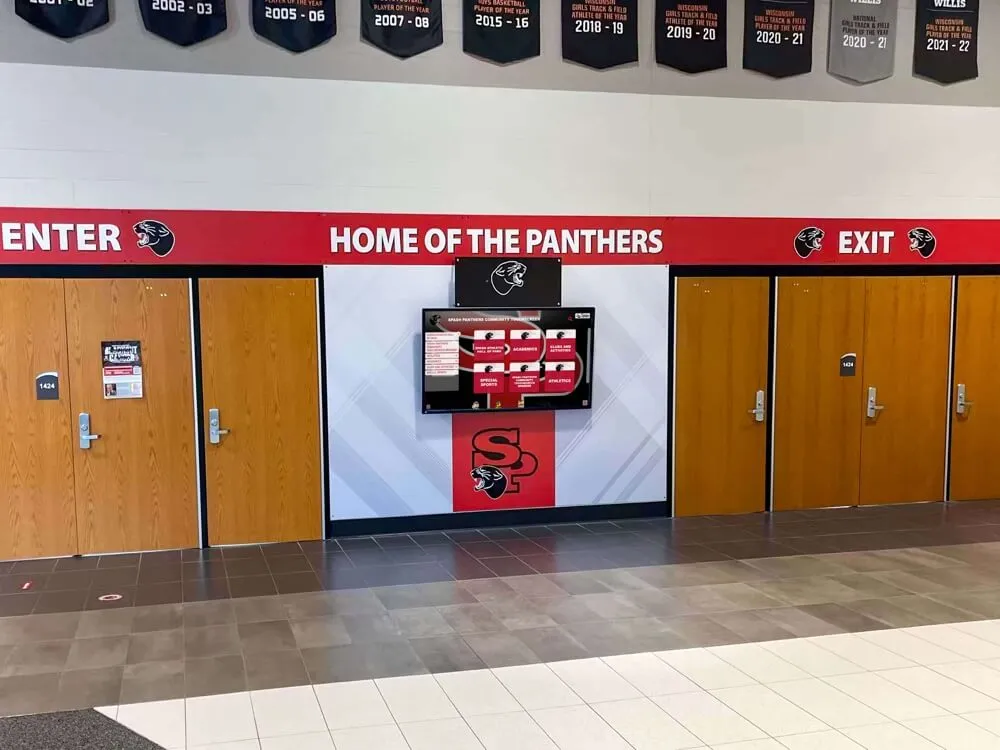
Infrastructure Installation and Preparation (Weeks 3-4)
Electrical Circuit and Outlet Installation
Licensed electricians install dedicated circuits from electrical panels to display locations, mount recessed or surface outlets positioned appropriately behind display mounting locations, and install conduit providing protected pathways for power wiring meeting code requirements.
In new construction, this electrical work occurs during rough-in phases before walls close. Retrofit installations require accessing walls through existing openings or creating access points, then patching and finishing after wiring completes.
Network Cabling and Infrastructure
Low-voltage technicians run network cabling from telecommunications closets or network switches to display locations, following structured cabling standards. Professional installations include:
- Category 6 or better Ethernet cabling
- Proper cable support and protection
- Professional terminations with tested continuity
- Labeling enabling future identification
- Documentation of cable routing and termination locations
Infrastructure work also includes configuring network switches with appropriate ports, updating firewall rules enabling required connectivity, and testing network access from installation locations before displays arrive.
Mounting Preparation and Structural Work
Installers prepare mounting surfaces—locating studs in wood-framed walls, marking anchor locations in masonry construction, verifying structural adequacy, and installing reinforcement if needed. Some installations include decorative surrounds, custom millwork, or architectural integration requiring carpentry work before display mounting.
Display Installation and System Configuration (Week 5)
Physical Display Mounting
Installation crews mount displays using appropriate hardware for wall construction. This critical phase requires careful attention to:
- Level and plumb alignment ensuring professional appearance
- Secure attachment meeting or exceeding weight load requirements
- Proper clearances for ventilation and cable access
- Height and angle optimization for accessibility and viewing
- Cable routing concealing connections for clean aesthetics
Installation typically requires 2-4 hours per display depending on complexity, with multi-person crews handling lifting and positioning safely.
Equipment Connection and Testing
After mounting, installers connect power, network, and any peripheral cables, verifying all connections function correctly. Initial power-up tests confirm displays operate properly, network connectivity functions, and system responds to touch interaction appropriately.
Software Configuration and Platform Integration
Installers or technology coordinators configure recognition software platforms, establishing network settings, creating administrator accounts, configuring content management access, and testing that administrators can reach management portals remotely. This phase includes:
- Platform initial setup and customization
- Administrator account creation
- Network and firewall verification
- Remote access testing
- Integration with school networks
- Security configuration
Quality Verification and Final Adjustments
Before completing installations, professional installers conduct comprehensive quality checks:
- Touch accuracy calibration ensuring precise interaction
- Display brightness and color adjustment optimizing visibility
- Cable management verification ensuring clean appearance
- Mounting security confirmation
- Network connectivity and performance validation
- Audio functionality testing (if equipped)
- Attract mode and idle behavior configuration
Any identified issues receive immediate remediation before crews demobilize.

Training and Handoff (Week 6)
Administrator Training Sessions
Professional installers provide comprehensive training for school staff responsible for content management. Training covers:
- Content management platform access and navigation
- Creating and editing recognition profiles
- Uploading photos and multimedia content
- Publishing and scheduling content
- Basic troubleshooting for common issues
- Support contact procedures for technical problems
Effective training ensures school staff can confidently manage content independently without ongoing vendor dependency for routine updates.
Documentation and Warranty Information
Schools receive complete installation documentation including:
- Equipment specifications and model numbers
- Warranty information and registration details
- Installer contact information for support
- Network configuration details
- Maintenance recommendations
- Troubleshooting guides
Project Closeout and Support Transition
Final project activities include invoice reconciliation, warranty activation, establishing ongoing support arrangements, and transitioning from installation teams to support organizations responsible for long-term assistance.
Decision Framework: Choosing the Right Installation Approach
Selecting appropriate installation service providers requires weighing multiple factors specific to your school’s circumstances.
Evaluation Criteria Matrix
| Criteria | Turnkey Vendor | AV Contractor | General Contractor | In-House Team |
|---|---|---|---|---|
| Total Cost | $$$ (Moderate-High) | $$ (Moderate) | $$ (Moderate) | $ (Low Materials Only) |
| Installation Quality | ✅ Excellent | ✅ Excellent | ✅ Good | ⚠️ Varies by Staff Capability |
| Project Coordination | ✅ Single Point Contact | ⚠️ School Coordinates | ✅ Contractor Manages | ❌ School Manages Everything |
| Technical Expertise | ✅ Recognition-Specific | ✅ AV General | ⚠️ Limited Tech Focus | ⚠️ Depends on Staff |
| Timeline Flexibility | ✅ Predictable | ✅ Good | ❌ Construction-Dependent | ✅ Highly Flexible |
| Software Integration | ✅ Comprehensive | ⚠️ Limited | ❌ Not Included | ⚠️ School Responsibility |
| Warranty Coverage | ✅ Comprehensive | ✅ Installation Work | ✅ Construction Work | ❌ None |
| Staff Burden | ✅ Minimal | ⚠️ Moderate | ⚠️ Moderate | ❌ Substantial |
| Ongoing Support | ✅ Vendor-Provided | ⚠️ Limited | ❌ None | ❌ Internal Only |
Key Decision Factors
Budget Availability and Constraints
Schools with comprehensive budgets covering full installation services benefit from turnkey approaches minimizing risk and administrative burden. Schools facing budget limitations must evaluate whether cost savings from in-house or simplified installations justify additional risk and staff burden.
Internal Technical Capabilities
Honest assessment of staff capabilities determines feasibility of in-house installation. Schools with qualified electricians, experienced network administrators, and skilled facilities staff can consider internal installation. Schools lacking these capabilities should engage professionals rather than attempting installations beyond staff expertise.
Project Timeline and Urgency
Recognition programs launching for specific events—homecomings, anniversaries, facility dedications—require reliable timelines that contractor services deliver more predictably than in-house efforts subject to competing priorities and staff availability.
Renovation and Construction Context
Displays installing during construction or major renovations should integrate with broader projects, leveraging general contractors coordinating all work. Standalone installations outside construction contexts benefit from specialized vendors or AV contractors focused specifically on recognition displays.
Long-Term Support Requirements
Schools wanting ongoing vendor relationships providing continued assistance should engage vendors offering comprehensive support packages. Schools comfortable managing systems independently after installation can engage installation-focused contractors then self-manage ongoing operation.
Institutional Risk Tolerance
Conservative institutions prioritizing reliability, warranties, and professional accountability should engage experienced vendors. Schools accepting higher risk in exchange for cost savings and control can explore in-house or contractor-managed approaches.
Common Installation Pitfalls and How to Avoid Them
Learning from typical installation problems helps schools prevent costly mistakes.
Inadequate Pre-Installation Planning
Problem: Schools ordering equipment before verifying installation requirements discover power unavailability, network infrastructure gaps, or unsuitable mounting locations after displays arrive.
Prevention: Conduct thorough site assessments before equipment purchase. Verify electrical capacity, confirm network accessibility, evaluate mounting surfaces, and identify all infrastructure work required before committing to specific locations or equipment.
Underestimating Infrastructure Costs
Problem: Schools budget for display hardware and software but overlook substantial costs for electrical circuits, network cabling, mounting hardware, and professional installation labor. Projects stall when funding proves insufficient for complete installation.
Prevention: Obtain detailed cost estimates covering all installation components—hardware, labor, electrical work, network infrastructure, mounting materials, and contingencies. Budget comprehensively from project inception rather than discovering cost gaps midway through implementation.
Poor Mounting Location Selection
Problem: Displays install in locations with inadequate visibility, high glare from windows, insufficient clearance, or poor traffic flow. Even excellent technology fails when nobody uses displays due to poor placement.
Prevention: Evaluate locations during various times and conditions—morning, afternoon, peak activity periods—assessing lighting, traffic patterns, accessibility, and prominence. Visit successful installations at other schools observing what locations work well. Consider digital signage placement strategies proven effective in educational environments.
Insufficient Network Infrastructure
Problem: Displays install with inadequate network connectivity—slow WiFi causing unreliable operation, missing ethernet access requiring expensive retrofits, or network security blocking required platform communication.
Prevention: Test network connectivity at proposed locations before installation. Verify sufficient bandwidth, low latency, and reliable connections. Coordinate with IT departments early, reviewing firewall rules, bandwidth allocation, and security policies preventing connectivity problems after installation completes.
Inadequate Staff Training
Problem: Displays install successfully but staff lack confidence managing content, resulting in systems remaining unused or depending on vendors for routine updates. Training insufficient for staff to operate systems independently undermines self-service platform benefits.
Prevention: Require comprehensive administrator training as installation components. Schedule training after installation completes with actual systems rather than abstract demonstrations. Involve multiple staff members creating backup capability when primary administrators are unavailable. Request recorded training sessions enabling future reference and new staff onboarding.
Missing Warranty and Support Arrangements
Problem: Displays fail after installation but responsibility remains unclear—hardware manufacturer, software vendor, installer, or school? Multiple parties deflect responsibility and problems remain unresolved.
Prevention: Clarify warranty terms before installation. Verify who covers hardware failures, software problems, mounting issues, and connectivity troubles. Establish support procedures and contact information. Test support responsiveness before problems become urgent. Consider comprehensive support packages providing single-source accountability.
Conclusion: Making Confident Installation Decisions
Successfully installing digital hall of fame displays requires far more than mounting screens on walls—proper installations integrate power, network, mounting, and software configuration into reliable systems operating excellently for years. The service providers you engage determine whether installations complete professionally, on schedule, and within budget, or encounter problems causing delays, cost overruns, and ongoing operational issues.
For most schools, turnkey vendor installation services provide optimal balance of quality, reliability, and value. Comprehensive vendors handle every aspect from site assessment through final training, deliver proven expertise specific to recognition displays, provide single-source warranty coverage, and reduce administrative burden enabling schools to focus on program content rather than installation logistics. While turnkey services cost more than in-house approaches, they eliminate risk, accelerate timelines, and ensure professional results justifying incremental investment.
Schools with capable internal teams and tight budgets can consider in-house installation, but only after honest assessment of staff qualifications, available capacity, opportunity costs, and willingness to accept responsibility for outcomes. Successful in-house installation requires electrical expertise, network administration capability, facilities skills, and time availability that many schools overestimate when evaluating options.
Specialized AV contractors provide middle-ground options suitable for schools managing software independently while needing professional installation expertise. This approach works particularly well when displays integrate with broader technology projects managed by contractors schools already trust.
General contractor installation makes sense during construction or major renovations where display installation coordinates with broader building projects. However, schools must provide detailed technical specifications and accept reduced flexibility compared to standalone technology projects.
Regardless of installation approach selected, thorough pre-installation planning, realistic budget estimates covering all components, comprehensive site assessment identifying infrastructure requirements, and clear support arrangements for post-installation assistance prove essential for success. Schools investing time in careful planning and provider selection achieve professional installations delivering years of reliable recognition program service.
Digital hall of fame displays represent visible, high-profile installations reflecting institutional commitment to recognizing achievement. Professional installation quality matches the significance of the recognition they showcase, ensuring displays serve schools excellently throughout their operational lives.
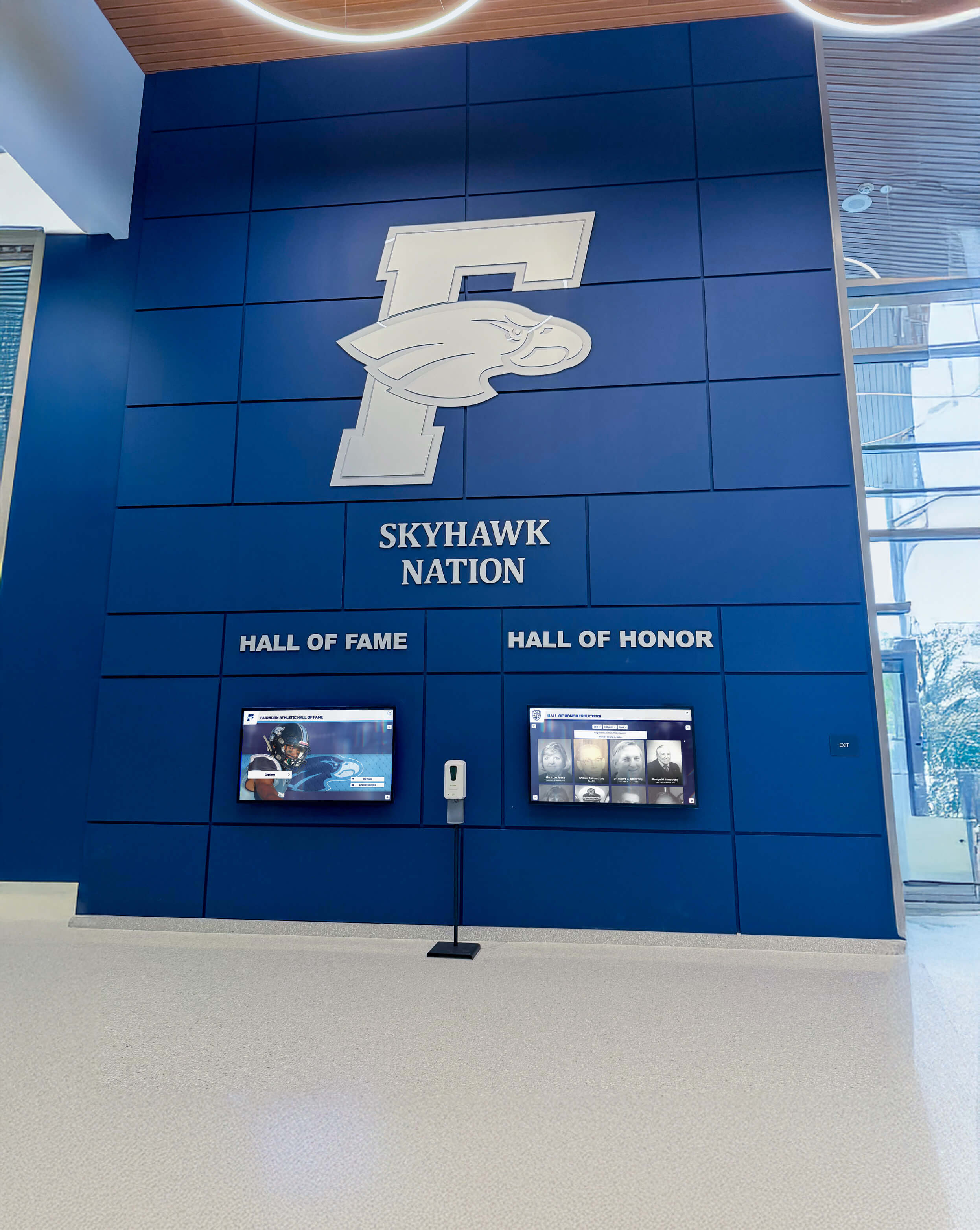
Ready to explore professional installation services for your school’s digital recognition program? Book a demo to discuss comprehensive turnkey installation options including mounting, power, network setup, and complete system configuration. Learn about interactive display implementation strategies that deliver reliable recognition programs supporting your school community for years to come.
































