




Key Takeaways
Comprehensive guide to WCAG 2.2 AA compliance for digital recognition displays and touchscreen halls of fame. Understand every success criteria from Level A through AAA for accessible school displays.
Digital recognition displays have become central to how schools, universities, and organizations celebrate achievements. As these interactive touchscreen systems replace traditional trophy cases and static plaques, accessibility compliance moves from optional consideration to essential requirement. The Web Content Accessibility Guidelines (WCAG) 2.2 at Level AA represent the accessibility standard that federal agencies, educational institutions, and forward-thinking organizations now target.
This guide examines every WCAG 2.2 success criteria across all three conformance levels—A, AA, and AAA—explaining why each matters for digital recognition displays and touchscreen halls of fame. Whether you manage athletic recognition systems, donor walls, academic honor displays, or alumni showcases, understanding these criteria helps you create experiences that welcome all visitors while meeting compliance expectations.
Understanding WCAG 2.2 Conformance Levels
WCAG organizes accessibility requirements into three progressive levels, each building on the previous foundation:
Level A: Foundation Requirements The baseline accessibility level addressing the most severe barriers. Failing Level A criteria means some users cannot access content at all. Every digital display must meet these fundamental requirements.
Level AA: Target Compliance Level The widely adopted standard for most organizations, federal agencies, and educational institutions. Level AA addresses significant barriers affecting many users with disabilities. Section 508 requirements and most accessibility policies reference this level.
Level AAA: Enhanced Accessibility The highest level, addressing specialized needs and providing the most comprehensive access. While not required for most contexts, AAA criteria offer guidance for organizations pursuing exceptional accessibility.

Most organizations implementing digital recognition displays target WCAG 2.2 Level AA compliance. This level balances broad accessibility with practical implementation, ensuring displays serve diverse visitors without imposing requirements that might be difficult to achieve with current technology.
WCAG 2.2 Level A Success Criteria: Foundation Accessibility
Level A criteria establish the minimum accessibility baseline. These requirements address barriers that would completely prevent access for users with disabilities. Digital recognition displays must address every Level A criterion to be considered accessible.
Perceivable Content (Level A)
1.1.1 Non-text Content Every image, icon, and graphic element must have text alternatives that convey equivalent meaning. For hall of fame displays, this includes:
- Alternative text for athlete photos describing who they are
- Text equivalents for achievement icons and badges
- Descriptive labels for interactive buttons and controls
- Transcripts or descriptions for video highlights
Without text alternatives, screen reader users encounter only “image” or silence when navigating recognition content. Alternative text transforms visual recognition into accessible information that assistive technology can convey.
1.2.1 Audio-only and Video-only (Prerecorded) Recognition displays featuring audio narration or silent video content must provide alternatives. Audio achievements descriptions need transcripts; silent video highlights require either audio descriptions or full text alternatives explaining what viewers see.
1.2.2 Captions (Prerecorded) Video content in recognition displays—game highlights, acceptance speeches, historical footage—requires synchronized captions. Captions benefit not just deaf and hard-of-hearing visitors, but also those in noisy lobby environments or visitors who process information better through reading.
1.2.3 Audio Description or Media Alternative (Prerecorded) Video content must include either audio description of visual information or complete text transcripts. When displays show championship game highlights, audio descriptions explain visual action for blind and low-vision visitors.
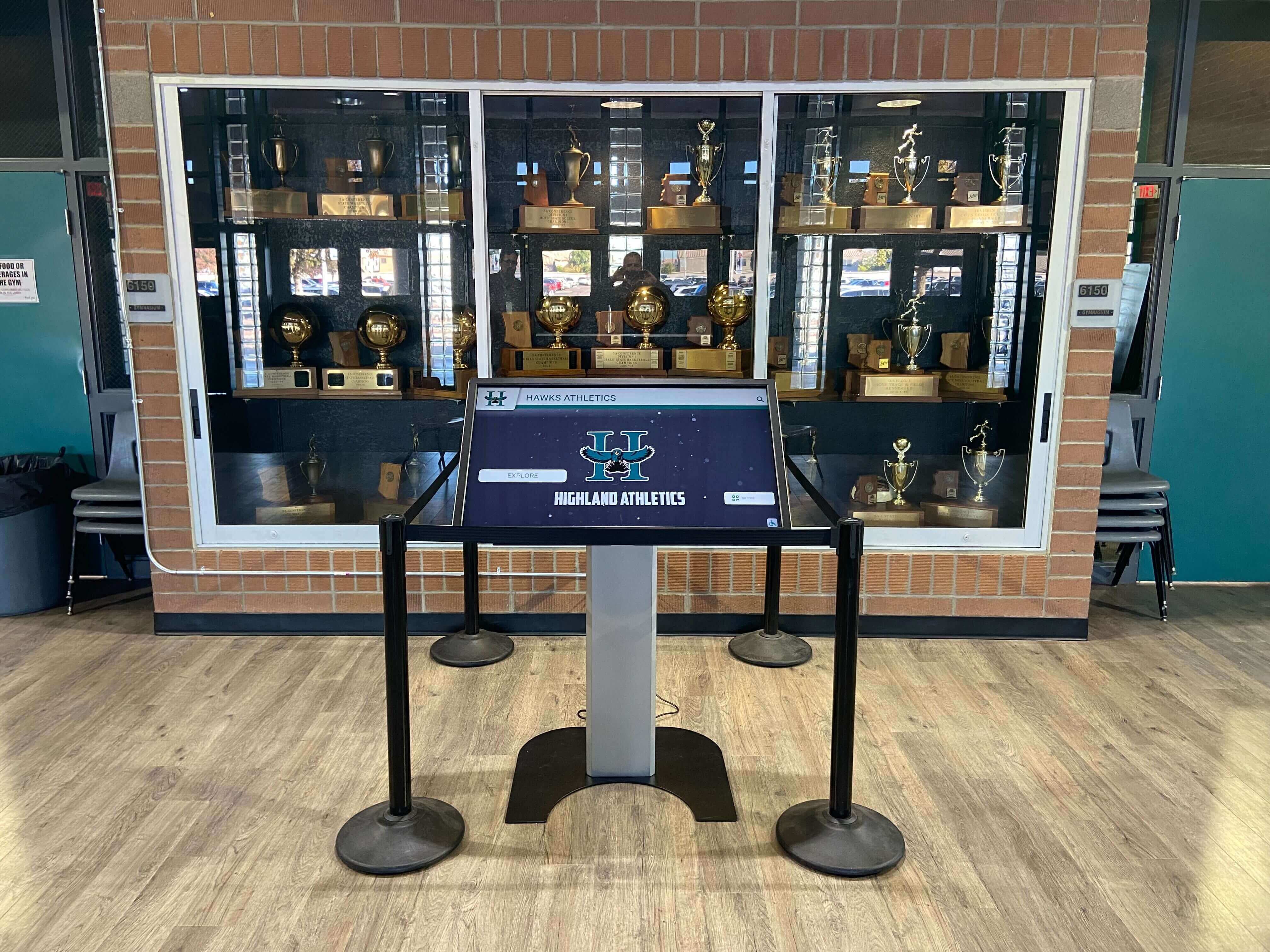

Solutions like Rocket Alumni Solutions support accessibility features that help organizations meet WCAG 2.2 requirements, from semantic content structure to keyboard navigation support and responsive design that adapts to assistive technologies.
1.3.1 Info and Relationships Information structure must be programmatically determinable. When displays show achievement lists, statistical records, or biographical information, the underlying code must communicate that structure to assistive technologies. Headings must be marked as headings, lists as lists, and data relationships as tables.
1.3.2 Meaningful Sequence Content must be presented in a logical reading order. Recognition displays often use multi-column layouts and complex visual arrangements. The underlying code must present information in a sequence that makes sense when accessed linearly by assistive technology.
1.3.3 Sensory Characteristics Instructions and information cannot rely solely on sensory characteristics like shape, size, color, or location. Telling users to “select the blue button on the right” fails this criterion. Instead, use text labels, clear button naming, and multiple identifying characteristics.
1.4.1 Use of Color Color cannot be the only method of conveying information. If your recognition display shows selected athletes in green and unselected in gray, users who cannot perceive color cannot understand the selection state. Add icons, text labels, or visual patterns to supplement color-coded information.
1.4.2 Audio Control If recognition displays automatically play audio lasting more than three seconds, visitors must have a mechanism to pause, stop, or control volume. Auto-playing achievement narrations that cannot be controlled create barriers for screen reader users whose audio is overridden.
Operable Interface (Level A)
2.1.1 Keyboard All functionality must be operable through keyboard interface. Touchscreen-only displays create complete barriers for visitors who cannot use touchscreens due to mobility impairments, tremors, or other conditions. Supporting keyboard alternatives (or alternative input devices) is required.
2.1.2 No Keyboard Trap When visitors use keyboard navigation, focus must not become trapped in any component. If keyboard users can enter a photo gallery or video player but cannot exit, they’re trapped and cannot access other content.
2.1.4 Character Key Shortcuts If single-character keyboard shortcuts exist (like pressing “S” to search), users must be able to turn them off, remap them, or have them active only when specific components have focus. This prevents conflicts with assistive technology and speech input software.
2.2.1 Timing Adjustable Time limits must be adjustable, extendable, or removable. Recognition displays that automatically reset after inactivity must give users ability to extend the time limit or turn it off. Some visitors need significantly more time to navigate and read content.
2.2.2 Pause, Stop, Hide Moving, blinking, scrolling, or auto-updating information that starts automatically, lasts more than five seconds, and is presented alongside other content must have controls to pause, stop, or hide it. Auto-rotating achievement carousels need pause controls.
2.3.1 Three Flashes or Below Threshold Content must not flash more than three times per second, or flashes must be below luminance and red flash thresholds. Flashing content can trigger seizures in visitors with photosensitive epilepsy. Recognition display animations and transitions must avoid rapid flashing.
2.4.1 Bypass Blocks A mechanism must exist to bypass repeated blocks of content. For web-based recognition systems, this typically means “skip to main content” links. For touchscreen displays with consistent navigation elements, similar bypass mechanisms help keyboard users reach main content quickly.
2.4.2 Page Titled Web pages must have descriptive titles. For recognition systems, every section, profile, and view should have clear, descriptive titles that help visitors understand where they are and what content they’re viewing.
2.4.3 Focus Order When visitors navigate sequentially, focus must move through content in an order that preserves meaning and operability. Recognition displays with complex layouts must ensure keyboard navigation follows a logical path through achievement information.
2.4.4 Link Purpose (In Context) Link purpose must be determinable from link text alone or from link text combined with surrounding context. “Click here” or “More” links fail this criterion. Instead, use descriptive links like “View Sarah Johnson’s athletic achievements” or “Explore 2023 championship team.”
Additional Level A Criteria (WCAG 2.1 and 2.2)
2.5.1 Pointer Gestures Functionality requiring multi-point or path-based gestures must have alternatives using single-point activation. Pinch-to-zoom, multi-finger swipes, or complex gesture patterns need simpler alternatives that visitors with mobility impairments can use.
2.5.2 Pointer Cancellation For functionality operated by single pointer, at least one of the following must be true: down-event is not used to execute functions, up-event can abort or undo the function, up-event reverses any down-event outcome, or completing function on down-event is essential. This prevents accidental activation from shaking or tremors.
2.5.3 Label in Name For interface components with visible text labels, the accessible name must include the visible text. If a button says “Search Athletes,” the accessible name must include “Search Athletes.” This ensures speech input users can activate controls by saying what they see.
2.5.4 Motion Actuation Functionality triggered by device motion or user gestures must have alternative interface controls, and motion activation must be disableable. Shake-to-refresh or tilt-to-navigate features need button alternatives for visitors who cannot perform these motions.
Understandable Content (Level A)
3.1.1 Language of Page The primary language must be programmatically determinable. Recognition displays must declare their language (English, Spanish, etc.) so assistive technologies can use appropriate pronunciation and characteristics.
3.2.1 On Focus When interface components receive focus, they must not initiate unexpected changes of context. Focus alone should not trigger navigation, form submission, or significant content changes. Visitors must maintain control over when actions occur.
3.2.2 On Input Changing settings must not automatically cause unexpected changes of context unless the user has been warned. Form controls shouldn’t automatically navigate when selections are made. Users should confirm actions before significant changes occur.
3.2.6 Consistent Help (Level A in WCAG 2.2 only) If help mechanisms appear on multiple pages, they must appear in the same relative order. For recognition systems spanning multiple sections, contact information, help links, or assistance options should remain consistently located.
3.3.1 Error Identification If input errors are automatically detected, the item in error must be identified and the error described in text. Search functions, filters, or contact forms in recognition systems must clearly identify and describe any errors encountered.
3.3.2 Labels or Instructions Labels or instructions must be provided when content requires user input. Search boxes, filter controls, and contact forms need clear labels explaining what information visitors should provide.
3.3.7 Redundant Entry (Level A in WCAG 2.2 only) Information previously entered or provided must not require re-entry within the same process, except where necessary for security, previous information is no longer valid, or re-entry is essential. Multi-step interactions should remember information across steps.

Robust and Compatible (Level A)
4.1.1 Parsing Content must be parseable by assistive technologies. HTML markup must have complete start and end tags, properly nested elements, no duplicate attributes, and unique IDs. This criterion is now obsolete in WCAG 2.2 as modern browsers handle parsing errors gracefully, but proper markup remains good practice.
4.1.2 Name, Role, Value For all interface components, name and role must be programmatically determinable, states and properties must be programmatically settable, and changes must be communicated to assistive technologies. Custom controls in recognition displays must properly communicate their purpose, current state, and how to operate them.
WCAG 2.2 Level AA Success Criteria: Target Compliance
Level AA criteria address significant accessibility barriers that, while not completely preventing access, create substantial difficulties for many users. Most organizations, including federal agencies and educational institutions, target Level AA compliance as their accessibility standard.
Enhanced Perceivability (Level AA)
1.2.4 Captions (Live) Live audio content must have synchronized captions. For recognition displays showing live event streams or real-time announcements, captions must be provided. Pre-recorded content requires captions at Level A; live content extends this requirement to Level AA.
1.2.5 Audio Description (Prerecorded) All prerecorded video content must have audio description. While Level A allows either audio description or text alternative, Level AA requires actual audio description tracks explaining visual information occurring in videos.
1.3.4 Orientation (WCAG 2.1 and 2.2) Content must not restrict display orientation to only portrait or landscape unless a specific orientation is essential. Recognition displays must work in both orientations unless there’s a genuine reason requiring one orientation.
1.3.5 Identify Input Purpose (WCAG 2.1 and 2.2) The purpose of input fields collecting user information must be programmatically determinable. Contact forms or search functions collecting personal information must use autocomplete attributes identifying field purpose so browsers and assistive technologies can help users complete forms.
1.4.3 Contrast (Minimum) Text and images of text must have contrast ratio of at least 4.5:1 (3:1 for large text). This is one of the most commonly failed criteria. Recognition displays must use sufficient contrast between text and backgrounds so visitors with low vision or color blindness can read content.
Many displays use light gray text on white backgrounds or dark gray on black backgrounds, failing to meet minimum contrast. Testing tools can verify your contrast ratios meet requirements.
1.4.4 Resize Text Text must be resizable up to 200% without loss of content or functionality. Visitors with low vision must be able to increase text size significantly. Fixed text sizes or implementations that break when text is enlarged fail this criterion.
1.4.5 Images of Text Text must be actual text rather than images of text, except where the visual presentation is essential or customizable. Using text rather than images provides flexibility for visitors to adjust size, color, and contrast to their needs.
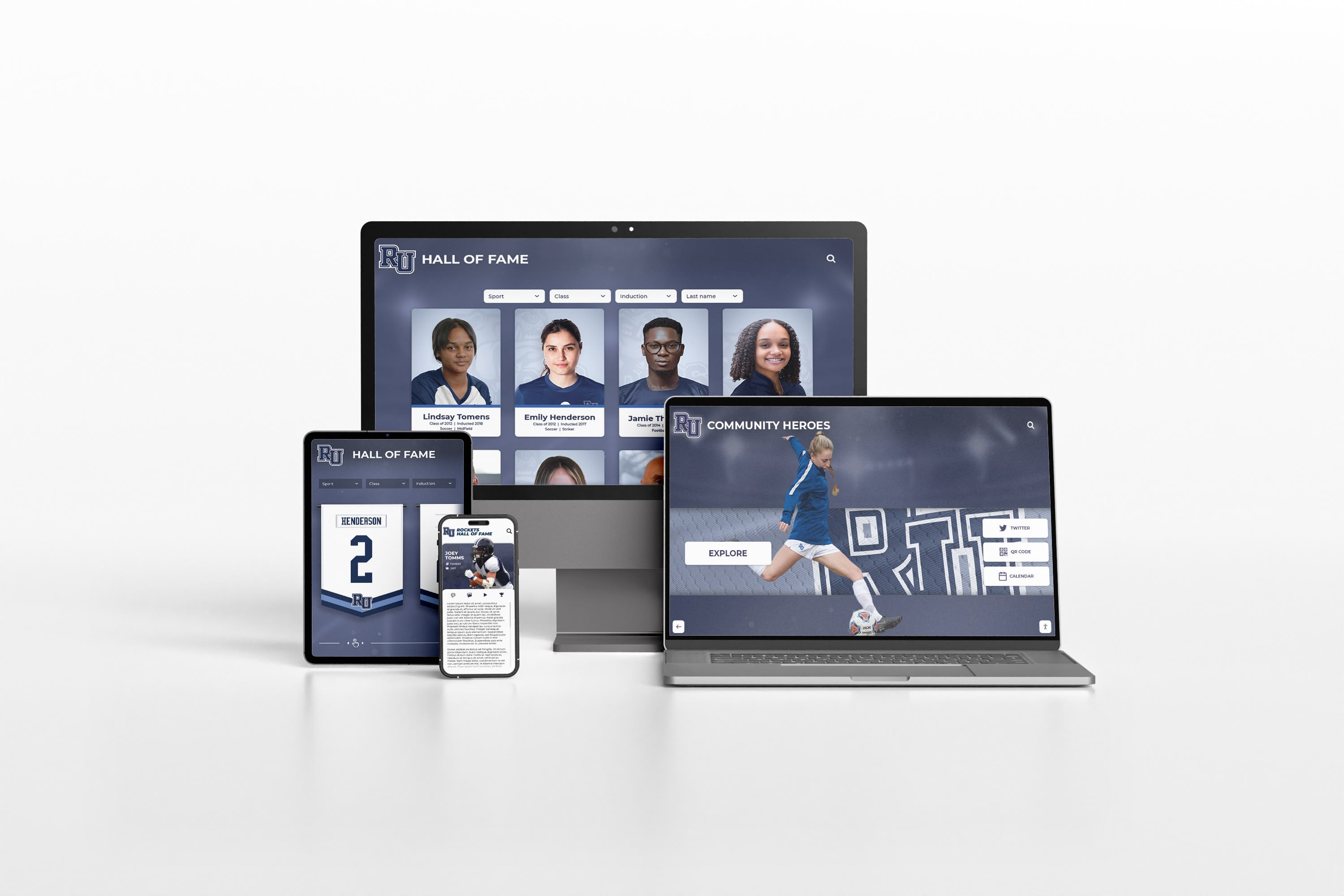
Modern digital recognition platforms like best-in-class signage software build accessibility features into their core architecture, making compliance achievable without extensive custom development.
1.4.10 Reflow (WCAG 2.1 and 2.2) Content must reflow without requiring scrolling in two dimensions at 320 CSS pixels width. Visitors using extreme magnification or narrow viewports should be able to access content by scrolling in only one direction, not both horizontally and vertically.
1.4.11 Non-text Contrast (WCAG 2.1 and 2.2) Interface components and graphical objects must have contrast ratio of at least 3:1 against adjacent colors. Buttons, form controls, icons, and interactive elements must be distinguishable from surrounding content.
1.4.12 Text Spacing (WCAG 2.1 and 2.2) Content must not lose information or functionality when users adjust text spacing properties: line height to 1.5 times font size, paragraph spacing to 2 times font size, letter spacing to 0.12 times font size, and word spacing to 0.16 times font size. Fixed layouts that break when text spacing changes fail this criterion.
1.4.13 Content on Hover or Focus (WCAG 2.1 and 2.2) When hovering or focusing triggers additional content, that content must be dismissible without moving pointer or focus, hoverable (pointer can move over the new content), and persistent until dismissed, hover or focus is removed, or information is no longer valid. Tooltips, dropdowns, and pop-ups must follow these patterns.
Enhanced Operability (Level AA)
2.4.5 Multiple Ways Multiple ways must exist to locate web pages within a set, except where pages are steps in a process. Recognition systems should provide search, navigation menus, site maps, or other discovery methods. Visitors shouldn’t be forced into a single navigation path.
2.4.6 Headings and Labels Headings and labels must be descriptive. “Section 1” and “Section 2” fail this criterion. Instead, use descriptive headings like “Athletic Hall of Fame,” “Academic Honors,” and “Distinguished Alumni” that clearly describe the content.
2.4.7 Focus Visible When keyboard focus is on a component, there must be a visible focus indicator. Many designs remove default browser focus indicators for aesthetic reasons but fail to provide replacement indicators. Keyboard users must be able to see where focus is located.
2.4.11 Focus Not Obscured (Minimum) (WCAG 2.2 only) When a component receives keyboard focus, it must not be entirely hidden by author-created content. Fixed headers, footers, or pop-ups must not completely cover focused elements. Partial obscuring is acceptable at Level AA; Level AAA requires no obscuring.
2.5.7 Dragging Movements (WCAG 2.2 only) Functionality requiring dragging must have a single pointer alternative without dragging. Drag-and-drop interactions, slider controls requiring dragging, or reorder functions must provide alternatives like buttons or keyboard controls.
2.5.8 Target Size (Minimum) (WCAG 2.2 only) Interactive elements must have a target size of at least 24 by 24 CSS pixels, except when equivalent controls exist, elements are inline, sizing is controlled by user agent, or presentation is essential. Touch targets must be large enough that users can reliably activate them.
This is particularly important for touchscreen displays where visitors use fingers rather than precise mouse cursors. Buttons, links, and controls must be sized for finger activation rather than mouse precision.

Enhanced Understanding (Level AA)
3.1.2 Language of Parts The language of each passage or phrase must be programmatically determinable, except proper names, technical terms, and words of indeterminate language. If your recognition display includes multilingual content or quotes in different languages, mark those language changes.
3.2.3 Consistent Navigation Navigation mechanisms repeated on multiple pages must occur in the same relative order, unless user initiates a change. Recognition systems with consistent navigation elements must maintain that consistency across all sections.
3.2.4 Consistent Identification Components with the same functionality must be identified consistently. If one section uses a magnifying glass icon for search, all sections must use the same icon and label for search. Inconsistent identification confuses visitors.
3.3.3 Error Suggestion When input errors are detected, suggestions for correction must be provided, unless doing so would jeopardize security or purpose. Search functions returning no results should suggest alternatives. Forms with invalid entries should explain valid formats.
3.3.4 Error Prevention (Legal, Financial, Data) For pages causing legal commitments, financial transactions, data modification, or test response submissions, submissions must be reversible, checked for errors with correction opportunity, or confirmed before finalizing. Hall of fame nomination forms or donor recognition submissions should include confirmation steps.
3.3.8 Accessible Authentication (Minimum) (WCAG 2.2 only) Authentication processes must not require cognitive function tests (like remembering passwords or solving puzzles) unless that test recognizes objects, provides mechanisms to assist, or tests personal content the user provided. Alternative authentication methods like biometrics, email verification, or third-party providers should be available.
Enhanced Compatibility (Level AA)
4.1.3 Status Messages (WCAG 2.1 and 2.2) Status messages must be programmatically determinable through role or properties so assistive technologies can present them without receiving focus. Search results messages, success confirmations, or error announcements must be communicated to screen reader users automatically.
When recognition displays show “3 results found” or “Profile saved successfully,” those messages must be marked with appropriate ARIA roles (like role="status") so screen readers announce them.
WCAG 2.2 Level AAA Success Criteria: Enhanced Accessibility
Level AAA represents the highest conformance level, addressing specialized accessibility needs. While not required for most contexts, these criteria provide valuable guidance for organizations pursuing exceptional accessibility.
Maximum Perceivability (Level AAA)
1.2.6 Sign Language (Prerecorded) Sign language interpretation must be provided for all prerecorded audio content. This goes beyond captions to provide full signed interpretation for deaf users whose primary language is sign language.
1.2.7 Extended Audio Description (Prerecorded) When audio description cannot fit in natural pauses, extended audio description must be provided. This allows pausing video to deliver complete audio description when visual information is dense.
1.2.8 Media Alternative (Prerecorded) Text alternative providing equivalent information must be provided for all prerecorded synchronized media. This means full transcripts including all dialogue, sound effects, and visual information.
1.2.9 Audio-only (Live) Text alternative presenting equivalent information must be provided for live audio-only content. Live audio streams need real-time captioning or descriptions.
1.3.6 Identify Purpose (WCAG 2.1 and 2.2) The purpose of interface components, icons, and regions must be programmatically determinable. This enables personalization and symbol support for users with cognitive disabilities.
1.4.6 Contrast (Enhanced) Text and images of text must have contrast ratio of at least 7:1 (4.5:1 for large text). This significantly exceeds Level AA requirements, providing maximum readability for visitors with low vision.
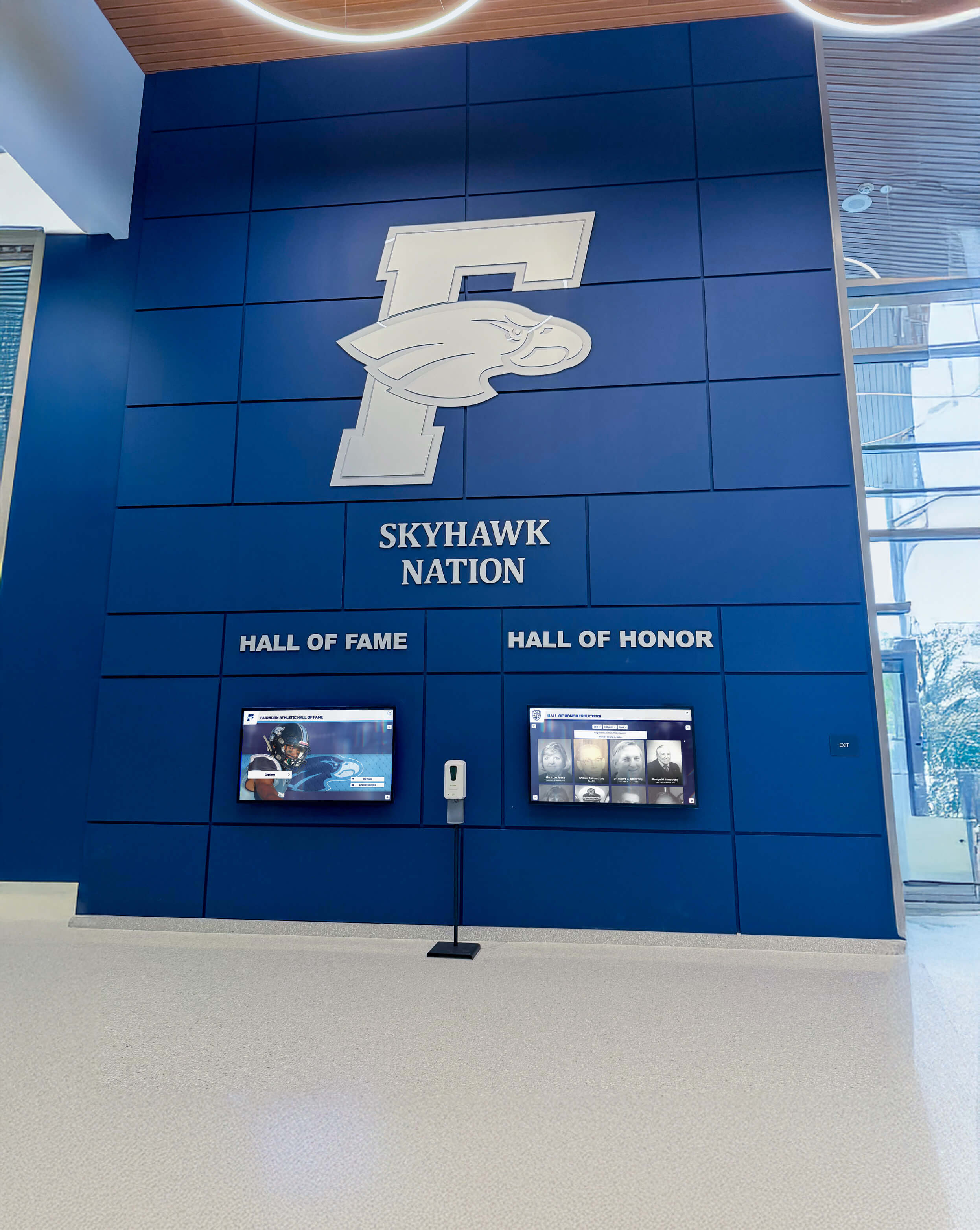
Organizations implementing digital hall of fame systems should evaluate accessibility features during vendor selection, ensuring platforms support the contrast, sizing, and customization options needed to meet compliance requirements.
1.4.7 Low or No Background Audio Audio containing primarily speech must have minimal or no background sounds, except audio CAPTCHA, audio logos, or musicality as primary content. Narration or audio descriptions in recognition displays must not be overwhelmed by background music.
1.4.8 Visual Presentation For text blocks, users must be able to: select foreground and background colors, set width to no more than 80 characters, avoid justified text, set line spacing to at least 1.5 within paragraphs, set paragraph spacing to at least 1.5 times line spacing, resize text to 200% without horizontal scrolling, and avoid requiring horizontal scrolling.
1.4.9 Images of Text (No Exception) Images of text must not be used except for pure decoration or where text presentation is essential. Level AAA removes exceptions allowed at Level AA, requiring actual text rather than images in virtually all cases.
Maximum Operability (Level AAA)
2.1.3 Keyboard (No Exception) All functionality must be operable through keyboard interface without requiring specific timings for individual keystrokes. This removes exceptions allowed at Level A, requiring keyboard access for every function.
2.2.3 No Timing Timing must not be an essential part of events, except for synchronized media and real-time events. Recognition displays should eliminate time limits entirely rather than making them adjustable.
2.2.4 Interruptions Interruptions must be postponable or suppressible except for emergencies. Auto-playing content, pop-ups, or alerts in recognition displays should be controllable by visitors.
2.2.5 Re-authenticating When sessions expire, users must be able to continue activity without data loss after re-authenticating. Recognition system sessions that timeout should preserve visitor progress.
2.2.6 Timeouts (WCAG 2.1 and 2.2) Users must be warned of inactivity timeouts lasting more than 20 hours. Sessions lasting days or longer should provide appropriate warnings before timing out.
2.3.2 Three Flashes Pages must not contain content that flashes more than three times per second. This is more restrictive than Level A, which allows flashing below certain thresholds.
2.3.3 Animation from Interactions (WCAG 2.1 and 2.2) Motion animation triggered by interaction must be disableable unless the animation is essential. Visitors sensitive to motion must be able to disable non-essential animations in recognition displays.
2.4.8 Location Information about user location within a set of pages must be available. Breadcrumb navigation, section indicators, or “You are here” markers help visitors understand their location in larger recognition systems.
2.4.9 Link Purpose (Link Only) Link purpose must be determinable from link text alone. This is stricter than Level A, which allows determining purpose from surrounding context. Every link must be self-descriptive.
2.4.10 Section Headings Headings must be used to organize content. Well-structured recognition displays use hierarchical headings to organize athlete profiles, achievement categories, and statistical records.
2.4.12 Focus Not Obscured (Enhanced) (WCAG 2.2 only) When components receive focus, they must not be obscured by author-created content at all. Unlike Level AA which allows partial obscuring, Level AAA requires full visibility of focused elements.
2.4.13 Focus Appearance (WCAG 2.2 only) Focus indicators must have sufficient size and contrast. Specific metrics ensure focus indicators are clearly visible against all backgrounds, meeting minimum size and contrast requirements.
2.5.5 Target Size (WCAG 2.1 and 2.2) Interactive elements must have a target size of at least 44 by 44 CSS pixels except where equivalent controls exist, elements are inline, sizing is controlled by user agent, or presentation is essential. This exceeds the 24-pixel Level AA requirement.
2.5.6 Concurrent Input Mechanisms (WCAG 2.1 and 2.2) Content must not restrict use of input modalities available on a platform except where restriction is essential or required to ensure security. Visitors should be able to switch between touch, mouse, keyboard, and voice input freely.
Maximum Understanding (Level AAA)
3.1.3 Unusual Words Mechanisms must be available for identifying specific definitions of unusual words, jargon, and idioms. Recognition displays using specialized athletic terminology should provide definitions.
3.1.4 Abbreviations Mechanisms must be available for identifying expanded forms or meanings of abbreviations. Sports statistics and achievement descriptions often use abbreviations that should be explained.
3.1.5 Reading Level When text requires reading ability more advanced than lower secondary education level after removing proper names and titles, supplemental content or versions not requiring advanced reading ability must be provided. Complex biographical content should be accompanied by simplified summaries.
3.1.6 Pronunciation Mechanisms must be available for identifying pronunciation of words where meaning is ambiguous without knowing pronunciation. Athlete names with non-obvious pronunciations could include phonetic guides.
3.2.5 Change on Request Changes of context must be initiated only by user request or a mechanism is available to turn off such changes. Automatic redirects, surprise navigation, or unexpected content changes should be eliminated.
3.3.5 Help Context-sensitive help must be available. Recognition systems should provide assistance appropriate to each section, explaining how to search for athletes, filter achievements, or navigate content.
3.3.6 Error Prevention (All) For pages requiring user information submission, submissions must be reversible, checked for errors with correction opportunity, or confirmed. This extends Level AA error prevention to all submissions, not just legal, financial, or data-modification contexts.
3.3.9 Accessible Authentication (Enhanced) (WCAG 2.2 only) Authentication must not require cognitive function tests unless they recognize objects or patterns the user previously provided to the website. This is more restrictive than Level AA accessible authentication.
Comprehensive accessibility extends beyond minimum compliance to create genuinely welcoming experiences. Organizations implementing digital trophy showcases and recognition systems should evaluate how platforms support visitors with diverse needs.
Implementing WCAG 2.2 AA in Recognition Display Projects
Understanding success criteria is the first step. Successful implementation requires systematic planning, thoughtful design decisions, and ongoing validation.
Start With Accessibility Requirements
Include WCAG 2.2 Level AA compliance as explicit requirements in every recognition display project from the beginning. Retrofitting accessibility after design completion costs significantly more than building accessible systems from the start.
When evaluating vendors and platforms, ask specific questions:
- What WCAG conformance level does the platform support?
- Has the platform been tested by third-party accessibility auditors?
- What accessibility features are built in versus requiring custom development?
- How does the platform handle keyboard navigation, screen readers, and contrast requirements?
- What documentation and training does the vendor provide about accessibility features?
Choose Accessible Platforms and Technologies
Platforms purpose-built for recognition displays often incorporate accessibility features that generic solutions lack. Systems designed for touchscreen interaction, multiple input methods, and responsive design provide stronger accessibility foundations than adapted website platforms or digital signage solutions never intended for interactive use.
Modern recognition platforms like interactive touchscreen systems build accessibility into core architecture, supporting keyboard navigation, appropriate contrast, semantic markup, and responsive layouts that adapt to assistive technologies.
Design for Accessibility From the Beginning
Visual design must account for accessibility requirements:
- Choose color palettes providing sufficient contrast for all text and interface elements
- Design touch targets meeting minimum size requirements (24x24 CSS pixels for AA, 44x44 for AAA)
- Create focus indicators clearly visible against all backgrounds
- Avoid relying solely on color to convey information
- Ensure text remains readable when enlarged to 200%
- Provide adequate spacing between interactive elements
Content strategy must also consider accessibility:
- Write clear, descriptive alternative text for all meaningful images
- Provide captions and transcripts for multimedia content
- Use plain language and supplement complex terminology with definitions
- Structure content with clear headings following logical hierarchy
- Write descriptive link text explaining destination and purpose
Test With Real Users and Assistive Technologies
Automated accessibility checkers identify many technical compliance issues but cannot evaluate actual usability. Testing with real users who have disabilities provides invaluable insights about whether your recognition display genuinely works for diverse visitors.
Test with:
- Screen reader users (JAWS, NVDA, VoiceOver) navigating content by voice and keyboard
- Users with low vision testing with screen magnification and contrast adjustments
- Users with mobility impairments using keyboard, alternative input devices, or voice control
- Users with cognitive disabilities evaluating clarity, structure, and ease of use
Testing reveals issues that specifications alone cannot predict. Screen reader users might technically be able to access content but find navigation confusing. Keyboard users might be able to reach all functions but find the tab order illogical. Low vision users might meet contrast ratios but still find specific color combinations difficult to read.
Document Accessibility Conformance
Create a WCAG 2.2 AA conformance statement documenting:
- Which WCAG version and level you target
- What portions of the recognition system are covered
- Any known limitations or partial conformance
- When the statement was created and last updated
- Contact information for reporting accessibility issues
Voluntary Product Accessibility Templates (VPAT) provide standardized formats for documenting accessibility conformance. Educational institutions and government organizations often request VPATs during procurement, making them valuable for vendor selection.
Train Content Authors and Administrators
Accessible platforms require accessible content. Staff managing recognition displays must understand:
- How to write effective alternative text for images
- Why color contrast matters and how to verify adequate contrast
- How to structure content with proper headings
- When captions and transcripts are required for multimedia
- How to write descriptive link text
- What makes forms and interactive elements accessible
Many accessibility failures occur not from technical limitations but from content authors who don’t understand accessibility principles. Training content managers ensures accessibility extends beyond initial implementation to ongoing operation.
Plan for Ongoing Compliance
Accessibility is not a one-time achievement but an ongoing commitment. As recognition displays add new content, features, and design updates, accessibility must be validated continuously.
Establish processes for:
- Accessibility reviews before publishing major content updates
- Periodic audits evaluating ongoing compliance
- User feedback mechanisms enabling visitors to report accessibility issues
- Remediation workflows addressing identified problems quickly
- Staff training ensuring new team members understand accessibility responsibilities
Organizations serious about accessibility often establish accessibility governance committees overseeing compliance across all digital properties, including recognition displays.
Accessibility Beyond Compliance
WCAG 2.2 AA compliance represents an important baseline, but truly accessible recognition displays go beyond technical conformance to create genuinely welcoming, usable experiences for all visitors.
Universal Design Principles Design for the broadest possible audience from the start rather than retrofitting accommodations. Recognition displays designed with diverse users in mind create better experiences for everyone, not just visitors with disabilities.
Inclusive Content Represent diversity in the achievements you celebrate. Recognition displays showcasing athletes, scholars, donors, and alumni from diverse backgrounds send powerful messages about who belongs and whose achievements matter.
Multiple Access Methods Provide information through multiple channels. Physical touchscreen displays might be accompanied by web-accessible online versions, printed guides, QR code links to detailed profiles, or staff who can provide assistance. Multiple formats ensure every visitor can engage with recognition content in ways that work for them.
Continuous Improvement Use feedback, analytics, and user research to identify opportunities for improving accessibility beyond minimum requirements. The best recognition displays evolve based on how diverse visitors actually use them.
Solutions like Rocket Alumni Solutions support organizations pursuing accessibility goals by providing platforms designed with accessibility as a core principle rather than an afterthought. From semantic markup and keyboard support to responsive design and customization options, purpose-built recognition platforms provide the foundation for accessible experiences.
Organizations implementing digital recognition displays should evaluate accessibility features early in vendor selection, ensuring platforms support compliance requirements and future enhancement as standards evolve.
Common WCAG Compliance Challenges for Recognition Displays
Organizations implementing accessible recognition displays frequently encounter specific challenges. Understanding these helps you plan effective solutions.
Challenge: Legacy Content Without Alternative Text Historical photos from decades past often lack documentation about who is pictured or what events they show. Without this information, writing meaningful alternative text becomes difficult.
Solution: Conduct research to identify individuals in historical photos. Contact alumni, review yearbooks and programs, consult institutional archives, and reach out to team captains or coaches who might remember details. When specific identification is impossible, descriptive alternative text explaining what’s shown (even without names) is better than no alternative text.
Challenge: Video Content Without Captions Game highlights, acceptance speeches, and historical footage often lack captions. Creating synchronized captions is time-consuming and can be expensive for extensive video libraries.
Solution: Prioritize videos based on importance and traffic. Caption featured content first, then work through the library systematically. Modern caption services using AI-assisted transcription make the process faster and less expensive than manual captioning. Budget for ongoing captioning as new videos are added.
Challenge: Complex Interactive Visualizations Advanced statistics, interactive timelines, and complex data visualizations can be difficult to make accessible while preserving their visual impact and functionality.
Solution: Ensure the same information is available through alternative presentations. Provide data tables accompanying visualizations, text summaries explaining insights, and keyboard-accessible controls for interactive features. Complex visualizations might need multiple alternative presentations ensuring all users can access the information.
Challenge: Touchscreen-Only Interfaces Many recognition displays were designed exclusively for touchscreen interaction, creating barriers for visitors who cannot use touchscreens.
Solution: Add keyboard navigation support enabling all functions to be operated without touch. Provide alternative input methods or ensure web-accessible versions are available for visitors who cannot use the physical touchscreen. Design with multiple input methods from the beginning rather than treating keyboard access as an afterthought.
Challenge: Inconsistent Design Across Sections Recognition displays that evolved over time often have inconsistent navigation patterns, varied contrast approaches, and different interface conventions across sections.
Solution: Conduct comprehensive audits identifying inconsistencies. Prioritize remediation addressing the most significant accessibility barriers first. Implement design systems ensuring new content follows consistent, accessible patterns. Budget for systematic updates bringing older content into compliance with current standards.
Organizations evaluating athletic achievement recognition systems should ask vendors how their platforms address these common challenges, understanding what features come standard versus requiring custom development.
The Business Case for Accessible Recognition Displays
Accessibility is the right thing to do, but organizations often need to justify investments. Accessible recognition displays deliver measurable benefits beyond compliance.
Expanded Reach Accessible displays serve more visitors. According to the CDC, 26% of U.S. adults have some type of disability. Accessible recognition displays ensure one-quarter of your potential audience can fully engage with your content. Inaccessible displays exclude these visitors entirely.
Improved Usability for Everyone Accessibility features benefit all users, not just those with disabilities. Captions help visitors in noisy environments. Keyboard navigation enables power users to navigate efficiently. Clear contrast and readable text benefit anyone viewing displays in bright lighting. Good alternative text helps search engines understand images. Universal design creates better experiences universally.
Risk Mitigation Inaccessible digital properties create legal exposure. Educational institutions receiving federal funding must comply with Section 508 and related accessibility requirements. Private organizations face increasing accessibility litigation under ADA Title III. Building accessible systems from the start costs significantly less than defending lawsuits or remediating systems after complaints.
Competitive Advantage Organizations demonstrating genuine commitment to accessibility differentiate themselves from competitors. Prospective students, donors, and community members increasingly expect accessibility. Accessible recognition displays signal institutional values and professional quality.
Future-Proofing Accessibility standards continue strengthening. Building accessible systems now positions you ahead of evolving requirements. Systems designed with accessibility from the start adapt more easily to new standards than inaccessible systems requiring complete redesigns.
Choosing Accessible Recognition Display Platforms
When evaluating platforms for digital recognition displays, accessibility should be a primary selection criterion alongside features, pricing, and support.
Evaluate Built-In Accessibility Features Ask vendors to demonstrate specific WCAG 2.2 AA compliance features. Request documentation of accessibility testing, VPAT reports, and third-party audit results. Platforms claiming accessibility support should provide concrete evidence.
Assess Customization and Control Determine how much control you have over accessibility-critical design elements. Can you adjust color contrast? Control heading structure? Add alternative text to images? Provide captions for videos? Platforms with robust content management enabling accessibility best practices empower you to maintain compliance.
Test With Assistive Technologies Request demonstration access and test with screen readers, keyboard navigation, and magnification. Platforms that work well with assistive technologies in controlled demonstrations are more likely to work well in production.
Consider Implementation Support Does the vendor provide guidance on accessibility best practices? Do they offer training for content authors? Will they assist with making content accessible during implementation? Comprehensive support makes compliance achievable.
Plan for Long-Term Partnership Accessibility standards evolve. Choose vendors committed to maintaining and enhancing accessibility as WCAG and other standards advance. Platforms that treat accessibility as ongoing priority rather than one-time checkbox will better serve you long-term.
Organizations seeking accessible recognition systems benefit from platforms purpose-built for this use case. Solutions like specialized hall of fame platforms designed with accessibility from the ground up provide stronger foundations than adapted general-purpose tools.
Conclusion: Accessibility as Core Value
WCAG 2.2 AA compliance represents more than technical requirements—it embodies the principle that recognition should be accessible to everyone. When schools celebrate athletic achievements, universities honor donors, or organizations recognize excellence, those celebrations should welcome all community members, including visitors with disabilities.
Understanding each success criterion helps you design, implement, and operate recognition displays that serve diverse audiences. Level A criteria establish baseline accessibility. Level AA criteria address significant barriers affecting many users. Level AAA criteria provide guidance for organizations pursuing exceptional accessibility.
Most organizations target WCAG 2.2 Level AA as their accessibility standard, balancing comprehensive accessibility with practical implementation. Starting with accessibility requirements from project inception, choosing accessible platforms, testing with real users, and maintaining ongoing compliance creates recognition displays that genuinely welcome all visitors.
Recognition celebrates achievement and belonging. Accessible recognition displays ensure everyone can participate in that celebration, see themselves reflected in honored achievements, and feel welcomed in your community. That’s not just compliance—it’s the foundation of truly inclusive recognition.
Ready to implement accessible digital recognition displays that meet WCAG 2.2 AA standards while celebrating achievements effectively? Book a demo with Rocket Alumni Solutions to explore platforms designed with accessibility as a core principle.
Disclaimer: This guide provides educational information about WCAG 2.2 accessibility standards and their application to digital recognition displays. It does not constitute legal advice regarding accessibility compliance obligations. Organizations should consult with accessibility professionals, legal counsel, and their IT departments to determine specific compliance requirements. WCAG standards are maintained by the W3C Web Accessibility Initiative (https://www.w3.org/WAI/). Success criteria and conformance levels referenced in this article are current as of February 2026 and may be updated as standards evolve.
































