



Key Takeaways
Comprehensive guide to museum kiosks in 2026. Compare interactive display technology, evaluate vendors, plan budgets, and implement touchscreen solutions that improve visitor engagement at cultural institutions.
Museums and cultural institutions face mounting pressure to deliver engaging visitor experiences that compete with streaming content, gaming, and social media. Static wall labels and traditional exhibit design no longer captivate audiences accustomed to interactive, personalized digital experiences. Museum kiosks—interactive touchscreen displays that enable visitors to explore collections, discover stories, and engage with content at their own pace—have emerged as essential infrastructure for 21st-century cultural institutions. This comprehensive guide examines museum kiosk technology in 2026, providing decision-makers at museums, historical societies, cultural centers, and heritage sites with frameworks for selecting, budgeting, implementing, and managing interactive display systems that measurably improve visitor engagement while serving institutional goals.
Why Museum Kiosks Matter More in 2026
Cultural institutions now operate in an attention economy where visitor engagement determines both immediate satisfaction and long-term institutional support. Museum kiosks address critical operational challenges while creating opportunities traditional exhibits cannot match.
The Visitor Engagement Challenge
Modern museum visitors arrive with fundamentally different expectations than previous generations. Surveys consistently show visitors want:
Self-Directed Exploration — Visitors prefer choosing their own paths through content rather than following prescribed routes. Interactive kiosks enable discovery-based learning where curiosity drives engagement rather than curator-imposed sequences.
Depth on Demand — While some visitors want quick overviews, others seek detailed information about specific artifacts, artists, or historical contexts. Kiosks provide layered content accommodating both browsing and deep research within the same interface.
Multimedia Storytelling — Text-only labels no longer suffice when visitors expect video, audio, high-resolution imagery, and interactive elements combining to tell richer stories than any single medium provides.
Accessibility Without Compromise — Visitors with disabilities, language barriers, or learning differences require accommodations that improve rather than merely enable their museum experience. Purpose-built kiosks deliver inclusive design benefiting all visitors.

Operational Benefits for Cultural Institutions
Beyond visitor-facing advantages, museum kiosks address persistent operational challenges facing cultural institutions:
Collection Accessibility — Most museums display only 5-10% of their collections at any time, with storage holdings remaining invisible to public audiences. Digital kiosks make entire collections discoverable, extending institutional reach beyond physical gallery constraints.
Staff Efficiency — Docents and front desk staff repeatedly answer identical questions about locations, amenities, collection highlights, and basic information. Kiosks handle routine inquiries, freeing staff for higher-value interpretive work and visitor assistance requiring human judgment.
Temporary Exhibition Flexibility — Physical labels require printing, mounting, and disposal with each exhibition change. Digital kiosks update instantly, reducing production costs while enabling rapid content deployment for special exhibitions, loans, and rotating displays.
Educational Programming Support — School groups and educational programs benefit from kiosks that supplement docent presentations, provide activity instructions, and offer differentiated content for various age groups and learning styles.
Donor Recognition Integration — Museums depend on philanthropic support, and kiosks provide dynamic donor recognition updating easily as giving levels change. This functionality appeals to development departments seeking recognition solutions that combine exhibit improvement with fundraising support.
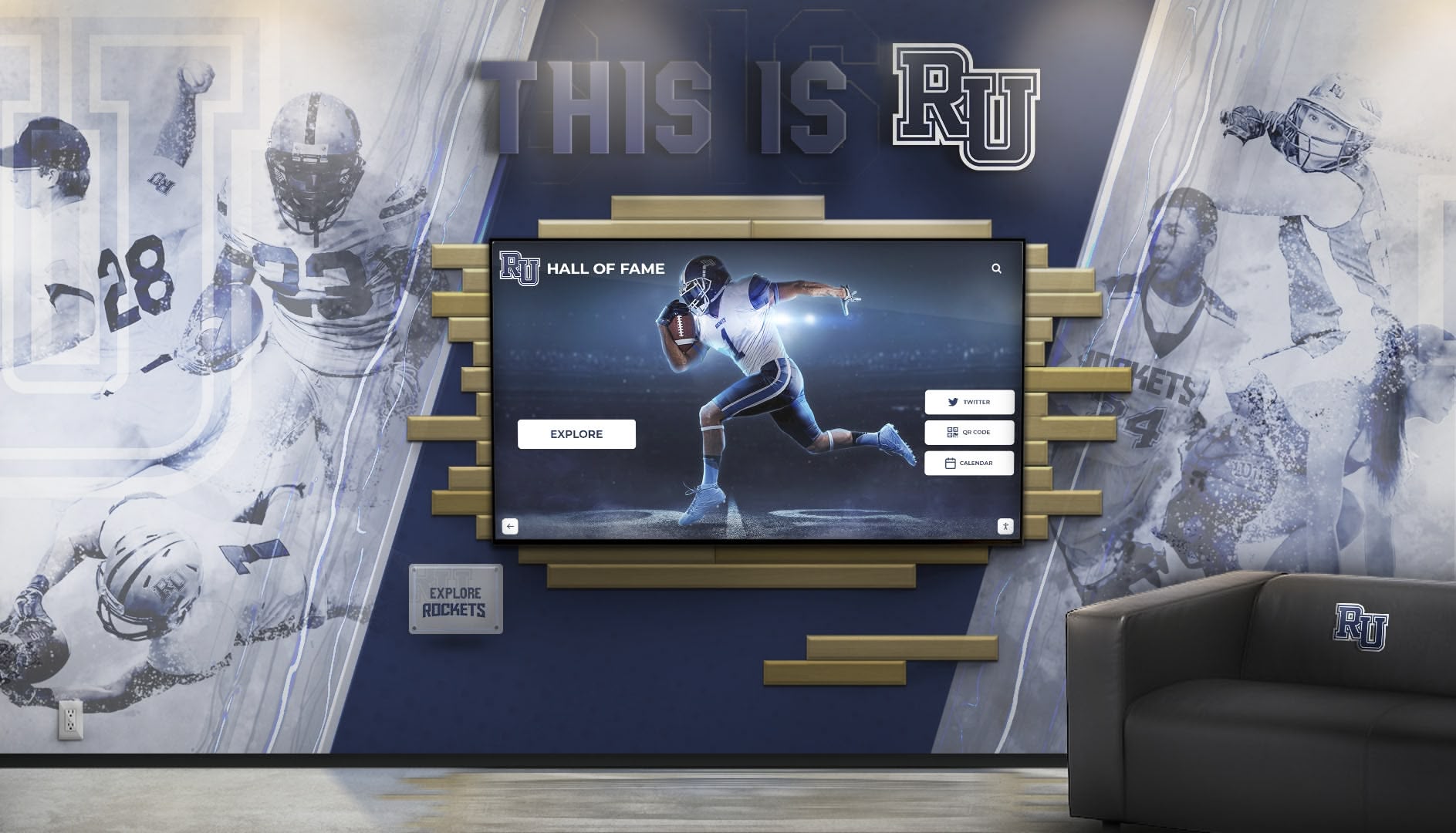
Solutions like Rocket Alumni Solutions demonstrate how interactive display technology originally developed for educational institutions translates effectively to museum contexts where similar requirements for searchable databases, multimedia integration, and donor recognition converge.
Essential Museum Kiosk Capabilities for 2026
Not all interactive displays suit museum environments. Effective museum kiosks require specific capabilities addressing the unique requirements of cultural institutions.
Database-Driven Content Architecture
Generic digital signage rotates static content in slideshow format. Museum applications require sophisticated database architecture supporting:

Searchable Collection Databases — Visitors should find specific artists, time periods, object types, or themes through intuitive search interfaces. Database architecture must handle thousands to hundreds of thousands of records with instant search response.
Rich Object Records — Each database entry should support extensive multimedia including high-resolution images viewable at zoom levels revealing fine details, video content showing objects in context or use, audio recordings providing first-person narratives or expert commentary, and detailed text accommodating scholarly research needs.
Relationship Mapping — Museum collections contain connections between objects, artists, time periods, and themes. Effective kiosks enable exploration of these relationships, suggesting related content based on visitor interests. For example, visitors viewing a particular painting should easily discover other works by the same artist, pieces from the same period, or objects sharing stylistic characteristics.
Flexible Categorization — Museums organize collections multiple ways depending on audience and context. Kiosk systems must support simultaneous organization by artist, chronology, geography, medium, style, and custom categories specific to institutional focus.
This database-driven approach mirrors the architecture used in digital hall of fame displays where managing extensive records with rich media across multiple categorization schemes proves essential.
Touch-Optimized User Interface Design
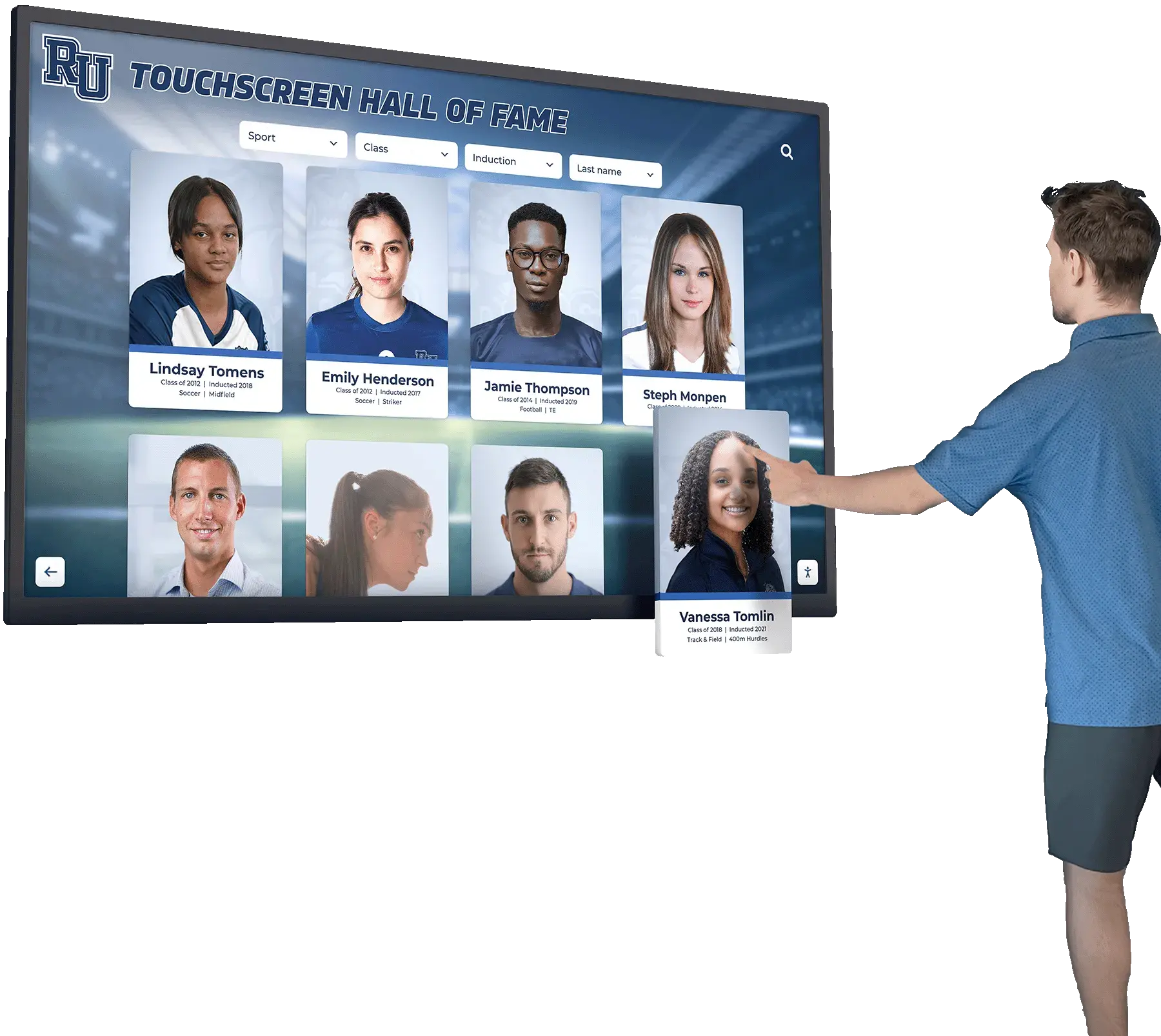
Museum kiosks face unique usability requirements because visitors interact with them briefly, without training, often in groups, and with varied technological comfort levels.
Public-Use Interface Standards — Touch targets must measure 44x44 pixels minimum, gestures should remain simple (tap and swipe rather than complex multi-finger operations), visual feedback must confirm every action, and interfaces should reset automatically after inactivity to protect visitor privacy and prepare for the next user.
Minimal Learning Curve — First-time users must grasp navigation within seconds. This requires clear visual hierarchy, familiar interaction patterns, obvious navigation controls, and forgiving design that accommodates mistakes without frustration.
Accessibility Compliance — Federal accessibility requirements mandate WCAG 2.1 AA conformance ensuring screen reader compatibility for visually impaired visitors, keyboard navigation alternatives to touch, sufficient color contrast for low-vision users, and adjustable text sizing. Institutions should exceed minimum standards by incorporating universal design principles benefiting all visitors regardless of ability.
Multilingual Support — Museums serving diverse communities require content available in multiple languages with easy language switching, appropriate fonts for non-Latin scripts, and right-to-left text support for languages like Arabic and Hebrew.
The same touchscreen software principles that make athletic recognition displays intuitive for school visitors apply equally to museum contexts where varied audiences interact briefly with kiosks.
Content Management System Requirements
Behind every effective museum kiosk sits a content management system enabling curators and staff to maintain, update, and expand content without technical expertise.
Curatorial Workflow Support — Museums maintain rigorous standards for content accuracy, attribution, and rights management. CMS platforms must support approval workflows where multiple staff members review content before publication, version control tracking changes and enabling rollback if needed, attribution management crediting artists, lenders, and rights holders properly, and embargo capabilities keeping content prepared but unpublished until specific dates or conditions.
Remote Management — Cloud-based CMS platforms enable content updates from curatorial offices, enabling immediate corrections without physical kiosk access and centralized management of multiple kiosks across galleries or even multiple sites.
Multimedia Asset Management — Museums accumulate extensive digital assets requiring organized storage with search and filtering, automatic format optimization for various display sizes, version control for updated imagery, and metadata management linking media to collection records.
Scheduled Content Deployment — Temporary exhibitions require coordinating content appearance with exhibition opening dates. CMS platforms should support scheduling content publication and removal without manual intervention.
Organizations implementing digital recognition displays for schools face similar content management needs where non-technical staff require intuitive tools for maintaining extensive databases with rich multimedia.

Hardware Considerations for Museum Environments
Museum environments present unique hardware challenges requiring specialized equipment beyond consumer-grade displays.
Commercial-Grade Displays — Museums need displays rated for continuous operation (16+ hours daily), with lifespans of 50,000-100,000 hours compared to consumer TVs rated for 6-8 hours daily. Commercial displays typically cost 2-3 times consumer equivalents but avoid premature failure.
Environmental Suitability — Historic buildings often feature temperature and humidity fluctuations, limited ventilation, and restricted climate control. Hardware must operate reliably in these conditions, often requiring fanless designs for silent operation that won’t distract from gallery atmosphere.
Anti-Glare Screens — Gallery lighting designed to illuminate artwork creates challenging conditions for displays. Anti-glare coatings and matte screens remain viewable under bright museum lighting while maintaining image quality.
Vandal-Resistant Enclosures — Public-facing kiosks endure rough treatment from thousands of visitors annually. Durable enclosures protect screens and components from impact, spills, and tampering while maintaining aesthetic integration with exhibit design.
Aesthetic Integration — Unlike corporate environments where generic kiosks suffice, museum installations must complement exhibit design. Custom enclosures matching institutional architecture, adjustable mounting systems accommodating various spaces, and cable management concealing wiring create professional installations that improve rather than detract from gallery environments.
Museum Kiosk Applications Across Institution Types
Different museum types leverage interactive kiosks for varied purposes reflecting their collections and missions.
Art Museums and Galleries
Art museums use kiosks to provide context enriching visual engagement with artwork without cluttering gallery walls with excessive text.
Artist Biographies and Movements — Visitors exploring abstract expressionism or Renaissance painting benefit from artist background, historical context, and stylistic explanations available on-demand through kiosks rather than wall text potentially distracting from aesthetic experience.
Virtual Collection Access — Museums display limited portions of collections at any time. Kiosks enable visitors to explore storage collections, view works not currently on display, and discover pieces they might never encounter otherwise.
Provenance and Conservation — For visitors interested in acquisition history, previous ownership, conservation treatments, or technical analysis, kiosks provide scholarly detail inappropriate for general gallery labels.
Exhibition Companion Content — Temporary exhibitions benefit from video interviews with artists, conservation demonstrations, related objects from other institutions, and supplementary materials deepening engagement.
History Museums and Cultural Centers
Historical institutions use kiosks to bring documents, photographs, oral histories, and artifacts together in multimedia narratives that static displays cannot achieve.
Timeline Exploration — Interactive timelines enable visitors to explore historical periods at their own pace, diving deep into specific events or surveying broad eras. Timelines benefit from being able to zoom from century-level overviews to day-by-day detail depending on visitor interest. Institutions implementing historical timeline displays find that chronological organization helps visitors understand cause-and-effect relationships across long time periods.
Oral History Archives — Audio and video recordings of first-person accounts provide powerful connections to history. Kiosks make extensive oral history collections accessible, enabling visitors to hear voices from the past speaking about their experiences.
Document and Photograph Archives — Historical societies accumulate thousands of photographs, letters, maps, and documents that storage limitations keep from physical display. Digital kiosks make these archives discoverable through search interfaces, bringing storage collections to public audiences.
Local History Connections — Community museums benefit from kiosks highlighting connections between institutional collections and local landmarks, families, and events. Visitors discovering their own family history or neighborhood connections feel personally invested in museum missions.
Science and Natural History Museums
Science museums leverage kiosks for interactive learning experiences, data visualization, and specimen information that engages visitors in scientific inquiry.
Specimen Information Systems — Natural history museums maintain extensive specimen collections with detailed scientific data. Kiosks enable visitors to search specimens by species, habitat, geographic origin, or conservation status, accessing scientific details beyond basic identification labels.
Interactive Simulations — Scientific concepts benefit from interactive exploration. Kiosks deliver simulations enabling visitors to manipulate variables, test hypotheses, and observe outcomes—inquiry-based learning that passive exhibits cannot provide.
Current Research Connections — Museums increasingly emphasize ongoing scientific work. Kiosks connect historic collections to current research, showing how specimens contribute to contemporary scientific understanding and conservation efforts.
Educational Standards Alignment — School groups represent significant audiences for science museums. Kiosks supporting state and national science standards with differentiated content for various grade levels serve educational programming effectively.
Children’s Museums and Interactive Centers
Children’s museums pioneering interactive exhibits now incorporate kiosks designed specifically for young visitors with developmentally appropriate interfaces.
Age-Appropriate Interfaces — Kiosks for children require larger touch targets, simpler navigation, bright visual design, and audio narration supporting pre-readers. Content should match attention spans with quick interactions rather than lengthy text.
Gamification Elements — Children engage with game-based learning incorporating challenges, rewards, and progression. Kiosks delivering museum content through game mechanics sustain engagement while meeting educational goals.
Family Engagement Tools — Effective children’s museum kiosks engage family groups rather than individual children, with content prompting discussion, collaborative problem-solving, and shared discovery experiences.

Budget Planning Framework for Museum Kiosks
Accurate budget planning requires examining total cost of ownership across 5-7 year deployment cycles rather than initial purchase price alone.
Hardware Investment
Display and Computer Components
Entry-level kiosk installations using commercial displays with integrated media players range from $3,000-$6,000 per unit. Mid-range installations featuring larger displays (55-65"), commercial-grade touchscreens, and dedicated computers cost $6,000-$10,000 per unit. Premium installations incorporating custom enclosures, ultra-high-resolution displays, or specialized hardware reach $10,000-$20,000 per unit.
These ranges reflect hardware only. Professional installations in museum environments typically require custom enclosures matching institutional aesthetics, structured cabling running through walls or conduits, mounting systems accommodating varied spaces, and integration with museum networks and security systems.
Installation and Integration
Professional installation adds $1,000-$5,000 per kiosk depending on site complexity. Historic buildings requiring careful conduit routing, custom millwork integration, or electrical upgrades increase installation costs. Multi-kiosk deployments benefit from economies of scale with per-unit installation costs decreasing as quantity increases.
Software Licensing Models
Museum kiosk software typically follows subscription or perpetual licensing models with distinct cost profiles.
Subscription Licensing — Cloud-based platforms charge monthly or annual subscriptions typically ranging from $100-$500 per kiosk monthly depending on features, content capacity, and support levels. Subscription models minimize upfront costs but accumulate over time, with five-year total software costs potentially reaching $6,000-$30,000 per kiosk.
Perpetual Licensing — One-time software purchases range from $5,000-$15,000 per kiosk or site license covering unlimited kiosks. Perpetual licenses reduce long-term costs but require larger initial investment and typically include annual maintenance fees of 10-20% of purchase price for updates and support.
Custom Development — Museums with highly specialized requirements sometimes pursue custom software development. Custom projects typically cost $50,000-$250,000+ depending on scope and complexity. While providing maximum flexibility, custom development requires ongoing maintenance budgets and presents risks if development partners become unavailable.
For institutions managing extensive collections with rich multimedia and complex search requirements, purpose-built platforms like Rocket Alumni Solutions provide database-driven architecture without custom development costs or limitations of generic digital signage adapted for museum use.
Content Development Costs
Hardware and software represent only part of total investment. Content development often exceeds technology costs, particularly for institutions digitizing extensive collections for the first time.
Collection Digitization — Photographing artifacts, scanning documents, digitizing audio/video materials, and creating high-resolution imagery costs vary by collection size and quality standards. Professional photography ranges from $25-$150 per object. Document scanning costs $0.10-$2.00 per page depending on handling requirements. For institutions with thousands of objects, digitization easily reaches $25,000-$100,000+.
Content Writing and Curation — Creating engaging text requires research, writing, editing, and curatorial review. Budget $50-$200 per object record for professional content development depending on depth and multimedia integration.
Multimedia Production — Video production featuring interviews, demonstrations, or artifact documentation costs $500-$5,000+ per finished minute depending on production quality. Audio recordings and editing range from $100-$500 per piece.
Rights Clearance — Museums using copyrighted materials, licensed images, or content requiring permissions face rights clearance expenses that vary dramatically by content type and rights holders.
Organizations implementing digital archives for educational institutions encounter similar content development challenges where digitizing historical records constitutes significant effort and expense beyond technology acquisition.
Ongoing Operational Expenses
Maintenance and Support — Budget 10-15% of hardware costs annually for maintenance reserves covering screen replacement, computer upgrades, and repair contingencies. Software support typically costs 15-20% of license fees annually for platforms sold on perpetual license models.
Content Updates — Museums should budget for ongoing content creation supporting temporary exhibitions, new acquisitions, and collection research. Staff time or contractor expenses for quarterly content updates typically range from $5,000-$20,000 annually depending on update frequency and complexity.
Utilities and Hosting — Individual kiosks consume minimal power (typically $100-$200 annually at average commercial electricity rates). Cloud-hosted platforms include hosting in subscription fees, while self-hosted solutions require server infrastructure and IT support.
Vendor Selection Criteria for Museum Kiosks
Selecting appropriate vendors determines whether museum kiosk implementations succeed or create ongoing frustration.
Museum-Specific Experience
Generic digital signage vendors lack understanding of museum requirements. Effective vendors demonstrate:
Museum Portfolio — Review vendor installations at cultural institutions similar to yours in size, type, and collection focus. Request references from museum clients and contact them directly to discuss implementation experience, ongoing support quality, and satisfaction with results.
Collection Management Integration — Museums using collection management systems (TMS, PastPerfect, CollectiveAccess, or others) need vendors capable of integrating kiosks with existing databases. Integration eliminates duplicate data entry while keeping kiosk content synchronized with authoritative collection records.
Curatorial Workflow Understanding — Vendors should understand museum content development processes including approval workflows, attribution requirements, rights management, and scholarly standards. Generic software built for corporate communications lacks these capabilities.
Preservation Standards Awareness — Vendors working regularly with museums understand how digital initiatives complement rather than compromise preservation missions, appropriate metadata standards, and long-term digital preservation considerations.
Technical Capabilities Assessment
Beyond museum experience, evaluate specific technical capabilities supporting institutional requirements.
Offline Operation — Many museums occupy historic buildings with limited network connectivity or unreliable internet access. Kiosk systems must function fully offline, synchronizing content when connectivity returns rather than failing during network outages.
Scalability — Institutions typically deploy kiosks incrementally, starting with pilot installations before expanding. Vendors should support growth from single kiosks through enterprise deployments spanning multiple buildings or sites without architectural limitations.
Database Performance — Search and navigation must remain instantaneous even with extensive collections. Request performance specifications and test systems with datasets matching your collection size to ensure acceptable response times.
Accessibility Compliance — Federal accessibility requirements mandate WCAG 2.1 AA conformance. Request VPAT (Voluntary Product Accessibility Template) documents demonstrating compliance rather than accepting general accessibility claims without documentation.
Hardware Flexibility — Avoid vendors requiring proprietary hardware or limiting installations to specific display manufacturers. Hardware-agnostic software provides flexibility for facility planning and future upgrades as technology evolves. Organizations evaluating touchscreen display options benefit from platforms supporting diverse hardware configurations.
Support and Partnership Approach
Museum kiosks operate for 5-10 years. Vendor relationships must sustain throughout this period.
Implementation Support — Comprehensive implementation support should include content strategy consulting, data migration services, custom design matching institutional branding, hardware recommendations, professional installation coordination, and staff training ensuring confident system operation.
Ongoing Technical Support — Evaluate support availability (business hours only versus extended coverage), response time commitments documented in service level agreements, communication channels (phone, email, chat, ticketing systems), and escalation procedures for urgent issues requiring immediate resolution.
Long-Term Viability — Vendor financial stability and market position indicate whether they’ll remain operational throughout your deployment lifecycle. Established vendors with substantial customer bases present lower abandonment risk than startups or individual developers.
Content Services — Many museums lack internal capacity for ongoing content development. Vendors offering content creation services provide valuable partnerships beyond technology alone.
Implementation Roadmap: From Concept to Launch
Successful museum kiosk deployments follow structured implementation processes ensuring thorough planning and stakeholder alignment.
Phase 1: Strategic Planning (2-3 Months)
Define Institutional Goals — Begin with clear articulation of what the institution aims to achieve through interactive kiosks. Common goals include increasing visitor engagement and dwell time, improving collection accessibility, enhancing educational programming, supporting donor recognition, reducing routine staff inquiries, and creating more inclusive visitor experiences.
Stakeholder Engagement — Museum kiosk projects require input from curators (content standards and collection priorities), educators (learning objectives and school group support), development staff (donor recognition integration), IT departments (network infrastructure and security), facilities managers (installation logistics), and visitor services (operational procedures). Early engagement prevents later conflicts and builds project support.
Audience Research — Understanding visitor needs, preferences, and behaviors informs effective kiosk design. Conduct visitor surveys, observe current behavior patterns, analyze demographic data, review visitor feedback, and consider accessibility requirements ensuring inclusive design.
Budget Development — Create comprehensive budgets including hardware, software, installation, content development, contingencies (typically 10-15%), and ongoing operational costs. Identify funding sources including operating budgets, capital campaigns, grants, or donor-funded specific kiosks.
Phase 2: Vendor Selection (1-2 Months)
Requirements Documentation — Create detailed requirements covering functional needs (search capabilities, multimedia support, languages, accessibility features), technical requirements (collection management integration, offline operation, network specifications), content specifications (number of objects, media types, organizational structure), and support expectations (training, ongoing maintenance, response times).
Request for Proposals — Formal RFP processes appropriate for larger institutions should include background on institutional mission and collections, detailed requirements specifications, timeline expectations, budget parameters, evaluation criteria, reference requirements, and proposal submission procedures.
Vendor Evaluation — Assess proposals against weighted criteria including museum experience and relevant portfolio, technical capabilities and scalability, accessibility compliance, implementation approach, ongoing support structure, total cost of ownership, and vendor stability and longevity.
Reference Checks — Contact museum references directly, asking about implementation experience, challenges encountered, ongoing support responsiveness, system reliability, content management ease, and overall satisfaction. Request site visits to reference installations observing systems in operation.
Phase 3: Content Development (3-6 Months)
Content development often represents the most time-intensive implementation phase and can proceed in parallel with vendor finalization and hardware procurement.
Content Audit — Inventory existing digital assets including object photographs, collection database records, existing text and interpretive materials, video and audio recordings, and rights documentation. Identify gaps requiring new content creation.
Information Architecture — Design content organization structure with primary and secondary categorization schemes, navigation paths and user journeys, search functionality specifications, and relationship mappings between content.
Content Creation — Execute digitization, writing, and production including object photography and document scanning, biographical and interpretive text writing, video production and editing, audio recording and processing, and rights clearance for copyrighted materials.
Content Review — Implement curatorial review processes ensuring accuracy, attribution compliance, appropriate depth and accessibility, and brand consistency across all content.
Organizations managing extensive biographical and historical content face similar challenges to institutions implementing digital recognition systems where content development timelines often exceed technology deployment schedules.
Phase 4: Technical Implementation (1-2 Months)
Infrastructure Preparation — Complete network infrastructure including wired ethernet connections to kiosk locations, electrical power with appropriate circuits, structural supports for wall-mounted installations, and security camera coverage if needed.
Hardware Installation — Professional installation includes display mounting and positioning, computer and peripheral installation, cable management and concealment, enclosure assembly and finishing, and network connection and testing.
Software Configuration — Configure platform settings including branding and design customization, user interface language settings, accessibility feature activation, analytics and tracking configuration, and administrative user account setup.
Content Migration — Load content into system through database population, media asset upload, categorization and tagging, relationship mapping, and quality assurance testing.
Phase 5: Testing and Training (2-4 Weeks)
System Testing — Comprehensive testing should verify functionality across all features including search and navigation performance, multimedia playback quality, accessibility features operation, offline functionality, and session timeout and reset behavior.
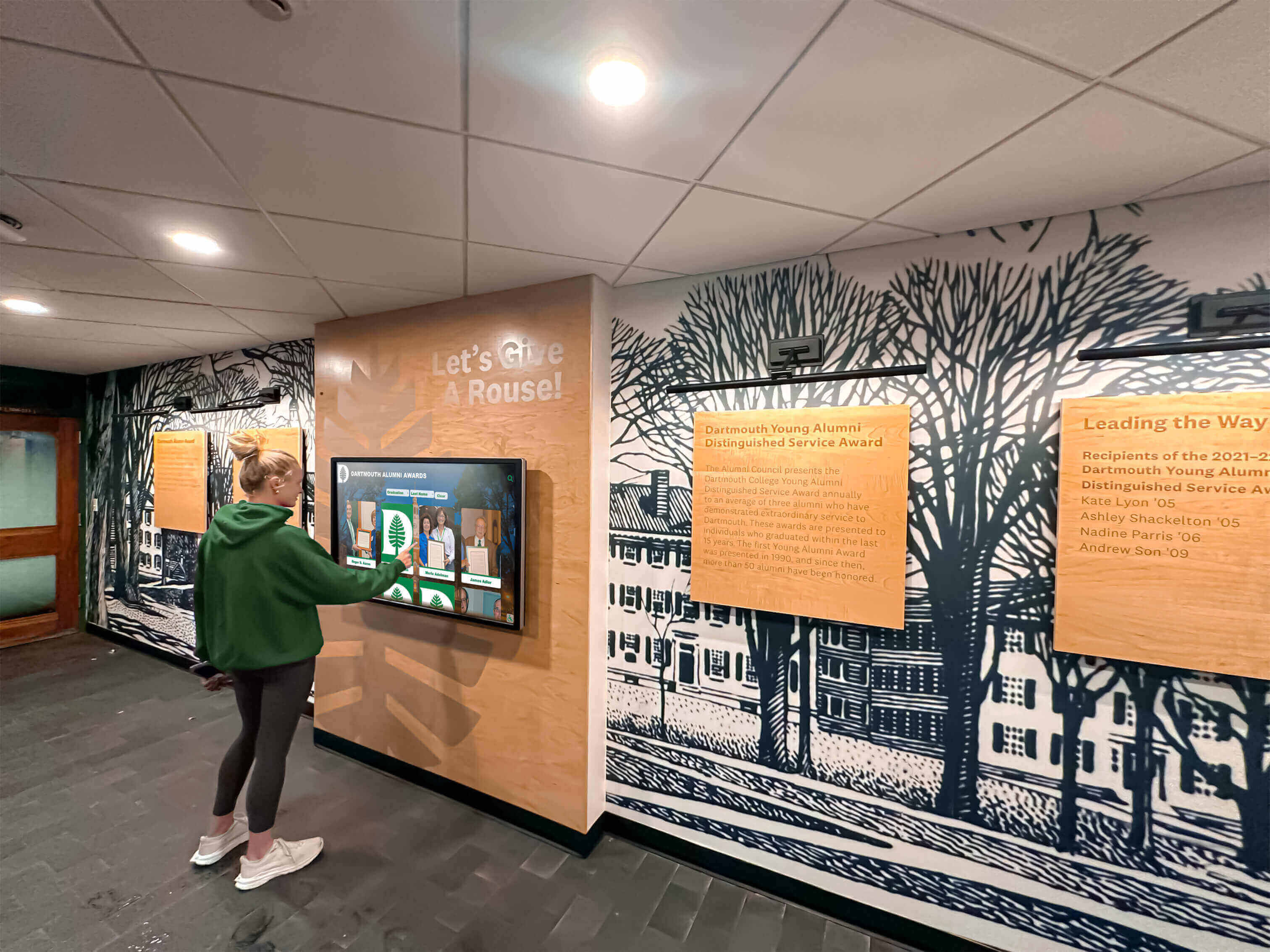
User Testing — Observe representative visitors using kiosks, noting confusion points, navigation difficulties, content accessibility issues, and interface usability problems. Iterate based on testing observations before public launch.
Staff Training — Ensure staff confidence with systems through content management interface training, troubleshooting common issues, visitor assistance techniques, and escalation procedures for technical problems requiring vendor support.
Phase 6: Launch and Promotion (Ongoing)
Soft Launch — Begin with limited access for staff, volunteers, and selected visitors to identify any remaining issues before major promotion.
Public Launch Event — Create visibility through unveiling ceremony highlighting new capabilities, media coverage featuring local press and museum publications, social media campaign with photos and visitor testimonials, and stakeholder appreciation recognizing donors, board members, and project supporters.
Ongoing Promotion — Maintain awareness through regular social media posts highlighting featured content, email newsletter features announcing new additions, website integration directing online audiences to physical installations, and signage throughout museum facilities directing visitors to kiosks.
Evaluation and Iteration — Monitor performance through analytics review tracking usage patterns, visitor feedback collection through surveys and comment cards, staff observations documenting visitor behavior, and content performance analysis identifying popular versus neglected content.
Integration Strategies for Maximum Impact
Museum kiosks deliver greatest value when integrated with broader institutional digital strategies rather than deployed as isolated systems.
Collection Management System Integration
Museums maintaining collection databases in systems like TMS, PastPerfect, or CollectiveAccess benefit from direct integration between collection management platforms and public-facing kiosks.
Automated Content Synchronization — Integration eliminates duplicate data entry by automatically pushing collection records to kiosks. When curators update object records, descriptions, or imagery in collection management systems, changes automatically appear in kiosk displays without manual content management.
Authoritative Data Source — Collection management systems represent authoritative institutional records. Integration ensures kiosk content remains consistent with official records rather than creating separate databases that diverge over time.
Metadata Preservation — Proper integration maintains complete metadata including accession numbers, dimensions, materials, acquisition history, and exhibition history that supports scholarly research and institutional accountability.
Mobile App Connectivity
Bridging physical kiosk experiences with personal mobile devices extends engagement beyond museum visits while providing accessible alternatives for visitors unable to use physical touchscreens.
QR Code Implementation — Placing QR codes on or near kiosks enables visitors to continue exploration on personal devices through launching detailed object records, saving favorites for later reference, sharing content via social media, and accessing additional resources beyond kiosk scope.
Parallel Web Experiences — Deploying web-accessible versions of kiosk content serves multiple purposes: providing remote access for researchers and virtual visitors, offering accessible alternatives meeting diverse needs, and extending museum reach beyond physical facility limitations. This dual-mode approach mirrors strategies used in digital hall of fame implementations where physical touchscreens and web platforms share unified content management.
Mobile-First Content Strategy — Content designed mobile-responsive from inception works seamlessly across physical kiosks, tablets, smartphones, and desktop computers without requiring separate development for each platform.
Ticketing and Membership Systems
Integration between kiosks and visitor services systems creates operational efficiencies while personalizing experiences.
Member Recognition — When members check in, kiosks can welcome them by name, highlight exhibitions matching stated interests, and display their support level in donor recognition displays.
Personalized Recommendations — Purchase history and stated interests from ticketing systems inform kiosk content recommendations, suggesting exhibitions, programs, or collection areas matching visitor preferences.
Conversion Opportunities — Kiosks provide natural opportunities to promote membership benefits, upcoming programs, and donation opportunities to engaged visitors already exploring collections.
Educational Programming Integration
School groups represent significant museum audiences requiring specialized support.
Standards-Aligned Content — Kiosks supporting educational visits should map content to state and national curriculum standards, offer grade-level appropriate interfaces and reading levels, and provide teacher resources including discussion prompts and activity suggestions.
Pre-Visit and Post-Visit Resources — Extending kiosk content online enables teachers to preview content before visits and students to revisit content afterward, strengthening educational impact beyond single museum experiences.
Common Implementation Mistakes to Avoid
Learning from frequent implementation failures helps institutions avoid predictable problems.
Underestimating Content Development Requirements
Institutions focus budget and planning on hardware and software while treating content development as an afterthought. In reality, creating comprehensive, engaging content for hundreds or thousands of objects requires substantial research, writing, photography, rights clearance, and review that often exceeds technology costs.
Solution: Budget content development as line item equal to or exceeding technology investment. Allocate realistic staff time or contractor budgets for digitization, writing, multimedia production, and curatorial review. Consider phased content deployment launching with core collection highlights and expanding systematically.
Choosing Generic Digital Signage Over Purpose-Built Solutions
Generic digital signage platforms designed for corporate announcements or advertising lack capabilities museums require. Attempting to adapt slideshow-based systems to interactive exploration creates frustrating user experiences and ongoing operational challenges.
Solution: Select platforms purpose-built for database-driven interactive exploration rather than passive content display. Purpose-built solutions deliver superior functionality at lower total cost than extensive customization of inappropriate platforms.
Neglecting Accessibility from the Start
Addressing accessibility as an afterthought requires expensive retrofitting and may never achieve compliance standards. Museums face particular accessibility scrutiny given educational missions and often federal funding.
Solution: Require WCAG 2.1 AA compliance as non-negotiable vendor requirement from initial RFP. Request VPAT documentation, test with assistive technology, and incorporate universal design principles benefiting all visitors rather than minimum compliance accommodating disabilities.
Insufficient Staff Training and Documentation
Even intuitive systems require training ensuring staff understand capabilities, content management procedures, and troubleshooting basics. Inadequate training leads to underutilization, content stagnation, and continued IT dependency for routine updates.
Solution: Negotiate comprehensive training as part of vendor agreements including hands-on content management training, troubleshooting common issues, written documentation and video tutorials, and follow-up training after initial launch once questions emerge from real-world use.
Failing to Plan for Ongoing Content Updates
Initial content development receives appropriate focus, but many institutions lack plans for ongoing updates supporting temporary exhibitions, new acquisitions, and evolving research. Stagnant content diminishes value over time.
Solution: Establish content governance including assigned staff responsibility for updates, quarterly or annual update schedules, processes for temporary exhibition content, and budget allocation for ongoing content development. Treat kiosk content as living resource requiring continued investment rather than one-time project.
Future Trends Shaping Museum Kiosks Beyond 2026
Understanding emerging trends helps select solutions remaining relevant throughout multi-year deployments while positioning institutions to adopt beneficial innovations as they mature.
Artificial Intelligence and Machine Learning
AI will transform how visitors discover content and how institutions manage collections.
Intelligent Search — Natural language processing enables conversational search where visitors ask questions in everyday language rather than precise keyword matching. Systems understanding context and intent deliver more relevant results than current keyword-based approaches.
Automated Content Generation — AI systems can generate interpretive text from structured data, create image descriptions for accessibility, suggest relationships between objects, and translate content across languages, reducing manual content development burden.
Personalization Without Tracking — Privacy-preserving AI can offer personalized recommendations based on current session behavior without collecting personally identifiable information or tracking across visits, addressing both engagement goals and privacy concerns.
Augmented Reality Integration
AR overlays digital content onto physical space, creating hybrid experiences combining real artifacts with virtual enhancements.
Context Layers — AR enables visitors viewing artifacts through mobile devices to see objects in original context, restoration visualizations showing original appearance, internal structure views impossible with physical artifacts, and comparative information placing objects within broader collections.
Shared Experiences — Multi-user AR enables family groups or school classes to experience synchronized content together, fostering collaborative learning and discussion unavailable with individual headphone audio guides.
Voice Interaction
Voice interfaces provide accessibility alternatives to touch while enabling hands-free interaction appropriate for certain museum contexts.
Natural Interaction — Voice queries feel more natural than typing search terms on touchscreens, particularly for older visitors or those less comfortable with technology. Well-designed voice interfaces reduce friction between curiosity and discovery.
Accessibility Benefits — Voice interaction benefits visitors with mobility limitations who struggle with touchscreens, visual impairments making screen navigation difficult, and literacy challenges including language learners.
Technical Considerations — Museum implementations require addressing acoustic challenges in reverberant gallery spaces, privacy concerns with voice recording, and cultural appropriateness in quiet contemplative environments.
Enhanced Analytics and Evaluation
Sophisticated analytics reveal how visitors engage with content, informing both kiosk refinement and broader exhibit planning.
Engagement Patterns — Analytics track which content visitors view, how long they spend with different objects, navigation paths through content hierarchies, and search terms revealing visitor interests. These insights inform future content development and exhibit planning.
A/B Testing — Deploying different interface designs, content presentations, or navigation structures to different visitor groups enables data-driven optimization improving effectiveness over time.
ROI Measurement — Connecting kiosk analytics to membership conversion, donation attribution, program registration, and visitor satisfaction metrics demonstrates impact supporting continued investment.
Organizations implementing digital recognition displays with analytics discover that usage data provides valuable insights into audience interests and engagement patterns applicable to broader programming decisions.
Conclusion: Advancing Museum Missions Through Interactive Technology
Museum kiosks represent infrastructure investments serving institutional missions for decades while adapting to evolving visitor expectations and technological capabilities. Successful implementations require viewing kiosks not as isolated technology purchases but as integrated components of comprehensive visitor engagement and collection accessibility strategies.
The selection criteria, budget frameworks, implementation processes, and integration strategies outlined in this guide position cultural institutions to make informed decisions resulting in systems that measurably improve visitor experiences while supporting operational goals including collection accessibility, staff efficiency, educational programming, and donor recognition.
Museums pioneering interactive technology discover that engagement benefits extend beyond immediate visitor satisfaction to broader institutional impact including increased membership and giving, stronger educational partnerships, stronger community connections, and elevated institutional profile as innovation leaders within cultural sectors.
The most effective museum kiosk implementations share common characteristics: clear alignment with institutional mission and goals, purpose-built technology matching museum requirements rather than adapted generic tools, comprehensive content development receiving investment commensurate with technology, integration with broader digital strategies and institutional systems, accessible design ensuring inclusive visitor experiences, and sustainable operational models supporting long-term content currency.
Cultural institutions selecting interactive display solutions should prioritize vendors with demonstrated museum experience, database-driven architecture supporting extensive searchable collections, intuitive content management enabling non-technical staff updates, accessibility compliance meeting federal standards, and comprehensive support throughout implementation and ongoing operation. Platforms like Rocket Alumni Solutions demonstrate how technology originally developed for educational recognition translates effectively to museum contexts where similar requirements for database-driven content, multimedia integration, searchability, and donor recognition converge.
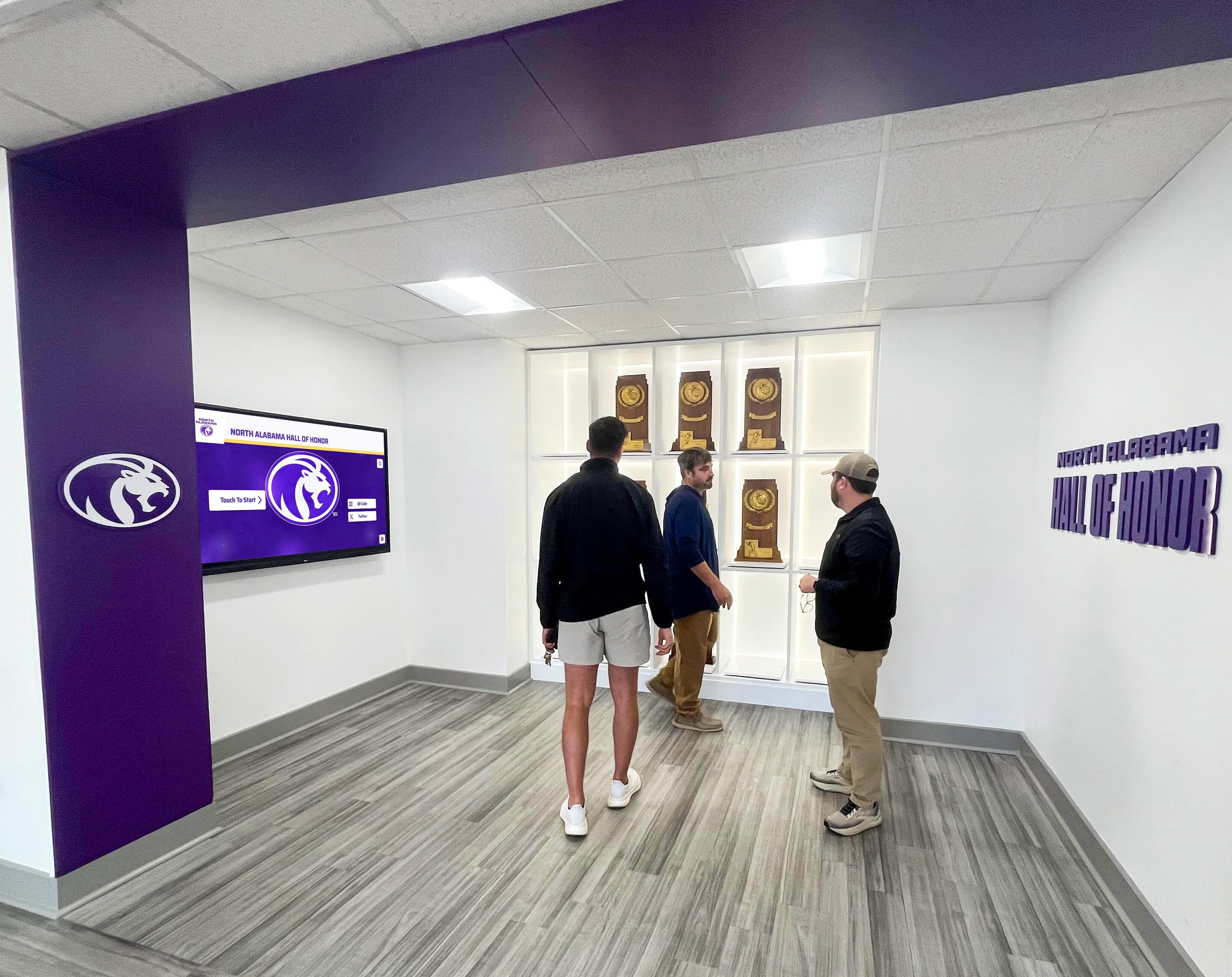
The investment museums make in interactive kiosk technology shapes how current and future generations engage with collections, understand history, and connect with culture. Choose solutions that honor the significance of your collections while delivering experiences meeting 21st-century visitor expectations for interactivity, accessibility, and personalized engagement. Your institution’s collections deserve technology that presents them with professionalism, discoverability, and reliability that will serve visitors effectively for years to come.
Disclaimer: This comparison is based on publicly available information as of December 2025. All product names and trademarks belong to their respective owners. Comparative statements reflect Rocket Alumni Solutions’ interpretation of available data and may change over time. This content was produced by or on behalf of Rocket Alumni Solutions.
































