




Key Takeaways
Compare touchscreen software platforms for digital recognition displays. Weighted evaluation framework covering ADA compliance, content management, hardware compatibility, and ROI to help schools and organizations choose the best solution.
Why Recognition-Specific Touchscreen Software Matters
The touchscreen software market spans diverse applications from retail point-of-sale to museum exhibits to corporate directories. While many platforms claim suitability for recognition displays, generic solutions create friction points that undermine program effectiveness. Recognition programs have unique requirements that general-purpose software struggles to address:
Content Structure Complexity
- Individual profiles requiring biographical narratives, achievement statistics, photos, videos, and historical context
- Hierarchical organization by sport, year, achievement type, academic discipline, or donor level
- Dynamic ranking systems highlighting top performers, career leaders, or most recent inductees
- Relationship mapping showing connections between honorees, teams, classes, or giving campaigns
Stakeholder Management Needs
- Non-technical administrators managing content independently without IT dependency
- Committee-based approval workflows before publication
- Alumni self-service capabilities for profile updates and photo submissions
- Privacy controls respecting honoree preferences for information display
Engagement Optimization
- Touch-optimized interfaces designed for public environments, not office productivity
- Attract loops drawing attention when idle while respecting lobby aesthetics
- Search and filtering enabling visitors to discover relevant connections
- Social sharing capabilities extending recognition beyond physical locations
Institutional Requirements
- ADA accessibility compliance mandatory for federally-funded organizations
- Brand consistency across digital and physical recognition elements
- Multi-campus coordination from centralized management systems
- Archival integrity preserving historical records indefinitely
Generic touchscreen platforms require extensive customization to address these requirements, transforming budget-friendly solutions into expensive custom development projects. Purpose-built recognition software delivers these capabilities as core features rather than afterthoughts.
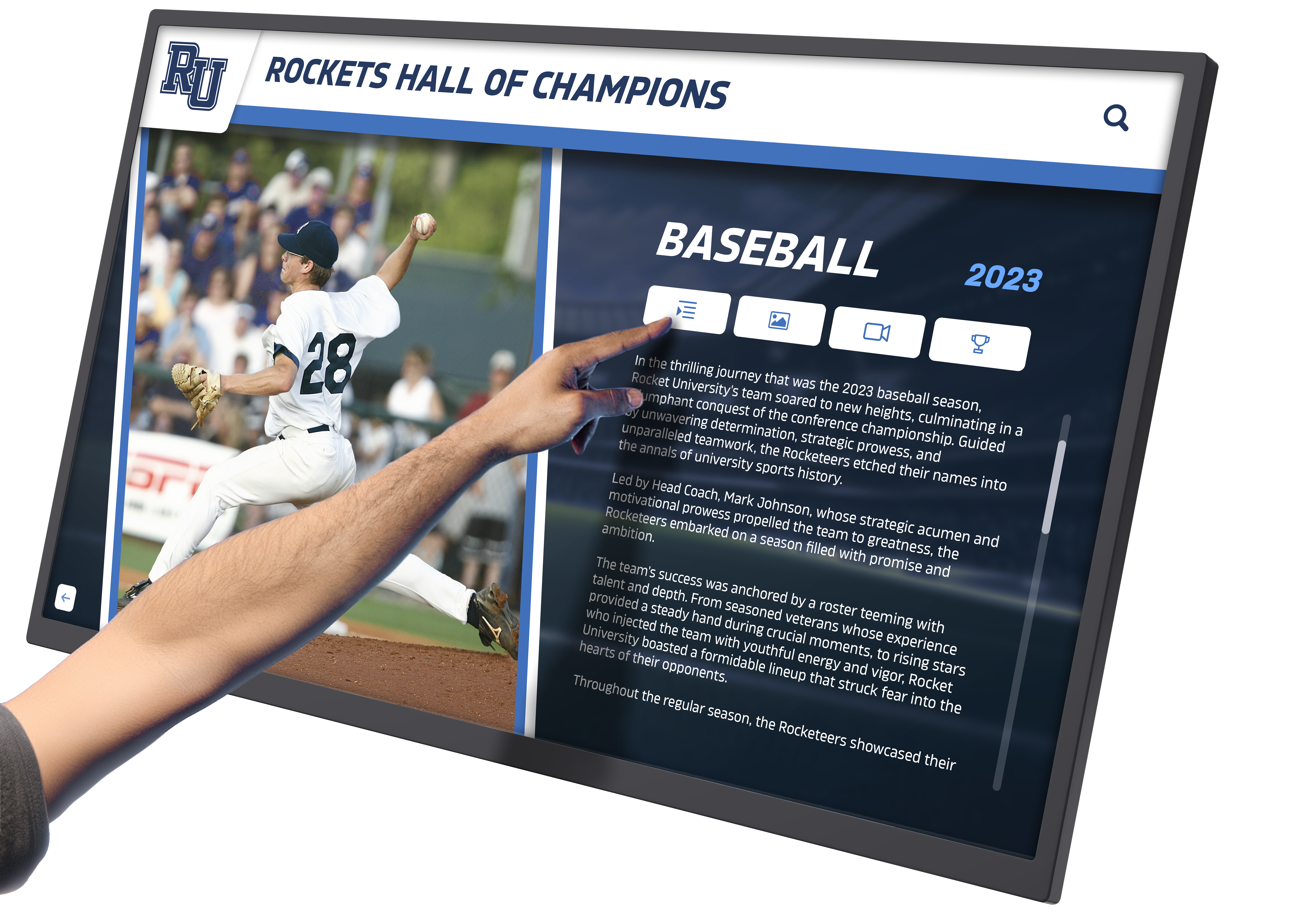
Essential Evaluation Criteria for Recognition Display Software
Structured evaluation frameworks prevent decisions driven by surface-level impressions or persuasive sales presentations. Based on operational requirements from over 1,000 recognition program implementations, these weighted criteria prove most decision-critical:
1. Content Management System Usability (Weight: 25%)
Recognition programs succeed or fail based on content quality and freshness. Systems requiring technical expertise for routine updates create unsustainable maintenance burdens that lead to outdated displays undermining institutional credibility.
Critical CMS Capabilities:
No-Code Content Editing Non-technical staff must create and modify profiles independently without developer assistance. Visual editors with drag-and-drop functionality, template-based layouts, and WYSIWYG previews enable communications directors and advancement officers to manage recognition programs as part of their regular responsibilities rather than special IT projects.
Bulk Import Functionality Launching recognition programs often requires digitizing hundreds of historical honorees from physical plaques, yearbooks, and athletic records. Manual one-by-one profile creation creates insurmountable barriers. CSV import tools with field mapping interfaces enable migration of existing databases efficiently.
Media Library Management Recognition displays incorporate photos, videos, statistics tables, and document archives. Centralized media libraries with metadata tagging, version control, and usage tracking prevent duplicate uploads while enabling asset reuse across multiple profiles.
Workflow and Approval Systems Multi-stakeholder organizations require review processes before publication. Draft states, comment threads, approval queues, and scheduled publishing ensure accuracy while distributing workload across committees.
Content Templates Profile consistency maintains professional appearance while accelerating content creation. Template libraries for different honoree types—athletes, donors, distinguished alumni, faculty—provide starting points requiring only personalization rather than design from scratch.
Organizations should evaluate CMS usability through hands-on demonstrations. Request access to create sample profiles using realistic content rather than accepting sales presentations showing pre-configured examples.
2. Accessibility & ADA Compliance (Weight: 20%)
Federal accessibility requirements under the Americans with Disabilities Act mandate that digital recognition systems provide equivalent experiences for users with disabilities. Compliance failures expose institutions to legal liability while excluding portions of the community from recognition experiences. Educational institutions receiving federal funding face particular scrutiny.
WCAG 2.1 AA Conformance Requirements:
Screen Reader Compatibility Visually impaired visitors must access complete profile content through assistive technology. Semantic HTML markup, descriptive ARIA labels, and logical reading order enable screen readers to navigate profiles meaningfully. Image descriptions must convey achievement context rather than generic alt text.
Keyboard Navigation Alternatives While touchscreens dominate recognition displays, accessibility standards require keyboard navigation alternatives. Visitors with motor disabilities must navigate menus, search content, and view profiles using keyboards without touch interaction. Focus indicators must clearly show current selection.
Color Contrast Standards Text and graphics must maintain minimum contrast ratios: 4.5:1 for normal text, 3:1 for large text and graphics. Background images and decorative elements cannot reduce readability. High-contrast modes should be available for visitors with low vision.
Responsive Text Sizing Visitors must be able to increase text size to 200% without loss of functionality or content overlap. Fixed-size layouts breaking when text enlarges fail accessibility requirements.
Video Captions and Transcripts Multimedia content requires synchronized captions for deaf and hard-of-hearing visitors. Interview videos, highlight reels, and ceremonial footage must include accurate transcripts.
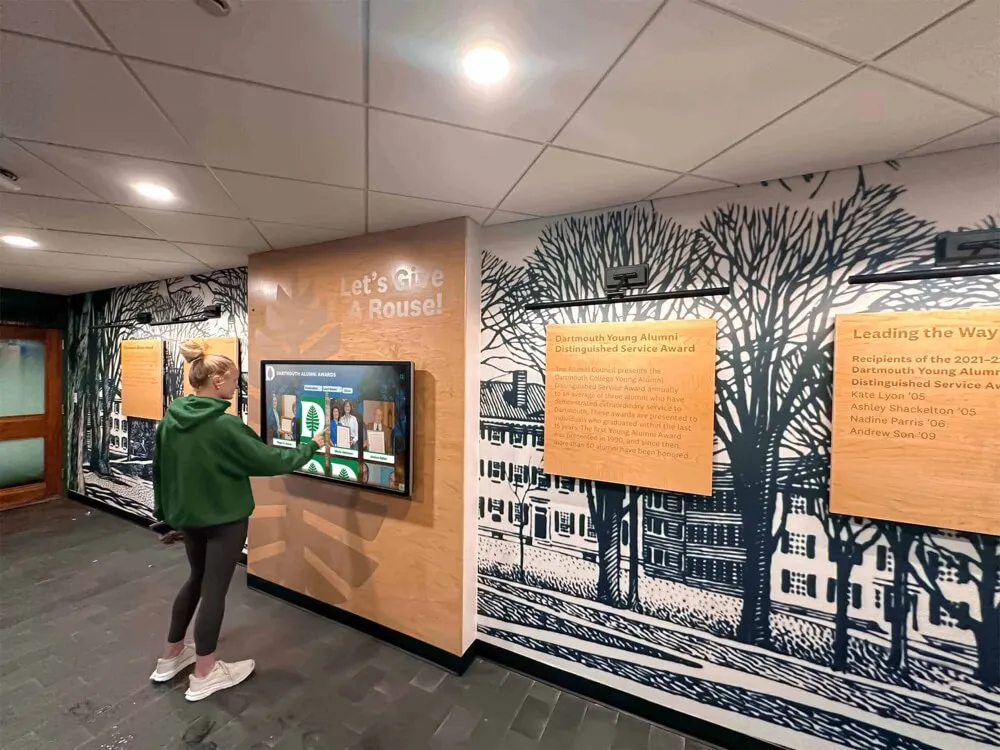
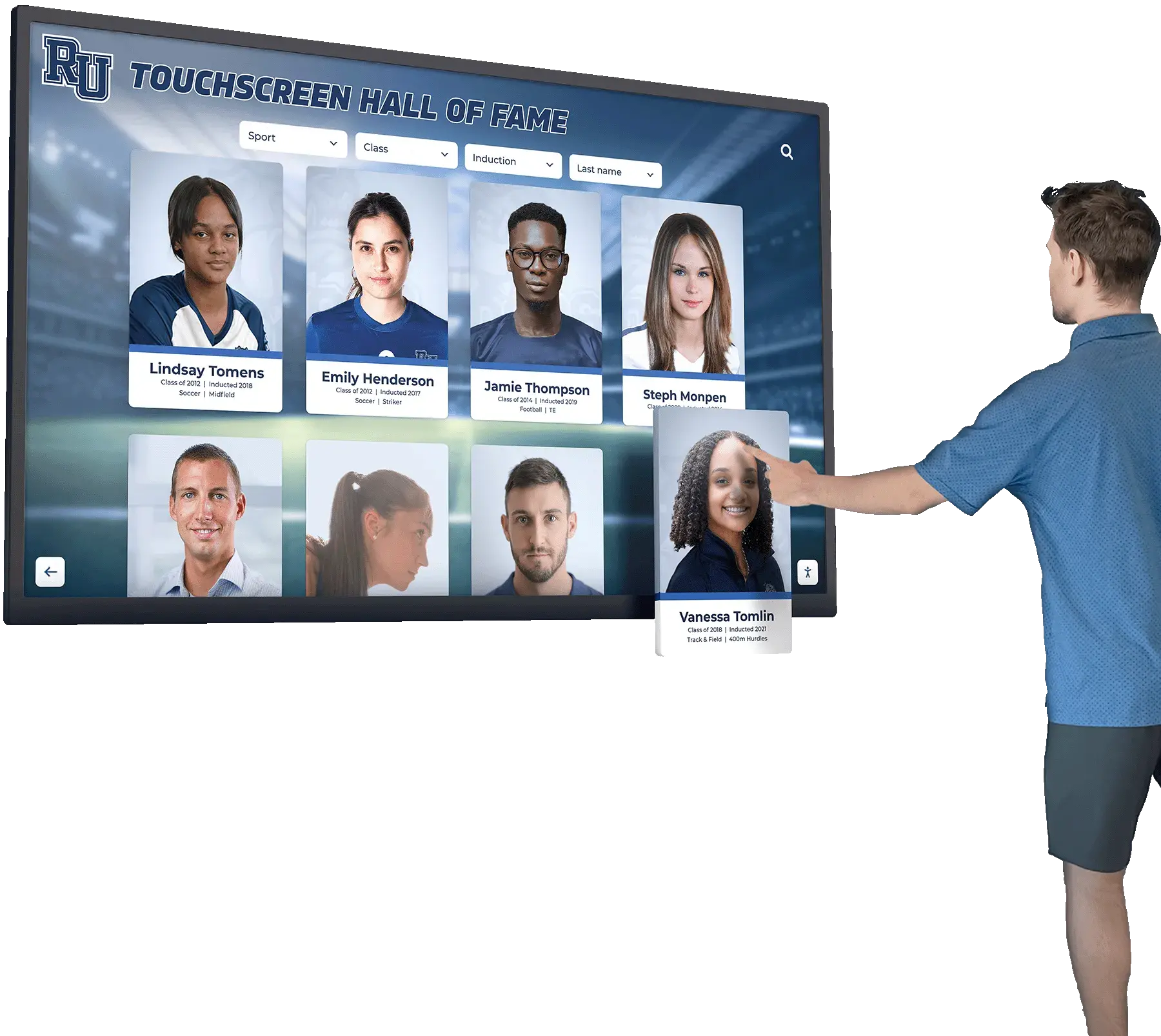
Solutions like interactive touchscreen displays demonstrate how recognition-specific software implements accessibility as foundational architecture rather than retrofitting compliance after design completion.
Request VPAT (Voluntary Product Accessibility Template) documentation from vendors. Third-party accessibility audits provide greater confidence than self-assessment claims.
3. Hardware & Deployment Flexibility (Weight: 15%)
Recognition displays operate on diverse hardware configurations ranging from wall-mounted touchscreens to freestanding kiosks to large-format video walls. Software locked to specific hardware creates constraints limiting facility planning flexibility and increasing replacement costs.
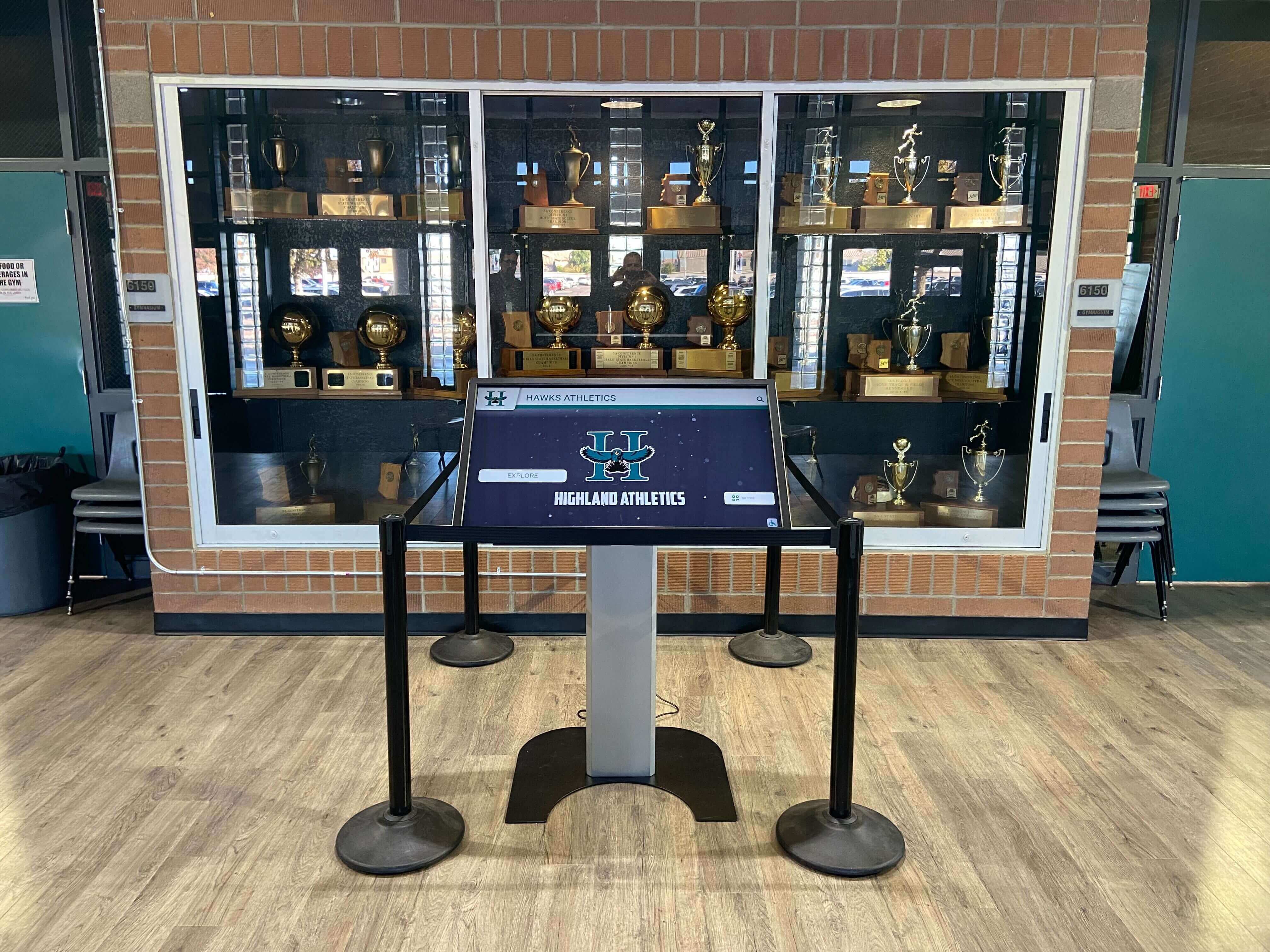
Flexibility Requirements:
Cross-Platform Operating System Support Displays run Windows, Android, Chrome OS, iOS, or Linux depending on hardware selection and IT preferences. Software supporting multiple platforms prevents vendor lock-in while enabling procurement flexibility. Organizations can select hardware based on budget, features, and vendor relationships rather than software compatibility constraints.
Display Size Adaptability Recognition displays range from tablet-sized lobby kiosks to 75-inch lobby centerpieces. Responsive interfaces automatically adapt to available screen dimensions without manual configuration or separate versions for different sizes.
Touchscreen Technology Compatibility Touchscreen technologies—capacitive, infrared, optical, resistive—vary in cost, durability, and performance characteristics. Software should support all common technologies rather than requiring specific implementations.
Network Connectivity Options Displays may connect via Ethernet, WiFi, cellular, or operate offline depending on location and infrastructure. Software must function across connectivity scenarios, syncing content when networks are available while maintaining full functionality offline.
Peripheral Device Support Some recognition programs integrate printers for certificates, card readers for membership identification, or QR scanners for self-guided tours. Open architecture supporting peripheral devices prevents future constraints when programs expand.
Hardware flexibility provides future-proofing as technology evolves. Organizations can upgrade displays to newer models without replacing entire software systems, protecting recognition program investments.
4. Cloud-Based Management Architecture (Weight: 15%)
Cloud-based software architecture fundamentally transforms recognition program management compared to traditional on-premise installations requiring physical hardware access for content updates.
Cloud Architecture Advantages:
Remote Content Management Staff update recognition displays from any location using web browsers. Development directors add new donors from home offices. Athletic directors update season records from training facilities. Advancement teams coordinate multi-campus displays from central offices. Cloud management eliminates trips to physical display locations for routine content updates.
Instant Multi-Display Synchronization Organizations deploying multiple displays—athletic lobbies, advancement offices, alumni centers, academic buildings—manage content centrally with updates appearing simultaneously across all installations. Consistency is automatic rather than requiring coordination across separate systems.
Automatic Software Updates Security patches and feature enhancements deploy server-side without intervention at individual display locations. Organizations benefit from continuous improvements without maintenance windows or IT coordination.
Scalability Without Infrastructure Investment Growing from single displays to campus-wide networks requires no server procurement or database administration. Cloud platforms scale transparently as programs expand.
Disaster Recovery and Business Continuity Content and configurations backup automatically to redundant cloud infrastructure. Display hardware failures require only replacement hardware without content restoration or reconfiguration. Geographic redundancy prevents data loss from localized incidents.
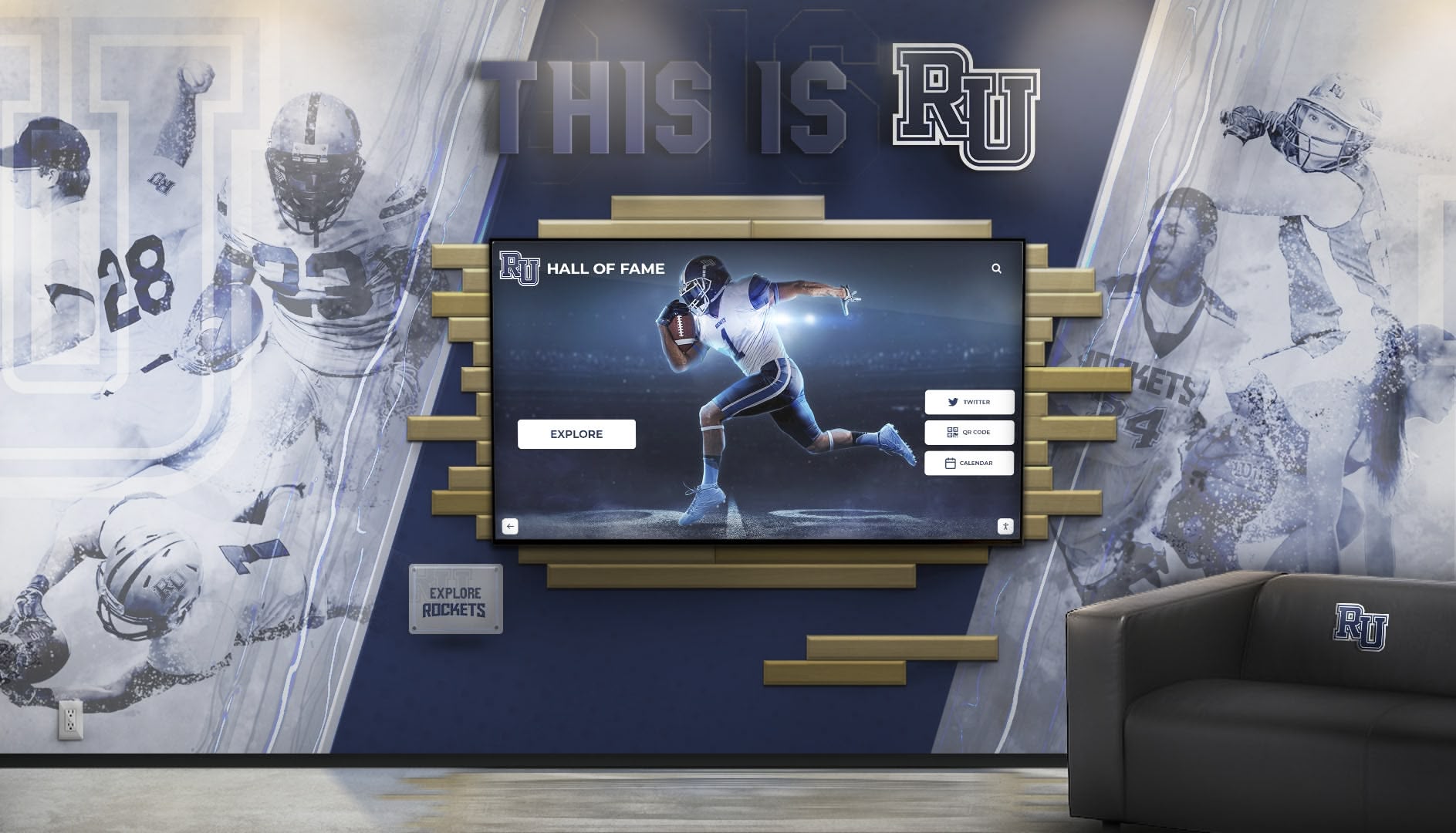
Organizations implementing touchscreen kiosk software benefit from cloud architecture eliminating on-premise server requirements while enabling flexible access patterns.
Cloud Considerations:
Network Dependency Management While cloud platforms require internet connectivity for content updates, offline functionality remains critical. Displays must continue operating during network outages with locally cached content, syncing changes when connectivity returns.
Data Residency and Privacy Educational institutions handling student records under FERPA and donors under privacy policies must understand where cloud providers store data and who has access. Vendor compliance documentation and data processing agreements deserve careful review.
5. Security Architecture & Data Protection (Weight: 10%)
Recognition displays handle personal information about honorees including names, photos, biographical details, achievement records, and donation amounts. Security architecture must protect this data while maintaining appropriate access controls.
Security Requirements:
Encrypted Data Transmission All communication between displays and management servers must use HTTPS encryption preventing network interception. Unencrypted connections expose personal information to malicious actors on shared networks.
Role-Based Access Control Administrative systems should implement granular permissions limiting editing capabilities based on user roles. Athletic directors manage sports content but not donor information. Advancement staff control giving recognition but not academic profiles. Audit trails tracking all content changes provide accountability.
Secure Authentication Systems Multi-factor authentication for administrative access prevents unauthorized content modification. Single sign-on integration with institutional identity management systems simplifies user administration while maintaining security.
Kiosk Mode Lockdown Public-facing displays must prevent visitors from accessing operating systems, browsers, or files. Kiosk mode lockdown restricts interaction to approved content only, preventing tampering or malicious software installation.
Backup and Recovery Systems Automated backups protect against accidental deletion, ransomware, or system failures. Point-in-time recovery enables restoring previous content versions when needed.
Organizations should review vendor security documentation including SOC 2 compliance reports, penetration testing results, and incident response procedures. Security questionnaires should address encryption standards, access controls, vulnerability management, and employee background checks.
6. Total Cost of Ownership (Weight: 10%)
Budget realities constrain all technology decisions. Accurate cost analysis requires examining multi-year expenses rather than initial purchase price alone. Recognition displays typically operate 5-10 years, making long-term costs more significant than acquisition expenses.
Cost Components:
Software Licensing Models Platforms use subscription, perpetual license, or transaction-based pricing models. Subscriptions provide predictable annual costs including updates and support. Perpetual licenses require upfront investment with separate maintenance agreements. Transaction-based pricing charging per profile or interaction creates unpredictable costs as programs grow.
Implementation and Setup Costs Initial deployment includes software configuration, content migration, template customization, and staff training. Some vendors include implementation services in licensing while others charge separately. Organizations should budget 20-40 hours of configuration time regardless of software capabilities.
Content Development Investment Creating comprehensive profiles for historical honorees often exceeds software costs. Budget for research, writing, photo digitization, and fact verification. Content development typically requires 2-4 hours per profile depending on complexity. Organizations launching with 100+ historical inductees should plan accordingly.
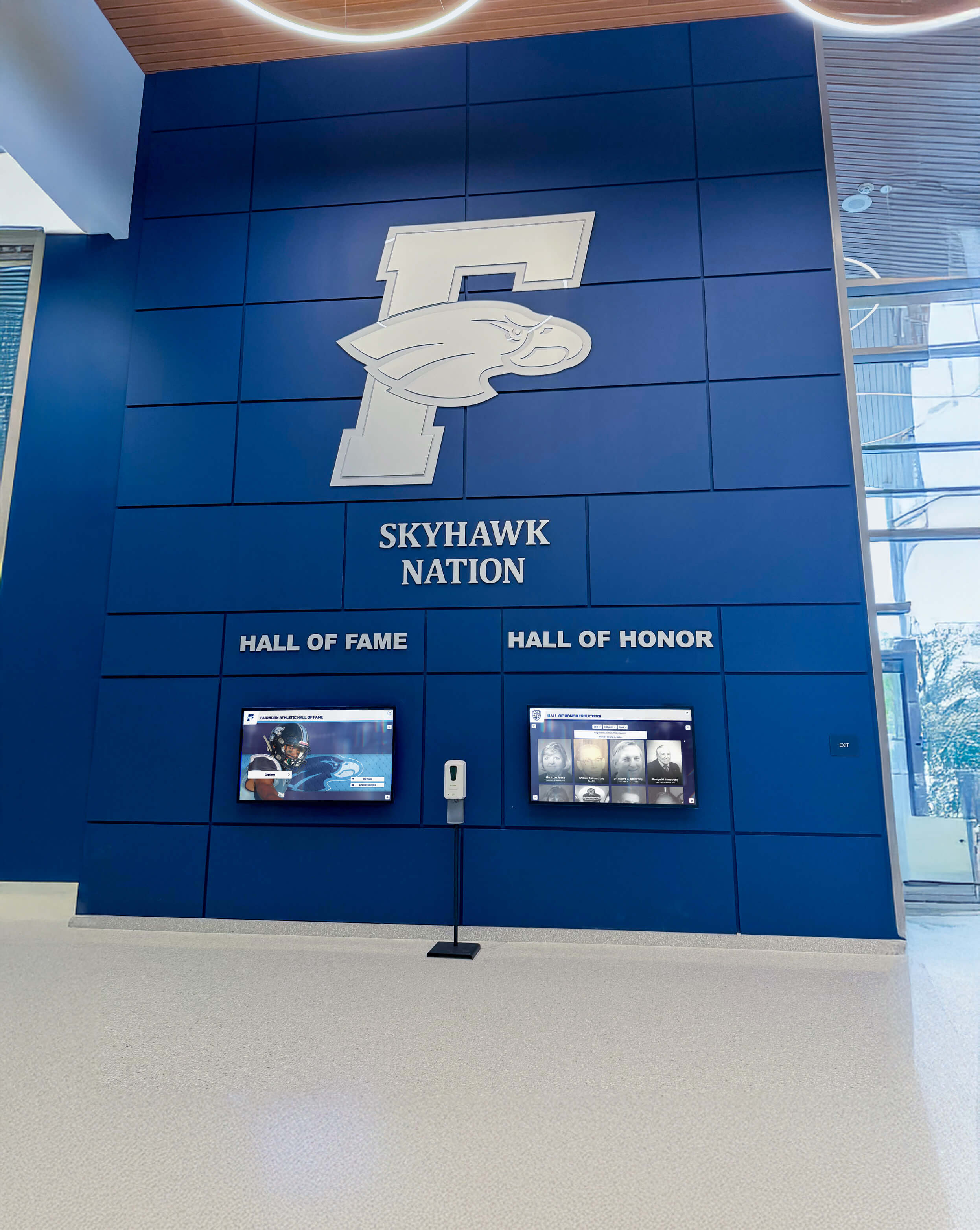
Hardware Acquisition Display hardware—touchscreens, media players, mounts, peripherals—represents significant investment separate from software. Commercial-grade displays rated for continuous operation cost $2,000-$8,000 depending on size and features. Budget-conscious organizations sometimes use consumer displays accepting shorter lifespans and higher failure rates.
Ongoing Maintenance and Support Annual costs include software subscription renewals, hardware maintenance agreements, content management time allocation, and technical support. Organizations should budget 5-10 hours monthly for content updates and program management.
Expansion and Scaling Costs Recognition programs frequently expand beyond initial scope as success drives demand for additional displays, content categories, or advanced features. Software architectures with declining marginal costs for additional displays provide economic advantages over per-device licensing.
Accurate five-year total cost of ownership analysis reveals that initial software pricing represents 15-30% of program costs. Organizations focusing exclusively on acquisition price miss opportunities for operational efficiency that reduce long-term expenses substantially.
7. Vendor Viability & Support Quality (Weight: 5%)
Recognition displays often operate for 5-10 years. Vendor stability, support quality, and continued development determine whether systems remain functional and secure throughout their intended lifespan.
Viability Factors:
Company Stability and Track Record Established vendors with substantial installed base demonstrate lower abandonment risk compared to startups or individual developers. Organizations should research company founding date, funding sources, customer count, and market presence. Vendors serving hundreds of institutions demonstrate business sustainability that single-product startups cannot match.
Support Availability and Response Times Recognition displays operate during evenings and weekends when events occur. Vendors offering only business-hours support create risk when technical issues arise during high-visibility occasions. Organizations should verify support channels, response time commitments, and availability for urgent issues.
Documentation Quality and Training Resources Comprehensive documentation enables self-service problem resolution while reducing support dependency. Video tutorials, knowledge bases, and user forums demonstrate vendor investment in customer success. Request access to documentation during evaluation to assess quality.
Update Frequency and Development Roadmap Active development indicates vendor commitment to platform evolution. Regular feature releases and security updates demonstrate ongoing investment rather than maintenance-only mode. Vendors should articulate product roadmaps showing planned enhancements.
Customer References in Similar Sectors Vendors with proven experience in educational recognition understand institutional requirements, budget constraints, and stakeholder dynamics that vendors focused on other markets lack. Request references from similar organizations implementing comparable programs.
Organizations implementing digital hall of fame solutions should prioritize vendors demonstrating long-term platform commitment through continuous development and customer success investment.
Head-to-Head Comparison: Evaluation Matrix
This weighted comparison evaluates leading approaches to recognition display software across critical criteria, using a 100-point scale where higher scores indicate better fit for typical institutional requirements:
| Criteria | Weight | Purpose-Built Recognition Software | Digital Signage Platforms | Generic Kiosk Software | Custom Development |
|---|---|---|---|---|---|
| Content Management Usability | 25% | 95 | 65 | 50 | 80 |
| No-code editing | ✅ Profile templates | ⚠️ Generic layouts | ❌ Technical required | ⚠️ Custom interface | |
| Bulk import | ✅ CSV with mapping | ⚠️ Limited | ❌ Manual entry | ✅ Custom built | |
| Workflow management | ✅ Built-in approval | ❌ Not available | ❌ Not available | ⚠️ Custom built | |
| Accessibility & ADA Compliance | 20% | 90 | 60 | 55 | 85 |
| WCAG 2.1 AA compliance | ✅ Certified | ⚠️ Varies | ⚠️ Rarely compliant | ⚠️ Requires expertise | |
| Screen reader support | ✅ Optimized | ⚠️ Basic | ❌ Limited | ⚠️ Must implement | |
| Keyboard navigation | ✅ Complete | ⚠️ Partial | ⚠️ Minimal | ⚠️ Must implement | |
| Hardware & Deployment Flexibility | 15% | 90 | 85 | 75 | 95 |
| Cross-platform support | ✅ All major OS | ✅ Most OS | ⚠️ Platform-specific | ✅ Any platform | |
| Display size adaptability | ✅ Responsive | ✅ Scalable | ⚠️ Fixed layouts | ✅ Custom responsive | |
| Cloud-Based Management | 15% | 95 | 80 | 60 | 75 |
| Remote content updates | ✅ Web-based CMS | ✅ Cloud platform | ⚠️ Varies | ⚠️ Must build | |
| Multi-display sync | ✅ Automatic | ✅ Built-in | ⚠️ Manual | ⚠️ Must build | |
| Offline functionality | ✅ Full capability | ⚠️ Limited | ⚠️ Varies | ✅ Can implement | |
| Security & Data Protection | 10% | 85 | 75 | 70 | 90 |
| Encrypted transmission | ✅ HTTPS standard | ✅ HTTPS standard | ⚠️ Varies | ✅ Can implement | |
| Role-based access | ✅ Granular controls | ⚠️ Basic roles | ⚠️ Limited | ✅ Custom controls | |
| Kiosk lockdown | ✅ Complete | ✅ Good | ✅ Core feature | ⚠️ Must implement | |
| Total Cost of Ownership (5-year) | 10% | 85 | 70 | 65 | 50 |
| Initial investment | ⚠️ Moderate | ⚠️ Moderate | ✅ Lower | ❌ Highest | |
| Ongoing costs | ✅ Predictable | ⚠️ Subscription + adds | ⚠️ Per-device | ❌ Maintenance | |
| Implementation time | ✅ Weeks | ⚠️ Months | ⚠️ Months | ❌ 6-12 months | |
| Vendor Viability & Support | 5% | 90 | 75 | 65 | 60 |
| Market stability | ✅ Proven niche | ✅ Large market | ⚠️ Fragmented | ⚠️ Developer dependent | |
| Support quality | ✅ Specialized | ⚠️ Generic | ⚠️ Varies widely | ⚠️ Contract-based | |
| WEIGHTED TOTAL SCORE | 100% | 90.25 | 70.75 | 60.25 | 76.50 |
Interpretation of Comparison Results
This weighted analysis suggests purpose-built recognition software better serves institutional requirements for most organizations. However, specific circumstances may justify alternative approaches:
Choose Purpose-Built Recognition Software When:
- Non-technical staff will manage content without IT support
- Accessibility compliance is legally required or institutionally valued
- Recognition programs require profile templates and specialized features
- Budget enables moderate software investment prioritizing operational efficiency
- Multi-campus coordination demands centralized management
- Historical content migration requires bulk import capabilities
Consider Digital Signage Platforms When:
- Displays primarily show rotating announcements alongside recognition content
- Existing digital signage infrastructure enables leverage
- Content management requirements are simple without complex profiles
- Budget constraints prevent specialized software investment
- Technical staff available for customization and ongoing management
Evaluate Generic Kiosk Software When:
- Primary requirement is browser lockdown rather than content management
- Simple web-based content already developed independently
- Single-display deployment without multi-location management needs
- Minimal budget prioritizes lowest initial cost
- IT resources available for technical configuration
Consider Custom Development When:
- Requirements significantly differ from standard recognition programs
- Integration with proprietary systems is mandatory
- Organization has development resources and long-term maintenance commitment
- Budget enables $50,000+ initial investment plus ongoing maintenance
- Vendor independence is valued above cost efficiency

Why Rocket Alumni Solutions Wins for Recognition Displays
After evaluating architectural approaches, examining specific solutions reveals how professional recognition platforms implement these technologies effectively. Rocket Alumni Solutions demonstrates why purpose-built platforms outperform adapted generic approaches:
Recognition-Specific Architecture
Unlike digital signage platforms adapted for recognition or generic kiosk software configured for profile displays, Rocket’s architecture designs every component specifically for honoring achievements:
Profile-Centric Data Model The underlying database structures content as individual profiles with biographical details, achievements, relationships, and media rather than generic pages or slides. This purpose-built model enables sophisticated features like career statistics leaders, class connections, and legacy relationships that generic platforms cannot support without extensive customization.
Template Library for Diverse Honoree Types Athletic honorees require game statistics, championship details, and action photos. Academic achievers need GPA, honors, and scholarly pursuits. Donors deserve giving history and campaign affiliations. Rocket provides specialized templates for each recognition category rather than forcing all content into generic layouts.
Auto-Ranking and Dynamic Lists Recognition displays should automatically highlight career leaders, recent inductees, and top performers without manual list maintenance. Rocket’s auto-ranking systems dynamically organize content based on achievement data, keeping displays current as new records are set.
Interactive Exploration Features Purpose-built search and filtering enable visitors to discover honorees by sport, year, achievement type, hometown, or custom categories. Generic platforms offer only simple navigation requiring visitors to browse sequentially rather than finding relevant connections efficiently.
Organizations implementing academic recognition programs benefit from software specifically designed for educational achievement rather than adapting commercial digital signage.
Non-Technical Content Management
Recognition programs succeed when staff manage content independently without IT gatekeepers. Rocket’s CMS prioritizes usability for communications directors and advancement professionals rather than technical administrators:
Visual Profile Builder Drag-and-drop interfaces, template selection, and WYSIWYG editing enable profile creation without HTML knowledge or technical training. Staff comfortable with word processors can manage recognition displays confidently.
Bulk Import Wizard CSV upload with guided field mapping migrates hundreds of historical honorees efficiently. Organizations digitizing decades of physical plaques complete migrations in hours rather than weeks of manual entry.
Media Library Management Centralized photo galleries, video libraries, and document repositories prevent duplicate uploads while enabling asset reuse. Automatic image optimization and format conversion eliminate technical barriers to multimedia integration.
Approval Workflows Multi-stakeholder review processes with comment threads and scheduled publishing ensure accuracy without bottlenecking updates on single administrators. Distributed responsibility enables sustainable program management.
Schools and universities implementing digital recognition displays require software designed for educational environments rather than IT departments managing technical platforms.
Built-In ADA Accessibility Compliance
Accessibility compliance represents a significant differentiator. While many platforms claim accessibility, Rocket implements WCAG 2.1 AA conformance as foundational architecture:
Third-Party Accessibility Audits Independent accessibility certification validates compliance rather than vendor self-assessment. Educational institutions and government entities facing strict accessibility mandates deploy Rocket with confidence based on verified conformance.
Optimized Screen Reader Experience Semantic HTML markup, descriptive ARIA labels, and logical content structure enable screen readers to navigate profiles meaningfully. Biographical narratives, achievement lists, and statistical tables present coherently through assistive technology.
Complete Keyboard Navigation All interactive elements remain accessible via keyboard without touch interaction. Focus indicators clearly show current selection. Keyboard shortcuts accelerate navigation for power users while maintaining discoverability.
Responsive Text Scaling Interfaces maintain usability when visitors increase text size to 200% for low vision access. Layouts reflow gracefully without content overlap or loss of functionality.
Organizations implementing interactive announcements feeds should verify accessibility compliance rather than accepting claims without validation.

Flexible Deployment Matching Institutional Requirements
Whether organizations need single displays or campus-wide networks, Rocket’s architecture scales appropriately:
Physical Touchscreen Kiosks High-traffic lobby installations with commercial-grade displays provide impactful focal points. Wall-mounted displays integrate with existing recognition walls. Freestanding kiosks create destination experiences in athletic facilities or advancement offices.
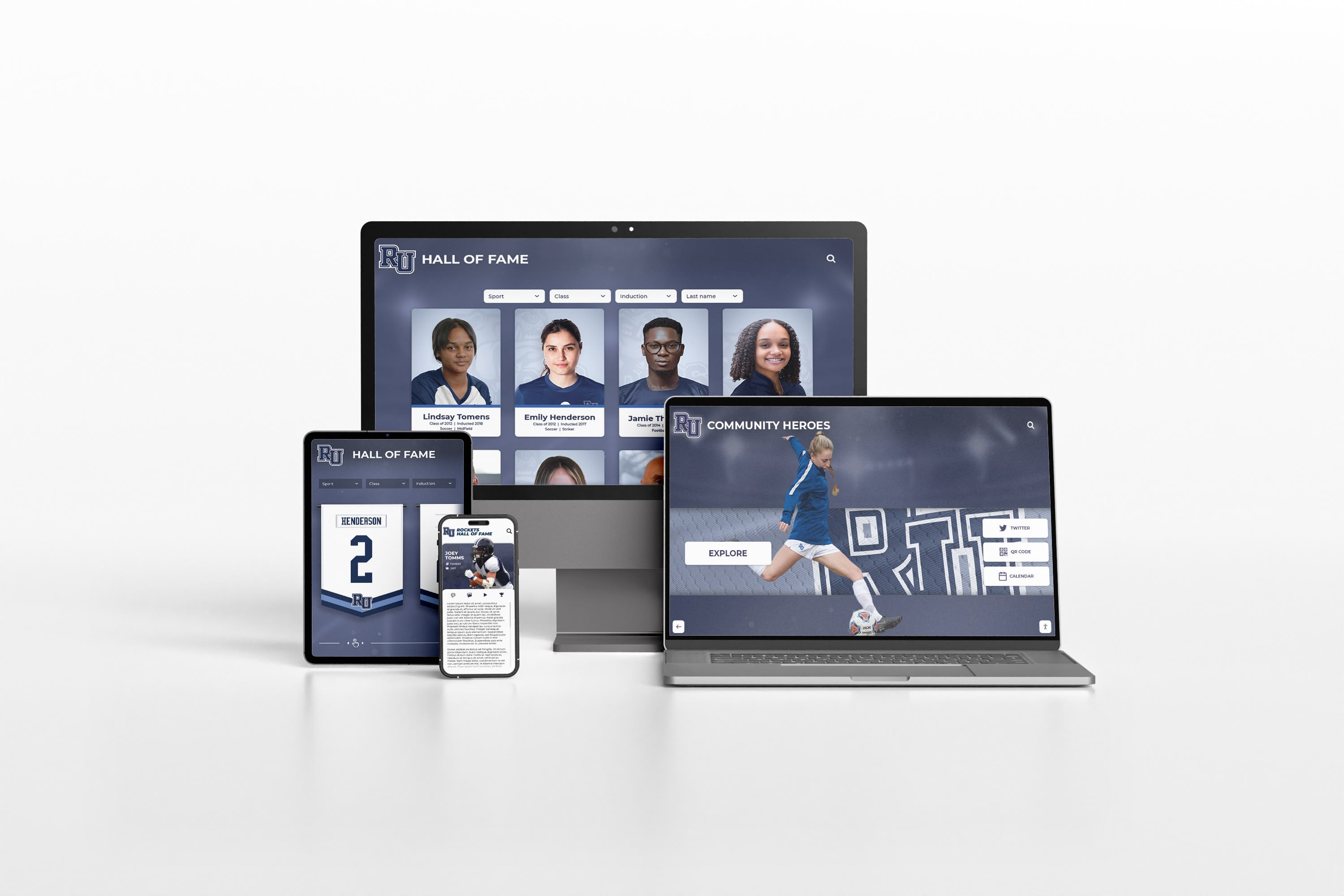
Web-Accessible Online Halls of Fame Browser-based access extends recognition beyond physical locations, enabling alumni worldwide to explore institutional history. Mobile-responsive interfaces adapt to smartphones and tablets. QR codes on physical displays link to detailed online profiles.
Hybrid Physical-Digital Deployments Organizations combine physical displays with online access from unified content management. Updates appear simultaneously across all touchpoints maintaining consistency automatically.
Multi-Campus Coordination School districts, university systems, and organizations with distributed locations manage recognition programs centrally. Content can be shared across campuses or customized per location while maintaining brand consistency.
Athletic departments implementing digital storytelling for athletic programs benefit from flexible deployment options matching facility layouts and budget constraints.
Comprehensive Implementation Support
Technology platforms matter less if organizations struggle with implementation. Rocket provides end-to-end assistance:
Content Migration Services Professional researchers digitize historical achievements from yearbooks, athletic records, physical plaques, and institutional archives. Photo restoration and biography writing services accelerate implementation for organizations lacking dedicated staff time.
Recognition Strategy Consulting Establishing selection criteria, organizational frameworks, and nomination processes determines program success. Rocket’s experience implementing 1,000+ recognition programs informs best practice recommendations tailored to institutional contexts.
Hardware Recommendations Matching display specifications to installation environments and budgets eliminates procurement confusion. Rocket provides specific hardware models proven reliable in educational environments rather than generic specifications requiring independent research.
Staff Training Programs Comprehensive onboarding ensures content managers operate systems confidently. Video tutorials, live training sessions, and documentation libraries support ongoing self-service management reducing support dependency.
Ongoing Technical Support Responsive technical assistance resolves issues rapidly when they occur. Support teams understand educational institution workflows and timelines, providing appropriate urgency during critical periods like homecoming or giving campaigns.
Universities implementing honor roll touchscreen displays need vendors understanding academic calendars and recognition timing rather than generic technology support.
Proven Reliability at Scale
With over 1,000 installations across educational institutions nationwide, Rocket demonstrates operational stability that newer vendors and open-source projects cannot match:
99%+ Uptime Performance Commercial-grade infrastructure supporting mission-critical recognition during major events. Redundant systems prevent single points of failure. Geographic distribution ensures availability during regional incidents.
Regular Security Updates Continuous monitoring and patching maintain protection against evolving threats. Vulnerability management processes address potential issues before exploitation.
Long-Term Vendor Commitment Decade-long track record demonstrates platform sustainability. Continuous development delivers feature enhancements and technology evolution rather than maintenance-only support.
Commercial-Grade Hardware Partnerships Relationships with commercial display manufacturers ensure reliable hardware recommendations. Rocket specifies displays rated for continuous 24/7 operation rather than consumer models failing prematurely.
Organizations implementing touchscreen software solutions need vendors who will remain viable throughout the 5-10 year lifespan of recognition displays.
Deal-Breaker Checklist: Red Flags to Watch
When evaluating specific touchscreen software vendors, watch for warning signs indicating potential future problems:
Technical Architecture Red Flags
❌ Requires specific hardware models without technical justification — Artificial hardware restrictions create vendor lock-in inflating replacement costs. Question why software cannot operate on standard commercial displays.
❌ No offline functionality requiring constant connectivity — Recognition displays must operate during network outages. Internet-dependent systems fail when needed most during events when network traffic peaks.
❌ Platform-specific without cross-platform roadmap — Solutions locked to Windows, Android, or iOS create hardware constraints limiting procurement flexibility. Verify multi-platform support or clear development roadmap.
❌ Proprietary content formats preventing export — Organizations must retain ability to export recognition data in standard formats (JSON, CSV, SQL) enabling migration if vendor relationships end. Proprietary formats create permanent vendor dependency.
❌ No API documentation for integration — Recognition systems often integrate with alumni databases, donor management systems, or student information systems. Closed platforms without APIs prevent workflow automation.
Accessibility and Compliance Red Flags
❌ No accessibility documentation or VPAT — Vendors unable to provide WCAG compliance statements or Voluntary Product Accessibility Template documents likely have not addressed accessibility systematically. Assume non-compliance without evidence.
❌ Accessibility as optional “add-on” rather than core — Retrofitting accessibility after design rarely produces quality results. Universal design from inception delivers superior experiences.
❌ Touch-only interaction without keyboard alternatives — Federal accessibility standards require non-touch navigation options. Solutions lacking keyboard support fail basic compliance requirements.
❌ Fixed text sizes without responsive scaling — Visitors must be able to increase text size to 200% without functionality loss. Fixed layouts breaking when text enlarges indicate accessibility was not considered during design.
Content Management Red Flags
❌ Requires coding for routine content updates — Non-technical staff must update content independently. Systems requiring HTML, CSS, or JavaScript knowledge create unsustainable IT dependencies.
❌ No bulk import capabilities — Manual one-by-one profile creation for hundreds of historical honorees creates implementation barriers. Bulk import via CSV is mandatory.
❌ Per-profile pricing models — Avoid vendors charging per inductee. Recognition programs grow continuously, making per-profile pricing increasingly expensive over time.
❌ Slow content synchronization across displays — Updates should appear across all displays within seconds, not hours. Test synchronization speed explicitly during evaluation.
❌ Limited template customization — Generic templates requiring every organization to match vendor design preferences rather than institutional branding indicate inflexible platforms.
Vendor and Support Red Flags
❌ No reference customers in educational institutions — Vendors without proven experience in schools and universities lack understanding of institutional requirements, budget constraints, and stakeholder dynamics.
❌ Business-hours-only support — Recognition displays operate during evenings and weekends when events occur. Support limited to business hours creates risk during high-visibility occasions.
❌ No documented Service Level Agreement (SLA) — Without uptime commitments and response time guarantees, vendors face no accountability for reliability. Request SLA documentation explicitly.
❌ Startup vendors without financial backing — Recognition displays operate 5-10 years. Vendors without financial stability may disappear, leaving systems unsupported. Research company funding, customer count, and market presence.
❌ Unclear pricing with hidden fees — Transparent pricing builds trust while hidden costs undermine budgets. Request complete pricing including all components, implementation, training, and ongoing fees.
Decision Framework: Choosing Your Approach
This flowchart guides organizations through the evaluation process systematically:
Step 1: Assess Recognition Program Scope
- Simple display (<50 profiles, single location): Consider budget-friendly options including digital signage platforms
- Comprehensive program (100+ profiles, growth expected): Prioritize purpose-built recognition software
- Multi-campus network: Require cloud-based centralized management
Step 2: Evaluate Staff Technical Capabilities
- Limited IT resources: Mandate no-code content management with visual editors
- Strong technical teams: Can consider platforms requiring more technical expertise for customization
Step 3: Determine Accessibility Requirements
- Federally-funded institution: Verify WCAG 2.1 AA compliance with third-party audits
- No formal mandates: Still prioritize accessibility for inclusive recognition
Step 4: Analyze Budget Availability
- Budget <$5,000: Explore open-source or basic digital signage solutions
- Budget $5,000-$15,000: Purpose-built recognition platforms provide best value
- Budget >$15,000: Consider custom development for highly specialized requirements
Step 5: Review Content Management Needs
- Historical content migration required: Verify bulk import capabilities
- Frequent updates expected: Prioritize intuitive CMS reducing time per update
- Multi-stakeholder management: Require workflow and approval systems
Step 6: Assess Hardware Situation
- Existing displays to reuse: Verify cross-platform software compatibility
- New hardware procurement: Software-first selection enables hardware flexibility
Step 7: Evaluate Long-Term Vendor Relationships
- Prefer vendor partnerships: SaaS solutions with comprehensive support
- Value independence: Self-hosted options or open-source platforms
Organizations implementing digital touchscreen athletic building record boards should document evaluation processes, scoring alternatives against weighted criteria to support informed decision-making and stakeholder communication.
Implementation Best Practices
Even with optimal software selection, implementation execution determines recognition program success:
Pre-Launch Planning (Weeks 1-4)
Define clear program objectives and success metrics. Who deserves recognition? What criteria must honorees meet? How will selection committees operate? Establishing frameworks before implementation prevents scope creep and ensures stakeholder alignment.
Inventory historical content requiring digitization. Identify photo archives, yearbooks, trophy plaques, donor lists, and institutional records containing honoree information. Estimate digitization effort realistically—historical research typically requires 2-4 hours per profile depending on available records.
Assemble project teams with clear responsibilities. Assign content coordinators, selection committee chairs, IT liaisons, and executive sponsors. Distributed responsibility prevents bottlenecks while ensuring accountability.
Content Development (Weeks 4-12)
Begin with pilot group representing diverse honoree types. Create 10-15 complete profiles spanning different eras, sports, achievement levels, and content availability. Pilot profiles reveal content gaps, template requirements, and process improvements before scaling to full roster.
Establish style guides ensuring consistency. Profile length standards, biographical tone, photo specifications, and formatting conventions maintain professional appearance across all honorees. Templates accelerate creation while allowing customization where appropriate.
Leverage bulk import for structured data. Athletic statistics, graduation years, and basic biographical details migrate efficiently via CSV. Reserve manual effort for narrative content requiring human judgment—biographical highlights, achievement context, and personal stories.
Schedule content creation realistically. Organizations digitizing 100+ historical profiles should plan 3-6 months for comprehensive content development. Rushing reduces quality while realistic timelines enable thorough research.
Display Configuration (Weeks 8-12)
Customize templates matching institutional branding. Colors, logos, typography, and layout styles should reinforce brand identity rather than generic vendor defaults. Most platforms enable visual customization without coding.
Configure navigation and search matching visitor expectations. Organization by sport, year, achievement type, and alphabetical order provides multiple discovery paths. Test navigation with stakeholders unfamiliar with content to identify confusion points.
Optimize attract loops balancing attention-getting with lobby aesthetics. Rotating highlights, recent additions, and “featured this month” content draws attention while respecting that recognition displays share space with other lobby functions.
Test thoroughly across use cases before launch. Verify content displays correctly, navigation works intuitively, search finds expected results, and performance remains responsive under concurrent use. Recruit volunteers unfamiliar with content for usability testing.
Launch and Promotion (Weeks 12-16)
Promote new recognition systems through multiple channels. Email announcements, social media posts, signage near displays, and event presentations drive awareness. Don’t assume visitors will discover displays independently.
Host launch events celebrating inaugural digital recognition. Invite current honorees, selection committees, donors, and stakeholders. Public celebrations generate buzz while demonstrating institutional commitment to honoring achievements.
Gather feedback systematically during initial months. Observe visitor behavior near displays. Conduct brief surveys asking about experience. Analytics reveal navigation patterns and popular content. Iterate based on evidence rather than assumptions.
Ongoing Management (Months 4+)
Establish sustainable update workflows. Assign responsibility for adding new honorees, updating existing profiles, and refreshing featured content. Regular update cadences—monthly, quarterly, or annually—maintain freshness.
Monitor analytics identifying popular content and navigation patterns. Double down on what works while reconsidering underperforming content. Analytics-driven optimization compounds engagement improvements over time.
Refresh featured content regularly preventing displays from feeling static. “Alumni Spotlight” rotating monthly, seasonal achievement highlights, and anniversary celebrations provide reasons for repeat visits.
Plan expansion based on initial success. Recognition programs frequently expand beyond initial scope as success drives demand. Budget for additional displays, content categories, or advanced features as programs mature.
Organizations implementing college intramural sports digital recognition displays should establish content management processes during implementation rather than treating them as post-launch concerns.
Future Trends Shaping Recognition Software
Understanding emerging trends helps organizations select solutions that will remain relevant throughout multi-year deployments:
Artificial Intelligence Integration
AI will transform recognition software through automated content generation, intelligent search, and personalization:
- Automated narrative generation creating biographical summaries from structured achievement data
- Natural language search understanding queries like “swimmers who broke records in the 1990s”
- Personalized recommendations highlighting connections between visitors and honorees based on shared attributes
- Smart photo enhancement improving historical photo quality through upscaling and restoration algorithms
Organizations should evaluate vendor roadmaps for AI integration timelines and capabilities.
Mobile Integration and QR Extensions
Recognition will extend beyond physical displays through mobile experiences:
- QR codes on physical plaques launching detailed digital profiles on visitor smartphones
- Mobile app companions enabling self-guided tours and deeper exploration
- Social sharing capabilities encouraging visitors to share honoree stories on social platforms
- Alumni self-service portals allowing honorees to update profiles and submit photos directly
Voice Interaction and Touchless Control
Post-pandemic awareness and accessibility requirements drive touchless interaction:
- Voice-activated search enabling verbal queries without touch
- Gesture control using motion sensors for navigation
- Proximity detection displaying personalized content based on visitor location
- Mobile device control using smartphones as touchscreen remotes
Augmented Reality Overlays
AR capabilities will blend physical and digital recognition:
- Historical photo comparisons overlaying archival images on current campus views
- Interactive timelines placing visitors in historical contexts through AR visualization
- Virtual trophy cases displaying 3D models of championship hardware
- Photo opportunities enabling visitors to appear in scenes with honored athletes
Enhanced Privacy Controls
Privacy regulations continue evolving globally. Recognition software must provide:
- Consent management systems tracking honoree permissions for information display
- Right to erasure workflows enabling profile removal upon request
- Data portability exporting personal information in structured formats
- Privacy preference centers allowing honorees to control information visibility
Organizations implementing student mentorship alumni discovery boards should ensure platforms evolve with technology trends rather than becoming obsolete as visitor expectations change.
Conclusion: Making Your Decision
The touchscreen software decision fundamentally shapes recognition program effectiveness for years. While numerous platforms claim suitability, purpose-built recognition software delivers superior results compared to adapted digital signage, generic kiosk solutions, or custom development for most institutional requirements.
For schools, universities, athletic departments, and nonprofit organizations, professional recognition platforms like Rocket Alumni Solutions represent optimal choices. These solutions combine intuitive content management enabling non-technical staff, accessibility compliance meeting federal requirements, flexible deployment matching diverse institutional needs, and vendor stability ensuring long-term support.
Organizations with truly exceptional circumstances—unlimited development budgets, unique technical requirements, or specialized integration needs—may justify custom development or platform adaptations. However, thoroughly evaluate whether purpose-built solutions can meet requirements before committing to more expensive, slower, and higher-risk custom approaches.
The recognition display investment you make today will serve your institution for 5-10 years. Prioritize solutions from established vendors with proven track records, comprehensive support, and demonstrated commitment to accessibility and long-term platform evolution. Software specifically designed for recognition rather than adapted from other purposes delivers better experiences, reduces operational burden, and provides superior return on investment.
Budget constraints tempt organizations toward lowest initial cost solutions. However, total cost of ownership over multi-year deployments proves that platforms reducing administrative burden and content management time deliver better financial outcomes than nominally cheaper options requiring ongoing technical intervention.
Recognition programs strengthen institutional pride, inspire current students, engage alumni, acknowledge donors, and celebrate achievements that define organizational identity. Technology platforms either amplify these outcomes through engaging experiences and efficient management or undermine them through technical obstacles and administrative burdens. Choose platforms specifically designed to honor achievements with the professionalism they deserve.
Ready to evaluate professional recognition display platforms? Learn more about Rocket Alumni Solutions’ touchscreen software designed specifically for educational institutions and nonprofit organizations. Explore interactive display implementations, discover athletic recognition strategies, or review digital hall of fame best practices that maximize program impact.
Your institution’s achievements deserve recognition technology that honors them with professionalism, accessibility, and reliability for years to come. Choose platforms specifically designed for recognition rather than adapting generic tools to purposes they were never meant to serve.
Disclaimer: This comparison is based on publicly available information as of November 2025. All product names and trademarks belong to their respective owners. Comparative statements reflect Rocket Alumni Solutions’ interpretation of available data and may change over time. This content was produced by or on behalf of Rocket Alumni Solutions. All trademarks are property of their respective owners. Rocket Alumni Solutions is not affiliated with or endorsed by any software vendors, digital signage providers, or kiosk platform manufacturers mentioned in this analysis.
































