



Key Takeaways
Transform your high school class reunion with interactive touchscreen displays. Discover how digital memory walls create engaging experiences, showcase class history, and strengthen connections.
Why Touchscreen Displays Transform Class Reunion Experiences
Traditional reunion approaches rely on paper photo collages, printed memory books, and passive displays that limit engagement and fail to accommodate the depth of content accumulated over decades. Interactive touchscreen technology addresses these limitations while introducing powerful new capabilities.
The Evolution of Reunion Technology
Class reunions have evolved significantly from simple gatherings in school gymnasiums with hand-labeled photo boards:
Traditional Reunion Displays:
- Paper photo collages requiring months of manual assembly
- Printed memory books with limited capacity and high per-copy costs
- Static poster boards showing basic class information
- Physical guestbooks collecting signatures without stories
- Projection screens showing linear slideshows viewers cannot control
Modern Interactive Touchscreen Experiences:
- Comprehensive digital archives with unlimited storage capacity
- Searchable databases finding specific classmates instantly
- Rich multimedia profiles with photos, videos, and achievement timelines
- Real-time content submission from attendees’ smartphones
- Social sharing extending reunion beyond physical attendance
- Analytics showing which content resonates most with attendees
Key Benefits for High School Reunions
Touchscreen displays deliver measurable advantages across every aspect of reunion planning and execution:
🤝 Enhanced Engagement
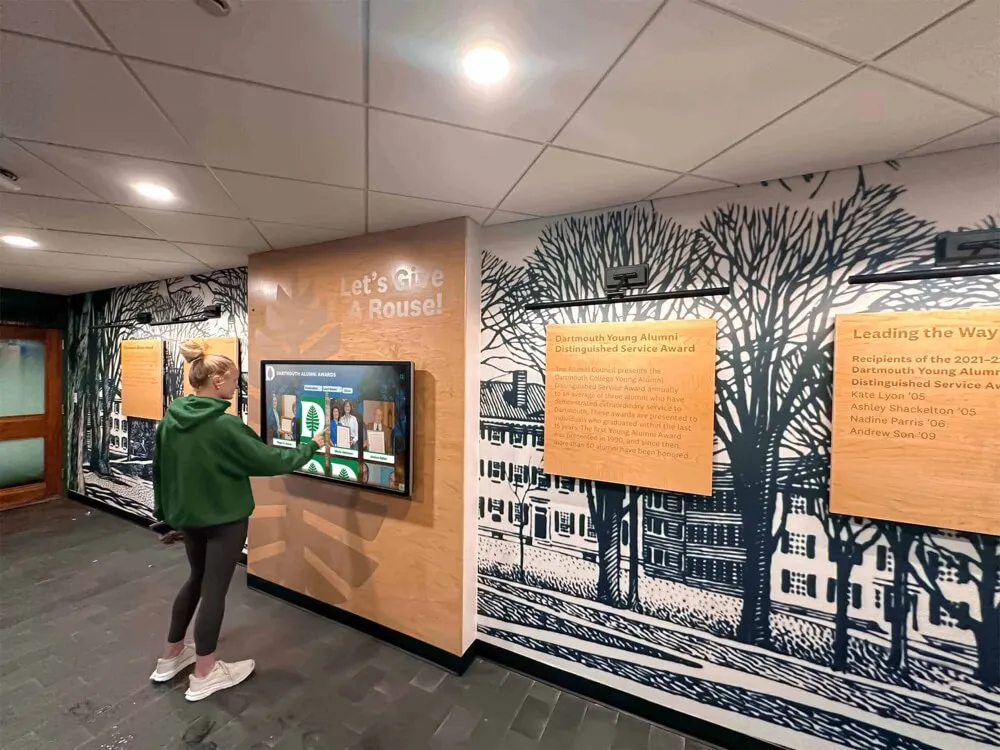
Interactive displays become natural gathering points where classmates discover shared experiences and spark meaningful conversations through collaborative exploration
📚 Unlimited Content Capacity
Store thousands of photos, comprehensive profiles, and complete achievement records without physical space constraints limiting recognition
🔍 Instant Discovery
Powerful search capabilities let attendees find specific classmates, achievements, or memories instantly rather than scrolling through linear presentations
📱 Real-Time Participation
Enable attendees to submit photos and stories during the event from their smartphones, creating living archives that grow throughout the reunion
🌐 Extended Reach
Share digital content with absent classmates, enabling virtual participation and continued engagement after the event concludes
💰 Long-Term Value
Content created for reunions becomes permanent digital archives accessible for future gatherings and ongoing class connections
Research shows that reunions incorporating interactive digital elements see 40-60% longer average attendee engagement times and 3-4× higher post-event online community participation compared to traditional reunion formats.
Types of Touchscreen Display Solutions for Reunions
Several technology approaches serve class reunion needs, each with distinct capabilities, costs, and ideal use cases.
Temporary Event Rental Systems
For single-event reunions without plans for ongoing digital displays, rental solutions provide cost-effective access to professional technology.
Rental System Components:
- Commercial-grade touchscreen displays (typically 55-65 inches)
- Portable floor stands or temporary mounting solutions
- Pre-loaded content management software
- Event-day technical support and setup assistance
- Pickup and return logistics included
Advantages:
- Low upfront investment ($500-$2,500 for weekend rental)
- No ongoing maintenance or storage concerns
- Professional-grade equipment without purchase commitment
- Technical support included for event duration
- Test digital approaches before potential permanent installation
Limitations:
- Per-event costs accumulate across multiple reunions
- Limited customization compared to owned systems
- Content migration between events may require extra effort
- Availability during peak reunion seasons (summer, homecoming)
- Rental quality varies significantly by provider
Best For:
- First-time reunion committees testing digital approaches
- One-time milestone celebrations (50th reunions)
- Budget-conscious committees without institutional support
- Schools without existing permanent display infrastructure

School-Owned Permanent Display Systems
Schools hosting regular reunions benefit significantly from permanent touchscreen installations serving both daily operations and special events.
Permanent System Capabilities:
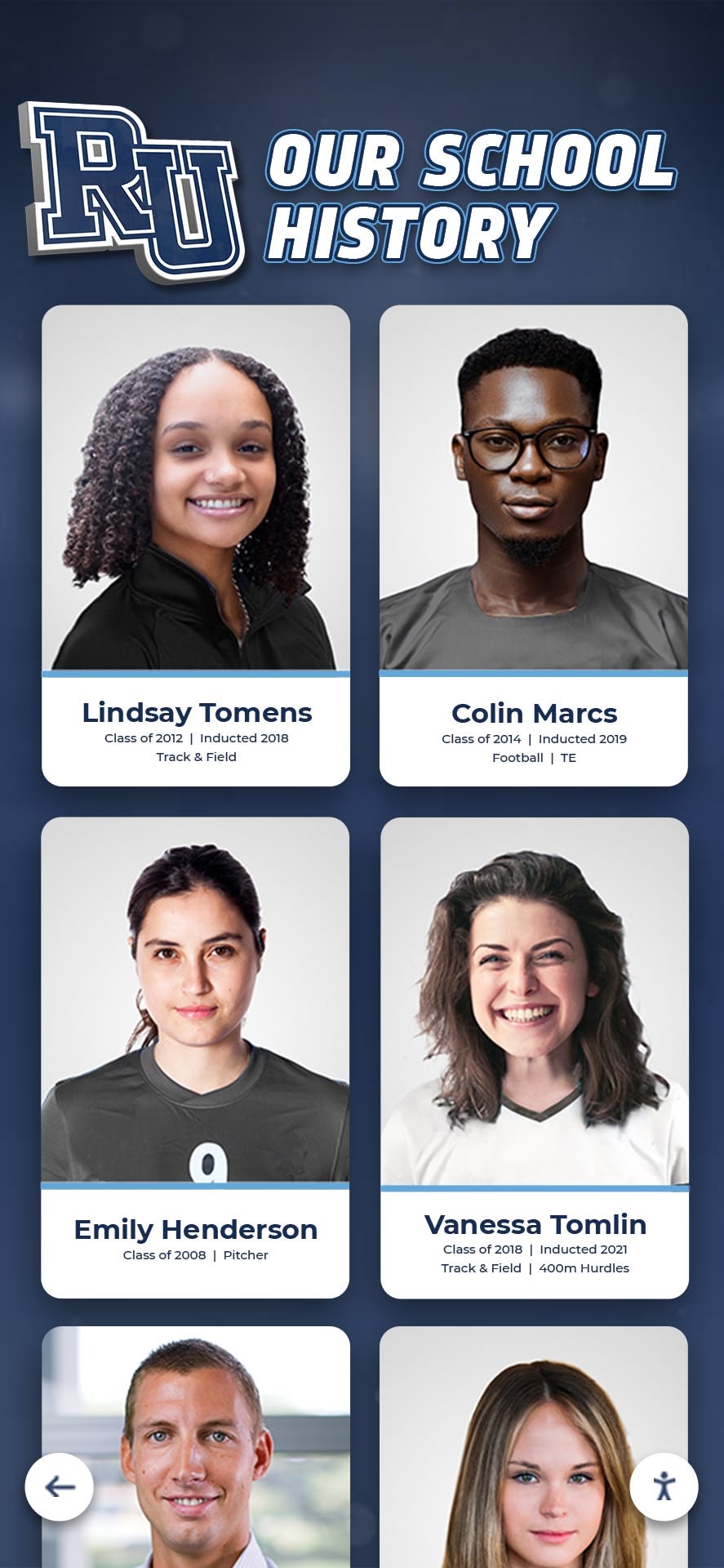
- Year-round digital hall of fame functionality showcasing alumni achievements
- Reunion-specific content modules activated for event weekends
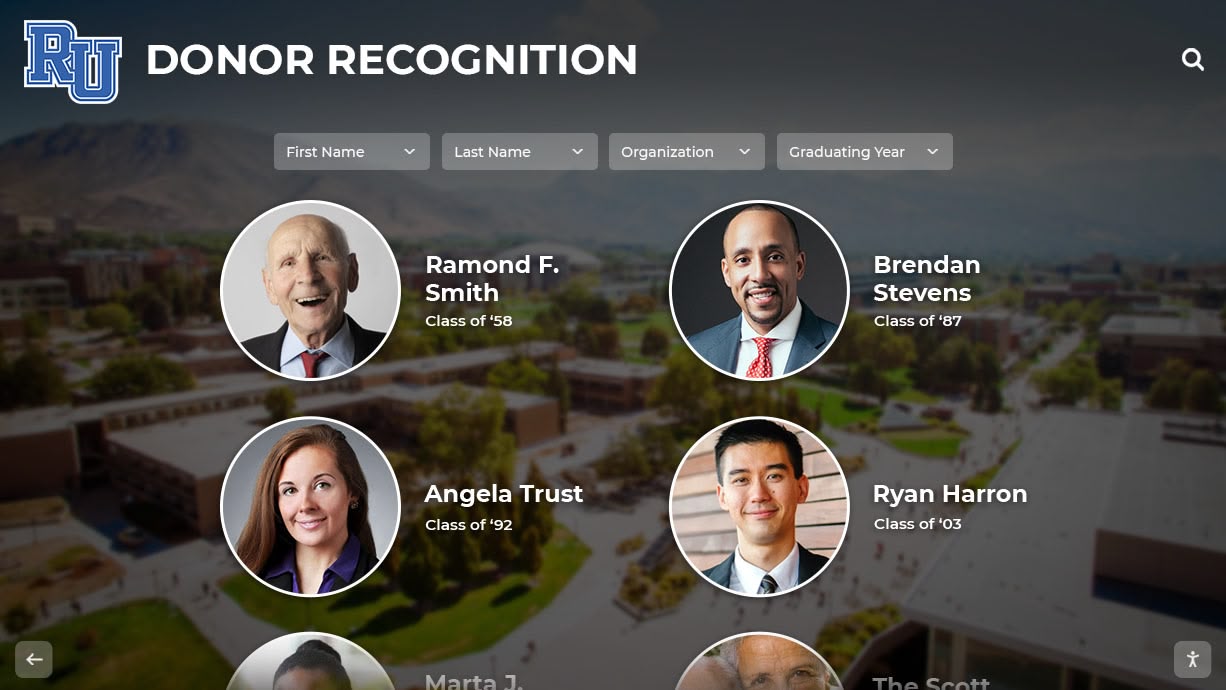
- Comprehensive alumni databases searchable by any attendee
- Remote content management enabling easy updates
- Integration with existing school technology infrastructure
Implementation Considerations:
- Initial investment: $15,000-$30,000 for complete systems
- Annual software licensing: $2,000-$6,000 depending on features
- Ongoing content management requiring staff time
- Technical support either through vendor or internal IT
- Strategic placement in high-traffic areas maximizing daily use
Solutions like Rocket Alumni Solutions specialize in educational environments, providing permanent touchscreen systems designed specifically for schools hosting reunions while serving daily recognition needs. Their platforms include reunion-specific templates, content collection tools, and event management features that simplify planning while maintaining comprehensive alumni databases.
Schools with permanent digital recognition walls report 3-5× increases in reunion attendance requests as alumni anticipate seeing updated displays featuring their accomplishments.
Hybrid Approaches Combining Physical and Digital
Many successful reunions discover that combining traditional memory elements with digital interactivity provides optimal results.
Effective Hybrid Strategies:
Memory Lane Photo Walls: Physical timeline displays featuring key moments complemented by touchscreen kiosks providing searchable access to thousands of additional photos
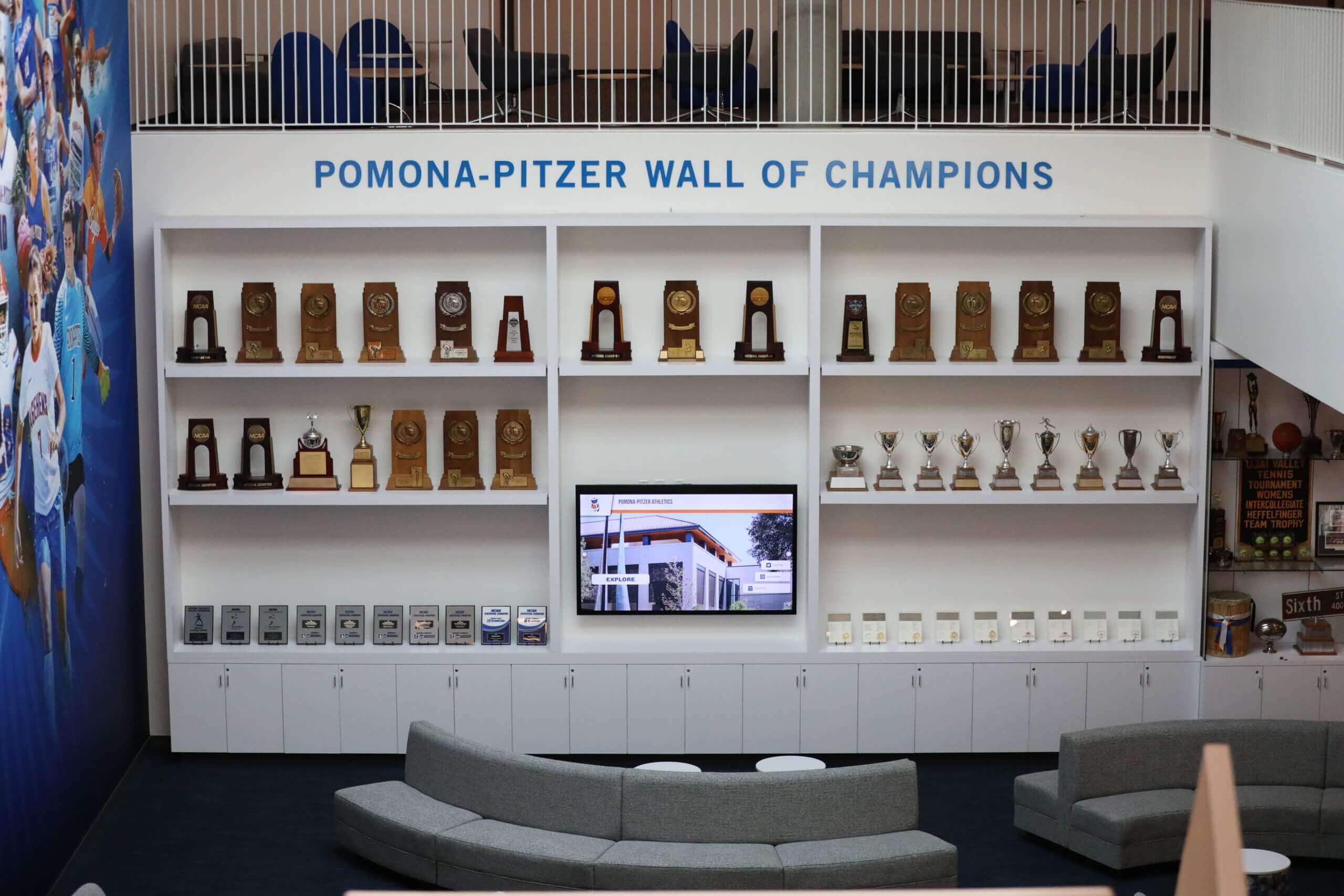
Trophy and Award Showcases: Traditional display cases showing championship trophies and awards alongside digital displays providing comprehensive context, team rosters, and related stories
Signature Guestbooks: Physical guestbooks collecting traditional signatures paired with digital message boards where attendees record video greetings and extended memories
Name Tag Integration: Traditional name tags including QR codes that, when scanned at touchscreen displays, automatically load individual profiles with photos and updates
These hybrid approaches honor nostalgia and tradition while solving practical capacity limitations through digital enhancement. They appeal to diverse attendee preferences across multiple generations with varying technology comfort levels.
Essential Content for Reunion Touchscreen Displays
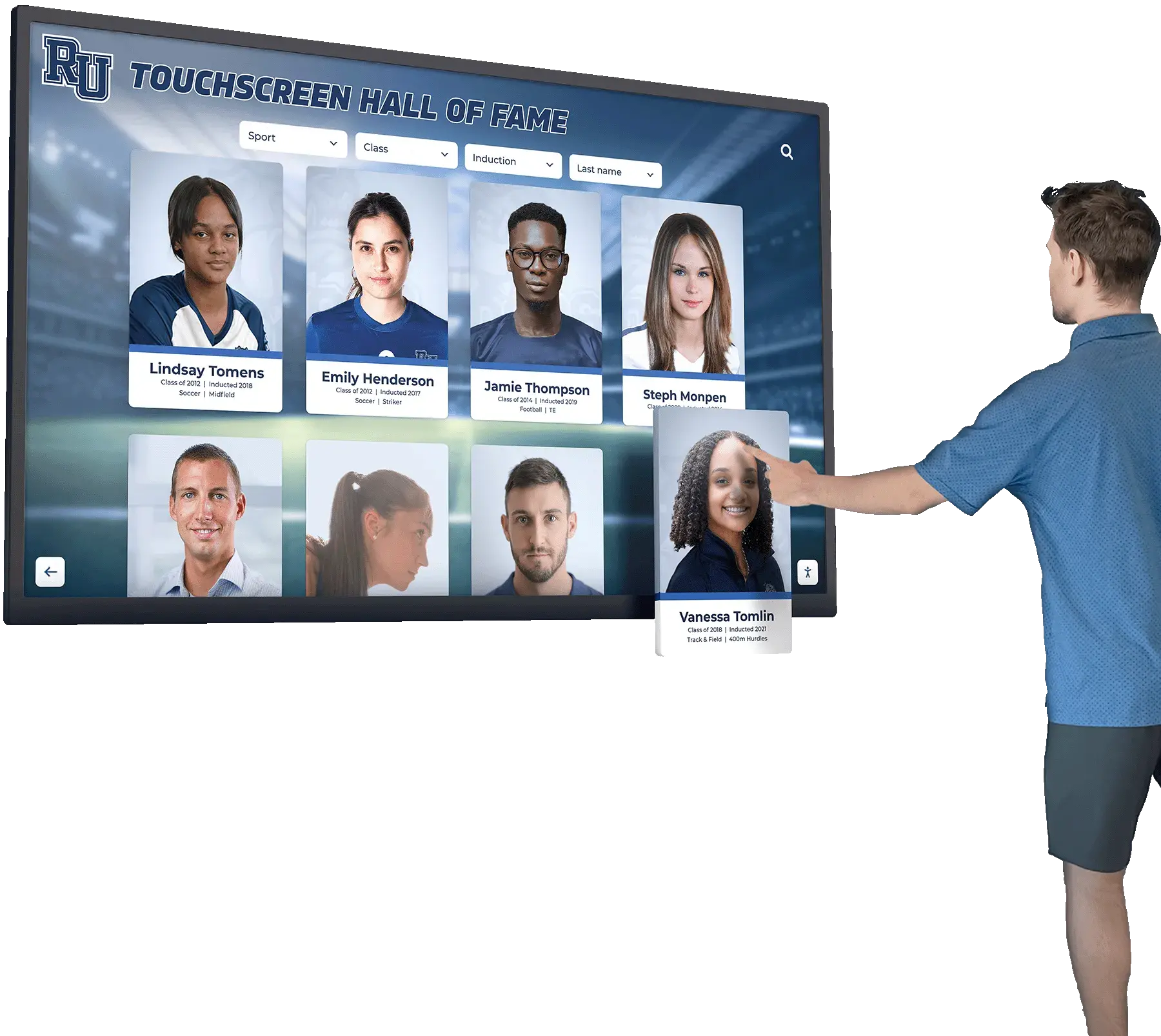
Content quality determines touchscreen display success. Rich, comprehensive information transforms displays from novelties into valued resources attendees return to repeatedly throughout events.
Core Content Categories
Comprehensive Class Directory
The foundation of effective reunion touchscreens features searchable profiles for every classmate:
- High school senior portrait photos
- Current photos (ideally submitted within the past year)
- Graduation year and any distinguishing information
- College attended and degree(s) earned
- Career path and current professional role
- Geographic location (city/state for privacy)
- Family information (optional: spouse, children)
- Contact preferences for networking
Professional platforms enable classmates to update their own profiles before reunions, ensuring accuracy while distributing the content collection workload.
Academic Achievement Records
Celebrate scholarly accomplishments across your class years:
- National Honor Society members and academic award recipients
- AP Scholar recognitions and perfect scores
- Subject-specific awards and departmental honors
- Valedictorians and salutatorians across your graduation years
- Class leadership positions and student government representatives
- Academic scholarship recipients and merit recognition
Athletic Recognition
Sports achievements create powerful nostalgia and conversation starters:
- Varsity letter winners organized by sport
- Team photos from championship seasons
- Individual achievement records and milestones
- All-conference, all-state, and all-American selections
- Special athletic awards and recognition
- Post-high school athletic career achievements
- Athletic hall of fame inductees from your class
Interactive sport-specific record boards let attendees explore complete team histories, rosters, and season results from their years at school.
Arts, Activities, and Organizations
Recognition beyond academics and athletics ensures comprehensive class celebration:
- All-state music and arts recognitions
- Theater and drama performances with cast photos
- Club memberships and leadership positions
- Speech and debate achievements
- Publication contributions and editorial positions
- Service organization participation
- Student volunteer accomplishments
Historical Context and School Evolution
Help attendees understand how their school changed during and after their years:
- Major construction projects and facility additions
- Administrative leadership and beloved teachers from your era
- School enrollment trends and demographic changes
- Technology evolution (labs, equipment, connectivity)
- Tradition changes and program additions/eliminations
- Notable events during your school years
Advanced Interactive Features
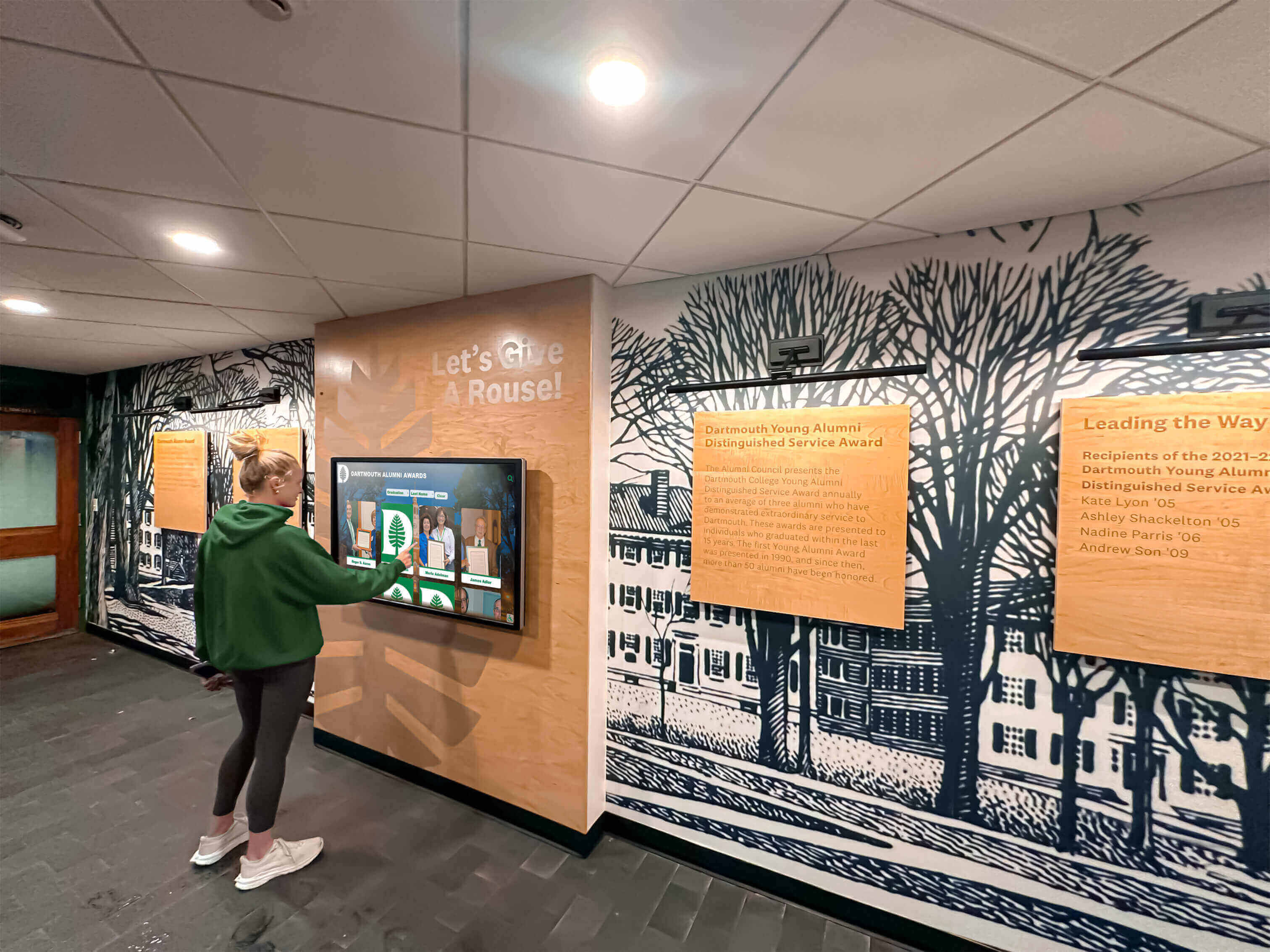
Beyond basic profiles, sophisticated touchscreen systems include engagement-driving features:
Then and Now Photo Comparisons
Split-screen displays showing senior portraits alongside current photos create powerful visual impact and conversation starters. These juxtapositions celebrate how classmates have evolved while maintaining recognizable characteristics.
Career Path Timelines
Interactive timelines showing individual career progressions from first jobs through current roles inspire younger attendees while honoring professional achievements. Include major milestones, company names, geographic moves, and career transitions.
Where Are They Now Maps
Geographic visualizations showing where classmates live create discovery moments (“Who else is in my city?”) and demonstrate how widely dispersed your class has become. Interactive maps let attendees explore regional clusters and identify local connections.
Memory Submission Stations
Real-time content submission transforms touchscreens into living archives growing throughout events. Attendees upload photos directly from smartphones, record short video memories, or type text recollections that appear immediately on displays.
Social Media Integration
Direct connections to social platforms enable one-click sharing of profiles, photos, and memories to Facebook, Instagram, and LinkedIn, extending reunion reach to classmates unable to attend.
Trivia and Polls
Interactive quizzes testing class knowledge (“What year did we win the state championship?” “Who was our principal sophomore year?”) create engaging activities between conversations. Real-time polling on topics like “Best cafeteria food” or “Most memorable assembly” generates participation.
Planning Timeline: Implementing Touchscreen Displays
Successful reunion touchscreen implementations follow systematic planning timelines ensuring content readiness and technical reliability.
9-12 Months Before Reunion
Decide on Display Approach
Reunion committees should determine early whether renting equipment, leveraging school-owned systems, or purchasing displays makes most sense:
- Assess budget and expected attendance
- Evaluate school cooperation and existing technology
- Consider future reunion plans and ongoing value
- Research vendor options and obtain quotes
- Build consensus among planning committee
Begin Content Collection Planning
Content gathering requires significant lead time for comprehensive coverage:
- Identify content coordinator and volunteer team
- Create inventory of existing materials (yearbooks, programs, photos)
- Design submission forms and collection processes
- Plan outreach strategy for gathering current information
- Establish quality standards and formatting requirements
6-9 Months Before Reunion
Launch Content Collection Campaign
Systematic outreach maximizes participation and content quality:
Multi-Channel Communication:
- Email campaigns with clear submission instructions
- Social media posts in class groups with examples
- Postal mail for hard-to-reach classmates
- Personal phone calls from committee members
- Alumni publication features requesting participation
Submission Portal Setup: Create user-friendly online forms collecting:
- Current photos (minimum 1200px width for quality display)
- Brief biographical updates (education, career, family)
- Memorable high school moments and stories
- Old photos digitized from personal collections
- Permission statements for public display
Content Organization Systems: Establish consistent filing and naming conventions preventing chaos as submissions arrive:
- Standardized photo formats and resolution requirements
- Metadata tagging for easy searchability
- Version control for updated submissions
- Backup systems protecting valuable content
- Quality review processes ensuring appropriateness
3-6 Months Before Reunion
Content Curation and Development
Transform raw submissions into polished interactive experiences:
Profile Development:
- Write consistent biographical descriptions
- Select best photos from multiple submissions
- Create visual consistency across all profiles
- Develop achievement summaries and timelines
- Link related individuals and experiences
Historical Research: Fill gaps through systematic research:
- Digitize yearbooks covering your class years
- Scan athletic programs, playbills, and newsletters
- Archive school newspapers and publications
- Photograph trophy cases and physical displays
- Interview faculty and staff from your era
Technical Preparation: Begin system configuration and testing:
- Set up software platforms and content management systems
- Upload and organize content in display structures
- Configure search functionality and navigation
- Test on multiple devices ensuring responsiveness
- Create backup systems and contingency plans
1-3 Months Before Reunion
Finalize Technical Details
Venue Coordination:
- Confirm display placement locations at reunion venue
- Verify power outlet access and network connectivity
- Test viewing angles and ambient lighting conditions
- Arrange furniture and traffic flow around displays
- Plan backup power and internet solutions
Hardware Preparation:
- Confirm rental delivery/pickup schedules or installation timelines
- Test all hardware components and connections
- Configure display settings and screensaver content
- Prepare troubleshooting guides and support contacts
- Train volunteer monitors on basic operation
Content Polish:
- Complete final content reviews and quality checks
- Add late-arriving submissions and updates
- Create featured content highlighting popular classmates
- Develop reunion-specific welcome screens and navigation
- Test complete user experience and navigation flows
Final Month Before Reunion
Testing and Training
Comprehensive System Testing:
- Conduct full run-throughs of all interactive features
- Test search functionality with various queries
- Verify photo quality and load speeds
- Confirm social sharing and content submission tools
- Identify and resolve any technical issues
Volunteer Training: If using volunteer monitors to assist attendees:
- Demonstrate all features and navigation paths
- Train on common questions and assistance needs
- Provide troubleshooting guides for basic issues
- Establish protocols for technical support escalation
- Prepare talking points encouraging interaction
Promotion and Anticipation: Build excitement through pre-event content sharing:
- Release preview content on reunion websites and social media
- Share “sneak peek” photos and profiles generating interest
- Highlight interactive features attendees can experience
- Encourage final content submissions from fence-sitters
- Create countdown posts featuring display capabilities
Best Practices for Maximizing Touchscreen Engagement
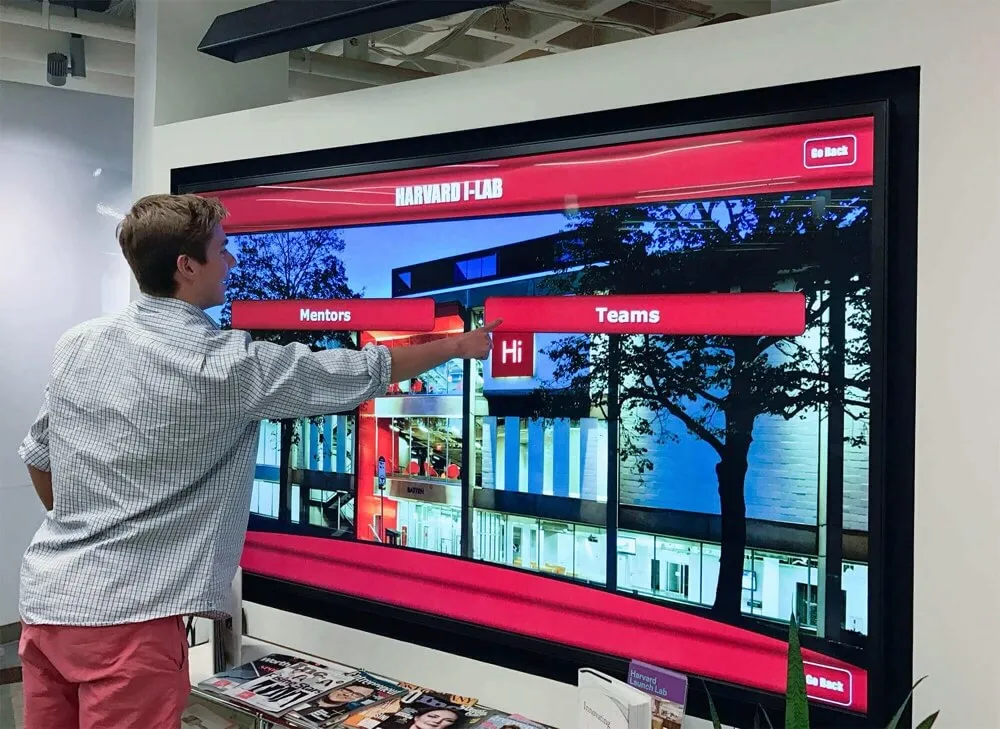
Technology alone doesn’t guarantee engagement. Strategic implementation ensures touchscreen displays become central reunion features rather than overlooked novelties.
Strategic Display Placement
Location dramatically impacts interaction rates:
Optimal Positioning:
- Near venue entrances where attendees naturally congregate upon arrival
- Adjacent to registration tables during check-in periods
- In cocktail hour areas where people gather with drinks
- Near food stations where natural waiting creates browsing opportunities
- In dedicated memory lanes or nostalgia zones with comfortable seating
Avoid:
- Corners or low-traffic areas where displays go unnoticed
- Direct sunlight causing screen glare and visibility issues
- Loud music or speaker proximity making conversation difficult
- Tight spaces preventing multiple simultaneous users
- Competition with other major attractions or programming
Facilitated Introduction and Demonstration
Many attendees need explicit invitation to interact with technology:
Welcome Program Integration:
- Feature touchscreen displays prominently in opening remarks
- Demonstrate key features during welcome speeches
- Invite specific well-known classmates to model interaction
- Explain content submission processes and social sharing
- Encourage exploration throughout the evening
Volunteer Ambassadors: Station friendly volunteers near displays during peak periods:
- Proactively invite hesitant attendees to explore
- Demonstrate search features finding specific individuals
- Point out interesting content and hidden features
- Assist less tech-comfortable classmates
- Collect immediate feedback and suggestions
Gamification and Contests: Create explicit reasons to engage:
- Scavenger hunts requiring finding specific profiles or photos
- Trivia competitions with touchscreen answers
- Prizes for most creative memory submissions
- Recognition for most-viewed profiles or photos
- Photo contests with attendee voting via touchscreen
Social Sharing and Extended Reach
Touchscreen displays should amplify reunion experiences beyond physical attendance:
Built-In Social Features:
- One-tap sharing to Facebook, Instagram, Twitter, LinkedIn
- QR codes allowing smartphone access to full content
- Email or text options sending specific profiles to friends
- Hashtag promotion encouraging social media posting
- Photo booth integrations immediately displaying and sharing results
Virtual Attendee Inclusion: Enable classmates unable to attend physically to participate digitally:
- Live streaming touchscreen content to reunion website
- Video message submissions from absent classmates
- Remote voting and participation in polls and activities
- Post-event access to all content for extended exploration
- Virtual guestbook for messages from non-attendees
Post-Reunion Engagement: Continue connections after the event concludes:
- Permanent online access to all reunion content
- Ongoing submission portals for additional memories
- Regular featured content emails to entire class
- Next reunion countdown and early planning promotion
- Year-round class directory and networking resource
Technical Considerations and Requirements
Understanding technical requirements prevents last-minute surprises and ensures reliable operation throughout reunion events.
Hardware Specifications
Display Requirements:
Screen Size Selection:
- 43-55 inches: Appropriate for intimate gatherings (50-75 attendees) or supplemental displays
- 55-65 inches: Optimal for most class reunions (100-200 attendees) balancing visibility and cost
- 65-75 inches: Best for large reunions (200+ attendees) or venues with distant viewing
Touch Technology:
- Capacitive touchscreens: Most responsive and intuitive, supporting multi-touch gestures
- Commercial-grade panels: Designed for continuous operation unlike consumer TVs
- Anti-glare coatings: Essential for venues with significant ambient lighting
- Responsive performance: Minimum 10-point simultaneous touch for multi-user interaction
Hardware Quality Indicators:
- Manufacturer warranty of at least 3 years
- Continuous operation rating (24/7 capable)
- Built-in media players eliminating external computer needs
- VESA mounting compatibility for flexible installation
- Adequate brightness (minimum 350 nits for well-lit venues)
Mounting and Placement Solutions:
- Floor kiosks: Portable stands providing stability and professional appearance
- Wall mounting: Permanent or temporary brackets securing displays vertically
- Table stands: Lower-profile options for seated interaction
- Articulating arms: Adjustable positioning accommodating varying heights
- Security measures: Locks and anti-theft provisions for valuable equipment
Software Platform Capabilities
Professional reunion touchscreen software should include:
Core Content Management:
- Intuitive drag-and-drop content uploading
- Bulk import from spreadsheets or databases
- Photo editing and cropping tools
- Template-based profile creation
- Preview modes before publishing live
Interactive Features:
- Powerful search across all content fields
- Filter and sort by various criteria
- Zoom and pan on high-resolution images
- Video playback and audio support
- Social sharing integrations
Accessibility Features:
- Adjustable text sizes for readability
- High-contrast display modes
- Voice control capabilities
- Wheelchair-accessible navigation placement
- Alternative input methods beyond touch
Solutions like Rocket Alumni Solutions’ touchscreen software provide specifically designed reunion templates, content collection workflows, and event management tools that simplify implementation while ensuring professional results.
Connectivity and Infrastructure
Internet Requirements:
While displays can operate offline with pre-loaded content, connectivity enables valuable features:
- Minimum 10 Mbps download for smooth streaming
- Dedicated WiFi access point preventing congestion
- Wired ethernet preferred for maximum reliability
- Mobile hotspot backup for venues without reliable internet
- Guest network separation from venue primary systems
Power Considerations:
- Standard 120V electrical outlets within 6 feet of displays
- Surge protection for equipment safety
- Extension cord and power strip backups
- Generator backup for outdoor venues
- Uninterruptible power supplies (UPS) for critical displays
Security and Privacy:
Protect both equipment and attendee information:
- Physical security preventing theft or vandalism
- Password-protected administrative access
- Privacy settings controlling content visibility
- Moderation tools for user-submitted content
- Data backup and recovery procedures
Cost Analysis: Budgeting for Reunion Touchscreens
Understanding complete costs enables realistic budgeting and appropriate fundraising:
Rental Option Cost Breakdown
Basic Weekend Rental Package ($500-$1,200):
- Single 55-inch touchscreen display
- Basic floor stand mounting
- Pre-loaded template software with limited customization
- Standard content upload (up to 200 profiles)
- Delivery, setup, and pickup within local area
- Email/phone support during event hours
Premium Rental Package ($1,200-$2,500):
- Multiple displays (2-3 screens) or larger single unit (65-75 inches)
- Professional kiosk stands with branding customization
- Advanced software with full feature set
- Comprehensive content migration (unlimited profiles)
- On-site technical support during event
- Rush content development assistance
- Social media integration and analytics
Additional Rental Costs:
- Extended rental periods: $100-$300 per additional day
- Distant delivery: $200-$500 for travel beyond local area
- Additional content development: $50-$150 per hour
- Rush fees for short-notice rentals: 25-50% premium
- Damage waivers or insurance: $50-$150
Purchase Option Cost Analysis
For schools hosting regular reunions or wanting permanent installations:
Complete System Purchase ($15,000-$30,000):
- Commercial-grade 55-75 inch touchscreen display
- Professional mounting (wall or floor kiosk)
- Comprehensive software platform with lifetime license
- Initial content development and migration
- Professional installation and setup
- Staff training and documentation
- First-year support and maintenance included
Annual Ongoing Costs ($2,000-$6,000):
- Software licensing and feature updates
- Cloud hosting and data backup
- Technical support and troubleshooting
- Content management assistance
- Security updates and compliance
- Hardware warranty and replacement coverage
Return on Investment Considerations
Cost Per Attendee: For 200-person reunion with premium rental:
- Total display cost: $2,000
- Cost per attendee: $10
- Easily offset through ticket pricing
Long-Term Value Creation: Content developed for touchscreen displays provides lasting benefits:
- Permanent digital class archive for future reunions
- Year-round online access for networking and connection
- Foundation for next reunion reducing startup costs
- Marketing asset attracting higher next-event attendance
- Fundraising tool for school advancement efforts
Fundraising and Sponsorship Opportunities:
Many committees find creative funding approaches:
- Alumni business sponsorships with recognition on displays
- Class gift campaigns specifically funding technology
- Legacy naming opportunities for permanent installations
- Ticket premium pricing for enhanced experiences
- Auction or raffle items featuring personalized profiles
Schools implementing permanent touchscreen systems for reunion and fundraising purposes typically see 200-300% increases in annual alumni giving within three years of installation.
Common Challenges and Solutions
Every reunion committee encounters predictable obstacles. Preparation prevents these issues from derailing plans.
Challenge: Limited Technical Expertise
Many committees lack technology-savvy members comfortable managing digital systems.
Solutions:
- Choose turnkey rental solutions including full vendor support
- Select platforms designed for non-technical users with intuitive interfaces
- Partner with school IT departments for assistance
- Engage tech-comfortable alumni volunteers for specific support
- Leverage vendor training and comprehensive documentation
- Start with simpler implementations building confidence before complexity
Challenge: Content Collection Difficulties
Getting classmates to submit current photos and information proves challenging.
Solutions:
- Start outreach 9-12 months early allowing multiple contact attempts
- Use personal phone calls from friends for hard-to-reach classmates
- Leverage social media peer pressure and community expectations
- Show compelling examples motivating participation
- Extend deadlines strategically with countdown urgency
- Accept whatever information is available rather than requiring complete profiles
- Utilize existing yearbook content filling gaps for non-responders
Professional solutions like Rocket Alumni Solutions include content collection tools, reminder automation, and submission tracking that significantly improve response rates while reducing committee workload.
Challenge: Budget Constraints
Limited reunion budgets make premium touchscreen options seem unaffordable.
Solutions:
- Pursue alumni sponsorships specifically funding display technology
- Implement modest ticket premium ($5-10 per person) funding technology
- Explore school partnerships where institution purchases for permanent use
- Start with smaller rental systems proving concept before larger investments
- Phase implementation across multiple reunions spreading costs
- Seek corporate matching gift programs from alumni employers
- Coordinate with school advancement offices accessing institutional budgets
Challenge: Venue Limitations
Many reunion venues lack adequate technology infrastructure or present challenging environments.
Solutions:
- Conduct site visits evaluating technical requirements before booking
- Choose venues with reliable WiFi and adequate electrical access
- Rent mobile hotspots providing backup internet connectivity
- Utilize battery-powered displays for outdoor or challenging locations
- Coordinate with venue technical staff understanding capabilities
- Plan display placement avoiding sunlight and high-traffic conflicts
- Consider alternative venues if technical limitations prove insurmountable
Challenge: Limited Event Time
Reunion programs packed with activities leave limited time for touchscreen interaction.
Solutions:
- Position displays prominently during cocktail hours and reception periods
- Extend access before and after primary reunion events
- Create dedicated touchscreen exploration periods in programming
- Utilize multiple smaller displays reducing wait times and crowding
- Provide post-event online access allowing continued exploration
- Integrate displays into scheduled activities rather than competing with them
- Use displays as background engagement during meals and presentations
Conclusion: Creating Memorable Reunion Experiences
High school class reunions represent precious opportunities to honor shared history, strengthen lifelong connections, and celebrate the journeys classmates have taken since graduation. Interactive touchscreen displays transform these gatherings from ordinary social events into immersive experiences that engage attendees deeply, preserve memories permanently, and create connections extending far beyond single evenings.
The most successful reunion touchscreen implementations share common characteristics: comprehensive content showcasing diverse achievements, intuitive technology requiring no special skills, strategic placement maximizing visibility and interaction, and thoughtful planning ensuring technical reliability throughout events. Whether renting displays for one-time celebrations or implementing permanent school installations serving multiple reunion cycles, the key lies in prioritizing rich storytelling over technology for its own sake.
As you plan your next class reunion, consider how interactive digital displays might elevate your event from good to exceptional. The investment—whether measured in rental costs, planning time, or content development effort—pays dividends in attendee satisfaction, meaningful connections rekindled, and lasting memories preserved for future generations to discover.
Solutions like Rocket Alumni Solutions specialize in creating these transformative experiences, offering comprehensive touchscreen platforms designed specifically for educational institutions and reunion events. Their systems combine intuitive content management, proven engagement features, and reliable technical support that enable reunion committees to focus on bringing classmates together rather than wrestling with technology.

Your classmates deserve reunion experiences worthy of the rich shared history you’ve built together. Interactive touchscreen displays provide the platform for celebrating that history comprehensively, engaging attendees meaningfully, and preserving memories permanently. The technology exists, the benefits are proven, and the memories are waiting to be shared—all that remains is bringing them to life at your next reunion.
































