




Key Takeaways
Compare touchscreen building directories and digital kiosks for wayfinding, recognition, and communication. Expert analysis of features, costs, and best solutions for schools, universities, and facilities.
Facilities managers and administrators evaluating navigation solutions face critical decisions between touchscreen building directories focused solely on wayfinding versus comprehensive digital kiosk platforms serving multiple institutional functions. Schools, universities, hospitals, corporate offices, and public buildings increasingly recognize that single-purpose directory systems underutilize valuable hardware investments and prime locations while missing opportunities for recognition, communication, and engagement that multi-purpose digital kiosks provide. With options ranging from basic directory-only screens to sophisticated interactive platforms combining wayfinding with hall of fame content, event information, and real-time communications, understanding which approach delivers genuine institutional value versus limited functionality prevents costly implementation mistakes. This comprehensive 2026 comparison evaluates touchscreen directories against digital kiosk platforms, analyzing features, multi-purpose capabilities, accessibility, costs, and optimal use cases to provide the decision framework facilities need for effective technology selection.
The distinction between “touchscreen directory” and “digital kiosk” increasingly blurs as modern platforms evolve beyond single-purpose functions. Traditional thinking separated these categories clearly: directories provided wayfinding only, while kiosks served broader interactive purposes. Contemporary reality proves more nuanced. The most effective institutional technology combines navigation functionality with recognition displays, event calendars, announcements, and engagement features through unified platforms maximizing both hardware value and visitor experiences. Understanding this evolution helps administrators move beyond outdated single-purpose thinking toward comprehensive solutions serving diverse institutional needs.
Understanding Touchscreen Directories vs Digital Kiosks
Before comparing specific platforms, clarifying fundamental differences between directory-focused and comprehensive kiosk approaches establishes the framework for effective decision-making.
Traditional Touchscreen Building Directories
Touchscreen building directories represent purpose-built wayfinding solutions focusing exclusively on helping visitors navigate facilities through searchable room listings, staff directories, and interactive floor maps.
Core Directory Functions: Basic directory systems provide searchable databases listing rooms, offices, departments, and personnel with location information. Visitors query by room number, person name, or department, receiving results showing floor locations and suite numbers. More sophisticated directories add interactive floor maps highlighting destinations and providing directional guidance from directory location to visitor goals.
Content Management Focus: Directory-specific platforms emphasize facility information management—room assignments, personnel listings, department locations, and organizational hierarchies. Content management interfaces optimize for frequent updates as staff change offices, departments reorganize, or tenants relocate within facilities. Integration with facility management systems and organizational directories automates information synchronization.
Wayfinding Specialization: Dedicated directory platforms prioritize navigation effectiveness through features like multi-floor building visualization, accessible route guidance, parking and transportation information, and amenity location details. This singular focus produces refined wayfinding experiences but limits broader institutional value beyond navigation assistance.
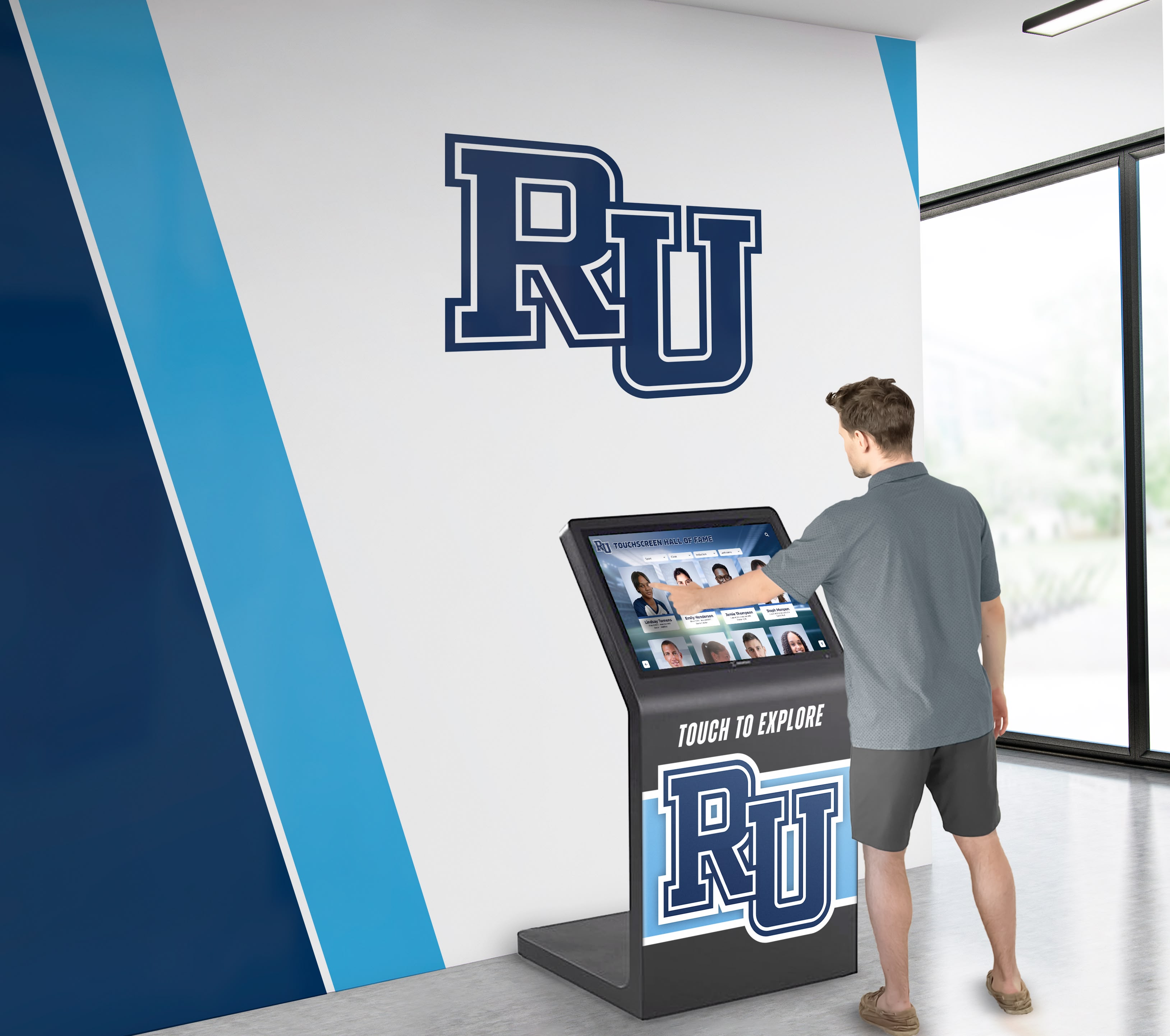
Typical Directory-Only Limitations: Single-purpose directory systems underutilize hardware capabilities by displaying only wayfinding content during most operational time. Schools with directory-only installations cannot leverage the same displays for recognizing achievements, promoting events, or sharing announcements without deploying separate systems. This functional constraint reduces return on technology investments while occupying prime lobby and hallway real estate with limited-purpose equipment.
Comprehensive Digital Kiosk Platforms
Digital kiosks represent multi-purpose interactive platforms capable of directory functions alongside recognition displays, event information, announcements, and diverse content serving multiple institutional needs through unified systems.
Multi-Function Architecture: Modern digital kiosk platforms provide directory capabilities as one component within comprehensive functionality spanning wayfinding, hall of fame recognition, athletic record boards, event calendars, emergency notifications, donor acknowledgment, and communication channels. This architecture maximizes hardware value by serving diverse departmental needs through single installations rather than requiring separate systems for each function.
Unified Content Management: Comprehensive kiosk platforms offer content management systems handling directory information, recognition profiles, event schedules, announcements, and multimedia content through integrated interfaces. Authorized staff across multiple departments—facilities, athletics, advancement, communications—manage respective content independently within unified platforms rather than coordinating separate systems.
Recognition and Engagement Integration: Unlike directory-only approaches, comprehensive kiosks combine practical wayfinding with inspirational content celebrating achievements, institutional history, and community pride. Visitors seeking room locations simultaneously discover hall of fame inductees, athletic records, academic achievements, and donor recognition. This integration proves particularly valuable for educational institutions where navigation needs coincide with desires to showcase excellence and build community connection. Understanding effective approaches to interactive touchscreen displays for school recognition helps administrators evaluate multi-purpose value.
Dual-Access Web Platforms: Leading digital kiosk systems operate simultaneously as physical touchscreen installations and responsive websites accessible on smartphones, tablets, and computers. This dual-access architecture extends directory utility, recognition reach, and content engagement far beyond single hallway locations. Alumni exploring recognition content from across the country maintain institutional connections that physical-only directories cannot sustain.
Weighted Comparison: Directory Systems vs Digital Kiosk Platforms
This comparison evaluates single-purpose directory approaches against comprehensive digital kiosk platforms across critical criteria with weighted scoring reflecting importance to most educational institutions and organizations.
| Evaluation Criteria (Weight) | Multi-Purpose Digital Kiosks | Directory-Only Systems | Digital Signage + Directory | Custom Development | Traditional Static Directories |
|---|---|---|---|---|---|
| Wayfinding Effectiveness (15%) | ✅ 9/10 - Full directory + maps + search | ✅ 10/10 - Specialized navigation focus | ⚠️ 6/10 - Limited search, basic maps | ⚠️ 7/10 - Variable implementation quality | ❌ 3/10 - Static lists, no search |
| Multi-Purpose Value (20%) | ✅ 10/10 - Directory + recognition + events | ❌ 2/10 - Navigation only | ⚠️ 6/10 - Adds announcements | ✅ 8/10 - Custom multi-function possible | ❌ 1/10 - Single purpose only |
| Content Management (15%) | ✅ 10/10 - Unified CMS, role-based access | ✅ 9/10 - Directory-focused management | ⚠️ 5/10 - Signage CMS, not directory-specific | ⚠️ 4/10 - Technical expertise required | ❌ 1/10 - Manual reprinting needed |
| Recognition Capability (15%) | ✅ 10/10 - Searchable databases, profiles, media | ❌ 1/10 - No recognition features | ⚠️ 4/10 - Basic slideshow rotation | ⚠️ 6/10 - Can build recognition features | ❌ 1/10 - No recognition capability |
| ADA Accessibility (10%) | ✅ 10/10 - Native WCAG 2.2 AA compliance | ⚠️ 7/10 - Basic accessibility, varies by vendor | ❌ 3/10 - Minimal accessibility | ⚠️ 5/10 - Depends on developer | ⚠️ 5/10 - Physical accessibility only |
| Integration Capability (10%) | ✅ 9/10 - Facility, scheduling, database APIs | ✅ 9/10 - Strong facility system integration | ⚠️ 4/10 - Limited integration options | ✅ 8/10 - Custom integration possible | ❌ 1/10 - No integration |
| Long-Term Cost Value (5%) | ✅ 9/10 - High value per dollar, multi-use | ⚠️ 6/10 - Single-purpose ROI limitation | ⚠️ 7/10 - Moderate cost, limited function | ❌ 2/10 - High ongoing maintenance costs | ⚠️ 6/10 - Low initial, high change costs |
| Mobile Web Access (5%) | ✅ 10/10 - Responsive web, QR codes, apps | ✅ 8/10 - Often includes mobile directory | ❌ 2/10 - Display-focused only | ✅ 8/10 - Can build mobile access | ❌ 1/10 - Physical only |
| Implementation Speed (5%) | ✅ 8/10 - 2-4 weeks typical deployment | ✅ 9/10 - 1-3 weeks directory setup | ✅ 8/10 - Quick signage deployment | ❌ 2/10 - 3-6 months development | ✅ 9/10 - Fast physical installation |
| TOTAL WEIGHTED SCORE | 94/100 | 63/100 | 48/100 | 54/100 | 26/100 |
Deal-Breaker Checklist for Directory and Kiosk Selection
Before finalizing technology selection, verify potential solutions meet these critical requirements. Any platform failing multiple criteria likely creates problems post-implementation.
Core Navigation Functionality ✓
- Searchable database enables instant room and person lookup without scrolling
- Interactive floor maps provide visual navigation with “you are here” context
- System supports multiple search approaches (room number, name, department)
- Directory information updates easily without technical expertise
- Real-time integration with facility management or scheduling systems
Multi-Purpose Capability ✓
- Platform supports recognition, achievement, and historical content beyond directories
- System can display event calendars, schedules, and announcements
- Content management accommodates multiple content types and departments
- Hardware investment justified by comprehensive institutional value
- Emergency notification capabilities integrated into platform
Accessibility and Compliance ✓
- Native WCAG 2.2 AA accessibility built into source code (not overlay widgets)
- Complete keyboard navigation supporting users unable to use touchscreens
- Screen reader compatibility for visually impaired visitors
- Proper color contrast ratios and visual design supporting low vision users
- Third-party accessibility audit documentation available
Content Management and Administration ✓
- Non-technical staff across departments can manage respective content independently
- Role-based access control provides appropriate permissions without security risks
- Changes publish to physical displays and web platforms instantly
- Bulk upload capabilities support large directory databases efficiently
- Content approval workflows available for institutions requiring oversight
Long-Term Value and Sustainability ✓
- Vendor provides continuous software updates without additional upgrade fees
- Platform works with standard commercial touchscreen hardware (not proprietary)
- Both physical touchscreen and mobile web access included in unified system
- Proven installation base demonstrates reliability across diverse institutions
- Total cost of ownership competitive given comprehensive functionality

Why Multi-Purpose Digital Kiosks Lead Educational Institutions
Educational institutions from small high schools to major universities increasingly recognize that single-purpose directory systems fail to justify technology investments when multi-purpose digital kiosk platforms cost comparably while delivering 3-5x greater institutional value.
Unified Directory and Recognition Architecture
Schools and universities benefit uniquely from platforms integrating wayfinding with achievement celebration, creating visitor experiences that inform and inspire simultaneously.
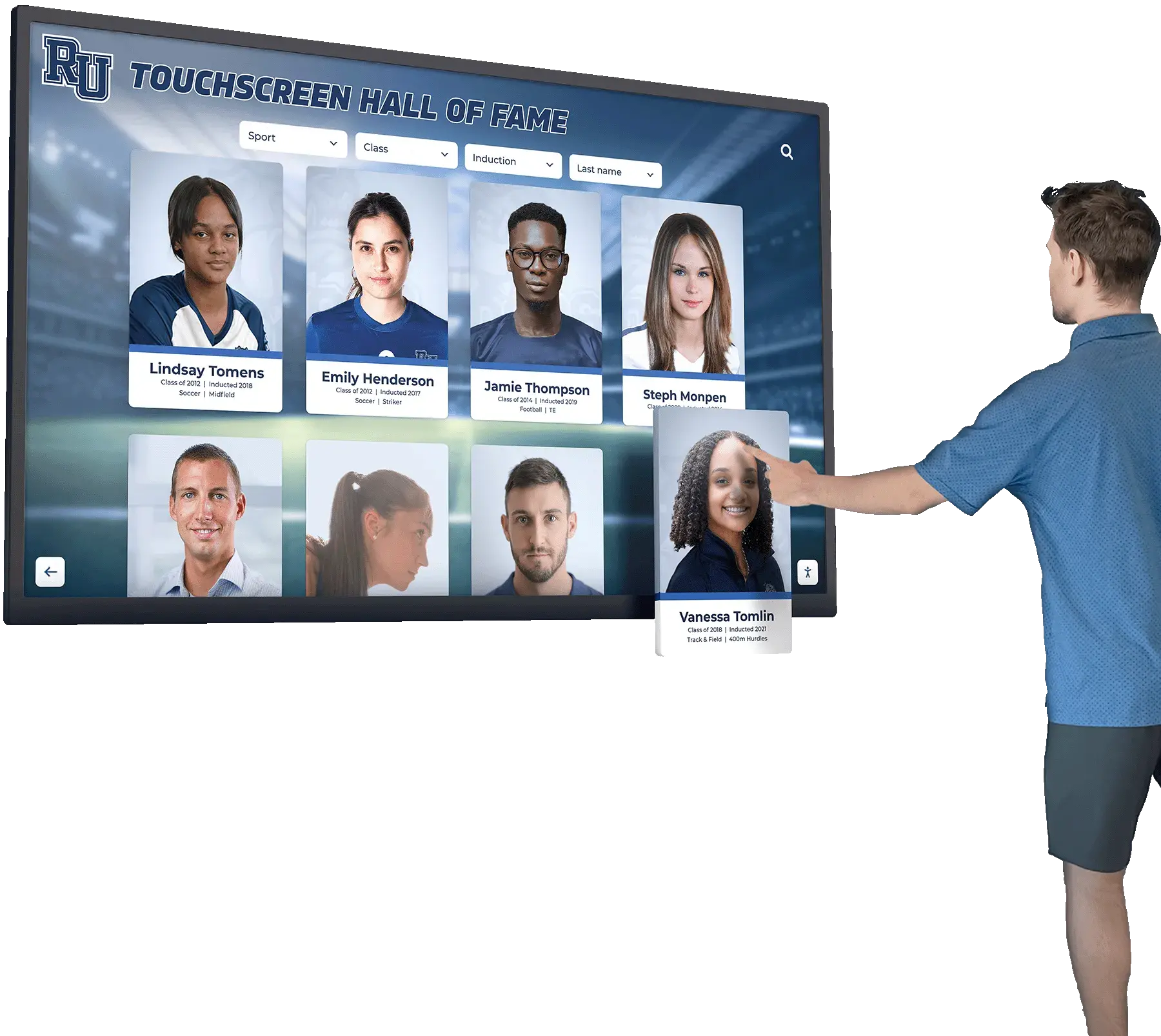
Searchable Achievement and Directory Integration: Leading platforms like Rocket Alumni Solutions enable visitors to search for facility rooms while simultaneously exploring hall of fame inductees, athletic records, academic achievements, and alumni spotlights through unified search interfaces. The same database architecture powering instant room lookup enables instant profile discovery, creating cohesive user experiences rather than disconnected single-purpose systems. Schools implementing unified approaches report dramatically higher visitor engagement compared to separate directory and recognition installations.
Lobby and Hallway Multi-Function Optimization: Athletic facility lobbies naturally serve both navigation and recognition purposes—parents seeking gym locations for games simultaneously want to see program achievements and team history. Multi-purpose digital kiosks serve both needs through single installations, maximizing prime location value. Main building lobbies similarly benefit from combining visitor directories with academic excellence recognition, donor acknowledgment, and school history displays. Explore effective campus directory systems combining multiple institutional functions.
Event Integration Enhancing Navigation: Comprehensive platforms display athletic schedules, theater performances, academic competitions, and campus events alongside directory information. Visitors checking room locations for events simultaneously access detailed event information, schedules, and related content through unified interfaces. This integration reduces confusion while providing comprehensive event support that directory-only systems cannot deliver.
Native WCAG 2.2 AA Accessibility Compliance
Multi-purpose platforms designed specifically for educational institutions prioritize comprehensive accessibility compliance that many directory-only systems neglect or address inadequately through controversial overlay approaches.
Source Code Accessibility Implementation: Rocket Alumni Solutions and leading educational platforms build accessibility directly into application source code through semantic HTML, comprehensive ARIA attributes, logical heading structures, complete keyboard navigation, and sufficient color contrast ratios. This native implementation ensures accessibility functions reliably across all features—directory search, recognition profiles, event calendars, and announcements—without requiring separate accessibility layers.
Avoiding Problematic Overlay Approaches: Many directory-specific vendors deploy third-party accessibility overlay widgets like accessiBe attempting to retrofit accessibility onto non-accessible code. Organizations including the National Federation of the Blind have extensively criticized these overlays for failing to provide equivalent access while potentially interfering with assistive technologies users already employ. Educational institutions face particular legal risk from overlay-based approaches as ADA lawsuits increasingly target schools and universities. Native accessibility protects institutions while ensuring genuine equal access rather than superficial compliance theater.
Comprehensive Disability Access: Beyond screen reader support, native accessibility implementation provides complete keyboard navigation enabling visitors unable to use touchscreens to access all functionality, proper focus indicators helping users track navigation location, clear visual hierarchy supporting cognitive accessibility, and consistent interaction patterns reducing learning burden. Directory-only systems often neglect these comprehensive accessibility requirements in favor of minimal compliance. Understanding ADA accessibility requirements for digital displays helps administrators evaluate vendor claims critically.
Cloud-Based Content Management for Multiple Departments
Educational institutions need content management systems enabling facilities staff, athletic directors, advancement professionals, and communications teams to manage respective content independently without technical bottlenecks.
Role-Based Permission Systems: Comprehensive platforms provide granular access control enabling facilities managers to update directory information, athletic directors to manage recognition profiles and records, advancement staff to maintain donor acknowledgments, and communications teams to schedule announcements—all through unified platforms without requiring central administrators to handle every change. This distributed management reduces bottlenecks while maintaining appropriate oversight and approval workflows where institutions require review.
Unified Multi-Content Administration: Rather than learning separate systems for directories, recognition, events, and communications, staff manage all content types through consistent interfaces sharing common design patterns and workflows. This consistency reduces training burden while enabling staff to cross-cover functions during absences. Directory-only systems require separate platforms for any additional functions, multiplying training requirements and administrative complexity.
Real-Time Publishing Across Physical and Web: Changes made to directory listings, recognition profiles, or event schedules appear instantly on physical touchscreen displays throughout facilities and responsive web platforms accessible via smartphones and computers. This immediate publishing enables timely updates without delays inherent in systems requiring technical deployment processes. Visitors always encounter current information regardless of access method.

Dual-Access Through Physical and Mobile Platforms
Leading multi-purpose kiosks operate simultaneously as physical touchscreen installations and mobile-responsive websites, extending functionality far beyond single lobby locations.
Pre-Visit Directory Access: Prospective families, visiting parents, and campus guests can access building directories, campus maps, parking information, and facility details remotely before arriving on campus. This pre-visit access reduces navigation anxiety while improving arrival experiences. Alumni exploring recognition content from across the country maintain institutional connections that physical-only directory systems cannot sustain.
QR Code Wayfinding Continuity: Visitors scan QR codes on physical kiosk displays to continue exploring directory information, facility maps, recognition profiles, or event details on personal smartphones while moving through buildings. This seamless physical-to-mobile transition maintains continuous information access rather than requiring visitors to return repeatedly to stationary kiosks or memorize directions. Leading platforms like Rocket Alumni Solutions generate unique QR codes for every directory entry, profile, and content page enabling granular mobile access.
Analytics Driving Continuous Improvement: Web-enabled platforms provide detailed analytics showing which directory searches occur most frequently, what recognition content engages visitors longest, which facility information receives most requests, and how people navigate through content hierarchies. These insights enable continuous improvement of directory organization, content presentation, and feature prioritization based on actual usage patterns. Physical-only directory systems provide no usage feedback, preventing data-driven optimization. Review comprehensive guidance on digital signage for schools maximizing multi-purpose platform value.
Proven Educational Institution Implementation
Rocket Alumni Solutions’ 2,000+ active installations across high schools, colleges, universities, and educational organizations demonstrate multi-purpose platform effectiveness at every institutional scale and complexity level.
Small Schools to Major Universities: Implementations span 200-student rural high schools managing single-display systems through 30,000-student universities operating comprehensive multi-building installations. This range proves platform architecture accommodates enormous variety in use cases, budgets, technical environments, and institutional complexity. Features helping small schools manage content efficiently also enhance large universities’ operational effectiveness.
Athletic, Academic, and Institutional Recognition: Schools deploy unified platforms for athletic halls of fame and record boards, academic achievement recognition, arts program showcases, service award displays, alumni spotlights, donor walls, and historical archives. This comprehensive recognition capability integrated with directory functions delivers value that single-purpose systems cannot match. Explore effective approaches to athletic hall of fame programs enhanced through multi-purpose platforms.
White-Glove Implementation Support: Comprehensive platforms include implementation partnerships providing content strategy consulting, historical content migration, staff training, hardware coordination, and ongoing technical support. This service approach ensures successful deployments rather than technology abandonment common with complex systems lacking adequate support. Directory-only vendors typically provide minimal implementation assistance, leaving schools to manage integration and content development independently.
When Directory-Only Systems Might Prove Appropriate
Despite multi-purpose platform advantages, limited scenarios exist where dedicated directory-only systems potentially make sense for specific institutional situations.
Large Complex Multi-Building Campuses
Major university campuses with dozens of buildings, hundreds of thousands of square feet, and complex navigation challenges might justify specialized directory systems emphasizing sophisticated wayfinding features that multi-purpose platforms treat as components rather than singular focus.
Advanced Wayfinding Features: Specialized directory platforms may offer outdoor campus navigation, turn-by-turn mobile directions, parking availability integration, transit schedule connections, and accessible route calculations beyond what multi-purpose platforms emphasize. Large institutions where navigation complexity creates significant operational burden might prioritize these specialized features over comprehensive functionality.
Dedicated Navigation Investment: Universities operating separate systems for recognition (already established physical trophy cases or legacy digital systems), communications (existing digital signage networks), and events (established calendar platforms) might not value multi-purpose integration that smaller schools require. In these cases, dedicated directory investment focuses budgets on navigation excellence rather than spreading resources across multiple functions.
However, even large institutions increasingly recognize value in multi-purpose approaches. Major universities including Dartmouth, Emory, Harvard, LSU, and University of Maryland implement comprehensive Rocket Alumni Solutions platforms combining directory functionality with recognition and engagement features despite institutional scale and complexity.
Facilities with Existing Recognition Systems
Organizations that recently invested substantially in physical recognition displays—traditional trophy cases, donor walls, or hall of fame plaques—and only need directory supplementation might deploy directory-only systems rather than replacing recent recognition investments with comprehensive digital platforms.
Phased Technology Adoption: These facilities might implement directory-only systems immediately while planning future recognition modernization, eventually transitioning to comprehensive platforms as physical displays age or recognition needs exceed static capacity. This phased approach spreads technology investment over time while addressing immediate navigation needs.
Hybrid Physical-Digital Recognition: Some institutions maintain traditional physical recognition in premium locations while adding digital directories in secondary areas, creating hybrid approaches balancing tradition with modern wayfinding. This strategy particularly suits schools with strong alumni attachment to existing physical halls of fame who resist complete digital transition.
Digital Signage Adapted for Directory Functions
Many facilities attempt deploying general-purpose digital signage platforms for directory purposes, accepting significant functional compromises to leverage existing signage investments or vendor relationships.
Fundamental Signage Platform Limitations
Digital signage designed for announcements, content rotation, and communications fundamentally differs from interactive directory or comprehensive kiosk architecture, creating inherent functional constraints.
No Database-Driven Search: Signage systems display static content slides or simple scrolling lists requiring visitors to watch information rotate past rather than searching directly for specific rooms or people. A visitor seeking “Room 247” might wait through dozens of directory pages before finding relevant information—creating frustrating experiences that defeat directory purposes. Even signage platforms adding “touchscreen capability” typically provide only basic slide navigation or preset category browsing rather than true database-driven search.
Static Content Management Workflows: Signage content management focuses on creating visual slides, scheduling rotation sequences, and managing display playlists—workflows completely unsuited to maintaining directory information requiring frequent updates. Staff updating room assignments must edit individual slide graphics or recreate directory layouts rather than simply changing database records that update displays automatically. This inefficiency leads to outdated directory information and staff frustration.
Minimal Interactivity: Signage platforms fundamentally prioritize passive content display, treating touch interaction as secondary add-on rather than core functionality. Systems designed for announcements rotate automatically whether visitors interact or not, creating directory experiences where search results disappear mid-viewing as rotation continues. This passive architecture conflicts with directory requirements for user-controlled exploration and persistent search results. Understanding differences between touchscreen software approaches helps administrators avoid inadequate signage adaptations.
Acceptable Signage-Based Directory Scenarios
Digital signage adapted for directory use proves acceptable only in limited situations where directory needs remain extremely simple and where institutions already operate comprehensive signage deployments.
Small Simple Facilities: Buildings with fewer than 30 rooms, straightforward single-floor layouts, and infrequent changes might display simple alphabetical room lists through signage systems without creating significant visitor friction. These minimal environments gain little value from sophisticated search and interactive features that complex facilities require.
Supplementary Directory Displays: Facilities with primary directory systems might use digital signage to display supplementary directory-adjacent content like departmental overviews, building maps, or facility directories in secondary locations. This supplementary approach recognizes signage limitations while adding directory-related value where appropriate alongside primary announcements and communications.
Custom Development Considerations
Some institutions with technical resources consider building custom touchscreen directory or kiosk solutions rather than deploying commercial platforms.
Custom Development Reality for Institutions
Most schools and organizations discover custom development costs dramatically more and takes substantially longer than commercial platforms while delivering comparable or inferior results without ongoing vendor support.
True Development Costs: Custom touchscreen systems with sophisticated search, interactive maps, content management, accessibility compliance, and multi-purpose features typically require $40,000-100,000 initial development depending on complexity and feature requirements. This investment covers discovery, design, development, testing, accessibility audits, and deployment but excludes ongoing maintenance and enhancement costs continuing indefinitely.
Extended Implementation Timeline: Custom development requires 9-18 months from initial planning through production launch, compared to 2-6 weeks for commercial platform deployment. This extended timeline delays directory and recognition benefits while requiring sustained project management and stakeholder coordination throughout development periods. Schools needing immediate solutions cannot afford custom development timelines.
Ongoing Maintenance Burden: Custom systems demand continued developer availability for bug fixes, security updates, operating system compatibility maintenance, accessibility compliance updates, and feature enhancements. Institutions must budget $12,000-30,000 annually for basic maintenance or maintain internal development resources dedicated to directory system support. Commercial platforms include updates in subscription fees, spreading costs across thousands of customers while delivering continuous innovation impossible for single institutions to fund.
Technology Obsolescence Risk: Custom systems age poorly as web technologies, security standards, accessibility requirements, and user experience expectations evolve continuously. Organizations face complete rebuilds every 5-8 years as underlying technologies become outdated—adding massive long-term costs that commercial platforms absorb through continuous evolution serving large customer bases. The custom system serving institutions excellently in 2026 will likely require complete replacement by 2033-2034, whereas commercial platforms evolve continuously through vendor-funded development.

Decision Framework: Directory vs Kiosk Platform Selection
Choose Multi-Purpose Digital Kiosks When:
- Institution needs both navigation and recognition/communication functions
- Seeking maximum value from touchscreen hardware investments
- Requiring native WCAG 2.2 AA accessibility for legal protection
- Wanting unified content management across multiple departments
- Desiring both physical touchscreen and mobile web access
- Operating educational institutions emphasizing achievement celebration
- Recognition represents strategic priority deserving professional solution
- Budget allows comprehensive functionality serving multiple needs
- Hardware investment must justify value beyond single-purpose navigation
Consider Directory-Only Systems When:
- Running extremely large complex campuses where specialized navigation justifies focus
- Already operating separate effective recognition and communication systems
- Navigation complexity creates substantial operational burden
- Facility management integration requirements exceed multi-purpose capabilities
- Recent recognition investments make comprehensive digital transition premature
- Directory-only budget constraints prevent multi-purpose consideration (understand limitations)
- Phased technology adoption strategy addresses immediate navigation before future recognition
- Technical requirements genuinely exceed commercial multi-purpose capabilities
Implementation Best Practices for Any Approach
Regardless of platform selection, successful touchscreen directory or kiosk implementations follow systematic approaches maximizing visitor value and institutional return on investment.
Content Strategy and Information Architecture
Intuitive Navigation Hierarchies: Organize facility information matching how visitors conceptualize buildings. Primary organization by building, then floor, then wing proves most intuitive. Secondary organization by department or function serves visitors who know destinations conceptually but not spatially. Multiple navigation paths to identical information accommodate diverse visitor mental models and search approaches.
Comprehensive Search Optimization: Enable visitors to find destinations through room numbers, office names, person names, department names, and common facility names like “library” or “gym.” Fuzzy search algorithms accommodating spelling variations and partial matches reduce visitor frustration when exact names remain uncertain. Synonym support helps visitors search using natural language rather than requiring official facility terminology.
Recognition Content Integration: Multi-purpose platforms should integrate directory and recognition content thoughtfully. Athletic facility directories naturally lead to program achievement exploration. Main lobby directories connect to institutional history and academic excellence recognition. Donor walls integrate with facility naming acknowledgments. This contextual integration creates cohesive experiences rather than disconnected function switching.
Mobile Experience Optimization: Web-enabled directories must function effectively on smartphones where visitors continue navigation after leaving physical displays. Mobile interfaces require simplified layouts prioritizing essential information over comprehensive details that desktop screens accommodate comfortably. QR codes should lead directly to mobile-optimized content rather than forcing visitors to navigate full desktop experiences on small screens. Review effective approaches to interactive alumni displays combining navigation and engagement.
Hardware Selection and Installation
Appropriate Display Sizing: Directory and kiosk touchscreens should use 43"-55" displays in most applications, balancing visibility with space and budget. Larger displays suit spacious lobbies where multiple simultaneous users justify investment. Install at wheelchair-accessible heights with lowest interactive elements no higher than 48" from floor and clear approach spaces meeting ADA requirements.
Strategic Location Selection: Place primary directories at main facility entrances where visitors naturally pause upon arrival. Secondary kiosks should appear at major decision points—elevator lobbies, hallway intersections, building connectors—where visitors commonly need navigation guidance. Avoid locations with bright window glare or extreme temperatures affecting display performance.
Commercial-Grade Equipment: Specify displays rated for 16-24 hour daily operation with 50,000+ hour lifespans. Consumer displays fail prematurely under institutional use. Commercial touchscreens include thermal management, vandal-resistant construction, and reliable touch technologies suited to high-usage public environments. Budget for professional installation including proper electrical, network, and mounting rather than improvised setups creating reliability issues.
Launch and Continuous Improvement
Soft Launch Testing: Deploy systems initially with limited audiences identifying usability issues before high-visibility announcements. Observe visitors attempting to use directories and kiosks, noting confusion points and undiscovered features. Make iterative improvements based on real usage before formal launch events.
Integrated Wayfinding Signage: Physical directional signs should reference directory locations: “See directory for room locations” with arrows. QR codes on signage leading to mobile directory access extend digital wayfinding beyond physical kiosk locations. Create complementary wayfinding ecosystems rather than competing approaches.
Staff Training and Support: Train reception personnel, security staff, and visitor-facing employees to assist with directory use and answer common questions. Staff should understand capabilities and limitations, knowing when to direct visitors to touchscreens versus providing direct assistance. This support reduces visitor frustration during initial adoption periods.
Analytics-Driven Optimization: Monitor usage analytics showing popular searches, frequently accessed content, navigation patterns, and visitor engagement. Use these insights to improve directory organization, feature prominence, and content presentation based on actual behavior rather than assumptions. Continuously refine systems maintaining relevance and effectiveness long-term.
Conclusion: Multi-Purpose Platforms Deliver Superior Value
The comparison between single-purpose touchscreen directories and comprehensive multi-purpose digital kiosk platforms increasingly favors integrated approaches serving multiple institutional needs through unified technology investments. While dedicated directory systems offer specialized navigation focus, most schools, universities, and organizations benefit dramatically more from platforms combining wayfinding with recognition displays, event information, announcements, and engagement features delivering 3-5x greater value for comparable investment.
For educational institutions specifically, multi-purpose digital kiosks represent optimal solutions, combining practical directory navigation with inspirational achievement celebration through unified platforms. These comprehensive systems maximize valuable hardware investments and prime hallway locations while serving diverse departmental needs—facilities, athletics, advancement, communications—through integrated content management. Native WCAG 2.2 AA accessibility protects institutions legally while ensuring genuine equal access that directory-only systems often neglect.
The dual-access architecture operating simultaneously as physical touchscreen installations and mobile-responsive websites extends directory utility and recognition reach far beyond single locations, engaging alumni worldwide while supporting on-campus navigation. Proven implementations across 2,000+ educational institutions demonstrate reliability at every scale from small high schools to major universities.
Directory-only systems prove appropriate only in limited scenarios: extremely large complex campuses justifying specialized wayfinding focus, facilities with recent substantial physical recognition investments making digital transition premature, or institutions already operating separate effective recognition and communication systems. Most discover multi-purpose platforms serve navigation needs excellently while adding recognition, engagement, and communication value that directory-only approaches cannot deliver.
The technology investment you make will shape visitor experiences and institutional communication for years. Choose platforms delivering both practical wayfinding and inspirational recognition, comprehensive functionality and accessibility compliance, physical and mobile access, proven reliability and continuous evolution. Select solutions maximizing institutional value rather than accepting single-purpose limitations.
Ready to explore comprehensive touchscreen platforms combining directory navigation with recognition and engagement? Book a demo with Rocket Alumni Solutions to see how multi-purpose digital kiosks transform facility communication while addressing navigation needs. Discover more about interactive kiosk solutions, learn how interactive touchscreen systems serve museums and galleries, or explore campus wayfinding design integrating directory and recognition functions.
Your facility’s visitors deserve technology providing confident navigation and inspiring engagement. Choose platforms matching the comprehensive value your institution requires.
Disclaimer: This comparison is based on publicly available information as of March 2026. All product names and trademarks belong to their respective owners. Comparative statements reflect Rocket Alumni Solutions’ interpretation of available data and may change over time. This content was produced by or on behalf of Rocket Alumni Solutions.
































