




Key Takeaways
Complete guide to touchscreen augmented reality displays for schools and universities. Expert insights on AR technology, implementation strategies, and interactive recognition solutions.
Educational institutions increasingly seek technology that transforms how students, alumni, and visitors interact with campus spaces and recognition programs. Touchscreen augmented reality displays represent an evolution beyond traditional interactive screens, layering digital content onto physical environments to create immersive experiences that engage users in fundamentally new ways.
This comprehensive guide examines touchscreen augmented reality displays for educational settings—exploring the technology, practical applications, implementation considerations, and how institutions can select solutions delivering meaningful value while avoiding common pitfalls.
Understanding Touchscreen Augmented Reality Display Technology
Before evaluating specific applications or vendors, institutions need clarity on what touchscreen augmented reality displays are and how they differ from standard interactive touchscreens.
Defining Touchscreen AR Technology
Touchscreen augmented reality displays combine direct touch interaction with AR capabilities that overlay digital information onto real-world views. Unlike virtual reality that replaces physical environments entirely, AR enhances existing spaces by adding contextual digital layers accessible through touch-enabled interfaces.
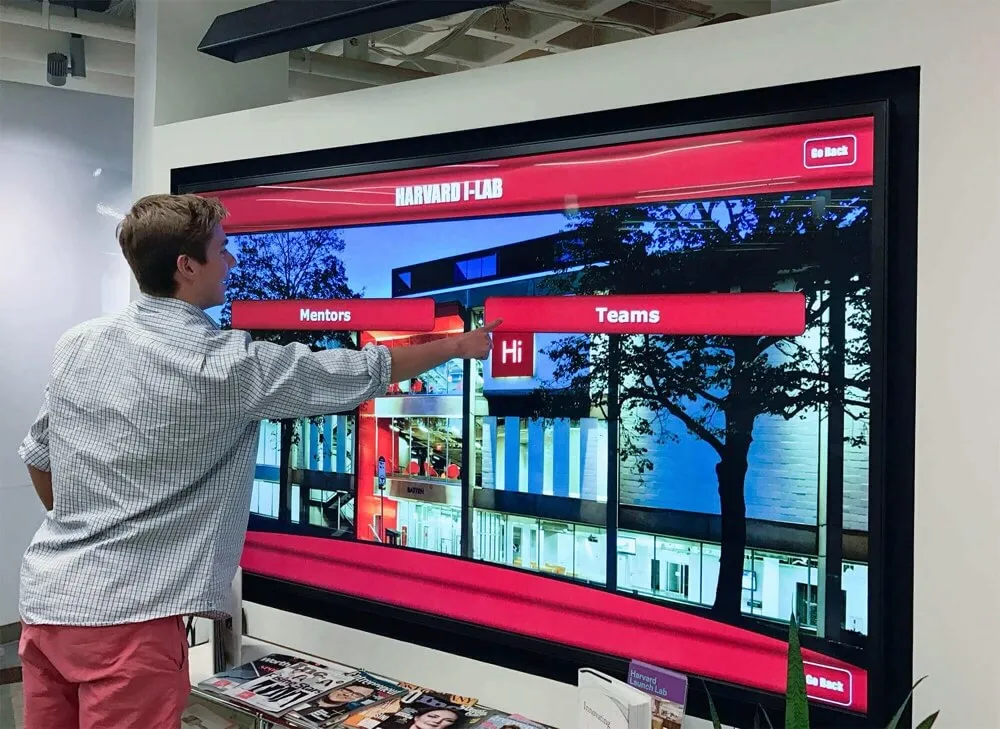
In educational contexts, these systems typically feature large-format touchscreen displays presenting campus locations, historical artifacts, recognition profiles, or informational content, with AR elements providing depth, animation, 3D visualization, or additional contextual information that appears when users interact with specific areas.
Core Technology Components
Touchscreen AR displays integrate multiple technologies working together:
High-Resolution Touch Displays: Commercial-grade touchscreens (typically 43-85 inches) with multi-touch capabilities supporting intuitive gesture controls. These displays serve as the primary interface for user interaction.
AR Software Platforms: Specialized software rendering augmented reality elements that respond to user touch input. These platforms manage 3D object rendering, animation sequences, information overlays, and integration with content management systems.
Depth Sensors and Cameras: Some advanced installations include depth-sensing cameras that track user position and gestures, enabling more immersive AR experiences that respond to physical movement in addition to touch input.
Content Management Systems: Backend platforms allowing staff to update AR experiences, add new content, modify information overlays, and manage what users see without requiring technical expertise or programming knowledge.
How Touchscreen AR Differs From Standard Interactive Displays
Standard interactive touchscreens provide excellent capabilities for presenting information, enabling search functionality, and allowing users to navigate content through touch. Touchscreen AR displays build on these foundations by adding dimensional depth to content presentation, contextual information layers that appear based on user interaction, animated elements that bring static content to life, and spatial relationships between displayed elements creating more intuitive information architecture.
For schools considering digital hall of fame solutions, AR capabilities can transform recognition displays from simple profile viewers into engaging storytelling platforms.
Practical Applications in Educational Settings
Touchscreen AR displays serve multiple purposes across educational institutions, each application addressing specific needs while creating engagement opportunities impossible with traditional static displays.
Interactive Recognition and Hall of Fame Displays
The most common educational application involves recognition displays celebrating student achievement, alumni accomplishments, athletic success, and donor contributions. AR capabilities enhance these displays significantly.

3D Achievement Visualization: Rather than displaying flat trophy images, AR enables three-dimensional representations users can rotate and examine from multiple angles. Championship trophies, medals, and awards appear as interactive 3D models providing engaging visual interest.
Layered Biography Information: Touch an inductee profile to reveal AR overlays showing career timelines, achievement highlights, statistics, and multimedia content that appears to float above the base profile, creating visual hierarchy that guides user attention effectively.
Animated Historical Content: Historical photos and documents can include AR elements showing how locations looked in different eras, animated explanations of historical events, or context about why specific achievements mattered, helping users understand institutional history in compelling ways.
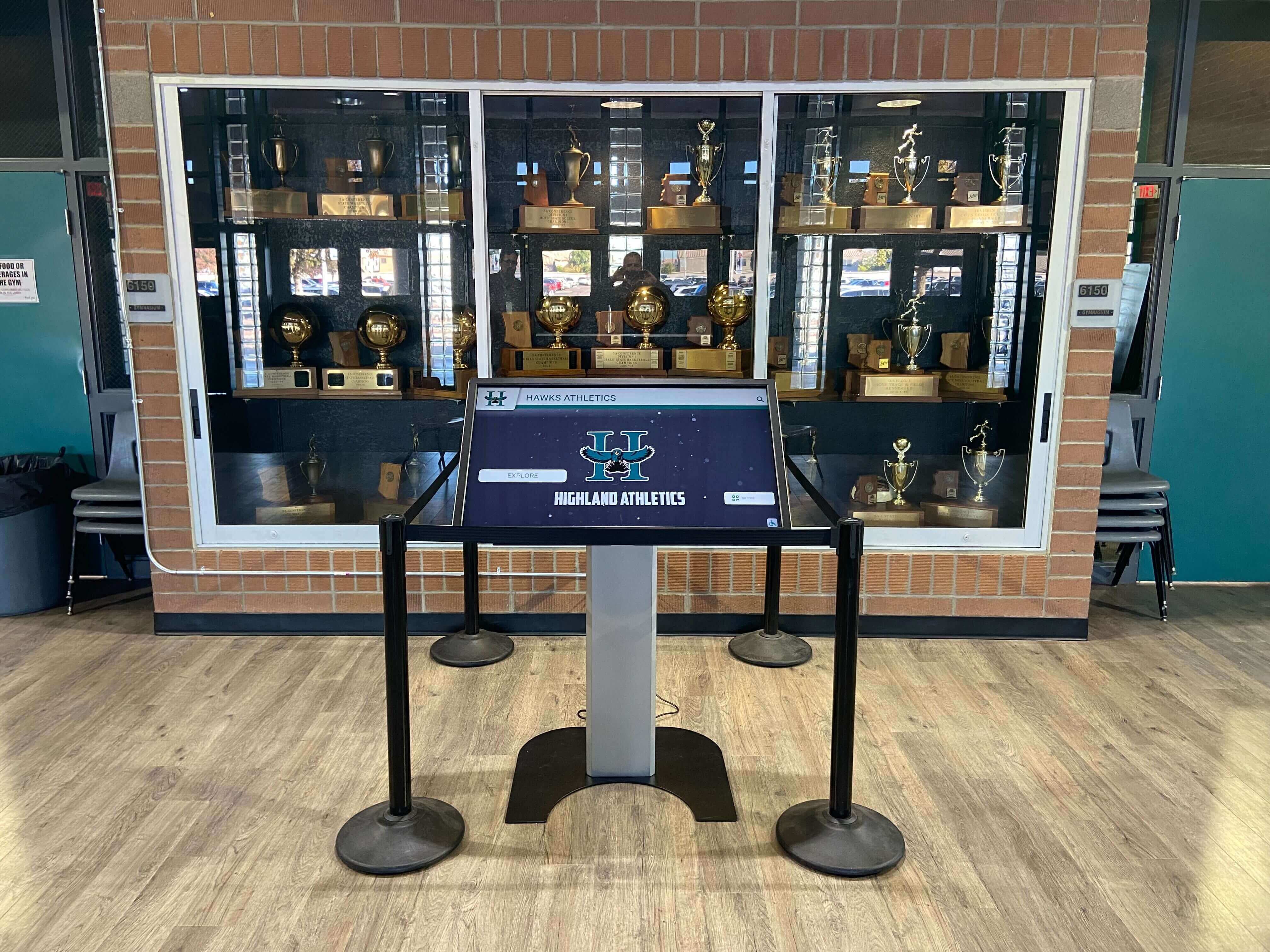
Institutions implementing athletic recognition programs find AR capabilities particularly valuable for showcasing sports achievements through game highlights, play diagrams, and statistical visualizations that make records meaningful rather than abstract.
Campus Wayfinding and Directory Systems
AR-enabled campus directories provide navigation assistance beyond what standard maps offer.
Interactive 3D Campus Maps: Users touch building locations to see AR representations showing architectural details, entry points, accessible routes, and departmental locations with visual clarity that 2D maps cannot match.
Contextual Building Information: Selecting a building triggers AR overlays showing construction dates, architectural styles, historical significance, current departments, and contact information without cluttering the base map view.
Navigation Route Visualization: After selecting a destination, animated AR routes overlay the campus map, showing step-by-step paths with estimated walking times, accessibility considerations, and points of interest along the way.
These campus directory systems particularly benefit prospective students during campus tours and visitors unfamiliar with institutional layouts.
Museum and Archive Exhibits
Schools with museum collections or historical archives use touchscreen AR displays to make artifacts and documents more accessible and engaging.
Artifact Context and Analysis: Display cases can include touchscreen AR companions where users touch artifact images to see them enlarged with AR annotations pointing out significant details, construction methods, or historical context.
Document Translation and Explanation: Historical documents appear with AR overlays translating archaic language, explaining references modern audiences might miss, or showing related materials providing fuller understanding.

Timeline Visualization: Historical timelines benefit from AR layers showing parallel events, cause-and-effect relationships, and connections between institutional history and broader historical contexts that deepen understanding.
Donor Recognition Walls
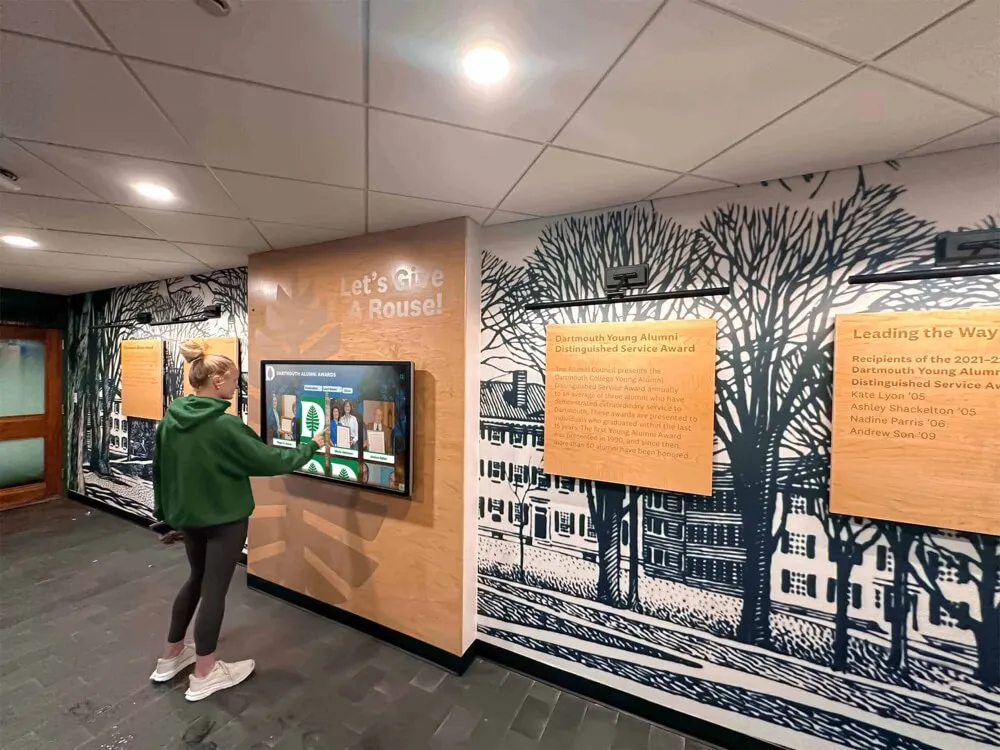
Development offices use AR-enabled donor walls to create memorable recognition experiences while providing information about giving programs.
Impact Visualization: Touch a donor name to see AR representations of what their contributions funded—animated graphics showing buildings constructed, scholarships awarded, programs launched, or research enabled by their philanthropy.
Giving Level Information: AR overlays can elegantly present information about various giving societies, recognition levels, and contribution opportunities without cluttering the primary display with dense text.
Campaign Progress Tracking: For active campaigns, AR elements can show progress toward goals through engaging visualizations that update automatically as contributions arrive, maintaining donor interest and motivation.
Schools exploring donor recognition solutions find AR capabilities create distinctive experiences that honor contributions memorably.
Implementation Considerations for Educational Institutions
Successfully deploying touchscreen AR displays requires careful planning addressing technical, content, and operational factors that determine long-term success.
Technical Infrastructure Requirements
AR-enabled displays demand more robust infrastructure than standard interactive displays due to higher computational requirements and content delivery needs.
Network Capacity: AR content files are substantially larger than static images and text. Ensure network bandwidth supports smooth content delivery without lag during peak usage periods. Most installations require dedicated network connections rather than shared WiFi.
Computing Power: AR rendering requires significant processing capability. Installations need commercial-grade media players or integrated computers with dedicated graphics processors handling real-time 3D rendering and animation without performance degradation.
Content Storage: Plan for substantial local or cloud storage capacity. A single AR-enabled recognition display with hundreds of profiles featuring 3D elements, animations, and multimedia content can require terabytes of storage.
Cooling and Ventilation: AR rendering generates more heat than standard display content. Ensure adequate ventilation around installations preventing thermal throttling that degrades performance or shortens hardware lifespan.
Content Development Complexity
Creating AR content requires different expertise and processes than developing standard interactive display content.
3D Modeling and Animation: AR elements often include 3D objects requiring modeling, texturing, and animation. Schools need either in-house expertise or vendor partners providing these specialized services.
User Experience Design: AR interfaces require careful UX design ensuring users understand how to trigger AR elements, navigate layered information, and access desired content without confusion or frustration.

Testing and Quality Assurance: AR experiences require extensive testing across different user behaviors, ensuring touch responsiveness remains reliable and AR elements appear correctly regardless of how users navigate content.
Ongoing Content Management: Unlike static displays that rarely change, AR displays benefit from regular content updates keeping experiences fresh and relevant. Plan for staff time or vendor services maintaining content quality over time.
Vendor Selection and Partnership
Choosing appropriate vendors significantly impacts implementation success and long-term satisfaction.
Educational Specialization: Vendors focusing specifically on educational recognition and engagement understand institutional needs better than those serving broad commercial markets. Their platforms include features schools actually need rather than generic capabilities requiring extensive customization.
Support and Training: Comprehensive vendor support including staff training, content development assistance, technical troubleshooting, and regular software updates proves essential. Evaluate vendors’ support responsiveness and training program quality during selection processes.
Scalability Considerations: Consider future expansion possibilities. Can the platform support additional displays across campus? Does pricing structure accommodate growth? Will content developed for initial installations transfer easily to future deployments?
Content Ownership and Portability: Understand content ownership terms clearly. Will your institution own AR assets created for displays? Can content be migrated if you eventually change vendors? Avoid lock-in arrangements limiting future flexibility.
For institutions comparing digital signage software options, prioritizing vendors with proven educational track records typically delivers better outcomes than selecting based on lowest initial cost.
Measuring ROI and Effectiveness
Justifying touchscreen AR display investments requires demonstrating value beyond initial excitement. Effective measurement approaches track meaningful outcomes aligned with institutional goals.
Engagement Metrics
Advanced display platforms provide analytics revealing how users interact with content:
Session Duration: Track how long users engage with displays. AR-enabled installations typically generate longer engagement than standard displays because layered content invites deeper exploration.
Content Interaction Patterns: Identify which profiles, achievements, or content areas receive most attention, informing content strategy and helping schools understand what resonates with audiences.
Return User Recognition: Some platforms can identify repeat users exploring content across multiple visits, indicating the display provides sufficient value that people return rather than viewing once and losing interest.
Touch Heatmaps: Visual representations showing where users touch screens most frequently reveal interface effectiveness and highlight popular content areas.
Goal-Specific Outcomes
Different applications support specific institutional objectives requiring tailored measurement approaches:
For Recognition Displays: Survey alumni about awareness of recognition programs, pride in institutional achievements, and likelihood of remaining engaged. Track whether recognition display implementation correlates with increased alumni participation in events or giving programs.
For Campus Wayfinding: Monitor reduction in directional questions at information desks, measure student and visitor satisfaction with campus navigation, and assess whether improved wayfinding correlates with increased campus tour conversion rates for prospective students.
For Donor Recognition: Track donor retention rates, evaluate whether recognized donors increase giving levels, and survey major gift prospects about how recognition influenced their contribution decisions.
For Museum and Archive Displays: Measure educational outcomes through knowledge assessments, track visitor engagement compared to traditional exhibits, and evaluate whether interactive AR displays increase interest in institutional history courses or archive research.
Comparative Analysis
When possible, establish baselines before AR display implementation enabling direct comparison of outcomes before and after installation. Compare hallway traffic patterns before and after recognition display installation, assess alumni engagement metrics before and after implementing interactive recognition, and evaluate prospective student feedback about campus visits with and without AR wayfinding displays.
Cost Considerations and Budget Planning
Touchscreen AR displays represent significant investments requiring careful financial planning and realistic cost expectations.
Typical Investment Ranges
Complete AR-enabled installations vary substantially based on display size, content complexity, and software platform capabilities:
Small-Format Installations (43-55 inch): Basic AR-enabled recognition or directory displays typically range $15,000-$25,000 including hardware, software licensing, initial content development, installation, and first-year support.
Mid-Range Installations (65-75 inch): Comprehensive recognition displays with substantial AR content typically cost $25,000-$45,000 for complete implementation.
Large-Format Premium Installations (75+ inch): Flagship installations featuring extensive AR content, advanced sensors, and premium hardware range $45,000-$75,000+.
Multi-Display Networks: Institutions deploying AR displays across multiple buildings benefit from economies of scale but should budget $100,000-$300,000+ for comprehensive campus-wide implementations.
These ranges include professional content development—attempting to save money by creating AR content in-house typically proves false economy unless institutions already employ staff with specialized 3D modeling and AR development expertise.
Ongoing Costs
Beyond initial implementation, budget for recurring expenses:
Software Licensing and Support: Annual fees typically range 12-18% of initial software and content development investment, covering platform hosting, software updates, technical support, and feature additions.
Content Updates and Expansion: Budget for adding new achievements, updating information, and refreshing AR elements keeping displays current. Many schools allocate $3,000-$8,000 annually for content management.
Hardware Maintenance: Commercial displays require occasional service. Budget 3-5% of hardware cost annually for cleaning, calibration, and repairs.
Network and Utilities: Account for data charges if using cellular connectivity and increased electricity consumption from high-performance computing equipment.
Funding Strategies
Many schools combine multiple funding sources for AR display implementation:
Capital Budgets: Major installations often come from capital improvement allocations or facility upgrade budgets rather than operating expenses.
Donor Gifts: Recognition displays naturally appeal to donors seeking visible projects. Some schools fund installations through specific gifts earmarked for recognition technology.
Alumni Associations: Alumni groups frequently prioritize projects strengthening alumni connections and institutional pride, making recognition displays strong candidates for association funding.
Foundation Grants: Educational technology grants sometimes support interactive displays that demonstrate innovation in student engagement or campus experience enhancement.
Phased Implementation: Rather than comprehensive deployment initially, many institutions start with a flagship installation demonstrating value, then expand using operating budgets across subsequent years as success becomes evident.
Best Practices for Successful AR Display Deployments
Institutions achieving greatest success with touchscreen AR displays follow systematic implementation approaches addressing technical, content, and operational factors.
Strategic Planning
Define Clear Objectives: What specific problems will AR displays solve? What outcomes define success? Clarity prevents scope creep and ensures implementations stay focused on delivering measurable value.
Identify Priority Locations: Not every campus location benefits equally from AR displays. Focus initial deployments where foot traffic, visibility, and user needs align well with display capabilities.
Conduct User Research: Survey students, alumni, and visitors about information needs, navigation challenges, and interest areas. Let user insights guide content priorities rather than assumptions about what people want.
Develop Content Inventory: Catalog existing assets available for display—photos, documents, records, statistics, and multimedia content. Identify gaps requiring new collection or creation before implementation begins.
Content Development Process
Start With Core Content: Launch with essential information users need most—current inductees, recent achievements, primary navigation points. Expand historical coverage and secondary content over time rather than delaying launch waiting for comprehensiveness.
Establish Quality Standards: Define requirements for image resolution, biographical information depth, profile completeness, and AR element polish. Consistent quality maintains professional presentation honoring achievements appropriately.
Create Governance Processes: Determine who reviews content before publication, who approves inductee selections, how corrections get handled, and what processes ensure accuracy and appropriateness of all displayed information.
Plan Content Pipelines: Develop systematic processes for adding new achievements promptly after they occur. Recognition loses impact when delays mean accomplishments don’t appear until months or years after the fact.
User Experience Optimization
Design for Discoverability: First-time users should immediately understand how to interact with displays without requiring posted instructions. Intuitive interfaces with visual cues guide interaction naturally.
Balance Information Density: Avoid overwhelming users with excessive text or too many AR elements appearing simultaneously. Layer information progressively, revealing detail as users demonstrate interest rather than presenting everything at once.
Optimize Performance: Lag between touch input and response destroys user experience. Test displays under realistic conditions ensuring responsive performance even during peak usage periods.
Include Accessibility Features: Support users with disabilities through proper contrast ratios, text sizing options, audio descriptions of visual content, and touch targets large enough for users with limited dexterity.
Schools implementing accessible digital displays demonstrate commitment to inclusive design that benefits all users, not just those with specific accessibility needs.
Promotion and Adoption
Launch With Fanfare: Create awareness through announcements in campus communications, social media promotion, dedicated launch events, and strategic outreach to groups most likely to engage with displays.
Provide Context: Help users understand why displays exist and what they can discover. Brief explanatory signage or QR codes linking to tutorial videos reduce uncertainty for new users.
Collect Feedback: Systematically gather user feedback identifying confusion points, technical issues, and content gaps. Regular improvement based on actual user experience demonstrates responsiveness and commitment to quality.
Celebrate Successes: Share analytics demonstrating engagement, highlight particularly popular content, and publicize how displays support institutional goals. Visible success builds support for future technology investments.
Specialized Solutions for Educational Recognition
While numerous vendors offer touchscreen and AR capabilities, purpose-built educational recognition platforms deliver advantages over generic commercial solutions.
The Value of Educational Specialization
Generic digital signage or AR platforms designed for retail, advertising, or entertainment lack features schools need for effective recognition and engagement. These commercial systems typically focus on displaying advertisements rather than building community, lack searchability and filtering crucial for large alumni databases, provide limited biographical content support compared to recognition needs, and offer generic analytics rather than metrics schools value for engagement measurement.
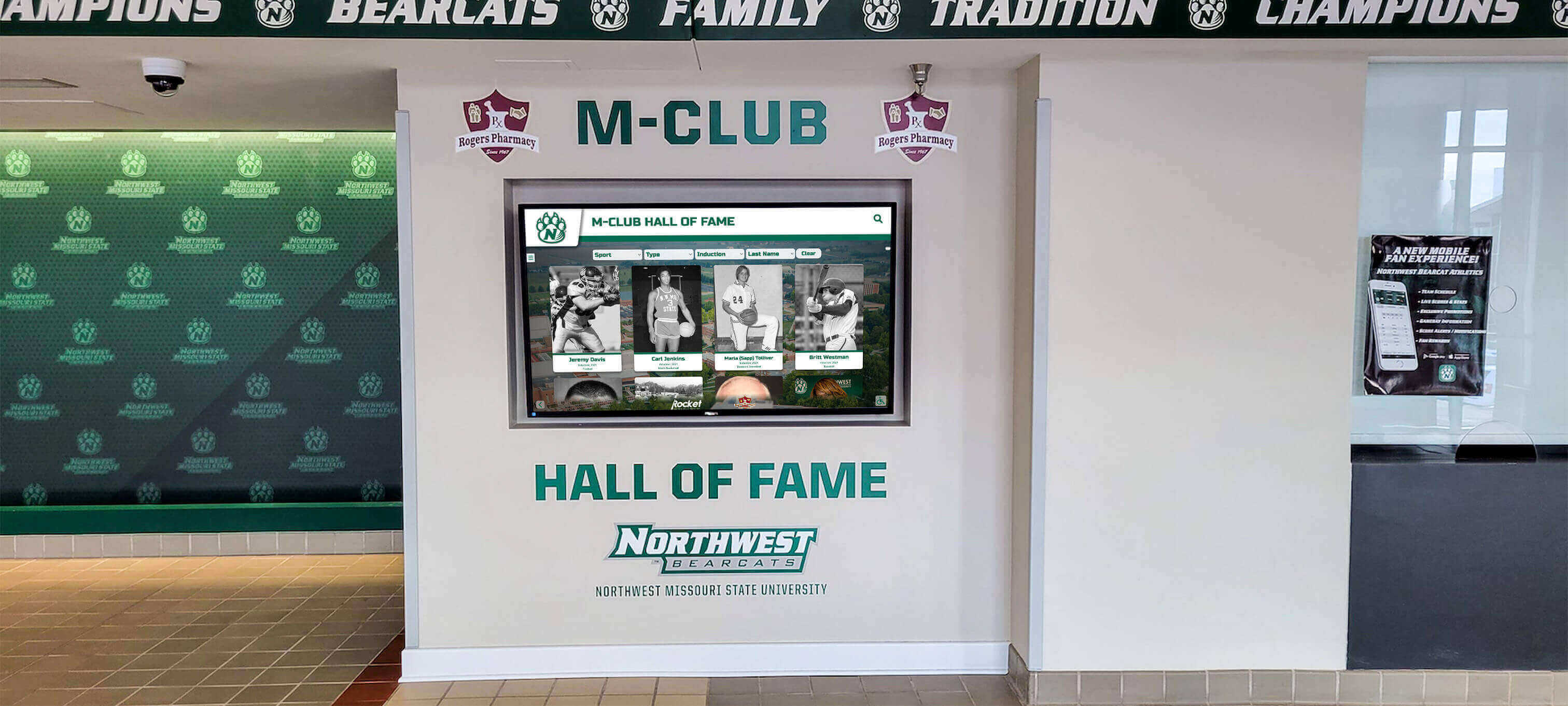
Purpose-built educational platforms like Rocket Alumni Solutions specialize in recognition applications, providing intuitive content management interfaces designed for school administrators rather than technical specialists, searchable databases supporting thousands of inductee profiles with sophisticated filtering, mobile companion applications extending reach beyond physical displays, analytics focused on engagement metrics meaningful for educational contexts, and comprehensive support understanding institutional needs and recognition program goals.
Key Platform Capabilities for Educational Recognition
When evaluating touchscreen AR solutions specifically for educational recognition applications, prioritize these capabilities:
Unlimited Inductee Capacity: Unlike physical trophy cases with space constraints, digital platforms should accommodate thousands of profiles without performance degradation or user experience compromise.
Rich Multimedia Support: Platforms must handle photos, videos, documents, audio clips, and 3D models seamlessly, enabling storytelling depth that brings achievements to life.
Advanced Search and Filtering: Users should easily find specific individuals, filter by achievement type, search by year or sport, and explore content through multiple navigation paths accommodating different user preferences.
Responsive Content Management: Non-technical staff should update content easily through intuitive interfaces requiring no programming knowledge or specialized training.
Mobile Integration: Recognition extends beyond campus through mobile apps allowing alumni worldwide to explore achievement databases, strengthening connections regardless of geographic distance.
For schools evaluating touchscreen software options, the difference between generic signage platforms and purpose-built recognition solutions becomes clear through actual use over months and years.
Emerging Trends in AR Display Technology
Touchscreen AR display technology continues advancing rapidly, with emerging capabilities promising even greater educational value in coming years.
Artificial Intelligence Integration
AI-powered features will enhance AR displays through personalized content recommendations based on user interests and behavior patterns, intelligent search understanding natural language queries rather than requiring exact keyword matches, automated content organization and tagging reducing manual management burden, and enhanced accessibility features including real-time translation and improved support for users with disabilities.
Enhanced Spatial Awareness
Future AR displays will incorporate more sophisticated sensors enabling gesture recognition allowing users to interact without touching screens, position tracking that adapts displayed content based on where users stand, distance sensing that triggers appropriate information levels based on whether users are browsing or studying details, and environmental adaptation adjusting contrast and brightness based on ambient lighting conditions.
Improved 3D Visualization
Advances in rendering technology will deliver photorealistic 3D models of trophies, artifacts, and architectural elements with minimal performance overhead, real-time model customization allowing users to examine objects from any angle with fluid motion, integrated 3D scanning making it easy to digitize physical artifacts for AR display, and holographic projection capabilities creating true 3D visualization extending beyond flat screens.

Social and Collaborative Features
Future platforms will emphasize connection through shared experiences where multiple users interact with displays simultaneously, social sharing enabling users to capture and share interesting content with others, collaborative annotation allowing alumni to contribute memories and context to displayed achievements, and virtual event integration connecting physical displays with online audiences during recognition ceremonies and campus events.
Common Pitfalls and How to Avoid Them
Many institutions encounter predictable challenges when implementing touchscreen AR displays. Awareness enables proactive mitigation.
Technology Before Purpose
The Pitfall: Selecting impressive technology without clear understanding of what problems it solves or what value it delivers. AR for its own sake rarely justifies investment.
The Solution: Start with clear objectives and user needs. Let problems you’re solving guide technology selection rather than implementing technology and hoping it proves useful.
Inadequate Content Planning
The Pitfall: Installing hardware and software without realistic assessment of effort required to develop quality AR content. Displays launch with minimal content that never expands to initial vision.
The Solution: Develop comprehensive content plans before procurement. Understand required resources and establish sustainable processes for ongoing content development and management.
Insufficient Staff Training
The Pitfall: Assuming intuitive interfaces mean staff need no training. Content management capabilities go unused because no one feels confident using them.
The Solution: Invest in thorough training for all staff who will manage content. Provide documentation, offer refresher training as staff change, and ensure vendor support remains accessible when questions arise.
Neglecting Maintenance
The Pitfall: Treating displays as “install and forget” technology. Hardware degrades, software requires updates, and content becomes stale without ongoing attention.
The Solution: Establish clear maintenance protocols. Assign responsibility for cleaning, inspection, and content updates. Budget adequately for ongoing operation, not just initial implementation.
Unrealistic Expectations
The Pitfall: Expecting AR displays to solve all engagement challenges or transform institutional culture immediately. Technology is a tool, not a complete solution.
The Solution: Maintain realistic expectations. Displays support engagement and recognition strategies but don’t replace fundamental relationship-building, quality programming, and genuine institutional commitment to alumni and donor relations.
Making the Right Choice for Your Institution
Selecting appropriate touchscreen AR solutions requires evaluating institutional needs, resources, and priorities systematically.
Assessment Questions
What are your primary objectives? Recognition, wayfinding, museum exhibits, donor stewardship, or multiple applications? Different goals favor different platform strengths.
What is your content starting point? Do substantial photo archives, biographical information, and historical records already exist? Or does implementation require significant original research and content creation?
What are your technical capabilities? Can you support complex installations with robust network infrastructure and IT support? Or do simpler systems better match available resources?
What is your budget reality? Both initial investment and ongoing operational costs must fit realistic budget constraints without compromising quality to the point of disappointment.
What is your growth trajectory? Will you start with single installations then expand? Or is campus-wide deployment the goal from the outset? Scalability considerations matter.
Decision Framework
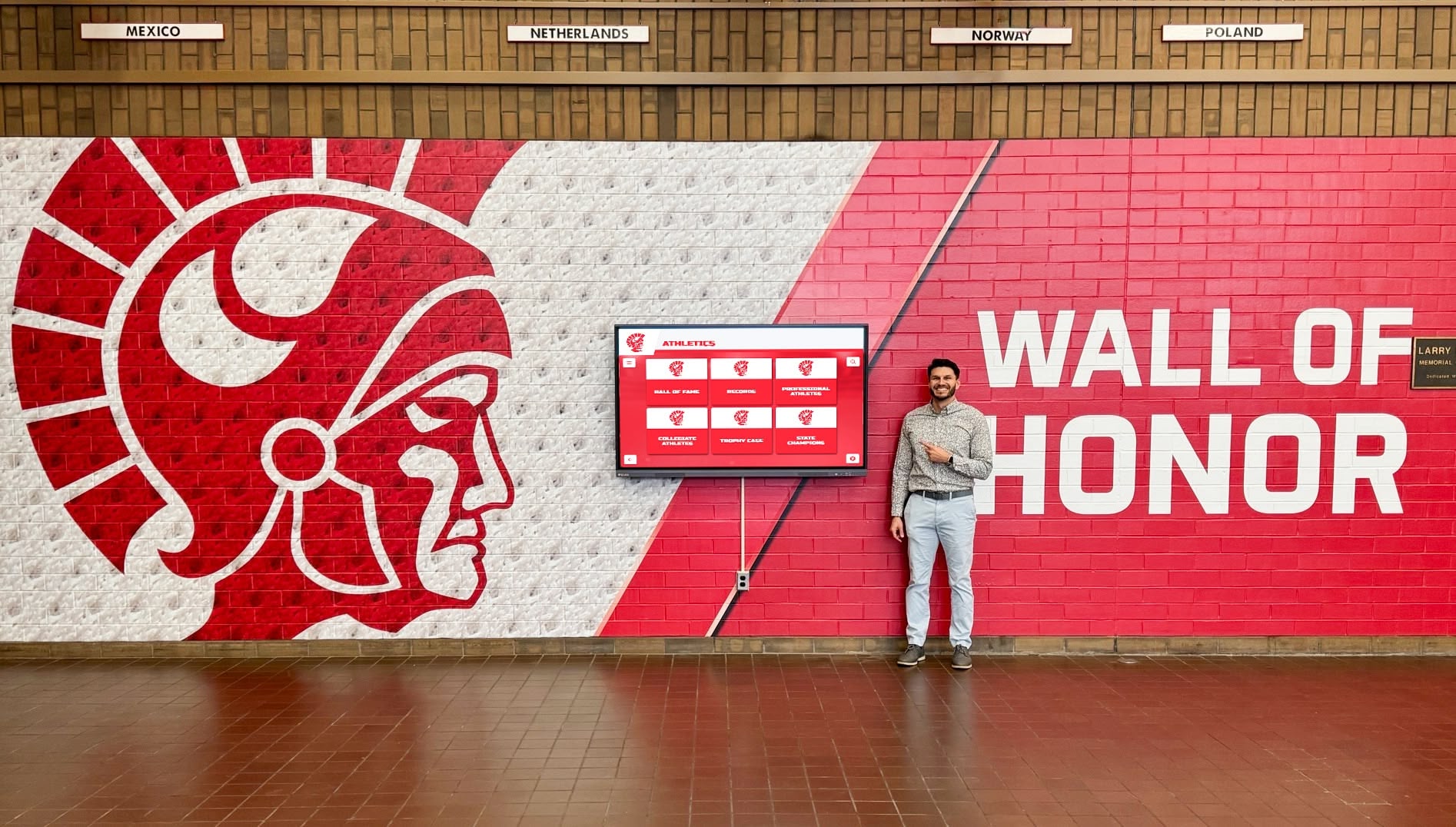
For schools focused primarily on recognition and building institutional pride, prioritize purpose-built recognition platforms with deep alumni database capabilities, intuitive content management designed for non-technical users, proven track records in educational environments, comprehensive support and training programs, and mobile applications extending recognition beyond campus.
For institutions emphasizing wayfinding and information access, focus on mapping and directory capabilities, real-time information integration, accessibility compliance ensuring all users benefit, and scalability supporting deployment across large campuses.
For museum and archive applications, seek specialized exhibition platforms with artifact cataloging and presentation tools, educational content features supporting learning objectives, scholarship and research tool integration, and collaboration capabilities connecting physical and digital archives.
Conclusion: Transforming Educational Spaces Through Touchscreen AR
Touchscreen augmented reality displays represent meaningful evolution in how educational institutions celebrate achievement, engage communities, and enhance campus experiences. These systems combine intuitive touch interaction with immersive AR capabilities that bring content to life in ways traditional static displays or even standard interactive screens cannot match.
The most successful implementations share common characteristics: clear objectives driving technology selection rather than technology seeking purpose, realistic content development plans sustainable over years, purpose-built platforms designed for educational needs rather than generic commercial solutions adapted awkwardly, comprehensive support ensuring long-term success rather than installation followed by abandonment, and measurement approaches demonstrating value aligned with institutional goals.
For schools exploring recognition technology, the difference between generic digital signage and specialized platforms like Rocket Alumni Solutions becomes apparent through sustained use. Purpose-built systems provide features schools actually need—unlimited inductee capacity, searchable databases, mobile integration, intuitive content management, and analytics focused on engagement metrics relevant to educational contexts.
Recognition displays honor achievements comprehensively while building connections between students, alumni, and institutional traditions that static trophy cases cannot create. Wayfinding systems help visitors navigate campuses confidently while showcasing institutional history and character. Museum exhibits make collections accessible in engaging ways that traditional displays rarely achieve.
Ready to explore how touchscreen augmented reality displays can enhance your institution’s recognition programs and campus experience? Talk to our team to discover comprehensive solutions that combine cutting-edge technology with purpose-built features designed specifically for educational institutions seeking to celebrate achievement, strengthen community, and create memorable experiences that honor excellence across generations.
































