



Key Takeaways
Comprehensive guide to school digital signage in 2026. Learn benefits, use cases, implementation strategies, and best solutions for K-12 and higher education institutions.
Schools communicate with thousands of students, staff, parents, and visitors daily across sprawling campuses with multiple buildings, diverse programs, and complex schedules. Traditional communication methods—bulletin boards, flyers, morning announcements—can’t keep pace with the volume of information schools need to share. Important messages get overlooked. Student achievements go unrecognized due to limited display space. Paper waste accumulates. And when emergencies occur, reaching everyone quickly becomes critical.
School digital signage solves these challenges by transforming how educational institutions communicate, recognize achievement, and engage their communities. From announcement displays sharing daily information to interactive touchscreen kiosks celebrating student accomplishments, digital signage enhances school culture while streamlining operations and reducing costs.
This comprehensive guide examines school digital signage benefits, applications, implementation strategies, and technology options—everything administrators, technology coordinators, and facility planners need to know about deploying effective digital display systems throughout educational environments in 2026.
Understanding School Digital Signage
Digital signage encompasses any electronic display system used to communicate information, showcase content, or enable interaction throughout school facilities. These systems range from simple screens displaying rotating announcements to sophisticated interactive touchscreen networks celebrating achievements and enabling self-service exploration.

Types of School Digital Signage
Announcement and Communication Displays
Static digital displays positioned throughout campuses share information with students and staff. Cafeterias show daily menus and event reminders. Main entrances display welcome messages and visitor instructions. Hallways communicate schedule changes and upcoming deadlines. Administrative offices provide wayfinding information.
These displays replace bulletin boards and printed flyers with dynamic content that updates instantly from central management systems. When snow days occur or events change, administrators update content across all displays simultaneously rather than printing and posting individual notices.
Interactive Recognition Displays
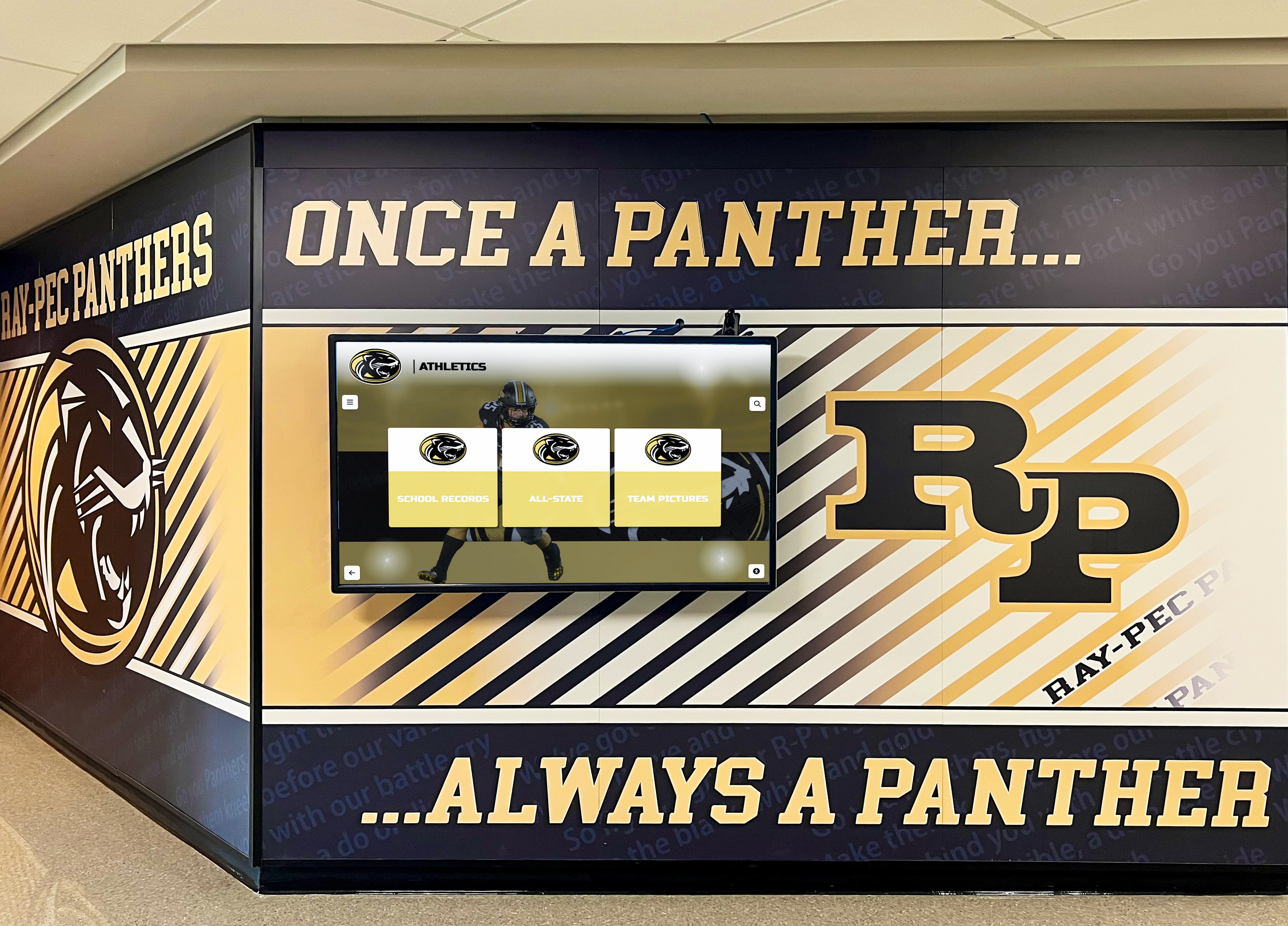
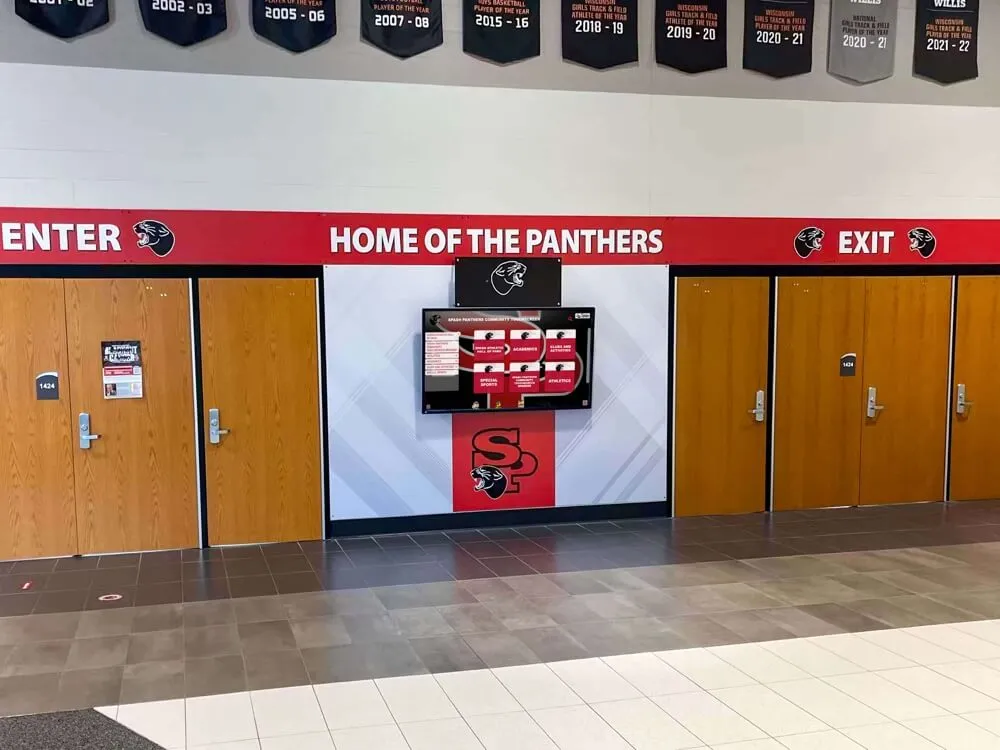
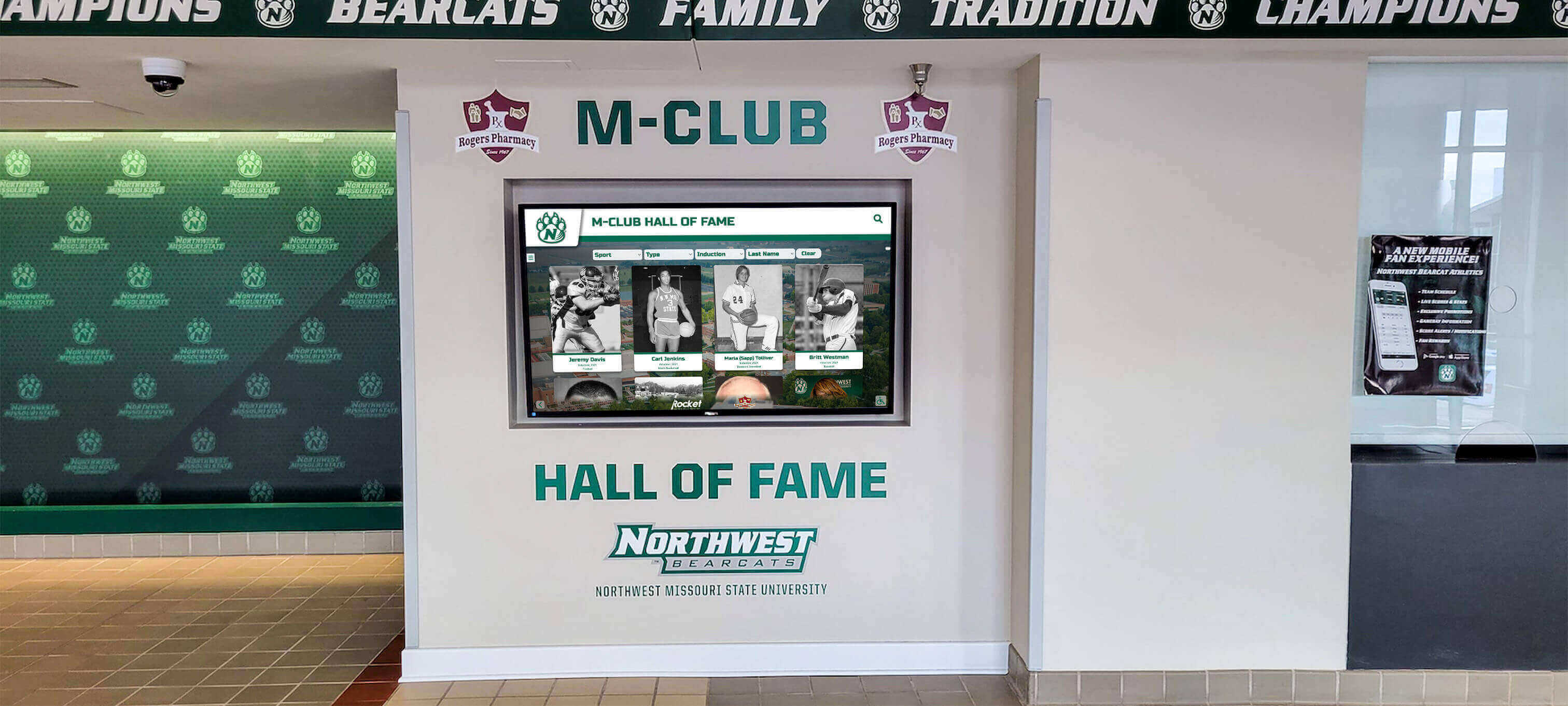
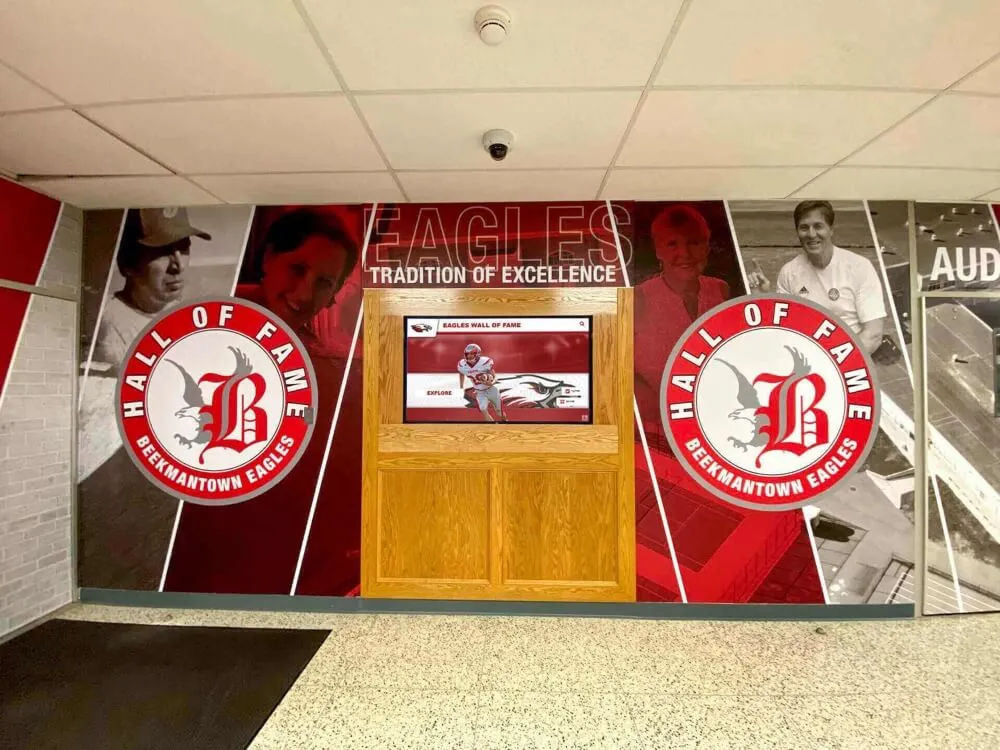
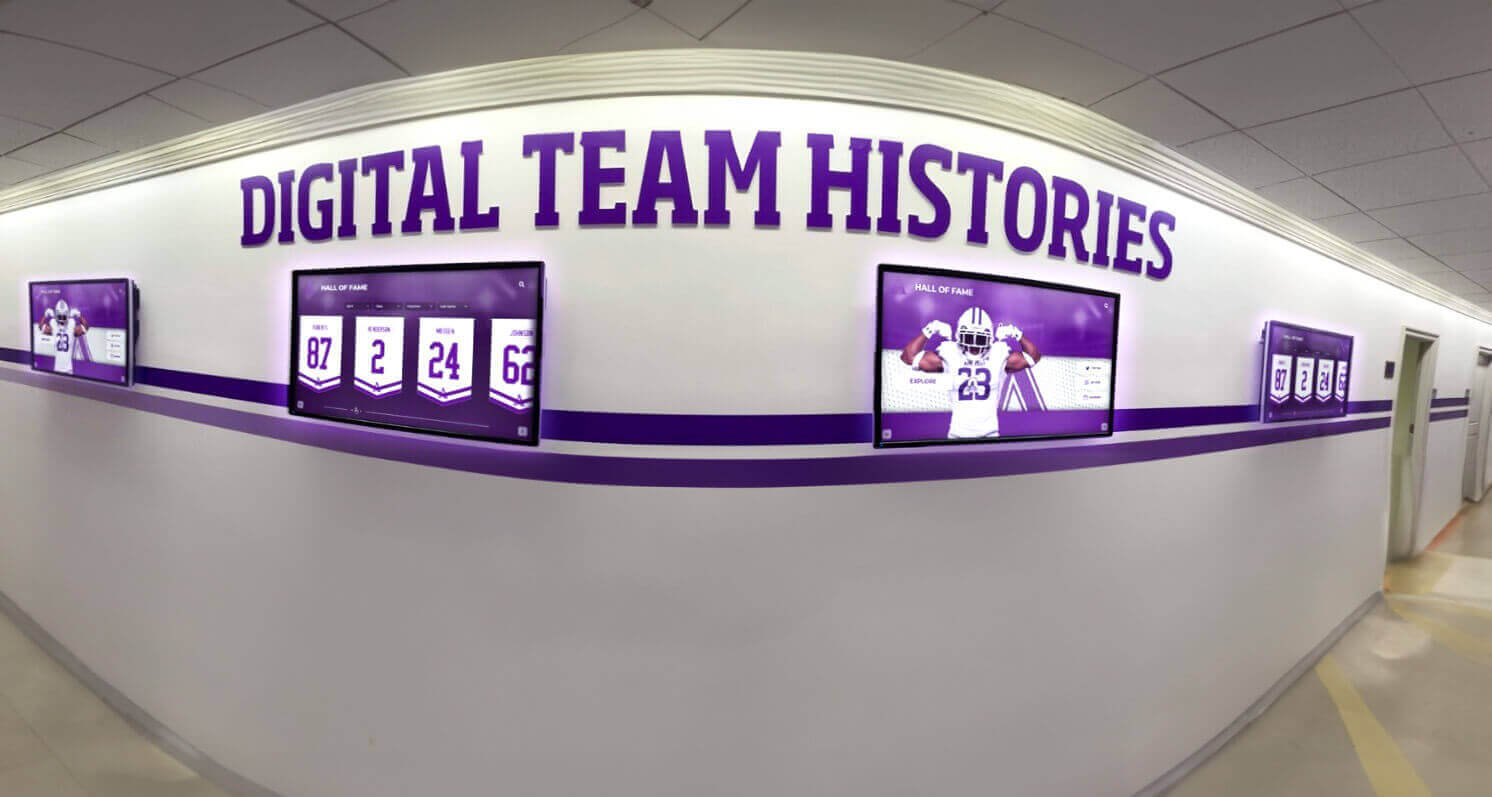
Interactive touchscreen systems celebrate student achievement in ways traditional trophy cases cannot match. Digital recognition displays positioned in athletic facilities, main lobbies, and academic buildings showcase unlimited achievements through searchable databases containing photos, statistics, videos, and biographical information.
Students, families, and alumni search by name, browse by category, filter by year, or explore accomplishments across decades. A single display replaces dozens of physical trophy cases while providing richer storytelling through multimedia content impossible with static plaques.
Solutions like Rocket Alumni Solutions specialize in these interactive recognition applications, providing purpose-built platforms designed specifically for celebrating educational achievements rather than generic digital signage adapted for recognition purposes.
Classroom Instructional Displays
Interactive flat panels transform classroom instruction by replacing traditional whiteboards and projectors with touch-enabled surfaces supporting annotation, collaboration, and multimedia integration. Teachers display lessons, students interact with content directly, and wireless connectivity enables seamless content sharing from various devices.
While classroom instruction represents a distinct application from campus communication and recognition, many schools develop comprehensive digital display strategies addressing both instructional and non-instructional needs through coordinated technology selections.
Emergency Notification Systems
Safety-critical applications leverage digital signage for emergency alerts. During lockdowns, severe weather, or other critical situations, displays throughout campuses instantly communicate emergency procedures, real-time status updates, and safety instructions, ensuring information reaches everyone regardless of location.
Integration with PA systems, text alerts, and other communication channels creates redundant notification pathways critical during emergencies when any single communication method might fail.
Digital Signage vs Traditional Communication
Traditional communication methods served schools adequately for decades but face inherent limitations that digital signage addresses:
Capacity Constraints: Physical bulletin boards and trophy cases provide limited space, forcing difficult decisions about what receives recognition or display priority. Digital systems provide unlimited capacity—a single screen showcases content that would require hundreds of square feet of physical display space.
Update Friction: Changing bulletin boards requires printing, manual posting, and removing outdated materials across multiple locations. Traditional recognition requires ordering plaques, scheduling installation, and physical retrofitting. Digital updates happen instantly from central dashboards accessible from any device.
Limited Engagement: Static displays receive brief glances as people pass. Interactive digital experiences invite active exploration, with visitors spending minutes rather than seconds engaging with content, dramatically increasing message retention and impact.
Accessibility Limitations: Traditional displays can’t adjust for visitors with different needs. Digital signage supports screen readers for visually impaired users, text scaling for low-vision visitors, and keyboard navigation alternatives—capabilities physical displays inherently cannot provide.
Sustainability Issues: Traditional communication generates substantial paper waste from daily flyers, event posters, and notices. Digital signage eliminates this waste while reducing associated printing costs.
These advantages explain why schools increasingly prioritize digital display investments even when budget constraints require careful resource allocation.
Key Benefits of School Digital Signage
Schools implementing digital signage report measurable improvements across communication effectiveness, operational efficiency, student engagement, and cost management.
Instant Campus-Wide Communication
Digital signage enables administrators to reach entire campuses instantly. When schedule changes occur, emergency situations develop, or important announcements need immediate distribution, content updates appear across all displays simultaneously within seconds.
This immediacy proves particularly valuable during weather events, security situations, or unexpected schedule modifications. Rather than relying on morning announcements that students might miss or printed notices that take hours to distribute, schools communicate critical information immediately to everyone on campus.
Cloud-based content management systems let authorized administrators update displays from any location—from offices, homes, or even smartphones during emergencies. This accessibility ensures communication capabilities remain functional regardless of circumstances.
Comprehensive Student Recognition
Traditional trophy cases force impossible choices about limited recognition space. Outstanding achievements go unrecognized because display capacity has been exhausted. Athletes dominate available space while academic, artistic, and service accomplishments receive inadequate attention.
Digital recognition eliminates these constraints entirely. Schools celebrate every deserving student across all achievement categories without physical space limitations. A single interactive display showcases thousands of accomplishments that would require dozens of physical trophy cases occupying hundreds of linear feet.
Academic recognition programs demonstrate how comprehensive digital displays honor excellence across diverse categories—honor roll students, academic competition winners, perfect attendance, service awards, and character recognition—creating inclusive recognition cultures valuing all forms of achievement.

Students report feeling more valued when schools recognize diverse accomplishments rather than limiting recognition to traditional athletics. This comprehensive approach strengthens school culture by demonstrating that institutions value many paths to excellence.
Dynamic Content That Stays Fresh
Static bulletin boards become invisible through familiarity. Content posted for weeks blends into background scenery that students and staff unconsciously ignore. Digital signage maintains engagement through regularly rotating content that keeps displays visually interesting.
Scheduled content rotation ensures displays change throughout the day—morning announcements during arrival, lunch menus midday, event reminders after school, and evening content when facilities host community activities. This variation maintains attention in ways static displays cannot match.
Multimedia capabilities enhance engagement beyond text-based communication. Photos from recent events, video highlights from performances and competitions, animated graphics drawing attention to important messages, and countdown timers building anticipation for upcoming events create visual interest that captures attention in busy hallways.
Significant Long-Term Cost Savings
While digital signage requires upfront investment, long-term operational savings often justify implementation costs:
Eliminated Printing Costs: Schools spend thousands annually printing flyers, posters, announcements, and notices. Digital signage eliminates these recurring expenses while reducing associated staff time distributing and posting materials.
Reduced Recognition Costs: Traditional recognition requires ordering new plaques, trophies, and display cases as achievements accumulate. These costs compound over time. Digital trophy cases require only initial hardware and software investment, with nominal ongoing costs regardless of how many achievements schools add.
Lower Maintenance Requirements: Physical displays require constant refreshing—removing outdated materials, installing new content, repairing damaged elements. Digital systems need minimal maintenance beyond occasional screen cleaning and periodic software updates.
Staff Time Efficiency: Administrators spend significantly less time managing communication when updating digital displays from central dashboards rather than manually posting materials across multiple buildings.
Many schools report complete return on investment within 2-4 years through accumulated savings, after which digital signage generates ongoing cost advantages compared to traditional alternatives.
Enhanced School Culture and Pride
Visible celebration of achievement strengthens institutional culture and community pride. When students see their accomplishments recognized prominently, they feel valued. When families visit campuses and discover their students celebrated in lobby displays, they develop stronger connections to institutions. When alumni return and find their achievements still honored decades later, they maintain lasting engagement.
Research on increasing school pride demonstrates that visible recognition programs significantly impact school culture by creating environments where excellence is celebrated and students aspire to achievements that will earn recognition.

Digital displays positioned in high-traffic areas create constant reinforcement of institutional values and priorities. Schools emphasizing academic excellence display honor roll students prominently. Institutions prioritizing service showcase community contribution. Athletic programs highlight championship teams and record holders. This visible reinforcement shapes culture more effectively than written mission statements students never see.
Improved Visitor Experience and Wayfinding
Large campuses create navigation challenges for visitors unfamiliar with building layouts. Parents attending conferences, prospective students touring facilities, vendors making deliveries, and community members using facilities struggle finding destinations within complex multi-building campuses.
Digital wayfinding displays in main entrances provide interactive maps, directory listings, and navigation assistance helping visitors reach destinations independently without requiring staff time providing directions repeatedly throughout the day.
For schools open to communities during evenings and weekends for events and activities, digital signage ensures visitors access necessary information even when administrative offices are closed.
Emergency Communication Capabilities
Safety represents schools’ highest priority. During emergencies, reaching everyone quickly with clear instructions proves critical. Digital signage integrated with emergency notification systems provides visual communication complementing audio announcements.
When lockdown situations occur, displays show safety procedures and real-time status information. During severe weather, screens communicate shelter locations and safety protocols. When evacuations are necessary, digital signage guides people to appropriate exits and assembly areas.
This visual component proves particularly important for students and staff with hearing impairments who might not hear audio announcements, ensuring inclusive emergency communication reaching everyone regardless of individual needs.
Common Applications and Use Cases
Schools deploy digital signage across diverse applications serving different purposes and audiences throughout educational environments.
Athletic Recognition and Engagement
Athletic facilities benefit tremendously from digital signage celebrating team accomplishments and individual excellence. Lobby displays showcase:
- Championship teams with roster photos and season highlights
- Individual record holders with career statistics and achievements
- All-conference and all-state athletes across all sports
- Hall of fame inductees with biographical profiles
- Current season schedules and scores
- Recruiting commitments and college signing day celebrations
Interactive displays let athletes, families, and alumni explore decades of athletic history through searchable databases containing rich multimedia content. Wrestling hall of fame displays and similar sport-specific recognition demonstrate how comprehensive digital systems honor program histories comprehensively.
Academic Achievement Recognition
Academic excellence deserves equal recognition to athletics. Digital displays in academic buildings, libraries, and main lobbies celebrate:
- Honor roll students by term and cumulative GPA
- National merit scholars and academic competition winners
- Perfect ACT and SAT scorers
- Scholarship recipients
- Academic award winners across subject areas
- Teacher appreciation recognition and staff accomplishments
- Alumni academic achievements demonstrating program quality
Academic recognition displays help create balanced recognition cultures valuing intellectual achievement alongside athletic accomplishment, particularly important for students whose strengths lie in scholarship rather than sports.
Daily Communication and Announcements
High-traffic common areas provide ideal locations for communication-focused displays sharing daily information:
Cafeteria Displays: Daily menu information, nutritional details, event announcements during lunch periods, and promotional content for upcoming activities reach students during natural gathering times.
Main Entrance Displays: Welcome messages for visitors, daily schedules and bell times, weather updates and schedule changes, and directory information create positive first impressions while providing practical information.
Hallway Displays: Between-class announcements, club meeting reminders, deadline notifications for forms and permissions, and motivational messages reach students during transition periods when they’re moving through buildings.
Cloud-based content management enables different staff members to contribute content based on responsibilities—athletics staff update sports schedules, activities directors promote events, administrators share policy information, and counselors highlight deadlines.
Arts and Activities Recognition
Performing arts, visual arts, and extracurricular activities merit recognition equal to athletics and academics. Digital displays showcase:
- Theater production casts and crew with show photos
- Concert choir, band, and orchestra accomplishments
- Visual art showcase galleries with student work
- Academic competition teams and awards
- Service club activities and community impact
- Student government leadership
- Special achievement recognition across diverse activities
Comprehensive recognition acknowledging excellence across all programs creates inclusive environments where every student can find paths to recognition regardless of individual strengths and interests.
Alumni Engagement and Development
Digital displays serve advancement efforts by strengthening alumni connections and supporting fundraising:
- Alumni spotlights featuring career accomplishments and life updates
- Donor recognition walls honoring philanthropic support
- Campaign progress trackers for fundraising initiatives
- Reunion information and registration promotion
- Distinguished alumni awards and hall of fame honors
- Historical timeline displays showing institutional evolution
Alumni visiting campuses discover their achievements still honored years or decades after graduation, creating emotional connections that support ongoing engagement and giving.
Event Promotion and Calendars
Schools host countless events throughout academic years—athletics competitions, performing arts events, conferences, open houses, and community activities. Digital signage promotes these events effectively:
- Event calendars with automatic updates from school management systems
- Countdown timers building anticipation for major events
- Event detail screens with times, locations, and ticket information
- Post-event highlights with photos and videos
- QR codes for online registration and ticket sales
Automated calendar integration ensures displays stay current without requiring manual updates as schedules change, reducing administrative burden while improving communication accuracy.
Implementation Strategies and Best Practices
Successful digital signage deployment requires strategic planning beyond simply purchasing displays and mounting them on walls. These implementation considerations help schools maximize investment value.
Conducting Needs Assessment
Before purchasing equipment, schools should clarify objectives and requirements:
Define Primary Use Cases: Will displays primarily serve communication, recognition, wayfinding, or multiple purposes? Different applications prioritize different features and capabilities.
Identify Strategic Locations: Where will displays deliver maximum impact? High-traffic areas maximize viewership. Recognition displays suit lobbies and gathering spaces. Communication displays work well in cafeterias and main hallways.
Assess Existing Infrastructure: Do intended locations have adequate electrical power and network connectivity? Will significant infrastructure work be required? These factors substantially impact installation costs.
Determine Content Management Capacity: Who will create and manage content? Does staff have necessary time and skills, or should schools prioritize platforms requiring minimal technical expertise?
Establish Budget Parameters: What total investment can schools allocate across hardware, software, installation, training, and ongoing support? Understanding budget constraints guides appropriate technology selection.
Thorough needs assessment prevents expensive mistakes like purchasing incompatible equipment, selecting overly complex platforms staff can’t manage effectively, or installing displays in locations where infrastructure costs balloon budgets.
Selecting Appropriate Technology
Digital signage encompasses numerous technology options with different strengths:
Display Size Considerations: Viewing distance determines appropriate screen size. Intimate settings suit 43-55 inch displays. Large lobbies with distant viewing require 65-75+ inch screens. Calculate appropriate sizing by ensuring viewers can read content comfortably from typical viewing distances.
Interactive vs Passive Displays: Communication and announcement applications typically use passive displays that visitors view without touching. Recognition and wayfinding applications benefit from interactive touchscreens enabling self-service exploration. Interactive touchscreen software requirements differ significantly from passive signage, influencing platform selection.
Orientation Selection: Most displays use landscape (horizontal) orientation because content is typically wider than tall. However, recognition applications often benefit from portrait (vertical) orientation better suited to individual profiles and biographical content.
Commercial vs Consumer Displays: Consumer televisions cost less initially but aren’t designed for 16-24 hour daily operation schools require. Commercial displays cost more upfront but deliver 7-10 year lifespans versus 2-4 years for consumer equipment, making them dramatically more economical over time.

Software Platform Selection: Generic digital signage platforms work well for rotating announcements and passive content display. Recognition applications require specialized platforms like Rocket Alumni Solutions that provide database architecture, search capabilities, and interactive features generic signage cannot efficiently deliver.
Schools often implement hybrid strategies using different technology for different applications rather than forcing single platforms to serve incompatible use cases.
Planning Network and Infrastructure
Digital displays require adequate network connectivity and electrical infrastructure:
Network Connectivity: Most content management systems require internet connectivity for remote updates. Ethernet connections provide best reliability. WiFi works for locations where wired connections are impractical but may experience performance issues. Schools should ensure adequate bandwidth for simultaneous display operation, particularly when showing video content.
Electrical Requirements: Displays need nearby power outlets with adequate capacity. Many installations require electrical work installing new circuits and outlets in optimal mounting locations. Factor electrical contractor costs into budget planning.
Mounting Infrastructure: Wall-mounted installations require appropriate structural support—displays weighing 50-150 pounds need secure mounting to studs or masonry, not surface mounting to drywall alone. Freestanding kiosks provide installation flexibility but occupy floor space and cost more than wall mounts.
Accessibility Compliance: Interactive displays must meet ADA requirements for reach ranges and approach clearances. Wall-mounted touchscreens should center at 48 inches above floor for optimal accessibility. Freestanding kiosks need clear floor space for wheelchair approach.
Infrastructure planning during facility design phases costs substantially less than retrofitting existing spaces, making digital signage an important consideration during renovation and new construction projects.
Content Strategy Development
Technology without content strategy delivers minimal value. Successful implementations require thoughtful planning:
Content Calendar Planning: Establish schedules determining when different content types display. Morning arrival might feature schedules and announcements. Midday shows lunch menus and afternoon events. Evening content addresses community activities when facilities host public events.
Visual Design Standards: Consistent branding, color schemes, and typography create professional presentation quality while ensuring content aligns with institutional identity. Design templates accelerate content creation while maintaining consistency.
Content Freshness Plans: Displays showing identical content for weeks become invisible background noise. Plan content rotation keeping displays engaging through regular updates—daily announcements, weekly featured students, monthly event promotions, and seasonal campaigns.
Responsible Party Assignment: Designate specific staff members responsible for different content areas. Athletics staff manage sports content. Activities directors handle event promotion. Administrators control emergency notifications. Clear responsibility ensures content stays current.
Quality Standards: Establish photo resolution requirements, text length guidelines, approval workflows, and content review procedures ensuring professional quality befitting institutions.
Without ongoing content management, displays become expensive screen savers showing outdated information or idle content, undermining credibility rather than enhancing communication.
Implementation Timeline Planning
Rushed implementations often encounter problems. Realistic timelines ensure quality deployment:
Phase 1: Planning (4-8 weeks): Needs assessment, stakeholder input, budget development, vendor evaluation, technology selection, and strategic planning establish implementation foundations.
Phase 2: Infrastructure Preparation (2-6 weeks): Electrical work, network improvements, mounting preparation, and physical site readiness must occur before equipment arrives.
Phase 3: Hardware Installation (1-3 weeks): Display mounting, device configuration, network connection, and testing verify technical functionality.
Phase 4: Content Development (4-12 weeks): Creating initial content, developing templates, gathering photos and media, writing copy, and building content libraries often requires substantial time, particularly for recognition displays documenting historical achievements.
Phase 5: Training and Launch (2-4 weeks): Staff training, user documentation, soft launch testing with limited audience, refinement based on feedback, and official launch ceremony.
Many schools phase implementation, starting with pilot displays in high-impact locations before expanding to additional installations. This approach validates technology selections and refines content strategies before committing to comprehensive deployments.
Staff Training and Support
Technology succeeds only when people can use it effectively:
Content Management Training: Designated content managers need comprehensive training covering creating content, scheduling publication, managing media libraries, updating information, and troubleshooting common issues.
Technical Support Planning: Identify who will handle technical issues—internal IT staff, technology coordinators, or vendor support teams. Establish clear escalation procedures and response time expectations.
Documentation Development: Create user guides, video tutorials, and quick reference materials supporting self-service troubleshooting for common questions.
Ongoing Professional Development: As platforms evolve and new features become available, continuing education ensures schools maximize technology capabilities rather than using only basic functions.
Inadequate training results in underutilized systems managed by overwhelmed staff who resort to requesting IT assistance for routine tasks, creating unsustainable operational models that undermine program success.
Choosing the Right Digital Signage Solution
Schools evaluating digital signage platforms should assess options against specific educational requirements rather than generic signage criteria.
Purpose-Built vs Generic Platforms
Generic digital signage platforms designed for retail advertising and corporate communication can be adapted for educational use but lack education-specific capabilities:
Generic Platform Strengths: Mature software with broad feature sets, typically lower cost subscriptions, hardware flexibility supporting diverse display types, and established support infrastructure.
Generic Platform Limitations: No recognition-specific capabilities like database architecture or searchable achievements, limited interactivity suitable for browsing but not exploration, content management designed for simple rotation rather than complex content organization, and lack of educational templates and design elements.
Purpose-Built Educational Platforms: Solutions like Rocket Alumni Solutions focus specifically on educational recognition and engagement applications, providing capabilities generic platforms lack:
- Database-driven architecture supporting thousands of achievement records
- Advanced search and filtering for interactive exploration
- Recognition-specific content types including athlete profiles, academic honors, and hall of fame inductees
- Dual-mode systems powering both physical touchscreens and web-accessible online recognition
- Educational templates designed specifically for school applications
- Comprehensive support from teams understanding educational institution needs
Schools implementing digital signage services for recognition purposes typically achieve better results with specialized platforms than adapting generic tools to recognition applications they weren’t designed to serve.
Software Selection Criteria
Evaluate platforms against these critical factors:
Content Management Efficiency: Can non-technical staff update content independently without IT support? Intuitive interfaces and template-based workflows reduce operational friction enabling sustainable long-term content management.
Scalability: Will the platform support growth from pilot implementation to comprehensive multi-display networks? Ensure solutions scale without requiring complete replacement as programs expand.
Interactive Capabilities: For recognition and wayfinding applications, does the platform provide true database-driven interactivity or just basic touch support? Meaningful interaction requires sophisticated functionality beyond simple slide rotation.
Accessibility Compliance: Does the platform meet WCAG 2.1 AA standards for users with disabilities? Schools face legal accessibility requirements making compliance non-negotiable for many institutions.
Integration Capabilities: Can the platform connect with existing school information systems, student databases, calendars, and other data sources? Integration reduces manual data entry while ensuring content accuracy.
Total Cost of Ownership: Beyond initial software licensing, consider ongoing annual fees, per-display charges, technical support costs, training expenses, and content development requirements. Five-year total cost provides more accurate comparison than initial pricing alone.
Vendor Stability and Support: Will the vendor remain viable throughout the display’s 7-10 year operational life? Established companies with substantial customer bases demonstrate lower abandonment risk than startups without proven business models.
Hardware Selection Criteria
Display hardware selection significantly impacts long-term satisfaction and costs:
Commercial-Grade Durability: Displays rated for 16-24 hour continuous operation deliver 7-10+ year lifespans versus 2-4 years for consumer equipment, making commercial displays dramatically more economical despite higher initial costs.
Touch Technology: Infrared and capacitive touch technologies both work well for educational applications. Infrared costs less and works with any stylus or object. Capacitive provides slightly more responsive feel but costs more for large displays. For most schools, either technology performs adequately.
Brightness Requirements: 350-500 nits (brightness measure) suits typical indoor installation locations. Spaces with significant natural light or windows may need 500-700 nits for adequate visibility.
Mounting Options: Consider whether wall mounting, freestanding kiosks, or integrated millwork best suits each location. Wall mounting costs least. Freestanding kiosks provide flexibility but occupy floor space. Custom millwork creates impressive integration but costs significantly more.
Warranty and Support: Look for 3-5 year warranties on commercial displays with clear support terms including response times, on-site service availability, and replacement provisions for defective equipment.
Many schools benefit from turnkey solutions where vendors provide integrated hardware and software packages eliminating compatibility concerns and providing single-point support rather than coordinating between separate hardware and software vendors.
Measuring Success and ROI
Demonstrating digital signage value helps justify investment and secure ongoing support:
Engagement Metrics
Usage Analytics: Modern platforms track visitor engagement showing how many people interact with displays, which content receives most attention, how long visitors explore content, and peak usage times during days and weeks.
Content Performance: Track which announcements generate most clicks or QR code scans, which recognition profiles receive most views, and what event promotions drive highest registration or attendance. These metrics inform content strategy refinement.
Survey Feedback: Periodic surveys asking students, staff, and families about display effectiveness, content relevance, and satisfaction provide qualitative insights complementing quantitative analytics.
Communication Effectiveness
Message Reach: Digital signage ensures information reaches entire campuses simultaneously, measured by display viewership analytics showing potential audience exposure to important announcements.
Information Retention: Compare awareness levels for information communicated via digital signage versus traditional methods. Higher retention demonstrates communication effectiveness.
Behavioral Impact: Track whether digital signage drives desired actions—event registration increases, deadline compliance improvements, or program participation growth.
Cost Savings Documentation
Printing Cost Reduction: Calculate eliminated printing expenses for flyers, posters, and announcements no longer produced after digital signage implementation.
Recognition Cost Comparison: Document avoided costs for trophy cases, plaques, and physical recognition that digital displays replace.
Staff Time Savings: Estimate hours saved updating digital displays centrally versus manual distribution and posting of physical materials across multiple locations.
Many schools document complete return on investment within 2-4 years, after which digital signage generates ongoing operational savings supporting program sustainability.
Cultural Impact Assessment
Recognition Participation: Track how many students receive recognition through digital displays compared to limited capacity of traditional trophy cases, demonstrating more inclusive recognition programs.
Stakeholder Satisfaction: Survey students, families, and alumni about whether recognition and communication meet expectations, providing satisfaction metrics demonstrating program impact.
Alumni Engagement: Monitor whether digital recognition drives increased alumni engagement measured by campus visits, donation participation, or event attendance.
Schools implementing digital walls of honor often report meaningful improvements in school culture as recognition becomes more comprehensive and visible throughout facilities.
Conclusion: Transforming School Communication Through Digital Signage
School digital signage has evolved from novelty to necessity as educational institutions seek efficient communication methods, comprehensive recognition capabilities, and engaging experiences that strengthen school culture. From daily announcements reaching entire campuses instantly to interactive recognition displays celebrating unlimited achievements, digital signage addresses communication and recognition challenges that traditional methods cannot effectively solve.
The benefits prove compelling—instant communication eliminating information delays, unlimited recognition honoring every deserving student, dynamic content maintaining engagement, significant long-term cost savings, enhanced school culture through visible achievement celebration, and improved emergency communication capabilities supporting safety priorities.
Successful implementation requires thoughtful planning addressing technology selection, infrastructure preparation, content strategy development, staff training, and ongoing management. Schools should assess needs carefully, select appropriate platforms serving specific use cases, plan realistic implementation timelines, and allocate adequate resources for sustainable long-term operation.
Technology selection matters significantly. Generic digital signage platforms work well for communication and announcements but struggle with interactive recognition applications requiring specialized capabilities. Purpose-built solutions like Rocket Alumni Solutions deliver recognition-specific features—database architecture, advanced search, multimedia integration, and dual-mode physical and web deployment—that generic platforms cannot efficiently match.
Schools planning digital signage implementations should evaluate options against educational requirements rather than generic signage criteria, prioritizing platforms designed for recognition applications when celebration of achievement represents primary objectives.
Ready to explore how digital signage can transform communication and recognition at your school? Discover comprehensive solutions from Rocket Alumni Solutions designed specifically for educational institutions seeking to celebrate achievement, strengthen culture, and communicate effectively throughout campuses. From interactive recognition displays to comprehensive digital signage networks, the right technology transforms how schools engage students, staff, families, and communities for years to come.
































