




Key Takeaways
Compare top photo booth software for kiosks, public displays, and events. Weighted evaluation of features, touchscreen optimization, pricing, and deployment to choose the best interactive kiosk solution.
Why Interactive Kiosk Software Selection Matters in 2025
The interactive kiosk and photo booth software market has expanded significantly as organizations recognize these platforms’ potential beyond novelty entertainment. Modern interactive kiosks serve diverse purposes—capturing event memories, collecting survey data, providing wayfinding assistance, showcasing recognition programs, facilitating check-ins, and creating shareable branded content that extends engagement beyond physical locations.
According to recent market analysis, the photo booth market is projected to grow by 11% annually, with a valuation of $1.2 billion in 2024. This growth reflects increasing demand for interactive experiences that combine entertainment value with data collection, brand amplification, and measurable engagement metrics.
The software platform you select fundamentally determines:
- User experience quality affecting how visitors interact with your installation and whether they complete engagement flows
- Feature sophistication determining what types of interactive experiences you can deliver
- Deployment flexibility governing which hardware platforms and operating systems your solution supports
- Content management efficiency dictating how easily staff can update branding, templates, and configuration
- Data collection capabilities enabling insights about user behavior, demographics, and engagement patterns
- Total cost of ownership encompassing licensing, hardware, maintenance, and ongoing operational expenses
- Vendor dependency and migration risk if provider support discontinues or pricing increases

Organizations evaluating kiosk software need frameworks that move beyond surface-level feature lists to analyze how architectural choices, vendor maturity, and operational requirements impact real-world deployments over multi-year periods.
Essential Evaluation Criteria for Interactive Kiosk Software
Before comparing specific platforms, establishing weighted evaluation criteria creates objective assessment frameworks. Based on typical organizational requirements across events, public installations, and permanent displays, these criteria prove most decision-critical:
1. Touchscreen Optimization & User Experience (Weight: 25%)
Interactive kiosks live or die on user experience quality. Software designed for mouse-and-keyboard desktop use fundamentally fails when deployed on public touchscreen installations where visitors lack instructions and expect intuitive, responsive interfaces.
Critical UX Requirements:
- Large touch targets (minimum 44x44 pixels) preventing accidental selections
- Instant visual feedback confirming touches registered successfully
- Intuitive navigation enabling users to complete tasks without instructions
- Timeout handling returning to attract loops when kiosks sit idle
- Error recovery gracefully handling mistakes without frustrating users
- Accessibility features ensuring inclusive experiences for users with disabilities
- Multi-user optimization preventing interference when multiple people interact simultaneously
Traditional photo booth software often optimizes for operator-controlled experiences where staff guide participants through workflows. Public kiosk deployments require true self-service interfaces that visitors of all ages and technical skill levels can use independently.
Solutions like interactive touchscreen software specifically designed for public-facing installations demonstrate the difference proper optimization makes.
2. Feature Sophistication & Capabilities (Weight: 20%)
Interactive kiosk requirements vary dramatically across use cases. Event photo booths prioritize instant capture and social sharing, while recognition displays emphasize content browsing and discovery, and wayfinding kiosks focus on mapping and directory functionality.
Core Feature Categories:
Photo Capture & Enhancement
- Camera integration (DSLR, webcam, integrated sensors)
- Real-time preview with countdown timers
- AI-powered enhancements (background removal, lighting correction, filters)
- Green screen capabilities for virtual backgrounds
- Video recording and GIF animation creation
- Burst mode and sequential photo compilation
Content Customization
- Overlay templates with event branding and sponsor logos
- Digital props, filters, and augmented reality effects
- Custom frames and borders matching event themes
- Text captions and hashtag integration
- QR code generation for mobile retrieval
Sharing & Distribution
- Instant social media posting to Facebook, Instagram, Twitter
- Email delivery with customizable message templates
- SMS sharing via text message
- QR code scanning for mobile device retrieval
- Cloud gallery access for post-event downloads
- Instant printing on portable photo printers
Data Collection & Analytics
- Contact information capture for lead generation
- Survey and feedback form integration
- Real-time engagement analytics and usage tracking
- Demographic data collection and reporting
- CRM integration for marketing automation
- Event ROI measurement tools
Recognition & Interactive Content
- Searchable databases for halls of fame and directory systems
- Multimedia profiles with photos, videos, and biographical content
- Advanced filtering and discovery tools
- Content management systems for remote updates
- Multi-location synchronization across installations
Organizations should evaluate which features their specific use cases require and avoid paying premium prices for capabilities they’ll never utilize.
3. Hardware & Deployment Flexibility (Weight: 15%)
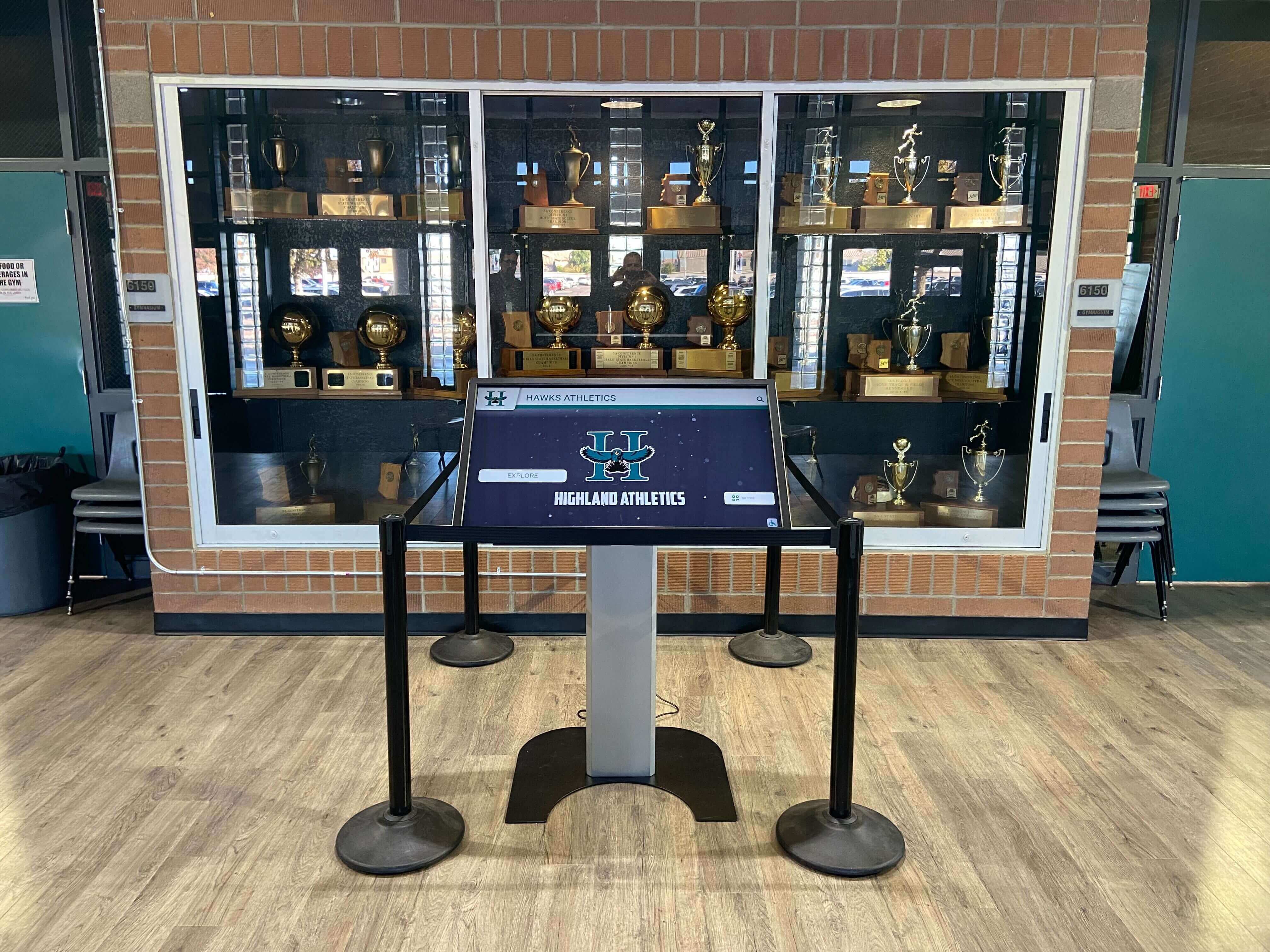
Kiosk software operates on diverse hardware configurations ranging from portable iPad stands to custom-built enclosed kiosks to large-format wall-mounted displays. Platform lock-in to specific hardware creates constraints limiting facility planning flexibility and increasing long-term costs.
Flexibility Requirements:
- Cross-platform operation (Windows, Android, iOS, ChromeOS, Linux)
- Display size adaptability from tablets through large-format touchscreens
- Touchscreen technology compatibility (capacitive, infrared, optical)
- Camera flexibility supporting DSLR, webcam, and integrated sensors
- Network connectivity options (ethernet, WiFi, cellular, offline operation)
- Peripheral device support (printers, card readers, scanners, external storage)
- Enclosure independence working with various kiosk cabinets or open installations
Hardware flexibility provides future-proofing as technology evolves and organizational needs change. Solutions supporting multiple platforms prevent vendor lock-in situations where replacing displays requires replacing entire software systems.
4. Content Management & Customization (Weight: 15%)
Interactive kiosks require frequent updates as events change, branding evolves, and content refreshes. Content management system efficiency directly determines staff time requirements and deployment scalability.
Critical CMS Capabilities:
- Cloud-based remote access enabling updates from anywhere without physical hardware access
- Intuitive template editors allowing non-technical staff to customize designs independently
- Multi-location management controlling distributed installations from centralized dashboards
- Role-based access control limiting editing capabilities by staff responsibility
- Preview functionality testing changes before pushing to public-facing displays
- Scheduled updates automating content changes for timed campaigns
- Bulk operations applying changes across multiple displays simultaneously
- Version control tracking changes and enabling rollback if issues occur
Organizations should evaluate whether current staff possess technical skills required to operate proposed systems. Platforms requiring coding or design expertise for routine updates create ongoing operational friction and vendor dependencies.
5. Reliability & Performance (Weight: 10%)
Public-facing interactive kiosks must operate reliably during extended periods without crashes, slowdowns, or unresponsive behavior. Performance failures during major events damage organizational credibility and create negative visitor experiences.
Performance Factors:
- Stability during continuous operation (days or weeks without restart)
- Response time under concurrent usage when multiple people interact
- Media processing speed for photo enhancement and sharing operations
- Network failure handling with offline queuing and automatic synchronization
- Resource efficiency preventing device overheating or battery drain
- Error logging facilitating troubleshooting when issues occur
- Remote monitoring enabling proactive identification of problems
Solutions deployed at high-traffic events must demonstrate proven reliability under real-world conditions. Organizations should request reference customers operating similar deployment scales.
6. Data Security & Privacy (Weight: 7%)
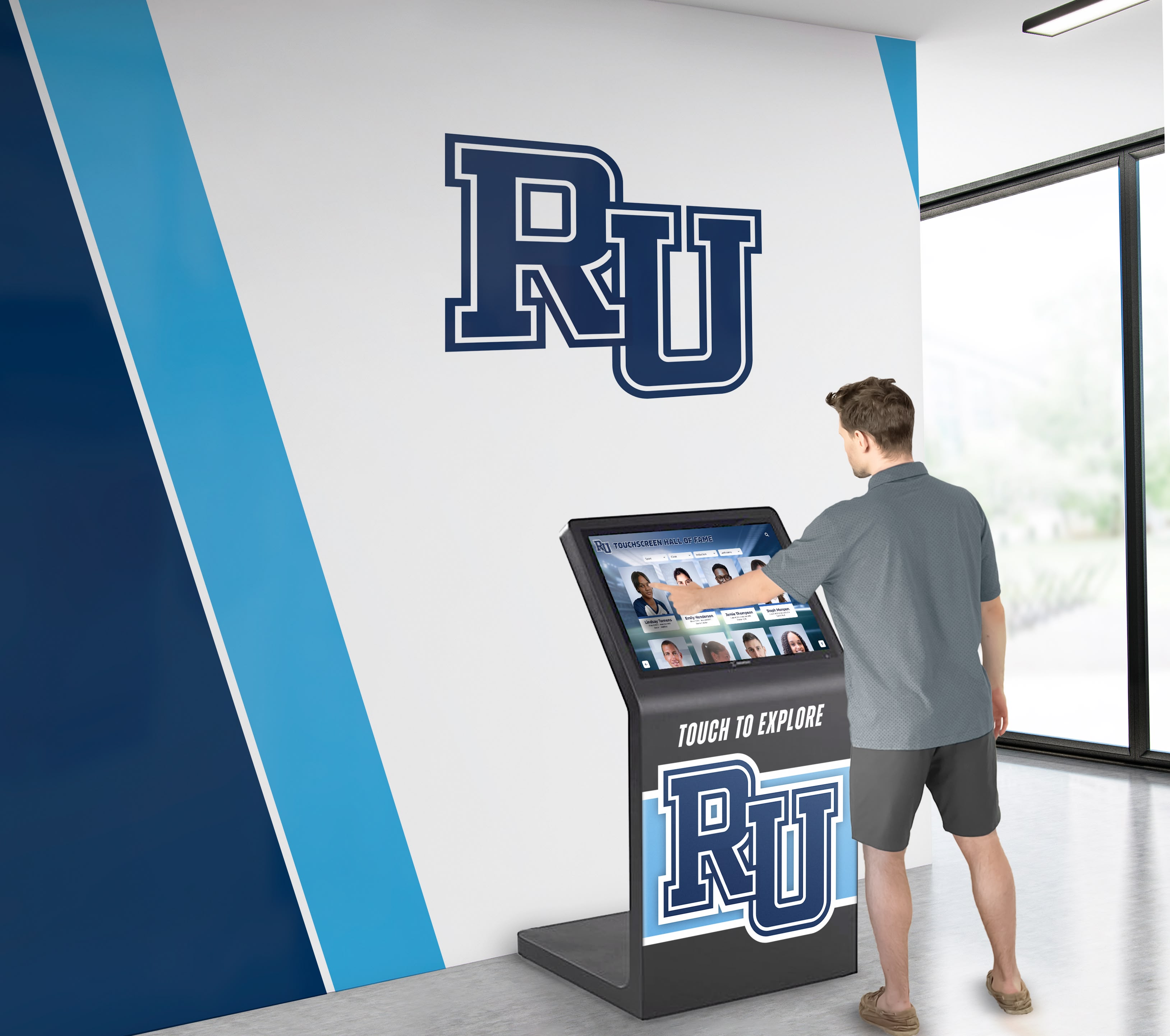
Interactive kiosks collect personal information including photos, email addresses, phone numbers, and demographic data. Security architecture must protect this information while maintaining appropriate access controls and regulatory compliance.
Security Requirements:
- Encrypted data transmission preventing interception during network transfer
- Secure cloud storage with appropriate access controls and backup systems
- Privacy compliance meeting GDPR, CCPA, COPPA, and other applicable regulations
- Consent management obtaining appropriate permissions before data collection
- Data retention policies automatically deleting information after specified periods
- Right to erasure enabling users to request information deletion
- Secure authentication for administrative access and content management
- Audit logging tracking all data access and modification events
Educational institutions collecting student data must ensure FERPA compliance, while organizations operating in Europe need GDPR conformance. Thorough security documentation review proves essential.
7. Total Cost of Ownership (Weight: 5%)
Budget realities constrain all technology decisions. Accurate cost analysis requires examining multi-year expenses rather than initial purchase price alone.
Cost Components:
- Software licensing (one-time perpetual vs. monthly subscription vs. per-event)
- Hardware acquisition (displays, computers, enclosures, peripherals)
- Installation and setup services for initial deployment
- Staff training ensuring confident independent operation
- Ongoing maintenance including updates, troubleshooting, and support
- Printing consumables (photo paper, ink, printer maintenance)
- Internet connectivity for cloud-based platforms and social sharing
- Future expansion costs as deployments scale to additional locations
Photo booth software pricing models vary dramatically. Per-event licensing works well for occasional use, while subscription or perpetual licensing better serves frequent deployments and permanent installations.
8. Vendor Stability & Support Quality (Weight: 3%)
Interactive kiosks often operate for multiple years across dozens or hundreds of events. Vendor stability, support quality, and continued development determine whether systems remain functional and competitive throughout their intended lifespan.
Viability Factors:
- Company longevity and financial stability
- Customer base size indicating market acceptance
- Support availability (business hours vs. 24/7, response time commitments)
- Documentation quality and completeness
- Update frequency for security patches and feature enhancements
- Community resources (user forums, tutorials, template libraries)
- Migration path if transitioning to different solutions becomes necessary
Established providers with substantial installed bases demonstrate lower abandonment risk compared to startups or individual developers offering solutions without commercial support infrastructure.
Traditional Photo Booth Software: Detailed Analysis
Traditional photo booth software focuses primarily on capturing photos, applying effects, and facilitating sharing through various channels. These platforms originated in the event entertainment industry and prioritize operator-controlled experiences over self-service public deployment.
Traditional Photo Booth Architecture Explained
When users interact with traditional photo booth software, the typical workflow consists of:
- Operator initiation launching photo capture sessions
- Camera interface triggering DSLR or webcam capture
- Effect application adding overlays, filters, and branding
- Output generation creating print files and digital copies
- Sharing facilitation distributing via email, text, social media, or printing
Traditional photo booth platforms excel at event entertainment but often lack the database functionality, content management capabilities, and self-service optimization required for permanent public installations serving broader interactive purposes.
Popular Traditional Photo Booth Platforms
Darkroom Booth
Darkroom Booth is positioned as a premium professional photo booth software platform with extensive feature sets and AI-powered capabilities. According to industry comparisons, it has expanded into AI-powered features including generative AI effects, AI face swap, and AI-generated design templates.
Key strengths include comprehensive feature sets for professional operators and advanced customization capabilities. However, it is praised for professional features and reliability but considered challenging to master, creating steeper learning curves for occasional users.
Snappic
Snappic offers iOS-specific photo booth software featuring AI sharing using facial recognition technology. Professional annual pricing is $499 with Enterprise annual fees at $1,599.
The platform supports 360 booths through its VideoFX feature and provides sophisticated AI-driven sharing capabilities. However, iOS specificity eliminates Windows-based hardware options, creating platform lock-in.
Social Booth
Social Booth provides Windows-based software with support for Canon DSLRs and webcams. The platform is optimized for touchscreen use, includes over 25 AI effects, and has built-in green screen removal.
Pricing is based on a license that includes one year of updates and installation on two separate PCs. The Windows focus provides compatibility with existing PC hardware many organizations already own.
SparkBooth
SparkBooth offers a relatively limited feature set but provides a lifetime license at a lower price point. Features include still photos or GIFs, digital stickers, instant email sharing, and custom borders.
The platform works well for budget-conscious occasional users but lacks the sophisticated capabilities professional installations require.
TOUCHPIX
TOUCHPIX offers flexible subscription options including weekly ($49.99), monthly ($139.99), semi-annual ($549.99), and annual ($999.99) pricing with features including offline background removal and custom photos.
The subscription flexibility works well for event professionals managing varied deployment schedules.
Limitations for Permanent Public Installations
While traditional photo booth software excels at event entertainment, several limitations constrain its suitability for permanent public interactive kiosks:
Limited Self-Service Optimization
Most photo booth software assumes operator presence guiding participants through workflows. Public installations require intuitive self-service interfaces that visitors can use independently without instructions or assistance.
Shallow Content Management
Photo booth platforms focus on session-based capture rather than managing persistent content libraries. Recognition displays, directory systems, and information kiosks require robust content management enabling frequent updates without software expertise.
No Database Functionality
Traditional photo booth software captures individual sessions but lacks database architecture for organizing, searching, and displaying persistent content collections like halls of fame, donor walls, or achievement archives.
Event-Centric Workflow
Photo booth platforms optimize for discrete events with defined start and end times. Permanent public installations require continuous operation with attract loops, idle timeout handling, and graceful network failure recovery.
Limited Multi-Purpose Capabilities
Traditional photo booth software serves single-purpose use cases well but struggles with multi-purpose deployments combining photo capture, information display, wayfinding, and interactive content exploration on shared hardware.
Organizations deploying permanent public interactive kiosks often discover that purpose-built interactive kiosk software platforms better serve their broader requirements.
Interactive Kiosk Software Platforms: Detailed Analysis

Interactive kiosk software platforms provide comprehensive solutions for public-facing installations serving diverse purposes beyond photo capture. These systems emphasize content management, database functionality, multi-purpose capability, and true self-service optimization.
Interactive Kiosk Architecture Explained
Modern interactive kiosk platforms typically consist of:
- Frontend interface optimized for touchscreen interaction and self-service use
- Content management system enabling remote updates and configuration
- Database backend organizing persistent content collections
- Media delivery infrastructure efficiently distributing photos, videos, and graphics
- Analytics platform tracking usage patterns and engagement metrics
- Security layer protecting collected data and administrative access
This architecture supports diverse applications including recognition displays, wayfinding systems, information kiosks, data collection terminals, and hybrid solutions combining multiple purposes on shared hardware.
Key Interactive Kiosk Platform Capabilities
Comprehensive Content Management
Unlike session-based photo booth software, interactive kiosk platforms provide robust content management systems enabling organizations to build, organize, and maintain persistent content libraries:
- Cloud-based dashboards accessible from anywhere enabling remote content updates
- Template systems maintaining visual consistency across content without design expertise
- Media libraries organizing photos, videos, documents, and graphics
- Categorization and tagging enabling sophisticated content organization
- Search and filtering allowing visitors to discover relevant information efficiently
- Multi-location management controlling distributed installations from centralized platforms
Organizations implementing touchscreen software for recognition benefit from purpose-built content management designed for long-term content lifecycle management.
Database-Driven Interactive Experiences
Interactive kiosk platforms leverage database architecture to power sophisticated discovery experiences:
- Searchable profiles enabling visitors to find specific individuals or content
- Advanced filtering by category, date, achievement type, or custom attributes
- Related content suggestions encouraging deeper exploration
- Alphabetical browsing providing familiar navigation patterns
- Random highlights showcasing featured content on attract loops
- Statistics tracking displaying aggregate metrics and leaderboards
These database capabilities prove essential for recognition displays, alumni directories, donor walls, and achievement archives where visitors need to discover specific content within large collections.
Multi-Purpose Flexibility
While photo booth software serves single-purpose use cases, interactive kiosk platforms accommodate multiple functions on shared hardware:
- Recognition displays showcasing achievements, honorees, and historical content
- Photo capture modes for event entertainment and memory creation
- Wayfinding and directories helping visitors navigate facilities
- Information kiosks presenting organizational content and resources
- Survey and data collection gathering feedback and contact information
- Announcement displays rotating current news and upcoming events
This flexibility enables organizations to maximize hardware investment by serving varied needs on shared installations rather than deploying single-purpose devices.
True Self-Service Optimization
Interactive kiosk platforms design for unattended public operation from the ground up:
- Attract loops drawing attention when idle and inviting interaction
- Intuitive navigation enabling visitors to complete tasks independently
- Timeout handling automatically returning to start screens after inactivity
- Error recovery gracefully handling mistakes without requiring staff intervention
- Accessibility features including text-to-speech, high contrast modes, and keyboard alternatives
- Vandalism resistance with kiosk mode operation preventing system access
Organizations deploying public-facing touchscreen displays require this level of self-service optimization that traditional photo booth software often lacks.
Advanced Analytics and Insights
Modern interactive kiosk platforms provide comprehensive analytics enabling data-driven optimization:
- Usage tracking measuring total interactions and engagement duration
- Popular content identification revealing which profiles generate most interest
- Navigation path analysis showing how visitors discover content
- Search query logging indicating what information visitors seek
- Demographic data collection (when appropriately disclosed and consented)
- A/B testing capabilities comparing interface variations for optimization
These insights prove invaluable for continuous improvement and demonstrating measurable program impact to stakeholders.
Head-to-Head Comparison: Decision Matrix
This weighted comparison evaluates traditional photo booth software and interactive kiosk platforms across critical criteria, using a 100-point scale where higher scores indicate better fit for permanent public installation requirements:
| Criteria | Weight | Photo Booth Software Score | Interactive Kiosk Platform Score | Winner |
|---|---|---|---|---|
| Touchscreen Optimization & UX | 25% | 70 | 95 | Interactive Kiosk |
| True self-service design | ⚠️ Operator-assisted | ✅ Unattended operation | ||
| Large touch targets | ⚠️ Varies | ✅ Optimized | ||
| Idle timeout handling | ⚠️ Limited | ✅ Comprehensive | ||
| Accessibility features | ⚠️ Minimal | ✅ Built-in | ||
| Feature Sophistication | 20% | 85 | 80 | Photo Booth |
| Photo capture quality | ✅ Excellent | ⚠️ Varies | ||
| Social media integration | ✅ Comprehensive | ⚠️ Available | ||
| AI effects | ✅ Advanced | ⚠️ Basic | ||
| Database functionality | ❌ Minimal | ✅ Comprehensive | ||
| Hardware & Deployment Flexibility | 15% | 65 | 90 | Interactive Kiosk |
| Cross-platform support | ⚠️ Platform-specific | ✅ Universal | ||
| Display size adaptability | ⚠️ Limited range | ✅ Fully responsive | ||
| Offline operation | ⚠️ Varies | ✅ Full functionality | ||
| Hardware independence | ⚠️ Often proprietary | ✅ Universal | ||
| Content Management | 15% | 60 | 95 | Interactive Kiosk |
| Remote cloud management | ⚠️ Limited | ✅ Comprehensive | ||
| Multi-location control | ❌ Minimal | ✅ Centralized | ||
| Non-technical staff usability | ⚠️ Varies | ✅ Intuitive | ||
| Persistent content libraries | ❌ Session-based | ✅ Database-driven | ||
| Reliability & Performance | 10% | 75 | 85 | Interactive Kiosk |
| Continuous operation | ⚠️ Event-focused | ✅ 24/7 design | ||
| Network failure handling | ⚠️ Varies | ✅ Graceful degradation | ||
| Resource efficiency | ⚠️ Good | ✅ Excellent | ||
| Remote monitoring | ⚠️ Limited | ✅ Comprehensive | ||
| Data Security & Privacy | 7% | 80 | 85 | Interactive Kiosk |
| Privacy compliance | ✅ Available | ✅ Built-in | ||
| Data retention controls | ⚠️ Limited | ✅ Automated | ||
| Secure authentication | ⚠️ Varies | ✅ Multi-layer | ||
| Total Cost of Ownership (3-year) | 5% | 75 | 80 | Interactive Kiosk |
| Initial software cost | ✅ Lower | ⚠️ Higher | ||
| Hardware flexibility | ⚠️ Limited | ✅ Universal | ||
| Maintenance burden | ⚠️ Higher | ✅ Lower | ||
| Multi-purpose value | ❌ Single use | ✅ Multiple functions | ||
| Vendor Stability & Support | 3% | 80 | 85 | Interactive Kiosk |
| Market maturity | ✅ Established | ✅ Growing | ||
| Support quality | ✅ Available | ✅ Comprehensive | ||
| Update frequency | ✅ Regular | ✅ Continuous | ||
| WEIGHTED TOTAL SCORE | 100% | 73.45 | 89.60 | Interactive Kiosk |
Interpretation of Comparison Results

This weighted analysis suggests interactive kiosk platforms better serve permanent public installation requirements for most organizations deploying fixed installations. However, traditional photo booth software proves superior for specific use cases:
Choose Traditional Photo Booth Software When:
- Primary purpose is event entertainment with photo capture and instant sharing
- Operator will be present to guide participants through workflows
- Need cutting-edge AI effects and social media integration
- Deploying for discrete events rather than permanent installations
- Budget constraints limit initial investment
- Don’t require database functionality or persistent content management
Choose Interactive Kiosk Platforms When:
- Deploying permanent public installations requiring unattended operation
- Need multi-purpose functionality beyond photo capture alone
- Require database-driven content for recognition displays or directories
- Managing content across multiple distributed locations
- Want centralized cloud-based content management
- Prioritize long-term scalability and operational efficiency
- Need true self-service optimization for public use
Organizations deploying hybrid solutions combining occasional photo booth entertainment with permanent recognition displays often benefit from interactive kiosk platforms offering photo capture as one feature among broader capabilities.
Why Rocket Alumni Solutions Wins for Recognition-Focused Deployments
Organizations implementing interactive kiosks primarily for recognition, donor acknowledgment, achievement celebration, or historical preservation face specialized requirements that neither traditional photo booth software nor generic kiosk platforms fully address. Rocket Alumni Solutions demonstrates why purpose-built recognition software outperforms adapted general-purpose tools:
Recognition-Specific Architecture
Rocket deploys interactive kiosk software specifically designed for celebrating achievements, showcasing honorees, and preserving institutional history. This specialized focus delivers capabilities generic platforms cannot efficiently provide:
- Unlimited recognition capacity without artificial profile limits or performance degradation
- Auto-ranking systems dynamically organizing achievements by statistical performance
- Rich multimedia integration seamlessly incorporating photos, videos, and biographical narratives
- Advanced search and filtering enabling visitors to discover honorees by multiple criteria
- Chronological organization presenting achievements within historical context
- QR code generation extending recognition beyond physical displays to mobile devices
Organizations implementing digital hall of fame solutions benefit from features specifically designed for recognition rather than adapting photo booth or generic kiosk software.
Hybrid Deployment Flexibility
Rocket provides unified platforms powering both physical touchscreen kiosks and web-accessible online recognition simultaneously from single content management systems:
- Physical touchscreen displays for high-traffic lobby installations
- Web-accessible halls of fame reaching global audiences beyond physical locations
- Mobile-responsive design ensuring perfect display across all devices
- Synchronized content automatically updating both physical and web deployments
- Unified analytics combining engagement data from all access points
This hybrid architecture maximizes recognition reach while maintaining centralized content management efficiency.
Comprehensive Implementation Support
Technical capability matters less if organizations struggle with implementation. Rocket provides end-to-end assistance distinguishing purpose-built vendors from generic software platforms:
- Content migration services digitizing historical achievements from physical plaques and records
- Recognition strategy consulting helping institutions establish selection criteria
- Hardware recommendations matching display specifications to installation environments
- Staff training ensuring content managers operate systems confidently
- Ongoing technical support resolving issues rapidly when they occur
Proven Reliability at Scale
With over 1,000 installations across educational institutions, sports facilities, and nonprofit organizations nationwide, Rocket demonstrates operational stability that startup vendors cannot match:
- 99%+ uptime supporting mission-critical recognition during major events
- Commercial-grade hardware rated for continuous 24/7 operation
- Redundant infrastructure preventing single points of failure
- Regular security updates maintaining protection against evolving threats
- Long-term vendor stability ensuring continued support throughout multi-year deployments
Organizations implementing interactive touchscreen recognition displays need vendors who will remain viable for the decade-long lifespan of their installations.
WCAG 2.1 AA Accessibility Compliance
Rocket’s architecture implements accessibility at the foundation rather than adding it retroactively:
- Third-party accessibility audits validating compliance with ADA requirements
- Screen reader optimization ensuring content accessibility for visually impaired visitors
- Keyboard navigation providing touch alternatives for users with motor disabilities
- Color contrast compliance meeting minimum ratio requirements throughout interfaces
- Responsive text scaling maintaining usability at enlarged sizes
Educational institutions and government entities facing strict accessibility mandates can deploy Rocket with confidence.
Multi-Purpose Capability When Needed
While optimized for recognition, Rocket’s platform accommodates supplementary functions organizations commonly require:
- Event photo capture for homecoming, reunions, and celebration events
- Donor acknowledgment showcasing contribution levels and recognition
- Wayfinding assistance providing facility maps and directory information
- Announcement rotation displaying current news during idle periods
- Survey collection gathering feedback from visitors
This flexibility enables organizations to maximize hardware investment by serving varied needs on shared installations.
Use Case Analysis: Selecting the Right Approach
Different organizational contexts and use cases benefit from different software architectural approaches. This analysis helps match solutions to requirements:
School Recognition Displays
Scenario: High school deploying touchscreen kiosk in athletic facility lobby to showcase championship history, honor inductees, and celebrate current athletes.
Requirements:
- Database of athletes spanning decades with photos, statistics, and achievements
- Easy content updates for new inductees and current season highlights
- Self-service visitor operation during games and events
- Web accessibility for alumni browsing remotely
- Long-term reliability with minimal maintenance
Recommended Solution: Interactive kiosk platform like Rocket Alumni Solutions specifically designed for recognition, offering database functionality, content management, and hybrid physical/web deployment.
Organizations implementing athletic recognition displays benefit from purpose-built platforms rather than adapting photo booth software.
Corporate Event Photo Booth
Scenario: Marketing team hosting trade show activation with branded photo experiences generating social media content and lead capture.
Requirements:
- High-quality photo capture with professional effects
- Instant social media sharing with pre-populated hashtags
- Custom overlays with sponsor logos and branding
- Lead capture through email collection
- Portable setup for multi-event deployment
Recommended Solution: Traditional photo booth software like Darkroom Booth or Snappic optimized for event entertainment with sophisticated effects and sharing capabilities.
Museum Interactive Exhibits
Scenario: History museum deploying interactive kiosks throughout facility providing artifact information, video content, and visitor wayfinding.
Requirements:
- Rich multimedia content presentation
- Intuitive self-service navigation
- Continuous unattended operation
- Content management across multiple kiosks
- Analytics tracking visitor engagement patterns
Recommended Solution: Interactive kiosk platform with robust content management, offline operation, and multi-location control capabilities.
Institutions implementing interactive displays in public spaces require true self-service optimization.
University Alumni Center
Scenario: University alumni relations deploying lobby touchscreen combining recognition display, event photo booth, and donor acknowledgment.
Requirements:
- Alumni database with biographical profiles and accomplishments
- Occasional photo booth functionality during reunion events
- Donor wall showcasing contribution levels
- Remote content management by advancement staff
- Hybrid physical and web accessibility
Recommended Solution: Interactive kiosk platform with recognition-specific capabilities offering multi-purpose functionality and comprehensive content management.
Organizations managing alumni recognition programs benefit from platforms accommodating diverse requirements on unified hardware.
Corporate Lobby Wayfinding
Scenario: Corporate headquarters deploying lobby kiosk providing building directory, meeting room schedules, and visitor check-in.
Requirements:
- Directory database synchronized with employee management systems
- Real-time calendar integration showing meeting availability
- Visitor registration capturing contact information
- Professional appearance matching corporate branding
- Integration with security access control systems
Recommended Solution: Interactive kiosk platform with API integration capabilities, database functionality, and enterprise security features.
Common Implementation Mistakes to Avoid

Even with optimal software platform selection, implementation errors undermine interactive kiosk effectiveness:
Underestimating User Experience Importance
Organizations focus on feature lists while overlooking that public visitors judge systems based on ease of use. Complex interfaces requiring instructions fail in public settings. Invest in user testing with representative visitors before finalizing interfaces.
Neglecting Network Infrastructure Planning
Many kiosk platforms require reliable internet connectivity for cloud synchronization, social sharing, and content management. Installations in locations with weak WiFi or unreliable networks experience frequent disruptions. Ensure robust connectivity or select platforms with comprehensive offline capabilities.
Ignoring Accessibility Requirements
Federal accessibility standards under the Americans with Disabilities Act mandate equivalent access for users with disabilities. Kiosks lacking keyboard navigation, screen reader compatibility, or appropriate touch target sizing expose organizations to legal liability while excluding community members. Prioritize WCAG 2.1 AA conformance from inception.
Overlooking Content Development Effort
Organizations purchase software without recognizing that creating comprehensive content for recognition displays, directories, or information kiosks requires substantial time investment. Budget for content migration services or dedicated staff time ensuring quality content at launch.
Selecting Inappropriate Hardware
Consumer-grade televisions and tablets not designed for continuous public operation fail within months when deployed as kiosks. Invest in commercial-grade displays rated for 16-24 hour daily operation with appropriate warranty coverage for public use.
Skipping Analytics Integration
Without measuring engagement, organizations cannot assess program effectiveness or justify continued investment. Implement analytics tracking usage patterns, popular content, navigation paths, and session duration enabling continuous improvement.
Inadequate Staff Training
Intuitive software still requires training ensuring content managers understand capabilities and workflows. Insufficient training leads to underutilization of advanced features and continued IT dependence for routine updates.
Future Trends Shaping Interactive Kiosk Software
Understanding emerging trends helps organizations select solutions that will remain relevant throughout multi-year deployments:
Artificial Intelligence Integration
AI will transform interactive kiosk experiences through:
- Automated content generation creating descriptive text from photos and data
- Intelligent search understanding natural language queries for better discovery
- Personalization highlighting connections between visitors and content
- Voice interaction enabling verbal commands alongside touch input
- Computer vision analyzing user behavior for interface optimization
Organizations should evaluate vendor roadmaps for AI integration timelines and capabilities.
Augmented Reality Extensions
AR capabilities will enable mobile devices to extend physical kiosk experiences:
- QR code scanning launching detailed mobile experiences from physical displays
- AR photo features placing visitors in scenes with virtual elements
- 360-degree content providing immersive exploration of spaces and events
- Social sharing encouraging visitors to spread content across networks
Solutions implementing interactive recognition strategies should plan for AR integration as technology matures.
Enhanced Privacy Controls
Privacy regulations continue evolving globally. Interactive kiosk software must provide:
- Consent management tracking user permissions for data collection
- Right to erasure enabling information deletion upon request
- Data portability exporting personal information in structured formats
- Privacy notices informing visitors about collection practices
Vendors should demonstrate privacy compliance readiness for GDPR, CCPA, and emerging regulations.
5G and Edge Computing
Next-generation connectivity and processing capabilities will enable:
- Real-time video processing with AI effects applied instantly
- High-quality streaming for interactive video content
- Cloud rendering offloading processing from local hardware
- Multi-location synchronization with minimal latency
Biometric Integration
Emerging authentication and personalization capabilities include:
- Facial recognition for personalized content without manual input
- Automatic photo tagging identifying individuals for targeted sharing
- Emotion detection adapting interfaces based on visitor reactions
- Age estimation presenting appropriate content for different audiences
Privacy considerations and regulatory compliance will govern biometric feature adoption rates.
Deal-Breaker Checklist: Red Flags to Watch
When evaluating specific interactive kiosk software vendors, watch for warning signs indicating potential future problems:
Software Architecture Red Flags
❌ Requires constant internet connectivity — Kiosks must operate during network outages. Reject solutions lacking comprehensive offline capabilities.
❌ Platform lock-in without disclosed alternatives — Avoid solutions restricting future hardware choices without compelling technical justification.
❌ Proprietary content formats — Ensure ability to export data in standard formats (JSON, CSV, SQL) enabling migration if vendor relationships end.
❌ No accessibility documentation — If vendors cannot provide WCAG compliance statements, assume non-compliance exposing organizations to legal liability.
Content Management Red Flags
❌ Requires coding for content updates — Non-technical staff must update content independently. Systems requiring developer assistance for routine updates prove unsustainable.
❌ No bulk import capabilities — Manually entering hundreds of profiles creates insurmountable implementation barriers. Bulk import is mandatory for recognition displays.
❌ Per-profile or per-photo pricing models — Avoid vendors charging per content item. Recognition programs and photo libraries grow over time, making per-item pricing increasingly expensive.
Vendor and Support Red Flags
❌ No reference customers in your sector — Vendors without proven experience in your industry lack understanding of specific requirements.
❌ Limited support hours — Interactive kiosks operate during evenings and weekends when events occur. Vendors offering only business-hours support create risk.
❌ No documented SLA — Without uptime commitments and response time guarantees, vendors face no accountability for reliability.
❌ Startup vendors without financial backing — Kiosks operate for multiple years. Vendors without financial stability may disappear, leaving systems unsupported.
Decision Framework: Choosing Your Approach
This framework guides organizations through the evaluation process systematically:
Step 1: Define Primary Use Case
- Event photo booth: Traditional photo booth software optimized for entertainment
- Recognition display: Interactive kiosk platform with database and content management
- Wayfinding/information: Interactive kiosk platform with directory capabilities
- Multi-purpose: Interactive kiosk platform with flexible feature sets
Step 2: Assess Deployment Context
- Occasional events: Consider rental or per-event licensing
- Permanent installation: Invest in subscription or perpetual licensing
- Multiple locations: Prioritize centralized cloud-based management
Step 3: Evaluate Staff Technical Capabilities
- Limited IT resources: Require intuitive interfaces with comprehensive vendor support
- Strong technical teams: Can manage more complex platforms with advanced customization
Step 4: Determine Budget Constraints
- Budget <$5,000: Photo booth software or tablet-based solutions
- Budget $5,000-$20,000: Professional photo booth or entry-level interactive kiosk platforms
- Budget >$20,000: Comprehensive interactive kiosk platforms with hardware
Step 5: Assess Hardware Requirements
- Existing hardware to reuse: Prioritize cross-platform software supporting current devices
- New hardware procurement: Consider integrated solutions or work with vendors recommending appropriate equipment
Step 6: Review Accessibility Mandates
- ADA compliance required: Verify WCAG 2.1 AA conformance with documentation
- Public sector deployment: Ensure Section 508 compliance
- Inclusive values: Prioritize accessibility even without legal requirements
Step 7: Evaluate Long-Term Vendor Relationships
- Prefer partnerships: Comprehensive vendor support and implementation assistance
- Value independence: Open platforms with flexible migration paths
Organizations implementing interactive kiosk solutions should document evaluation processes, scoring alternatives against weighted criteria to support informed decision-making.
Conclusion: Making Your Interactive Kiosk Software Decision
The interactive kiosk software decision fundamentally shapes user experience quality, operational efficiency, and long-term program success. While numerous options exist across traditional photo booth software and comprehensive interactive kiosk platforms, the right choice depends entirely on your specific use cases, deployment context, and organizational requirements.
For event entertainment and photo capture, traditional photo booth software like Darkroom Booth, Snappic, and Social Booth deliver sophisticated AI effects, social media integration, and photo sharing capabilities optimized for operator-assisted entertainment experiences.
For permanent public installations emphasizing recognition, information display, wayfinding, or multi-purpose functionality, interactive kiosk platforms provide the database architecture, content management systems, self-service optimization, and operational reliability that public deployments require.
For recognition-focused deployments in schools, universities, sports facilities, and nonprofit organizations, purpose-built platforms like Rocket Alumni Solutions deliver specialized capabilities that neither photo booth software nor generic kiosk platforms efficiently provide, combining recognition-specific features with comprehensive implementation support and proven long-term reliability.
The investment you make in interactive kiosk software will serve your organization for years, creating visitor experiences, capturing memories, showcasing achievements, and extending engagement beyond physical locations. Choose platforms that honor their purposes with the quality, reliability, and professionalism they deserve.
Ready to explore interactive kiosk solutions designed specifically for recognition and public engagement? Learn more about Rocket Alumni Solutions’ touchscreen software designed for educational institutions, sports facilities, and organizations celebrating excellence. Discover touchscreen software implementation strategies, explore interactive kiosk applications, or review digital recognition best practices that maximize program impact.
Your interactive experiences deserve technology platforms specifically designed to engage, inspire, and deliver reliable performance for years to come. Choose solutions that match the importance of the experiences they create.
Disclaimer: This comparison is based on publicly available information as of November 2025. All product names and trademarks belong to their respective owners. Comparative statements reflect Rocket Alumni Solutions’ interpretation of available data and may change over time. This content was produced by or on behalf of Rocket Alumni Solutions. All trademarks are property of their respective owners. Rocket Alumni Solutions is not affiliated with or endorsed by Darkroom Booth, Snappic, Social Booth, SparkBooth, TOUCHPIX, Intuiface, HootBoard, or any other photo booth or interactive kiosk software vendors mentioned in this analysis.
Sources:
- Top 8 Photo Booth Trends for Events in 2025 - Foto ATM
- An In-depth Comparison of Photo Booth Software Providers - Snapbar
- The 13 Best Photo Booth Software | Honcho
































