



Key Takeaways
Discover how to transform old school photos into engaging digital displays. Learn digitization strategies, display technologies, and interactive solutions that preserve history while inspiring current students.
Schools, universities, and alumni associations worldwide recognize the power of historical photos to build community identity, inspire current students through examples of past excellence, and strengthen alumni connections by showcasing their younger selves and cherished school memories. Yet traditional approaches to displaying historical photos face significant limitations—physical space constraints limiting how many images can be shown, deterioration of original materials over time, inability to search for specific people or events, and inaccessibility for alumni who cannot visit campus regularly.
Digital display solutions address every one of these challenges while introducing powerful new capabilities that were impossible with traditional photo boards and framed displays. Whether you’re sitting on decades of undisplayed yearbooks, facing overflowing archives of loose historical photos, or planning to digitize recent collections before they become tomorrow’s forgotten history, this guide provides practical strategies for transforming old school photos into engaging digital displays that preserve legacy while inspiring pride.
Understanding the Value of Digitizing Old School Photos
Before investing time and resources into digitization and display projects, it’s important to understand exactly what makes these efforts worthwhile and how they benefit educational communities.
Preservation of Irreplaceable Historical Materials
Physical photographs deteriorate inevitably over time. Color photos fade, especially when exposed to light. Black-and-white prints yellow and become brittle. Chemical processes degrade images printed on acidic paper. Even properly stored photos eventually show wear from handling during viewing.
Digital preservation creates permanent backup copies immune to physical deterioration. Once digitized at sufficient resolution, the digital file preserves image quality indefinitely regardless of what happens to fragile originals. This protection alone justifies digitization efforts for historically significant collections, ensuring future generations can access these materials long after originals have deteriorated beyond usability.
Accessibility for Widespread Audiences
Traditional photo displays reach only those physically present in specific campus locations. Alumni who moved away decades ago cannot view yearbook photos from their school years unless they happen to visit campus or maintain personal copies. Families researching institutional history face access barriers if materials remain in controlled archives requiring appointments and travel.
Digital displays with online components extend access globally. Alumni anywhere in the world can search for their own photos, browse their graduation year, or explore their era’s campus life from home computers or smartphones. This accessibility strengthens alumni connections and engagement by removing geographic barriers to institutional heritage.
Enhanced Engagement Through Interactivity
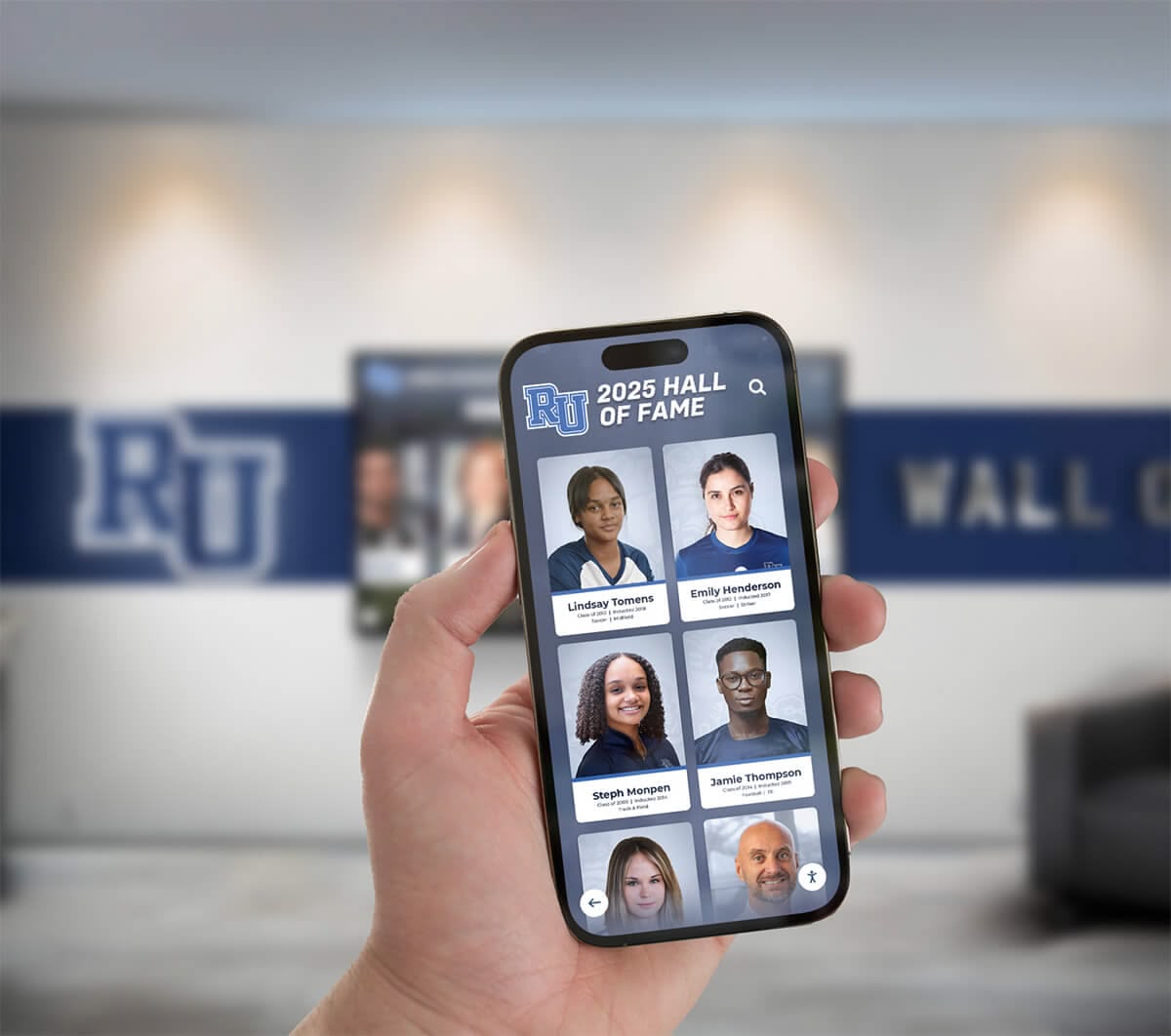
Static physical displays offer passive viewing experiences—visitors might glance at photo boards but rarely engage deeply. Digital interactive systems transform viewing into active exploration where users search for specific people, filter by year or event type, zoom into photograph details, and discover connections between related images.
This interactivity dramatically increases engagement duration and depth. When visitors can search for their own names or graduation years, browse teammates from championship seasons, or explore specific historical periods, they invest attention rather than simply passing by. Analytics from interactive recognition displays demonstrate that interactive systems generate 5-10x longer engagement than passive displays.
Crowdsourced Enhancement and Identification
Digital platforms enable community participation in improving collections. Alumni viewing photos from their eras can identify previously unknown people, correct errors in captions, provide context about when and where photos were taken, and contribute additional photos from personal collections.
This crowdsourced knowledge enhancement proves impossible with static physical displays where viewer feedback mechanisms don’t exist. Digital systems with simple feedback forms or comment capabilities tap into distributed community knowledge, continuously improving collection quality and completeness.
Inspiration for Current Students
Historical photos make institutional excellence tangible for current students. When today’s athletes see championship teams from decades past, when aspiring scholars view distinguished alumni during their student years, or when performers discover traditions stretching back generations, they connect personally to institutional legacy.
Well-curated historical photo displays answer the implicit question every student asks: “Did people like me succeed here?” Diverse representation across eras, achievement types, and backgrounds helps every current student find inspiring examples relevant to their own aspirations and identity.
Planning Your Old School Photo Digitization Project
Successful digitization projects begin with thoughtful planning establishing clear objectives, realistic scope, and systematic processes before diving into scanning activities.
Assessing Your Photo Collection
Start by understanding what materials exist and their current condition:
Inventory Existing Collections:
- Bound yearbooks from all available years
- Loose photographs in school archives or storage
- Athletic program photos and team pictures
- Event documentation (dances, ceremonies, competitions)
- Facility and campus evolution photographs
- Faculty and staff portraits
- Student organization and club photos
- Personal collections donated by alumni or community members
Evaluate Material Condition:
- Identify photos requiring conservation before handling
- Note items too fragile for standard scanning methods
- Document existing deterioration requiring priority digitization
- Assess whether original materials will remain accessible after digitization
Prioritize for Maximum Impact:
- Begin with most historically significant or at-risk materials
- Focus on eras with strongest alumni engagement potential
- Address gaps in currently displayed historical content
- Consider upcoming anniversaries or reunion events driving interest

Defining Project Goals and Success Metrics
Clear objectives guide decisions throughout digitization and display implementation:
Common Project Objectives:
- Heritage Preservation: Permanently protect deteriorating materials for future generations
- Alumni Engagement: Strengthen graduate connections through accessible memories
- Student Inspiration: Showcase historical excellence and institutional traditions
- Community Pride: Demonstrate institutional legacy and distinguished history
- Research Resource: Create searchable archives for historical research and documentation
Define specific success metrics aligned with objectives: number of photos digitized, percentage of photos with complete metadata, visitor engagement statistics for displays, alumni participation in identification efforts, or student usage in projects and research.
Establishing Sustainable Workflows
One-time digitization campaigns create initial digital collections but leave future gaps. Sustainable approaches ensure ongoing documentation:
Ongoing Digitization Processes:
- Immediately digitize current year yearbooks and key photos annually
- Establish submission systems for alumni contributing historical materials
- Schedule regular archival scanning sessions for accumulating materials
- Create student volunteer or work-study positions supporting digitization
- Build digitization time into regular archival or library staff workflows
Quality Control Standards:
- Establish minimum resolution requirements (typically 600 dpi for photos)
- Define file format standards for both master and access copies
- Create metadata templates ensuring consistent information capture
- Implement verification processes catching errors before publishing
- Maintain clear version control and backup protocols
Resources about historical photo archives for schools provide additional guidance on building comprehensive, sustainable digitization programs.
Digitization Methods and Best Practices
Quality digitization requires appropriate equipment, proper technique, and attention to preservation standards.
Equipment Options for Different Budgets
Your scanning approach depends on collection size, material types, timeline, and available budget:
Consumer Equipment (Budget: $200-$1,000)
- Flatbed scanners with photo-specific capabilities
- Minimum 600 dpi optical resolution for photographs
- Document cameras for yearbooks and bound materials
- Smartphone scanning apps for quick field digitization
- External hard drives for backup storage
- Best for: Small to moderate collections, limited budgets
- Limitations: Slower throughput, manual process-intensive
Professional Services (Cost: $0.50-$3.00 per image)
- High-speed professional scanners for bulk processing
- Specialized equipment for fragile materials
- Color correction and image enhancement expertise
- Faster turnaround for large projects
- Professional quality control processes
- Best for: Large collections, time-sensitive projects, fragile materials
- Limitations: Higher upfront cost, less control over scheduling
Many institutions successfully combine approaches—handling straightforward recent materials in-house while outsourcing large historical collections or challenging items like fragile newspaper clippings, oversized prints, or deteriorating vintage photos requiring specialized handling.
Technical Specifications for Quality Digitization
Proper settings ensure digital files serve both current display needs and long-term preservation purposes:
Resolution Guidelines:
- Minimum 600 dpi for standard photographs ensuring quality viewing and printing
- 1200 dpi or higher for small photos requiring enlargement or high-detail preservation
- 300 dpi acceptable for quick reference scans of already-printed yearbook pages
- Higher resolution for historically significant materials warranting maximum quality
Color and Format Settings:
- Scan in color even for black-and-white photos (captures subtle toning information)
- Save master files in uncompressed TIFF format for archival preservation
- Create access copies in JPEG format with 85-90% quality for practical use
- Use appropriate color profiles (sRGB for web display, Adobe RGB for printing)
- Enable dust and scratch removal features when available
File Naming and Organization:
- Implement consistent naming conventions: YEAR-CATEGORY-EVENT-DESCRIPTION
- Example: “1985-Athletics-Football-StateChampionship-TeamPhoto”
- Avoid special characters that cause digital system problems
- Create logical folder hierarchies matching how users will search
- Maintain clear separation between master preservation files and access copies

Metadata Creation for Searchability
Digital images without descriptive information lose much of their historical value. Comprehensive metadata transforms photo collections into useful, searchable resources:
Essential Metadata Elements:
When (Date Information):
- Exact dates when known (MM/DD/YYYY format)
- Approximate dates when precise information unavailable (circa 1965, mid-1970s)
- Academic year association (1984-85 school year)
- Era or period for undated materials (post-war era, early 2000s)
Who (People Identification):
- Full names of all identifiable individuals with proper spelling
- Row and position information for group photos (front row, third from left)
- Roles or titles when relevant (Coach Smith, Principal Jones)
- Notation when identification is incomplete or uncertain
Where (Location Information):
- Specific campus buildings or facilities
- Off-campus locations for away events
- Geographic context (city, state) for travel events
- Room or space identification when historically significant
What (Event Description):
- Specific events or occasions (Homecoming 1972, State Championship game)
- General activity categories (classroom instruction, pep rally, graduation)
- Sport, subject, or program context
- Historical significance or notable aspects
Additional Context:
- Source of photo (yearbook page 42, donated by John Smith ‘75)
- Photographer credit when known
- Rights and permissions information
- Connections to other photos or events
- Historical notes explaining significance
Crowdsourced Metadata Enhancement:
Initial scanning efforts often leave identification gaps, particularly for older photos where current staff lack personal knowledge. Digital display systems enable ongoing community contributions:
- Implement feedback forms integrated into display interfaces
- Allow alumni to suggest identifications or corrections
- Create periodic “Can you identify these photos?” campaigns via social media
- Host alumni scanning events where attendees provide context for their eras
- Build verification workflows confirming crowdsourced information before publishing
Digital Display Technology Options
Digitized photos deliver value only when displayed in ways that engage audiences and enable discovery. Various technology approaches suit different contexts, goals, and budgets.
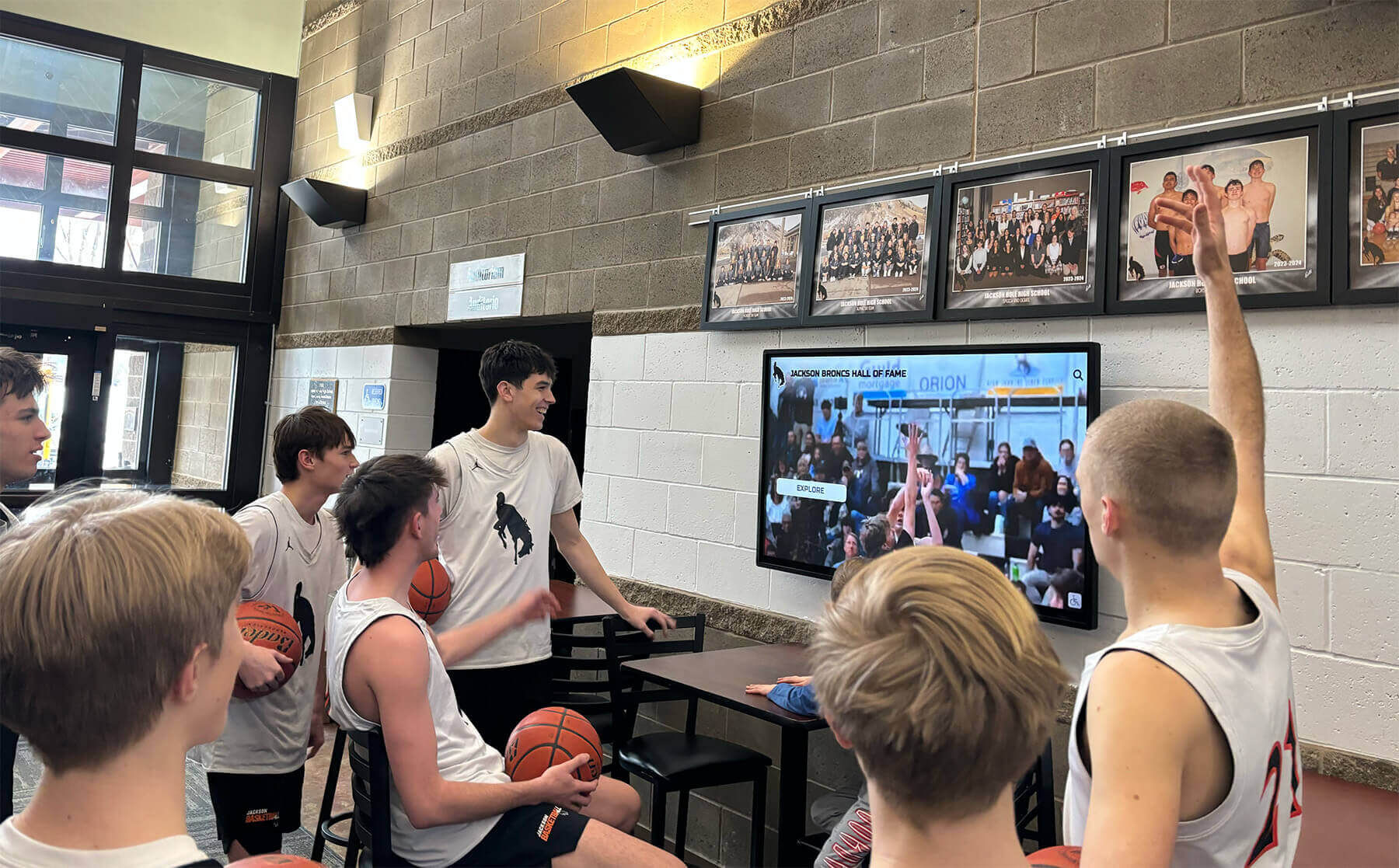
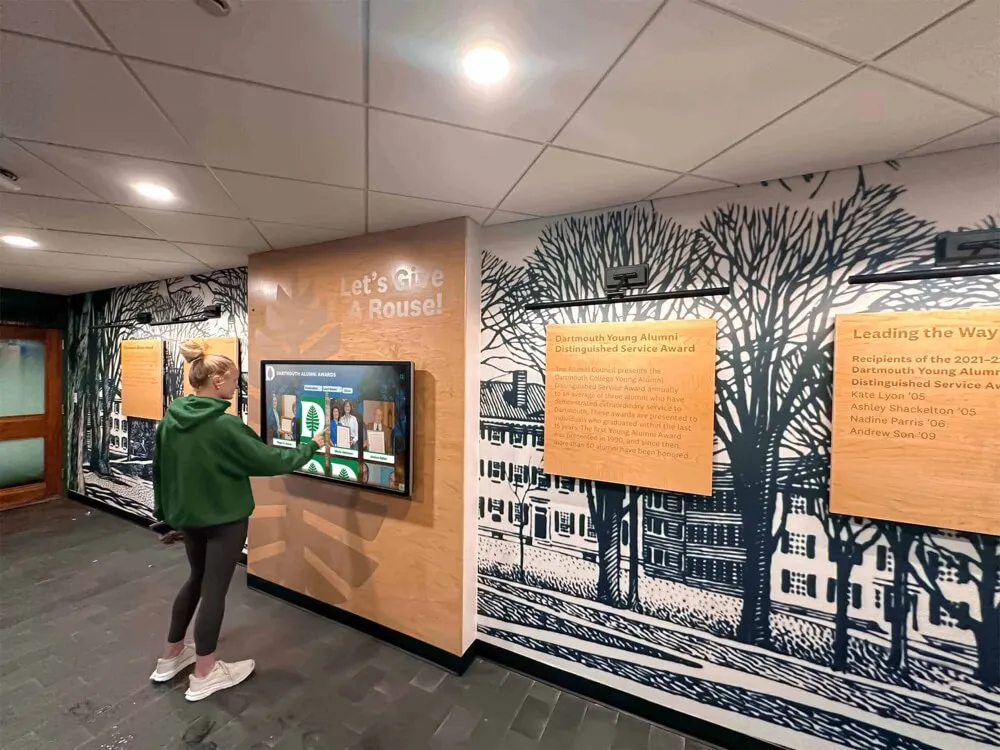
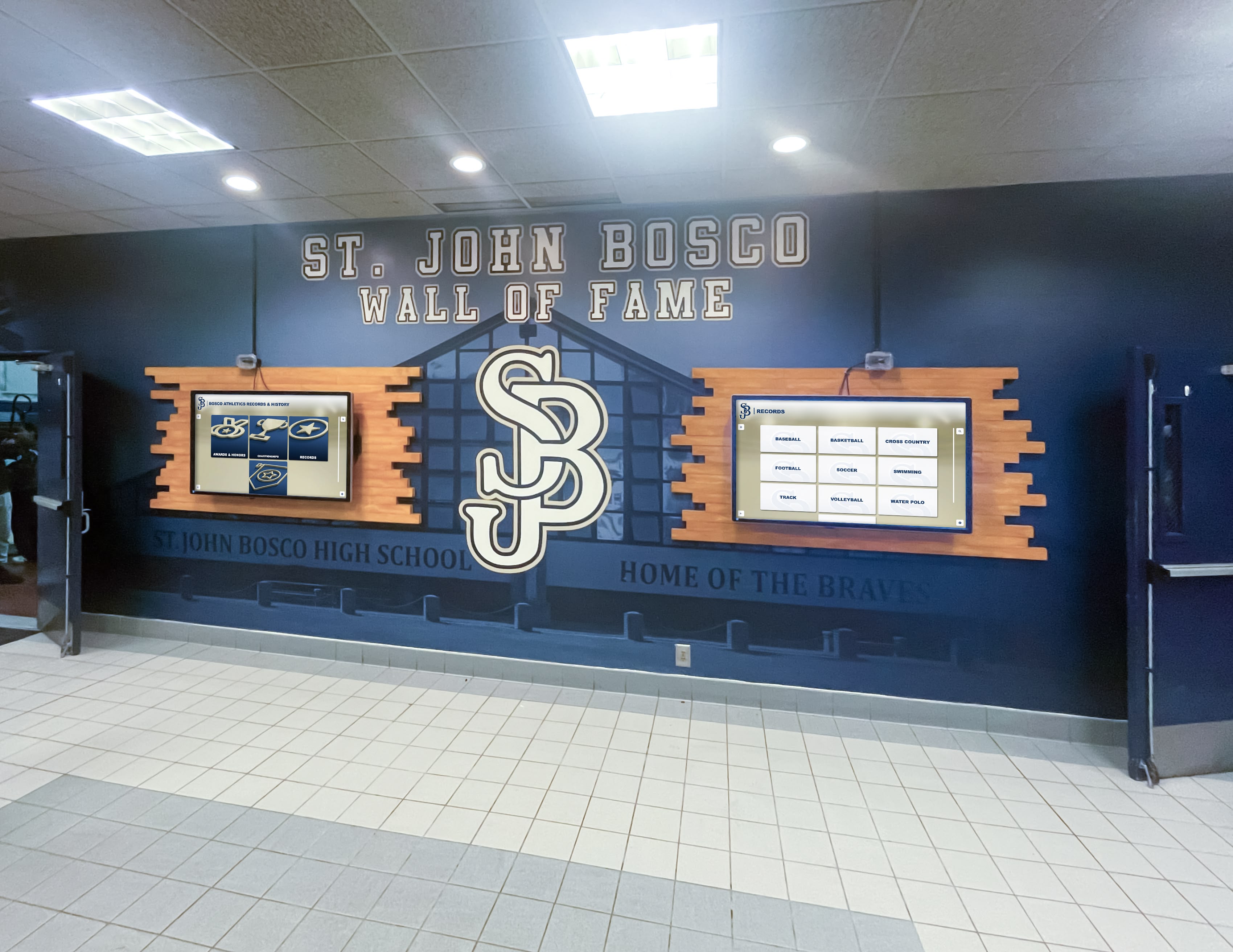
Interactive Touchscreen Display Systems
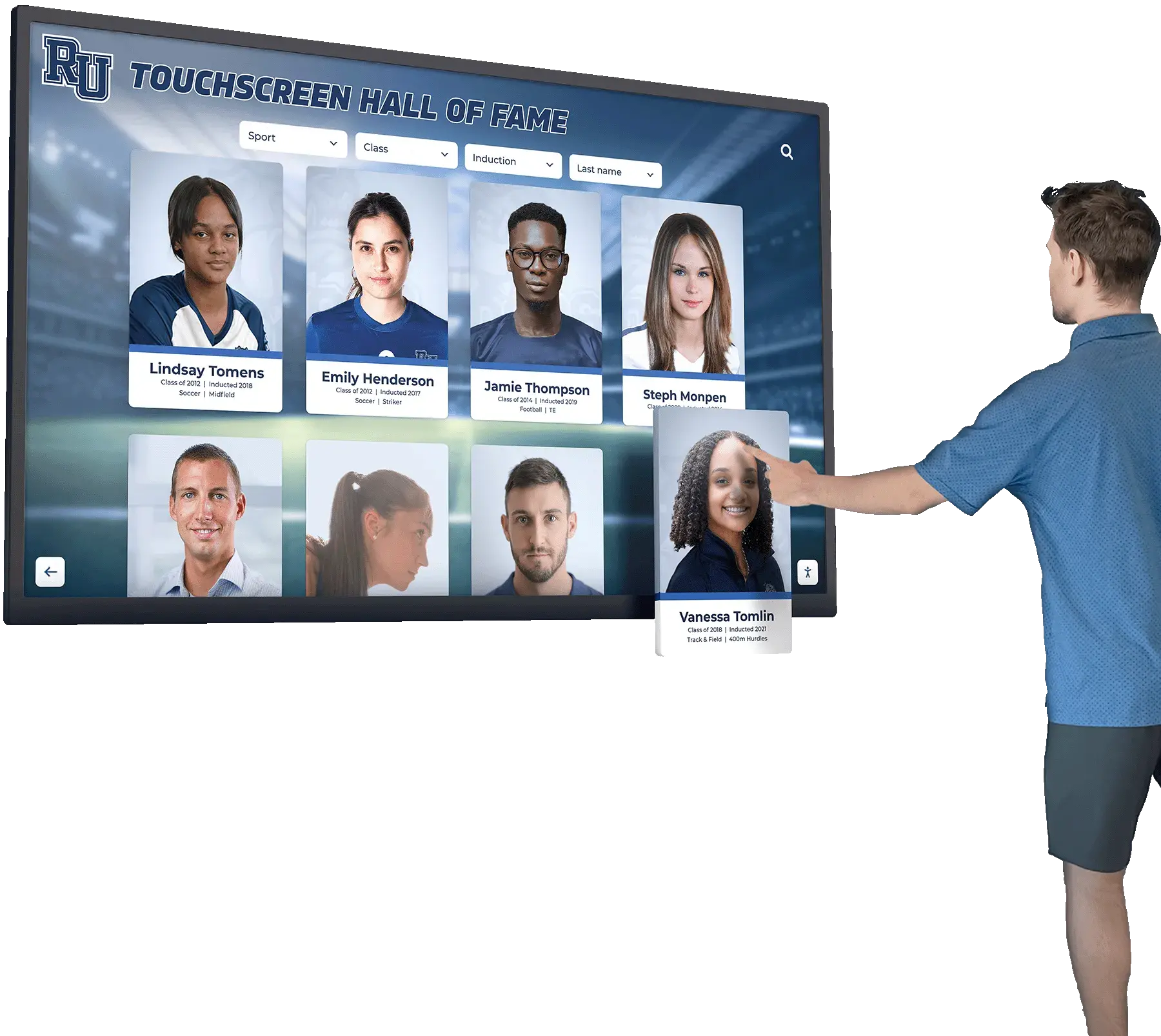
Modern touchscreen technology provides the most engaging, comprehensive solution for displaying old school photos:
Touchscreen Display Advantages:
🔍 Powerful Search Capabilities
Visitors search by name, year, event type, or keyword to instantly locate specific photos among thousands of images—impossible with static physical displays
📚 Unlimited Capacity
Display entire photo archives spanning decades without physical space constraints, accommodating hundreds of thousands of historical images
🎯 Multiple Browse Modes
Users explore by chronological timeline, browse grid views of all photos, filter by category, or discover random historical images
💬 Rich Context
Each photo includes detailed captions, stories, identification of all visible people, historical context, and connections to related images
Optimal Implementation:
- Commercial-grade touchscreen displays rated for continuous public use
- Intuitive user interfaces requiring no instructions or training
- Physical mounting heights complying with ADA accessibility requirements
- Placement in high-traffic areas (main entrances, cafeterias, library commons)
- Integration with online platforms allowing access beyond physical location
Solutions like those from Rocket Alumni Solutions provide purpose-built systems specifically designed for educational historical photo displays with comprehensive content management, intuitive interfaces, and reliable hardware built for institutional environments.
Digital Signage and Slideshow Displays
Large-format displays cycling through photo collections create visual impact in high-visibility locations:
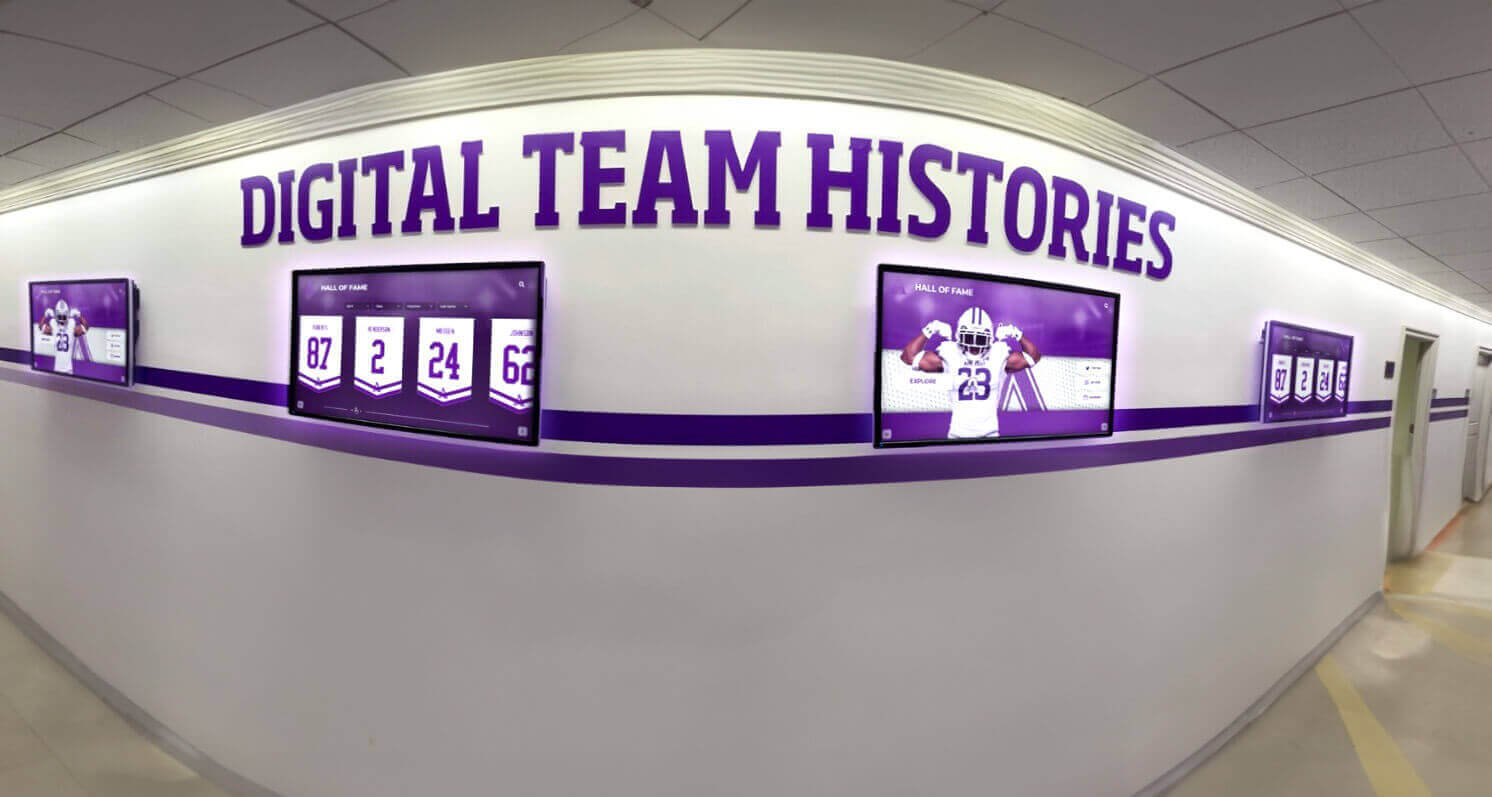
Digital Signage Applications:
- Main lobby displays showcasing rotating historical highlights
- Hallway screens in high-traffic corridors showing era-specific collections
- Athletic facility displays featuring historical team photos and championships
- Cafeteria and commons screens sharing daily or weekly photo features
- Outdoor digital signs displaying historical photos during special events
Content Strategy for Effective Slideshows:
- Feature photos with historical significance or visual appeal
- Include sufficient caption information for context without overwhelming
- Time transitions allowing adequate viewing (15-30 seconds per image)
- Organize content thematically (by decade, event type, or seasonal relevance)
- Update content regularly maintaining fresh interest and repeat viewing
- Coordinate displays with institutional events, reunions, or anniversary celebrations
Technical Considerations:
- Commercial displays rated for continuous operation
- Brightness appropriate for ambient lighting conditions
- Content management systems enabling easy remote updates
- Scheduled operation conserving energy during unoccupied hours
- Proper aspect ratio matching source photo orientations
Web-Based Photo Gallery Platforms
Online galleries extend access beyond physical campus locations, enabling alumni worldwide to explore institutional history:
Web Gallery Essential Features:
- Responsive design working across desktop, tablet, and mobile devices
- Powerful search by name, year, keyword, or category
- Browse options including timeline view, grid display, and featured collections
- High-resolution viewing with zoom capabilities for photograph details
- Social sharing enabling visitors to post favorite finds to Facebook, Twitter, etc.
- User contribution forms for submitting additional photos or identification help
Integration Opportunities:
- Embed galleries within institutional websites or alumni association sites
- Link physical touchscreen displays to expanded online collections
- QR codes on campus directing to specific online photo collections
- Email campaigns highlighting newly added historical photos
- Social media features spotlighting historical photos and driving traffic
Technical Platform Options:
- Custom development for maximum control and branding integration
- Photo gallery platforms like Zenfolio, SmugMug, or Photoshelter
- Digital asset management systems with public gallery capabilities
- Content management system plugins for WordPress, Drupal, or similar platforms
- Specialized educational archive platforms with advanced metadata support
Understanding best practices for developing college history timelines helps create compelling web-based presentations of historical photo collections.
Hybrid Solutions Combining Multiple Approaches
Many institutions achieve optimal results by combining different display technologies:
Effective Hybrid Combinations:
Physical + Digital Integration:
- Traditional framed photo displays with QR codes linking to expanded digital content
- Trophy cases featuring physical memorabilia alongside touchscreen displays with photo archives
- Print yearbook displays complemented by digital searchable versions
- Physical photo walls showing curated highlights with digital systems providing comprehensive access
Campus + Online Integration:
- On-campus interactive displays showcasing same content available via web galleries
- Physical displays featuring “view more online” calls-to-action with URLs or QR codes
- Virtual access for remote alumni mirroring physical campus experience
- Social media integration extending visibility beyond those visiting campus
Curated + Comprehensive Approaches:
- Professionally designed highlight displays in prominent locations
- Comprehensive searchable archives accessible via less-visible kiosks or online
- Featured rotating content drawing attention to broader accessible collections
- Tiered access with public displays complemented by research-focused archives
Content Strategy and Presentation Design
Technical digitization and display hardware represent only half of successful historical photo showcases. Thoughtful content strategy and presentation design determine whether displays engage audiences or get ignored.
Organizing Historical Photos for Discovery
Effective organization enables visitors to find relevant content through multiple pathways matching different search strategies:
Chronological Organization:
- Decade-based browsing (1950s, 1960s, 1970s, etc.)
- Individual year navigation for finding specific eras
- Timeline visualizations showing institutional evolution
- “Then and Now” comparisons showing campus changes over time
Categorical Organization:
- Athletics and sports (by sport, championship teams, individual athletes)
- Academic programs and classroom life
- Performing arts (theater, music, dance productions)
- Student life and traditions (dances, pep rallies, spirit events)
- Facility development and campus evolution
- Distinguished alumni and notable figures
- Special events and milestone celebrations
People-Centric Organization:
- Search by individual names with all appearances across photos
- Browse by graduating class or year
- Filter by role (students, faculty, staff, administrators)
- Family connections showing multi-generational attendance
- Where-are-they-now updates linking school-era photos to later achievements

Creating Compelling Historical Narratives
Raw chronological photo dumps rarely engage viewers. The most effective displays organize content into compelling stories that reveal institutional character and evolution:
Narrative Approaches:
Tradition Development: Show how current traditions emerged and evolved over decades. Document homecoming celebrations across eras, demonstrate uniform and mascot evolution, trace rivalry histories through decades of competition, or illustrate how school songs and cheers developed.
Facility and Campus Evolution: Use historical photos to tell campus development stories. Show buildings from construction through occupancy across decades, document facility renovations and modernizations, illustrate campus expansion and changing boundaries, or reveal how spaces were used differently in earlier eras.
Program Excellence: Highlight sustained achievement across time periods. Showcase championship teams across multiple decades demonstrating tradition of athletic excellence, profile distinguished alumni from various eras showing consistent educational quality, or document innovative programs that preceded broader educational trends.
Social and Cultural Context: Help viewers understand how broader societal changes affected institutional life. Show how student fashion and appearance norms changed across decades, document technology evolution visible in classrooms and campus life, illustrate integration and increasing diversity across eras, or show how women’s opportunities expanded over time.
Individual Stories: Use specific people as entry points into broader historical narratives. Profile distinguished alumni from student years through later achievements, tell stories of influential educators who shaped generations of students, highlight student leaders who made lasting institutional impact, or document families with multi-generational attendance patterns.
Design Principles for Maximum Engagement
Professional presentation design significantly impacts whether visitors engage deeply or glance briefly:
Visual Design Standards:
- High-resolution photos optimized for display size and viewing distance
- Consistent photo cropping and framing maintaining cohesive appearance
- Color correction ensuring accurate reproduction of original appearance
- Restoration removing dust, scratches, and damage while preserving authenticity
- Appropriate borders or frames matching institutional branding
Typography and Layout:
- Readable font sizes appropriate for viewing distances (larger for digital signage, smaller for close-up touchscreens)
- Clear visual hierarchy distinguishing headlines, captions, and supplementary information
- Adequate white space preventing visual overwhelm
- Consistent layout patterns helping users understand organization
- Institutional color schemes and branding integration
Interactive User Interface:
- Intuitive navigation requiring no instructions or training
- Touch targets sized appropriately for finger accuracy
- Clear visual feedback when interactions succeed
- Logical information architecture matching mental models
- Accessible design accommodating various abilities and limitations
Resources about creating engaging digital walls of achievement provide additional design guidance for compelling historical photo displays.
Implementation Process and Project Management
Systematic implementation approaches ensure digitization and display projects finish on time, within budget, and achieving desired outcomes.
Project Planning and Timeline Development
Realistic timeline expectations prevent frustration and enable proper resource allocation:
Typical Project Phases:
Phase 1: Planning and Assessment (2-4 weeks)
- Inventory existing photo collections
- Define project scope and priorities
- Establish budget and identify funding sources
- Select technology approaches and vendors
- Build project team and assign responsibilities
Phase 2: Digitization (Variable duration)
- Small collections (100-500 photos): 2-4 weeks
- Medium collections (500-2,000 photos): 1-3 months
- Large collections (2,000-10,000 photos): 3-6 months
- Massive archives (10,000+ photos): 6-12 months or ongoing
Phase 3: Metadata and Organization (Concurrent with digitization)
- Create consistent file naming and organization
- Add searchable metadata tags and descriptions
- Identify people and provide context
- Verify information accuracy
- Build connections between related photos
Phase 4: Content Development and Design (4-8 weeks)
- Develop narrative themes and featured content
- Design user interfaces and visual presentation
- Create captions and historical context
- Organize information architecture
- Produce any complementary multimedia content
Phase 5: Technical Implementation (2-6 weeks)
- Install display hardware in designated locations
- Configure software platforms and content management
- Load content and test functionality
- Train staff on system operation and maintenance
- Conduct user testing and refinements
Phase 6: Launch and Promotion (2-4 weeks)
- Coordinate launch events or ceremonies
- Publicize new displays through multiple channels
- Engage alumni in exploring and contributing to collections
- Monitor early usage and gather feedback
- Make refinements based on actual usage patterns
Budgeting and Resource Allocation
Comprehensive budget planning accounts for all project elements:
Digitization Costs:
- Equipment purchase or rental: $500-$5,000 depending on approach
- Professional scanning services: $500-$15,000+ for large collections
- Staff time or student labor: Variable by collection size and approach
- Photo restoration for damaged materials: $10-$100 per image
- Supplies and materials: $200-$1,000
Display Technology Costs:
- Interactive touchscreen systems: $5,000-$15,000 per installation
- Digital signage displays: $1,500-$5,000 per screen
- Web gallery development: $2,000-$10,000 depending on features
- Content management software: $1,000-$5,000 annual licensing
- Installation and mounting: $500-$2,500 per location
Content Development Costs:
- Professional design and user interface: $2,000-$8,000
- Metadata creation and verification: Staff time or $1-$3 per photo
- Historical research and narrative development: $2,000-$10,000
- Video or multimedia production: $2,000-$15,000 if included
- Ongoing content updates: Staff time or annual service contracts
Promotion and Launch:
- Launch event expenses: $500-$3,000
- Marketing and communications materials: $500-$2,000
- Training for staff and users: Staff time plus materials
Team Building and Role Definition
Successful projects require diverse skills and distributed responsibilities:
Essential Project Roles:
Project Manager: Coordinates overall efforts, maintains timeline and budget, facilitates communication between team members, resolves obstacles, and ensures project stays aligned with institutional goals.
Technical Specialist: Handles equipment operation, file management, technical troubleshooting, software configuration, and hardware installation and maintenance.
Content Manager: Organizes digital files, creates and verifies metadata, develops historical narratives, coordinates with alumni for identification, and manages ongoing content additions.
Designer: Creates user interface designs, develops visual presentation standards, produces graphics and layouts, ensures accessibility compliance, and maintains brand consistency.
Historian/Researcher: Conducts historical research providing context, verifies dates and information accuracy, develops interpretive content, and connects photos to broader institutional narratives.
Many schools successfully involve students through class projects, internships, work-study positions, or club activities, providing valuable learning experiences while expanding project capacity beyond staff limitations.
Engaging Alumni and Community in Photo Identification
The richest historical photo collections result from community participation identifying people, providing context, and contributing additional materials.
Crowdsourcing Strategies
Leverage distributed community knowledge to enhance collection quality:
Integrated Feedback Mechanisms:
- “Do you recognize anyone?” buttons on touchscreen interfaces
- Simple web forms for suggesting identifications or corrections
- Comment capabilities on web gallery platforms
- Email addresses dedicated to photo identification submissions
- Social media groups for collaborative identification discussions
Targeted Outreach Campaigns:
- Focus campaigns on specific decades or classes during reunion years
- Post unidentified photos to social media with identification requests
- Email specific graduation years when photos from their eras need help
- Host “Mystery Photo” challenges generating engagement and competitive participation
- Recognize and thank contributors publicly, encouraging ongoing participation
In-Person Identification Events:
- Host scanning days where alumni bring materials and provide context
- Set up identification stations during reunions with devices for browsing archives
- Organize nostalgia events centered around exploring historical photos
- Create video recording stations for alumni to share stories about photos
- Facilitate small group sessions with longtime community members reviewing collections
Recognition and Appreciation for Contributors
Acknowledge contributions encouraging ongoing community participation:
- Credit contributors by name in metadata for photos they identify or donate
- Create “Recently Identified” galleries highlighting successful crowdsourcing
- Feature contributor stories in communications highlighting their role in preservation
- Send personalized thank-you notes or certificates of appreciation
- Host appreciation events recognizing significant contributors
- Provide priority access to new digital archives for active participants
Successful alumni engagement through interactive recognition builds sustained community participation in historical preservation efforts.
Maintaining and Growing Your Digital Photo Collection
Initial digitization and display implementation represents the beginning rather than completion of successful historical photo programs.
Sustainable Ongoing Processes
Prevent future gaps by establishing systematic documentation workflows:
Annual Documentation Protocols:
- Immediately digitize each year’s yearbook upon publication
- Systematically capture key event photos throughout academic years
- Archive significant photos from institutional communications and publications
- Maintain digital copies of photos shared on social media or promotional materials
- Create clear responsibilities and workflows for routine documentation
Continuous Collection Growth:
- Maintain open submission systems for alumni contributions
- Conduct periodic campaigns targeting specific eras needing enhancement
- Systematically work through backlog of undigitized historical materials
- Integrate photo documentation into event planning for institutional activities
- Partner with photography clubs or media programs creating ongoing documentation
Content Enhancement and Updates:
- Continuously improve metadata as new information becomes available
- Add newly discovered context or historical details to existing photos
- Create new thematic collections and featured galleries maintaining fresh interest
- Link photos to developing stories about distinguished alumni or institutional achievements
- Update “where are they now” information connecting historical photos to contemporary developments
Technical Maintenance and System Updates
Digital systems require ongoing maintenance ensuring continued reliability:
For Display Hardware:
- Weekly visual inspections identifying obvious issues
- Monthly screen cleaning with appropriate materials avoiding damage
- Quarterly checks of mounting security and physical condition
- Prompt repair or replacement of malfunctioning components
- Annual professional servicing for complex systems
For Software and Content:
- Regular software updates and security patches
- Periodic backups of all digital files following 3-2-1 rule (three copies, two media types, one off-site)
- Ongoing content management adding new materials and correcting errors
- Monitoring user analytics identifying popular content and potential improvements
- Testing functionality after any system updates or changes
For Web Platforms:
- Regular security updates and vulnerability patches
- Performance monitoring ensuring fast loading and responsiveness
- Periodic SEO optimization improving discoverability through search engines
- Accessibility audits ensuring compliance with WCAG standards
- User experience testing identifying navigation or usability issues
Measuring Success and Impact
Track metrics demonstrating program value and identifying improvement opportunities:
Quantitative Metrics:
- Number of photos digitized and made accessible
- Percentage of photos with complete identification and metadata
- Touchscreen display usage statistics (sessions, duration, searches)
- Web gallery traffic (visitors, page views, time spent, searches)
- Social media engagement with historical photo content
- Alumni participation in identification and contribution efforts
Qualitative Impact:
- Stakeholder feedback about displays and collections
- Student comments about inspiration from historical photos
- Alumni stories about reconnecting through photo discoveries
- Media or public relations coverage of historical preservation efforts
- Integration of collections into curriculum or institutional communications
- Enhanced institutional reputation through visible heritage commitment
Understanding how to measure ROI on digital recognition displays helps demonstrate program value to stakeholders.
Overcoming Common Challenges
Every digitization and display project encounters predictable obstacles. Anticipating challenges enables proactive solutions.
Challenge: Limited Time and Resources
School staff face countless competing demands making comprehensive digitization seem overwhelming.
Practical Solutions:
- Start with highest-priority materials creating visible early successes
- Break large projects into manageable phases spread across multiple years
- Leverage volunteer capacity from alumni, community members, or students
- Apply for grants specifically supporting historical preservation or educational technology
- Consider outsourcing bulk digitization to professional services accelerating progress
- Partner with local historical societies or universities with archival expertise
Challenge: Poor Quality or Damaged Original Photos
Deteriorating originals pose technical challenges for quality digitization.
Practical Solutions:
- Professional restoration services can repair significant damage digitally
- Even poor-quality scans preserve information better than no digitization
- Clearly label scan quality or condition issues in metadata
- Make multiple scans of challenging materials trying different settings
- Prioritize preservation over perfection—imperfect digitization beats losing materials
- Consider professional conservation for irreplaceable historically significant items
Challenge: Incomplete or Missing Identification Information
Older photos often lack clear identification of people or context.
Practical Solutions:
- Display unidentified photos prominently with “Do you know who this is?” queries
- Use yearbooks as reference sources for comparing faces and identifying individuals
- Leverage facial recognition technology (with privacy considerations) for suggestions
- Create uncertainty levels in metadata (confirmed, probable, possible, unknown)
- Accept that some materials will remain partially identified despite best efforts
- Continue opportunities for ongoing community identification rather than requiring completeness before display
Challenge: Copyright and Permissions Concerns
Historical photos may raise intellectual property questions.
Practical Solutions:
- Understand that institutions generally hold rights to yearbooks they produced
- Institutional photos taken by staff for school purposes typically belong to institution
- Use for nonprofit educational and historical purposes generally receives support
- Make good-faith efforts to identify and contact copyright holders when possible
- Maintain clear attribution and source documentation for all materials
- Restrict use to educational contexts rather than commercial applications
- Document permissions obtained and efforts undertaken for uncertain materials
Advanced Features and Future Trends
Leading-edge institutions implement innovative approaches extending basic historical photo displays:
Augmented Reality Heritage Experiences
Mobile AR applications overlay historical photos onto current campus locations:
- Point smartphones at buildings to see historical appearance from various eras
- Virtual “then and now” comparisons showing campus evolution
- Location-specific historical information triggered by GPS or image recognition
- Campus historical walking tours guided by AR photo overlays
- Interactive exploration revealing “layers” of campus history at specific sites
While AR represents emerging technology, thoughtful implementation creates memorable heritage experiences particularly appealing to younger technology-comfortable audiences.
Artificial Intelligence for Collection Enhancement
AI tools accelerate digitization and enhance content:
- Automated metadata generation suggesting descriptions, dates, and categories
- Facial recognition identifying same individuals across multiple photos
- Object recognition detecting sports, locations, or activities in images
- OCR technology extracting text from yearbook pages for searchability
- Automated image enhancement improving quality of poor original scans
Thoughtful AI implementation supplements rather than replaces human knowledge and verification, accelerating workflows while maintaining accuracy.
Integration with Broader Digital Ecosystems
Sophisticated institutions connect historical photo archives to comprehensive digital presence:
- Link historical photos to alumni profiles in association databases
- Integrate photo display systems with digital hall of fame platforms recognizing distinguished graduates
- Connect to honor roll displays showing academic achievement across eras
- Embed historical context in digital athletic recognition systems
- Create unified search across all digital recognition and historical content
Conclusion: Preserving Yesterday, Inspiring Tomorrow
Old school photos represent more than nostalgic curiosities—they are irreplaceable documentation of institutional heritage, powerful inspiration for current students, and meaningful connections for alumni maintaining lifelong relationships with their alma maters. Modern digital display technology transforms these precious historical materials from deteriorating archives or limited physical displays into engaging, searchable, accessible showcases that honor the past while inspiring future excellence.
Whether you’re sitting on decades of undisplayed yearbooks, managing overflowing archives of loose historical photos, or planning to systematically document current years before they become tomorrow’s forgotten history, the strategies outlined in this guide provide practical pathways forward:
- Start with Assessment: Understand what materials exist and prioritize highest-impact items
- Digitize with Quality: Use appropriate equipment and settings ensuring long-term preservation value
- Create Rich Metadata: Invest in comprehensive information making collections searchable and meaningful
- Choose Appropriate Display Technology: Select solutions matching your goals, budget, and technical capabilities
- Engage Your Community: Leverage alumni knowledge for identification and contributions
- Establish Sustainable Processes: Build ongoing documentation and maintenance into institutional workflows
- Measure and Improve: Track success metrics and continuously enhance based on feedback
The most important step is simply beginning. Every photo digitized represents preservation of irreplaceable heritage. Every alumni identified strengthens institutional memory. Every display installation creates opportunities for engagement and inspiration. Start today preserving your unique educational legacy, ensuring that remarkable moments, distinguished individuals, and defining traditions receive the recognition they deserve for generations to come.
Ready to transform your old school photos into inspiring digital displays? Interactive solutions like Rocket Alumni Solutions provide comprehensive platforms specifically designed for educational institutions, combining intuitive content management with engaging display technologies. Explore how digital recognition displays can preserve your history while building community pride, or discover proven approaches to capturing and showcasing school history that inspire current students while honoring past achievements. Your school’s story deserves to be told—make sure future generations can experience it.
































