




Key Takeaways
Comprehensive evaluation of MWE-QIXZOCV touchscreen kiosks for digital recognition displays. Compare Android hardware specifications, deployment flexibility, and seamless integration with Rocket Alumni Solutions software.
Why Hardware Selection Matters for Recognition Displays
Touchscreen kiosk hardware directly determines user experience quality, operational reliability, and program sustainability over 5-10 year deployment cycles typical for institutional recognition displays. Unlike consumer electronics replaced every 2-3 years, public-facing recognition systems must perform consistently through thousands of daily interactions in uncontrolled environments.
According to industry research, the global interactive display market is projected to grow from $41.95 billion (2022) to $86.44 billion by 2030, reflecting 9.7% compound annual growth. This expansion creates increasingly diverse hardware options ranging from budget Android tablets through commercial-grade displays engineered specifically for continuous public operation.
The hardware platform you select shapes:
- Touch response quality affecting user frustration versus engagement
- Display visibility under varied lighting conditions in lobbies and hallways
- Operational longevity determining replacement cycles and budgeting
- Software compatibility restricting or enabling recognition platform choices
- Maintenance requirements impacting staff time and technical support costs
- Professional presentation reflecting institutional commitment to recognition
Organizations deploying recognition displays need objective assessment frameworks that weigh hardware specifications against real operational requirements rather than accepting vendor marketing claims at face value.
Understanding MWE-QIXZOCV: Product Line Overview
MWE (Make Win Easy) manufactures a line of Android-based touchscreen kiosks marketed under the QIXZOCV sub-brand. These floor-standing displays target general digital signage, advertising, and interactive information applications primarily in commercial retail environments.
Available Product Range
MWE-QIXZOCV kiosks span multiple size categories to accommodate different space constraints and viewing distance requirements:
Standard Resolution Models (1920x1080 FHD):
- 32-inch displays
- 37-inch displays
- 43-inch displays
- 49-inch displays
- 54-inch displays
4K Resolution Models (3840x2160 UHD):
- 55-inch displays
- 65-inch displays
All models feature floor-standing vertical (portrait) orientation as primary configuration, though some support horizontal mounting. The kiosks incorporate built-in Android media players eliminating need for separate computer hardware.
Target Market and Positioning
MWE positions QIXZOCV kiosks primarily for:
- Retail store product information and pricing displays
- Shopping mall advertising and brand showcasing
- Restaurant and cafe menu promotion
- Hotel information and wayfinding
- Commercial center directional signage
- Event and pop-up location temporary installations
The consumer-commercial positioning contrasts with enterprise-grade digital signage hardware designed specifically for educational institutions, government facilities, and corporate environments. This market positioning carries implications for component quality, support infrastructure, and longevity expectations that organizations must evaluate carefully.
Critical Hardware Evaluation Criteria
Before examining MWE-QIXZOCV specifications, establishing weighted evaluation criteria creates objective assessment frameworks. Based on institutional recognition display requirements, these criteria prove most decision-critical:
1. Display Quality & Visibility (Weight: 20%)
Recognition displays must present content clearly under varied lighting conditions from bright lobby windows through dimmer hallways. Display technology directly impacts visitor engagement and content effectiveness.
Key Requirements:
- Sufficient brightness (measured in nits/cd/m²) for ambient lighting conditions
- Wide viewing angles maintaining color accuracy from oblique positions
- High resolution providing sharp text and photo reproduction
- Color accuracy representing honoree images faithfully
- Anti-glare treatments reducing reflection interference
Professional recognition displays typically require 400-700 nits brightness for indoor installations, with commercial-grade panels offering wider viewing angles and better color consistency than consumer-grade alternatives.
2. Operating System & Software Compatibility (Weight: 20%)
The kiosk operating system determines which recognition software platforms can run effectively, impacts security vulnerabilities, and affects long-term update support availability.
Critical Factors:
- OS platform (Android, Windows, Linux, ChromeOS) and version
- Available RAM and processor performance for smooth operation
- Storage capacity for local content caching
- Browser compatibility for web-based recognition platforms
- App installation capabilities for native recognition software
- Security update frequency and vendor support duration
Organizations must verify that hardware OS specifications meet recognition software minimum requirements before procurement.
3. Durability & Commercial-Grade Construction (Weight: 15%)
Public-facing kiosks experience continuous operation and repeated touch interaction far exceeding residential use patterns. Component quality determines whether systems survive multi-year deployments reliably.
Durability Requirements:
- Commercial-grade touchscreen technology rated for high interaction frequency
- 24/7 continuous operation capability without overheating
- Robust enclosure construction withstanding accidental impacts
- Quality internal components designed for extended lifecycles
- Proper ventilation and thermal management for stable operation
- Serviceability allowing component replacement without full unit disposal
Consumer-grade hardware often uses residential components unable to sustain institutional deployment demands. Failure rates accelerate dramatically when consumer products operate continuously rather than intermittently.
4. Connectivity & Integration Infrastructure (Weight: 15%)
Recognition software requires reliable network connectivity for content updates, remote management, and cloud synchronization. Hardware must provide robust connectivity options supporting institutional network environments.
Infrastructure Needs:
- Reliable WiFi connectivity with enterprise network compatibility
- Ethernet port options for stable wired connections
- HDMI inputs supporting external media sources if needed
- USB ports for peripheral connectivity and content transfer
- Bluetooth capabilities for wireless accessories
- IoT integration potential for advanced features
Commercial-grade displays typically offer superior network chipsets and more comprehensive connectivity compared to budget alternatives prioritizing cost reduction over reliability.
5. Touchscreen Technology & Responsiveness (Weight: 10%)
Touch interaction quality directly impacts user experience and engagement. Different touchscreen technologies offer varying performance characteristics affecting recognition display usability.
Technology Comparison:
Capacitive Touch (Projected Capacitive - PCAP):
- Most responsive with minimal touch pressure required
- Supports multi-touch gestures for intuitive navigation
- Standard on smartphones and tablets
- Excellent clarity with minimal interference layers
- More expensive than resistive alternatives
Infrared (IR) Touch:
- Uses light beams across screen surface
- Works with gloves and styluses
- Lower cost than capacitive
- Slightly slower response time
- Can be affected by bright ambient light
Resistive Touch:
- Pressure-sensitive requiring firm touch
- Works with any object including gloves
- Lower cost option
- Reduced clarity due to overlay layers
- Less responsive multi-touch
Recognition displays benefit from capacitive or infrared technology providing responsive interaction without requiring visitors to press firmly.
6. Content Management System Compatibility (Weight: 10%)
Effective recognition programs require frequent content updates as achievements occur. Hardware must support efficient content management platforms enabling non-technical staff to maintain displays independently.
CMS Requirements:
- Cloud-based remote management eliminating physical access needs
- Compatibility with recognition software platforms
- Scheduled content updates and playlist management
- Multi-device synchronization across distributed installations
- User permissions and workflow controls
- Media library management for photos and videos
Organizations should verify that hardware platforms support their chosen recognition software’s content management approach before procurement.
7. Total Cost of Ownership (Weight: 5%)
Budget realities constrain all technology decisions. Accurate cost analysis requires examining multi-year expenses including initial purchase, installation, support, maintenance, and eventual replacement rather than purchase price alone.
Cost Components:
- Hardware acquisition cost
- Shipping and installation expenses
- Mounting hardware and enclosure modifications
- Network infrastructure requirements
- Recognition software licensing fees
- Staff training investment
- Ongoing maintenance and support
- Power consumption over multi-year operation
- Replacement frequency based on expected lifespan
Lower initial hardware costs may prove expensive if poor durability requires frequent replacement or if limited software compatibility necessitates expensive custom development.
8. Vendor Support & Service Infrastructure (Weight: 5%)
Recognition displays operate for 5-10 years in institutional environments. Vendor stability, support quality, and parts availability determine whether systems remain functional throughout intended lifespans.
Support Factors:
- Vendor company stability and market presence
- Warranty duration and coverage terms
- Technical support availability and response commitments
- Replacement parts availability for repairs
- Documentation quality and completeness
- User community size and resource availability
Established commercial vendors with institutional customer bases demonstrate lower abandonment risk compared to consumer-focused manufacturers lacking education sector experience.
MWE-QIXZOCV Technical Specifications Analysis
Display Technology Assessment
MWE-QIXZOCV kiosks utilize IPS (In-Plane Switching) LCD panels offering 178-degree viewing angles. This wide viewing angle technology proves appropriate for recognition displays where visitors approach from varied positions while browsing honoree profiles.
Strengths:
- IPS technology maintains color accuracy at oblique viewing angles
- FHD 1920x1080 resolution adequate for portrait-orientation displays under 50 inches
- 4K options (55" and 65" models) provide enhanced clarity for larger installations
- Vertical portrait orientation matches typical recognition content layout
Limitations:
- Brightness specifications not disclosed in available documentation
- No mention of anti-glare or anti-fingerprint treatments
- Commercial-grade panel certification not specified
- Operating hour ratings and expected lifespan not provided
Professional recognition displays typically specify brightness ratings (400-700 nits), contrast ratios, and expected operating hours (50,000+ hours for commercial panels). The absence of these specifications in MWE-QIXZOCV documentation suggests consumer-grade components rather than commercial-grade alternatives engineered for continuous institutional operation.
Operating System and Performance Specifications
MWE-QIXZOCV kiosks run Android operating system with built-in media player functionality. Available documentation indicates Android 6.0+ compatibility with 2GB+ RAM recommendations for smooth operation.
Android OS Advantages:
- Broad compatibility with web-based recognition software platforms
- Native browser support for cloud-hosted recognition applications
- Lower cost compared to Windows-based alternatives
- Good support for tablets and embedded display solutions
- Familiar Android app ecosystem
Android OS Limitations:
- Security concerns for public kiosk deployments require careful configuration
- Kiosk lockdown software necessary to prevent unauthorized access
- Mobile device management (MDM) solutions needed for enterprise deployments
- Variable Android version support across device manufacturers
- Less robust than commercial digital signage OS platforms
Organizations implementing touchscreen software solutions on Android hardware must implement proper kiosk mode lockdown preventing visitors from accessing device settings or exiting recognition applications. Professional recognition software platforms like Rocket Alumni Solutions provide guidance on Android deployment best practices including security configuration.
Performance Considerations:
The combination of Android 6.0+ and 2GB RAM represents minimum viable specifications for modern recognition software. According to industry research, professional recognition platforms recommend:
- Android 8.0+ for improved security and performance
- 4GB RAM for optimal multi-user interaction handling
- 16GB+ storage for local content caching
- Quad-core processors maintaining responsiveness under load
Organizations should verify whether specific MWE-QIXZOCV models exceed or merely meet these minimum thresholds before procurement.
Connectivity Infrastructure Evaluation
MWE-QIXZOCV kiosks provide multiple connectivity options supporting various deployment scenarios:
Available Connectivity:
- Built-in WiFi for wireless network connection
- Ethernet port support (model-dependent)
- HDMI input connecting external media sources
- USB ports enabling plug-and-play content updates
- Screen mirroring adapter support
This connectivity suite proves adequate for basic recognition display deployments. Cloud-based recognition platforms like Rocket Alumni Solutions’ digital hall of fame systems leverage network connectivity for remote content management and synchronization across multiple displays.
Network Reliability Considerations:
Recognition displays require consistent network connectivity for content updates and cloud synchronization. Organizations should evaluate:
- WiFi signal strength and reliability at installation locations
- Ethernet wiring availability for more stable connections
- Guest network versus secure institutional network placement
- Bandwidth requirements for media-rich recognition content
- Network security policies affecting kiosk connectivity
Installations in areas with unreliable WiFi benefit from Ethernet connectivity or recognition software with robust offline caching capabilities maintaining functionality during network interruptions.
Touchscreen Technology Assessment
MWE-QIXZOCV documentation describes touch screen functionality without specifying exact technology type (capacitive, infrared, or resistive). Product listings emphasize touch responsiveness but lack technical specifications regarding:
- Touch point accuracy and precision
- Multi-touch support and gesture recognition
- Expected touch lifecycles before degradation
- Response time measurements
- Calibration requirements
This specification ambiguity creates procurement risk. Organizations should request detailed touchscreen specifications directly from vendors before purchase, specifically confirming:
- Technology type (capacitive preferred for recognition applications)
- Multi-touch capabilities supporting pinch-zoom gestures
- Expected touch operation hours (commercial panels rated 60+ million touches)
- Calibration procedures and frequency requirements

Professional interactive touchscreen software implementations depend on responsive touch technology. Poor touch responsiveness frustrates visitors and undermines recognition program effectiveness.
Physical Design and Installation Considerations
MWE-QIXZOCV kiosks feature floor-standing vertical orientation with the following characteristics:
Design Strengths:
- Portrait orientation matches recognition content layout conventions
- Floor-standing design eliminates wall mounting complexity
- Multiple size options (32"-65") accommodate varied space constraints
- Some models offer portability with foldable designs and wheels
- Integrated media player reduces installation complexity
Design Limitations:
- Indoor-only rating restricts installation location flexibility
- Consumer enclosure construction may lack vandalism resistance
- No mention of ADA-compliant height adjustments
- Cable management and power access not specified
- Ventilation and cooling specifications not detailed
Organizations implementing digital hall of fame displays must consider physical installation requirements including:
- Adequate floor space and clearance for visitor interaction
- Proximity to power outlets avoiding visible extension cords
- Network connectivity access points
- Sightlines ensuring visibility from main traffic patterns
- Accessibility compliance allowing wheelchair users to reach controls
Content Management and Control Features
MWE-QIXZOCV kiosks include basic content management capabilities:
Built-In Features:
- Android-based media player supporting images, videos, and animations
- Remote content management via CMS platforms
- Real-time update capability with synchronous publishing
- Multi-device and multi-location management support
- Scheduled timing controls for automatic on/off
- 24/7 continuous operation capability
These features provide foundational content management but likely require integration with professional recognition software platforms for comprehensive hall of fame functionality. Solutions like Rocket Alumni Solutions’ touchscreen software offer purpose-built recognition features including:
- Auto-ranking systems organizing achievements dynamically
- Advanced search and filtering by sport, year, or achievement type
- Unlimited inductee profiles without performance degradation
- Rich biographical content with photos, videos, and statistics
- QR code generation for mobile device integration
Organizations should clarify whether MWE-QIXZOCV hardware adequately supports their chosen recognition software platform’s requirements.
Rocket Alumni Solutions Software Compatibility Analysis
The critical question for institutions considering MWE-QIXZOCV hardware is compatibility with professional recognition software platforms. Rocket Alumni Solutions, the leading provider of digital recognition systems for educational institutions, offers both web-based and dedicated touchscreen software deployable across varied hardware platforms.
Hardware Requirements for Rocket Alumni Solutions
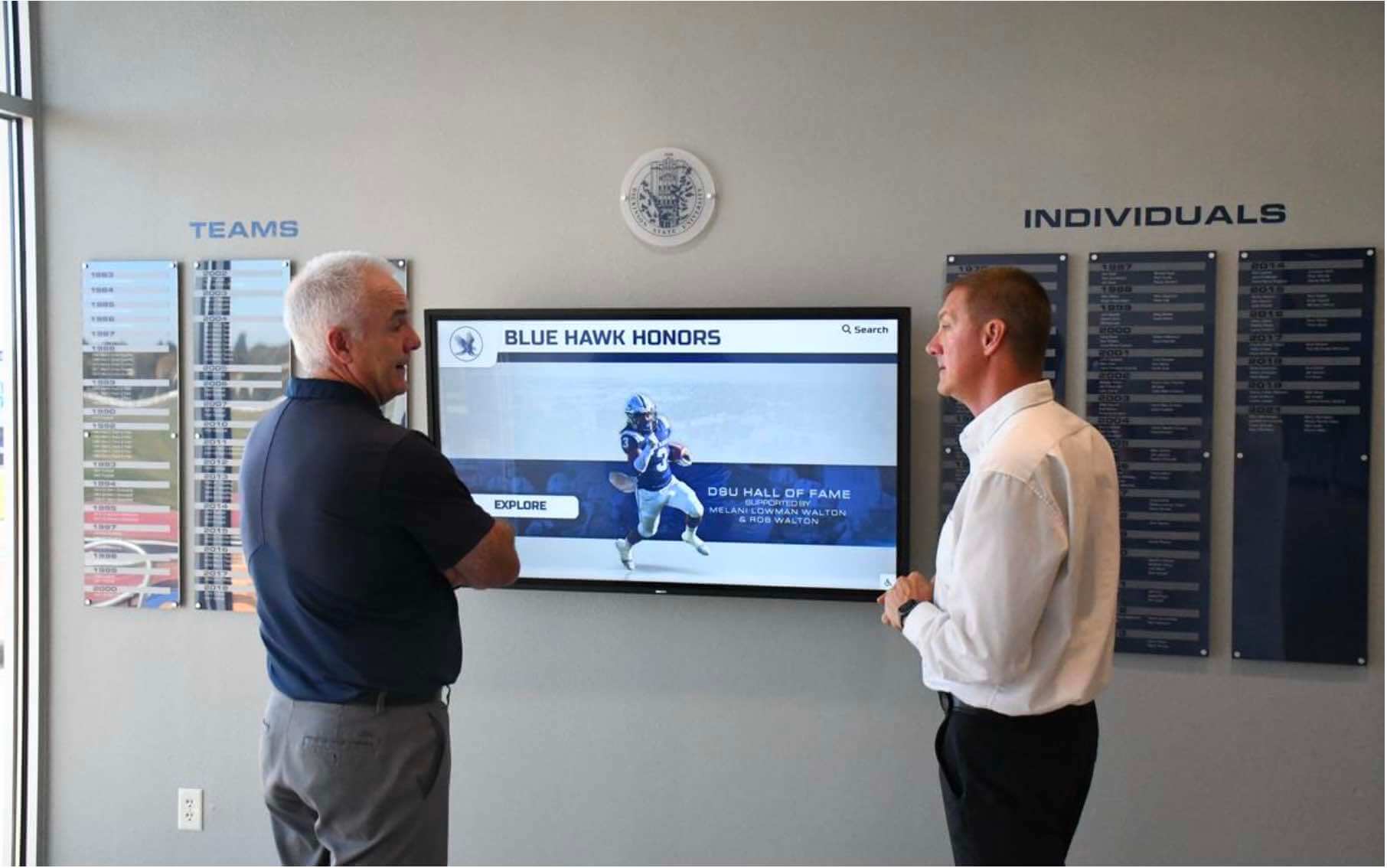
Rocket Alumni Solutions’ recognition software operates in two deployment modes:
Web-Based Platform:
- Runs through device web browser (Chrome, Firefox, Edge)
- Requires Android 8.0+ with modern browser
- Minimum 2GB RAM (4GB recommended)
- Stable network connectivity for cloud content delivery
- Progressive Web App (PWA) functionality for offline capability
Dedicated Android Application:
- Native Android app for enhanced performance
- Requires Android 8.0+ operating system
- 4GB RAM recommended for optimal responsiveness
- 16GB+ storage for local content caching
- Touch-optimized interface for public kiosk deployment
MWE-QIXZOCV kiosks running Android 6.0+ with 2GB RAM meet minimum technical requirements for Rocket’s web-based platform. However, optimal performance—particularly for larger recognition programs with hundreds of profiles—benefits from specifications exceeding minimums.
Integration Capabilities and Features
Rocket Alumni Solutions provides comprehensive recognition features specifically engineered for institutional requirements:
Auto-Ranking Systems: Dynamically organize athletic achievements by performance statistics. Basketball programs display career scoring leaders automatically updated as new statistics are added. Wrestling programs rank state placers and champions by weight class and year. Baseball programs showcase career pitching and batting statistical leaders.
This automated organization eliminates manual sorting while ensuring visitors discover top achievements easily.
Unlimited Inductee Capacity: Unlike platforms charging per-profile or imposing artificial limits, Rocket supports unlimited honorees without performance degradation. Schools with 100-year histories digitize decades of athletes, scholars, and contributors without capacity constraints.
Rich Multimedia Integration: Recognition profiles incorporate multiple photos, career statistics, biographical narratives, video highlights, and achievement timelines. This multimedia depth creates engaging stories rather than simple name-and-photo listings.
Advanced Search and Discovery: Visitors filter recognition displays by sport, decade, achievement type, or custom categories. Alumni search for classmates by graduation year. Families discover athletes by surname. This search functionality proves essential for large recognition programs where browsing hundreds of profiles proves overwhelming.
QR Code Mobile Integration: Each honoree profile generates unique QR codes extending recognition beyond physical displays. Visitors scan codes with smartphones accessing detailed profiles on personal devices. This hybrid physical-digital approach allows brief in-person browsing followed by deeper exploration on mobile devices later.
WCAG 2.1 AA Accessibility Compliance: Rocket’s architecture implements accessibility requirements ensuring ADA compliance for educational institutions and government entities. Screen reader compatibility, keyboard navigation alternatives, color contrast compliance, and responsive text scaling welcome all visitors regardless of disability.
Organizations implementing academic recognition programs or athletic recognition displays benefit from purpose-built features rather than adapting generic digital signage platforms.
Deployment and Management Infrastructure
Rocket Alumni Solutions provides cloud-based content management enabling remote updates across distributed installations:
Centralized CMS Dashboard: Non-technical staff update content from any internet-connected device without requiring physical access to kiosks. Athletic directors add new inductees from office computers. Advancement staff update donor recognition from home. Coaches modify achievement statistics after seasons conclude.
This cloud-based approach dramatically reduces maintenance burden compared to systems requiring on-site updates.
Multi-Location Synchronization: Districts deploying recognition displays across multiple campuses manage all installations from unified dashboards. Update one location or synchronize content across all simultaneously. This centralized management proves essential for school districts, university systems, or corporate facilities with distributed locations.
Template-Based Profile Creation: Consistent formatting and visual quality across all honorees results from template-based profile creation. Staff fill structured forms rather than designing layouts manually. Photos automatically crop to standard dimensions. Statistical tables format consistently. This template approach maintains professional quality even when multiple staff members contribute content.
Workflow and Approval Systems: Content approval workflows enable review before publication. Department chairs approve new inductees before public display. Communications staff review content quality before pushing updates. This approval layer prevents premature publication or content quality issues.
Organizations implementing touchscreen kiosk software at scale benefit from enterprise-grade content management rather than consumer-oriented systems lacking workflow controls.
Performance Optimization for Android Hardware
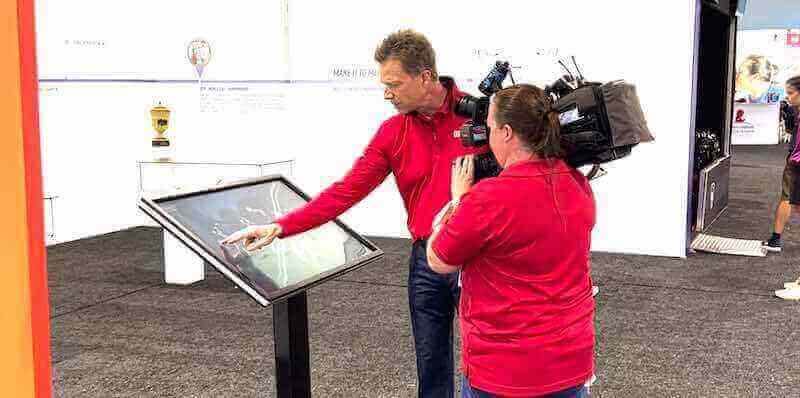
Rocket Alumni Solutions optimizes software performance specifically for Android kiosk deployments:
Progressive Web App Technology: PWA architecture provides native-app-like responsiveness while maintaining cross-platform compatibility. Service workers cache content locally enabling offline operation during network interruptions. Background synchronization updates content when connectivity returns.
Optimized Media Delivery: Content delivery networks (CDN) distribute images and videos efficiently. Adaptive image sizing serves appropriately-sized media based on display resolution. Lazy loading defers loading off-screen content until visitors navigate to it. These optimizations maintain responsiveness even on minimum-specification hardware.
Efficient Resource Management: Memory management prevents crashes during extended operation. Automatic cache clearing prevents storage exhaustion. Background process optimization conserves battery power for portable kiosk models. These technical refinements ensure stable 24/7 operation.
Touch Interaction Optimization: Touch event handling optimizes for finger-based interaction rather than mouse precision. Button sizes meet minimum touch target requirements (44x44 pixels minimum). Gesture recognition supports intuitive pinch-zoom, swipe, and tap interactions. This mobile-first design philosophy ensures usability on touchscreen hardware.
Organizations deploying best touchscreen software benefit from platforms specifically engineered for touch interaction rather than desktop software adapted for touchscreens.
Head-to-Head Hardware Comparison: MWE-QIXZOCV vs. Commercial Alternatives
This weighted comparison evaluates MWE-QIXZOCV against commercial-grade alternatives across critical criteria, using a 100-point scale where higher scores indicate better fit for institutional recognition display requirements:
| Criteria | Weight | MWE-QIXZOCV Score | Commercial-Grade Score | Winner |
|---|---|---|---|---|
| Display Quality & Visibility | 20% | 70 | 90 | Commercial |
| Brightness rating | ⚠️ Not specified | ✅ 500-700 nits rated | ||
| Viewing angle | ✅ 178° IPS | ✅ 178° commercial IPS | ||
| Anti-glare treatment | ⚠️ Not specified | ✅ Standard feature | ||
| Commercial-grade panel | ❌ Consumer-grade | ✅ Certified commercial | ||
| OS & Software Compatibility | 20% | 75 | 85 | Commercial |
| Android version | ⚠️ Android 6.0+ | ✅ Android 8.0+ | ||
| RAM capacity | ⚠️ 2GB minimum | ✅ 4GB+ standard | ||
| Browser compatibility | ✅ Standard browsers | ✅ Optimized browsers | ||
| Security features | ⚠️ Basic Android | ✅ Enterprise MDM | ||
| Durability & Construction | 15% | 60 | 95 | Commercial |
| Continuous operation | ⚠️ Not specified | ✅ Rated 24/7 | ||
| Expected lifespan | ⚠️ Unknown | ✅ 50,000+ hours | ||
| Touch lifecycle | ⚠️ Not specified | ✅ 60M+ touches | ||
| Enclosure quality | ⚠️ Consumer-grade | ✅ Commercial-grade | ||
| Connectivity Infrastructure | 15% | 80 | 85 | Commercial |
| WiFi capability | ✅ Built-in | ✅ Enterprise-grade | ||
| Ethernet option | ⚠️ Model-dependent | ✅ Standard feature | ||
| USB and HDMI | ✅ Available | ✅ Available | ||
| Network reliability | ⚠️ Consumer chipset | ✅ Commercial chipset | ||
| Touchscreen Technology | 10% | 65 | 90 | Commercial |
| Technology type | ⚠️ Not specified | ✅ PCAP or IR specified | ||
| Response time | ⚠️ Unknown | ✅ <10ms typical | ||
| Multi-touch support | ⚠️ Unclear | ✅ 10+ touch points | ||
| Touch lifespan | ⚠️ Not rated | ✅ 60M+ touches | ||
| CMS Compatibility | 10% | 85 | 90 | Tie |
| Remote management | ✅ Supported | ✅ Supported | ||
| Cloud-based updates | ✅ Available | ✅ Available | ||
| Multi-device sync | ✅ Supported | ✅ Supported | ||
| Recognition software | ✅ Compatible | ✅ Optimized | ||
| Total Cost of Ownership | 5% | 85 | 60 | MWE-QIXZOCV |
| Initial investment | ✅ Lower cost | ❌ Higher cost | ||
| Expected lifespan | ⚠️ 2-3 years | ✅ 5-7 years | ||
| Maintenance costs | ⚠️ Higher frequency | ✅ Lower frequency | ||
| Replacement cycle | ❌ More frequent | ✅ Less frequent | ||
| Vendor Support | 5% | 60 | 90 | Commercial |
| Warranty duration | ⚠️ 1 year typical | ✅ 3-5 years | ||
| Technical support | ⚠️ Limited | ✅ 24/7 available | ||
| Parts availability | ⚠️ Uncertain | ✅ Guaranteed | ||
| Education experience | ❌ Retail-focused | ✅ Education-focused | ||
| WEIGHTED TOTAL SCORE | 100% | 72.25 | 87.50 | Commercial |
Interpretation of Comparison Results
This weighted analysis suggests commercial-grade hardware better serves institutional recognition display requirements for organizations prioritizing reliability, longevity, and professional quality. However, MWE-QIXZOCV kiosks may prove appropriate for specific deployment scenarios:
Choose MWE-QIXZOCV When:
- Budget constraints absolutely limit initial investment capacity
- Deploying temporary or short-term recognition displays (2-3 years)
- Testing recognition display concepts before larger investment
- Installing in low-traffic areas with minimal interaction frequency
- Internal displays rather than high-visibility public installations
- Backup or secondary displays complementing primary commercial units
Choose Commercial-Grade When:
- Deploying in high-traffic lobbies or main entrance locations
- Expecting heavy public use during events and open houses
- Requiring 5+ year operational lifespan
- Maintaining professional institutional image
- Supporting large recognition programs (hundreds of profiles)
- Needing reliable vendor support and warranty coverage
- ADA compliance requirements mandate accessibility features
Why Rocket Wins This Scenario
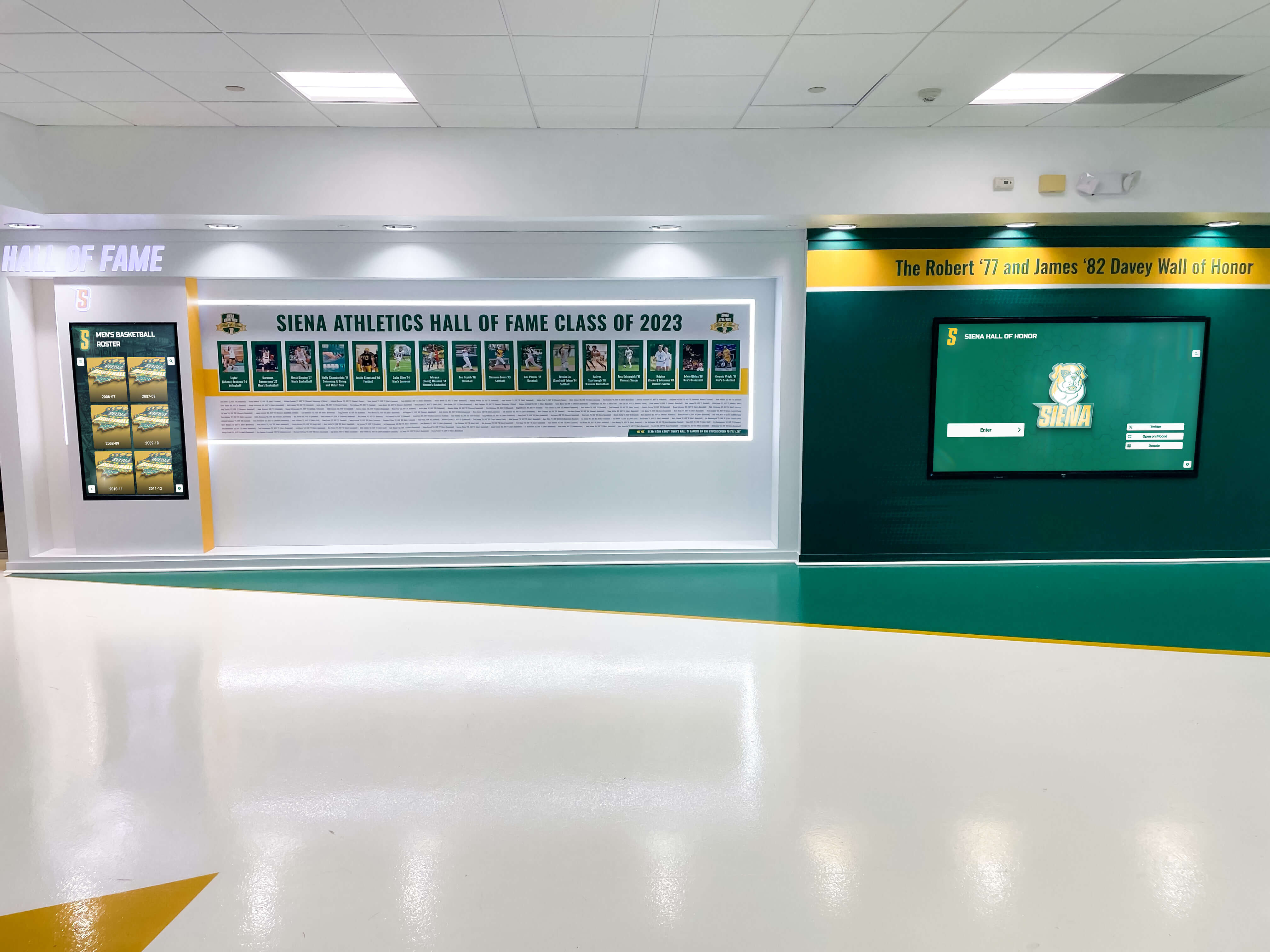
After evaluating hardware platforms and software compatibility, examining specific recognition software providers reveals how professional platforms optimize for institutional requirements. Rocket Alumni Solutions demonstrates why purpose-built recognition software combined with appropriate hardware recommendations delivers superior institutional value:
Hardware-Agnostic Software Architecture
Rocket’s web-based platform runs effectively across diverse hardware ranging from budget Android kiosks through premium commercial displays. Organizations start with cost-effective hardware while retaining flexibility to upgrade later without software replacement. This hardware independence prevents vendor lock-in while accommodating budget realities.
Recognition-Specific Features Generic Platforms Lack
Unlike general-purpose digital signage software requiring extensive customization, Rocket provides purpose-built capabilities:
- Auto-ranking athletic achievement systems
- Advanced search by sport, year, or achievement type
- Unlimited inductee capacity without performance impact
- QR code generation for mobile integration
- Rich multimedia biographical profiles
- Template-based consistent formatting
Organizations implementing college intramural sports recognition or debate team achievement boards benefit from specialized features rather than generic content management.
Professional Implementation Support
Successful recognition programs require more than software and hardware procurement. Rocket provides comprehensive implementation assistance:
- Historical content migration from physical plaques
- Recognition program strategy consulting
- Hardware recommendations matching budgets and requirements
- Installation coordination and technical configuration
- Staff training ensuring confident operation
- Ongoing technical support resolving issues rapidly
Proven Institutional Reliability
With 1,000+ installations across educational institutions, Rocket demonstrates operational stability that consumer-focused vendors cannot match:
- 99%+ uptime supporting recognition during major events
- Commercial-grade infrastructure preventing single points of failure
- Regular security updates maintaining protection
- Long-term vendor stability ensuring continued support
- Education sector expertise understanding institutional requirements
Organizations implementing athletic recognition walls or academic honors displays need vendors committed to education sector long-term success.
Hardware Guidance and Procurement Assistance
Rather than mandating proprietary hardware, Rocket provides honest guidance about hardware selection trade-offs. Their team helps organizations evaluate:
- Whether budget hardware meets specific program requirements
- When commercial-grade investment proves justified
- Appropriate display sizes for installation spaces
- Network infrastructure considerations
- Installation location optimization
This consultative approach ensures organizations make informed hardware decisions rather than discovering compatibility issues or performance limitations after procurement.
Deal-Breaker Checklist: Hardware Selection Red Flags
When evaluating specific touchscreen kiosk vendors, watch for warning signs indicating potential future problems:
Hardware Specification Red Flags
❌ Brightness and contrast specifications not disclosed — Critical display quality factors should be documented. Unwillingness to provide specifications suggests inadequate performance.
❌ Operating hour ratings and expected lifespan absent — Commercial displays specify 50,000+ hour lifespans. Consumer products typically omit these specifications.
❌ Touchscreen technology type not specified — Resistive, capacitive, and infrared technologies perform differently. Specification ambiguity creates risk.
❌ No mention of commercial-grade components — Consumer-grade components fail rapidly under continuous institutional operation.
❌ Android version unclear or outdated — Android 6.0 lacks security features and performance optimizations in modern versions.
Vendor and Support Red Flags
❌ Warranty duration under 3 years — Commercial hardware typically offers 3-5 year warranties. One-year warranties suggest consumer positioning.
❌ Limited or business-hours-only support — Recognition displays operate during evening and weekend events when issues occur.
❌ No education sector reference customers — Vendors without institutional experience lack understanding of educational requirements.
❌ Unwillingness to provide detailed specifications — Professional vendors welcome technical scrutiny. Evasive responses suggest specification inadequacy.
❌ No clear parts availability or repair process — Multi-year deployments require parts availability and repair procedures when failures occur.
Recognition Software Compatibility Red Flags
❌ Software requires proprietary hardware — Vendor lock-in creates dependency preventing hardware upgrades or vendor transitions.
❌ No documented minimum hardware requirements — Professional recognition software specifies minimum OS versions, RAM, and processor requirements.
❌ Poor performance on minimum-specification hardware — Software should perform adequately on documented minimum requirements.
❌ No demo or trial period on actual hardware — Organizations should test recognition software on prospective hardware before purchase.
Decision Framework: Selecting Appropriate Hardware
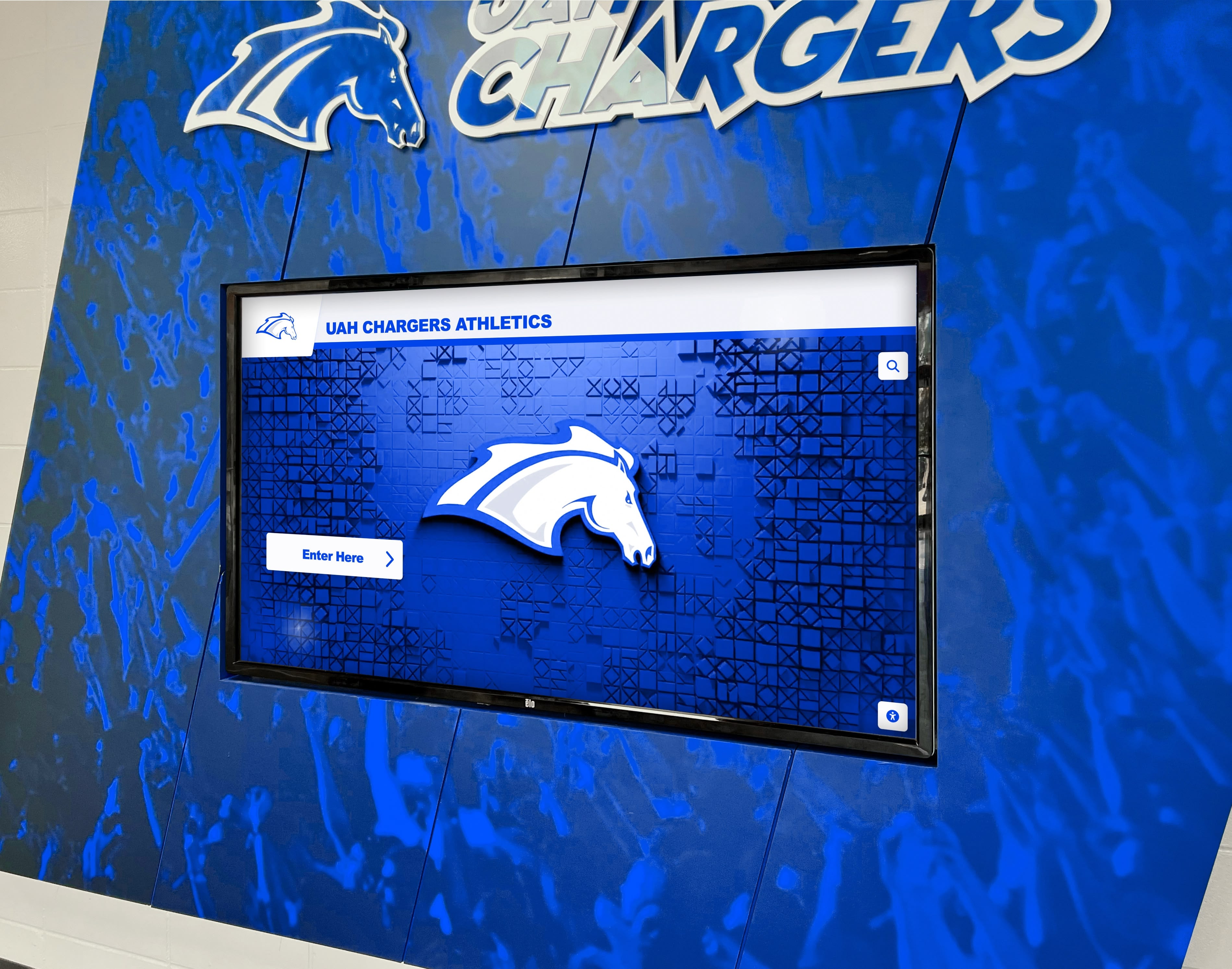
This flowchart guides organizations through hardware evaluation systematically:
Step 1: Assess Installation Location and Usage
- High-traffic lobby or main entrance: Invest in commercial-grade hardware for reliability and professional presentation
- Internal or secondary location: Budget hardware may suffice if usage remains moderate
Step 2: Evaluate Expected Recognition Program Size
- Small programs (<100 honorees): Budget hardware handles limited content effectively
- Large programs (hundreds+ honorees): Commercial hardware maintains performance with extensive content
Step 3: Determine Required Operational Lifespan
- Short-term (2-3 years): Budget hardware acceptable for temporary deployments
- Long-term (5+ years): Commercial hardware investment proves more economical over full lifecycle
Step 4: Review Budget Reality and Total Cost Analysis
- Limited initial budget: Start with budget hardware retaining software platform flexibility for future hardware upgrades
- Adequate budget: Invest in commercial hardware avoiding premature replacement costs
Step 5: Analyze Network Connectivity Reliability
- Reliable connectivity: Cloud-based recognition platforms perform well
- Unreliable connectivity: Ensure hardware supports robust local caching and offline operation
Step 6: Consider Technical Support Capability
- Limited IT resources: Choose hardware with strong vendor support
- Strong IT capabilities: Technical specifications matter more than vendor hand-holding
Step 7: Evaluate Accessibility Requirements
- ADA compliance mandated: Verify hardware supports accessibility features including height adjustment and screen reader compatibility
- No formal requirements: Still prioritize accessibility for inclusive recognition
Organizations implementing touchscreen kiosks should document evaluation processes, scoring alternatives against weighted criteria to support informed decision-making.
Real-World Performance Expectations
Understanding realistic performance expectations prevents disappointment after deployment:
Budget Hardware Performance (MWE-QIXZOCV and Similar)
What to Expect:
- Adequate performance for small-to-medium recognition programs (under 200 profiles)
- Acceptable touch responsiveness for normal visitor interaction
- Stable operation under moderate use (dozens of daily interactions)
- 2-3 year operational lifespan before replacement needs
- Occasional technical issues requiring restart or troubleshooting
- Basic support requiring more self-service problem-solving
Realistic Limitations:
- Performance degradation with extensive content libraries
- Touch responsiveness below premium display quality
- Higher failure rates than commercial alternatives
- Limited vendor support and longer resolution times
- More frequent replacements increasing long-term costs
Commercial-Grade Hardware Performance
What to Expect:
- Excellent performance regardless of recognition program size
- Highly responsive touch interaction matching smartphone quality
- Stable 24/7 operation without degradation
- 5-7 year operational lifespan minimizing replacement frequency
- Rare technical issues with rapid vendor resolution
- Comprehensive support including proactive monitoring
Investment Trade-offs:
- 2-3x higher initial investment than budget alternatives
- Lower total cost of ownership over 5+ year periods
- Professional presentation reflecting institutional quality standards
- Greater reliability during critical events and open houses
Organizations should set performance expectations aligned with hardware investment levels rather than expecting commercial-grade performance from budget hardware.
Common Implementation Mistakes to Avoid
Even with appropriate hardware selection, implementation errors undermine recognition program effectiveness:
Underestimating Content Development Effort
Organizations focus on hardware and software selection while overlooking that creating comprehensive profiles for hundreds of honorees requires substantial time investment. Budget for:
- Historical research identifying past achievements
- Photo digitization from archives and yearbooks
- Biography development or collection from honorees
- Statistical compilation from records and databases
- Video editing for multimedia elements
Content development frequently exceeds hardware costs. Plan accordingly or engage content migration services specializing in historical digitization.
Neglecting Environmental Factors
Hardware specifications provide baseline capabilities, but installation environments dramatically impact performance:
- Lighting conditions: Bright windows create glare requiring higher brightness displays or anti-glare treatments
- Ambient noise: Loud environments affect audio content effectiveness
- Temperature and humidity: Continuous operation in poorly ventilated spaces accelerates component failure
- Physical security: Unsecured locations risk vandalism requiring protective enclosures
Survey installation locations thoroughly before hardware procurement.
Skipping Network Infrastructure Planning
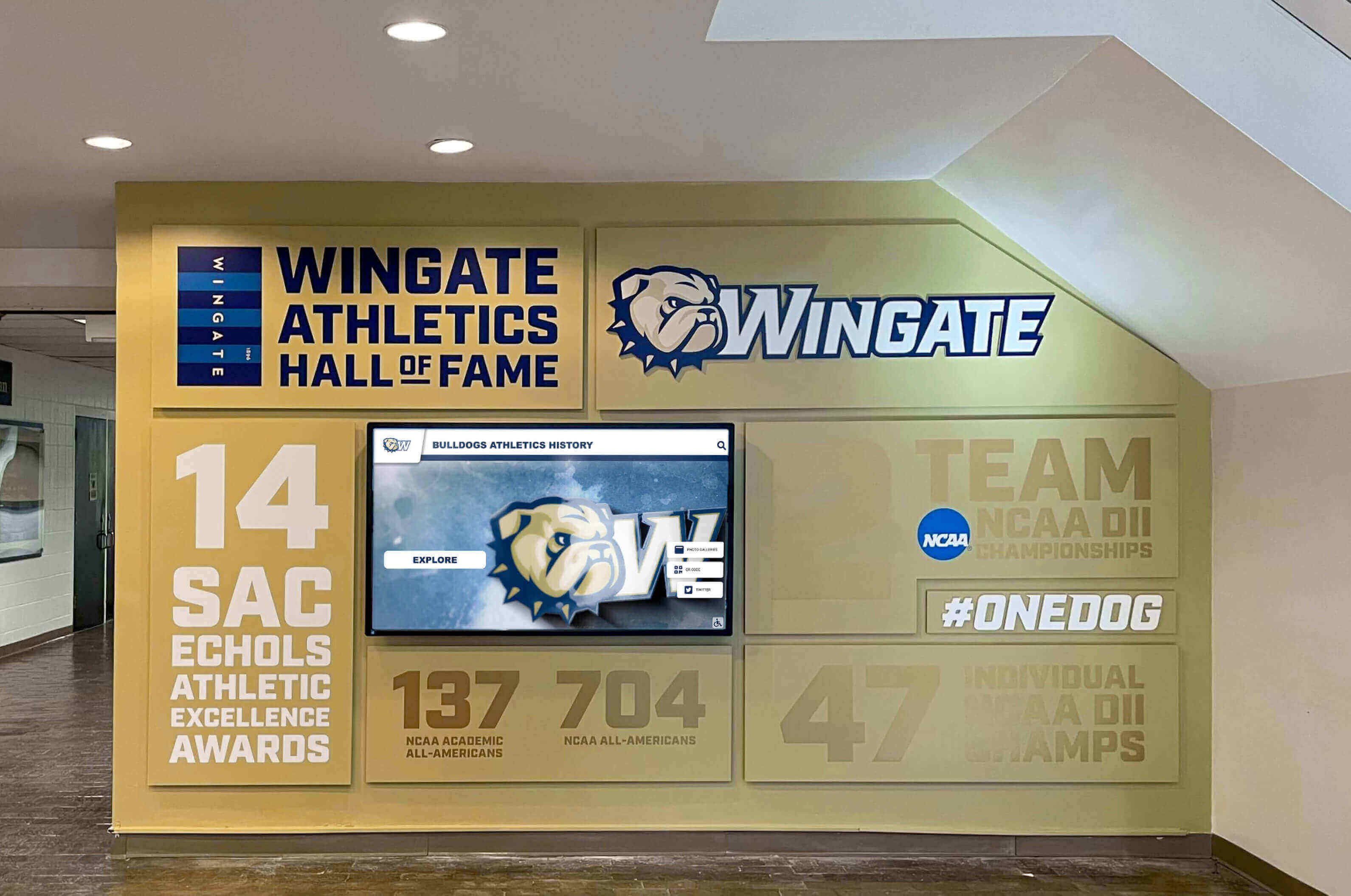
Recognition displays require reliable network connectivity. Common infrastructure mistakes include:
- Assuming adequate WiFi coverage without testing signal strength at exact installation locations
- Failing to allocate network bandwidth for media-rich content delivery
- Overlooking network security policies that may block kiosk connectivity
- Missing power outlet proximity requiring unsightly extension cords
- Inadequate cable management creating trip hazards
Coordinate with IT departments early ensuring network infrastructure supports recognition display requirements.
Overlooking Accessibility Compliance
Educational institutions and government entities face ADA accessibility mandates. Compliance failures include:
- Display mounting heights preventing wheelchair user access
- Touch targets too small for users with motor impairments
- Insufficient color contrast for vision-impaired visitors
- No keyboard navigation alternatives to touch interaction
- Missing screen reader compatibility
Involve accessibility coordinators during planning preventing expensive retrofits after installation.
Inadequate Staff Training
Intuitive content management systems still require training ensuring staff understand capabilities and workflows. Training shortfalls lead to:
- Underutilization of advanced recognition features
- Inconsistent content formatting and quality
- Fear of making updates independently
- Continued IT department dependence for routine content changes
Schedule comprehensive training and create documentation supporting ongoing self-service content management.
Future Trends Shaping Touchscreen Recognition Hardware
Understanding emerging trends helps organizations select solutions remaining relevant throughout multi-year deployments:
AI-Powered Personalization
Artificial intelligence will enable recognition displays to:
- Personalize content highlighting connections between visitors and honorees
- Generate profile narratives automatically from structured achievement data
- Provide voice interaction enabling verbal queries alongside touch
- Analyze engagement patterns optimizing content presentation
Organizations should evaluate vendor roadmaps for AI integration timelines.
Enhanced Mobile Integration
The boundary between physical touchscreen displays and mobile devices continues blurring:
- QR codes launching detailed mobile profiles from physical plaques
- Augmented reality overlaying digital content on physical displays
- Social sharing encouraging visitors to spread recognition digitally
- Mobile device synchronization continuing exploration beyond physical display
Recognition platforms implementing interactive display strategies should plan for mobile integration enhancement.
Internet of Things (IoT) Ecosystem Integration
Advanced recognition displays will integrate with broader institutional technology ecosystems:
- RFID or NFC tag scanning for enhanced interactivity
- Integration with building management systems
- Occupancy sensors adapting content based on traffic patterns
- Environmental monitoring ensuring optimal operating conditions
Commercial-grade hardware increasingly includes IoT capabilities standard rather than aftermarket additions.
Improved Power Efficiency
LED backlight technology and efficient processors reduce power consumption:
- Lower operating costs over multi-year deployments
- Reduced heat generation extending component lifespans
- Battery-powered portable kiosks lasting longer between charges
- Smaller environmental footprints aligning with sustainability initiatives
Organizations prioritizing sustainability should evaluate hardware power consumption specifications alongside other criteria.
Conclusion: Making Your Hardware Decision
MWE-QIXZOCV touchscreen kiosks represent budget-conscious hardware options for organizations implementing digital recognition displays. While consumer-grade construction and limited vendor support create constraints, these Android-based kiosks prove compatible with professional recognition software platforms like Rocket Alumni Solutions through web-based deployment architecture.
For budget-conscious organizations deploying temporary or low-traffic recognition displays, MWE-QIXZOCV and similar consumer-grade kiosks provide cost-effective entry points. These installations work effectively for:
- Small recognition programs with under 200 honorees
- Secondary or internal displays complementing primary commercial installations
- Pilot programs testing recognition concepts before larger investments
- Situations where 2-3 year operational lifespans prove adequate
For institutions prioritizing long-term reliability, professional presentation, and high-traffic deployments, commercial-grade hardware investment proves more economical over 5+ year periods despite higher initial costs. These commercial platforms better serve:
- Main lobby or entrance installations representing institutional image
- Large recognition programs with hundreds of honorees
- High-traffic locations experiencing heavy public use
- Situations demanding 24/7 operation reliability
- Environments requiring robust vendor support and warranty coverage
The recognition display technology platform you select today will serve your institution for years. Prioritize solutions from established vendors with education sector experience, comprehensive implementation support, and demonstrated commitment to long-term platform evolution. The quality of both hardware and software platforms directly impacts how effectively you celebrate achievements, inspire current students, and strengthen community connections through recognition.
Ready to evaluate professional recognition display solutions? Learn more about Rocket Alumni Solutions’ touchscreen software specifically designed for educational institutions and nonprofit organizations. Their hardware-agnostic platform works effectively across budget and commercial-grade kiosks while providing expert guidance about hardware selection trade-offs. Request a demonstration to see their recognition software operating on various hardware platforms including budget Android kiosks and commercial displays, enabling informed hardware procurement decisions. For comprehensive buying guidance, explore athletic hall of fame best practices or review interactive kiosk software selection frameworks that help organizations match hardware investments to recognition program requirements.
Your institution’s achievements deserve recognition technology that honors them with appropriate hardware quality, professional software capabilities, and reliable long-term support. Choose hardware and software combinations specifically designed for recognition rather than repurposing consumer electronics for institutional purposes they were never engineered to serve.
Disclaimer: This comparison is based on publicly available information as of November 2025. All product names and trademarks belong to their respective owners. Comparative statements reflect Rocket Alumni Solutions’ interpretation of available data and may change over time. This content was produced by or on behalf of Rocket Alumni Solutions. All trademarks are property of their respective owners. Rocket Alumni Solutions is not affiliated with or endorsed by MWE, QIXZOCV, Marvel Technology CO., LTD, or any hardware manufacturers mentioned in this analysis.
































