



Key Takeaways
Discover how touchscreen digital displays transform law firm lobbies with interactive attorney directories, recognition programs, and professional client experiences. Complete implementation guide.
Understanding Touchscreen Displays for Law Firms
The legal industry has historically been slower to adopt digital technology in client-facing spaces, but research shows that businesses excelling in client experience design grow revenues 4-8% above their market. Law firms implementing modern technology in reception areas demonstrate commitment to innovation while creating tangible advantages in client acquisition and retention.
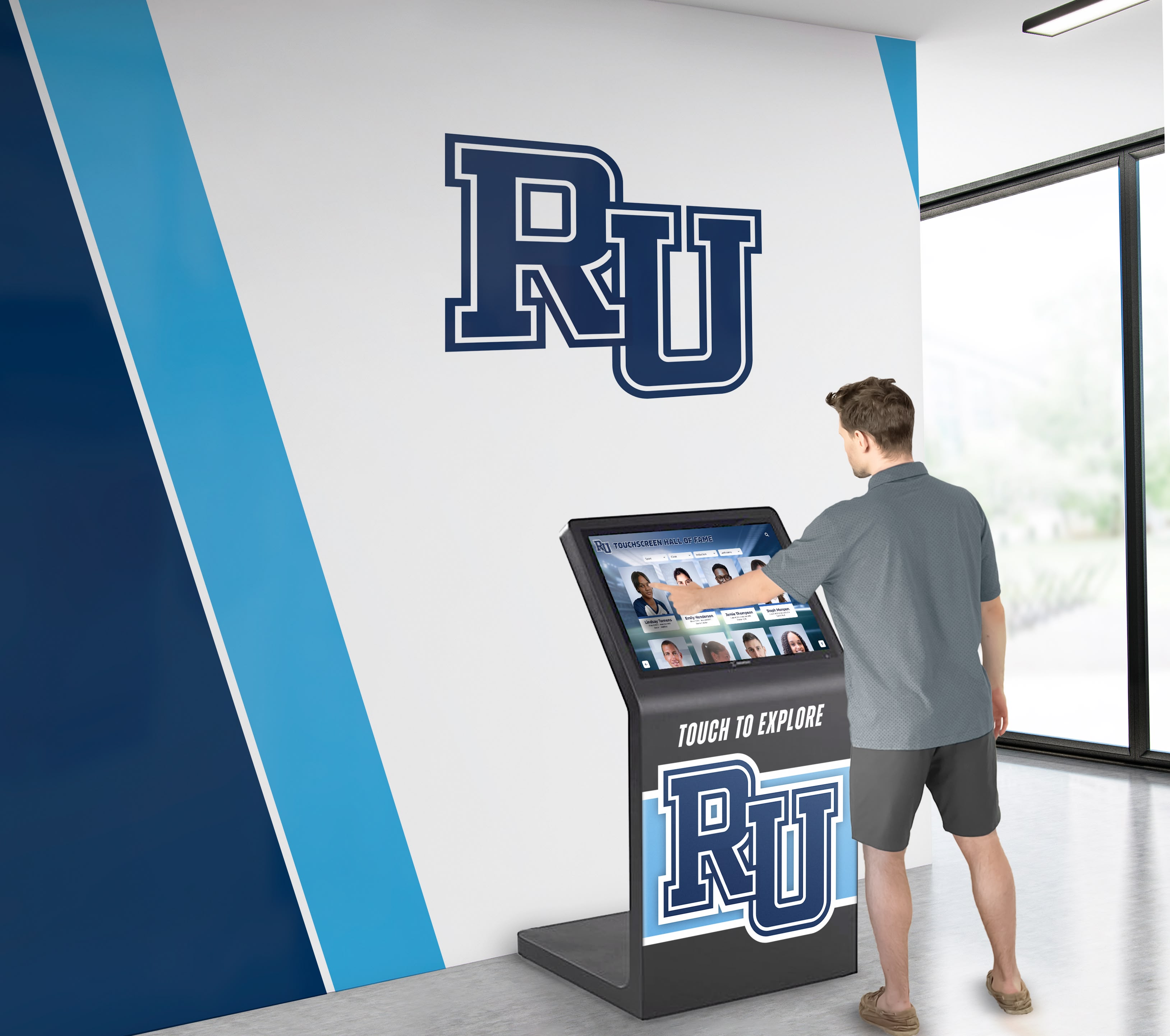
A law firm touchscreen digital display is an integrated interactive system that typically combines several key functions:
- Interactive attorney directories with searchable databases of attorneys, specializations, and credentials
- Professional recognition displays showcasing awards, case wins, notable representations, and achievements
- Practice area information explaining service offerings, industry expertise, and specializations
- Digital case highlights featuring significant wins, landmark cases, and client success stories
- Wayfinding and navigation helping visitors locate conference rooms, attorney offices, and facility areas
- Client resource centers providing self-service access to firm information and legal resources
- Professional development recognition celebrating attorney certifications, publications, and speaking engagements
These multifunctional systems address the complex needs of legal professional environments while creating superior client experiences compared to static directory boards and traditional plaques.

Core Benefits of Touchscreen Displays for Legal Practices
Implementing interactive displays delivers measurable benefits across multiple aspects of law firm operations and client service.
Enhanced Client First Impressions and Professional Image
Reception areas create critical first impressions that shape client perceptions of firm sophistication, capabilities, and professionalism. Modern interactive displays demonstrate that firms invest in contemporary technology, prioritize client experience and accessibility, maintain organized professional operations, value innovation in service delivery, and project confidence through visible success showcases.
According to research on creating exceptional law firm client experiences, client experience encompasses every touchpoint from initial consultation to case closure, with reception interactions particularly influential in shaping satisfaction and trust. Digital displays elevate these initial encounters by providing engaging, informative experiences that position firms as sophisticated service providers.
Professional Credibility Building
Interactive displays strengthen client confidence through comprehensive attorney credential displays including education, bar admissions, and specializations, case victory highlights demonstrating successful outcomes, recognition of awards and professional honors establishing authority, publication and speaking showcases positioning attorneys as thought leaders, and professional association memberships signaling industry standing.
This visible evidence of expertise reassures potential clients during critical evaluation periods when they’re deciding whether to retain counsel, with particular impact in practice areas like corporate law, intellectual property, and complex litigation where credential verification significantly influences engagement decisions.
Modern Technology Positioning
Firms serving corporate clients, technology companies, or sophisticated business clients particularly benefit from demonstrating technological sophistication through reception area technology. Interactive displays signal that firms understand modern business operations, embrace efficiency-enhancing tools, stay current with industry evolution, and likely apply similar innovation to legal service delivery.
Solutions like Rocket Alumni Solutions provide digital recognition platforms that law firms can customize to reflect their professional brand while showcasing attorney achievements and firm capabilities.
Client Experience Benefits
- Professional first impressions with modern technology
- Immediate access to attorney information and credentials
- Visible success indicators building client confidence
- Self-service information reducing reception dependency
- Sophisticated image positioning firm as innovative leader
Interactive Attorney Directories and Wayfinding
Large law firms with multiple floors, numerous attorneys, and complex office layouts face persistent challenges in helping visitors navigate to appointments. Interactive directories solve these problems while providing rich attorney information that enhances client relationships.
Comprehensive Attorney Profiles
Digital directories provide searchable databases with attorney photos and names, practice area specializations, educational backgrounds and credentials, bar admissions and jurisdictions, professional biography highlights, recent case wins or notable representations, contact information and direct dial numbers, and current availability status when integrated with scheduling systems.
Unlike static directory boards listing only names and office numbers, interactive displays enable clients to research their attorneys before meetings, discover other firm attorneys with relevant expertise, understand the full breadth of firm capabilities, and locate specific practice area specialists for referrals.
The guide on interactive touchscreen software for directories explores additional navigation strategies that can be adapted for professional service environments.
Advanced Wayfinding Capabilities
Multi-floor law firms benefit from interactive wayfinding featuring visual floor plans showing entire office layouts, turn-by-turn directions to specific attorney offices, conference room location assistance, elevator and accessible route guidance, real-time meeting room availability when integrated with scheduling platforms, and departmental navigation helping visitors find administrative functions.
These capabilities reduce burden on reception staff who otherwise spend considerable time providing directions and escorting visitors, while ensuring clients arrive at appointments on time without frustration or confusion.
Practice Area Exploration
Interactive displays enable prospective clients to browse firm service offerings including practice area descriptions explaining specializations, industry expertise showcasing sector knowledge, representative matter types illustrating experience scope, attorney team listings for each practice area, and success story highlights demonstrating proven results.
This self-service exploration supports business development by helping potential clients understand full firm capabilities and discover services they may need, while positioning attorneys as accessible experts rather than intimidating legal authorities.
Attorney Recognition and Professional Achievement Displays
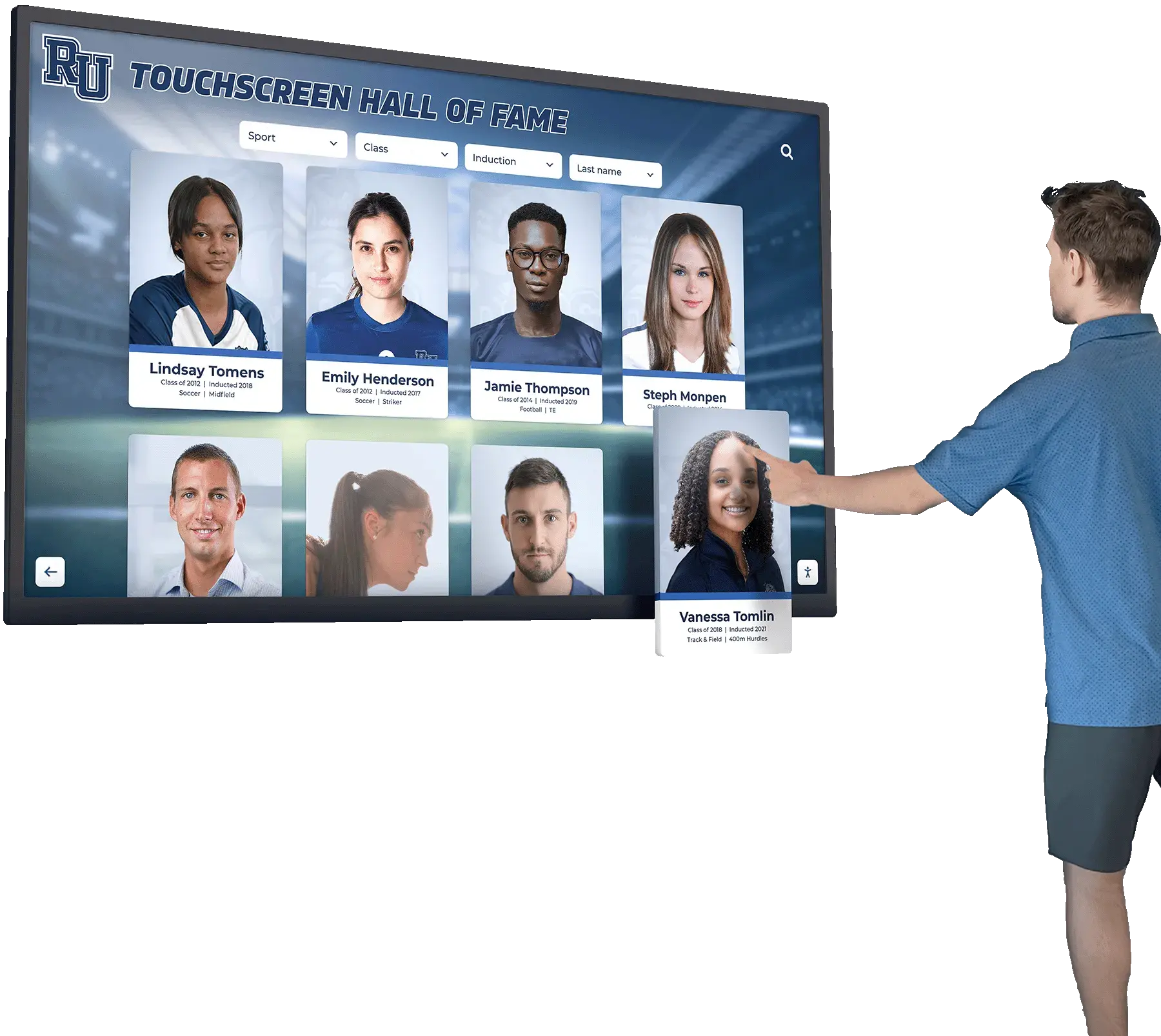
Legal professionals invest years building expertise, earning credentials, and achieving case victories that deserve recognition. Digital displays provide dynamic platforms for celebrating accomplishments while reinforcing client confidence.
Awards and Honors Recognition
Comprehensive recognition systems showcase Best Lawyers designations and similar peer recognition, Super Lawyers selections and specialty recognitions, Martindale-Hubbell ratings and ethical standards, firm awards including workplace recognitions and community honors, individual attorney achievements like 40 Under 40 selections, and pro bono service recognition celebrating community contributions.
Unlike trophy cases and wall plaques with limited physical space, digital displays accommodate unlimited achievements without appearing cluttered, with easy updates as attorneys earn new recognitions rather than requiring expensive plaque production and installation.
Case Victory Highlights
Professional achievement displays feature landmark case wins and significant verdicts, complex matter resolutions demonstrating expertise, industry-significant representations positioning specialization authority, innovative legal strategies showcasing thought leadership, and client success stories illustrating practical impact.
These highlights serve dual purposes of honoring attorney accomplishments while demonstrating firm capabilities to prospective clients evaluating whether to retain counsel. Effective presentations focus on outcomes and client benefits rather than technical details, making achievements accessible to non-attorney audiences.
Professional Development and Thought Leadership
Recognition extends beyond case wins to celebrate published articles and legal scholarship, speaking engagements and conference presentations, CLE teaching and professional education contributions, bar association leadership positions, and industry committee participation demonstrating influence. This thought leadership recognition positions attorneys as authorities in their fields while differentiating firms from competitors who merely practice law versus those who shape legal evolution.
Resources about professional recognition programs for organizations provide frameworks applicable to legal professional contexts, emphasizing how visible recognition impacts both internal culture and external perception.
Recognition Display Capabilities
🏆 Awards & Honors
Professional recognitions and peer selections
⚖️ Case Victories
Significant wins and landmark representations
📚 Publications
Legal scholarship and thought leadership
🎓 Credentials
Education, certifications, and specializations
Operational Efficiency and Reception Support
Digital displays reduce administrative burden while improving operational workflows in law firm reception areas.
Reduced Reception Staff Workload
Self-service displays eliminate repetitive tasks including answering basic attorney information questions, providing directions to offices and conference rooms, explaining firm practice areas and services, distributing printed firm marketing materials, and manually notifying attorneys of visitor arrivals when integrated with practice management systems.
This efficiency enables reception staff to focus on high-value activities like greeting clients warmly, managing complex visitor situations, handling confidential matters appropriately, coordinating attorney schedules and meetings, and providing personalized client service that digital systems cannot replicate.
Visitor Management Integration
Advanced displays can incorporate visitor check-in processes capturing guest information and visit purpose, automated attorney notifications via email or SMS, visitor badge printing for secure environments, meeting room assignment and wayfinding, and guest WiFi access credential distribution.
These integrated capabilities streamline arrival processes while maintaining security protocols, particularly valuable for large firms with high visitor volumes or those occupying shared professional buildings requiring visitor tracking.
Real-Time Content Updates
Cloud-based management enables immediate updates for new attorney hires and departures, recent case wins and professional achievements, updated practice area information, firm announcements and news, event promotion for seminars or networking opportunities, and emergency communications when needed.
This real-time capability ensures information remains current without requiring manual plaque updates, printed material replacement, or physical signage changes that traditional recognition systems demand.

Design Considerations for Legal Professional Environments
Law firm displays require specific design approaches reflecting professional service standards, client confidentiality requirements, and sophisticated aesthetic expectations.
Professional Aesthetic Requirements
Legal environments demand particular attention to visual design conveying authority, trustworthiness, and sophistication. Effective displays incorporate color schemes reflecting firm branding and identity, traditional professional aesthetics appropriate for conservative clients, high-quality imagery with professional photography standards, typography choices emphasizing readability and classic styling, and refined layouts avoiding commercial or casual appearances.
The balance between modern interactivity and professional gravitas distinguishes legal displays from those in retail, hospitality, or educational environments. Firms serving corporate clients, estate planning clients, or high-net-worth individuals particularly need displays projecting appropriate sophistication levels.
Content Confidentiality and Privacy
Law firms handle highly confidential information requiring careful consideration of what appears on public displays. Content strategies must address client name usage with appropriate permissions, case detail sharing without violating confidentiality, matter descriptions that don’t reveal privileged information, photo releases for client success stories, and conflicted party screening ensuring sensitive relationships aren’t disclosed.
Many firms opt for case highlights describing matter types and outcomes without naming clients, for example “Secured $50M favorable settlement in complex commercial dispute” rather than identifying parties. This approach celebrates attorney achievements while protecting client confidentiality and avoiding inadvertent conflicts disclosure.
ADA Accessibility Compliance
Legal environments face particular scrutiny regarding accessibility compliance given the nature of legal services. Displays must include wheelchair-accessible mounting heights per ADA standards, high-contrast visual design for visitors with vision impairments, screen reader compatibility for assistive technology users, large touch targets accommodating dexterity limitations, audio assistance options supporting diverse abilities, and alternative information access for those unable to use touchscreens.
Firms should document accessibility features and testing to demonstrate compliance commitment, particularly important given that legal clients may pursue accessibility claims if they experience barriers.
Additional accessibility best practices for digital displays are covered in comprehensive ADA compliance guides for interactive systems.
Security and Data Protection
Law firm displays that integrate with practice management systems or collect visitor information must implement appropriate security measures including encrypted data transmission and storage, secure network connections preventing unauthorized access, regular security audits and vulnerability assessments, business associate agreements with vendors when handling confidential information, and data retention policies complying with legal ethics requirements.
Firms should engage IT security staff or consultants during implementation to verify that display systems meet the same security standards required for other firm technology systems.
Legal Environment Design Principles

Implementation Planning for Law Firms
Successful digital display deployment requires systematic planning addressing technical, operational, and cultural factors unique to legal professional environments.
Defining Primary Use Cases
Firms should prioritize functionality based on their specific client service needs and operational challenges. Different practice types may emphasize different capabilities:
Large Multi-Floor Firm Implementation
Large firms prioritizing wayfinding and directory functionality typically emphasize comprehensive attorney directory with 50+ attorney profiles, interactive floor plans and office location assistance, conference room directories and availability displays, practice area navigation helping visitors understand organizational structure, and departmental location assistance for administrative functions.
These implementations address navigation complexity in large professional spaces, particularly valuable for firms occupying multiple floors or buildings where visitor confusion and late appointment arrivals create operational inefficiencies.
Boutique Specialized Firm Implementation
Smaller specialized firms emphasizing expertise demonstration prioritize in-depth attorney credential displays, case highlight showcases demonstrating specialization depth, awards and recognition displays establishing authority, publication and speaking engagement recognition positioning thought leadership, and practice area deep-dives explaining sophisticated services.
These implementations help boutique firms compete against larger competitors by visibly demonstrating specialized expertise, particularly valuable in practice areas like intellectual property, healthcare law, or complex commercial litigation where deep specialization creates competitive advantage.
Corporate Law Firm Implementation
Firms serving primarily corporate clients often emphasize attorney team displays organized by practice area, industry expertise showcases demonstrating sector knowledge, significant matter representations (appropriately redacted), corporate recognition awards and rankings, and professional association leadership positions.
These implementations align with corporate client expectations for sophisticated service providers while addressing their need to verify attorney credentials and firm capabilities before engagement decisions.
Hardware Selection and Placement
Choosing appropriate hardware ensures reliable performance and professional appearance in demanding legal environments.
Screen Size Considerations
Different spaces call for different display sizes including 43-inch displays ($8,000-$12,000) for smaller reception areas or secondary locations, 55-inch displays ($15,000-$22,000) for most firm reception lobbies, and 65-inch or larger displays ($22,000-$35,000) for expansive lobbies where viewing from distance is required.
Commercial-grade displays rated for 16-24 hours daily operation ensure reliability, with expected lifespans of 50,000+ hours translating to 5-8 years of continuous use appropriate for professional environments requiring minimal maintenance intervention.
Mounting and Presentation Options
Firms can choose between wall-mounted configurations creating clean professional aesthetics, freestanding floor kiosks providing placement flexibility, reception desk integration for compact spaces, and custom millwork integration matching existing firm design elements.
Each approach has advantages depending on architectural constraints, firm aesthetic preferences, and operational workflows. Many firms consult interior designers or architects to ensure display installations enhance rather than detract from professional environments.
Location Strategy
Optimal placement typically positions primary displays in main reception lobbies where all visitors wait, secondary displays near elevator banks on multi-floor offices, conference floor directories helping visitors locate meeting spaces, and attorney wing entrances in very large firms with distinct practice area zones.
Firms should ensure locations provide adequate electrical service, reliable network connectivity through wired ethernet connections, appropriate lighting conditions avoiding screen glare, wheelchair accessibility for all installations, and visibility without obstructing reception operations or creating safety hazards.
Infrastructure Requirements
Digital display systems require reliable network connectivity with sufficient bandwidth for content updates, adequate electrical service with surge protection, network security protecting confidential firm information, secure mounting preventing tampering or theft in public spaces, and remote management capabilities enabling updates from IT or marketing departments.
Firms should work with IT staff to verify infrastructure readiness and security compliance before finalizing hardware purchases, ensuring display systems integrate appropriately with existing firm technology environments.
Software Platform Evaluation
The software powering digital displays determines functionality, usability, and long-term content management effectiveness.
Core Software Capabilities
Essential software features include intuitive content management systems enabling marketing staff updates, attorney profile templates maintaining consistent presentation, practice area information organization, achievement and recognition tracking with automated updates, integration capabilities with practice management systems, search functionality enabling attorney lookup by name or specialty, reporting and analytics demonstrating display utilization, and technical support from vendors experienced with professional services.
Content Management Workflow
Effective platforms support distributed content management where individual attorneys submit recognition updates, marketing departments approve and format content before publishing, IT departments manage technical infrastructure and security, practice group leaders curate practice area information, and firm management sets recognition policies and content standards.
This workflow ensures content remains current and accurate while maintaining appropriate quality control and confidentiality protection, critical in legal environments where inaccurate attorney credentials or unauthorized case disclosure creates professional liability risk.
Subscription vs. One-Time Licensing
Software typically follows subscription models with monthly or annual fees ($100-$300 monthly commonly) covering software updates, cloud hosting, ongoing support, and feature enhancements. Firms should clarify what’s included in subscriptions versus additional fees, whether pricing scales with firm size or attorney count, integration costs for practice management system connections, and long-term cost projections over expected 5-7 year hardware lifecycles.
Vendor Experience with Legal Environments
Not all digital display providers understand professional service contexts and legal industry requirements. Firms should prioritize vendors with proven legal industry experience and references, understanding of confidentiality and privilege requirements, appreciation for professional aesthetic standards, integration experience with legal practice management platforms, and security protocols meeting law firm standards.
Generic commercial display systems designed for retail, hospitality, or corporate environments often lack necessary features and appropriate design sophistication for legal professional settings, while vendors unfamiliar with confidentiality requirements may suggest content approaches that create risk.
Change Management and Stakeholder Buy-In
Technology succeeds only when attorneys and staff embrace and effectively utilize it. Implementation should address attorney concerns about public recognition and professional modesty, staff training on content updates and information accuracy, receptionist education on directing clients to displays, IT security validation and ongoing monitoring, and marketing department enthusiasm for new content capabilities.
Firms should emphasize how displays enhance rather than replace human interaction, with technology handling routine information distribution while enabling staff to focus on personalized client service that differentiates sophisticated legal practices.
Additional implementation strategies can be found in resources about effectively implementing digital recognition displays in professional environments.
Content Strategy for Law Firm Displays
Effective legal professional displays balance attorney recognition with client service information and firm marketing objectives.
Attorney Profile Content
Individual attorney profiles should include professional photographs maintaining consistent quality standards, full name with appropriate credentials (Esq., Partner, Of Counsel), practice area specializations and industry focuses, education including law school, undergraduate, and advanced degrees, bar admissions listing all jurisdictions, professional biography highlights (150-300 words), notable case representations or matter types (appropriately redacted), awards and professional recognitions, publications and speaking engagements, professional association memberships, and optional personal information when attorneys choose to share interests or community involvement.
The balance between comprehensive information and concise presentation requires careful editing, with displays offering detailed profiles for those wanting thorough research while providing summary views for quick attorney identification.
Practice Area Information
Practice area content should explain service offerings in client-accessible language avoiding excessive legal jargon, industry specializations demonstrating sector expertise, representative matter types illustrating experience scope, attorney team introductions for each practice, success indicators appropriate to practice type, and related service connections helping clients understand full capabilities.
Effective presentations focus on client needs and business problems rather than legal technicalities, for example describing employment law practice as “Helping businesses navigate workforce challenges and regulatory compliance” rather than listing technical practice areas like “FLSA defense litigation and EEOC representation.”
Recognition and Achievement Content
Recognition displays should showcase awards with appropriate context and selection criteria explanation, significant case wins with outcome descriptions (appropriately redacted), professional milestones like partnership attainment or practice area launches, firm achievements including rankings and workplace recognitions, community involvement and pro bono service recognition, and professional development accomplishments like board certifications.
Content should rotate regularly to maintain freshness and interest while ensuring all attorneys receive appropriate recognition rather than repeatedly featuring the same individuals, important for maintaining internal culture and avoiding perceptions of favoritism.
The guide on professional recognition program best practices offers frameworks applicable to legal environments, emphasizing how recognition impacts both internal morale and external credibility.
Client Resource Information
Displays can include client-serving content like appointment preparation checklists helping clients prepare for meetings, frequently asked questions about firm processes, consultation process explanations, billing and fee structure information, contact information for key departments, and links to firm website resources for additional information.
This self-service content reduces repetitive staff explanations while demonstrating client service commitment and transparency that differentiate sophisticated practices from competitors who maintain information opacity.

Measuring Success and ROI
Law firms should track metrics demonstrating whether display investments deliver expected value and justify ongoing content management resources.
Client Experience Metrics
Key indicators include client satisfaction scores in reception area surveys, time visitors spend engaging with displays versus waiting passively, reduction in reception staff time spent answering directory questions, appointment punctuality improvements when wayfinding is effective, and prospective client feedback mentioning technology sophistication.
These metrics help firms understand whether displays enhance client experiences as intended while quantifying operational efficiency improvements.
Business Development Impact
Firms should track new client mentions of attorney credentials seen on displays, consultation requests following self-service practice area research, referral source feedback about professional presentation, website traffic increases when displays include QR codes linking to firm resources, and cross-selling opportunities discovered through practice area exploration.
While attribution is imperfect, firms implementing displays often observe increased prospective client engagement and more informed initial consultations, with clients arriving prepared with specific attorney knowledge rather than generic engagement inquiries.
Attorney Satisfaction and Culture
Internal metrics include attorney satisfaction with recognition visibility, participation rates in submitting recognition updates, perceptions of firm investment in attorney development, recruiting candidate feedback about firm sophistication, and retention factors where visible recognition impacts attorney loyalty.
Recognition displays contribute to internal culture by demonstrating that firm leadership values attorney achievements and invests in celebrating success, particularly important for mid-level associates evaluating whether to stay or pursue opportunities elsewhere.
Technical Performance Metrics
Operational tracking includes system uptime and technical reliability, content update frequency and currency, user interaction rates showing display engagement, search query analysis revealing what visitors seek, and help desk volume related to display functionality.
Regular assessment enables firms to optimize content strategies, identify technical issues proactively, and demonstrate technology value to firm management when justifying ongoing investment.
Vendor Selection and Procurement Guidance
Choosing the right technology partner significantly impacts implementation success and long-term satisfaction.
Evaluation Criteria
Firms should assess potential vendors on legal industry experience and professional service references, feature completeness meeting current and anticipated needs, content management system usability for non-technical staff, hardware quality and commercial-grade performance ratings, software reliability and security protocols, customer support responsiveness and accessibility, pricing transparency and long-term cost projections, integration capabilities with existing practice management systems, and compliance support for ADA accessibility and data security.
Questions to Ask Prospective Vendors
Due diligence should include inquiries about how many law firms currently use their systems, what their typical implementation timeline and process looks like, what training and support is included versus additional cost, how they handle confidentiality and data security requirements, whether they provide practice management system integration, what happens if they discontinue products or go out of business, whether they provide data export preventing vendor lock-in, how software updates and new features are delivered, and what their warranty and service agreement terms include.
Procurement Best Practices
Firms should conduct formal RFP processes for significant technology investments, schedule live demonstrations rather than relying solely on marketing materials, request trials or pilot programs when possible, check references from similar-sized firms in similar markets, involve attorneys and staff in evaluation processes, engage IT and security staff for technical assessment, and negotiate contract terms including performance guarantees and service level agreements.
Taking time for thorough evaluation prevents expensive mistakes and ensures selected solutions truly meet firm needs while avoiding rushed decisions based on sales presentations alone.
Organizations like Rocket Alumni Solutions specialize in interactive display systems that can be configured for professional service applications, offering expertise in both technology implementation and the unique requirements of sophisticated client environments.
Emerging Trends in Legal Technology Displays
The professional services technology landscape continues evolving with innovations that will shape future display implementations.
Artificial Intelligence Integration
AI capabilities are beginning to appear in professional service systems including natural language search enabling conversational attorney lookup, personalized content recommendations based on visitor interests, predictive analytics identifying which content engages most effectively, automated content updates pulling information from practice management systems, and intelligent wayfinding that learns optimal routing patterns.
These capabilities will make systems more intuitive and effective while reducing manual content management burden on marketing and IT staff.
Enhanced Practice Management Integration
Displays increasingly integrate with broader firm technology ecosystems including matter management platforms automatically updating case highlights, calendar systems showing real-time attorney availability, CRM platforms tracking prospective client interactions, marketing automation connecting display engagement with follow-up workflows, and business intelligence systems analyzing client engagement patterns.
This integration creates seamless experiences while eliminating duplicate data entry and ensuring information consistency across all firm systems.
Mobile Device Integration
Future systems will provide enhanced mobile connectivity through QR codes enabling smartphone access to detailed attorney information, mobile apps syncing with lobby displays for personalized content, digital business card exchange directly from displays, appointment scheduling integration launching directly from attorney profiles, and content sharing allowing visitors to email information to themselves.
These mobile integrations extend display utility beyond physical lobby presence while accommodating visitor preferences for consuming information on personal devices.
Advanced Analytics and Business Intelligence
Future systems will provide more sophisticated analytics including visitor engagement tracking showing which content resonates most, search pattern analysis revealing common client information needs, peak usage times informing staffing and content strategies, demographic analysis when integrated with visitor management, and benchmarking data comparing performance across professional service firms.
These insights will enable evidence-based optimization and demonstrate technology ROI more comprehensively than current basic utilization metrics allow.
Additional emerging trends in digital recognition and professional engagement technologies are explored in resources about advanced touchscreen software capabilities and future developments.
Conclusion
Law firm touchscreen digital displays represent strategic investments that simultaneously enhance client experiences, showcase attorney achievements, improve operational efficiency, and position firms as innovative leaders in legal service delivery. By thoughtfully implementing interactive directory and recognition systems designed specifically for legal professional environments, firms address multiple client service and marketing challenges through single, integrated technology platforms.
The most successful implementations begin with clear understanding of firm priorities—whether emphasizing attorney directory and wayfinding functionality, professional recognition and credential displays, or comprehensive client service information—followed by careful selection of hardware and software appropriate for sophisticated legal environments. Critical considerations include professional aesthetic requirements reflecting legal authority, confidentiality protection in public displays, ADA accessibility compliance and documentation, data security meeting legal industry standards, and vendors with proven professional service experience.
As legal technology continues advancing with AI integration, enhanced practice management connectivity, and increasingly sophisticated client engagement capabilities, digital displays will become even more central to firm operations and client experiences. Firms implementing these systems now position themselves to adapt to evolving capabilities while immediately benefiting from improved client impressions, enhanced attorney recognition, and more effective business development.
When evaluating solutions for your law firm, prioritize vendors who understand legal professional contexts, offer comprehensive training and support, provide flexible systems that grow with your practice, and demonstrate commitment to confidentiality, accessibility, and security. The right technology partner becomes a long-term collaborator in your mission to provide excellent legal services while creating client experiences that differentiate your firm from competitors and support sustainable business development success.