



Key Takeaways
Discover how interactive touchscreen displays transform realtor agencies with 24/7 property listings, agent directories, and engaging home showcases. Complete guide for real estate professionals.
Why Realtor Agencies Are Adopting Interactive Touchscreen Technology
The real estate industry faces mounting pressure to meet evolving buyer expectations shaped by digital experiences in other sectors. Today’s property seekers expect instant access to detailed information, the ability to explore options independently at their convenience, and engaging visual presentations that bring properties to life before physical showings.
Traditional real estate marketing approaches create significant limitations. Printed brochures become outdated the moment properties sell or prices change, requiring expensive reprinting. Static window displays show limited properties and provide minimal detail, forcing interested prospects to wait for business hours to learn more. Paper-based agent directories convey basic contact information but fail to showcase expertise, specializations, or recent success stories effectively.

Interactive touchscreen displays eliminate these constraints while creating richer, more engaging experiences. According to research by Meridian Kiosks, interactive kiosks increase engagement by 60% compared to static materials. Real estate agencies implementing these systems report that listings with virtual tours receive 87% more views than those without, while 54% of home buyers refuse to schedule showings without first viewing a virtual tour.
The technology delivers tangible business outcomes beyond engagement metrics. Twenty-four-hour accessibility means properties work for agencies even when offices are closed, capturing prospects during evening walks or weekend property browsing. Instant updates ensure displayed information remains current without printing costs or installation delays. Interactive exploration allows buyers to self-qualify properties based on their specific criteria before requesting agent time, improving efficiency for both clients and real estate professionals.
Core Capabilities of Real Estate Interactive Touchscreen Systems
Modern interactive touchscreen systems designed for realtor agencies combine several critical capabilities that work together to create comprehensive property showcase experiences:
Property Listing Showcase
High-resolution displays present properties with professional photography, detailed descriptions, pricing information, key features, and virtual tour integration
Advanced Search Filtering
Intuitive interfaces enable prospects to search by location, price range, property type, square footage, bedrooms, amenities, and custom criteria
Agent Directory Integration
Showcase real estate professionals with photos, biographies, specializations, languages spoken, recent sales, testimonials, and direct contact options
Multimedia Content Display
Seamlessly incorporate property videos, neighborhood tours, drone footage, 3D walkthroughs, floor plans, and interactive maps
Real-Time Data Synchronization
Automatic updates from MLS systems ensure displayed information reflects current availability, pricing, and status without manual intervention
Lead Capture Functionality
Collect prospect information, schedule showings, request additional details, and capture specific property interests for follow-up
These integrated capabilities create experiences fundamentally different from passive viewing. Prospects actively engage with content, exploring properties that match their specific interests while agencies gather valuable data about which listings attract attention and which features drive engagement.
Interactive Touchscreen Deployment Options for Real Estate Agencies
Realtor agencies implement interactive touchscreen technology in several strategic configurations, each serving specific business objectives:
Window-Facing Displays for 24/7 Property Showcase
Window-mounted interactive displays transform agency storefronts into round-the-clock property showcases that work when offices are closed. These systems utilize through-glass touch technology, where interactive films applied to interior window surfaces detect touch from the exterior, creating fully functional touchscreen capability visible and accessible from sidewalks and parking areas.
Business Impact:
Window displays capture evening and weekend browsers who represent significant segments of the property-seeking market. Professionals exploring new communities often drive through neighborhoods outside business hours, and these displays ensure agencies remain accessible during these critical exploration windows. As MLS systems update, window displays automatically reflect current listings, maintaining accuracy without requiring daily manual updates.
Window-facing systems also serve powerful marketing functions beyond property showcase. Prominently branded displays communicate technological sophistication and modern approaches, positioning agencies as innovation leaders compared to competitors still relying on printed window cards. The visual impact of illuminated, interactive displays attracts attention from passing traffic, increasing walk-in visits during business hours while establishing strong neighborhood presence.

Technical Considerations:
Window displays require careful planning regarding screen brightness for outdoor visibility, weatherproofing considerations, security measures, and network connectivity. Commercial-grade displays rated for extended operation and varying temperature conditions prove essential for reliable 24/7 operation. Agencies should ensure adequate brightness levels (typically 2,500-5,000 nits) for daylight visibility while implementing automatic brightness adjustment for evening hours to avoid light pollution concerns.
In-Office Interactive Property Exploration Kiosks
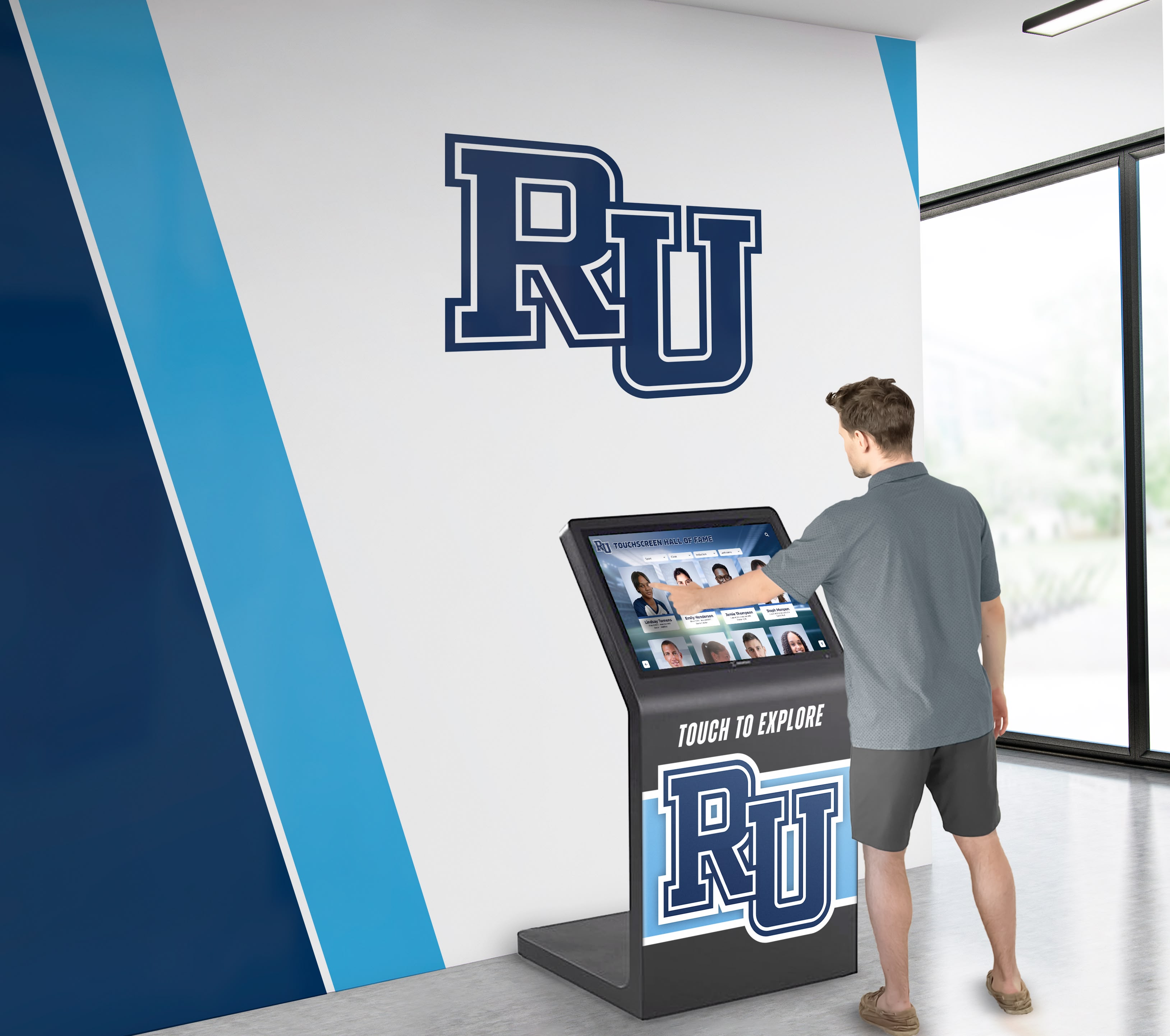
Freestanding kiosk systems installed in agency lobbies and reception areas provide engaging experiences for walk-in visitors while agents complete paperwork, finish calls, or prepare for appointments. These systems enable prospects to independently explore current listings, research neighborhoods, view property comparisons, and identify homes warranting further discussion.
Operational Advantages:
Reception kiosks improve office efficiency by allowing productive self-service during wait times. Rather than passively sitting with outdated magazines, prospects actively explore inventory, arriving at conversations with specific properties in mind and preliminary questions formulated. This self-qualification improves agent productivity by focusing discussions on properties matching demonstrated interest rather than conducting broad inventory overviews.
Interactive kiosks also reduce pressure some buyers feel when exploring options with agents present. The private, self-directed exploration enables prospects to eliminate properties without explanation, narrow focus to genuine interests, and formulate questions before agent engagement. This psychological comfort particularly benefits first-time buyers who may feel uncertain about preferences or overwhelmed by inventory volume.
Content Strategy:
Effective in-office kiosks balance comprehensive listing access with curated featured properties. While full inventory search capability remains important, highlighting specific listings selected by agents draws attention to properties matching current buyer trends, inventory that benefits from in-person viewing, or homes with unique features difficult to appreciate through photos alone. Featured content might showcase open house schedules, price reductions, new listings, or properties with similar characteristics to others attracting recent interest.
Agent Directory and Team Showcase Displays
Beyond property listings, interactive touchscreens effectively showcase real estate professionals themselves, highlighting expertise, specializations, market knowledge, and accomplishments that differentiate agencies from competitors.
Showcase Capabilities:
Comprehensive agent profiles transform basic contact directories into compelling team presentations. Effective displays include professional photography, biographical narratives highlighting local expertise and community involvement, specialization areas such as luxury properties, first-time buyers, investment properties, or specific neighborhoods, languages spoken for serving diverse client bases, recent successful transactions demonstrating market knowledge, client testimonials providing social proof, and preferred contact methods respecting communication preferences.
Strategic Value:
Detailed agent showcases help prospects identify professionals whose expertise aligns with specific needs before initial conversations. Buyers relocating from other regions can identify agents with corporate relocation experience, while luxury property seekers can connect with specialists in high-end markets. This pre-matching improves client satisfaction by establishing appropriate fit from first contact rather than requiring multiple agent interactions to find suitable matches.

For agencies with multiple locations, interactive displays also serve internal communication functions, ensuring front desk staff understand full team capabilities and can direct inquiries appropriately even for agents based in different offices.
Neighborhood and Community Information Centers
Forward-thinking agencies expand interactive displays beyond property listings to position themselves as comprehensive neighborhood resources, showcasing community amenities, school information, transportation options, local businesses, recreational facilities, and lifestyle features that influence location decisions.
Content Components:
Neighborhood displays integrate interactive maps showing property locations relative to key destinations, school district information with performance ratings and boundaries, commute time calculators to major employment centers, walkability scores and transit accessibility, nearby parks, restaurants, shopping, and entertainment, community events calendars and local activities, and demographic information about neighborhoods.
Competitive Differentiation:
This comprehensive approach recognizes that property buyers select neighborhoods as much as houses. By providing detailed community context, agencies demonstrate understanding of decision factors beyond square footage and finishes. The expertise positioning built through comprehensive neighborhood information establishes agencies as trusted advisors rather than transactional listing sources, encouraging longer-term relationships and referral generation.
Similar to how digital directories enhance visitor experiences in other professional settings, real estate interactive systems improve how prospects navigate complex information during significant decisions.
Technology Integration and Content Management Considerations
Successful interactive touchscreen implementations require attention to several technical and operational factors that determine long-term effectiveness:
MLS and Database Integration
The most valuable real estate touchscreen systems automatically synchronize with Multiple Listing Service databases, ensuring displayed properties reflect current market availability, pricing, and status without requiring manual updates. This integration eliminates the lag time and errors that plague manually updated systems while reducing staff time previously spent on content maintenance.
Integration Approaches:
API-based connections provide the most robust synchronization, pulling property data directly from MLS systems on scheduled intervals or real-time as changes occur. Well-designed systems map MLS fields to display templates automatically, formatting information consistently across all properties without custom configuration for each listing. Custom field mapping accommodates agency-specific supplementary information not contained in standard MLS records, such as internal notes, property highlights identified by agents, or marketing content crafted for specific listings.
Data Quality Management:
While automated integration dramatically reduces manual effort, agencies should establish procedures for monitoring data quality. Occasional MLS errors, incomplete records, or missing photography require human oversight to maintain professional presentation standards. Assigning staff responsibility for weekly display reviews ensures issues are identified and corrected promptly before prospects encounter them.
Content Management Systems and Update Workflows
Beyond automated MLS synchronization, agencies need intuitive content management systems for updating featured properties, agent profiles, neighborhood information, and promotional content that changes more frequently than inventory data.
Platform Requirements:
Effective content management systems provide web-based interfaces accessible from any device without specialized software installation, template-based design tools enabling consistent presentation without requiring technical expertise, media libraries organizing photos and videos with easy search and selection, scheduling capabilities for automatically rotating featured content, preview functions allowing verification before publishing changes, and role-based access controls distinguishing between content editors, administrators, and view-only users.
The best systems achieve balance between flexibility and ease of use. Overly complex platforms with endless customization options often go underutilized because staff find them intimidating, while overly simplified systems constrain agencies from presenting unique brand identities. Purpose-built real estate display platforms typically provide optimal middle ground with real estate-specific templates and workflows.
Hardware Selection for Reliable Operation
Interactive touchscreen hardware varies significantly in quality, durability, and suitability for commercial real estate applications. Consumer-grade televisions and tablets, while less expensive initially, typically fail prematurely under continuous operation and public use conditions.
Commercial-Grade Display Specifications:
Real estate agencies should prioritize displays rated for 16-24 hour daily operation over consumer equipment designed for residential intermittent use, touchscreen technology proven for commercial applications with multi-year reliability, adequate brightness for ambient lighting conditions (2,500+ nits for window-facing, 400-700 nits for controlled interior lighting), anti-glare and scratch-resistant surface treatments for high-traffic public use, commercial warranty and support terms recognizing business deployment, and integrated security features protecting against tampering and unauthorized access.
Form Factor Considerations:
Display sizing should match viewing distance and content type. Window displays typically range from 43" to 65" for sidewalk viewing distances, while reception kiosks often utilize 32" to 49" displays suitable for close interaction. Agent directory displays might use smaller formats if showcasing individual profiles, or larger formats if presenting full team overviews simultaneously.
Freestanding kiosk enclosures provide professional presentation while protecting displays from damage, incorporating cable management, and enabling optimal positioning independent of wall locations. Custom enclosures can incorporate agency branding elements reinforcing visual identity beyond screen content.
Network Infrastructure and Connectivity
Reliable network connectivity proves critical for systems synchronizing with MLS databases and enabling remote content management. While WiFi offers installation flexibility, wired Ethernet connections typically provide superior reliability for fixed installations.
Technical Planning:
During installation planning, agencies should verify adequate network bandwidth at display locations, particularly for systems streaming video content or conducting frequent large data synchronizations, establish secure network segments separating public-facing displays from business systems, implement backup connectivity solutions for critical window displays providing 24/7 availability, and plan for remote monitoring and troubleshooting capabilities enabling technical support without site visits.
Many commercial touchscreen systems include built-in cellular backup connections automatically activating if primary network connections fail, ensuring continuous operation even during network outages.
Content Strategy for Engaging Real Estate Touchscreen Experiences
Technology provides the platform, but content quality ultimately determines whether interactive touchscreens deliver business value or become expensive distractions. Effective real estate touchscreen content follows several strategic principles:
High-Quality Visual Assets
Real estate remains fundamentally visual, and interactive displays amplify the importance of exceptional photography and videography. Properties showcased with professional imagery attract significantly more engagement than those with amateur smartphone photos, regardless of property quality or pricing.
Visual Content Standards:
Agencies should establish minimum standards for touchscreen display content, typically including professional photography with proper lighting, staging, and composition, wide-angle interior shots showing room flow and spatial relationships, exterior photography captured during optimal lighting conditions, drone aerial footage for properties with notable lot characteristics or locations, 3D virtual tours enabling self-guided exploration, and video walkthroughs narrated by listing agents providing personal context.
The investment in premium visual assets pays dividends beyond touchscreen displays, as the same content enhances online listings, social media marketing, and printed materials. Positioning touchscreen deployment as catalyst for upgrading overall visual content standards improves marketing effectiveness across channels.

Strategic Content Organization and Navigation
Interactive systems accommodate extensive information, but poor organization creates overwhelming experiences that frustrate rather than engage prospects. Effective content architecture balances comprehensive access with intuitive discovery.
Navigation Principles:
Top-level navigation should provide clear pathways to primary content categories: browse all properties, featured listings, open houses, recently reduced, agent directory, and neighborhood guides. Within property browsing, progressive disclosure presents overview information first with clear pathways to detailed content for properties warranting deeper exploration. Search and filter tools should offer essential criteria prominently while providing advanced options through expandable interfaces preventing visual clutter.
Breadcrumb navigation and persistent “start over” options ensure users never feel trapped in navigation dead ends, encouraging continued exploration rather than abandonment when initial paths don’t yield desired results. Analytics tracking which navigation paths users follow most frequently inform ongoing optimization of content organization based on observed behavior rather than assumptions.
Compelling Property Descriptions and Storytelling
While visual content attracts initial attention, well-crafted property descriptions transform interest into action. Effective descriptions go beyond feature lists to paint lifestyle pictures that help prospects envision themselves in properties.
Description Best Practices:
Strong property descriptions open with compelling overview statements capturing distinctive characteristics, use active language and sensory details bringing spaces to life, highlight lifestyle benefits specific features enable rather than merely listing features, address common objections preemptively through comprehensive information, and conclude with clear calls to action for scheduling viewings or requesting additional information.
Descriptions should match intended audience sophistication. Luxury property descriptions might emphasize architectural details, finishes, and design elements, while first-time buyer properties focus on practical benefits, neighborhood amenities, and affordability context. Consistent voice across all listings reinforces agency brand while allowing individual property personality to shine through.
Dynamic Featured Content and Seasonal Updates
Static content creates stale experiences that fail to reward repeat visits. Dynamic featured sections that change regularly encourage ongoing engagement while highlighting timely opportunities.
Featured Content Strategies:
Rotating featured properties weekly or monthly draws attention to inventory requiring visibility boosts, new listings attracting early interest, open house schedules driving weekend traffic, and price reductions creating urgency. Seasonal content addresses market trends, such as featuring properties with exceptional outdoor spaces during spring and summer, homes with premium heating systems and snow removal during winter, or properties near top school districts during enrollment periods.
Market insight content positions agencies as knowledgeable advisors rather than merely listing aggregators. Brief market updates, neighborhood spotlights, home buying tips, and community event information provide value beyond property browsing, encouraging prospects to return to displays even when not actively searching for immediate purchase.
Similar to how interactive displays enhance recognition programs through engaging content, real estate touchscreens benefit from thoughtfully curated information that serves prospect needs while advancing business objectives.
Measuring Success and Optimizing Interactive Touchscreen Performance
Like any business technology investment, real estate interactive touchscreens should demonstrate measurable returns justifying ongoing investment and informing optimization efforts:
Key Performance Metrics for Real Estate Displays
Engagement Metrics:
Track total touchscreen interactions daily and weekly to understand usage patterns, session duration revealing how long prospects spend exploring content, most viewed properties identifying which listings attract attention, search terms used indicating prospect priorities, and time-of-day usage patterns informing staffing and feature prioritization decisions.
Modern interactive display platforms include built-in analytics dashboards presenting these metrics through intuitive visualizations. Agencies without integrated analytics can implement supplementary tracking through display-mounted cameras (with appropriate privacy notices) counting viewers, or through lead capture forms tracking inquiry sources.
Business Outcome Metrics:
Ultimately, interactive displays must contribute to business results, not merely engagement statistics. Track showings requested directly through touchscreen interfaces, lead capture forms completed and quality of collected contact information, conversion rates from touchscreen inquiry to scheduled showing to completed sale, return on investment comparing display costs against attributed business value, and competitive positioning improvements measured through market share and brand perception research.
While attribution challenges exist—determining definitively whether specific sales resulted from touchscreen engagement versus other touchpoint combinations—agencies can establish baseline comparisons between listings featured prominently on displays versus similar properties without featured placement, measuring whether display visibility correlates with increased inquiry rates and faster sales.
Traditional vs. Interactive Property Marketing
Traditional Marketing Limitations
- Printed materials outdated immediately when properties sell
- Window displays show limited properties with minimal information
- Business hour restrictions miss evening and weekend browsers
- Passive viewing with no interactive exploration
- Difficult to track which properties generate interest
- Generic presentation limits differentiation from competitors
Interactive Display Advantages
- Automatic updates reflect current inventory and pricing
- Showcase entire inventory with comprehensive details
- 24/7 accessibility captures prospects during convenient times
- Active engagement with search, filtering, and multimedia
- Detailed analytics revealing prospect interests and behaviors
- Sophisticated technology positioning establishes market leadership
Continuous Optimization Through Data-Informed Decisions
Analytics data becomes valuable only when translated into actionable optimization decisions that improve performance over time.
Optimization Opportunities:
If analytics reveal specific property types attract disproportionate attention, feature similar listings more prominently to capitalize on demonstrated interest. When certain search terms appear frequently, consider whether content addresses these interests adequately or whether additional information would serve prospects better. If session durations prove shorter than desired, investigate navigation pain points or content gaps causing early abandonment. When specific times show peak usage, ensure featured content during those periods targets likely prospect types using displays then.
Regular content performance reviews—monthly or quarterly depending on market velocity—establish organizational discipline around continuous improvement rather than “set and forget” approaches that allow stagnation.
Implementation Planning for Real Estate Interactive Touchscreens
Agencies considering interactive touchscreen deployment should approach implementation systematically to maximize success probability:
Defining Objectives and Success Criteria
Begin by clarifying specific business objectives the technology should advance. Different agencies prioritize different outcomes, and clarity about primary goals informs design decisions throughout implementation.
Common Objectives:
Increase after-hours prospect engagement and lead capture, improve in-office prospect experience and agent productivity, showcase agency technological sophistication differentiating from competitors, provide comprehensive neighborhood information positioning agency as community expert, highlight agent expertise and specializations matching prospects with appropriate professionals, or reduce printing and signage costs while improving information currency.
Establishing success criteria before deployment creates accountability and enables objective evaluation. Define specific targets such as capturing X leads monthly through touchscreen interactions, reducing time prospects wait before agent engagement by X minutes, increasing featured listing inquiry rates by X percent, or achieving X unique daily interactions with window-facing displays.
Budget Planning and Total Cost of Ownership
Interactive touchscreen investments include multiple cost components beyond initial hardware purchase:
Investment Components:
Hardware costs for commercial-grade displays, touchscreen technology, and mounting solutions range from $3,000-$8,000 per display depending on size and specifications. Software platforms and content management systems typically involve initial setup fees plus ongoing subscription costs, varying from $100-$500 monthly per display depending on features and support levels. Installation expenses including electrical work, network connectivity, and physical mounting add $1,000-$3,000 per location. Content development for initial population with properties, agents, and neighborhood information might require $2,000-$5,000 for professional photography and copywriting. Ongoing management involves staff time for content updates and performance monitoring, typically 5-10 hours monthly per display after initial setup.
Interactive Touchscreen Implementation Process
Define Objectives
Clarify business goals, success criteria, and priority features for your interactive display system
Select Locations
Identify optimal placement for window displays, reception kiosks, or agent directory installations
Choose Technology
Evaluate display platforms, content management systems, and hardware meeting your requirements
Develop Content
Create property descriptions, agent profiles, and neighborhood information with professional quality
Install Systems
Complete physical installation, network connectivity, and integration with MLS databases
Train Staff
Ensure team members understand content management, troubleshooting, and lead follow-up processes
Vendor Selection and Partnership Considerations
Multiple vendors provide interactive touchscreen solutions for real estate, ranging from specialized real estate technology providers to general-purpose digital signage companies adapted for property showcase applications.
Evaluation Criteria:
Assess vendors based on real estate industry experience and understanding of property marketing requirements, MLS integration capabilities and established partnerships with major listing services, content management platform usability for non-technical users, hardware quality and commercial-grade specifications, ongoing support quality and responsiveness, reference customers in similar market positions, and total cost of ownership including hidden fees or usage-based charges.
Request demonstrations with content similar to your intended application rather than generic presentations. Evaluate whether interfaces feel intuitive for your team’s technical skill levels and whether customization options provide adequate flexibility without overwhelming complexity.
Staff Training and Change Management
Technology succeeds only when people use it effectively. Comprehensive staff training and change management attention prove critical for realizing interactive touchscreen potential.
Training Components:
All relevant staff should receive training covering content management system operation for updating featured properties and agent information, troubleshooting common issues and appropriate escalation procedures, interpreting analytics reports and identifying optimization opportunities, lead follow-up processes for prospects who submit information, and demonstrating displays to clients and explaining capabilities during office visits.
Beyond initial training, establish ongoing support resources such as quick reference guides for common tasks, designated “super users” who can assist colleagues, and periodic refresher sessions introducing new features or reinforcing underutilized capabilities.
Change management requires addressing potential resistance from staff comfortable with existing approaches. Clearly communicate how interactive displays complement rather than replace agent expertise, make agents’ jobs easier by qualifying prospects, and position the agency competitively in technology-forward markets.
Advanced Applications and Future Directions for Real Estate Interactive Displays
As interactive touchscreen technology matures and prospect expectations evolve, forward-thinking real estate agencies explore advanced applications extending beyond basic property showcase:
Artificial Intelligence and Personalization
AI-powered personalization observes which properties capture visitor attention and suggests relevant alternatives matching demonstrated preferences. Machine learning algorithms identify patterns across prospect behavior—those interested in specific neighborhoods often view properties with particular characteristics—and surface recommendations prospects might not discover through manual searching.
Conversational AI interfaces enable natural language property search where prospects describe desires in everyday terms rather than navigating structured filters. Speech recognition particularly benefits accessibility, enabling prospects with limited mobility or visual impairments to interact effectively with displays through voice commands.
Augmented Reality Integration
Augmented reality capabilities overlay additional information onto property images displayed on touchscreens. Prospects might view floor plans with furniture placement suggestions, see measurements and dimensions superimposed on rooms, or visualize renovation possibilities through before-and-after comparisons activated by screen interactions.
Mobile AR extensions allow prospects to use smartphones to access supplementary content triggered by display interactions, continuing property exploration after leaving physical displays and maintaining engagement throughout decision processes.
Predictive Analytics and Inventory Optimization
By analyzing which properties attract touchscreen attention but fail to convert into scheduled showings, agencies identify potential issues requiring attention—pricing concerns, inadequate photography, missing information, or presentation problems. Predictive analytics forecast which listings likely generate inquiries based on historical patterns, informing inventory acquisition strategies and seller consultation positioning.
Heat mapping reveals which screen areas attract visual attention and interactions, informing interface design optimization and premium content placement for featured listings.
Virtual Reality and Immersive Property Tours
While current touchscreen displays showcase properties through photos and videos, emerging virtual reality integration enables prospects to experience immersive property walkthroughs directly at agency displays. VR headsets connected to touchscreen kiosks transport prospects into properties, allowing spatial understanding impossible through traditional photography.
This capability particularly benefits new construction marketing, enabling prospects to experience properties before completion, and distant property showcase, allowing local offices to market vacation properties or investment opportunities in other regions.
Similar to how interactive displays are evolving in other professional settings, real estate technology continues advancing toward increasingly sophisticated and engaging experiences.
Ensuring Accessibility and Inclusive Design
Interactive touchscreens should serve all prospects regardless of physical abilities, ensuring technology enhances rather than limits access to property information.
Accessibility Considerations
Physical Accessibility:
Mount touchscreens at heights accessible to wheelchair users, typically 36-48 inches from ground to center for optimal reach and viewing. Ensure adequate clear floor space in front of displays for wheelchair approach and maneuvering. Consider tilt-adjustable mounts reducing glare and improving viewing angles for various heights and mobility situations.
Interface Accessibility:
Implement adequate contrast ratios between text and backgrounds ensuring readability for visually impaired users. Provide text sizing controls allowing users to increase font sizes without breaking layouts. Include audio descriptions for property images assisting prospects with visual impairments. Ensure touch targets meet minimum size requirements (typically 44x44 pixels) for users with limited fine motor control. Offer alternative input methods beyond touch, such as voice commands or connected devices.
Content Accessibility:
Provide property information in multiple formats—written descriptions, video with captions, and audio narration—accommodating different learning preferences and abilities. Include closed captioning for all video content. Structure content with clear headings and logical organization supporting screen reader navigation for prospects who might access web-synchronized content through assistive technologies.
Integrating Interactive Displays with Broader Marketing Strategies
Interactive touchscreens deliver maximum value when integrated into comprehensive marketing strategies rather than functioning as isolated technology implementations.
Cross-Channel Marketing Integration
Content developed for touchscreen displays should extend across marketing channels. Property photography, videography, descriptions, and virtual tours created for interactive displays simultaneously enhance online listings, social media marketing, email campaigns, and traditional print materials. This content reuse maximizes return on production investment while ensuring consistent presentation across prospect touchpoints.
QR codes displayed on interactive screens enable prospects to instantly transfer property information to smartphones, continuing exploration after leaving physical displays and providing contact information for follow-up. Prospects might scan properties of interest during touchscreen sessions, receiving email compilations with full details, scheduling links, and agent contact information.
Social media integration allows prospects to share interesting properties directly from touchscreen displays to personal social networks, extending marketing reach through trusted referrals while indicating which properties generate enthusiasm worth promoting.
Lead Nurturing and CRM Integration
Interactive touchscreens generate valuable prospect data—properties viewed, search criteria used, time spent exploring specific listings, and contact information voluntarily provided. This data flows into customer relationship management systems, enabling personalized follow-up matching demonstrated interests.
Automated email sequences triggered by touchscreen interactions deliver relevant content based on specific properties prospects explored. Prospects who spend significant time viewing waterfront properties might receive automated emails featuring similar listings, neighborhood information about waterfront communities, and financing information specific to that price range.
Sales teams access touchscreen engagement data before follow-up conversations, understanding specific properties that attracted attention and questions likely on prospects’ minds. This preparation enables more relevant, productive initial conversations than generic cold outreach.
Competitive Positioning and Brand Building
Beyond immediate lead generation, interactive touchscreens contribute to long-term competitive positioning and brand perception. Technology-forward agencies attract prospects who value innovation and modern approaches, particularly among younger demographics and tech-savvy professionals relocating to new communities.
The investment in sophisticated display technology signals financial stability and market success, as struggling agencies typically cannot justify premium technology investments. This perceived success creates virtuous cycles where prospects prefer working with market-leading agencies, reinforcing actual market position.
Media coverage of innovative touchscreen deployments generates publicity value beyond direct marketing costs. Local business publications, technology blogs, and real estate trade media feature agencies implementing cutting-edge technology, providing third-party validation and expanding brand awareness beyond traditional marketing reach.
Just as organizations in other sectors leverage digital recognition displays to strengthen brand identity and community connection, real estate agencies benefit from positioning themselves as technological leaders through interactive display investments.
Conclusion: Transforming Real Estate Marketing Through Interactive Touchscreen Technology
Interactive touchscreen displays represent fundamental shifts in how realtor agencies showcase properties, engage prospects, and position their brands in increasingly competitive markets. By providing 24/7 accessibility, comprehensive property exploration, agent directories, and neighborhood information through engaging interactive experiences, these systems address limitations inherent in traditional printed materials and static signage while meeting evolved expectations shaped by digital experiences in other sectors.
The technology delivers measurable business outcomes beyond novelty appeal. Agencies implementing interactive displays report increased lead capture, improved prospect engagement, enhanced agent productivity through better-qualified inquiries, and strengthened competitive positioning as innovation leaders. Property listings showcased through interactive touchscreens attract more views, generate more inquiries, and convert more effectively than traditional presentation approaches.
Success requires more than hardware acquisition. Agencies must thoughtfully plan objectives, select appropriate technology, develop high-quality content, integrate with existing systems, train staff effectively, and continuously optimize based on performance data. Those approaching interactive touchscreens strategically as components of comprehensive marketing ecosystems realize dramatically better returns than those treating them as isolated technology purchases.
As artificial intelligence, augmented reality, and predictive analytics continue advancing, interactive touchscreen capabilities will expand beyond current applications. Forward-thinking agencies establishing expertise now position themselves to leverage emerging capabilities while competitors struggle with foundational implementation challenges.

The real estate industry’s transformation from location-based to technology-enabled continues accelerating. Interactive touchscreen displays represent essential investments for agencies committed to serving modern buyers, leveraging technology for competitive advantage, and building sustainable business models that transcend traditional limitations. Explore how comprehensive touchscreen software solutions enable professional recognition and engagement across sectors, discover best practices for interactive kiosk implementations, or learn about digital display solutions for business environments.
Ready to transform your real estate agency’s property showcase capabilities? Solutions like Rocket Alumni Solutions deliver interactive touchscreen platforms that can be adapted for various professional recognition and display applications. Whether showcasing properties, featuring agents, or providing neighborhood information, interactive display technology positions your agency at the forefront of real estate innovation while delivering measurable business results that justify technology investment through enhanced prospect engagement, improved lead generation, and strengthened competitive positioning in your market.
Sources:
- Interactive Real Estate Window Displays for Agents | Prem Media
- Real Estate Kiosks | Interactive Kiosks & Digital Signage | Meridian Kiosks
- Interactive Exhibitions for Real Estate Developers: A New Way to Showcase Properties | Medium
- Real Estate and Touch Screen Kiosks: A New Era for Property Listings | MetroClick
- Digital Signage for Real Estate - LOOK DS
































