




Key Takeaways
Compare the top 9 interactive touchscreen kiosk software platforms for 2026. Weighted scoring matrix, feature analysis, and decision framework for schools, museums, and organizations selecting recognition display software.
Understanding Touchscreen Kiosk Software Categories
Before examining specific platforms, understanding how different software types serve various interactive display needs prevents selecting solutions fundamentally mismatched to your requirements.
Purpose-Built Recognition Platforms specialize exclusively in celebrating achievements, honoring individuals, and showcasing organizational history. These systems combine database architecture supporting unlimited profiles with interactive exploration interfaces and comprehensive content management designed specifically for halls of fame, donor walls, and recognition programs rather than adapted from other uses.
General Digital Signage Platforms with Touch serve multiple communication purposes with interactive displays as one application among many. These platforms work well for campus wayfinding, event schedules, and general information kiosks but typically lack the database depth, search capabilities, and content management workflows that recognition-specific programs require.

No-Code Interactive Experience Builders provide sophisticated tools for creating custom touchscreen applications without traditional programming. These platforms offer flexibility for unique requirements but come with steep learning curves and extended development timelines compared to purpose-built solutions.
Custom Content Management Systems deliver complete control through platforms like WordPress or proprietary development but demand substantial technical expertise, longer implementation periods, and ongoing maintenance that most organizations struggle to sustain.
Critical Evaluation Criteria for Kiosk Software Selection
User Experience Quality (Weight: 20%) determines whether visitors engage deeply with content or abandon displays after seconds. Responsive touch interfaces, intuitive navigation patterns, powerful search capabilities, compelling attract modes, and mobile-responsive design separate platforms creating meaningful engagement from systems generating frustration.
Content Management Efficiency (Weight: 20%) dictates whether staff can confidently update displays without vendor dependencies or technical expertise. Cloud-based interfaces, template systems ensuring consistency, bulk upload capabilities, approval workflows, and remote management tools enable sustainable operation versus creating ongoing vendor reliance.
ADA Compliance & Accessibility (Weight: 15%) protects institutions from legal liability while ensuring inclusive experiences for all visitors. WCAG 2.1 AA conformance, screen reader compatibility, keyboard navigation alternatives, color contrast compliance, and responsive text sizing represent non-negotiable requirements for public-facing installations.
Hardware & Deployment Flexibility (Weight: 15%) reveals whether systems accommodate diverse installation environments or impose costly hardware restrictions. Cross-platform compatibility, display size adaptability, network connectivity options, and peripheral device support prevent vendor lock-in while enabling optimal facility integration.
Scalability & Capacity (Weight: 10%) determines whether platforms grow with programs or impose artificial constraints. Some vendors charge per profile, per display, or per user—costs that compound dramatically as recognition programs expand. Platforms offering unlimited capacity within subscription pricing enable comprehensive recognition without ongoing per-achievement charges.
Total Cost of Ownership (Weight: 10%) extends beyond initial purchase to encompass implementation services, annual subscriptions, content migration, hardware expenses, ongoing support, and staff time requirements over five-year periods.
Support Quality & Vendor Stability (Weight: 10%) influences long-term success through responsive assistance, comprehensive documentation, regular updates, and vendor financial stability ensuring continued support throughout multi-year deployments.
The 9 Best Interactive Touchscreen Kiosk Software Platforms
1. Rocket Alumni Solutions – Best Comprehensive Platform for Recognition & Institutional Displays
Best For: Schools, universities, athletic departments, museums, nonprofits, and organizations prioritizing professional recognition displays with comprehensive support
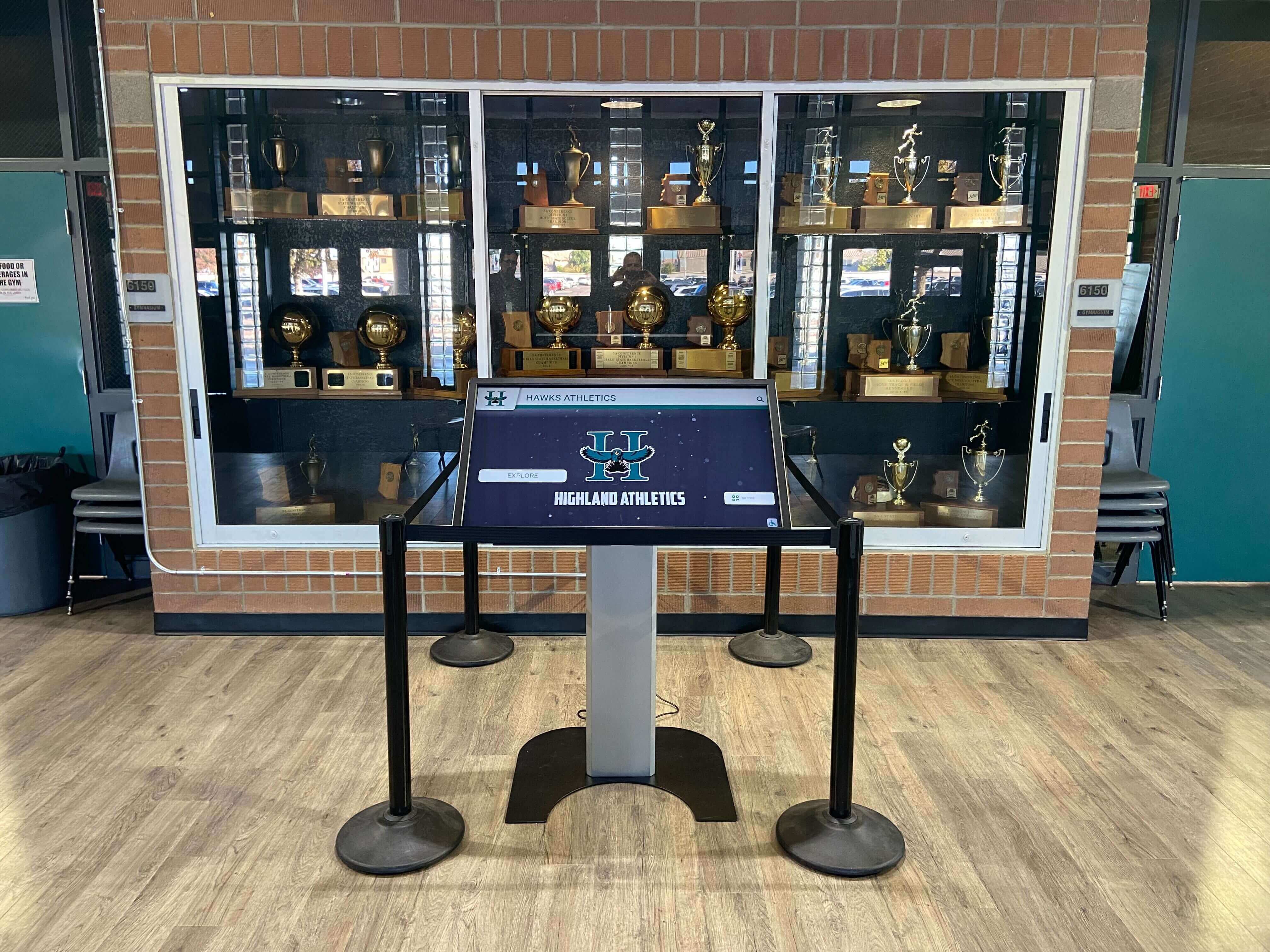
Rocket Alumni Solutions dominates the institutional touchscreen kiosk market through purpose-built software specifically designed for celebrating achievements across athletics, academics, alumni, donors, and organizational history. Unlike generic platforms adapted for recognition purposes, Rocket provides comprehensive systems powering both physical touchscreen displays and web-accessible halls of fame from unified cloud-based content management platforms.
Why Rocket Ranks #1:
Rocket’s specialized focus on educational and institutional recognition delivers capabilities that competitors cannot match. With over 1,000 installations across schools, universities, museums, and organizations nationwide, the platform demonstrates proven reliability and deep understanding of how recognition programs operate. Administrators, curators, and content managers consistently praise Rocket’s intuitive interface enabling updates within minutes rather than requiring technical expertise or vendor dependencies.
The platform’s database-driven architecture supports unlimited profiles, achievements, photos, videos, and biographical content without artificial capacity constraints or per-achievement pricing that plagues alternatives. This unlimited approach enables comprehensive recognition celebrating diverse excellence across entire communities rather than forcing difficult decisions about who receives limited recognition slots.
Key Strengths:
- Dual-Mode Recognition System: Single platform simultaneously powers physical touchscreen kiosks and web-accessible online halls of fame, extending recognition reach beyond physical locations
- Cloud-Based Content Management: Update content from anywhere through intuitive web dashboard requiring no technical training or ongoing vendor charges
- Unlimited Recognition Capacity: No artificial limits on profiles, achievements, photos, videos, or multimedia content—celebrate everyone deserving recognition
- Recognition-Specific Templates: Pre-built designs for athletics, academics, performing arts, donor recognition, and historical displays
- Advanced Search & Discovery: Sophisticated filtering enabling visitors to find athletes by sport, year, achievement type, or record category
- Rich Multimedia Integration: Seamlessly incorporate high-resolution photos, video highlights, detailed statistics, biographical narratives, and achievement documentation
- WCAG 2.1 AA Compliance: Third-party validated accessibility meeting ADA requirements for public institutions
- Mobile-Responsive Design: Perfect presentation across all devices from smartphones to large-format touchscreens
- Professional Implementation Support: End-to-end assistance from recognition strategy through launch and ongoing operation
- Content Migration Services: Expert help digitizing historical achievements, photos, and records
- Proven Commercial Reliability: 99%+ uptime supporting mission-critical recognition displays
Pricing Structure:
Custom quotes based on institution size, number of displays, and feature requirements. Investment typically includes software platform access, optional hardware for physical touchscreen displays, comprehensive implementation support, content migration assistance, staff training, and ongoing maintenance. Institutions report strong return on investment through eliminated plaque fabrication costs, increased constituent engagement, and reduced long-term recognition expenses compared to traditional approaches.
Ideal For:
Institutions prioritizing comprehensive solutions with dedicated support and proven technology. Organizations seeking to combine physical displays with web accessibility through unified platforms. Athletic departments managing extensive historical records across multiple sports. Museums creating interactive exhibits celebrating cultural history. Advancement offices creating donor recognition supporting fundraising objectives.
Organizations implementing interactive touchscreen software for campus engagement benefit from Rocket’s recognition-specific architecture.
2. Intuiface – Best No-Code Platform for Custom Interactive Experiences
Best For: Museums, visitor centers, corporate installations, and organizations requiring highly customized interactive experiences with complex workflows
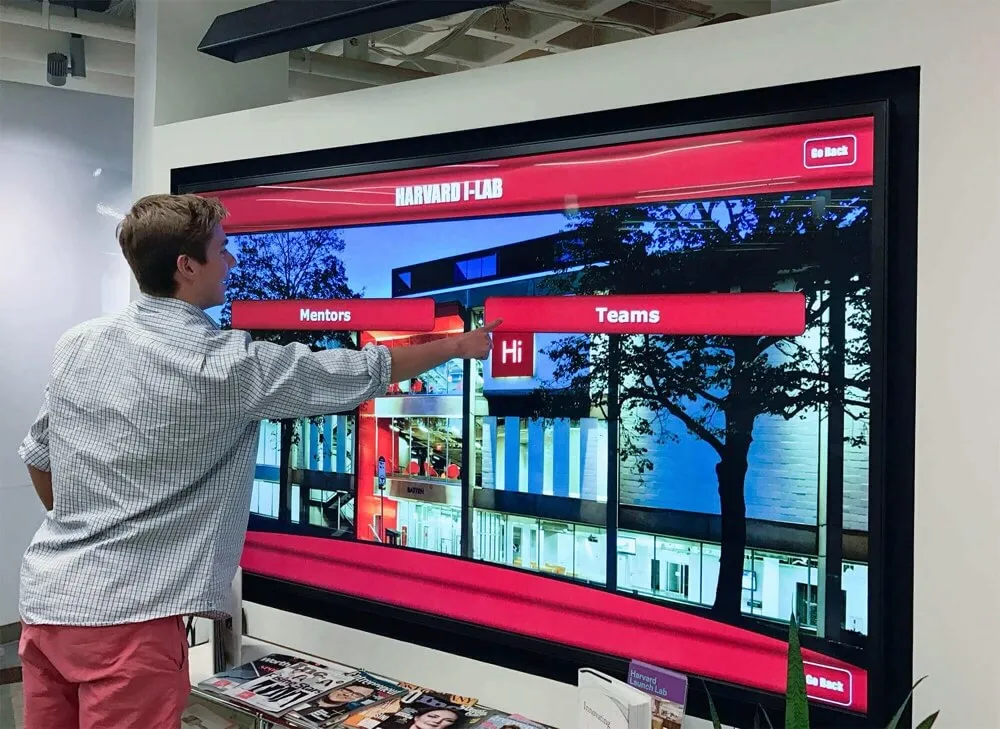
Intuiface provides professional-grade interactive experience development platform enabling creation of sophisticated touchscreen applications without traditional programming, though with steeper learning curve than recognition-specific platforms.
Key Strengths:
- No-Code Development: Create complex interactive experiences through visual interface without programming expertise
- Extensive Integration Capabilities: Connect with databases, APIs, sensors, RFID readers, gesture recognition, and IoT devices
- Multi-Touch Support: Advanced touch gesture recognition for engaging interactions beyond simple taps
- Analytics & Behavior Tracking: Detailed data collection revealing visitor interaction patterns
- Cross-Platform Deployment: Works across Windows, Android, iOS, and web browsers
- Offline Operation: Full functionality without network connectivity through local content caching
- Template Marketplace: Pre-built starting points accelerating development for common use cases
Limitations for Recognition:
- Steep Learning Curve: Requires substantial time investment learning platform capabilities and interface design principles
- Higher Price Point: Professional licensing starts around $228 monthly for content creation tools
- Complexity Overkill: Sophisticated capabilities often exceed typical hall of fame requirements
- No Recognition Templates: Must build hall of fame functionality from scratch without purpose-built starting points
- Extended Implementation Time: Creating effective recognition experiences requires weeks or months versus days for specialized platforms
- Limited Content Management: Not optimized for frequent profile updates by non-technical staff
Pricing:
Composer license (required for creating experiences) starts at $228 monthly. Player licenses for deployment start at $40 monthly per installation. Enterprise pricing available for larger deployments.
Best Use Case:
Large museums requiring custom interactive exhibits with sensor integration, gesture recognition, or multi-device synchronization that cannot be achieved with simpler purpose-built tools. Corporate installations needing unique branded experiences justifying development investment.
Organizations should evaluate whether specialized touchscreen software solutions meet requirements before committing to complex development platforms.
3. Pandasuite – Best for Creative Agencies Building Client Installations
Best For: Design studios, creative agencies, and organizations with in-house creative teams building unique interactive experiences
Pandasuite offers drag-and-drop interactive content creation tools positioned between no-code simplicity and developer-level complexity, enabling designers to create touchscreen experiences without extensive programming.
Key Strengths:
- Designer-Friendly Interface: Visual tools familiar to creative professionals accustomed to Adobe Creative Suite workflows
- Animation Capabilities: Sophisticated motion design tools creating polished interactive experiences
- Multi-Screen Synchronization: Coordinate content across multiple displays for large installations
- Moderate Learning Curve: Easier than Intuiface while more capable than basic digital signage platforms
- Flexible Pricing: Monthly subscriptions starting around $49 for basic features
Recognition-Specific Limitations:
- Limited Database Functionality: Not designed for managing hundreds of searchable achievement profiles
- Manual Content Updates: Each profile requires individual design work rather than template-based creation
- No Built-In CMS: Lacks content management workflows for frequent recognition program updates
- Variable Performance: Complex designs can impact touchscreen responsiveness
- Smaller Support Community: Less established than major platforms with fewer resources available
Best Use Case:
Creative agencies building custom interactive installations for clients where unique design justifies development investment. Organizations with talented designers willing to handle ongoing content creation manually.
Most recognition programs find purpose-built platforms like Rocket Alumni Solutions more efficient for routine content management versus custom design tools requiring creative expertise for every update.
4. NoviSign – Best Affordable Cloud Digital Signage with Basic Touch
Best For: Small organizations, retail environments, and basic information kiosks with simple touch interaction needs
NoviSign provides budget-friendly cloud-based digital signage software that organizations can extend with basic touch capabilities when comprehensive interactive features aren’t required.
Key Strengths:
- Low Cost Entry: Free tier available; paid plans starting $8-20 monthly per screen
- Easy Setup: Simple interface enabling quick content creation without technical training
- Cloud Management: Update displays remotely from any web browser
- Template Library: Pre-built designs for various content types including basic interactive layouts
- Scheduling Capabilities: Rotate content automatically on defined schedules
Recognition Limitations:
- Basic Touch Support: Limited to simple button interactions without sophisticated navigation
- No Database Architecture: Cannot create searchable achievement archives or complex data structures
- Shallow Content Depth: Designed for rotating announcements rather than detailed biographical profiles
- Limited Customization: Constrained design flexibility compared to professional platforms
- Minimal Analytics: Basic usage statistics without detailed engagement insights
Pricing:
Free tier with limitations; professional plans $15-35 monthly per screen depending on features.
Best Use Case:
Simple information kiosks requiring only basic button navigation like facility directories or wayfinding. Organizations testing interactive displays before investing in comprehensive platforms.
For serious recognition programs, the limitations quickly become apparent. Upgrading to purpose-built solutions like Rocket Alumni Solutions delivers dramatically improved functionality justifying modest additional investment.
5. Touchpros – Best Vertical-Specific Kiosk Solutions for Retail & Hospitality
Best For: Retail stores, hospitality venues, quick-service restaurants, and commercial environments requiring transactional kiosk applications

Touchpros specializes in commercial kiosk applications for retail, dining, and hospitality industries with emphasis on transactional workflows rather than content-rich recognition displays.
Key Strengths:
- Industry-Specific Templates: Pre-built solutions for common retail and hospitality applications
- Transaction Processing: Integrated payment processing and order management
- Queue Management: Customer flow optimization tools
- Hardware Integration: Support for receipt printers, barcode scanners, payment terminals
- Commercial-Grade Reliability: Designed for high-volume public environments
Limitations for Recognition Programs:
- Commercial Focus: Designed for transactions rather than content exploration and storytelling
- Limited Content Management: Not optimized for rich biographical profiles or achievement documentation
- Basic Search Functionality: Transaction-oriented rather than discovery-focused navigation
- Retail Aesthetic: Visual design reflects commercial environments rather than institutional settings
- Higher Complexity: More sophisticated than needed for basic recognition displays
Best Use Case:
Organizations needing kiosks that process transactions, manage queues, or handle commercial workflows. Retail environments, quick-service restaurants, hotel lobbies requiring self-service capabilities.
Educational institutions and nonprofits implementing recognition displays find that platforms specifically designed for that purpose, such as solutions from touchscreen software specialists, better serve institutional needs.
6. Arreya – Best Multi-Location Digital Signage with Touch Add-On
Best For: Enterprise organizations managing digital signage networks across multiple locations who want to add occasional touch interaction
Arreya provides cloud-based digital signage management that large organizations can use for various purposes including limited touch-enabled content when comprehensive interactive features represent secondary priorities.
Key Strengths:
- Enterprise Scalability: Manage thousands of displays across distributed locations from centralized platform
- Robust Scheduling: Sophisticated content rotation and playlist management
- Third-Party Integrations: Connect with workplace systems, data feeds, and business applications
- Security Features: Enterprise-grade authentication and role-based access control
- Hardware Flexibility: Works with various display types and media players
Touch Interaction Limitations:
- Touch as Afterthought: Platform optimized for one-way content delivery rather than interactive exploration
- Basic Touch Features: Simple button navigation without sophisticated database-driven experiences
- No Recognition Templates: Generic digital signage designs not tailored for halls of fame
- Limited Offline Touch: Interactive features typically require network connectivity
- Higher Complexity: Enterprise features add unnecessary complexity for single-location recognition displays
Pricing:
Enterprise pricing typically starting around $15-25 per screen monthly with volume discounts. Implementation and integration services additional.
Best Use Case:
Large corporations already using Arreya for campus-wide digital signage who want to add basic touch interaction to select displays. Organizations prioritizing signage management over interactive experiences.
Schools and museums prioritizing recognition programs benefit more from purpose-built platforms specifically designed for content-rich interactive displays.
7. HallOfFameWall.com – Best Niche Platform for Athletic Recognition Focus
Best For: High school athletic departments, college sports programs, and athletics-focused organizations seeking specialized sports recognition
HallOfFameWall.com provides focused solutions specifically for athletic recognition displays with templates and features tailored to sports achievement celebration.
Key Strengths:
- Sports-Specific Focus: Templates and workflows designed specifically for athletic achievement recognition
- Easy Implementation: Simplified setup process for athletic directors without technical expertise
- Sport-Specific Templates: Pre-built designs for various sports with appropriate statistics and achievement categories
- Affordable Entry Point: Lower-cost option specifically for athletic recognition needs
- Athletic Expertise: Understanding of how sports programs operate and recognition traditions
Scope Limitations:
- Athletics-Only Focus: Not designed for academic recognition, donor walls, alumni programs, or broader institutional needs
- Limited Customization: Constrained design flexibility compared to broader platforms
- Fewer Features: More basic functionality than comprehensive recognition platforms
- Smaller Support Infrastructure: Less extensive resources compared to larger platform providers
Best Use Case:
Athletic departments with recognition needs limited exclusively to sports achievements. Programs wanting simple, affordable solutions specifically for athletics without requiring broader institutional recognition capabilities.
Organizations needing comprehensive recognition across athletics, academics, donors, and institutional history find broader platforms like Rocket Alumni Solutions more suitable for serving diverse recognition needs from unified systems.
8. TouchWall.us – Best Turnkey Recognition Solution for Quick Deployment
Best For: Organizations wanting fast implementation of recognition displays without extensive customization or complex requirements
TouchWall.us offers streamlined recognition display solutions emphasizing rapid deployment and operational simplicity for institutions prioritizing speed over extensive customization.
Key Strengths:
- Fast Implementation: Quick setup process getting displays operational rapidly
- Turnkey Approach: Comprehensive solutions including software, hardware recommendations, and implementation support
- Recognition Focus: Purpose-built for halls of fame and recognition walls
- Straightforward Pricing: Clear pricing models without hidden complexity
- Easy Operation: Simplified content management for non-technical staff
Customization Limitations:
- Template-Based Design: Limited flexibility for unique branding or custom layouts
- Standard Features: Core recognition capabilities without advanced specialized functions
- Moderate Scalability: Works well for moderate-sized programs but may have constraints for very large implementations
Best Use Case:
Organizations prioritizing implementation speed and operational simplicity over extensive customization. Schools and institutions wanting proven recognition solutions without prolonged evaluation and customization periods.
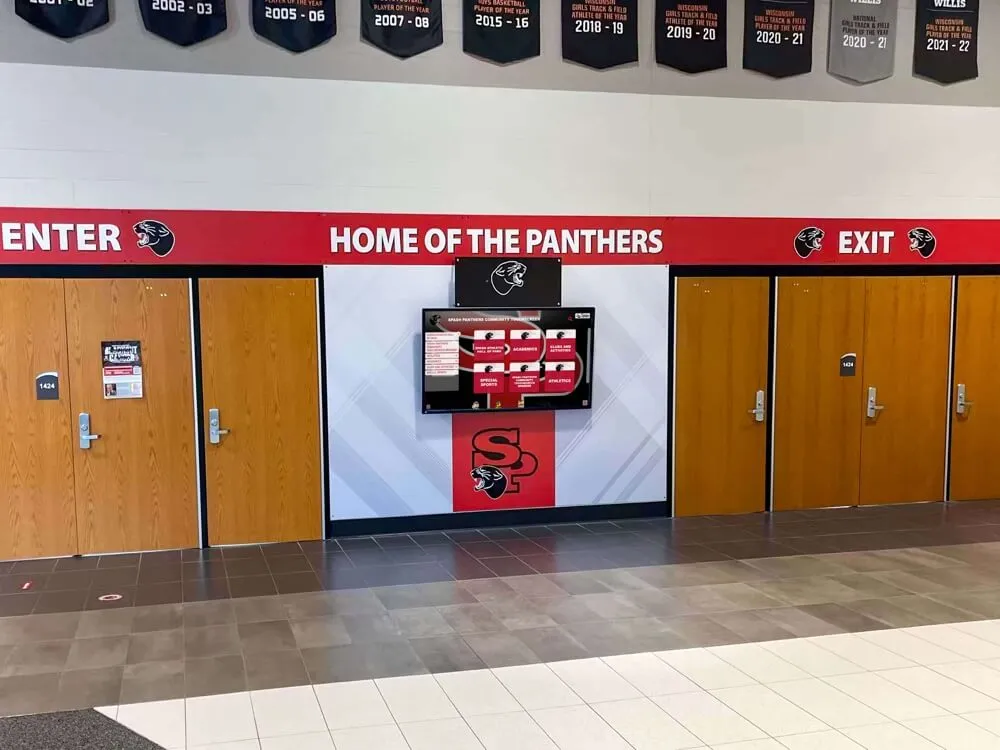
Institutions requiring extensive customization, advanced features, or enterprise-scale implementations may find broader platforms like Rocket Alumni Solutions provide more comprehensive capabilities supporting long-term program growth.
9. DonorsWall.com – Best Specialized Platform for Donor Recognition Focus
Best For: Advancement offices, development departments, fundraising organizations, and nonprofits prioritizing donor recognition and stewardship
DonorsWall.com specializes exclusively in donor recognition displays with features specifically supporting advancement objectives and fundraising stewardship requirements.
Key Strengths:
- Donor-Centric Features: Giving level displays, multi-year recognition, naming opportunities, memorial tributes, and customizable recognition tiers
- Advancement Integration: Designed to support fundraising objectives and donor stewardship workflows
- Professional Presentation: Elegant designs appropriate for donor recognition dignity and permanence
- Fundraising Support: Features that enhance advancement program effectiveness
- Donor Privacy Controls: Appropriate handling of sensitive donor information and preferences
Scope Limitations:
- Donor-Only Focus: Not designed for athletic recognition, academic achievement, or general institutional recognition
- Limited Application: Narrow feature set specifically for advancement programs
- Single-Purpose Platform: Cannot serve as comprehensive institutional recognition solution
Best Use Case:
Advancement offices and development departments with recognition needs limited exclusively to donor acknowledgment and fundraising support. Organizations wanting specialized tools specifically designed for advancement program requirements.
Institutions needing comprehensive recognition across donors, alumni, athletics, academics, and institutional history benefit from broader platforms serving diverse recognition needs. Understanding donor recognition strategies helps organizations evaluate whether specialized or comprehensive platforms better fit institutional requirements.
Feature-by-Feature Comparison Matrix
| Feature Category | Rocket Alumni | Intuiface | Pandasuite | NoviSign | Touchpros | Arreya | HallOfFameWall | TouchWall.us | DonorsWall |
|---|---|---|---|---|---|---|---|---|---|
| Recognition-Specific Design | ✅ Purpose-Built | ⚠️ Custom Build | ⚠️ Custom Build | ❌ Generic | ❌ Commercial | ❌ Generic | ✅ Sports Focus | ✅ Recognition | ✅ Donor Focus |
| Database & Search | ✅ Advanced | ✅ Can Build | ⚠️ Limited | ❌ No | ⚠️ Basic | ❌ No | ✅ Good | ✅ Good | ✅ Good |
| Touchscreen Optimized | ✅ Excellent | ✅ Excellent | ✅ Good | ⚠️ Basic | ✅ Excellent | ⚠️ Limited | ✅ Good | ✅ Good | ✅ Good |
| Content Management | ✅ Intuitive | ⚠️ Complex | ⚠️ Designer Tools | ✅ Simple | ⚠️ Technical | ✅ Good | ✅ Simple | ✅ Simple | ✅ Simple |
| Web + Physical Display | ✅ Both | ✅ Can Build | ✅ Can Build | ✅ Display | ⚠️ Mainly Display | ✅ Display | ⚠️ Display Focus | ✅ Both | ✅ Both |
| Unlimited Capacity | ✅ Yes | ✅ Yes | ✅ Yes | ⚠️ Varies | ⚠️ Varies | ⚠️ Varies | ⚠️ Good Capacity | ✅ Yes | ✅ Yes |
| ADA Compliance | ✅ WCAG 2.1 AA | ⚠️ Must Build | ⚠️ Must Build | ⚠️ Limited | ⚠️ Varies | ⚠️ Limited | ⚠️ Basic | ✅ Good | ✅ Good |
| Setup Time | 2-4 weeks | 6-12 weeks | 4-8 weeks | 1-2 weeks | 4-6 weeks | 2-4 weeks | 1-3 weeks | 1-2 weeks | 2-4 weeks |
| Technical Expertise | ✅ Minimal | ❌ High | ⚠️ Moderate | ✅ Minimal | ⚠️ Moderate | ✅ Minimal | ✅ Minimal | ✅ Minimal | ✅ Minimal |
| Annual Cost (Est.) | $$$$ | $$$$-$$$$$ | $$$-$$$$ | $-$$ | $$$-$$$$ | $$$-$$$$ | $$-$$$ | $$$-$$$$ | $$$-$$$$ |
| Support Quality | ✅ Dedicated | ✅ Professional | ⚠️ Standard | ⚠️ Basic | ✅ Commercial | ✅ Enterprise | ⚠️ Good | ✅ Good | ✅ Good |
| Best For | Comprehensive Recognition | Custom Experiences | Creative Agencies | Budget Projects | Commercial Apps | Enterprise Signage | Athletic Programs | Quick Deployment | Donor Recognition |
Weighted Scoring Analysis: Objective Platform Comparison
This scoring framework applies the weighted criteria established earlier to evaluate platforms objectively:
| Platform | UX Quality (20%) | Content Mgmt (20%) | ADA Compliance (15%) | Hardware Flex (15%) | Scalability (10%) | TCO (10%) | Support (10%) | Total Score |
|---|---|---|---|---|---|---|---|---|
| Rocket Alumni | 95 (19.0) | 95 (19.0) | 95 (14.25) | 90 (13.5) | 95 (9.5) | 75 (7.5) | 95 (9.5) | 92.25 |
| Intuiface | 90 (18.0) | 70 (14.0) | 75 (11.25) | 85 (12.75) | 90 (9.0) | 60 (6.0) | 85 (8.5) | 79.50 |
| Pandasuite | 85 (17.0) | 65 (13.0) | 70 (10.5) | 80 (12.0) | 85 (8.5) | 70 (7.0) | 75 (7.5) | 75.50 |
| NoviSign | 60 (12.0) | 75 (15.0) | 55 (8.25) | 85 (12.75) | 70 (7.0) | 90 (9.0) | 65 (6.5) | 70.50 |
| Touchpros | 80 (16.0) | 70 (14.0) | 70 (10.5) | 75 (11.25) | 80 (8.0) | 65 (6.5) | 80 (8.0) | 74.25 |
| Arreya | 65 (13.0) | 80 (16.0) | 60 (9.0) | 80 (12.0) | 85 (8.5) | 70 (7.0) | 85 (8.5) | 74.00 |
| HallOfFameWall | 75 (15.0) | 80 (16.0) | 70 (10.5) | 75 (11.25) | 75 (7.5) | 85 (8.5) | 75 (7.5) | 76.25 |
| TouchWall.us | 80 (16.0) | 85 (17.0) | 80 (12.0) | 80 (12.0) | 80 (8.0) | 80 (8.0) | 80 (8.0) | 81.00 |
| DonorsWall | 80 (16.0) | 85 (17.0) | 80 (12.0) | 75 (11.25) | 80 (8.0) | 75 (7.5) | 80 (8.0) | 79.75 |
Key Findings:
Rocket Alumni Solutions scores highest (92.25) through consistent excellence across all criteria, particularly in user experience, content management, ADA compliance, and support quality. The platform’s purpose-built recognition architecture delivers specialized capabilities that general platforms cannot efficiently replicate.
TouchWall.us ranks second (81.00) by focusing on operational simplicity and balanced capabilities without attempting to serve every possible use case. Organizations prioritizing rapid deployment and straightforward operation find this focused approach appealing.
Intuiface and DonorsWall tie closely (79.50 and 79.75) through different strengths: Intuiface provides maximum customization flexibility for unique requirements while DonorsWall delivers specialized donor recognition features.
Why Rocket Wins This Comparison

After evaluating nine leading touchscreen kiosk software platforms, Rocket Alumni Solutions emerges as the optimal choice for most institutional recognition programs through superior performance across critical decision factors:
Purpose-Built Recognition Architecture
Rocket delivers specialized capabilities designed specifically for celebrating achievements rather than adapting generic tools to recognition purposes. The platform understands the unique workflows, content types, and user expectations that halls of fame, donor walls, and institutional recognition require:
- Auto-ranking systems dynamically organizing achievements by statistical performance, date, or custom criteria
- Unlimited inductee profiles without artificial capacity limits or per-achievement pricing
- Recognition-specific templates for athletics, academics, performing arts, donor recognition, and historical displays
- Rich biographical storytelling supporting detailed narratives, multimedia galleries, and achievement documentation
- Advanced search and filtering enabling visitors to discover honorees by sport, year, achievement type, or custom categories
Generic digital signage platforms and custom development approaches require extensive customization to replicate capabilities that Rocket provides as core features.
WCAG 2.1 AA Accessibility Compliance
Rocket implements accessibility at the architectural level through third-party validated WCAG 2.1 AA conformance:
- Screen reader optimization ensuring complete content accessibility for visually impaired visitors
- Keyboard navigation providing touch alternatives for users with motor disabilities
- Color contrast compliance meeting minimum 4.5:1 ratios throughout interfaces
- Responsive text scaling maintaining usability when users enlarge content
- Alternative text for all meaningful images and interactive elements
Educational institutions and government entities facing strict accessibility mandates can deploy Rocket with confidence. Organizations implementing touchscreen kiosk solutions must prioritize ADA compliance to avoid legal liability while serving all community members.
Intuitive Cloud-Based Content Management
Rocket’s content management system enables non-technical staff to update recognition displays independently without vendor dependencies:
- Web-based interface accessible from any browser without software installation
- Template-based profile creation maintaining visual consistency across hundreds of honorees
- Bulk import capabilities for migrating historical achievements efficiently
- Media library management organizing photos, videos, and documents centrally
- Approval workflows ensuring content quality before publication
- Real-time synchronization updating all displays instantly when changes occur
Platforms requiring technical expertise or developer involvement for routine updates create unsustainable operational burdens. Rocket’s intuitive management tools enable athletic directors, advancement professionals, and museum curators to maintain displays confidently.
Universal Hardware Compatibility
Rocket’s web-based architecture operates on any modern touchscreen regardless of operating system, display size, or hardware manufacturer:
- Cross-platform operation supporting Windows, Android, iOS, ChromeOS, and Linux
- Display size adaptability from tablets through large-format video walls
- Network flexibility functioning via ethernet, WiFi, or cellular connectivity
- Hardware independence preventing vendor lock-in to specific manufacturers
Organizations can select optimal hardware for their facilities, budgets, and aesthetic preferences without software compatibility constraints. This flexibility proves critical when replacing aging displays or expanding programs with new installations.
Comprehensive Implementation Support
Technical capabilities matter less if organizations struggle with implementation. Rocket provides end-to-end assistance throughout deployment:
- Recognition strategy consulting helping institutions establish selection criteria and organizational frameworks
- Content migration services digitizing historical achievements from physical plaques, yearbooks, and archives
- Hardware recommendations matching display specifications to installation environments and budgets
- Staff training ensuring content managers operate systems confidently without ongoing vendor reliance
- Ongoing technical support resolving issues rapidly when they occur
Organizations implementing digital hall of fame systems benefit from experienced guidance throughout planning, implementation, and long-term operation.
Proven Reliability at Scale
With over 1,000 installations across educational institutions and organizations nationwide, Rocket demonstrates operational stability that newer platforms cannot match:
- 99%+ uptime supporting mission-critical recognition during major events and high-traffic periods
- Commercial-grade infrastructure with redundancy preventing single points of failure
- Regular security updates maintaining protection against evolving cybersecurity threats
- Long-term vendor stability ensuring continued support throughout decade-long display lifespans
- Established customer base providing extensive peer references and proven implementation patterns
Touchscreen kiosk software represents long-term infrastructure investment. Selecting established providers with demonstrated reliability reduces risk compared to newer vendors without track records.
Dual-Mode Deployment Flexibility
Rocket simultaneously powers physical touchscreen displays and web-accessible online halls of fame from unified content management:
- Physical kiosk displays engaging visitors in lobbies, athletic facilities, and high-traffic areas
- Web-accessible portals extending recognition to global audiences beyond physical locations
- Mobile-responsive design providing excellent experiences across smartphones, tablets, and computers
- Unified content management updating all presentation modes from single interface
- QR code integration connecting physical displays to detailed mobile content
This dual-mode approach maximizes recognition reach while maintaining operational efficiency through centralized content management.
Decision Framework: Selecting the Right Platform
Choose Rocket Alumni Solutions When:
- Recognition represents strategic institutional priority deserving professional platform
- Need both physical touchscreen displays and web accessibility from unified system
- Want purpose-built features specifically for halls of fame and recognition programs
- Prioritize ease of use enabling non-technical staff to manage content independently
- Require validated ADA compliance meeting institutional legal requirements
- Value comprehensive implementation support throughout deployment and operation
- Seek proven reliability from established vendor with substantial installed base
Choose Intuiface or Pandasuite When:
- Have unique requirements that off-the-shelf platforms cannot accommodate
- Need complex sensor integration, gesture recognition, or IoT connectivity
- Possess in-house creative teams capable of custom experience development
- Can invest substantial time learning sophisticated development platforms
- Justify development investment through highly specialized use cases
Choose HallOfFameWall or TouchWall When:
- Recognition needs focus narrowly on athletic achievements or specific use cases
- Prioritize rapid deployment over extensive customization
- Want straightforward solutions without complex features or learning curves
- Operate with limited budgets constraining platform investment
- Prefer template-based approaches over extensive customization
Choose DonorsWall When:
- Recognition requirements focus exclusively on donor acknowledgment
- Advancement programs need specialized fundraising stewardship features
- Donor privacy controls and giving level management represent priorities
- Single-purpose platform serving development offices suffices
Common Implementation Mistakes to Avoid
Prioritizing Price Over Capability
Organizations choosing cheapest options typically discover that inadequate platforms frustrate users, limit program growth, and require expensive replacement within 2-3 years. Proper initial investment in capable platforms proves more cost-effective long-term than perpetual upgrading from insufficient solutions.
Calculate five-year total cost of ownership including implementation services, annual subscriptions, content migration, staff time, and likely replacement needs rather than focusing solely on initial purchase price.
Underestimating Content Development Effort
Software selection receives disproportionate attention while content development—creating comprehensive profiles for hundreds of honorees—often requires greater investment. Budget realistically for:
- Historical research identifying past achievements from archives and records
- Photo digitization from yearbooks, newspaper clippings, and physical collections
- Biography development through interviews or archival research
- Statistical compilation from record books and databases
- Video production if incorporating multimedia elements
Organizations should allocate budget for professional content migration services or dedicated staff time proportionate to the scope of historical recognition being digitized.
Ignoring Staff Technical Capabilities
Select platforms matching your team’s technical skills and available training time. Sophisticated platforms requiring constant IT support create ongoing operational burdens, while intuitive systems enable independent content management by non-technical staff.
Evaluate whether administrative assistants, athletic coordinators, or museum staff will confidently manage content using proposed platforms or whether systems require developer involvement for routine updates.
Overlooking Accessibility Requirements
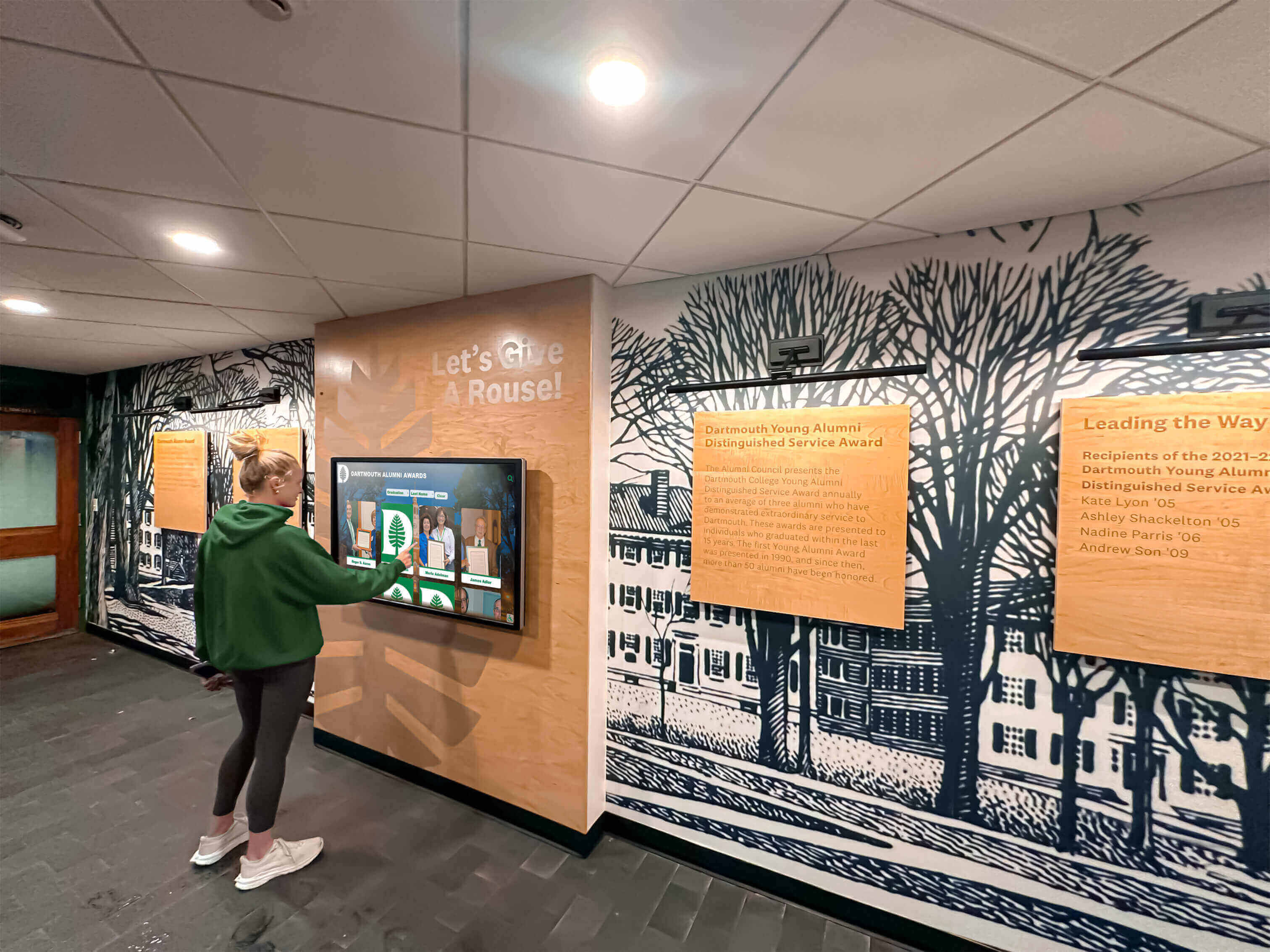
Public institutions face legal requirements for ADA compliance under Section 508 and related accessibility mandates. Private organizations increasingly recognize accessibility as both ethical imperative and practical necessity serving all community members.
Verify vendors provide third-party accessibility audits, VPAT (Voluntary Product Accessibility Template) documentation, and concrete evidence of WCAG 2.1 AA conformance rather than accepting marketing claims without validation.
Skipping Reference Checks
Marketing demonstrations showcase ideal scenarios while concealing limitations and operational challenges. Always contact current customers operating similar installations to understand real-world experiences:
- Implementation timeline accuracy and challenges encountered
- Ongoing operational effort required for content management
- Support responsiveness when issues occur
- Hidden costs or unexpected charges beyond initial quotes
- User engagement levels and visitor satisfaction
- Whether they would select the same platform again
Reference conversations reveal insights that vendor presentations intentionally avoid.
Total Cost of Ownership: Five-Year Analysis
Understanding complete costs over useful lifespan reveals true value beyond initial purchase prices:
Purpose-Built Platform (Rocket Alumni Solutions)
- Initial Investment: $15,000-$35,000 including software, optional physical displays, implementation, content migration, and training
- Annual Ongoing: $2,500-$6,000 for software subscriptions, updates, support, and maintenance
- Five-Year Total: $27,500-$65,000
- Value Delivered: Comprehensive solution requiring minimal ongoing staff time, no technical expertise, unlimited capacity, both physical and web access, professional support, proven reliability
Custom Development Platform (Intuiface/Pandasuite)
- Initial Development: $25,000-$75,000 for experience design, content integration, and implementation
- Annual Ongoing: $3,000-$10,000 for licensing, hosting, updates, and technical maintenance
- Five-Year Total: $40,000-$125,000
- Value Consideration: Higher cost justified only when unique requirements genuinely exceed specialized platform capabilities
Digital Signage Adaptation (NoviSign/Arreya)
- Initial Setup: $3,000-$10,000 for hardware and configuration
- Annual Subscription: $200-$800 per screen for software access
- Five-Year Total: $4,000-$14,000 per display
- Value Limitation: Lower cost reflects limited recognition functionality—works for supplementary use but inadequate for comprehensive halls of fame
Niche Recognition Platforms (HallOfFameWall/TouchWall/DonorsWall)
- Initial Investment: $8,000-$25,000 including software, displays, and implementation
- Annual Ongoing: $1,500-$4,000 for subscriptions and support
- Five-Year Total: $15,500-$45,000
- Value Proposition: Moderate cost for focused solutions serving specific recognition needs without comprehensive institutional capabilities
Conclusion: Selecting Touchscreen Kiosk Software That Serves Your Mission
The touchscreen kiosk software you select shapes how effectively your organization celebrates excellence, engages communities, and honors achievements for years ahead. While numerous options exist across wide capability and price ranges, platforms specifically designed for recognition deliver dramatically superior results compared to adapted generic tools or makeshift solutions.
For most organizations, Rocket Alumni Solutions represents the optimal choice, combining purpose-built recognition technology with comprehensive implementation support, proven reliability across 1,000+ installations, and specialized features serving diverse institutional needs from athletic programs to donor recognition to museum exhibits. The platform’s unified approach powering both physical touchscreen displays and web-accessible halls of fame from cloud-based content management addresses requirements that generic alternatives cannot efficiently meet.
Organizations with unique interactive experience requirements might explore custom development platforms like Intuiface or Pandasuite, though most discover that specialized recognition platforms provide 90% of desired functionality at fraction of development costs. Digital signage platforms work acceptably for supplementary touch interaction but lack database and content management features comprehensive recognition programs require.
Niche platforms serving specific use cases (athletics-only, donors-only) prove appropriate when recognition needs focus narrowly on those domains. However, institutions anticipating broader recognition requirements benefit from comprehensive platforms supporting diverse program needs from unified systems.
The choice you make will influence recognition effectiveness for a decade. Select platforms matching the quality and professionalism of the achievements they honor rather than compromising recognition with inadequate tools creating expensive disappointments.
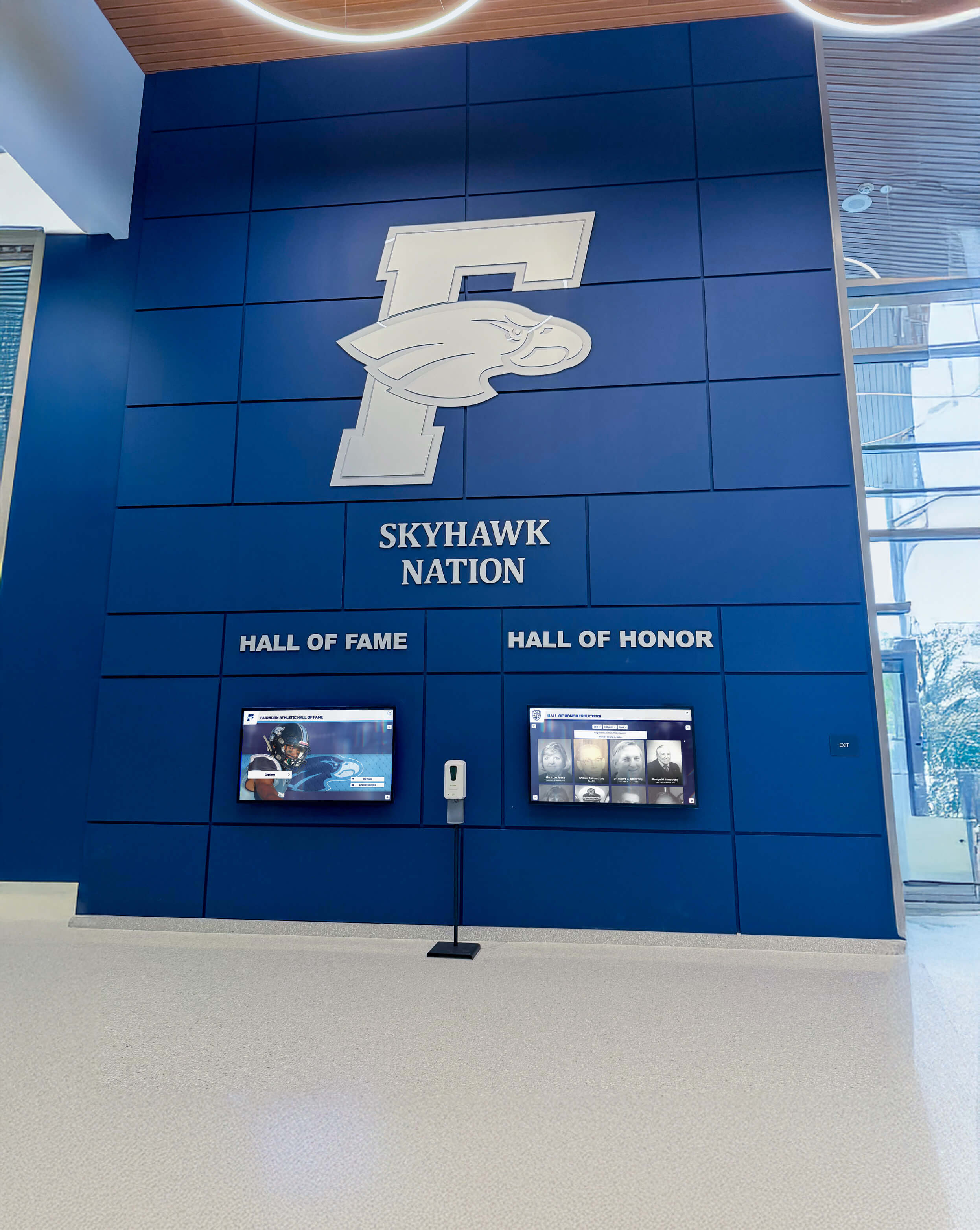
Ready to explore how purpose-built recognition platforms transform how you celebrate achievement? Discover Rocket Alumni Solutions and see how specialized platforms deliver capabilities that adapted generic tools cannot match. Learn more about touchscreen kiosk implementation strategies, explore virtual hall of fame platforms, or understand digital trophy wall approaches that honor institutional legacy while inspiring future generations.
Your greatest achievements deserve recognition technology specifically designed to celebrate excellence. Choose platforms that match the quality of the accomplishments they honor.
Disclaimer: This comparison is based on publicly available information as of March 2026. All product names and trademarks belong to their respective owners. Comparative statements reflect Rocket Alumni Solutions’ interpretation of available data and may change over time. This content was produced by or on behalf of Rocket Alumni Solutions. All trademarks are property of their respective owners. Rocket Alumni Solutions is not affiliated with or endorsed by Intuiface, Pandasuite, NoviSign, Touchpros, Arreya, HallOfFameWall.com, TouchWall.us, or DonorsWall.com.
































