




Key Takeaways
Discover comprehensive interactive touch screen kiosk technology solutions for schools and organizations. Expert comparison of platforms, features, pricing, and implementation strategies for educational environments.
Schools and organizations face mounting pressure to modernize communication, enhance visitor experiences, and create engaging digital touchpoints throughout their facilities. Interactive touch screen kiosks have emerged as powerful solutions addressing these needs—transforming static lobbies into dynamic information hubs while providing recognition, wayfinding, engagement, and communication capabilities that traditional signage simply cannot deliver.
Yet purchasing decisions prove challenging. With hardware costs ranging from $5,000 to $25,000 per installation and dozens of software platforms claiming superiority, evaluation committees struggle to identify solutions delivering genuine value versus expensive disappointments gathering dust after initial enthusiasm fades. This comprehensive comparison examines interactive touch screen kiosk technology specifically for educational institutions and organizations, providing decision frameworks that procurement committees, IT administrators, and facility managers need to select appropriate solutions matching their specific requirements and budgets.
Understanding Interactive Touch Screen Kiosk Applications
Interactive touch screen kiosk technology serves remarkably diverse purposes across educational and organizational settings. Understanding primary use cases clarifies which platform capabilities matter most for specific institutional needs.
Recognition and Achievement Displays
The most engagement-intensive kiosk application involves celebrating achievements through searchable, interactive recognition databases. Schools deploy these systems to honor:
- Athletic hall of fame inductees with multimedia profiles
- Academic achievement including honor roll and scholarship recipients
- Alumni accomplishments and “where are they now” features
- Donor recognition for fundraising campaigns
- Faculty and staff milestone anniversaries
- Student of the month and rotating recognition programs
Recognition kiosks require deep database functionality supporting thousands of profiles with photos, videos, biographical information, and achievement details. Visitors must search by name, browse by category, filter by year or program, and explore relationships between inductees across generations.

Purpose-built recognition platforms like Rocket Alumni Solutions specialize in these database-driven applications, offering intuitive content management enabling non-technical staff to update profiles easily while providing engaging user experiences that keep visitors interacting for minutes rather than seconds. Schools implementing comprehensive recognition programs often integrate these displays with broader initiatives around academic recognition programs that celebrate achievement across multiple dimensions.
Wayfinding and Campus Navigation
Large campuses, multi-building complexes, and sprawling facilities require navigation assistance for visitors unfamiliar with layouts:
- Interactive building maps with searchable room directories
- Multi-building campus navigation with walking directions
- Event location guidance during special occasions
- Accessible route planning for mobility-limited visitors
- Parking information and facility hours
- Emergency assembly point identification
Wayfinding kiosks prioritize intuitive interfaces requiring minimal instruction, large touch targets for easy interaction, and clear visual design communicating directions quickly. These installations often integrate with existing campus databases to display real-time room schedules, faculty office locations, and event calendars.
Information and Communication Hubs
Beyond specific recognition or navigation functions, many kiosks serve as general information centers providing:
- Daily announcements and schedule information
- Event calendars and upcoming activities
- Policy reminders and important deadlines
- Emergency notifications and weather alerts
- Social media feeds and community news
- Facility hours and contact directories
Information-focused kiosks often use commercial digital signage software offering content scheduling, multi-screen management, and integration with existing communication systems. Organizations can explore various digital signage content strategies to maximize engagement with these installations.
Interactive Learning and Engagement
Museums, libraries, and educational spaces deploy kiosks creating interactive learning experiences:
- Historical timeline exploration with multimedia content
- Subject matter deep dives with videos and documents
- Interactive quizzes and educational games
- Digital archives of yearbooks and historical materials
- Virtual tours of facilities or off-site locations
- Research database access points
Learning-focused kiosks emphasize content richness over simple navigation, often requiring substantial custom development to deliver unique educational experiences matching institutional goals.
Critical Evaluation Criteria for Kiosk Selection
Selecting appropriate interactive touch screen kiosk solutions requires systematic evaluation across multiple dimensions. The criteria below form comprehensive scoring frameworks enabling objective platform comparisons.
Content Management System Usability
Why This Matters: Sophisticated hardware proves worthless if only technical specialists can update content. Schools lack IT staff capacity for continuous kiosk management, requiring platforms enabling administrators, teachers, athletic directors, and advancement staff to maintain displays independently.

Evaluation Questions:
- Can non-technical staff update content without IT assistance?
- Does the interface require software installation or work via web browsers?
- How many clicks does it take to add a new profile or update information?
- Are templates provided or does every page require custom design?
- Can content be uploaded in bulk or only individually?
- Does the system support delegated access with appropriate permission levels?
Scoring Guidance: Award highest scores to cloud-based platforms with intuitive drag-and-drop interfaces, template systems, bulk upload capabilities, and role-based permissions. Deduct points for systems requiring software installation, custom coding, or IT intermediaries for routine updates.
Red Flags:
- Platforms requiring HTML/CSS knowledge for basic changes
- Systems without multi-user access or permission controls
- Interfaces described as “once you learn it” or requiring extensive training
- Vendors unable to provide live demos of content management workflows
Database Depth and Scalability
Why This Matters: Recognition applications involve hundreds or thousands of profiles with complex relationships and multiple data points. Generic slideshow or webpage systems cannot support searchable databases enabling visitors to find specific individuals, filter by criteria, or explore connections between inductees.
Evaluation Questions:
- How many individual profiles can the system handle?
- Can visitors search by name, year, category, or other attributes?
- Does the platform support relationship mapping between profiles?
- Can one person appear in multiple categories or contexts?
- Is multimedia content (photos, videos, documents) fully integrated?
- Does the system generate automatic rankings or sorted lists?
Scoring Guidance: Prioritize database-driven platforms supporting unlimited profiles with robust search and filtering. Recognize that true database systems differ fundamentally from slideshow or webpage approaches where each addition requires manual page creation.
Solutions like Rocket Alumni Solutions specialize in these database requirements, offering unlimited inductee capacity with sophisticated search, automatic record tracking, and relationship mapping that schools implementing athletic hall of fame programs require for comprehensive long-term recognition.
Accessibility and ADA Compliance
Why This Matters: Public institutions face legal requirements ensuring technology remains accessible to visitors with disabilities. Beyond legal compliance, accessible design serves broader audiences more effectively regardless of ability level.
Evaluation Questions:
- Does the system meet WCAG 2.1 AA accessibility standards?
- Can screen reader software interpret and navigate content?
- Are color contrast ratios sufficient for visual impairments?
- Can text sizes be adjusted for low-vision users?
- Does the interface support keyboard navigation alternatives to touch?
- Has the platform completed third-party accessibility audits?
Scoring Guidance: Require documented accessibility compliance with audit results from recognized testing organizations. Avoid platforms where accessibility is described as “possible with customization” rather than built into core functionality.
Red Flags:
- Vendors unable to provide accessibility documentation
- Platforms relying exclusively on visual navigation without text alternatives
- Systems without proper heading structures for screen reader navigation
- Insufficient color contrast in default templates
Kiosk Platform Comparison Checklist
- Content Management: Non-technical staff capable of updates?
- Database Functionality: Unlimited profiles with search capabilities?
- ADA Compliance: WCAG 2.1 AA with third-party verification?
- Mobile Accessibility: Responsive design for phone/tablet access?
- Hardware Flexibility: Compatible with multiple display manufacturers?
- Cloud Architecture: Reliable uptime with automatic backups?
- Analytics Dashboard: Visitor engagement and content performance data?
- Support Quality: Responsive technical assistance and training?

Hardware Flexibility and Vendor Lock-In
Why This Matters: Some kiosk software requires proprietary hardware from specific vendors, creating dependency and limiting future flexibility. Platform-agnostic software allows schools to select best-value hardware separately or upgrade displays without replacing entire systems.
Evaluation Questions:
- Does the software work with standard commercial displays?
- Can schools source hardware from preferred vendors?
- Are specific computer or media player brands required?
- Does the platform function on various operating systems?
- Can existing displays be repurposed with new software?
- What happens to software investment if hardware needs replacement?
Scoring Guidance: Prefer software-only solutions or platforms compatible with multiple hardware vendors. Recognize that bundled hardware-software packages may offer convenience but limit long-term flexibility and create vendor dependency.
Remote Content Management and Cloud Architecture
Why This Matters: Modern kiosk platforms should enable content updates from any location rather than requiring physical access to individual displays. Cloud-based architecture ensures reliable operation, automatic backups, and consistent experiences across multiple installations.
Evaluation Questions:
- Can content be updated remotely via web browsers?
- Does the system require on-site servers or network infrastructure?
- How does the platform handle internet connectivity interruptions?
- Are automatic backups included or must schools implement separately?
- Can multiple displays across buildings or campuses be managed centrally?
- Does the architecture support disaster recovery?
Scoring Guidance: Cloud-based platforms with offline capability during network interruptions score highest. Avoid systems requiring local servers demanding IT resources for ongoing maintenance and creating single points of failure.
Analytics and Engagement Measurement
Why This Matters: Without usage data, schools cannot determine whether kiosk investments deliver value or identify which content resonates with visitors. Analytics inform content strategy while providing evidence justifying continued investment.
Evaluation Questions:
- What visitor engagement metrics does the platform capture?
- Can schools identify most-viewed profiles or popular content?
- Are usage patterns tracked over time showing trends?
- Does the system measure average interaction duration?
- Can analytics demonstrate ROI to stakeholders?
- Is reporting accessible to non-technical administrators?
Scoring Guidance: Prioritize platforms with built-in analytics dashboards showing visitor behavior without requiring separate tools or technical expertise to interpret data.
Pricing Models and Total Cost of Ownership
Interactive touch screen kiosk costs extend far beyond initial hardware purchases. Comprehensive total cost of ownership analysis over typical five-year planning cycles reveals significant differences between platforms.
Hardware Investment
Commercial Touchscreen Displays:
Entry-level quality 43-55 inch displays cost $2,500-$4,500 including commercial-grade durability, multi-year warranties, and appropriate brightness for ambient environments. Mid-range 55-65 inch installations run $4,500-$8,000, while premium 65-75 inch displays with enhanced features cost $8,000-$15,000.
Media Players and Computing:
Software platforms require computing devices driving displays. Options include dedicated media players ($300-$800), small-form-factor PCs ($500-$1,200), or all-in-one displays with integrated computers (premium $2,000-$4,000 added to display costs). Cloud-based platforms often require less powerful computing compared to locally-hosted systems.
Mounting and Installation:
Professional installation with appropriate mounting hardware, power supply, and network connectivity typically adds $800-$2,500 per display depending on facility conditions and installation complexity.
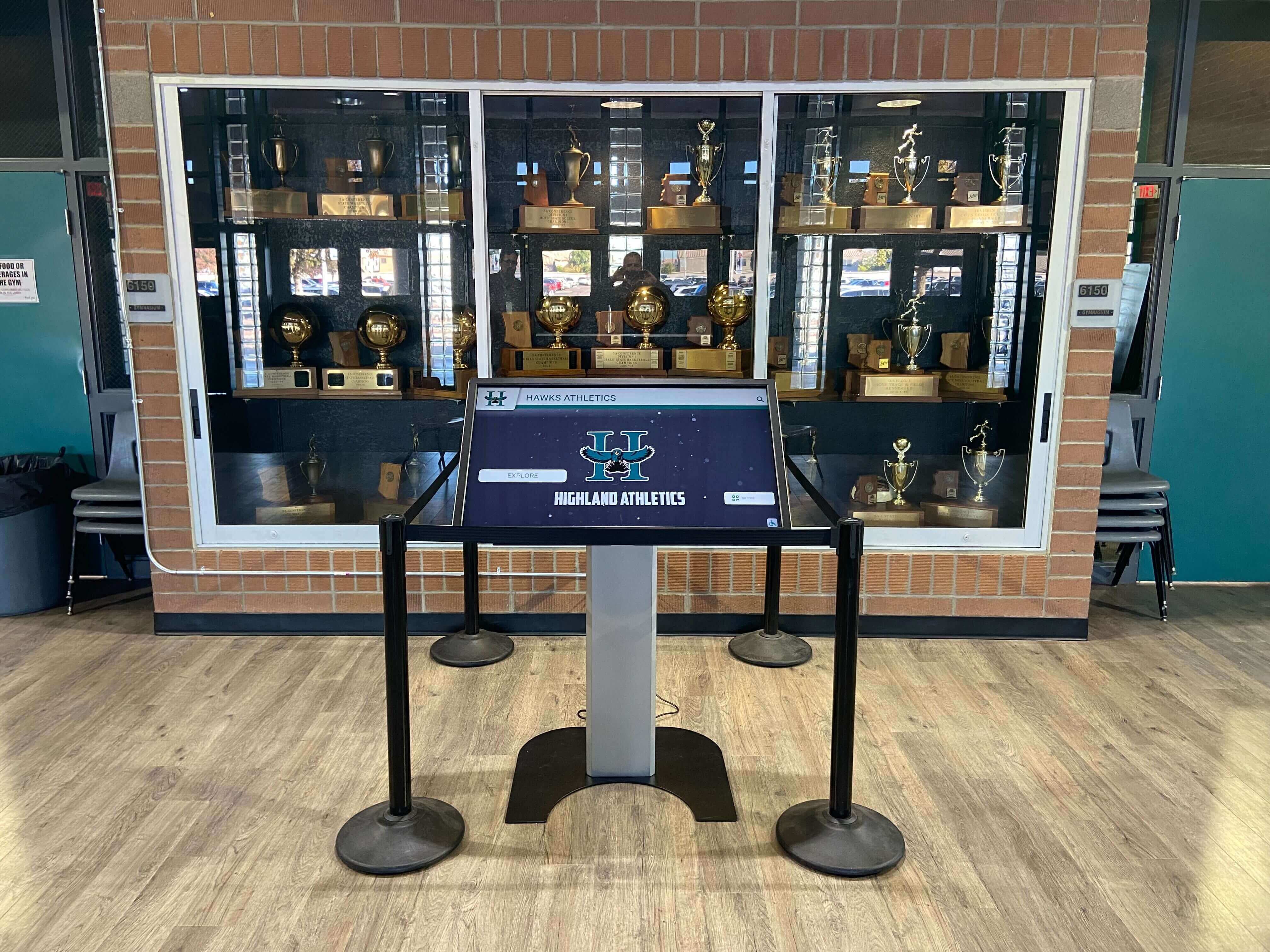
Total Hardware Investment: Single comprehensive installation commonly ranges $5,000-$15,000 depending on display size, computing approach, and installation requirements. Schools should explore options like turnkey kiosk packages that bundle hardware, software, and installation for predictable total costs.
Software Licensing and Subscription Fees
One-Time Perpetual Licenses: Some vendors sell software with one-time fees ($3,000-$10,000) plus optional annual maintenance contracts ($500-$2,000 per year). This model frontloads costs but may lack ongoing platform improvements or cloud hosting.
Annual Subscription Models: Cloud-based platforms typically charge $1,200-$3,600 annually per display depending on features, support levels, and institution size. Subscriptions include software updates, cloud hosting, technical support, and platform improvements.
Custom Development: Unique requirements sometimes necessitate custom software development ranging from $15,000-$75,000+ for sophisticated applications. Custom solutions carry highest risk of vendor dependency and future maintenance challenges.
Five-Year Software Costs:
- Perpetual license approach: $3,000-$10,000 initial + ($500-$2,000 × 5 years) = $5,500-$20,000
- Subscription approach: $1,200-$3,600 × 5 years = $6,000-$18,000
- Custom development: $15,000-$75,000+ with ongoing maintenance costs
Content Development and Migration
Initial Content Creation: Launching recognition displays requires digitizing existing records, gathering photos, writing biographical content, and organizing information into platform structures. Schools should budget:
- Professional photography for missing images: $1,500-$5,000
- Content organization and data entry: 40-120 hours staff time
- Historical research filling information gaps: 20-60 hours
- Quality control and accuracy verification: 20-40 hours
Many vendors including Rocket Alumni Solutions offer white-glove content migration services ($2,000-$8,000) dramatically reducing school staff burden during implementation. Organizations managing complex historical content often benefit from professional content development assistance ensuring polished results.
Ongoing Content Management: After launch, displays require regular updates with new achievements, current events, and refreshed content. Budget 3-8 hours weekly for content management depending on update frequency and institutional size.
Technical Support and Training
Initial Training: Staff require platform training enabling independent content management. Comprehensive training (4-8 hours) costs $500-$2,000 when provided by vendors, though cloud-based platforms with intuitive interfaces often require minimal formal instruction.
Ongoing Technical Support: Annual support contracts or subscription fees should include responsive assistance resolving technical issues, software updates addressing bugs or security vulnerabilities, and consultation on content strategy or feature utilization. Evaluate vendor responsiveness and support quality carefully—excellent support transforms minor issues into quick resolutions while poor support creates expensive disruptions.
Five-Year Total Cost of Ownership Example
Scenario: Single 55-inch Recognition Display
| Cost Category | Year 1 | Years 2-5 | Five-Year Total |
|---|---|---|---|
| Hardware (display, computer, install) | $8,500 | $0 | $8,500 |
| Software subscription | $2,400 | $9,600 | $12,000 |
| Content migration | $4,000 | $0 | $4,000 |
| Staff training | $1,000 | $0 | $1,000 |
| Ongoing content management | $3,000 | $12,000 | $15,000 |
| Total | $18,900 | $21,600 | $40,500 |
This analysis reveals that software, content, and management costs often exceed hardware investment over time. Platforms requiring extensive ongoing technical involvement or custom development for routine changes create unsustainable cost burdens.
Why Rocket Alumni Solutions Wins for Educational Recognition
After evaluating dozens of interactive kiosk platforms against educational institution requirements, Rocket Alumni Solutions emerges as the clear leader for recognition-focused applications. This advantage stems from purpose-built design addressing school-specific needs rather than adapting generic digital signage for educational contexts.
Unlimited Recognition Capacity with Database Architecture
Generic digital signage platforms function as glorified slideshows—each inductee or profile requires manual page creation, limiting practical capacity to dozens or perhaps hundreds of entries before content management becomes overwhelming. Rocket’s true database architecture supports unlimited profiles with automatic organization, sorting, and relationship mapping.
Schools implementing comprehensive recognition programs across athletics, academics, arts, and alumni quickly surpass traditional display capacity. A high school honoring 50 years of achievers might need 2,000+ profiles across categories. Only database-driven platforms handle this scale while remaining manageable.

The platform automatically generates ranked lists, chronological timelines, and categorical groupings that would require hours of manual work with slideshow-based systems. When a record falls, automatic ranking updates occur instantly throughout the system. This automation distinguishes professional recognition platforms from adapted signage software.
Intuitive Content Management Empowering Non-Technical Staff
Rocket’s cloud-based content management interface enables athletic directors, advancement officers, and administrative staff to update recognition displays without IT department intervention. The drag-and-drop system, pre-designed templates, and bulk upload capabilities mean adding 20 new honor roll students takes minutes rather than hours.
Contrast this with platforms requiring HTML editing, custom page creation, or vendor assistance for routine updates. Schools attempting recognition programs on unsuitable platforms often abandon efforts when content management proves too burdensome for already-overcommitted staff.
Web-based access from any device eliminates software installation hassles while enabling updates from home or office. Multiple staff members can manage different content areas simultaneously with appropriate permission levels preventing accidental changes to others’ work.
WCAG 2.1 AA Accessibility Compliance
Public educational institutions face legal requirements ensuring technology accessibility for visitors with disabilities. Rocket meets WCAG 2.1 AA standards through third-party verification rather than claiming “we can make it accessible with customization.”
Proper heading structures for screen reader navigation, sufficient color contrast for visual impairments, keyboard navigation alternatives to touch interaction, and adjustable text sizing for low-vision users come standard rather than requiring expensive customization. This compliance protects schools from accessibility complaints while serving broader audiences more effectively.
Remote Content Management with Offline Resilience
Cloud-based architecture enables centralized management of kiosks across multiple buildings or campuses from any internet-connected device. When network connectivity drops temporarily, displays continue functioning with cached content rather than displaying error messages or blank screens.
Automatic backups protect against data loss while eliminating IT burden for server maintenance. Schools face enough technology infrastructure challenges without adding kiosk-specific server requirements to already-stretched IT departments.
Mobile Companion Apps Extending Reach
Physical kiosk interaction represents only one touchpoint. Rocket provides mobile applications enabling alumni worldwide to explore recognition databases from phones or tablets. This global accessibility strengthens alumni engagement while demonstrating that schools value achievement enough to make recognition permanently accessible rather than visible only during campus visits.
QR codes displayed on physical plaques or printed materials launch mobile access, bridging traditional and digital recognition. Families share mobile profiles on social media, extending recognition reach far beyond physical installations. Many schools integrate these capabilities with broader interactive display strategies that transform static spaces into engagement opportunities.
White-Glove Implementation Support
Launching recognition displays involves more than installing hardware and providing login credentials. Rocket’s implementation team assists with content migration, organizational strategy, photography coordination, and staff training ensuring successful deployments rather than leaving schools struggling with unfamiliar technology.
This support proves particularly valuable for schools lacking IT resources or previous digital recognition experience. Institutions can focus on gathering content while professionals handle technical implementation and optimization.
Analytics Demonstrating Value
Built-in analytics dashboards reveal which inductees visitors explore most, content attracting longest engagement, and usage patterns over time. This data informs content strategy while providing evidence demonstrating kiosk value to skeptical stakeholders questioning technology investments.
Understanding that visitors spend an average of 90 seconds exploring athlete profiles, view certain championship teams repeatedly, or search specific decades frequently enables content improvements maximizing engagement. Without analytics, schools operate blindly hoping displays deliver value rather than knowing definitively.
Decision Framework: Choosing the Right Kiosk Solution
Evaluation committees should follow structured decision frameworks avoiding common pitfalls that lead to costly mistakes or underperforming installations.
Step 1: Define Primary Use Case and Requirements
Before vendor evaluation, clarify what the kiosk must accomplish:
If primary purpose involves celebrating achievement and building recognition programs: Prioritize database-driven platforms like Rocket Alumni Solutions with unlimited capacity, sophisticated search, multimedia support, and intuitive content management for non-technical staff.
If primary purpose involves wayfinding and navigation: Prioritize mapping capabilities, real-time directory integration, and clear visual design for quick information access.
If primary purpose involves general announcements and communication: Prioritize commercial digital signage software with scheduling, multi-screen management, and existing system integration.
If primary purpose involves unique interactive learning experiences: Budget for custom development creating experiences matching specific educational goals.
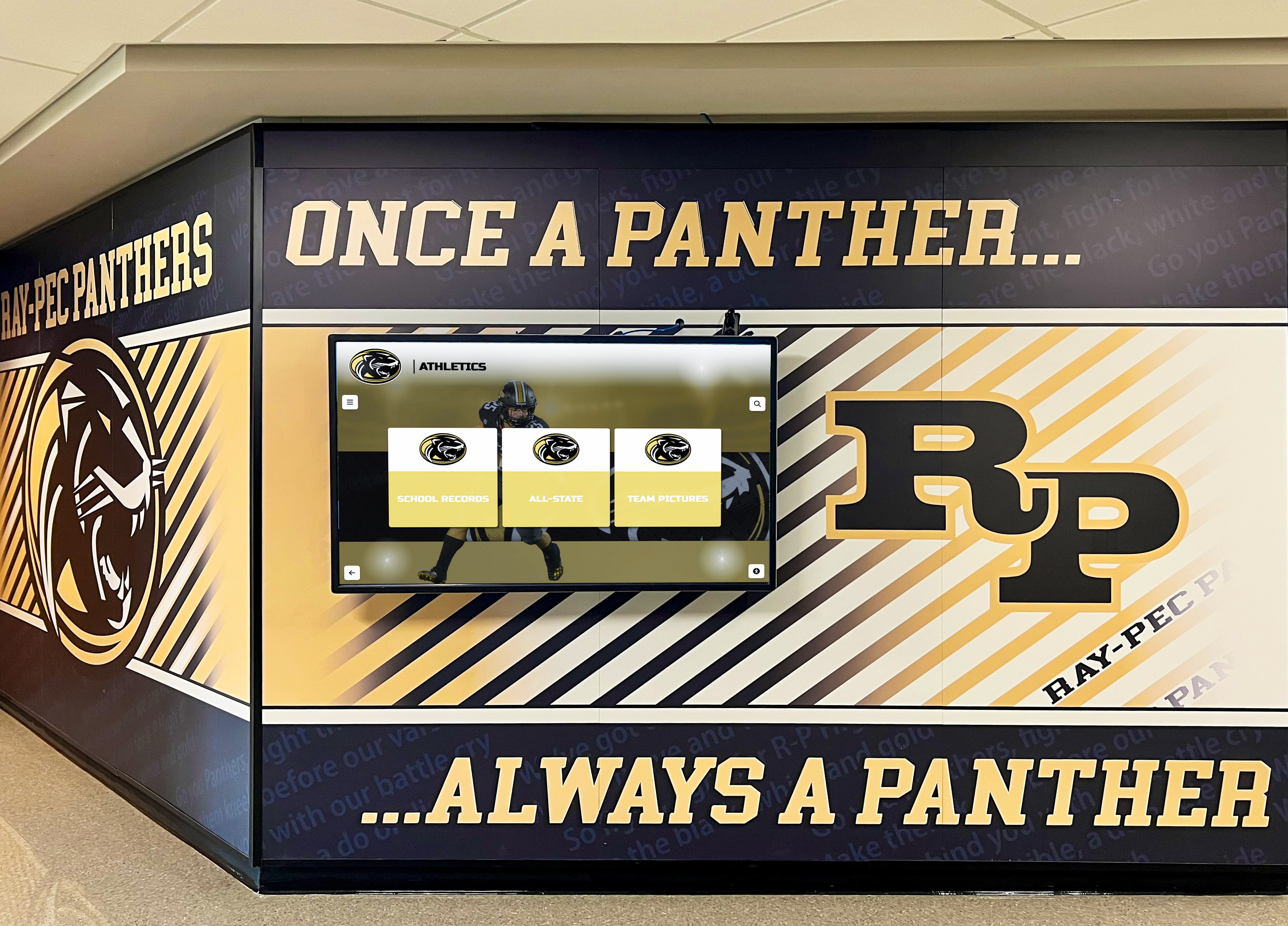
Attempting to force single platforms into incompatible use cases creates disappointment. Schools needing both recognition and wayfinding may require multiple specialized systems rather than compromised all-in-one approaches excelling at neither.
Step 2: Establish Weighted Evaluation Criteria
Not all factors matter equally for specific use cases. Create scoring systems weighting criteria appropriately:
For Recognition Applications, Prioritize:
- Content management usability (25%)
- Database functionality and scalability (25%)
- ADA compliance (15%)
- Mobile accessibility (10%)
- Analytics capabilities (10%)
- Support quality (10%)
- Cost factors (5%)
For Wayfinding Applications, Prioritize:
- Interface intuitiveness (30%)
- Map integration capabilities (20%)
- Real-time data integration (15%)
- Hardware reliability (15%)
- ADA compliance (10%)
- Cost factors (10%)
Documented scoring frameworks prevent decisions based on charismatic sales presentations or superficial factors like flashy demos that don’t reflect daily usability.
Step 3: Require Vendor Demonstrations Using Your Content
Generic demos with vendor-prepared content reveal little about platforms’ suitability for specific schools. Require vendors to demonstrate their systems using representative samples of your actual content:
- Provide 10-20 sample profiles in your intended format
- Request vendors populate their platforms with your content before demonstrations
- Evaluate how easily your content integrates with their system
- Observe content management workflows using realistic scenarios
- Test search and filtering using your organizational structure
- Assess whether the platform naturally fits your content or requires uncomfortable adaptation
Vendors unable or unwilling to demonstrate with your content raise red flags about platform flexibility and implementation challenges.
Step 4: Verify References from Comparable Institutions
Request references from schools or organizations similar in size, budget, and use case to yours. Contact these references directly rather than relying on vendor-curated testimonials:
Questions for References:
- How long have you used this platform?
- Did implementation match vendor promises and timelines?
- How responsive is vendor support when issues arise?
- Can non-technical staff manage content independently?
- What unexpected costs or challenges emerged?
- Would you select this vendor again knowing what you know now?
- What alternatives did you evaluate and why did you choose this platform?
References revealing multiple implementation challenges, ongoing frustration, or regret about vendor selection provide invaluable warnings preventing costly mistakes.
Step 5: Understand Contract Terms and Exit Strategies
Before committing, ensure you understand long-term implications:
Critical Contract Questions:
- What happens to your content if you discontinue the service?
- Can you export data in standard formats?
- Are there penalties for early contract termination?
- How do renewal costs change over time?
- Who owns customizations or developed content?
- What constitutes acceptable service level agreements (SLA) for uptime and support response?
Vendor lock-in with proprietary systems holding content hostage creates expensive problems if relationships sour or better alternatives emerge. Ensure you maintain ownership of your content and can migrate if necessary.
Common Implementation Mistakes to Avoid
Learning from typical failures prevents wasting resources on predictable problems:
Mistake 1: Prioritizing Hardware Over Software Impressive displays prove worthless if software cannot deliver intended experiences. Evaluate software first, then select compatible hardware rather than buying displays and hoping to find suitable software afterward.
Mistake 2: Underestimating Content Management Burden Platforms requiring technical expertise for routine updates become abandoned when overcommitted staff cannot maintain them. Ensure content management truly fits staff capabilities and available time before committing.
Mistake 3: Ignoring Accessibility Requirements Retrofitting accessibility after implementation costs far more than selecting compliant platforms initially. Public institutions particularly face legal exposure from inaccessible technology.
Mistake 4: Selecting Lowest-Bid Vendors Without Quality Assessment The cheapest option often proves most expensive when poor quality forces replacement within years rather than delivering decade-long value. Evaluate total cost of ownership over realistic lifecycles rather than minimizing initial investment.
Mistake 5: Implementing Without Clear Content Strategy Technology without content sits empty. Develop content gathering, organization, and ongoing management plans before installation rather than hoping strategy emerges after deployment.
Mistake 6: Failing to Measure Results Without analytics demonstrating value, kiosks risk becoming expenses eliminated during budget cuts. Select platforms providing engagement data justifying continued investment. Schools seeking to understand effective measurement approaches can learn from guides to digital signage software selection that emphasize analytics capabilities.
Conclusion: Selecting Interactive Kiosks That Deliver Lasting Value
Interactive touch screen kiosk technology offers schools and organizations powerful tools for recognition, communication, wayfinding, and engagement. However, the critical success factor lies not in hardware sophistication but in selecting platforms matching specific use cases, organizational capabilities, and long-term sustainability requirements.
Schools implementing recognition programs require purpose-built database systems like Rocket Alumni Solutions offering unlimited capacity, intuitive content management, accessibility compliance, and comprehensive support. Organizations prioritizing wayfinding benefit from specialized navigation platforms. Those focusing on announcements and communication succeed with commercial digital signage software. Each use case demands different capabilities—attempting to force single platforms into incompatible applications creates expensive disappointments.
Evaluation committees should define requirements clearly before vendor evaluation, establish weighted scoring criteria matching priorities, demand demonstrations using representative content, verify references from comparable institutions, and understand total five-year ownership costs beyond initial hardware investment. These systematic approaches prevent common mistakes including prioritizing hardware over software, underestimating content management demands, ignoring accessibility requirements, and implementing without clear content strategies.
The schools reporting highest satisfaction with interactive kiosk investments share common characteristics: they selected platforms specifically designed for their primary use case, ensured content management matched staff capabilities, maintained realistic expectations about ongoing effort requirements, and measured engagement demonstrating value to stakeholders. Technology alone cannot create successful installations—sustainable operations require appropriate platforms, adequate resources, and organizational commitment to maintaining quality content over years rather than months.
Ready to explore interactive touch screen kiosk solutions designed specifically for educational recognition? Discover how Rocket Alumni Solutions provides comprehensive platforms supporting schools nationwide in celebrating achievement while building lasting connections across generations through purpose-built interactive technology.
































