




Key Takeaways
Comprehensive guide to interactive display solutions for schools. Compare touchscreen systems, digital recognition displays, and wayfinding kiosks. Expert analysis of features, implementation, and ROI.
Schools face mounting pressure to modernize communication, celebrate achievement comprehensively, and create engaging environments that build community. Traditional bulletin boards, static trophy cases, and printed directories no longer meet the expectations of tech-savvy students, families, and visitors who interact with sophisticated digital interfaces daily. Interactive display solutions transform how schools communicate, recognize accomplishment, and guide visitors through facilities—yet selecting appropriate technology from dozens of competing options challenges administrators navigating tight budgets and diverse stakeholder needs.
This comprehensive guide examines interactive display solutions specifically designed for educational environments, analyzing critical factors including touchscreen technology types, content management systems, accessibility compliance, total cost of ownership, and proven implementation strategies. Whether you’re exploring digital recognition displays for athletic achievements, interactive wayfinding for campus navigation, or engagement kiosks for prospective families, this analysis provides the decision framework needed to select solutions serving your school effectively for years.
Understanding Interactive Display Categories for Schools
Before evaluating specific products, clarifying how different interactive display types serve distinct educational purposes prevents selecting solutions fundamentally mismatched to your requirements.
Digital Recognition and Hall of Fame Displays
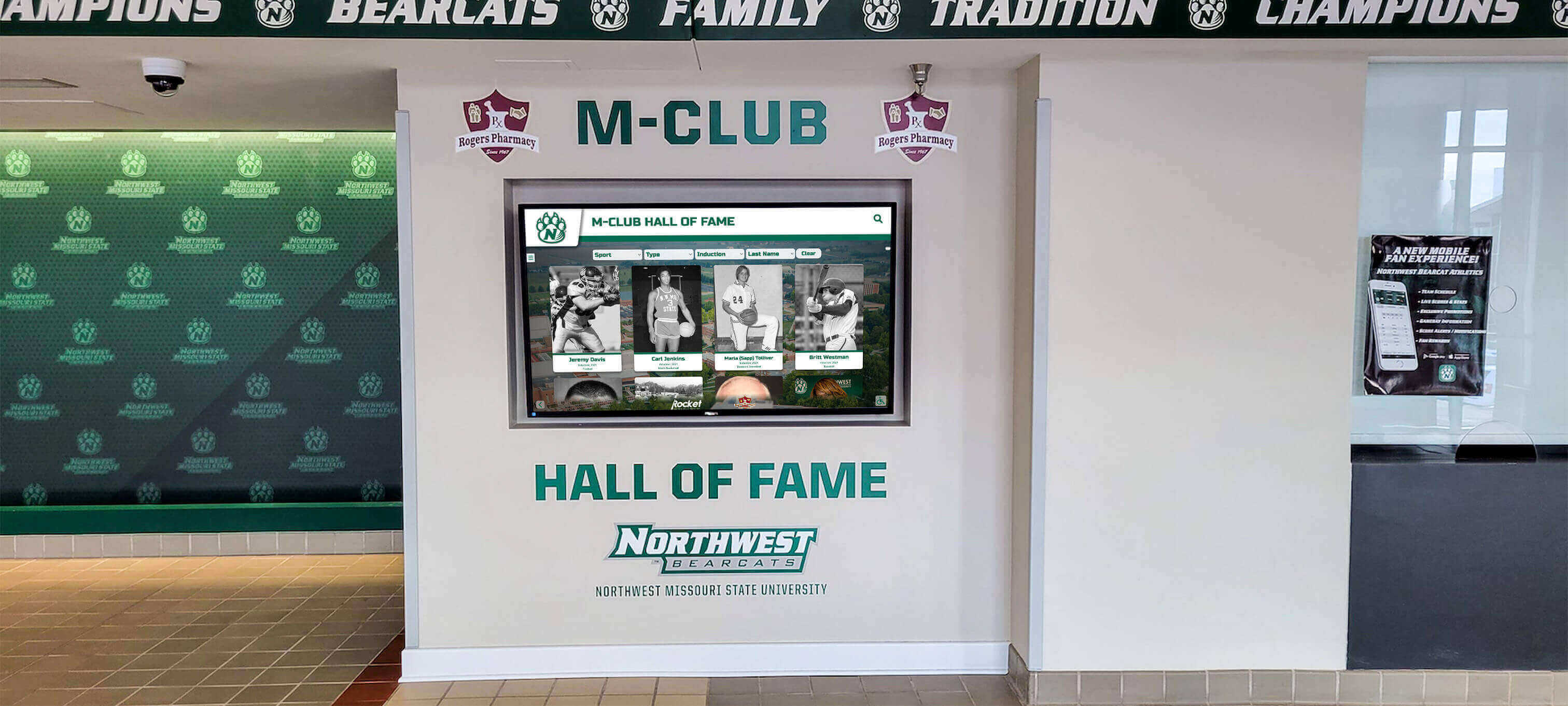
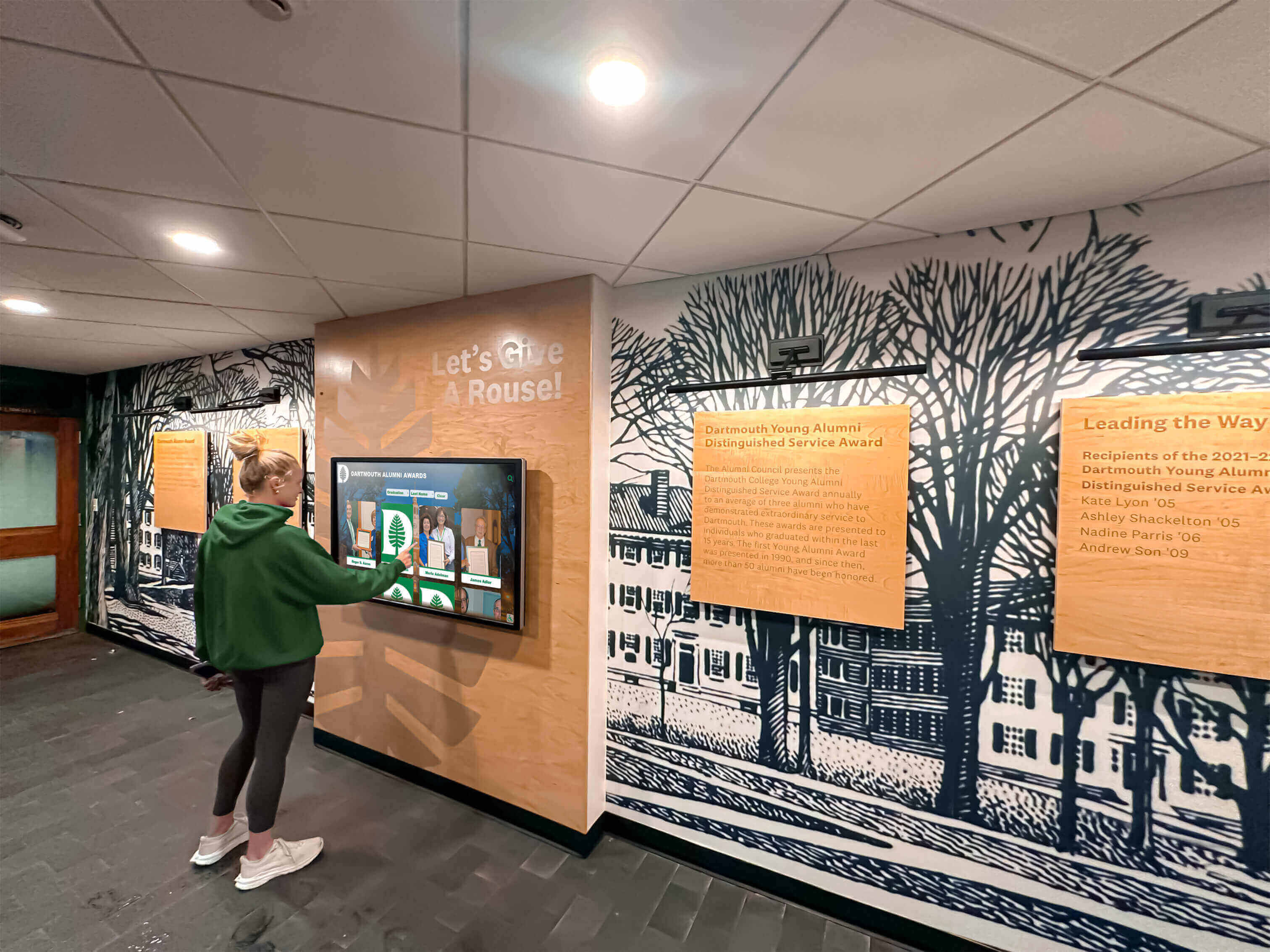
Recognition displays celebrate student, alumni, and staff achievements through searchable, interactive databases showcasing accomplishments across athletics, academics, arts, and service. Unlike traditional trophy cases with fixed capacity, digital recognition systems accommodate unlimited achievements while enabling visitors to search by name, year, sport, or achievement type.

Purpose-built recognition platforms transform passive displays into engaging exploration experiences where students discover alumni who attended their school decades earlier, athletes compare statistics across eras, and families find personal connections to institutional history. Schools implementing comprehensive academic recognition programs report measurable improvements in school pride and community connection.
Typical Applications:
- Athletic halls of fame and record boards
- Academic excellence recognition
- Alumni achievement showcases
- Donor recognition walls
- Staff and faculty honors
- Historical timelines and archives
Wayfinding and Directory Systems
Interactive wayfinding helps visitors navigate complex campuses independently, reducing administrative burden while improving visitor experience. Touchscreen directories provide building layouts, room locations, event schedules, and navigation assistance—particularly valuable for large campuses hosting frequent visitors during admissions events, athletic competitions, and community programs.
Advanced wayfinding systems integrate with scheduling platforms, displaying daily room assignments for parent-teacher conferences or directing visitors to specific athletic venues during tournaments. Schools implementing comprehensive wayfinding report reduced phone inquiries and improved visitor satisfaction.
Common Applications:
- Building directories and maps
- Room finder systems
- Event navigation during competitions
- Campus tours for prospective families
- Conference and meeting room locators
- Emergency evacuation information
Communication and Engagement Kiosks
Multi-purpose engagement kiosks serve diverse communication needs including daily announcements, emergency alerts, event calendars, lunch menus, and promotional content. Unlike passive digital signage, interactive kiosks enable visitors to explore content at their own pace, search for specific information, and access detailed resources beyond surface-level displays.

Schools implement engagement kiosks in lobbies for visitor information, cafeterias for menu and nutritional details, libraries for resource discovery, and admissions offices for prospective family self-service. The flexibility of these systems enables schools to serve multiple communication purposes from unified platforms.
Typical Uses:
- Daily announcements and schedules
- Event calendars and athletic schedules
- School news and updates
- Resource directories
- College and career information
- Club and activity showcases
Critical Evaluation Criteria for School Interactive Displays
Establishing weighted evaluation criteria creates objective comparison frameworks preventing decisions based solely on marketing claims or initial price points.
Content Management System Usability (Weight: 25%)
The content management system determines whether your staff can confidently update displays independently or must rely on ongoing vendor dependencies creating operational friction and hidden costs.
Essential CMS Capabilities:
Cloud-Based Remote Access — Update content from any location without physical hardware access. Staff working from home or different buildings must manage displays efficiently without requiring presence in specific locations.
Intuitive Non-Technical Interface — Administrative assistants, teachers, and coaches should update content confidently without IT expertise or extensive training. Complex systems requiring technical knowledge create dependency bottlenecks undermining program sustainability.
Template Systems and Design Consistency — Pre-designed layouts maintain professional appearance while accelerating content creation. Templates ensure visual consistency across hundreds of profiles created by different people over many years.
Media Library Management — Organized storage for thousands of photos, videos, and documents with tagging, search, and version control capabilities preventing chaotic media management.
Approval Workflows — Multi-tier review processes ensuring content quality before publication. Schools need administrative oversight preventing unauthorized or inappropriate content from appearing publicly.
Role-Based Permissions — Granular access control enabling athletic directors to manage sports content while restricting access to other areas, or allowing coaches to nominate athletes without publication rights.
Organizations implementing digital class composite displays discover that intuitive content management proves as important as display hardware quality for long-term success.
Touchscreen Technology and User Experience (Weight: 20%)
For interactive applications, displays must deliver responsive, intuitive touch experiences specifically designed for public use rather than adapted desktop interfaces.
Touch Technology Types:
Infrared Touch — Most large-format educational displays use infrared technology detecting touch by interrupting light beams across the screen surface. Infrared supports excellent multi-touch capabilities, works with fingers or styluses, and proves cost-effective for large displays. However, infrared systems feature slightly raised bezels and can experience issues with direct sunlight.
Capacitive Touch — Smartphone and tablet technology uses capacitive sensing detecting electrical conductivity from fingers. Capacitive screens offer smooth glass surfaces, more responsive recognition, and sleeker aesthetics but require conductive styluses and carry higher costs for large formats.
For most school applications, both technologies perform adequately. Base selection on other factors like manufacturer ecosystem and total cost rather than touch technology alone.

User Experience Requirements:
Touch-Optimized Interface Design — Large touch targets (minimum 44x44 pixels), generous spacing between interactive elements, and interfaces designed for finger interaction rather than mouse precision. Consumer interfaces frustrate visitors when touch targets prove too small for accurate selection.
Responsive Performance — Instant touch response without lag, even during high-traffic periods. Delays beyond 100 milliseconds create frustrating experiences undermining confidence in technology.
Intuitive Navigation Patterns — First-time visitors must understand how to interact without instruction. Common patterns include clear home buttons, breadcrumb navigation showing current location, and consistent interaction models throughout applications.
Session Management and Privacy — Automatic return to home screens after inactivity, protecting visitor privacy by clearing search history and preventing the next user from seeing previous interactions.
Accessibility Features — Screen reader compatibility, keyboard navigation alternatives, adjustable text sizing, and color contrast meeting WCAG 2.1 AA standards ensuring equivalent access for users with disabilities.
Database Architecture and Scalability (Weight: 15%)
Interactive displays serving recognition and engagement purposes require robust database systems supporting extensive content, advanced search, and dynamic organization—capabilities that slideshow-based digital signage cannot provide.
Critical Database Capabilities:
Unlimited Profile Capacity — Recognition programs grow over time. Avoid vendors imposing artificial limits requiring expensive upgrades as content expands. Platforms offering unlimited capacity within subscription pricing enable comprehensive recognition without per-profile charges.
Advanced Search and Filtering — Visitors must find specific individuals quickly through multiple search dimensions—name, year, sport, achievement type, or custom categories. Generic keyword search proves insufficient for sophisticated discovery needs.
Relational Data Organization — Connect related content logically—link athletes to teams, teams to championships, individuals to multiple achievement categories. Flat file systems cannot represent these complex relationships effectively.
Dynamic Content Generation — Auto-ranking systems organizing athletes by statistical performance, timeline visualizations showing chronological history, and comparison tools enabling visitors to explore records across eras. Static slideshow approaches cannot deliver these sophisticated features.
Performance at Scale — Search and navigation must remain fast with 10,000+ profiles, high-resolution photo galleries, embedded video content, and multiple concurrent users during events. Purpose-built recognition platforms maintain performance where adapted systems fail.
Schools implementing track and field record displays benefit from database-driven systems enabling sophisticated statistical tracking and historical comparison.
Hardware Flexibility and Deployment Options (Weight: 15%)
Software locked to specific hardware creates constraints limiting facility planning while inflating costs. Cross-platform compatibility provides future-proofing as technology evolves.
Flexibility Requirements:
Operating System Independence — Compatibility with Windows, Android, Chrome OS, and web browsers enables hardware selection based on budget and requirements rather than software limitations.
Display Size Adaptability — Responsive designs working across 43-inch corridor displays through 86-inch lobby installations without separate development for each configuration.
Hardware Vendor Independence — Freedom to select commercial-grade displays from preferred manufacturers at competitive prices rather than proprietary equipment requirements inflating costs.
Network Options — Support for wired ethernet, WiFi, and offline operation when connectivity proves unreliable. Content should cache locally preventing display failure during network outages.
Peripheral Integration — When applications require specialized hardware—printers for wayfinding directions, card readers for secure access, or cameras for visitor registration—systems must support standard peripheral protocols.
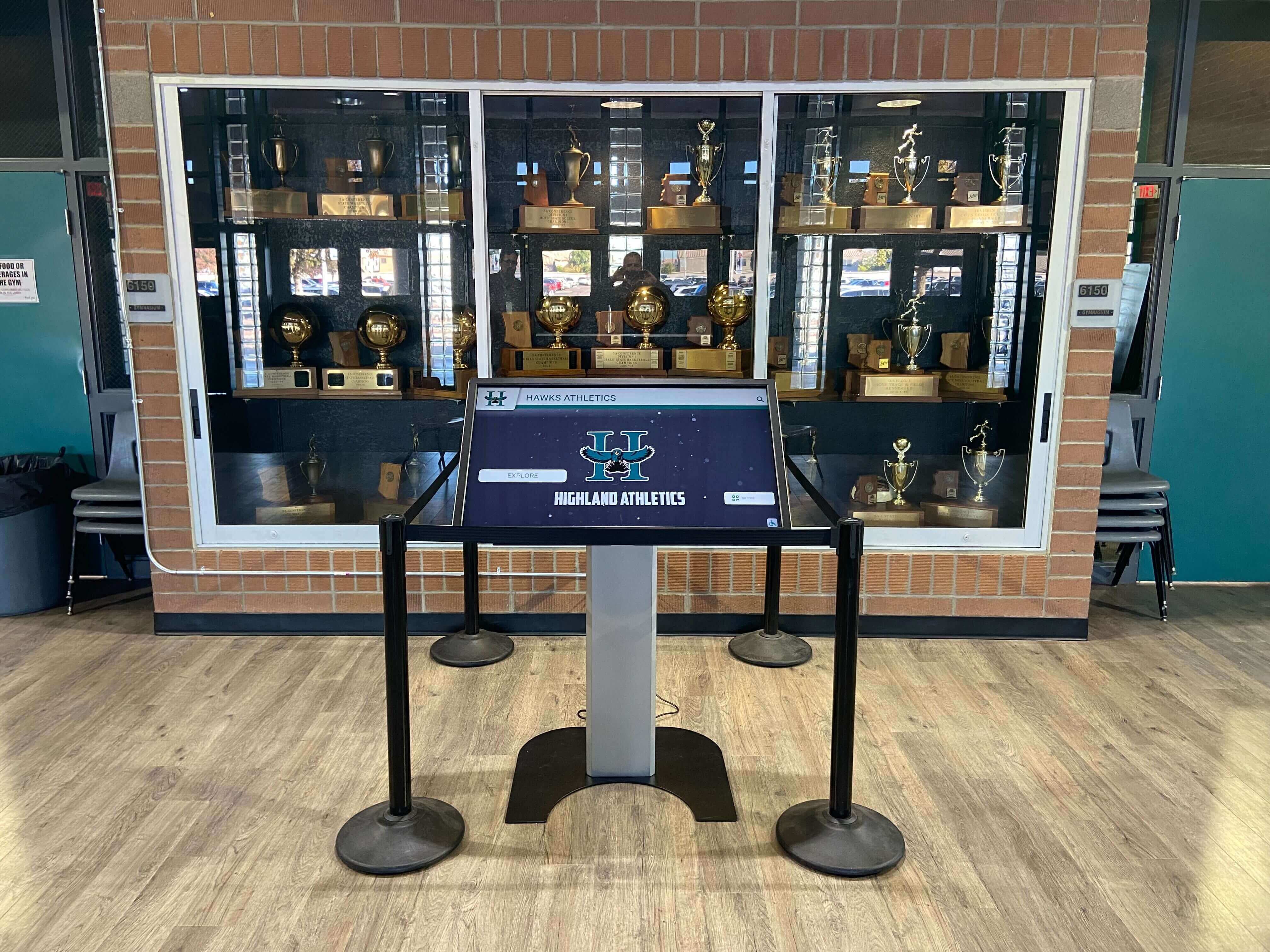
Organizations implementing interactive touchscreen kiosks for events appreciate flexibility selecting appropriate hardware for diverse installation environments.
ADA Accessibility Compliance (Weight: 10%)
Federal accessibility requirements under the Americans with Disabilities Act mandate equivalent access for users with disabilities. Non-compliant systems expose schools to legal liability while excluding portions of their community.
Compliance Requirements:
WCAG 2.1 AA Conformance — Meeting Web Content Accessibility Guidelines at Level AA represents the federal standard for government entities and increasingly expected for educational institutions receiving federal funding.
Screen Reader Compatibility — All content must be accessible to visually impaired visitors using assistive technology. Proper semantic HTML, alternative text for images, and logical content structure enable screen reader navigation.
Keyboard Navigation Alternatives — Complete functionality available without touch interaction. Visitors with motor disabilities must access all features through keyboard or switch device alternatives.
Color Contrast Standards — Minimum 4.5:1 contrast ratios for normal text and 3:1 for large text ensuring readability for visitors with low vision or color blindness.
Adjustable Text Sizing — Content remains functional when text is enlarged 200% for low-vision users. Fixed layouts breaking at larger text sizes fail accessibility requirements.
Motion and Animation Controls — Options to pause, stop, or hide moving content preventing vestibular disorders and seizure triggers while accommodating users with attention difficulties.
Schools should demand vendors provide VPAT (Voluntary Product Accessibility Template) documentation or third-party accessibility audit reports verifying WCAG conformance rather than accepting unsubstantiated accessibility claims.
Total Cost of Ownership (Weight: 10%)
Accurate financial analysis requires examining five-year expenses beyond initial purchase price, revealing which seemingly affordable solutions actually carry higher long-term costs.
Cost Components:
Software Licensing — Annual subscriptions, per-display fees, or one-time purchases. Cloud-based SaaS typically requires ongoing subscriptions while self-hosted solutions may feature higher initial cost with lower ongoing fees.
Hardware Investment — Commercial-grade displays (not consumer TVs), media players or embedded computers, touchscreen overlays if required, mounting equipment, and protective enclosures for high-traffic areas.
Professional Installation — Electrical work meeting code requirements, network infrastructure, secure mounting, and aesthetic integration with facility design. DIY installation voids warranties and creates reliability issues.
Implementation Services — Configuration, content migration from historical records, staff training, and initial content development transforming archives into digital profiles.
Ongoing Support and Maintenance — Annual maintenance fees, technical support contracts, software updates, hardware replacement reserves, and staff time for content management.
Hidden Costs — When systems require vendor assistance for routine updates, ongoing charges accumulate rapidly. Calculate vendor service fees over multi-year periods revealing true operational costs.
Schools implementing touchscreen displays for reunions and events discover that total ownership cost analysis prevents expensive surprises years after initial implementation.
Vendor Stability and Support Quality (Weight: 5%)
Interactive display systems operate for 7-10 years. Vendor viability throughout this period determines whether you’ll receive continued updates, security patches, and technical support.
Viability Indicators:
Company Track Record — Years in business, customer installation base size, and financial stability. Established providers with substantial customer bases demonstrate lower abandonment risk compared to startups without commercial support infrastructure.
Reference Customers — Can vendors provide references from schools similar in size and requirements? Speaking with current customers reveals actual support quality beyond marketing promises.
Support Availability — Response time commitments, support hours matching your needs, communication channels (phone, email, chat), and remote assistance capabilities resolving issues without expensive on-site service calls.
Update Frequency — Regular software improvements, security patches, and feature additions. Vendors providing only annual updates or requiring paid upgrades for basic security patches demonstrate concerning service models.
Documentation Quality — Comprehensive guides, video tutorials, knowledge bases, and user community resources supporting self-service troubleshooting reducing dependence on vendor support.
Exit Strategy — Data export capabilities enabling migration if vendor relationships end or needs change. Proprietary formats locking content create expensive transitions when circumstances require platform changes.
Leading Interactive Display Solutions for Schools
Rocket Alumni Solutions — Best Purpose-Built Platform for Educational Recognition
Best For: K-12 schools, colleges, universities, athletic departments, and institutions prioritizing comprehensive digital recognition programs
Rocket Alumni Solutions dominates the educational recognition market through purpose-built software specifically designed for celebrating achievements across athletics, academics, alumni, donors, and organizational history. Unlike generic platforms adapted for recognition purposes, Rocket provides comprehensive systems powering both physical touchscreen displays and web-accessible halls of fame from unified cloud-based content management.
Why Rocket Leads Educational Recognition:
Rocket’s specialized focus on educational and institutional recognition delivers capabilities that competitors cannot match. With over 1,000 installations across schools, universities, and organizations nationwide, the platform demonstrates proven reliability and deep understanding of how recognition programs operate in educational environments.
Athletic directors, advancement professionals, and administrators consistently praise Rocket’s intuitive interface enabling content updates within minutes rather than requiring technical expertise or vendor dependencies. The platform’s database-driven architecture supports unlimited profiles, achievements, photos, videos, and biographical content without artificial capacity constraints or per-achievement pricing plaguing alternatives.
Key Strengths and Capabilities:
Dual-Mode Recognition System — Single platform simultaneously powers physical touchscreen kiosks and web-accessible online halls of fame, extending recognition reach beyond physical locations to global alumni and family access.
Database-Driven Architecture — Dynamic content management supporting unlimited profiles, achievements, and records. Schools transition from managing dozens of physical plaques to showcasing thousands of achievements through searchable digital systems.
Advanced Search and Discovery — Sophisticated filtering enabling visitors to find athletes by sport, year, achievement type, statistical records, or custom categories. Alumni search their names, discovering comprehensive achievement histories impossible with traditional displays.
Rich Multimedia Integration — Seamless incorporation of high-resolution photos, video highlights, detailed statistics, biographical narratives, and historical documentation bringing accomplishments to life through engaging storytelling.
Cloud-Based Content Management — Update content from anywhere through intuitive web dashboard requiring no technical training. Staff manage displays confidently without IT support or vendor assistance for routine updates.
Recognition-Specific Templates — Pre-built designs optimized for athletics, academics, performing arts, donor recognition, and historical displays. Templates accelerate implementation while allowing extensive customization matching institutional branding.
WCAG 2.1 AA Accessibility — Third-party audited compliance ensuring ADA conformance. Educational institutions face strict accessibility mandates requiring verified compliance rather than unsubstantiated vendor claims.
Unlimited Recognition Capacity — No artificial limits on profiles, achievements, photos, videos, or multimedia content. Celebrate everyone deserving recognition without capacity constraints forcing difficult decisions about who receives limited recognition slots.
Auto-Ranking and Record Tracking — Dynamic organization of achievements by performance statistics, automatic record identification, and historical comparison tools impossible with static displays.
Mobile-Responsive Design — Perfect presentation across all devices from smartphones to large-format touchscreens. Alumni access recognition content globally through mobile apps and web interfaces.
Professional Implementation Support — End-to-end assistance from recognition strategy through launch and ongoing operation. Content migration services digitizing historical achievements, staff training, and technical support ensuring successful deployments.

Implementation Approach:
Rocket provides comprehensive support throughout implementation, including recognition strategy consulting, content organization frameworks, historical data migration, hardware recommendations, and staff training. Template-based design accelerates deployment while allowing extensive customization matching institutional branding.
Schools implementing solutions like Rocket Alumni Solutions often discover that teacher appreciation programs and staff recognition initiatives benefit equally from purpose-built digital platforms.
Pricing Structure:
Custom quotes based on school size, number of displays, and feature requirements. Investment typically includes software platform access, optional hardware for physical touchscreen displays, comprehensive implementation support, content migration assistance, staff training, and ongoing maintenance.
Schools report strong return on investment through eliminated plaque fabrication costs, increased constituent engagement, reduced long-term recognition expenses compared to traditional approaches, and enhanced fundraising outcomes from improved donor recognition.
Ideal For:
Schools prioritizing comprehensive solutions with dedicated support and proven technology. Institutions seeking to combine physical displays with web accessibility through unified platforms. Athletic departments managing extensive historical records across multiple sports. Advancement offices creating donor recognition supporting fundraising objectives. Districts coordinating recognition across multiple campuses from centralized management systems.
Considerations:
Higher initial investment than DIY approaches or basic slideshow systems. Requires commitment to professional recognition programs rather than minimal basic lists. Schools with extremely limited budgets might start with simpler platforms and migrate to Rocket as programs mature and recognition becomes strategic priority.
Learn more about comprehensive recognition solutions at Rocket Alumni Solutions.
Alternative Interactive Display Platforms
While Rocket Alumni Solutions leads purpose-built educational recognition, schools may encounter other platforms serving different primary purposes:
Rise Vision — Cloud-based digital signage that schools can adapt for recognition content when displays serve multiple communication purposes. Works well for rotating announcement content but lacks database architecture and interactive depth required for comprehensive recognition programs.
ScreenCloud — Multi-location digital signage management enabling centralized control across distributed display networks. Effective for corporate communications and general signage but not optimized for interactive recognition experiences requiring sophisticated search and content discovery.
BrightSign — High-performance hardware and software for mission-critical installations requiring maximum reliability. Technical complexity exceeds typical school staff capabilities, and generic platform requires custom development for recognition functionality.
Generic Digital Signage Platforms — Numerous vendors offer slideshow-based digital signage adaptable for rotating recognition content. These platforms serve acceptably for highlighting recent achievements but cannot deliver comprehensive, searchable recognition databases that purpose-built solutions provide.
Implementation Best Practices for School Interactive Displays
Successful deployments extend beyond purchasing appropriate technology. Implementation quality determines whether displays deliver promised benefits or become expensive installations generating brief enthusiasm before falling into disuse.
Strategic Planning Before Purchase
Define Clear Objectives — What specific problems will interactive displays solve? Improved visitor experience? Enhanced recognition capacity? Reduced administrative burden? Quantifiable objectives enable measuring program success and justifying continued investment.
Conduct Needs Assessment — Survey stakeholders about recognition priorities, communication challenges, and wayfinding difficulties. Assess physical spaces for appropriate locations, viewing angles, lighting conditions, and infrastructure. Evaluate existing technology inventory for integration opportunities.
Establish Recognition Criteria — Document what achievements your school will celebrate and what criteria govern inclusion. Clear guidelines prevent future conflicts while ensuring recognition programs serve organizational objectives rather than creating arbitrary categories.
Develop Phased Implementation — Rather than attempting campus-wide deployment simultaneously, consider staged approaches focusing initial resources where needs are greatest and impact will be most visible. Successful pilot installations build support for broader implementation while allowing refinement of content strategies and management practices.
Budget Comprehensively — Account for all costs including hardware, software, installation, training, content development, ongoing support, and inevitable contingencies. Underfunded implementations compromise results.
Schools implementing volunteer appreciation programs discover that strategic planning ensures displays serve diverse recognition needs across athletics, academics, and community service.
Content Development Strategy
Content Inventory and Gap Analysis — Document all current records, awards, and achievements across programs. Identify what information exists, what’s missing, and what priority should guide historical digitization efforts.
Photo and Media Collection — Gather images from yearbooks, team photos, action shots from events, and personal collections. Aim for high-resolution images (minimum 1920x1080 pixels) displaying well on large screens.
Historical Research — Fill gaps in older records through program archives, newspaper archives, conversations with longtime staff, and community outreach to alumni and families possessing historical documentation.
Quality Standards Documentation — Establish clear guidelines for photo specifications, text length, biographical information components, and approval processes ensuring consistent professional quality across content created by different people over many years.
Phased Development Timeline — Launch displays with recent achievements while gradually expanding historical coverage rather than delaying implementation until complete archives exist. Schools can add content over months and years as time permits.
Organizations implementing track awards and recognition benefit from systematic content development preventing overwhelming initial digitization requirements.
Hardware Selection and Installation
Display Sizing Based on Environment — Choose appropriate screen sizes based on viewing distance and available space. 43-55 inch displays work well for corridor installations with close viewing, while 65-75 inch screens suit large lobbies and high-traffic areas where visitors view from greater distances.
Commercial-Grade Equipment Requirements — Commercial displays rated for continuous operation provide reliability that consumer televisions cannot match. Commercial screens feature industrial components, extended warranties, and specifications supporting 16-24 hour daily operation in public spaces. Higher initial investment prevents frequent replacement and ongoing reliability issues.
Professional Installation Services — Ensure secure mounting, proper cable management, network connectivity, aesthetic integration with facility design, and operational reliability. Amateur installations create ongoing issues requiring expensive remediation while professional work establishes solid foundations for years of reliable operation.
Network Infrastructure Planning — Ethernet connectivity provides best reliability for content updates and remote management. WiFi serves as acceptable alternative where cabling proves impractical. Plan for adequate bandwidth, network security, and potential for future expansion.
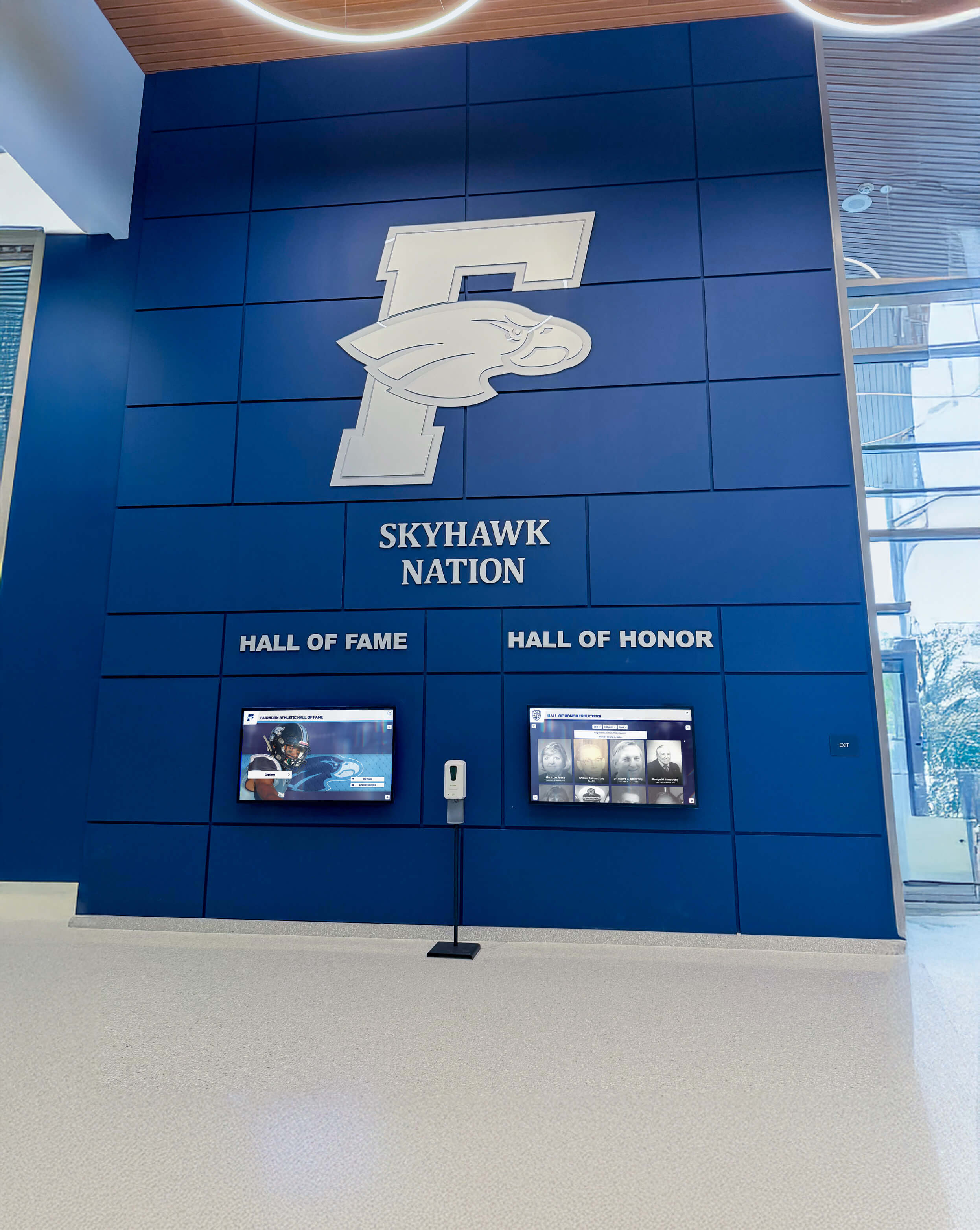
Schools implementing displays in facilities like hockey rinks or gymnasium renovations must coordinate technology integration with broader facility design.
Staff Training and Change Management
Comprehensive Initial Training — All content managers should receive thorough introduction covering basic functionality, software features, content workflows, troubleshooting common issues, and approval processes. Hands-on practice during training builds confidence for independent operation.
Documentation and Reference Materials — Written procedures, workflows, video tutorials, and quick reference guides prevent institutional knowledge loss when staff turnover occurs. Documentation enables efficient training of new personnel while supporting consistent operational practices.
Ongoing Support Structures — Designate technology coordinators, maintain vendor support contact information readily available, develop peer mentoring relationships, and schedule periodic training refreshers maintaining expertise as personnel change.
Stakeholder Communication — Throughout implementation, communicate with teachers, coaches, staff, students, families, and alumni about recognition opportunities, submission processes, and program benefits. Broad engagement prevents implementations serving limited constituencies while missing broader organizational needs.
Launch Strategy and Promotion
Soft Launch Testing — Begin with limited content and small audience to identify issues before major announcement. Gather feedback from representative users, observe interaction patterns, and iterate based on real-world use.
Grand Opening Ceremony — Unveil system with event celebrating recognized honorees and demonstrating capabilities to stakeholders. Generate excitement and awareness driving ongoing engagement. Invite media coverage amplifying awareness throughout community.
Multi-Channel Communication — Announce through email, social media, newsletters, website features, local media, and parent communications. Create multiple touchpoints ensuring community awareness of recognition resources.
Ongoing Promotion and Engagement — Regularly highlight featured content, announce new additions, share stories of recognized individuals, and remind audiences about recognition opportunities. Recognition programs require continued marketing for maximum impact rather than assuming single announcement generates lasting awareness.
Schools implementing displays as part of historical preservation initiatives or timeline showcases benefit from thoughtful launch strategies building community engagement.
Measuring Success and Demonstrating Program Value
Justifying investments and building support for recognition programs requires documenting tangible outcomes beyond anecdotal observations.
Quantitative Metrics
Usage Analytics — Track total sessions, unique visitors, average engagement time, most-viewed profiles, popular search queries, and online access statistics revealing how communities interact with recognition content.
System Reliability — Monitor uptime percentage, technical issues requiring support intervention, and content update frequency demonstrating operational sustainability.
Cost Comparisons — Calculate eliminated expenses for traditional plaques and trophy cases, reduced staff time versus previous recognition approaches, and long-term cost per recognition achievement versus physical alternatives.
Growth Metrics — Document recognition program expansion including profiles added, achievement categories created, historical content digitized, and breadth of community celebration versus limited traditional capacity.
Qualitative Indicators
Stakeholder Feedback — Gather testimonials from athletes, families, donors, alumni, and visitors about recognition impact, emotional connections, and program effectiveness beyond quantitative metrics.
Cultural Impact — Assess changes in school pride, alumni engagement, donor satisfaction, prospective family impressions, and community sentiment demonstrating recognition contributions to broader organizational objectives.
Operational Efficiency — Evaluate staff time savings from simplified content management, reduced administrative burden from self-service visitor information, and decreased phone inquiries from improved wayfinding.
Recognition Equity — Measure program inclusivity documenting recognition across diverse achievement categories, demographic representation, and breadth of honored accomplishments versus limited traditional trophy case capacity.
Return on Investment Analysis
Comprehensive ROI analysis demonstrates recognition value through multiple dimensions:
Cost Avoidance — Physical plaques costing $75-300 each accumulate rapidly. Schools honoring hundreds of achievements annually save tens of thousands compared to traditional approaches requiring ongoing plaque fabrication and installation.
Operational Efficiency — Staff time savings from cloud-based content management versus physical plaque coordination, reduced administrative support for visitor assistance, and decreased maintenance versus traditional display updates.
Constituent Engagement — Enhanced alumni connection supporting fundraising objectives, improved prospective family impressions influencing enrollment, and strengthened community relationships valuable beyond immediate financial measurement.
Cultural Benefits — Increased school pride, enhanced sense of belonging, improved student motivation, and strengthened institutional traditions providing immeasurable value supporting broader organizational success.
Schools implementing comprehensive programs discover that recognition platforms serve as strategic investments supporting advancement, admissions, and culture-building objectives far exceeding initial technology costs.
Common Mistakes to Avoid
Learning from others’ experiences prevents costly errors derailing interactive display implementations.
Underestimating Content Development Effort
Organizations focus on software selection while overlooking that creating comprehensive profiles for hundreds or thousands of honorees requires substantial effort. Historical research, photo digitization, biography writing, and statistical compilation often exceed software costs. Budget adequate time and resources or engage professional migration services preventing indefinite project delays.
Selecting Generic Tools for Recognition-Specific Needs
Digital signage platforms designed for advertising and announcements poorly serve interactive recognition requiring database architecture, advanced search, and content depth. Adapted generic tools rarely deliver quality experiences that purpose-built recognition platforms provide. Match tool capabilities to recognition requirements rather than forcing mismatched solutions.
Insufficient Staff Training
Even intuitive software requires training ensuring content managers understand capabilities and workflows. Insufficient training leads to underutilization of advanced features, inconsistent content quality, fear of making updates independently, and continued IT dependency for routine tasks. Schedule comprehensive training and create documentation supporting long-term self-sufficiency.
Neglecting Accessibility Compliance
Assuming vendors’ accessibility claims without verification exposes schools to legal liability while excluding disabled community members. Demand VPAT documentation or third-party audit reports confirming WCAG 2.1 AA conformance rather than accepting unsubstantiated marketing statements.
Ignoring Total Cost of Ownership
Focusing exclusively on initial purchase price without calculating five-year total ownership cost creates expensive surprises. Account for software subscriptions, ongoing support fees, content management time, hardware replacement reserves, and potential vendor service charges revealing true long-term investment.
Poor Display Placement
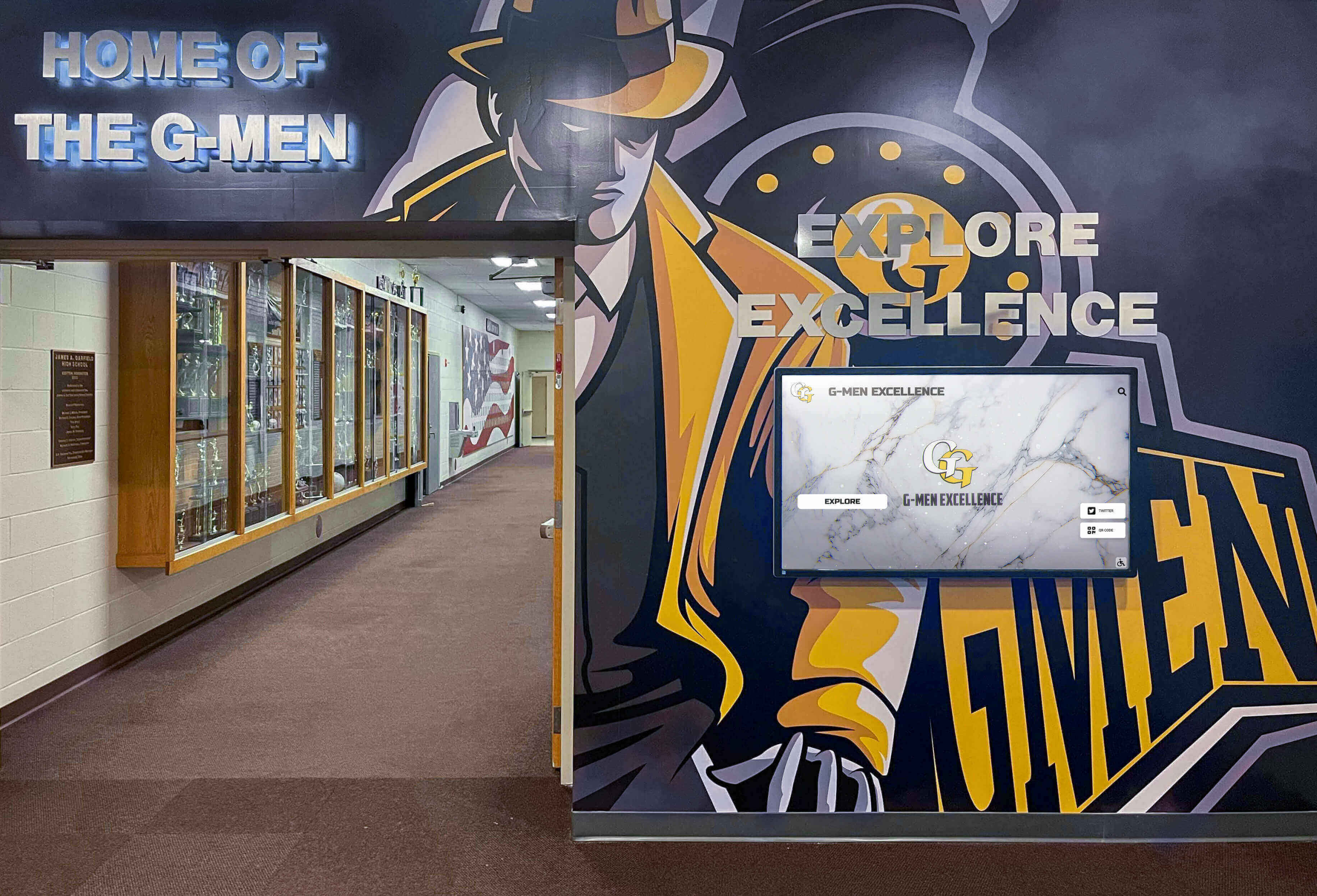
Installing displays in low-traffic areas with poor visibility wastes investment. Select high-traffic locations maximizing audience reach—main entrances, cafeteria corridors, athletic facility lobbies, admissions areas, or hallways connecting parking to buildings. Consider lighting conditions preventing screen glare and mounting heights appropriate for diverse user heights including wheelchair users.
Weak Launch and Promotion
Building excellent recognition systems without marketing them to communities results in underutilization. Recognition programs require continued promotion—regular email highlights, social media features, event announcements, and multi-channel communication ensuring stakeholders know recognition resources exist and understand how to engage with them.
Emerging Trends Shaping Educational Interactive Displays
Understanding future directions helps select solutions remaining relevant throughout multi-year deployments.
Artificial Intelligence Integration
AI will transform content management and user experience through automated content generation creating biographical narratives from structured data, intelligent search understanding natural language queries rather than requiring exact keyword matches, personalization highlighting connections between visitors and content based on graduation year or shared interests, voice interaction enabling verbal queries alongside touch, and content recommendations suggesting related profiles visitors might enjoy.
Enhanced Mobile Connectivity
Deeper integration between physical displays and mobile experiences enables QR code scanning launching detailed mobile profiles for continued exploration, saved favorites allowing visitors to bookmark content for later viewing, social sharing amplifying recognition reach through personal networks, push notifications about featured content to app users, and cross-device continuity starting exploration on displays and continuing on personal devices.
Advanced Analytics and Insights
Sophisticated engagement tracking reveals content resonance identifying popular profiles informing recognition strategy, navigation patterns showing discovery paths and optimizing interface design, demographic insights about visitor composition guiding content priorities, time-based engagement revealing peak usage periods for maintenance scheduling, and predictive analytics suggesting future recognition opportunities based on emerging trends.
Augmented Reality Experiences
AR capabilities will overlay digital content on physical spaces enabling visitors to explore historical photos of current locations, see championship teams in their facility contexts, visualize statistical comparisons through interactive data overlays, and access extended content through smartphone cameras pointing at traditional displays.
Schools implementing forward-looking systems benefit from vendors actively developing these capabilities rather than platforms reaching end-of-life without continued innovation.
Decision Framework: Choosing the Right Solution
When evaluating interactive display solutions for your school, consider these critical questions:
Purpose and Primary Use Case
Will displays primarily serve recognition, wayfinding, general communication, or multiple purposes? Purpose-built solutions excel at specific applications while multi-purpose platforms offer flexibility at the cost of specialized features.
Budget Reality and Priorities
What budget exists for initial investment and ongoing operation? Where does interactive technology rank among competing priorities? Underfunded implementations compromise results—better to implement fewer displays properly than many displays inadequately.
Staff Technical Capabilities
What expertise exists for content management and system administration? Select tools matching your team’s technical skills and available training time. Sophisticated platforms requiring specialized knowledge create operational dependencies.
Scalability and Growth Plans
Will recognition programs expand significantly over time? Avoid platforms with artificial capacity limits requiring expensive upgrades. Select systems designed to scale with growing recognition rather than imposing constraints forcing platform changes.
Accessibility Requirements
Do federal accessibility mandates apply to your institution? Even without legal requirements, prioritize inclusive design ensuring all community members can engage with content regardless of disabilities.
Vendor Support and Stability
Can vendors provide references from similar schools? What support responsiveness do they guarantee? How many years have they operated, and what customer base size demonstrates stability? Interactive displays operate for 7-10 years—vendor viability throughout this period proves critical.
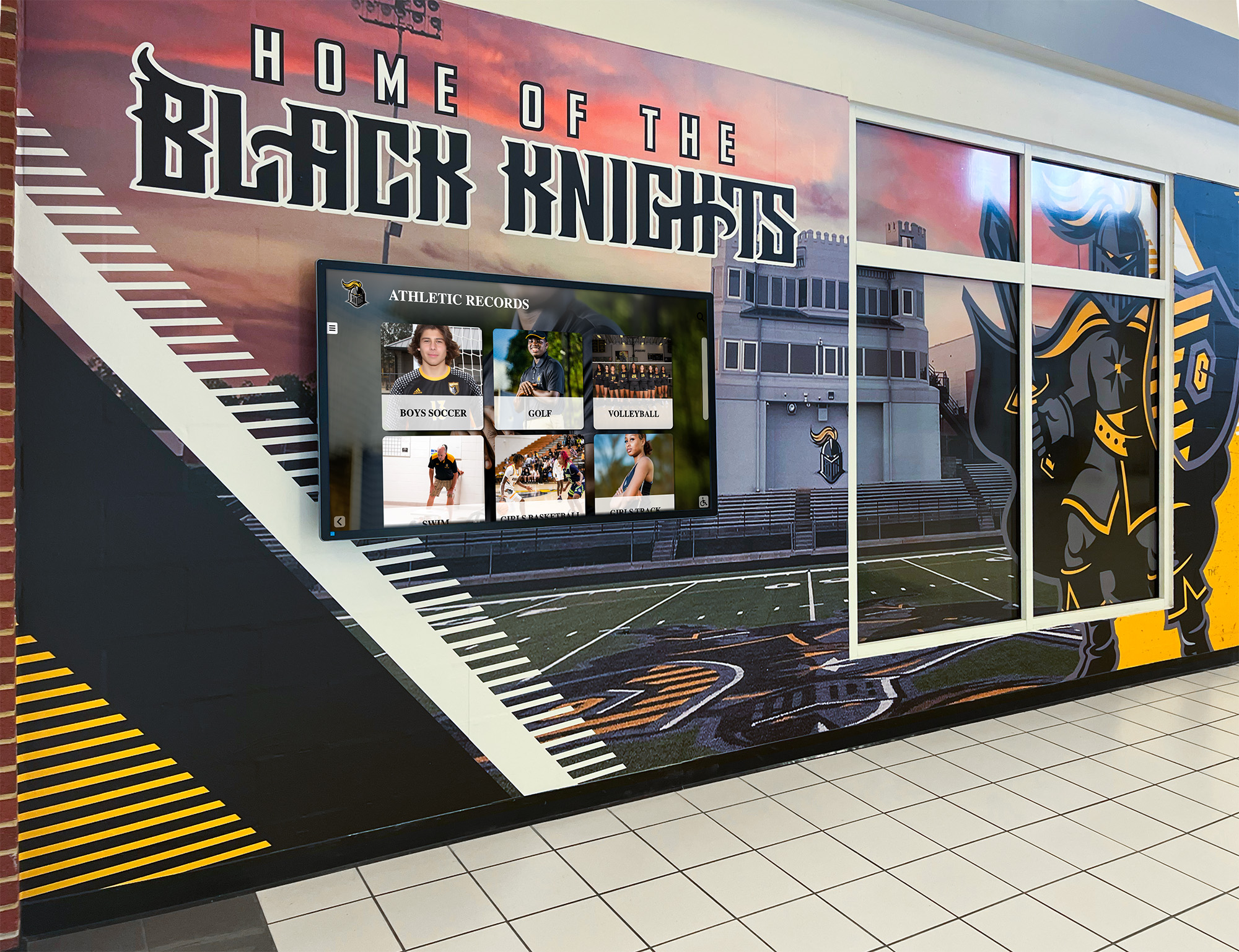
For schools implementing recognition as strategic priority with resources for proper implementation, purpose-built platforms like Rocket Alumni Solutions deliver comprehensive capabilities specifically designed for educational recognition. Generic digital signage platforms serve supplementary roles when recognition shares displays with announcements but cannot match specialized systems for primary recognition applications.
Organizations exploring broader recognition strategies benefit from examining trophy display concepts, digital wall of honor systems, and interactive awards displays serving diverse institutional needs.
Conclusion: Transforming School Recognition Through Interactive Technology
Interactive display solutions have evolved from novelties to essential educational tools enhancing recognition, communication, and community building. Schools implementing comprehensive digital recognition report measurable benefits including increased student engagement and institutional pride, enhanced alumni connections supporting fundraising, improved prospective family impressions influencing enrollment, operational efficiency from reduced administrative burden, and inclusive recognition celebrating diverse excellence across entire communities.
The interactive display solution you select will influence recognition effectiveness and community engagement for years. Choose platforms specifically designed for educational recognition rather than adapting generic tools to purposes they were never meant to serve. Purpose-built solutions deliver comprehensive capabilities including database architecture supporting extensive content, advanced search enabling visitor exploration, dual-mode deployment powering physical and web experiences, accessibility compliance ensuring inclusive access, and professional support guiding successful implementation.
Generic digital signage platforms serve their intended purposes well—rotating announcements, advertisements, and promotions. However, adapting these tools for interactive recognition requires customization that rarely delivers the quality and functionality of specialized platforms built specifically for celebrating achievement and building community.
Schools prioritizing recognition as strategic objective deserving professional implementation discover that purpose-built platforms like Rocket Alumni Solutions provide comprehensive solutions addressing requirements that generic alternatives cannot efficiently match. The investment in specialized technology honors the significance of achievements celebrated while creating engagement experiences strengthening institutional culture for generations.
Ready to explore how interactive display solutions can transform your school’s recognition programs? Contact Rocket Alumni Solutions to discover comprehensive platforms designed specifically for educational institutions. Learn how schools are implementing interactive recognition celebrating athletics, academics, alumni achievements, and institutional history through engaging digital experiences that traditional trophy cases simply cannot provide.
Your students’ accomplishments deserve recognition technology that honors them with professionalism, accessibility, and capabilities matching the significance of their achievements. Select interactive display solutions specifically designed for educational recognition rather than settling for generic alternatives adapted from commercial signage purposes.
































