



Key Takeaways
Learn safe, non-destructive methods to digitize old yearbooks and use photos in digital hall of fame displays. Complete guide covering scanning techniques, file organization, copyright considerations, and display integration.
Schools and organizations worldwide preserve decades or even centuries of institutional history in yearbook collections documenting students, faculty, achievements, and milestones. These irreplaceable volumes contain thousands of photographs perfect for digital hall of fame displays, alumni recognition systems, and historical exhibitions. Yet many institutions hesitate to digitize aging yearbooks, fearing damage to fragile bindings, brittle pages, or irreplaceable content. Modern digitization techniques enable comprehensive photo extraction and archival preservation without harming original materials. This comprehensive guide examines safe, non-destructive methods for digitizing old yearbooks and integrating content into interactive digital displays that celebrate institutional legacy while protecting physical collections for future generations.
Why Digitize Historical Yearbooks for Digital Recognition Displays
Yearbook digitization delivers substantial benefits extending far beyond simple preservation, creating opportunities for enhanced engagement, accessibility, and recognition that physical volumes alone cannot provide.
Preservation Through Digital Redundancy
Physical yearbooks deteriorate over time regardless of storage quality. Paper yellows and becomes brittle. Bindings weaken and crack. Adhesives fail. Water damage, mold, fire, or simple handling gradually destroy irreplaceable content. Digital copies provide insurance against catastrophic loss while reducing handling damage by enabling access without touching originals.
High-resolution digital masters capture current book condition before further degradation occurs. Should originals suffer damage or loss, digital copies enable reproduction maintaining institutional memory. This redundancy proves especially critical for organizations with limited climate-controlled archival storage or aging collections already showing deterioration signs.
Enhanced Accessibility and Discoverability
Physical yearbooks require visitors to know specific graduation years, manually page through hundreds of images, and physically travel to locations where books are stored. Digital archives enable instant searching by name, year, sport, activity, or achievement. Alumni halfway around the world can explore their graduation years. Students researching school history can quickly locate relevant content across decades.
This accessibility transforms yearbooks from static archives into active resources supporting digital yearbook platforms that engage contemporary audiences expecting immediate access to historical information.
Integration with Digital Recognition Systems
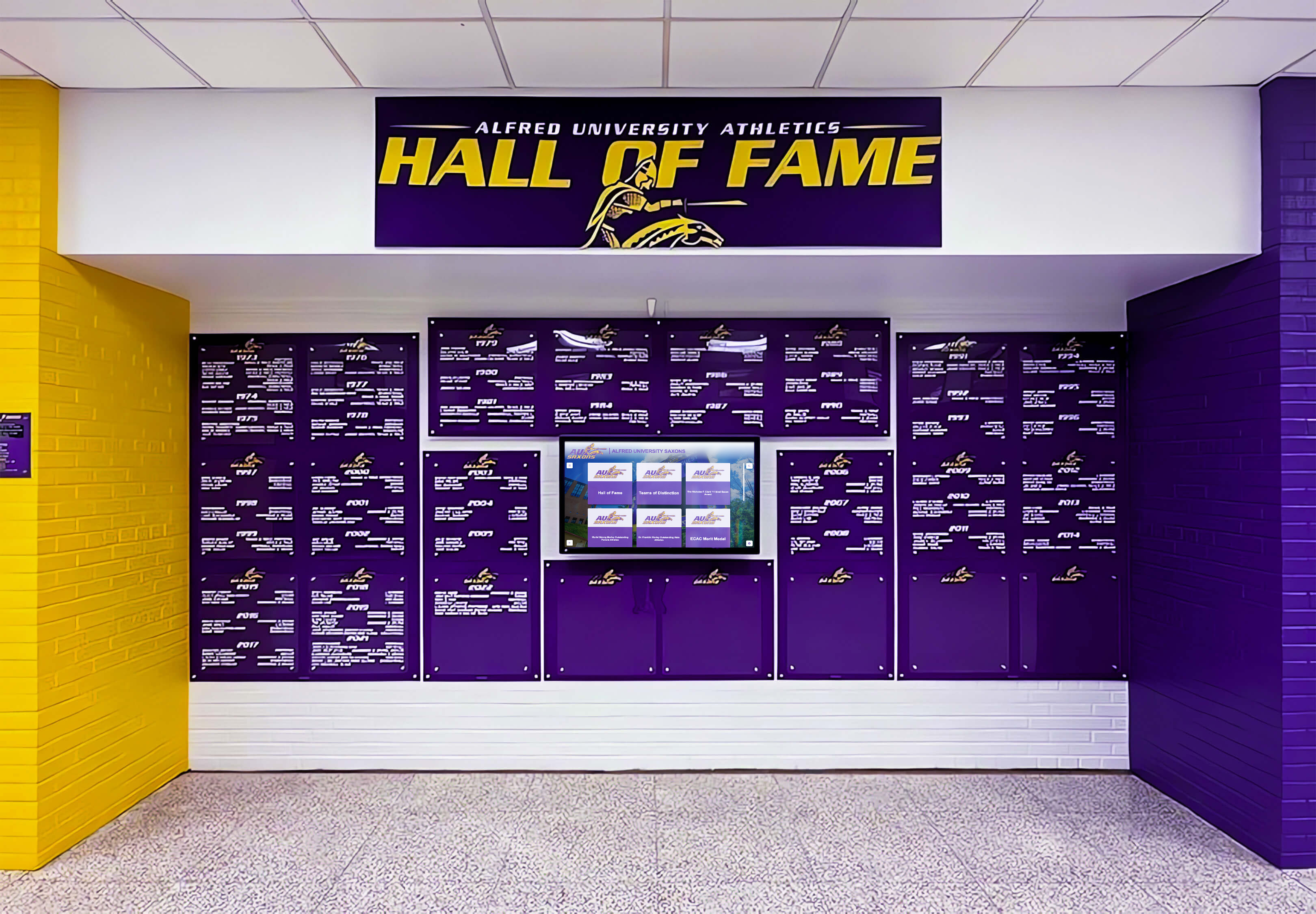
Digital hall of fame displays benefit tremendously from historical yearbook content providing authentic period photographs, team rosters, achievement documentation, and biographical context. Rather than relying on alumni to provide decades-old photos of varying quality, digitized yearbooks offer consistent, high-quality source material documenting institutional history comprehensively.
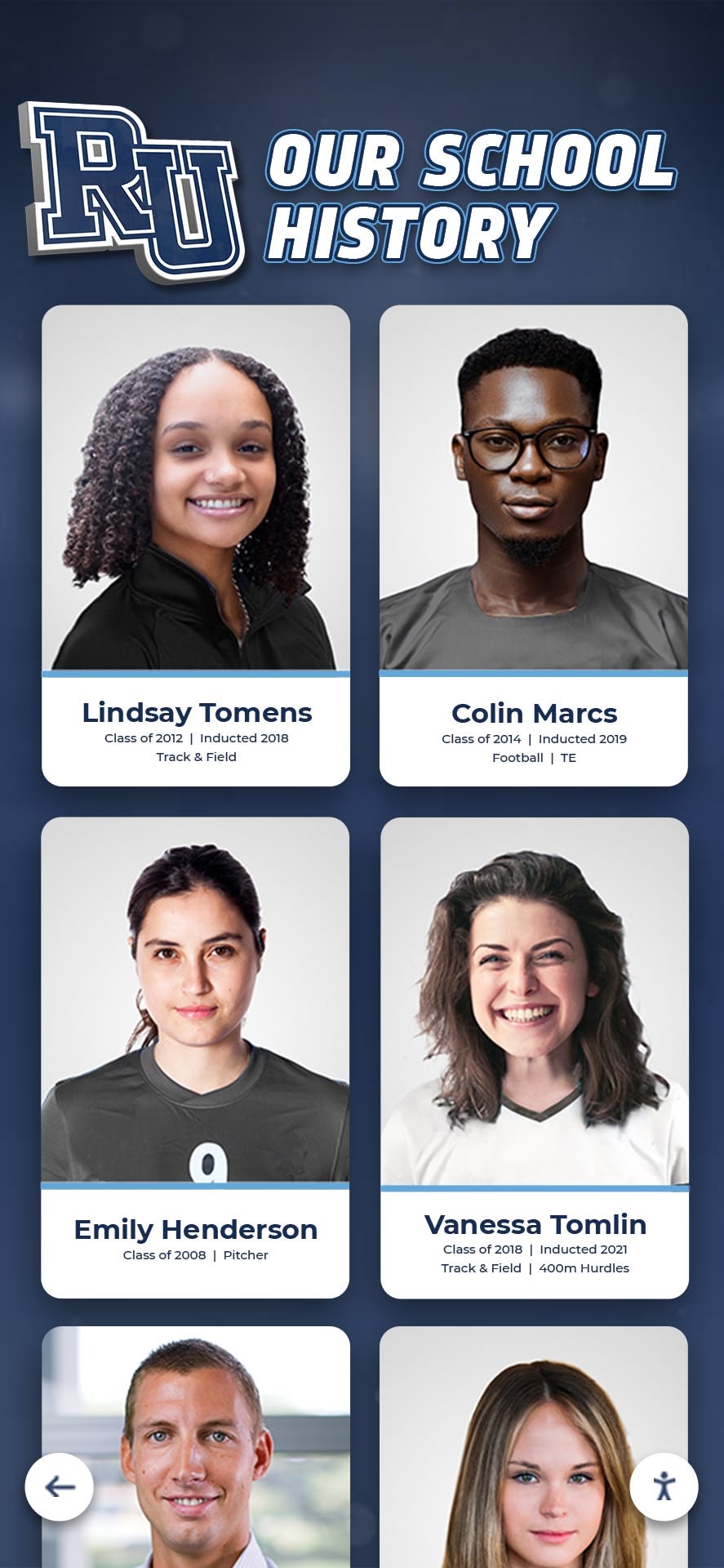
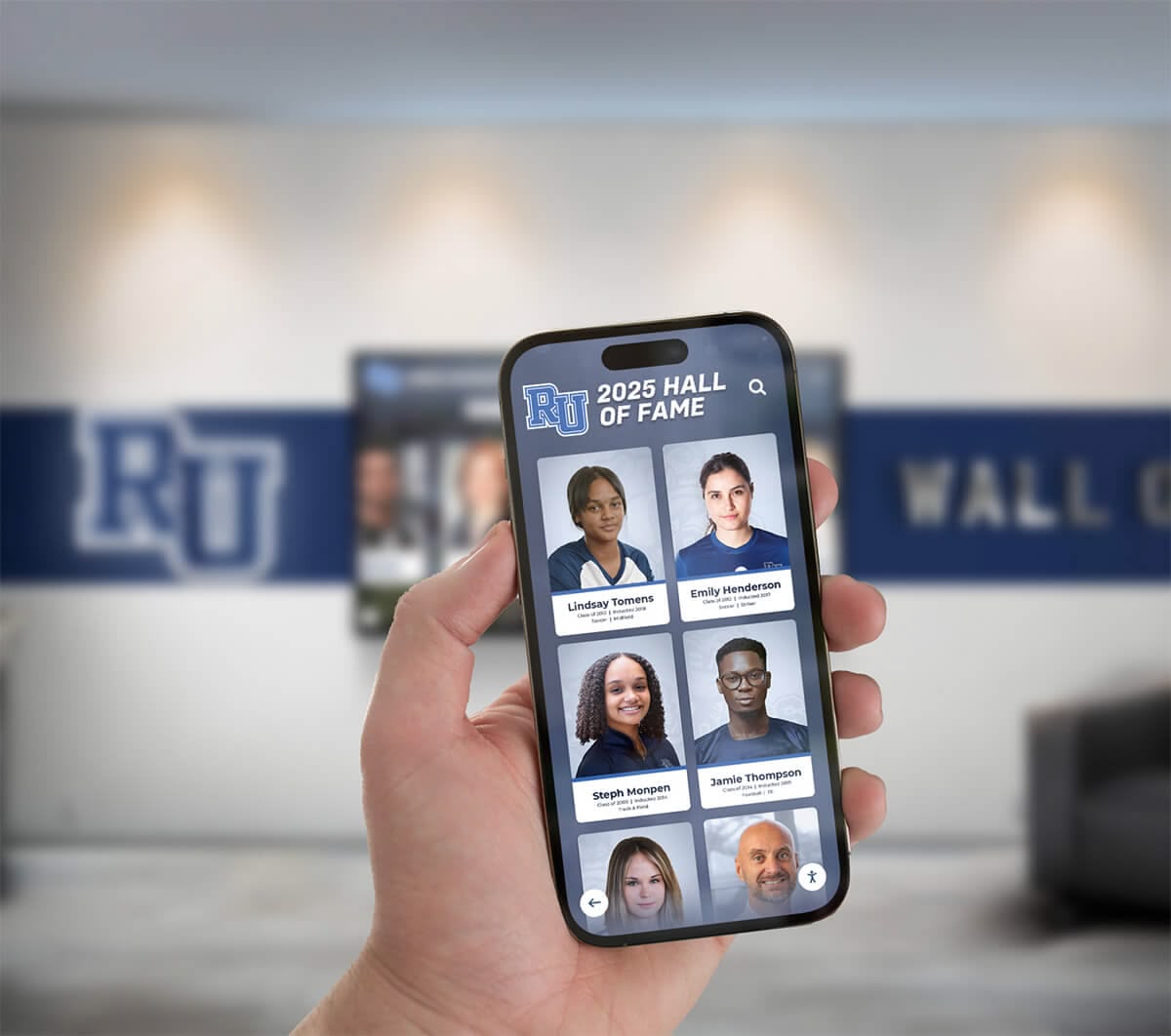
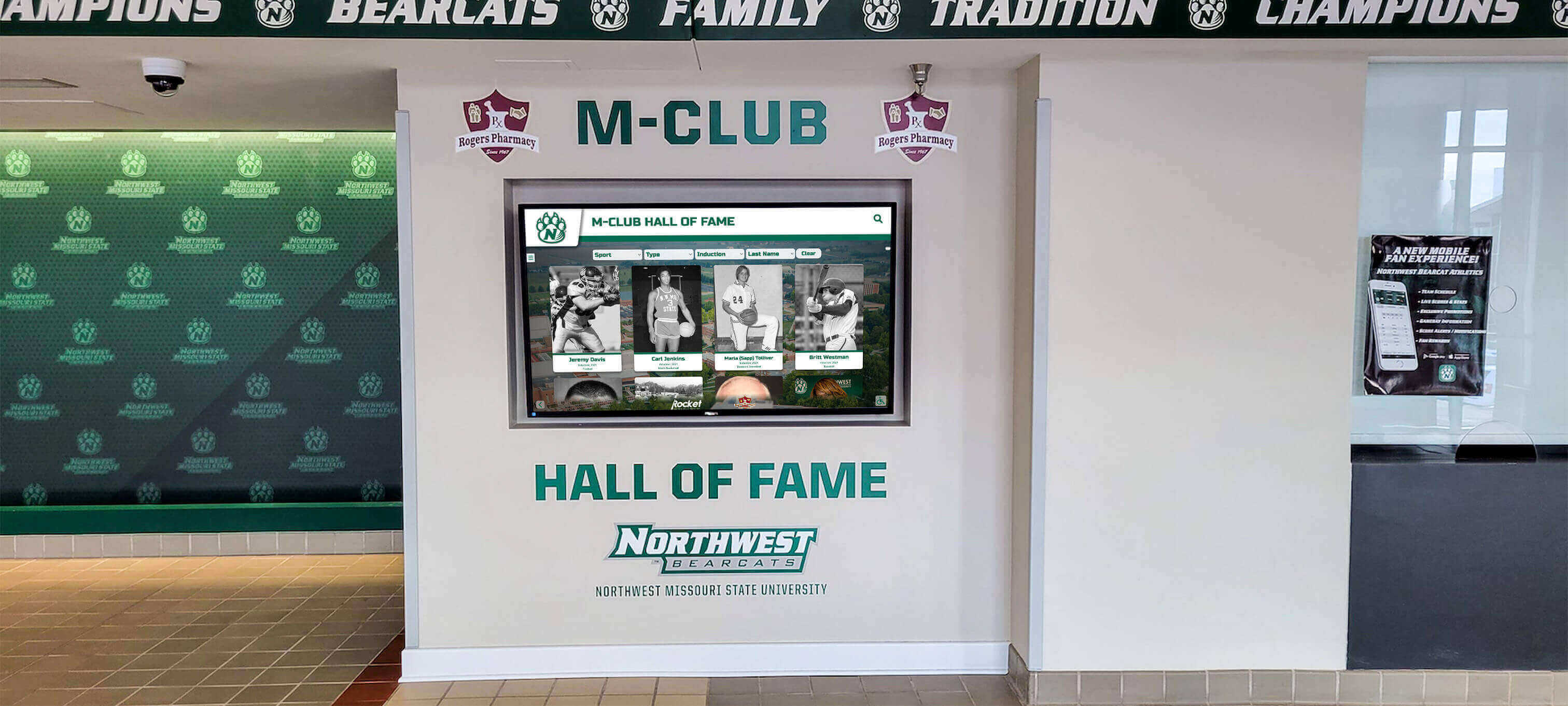
Interactive touchscreen displays can pull yearbook photos automatically when alumni are inducted, creating rich biographical profiles combining historical and contemporary content. Visitors exploring displays can see inductees as students alongside current achievement information, creating compelling then-and-now narratives that humanize accomplishments.
Supporting Fundraising and Engagement Initiatives
Alumni engagement increases dramatically when institutions demonstrate investment in preserving shared history. Announcing yearbook digitization projects generates excitement while creating opportunities for crowdsourcing missing volumes, correcting information, and identifying individuals in photographs.
Digitized content supports reunion planning, milestone celebrations, and advancement initiatives by enabling easy creation of decade-specific materials, class composites, and historical timelines. Development offices leverage historical photos in campaign materials, donor recognition displays, and anniversary celebrations that strengthen emotional connections driving philanthropic support.
Assessment: Evaluating Your Yearbook Collection Before Digitization
Successful digitization begins with comprehensive collection assessment identifying priorities, challenges, and resource requirements before scanning begins.
Inventory and Condition Documentation
Create complete inventory documenting every yearbook including year, condition, completeness, physical dimensions, page count, binding type, and any existing damage. Note missing volumes requiring acquisition from donors or archival sources. Identify volumes in particularly fragile condition requiring professional handling rather than in-house processing.
Assessment Criteria:
- Binding condition (tight, loose, cracked, damaged)
- Paper quality (flexible, brittle, torn, stained)
- Image clarity (sharp, faded, damaged)
- Completeness (intact, missing pages, loose materials)
- Size and format (dimensions, portrait/landscape orientation)
- Special considerations (color vs. black-and-white, newspaper supplements, loose inserts)
This assessment informs scanning methodology, budget requirements, and timeline planning while flagging volumes requiring special handling or conservation before digitization.
Priority Ranking for Phased Digitization
Comprehensive collections spanning decades require years to digitize completely. Priority ranking enables strategic phasing that delivers value quickly while working systematically toward complete digitization.
High Priority Years:
- Recent decades (last 20-30 years) featuring living alumni most likely to engage with digital content
- Milestone anniversaries (50th, 75th, 100th anniversary years)
- Years with notable achievements (championship seasons, significant building projects, distinguished alumni classes)
- Volumes in poorest physical condition requiring urgent preservation
- Frequently requested years generating repeated access requests
Lower Priority Years:
- Early decades with smaller student populations and fewer living alumni
- Years in excellent physical condition with less digitization urgency
- Volumes recently digitized by previous projects
- Years with minimal unique content (duplicating standard layouts from other years)
This prioritization focuses limited resources on content delivering maximum engagement value while ensuring fragile materials receive attention before further deterioration occurs.
Budget and Resource Planning
Digitization requires significant time investment whether handled internally or contracted professionally. Realistic resource assessment prevents project abandonment midstream while enabling informed decisions about methodology and scope.
Cost Factors:
- Equipment purchase or rental (scanners, computers, software)
- Professional service fees (per-page pricing typically $0.10-0.50)
- Staff or volunteer time allocation
- Storage infrastructure (cloud services, external drives, backup systems)
- Quality control and metadata creation labor
- Conservation or repair for damaged volumes
Consider phased approaches spreading costs across multiple budget cycles rather than attempting comprehensive digitization in single years. Even modest annual progress accumulates into substantial digital archives within five to ten years.
Non-Destructive Scanning Methods: Protecting Books While Capturing Quality Images
Technology advances enable high-quality digitization without damaging bound materials through purpose-designed equipment and careful technique.
Flatbed Scanners with Book Cradles
Consumer flatbed scanners offer accessible entry points for yearbook digitization when used properly with book cradles or edge supports preventing spine stress.
Best Practices:
- Never force books completely flat—this cracks bindings and loosens pages
- Use book cradles maintaining natural opening angles (typically 120-140 degrees)
- Support book edges preventing stress on spine
- Scan in sections, gently repositioning books between scans
- Cover scanner glass between books preventing surface contamination
- Clean glass regularly ensuring image clarity
Quality flatbed scanners ($200-500) deliver 600-1200 DPI resolution suitable for archival purposes. Scanning time runs approximately 1-2 minutes per page including positioning and file saving. This method suits smaller collections or phased approaches where daily progress accumulates over time.
Overhead Document Scanners
Overhead scanners photograph books from above while they rest flat on support surfaces, eliminating spine stress entirely. These specialized devices excel at capturing bound materials quickly without physical contact.
Advantages:
- Zero spine stress—books rest naturally without forcing pages flat
- Rapid capture rates (hundreds of pages per hour)
- Accommodates oversized volumes exceeding flatbed dimensions
- Reduces handling damage through faster processing
- Enables page-turning without removing books from scanner
Professional overhead scanners ($1,000-10,000) represent significant investments justified by large collections requiring comprehensive digitization. Some library systems and digitization services offer rental access, enabling temporary use without purchase commitments. This approach suits organizations tackling decades of yearbooks within compressed timelines.
Professional Digitization Services
Third-party services specialize in bound material digitization, offering expertise, equipment, and efficiency that in-house efforts struggle to match. Professional services typically charge per page ($0.10-0.50) or per volume ($50-200) depending on specifications.
Service Options:
- Mail-in services: Ship books to processing facilities for scanning and return
- On-site scanning: Technicians bring equipment to your location for on-premises digitization
- Pickup services: Materials transported to professional facilities with security protocols
- Hybrid approaches: Professional handling of fragile volumes with in-house processing of standard books
Services typically include image processing, file naming, quality control, and delivery in specified formats. This option suits organizations prioritizing speed, quality, and risk reduction over cost minimization. Request references, review sample work, verify insurance coverage, and confirm return shipping protection before committing collections to external processing.
Scanning Specifications: Technical Standards for Archival Quality and Display Use
Digital file specifications balance preservation requirements, display functionality, and storage constraints through thoughtful parameter selection.
Resolution Requirements
Scanning resolution determines image quality, future use flexibility, and file size. Higher resolution enables clearer enlargement and reproduction but creates larger files requiring more storage capacity.
Resolution Guidelines:
- 600 DPI minimum: Archival standard capturing fine detail suitable for future unknown uses
- 300 DPI acceptable: Digital display applications rarely require higher resolution for screen viewing
- 1200 DPI ideal: Maximum future flexibility including high-quality print reproduction from small originals
- Consistent resolution: Maintain uniform standards across entire collection enabling predictable file management
For yearbook digitization specifically, 600 DPI represents the practical standard balancing quality, storage requirements, and processing time. This resolution captures text clearly while enabling reasonable image enlargement for display purposes.
Color Depth and Mode
Most yearbooks feature black-and-white photography, but color captures ensure accurate representation of any color elements (covers, special sections, advertisements) while maintaining archival authenticity.
Color Settings:
- 24-bit color (RGB): Standard for comprehensive capture including color and grayscale content
- 8-bit grayscale: Appropriate for purely black-and-white publications reducing file sizes
- 48-bit color: High-end archival standard offering maximum color accuracy for valuable materials
Default to 24-bit color scanning unless you’re certain publications contain zero color elements. Storage costs continue declining while color information proves impossible to add retroactively to grayscale scans.
File Formats for Preservation and Access
Digital preservation requires lossless archival formats while active use benefits from compressed formats balancing quality and file size.
Format Strategy:
- TIFF (archival masters): Lossless compression, maximum quality, large file sizes, long-term preservation standard
- JPEG (access copies): Lossy compression, smaller file sizes, universal compatibility, suitable for displays and web use
- PDF (page compilations): Multiple images in single files, searchable when OCR applied, convenient for distribution
Maintain TIFF masters in secure archival storage while creating JPEG derivatives for integration into digital hall of fame platforms and online access. This two-tier system protects preservation quality while enabling practical everyday use without repeatedly accessing archival files.
File Organization and Metadata: Creating Searchable, Accessible Digital Archives
Raw scanned images without organization and documentation create digital chaos as unusable as disorganized physical archives. Systematic structure and comprehensive metadata transform image collections into functional archives.
Folder Structure and Naming Conventions
Consistent folder hierarchies and file names enable intuitive navigation while facilitating automated processing and display integration.
Recommended Structure:
/Yearbook_Archives/
  /1950-1959/
    /1950/
      /Cover/
      /Faculty_Staff/
      /Seniors/
      /Underclassmen/
      /Athletics/
      /Activities/
      /Advertisements/
    /1951/
      [same subfolder structure]
  /1960-1969/
  /1970-1979/
File Naming Standards:
- Include year:
1985_Seniors_Page_042.tif - Use leading zeros:
Page_042notPage_42(enables proper sorting) - Include section identifiers:
Athletics_Football_Varsity_Team - Avoid special characters: Use underscores or hyphens, not spaces or symbols
- Be consistent: Establish standards before starting and maintain rigorously
This structure enables quick location of specific content while supporting automated processes that batch-process folders, upload to platforms, or generate compilations.
Metadata Creation for Enhanced Discoverability
Embedded metadata transforms simple image files into rich information objects supporting sophisticated searching, filtering, and categorization.
Essential Metadata Fields:
- Title/Description: Descriptive content summary (e.g., “Varsity Football Team, State Championship Game”)
- Date: Original yearbook year and specific event dates when known
- People: Names of individuals pictured (enables name searching)
- Location: Where photos were taken (campus buildings, athletic fields, off-campus venues)
- Subject/Tags: Topical keywords (sports, academics, social events, facilities)
- Rights: Copyright status and usage permissions
- Source: Original yearbook volume and page number
Modern photo management software (Adobe Lightroom, Google Photos, specialized archival systems) supports bulk metadata application across multiple images simultaneously. Investing time in thorough metadata creation during digitization pays dividends for decades through enhanced searchability and usability.
Optical Character Recognition (OCR) for Text Searchability
OCR technology converts photographed text into searchable, selectable digital text, enabling full-text searching across entire yearbook collections.
OCR Applications:
- Caption searching: Find specific names, places, or events mentioned in photo captions
- Index creation: Generate searchable name indexes automatically from senior portrait pages
- Content extraction: Pull text content for transcription or republication
- Accessibility enhancement: Enable screen readers for visually impaired users
Modern OCR accuracy exceeds 98% for clean printed text, though handwritten captions and deteriorated print quality reduce reliability. Even imperfect OCR substantially enhances archive functionality compared to unsearchable image-only files. Many scanning services include OCR processing, or standalone software (Adobe Acrobat, ABBYY FineReader) can process existing image files.
Extracting and Enhancing Individual Photos for Display Use
Hall of fame displays require individual portrait photos extracted from yearbook pages and optimized for digital presentation.
Image Extraction Techniques
Individual photos must be separated from surrounding page elements (text, borders, other photos) for use in digital recognition displays.
Manual Extraction:
- Open yearbook page scans in image editing software (Photoshop, GIMP)
- Use selection tools to isolate individual portraits
- Crop tightly around faces while maintaining consistent framing
- Save as separate files with descriptive names
- Maintain aspect ratio consistency for visual harmony in displays
Automated Extraction:
Some specialized software can automatically detect and extract individual faces from composite pages, though results require manual review for accuracy. This approach accelerates processing for collections with hundreds or thousands of portraits requiring extraction.
Budget approximately 2-5 minutes per portrait for careful manual extraction including cropping, naming, and quality checking. Ten portraits per page across a 200-page yearbook equals 2,000 individual images requiring 65-165 hours total extraction time.
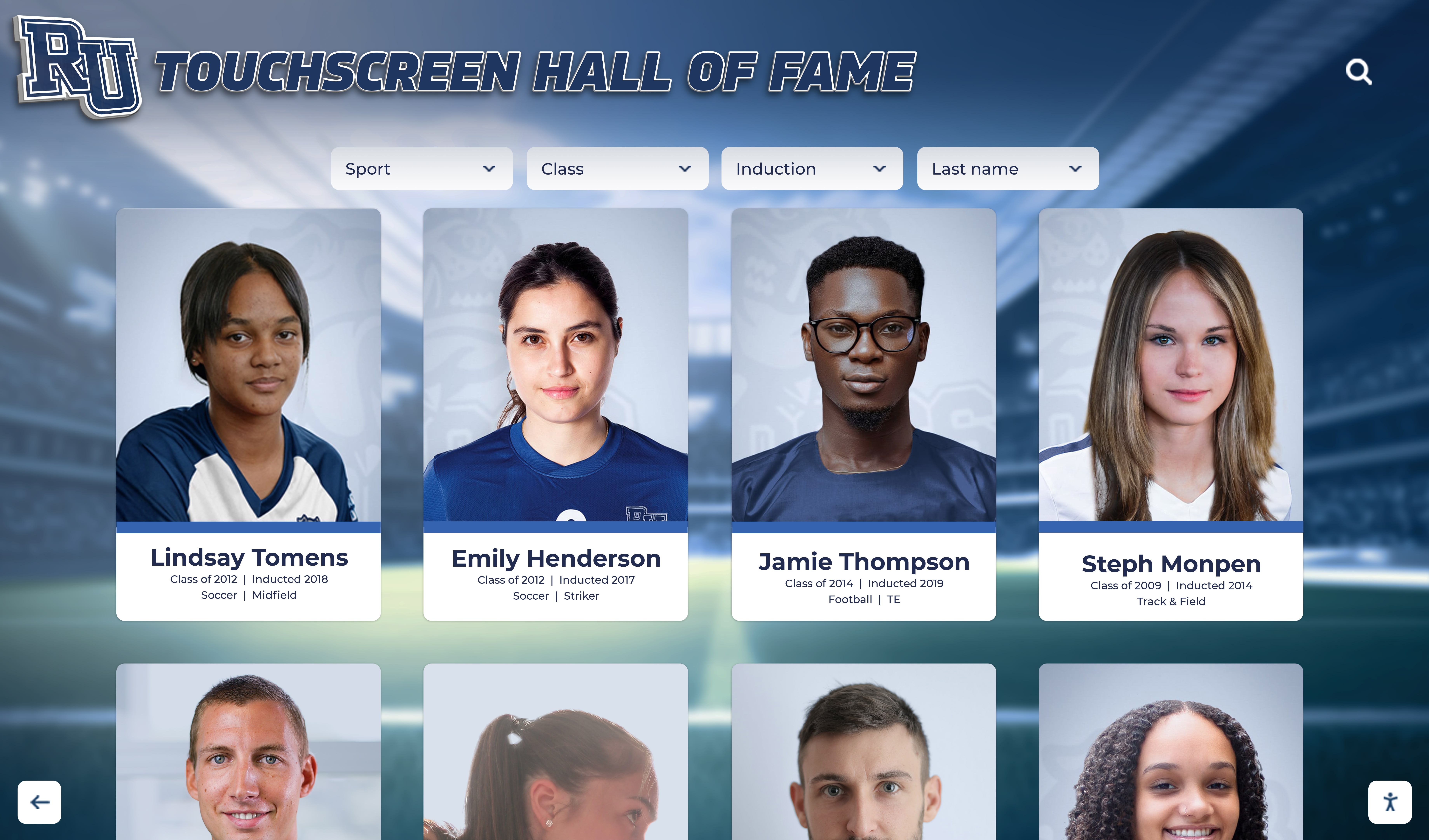
Image Enhancement and Restoration
Historical photos often suffer from fading, staining, or damage requiring correction before display use.
Common Enhancements:
- Brightness/contrast adjustment: Compensate for faded or dark originals
- Color balance correction: Remove yellow aging tint from black-and-white photos
- Scratch and stain removal: Digital retouching eliminating physical damage marks
- Sharpening: Improve edge definition in slightly blurry images
- Background uniformity: Standardize background tones for visual consistency
Maintain original unedited versions as preservation masters while creating enhanced derivatives for display purposes. Document all modifications ensuring future users understand processing applied to archival originals.
Consistent Formatting for Professional Presentation
Digital displays benefit from visual consistency across photos spanning decades of varying yearbook styles.
Standardization Approaches:
- Uniform dimensions: Resize all portraits to consistent pixel dimensions
- Aspect ratio normalization: Crop to standard ratios (3:4, 2:3) for unified appearance
- Background treatment: Apply consistent background colors or effects across eras
- Border application: Add uniform borders creating separation from display backgrounds
- Naming conventions: Maintain consistent file naming enabling automated display integration
Solutions like Rocket Alumni Solutions accommodate varying image formats and dimensions while maintaining professional presentation quality across diverse source materials. Purpose-built recognition platforms handle historical photo integration more elegantly than general-purpose digital signage requiring extensive pre-processing.
Copyright, Privacy, and Legal Considerations
Legal compliance protects institutions from liability while respecting individual rights regarding historical image use.
Copyright Ownership Complexities
Yearbook copyright ownership varies based on creation circumstances, making blanket assumptions risky without legal review.
Ownership Scenarios:
- School-created content: Publications produced by school employees using school resources typically vest copyright with institutions
- Student-created content: Student staff publications may have shared or student copyright depending on policies and legal jurisdiction
- Professional photographers: Contracted photographers may retain image rights unless work-for-hire agreements explicitly transferred copyright
- Hybrid publications: Different sections may have different copyright owners based on creator identity
Consult legal counsel for authoritative guidance rather than assuming institutional ownership. Many jurisdictions recognize educational and historical fair use defenses for non-commercial archival preservation and educational display purposes, but proactive permission seeking reduces future complications.
Privacy and Publicity Rights
Individuals possess varying rights controlling commercial use of their likenesses, though educational and historical uses typically enjoy broader permissions.
Privacy Considerations:
- Deceased individuals: Generally no privacy rights concerns for historical use
- Living alumni: Consider notification for contemporary display in recognition contexts
- Minors: Use of childhood photos in educational historical contexts typically permissible
- Sensitive content: Exercise judgment regarding potentially embarrassing historical content
For hall of fame and alumni recognition applications specifically, most legal authorities recognize legitimate institutional interests in celebrating achievements using photographs from institutional publications. When in doubt, obtain written permission from living subjects or their estates, particularly for prominent display applications.
Usage Permissions and Attribution
Clear documentation prevents future confusion about authorized uses and source attribution.
Permission Documentation:
- Written agreements with copyright holders authorizing specific uses
- Signed releases from individuals featured prominently
- Attribution protocols crediting original photographers or publications
- Usage restriction specifications (educational only, no commercial licensing)
- Duration terms for time-limited permissions
Comprehensive records prevent inadvertent violations while demonstrating good-faith compliance efforts should questions arise.
Storage, Backup, and Long-Term Digital Preservation
Digital files require active management ensuring survival across decades of technological change.
Storage Infrastructure Requirements
Digitized collections generate substantial file volumes requiring appropriate storage capacity and performance.
Capacity Planning:
- Single 600 DPI color yearbook page (TIFF): 50-150 MB
- 200-page yearbook (TIFF masters): 10-30 GB
- 50-year collection (50 yearbooks): 500-1,500 GB (0.5-1.5 TB)
- Access copies (JPEGs): Approximately 10-20% of TIFF storage
Modern external hard drives, network attached storage (NAS), or cloud services accommodate these volumes easily, though costs and management complexity increase with collection size. Organizations should budget for redundant storage systems maintaining multiple copies in geographically distributed locations.
Backup Strategies for Irreplaceable Content
Single-copy storage represents catastrophic risk for irreplaceable historical content. Professional preservation follows the “3-2-1 rule.”
3-2-1 Backup Rule:
- 3 copies of every file: Original working copy plus two backups
- 2 different media types: Don’t store all copies on identical hard drives prone to similar failure modes
- 1 off-site copy: Protects against local disasters (fire, flood, theft)
Implementation Examples:
- On-site NAS: Primary working storage
- External drives: Secondary on-site backup on different hardware
- Cloud storage: Off-site backup via Backblaze, Google Drive, Microsoft OneDrive, or specialized archival services
Automated backup systems reduce reliance on manual processes prone to neglect during busy periods. Schedule regular restoration tests confirming backup functionality before disasters occur.
File Format Migration and Technology Obsolescence
Digital files require periodic migration to current formats as technologies evolve and older formats become obsolete.
Obsolescence Risks:
- Media degradation: Hard drives fail (typical lifespan 3-5 years), optical media degrades
- Format obsolescence: File formats become unsupported by modern software
- Software dependencies: Proprietary formats require specific applications that eventually discontinue
- Hardware obsolescence: Storage interface standards evolve (USB, Thunderbolt, network protocols)
Plan for periodic migration every 5-10 years, transferring content to current storage media and verifying continued accessibility. Standard formats (TIFF, JPEG, PDF) enjoy broader long-term support than proprietary alternatives, reducing obsolescence risk.
Integrating Digitized Yearbook Photos into Hall of Fame Displays
Digital recognition platforms transform static yearbook photos into interactive experiences celebrating institutional history.
Platform Selection Criteria
Effective integration requires platforms designed for recognition applications rather than general-purpose photo galleries.
Essential Capabilities:
- Import automation handling hundreds or thousands of images efficiently
- Metadata integration maintaining searchability from archival systems
- Responsive design ensuring quality presentation across devices and screen sizes
- Content management interfaces enabling easy updates without technical expertise
- Search functionality supporting name, year, and keyword discovery
- Web accessibility extending recognition beyond physical display locations
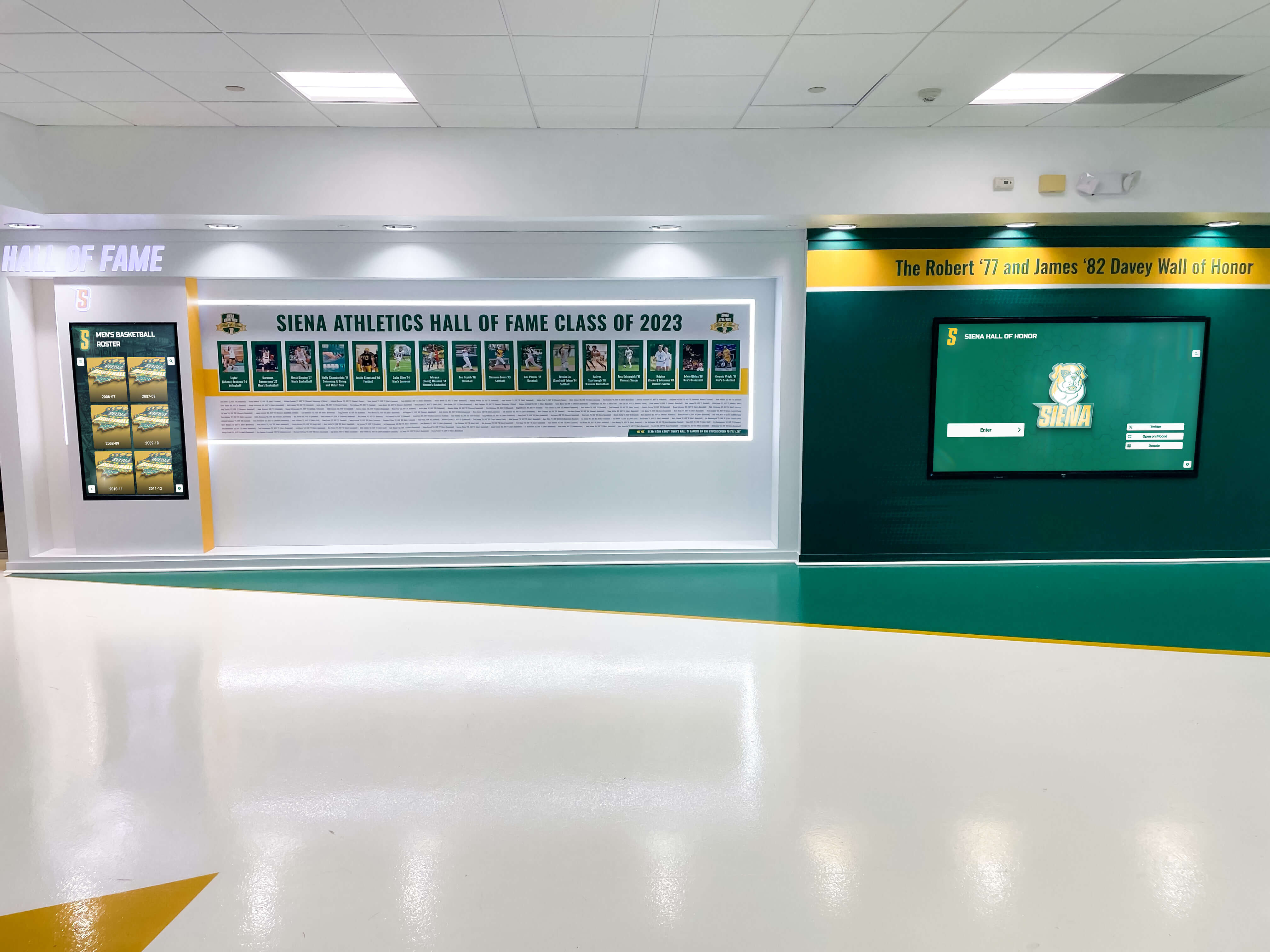
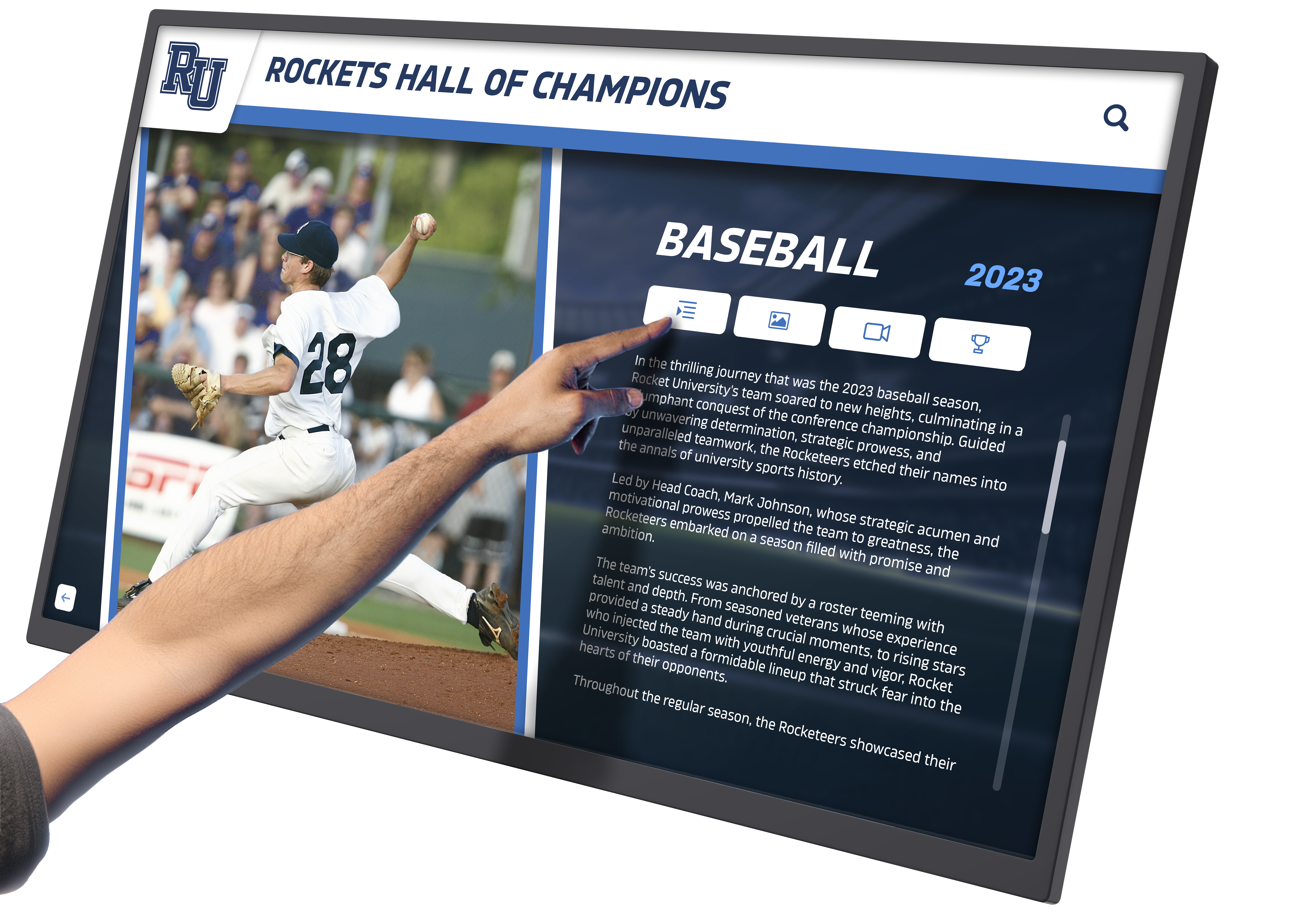
Digital hall of fame platforms purpose-built for recognition applications handle historical content integration more elegantly than adapting generic digital signage or photo management systems to recognition purposes.
Creating Compelling Then-and-Now Presentations
Historical yearbook photos gain additional impact when presented alongside contemporary achievement information.
Presentation Strategies:
- Timeline layouts: Show individuals progressing from yearbook portraits through career achievements
- Split-screen comparisons: Display student photos beside current professional headshots
- Achievement overlays: Superimpose career highlights on historical yearbook pages
- Context panels: Include yearbook quotes, activities, or predictions alongside current accomplishments
- Video narratives: Combine historical photos with contemporary interview footage
These approaches create emotional connections by humanizing achievements, showing that distinguished alumni were once students like current ones, and demonstrating the long arc of accomplishment beginning with educational foundations.
Connecting Historical Content with Recognition Programs
Digitized yearbooks support multiple recognition applications beyond traditional hall of fame displays.
Recognition Applications:
- Alumni spotlights: Featured profiles rotating through historical and contemporary content
- Reunion materials: Class-specific photo compilations for milestone reunions
- Historical timelines: Decade-by-decade institutional evolution presentations
- Notable alumni galleries: Career-focused presentations organized by professional field
- Athletic record boards: Team photos accompanying statistical achievements
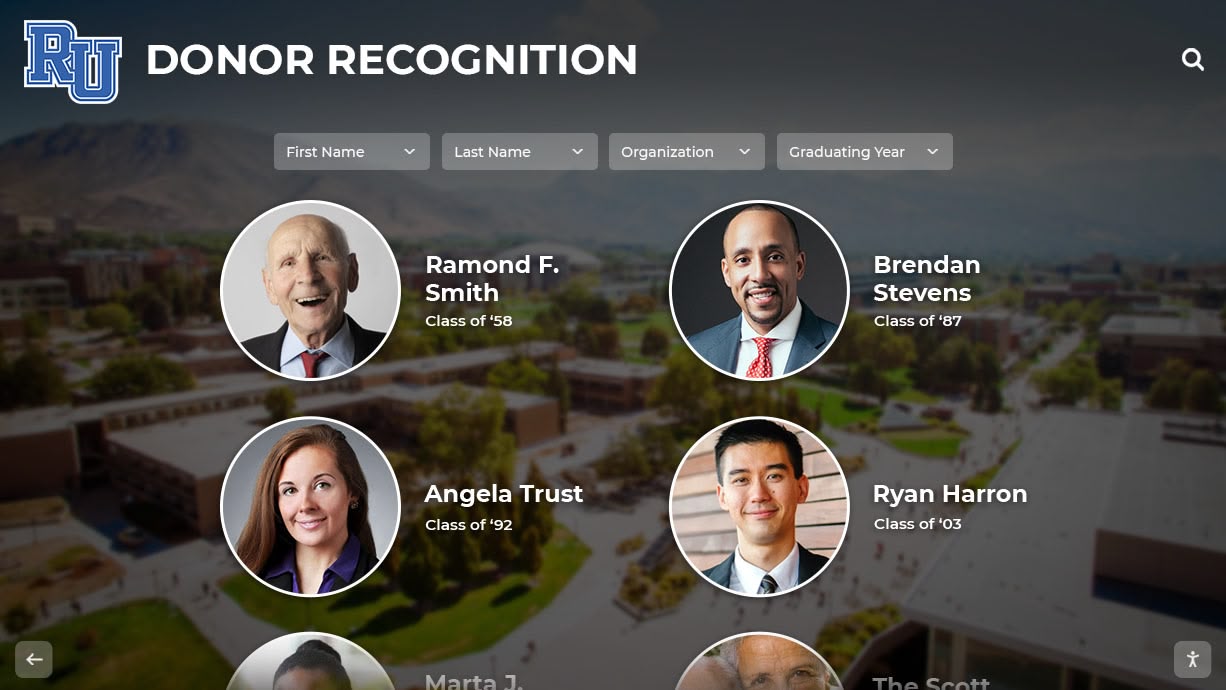
- Donor recognition: Historical photos of alumni donors showing student-era connections
Solutions like digital alumni legacy walls integrate historical content seamlessly with contemporary recognition creating comprehensive institutional memory presentations.
Project Management: Planning and Executing Successful Digitization Initiatives
Large-scale digitization requires careful planning, realistic scheduling, and sustained organizational commitment.
Forming Digitization Teams
Successful projects distribute responsibilities across stakeholders with complementary expertise and time availability.
Team Roles:
- Project coordinator: Overall planning, timeline management, resource allocation
- Scanning technicians: Physical digitization execution maintaining quality standards
- Metadata specialists: Information organization, tagging, description creation
- Quality control reviewers: Image inspection, file verification, problem identification
- Technical support: Storage infrastructure, backup systems, platform integration
- Historical consultants: Alumni, longtime staff, or archivists identifying people and providing context
Volunteer teams work effectively for gradual progress across months or years, while professional services suit concentrated efforts within compressed timelines. Hybrid approaches—professional handling of fragile volumes, volunteer processing of standard books—balance cost control with quality assurance.
Establishing Workflows and Quality Standards
Documented procedures prevent inconsistency and ensure quality maintenance as team members change over project duration.
Standard Operating Procedures:
- Scanning parameter specifications (resolution, color depth, format)
- File naming convention templates with examples
- Folder structure diagrams showing organizational hierarchy
- Metadata field requirements and entry guidelines
- Quality control checklists verifying file integrity
- Backup procedures and verification protocols
- Problem escalation paths for damaged materials or technical issues
Written documentation enables new volunteers or staff to contribute effectively without extensive training while maintaining consistency across years of project execution.
Phasing Strategies for Multi-Year Projects
Comprehensive collections requiring years to digitize completely benefit from strategic phasing delivering incremental value rather than waiting for complete collection processing.
Phase 1: Quick Wins (Months 1-6)
- Most recent 10-20 years (living alumni, highest engagement potential)
- Volumes in worst physical condition (preservation urgency)
- Milestone years (anniversaries, championship seasons)
- Sample processing establishing workflows and standards
Phase 2: Systematic Coverage (Years 1-3)
- Decade-by-decade progression working backward chronologically
- Category completion (all athletic teams, all senior portraits)
- Professional service engagement for accelerated progress
- Display integration and public launch
Phase 3: Comprehensive Completion (Years 3-5)
- Remaining volumes and difficult materials
- Enhanced metadata and OCR application
- Special features (video interviews, historical context)
- Ongoing maintenance and update protocols
This approach demonstrates progress annually, generates engagement throughout the project, and delivers functional archives long before comprehensive completion.
Crowdsourcing and Community Engagement
Community involvement accelerates digitization while building investment in preservation outcomes.
Volunteer Recruitment and Training
Alumni, community members, and students provide labor resources while developing connections to institutional history.
Volunteer Opportunities:
- Scanning sessions during regular weekly time blocks
- Metadata creation from home using shared spreadsheets
- Photo identification naming individuals in historical images
- Quality control reviewing scanned images for problems
- Donation of missing yearbook volumes from personal collections
Structured volunteer programs with clear time commitments, defined tasks, and appreciation recognition sustain participation across project duration. Even modest regular contributions—one volunteer scanning one yearbook monthly—accumulate into substantial progress across years.
Gathering Missing Volumes and Additional Content
Announced digitization projects prompt donations of materials strengthening collections while engaging stakeholders.
Acquisition Strategies:
- Public appeals through newsletters, social media, and local media
- Reunion committee coordination identifying classmates with yearbooks
- Estate contacts with families of deceased alumni
- Library and archive partnerships for institutional copies
- Inter-library loan programs temporarily accessing volumes for scanning
Borrowed materials require careful tracking, insurance documentation, and prompt return maintaining donor trust. Digital copies often satisfy donors’ preservation concerns while enabling original return to sentimental owners.
Photo Identification and Historical Context
Community knowledge identifies individuals and provides context that staff alone cannot supply.
Engagement Methods:
- Social media posts requesting identification of unknown individuals
- Alumni association newsletter features highlighting unidentified photos
- Reunion events with display stations enabling attendee contributions
- Online platforms accepting crowdsourced annotations and corrections
- Oral history sessions recording memories associated with historical images
These activities generate publicity, strengthen community connections, and increase archival value through information unavailable from yearbooks themselves.
Showcasing Your Digital Archive: Public Access and Promotion
Completed digitization justifies investment through active use and community engagement.
Launch Events and Publicity
Public launches celebrate completion while demonstrating value to stakeholders who funded or supported projects.
Launch Activities:
- Press releases to local media and alumni publications
- Ribbon-cutting ceremonies with community leaders
- Open houses demonstrating search functionality and content
- Social media campaigns featuring compelling historical content
- Educational programs connecting students with institutional history
Recognition of volunteers, donors, and supporters during launch events encourages future engagement while publicly acknowledging contributions.
Ongoing Content Development and Promotion
Archives require active promotion maintaining awareness and encouraging regular use.
Sustained Engagement:
- Monthly social media “Throwback Thursday” features from historical yearbooks
- Newsletter articles highlighting interesting discoveries or milestones
- Educational curriculum integration for student history projects
- Reunion materials incorporating class-specific historical content
- Donor recognition connecting giving to preservation impact
Regular content updates and feature additions keep archives fresh while demonstrating ongoing institutional commitment to historical preservation.
Integration with Broader Recognition Programs
Digitized yearbooks support comprehensive recognition extending beyond standalone archives.
Recognition Applications:
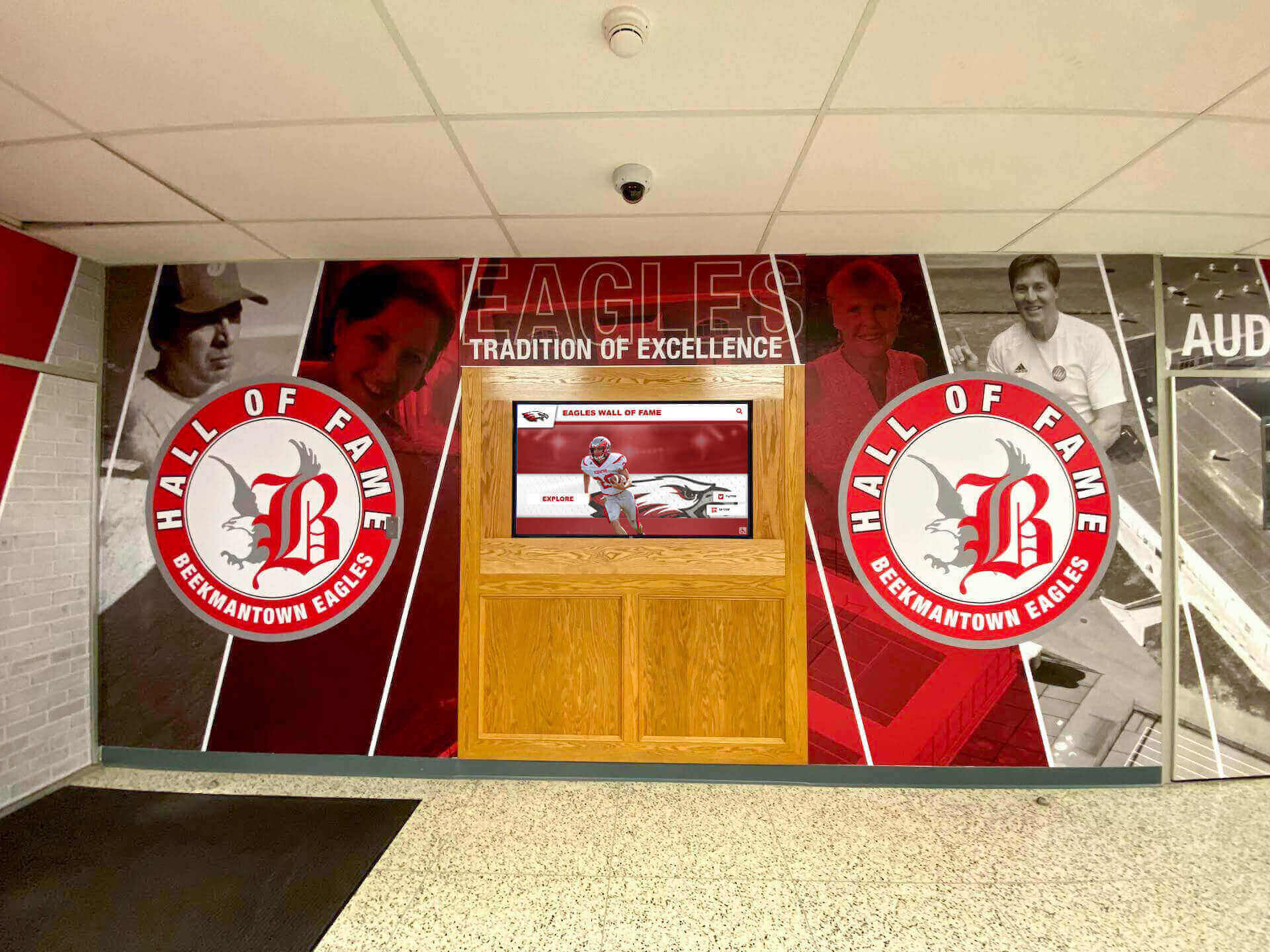
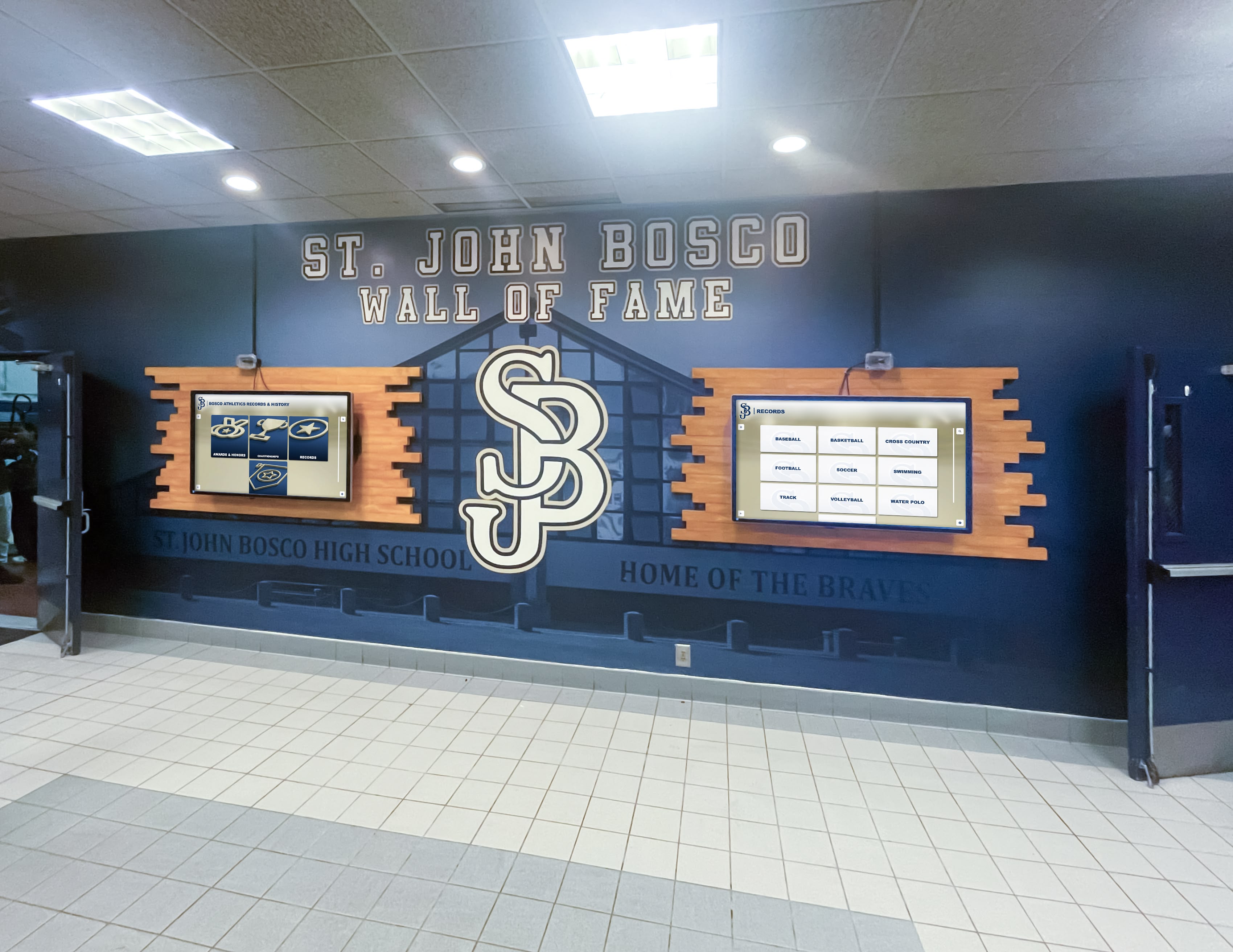
- Interactive digital signage throughout facilities featuring rotating historical content
- Athletic facility displays combining historical team photos with current rosters
- Donor recognition systems incorporating benefactor yearbook photos
- Academic achievement displays showing scholarly traditions across generations
- Entrance lobby presentations creating immediate historical impressions for visitors
Broad integration demonstrates archive utility while justifying preservation investments through multiple beneficial applications.
Choosing the Right Approach for Your Institution
Digitization methodology depends on collection size, available resources, timeline requirements, and technical expertise.
DIY In-House Digitization
Best Suited For:
- Smaller collections (fewer than 20-30 volumes)
- Organizations with volunteer labor availability
- Institutions preferring gradual progress across multiple years
- Schools with existing scanning equipment and technical expertise
- Projects with modest budgets prioritizing cost control
Requirements:
- Quality flatbed scanner with book cradle ($200-500)
- Computer with sufficient storage and processing power
- Image editing software for extraction and enhancement
- Time commitment of 5-10 hours per yearbook minimum
- Technical skills for file management and metadata creation
Professional Digitization Services
Best Suited For:
- Large collections requiring rapid completion
- Fragile materials benefiting from expert handling
- Organizations lacking volunteer labor or technical expertise
- Institutions prioritizing quality consistency and risk reduction
- Projects with adequate budgets supporting professional fees
Service Costs:
- Per-page pricing: $0.10-0.50 depending on specifications and volume
- Per-volume pricing: $50-200 for standard yearbooks
- Rush fees for expedited processing
- Additional charges for OCR, metadata creation, or enhancement services
Hybrid Approaches
Many institutions benefit from combining approaches—professional services for priority or fragile volumes, in-house processing for standard materials.
Strategic Combinations:
- Professionals handle oldest, most fragile volumes requiring expert care
- Volunteers process recent decades in good physical condition
- Services provide initial batch establishing quality standards and workflows
- In-house teams maintain ongoing additions as new yearbooks publish annually
- Targeted professional engagement for complex materials (oversized formats, damaged volumes)
This flexibility balances cost management with quality assurance while maintaining reasonable timelines.
Conclusion: Preserving History While Celebrating Achievement
Digitizing yearbook collections transforms static archives into dynamic resources supporting recognition, engagement, and institutional memory preservation. Modern techniques enable comprehensive content capture without damaging irreplaceable physical materials, while digital platforms extend access far beyond physical locations to global alumni communities.
Successful initiatives require careful planning, realistic resource assessment, systematic workflows, and sustained organizational commitment. Whether pursued gradually through volunteer efforts across years or executed rapidly via professional services, digitization delivers enduring value through preservation redundancy, improved accessibility, better discoverability, and smooth integration with digital recognition systems celebrating institutional legacy.
The photographs documenting decades of student achievement, faculty dedication, and institutional evolution deserve preservation and prominence. Digital archives ensure these memories survive for future generations while enabling contemporary applications through sophisticated digital recognition platforms that engage modern audiences expecting interactive, searchable, multimedia experiences.
Every institution possesses unique history worth preserving. Every generation of students and alumni deserves recognition honoring their contributions. Digitization makes both aspirations achievable, protecting the past while building tools that inspire future excellence.
Transform Your Historical Archives into Engaging Recognition Displays
Ready to digitize your yearbook collection and integrate historical content into modern recognition displays? Rocket Alumni Solutions provides comprehensive platforms designed specifically for educational institutions, combining interactive touchscreen technology with cloud-based content management enabling easy integration of historical photos alongside contemporary achievements. Our systems accommodate unlimited photos, support powerful search functionality, and deliver professional presentation quality that honors your institutional legacy.
Book a demo to discover how digital recognition displays can celebrate your history while engaging current students, alumni, and visitors through compelling interactive experiences that preserve the past and inspire the future.
































