



Key Takeaways
Comprehensive guide to implementing touchscreen technology for high school admissions tours. Learn about interactive displays, wayfinding solutions, and digital tour experiences that engage prospective students and families.
High school touchscreen technology transforms admissions tours from passive information sessions into engaging, interactive experiences that showcase your institution’s commitment to innovation while providing comprehensive information that addresses every family’s unique questions and concerns. From interactive wayfinding helping families navigate sprawling campuses independently to digital recognition displays demonstrating student achievement culture, touchscreen solutions create memorable impressions that differentiate your school in an increasingly competitive enrollment landscape.
This comprehensive guide explores how forward-thinking high schools implement touchscreen technology to elevate admissions experiences, providing practical strategies for technology selection, content development, strategic placement, and measurable impact on enrollment outcomes that justify technology investments even within tight budget constraints.
The Changing Landscape of High School Admissions Tours
Understanding how family expectations and enrollment competition have evolved helps schools recognize why traditional tour approaches increasingly fall short of delivering the engagement and information prospective families require.
Modern Family Expectations for School Tours
Today’s prospective families bring fundamentally different expectations to campus tours compared to previous generations, shaped by experiences across all aspects of their digital lives.
The Self-Service Information Era
Families accustomed to researching products, services, and experiences independently online expect similar capabilities during school tours. Rather than relying exclusively on scheduled presentations covering predetermined topics, modern families want immediate access to specific information matching their unique interests and concerns—academic program details relevant to their child’s strengths, extracurricular offerings aligned with existing passions, or college placement data for specific universities.

Research on consumer behavior demonstrates that 73% of people prefer self-service options for simple information needs before engaging with staff for complex questions. This preference extends to educational settings where families want independence to explore at their own pace while having access to staff for personalized discussions about their specific situations.
Digital-First Communication Preferences
Prospective families, particularly millennial parents, strongly prefer digital communication and information delivery. Static paper brochures feel outdated and incomplete compared to interactive digital content incorporating video, searchable databases, and multimedia presentations that bring school culture and student experiences to life in ways print materials never can.
Personalized Experience Expectations
Modern families expect experiences tailored to their specific interests rather than one-size-fits-all presentations. A family with a student passionate about STEM programs wants immediate access to science curriculum details, robotics team achievements, and college placement in engineering programs—not generic school overviews requiring them to extract relevant information from broader presentations.
The Competitive Enrollment Environment
High schools face unprecedented competition for enrollment, making differentiation through superior admissions experiences increasingly critical to enrollment success.
Expanding School Choice Options
Families today choose from dramatically expanded educational options including traditional public schools, magnet programs, charter schools, private institutions, virtual academies, and homeschooling cooperatives. This proliferation means your school competes not just with nearby schools offering similar programs but with diverse alternatives presenting very different value propositions.
According to research from the National Center for Education Statistics, approximately 25% of K-12 students attend schools other than their assigned neighborhood public school, demonstrating the reality of active school choice even in traditional public education contexts.
Information Abundance Creating Decision Paralysis
While families have access to unprecedented information about schools through websites, review sites, and social media, this abundance often creates decision paralysis rather than clarity. Admissions tour experiences that cut through information overload with clear, compelling presentations of school strengths and culture provide tremendous value to overwhelmed families navigating complex choices.
Technology as Differentiation Signal
Schools implementing innovative technology solutions like touchscreen displays signal to prospective families that the institution embraces innovation, invests in student experience, and provides environments preparing students for technology-rich futures. This signaling proves particularly important for families prioritizing college readiness and career preparation in their educational decisions.

Core Benefits of Touchscreen Technology for Admissions Tours
Strategic touchscreen implementation delivers multiple interconnected benefits that strengthen admissions experiences while supporting broader enrollment marketing objectives.
Enhanced Visitor Engagement and Information Retention
Interactive touchscreen displays fundamentally change how prospective families engage with school information during tours.
Active Participation vs. Passive Reception
Traditional tour presentations position families as passive recipients of information delivered by guides following predetermined scripts. Interactive touchscreens transform families into active participants who explore content matching their interests, search for specific information addressing their questions, and control the pace and depth of information consumption.
Research on learning and retention demonstrates that active participation increases information retention by approximately 75% compared to passive listening, suggesting that families engaging with interactive displays during tours remember significantly more school information than those experiencing traditional presentation-only tours.
Extended Engagement Duration
Data from interactive display implementations in educational settings consistently shows that visitors spend 3-5 times longer engaging with touchscreen content compared to reading static displays or printed materials. This extended engagement means prospective families receive substantially more information about your school’s programs, culture, and opportunities during the same tour timeframe.
Multimedia Storytelling Capabilities
Touchscreen platforms enable rich multimedia presentations impossible with traditional tour approaches. Families can watch video tours showing classroom activities and student life, view photo galleries capturing school culture and events, explore interactive timelines documenting school history and evolution, and access student achievement showcases highlighting academic and extracurricular excellence across all programs.
These multimedia capabilities bring school experiences to life far more effectively than verbal descriptions or static photographs can achieve, helping families emotionally connect with your school community and envision their child thriving in your environment.
Improved Wayfinding and Tour Navigation
Large school campuses can feel overwhelming to visiting families unfamiliar with layouts, building names, and department locations. Interactive wayfinding significantly improves the navigation experience.
Self-Service Campus Navigation
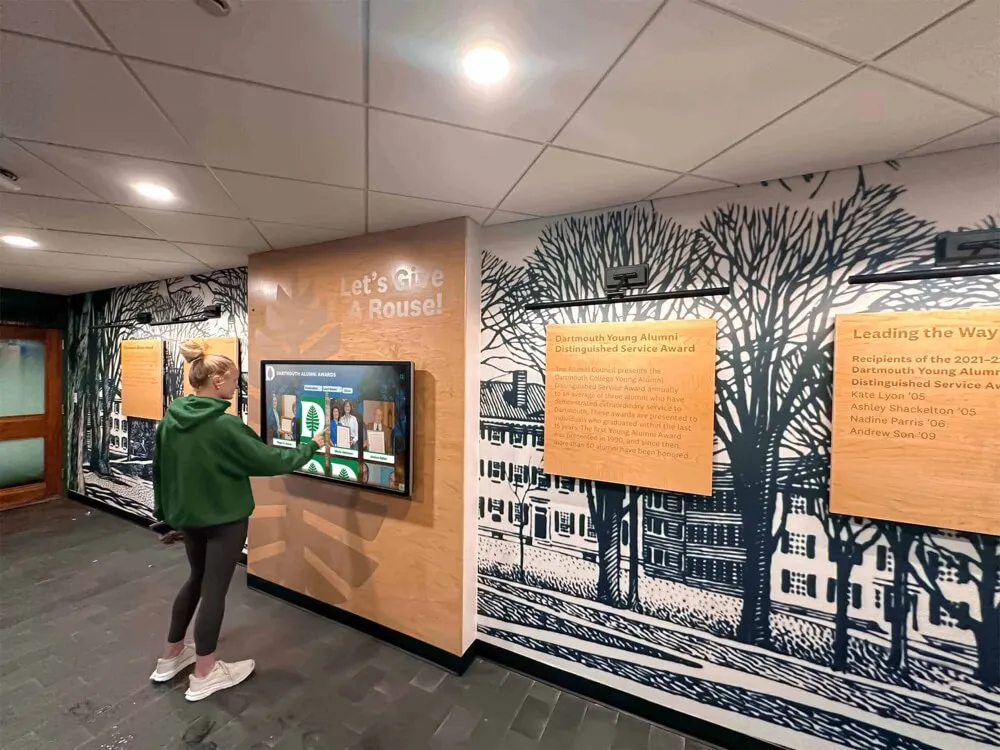
Interactive campus maps displayed on strategically-placed touchscreens enable families to navigate independently without requiring constant staff assistance. Touch-friendly interfaces allow visitors to search for specific buildings, departments, or facilities, view turn-by-turn directions from their current location, and identify nearby amenities like restrooms, parking, and refreshments.
Architectural and Historical Context
Beyond basic wayfinding, interactive displays provide rich context about campus buildings and spaces. Families exploring campus can access information about building history and namesakes, architectural significance and design features, department and program locations within buildings, recent renovations and facility improvements, and upcoming construction projects expanding capabilities.
This contextual information helps families appreciate the thought and investment your school dedicates to creating excellent learning environments while understanding how facilities support academic programs.
Tour Route Guidance
For schools offering self-guided tour options, interactive displays can present suggested tour routes optimized for different interests. A family interested primarily in STEM programs might follow a route highlighting science labs, maker spaces, and technology facilities, while families focused on performing arts explore theater spaces, music rooms, and practice facilities.

Consistent, Comprehensive Information Delivery
Interactive touchscreens ensure every prospective family receives complete, accurate information regardless of tour guide knowledge, time constraints, or scheduling variations.
Standardized Content Presentation
Tour guide knowledge and presentation quality varies based on individual experience, training, and personal communication styles. Some guides excel at engaging presentations while others deliver less compelling experiences. Interactive displays ensure consistent baseline information delivery across all tours, with digital content providing comprehensive program details, achievement documentation, and school culture presentation regardless of which staff member conducts the tour.
24/7 Information Accessibility
Schools implementing web-accessible platforms extending physical touchscreen content online enable prospective families to continue exploring school information after tours conclude. This extended accessibility proves particularly valuable for families visiting multiple schools who need time to compare programs and revisit specific details when making final decisions.
Solutions like digital recognition platforms from Rocket Alumni Solutions provide both physical touchscreen displays and companion websites, ensuring families can access school information during on-campus tours and subsequent at-home deliberations when enrollment decisions actually occur.
Multilingual Accessibility
For schools serving diverse communities with significant multilingual populations, digital platforms can present information in multiple languages, ensuring non-English-speaking family members can fully participate in tour experiences and access comprehensive school information regardless of language barriers that might limit traditional tour effectiveness.
Data-Driven Admissions Insights
Modern touchscreen platforms provide analytics revealing how prospective families engage with content, enabling data-driven improvements to tour experiences and enrollment messaging.
Engagement Pattern Analysis
Analytics tracking which content prospective families view most frequently, how long they spend exploring different topics, which search terms they use to find information, and which videos or multimedia presentations they watch reveals what information families consider most important when evaluating your school.
Tour Optimization Opportunities
Engagement data identifies content gaps requiring enhancement, popular topics deserving greater prominence, and underutilized features needing interface improvements or better promotion. This insight enables continuous refinement of admissions experiences based on observed family behavior rather than assumptions about what information matters most.
Prospective Family Interest Profiling
Schools implementing registration or check-in systems integrated with touchscreen analytics can understand individual family interests based on content exploration patterns. If a family extensively explores computer science curriculum information, robotics team achievements, and STEM college placement data, admissions staff can follow up with personalized communications highlighting relevant programs and connecting families with faculty or current students in those areas.
Essential Content Components for Admissions Tour Touchscreens
Effective touchscreen implementations require thoughtful content addressing prospective families’ most important questions and concerns about your school.
Academic Programs and Curriculum Information
Academic quality and program offerings typically represent prospective families’ highest priorities when evaluating schools.
Comprehensive Program Overviews
Detailed descriptions of academic programs should include curriculum structures and course sequences, advanced placement, honors, and accelerated options, unique specialized programs distinguishing your school, interdisciplinary connections across subject areas, and teaching philosophies and instructional approaches that define your educational model.
College Preparation and Outcomes
Families selecting high schools focus heavily on college readiness and placement. Touchscreen content should prominently feature college acceptance rates and selective university admissions, average SAT/ACT scores and academic achievement metrics, scholarship awards and financial aid outcomes, college counseling resources and support services, and alumni college experiences and post-graduate success stories.
Faculty Credentials and Expertise
Highlighting teacher qualifications demonstrates academic program quality through advanced degrees and specialized credentials, years of experience and teaching expertise, professional development and continued learning, published research or professional recognition, and personal teaching philosophies and student engagement approaches.
Prospective families want confidence that their children will learn from expert educators passionate about their subjects and committed to student success.
Student Achievement Recognition
Visible celebration of student accomplishments across all domains demonstrates your school’s culture of excellence while inspiring prospective students to envision their own success.
Academic Excellence Showcases
Interactive displays should highlight academic competitions and awards, research projects and scholarly achievements, National Honor Society and academic organization membership, perfect attendance and dedicated effort recognition, and subject-specific departmental honors and recognition.
Schools can integrate comprehensive academic recognition programs within touchscreen platforms, showcasing achievement across multiple categories and years to demonstrate consistent excellence.
Athletic Achievement Documentation
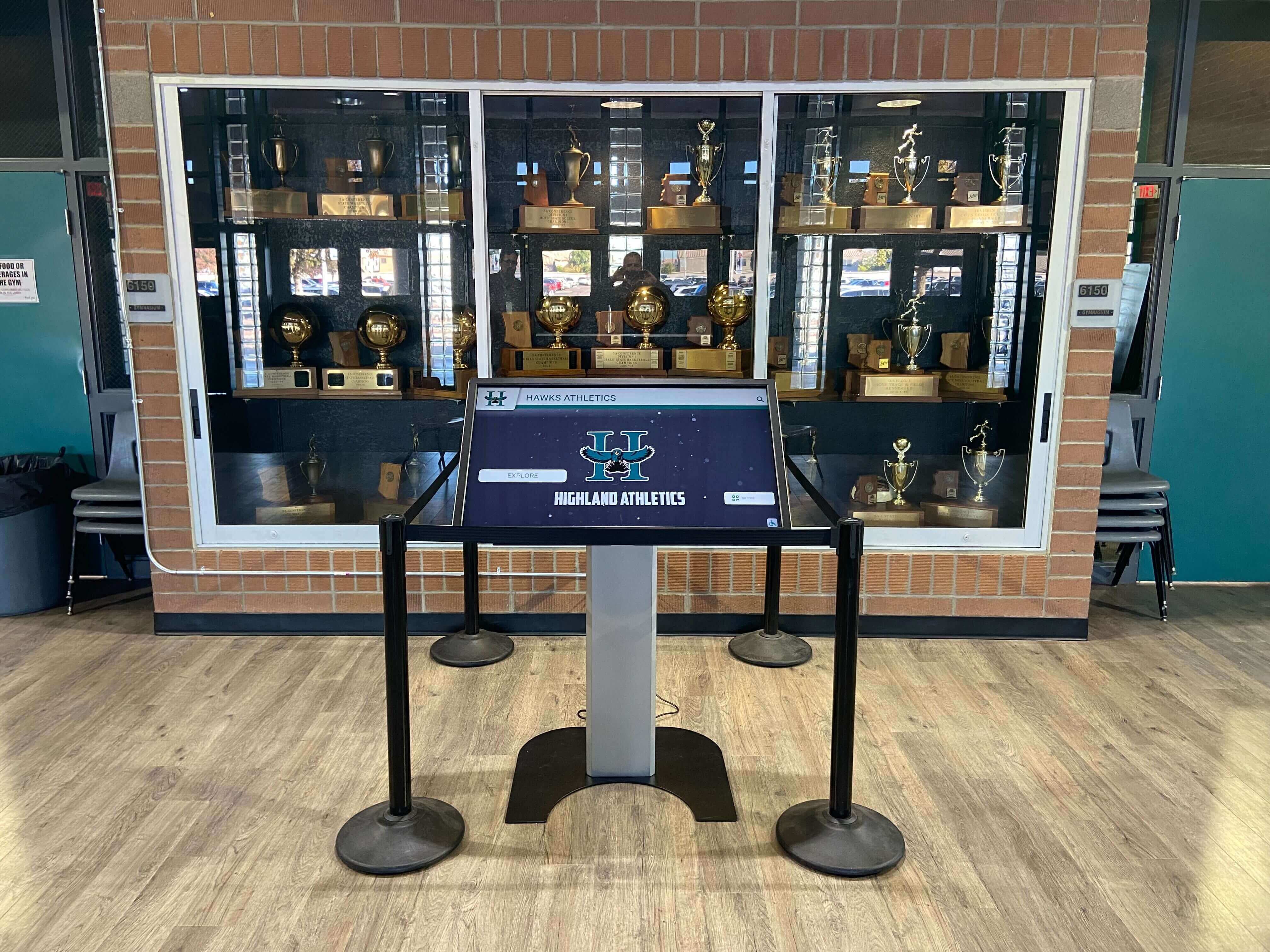
For schools with strong athletic traditions, touchscreen content should feature championship seasons and tournament success, individual athlete honors and all-conference recognition, team records and statistical achievements, college athletic recruiting and scholarship outcomes, and coaching excellence and program development.
Arts and Extracurricular Accomplishments
Comprehensive achievement celebration includes performing arts competitions and honors, visual arts exhibitions and recognition, music and theater productions and performances, service learning projects and community impact, leadership roles and student government, and specialized clubs and organization achievements.
This inclusive recognition approach signals that your school values diverse talents and provides multiple pathways for students to discover and develop their unique strengths.
Campus Life and Student Experience
Academic programs alone don’t convey what daily student life feels like. Interactive content should bring school culture to life through authentic storytelling.
Video Tours and Virtual Experiences
High-quality video content enables families to virtually experience campus even during brief physical tours. Consider producing videos showing typical school days following diverse students, classroom instruction across different subjects and teaching styles, extracurricular activities and club meetings, athletic practices and competitions, performing arts rehearsals and productions, and special events like homecoming, assemblies, and traditions.
Student Voice and Testimonials
Prospective families trust current student perspectives about school experiences. Feature student testimonial videos discussing favorite aspects of school culture, academic challenge and support systems, relationships with teachers and peers, college preparation and guidance experiences, extracurricular involvement and time management, and advice for prospective students considering enrollment.
Day in the Life Documentation
Interactive timelines or photo galleries walking through typical school days help families understand daily rhythms and schedules. Show morning arrival and first period classes, passing periods and student interactions, lunch periods and social time, afternoon activities and athletics, study periods and homework support, and after-school activities and dismissal.
These glimpses into daily life help prospective students envision themselves within your school community far more effectively than verbal descriptions or static campus photographs achieve.
Practical Information and Resources
Families need clear answers to logistical questions about enrollment, costs, transportation, and other practical considerations influencing school choice decisions.
Admissions Process and Requirements
Clear information about application deadlines and procedures, entrance examinations or assessment requirements, required documentation and transcripts, financial aid applications and scholarship opportunities, and enrollment timelines and decision notification dates reduces family anxiety while preventing procedural errors that delay enrollment.
Tuition, Fees, and Financial Assistance
Transparent financial information demonstrates institutional values while enabling families to assess affordability. Present tuition rates and payment options, mandatory and optional fees, financial aid programs and eligibility requirements, scholarship opportunities and application processes, payment plans and financing options, and net price calculators helping families estimate actual costs after aid.
Transportation and Logistics
Practical information about daily logistics includes school hours and schedules, bus routes and transportation options, parking availability and student driver policies, attendance policies and absence procedures, dress codes or uniform requirements, and technology requirements and device policies.
Strategic Placement of Touchscreen Displays for Maximum Impact
Thoughtful placement decisions determine whether families naturally encounter and engage with interactive content or overlook displays due to poor positioning.
Main Entrance and Admissions Lobby
The most critical placement for admissions-focused touchscreen displays is the main entrance lobby where prospective families first arrive and form initial impressions.
Creating Welcoming First Impressions
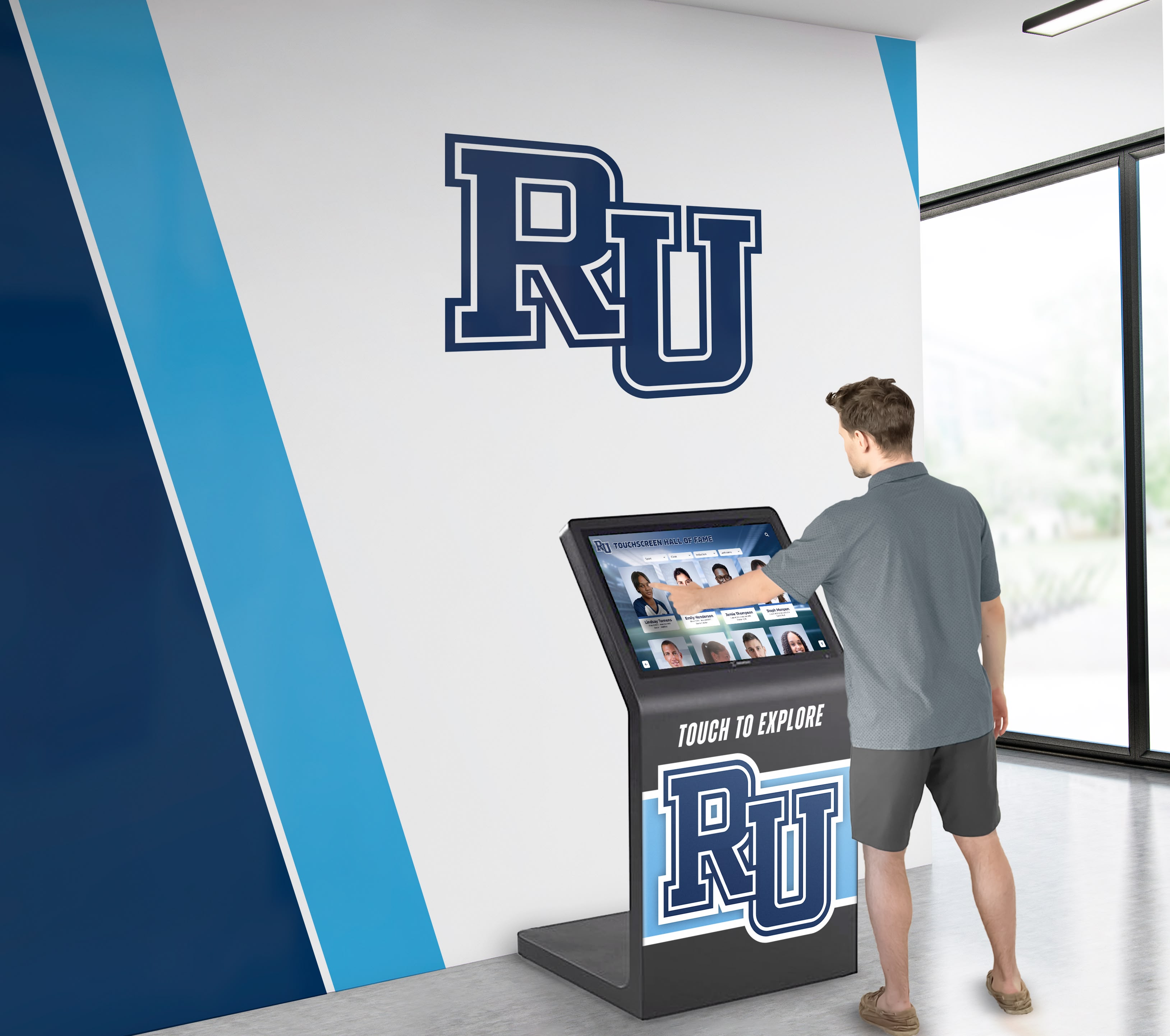
Large-format touchscreen displays (65-75 inches) prominently positioned near entrances immediately signal your school’s embrace of technology and innovation. These displays should serve as digital greeters providing welcome messages, campus directories and wayfinding, tour information and schedules, and featured content showcasing school highlights and current achievements.
Pre-Tour Engagement Areas
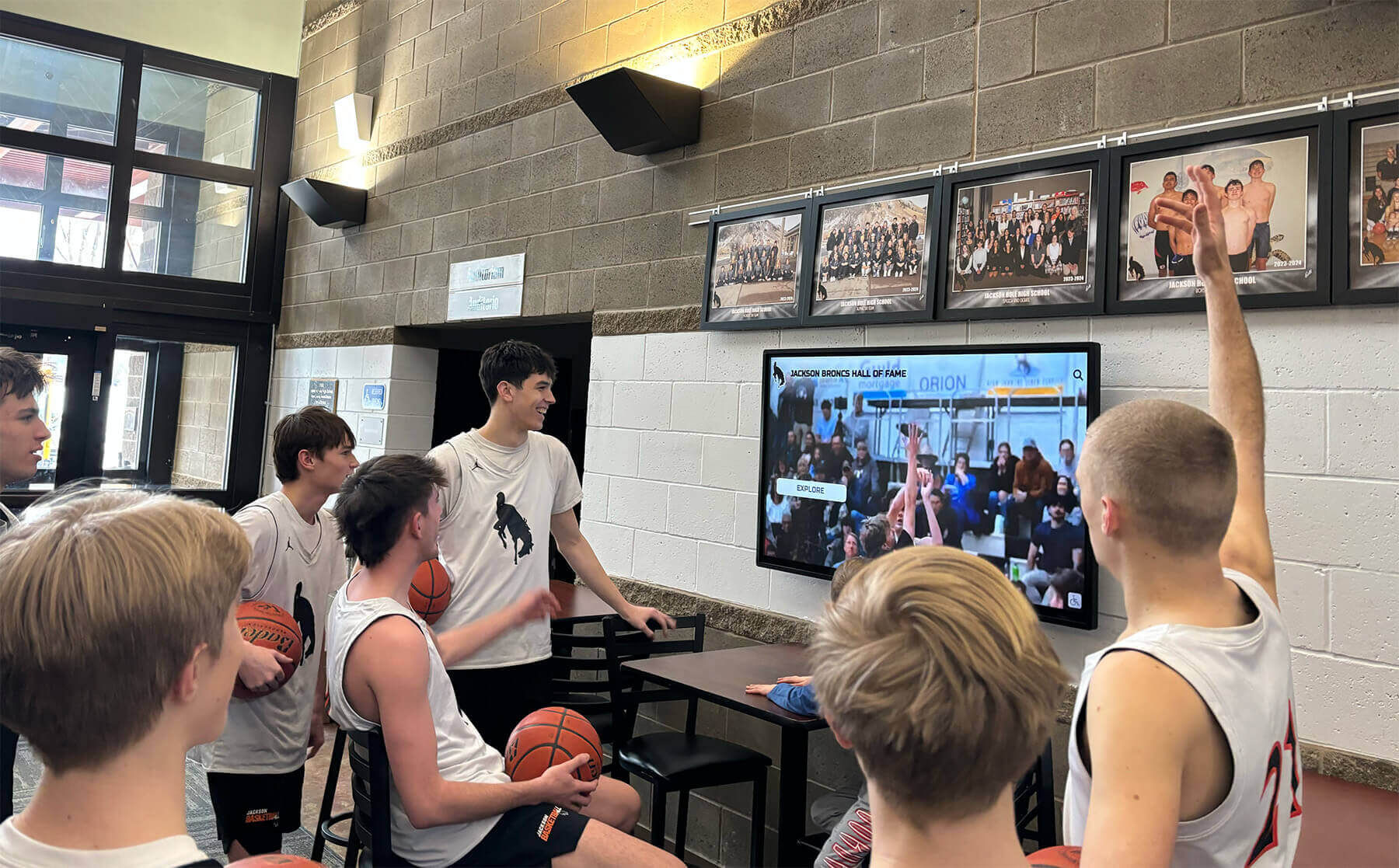
Families often arrive early for scheduled tours or wait while completing registration processes. Create comfortable seating areas near touchscreen displays where families can productively engage with content during waiting periods, exploring programs and achievements that inform questions they’ll ask during guided tour portions.
This pre-tour engagement ensures families maximize limited tour time by already possessing baseline information about programs and facilities, enabling tours to focus on deeper discussions about culture, teaching approaches, and fit rather than covering basic facts available through self-service exploration.
Post-Tour Reflection Spaces
After completing guided tours, families benefit from time to process information, discuss impressions, and explore specific topics in greater depth. Designate areas with comfortable seating and accessible touchscreen displays where families can linger after tours conclude, reviewing programs discussed during tours, comparing academic offerings across departments, and accessing additional information about topics sparking interest during guided experiences.
Strategic Hallway and Corridor Locations
Distributing touchscreen displays throughout campus ensures families encounter interactive content at multiple touchpoints rather than relying on single lobby installations.
High-Traffic Circulation Paths
Position displays along main corridors connecting key destinations like main offices, auditoriums, gymnasiums, and cafeterias. These locations guarantee maximum visibility to all campus visitors while providing wayfinding assistance when families independently navigate between destinations during tours.
Academic Department Entrances
Touchscreen displays positioned near department entrances—science wing, arts building, athletic facility, etc.—should feature content specifically relevant to those locations. Science wing displays might emphasize STEM curriculum, research opportunities, and academic competition achievements, while athletic facility displays focus on sports programs, championship seasons, and college athletic placement.
This location-specific content creates seamless connections between physical spaces and digital information while demonstrating program depth that generic campus-wide displays cannot convey.
Recognition and Achievement Showcases
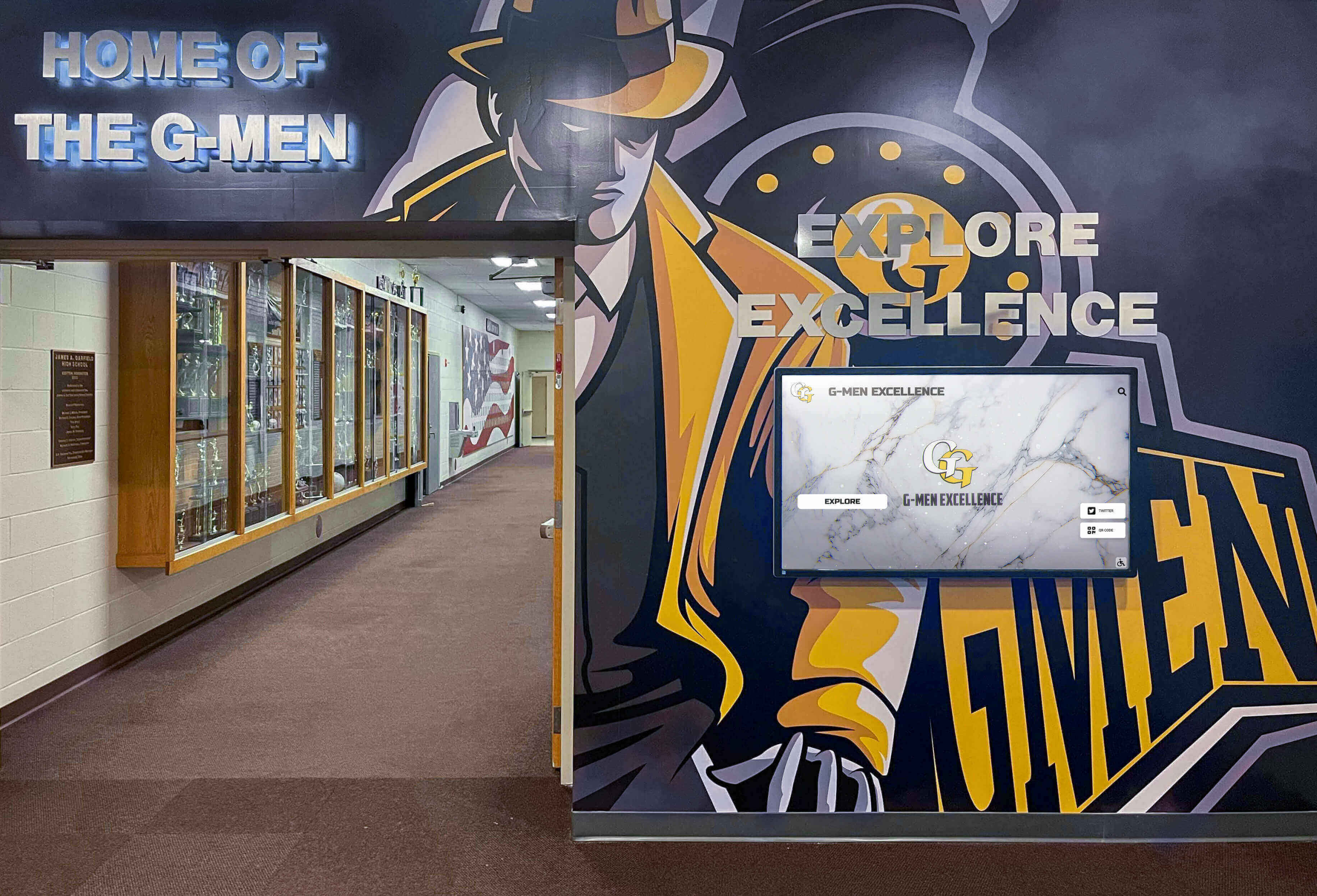
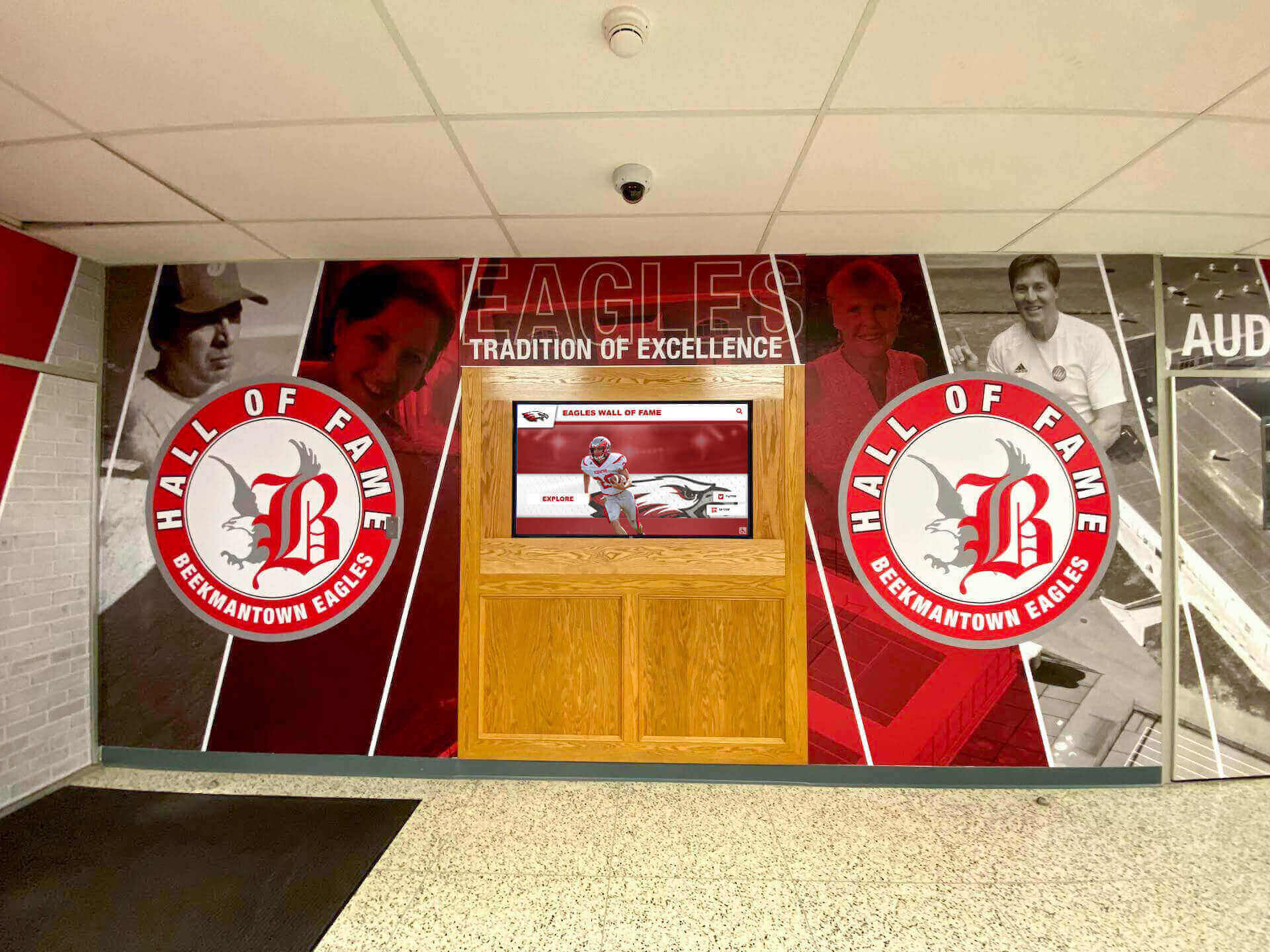
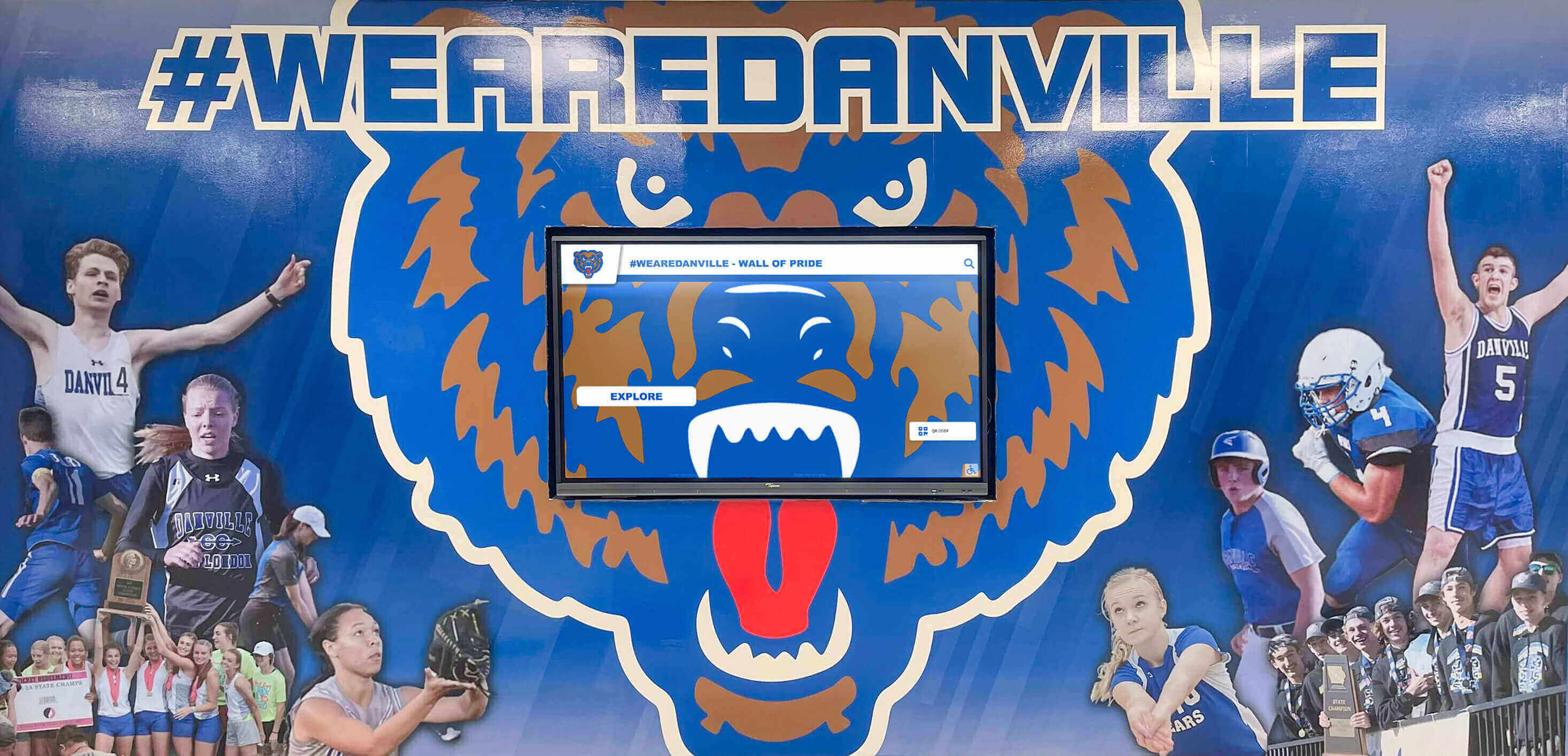
Many schools create dedicated recognition spaces celebrating student excellence. Integrate touchscreen displays within these areas, complementing traditional trophy cases or honor roll plaques with interactive achievement databases providing comprehensive information about honorees, accomplishments, and institutional excellence across all programs and eras.
Outdoor and Campus Exterior Locations
Don’t limit interactive technology to indoor spaces—weatherproof outdoor displays serve unique purposes for campus navigation and wayfinding.
Campus Entry Points and Parking Areas
Families arriving at campus often need immediate orientation to parking locations, building entrances, and navigation routes to admissions offices. Outdoor kiosks with campus maps, turn-by-turn directions to key destinations, parking guidance and visitor information, and contact information for assistance help families navigate confidently from arrival to first indoor destinations.
Athletic Fields and Outdoor Facilities
For schools with extensive outdoor athletic facilities, remote science buildings, or distributed campus layouts, outdoor displays positioned at field entrances or pathway intersections provide wayfinding assistance while showcasing relevant achievements like athletic championships, environmental science programs, or outdoor education initiatives.
Web and Mobile Extensions
While physical touchscreen displays serve on-campus visitors, web-accessible platforms extend admissions content to families exploring schools remotely or revisiting information after campus tours conclude.
Comprehensive Virtual Tour Platforms
Solutions like Rocket Alumni Solutions provide web-accessible versions of physical touchscreen content, enabling families to explore programs, achievements, and campus information from home computers or mobile devices. This extended accessibility proves particularly valuable for distant families unable to visit campus frequently, international families evaluating American school options, and busy families revisiting school information during evening discussions after work and activities conclude.
Mobile-Responsive Design
With many families conducting school research primarily on smartphones, mobile-optimized content ensures excellent user experiences across all device types. Mobile-friendly interfaces should feature touch-friendly navigation optimized for small screens, fast loading times respecting mobile data constraints, vertical scrolling layouts matching mobile browsing patterns, and simplified navigation reducing complexity on constrained interfaces.
Implementation Planning and Budget Considerations
Successfully implementing touchscreen technology for admissions tours requires systematic planning addressing technology selection, content development, installation logistics, and ongoing management.
Needs Assessment and Goal Definition
Before selecting specific technologies or vendors, clearly define what you aim to accomplish through touchscreen implementation.
Primary Objectives Identification
Different schools face different challenges that touchscreen solutions might address. Common objectives include improving wayfinding for families navigating large, complex campuses, providing comprehensive program information beyond what tours cover, showcasing student achievements demonstrating school excellence, creating memorable experiences differentiating your school from competitors, collecting data about prospective family interests and priorities, and extending information access beyond on-campus tour experiences.
Explicitly prioritizing 2-3 primary objectives focuses implementation efforts on highest-value capabilities rather than attempting to address every possible use case simultaneously with limited budgets.
Success Metrics Definition
Establish specific, measurable indicators that will demonstrate whether touchscreen implementation achieves intended objectives. Relevant metrics might include prospective family engagement duration with displays, specific content viewing and search patterns, post-tour satisfaction survey responses, enrollment rates among families experiencing interactive displays, and qualitative feedback from families and admissions staff about tour quality and information completeness.
Technology and Vendor Selection
Organizations evaluating touchscreen solutions face numerous vendor options with varying capabilities, costs, and support models.
Hardware Specifications
Commercial-grade displays designed for extended operation prove most reliable for high-traffic admissions environments. Key specifications include display size (55-75 inches depending on viewing distances and space), commercial-grade panels rated for 16-24 hour daily operation, multi-touch capability supporting intuitive gestures, high brightness (400-500 nits) for areas with significant natural light, and mounting options including wall-mounted, freestanding kiosks, or architectural integration.
Schools should budget approximately $5,000-$10,000 per display for commercial-grade hardware appropriate for institutional installations.
Software Platform Selection
Purpose-built platforms like Rocket Alumni Solutions designed specifically for educational recognition and engagement deliver significant advantages over generic digital signage systems. Key capabilities include cloud-based content management requiring no technical expertise, intuitive interfaces enabling non-technical staff to manage content independently, unlimited content storage supporting extensive multimedia archives, recognition-specific templates reducing development time and complexity, robust search and filtering for large content databases, mobile-responsive design ensuring web accessibility, and analytics revealing engagement patterns informing content strategy.
These specialized capabilities justify investment in dedicated platforms over attempting to adapt generic systems for complex recognition and engagement purposes.
Content Development Process
Hardware and software establish infrastructure, but engaging content determines whether displays achieve intended impact.
Initial Content Creation
Comprehensive initial content typically requires 100-200 hours of development depending on institutional size and available source materials. Key activities include campus photography and videography capturing facilities and activities, video editing producing polished tours and presentations, program description authoring for all academic and extracurricular offerings, achievement data compilation documenting student accomplishments, faculty profile creation highlighting credentials and expertise, and multimedia asset optimization ensuring fast performance.
Many schools phase content development, launching with core admissions information and progressively expanding coverage across subsequent months rather than delaying launch until achieving 100% completion.
Ongoing Content Management
Interactive displays remain engaging only when content stays current and relevant. Establish procedures designating specific staff responsible for content updates, scheduling regular content reviews (monthly or quarterly), adding new achievements and recognition promptly, updating program information reflecting curriculum changes, and refreshing featured content maintaining visual variety and highlighting different programs seasonally.
Cloud-based platforms dramatically simplify ongoing management by enabling remote updates from any internet-connected device without requiring physical display access for every modification.
Investment and Budget Planning
Understanding full implementation costs enables realistic planning and appropriate expectations about scope and timelines.
Initial Implementation Costs
A basic single-display admissions system typically requires $12,000-$25,000 investment including commercial touchscreen display and mounting hardware ($5,000-$10,000), professional installation and configuration ($1,000-$2,500), software platform setup and licenses ($2,000-$4,000), initial content development ($3,000-$7,000), and training and support services ($1,000-$2,000).
Comprehensive multi-display implementations with interactive tour content, wayfinding, and recognition platforms typically range $35,000-$80,000 depending on number of displays, custom content production requirements, and integration complexity.
Ongoing Annual Costs
Sustainable operation requires budgeting for annual platform subscriptions and hosting ($1,800-$3,600), content management staff time (30-50 hours annually), technical support and maintenance ($500-$1,500), content updates and enhancements ($1,000-$3,000), and hardware maintenance reserves for eventual replacements ($500-$1,000).
Typical annual operating costs range $4,000-$9,000—reasonable investments for technology supporting critical enrollment functions affecting institutional financial sustainability.
Funding Strategies and Resources
Schools successfully implement touchscreen technology through diverse funding approaches when operational budgets cannot fully support upfront investments.
Capital Campaign Integration
Many schools incorporate admissions technology upgrades within broader capital campaigns or facility improvement initiatives. Touchscreen displays represent tangible, visible improvements appealing to donors seeking concrete impact from contributions.
Alumni and Development Support
Alumni who experienced traditional admissions tours often eagerly support technology enabling superior experiences for prospective families. Consider approaching alumni associations with proposals for funding admissions technology as named gift opportunities honoring distinguished graduates or milestone reunion classes.
Technology Budget Allocations
For schools with dedicated technology budgets or refresh cycles, admissions touchscreens represent legitimate infrastructure investments comparable to classroom technology or administrative systems supporting core institutional functions.
Phased Implementation
Rather than attempting comprehensive installation simultaneously across entire campus, many schools implement in phases spreading costs across multiple budget cycles. Year one might focus on single lobby display with core admissions content, followed by year two expansion adding hallway displays with wayfinding and department-specific content, with year three completing implementation through web platforms and mobile optimization extending access beyond campus.
Measuring Impact and Demonstrating Value
Assessment enables data-driven refinement while demonstrating return on investment justifying continued support and potential expansion.
Quantitative Engagement Metrics
Modern touchscreen platforms provide concrete data revealing how prospective families interact with content.
Usage and Interaction Data
Analytics tracking display interaction frequency and session duration, content viewing patterns and popular topics, search queries revealing family priorities, and video completion rates indicating engagement quality demonstrates whether displays attract intended audience attention or require placement, interface, or content adjustments improving effectiveness.
Web Platform Analytics
For schools implementing companion websites extending touchscreen content online, web analytics reveal geographic reach beyond campus visitors, content consumption patterns informing priorities, referral sources showing how families discover platforms, and return visitor rates indicating ongoing interest and consideration.
Qualitative Assessment Methods
Numbers alone don’t capture subjective experience quality requiring qualitative feedback methods.
Post-Tour Family Surveys
Brief surveys administered after campus tours enable direct feedback collection asking families about tour helpfulness and information completeness, touchscreen display usage and perceived value, content suggestions and improvement opportunities, and comparative experiences with other schools visited.
Staff Observations and Feedback
Admissions staff conducting tours observe directly how families interact with displays, which content generates most questions and interest, technical problems or usability challenges requiring attention, and perceived influence on family impressions and enrollment decisions.
Enrollment Outcome Correlation
While many factors influence enrollment decisions, tracking enrollment rates among families participating in tours featuring touchscreen experiences compared to historical conversion rates provides evidence about whether enhanced tours contribute to improved enrollment outcomes justifying technology investments.
Best Practices and Success Strategies
Schools implementing effective touchscreen solutions share common approaches maximizing technology value while avoiding frequent pitfalls.
Content Quality and Authenticity
Prospective families quickly recognize and dismiss marketing-focused content lacking authenticity and substance.
Student Voice and Real Experiences
Feature authentic student testimonials discussing genuine experiences rather than scripted promotional messages. Families trust peer perspectives from current students describing unfiltered impressions including both strengths and honest acknowledgments of areas where your school differs from alternatives they’re considering.
Visual Quality Standards
Professional photography and videography demonstrates institutional commitment to excellence while creating positive impressions. Poorly lit smartphone videos or low-resolution images undermine technology investment by suggesting inadequate attention to quality.
Regular Content Updates
Nothing signals neglect faster than obviously outdated content featuring graduated students, completed construction projects described as “upcoming,” or achievement recognition ending years in the past. Establish and maintain consistent update schedules ensuring content reflects current reality.
User Interface Simplicity
Families encountering displays for the first time shouldn’t require instruction or assistance to begin productive interaction.
Intuitive Navigation
Clear visual hierarchies, familiar touch gestures, obvious navigation options, and prominent search capabilities enable immediate productive engagement without staff assistance or instructional signage.
Accessibility Considerations
Universal design principles ensure displays serve diverse populations including readable font sizes and high-contrast color schemes, mounting heights accommodating wheelchair users, audio options for vision-impaired visitors, and multilingual content for non-English-speaking families.
Performance and Reliability
Fast response to touch input, quick content loading, stable operation without crashes or errors, and consistent functionality across all displays creates confidence in technology reliability that reflects positively on overall institutional competence.
Integration with Comprehensive Enrollment Marketing
Touchscreen displays represent one element within comprehensive enrollment marketing strategies rather than standalone solutions.
Consistent Messaging Across Channels
Ensure content presented on touchscreens aligns with messaging on school websites, printed materials, social media, and verbal communications from staff. Inconsistencies create confusion and undermine credibility.
Follow-Up Resources
Provide QR codes or website URLs enabling families to revisit touchscreen content after returning home, integrate displays with CRM systems tracking family interests for personalized follow-up, and reference displays in post-tour communications reinforcing key messages and providing additional resources for deeper exploration.
Advanced Applications and Future Possibilities
As touchscreen technology continues evolving, emerging capabilities create new opportunities for enhanced admissions experiences.
Virtual and Augmented Reality Integration
Some schools experiment with augmented reality features overlaying digital content on physical campus environments, virtual reality experiences providing immersive classroom and campus tours for remote families, and 360-degree video tours enabling exploration of spaces not accessible during physical tours.
Personalized Content Delivery
Artificial intelligence and machine learning capabilities enable personalized content recommendations based on observed interests and behavior, adaptive interfaces adjusting complexity based on user engagement patterns, and predictive analytics identifying families most likely to enroll for targeted follow-up.
Virtual Tour Guide Experiences
Recorded or live-streamed video integration enables remote tour guide presentations for families unable to visit campus, on-demand video content featuring faculty discussing programs and teaching philosophy, and student panel discussions addressing common questions about school experiences.
These emerging capabilities will continue expanding what’s possible with admissions tour technology while widening the gap between schools embracing innovation and those relying exclusively on traditional approaches increasingly failing to meet modern family expectations.
Conclusion: Transforming Admissions Through Interactive Technology
High school touchscreen technology represents far more than novel gadgetry or superficial modernization of traditional admissions approaches—these platforms fundamentally transform how prospective families experience your school, access comprehensive program information, and develop the emotional connections that drive enrollment decisions in your favor over competing alternatives.
When schools implement touchscreen solutions strategically—with clear objectives, thoughtful placement, quality content, and sustained management—they create admissions experiences that engage diverse family learning styles, provide comprehensive information addressing individual priorities and questions, demonstrate institutional innovation and commitment to excellence, and create memorable impressions that differentiate your school in competitive enrollment landscapes.
The strategies explored in this guide provide comprehensive frameworks for implementing touchscreen technology that enhances admissions outcomes while remaining sustainable within realistic budget constraints. From interactive wayfinding helping families navigate complex campuses to comprehensive achievement recognition demonstrating your culture of excellence, these solutions address prospective families’ most important needs while positioning your school as a forward-thinking institution preparing students for technology-rich futures.
Begin wherever your current situation demands—whether adding single lobby displays providing core admissions information or implementing comprehensive multi-touchpoint systems integrating wayfinding, recognition, and virtual tours. What matters most isn’t the initial scope but rather commitment to delivering engaging experiences that help prospective families understand why your school represents the ideal environment for their children’s growth and success.
Your prospective families deserve admissions experiences as innovative and excellent as the education your school provides. With thoughtful planning, appropriate technology selection, and quality content development, you can create touchscreen-enhanced tours that showcase your school’s strengths while meeting modern family expectations for interactive, personalized information delivery.
Ready to elevate your admissions tour experiences? Discover how Rocket Alumni Solutions can help you implement interactive touchscreen solutions that engage prospective families, showcase student excellence, and support enrollment success through innovative technology designed specifically for educational institutions.
































