



Key Takeaways
A practical consent management checklist for school hall of fame websites covering cookie banners, nomination form disclosures, embedded media, analytics, and privacy controls for administrators and IT staff.
A hall of fame website consent management checklist is a systematic audit tool that helps school administrators, athletic directors, archive teams, and IT staff verify that every data collection point on a public recognition site—cookies, nomination forms, embedded media, analytics tags, and inductee profile data—is governed by appropriate disclosures, user controls, and documented workflows. Schools that complete this checklist before launch and revisit it annually reduce exposure under FERPA, state privacy laws, and international frameworks while keeping recognition content accessible and usable for the communities it serves.

Why Consent Management Matters for Hall of Fame Websites
A school hall of fame website presents a specific consent management challenge that generic website compliance guides do not fully address. The site is simultaneously a public recognition resource, a data processing system, and often a submission platform. It publishes personal information about named individuals—athletes, scholars, donors, alumni—and it collects new personal information through nomination and contact forms. It typically embeds third-party media and runs analytics tools. And because it is maintained by a school or district, it operates under FERPA alongside any applicable state privacy laws.
Athletic directors who oversee recognition programs, booster organizations that contribute historical content, and IT administrators who manage the underlying infrastructure all have a stake in getting consent management right. The consequences of getting it wrong are concrete: a cookie scanner flags undisclosed analytics scripts, a family requests removal of a student’s profile and the program has no documented workflow, a nomination form collects contact data without a retention policy, or an embedded video widget loads advertising trackers that violate a district’s acceptable-use policy.
The checklist below addresses each risk area in sequence. Work through it before launch, document what you find, and assign a named owner for each control. Update the record annually or whenever a new third-party integration is added to the site.
Section 1: Cookie and Tracking Script Inventory
Before any consent banner or policy can be accurate, you need a complete picture of what the site actually deploys. Run a cookie scanner (browser developer tools, a free crawler, or a dedicated consent management platform) against the live site with all caches cleared. Document every cookie and script that fires on page load.
| Cookie Category | Examples | Consent Required? | Recommended Retention Limit |
|---|---|---|---|
| Strictly Necessary | Session tokens, CSRF protection, load balancer cookies | No | Session or ≤24 hours |
| Functional | Language preference, saved search filters, layout preferences | Yes (or legitimate interest with clear disclosure) | ≤12 months |
| Analytics | Google Analytics, Plausible, Fathom, Hotjar | Yes | ≤13 months |
| Marketing / Advertising | Meta Pixel, Google Ads conversion tracking, retargeting tags | Yes | ≤13 months |
| Third-Party Embedded Content | YouTube, Vimeo, SoundCloud, social media widgets | Yes (unless facade-loaded) | Per provider terms |
Step 1 checklist:
- Complete cookie scan run and results saved with date and scanner used
- Each cookie classified by category (strictly necessary / functional / analytics / marketing / third-party)
- Name, purpose, provider, and retention period documented for each cookie
- Any cookies without a documented purpose flagged for removal or investigation
- Scan scheduled to repeat after any new integration is added and at least annually
Section 2: Cookie Consent Banner Implementation
Once the inventory is complete, implement a consent mechanism that gives visitors genuine control. A banner that offers only an “Accept All” button—or that fires non-essential scripts before consent is recorded—does not meet current best-practice standards and falls short of GDPR requirements for sites with European visitors.
Step 2 checklist:
- Banner fires before any non-essential scripts load (verify in browser network tab with cache cleared)
- Visitors can accept all, reject all, or make granular choices by category
- Rejecting non-essential cookies does not break core site functionality (inductee profiles, search, navigation remain usable)
- Consent choice is recorded with a timestamp and a version reference tied to your current privacy notice
- Opt-out is honored immediately—no delayed script firing after rejection
- A “Manage Preferences” or “Cookie Settings” link is accessible from the footer on every page so visitors can update their choice
- Banner text references your privacy notice with a working link
- Banner displays on first visit and on return visits until consent is recorded
Section 3: Nomination and Submission Form Consent
Nomination forms are the most common active data collection point on a hall of fame website. Schools collecting nominees’ names, academic or athletic records, biographical narratives, photos, and contact information for nominators are processing personal data. Each form needs a clear, specific disclosure—not a generic “by submitting this form you agree to our terms” statement.
The same principles apply to any other submission interface on the site: media upload portals, coaching staff contact forms, alumni update requests, and event registration forms connected to induction ceremonies.
| Form Type | Data Typically Collected | Required Disclosure Elements |
|---|---|---|
| Inductee Nomination | Nominee name, graduation year, achievements, photos, nominator contact | Purpose (evaluation and potential display), audience (review committee, then public if inducted), retention period, contact for questions |
| Media / Photo Submission | Photos, video links, supporting documents | Copyright/ownership confirmation, permitted uses, whether submission is returnable |
| Alumni Update Request | Name, contact, updated biographical data | How data will be used, who can edit the profile, retention |
| Event Registration | Name, email, affiliation, accessibility needs | Event data use, whether photos are taken at event, mailing list opt-in is separate and optional |
| Contact / General Inquiry | Name, email, message | Response handling, whether the inquiry is logged |
Step 3 checklist:
- Every form includes a disclosure paragraph explaining what is collected and why—written in plain language, not legal boilerplate
- Photo and media submission forms include a rights confirmation statement (submitter attests they have rights to submit the content)
- No consent checkbox is pre-checked; affirmative action is required before submission
- If the form may collect information about a minor, a separate parental consent field or offline consent process is documented
- Form data retention periods are defined and documented (how long is a nomination held if the nominee is not inducted this cycle?)
- A named contact or email address is listed on or near each form for questions about data handling
Programs that also manage physical donor recognition displays alongside a website often collect donor data through both channels; confirm that the consent disclosures for the website form match the data-use agreements in place for physical display content.
Section 4: Embedded Media Consent Controls
Embedded third-party media is the most commonly overlooked consent trigger on recognition websites. A video highlight reel embedded from YouTube loads Google’s tracking cookies on page load. A social media feed widget loads the platform’s cookies and pixel regardless of whether the visitor interacts with the feed. These cookies fall into the analytics or marketing category and require visitor consent before loading.
Embedded media options, ranked by privacy impact:
- Self-hosted video — highest privacy, no third-party cookies, but requires storage and transcoding infrastructure
- Privacy-enhanced embed (YouTube nocookie.com) — defers advertising cookies, still loads some functional cookies; disclose in cookie policy
- Facade loader — displays a static thumbnail with a play button; the actual iframe only loads after the visitor clicks, which functions as contextual consent for that specific embed
- Standard embed — loads all third-party cookies on page load; requires full prior consent from your banner before the page containing the embed is loaded
Step 4 checklist:
- All embedded video players identified and embed method documented
- Standard YouTube or Vimeo embeds switched to privacy-enhanced URLs or facade loaders
- Social media feed widgets (Twitter/X timeline, Instagram grid, Facebook page widget) either removed, replaced with static screenshots, or placed behind consent gating
- Any embedded maps (Google Maps, Mapbox showing event venues or campus locations) reviewed for cookie behavior
- Cookie policy updated to list every third-party embed and its cookie behavior
- Facade or deferred-load implementation tested: confirm the iframe does not appear in the network tab until visitor interaction
Schools with interactive touchscreen museum-style displays connected to their web platform should note that embedded media consent on the website does not automatically extend to kiosk environments—those require their own consent or data-use review.
Section 5: Analytics and Tracking Configuration
Analytics tools provide genuine operational value: understanding which inductee profiles receive the most visits helps program staff prioritize content quality, and tracking nomination form completion rates reveals friction points. However, analytics that operate without consent—or that collect more data than necessary—create compliance exposure.
Step 5 checklist:
- Analytics platform identified and its cookie behavior documented in the cookie inventory
- IP anonymization enabled at the analytics platform level (Google Analytics:
anonymize_ip: true; GA4: uses anonymization by default but confirm) - Analytics script fires only after visitor consent is recorded—not on page load
- Data retention in the analytics platform set to the shortest period that still supports reporting needs (typically 14 months)
- User ID or cross-device tracking disabled unless you have specific consent for it
- Any session recording or heatmap tools (Hotjar, Microsoft Clarity) configured to mask form fields automatically and fire only after consent
- Analytics data sharing with third-party advertising networks disabled
- A data processing addendum (DPA) or equivalent agreement in place with your analytics vendor
If the school uses a college tour directory or campus touchscreen display that shares analytics infrastructure with the hall of fame website, confirm that the consent configuration applies consistently across all connected surfaces.
Section 6: Privacy Notice Requirements
A privacy notice specific to the hall of fame site—not just a district-wide boilerplate—demonstrates that the program has genuinely considered its data practices rather than applied a generic template. Visitors to a recognition site have specific, reasonable questions: who can see my information, how long will my name appear, and what happens to photos I submit?
Required privacy notice sections for a hall of fame website:
| Section | What to Cover |
|---|---|
| Who We Are | School or organization name, program contact |
| What We Collect | Each data category: visitor analytics, cookie identifiers, nomination form submissions, photo uploads, contact inquiries |
| Why We Collect It | Purpose for each category (analytics, recognition display, event management, communication) |
| Legal Basis | FERPA (student records), legitimate interest (historical archive), consent (non-necessary cookies, email list), contractual (vendor agreements) |
| Who Has Access | Internal (program staff, IT admin, review committee); external (display platform vendor, analytics provider, CDN) |
| Retention Periods | Per data category, with the rationale for each period |
| Inductee-Specific Rights | How to request profile review, correction, or removal; response timeline; named contact |
| Visitor Rights | How to exercise cookie opt-out, data access request, or complaint; link to regulatory body if applicable |
| Updates to This Notice | How and when the notice will be updated; version date |
Step 6 checklist:
- Privacy notice published at a stable URL (e.g.,
/privacyor/privacy-policy) - Link to privacy notice in site footer, visible on every page
- Link to privacy notice in cookie consent banner text
- Link to privacy notice on or near every nomination and submission form
- Notice reviewed by district legal counsel or privacy officer before publication
- Notice version date displayed; update procedure documented internally
Section 7: Inductee Data Rights and Profile Governance
The people recognized in a hall of fame—athletes, scholars, donors, alumni—have a reasonable expectation that their information will be accurate, respectfully presented, and not retained indefinitely without purpose. Some have legal rights under FERPA, state privacy laws, or GDPR. All of them benefit from a program that takes profile accuracy seriously.
Step 7 checklist:
- A named contact (role and email address) is published on the site for inductee data inquiries
- A documented workflow exists for profile correction requests: intake, review, decision, implementation, and notification
- A documented workflow exists for profile removal requests: who evaluates, what criteria apply, escalation path, timeline
- All requests and their resolutions are logged with dates
- Photos on inductee profiles have documented provenance (source, consent status, rights holder)
- Profiles of minors at the time of recognition are reviewed to confirm display is appropriate and consented
- A retention policy defines how long inductee data is held after the program ends or the individual requests removal
- Program staff who handle nomination data have completed any required district records or privacy training
Programs that also publish digital yearbook-style content or graduation program archives alongside hall of fame profiles should apply consistent data rights workflows across all published content types to avoid gaps between what the site promises and what it delivers.
Section 8: Email and Newsletter Consent
Many hall of fame programs send email communications: induction ceremony invitations, nomination-cycle open announcements, program updates, or alumni newsletters. Email consent is governed by CAN-SPAM in the United States and by CASL in Canada, with stricter opt-in requirements under GDPR for European recipients.
Step 8 checklist:
- Email signup forms include a clear description of what subscribers will receive and at what frequency
- Signup checkboxes are not pre-checked
- Email signup is not bundled with form submission consent (nomination form submission does not automatically add the nominator to a mailing list)
- An unsubscribe link is present and functional in every email sent
- Unsubscribe requests are honored within the legally required period (10 business days under CAN-SPAM)
- Consent records (who signed up, when, from which form) are stored and accessible to confirm consent if challenged
- Email service provider has a data processing agreement in place with the school or program
Section 9: Governance, Documentation, and Annual Review
A consent management checklist is only effective if its results are documented and its controls are revisited when circumstances change. The checklist below closes the governance loop.
Step 9 checklist:
- Completed audit results saved with date, auditor name, and scanner or tool used
- Named owner assigned for each control area (cookies: IT admin; forms: program coordinator; privacy notice: district counsel; inductee rights: program director)
- Annual review scheduled and calendared—not left as a good intention
- Trigger list documented for mid-cycle reviews: new third-party integration, major site redesign, new analytics vendor, vendor contract change, regulatory update
- Consent management platform or banner software version documented; update process defined
- Incident response contacts identified: who to call if a cookie scanner publicly flags the site, or if a data subject submits a formal complaint
Booster clubs and parent organizations that contribute content to hall of fame programs should be briefed on the site’s consent framework so they do not introduce new tracking scripts, embedded social widgets, or form submissions that bypass the controls the IT team has put in place.
Quick-Reference Summary Table
| Checklist Area | Primary Owner | Recurring Trigger | Key Risk If Skipped |
|---|---|---|---|
| Cookie inventory | IT Administrator | New integration added | Undisclosed tracking, regulatory flag |
| Consent banner | IT Administrator / Web vendor | Banner software update | Non-essential cookies fire without consent |
| Nomination form disclosures | Program Coordinator | New form field added | FERPA or privacy law exposure |
| Embedded media controls | IT Administrator / Web vendor | New embed added | Third-party cookies load without consent |
| Analytics configuration | IT Administrator | Analytics platform update | Personal data processed without consent |
| Privacy notice | District Counsel / Program Director | Annual; any material change | Visitors cannot exercise rights; trust erosion |
| Inductee data rights | Program Director | Any removal or correction request | FERPA complaints, reputational risk |
| Email consent | Program Coordinator | New email campaign type | CAN-SPAM or CASL violation |
| Governance documentation | IT Administrator | Annual review cycle | No audit trail; repeated errors |
Frequently Asked Questions
Does a school hall of fame website need a cookie consent banner? It depends on jurisdiction and what cookies the site uses. If the site deploys any non-essential cookies—Google Analytics, embedded YouTube, social sharing widgets, or advertising pixels—a consent mechanism is required under GDPR for sites accessible to EU visitors, and is best practice under CCPA for California residents. Even sites that believe they serve only a local audience often have analytics and embedded media that trigger third-party cookies automatically. A banner that gives visitors category-level control is the safest baseline.
What consent disclosures are required on a hall of fame nomination form? At minimum, disclose what personal data is being collected (name, contact information, biographical details, photos), the purpose for which it will be used (evaluation, display, archiving), who will have access to it (review committee, program staff, the public if inducted), and how long it will be retained. If the site serves students or collects information about minors, FERPA and COPPA obligations add additional restrictions. Include an unchecked affirmative consent checkbox before submission.
How should a hall of fame site handle embedded YouTube or Vimeo videos?
Standard YouTube embeds load tracking cookies immediately when the page loads, regardless of whether the visitor plays the video. Use YouTube’s privacy-enhanced embed domain (youtube-nocookie.com) to defer cookie loading, or implement a facade loader that displays a static thumbnail and only loads the iframe after the visitor clicks. Document whichever method you use in your cookie policy and confirm it fires correctly using browser developer tools.
Are inductee profiles subject to data privacy rights requests? Yes, with nuances. Inductees or their family members may request access to the data held in their profile, corrections to inaccurate information, or in some cases removal. GDPR grants these rights to EU data subjects; many US states have analogous provisions. Schools should also consider FERPA obligations if the inductee was a student. Maintain a documented workflow for handling these requests that includes a named contact, a response timeline, and a log of each request and resolution.
How often should a hall of fame website consent audit be conducted? Conduct a full audit before any new site launch or major redesign, and at least once per year thereafter. Also trigger a review any time you add a new third-party integration (analytics platform, social feed, video player, chat widget) or update your cookie management vendor. Third-party scripts change their cookie behavior through their own updates, so a passing audit from two years ago may no longer reflect current site behavior.
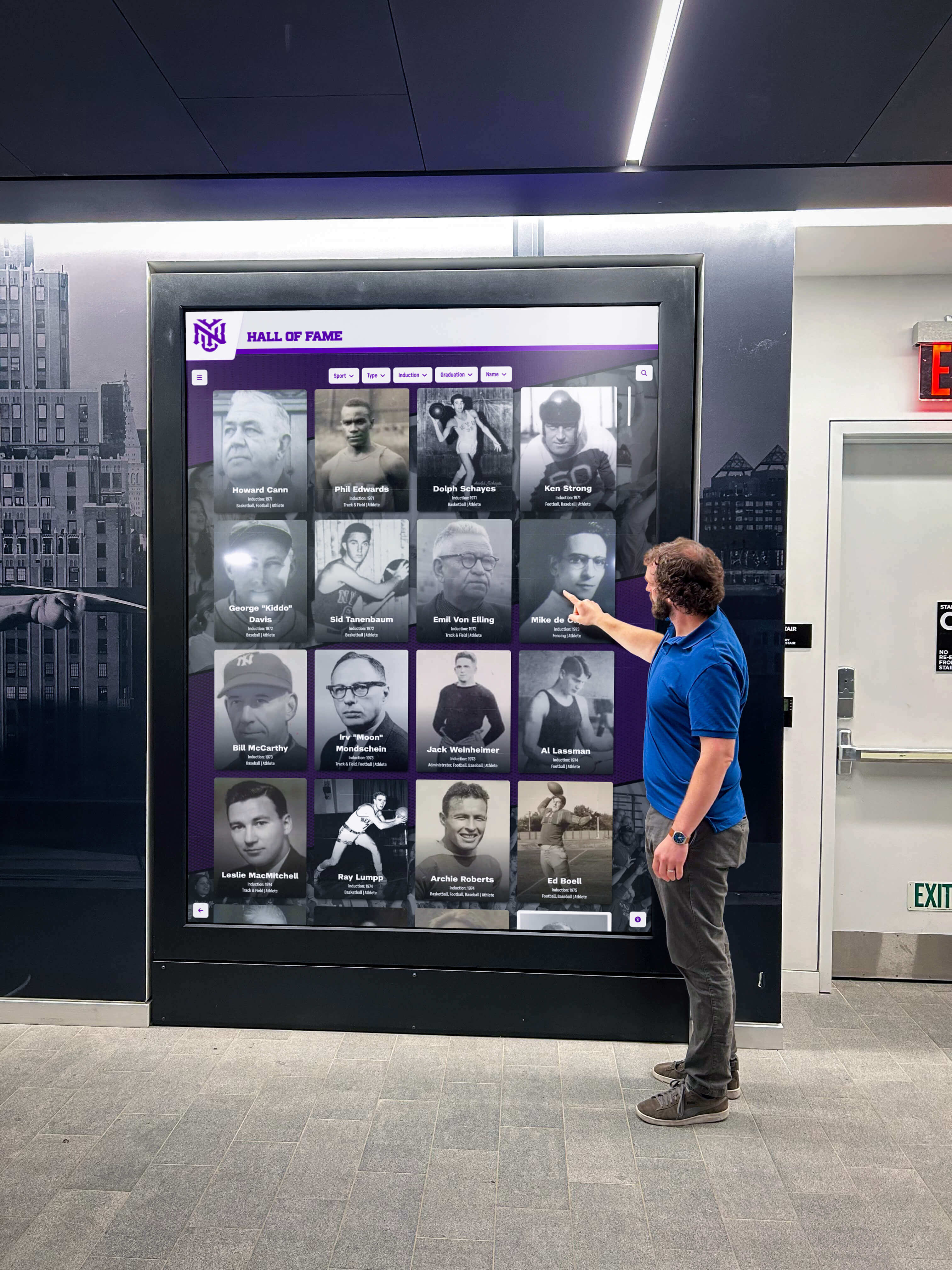
Does consent management apply differently to a physical kiosk than a website? The website and the physical kiosk are governed by different frameworks but share underlying data. The kiosk itself typically does not use a browser cookie model and does not require a cookie banner, but the platform’s cloud CMS—accessed by staff via browser—does. Physical displays showing personal information in a public space have their own considerations under applicable privacy laws, particularly if they collect biometric data (facial recognition check-in) or log visitor behavior. Document both the web and physical surfaces separately in your privacy notice. Schools designing interactive touch screen experiences alongside their web presence should treat each surface as its own data processing context with its own disclosure requirements.
What records should the program keep to demonstrate consent compliance? Maintain: the results of each annual cookie scan with the scanner tool, date, and auditor name; a version history of your privacy notice with effective dates; consent records from email signup forms; the log of inductee data rights requests and resolutions; and a record of each nomination form’s disclosure language at the time submissions were collected. These records support any regulatory inquiry and demonstrate that compliance is an ongoing practice, not a one-time event.
Recognition programs that manage consent well are programs visitors trust. When inductees know their profiles are governed by a clear data rights workflow, when nominators understand exactly how their submissions will be used, and when the site's cookie and analytics practices are documented and auditable, the hall of fame becomes a more credible and sustainable asset for the school community. If your program is evaluating platforms that build privacy-friendly content management, granular user permissions, and documented data practices into the recognition workflow, see how Rocket Alumni Solutions approaches this in a live demo.
A hall of fame website consent management checklist does not need to be completed all at once. Work through one section at a time, assign an owner for each control area, and document your progress. A program that completes the inventory and banner sections first, then addresses forms and embedded media, then publishes an accurate privacy notice, is materially more compliant after each step—even before the checklist is finished. The goal is a documented, auditable practice, not a perfect first draft.
Disclaimer: This checklist is provided for educational and planning purposes. It does not constitute legal, privacy, or regulatory compliance advice. Applicable laws governing cookies, data processing, student records, and privacy disclosures vary by jurisdiction. Consult your district’s legal counsel, privacy officer, and IT security lead before adopting or publishing consent management documentation.
































