



Key Takeaways
Write a hall of fame induction invitation that captures every RSVP field you need for a polished ceremony and a display-ready archive. Includes sample wording and a step-by-step checklist.
Sending a hall of fame induction invitation feels like a celebratory moment—and it is. But the invitation is also the first opportunity to collect every piece of information that will appear on the display, the ceremony program, and the permanent archive. When those data-capture steps are embedded directly into the RSVP process, the Display Coordinator receives clean, approved content before the event rather than hunting for a headshot at midnight. This guide covers the wording conventions that honor inductees appropriately, every RSVP field worth collecting, and a step-by-step checklist connecting invitation send to display-ready archive.

Why the Invitation Is an Archive Document, Not Just a Save-the-Date
Most athletic directors think of the induction invitation as a logistics notice: date, time, place. That framing leads to a second phase of frantic outreach—chasing photos, correcting name spellings, and waiting on biographies that never arrive at the right length. Programs that treat the recognition workflow holistically understand that the invitation and the RSVP form are the first two steps in a content pipeline that ends with a polished display profile.
When the invitation includes a structured RSVP form with every required field, the Display Coordinator can open the submission and map each answer directly to a field in the content management system. Nothing gets lost in a thread of forwarded emails. No biography arrives at 800 words when the display template holds 250. No headshot arrives at 72 DPI when the display requires 300 DPI minimum. The invitation sets the standard; the RSVP form enforces it.
Hall of Fame Induction Invitation Wording
The following sample language can be adapted for athletic, academic, arts, or donor hall of fame programs. Adjust the institution name, hall of fame name, and recognition details as needed.
[School / Institution Name] [Athletic Hall of Fame / Hall of Honor / Hall of Fame Name]
Dear [First Name],
On behalf of the [Hall of Fame Name] Selection Committee, it is our privilege to inform you that you have been selected for induction into the [Year] class of the [Institution Name] [Hall of Fame Name].
Your contributions to [sport / program / institution] have had a lasting impact on our program and on the student-athletes who followed in your footsteps. This recognition is the highest honor our athletic program confers, and we look forward to celebrating your legacy alongside your family, teammates, and the broader [Institution Name] community.
Induction Ceremony Date: [Day, Month Date, Year] Time: [Start Time] — [End Time] Location: [Venue Name], [Address] Reception to follow
Your Next Steps Please complete the official RSVP and Inductee Information Form at [link] by [RSVP Deadline, 6–8 weeks before ceremony]. The form captures the biography, photo, and statistics that will appear on your permanent display profile.
If you have questions, contact [Name], [Title], at [email] or [phone].
We are honored to welcome you into the [Hall of Fame Name].
Sincerely, [Committee Chair Name] [Title] [Institution Name]
Tone and Wording Considerations
Formal vs. warm: Hall of fame programs at universities and established athletic departments typically use formal salutations (“Dear Mr./Ms. [Last Name]”). High school programs often lean warmer (“Dear [First Name]”) to reflect community relationships built over decades.
Active voice for the honor: Write “you have been selected” rather than “you were selected.” Present tense language signals that the honor is current and ongoing, not a past event being announced.
Avoid hedging: The invitation is not a conditional notice. Once the committee has voted, language like “we are pleased to consider you” is inappropriate. The inductee has been selected; the invitation should communicate that clearly.
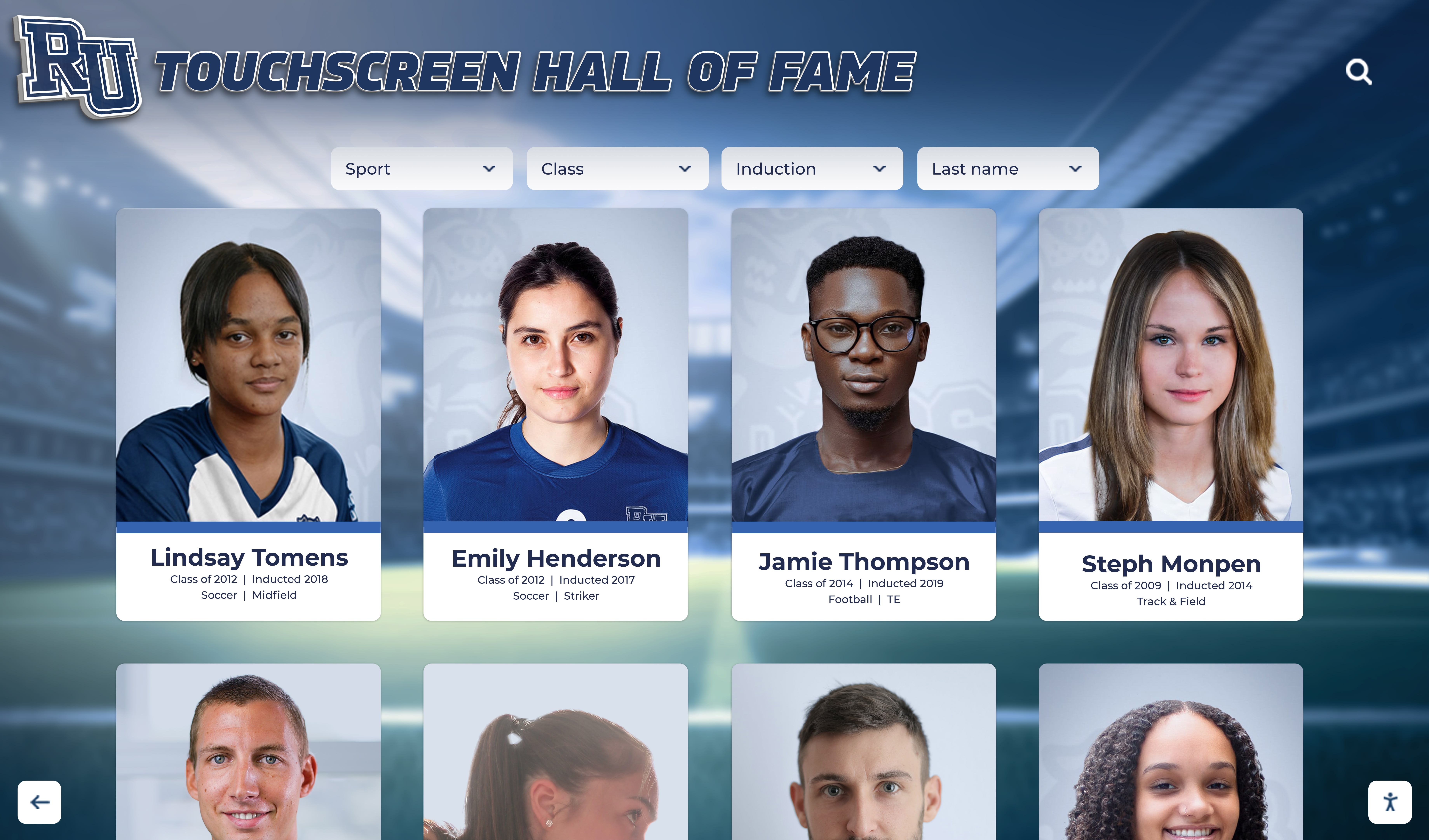

Digital accessibility: If the ceremony program and display will be viewed on a touchscreen or online, note this in the invitation so inductees understand their biography and photo will be publicly visible in a digital format—and can sign the consent form knowing exactly where their information appears. Programs building comprehensive recognition display systems benefit from getting this consent documented at the invitation stage.
RSVP Fields to Collect: The Complete List
The RSVP form should be a separate document from the invitation letter—either a linked online form or a printed insert. Embedding all fields in the letter body makes both the invitation and the form harder to read. The table below organizes every field by category and explains why each one matters for archive accuracy.
Category 1: Identity and Display Information
| Field | Format | Why It Matters |
|---|---|---|
| Full legal name | Text | Required for official documentation and plaque orders |
| Preferred display name | Text | The exact name as it should appear on screen or plaque—may differ from legal name |
| Graduation year (athletes) or final year of service (coaches/contributors) | Four-digit year | Places the inductee in historical context on the display |
| Sport(s) | Text / multi-select | Populates the sport tag and category filter on the digital display |
| Position / role | Text | Adds specificity beyond sport name |
| Jersey number (if applicable) | Number or text | Frequently displayed alongside name on athletic profiles |
Category 2: Biography and Achievements
| Field | Format | Why It Matters |
|---|---|---|
| Approved biography | Text, 150–300 words | Must be submitted in final form; the display will publish what is submitted |
| Career highlights (bulleted) | List, 3–5 items | Populates the achievement panel on detail view |
| Key statistics or records | Text or structured fields | Verified figures prevent post-publication corrections |
| Post-graduation / post-retirement career summary | Text, 1–2 sentences | Adds depth to the inductee profile and inspires current athletes |
| Awards and honors outside this program | Text | Broadens the recognition narrative |
Programs building multi-sport or multi-category archives find it useful to review how schools define and preserve student honors for structuring field definitions that work across different achievement types.
Category 3: Photo and Media
| Field | Format | Why It Matters |
|---|---|---|
| Headshot (action or portrait) | JPG or PNG, 300 DPI minimum, at least 1000px on the short side | Display templates are built for high-resolution images; low-resolution photos print poorly on plaques and pixelate on large screens |
| Optional: historical action photo from playing era | Same spec as headshot | Many programs display both a current headshot and a historical photo; request both upfront |
| Photo-use consent checkbox | Boolean / signature | Required before publishing any image of an individual on a public display or website |
| Photographer credit (if known) | Text | Best practice for any image appearing on a permanent display |
Category 4: Ceremony Logistics
| Field | Format | Why It Matters |
|---|---|---|
| Attendance confirmation | Yes / No / Designating a family representative | Drives catering counts and seating layout |
| Number of guests attending | Integer | Catering, reserved seating rows, and program print run |
| Dietary restrictions or allergies | Text / multi-select | Reception catering coordination |
| Accessibility needs | Text | ADA compliance and setup logistics |
| Will you give remarks? | Yes / No | Determines ceremony run-of-show length and whether a podium slot is reserved |
| Estimated remarks length (if yes) | Dropdown: under 2 minutes / 2–5 minutes / longer | Prevents one inductee from consuming the entire program |
Category 5: Contact and Emergency Information
| Field | Format | Why It Matters |
|---|---|---|
| Primary email address | Confirmation and document exchange | |
| Mobile phone | Phone | Day-of logistics and last-minute coordination |
| Mailing address | Address | Plaque or keepsake shipment if inductee cannot attend |
| Emergency or family contact name and phone | Text | Required for any event involving alumni who may be traveling |
Display Archive Checklist: Invitation Send to Publication
The checklist below tracks every step from sending the initial invitation through publishing the inductee’s profile on the display. Assign each step to a named owner—typically the Committee Secretary or Display Coordinator—and record completion dates.
Phase 1: Pre-Invitation (6–10 Weeks Before Ceremony)
- Selection committee vote completed and inductees notified verbally
- Committee Chair drafts formal invitation letter and RSVP form
- RSVP form reviewed by Display Coordinator to confirm all archive fields are included
- RSVP deadline set at least four weeks before ceremony (six weeks preferred)
- Digital form link tested or printed form proofed
- Inductee mailing and email addresses verified
Phase 2: Invitation Send (8 Weeks Before Ceremony)
- Formal invitation sent via mail and email simultaneously
- Read-receipt or form-open tracking confirmed (for digital forms)
- Committee Chair records send date and expected RSVP deadline in program calendar
Phase 3: RSVP Collection (4–8 Weeks Before Ceremony)
- Four-week reminder sent to non-responders
- Partial submissions flagged and followed up individually
- Attendance count confirmed with venue and caterer
- Remarks slots confirmed in ceremony run-of-show draft
- All biography submissions reviewed for length and tone against display template
Phase 4: Content Review and Verification (2–4 Weeks Before Ceremony)
- Each biography proofread for errors and reviewed by inductee for approval
- Statistics cross-checked against historical records (yearbooks, record books, official databases)—do not publish unverified statistics
- All headshots confirmed at required resolution; low-resolution photos flagged for replacement
- Photo-use consent forms received for every inductee
- Preferred display name confirmed in writing for each inductee
- Display Coordinator enters all approved content into the content management system
- Draft display profiles shared with inductees for final review
Phase 5: Pre-Ceremony Lock (72 Hours Before Ceremony)
- All display profiles approved and set to draft/unpublished status
- Plaque or physical recognition orders confirmed with vendor
- Ceremony program proofed against approved display names and biographical summaries
- Any outstanding items escalated by phone (not email) to inductee or family contact
- Display Coordinator and Committee Secretary confirm handoff checklist is complete
Phase 6: Ceremony Day and Post-Ceremony Publication
- Display profiles published immediately following induction or the morning of the ceremony
- Physical displays updated within 48 hours if installation is pending
- Ceremony photography uploaded and linked to inductee profiles (with photographer consent)
- Official archive copy of RSVP form and biography saved to program records
- Post-ceremony thank-you sent to inductees with link to their published profile
Programs that follow this checklist consistently find that display updates happen the night of the ceremony rather than weeks later. That matters because attendees and inductees’ families frequently search for the profile immediately after the event. A published profile that night reinforces the significance of the recognition. Academic recognition programs that manage similar multi-step content workflows use comparable phase gating to keep data quality high.

Connecting RSVP Data to the Digital Display System
The RSVP form is only as valuable as the system that receives it. Programs using paper forms or unstructured email submissions typically face a manual re-entry step that introduces errors and delays. Programs using a digital hall of fame platform with a structured content management system can map RSVP fields directly to display fields, eliminating re-keying entirely.
Field Mapping Example
| RSVP Field | Display Field |
|---|---|
| Preferred display name | Nameplate on portrait card and detail view header |
| Sport(s) | Category tag and search filter |
| Approved biography | Detail view body text |
| Career highlights | Achievement panel bullet list |
| Headshot | Portrait card image and detail view hero image |
| Historical action photo | Gallery panel |
| Graduation year | Timeline position and era tag |
| Post-graduation career | “Life After [School]” section |
When the field mapping is defined before the RSVP form is built—rather than after—the form can be structured to match the exact character limits, image specs, and data types the display system requires. This saves revision cycles and prevents the common problem of a 600-word biography that needs to be cut to 200 words the day before publication.
For programs evaluating which display platforms handle this content pipeline most cleanly, reviews of the top hall of fame tools for athletics, donors, and arts programs provide useful side-by-side comparisons of content management capabilities.
Handling Inductees Who Cannot Attend
Not every inductee can attend the ceremony. Alumni living across the country, inductees with health limitations, and posthumous honorees all require modified workflows:
Remote inductees: Ship the keepsake or plaque to the mailing address captured in the RSVP form. Record a brief video message from the inductee in advance if they are willing; many display systems support embedded video on detail pages. Designate a family representative to accept the honor in person.
Posthumous honorees: Work with the family to collect biographical materials, historical photos, and a family statement. Confirm with the family in writing how the inductee’s name should appear and which family member should be acknowledged in the ceremony program. Capture family contact information and consent in a modified version of the standard RSVP form.
Family representatives: If a family member is accepting on behalf of an inductee, collect their name, relationship, and guest count through the same RSVP form. Reserve a speaking slot if appropriate.
These edge cases underscore why the RSVP form should include a field for “If you are unable to attend, please name your family representative” rather than treating in-person attendance as the only path. Programs exploring comprehensive recognition workflows for multi-program environments benefit from reviewing how schools coordinate recognition across multiple achievement categories.
Why Archive Readiness Starts at the Invitation Stage
Programs that defer archive work until after the ceremony routinely encounter the same problems: inductees who have left town and are no longer responsive, photos that arrived as low-resolution social media screenshots, biographies that were approved verbally but never signed off in writing, and consent forms that were promised but never submitted. By the time the Display Coordinator is ready to publish, two weeks of follow-up have passed and the ceremony’s momentum has faded.
The solution is not more follow-up after the ceremony—it is more structure before it. When the invitation contains clear expectations, the RSVP form captures every required field, and the checklist assigns specific owners to each review step, archive readiness becomes a byproduct of the invitation process rather than a separate project.
This approach also reflects well on the institution. Inductees who receive a thorough, professionally written invitation and a clear RSVP process understand immediately that the program takes its recognition seriously. They are more likely to submit high-quality materials, respond promptly to proofing requests, and arrive at the ceremony with a prepared and meaningful acceptance statement. Exploring how school digital displays function as a living archive helps administrators understand why the content pipeline matters as much as the ceremony itself.
Why Rocket Alumni Solutions Handles This Workflow Better Than Generic Tools
Rocket Alumni Solutions builds hall of fame platforms designed specifically for the content management challenges described in this guide. The platform includes structured inductee profile fields that match standard RSVP data points, a content approval workflow allowing inductees or administrators to review profiles before publication, photo upload and cropping tools optimized for display templates, and role-based access so the Display Coordinator can publish profiles independently without IT support.
When the RSVP data arrives in a structured format and the display platform is built to receive it, the time between ceremony and publication collapses from weeks to hours. For programs managing annual induction classes across athletics, academics, arts, and donor recognition, that efficiency compounds meaningfully over time. Learn more about the broader landscape of hall of fame tools and platforms to understand where Rocket’s content pipeline advantages are most significant.
The archive built through each well-managed invitation process becomes the institution’s most accurate record of its own recognition history—a permanent digital asset that serves inductees, families, current student-athletes, and community members for decades.
Ready to streamline your hall of fame induction invitation process and connect RSVP data directly to a display-ready archive? See how Rocket Alumni Solutions manages the full workflow from nomination through display publication.
































