



Key Takeaways
Audit a hall of fame datalist athlete search prototype: native suggestions are not enforced profile matches, same-name athletes require year and sport disambiguation, and MDN documents known accessibility limits for native datalist.
<datalist> for athlete search — the browser's built-in suggestion control connected to a plain text input — the first audit question is always the same: can a visitor select a name from the popup and have the platform treat that selection as a confirmed, approved athlete record? The answer is no, and the reason is architectural rather than incidental. A datalist is a suggestion list. It offers completions as a visitor types, but it does not restrict the input to those suggestions, does not submit a hidden profile identifier alongside the visible name, and does not guarantee that the value in the input field at submission time matches any record in the recognition database. Same-name athletes — two Marcus Johnsons inducted years apart in different sports, for example — deepen the problem: a name alone cannot uniquely identify a record, and the browser's suggestion popup has no native concept of a stable internal ID. This audit walks recognition-program managers and school IT reviewers through exactly what a native datalist does and does not do, how to structure option values for same-name disambiguation, how to handle the no-result route, and what accessibility limitations the MDN documentation records for programs that must support visitors with assistive technology.
What a Native Datalist Does — and What It Does Not Enforce
The MDN documentation for the datalist element describes <datalist> as a mechanism that provides suggested values to an associated input. The association is made through two matching attributes: the list attribute on the <input> element must equal the id attribute on the <datalist> element. When the values match, the browser attaches the suggestion popup to the input.
An illustrative prototype structure for an athlete search field looks like the following:
<!-- Illustrative prototype — names, years, and sports are examples only -->
<label for="athlete-search">Find an Athlete</label>
<input
id="athlete-search"
type="text"
list="athlete-suggestions"
autocomplete="off"
/>
<datalist id="athlete-suggestions">
<option value="Johnson, Marcus — Basketball, Class of 2019"></option>
<option value="Johnson, Marcus — Football, Class of 2017"></option>
<option value="Johnson, Tara — Track & Field, Class of 2021"></option>
<option value="Rivera, Miguel — Baseball, Class of 2020"></option>
<option value="Rivera, Sofia — Volleyball, Class of 2022"></option>
</datalist>
When a visitor types “John” into the input, the browser shows a popup listing the three “Johnson” options. When the visitor types “Riv,” the two “Rivera” options appear. Selecting any suggestion fills the input with that option’s value attribute text — the full disambiguated string, not just the name.
The critical constraint: that popup is a suggestion, not a gate. A visitor can type “Marcus Johnson” without selecting anything from the popup, skip the popup entirely, or select “Johnson, Marcus — Basketball, Class of 2019” and then edit the text in the input before submitting. The platform receives whatever text is in the input at submission — not necessarily anything drawn from the datalist options.
How the value Attribute Relates to What the Input Receives
The value attribute on a <datalist> <option> element is what appears in the input field when a visitor selects that suggestion. This is the value the platform’s search logic receives and must look up. The label attribute (or text content within the option tags) serves as supplemental display text — but browser presentation varies in ways that matter for recognition records work.
According to MDN, Firefox displays the label attribute text instead of the value in the suggestion popup. Chrome and Safari display the value with the label as supplementary text alongside it. This means if an option is written as:
<option value="ATH-0041" label="Johnson, Marcus — Basketball 2019"></option>
Firefox would show the human-readable label in the popup but fill the input with the internal ID ATH-0041 upon selection. Chrome and Safari would show ATH-0041 as the primary text with the label alongside it in the popup — exposing the internal ID to the visitor before they even select anything.
For athlete search, this cross-browser inconsistency reinforces a practical design rule for illustrative prototypes: put the human-readable, disambiguated name string in the value attribute. That is what ends up in the input regardless of browser, and it is what the visitor sees selected. Internal IDs belong in a separate lookup step, not in the datalist option values.
The Suggestion Is Not a Confirmed Profile Identity
The most consequential audit finding for any native datalist athlete search prototype is also the simplest: a value in the input field is not a verified athlete profile identifier. Even when a visitor selects a suggestion from the popup, the platform must not treat the resulting input text as proof of identity.
Three submission paths produce fundamentally different reliability levels:
| Submission path | What the input contains | What it means for lookup |
|---|---|---|
| Visitor selects a suggestion from the popup | The exact option value text | Matches a known string, but must still be looked up to retrieve profile ID |
| Visitor types a partial name and submits without selecting | Free text with no guaranteed match | Requires fuzzy matching or may return no result |
| Visitor selects a suggestion, then edits the text | Modified option value text | May no longer match any record |
All three paths are valid inputs. The <datalist> element places no constraint on which path a visitor takes. The platform must handle each path and must never infer that the input’s current value is an approved profile ID simply because it resembles a datalist option.
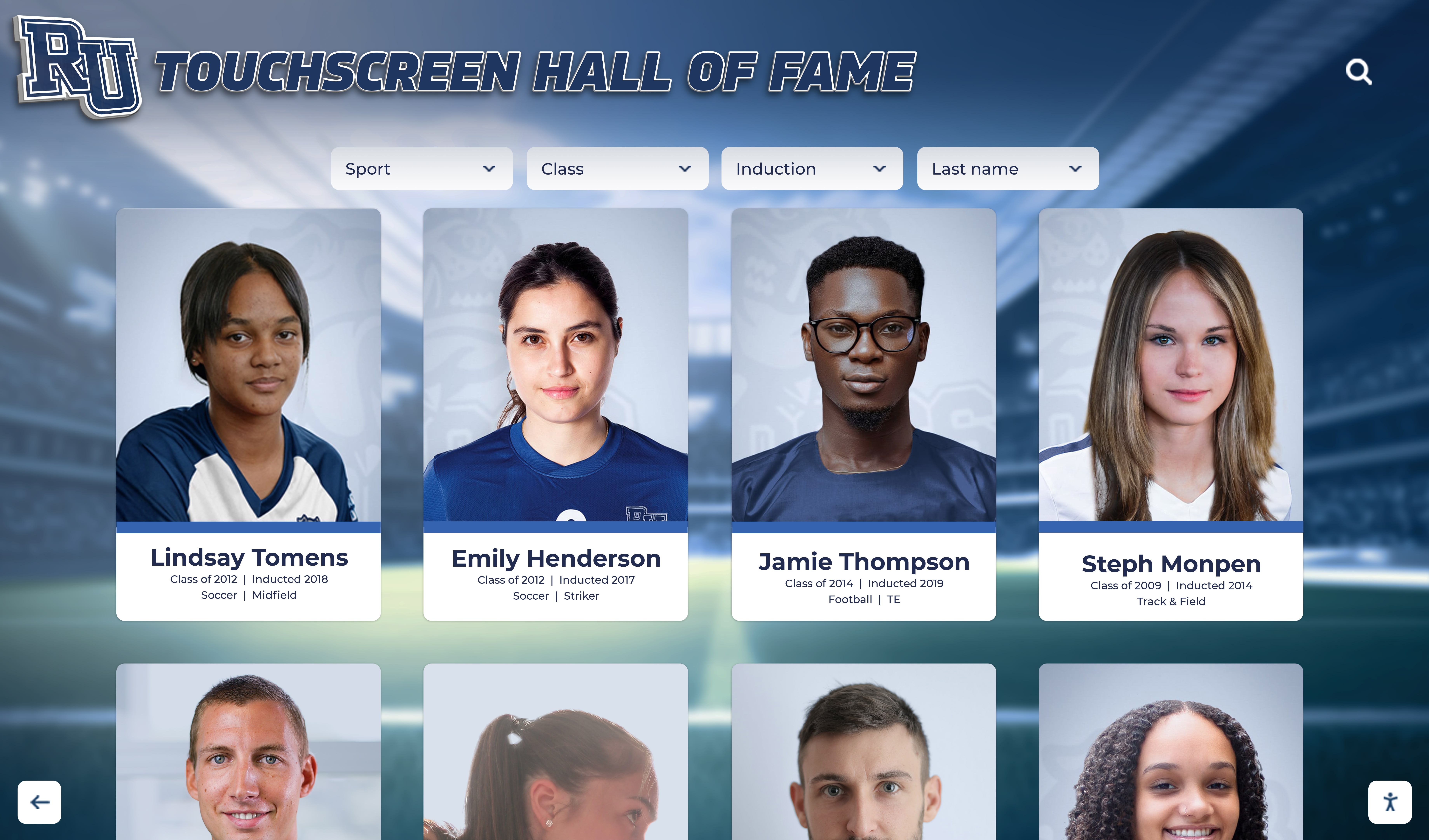
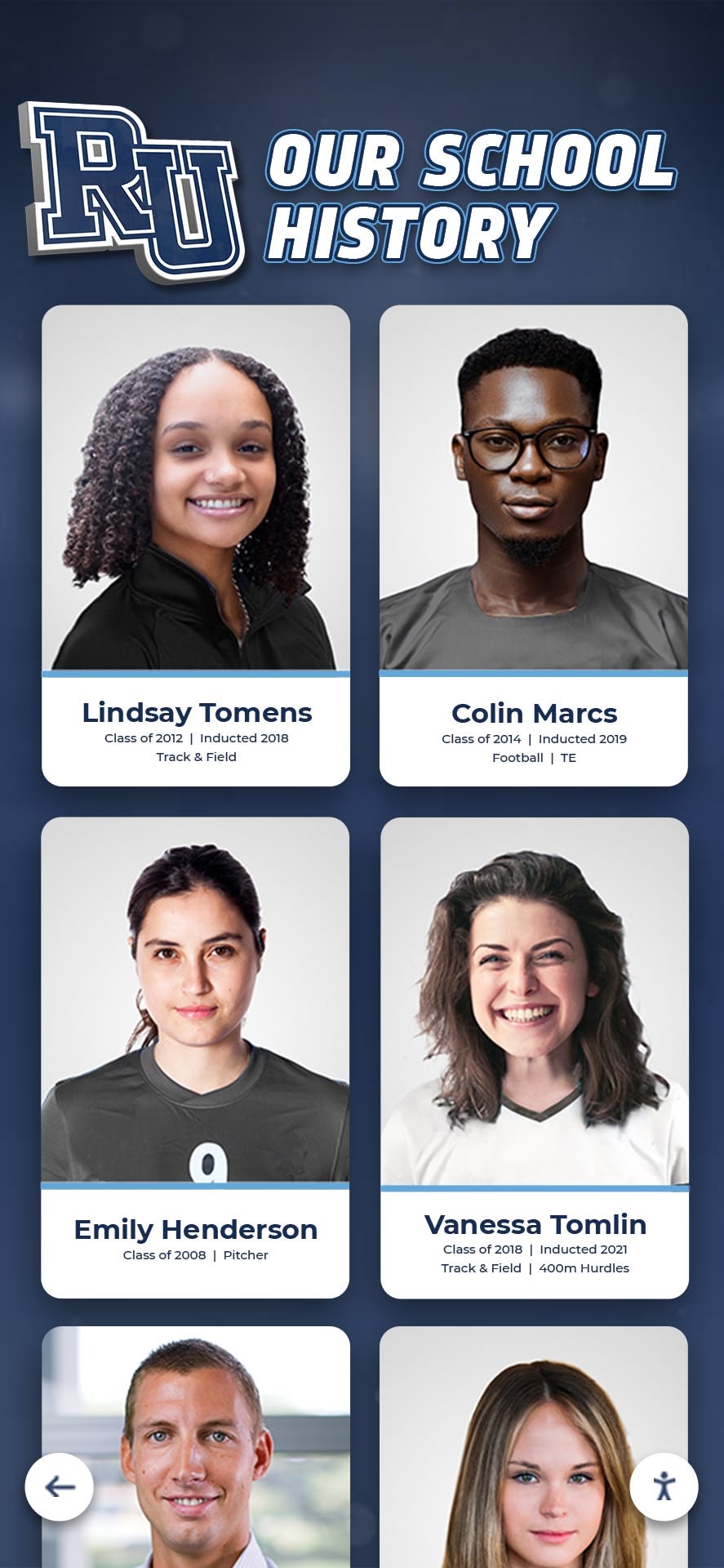
The explicit confirmation step closes this gap. After a visitor types or selects an athlete name, the platform should execute a lookup against the recognition database and return a candidate match — ideally a preview of the athlete’s profile card showing name, sport, graduation year, and photo — for the visitor to confirm before proceeding. If the lookup returns a single strong match, the platform can present it with a “Is this the athlete you’re looking for?” prompt. If it returns multiple matches (as it will for same-name athletes), the platform presents the candidates for the visitor to choose among. If it returns no match, the platform presents the no-result path. This confirmation step is what transforms a typed string into an approved profile selection.
Schools building recognition program workflows around athlete identity — award presentations, induction ceremonies, alumni communications — should verify that their platform makes the confirmation step explicit and that the UI does not allow a workflow to advance on an unconfirmed input value. A well-structured hall of fame profile data dictionary that assigns stable identifiers to each inductee record gives the confirmation step a reliable target: the lookup returns a stable ID, and that ID drives all downstream record access.
Same-Name Athletes: The Core Disambiguation Problem
School athletic records frequently span four or five decades. Over that timeframe, it is common for two or more athletes to share the same family name, and in smaller schools with generational athletic traditions, the same full name may appear in different sports or different graduating classes. A datalist search built on name strings alone cannot distinguish between them.
The audit should verify that every <datalist> option value includes at minimum three disambiguation fields:
- Athlete name — in a consistent format. Last name first (“Johnson, Marcus”) makes alphabetical sorting predictable and reduces scan time when multiple family members appear in sequence.
- Sport or activity — using a controlled, consistent label for each sport. “Track & Field” and “Track and Field” as two different values for the same sport will split suggestions and confuse lookup matching. Using controlled sport labels across both the datalist options and the database ensures the string the visitor selects maps to a valid sport category in the records system. Standardizing those labels connects directly to how athletic archive controlled vocabulary reduces inconsistency across recognition records.
- Graduation class or induction year — expressed consistently. “Class of 2019” or “2019” must match the format stored in the database; mixing formats between the datalist and the records system produces lookup failures for correctly typed entries.
With those three fields in the option value, the datalist popup naturally presents two “Marcus Johnson” entries as distinct, scannable rows:
Johnson, Marcus — Basketball, Class of 2019
Johnson, Marcus — Football, Class of 2017
A visitor who remembers the sport can select the correct one immediately. A visitor who does not remember the sport can see both candidates and proceed to the confirmation step, which presents the athlete’s profile card for verification.
Stable Profile IDs as the Authoritative Source
The option value text — even with full name, sport, and year — is still a string. Strings can be reformatted, misspelled, or duplicated. The record of truth for athlete identity in a recognition program is a stable, persistent identifier assigned to each inductee when their profile is created: an internal record ID, a numeric key, or a structured code tied to the school’s athlete records system.
The datalist prototype does not carry that stable ID as a native field. Whatever string the visitor selects populates the input, and the platform must translate that string back to a stable ID through a database lookup. That translation is where recognition-program IT should focus audit attention: Does the lookup query handle punctuation in athlete names? Does it handle the same sport name appearing in multiple option values with different years? Does a successful lookup update the platform’s session state with the stable profile ID rather than persisting the raw input string?
The systems that generate the athlete list for the datalist — the roster export, the induction database, or the student information system — should be part of this review. Knowing what software belongs in the athletic department stack for records and recognition clarifies which system is the authoritative source for stable athlete identifiers and how the datalist population process keeps that source and the suggestion list synchronized.
The No-Result Route
When a visitor types characters that do not match any datalist option value, the browser’s suggestion popup quietly closes or never opens. The input remains active and the visitor can submit any text they have typed. The platform receives a string with no corresponding datalist option, and must handle it without error.
Common no-result scenarios in a hall of fame athlete search include:
- Spelling variation. The database stores “García, Elena” with an accented character; the visitor types “Garcia” without it. The browser’s suggestion matching is prefix-based and case-insensitive but not typically accent-insensitive, so no suggestion appears for “Garcia” if the option values use accented characters.
- Name order. The database stores last name first (“Rivera, Miguel”); a visitor types “Miguel Rivera” in natural order. No suggestion matches because the prefix does not align with the stored format.
- Nickname or shortened name. A record stored as “William Chen” does not suggest when a visitor types “Bill Chen.”
- Athlete not yet in the datalist. If the datalist is populated from a filtered export that excludes recent inductees or athletes below a certain record threshold, a legitimately inducted athlete may produce no suggestion.
None of these are submission errors. Each is a predictable gap between how visitors think about athlete names and how names are stored in a structured recognition database.
The platform’s no-result response should:
- Confirm the search ran — display a clear message such as “No athletes found for ‘Garcia, Elena.’ Check the spelling or browse all inductees.”
- Offer a recovery path — a link to the full inductee roster or a browse-by-sport view gives the visitor a route to the correct record without repeating a failed search.
- Avoid treating no-result as failure — the visitor may have typed a valid name that is not in the current datalist population. Framing the response as a refinement prompt rather than an error reduces friction and supports the visitor’s ongoing search.
Data quality work that reconciles name formats, punctuation, and character encoding across the induction database reduces no-result frequency at the source. Reconciling athlete names, titles, dates, and display records before populating a datalist directly reduces the number of legitimate athletes whose records do not surface through suggestions.
Accessibility Limitations MDN Documents for Native Datalist
The MDN documentation for the <datalist> element includes explicit warnings about three accessibility limitations. An audit of a native datalist athlete search prototype must record these limitations as design constraints, not as defects to be patched — they are inherent behaviors of the native browser implementation that no amount of JavaScript or CSS can fully override.
Font Zoom Does Not Apply to the Suggestion Popup
When a visitor increases their browser’s text size using the browser’s built-in zoom, the option text inside the datalist suggestion popup does not scale with it. The popup renders at the browser’s default suggestion font size regardless of the zoom level set by the visitor. For a visitor who relies on larger text to read comfortably, the suggestion popup may be unreadable even when the surrounding page content has scaled appropriately. This limitation is documented by MDN and applies across browsers that implement native datalist popups.
A recognition program serving a diverse school community — including older alumni or family members who may use larger text — should note this limitation in any prototype evaluation and confirm whether it affects the visitor population the search is intended to serve.
High-Contrast Mode Support Is Limited
MDN documents that CSS styling options for the native datalist suggestion popup are very limited or non-existent depending on the browser. This means a visitor using a high-contrast browser mode or operating system theme may see a suggestion popup that does not adopt the high-contrast color scheme, reducing legibility for visitors with low vision. Unlike custom-built suggestion lists where the developer controls all CSS, the native datalist popup’s visual presentation is controlled by the browser and largely outside the reach of stylesheet rules.
Recognition programs that have adopted high-contrast display guidelines or that serve visitors who require high-contrast viewing should evaluate whether the native datalist’s documented limitation is acceptable for the athlete search context before relying on it in a production interface. Moving to a custom suggestion list component does not automatically resolve this — a custom component’s accessibility characteristics require their own independent evaluation and are not guaranteed simply because the component is not native.
NVDA and Firefox Do Not Announce Suggestion Contents
MDN includes a specific warning that some screen reader and browser combinations do not announce the contents of the datalist suggestion popup. The documented example is NVDA with Firefox: a visitor using this combination may type into the search field, trigger the suggestion popup visually, and receive no announcement that suggestions are available or that specific athlete names appear in the popup. The visitor would need to navigate by other means — tabbing, arrow-key exploration — to discover the suggestions, with no guarantee that they will find them.
This limitation is not a blanket inaccessibility statement for all screen reader users on all browsers. Other combinations may announce suggestions correctly. But for any school whose recognition program is committed to accessible visitor experiences, the NVDA-with-Firefox limitation is a material risk for a native datalist athlete search: a significant share of screen reader users on Windows rely on NVDA and Firefox as their primary combination.
Evaluation practice: programs assessing a native datalist prototype against accessibility requirements should test with NVDA and Firefox specifically, in addition to other combinations, and record observed behavior rather than assuming browser documentation covers all cases. A custom alternative must be tested equally rigorously — the accessibility of a non-native suggestion component depends entirely on its ARIA implementation, keyboard handling, and live region announcements, none of which are guaranteed by the choice to build custom.
What a Datalist Search Prototype Audit Should Confirm
The following table organizes the primary audit checks for a native datalist athlete search prototype. Each check corresponds to a gap identified in the sections above.
| Audit check | Expected state | Common failure |
|---|---|---|
<input list="..."> and <datalist id="..."> values match exactly | Identical strings, case-sensitive | Mismatched IDs break the suggestion connection silently |
Option value attributes contain name, sport, and year | Each option is uniquely identifiable by value text alone | Name-only values cannot distinguish same-name athletes |
Option value format matches database field format | Consistent punctuation, character encoding, name order | Format mismatch causes lookup failures for correctly selected suggestions |
| Browser presentation reviewed for value vs. label behavior | Behavior confirmed in both Firefox and Chrome/Safari | Assuming uniform presentation leads to ID exposure or label mismatch |
| Platform lookup runs after suggestion selection, not before | Confirmation step retrieves profile ID from database | Treating input value as confirmed ID without lookup produces identity errors |
| Confirmation step presents candidate profile for visitor approval | Profile card shown before workflow proceeds | Advancing past confirmation without display risks selecting wrong same-name athlete |
| No-result path presents recovery options | Clear message plus browse or refine path | Dead-end “not found” with no next step strands the visitor |
| Font zoom limitation documented in prototype evaluation | Noted as a design constraint | Prototype signed off without noting zoom limitation, then flagged post-launch |
| High-contrast behavior tested in prototype review | Tested and result recorded | Assumed to work because surrounding page supports high contrast |
| NVDA + Firefox tested with suggestion popup | Observed behavior recorded | Assumed accessible without testing documented failure combination |
Connecting Datalist Search to the Broader Recognition Records System
A native datalist athlete search prototype touches every layer of a school’s recognition records system: the induction database that provides the athlete list, the sport and activity taxonomy that normalizes option values, the lookup logic that maps a typed string back to a stable profile ID, and the visitor-facing display that presents the confirmed athlete record.
Auditing the datalist in isolation confirms the HTML wiring. Auditing it in context confirms whether the full chain — from visitor typing to confirmed profile — is reliable enough to use in a recognition workflow. That broader context is where the records system matters most. Whether the school manages athlete profiles in a self-maintained spreadsheet, a student information system, or a dedicated recognition platform, the datalist option list is only as accurate as the export that populates it. Stale exports miss recent inductees; incomplete exports omit early-era athletes whose records were digitized manually; inconsistent sport labels split results that should be unified.
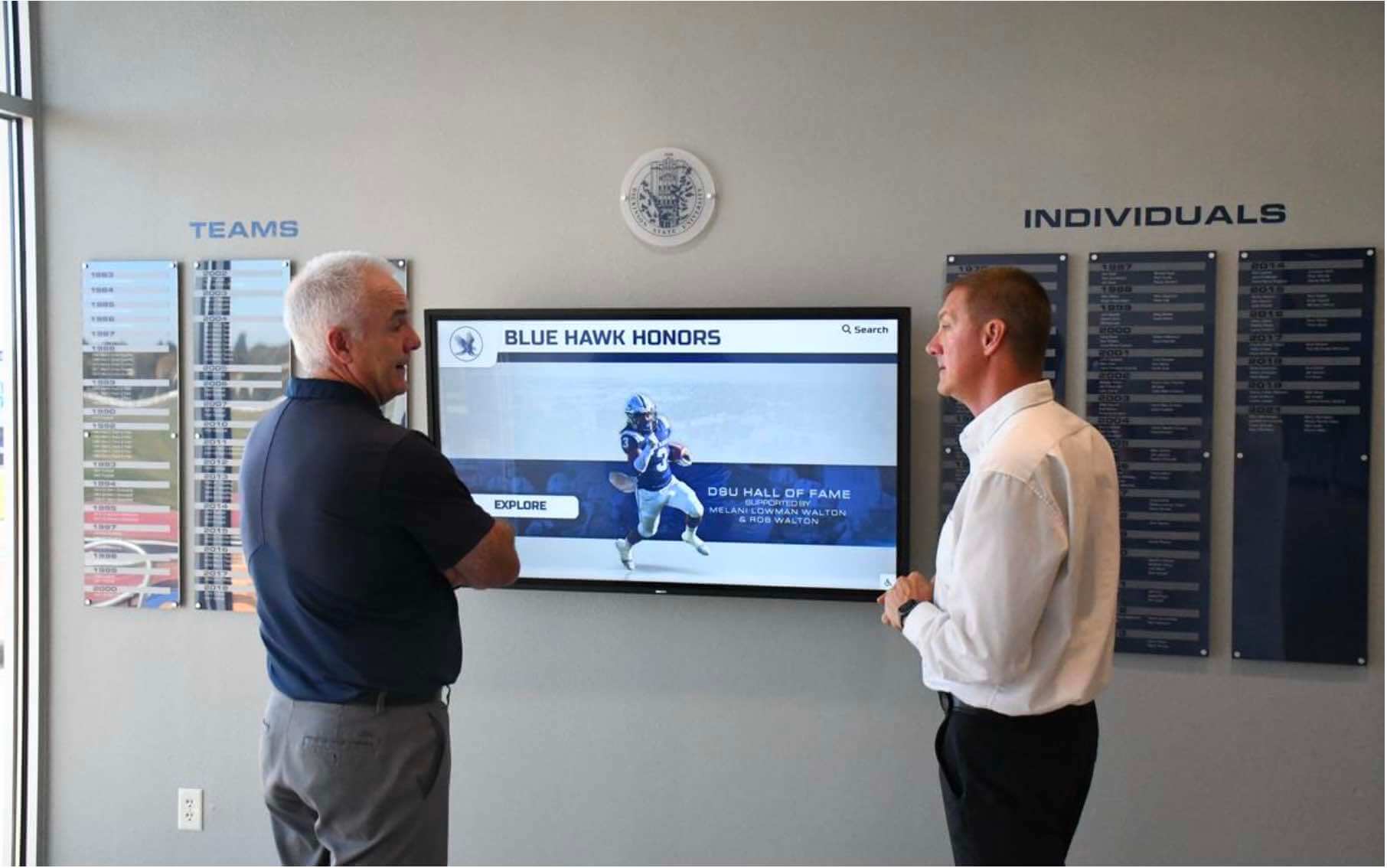
How those records connect to lobby displays, award ceremonies, and alumni communications — the full recognition environment a school operates — is part of what planning a gym lobby recognition experience for schools must account for: the search prototype a visitor uses at a touchscreen kiosk is one point of contact in a system that includes physical displays, digital award histories, and scheduled recognition events.
Audit Checklist Summary
HTML structure
-
<input>carries alistattribute whose value exactly matches the<datalist>id - Each
<option>valueattribute contains athlete name, sport, and year in a consistent format -
<label>element oraria-labelis present and descriptive on the search input -
autocomplete="off"is set on the input to suppress browser-history suggestions that would overlay datalist suggestions
Option value design
- Same-name athletes appear as distinct options with different sport or year values
- Sport labels use a controlled vocabulary consistent with the database field
- Year or class format matches the database format exactly
- Firefox and Chrome/Safari suggestion presentation reviewed for the chosen value/label structure
Platform lookup and confirmation
- Lookup executes against the recognition database after visitor input — not before
- Lookup returns a stable profile ID, not just a name string
- Confirmation step displays the candidate athlete profile before the workflow advances
- Multiple candidates (same-name athletes) are presented for visitor selection in the confirmation step
No-result handling
- Submitted text with no database match triggers a clear no-result message
- No-result message offers a recovery path (browse by sport, browse full roster, or refine search)
- No-result state does not surface as a form error or submit failure
Accessibility limitations
- Font zoom limitation noted in prototype evaluation documentation
- High-contrast behavior tested and result recorded in evaluation documentation
- NVDA + Firefox combination tested; observed behavior recorded
- Decision to proceed with native datalist or a custom alternative documented with rationale; custom alternative not assumed to be accessible without independent testing
Rocket Alumni Solutions builds athlete search and profile lookup into hall of fame platforms at the system level — stable inductee IDs, consistent sport and year fields, and explicit confirmation flows are part of the platform architecture rather than a prototype layer requiring custom lookup logic. Schools evaluating recognition platforms for new installations or upgrades can see how athlete search, profile confirmation, and same-name disambiguation work together in a live demonstration.
































