




Key Takeaways
Comprehensive guide to easescreen touchscreen digital signage software for schools and organizations. Compare features, explore capabilities, and discover specialized alternatives for educational recognition displays.
What is easescreen Digital Signage Software?
easescreen is a cross-platform digital signage solution that has served clients worldwide for more than two decades. The German-developed platform enables organizations to manage content across screens, video walls, shelf displays, tablets, and touchscreen kiosks from a centralized web-based interface.
The software positions itself as enabling “exceptional installations with manageable effort, stable and easy operation,” emphasizing uncomplicated scheduling, design, and visualization of multimedia content with security as a core consideration.
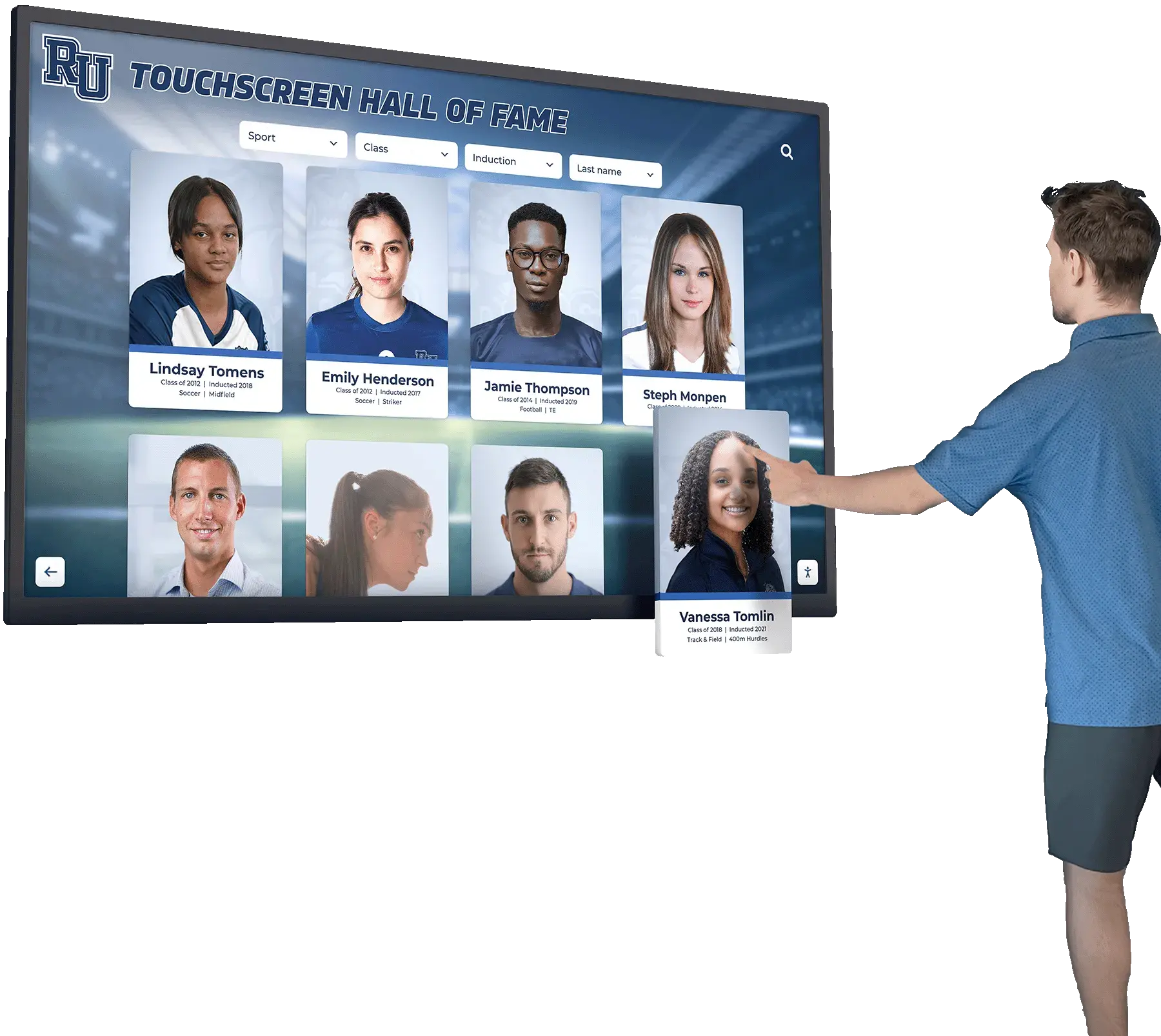
Core easescreen Platform Capabilities
Infrastructure Architecture:
- Operates without requiring separate dedicated servers in many configurations
- Supports cascaded server architectures when needed for complex deployments
- SSL encryption for secure data transmission between management interface and displays
- Proprietary single-port transmission protocol designed for reliable network communication
- Flexible push and pull connection modes that can be combined based on network requirements
Content Management System:
- Web-based interface accessible from any browser for centralized control
- Manages individual displays, complex multi-screen arrangements, and digital door signs
- Automated playlist creation with time- and date-based scheduling capabilities
- Multi-user access with customizable permission levels for different administrators
- Real-time updates enabling immediate message deployment across all connected screens
Monitoring and Maintenance:
- Automated real-time monitoring of all connected displays without third-party tools
- Detailed status reporting enabling proactive maintenance and issue resolution
- No additional cost for monitoring capabilities included in the platform
Design and Content Creation:
- Drag-and-drop content design functionality for quick deployment
- Extensive template library reducing design time for common signage needs
- Real-time preview ensuring content appears correctly before publication
- Compatibility with wide range of media formats including images, videos, and presentations
Hardware Compatibility:
- Supports diverse AV components including touch panels, projectors, and wireless presentation systems
- Works with various display hardware from multiple manufacturers
- Flexible deployment across different screen sizes and configurations
easescreen for Schools and Educational Institutions
Educational institutions implementing digital signage typically have several use cases ranging from wayfinding and daily announcements to event promotion and emergency communications. easescreen’s general-purpose design addresses many of these needs.
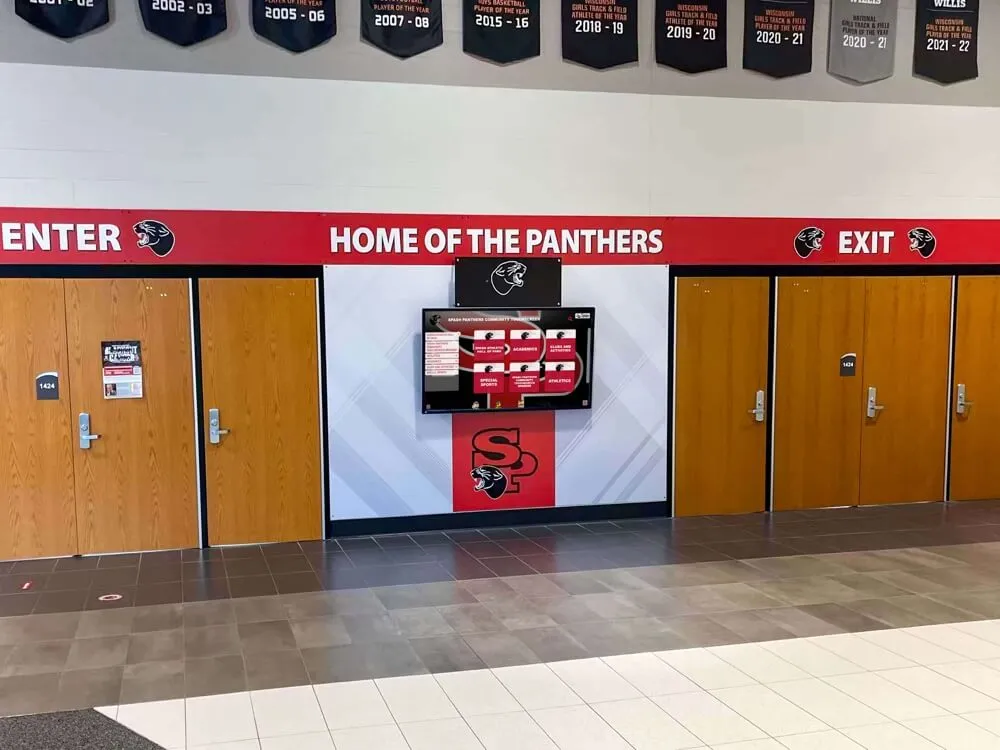
Common Educational Applications for easescreen
Campus Communications: Schools can deploy easescreen to manage daily announcements, lunch menus, event calendars, and general information across multiple displays throughout campus buildings. The centralized content management enables communications teams to update all screens efficiently.
Wayfinding and Directories: The platform supports interactive building directories with touchscreen navigation helping visitors locate offices, classrooms, and facilities. Schools with complex campus layouts benefit from digital wayfinding versus static signage.
Event Promotion: Athletic events, performing arts productions, academic competitions, and community gatherings can be promoted through scheduled content rotation. easescreen’s scheduling capabilities ensure relevant promotions appear at optimal times.
Emergency Alerts: Real-time update capabilities enable rapid deployment of emergency notifications, weather alerts, and safety information across all connected displays simultaneously—a critical capability for school safety protocols.
Multi-Building Management: Districts with multiple campuses or universities with distributed facilities can manage signage centrally while customizing content for specific locations, balancing consistency with local relevance.
Considerations for Educational Recognition Programs
While easescreen handles general communications effectively, schools seeking to implement comprehensive digital hall of fame displays or interactive athletic recognition walls face specific requirements that general digital signage platforms may not fully address.
Database-Driven Content: Effective hall of fame displays require searchable databases where visitors can explore hundreds or thousands of athlete profiles, filter by sport or achievement, and access detailed biographical information. General digital signage platforms typically rotate scheduled content rather than providing interactive database exploration.
Recognition-Specific Templates: Athletic recognition displays benefit from specialized layouts designed for biographical profiles, statistics, photos, and career highlights. Generic digital signage templates often lack the sophistication required for compelling recognition presentations.
Long-Term Content Management: Recognition programs grow continuously over decades, requiring robust systems for organizing historical records, maintaining data integrity, and efficiently adding new honorees. Purpose-built recognition platforms provide workflows specifically designed for these requirements.
Interactive Discovery: Effective touchscreen recognition experiences enable visitors to search for specific athletes, filter by graduation year or sport, compare records, and explore related content. This level of interactivity differs significantly from scheduled content rotation.

easescreen Technical Specifications and Requirements
Understanding technical requirements helps evaluate whether easescreen fits your infrastructure and support capabilities.
Network and Infrastructure Requirements
Network Connectivity:
- Ethernet or WiFi connectivity required for each display
- Single-port protocol simplifies firewall configuration compared to multi-port solutions
- Bandwidth requirements vary based on content types with video requiring higher capacity
- Local caching capabilities reduce continuous bandwidth needs after initial content downloads
Server Considerations:
- Can operate without dedicated servers in many deployments
- Optional server infrastructure for enterprise-scale implementations
- Cloud-based management interface accessible via standard web browsers
- Server cascading available for complex multi-location architectures
Hardware Compatibility:
- Works with commercial displays from various manufacturers
- Supports different operating systems and media player options
- Compatible with touch panels, video walls, and standard displays
- Integration with wireless presentation systems and projectors
Security Features
Security represents a core consideration for educational institutions managing digital signage across campus networks:
- SSL Encryption: Protects data transmission between management system and displays
- Access Control: Multi-user system with customizable permission levels
- Network Security: Single-port protocol simplifies firewall rules and network monitoring
- Content Security: Controlled publishing workflow prevents unauthorized content deployment
Content Format Support
easescreen accommodates various media types commonly used in institutional communications:
- Image Formats: JPEG, PNG, and other standard formats
- Video Formats: Common video codecs for motion content
- Presentation Files: Integration with presentation software
- Web Content: Ability to display web pages and feeds
- Real-Time Data: Integration with external data sources for dynamic content
Comparing easescreen with Specialized Recognition Platforms
For institutions considering digital signage specifically for recognition purposes—athletic halls of fame, donor walls, alumni displays, or academic honor rolls—understanding how general signage platforms compare with specialized solutions helps optimize both investment and results.
easescreen Strengths
- Versatile platform handling multiple signage use cases
- Established 20+ year track record in digital signage
- Robust infrastructure with strong security features
- Single platform manages diverse display types
- Comprehensive scheduling and automation capabilities
Purpose-Built Recognition Platform Advantages
- Database-driven searchable content specifically for achievements
- Recognition-specific templates and profile layouts
- Advanced search, filtering, and discovery features
- Optimized workflows for managing honoree data
- Integration of statistics, records, and historical data
When General Digital Signage Works Well
easescreen and similar platforms excel when organizations need:
Multi-Purpose Communications: Single platform managing announcements, wayfinding, event promotion, emergency alerts, and general messaging provides operational efficiency and cost-effectiveness.
Scheduled Content Rotation: Applications requiring timed content changes—promotional cycles, daily menus, event schedules—align perfectly with digital signage scheduling capabilities.
Distributed Display Management: Organizations with displays across multiple buildings or campuses benefit from centralized cloud-based management without separate systems for each location.
Standard Information Delivery: Conveying straightforward information through images, videos, and text without requiring complex interactivity or database functionality.
When Specialized Recognition Software Makes More Sense
For comprehensive alumni recognition programs, athletic halls of fame, or donor recognition walls, specialized platforms like Rocket Alumni Solutions provide capabilities that general digital signage cannot efficiently replicate:

Searchable Achievement Databases: Visitors can explore hundreds of profiles by searching names, filtering by sport or graduation year, viewing records by category, and discovering related achievements. This interactive exploration differs fundamentally from scheduled content rotation.
Recognition-Optimized Interfaces: Profile layouts specifically designed for biographical storytelling, statistical achievements, career highlights, and multimedia integration create more compelling recognition experiences than adapted signage templates.
Dual-Platform Operation: Leading recognition platforms power both physical touchscreen displays and web-accessible online halls of fame from unified content management, extending recognition reach beyond physical locations.
Comprehensive Content Workflows: Systems designed for managing thousands of profiles over decades provide specialized tools for organizing records, maintaining data integrity, bulk importing historical data, and efficiently onboarding new honorees.
Advanced Interactive Features: Sophisticated search algorithms, related content suggestions, record comparisons, achievement timelines, and discovery tools specifically designed for recognition exploration.
Analytics for Recognition Programs: Specialized tracking revealing which athletes receive most views, what content engages visitors, and how recognition displays contribute to school pride and alumni engagement.
Rocket Alumni Solutions: Purpose-Built Alternative for Educational Recognition
For schools and universities where recognition represents a strategic priority—celebrating athletic excellence, honoring academic achievements, acknowledging donor contributions, or connecting with alumni—specialized platforms deliver capabilities that general digital signage cannot efficiently provide.
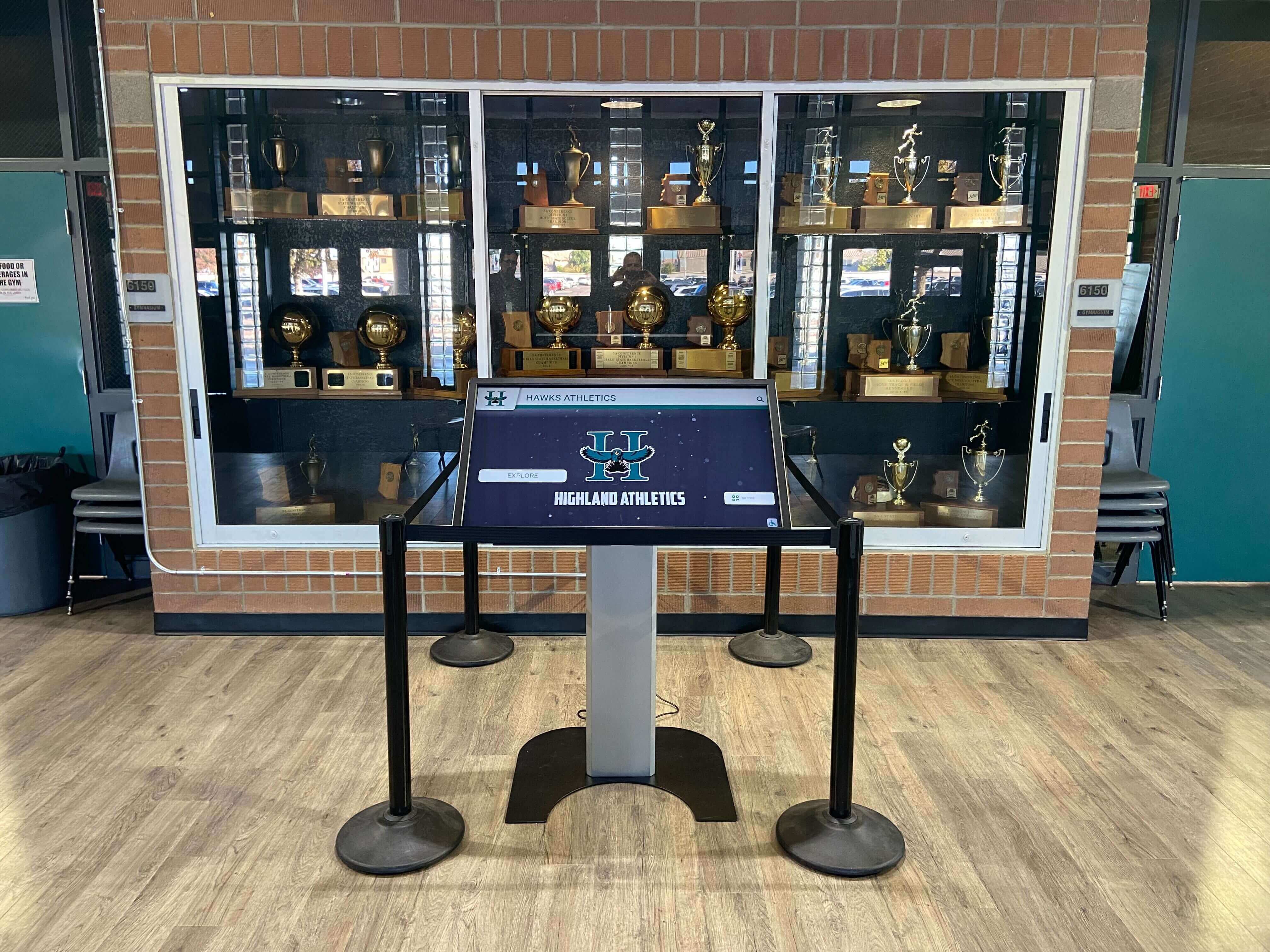
Why Schools Choose Recognition-Specific Platforms
Specialized for Achievement Celebration: Unlike general-purpose digital signage, recognition platforms are architected specifically for organizing, presenting, and enabling discovery of individual achievements, team accomplishments, and institutional history.
Unified Physical and Digital Presence: Single content management system powers both interactive touchscreen displays in athletic facilities and web-accessible online halls of fame, maximizing recognition reach without duplicate content maintenance.
Intuitive for Non-Technical Staff: Athletic directors, alumni coordinators, and advancement staff manage comprehensive recognition programs without IT expertise, using interfaces designed specifically for adding honorees, uploading media, and organizing content by sport, year, or achievement category.
Scalability for Growing Programs: Recognition programs expand continuously over decades. Purpose-built platforms handle unlimited profiles, extensive multimedia libraries, and complex organizational structures that would overwhelm adapted signage systems.
Professional Implementation Support: Specialized recognition providers offer expertise in content strategy, historical data migration, hardware specification for touchscreen installations, and launch support—knowledge general digital signage vendors typically lack.
Proven in Educational Settings: Platforms like Rocket Alumni Solutions deployed across hundreds of schools nationwide demonstrate proven reliability, understanding of educational workflows, and feature sets refined specifically for institutional recognition needs.
Recognition Platform Feature Comparison
| Capability | General Digital Signage | Purpose-Built Recognition Platform |
|---|---|---|
| Searchable athlete/alumni database | Limited or absent | Core functionality |
| Interactive profile exploration | Basic at best | Sophisticated filtering and discovery |
| Recognition-specific templates | Generic adaptations | Optimized biographical layouts |
| Historical record management | Manual content creation | Specialized data organization tools |
| Statistics and achievement tracking | Not designed for this | Integrated records and comparisons |
| Multi-decade content scaling | Challenging | Architected for continuous growth |
| Dual physical/web operation | Separate systems needed | Unified platform |
| Recognition workflow optimization | Generic CMS | Purpose-built for honoree management |
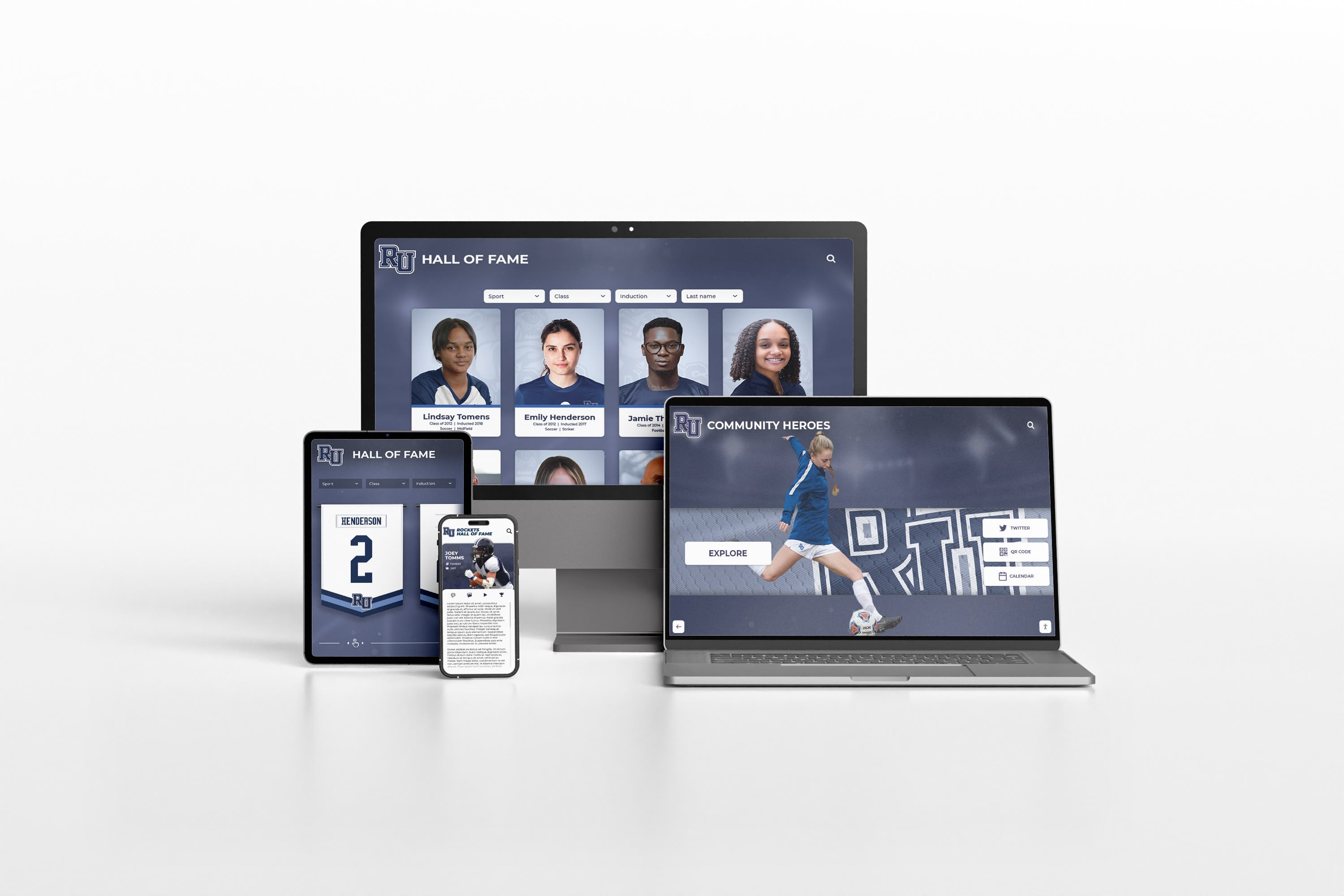
Making the Right Software Decision for Your Institution
Choosing between general digital signage platforms like easescreen and specialized recognition software requires evaluating your primary objectives and use cases.
Decision Framework: Questions to Consider
What is your primary goal?
- If managing diverse campus communications (announcements, wayfinding, events, alerts) across multiple displays, general digital signage platforms offer versatile solutions.
- If creating comprehensive athletic halls of fame, alumni recognition walls, or donor acknowledgment displays, specialized recognition platforms deliver dramatically better results.
How important is interactive exploration?
- Simple content rotation and scheduled information display work well with general signage software.
- Searchable databases where visitors explore hundreds of profiles, filter by criteria, and discover achievements require recognition-specific platforms.
What content management capabilities do you need?
- Publishing scheduled messages, images, and videos to displays fits general CMS workflows.
- Managing thousands of biographical profiles, statistics, career highlights, and historical records requires specialized content organization tools.
Who will manage the system?
- IT staff comfortable with general digital signage can adapt platforms for various uses.
- Athletic directors and alumni coordinators need intuitive interfaces specifically designed for recognition content.
What is your timeline for growth?
- Starting with basic slideshow recognition while developing comprehensive strategy may work with general signage.
- Building professional, scalable recognition programs from the start benefits from specialized platforms designed for continuous expansion.
How do you measure success?
- General communications effectiveness measured through message delivery and campus awareness.
- Recognition program success tracked through visitor engagement, profile views, alumni connection, and demonstrated institutional pride.
Common Implementation Approaches
Hybrid Strategy: Many institutions implement both general digital signage and specialized recognition platforms, leveraging each for its optimal use case:
- easescreen or similar for campus-wide communications: announcements, wayfinding, event promotion, emergency alerts
- Rocket Alumni Solutions or equivalent for dedicated recognition: athletic halls of fame, alumni walls, donor recognition, academic honor rolls
This approach delivers best-in-class solutions for each purpose without compromising specialized needs to fit general-purpose tools.
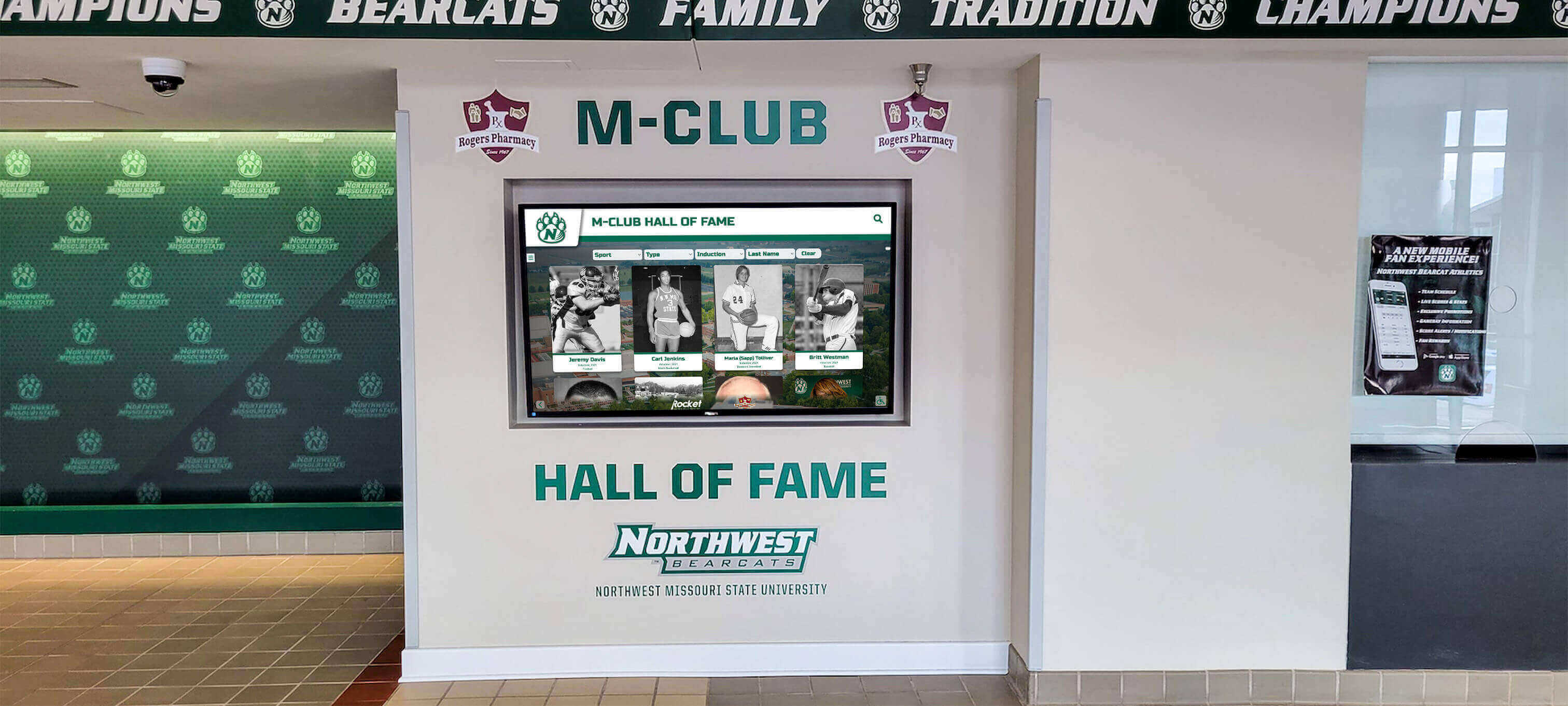
Implementation Considerations for Touchscreen Digital Signage
Regardless of which platform you choose, successful touchscreen digital signage deployment requires attention to several critical factors:
Hardware Selection and Placement
Commercial-Grade Displays: Consumer televisions are not designed for continuous 16-24 hour daily operation in public spaces. Commercial displays with appropriate duty ratings, integrated media players, and robust construction ensure reliable long-term operation.
Touchscreen Technology: Capacitive touchscreens provide responsive interaction superior to older resistive technologies. Ensure screens support multi-touch gestures for intuitive navigation and accommodate users of varying heights and accessibility needs.
Strategic Locations: Place displays where they engage maximum audiences—athletic facility lobbies, main entrances near trophy cases, alumni center gathering spaces, and high-traffic hallways. Consider viewing angles, ambient lighting, and ADA accessibility requirements.
Installation Methods: Wall-mounted installations work well in many locations, while freestanding kiosks provide flexibility in open spaces. Custom millwork integration creates premium presentations for prominent recognition displays.
Network Infrastructure: Wired Ethernet connections provide most reliable performance for continuous operation. When WiFi is necessary, ensure enterprise-grade access points and adequate bandwidth for video content.
Content Strategy Development
Define Recognition Scope: Determine what achievements your institution will celebrate—athletic records, championship teams, academic excellence, artistic achievement, community service, distinguished alumni, major donors.
Establish Selection Criteria: Create transparent guidelines for recognition eligibility ensuring fairness, consistency, and appropriate standards that respect institutional values while celebrating diverse excellence.
Plan Content Depth: Decide what information each profile should include—biographical narratives, achievement statistics, photos, video highlights, career updates—and establish quality standards ensuring professional presentation.
Organize Historical Records: Gather existing achievements from trophy engravings, programs, yearbooks, newspaper archives, and institutional records. Budget time or professional services for digitizing historical content.
Staffing and Training
Assign Clear Ownership: Designate specific staff responsible for content management, updates, accuracy verification, and system oversight. Recognition programs suffer when responsibility is unclear.
Provide Comprehensive Training: Ensure content managers understand platform capabilities through hands-on training, documentation, and practice before launch. Confidence in system operation prevents avoidable frustration.
Create Approval Workflows: Establish processes ensuring content accuracy, appropriate tone, consistent formatting, and proper approvals before publication. Quality control maintains professional standards.
Plan for Succession: Document procedures and train multiple staff members preventing single points of failure when personnel transition—common in educational settings.
Budget Considerations for Digital Signage and Recognition Platforms
Understanding investment requirements helps set realistic expectations and secure appropriate funding.
General Digital Signage Platforms (easescreen and similar)
Software Licensing:
- Subscription or perpetual licensing models
- Per-display pricing common in signage industry
- Annual costs typically $200-$1,000 per screen depending on features
Hardware Costs:
- Commercial displays: $1,500-$5,000 per screen depending on size and specifications
- Media players: $500-$1,500 if not integrated with display
- Mounting and installation: $500-$2,000 per location
Implementation:
- Setup and configuration: $2,000-$10,000 depending on complexity
- Content creation: Varies based on design requirements
- Network infrastructure: Existing or new as needed
Ongoing Expenses:
- Annual software renewals or subscriptions
- Content updates and management (staff time)
- Occasional hardware maintenance or replacement
Purpose-Built Recognition Platforms
Comprehensive Solutions:
- Initial investment: $10,000-$35,000 including software, optional physical displays, implementation, content migration, and training
- Annual ongoing: $2,000-$6,000 for software access, updates, support, and maintenance
- Value delivered: Professional recognition with minimal ongoing effort
Return on Investment: Schools implementing comprehensive digital recognition displays report benefits including:
- Eliminated ongoing plaque fabrication and mounting costs
- Increased alumni engagement and donation rates
- Enhanced recruiting appeal for prospective students and student-athletes
- Measurable improvement in school pride and community connection
- Efficient content management requiring minimal staff time
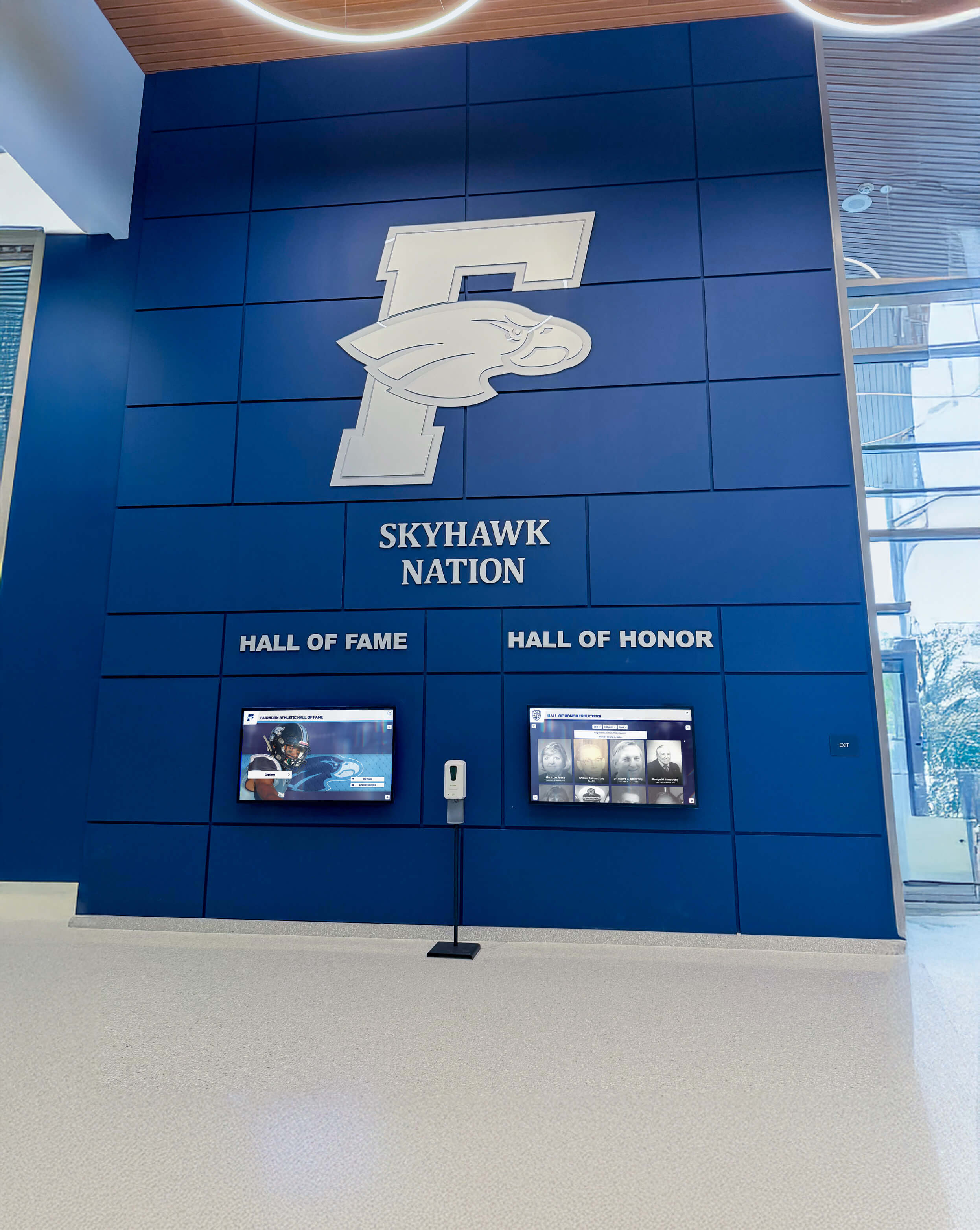
Future Trends in Touchscreen Digital Signage and Recognition
As technology evolves, expect capabilities in both general digital signage and specialized recognition platforms to advance:
Artificial Intelligence Integration: AI will assist with content personalization, automated achievement tracking, intelligent search recommendations, and visitor experience optimization based on interaction patterns.
Enhanced Mobile Connectivity: Deeper integration between physical displays and companion mobile applications will enable visitors to continue exploration beyond physical locations, save favorites, and share discoveries across networks.
Advanced Analytics: Sophisticated engagement tracking will reveal content effectiveness, inform strategy optimization, and demonstrate measurable program impact for justifying technology investments.
Cloud-Native Architecture: Increasingly powerful cloud platforms will enable richer functionality, seamless updates, and reliable operation without on-premises infrastructure requirements.
Accessibility Enhancements: Improved voice interaction, screen reader compatibility, adjustable interfaces, and universal design will ensure recognition displays serve all visitors effectively.
Integration Ecosystems: Platforms will connect more seamlessly with student information systems, advancement databases, athletic statistics platforms, and institutional data sources reducing manual data entry.
Conclusion: Choosing the Right Touchscreen Digital Signage Solution
easescreen represents an established, capable platform for organizations seeking versatile digital signage managing diverse communications needs across campus or organizational facilities. Its 20+ year track record, robust security features, comprehensive scheduling capabilities, and multi-purpose design serve general digital signage requirements effectively.
However, for schools and organizations where recognition represents a strategic priority—celebrating athletic excellence, honoring academic achievement, acknowledging donor generosity, or connecting with alumni—purpose-built recognition platforms like Rocket Alumni Solutions deliver capabilities that general digital signage cannot efficiently provide.
The optimal approach for many institutions combines both:
- General digital signage (easescreen or alternatives) for campus communications, wayfinding, event promotion, and daily announcements
- Specialized recognition software (Rocket Alumni Solutions) for athletic halls of fame, alumni recognition walls, donor acknowledgment displays, and academic honor rolls
This hybrid strategy leverages each platform’s strengths without compromising specialized needs to adapt general-purpose tools for purposes they weren’t designed to serve.

When evaluating touchscreen digital signage software for your institution, begin by clearly defining your primary objectives. General communications across campus suggest platforms like easescreen. Comprehensive, searchable recognition programs point toward specialized solutions specifically architected for celebrating achievements and connecting with community.
The investment you make in recognition technology will serve your institution for years, celebrating accomplishments, inspiring current students, strengthening alumni connections, and demonstrating institutional values. Choose platforms that honor these achievements with the quality, functionality, and professionalism they deserve.
Ready to explore purpose-built recognition solutions designed specifically for schools? Learn more about Rocket Alumni Solutions and discover how specialized platforms transform institutional recognition. Explore interactive touchscreen software options, investigate digital hall of fame best practices, or review comprehensive guides to recognition display implementation for your institution.
Your achievements deserve recognition technology specifically designed to celebrate excellence. Choose solutions that match the quality of the accomplishments they honor.
Disclaimer: This comparison is based on publicly available information as of November 2025. All product names and trademarks belong to their respective owners. Comparative statements reflect Rocket Alumni Solutions’ interpretation of available data and may change over time. This content was produced by or on behalf of Rocket Alumni Solutions. All trademarks are property of their respective owners. Rocket Alumni Solutions is not affiliated with or endorsed by easescreen.
































