



Key Takeaways
Comprehensive pricing guide for nonprofit digital wall mount displays. Compare vendors, features, hardware options, and costs for donor recognition and community engagement screens.
Understanding Digital Wall Mount Display Categories for Nonprofits
Before diving into pricing, it’s important to recognize that “digital wall mount display” encompasses several distinct solution types, each with different capabilities and price points.
Basic Digital Signage Displays
Basic digital signage represents the entry point for many nonprofits. These systems typically consist of a commercial display screen paired with simple media player hardware running slideshow or rotation software.
What you get:
- Commercial TV or monitor (43"-75")
- Media player device (Raspberry Pi, Amazon Fire Stick, or dedicated player)
- Basic content software (often subscription-based)
- Manual content updates via USB drive or cloud upload
Typical pricing:
- Hardware: $800-$3,500 (screen + player)
- Software: $0-$50/month for basic platforms
- Installation: $200-$800 for mounting and setup
Limitations:
- No interactivity—visitors cannot explore content
- Limited content capacity (typically 10-50 slides)
- Manual updates required for every change
- No searchability or user navigation
- Static content presentation only
Basic signage works well for simple rotating announcements but falls short when nonprofits need to showcase extensive community partnerships, detailed veteran profiles, or searchable event calendars.
Interactive Touchscreen Displays
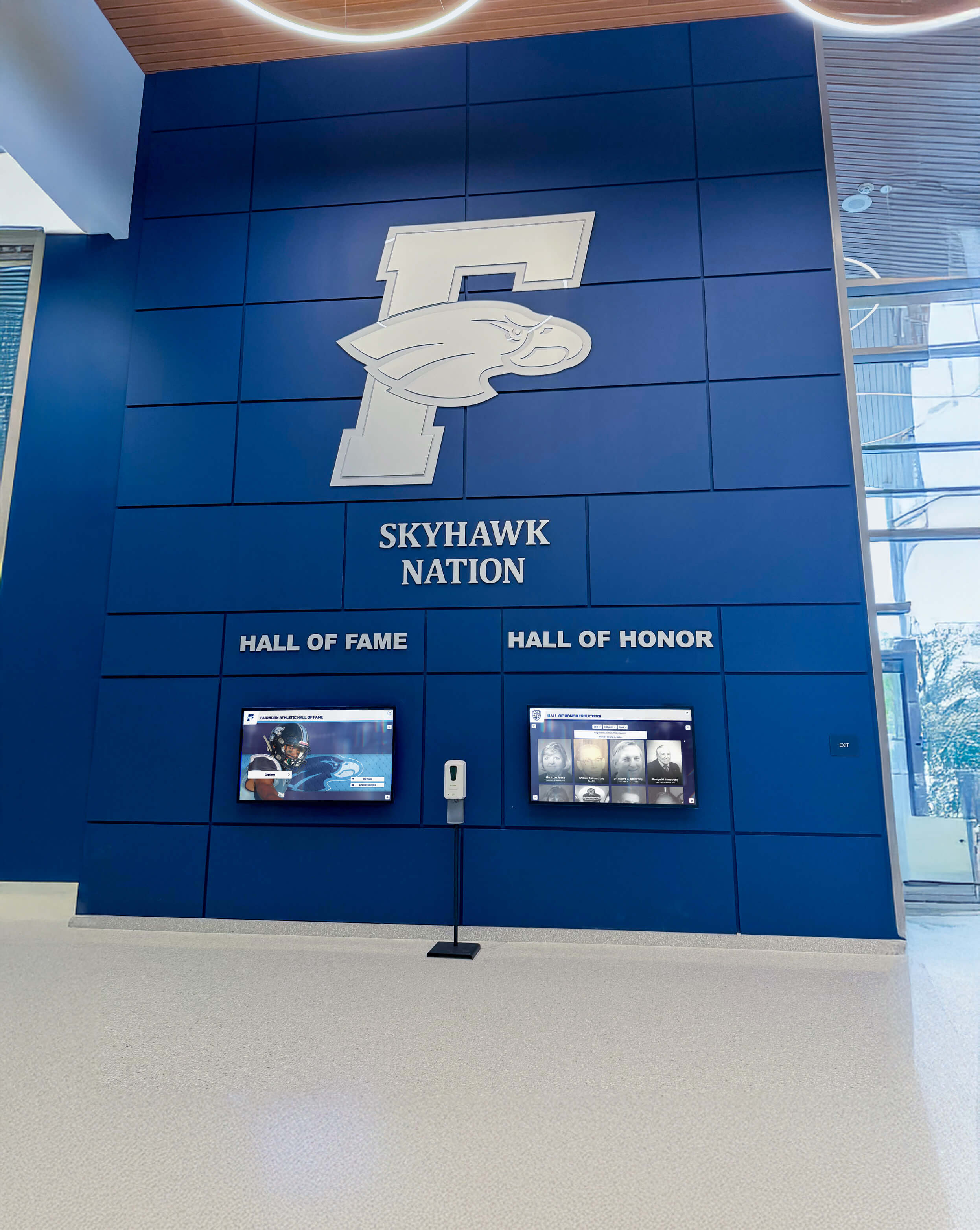
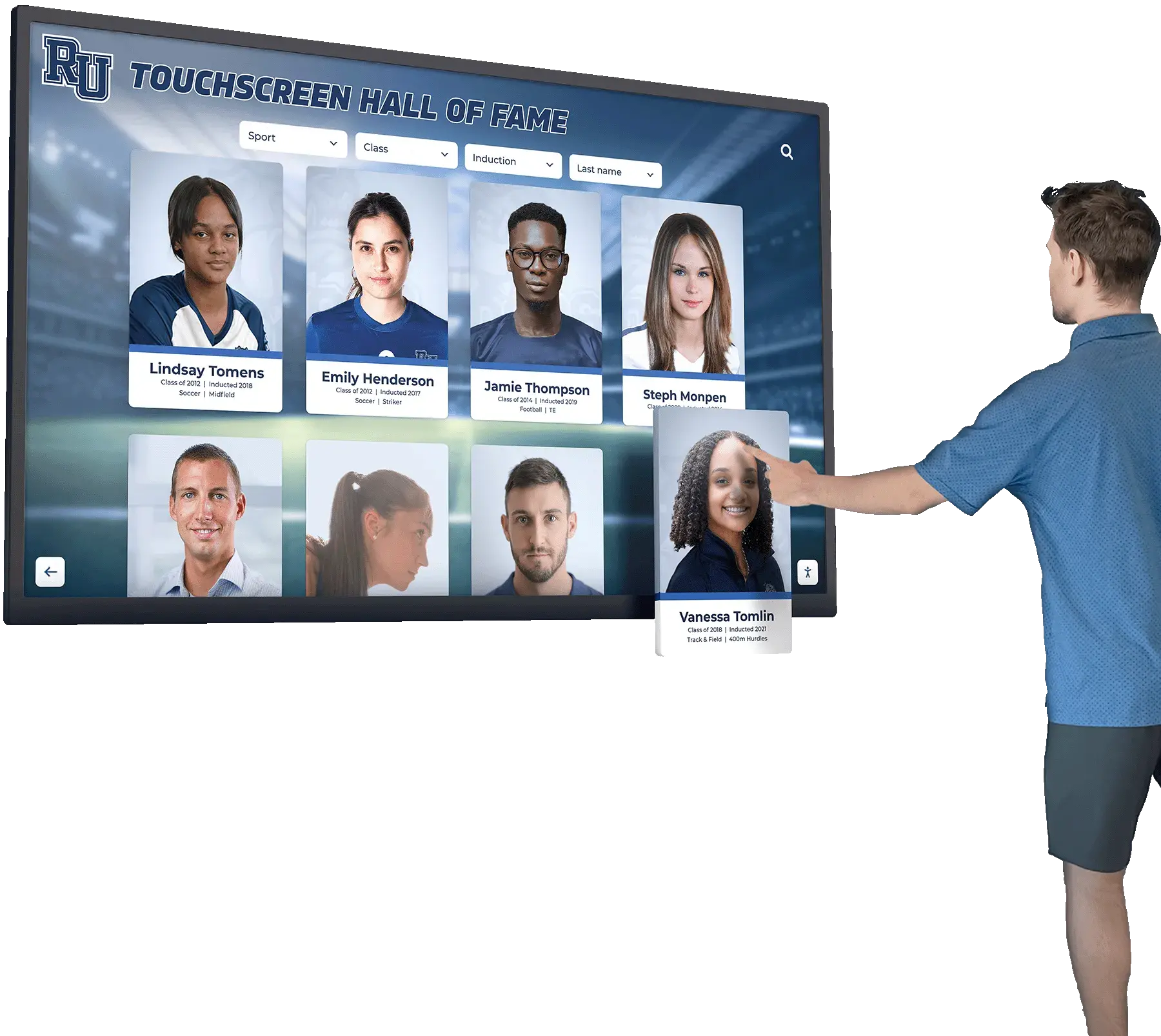
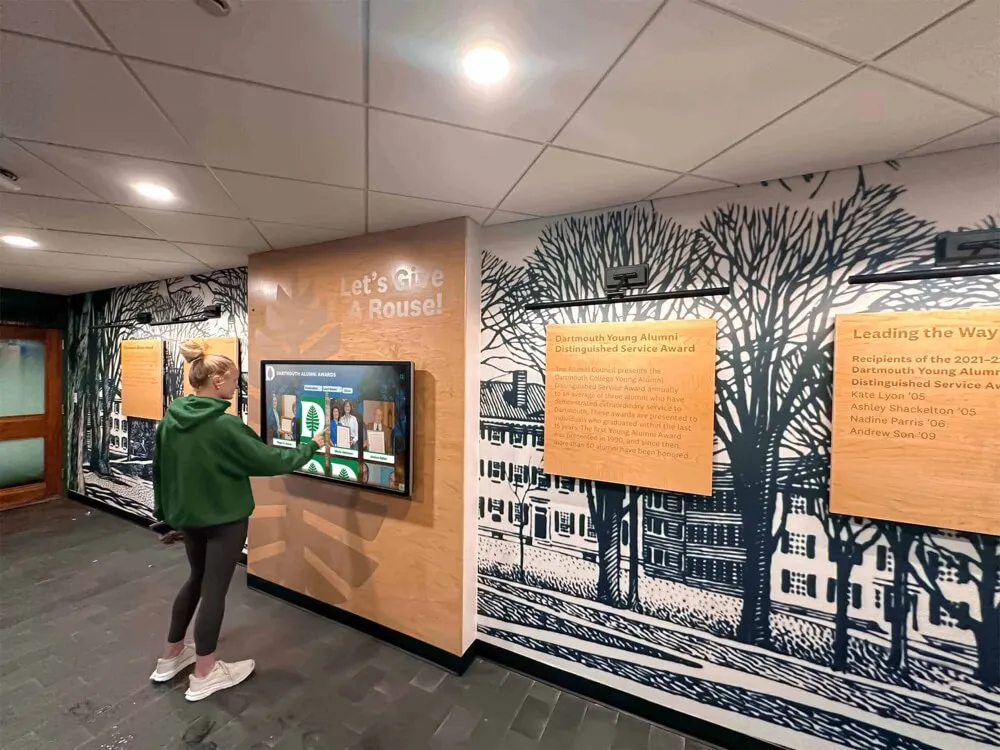
Interactive touchscreen systems provide visitor engagement through touch-enabled navigation. Users can browse categories, search for specific individuals or events, watch videos, and access detailed information.
What you get:
- Commercial touchscreen display (43"-65" typical for nonprofits)
- Touch-enabled computer (PC or specialized hardware)
- Interactive content management system
- Web-based admin interface for updates
- Structured database for content organization
Typical pricing:
- Hardware: $3,000-$12,000 (touchscreen + computer)
- Software: $1,500-$5,000/year or one-time license fee
- Installation: $500-$2,000 depending on complexity
Key advantages:
- Unlimited content capacity
- Visitor-driven exploration and discovery
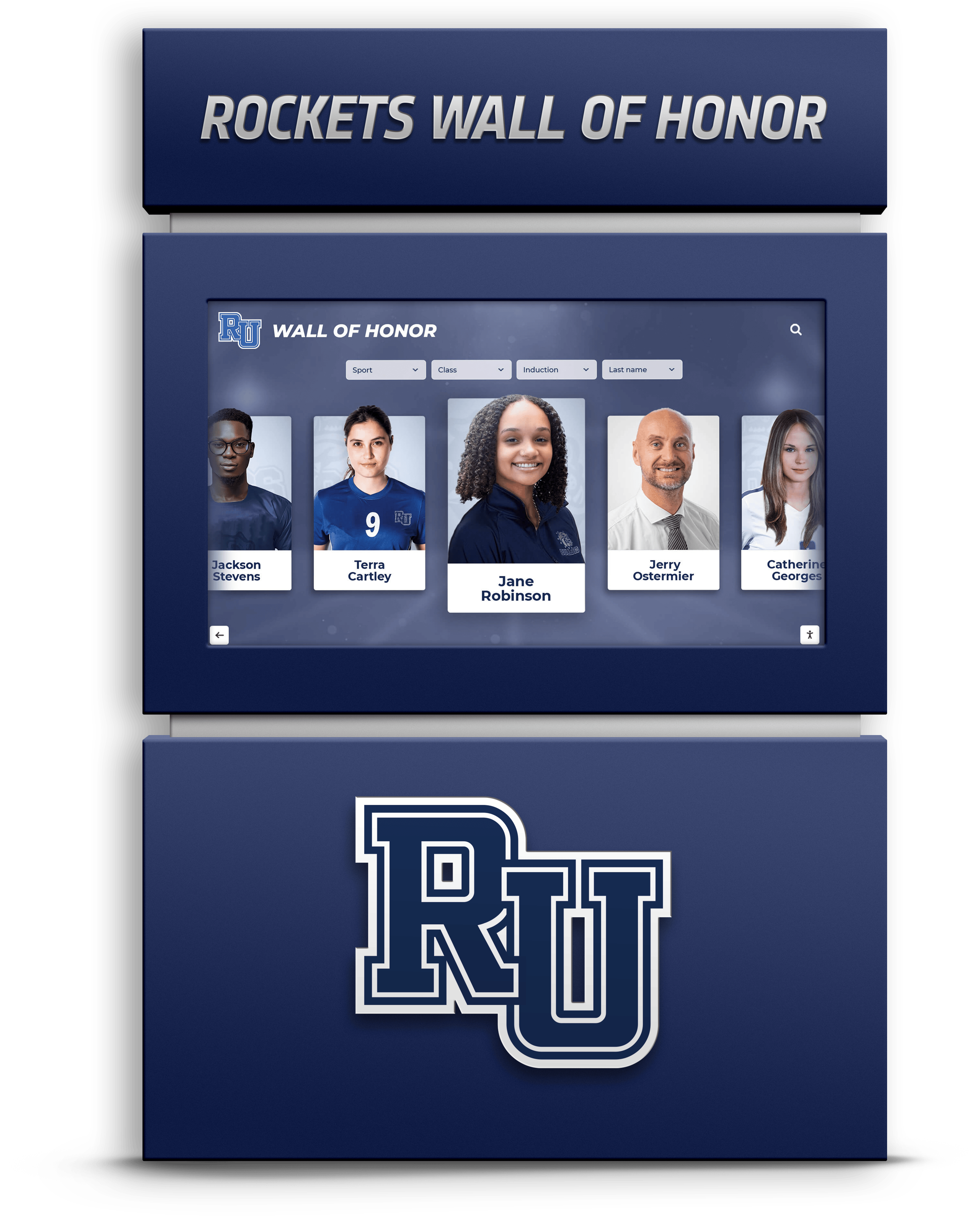
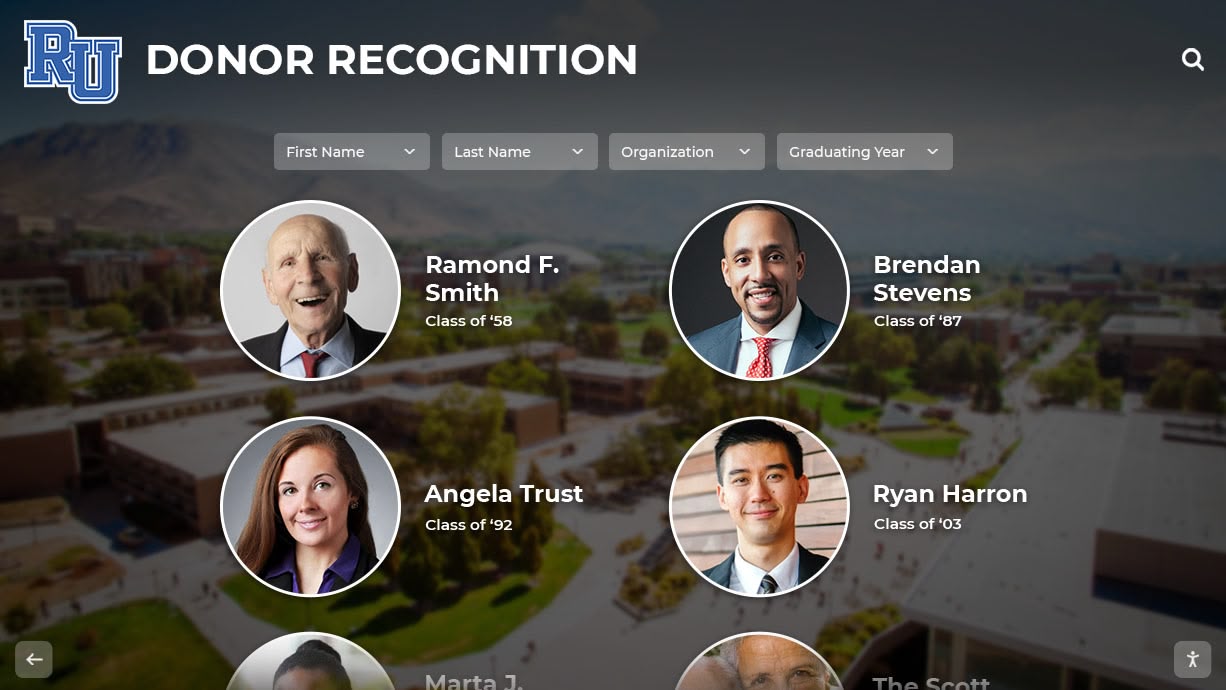
- Searchable databases (by name, year, category)
- Multimedia support (photos, videos, documents)
- Remote content management
- Analytics on engagement and popular content
Interactive displays are particularly suited for nonprofits with extensive recognition needs—veteran organizations maintaining member databases, community foundations with multi-tier donor programs, or civic organizations celebrating diverse achievements.
Full Recognition Display Systems
Comprehensive recognition systems integrate the display technology with complete content services, design support, and ongoing management assistance.
What you get:
- Commercial touchscreen hardware
- Proprietary or specialized software platform
- Professional design services and templates
- Content migration and setup assistance
- Training and ongoing support
- Web accessibility and mobile access
- Regular software updates and feature additions
Typical pricing:
- Hardware + software: $8,000-$40,000 initial investment
- Annual subscription: $1,000-$3,000 for software updates and support
- Professional services: Included or $1,000-$5,000 for complex migrations
Key advantages:
- Turnkey implementation with expert guidance
- ADA/WCAG compliance features for grant requirements
- Sophisticated content organization (multiple categories, cross-referencing)
- Integration capabilities with donor management systems
- Mobile-responsive web version for remote access
- Professional visual design and branding
- Dedicated customer support
Full systems make sense for nonprofits managing complex recognition programs, those requiring accessibility compliance for federal grants, or organizations lacking internal technical resources.

Critical Hardware Considerations for Nonprofit Environments
The physical display hardware significantly impacts both cost and long-term performance. Understanding the differences helps nonprofits avoid under-buying or over-spending.
Screen Size and Viewing Distance
Screen size should match your space and expected viewing patterns:
43"-50" displays ($800-$2,500):
- Viewing distance: 5-8 feet
- Capacity: 1-4 simultaneous viewers
- Best for: Small offices, reception desks, meeting rooms
- Example nonprofits: Local veterans posts, small community foundations, neighborhood associations
55"-65" displays ($1,500-$5,000):
- Viewing distance: 8-12 feet
- Capacity: 4-8 simultaneous viewers
- Best for: Main lobbies, community centers, event spaces
- Example nonprofits: Regional nonprofits, YMCA/YWCA facilities, larger veterans organizations
75"+ displays ($3,500-$15,000+):
- Viewing distance: 12-20 feet
- Capacity: 8+ simultaneous viewers
- Best for: Large gathering spaces, auditoriums, high-traffic public areas
- Example nonprofits: Museums, performing arts centers, major community foundations
According to research from InfoComm International, optimal viewing distance is approximately 1.5-2x the screen diagonal measurement. A 55" screen performs best at 7-9 feet, making it the most versatile choice for typical nonprofit lobbies.
Commercial vs. Consumer Grade Hardware
This distinction dramatically affects lifespan and reliability:
Consumer TVs (lower cost, shorter lifespan):
- Price: 30-50% less than commercial equivalent
- Operation rating: 8-10 hours/day
- Expected lifespan: 2-3 years in continuous use
- Warranty: 1 year typical
- Touch capability: Rare/non-existent
- Example: Consumer 55" TV at $600-$1,200
Commercial displays (higher cost, extended lifespan):
- Price: Premium of 50-100% over consumer
- Operation rating: 16-24 hours/day
- Expected lifespan: 5-7 years in continuous use
- Warranty: 3-5 years typical
- Touch capability: Widely available
- Example: Commercial 55" touchscreen at $2,500-$4,500
For nonprofits open 40+ hours weekly, commercial hardware provides better long-term value despite higher upfront costs. A $3,000 commercial display lasting 6 years costs $500/year; a $1,000 consumer TV requiring replacement every 2.5 years costs $400/year but involves more frequent disruption and reinstallation.
Mounting and Installation Requirements
Professional installation adds $200-$2,000 to project costs depending on:
- Wall construction (drywall vs. brick/concrete vs. glass)
- Power availability (existing outlet vs. new electrical run)
- Network connectivity (hardwired Ethernet vs. WiFi)
- Height and accessibility (ground floor vs. high wall mount)
- Cable concealment (exposed wiring vs. in-wall conduit)
Many nonprofits underestimate installation complexity. A seemingly simple wall mount can escalate when discovering:
- Insufficient wall studs requiring custom mounting plates
- Power outlets in wrong locations necessitating electrical work
- Network drops unavailable requiring WiFi equipment or cabling
- ADA height requirements conflicting with sightlines
Budget 15-25% of hardware cost for professional installation, with contingency for unexpected building challenges common in older nonprofit facilities.
Software and Content Management System Evaluation
The software platform determines usability, content capacity, and ongoing operational costs. Nonprofits must evaluate several critical dimensions.
Content Organization Capabilities
Different platforms offer varying content structure options:
Flat slideshow systems:
- Organization: Sequential slides only
- Capacity: Typically 10-100 items
- Navigation: Linear progression or random rotation
- Best for: Simple announcements, event calendars, photo galleries
- Limitation: No categorization or search
Category-based systems:
- Organization: Top-level categories with items within
- Capacity: Unlimited items across categories
- Navigation: Category selection then browsing
- Best for: Multiple recognition types (donors, volunteers, veterans, partners)
- Limitation: Single categorization only (items belong to one category)
Multi-dimensional databases:
- Organization: Multiple classification systems (category, year, location, achievement type)
- Capacity: Unlimited with complex cross-referencing
- Navigation: Multiple search and filter options
- Best for: Large databases requiring flexible discovery
- Advantage: Same person can appear in multiple contexts
For a nonprofit honoring veterans, community partners, and event sponsors, category-based or database systems prevent content from being trapped in rigid structures.
Update and Publishing Workflows
How you add and modify content matters significantly for busy nonprofit staff:
Manual file management:
- Process: Create slide images externally, upload via USB or FTP
- Effort: High—requires design skills for every update
- Frequency: Updates are burdensome, often delayed
- Cost: $0-$30/month typically
Web-based content forms:
- Process: Log into admin panel, fill out fields, upload photos
- Effort: Moderate—templates handle design automatically
- Frequency: Updates take 5-15 minutes, encouraging currency
- Cost: $40-$150/month or annual subscription
Integrated publishing with approval workflows:
- Process: Multiple users can draft content, requiring approval before publishing
- Effort: Low per user—distributed across team
- Frequency: Continuous with scheduled publication
- Cost: $100-$300/month or included in full-service packages
For nonprofits with volunteer committees or multiple staff members contributing content, web-based systems with user management prevent bottlenecks where updates require a single technical person.
Accessibility and Compliance Features
Nonprofits receiving federal grants or serving disability communities must consider accessibility:
WCAG 2.1 Level AA requirements:
- Contrast ratios: Text must meet minimum contrast standards
- Keyboard navigation: All touch functions must work via keyboard
- Screen reader compatibility: Content must be properly structured for assistive technology
- Alternative text: Images require descriptive text alternatives
- Captions: Videos require closed captioning
Not all display software includes these features. Basic signage platforms typically lack accessibility support entirely. Full recognition systems from specialized vendors often include compliance features as standard.
If your nonprofit holds federal contracts, receives government grants, or serves veterans or disability communities, verify WCAG compliance before purchasing. Retrofitting accessibility is significantly more expensive than selecting a compliant system initially.
Nonprofit-Specific Use Case Scenarios and Recommendations
Different nonprofit missions require different display priorities. Here are common scenarios with specific recommendations.
Veterans Organizations and Military Recognition
Primary needs:
- Extensive member databases (hundreds to thousands of individuals)
- Service details (branch, unit, deployment dates, awards)
- Memorial recognition for fallen members
- Photo galleries from reunions and commemorative events
Recommended solution:
- Interactive touchscreen (55"-65")
- Database-driven content system
- Search by name, unit, branch, era
- Multimedia support for video tributes
- Web version for remote member access
Budget guidance:
- Hardware: $4,000-$8,000
- Software: $2,000-$4,000/year
- Initial setup: $1,500-$3,000
- Total first-year: $7,500-$15,000
Veterans organizations benefit especially from memorial wall digital displays that allow unlimited capacity for honoring service members without physical space constraints.
Community Foundations and Donor Recognition
Primary needs:
- Multi-tier donor recognition (giving levels)
- Campaign-specific acknowledgment
- Corporate sponsor visibility
- Impact storytelling and mission messaging
- Real-time updates during active campaigns
Recommended solution:
- Interactive touchscreen (55"-75" based on lobby size)
- Category-based organization (recognition levels, campaigns, years)
- Integration with donor CRM if possible
- Photo and video support for impact stories
- QR codes linking to donation pages
Budget guidance:
- Hardware: $5,000-$12,000
- Software: $2,500-$5,000/year
- Professional design: $1,500-$3,000
- Total first-year: $9,000-$20,000
Foundations should explore nonprofit donor recognition solutions that demonstrate measurable ROI through increased donor retention and gift size.
Community Centers and Multi-Purpose Facilities
Primary needs:
- Event calendars and upcoming programs
- Community partner acknowledgment
- Volunteer recognition
- Historical timeline and facility history
- Room schedules and wayfinding
Recommended solution:
- Interactive touchscreen or basic signage (depending on interactivity needs)
- 55"-65" display in main entrance
- Calendar integration with scheduling software
- Category organization for partners, volunteers, events, history
- Easy update process for non-technical staff
Budget guidance:
- Hardware: $3,000-$6,000
- Software: $1,000-$2,500/year (interactive) or $300-$600/year (basic signage)
- Installation: $500-$1,500
- Total first-year: $4,800-$10,100
Centers should consider solutions that combine digital signage content capabilities with touchscreen interactivity for maximum flexibility.
Arts and Cultural Organizations
Primary needs:
- Artist and performer recognition
- Event and production archives
- Donor and patron acknowledgment
- Historical timeline of productions
- Visual galleries and video performance clips
Recommended solution:
- Interactive touchscreen (65"-75" for gallery/lobby spaces)
- Strong multimedia capabilities
- Archive organization by season/year/production
- High-resolution image support
- Web version for alumni performers
Budget guidance:
- Hardware: $6,000-$15,000
- Software: $2,500-$5,000/year
- Content digitization: $1,000-$5,000 (scanning/organizing archives)
- Total first-year: $9,500-$25,000
Cultural organizations can learn from planning guides for galas and events that integrate digital recognition into fundraising activities.
Vendor Comparison Framework: What to Evaluate
Not all digital display vendors serve nonprofit needs equally. Use these comparison criteria to evaluate providers.
Evaluation Criteria Matrix
When comparing vendors, weight these factors based on your priorities:
Content Capacity and Organization (High Priority for Extensive Recognition):
- Can the system handle your current honoree count?
- Does organization support multiple recognition categories?
- Is search functionality included?
- Can one person appear in multiple contexts?
- Is there a practical limit on content volume?
Ease of Use and Training (High Priority for Volunteer-Dependent Nonprofits):
- How many hours of training does staff require?
- Can non-technical volunteers make updates?
- Is the interface intuitive or does it require reference documentation?
- Are bulk upload tools available for efficiency?
- Can multiple users manage content with different permission levels?
Accessibility and Compliance (Critical for Grant-Funded Organizations):
- Does the vendor provide WCAG 2.1 Level AA compliance?
- Is compliance verified through third-party audit?
- Are accessibility features standard or add-on costs?
- Does the vendor understand federal accessibility requirements?
- Is documentation provided for grant applications?
Total Cost of Ownership (Critical for Budget-Constrained Nonprofits):
- What is the all-in first-year cost (hardware + software + services)?
- What are ongoing annual costs?
- Are there per-user fees or content limits affecting cost?
- What is included in subscription vs. what costs extra?
- What is the expected hardware lifespan?
Support and Services (High Priority for Limited Technical Resources):
- Is setup assistance included or additional cost?
- What support channels are available (phone, email, chat)?
- What is typical response time for support requests?
- Are software updates included in subscription?
- Is training provided or an additional expense?
Integration and Compatibility (Important for Organizations Using Donor Management Systems):
- Does the display integrate with your existing donor CRM?
- Can content sync with your website?
- Are APIs available for custom integrations?
- Does the system work with standard network infrastructure?
- What are hardware/network requirements?
Why Rocket Wins This Scenario
Solutions like Rocket Alumni Solutions address the specific challenges nonprofits face with digital recognition displays:
Unlimited Capacity Without Content Fees: Many vendors charge per-profile or tier pricing based on content volume. For veterans organizations with extensive member rosters or foundations recognizing donors at all giving levels, these fees accumulate significantly. Rocket’s model includes unlimited inductees, eliminating concerns about expansion costs as your program grows.
WCAG 2.1 Level AA Compliance as Standard: Rather than treating accessibility as an add-on, Rocket builds compliance into the core platform. This matters for nonprofits pursuing federal grants, veterans organizations serving disabled veterans, or any organization committed to inclusive access. Compliance includes keyboard navigation, screen reader compatibility, and proper contrast ratios.
Auto-Ranking and Dynamic Content: For nonprofits maintaining records—top donors by giving level, longest-serving volunteers, veteran service records—auto-ranking tools automatically organize and update displays as new information is added. This eliminates manual reordering common in static systems.
QR Code Links and Web Access: Beyond the physical display, QR codes enable mobile access to full content. Veterans can share their profiles with family, donors can access campaign details remotely, and community members can view your mission from home. This extends recognition value beyond lobby visitors.
Remote Content Management System: Nonprofits with distributed leadership or volunteer committees benefit from cloud-based administration. Board members can review content, staff can publish updates, and volunteers can contribute submissions—all without physical access to the display. This is particularly valuable for organizations with remote leadership or multiple chapters.
Flexible Hardware Options: Rather than vendor lock-in requiring proprietary hardware, Rocket’s platform works with standard commercial displays. Nonprofits can right-size initial investment and upgrade screens later without replacing the software system. This allows starting with a 43" display and expanding to larger screens as budget permits.
White-Glove Implementation Support: Many nonprofits lack internal IT resources for system setup, content migration, and staff training. Full-service implementation handles technical complexity, provides professional design guidance, and ensures successful launch without requiring internal expertise.
Unlimited Layouts and Categories: For nonprofits with diverse recognition needs—donors, volunteers, partners, event sponsors, memorial dedications—unlimited layout tools create distinct experiences for each category. This prevents generic one-size-fits-all displays that dilute individual recognition types.
Implementation Planning and Budget Considerations
Successfully launching a digital display requires planning beyond just the purchase decision.
First-Year Budget Reality
Nonprofits should budget comprehensively for first-year costs:
Hardware costs:
- Display screen: $2,000-$8,000
- Computer/media player: $500-$2,000
- Mounting hardware: $100-$300
- Cables and accessories: $50-$200
Software and services:
- Software license or subscription: $1,000-$5,000
- Professional design services: $0-$3,000
- Initial content setup: $0-$2,000
- Training: $0-$1,000
Installation and integration:
- Professional mounting: $200-$1,000
- Electrical work (if needed): $0-$1,500
- Network setup: $0-$800
Total realistic first-year range: $3,750-$24,800
Most nonprofit implementations fall in the $8,000-$16,000 range for a comprehensive solution with professional support.
Ongoing Annual Costs
After initial setup, expect these recurring expenses:
Software maintenance:
- Annual subscription: $800-$3,000
- Updates and new features: Usually included
- Additional user licenses: $0-$500
Support and services:
- Technical support: Usually included in subscription
- Content assistance: $0-$1,500 if outsourcing updates
- Design updates: $0-$800 for template refreshes
Operational costs:
- Electricity: $30-$80/year (commercial display running 50 hours/week)
- Internet connectivity: Already existing infrastructure typically
- Cleaning and maintenance: Minimal, staff-managed
Total ongoing annual range: $830-$5,880
Most nonprofits report $1,500-$3,000 annual costs after first year.
Funding and Grant Strategies
Many nonprofits successfully fund displays through:
Donor-funded initiatives: Securing a named gift from a major donor to fund the recognition system itself. “The Smith Family Recognition Display” provides visibility for the donor while funding the infrastructure.
Corporate sponsorships: Local businesses may sponsor display hardware in exchange for recognition as community partners on the display itself.
Capital campaigns: Including recognition technology as part of facility renovation or capital campaigns, particularly when updating lobbies or community spaces.
Technology grants: Foundations supporting nonprofit capacity building often fund technology infrastructure. Emphasize how the display enhances community engagement and mission delivery.
Memorial funds: Families honoring deceased loved ones may fund recognition displays, particularly in veterans organizations or community foundations.
Board-designated reserves: Using board-designated funds for technology infrastructure that advances multiple organizational priorities (donor stewardship, volunteer recognition, community engagement).
When approaching funders, emphasize long-term value over initial cost. A $15,000 system serving the organization for 7+ years represents $2,140/year—often less than annual costs for plaques, printing, and traditional recognition methods.
Common Pitfalls and How to Avoid Them
Learn from challenges other nonprofits have encountered:
Pitfall 1: Underestimating Installation Complexity
The problem: Nonprofits often assume mounting a display is straightforward, then discover facility challenges: load-bearing wall requirements, electrical codes, network access, or ADA height regulations.
How to avoid: Request a professional site assessment before purchasing. Many vendors offer free or low-cost pre-installation consultation. Share photos and facility details early in the evaluation process. Budget 20-25% contingency for unexpected installation requirements.
Pitfall 2: Selecting Based Only on Hardware Cost
The problem: Comparing vendors solely on display screen price ignores total cost of ownership. A $2,000 basic signage system may cost more over five years than a $12,000 comprehensive system when factoring in limited capacity, update labor, and software subscriptions.
How to avoid: Calculate five-year total cost including all software, support, and operational expenses. Consider staff time required for updates—if updates take 2 hours monthly, that’s 120 hours over five years of volunteer or staff time that could be spent on mission delivery.
Pitfall 3: Ignoring Accessibility Requirements
The problem: Purchasing a display that seems adequate, then discovering grant compliance requires accessibility features not included. Retrofitting accessibility is expensive or impossible.
How to avoid: If your nonprofit receives any federal funding, serves disability communities, or plans to pursue government grants, verify WCAG 2.1 Level AA compliance before purchase. Request compliance documentation and examples of other nonprofits using the system for federally-funded projects.
Pitfall 4: Overwhelming Scope Creep
The problem: Starting with a focused recognition need, then expanding scope to include wayfinding, event calendars, building history, program promotion, and more—overwhelming initial content development and delaying launch.
How to avoid: Define phase 1 scope narrowly: launch with one recognition category completed well. Plan phase 2 expansions for 6-12 months post-launch after staff are comfortable with the system. Successful adoption happens through focused initial success, not comprehensive initial attempts.
Pitfall 5: Consumer Hardware in Institutional Applications
The problem: Purchasing consumer-grade TVs to save money, then experiencing premature failure requiring replacement within 18-30 months and multiple rounds of disruption.
How to avoid: If your display will run more than 30 hours weekly, invest in commercial-grade hardware rated for continuous operation. The longer warranty, higher reliability, and extended lifespan justify the premium in institutional applications. Consumer hardware makes sense only for truly occasional use (less than 20 hours weekly).
Decision Framework for Your Nonprofit
Use this framework to systematically evaluate your needs and match them to the right solution category.
Step 1: Define Your Primary Purpose
Recognition-focused: If honoring individuals (donors, volunteers, veterans, community members) is your primary purpose, prioritize:
- Content capacity (unlimited better than limited)
- Search and discovery features
- Individual profile capabilities
- Photo and biography support
- Category organization for different recognition types
Recommendation: Interactive touchscreen or full recognition system
Communication-focused: If announcing events, sharing programs, and general information display is primary, prioritize:
- Easy content updates by multiple staff
- Calendar integration
- Visual appeal and attention-getting
- Basic content rotation
Recommendation: Basic digital signage or entry-level interactive
Multi-purpose: If combining recognition, communication, wayfinding, and engagement, prioritize:
- Flexible content organization
- Multiple content types (profiles, calendars, directories, galleries)
- User-friendly navigation
- Professional design supporting varied content
Recommendation: Full recognition system with comprehensive features
Step 2: Assess Your Technical Resources
Limited technical staff/volunteers:
- Prioritize: Turnkey solutions with vendor support
- Consider: Full-service setup and training
- Budget for: Ongoing support subscriptions
- Avoid: DIY systems requiring technical troubleshooting
Moderate technical comfort:
- Prioritize: Intuitive interfaces with vendor support available
- Consider: Self-service setup with professional installation
- Budget for: Training and documentation
- Avoid: Highly complex systems requiring coding or IT skills
Strong technical capabilities:
- Prioritize: Flexibility and customization options
- Consider: Open platforms with API access
- Budget for: Less support, more powerful tools
- Avoid: Overly simplified systems limiting your capabilities
Step 3: Calculate Your Budget Reality
Total available budget:
- _____ Hardware
- _____ Software (year 1)
- _____ Installation and setup
- _____ Professional services
- _____ Contingency (15-20%)
Annual budget availability:
- _____ Software subscription
- _____ Support and maintenance
- _____ Content assistance (if needed)
Total first-year budget: _____
Match your budget range to solution categories:
- Under $5,000: Basic signage or used hardware with budget software
- $5,000-$10,000: Entry-level interactive or quality signage
- $10,000-$20,000: Professional interactive system with support
- $20,000+: Large-scale or multi-display installations
Step 4: Identify Deal-Breakers
Certain requirements eliminate entire vendor categories:
Must-have accessibility compliance: Eliminates basic signage and consumer-grade solutions
Must handle 1,000+ individual profiles: Eliminates slideshow and limited-capacity platforms
Must integrate with existing donor CRM: Eliminates closed systems without integration capabilities
Must allow remote content management by multiple users: Eliminates USB-update and single-user platforms
Must include professional design services: Eliminates DIY and self-service-only vendors
Identifying deal-breakers early prevents wasting time evaluating incompatible solutions.
Step 5: Request Specific Scenario Demonstrations
When evaluating finalists, request demonstrations showing your specific use cases:
For veterans organizations: “Show me how a member would search for their buddy from Vietnam deployment, find that person’s profile, and see unit photos from that era.”
For donor recognition: “Show me how you would display our recognition levels (Bronze, Silver, Gold, Platinum), how donors move between levels when giving increases, and how we feature campaign-specific giving.”
For community partnerships: “Show me how we would organize our 50+ community partners into logical categories, feature current partners on the home screen, and maintain historical partners in archives.”
Generic product demonstrations don’t reveal whether the system genuinely supports your specific workflows. Scenario-based demos expose limitations before purchase.
Conclusion and Next Steps
Digital wall mount displays offer nonprofits powerful tools for recognition, engagement, and communication—but the options are vast and not all solutions serve nonprofit needs equally.
Key takeaways for nonprofit decision-makers:
Category matters more than price: A $3,000 basic signage system and a $12,000 interactive touchscreen aren’t comparable. Define your needs first, then evaluate pricing within the appropriate solution category.
Total cost over time beats initial cost: Calculate five-year total cost including software, support, staff time, and replacement cycles. The cheapest initial purchase often costs more over time.
Accessibility compliance isn’t optional for many nonprofits: If you receive federal funding or serve disability communities, verify WCAG 2.1 Level AA compliance upfront. Retrofitting is expensive or impossible.
Commercial hardware matters for institutional use: Operating a display 30+ hours weekly demands commercial-grade hardware. Consumer TVs fail prematurely in continuous-use applications.
Support and services determine success: For nonprofits with limited technical resources, comprehensive vendor support makes the difference between successful adoption and expensive shelf-ware.
Solutions like Rocket Alumni Solutions provide nonprofit-specific value through unlimited content capacity, built-in accessibility compliance, remote cloud management, and white-glove implementation support that addresses the unique constraints and priorities of mission-driven organizations.
Organizations should also explore resources on donor recognition examples, employee recognition programs, and interactive kiosk solutions for broader context on recognition technology.
Ready to explore whether a digital recognition display fits your nonprofit’s needs? Book a demo to see how solutions tailored for nonprofit recognition can transform your community engagement and donor stewardship.
Disclaimer: This comparison is based on publicly available information as of January 2026. All product names and trademarks belong to their respective owners. Comparative statements reflect Rocket Alumni Solutions’ interpretation of available data and may change over time. This content was produced by Rocket Alumni Solutions.
































