




Key Takeaways
Compare 10+ digital tools and interactive displays that bring history to life in schools and museums. Decision framework with touchscreen technology, virtual tours, digital archives, and recognition displays.
Why Digital History Tools Matter Now
The landscape of history education has transformed dramatically over the past decade. Students who grew up with smartphones, tablets, and interactive media expect engaging, hands-on learning experiences rather than passive consumption of textual information. According to research on interactive history learning tools, digital platforms make history interactive, engaging, and more accessible to diverse learning styles while equipping students with critical thinking, collaboration, and research skills.
Museums and educational institutions increasingly recognize that static displays and traditional teaching methods fail to capture attention in our digital age. The shift toward interactive technology addresses several critical needs:
- Engagement Crisis: Traditional history instruction struggles to compete with modern entertainment media
- Learning Style Diversity: Digital tools accommodate visual, auditory, kinesthetic, and reading/writing learners
- Accessibility Requirements: Technology enables universal access for visitors with disabilities
- Content Preservation: Digitization protects fragile artifacts while making them globally accessible
- Budget Constraints: Digital displays reduce ongoing maintenance costs compared to physical plaques
- Space Limitations: Virtual exhibitions expand beyond physical facility constraints
- Information Depth: Interactive platforms provide unlimited detail without cluttering physical spaces
Organizations implementing effective digital history tools report measurably improved visitor engagement, longer session durations, increased return visits, and stronger emotional connections to historical content. The challenge lies not in whether to adopt digital tools, but in selecting solutions that align with institutional goals, technical capabilities, and audience needs.
Categories of Digital History Tools
Digital tools that bring history to life fall into several distinct categories, each serving different educational purposes and operational requirements:
1. Interactive Physical Displays
Touchscreen Kiosks and Digital Recognition Walls
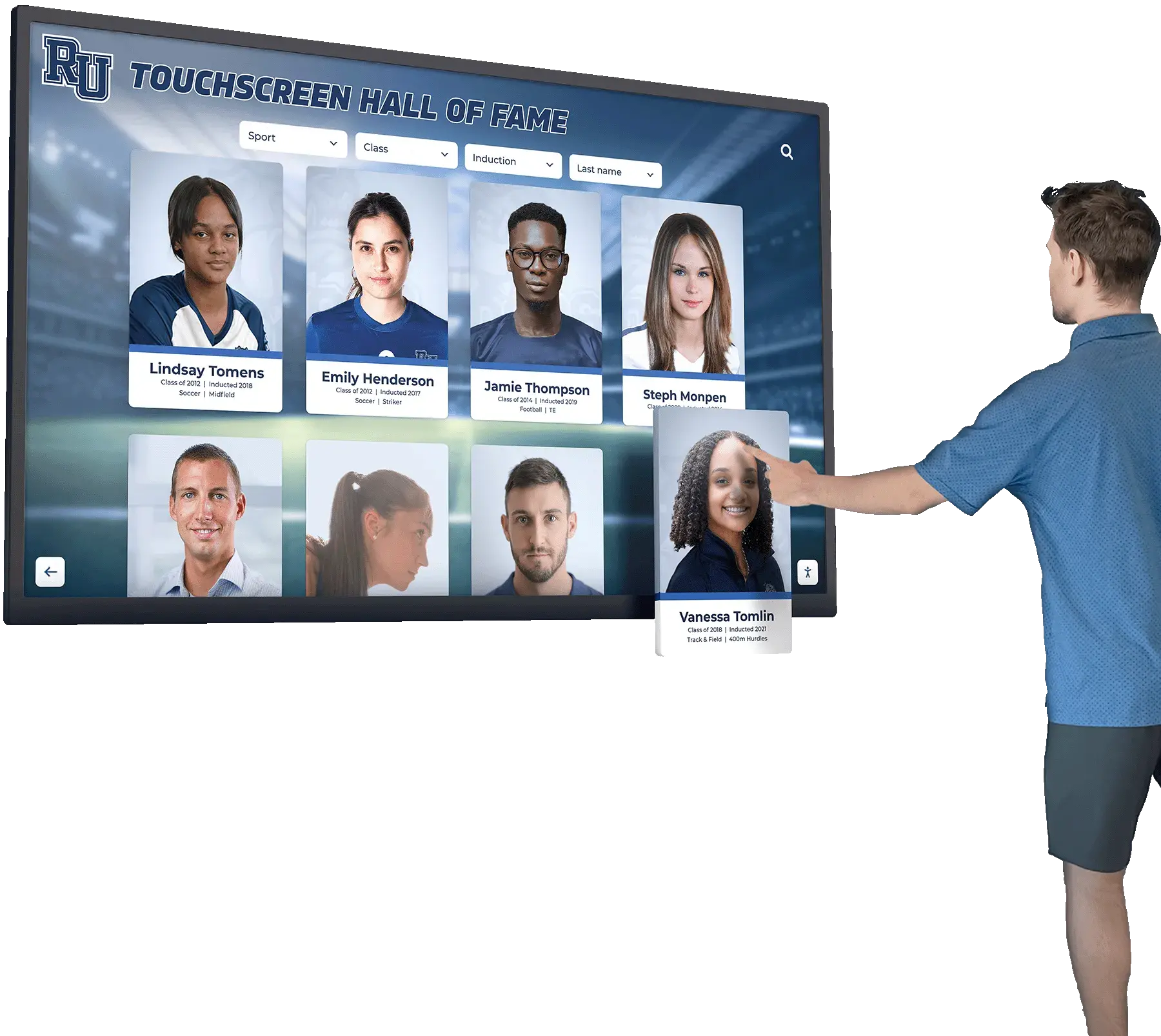
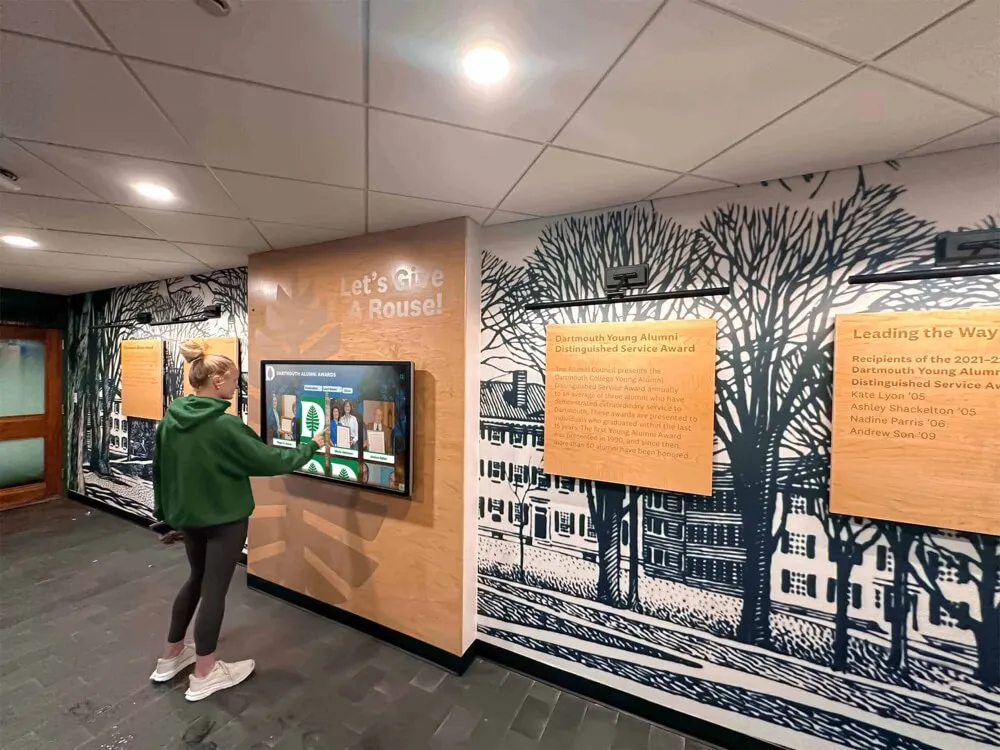
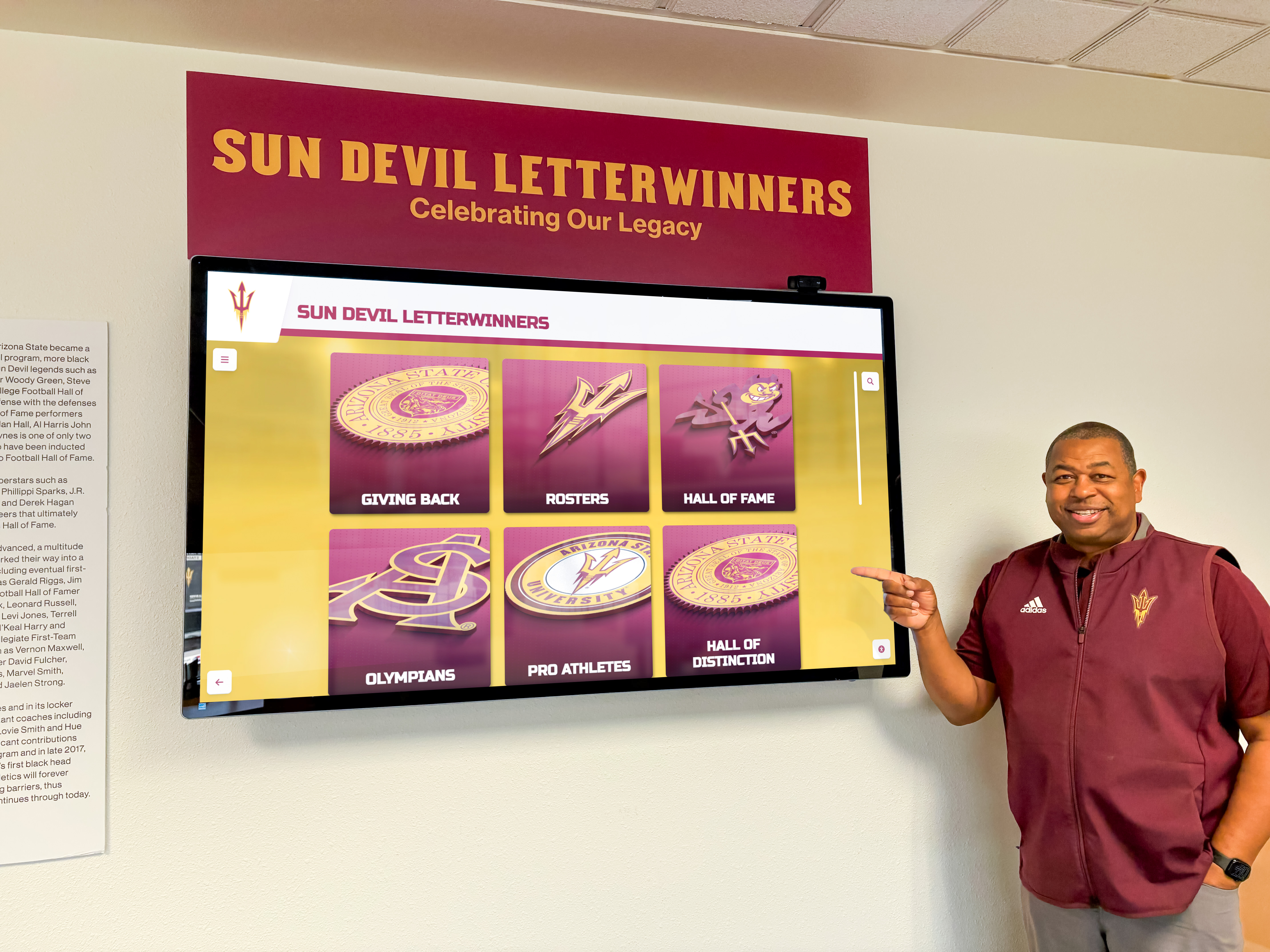
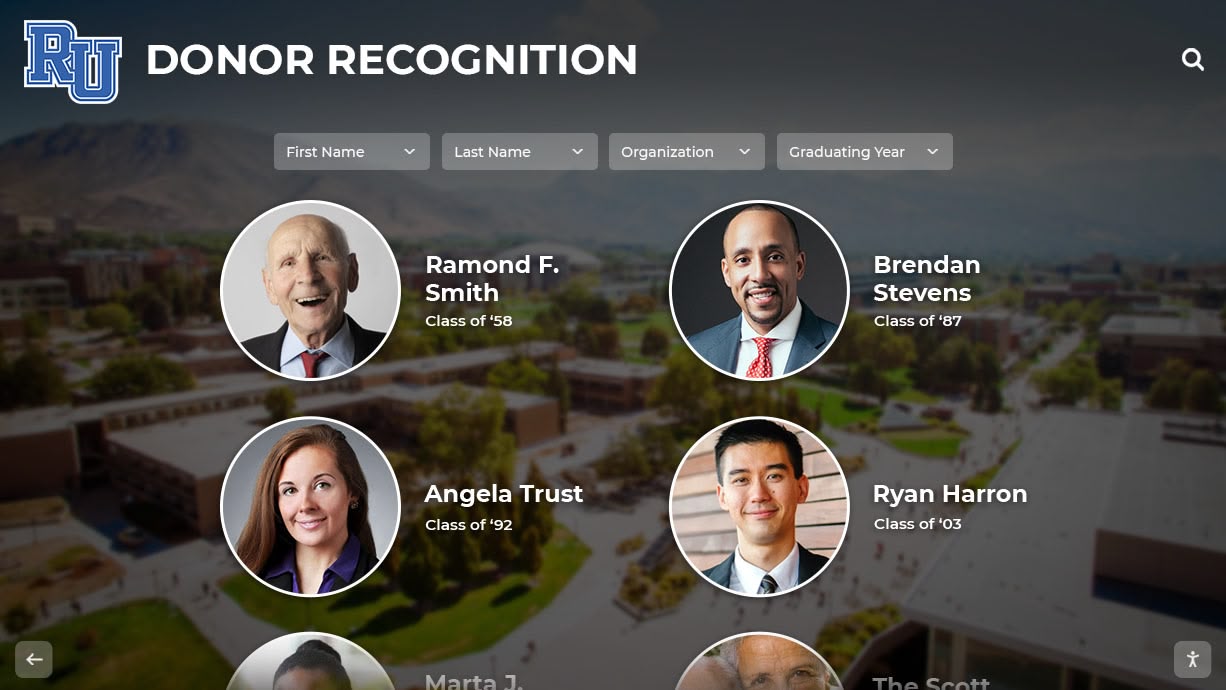
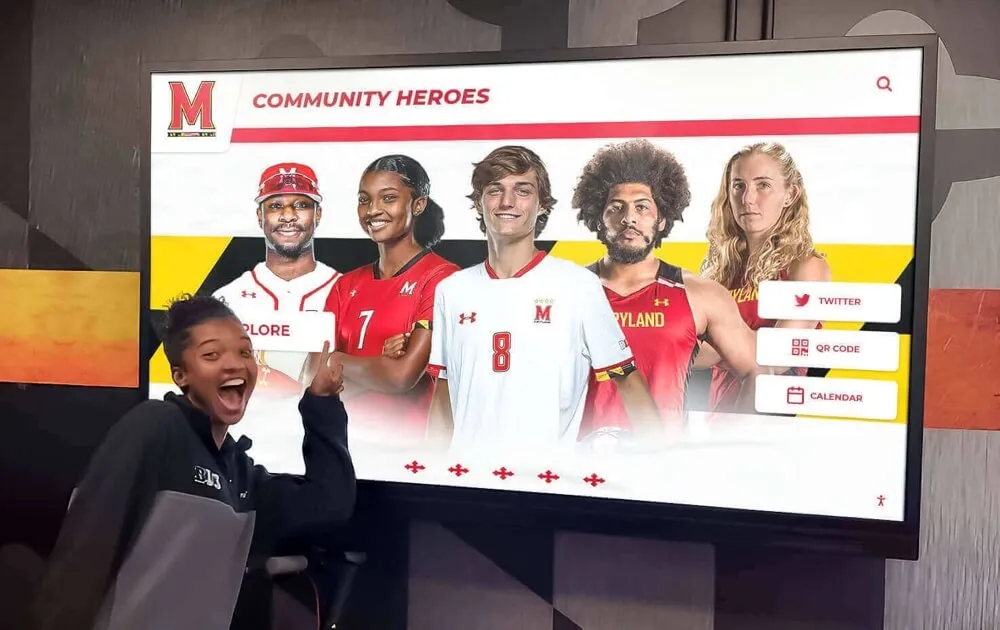
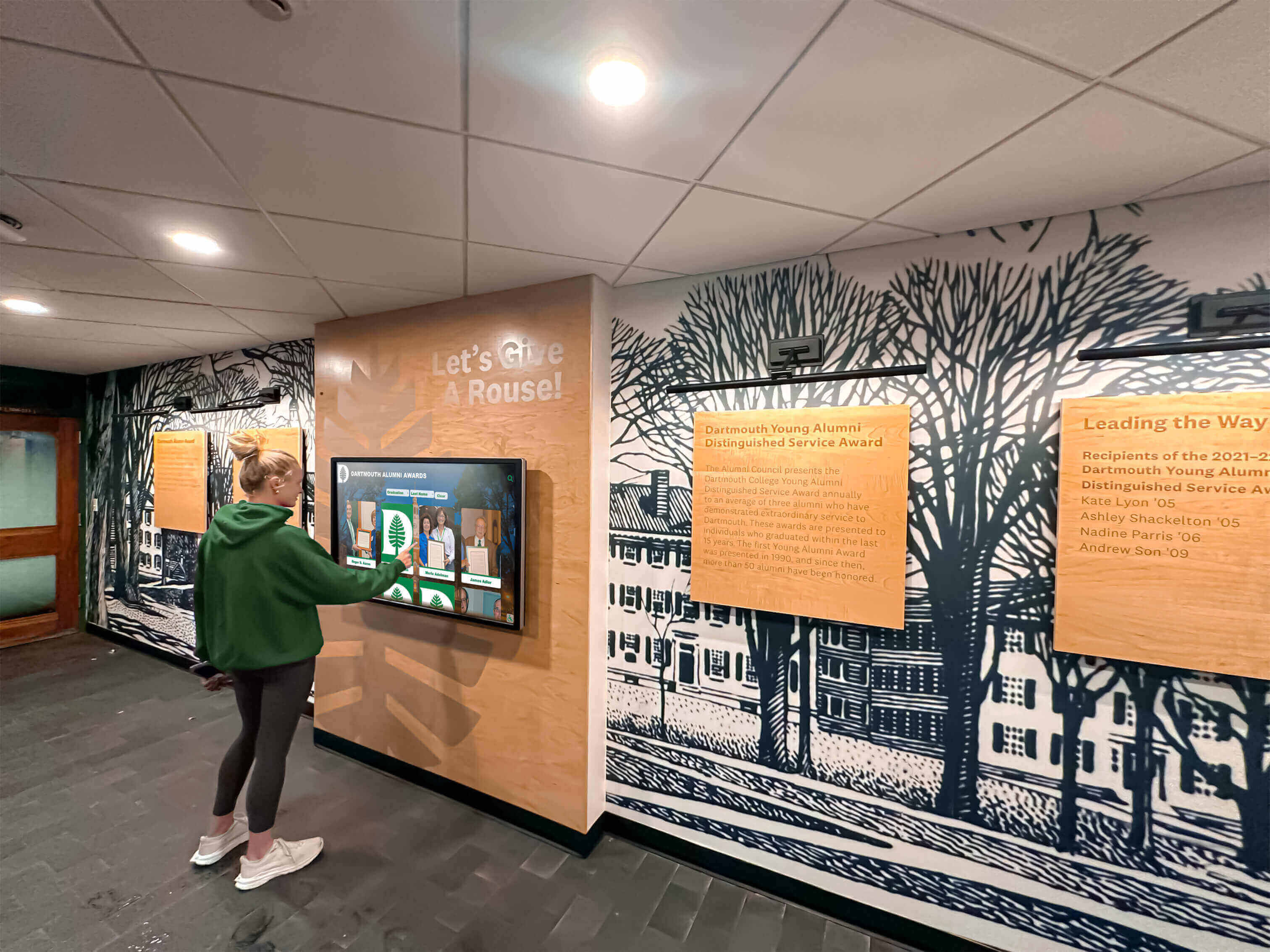
Physical interactive displays installed in lobbies, hallways, and exhibition spaces provide immersive historical exploration through touch interfaces. These permanent installations serve as focal points for institutional storytelling, combining multimedia content with intuitive navigation.
Key Characteristics:
- Hardware-based installations with professional-grade touchscreens
- Content management systems enabling remote updates
- Multimedia integration (photos, videos, documents, audio)

- Search and filtering capabilities for content discovery
- QR code generation extending engagement to mobile devices
- Offline operation ensuring reliability without network dependency
Solutions like Rocket Alumni Solutions specialize in creating interactive recognition displays that celebrate school history, athletic achievements, alumni contributions, and institutional milestones through purpose-built touchscreen platforms.
2. Educational Software Platforms
Interactive Learning Applications
Software platforms designed specifically for history education provide structured learning experiences through games, simulations, and interactive lessons. These tools transform passive content consumption into active participation and decision-making.
Examples:
- iCivics: Games teaching civics and government through experiential learning
- Minecraft Education: Historical reconstruction projects enabling students to rebuild ancient civilizations
- Timeline Creation Tools: Software helping students visualize chronological relationships
- Primary Source Analysis Platforms: Applications guiding document interpretation skills
Educational software works particularly well in classroom environments where teachers guide students through structured learning activities.
3. Virtual Tours and 3D Environments
Immersive Historical Site Exploration
Virtual reality (VR) and augmented reality (AR) technologies transport visitors to historical locations and time periods, providing perspective impossible through traditional media. These tools excel at creating emotional connections through immersive experiences.
Platforms:
- Yorescape: Virtual tours of iconic historical sites including the Giza Plateau, Acropolis, and ancient Rome
- Google Arts & Culture: Extensive museum collections with street view-style navigation
- TimeMaps: Interactive historical maps visualizing civilizations over time
- Museum Virtual Tours: Institution-specific platforms providing remote exhibition access
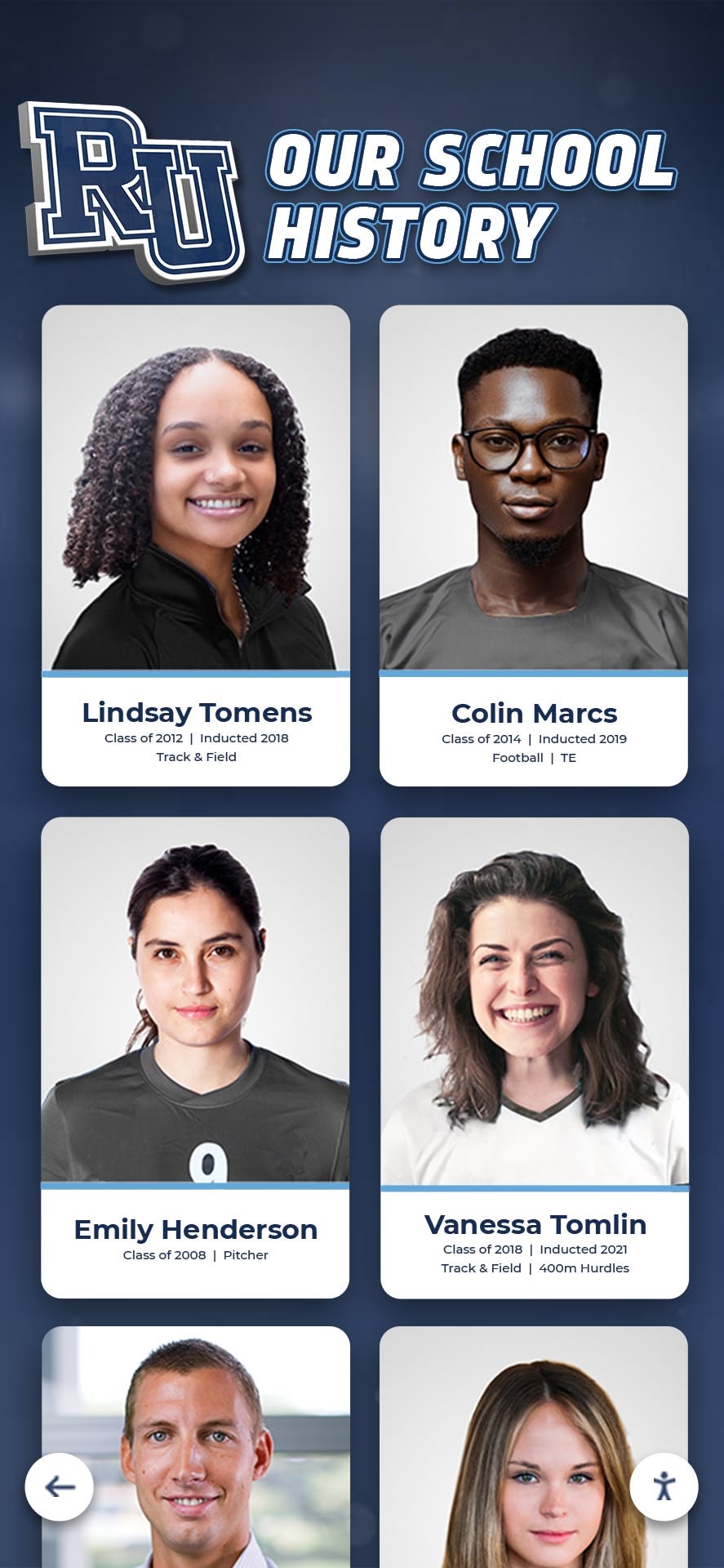
School historical timeline displays increasingly incorporate virtual tour elements, allowing visitors to explore institutional history through visual chronologies.
4. Digital Archives and Document Collections
Online Historical Record Access
Digitized archives democratize access to primary sources previously available only to researchers visiting physical repositories. These collections support research, teaching, and preservation simultaneously.
Major Archives:
- Europeana: Millions of digitized objects from European museums and galleries
- Archive Portal Europe: Extensive historical records and documents
- National Archives Collections: Government documents and historical records
- University Digital Libraries: Institution-specific historical collections
- Newspaper Databases: Searchable historical journalism archives
Organizations implementing digital archives for schools preserve yearbooks, newspapers, photos, and institutional documents while making them searchable and accessible to alumni and researchers.
5. AI-Powered History Tools
Artificial Intelligence for Historical Engagement
Emerging AI technologies create new possibilities for historical exploration through natural language interaction, content generation, and personalization.
Applications:
- ChatGPT and Historical AI: Conversational interfaces answering historical questions
- Character.AI: Simulated conversations with historical figures
- AI Image Generation: Visual reconstruction of historical events before photography
- Automated Transcription: Converting handwritten historical documents to searchable text
- Translation Services: Making multilingual archives accessible
While powerful, AI tools require careful implementation ensuring historical accuracy and avoiding fabrication of false historical narratives.
Evaluation Criteria for Digital History Solutions
Selecting effective digital tools requires systematic evaluation against weighted criteria reflecting institutional priorities:
1. Educational Effectiveness (Weight: 25%)
The fundamental purpose of history tools is facilitating learning and engagement. Effectiveness measures include:
- Learning Outcomes: Measurable improvement in historical knowledge retention
- Engagement Metrics: Session duration, interaction depth, return visitor rates
- Critical Thinking Development: Tools encouraging analysis rather than memorization
- Emotional Connection: Ability to create personal relevance and empathy
- Multi-Modal Learning: Accommodation of diverse learning preferences
Effective tools transform history from abstract dates and names into compelling narratives that students and visitors find personally meaningful.
2. Accessibility Compliance (Weight: 20%)
Digital history solutions must provide equivalent access for visitors with disabilities, ensuring everyone can engage with historical content regardless of ability.
Requirements:
- WCAG 2.1 AA Conformance: Meeting Web Content Accessibility Guidelines standards
- Screen Reader Compatibility: Enabling visually impaired visitors to access all content
- Keyboard Navigation: Providing alternatives to touch or mouse interaction
- Captions and Transcripts: Making audio and video content accessible to deaf visitors
- Color Contrast: Ensuring sufficient contrast ratios for low-vision accessibility
- Text Resizing: Maintaining functionality when users increase text size
Organizations implementing ADA-compliant digital recognition displays ensure legal compliance while demonstrating commitment to inclusive access.
3. Content Management Efficiency (Weight: 15%)
Historical content requires regular updates as new acquisitions occur, research reveals additional information, and institutional priorities evolve. Management efficiency determines sustainability.
Critical Factors:
- Non-Technical User Access: Enabling staff without coding skills to update content
- Cloud-Based Management: Remote content administration without physical hardware access
- Bulk Import Capabilities: Efficiently migrating large historical datasets
- Workflow Tools: Content approval processes before publication
- Media Library Organization: Systematic management of photos, videos, and documents
- Version Control: Tracking content changes and enabling rollback
Systems requiring technical expertise for routine updates create operational friction that eventually leads to outdated, stale content.
4. Total Cost of Ownership (Weight: 15%)
Budget realities constrain technology decisions. Accurate cost analysis requires examining multi-year expenses rather than initial purchase prices.
Cost Components:
- Software Licensing: Subscription fees, perpetual licenses, or open-source options
- Hardware Requirements: Displays, computers, networking equipment, peripherals
- Implementation Services: Installation, configuration, training, content migration
- Ongoing Maintenance: Updates, technical support, content management labor
- Replacement Cycles: Expected lifespan before system requires significant reinvestment
- Scalability Costs: Expenses for expanding to additional locations or features
Digital hall of fame implementation costs vary dramatically based on complexity, customization, and vendor selection.
5. Technical Reliability (Weight: 10%)
History displays must operate consistently without frequent failures, crashes, or performance degradation. Reliability directly impacts visitor experience and institutional credibility.
Reliability Factors:
- Uptime Performance: Percentage of time systems remain operational
- Offline Functionality: Graceful operation during network outages
- Performance Under Load: Responsiveness during high-traffic periods
- Hardware Durability: Commercial-grade components rated for continuous operation
- Vendor Support Quality: Response times and resolution effectiveness
Public-facing installations during major events cannot afford technical failures. Reliability proves non-negotiable for mission-critical applications.
6. Historical Accuracy and Scholarship (Weight: 10%)
Digital tools must maintain rigorous historical standards, avoiding simplification that distorts understanding or presentation that perpetuates misconceptions.
Quality Standards:
- Source Documentation: Clear citation of historical evidence
- Scholarly Review: Expert validation of historical interpretations
- Nuanced Presentation: Acknowledging complexity rather than oversimplifying
- Bias Awareness: Transparent discussion of perspective and interpretation
- Correction Mechanisms: Processes for addressing errors when identified
AI-generated historical content requires particular scrutiny ensuring accuracy and avoiding fabrication.
7. Scalability and Future-Proofing (Weight: 5%)
Technology investments should accommodate growth and evolving needs over 5-10 year horizons.
Scalability Considerations:
- Multi-Location Support: Efficient management of installations across buildings or campuses
- Content Volume Handling: Performance with thousands or millions of historical items
- Feature Extensibility: Ability to add capabilities as technologies advance
- Platform Longevity: Vendor stability and commitment to ongoing development
- Migration Paths: Ability to export data if transitioning to different solutions
Organizations implementing digital athletic history displays should plan for continuous expansion as new achievements occur.
Top 10 Digital Tools for Bringing History to Life
Based on the evaluation criteria above, these solutions represent the most effective options for different institutional contexts:
1. Rocket Alumni Solutions: Purpose-Built Recognition Displays
Best For: Schools, universities, athletic departments, alumni associations
Rocket provides comprehensive touchscreen platforms specifically designed for institutional history and recognition. Unlike general-purpose digital signage, Rocket’s systems include features tailored to celebrating achievements and preserving heritage.
Key Features:
- Cloud-based content management enabling remote updates
- Unlimited inductee capacity without performance degradation
- Auto-ranking systems organizing achievements by category
- WCAG 2.1 AA accessibility compliance with third-party audits
- QR code generation extending engagement to mobile devices
- Multi-campus coordination from centralized dashboards
- Professional implementation support including content migration
Why It Works: Purpose-built platforms outperform adapted general solutions because they anticipate recognition-specific requirements. Interactive touchscreen software for schools should provide features that honor achievements effectively while remaining accessible to non-technical staff.
Cost Considerations: Mid-range investment with subscription-based pricing. Total cost of ownership remains competitive due to comprehensive support and low maintenance requirements.
2. iCivics: Interactive Civics Education Games
Best For: K-12 classrooms teaching government and civic engagement
Founded by former Supreme Court Justice Sandra Day O’Connor, iCivics transforms civics education through experiential games where students make decisions and experience consequences.
Popular Games:
- Do I Have a Right?: Students run a civil rights law firm
- LawCraft: Drafting legislation and navigating Congress
- Counties Work: Understanding local government operations
- Executive Command: Presidential decision-making simulation
Why It Works: Games create emotional investment and experiential learning that lectures cannot match. Students remember lessons learned through gameplay far longer than information from textbooks.
Cost: Free for educators
3. Minecraft Education: Historical Reconstruction Platform
Best For: Elementary through high school history lessons
Minecraft’s block-based building mechanics enable students to reconstruct historical sites, civilizations, and structures while learning about architectural principles, resource constraints, and historical contexts.
Historical Applications:
- Ancient Egypt civilization projects
- Pyramid construction demonstrating engineering principles
- UNESCO monument reconstruction
- Titanic interior recreation
- Medieval castle building
Why It Works: Hands-on construction creates deep understanding of historical contexts. Students must research historical accuracy while developing spatial reasoning and collaboration skills.
Cost: Education edition subscription required
4. Yorescape: Virtual Historical Site Tours
Best For: Remote learning, supplementing physical field trips, distance education
Yorescape provides immersive virtual tours of iconic historical locations, enabling students to explore sites most will never visit physically.
Featured Locations:
- Giza Plateau (Egypt)
- The Acropolis (Greece)
- Ancient Rome
- Medieval castles
- Archaeological sites
Why It Works: Virtual presence creates emotional connections and spatial understanding that photos and videos cannot convey. Students experience historical sites from multiple perspectives and viewpoints.
Cost: Subscription-based access
5. TimeMaps: Interactive Historical Mapping
Best For: Understanding civilization development, geographical contexts, historical relationships
TimeMaps visualizes history through interactive maps showing territorial changes, civilization development, and historical events in geographical contexts.
Capabilities:
- Civilization maps across millennia
- Territorial change animations
- Historical event location visualization
- Synchronization with timelines
- Regional focus options
Why It Works: Geographical context clarifies historical relationships that chronological timelines obscure. Visual learners particularly benefit from spatial representations of historical change.
Cost: Subscription for educational institutions
6. Europeana: Digital Cultural Heritage Platform
Best For: Research, primary source access, cultural education
Europeana aggregates millions of digitized objects from European museums, galleries, libraries, and archives, providing unprecedented access to cultural heritage.
Collections Include:
- Artworks and paintings
- Historical photographs
- Manuscripts and documents
- Audio recordings
- Archaeological artifacts
Why It Works: Direct access to primary sources enables authentic historical inquiry rather than secondhand interpretations. Students develop research and analysis skills through document engagement.
Cost: Free public access
7. Google Arts & Culture: Museum Collection Access
Best For: Art history, cultural studies, virtual museum visits
Google’s platform provides high-resolution images, virtual museum tours, and curated collections from thousands of institutions worldwide.
Features:
- Street View-style museum navigation
- Gigapixel artwork images
- Curated thematic collections
- AR experiences
- Artist biographies
Why It Works: Global access to museum collections democratizes cultural education. Students in remote areas access world-class collections impossible to visit physically.
Cost: Free access
8. Character.AI: Historical Figure Conversations
Best For: Engagement, perspective-taking, historical empathy development
Character.AI enables simulated conversations with historical figures through AI-powered chatbots trained on historical knowledge.
Educational Applications:
- Interviewing historical figures
- Understanding different perspectives
- Practicing historical inquiry questions
- Exploring “what if” scenarios
Why It Works: Conversational interaction creates engagement that reading biographies cannot match. Students develop questions and think critically about historical perspectives.
Caution: AI may fabricate historically inaccurate responses. Teacher supervision and fact-checking remain essential.
Cost: Free basic access; subscription for advanced features
9. Archive Portal Europe: Historical Document Access
Best For: Advanced students, research projects, primary source analysis
Archive Portal Europe aggregates archival holdings from repositories across Europe, providing searchable access to historical documents, photographs, and records.
Content Types:
- Government records
- Personal correspondence
- Business documents
- Photographs
- Maps and charts
Why It Works: Authentic documents provide unfiltered historical perspectives. Students develop critical thinking skills analyzing primary sources rather than accepting secondary interpretations.
Cost: Free public access
10. Touchscreen Kiosk Software for Local History
Best For: Historical societies, local museums, community heritage projects
Professional touchscreen software platforms enable small organizations to create engaging local history displays without extensive technical expertise.
Organizations implementing touchscreen kiosk software for local history benefit from user-friendly content management systems that non-technical volunteers can maintain.
Applications:
- Community history timelines
- Historic building documentation
- Local business heritage
- Community achievement recognition
- Genealogy exploration
Why It Works: Local history resonates emotionally with community members. Interactive displays transform community centers and libraries into engagement hubs celebrating shared heritage.
Cost: Varies by vendor and customization requirements
Implementation Strategies for Maximum Impact
Selecting effective tools represents only the first step. Successful implementation requires strategic planning and execution:
Start with Clear Learning Objectives
Technology should serve educational goals rather than driving curriculum. Define specific outcomes before selecting tools:
- What historical knowledge should students gain?
- What skills should they develop?
- What emotional connections should they form?
- How will you measure success?
Tools selected without clear objectives often prove ineffective despite impressive features.
Prioritize Teacher and Staff Training
Powerful tools remain unused when educators and staff lack confidence operating them. Invest in comprehensive training including:
- Hands-on practice sessions
- Lesson planning integration guidance
- Troubleshooting procedures
- Ongoing support resources
- Peer mentoring opportunities
Organizations implementing digital recognition displays should ensure all relevant staff understand content management procedures.
Design for Diverse Learning Styles
Effective history education accommodates visual, auditory, kinesthetic, and reading/writing learners. Select tool combinations providing multiple engagement pathways:
- Visual Learners: Maps, timelines, videos, infographics
- Auditory Learners: Podcasts, oral histories, narrated tours
- Kinesthetic Learners: Interactive simulations, building projects, virtual reality
- Reading/Writing Learners: Digital archives, document analysis, blogging
Multi-modal approaches ensure all students access content through their preferred learning channels.
Implement Accessibility from Foundation
Retrofitting accessibility rarely succeeds. Design with universal access from inception:
- Involve users with disabilities in testing
- Follow WCAG guidelines strictly
- Provide alternative content formats
- Test with assistive technologies
- Include captions and transcripts
- Ensure keyboard navigation
Accessibility requirements for digital displays apply to all public-facing history installations.
Plan for Content Growth and Evolution
Historical content expands continuously as new research emerges, acquisitions occur, and interpretations evolve. Select platforms enabling:
- Easy content additions without developer assistance
- Bulk import for large datasets
- Version control tracking changes
- Content archiving preserving historical records
- Scalability handling growth without performance degradation
Systems limiting content volume or requiring technical expertise for updates prove unsustainable long-term.
Measure Engagement and Impact
Data-driven insights enable continuous improvement. Implement analytics tracking:
- Usage patterns and popular content
- Session duration and depth of engagement
- Return visitor rates
- Search queries revealing interests
- Completion rates for interactive activities
- Pre/post-assessment knowledge gains
Organizations should regularly review data, identify improvement opportunities, and iterate based on evidence.
Common Implementation Mistakes to Avoid
Even excellent tools fail when implementation neglects critical success factors:
Mistake 1: Technology-First Thinking
Problem: Selecting impressive technology before defining educational goals Solution: Start with learning objectives, then select tools supporting those goals
Organizations should ask “What do we need to accomplish?” before asking “What technology is available?”
Mistake 2: Underestimating Content Development
Problem: Focusing on software selection while overlooking content creation effort Solution: Budget substantial time and resources for research, writing, digitization, and organization
Quality historical content requires:
- Primary source research
- Photo and document digitization
- Biography writing
- Fact verification
- Multimedia production
- Organizational structure design
Content development often exceeds technology costs. Plan accordingly.
Mistake 3: Ignoring Accessibility Requirements
Problem: Treating accessibility as optional rather than foundational Solution: Involve disability community members in design and testing from project inception
Accessibility violations expose institutions to legal liability while excluding community members. Universal design benefits everyone, not just users with disabilities.
Mistake 4: Insufficient Teacher Training
Problem: Expecting teachers to integrate new tools without adequate professional development Solution: Provide comprehensive training, ongoing support, and integration guidance
Technology adoption requires changing established practices. Support teachers through transition with training, resources, and patience.
Mistake 5: Selecting Single-Purpose Tools
Problem: Choosing specialized solutions that serve only one narrow purpose Solution: Prioritize flexible platforms supporting multiple use cases and future needs
Technology investments should serve institutions for 5-10 years. Avoid tools that become obsolete when initial projects conclude.
Mistake 6: Neglecting Maintenance Planning
Problem: Failing to budget ongoing maintenance, updates, and support Solution: Establish realistic maintenance plans including staff time, technical support, and replacement cycles
Digital systems require continuous attention. Installations become outdated, stale, and unreliable without ongoing maintenance investment.
Decision Framework: Selecting Your Digital History Tools
This systematic framework guides institutions through selection processes:
Step 1: Assess Educational Context
- Who is your primary audience? (Age range, prior knowledge, interests)
- What learning environments will tools serve? (Classroom, museum, library, public space)
- What educational goals take priority? (Knowledge, skills, attitudes)
- What constraints exist? (Budget, technical expertise, space, accessibility)
Step 2: Evaluate Technical Infrastructure
- What network connectivity exists? (Reliable internet, WiFi coverage, bandwidth)
- What hardware is available? (Computers, tablets, displays, touchscreens)
- What technical support exists? (IT staff, external consultants, vendor support)
- What existing systems require integration? (Student information, library systems)
Step 3: Analyze Content Requirements
- What historical content needs presentation? (Institutional history, curricular topics, collections)
- What formats does content exist in? (Physical artifacts, digital files, oral histories)
- Who will create and maintain content? (Teachers, curators, staff, volunteers)
- How frequently will content change? (Daily, weekly, monthly, annually)
Step 4: Score Candidate Solutions Using the evaluation criteria above, create weighted scorecards comparing options:
| Criterion | Weight | Tool A | Tool B | Tool C |
|---|---|---|---|---|
| Educational Effectiveness | 25% | |||
| Accessibility Compliance | 20% | |||
| Content Management | 15% | |||
| Total Cost of Ownership | 15% | |||
| Technical Reliability | 10% | |||
| Historical Accuracy | 10% | |||
| Scalability | 5% | |||
| Weighted Total | 100% |
Objective scoring reveals optimal choices based on institutional priorities rather than subjective preferences or impressive demonstrations.
Step 5: Pilot Test Before Full Deployment
- Select limited scope for initial implementation
- Gather user feedback systematically
- Identify unexpected challenges
- Refine procedures before scaling
- Measure impact against objectives
Pilot programs reveal implementation realities that paper evaluations cannot anticipate.
Step 6: Plan Phased Rollout
- Prioritize highest-impact implementations
- Sequence projects based on dependencies
- Build staff capacity progressively
- Demonstrate success to build support
- Iterate based on lessons learned
Attempting comprehensive implementation simultaneously often results in incomplete execution across all initiatives. Sequential implementation ensures quality.
Future Trends in Digital History Education
Understanding emerging technologies helps institutions select solutions that will remain relevant over multi-year deployments:
Artificial Intelligence Integration
AI will increasingly power historical engagement through:
- Conversational Interfaces: Natural language questions about collections and content
- Automated Transcription: Converting handwritten documents to searchable text
- Translation Services: Making multilingual archives accessible
- Personalization: Tailoring content recommendations to visitor interests
- Content Generation: Automated summaries and contextual explanations
However, AI fabrication risks require careful implementation with human oversight ensuring historical accuracy.
Augmented Reality Experiences
AR overlays digital content onto physical environments, enabling:
- Object Recognition: Pointing phones at artifacts to access detailed information
- Historical Reconstruction: Visualizing how locations appeared in different time periods
- Immersive Storytelling: Characters and scenes appearing in physical spaces
- Social Sharing: Visitors photographing themselves with virtual historical figures
Organizations implementing interactive digital displays should consider AR extensions enabling mobile engagement beyond physical installations.
Increased Accessibility Automation
Technology will continue improving access for users with disabilities:
- Automated Captioning: Real-time speech-to-text for video content
- AI Image Description: Automated alt-text generation for visual content
- Voice Navigation: Hands-free control through voice commands
- Haptic Feedback: Touch-based information delivery for blind users
Blockchain for Provenance Verification
Blockchain technology will increasingly document artifact authenticity and ownership history, providing transparent provenance records that combat forgeries and establish legitimate ownership.
5G Connectivity Enabling Rich Media
Faster wireless networks will enable high-definition video streaming, complex 3D models, and real-time collaboration previously constrained by bandwidth limitations.
Conclusion: Making History Come Alive
Digital tools have fundamentally transformed how institutions present history and how audiences engage with the past. The most effective implementations don’t simply digitize existing content but reimagine how historical narratives can be told through interactive, multimedia, accessible platforms that create emotional connections and deeper understanding.
For schools and universities, combining purpose-built recognition platforms like Rocket Alumni Solutions with educational software like iCivics and Minecraft Education creates comprehensive approaches celebrating institutional history while teaching historical thinking skills. Digital touchscreen displays in lobbies honor achievements while classroom software develops critical thinking.
For museums and cultural institutions, blending physical interactive exhibits with virtual tours, digital archives, and AR experiences extends reach beyond geographical constraints while providing inclusive access. Technology democratizes cultural heritage previously available only to those who could visit physically.
For historical societies and community organizations, affordable touchscreen platforms and free digital archive services enable even small organizations to preserve and share local heritage effectively without extensive technical resources.
The tools and technologies will continue evolving, but the fundamental purpose remains constant: creating meaningful connections between present and past that inform identity, inspire achievement, and preserve heritage for future generations. Organizations that thoughtfully select and implement digital history solutions position themselves to engage audiences effectively for decades to come.
Ready to explore purpose-built recognition displays for your institution? Learn more about Rocket Alumni Solutions’ interactive touchscreen platforms designed specifically for schools, universities, and organizations celebrating history and achievement. Discover school historical timeline implementations, explore digital hall of fame strategies, or review interactive display best practices that maximize engagement and accessibility.
Your institution’s history deserves technology that honors it with professionalism, accessibility, and reliability for years to come. Choose solutions specifically designed for historical recognition rather than adapting generic tools to purposes they were never meant to serve.
Sources:
- 7 Digital Tools That Help Bring History to Life | Edutopia
- 10 Engaging Interactive History Learning Tools | Strikingly
- Interactive Displays: The New Frontier in Museum Exhibits | Bluewater Technologies
- Enhancing History Education Through ICT | European School Education Platform
- Interactive Museum Exhibits: Technology, Examples & Benefits | ResourceSpace
Disclaimer: This comparison is based on publicly available information as of November 2025. All product names and trademarks belong to their respective owners. Comparative statements reflect Rocket Alumni Solutions’ interpretation of available data and may change over time. This content was produced by or on behalf of Rocket Alumni Solutions. All trademarks are property of their respective owners. Rocket Alumni Solutions is not affiliated with or endorsed by iCivics, Minecraft Education, Yorescape, TimeMaps, Europeana, Google Arts & Culture, Character.AI, Archive Portal Europe, or other educational technology providers mentioned in this analysis.
































