



Key Takeaways
Rocket Alumni Solutions delivers premium digital signage for schools at $50 per year for unlimited screens—MDM device management included, with feature parity across scheduling, multi-zone displays, and content management.
What Digital Signage Does for Schools
What digital signage does in a school environment goes well beyond displaying a slideshow on a TV screen. It creates a live, centrally managed communication channel that reaches every person who walks through the building—students, staff, families, and visitors—from a single content system updated in minutes from any browser.
Schools are using digital signage for several distinct purposes:
Daily information — Bell schedules, cafeteria menus, bus routes, weather closures, and morning announcements rotate automatically throughout the day, reaching students during passing periods without requiring front office staff to repeat the same information all day.
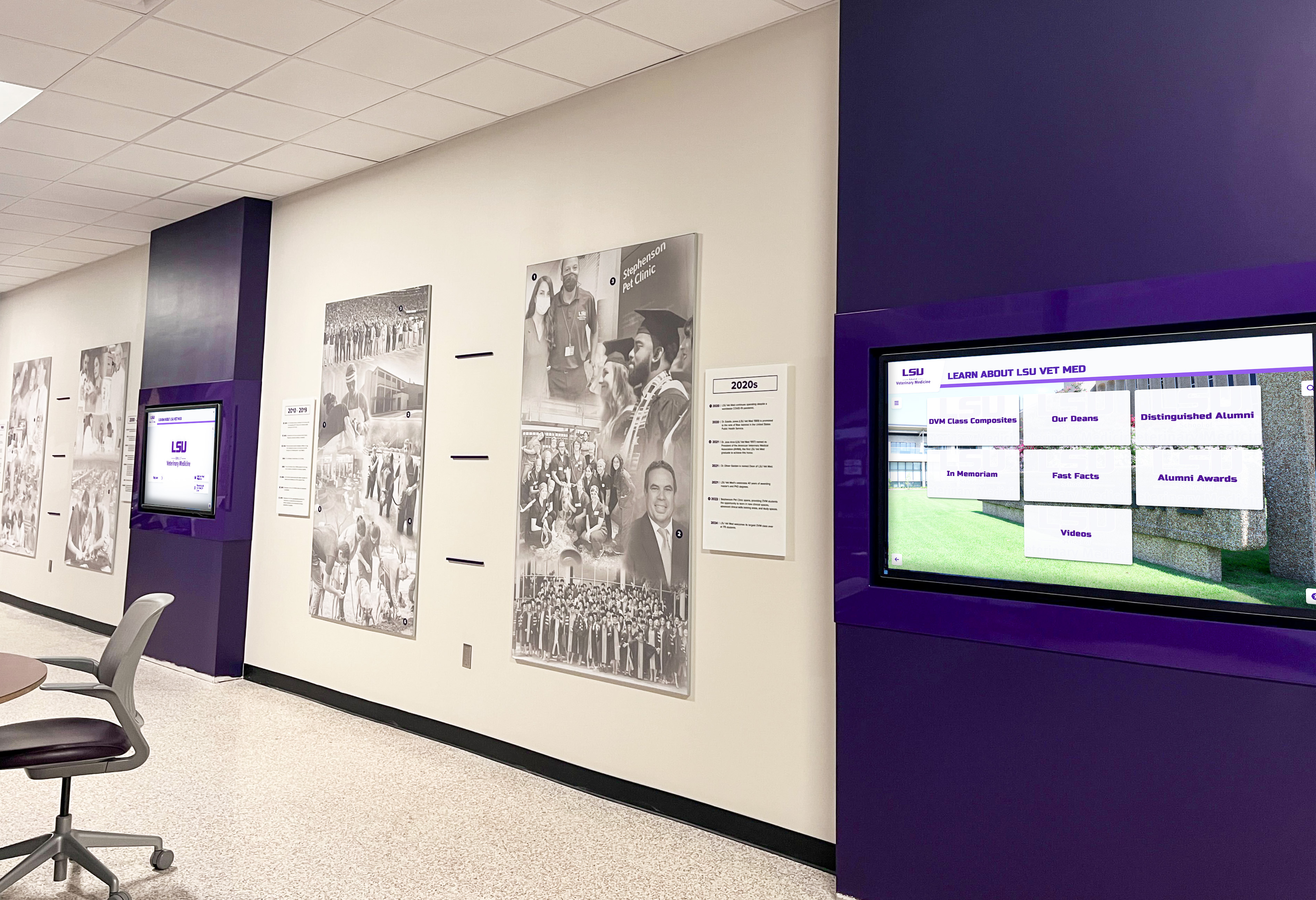
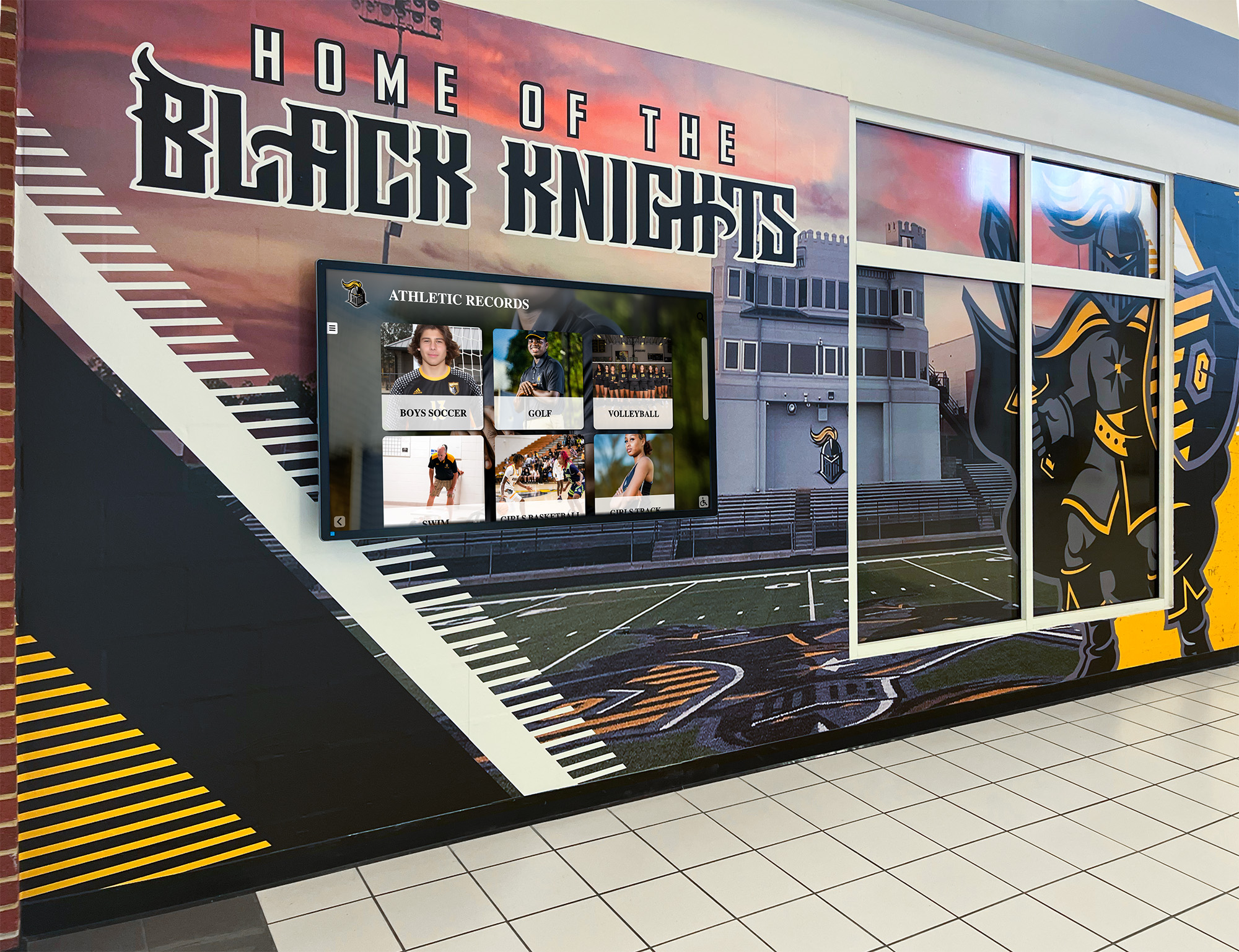
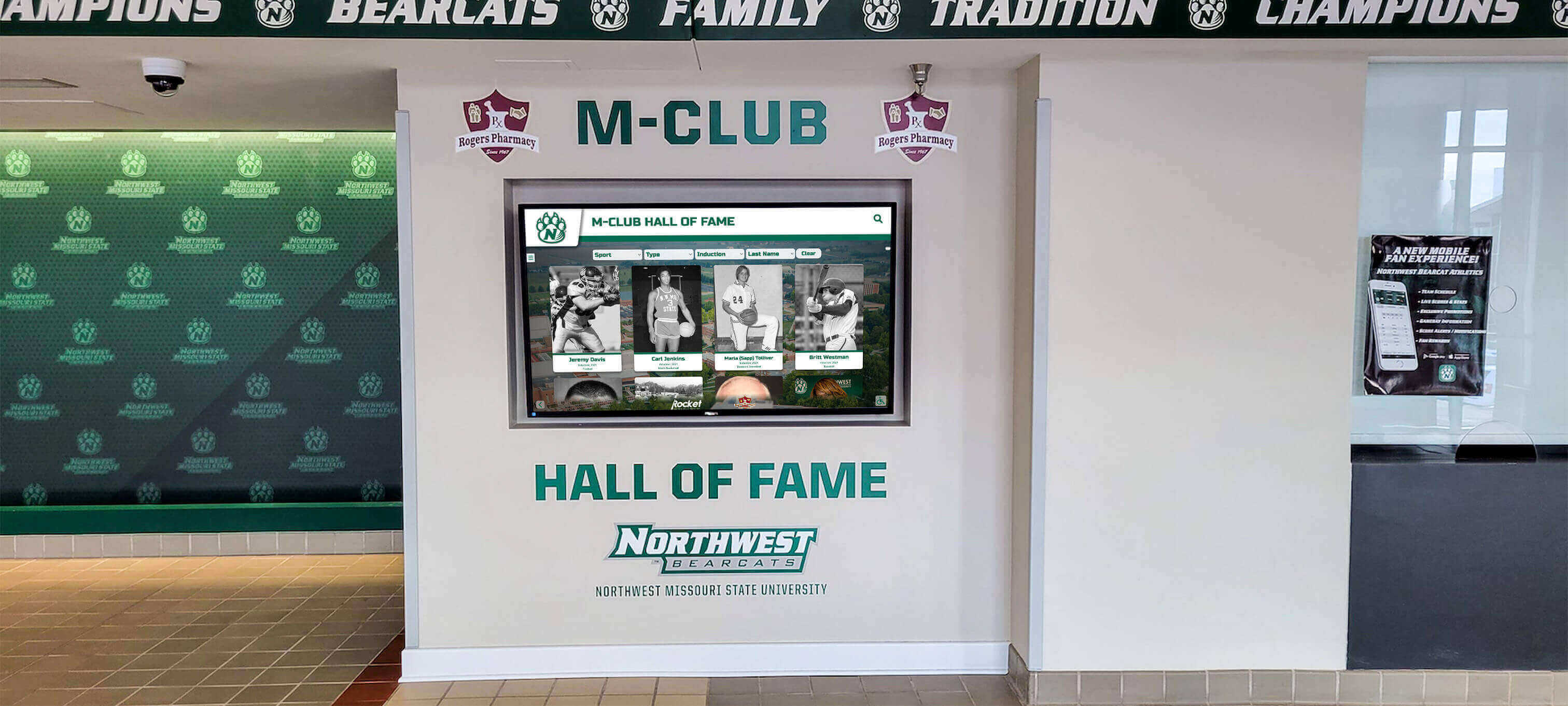
Student and alumni recognition — Athletic records, honor roll lists, hall of fame inductees, and academic awards appear in the spaces where the full school community can see them. Recognition content that once lived behind trophy case glass or on a laminated hallway poster becomes part of the active environment of the building.
Event and activity promotion — Game schedules, concert dates, club sign-up deadlines, and spirit week themes reach students in high-traffic areas far more effectively than flyers on bulletin boards that most students walk past without stopping.
Safety and emergency communications — Emergency alerts override scheduled content and appear on every connected screen simultaneously. Visitor check-in procedures and safety reminders run automatically during appropriate hours without staff intervention.
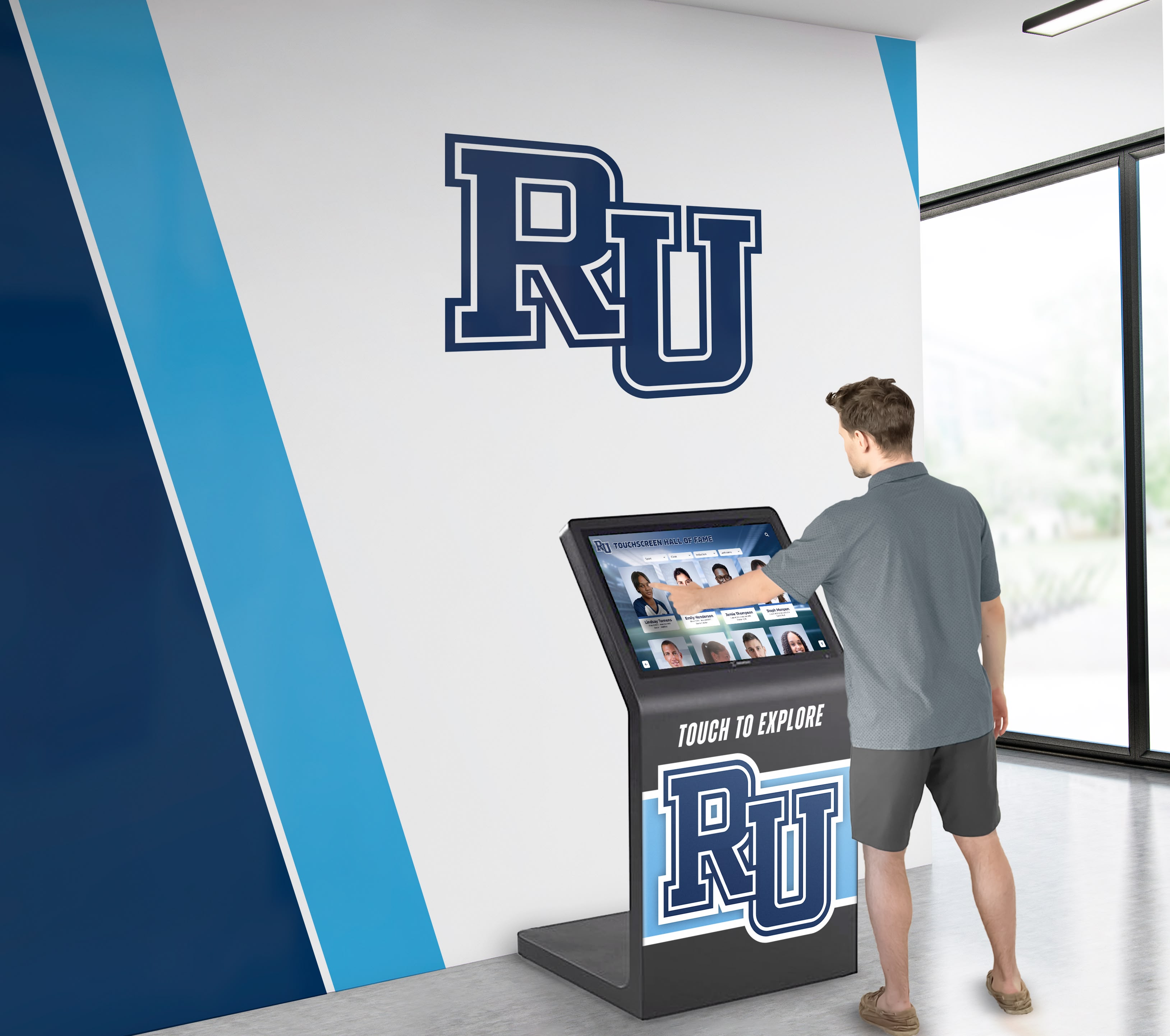
Wayfinding — In larger facilities, digital directories guide visitors to specific offices, classrooms, and event spaces without pulling administrators away from other work. Schools implementing interactive touchscreen building directories report that reception desks field fewer directional questions from first-time visitors.
What Schools Actually Need from a Signage Platform
The features that matter in a K-12 or higher education environment differ from what general-purpose commercial platforms prioritize. When evaluating options, schools consistently need:
Content management without IT dependency — Office staff, athletic directors, coaches, and activity sponsors need to update content without submitting a help desk ticket. Platforms that require technical expertise for routine updates go stale within weeks and fall out of active use.
Scheduling and time-based automation — Lunch menus should display during lunch hours, not at 7 AM. Game-day promotions should stop running after the event. Seasonal calendars should activate on a date and expire on another—without someone manually swapping files throughout the day.
Multi-zone display layouts — Many school environments benefit from screens that show different content areas simultaneously. One zone can display a recognition profile while another runs a scrolling event calendar and a third shows a static schedule. The ability to run split-screen content zones and widgets from a single screen multiplies the reach of each display.
Device management — IT staff need to monitor, restart, update, and secure display devices remotely. Without device management built into the platform, maintaining a fleet of screens across a campus means physically visiting each device every time something needs attention.
Hardware flexibility — Schools may already own displays or may want to source hardware from multiple vendors based on pricing and specifications. A platform that runs on standard commercial and consumer hardware—not proprietary devices—gives purchasing departments real options.
Pricing that does not penalize program growth — Per-screen licensing creates an incentive to underdeploy. Schools leave spaces dark because adding a screen means adding another annual fee. A flat-rate model removes that constraint entirely.
The Per-Screen Pricing Problem for School Budgets
Most commercial digital signage platforms charge by the number of connected devices, typically between $10 and $50 per screen per month. For a school that wants signage in the main lobby, two hallways, the cafeteria, the gymnasium, the weight room, the library entrance, and outside the athletic office, that adds up to seven or eight screens—$840 to $4,800 per year in software licensing alone, before hardware, installation, or any additional feature tiers.
Device management is frequently a separate line item, billed per device on top of the base content license. Multi-zone layouts, interactive touchscreen support, and emergency alert integrations may each sit behind their own pricing tier as well.
School technology budgets are approved annually through district processes. Costs that grow as the deployment grows—or charges that appear only after contracts are signed—create planning problems for administrators who need to know what a program will cost over its full lifespan. Schools responding to this pressure typically constrain their deployments to the minimum number of screens they can justify, limiting the communication reach of the entire signage investment.
Rocket Alumni Solutions: $50 Per Year for Unlimited Screens
Rocket Alumni Solutions offers digital signage for schools at a flat annual fee of $50, with no limit on the number of connected screens. There are no per-device charges and no tier changes when a new display gets added. Whether a school runs one screen or thirty across an entire campus, the licensing cost is the same.
MDM device management is included at that price—not an add-on, not a separately licensed module, not a feature gated behind an enterprise tier. Schools can deploy and manage a fully monitored, remotely controlled signage network from day one, with device governance already built in.
The unlimited screens model with no hidden costs means the cafeteria, the weight room, and the secondary hallway can all run signage because there is no marginal cost associated with adding them. Coverage decisions become communication decisions, not budget negotiations.
What $50 Per Year Includes
| Capability | Included |
|---|---|
| Unlimited connected screens | ✓ |
| MDM device management | ✓ |
| Cloud-based content management | ✓ |
| Content scheduling and automation | ✓ |
| Multi-zone display layouts | ✓ |
| Hall of fame and recognition modules | ✓ |
| Searchable athlete and alumni profiles | ✓ |
| Athletic record boards | ✓ |
| Template library | ✓ |
| Remote device monitoring and restart | ✓ |
| Standard hardware compatibility | ✓ |
| Interactive touchscreen support | ✓ |
MDM Device Management: Why It Matters for School IT
MDM—mobile device management—is the administrative layer that allows IT staff to control, monitor, and update devices across a network without visiting each one in person. In a digital signage deployment, MDM typically covers:
Remote monitoring — View the online or offline status of every display in the network from a central dashboard. Identify which screens are down without sending staff to walk the hallways.
Remote restart and recovery — Push a reboot to a frozen or unresponsive display from any location. For screens mounted high on walls or inside secured athletic facilities, this saves significant staff time over the course of a school year.
Software and policy updates — Push updates across all devices simultaneously. Configuration changes and security patches apply fleet-wide without manual intervention at each screen.
Content lockdown — Configure display devices to run only the signage application, preventing access to the underlying operating system or installation of unauthorized software.
Security policy enforcement — Apply consistent device and network security settings that meet district IT governance requirements across every screen in the network.
For schools in districts with formal technology management policies, MDM is not an optional upgrade—it is a basic compliance requirement. When MDM is part of the signage platform rather than a separately licensed add-on, schools can launch a compliant deployment without sourcing and configuring an additional management system.
Schools that want to go further with interactive kiosks for campus navigation and recognition will find built-in MDM essential for keeping kiosk devices locked and consistent regardless of how visitors interact with them.
Feature Parity with Major Digital Signage Platforms
Rocket Alumni Solutions is not a reduced-scope product with a low price. The platform includes the day-to-day features that matter across a school signage deployment, with parity to the core capabilities offered by leading digital signage brands—plus recognition-specific modules that general-purpose platforms do not offer without custom development.
Content scheduling — Time-based scheduling controls exactly when content appears on each screen. Lunch menus display during meal periods. Game promotions run through game day and stop automatically. Holiday content activates and expires on specified dates without manual intervention.
Multi-zone layouts — Screens can display multiple independent content areas simultaneously. An athletic facility display might run a recognition profile in the primary zone, a scrolling schedule in a lower panel, and a school logo in a corner—each managed and updated independently from the same dashboard.
Template-based content creation — Pre-built design templates let staff produce professional-quality content without design experience. Updating a schedule or swapping a menu board takes minutes, not hours.
Cloud-based management — All content is managed through a browser-based dashboard accessible from any device. A coach can update a game schedule from the field house office; an administrator can review and approve content from home. There is no software installation required on staff computers.
Hardware flexibility — The platform runs on standard commercial and consumer display hardware. Schools reviewing options through a touchscreen display buying guide for schools will find that hardware independence keeps total deployment costs manageable and avoids vendor lock-in.
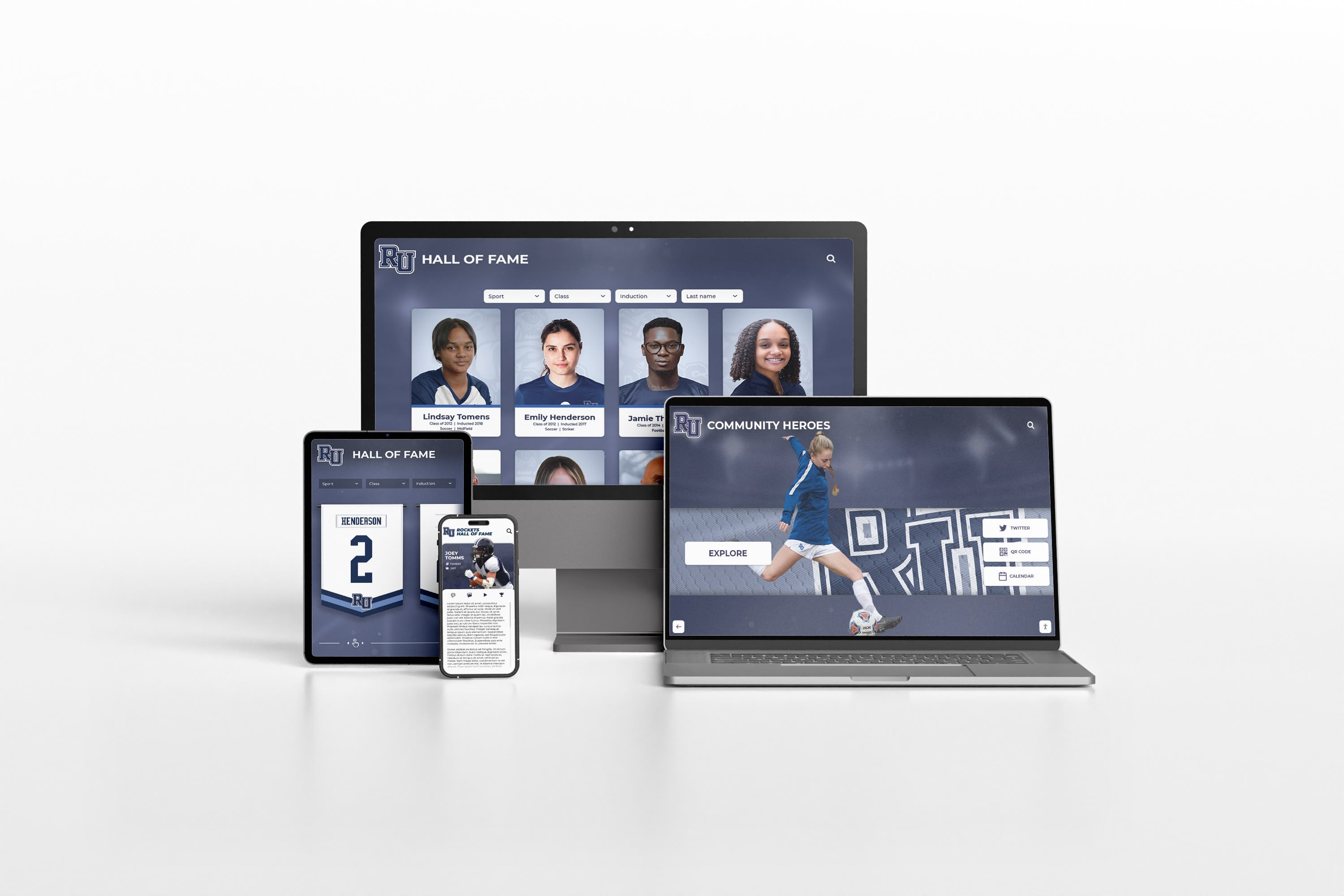
Interactive touchscreen support — For schools investing in touch-capable displays, Rocket supports interactive navigation, database search, and profile browsing. Students, parents, and visitors can search by name, filter by year or sport, and explore recognition content without staff assistance. An overview of the types of screens available for digital signage clarifies which display technologies support touch at different price points.
Recognition-specific architecture — Unlike general-purpose signage platforms adapted for school use, Rocket is built around a recognition database. Hall of fame profiles, athletic records, honor roll archives, and alumni milestones are structured data entries—not image files uploaded to a media folder. This means records update accurately, search returns correct results across large databases, and the content library grows over time without becoming unmanageable.
Analytics — Usage data shows which content receives the most attention on each screen, which displays generate the most interaction, and how engagement patterns vary by time of day and day of week. This gives content managers an objective basis for decisions rather than guesswork.
Use Cases Across School Facilities
Lobbies and Main Entrances
The school entrance sets the tone for every visitor who walks through the door. Well-configured school lobby displays greet prospective families, community members, and officials with the school’s mission, current student achievements, upcoming events, and recognition content that communicates institutional values. An interactive touchscreen in the lobby can also serve as a visitor directory, reducing the volume of directional questions that reach the front desk.
Athletic Facilities
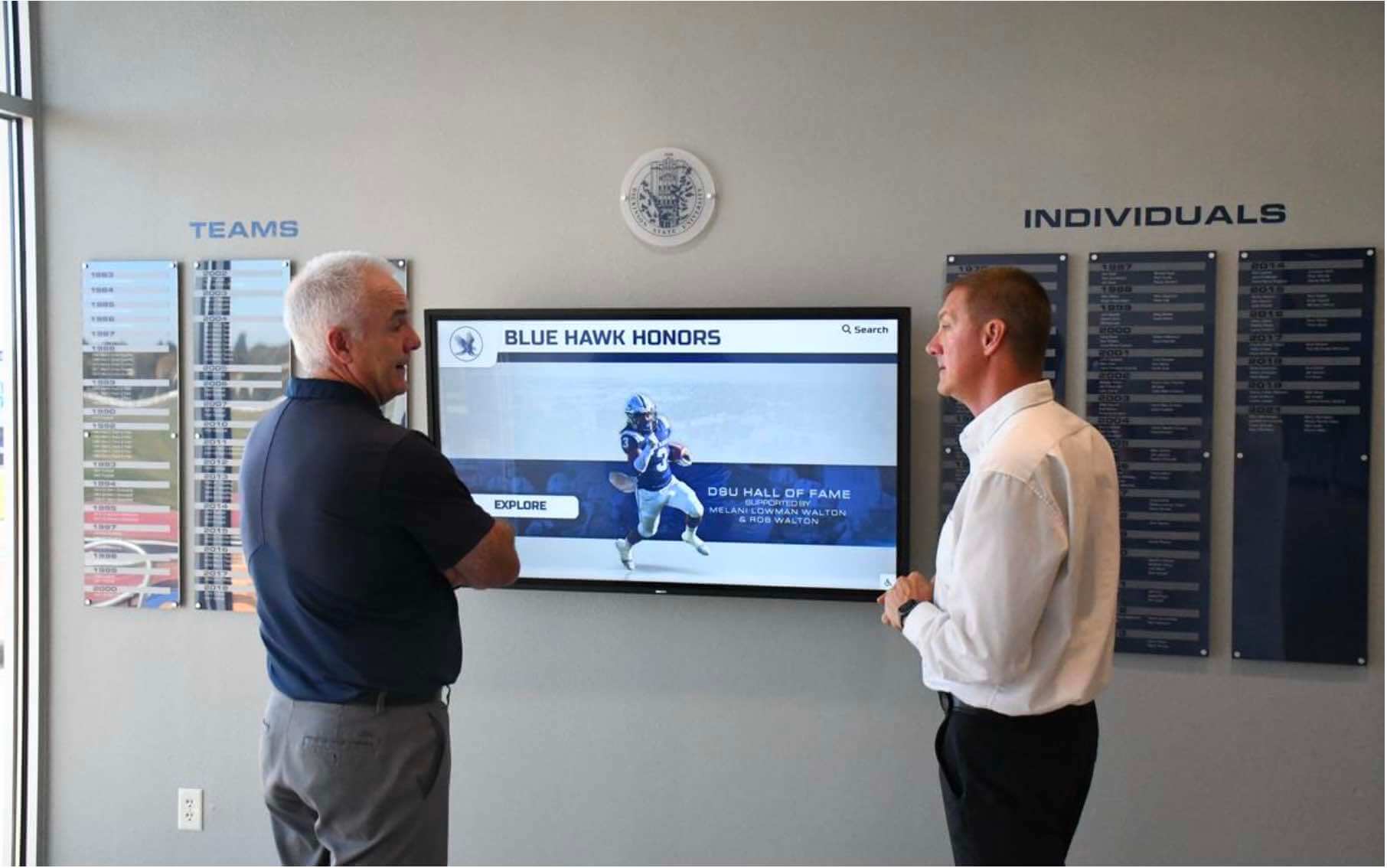
Gyms, field houses, and locker room corridors benefit from signage that connects the current athletic program to the school’s history and tradition. Record boards reflect current records and update when new ones are set. Team rosters and season schedules rotate during practice and game days. Hall of fame displays in the main athletic lobby place current athletes within a multi-decade tradition of achievement in a way that no static plaque arrangement can match.
Cafeterias
Menu boards that update in minutes rather than requiring new printed materials save staff time and reduce the risk of displaying outdated information. Nutritional data, daily specials, and allergen notes can all be scheduled to appear automatically. Cafeteria screens also carry recognition content, event announcements, and school news during meal periods when students actually have time to read them.
Hallways
High-traffic corridors have the broadest daily reach of any location in a school building. Hallway screens deliver announcements, recognition content, event promotions, and schedule information to every student during passing periods throughout the day.
Events and Functions
Touchscreen kiosks at school events and community functions allow guests at induction ceremonies, alumni gatherings, and open houses to explore recognition databases, find schedules, and browse school history independently. The same platform that runs daily hallway signage serves as a guest experience tool during events, without requiring a separate system or duplicated content.
Why Rocket Wins for School Digital Signage
The core problem most schools encounter with digital signage is not a feature problem—most platforms have adequate feature lists on paper. The problem is that pricing and architecture decisions designed for corporate buyers do not transfer well to school environments with fixed annual budgets and broad communication coverage needs.
Flat-rate unlimited pricing means complete campus coverage — When the screen count does not affect the annual fee, schools deploy displays where they actually serve communication needs rather than only where the budget permits. The cafeteria, the weight room, and the secondary hallway all get signage because there is no incremental cost for adding them.
Built-in MDM means IT compliance from day one — School IT departments do not need to source, license, and configure a separate device management system. The same platform that manages content also manages the display fleet, from remote monitoring to security policy enforcement.
Recognition-specific features deliver content that generic platforms cannot — Athletic record boards that update automatically, searchable hall of fame databases, and multi-category recognition displays for athletics, academics, arts, and alumni require purpose-built database architecture. General-purpose signage tools cannot deliver these features without significant custom development.
Single-platform operation reduces staff complexity — Content management, device management, and recognition databases operate from one dashboard. Staff learn one system rather than toggling between a content tool, a device management console, and a separate recognition application.
Schools working through a platform evaluation can review a digital signage software guide covering the technical and operational factors that apply across any signage platform selection, regardless of which option a school is evaluating.
Deal-Breaker Checklist: What to Watch For in Any School Signage Platform
When evaluating digital signage options for a K-12 or higher education environment, the following issues represent genuine problems regardless of which platform is under consideration:
❌ Per-screen pricing — Any model that charges per connected device will constrain deployment coverage and penalize program growth over time.
❌ MDM as a paid add-on — Device management is an operational requirement in most districts, not an optional upgrade. Platforms that charge separately create compliance gaps and add ongoing cost that may not appear in initial pricing discussions.
❌ Proprietary hardware requirements — Platforms that run only on vendor-specific equipment lock schools into that vendor’s pricing for all future hardware purchases, repairs, and replacements.
❌ No offline functionality — Displays need to continue operating during network interruptions. A platform that goes blank when internet connectivity drops is not suitable for environments where screen uptime has real consequences.
❌ Technical expertise required for routine content updates — If updating a game schedule or a lunch menu requires IT department involvement, the platform will not sustain active use among non-technical staff.
❌ No recognition-specific features — General-purpose signage tools cannot replicate searchable hall of fame databases, automatic record boards, or structured multi-category recognition displays. Schools seeking full recognition capability need a platform built for it from the ground up.
Getting Started
Implementing Rocket Alumni Solutions for school digital signage does not require replacing existing infrastructure. The platform runs on standard commercial and consumer hardware, so schools with compatible displays can connect to the system without new equipment purchases. New hardware can be sourced from any display vendor, giving purchasing departments full flexibility on specifications and pricing.
Content management runs through a browser-based dashboard with no software installation required on staff computers. Displays connect to the platform and are operational once devices are enrolled and configured.
MDM setup happens within the same platform used for content management. Device enrollment, policy configuration, and remote monitoring are all available from the same interface administrators use to schedule announcements and manage recognition databases—not a separate console.
Programs that want to launch with recognition content already populated—hall of fame profiles, athletic records, honor roll archives—can work with Rocket’s team on content migration and setup.
At $50 per year for unlimited screens with built-in MDM and a full feature set, Rocket Alumni Solutions gives schools a complete digital signage platform at a price that does not require choosing between coverage and budget. The communication and recognition programs that have historically been constrained by enterprise signage pricing now have a purpose-built option designed for how schools actually operate.
See Rocket in action and explore what digital signage built specifically for schools looks like.
































