




Key Takeaways
Comprehensive comparison guide for digital interactive museum displays covering vendor selection, implementation strategies, cost analysis, and technology evaluation for museums, cultural institutions, and educational facilities.
Understanding Digital Interactive Museum Display Categories
Before comparing specific vendors or technologies, understanding fundamental platform categories clarifies which approaches or combinations best serve your institution’s interpretive goals, audience needs, and resource constraints.
Touchscreen Kiosk Systems
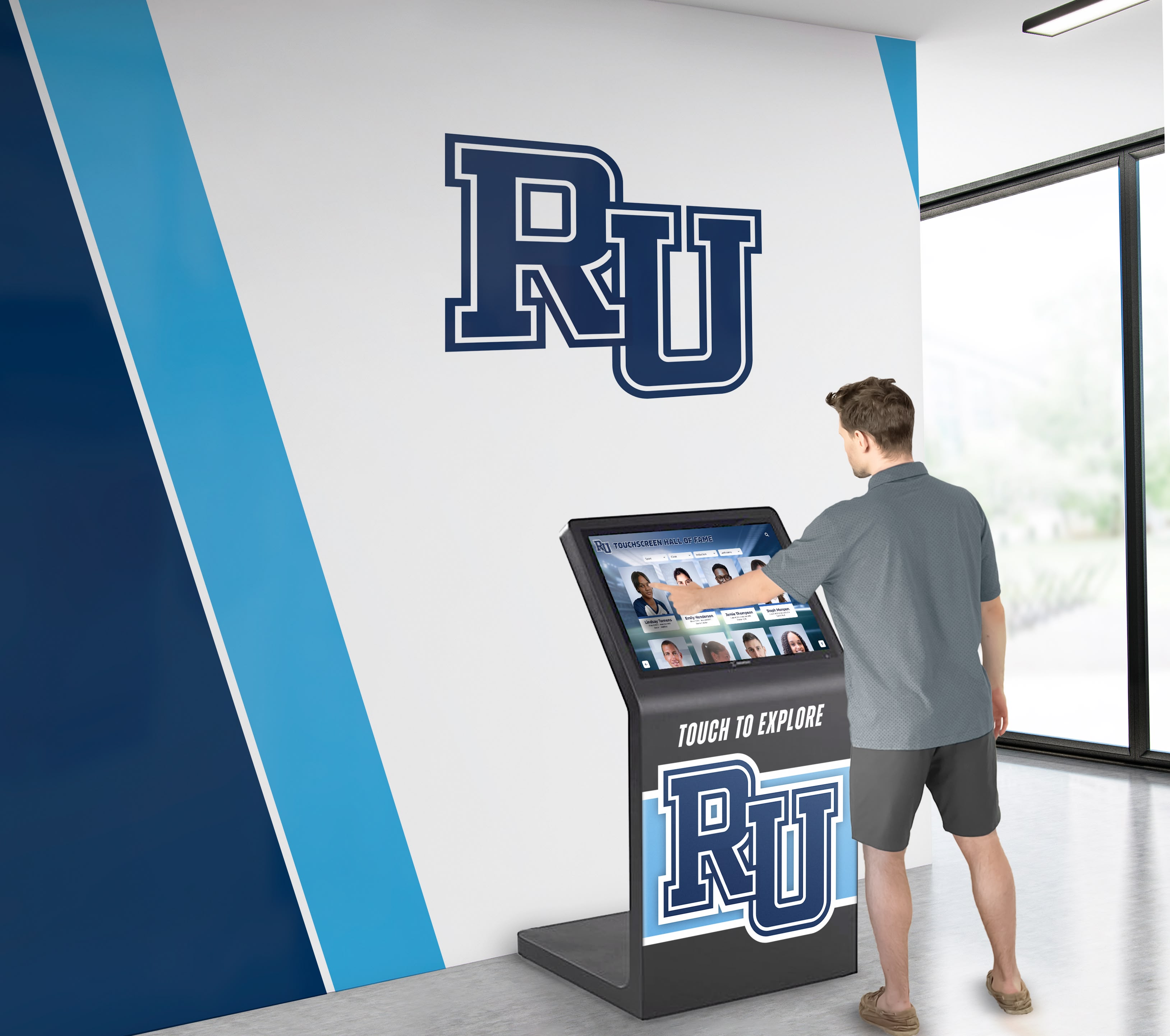
Interactive touchscreen kiosks represent the most common and accessible category of digital museum displays. These self-contained units combine commercial displays with intuitive touch interfaces enabling visitors to explore content through direct screen interaction.
How Touchscreen Kiosks Work:
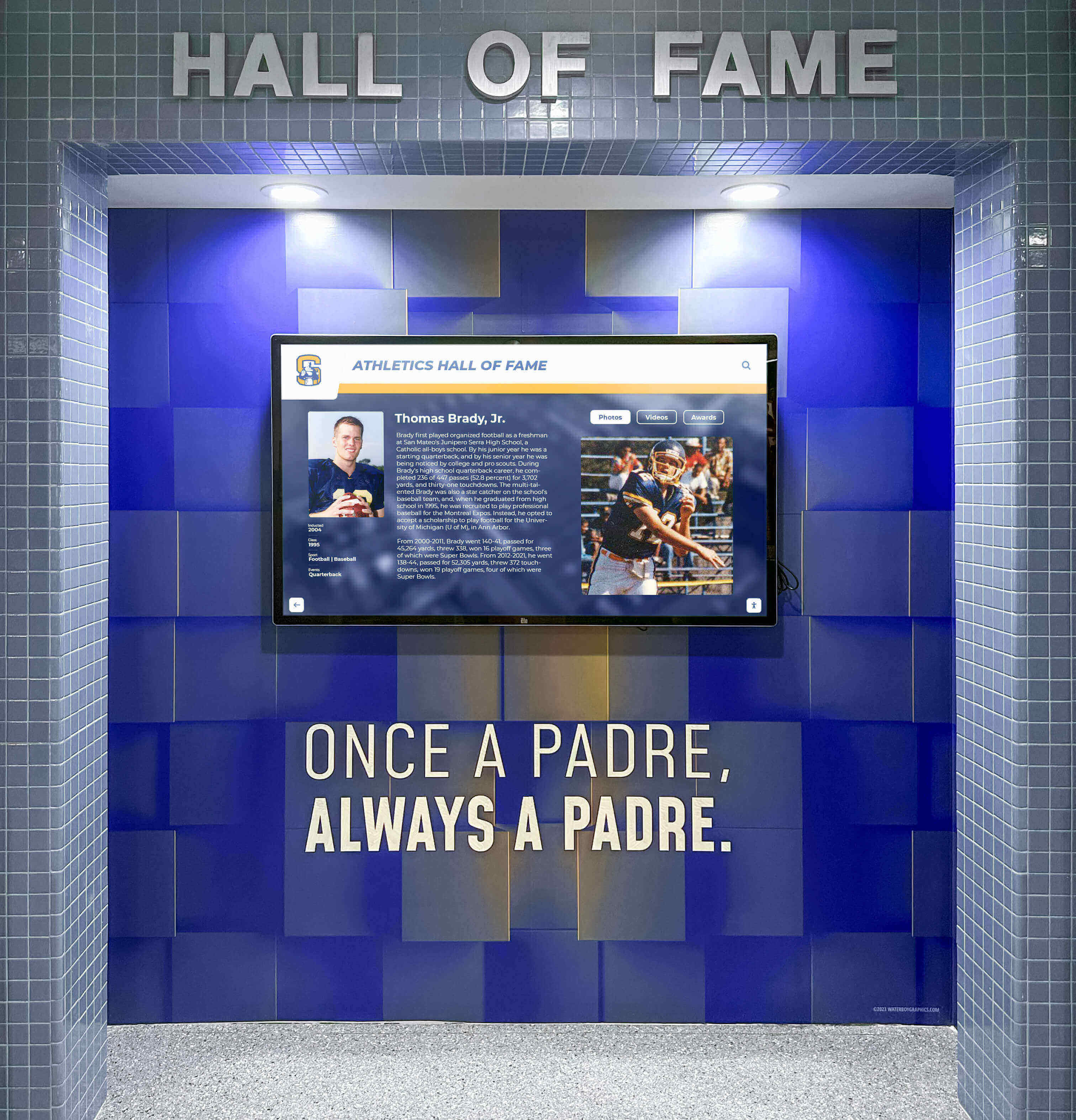
Floor-standing or wall-mounted installations position commercial-grade touchscreen displays throughout exhibit spaces. Visitors interact directly with screens to navigate content, search collections, zoom into artifact details, watch videos, explore timelines, and discover connections between objects. Behind visible interfaces, content management systems enable museum staff to update information, add new artifacts, modify interpretive text, and publish changes without requiring technical expertise or vendor assistance.

Strengths of Touchscreen Approach:
- Intuitive User Experience: Touch interaction feels natural to visitors already familiar with smartphones and tablets
- Self-Service Exploration: Visitors control their own journey without staff intervention or scheduled demonstrations
- Compact Physical Footprint: Single kiosks occupy minimal floor space compared to traditional exhibit infrastructure
- Searchable Content: Find specific artifacts, artists, time periods, or topics instantly through database queries
- Rich Multimedia Integration: Videos, audio narration, high-resolution zoomable images, and 360-degree object views
- Accessibility Features: Text sizing, audio descriptions, multiple languages, and adjustable interface height
Limitations and Considerations:
Touchscreen systems accommodate limited simultaneous users—typically one or two per display. High-traffic museums may require multiple kiosks preventing visitor bottlenecks during peak periods. Touch technology also requires regular screen cleaning maintaining hygienic conditions and preserving display clarity. For institutions evaluating touchscreen museum kiosks in 2026, these capacity and maintenance factors demand careful planning.
Leading Touchscreen Platform Types:
Purpose-built museum collection management systems like PastPerfect, Mimsy XG, or TMS integrate directly with display interfaces, enabling seamless content publishing from collection databases. Generic digital signage platforms like ScreenCloud or Rise Vision can present museum content but lack specialized collection management features. Solutions like Rocket Alumni Solutions provide content management specifically designed for institutional recognition and historical preservation with intuitive interfaces enabling non-technical staff to confidently manage exhibits.
Projection Mapping and Large-Format Immersive Displays
Projection-based interactive systems create large-scale immersive experiences transforming walls, floors, or three-dimensional surfaces into dynamic canvases responding to visitor interaction.
How Projection Interactive Systems Work:
High-output projectors display content onto architectural surfaces while infrared sensors, depth cameras, or computer vision systems detect visitor presence and gestures. Visitors interact by touching projected images, moving through sensor zones, or gesturing toward content triggering responsive animations, information reveals, or scene transitions. Specialized software maps projection geometry to irregular surfaces, synchronizes multiple projectors, and orchestrates interactive behaviors.
Strengths of Projection Approach:
🎭 Immersive Scale
Wall-sized or room-scale experiences impossible with flat panel displays create memorable dramatic impact
👥 Group Engagement
Multiple visitors simultaneously interact with large projection surfaces supporting social exploration
🏛️ Architectural Integration
Project onto existing walls, columns, or artifact surfaces without permanent installations
✨ Visual Spectacle
Animated content and responsive behaviors create theatrical experiences attracting visitor attention
Limitations and Considerations:
Projection systems require controlled lighting environments—excessive ambient light washes out projected images reducing visibility and impact. Projector bulbs require periodic replacement representing ongoing operational costs. Complex multi-projector installations demand specialized technical expertise for setup, calibration, and maintenance. These factors typically make projection approaches substantially more expensive than touchscreen kiosks both initially and over long-term operational lifecycles.
Projection works best for introductory experiences, orientation theaters, or highlight galleries where immersive impact justifies costs. For detailed collection exploration, searchable databases, or information-dense presentations, touchscreen kiosks typically deliver superior value. Museums exploring comprehensive digital exhibit strategies should evaluate which technology types best serve specific interpretive goals rather than assuming single approaches suit all needs.
Augmented Reality and Mobile Integration
AR-enabled displays and mobile integration extend digital interpretation beyond fixed installations, accompanying visitors throughout exhibit spaces through smartphones or tablets.
How AR Museum Systems Work:
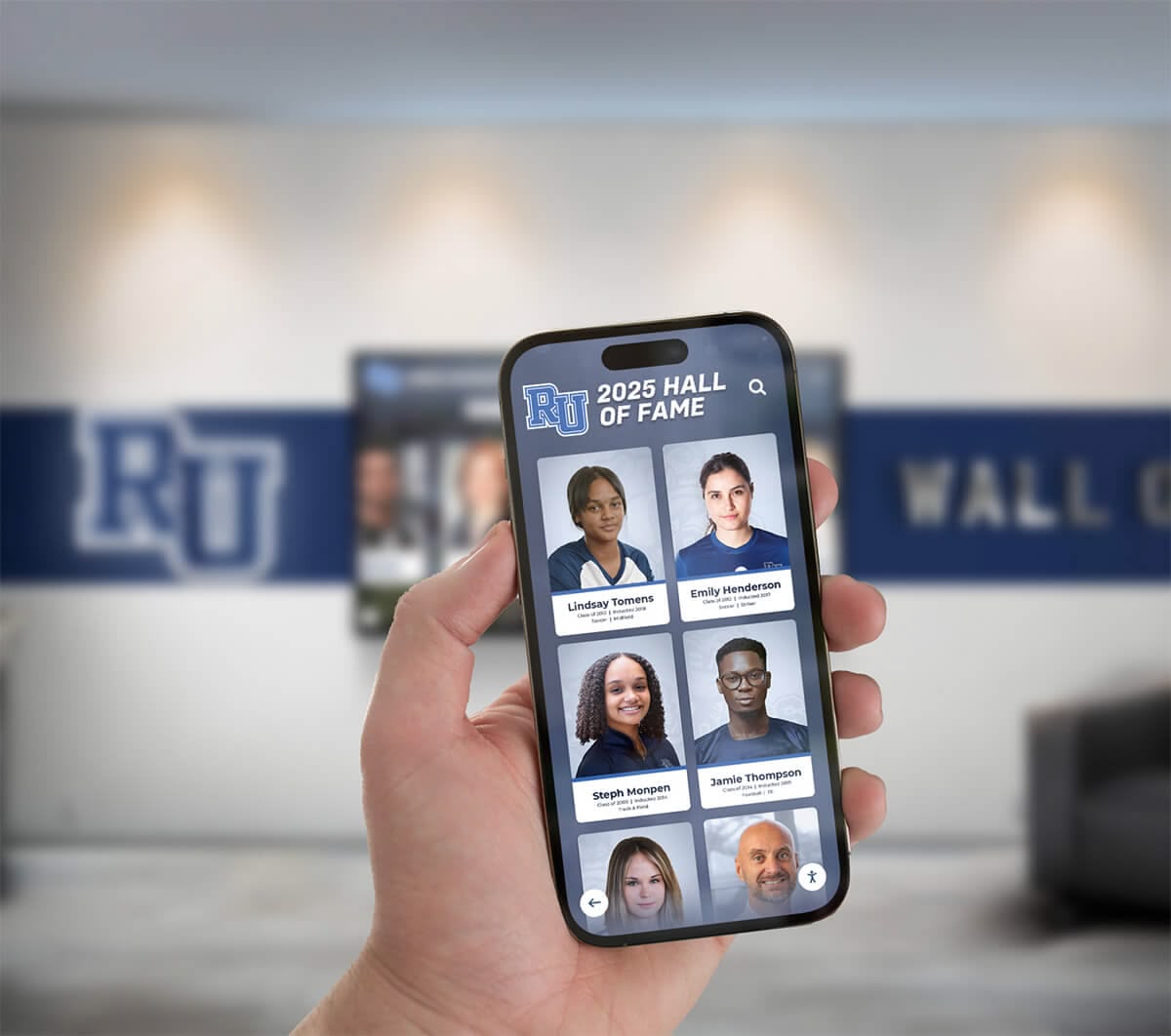
Visitors download mobile applications or scan QR codes placed near artifacts. Mobile devices display camera views overlaid with digital content—3D reconstructions showing artifacts in original contexts, animated demonstrations of object functions, expert video commentary, or gamified treasure hunts guiding exploration. Some institutions provide loaner tablets programmed with custom AR experiences, while others rely on visitor smartphones reducing hardware investment.
Strengths of Mobile AR Approach:
- Visitors move freely throughout galleries without congregating around fixed displays
- Personal devices provide individualized audio preventing sound interference between exhibits
- Applications support multiple languages reaching international audiences effectively
- Museums avoid substantial hardware investments by leveraging visitor smartphones
- Content updates deploy instantly to all devices through app updates
- Gamification and social features encourage extended engagement and return visits
Limitations and Considerations:
Mobile-first approaches assume visitors possess compatible smartphones with adequate battery life and willingness to download applications or engage with QR codes. International visitors may lack cellular data access. Older visitors or those less comfortable with technology may struggle with mobile interfaces. Museums must maintain WiFi infrastructure supporting hundreds of simultaneous device connections. Application development and maintenance require specialized expertise and ongoing investment in platform updates.
Hybrid approaches combining fixed interactive displays for major interpretive content with mobile AR for supplemental details often deliver optimal experiences—welcoming visitors regardless of personal device ownership while offering enhanced experiences to those choosing mobile engagement.
Digital Signage and Passive Video Displays
Non-interactive digital signage presents video content, rotating images, or animated information without visitor input. While lacking interactivity, these systems serve specific communication needs at lower costs than interactive alternatives.
When Digital Signage Makes Sense:
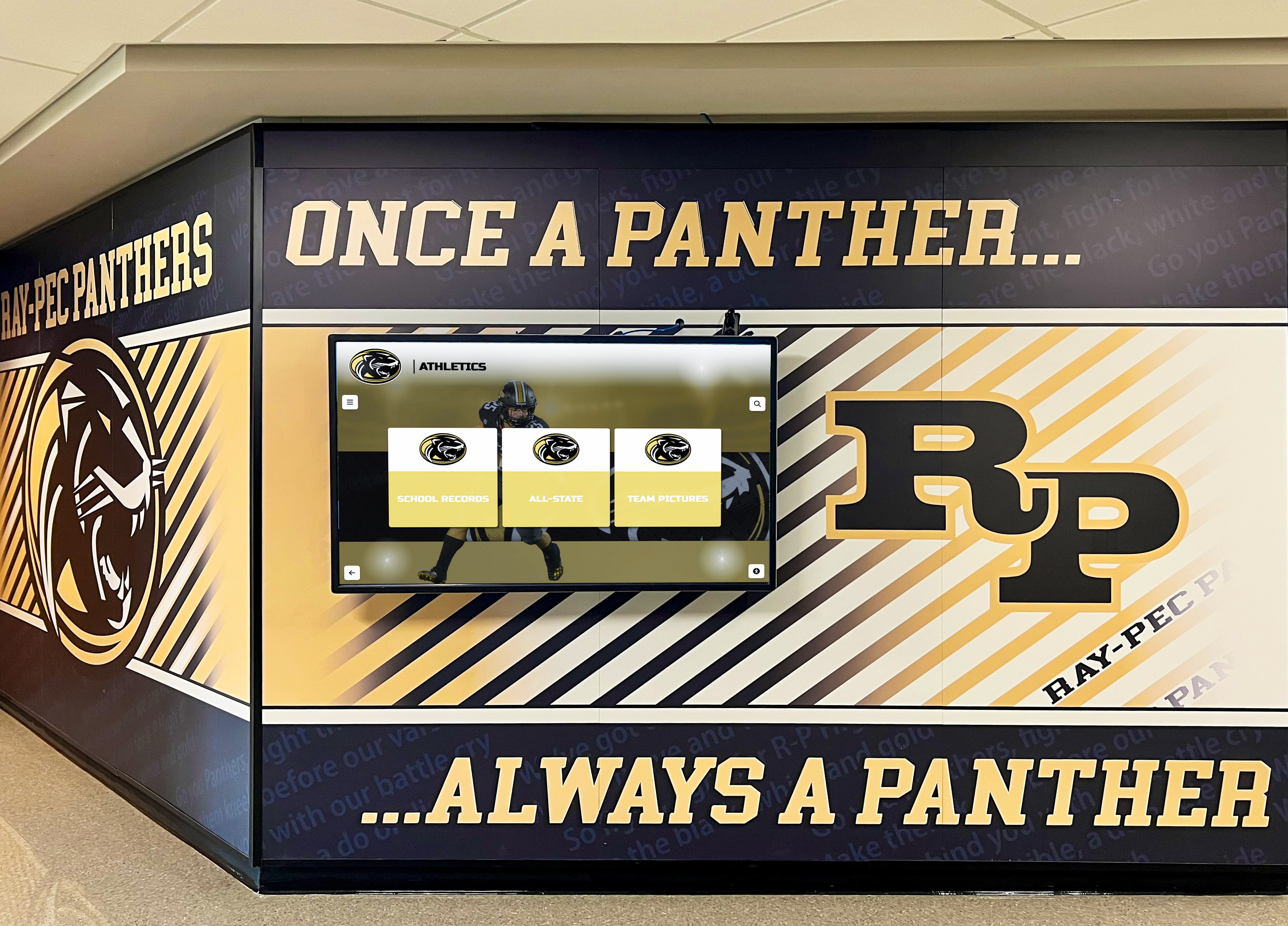
Basic digital signage costs substantially less than interactive systems—often $2,000-$5,000 per display compared to $8,000-$25,000 for interactive kiosks. For simple communication needs not requiring search, exploration, or user input, passive displays provide cost-effective solutions.
Why Interactive Displays Outperform Digital Signage:
For collection interpretation, artifact exploration, and educational content, interactive systems deliver dramatically superior engagement and value:
- Visitors spend 40-60% longer with interactive content versus passive video
- Search capabilities enable personal interest exploration impossible with linear content
- Information depth accommodates varying knowledge levels from novice to expert
- Accessibility features serve diverse audiences better than fixed presentations
- Analytics reveal what visitors actually explore versus assumptions about interests
Museums serious about transformative visitor experiences should prioritize interactive technologies for core interpretive functions while reserving passive digital signage for supplemental communication needs. Institutions exploring museum technology implementation strategies benefit from understanding appropriate applications for each technology type.
Critical Vendor Evaluation Criteria: Comparing Interactive Display Solutions
Systematic evaluation against consistent criteria prevents overlooking essential capabilities while avoiding distraction by impressive but irrelevant features vendors emphasize during sales processes.
Content Management System Quality and Usability
The single most important factor determining long-term success involves how easily museum staff can add artifacts, update interpretive content, correct information, and manage exhibits without ongoing vendor dependencies.
Self-Service Content Management Assessment:
| Capability | Essential Requirement | Warning Signs of Inadequate Systems |
|---|---|---|
| Intuitive Interface | Any trained curator or educator can confidently add content without IT assistance | Systems requiring developers for routine updates or cryptic administrative interfaces |
| Cloud-Based Access | Update content remotely from any device without special software installations | Requires on-site workstation access or proprietary applications |
| WYSIWYG Editing | Preview exactly how content appears before publishing to visitor displays | Code-based editing or surprises about formatting after publication |
| Bulk Import Tools | Upload dozens or hundreds of collection objects efficiently via CSV spreadsheet import | Individual manual entry required for every artifact record |
| Approval Workflows | Review and approve content before public visibility with role-based permissions | No quality control before publication or all-or-nothing access controls |
During vendor evaluations, request hands-on demonstrations where your actual staff—not vendor experts—attempt adding new artifacts, editing descriptions, uploading images, and publishing updates. If your team cannot accomplish these tasks confidently within 30-45 minutes of instruction, daily operations will prove frustrating regardless of other system strengths.
Systems requiring vendor assistance for routine content updates create ongoing costs and delays that undermine value. Months after launch, when vendor honeymoon periods end and support becomes less responsive, museums dependent on external help find themselves trapped with stale content and mounting frustration.
Collection Integration and Metadata Standards:
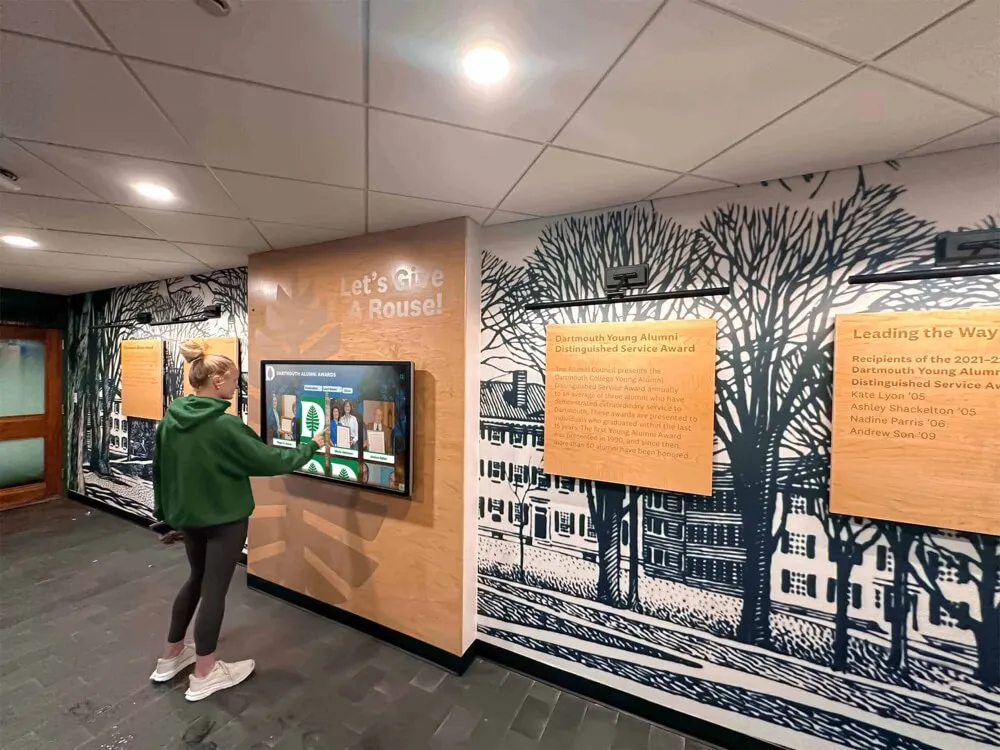
Museums already managing collections in databases like PastPerfect, TMS, or Mimsy should prioritize display systems integrating directly with existing collection management systems. Direct integration eliminates duplicate data entry, ensures consistency between internal databases and public displays, and simplifies workflows by maintaining single authoritative collection records.
Evaluate whether vendors support standard metadata schemas like Dublin Core, LIDO, or CDWA ensuring data portability. Proprietary data structures create vendor lock-in making future platform migrations prohibitively difficult.
User Interface Design and Visitor Experience Quality
Beautiful administrative interfaces mean nothing if visitors find public-facing experiences confusing, slow, or unengaging. User interface quality directly determines whether installations deliver promised engagement or become expensive equipment visitors ignore.
Essential Visitor Experience Features:
Navigation and Discovery Must Include:
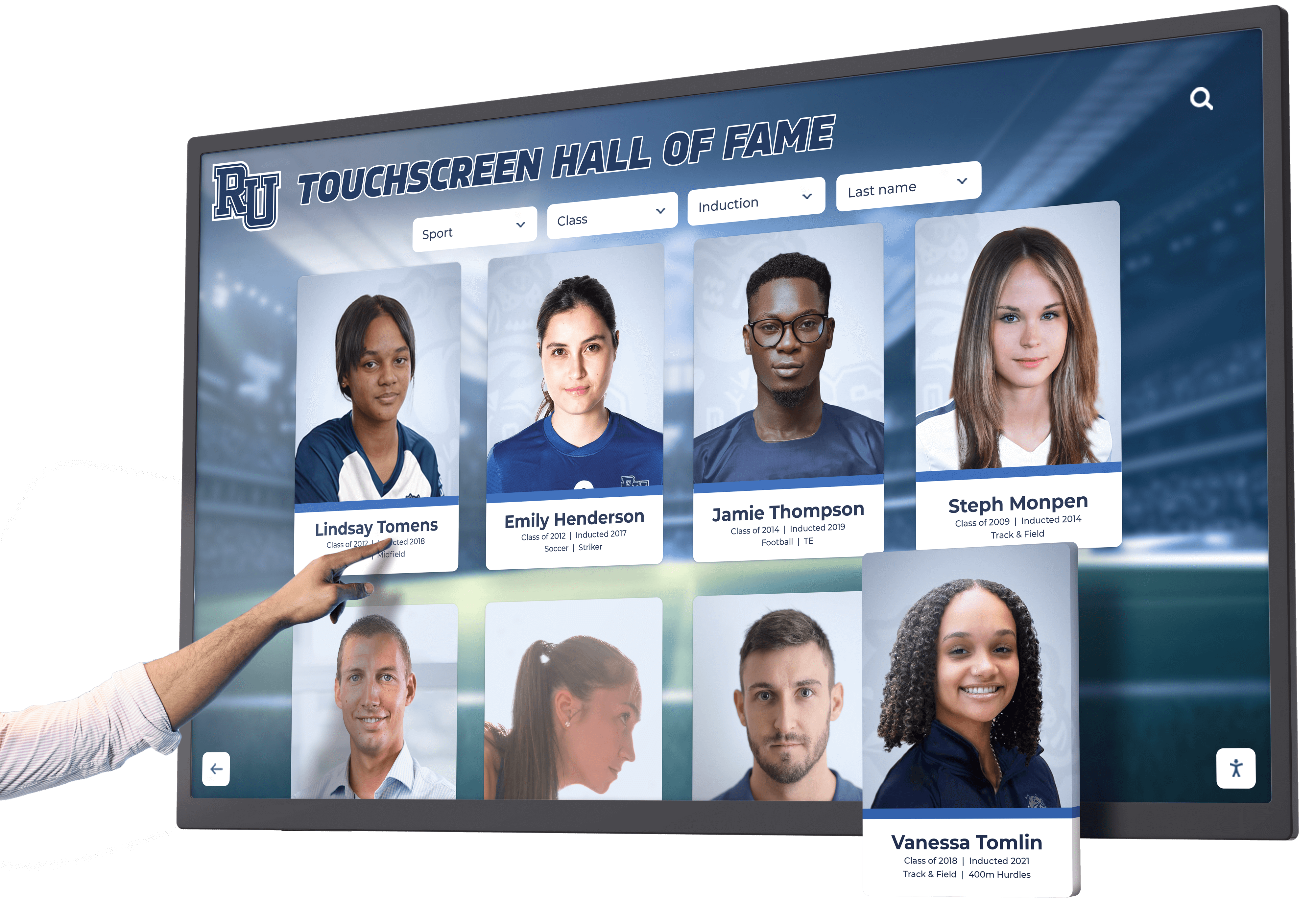
- Intuitive Home Screen: Immediately clear navigation without requiring instructions or staff explanation
- Powerful Search: Find artifacts by name, artist, medium, time period, or keyword instantly
- Faceted Filtering: Narrow results by multiple criteria simultaneously revealing relevant objects
- Breadcrumb Navigation: Always understand current location and easily return to previous screens
- Related Content Suggestions: Discover connections between objects through automated recommendations
- Attract Mode: Engaging screensaver content attracting attention when idle
Usability Testing During Evaluation:
Request opportunities to observe actual visitors—not vendor staff—interacting with demonstration systems. Can first-time users accomplish goals without instruction? Do they discover content naturally? Does navigation feel intuitive or require explanation? Do search results satisfy information needs?
Many vendors demonstrate systems using guided narration walking you through features. This controlled presentation masks usability problems becoming apparent only when real visitors interact independently. Insist on observing unguided interaction revealing how systems actually perform in museum environments.
Responsive Performance and Load Times:
Slow systems frustrate visitors causing abandonment before meaningful engagement occurs. Touch responsiveness should feel immediate—delays between touches and screen responses create perception of broken systems. Content should load quickly with images appearing within 1-2 seconds. Video playback should begin promptly without buffering delays.
Test systems under realistic network conditions, not just vendor offices with optimal connectivity. Museums with limited bandwidth or WiFi congestion may experience performance problems not apparent during demonstrations on high-speed networks.
Multimedia Capabilities and Content Presentation Quality
Rich multimedia content distinguishes compelling digital exhibits from digital text panels merely replacing printed labels. Evaluate whether vendors support diverse content types telling complete object stories.
Critical Multimedia Features:
📸 High-Resolution Images
Support gigapixel imagery enabling dramatic zoom revealing details invisible to naked eye viewing
🎥 Video Integration
Seamless video playback supporting multiple formats with optional closed captioning and audio descriptions
🔊 Audio Narration
Optional audio descriptions or curator commentary providing accessibility and interpretive depth
🌐 3D Object Viewers
Interactive 3D models allowing object rotation and examination from all angles
📜 Document Viewers
Display and zoom archival documents, manuscripts, or maps with page-turning interfaces
🗺️ Interactive Timelines
Chronological navigation placing objects in historical context with related content linking
Presentation Quality Standards:
Professional museums require professional presentation quality. Evaluate typography, color schemes, layout consistency, image handling, and overall aesthetic polish. Poorly designed templates undermine content quality regardless of intellectual depth—visitors judge entire institutions based on digital presentation quality.
Request examples of actual museum implementations rather than just demo content vendors curate. Real installations reveal whether systems maintain quality at scale or degrade into inconsistent amateur presentations when non-designers manage content.
For institutions considering comprehensive digital recognition strategies, presentation quality directly impacts institutional reputation and visitor perception of professionalism.

Accessibility Compliance and Inclusive Design
Museums serving public audiences must accommodate visitors with diverse abilities. Digital displays should enhance accessibility rather than creating new barriers excluding people with disabilities.
ADA Compliance Requirements:
Federal Americans with Disabilities Act regulations require equal access to museum programs and exhibits. Digital interactive displays must meet Web Content Accessibility Guidelines (WCAG) 2.1 Level AA standards including:
- Text Alternatives: All non-text content includes descriptive alt text for screen readers
- Keyboard Navigation: All functions operable without mouse or touch for mobility-impaired visitors
- Adequate Contrast: Text and background colors meet minimum contrast ratios for low-vision visitors
- Resizable Text: Users can increase text size up to 200% without loss of functionality
- Audio Descriptions: Video content includes audio descriptions of visual information
- Caption Support: All audio content includes accurate closed captioning
Beyond legal compliance, inclusive design expands audience reach. Elderly visitors benefit from larger text. International visitors appreciate visual content reducing language barriers. Families with children value multiple engagement modes. Universal design serving diverse needs simply creates better experiences for everyone.
Physical Accessibility Considerations:
Installation height, reach ranges, and approach spaces must accommodate wheelchair users following ADA Architectural Barriers Act requirements. Touchscreen controls should position within 15-48 inch height range. Displays need minimum 30x48 inch clear floor space for wheelchair maneuvering. Protruding equipment cannot reduce circulation paths below minimum width requirements.
During site planning, ensure installations don’t create accessibility barriers. Beautiful designs that prevent wheelchair access fail regardless of technology quality.
Hardware Quality, Reliability, and Service Life
Behind attractive interfaces lie hardware components determining whether systems operate reliably for years or create ongoing frustration through frequent failures and premature replacement needs.
Commercial-Grade Hardware Requirements:
| Specification | Commercial-Grade Standard | Consumer-Grade Limitation |
|---|---|---|
| Display Rating | 16-24 hours daily operation, 50,000+ hour lifespan | 8-10 hours daily, 25,000 hour lifespan |
| Touch Technology | Industrial projected capacitive touch rated for millions of touches | Consumer touch prone to calibration drift and failure |
| Brightness | 400-700 nits maintaining visibility in varied lighting | 250-350 nits washing out in bright ambient light |
| Panel Protection | Tempered glass screens resisting impact and scratches | Standard glass or plastic prone to damage |
| Warranty | 3-5 year commercial warranties with on-site service options | 1 year limited consumer warranties requiring depot service |
Consumer-grade equipment costs less initially but fails faster, requires more frequent replacement, delivers poor experiences in demanding public environments, and proves more expensive over 7-10 year planning horizons typical for museum installations.
Vendors unwilling to specify exact hardware models, panel manufacturers, or component specifications often hide consumer-grade equipment behind professional-sounding descriptions. Reputable vendors transparently disclose hardware sourcing enabling independent verification of commercial specifications.
Thermal Management and Ventilation:
Commercial displays generate substantial heat requiring proper ventilation preventing premature component failure. Enclosed kiosk installations need active cooling or adequate passive airflow. Wall-mounted displays require ventilation clearances behind panels. Installations in hot climates or direct sunlight face additional thermal challenges demanding higher-specification displays.
During site planning, evaluate ambient temperatures, direct sun exposure, and ventilation capabilities. Inadequate thermal management dramatically shortens hardware life regardless of initial component quality.
Total Cost of Ownership Analysis
Sticker prices obscure true costs. Comprehensive evaluation requires calculating complete five-year financial implications including all hardware, software, content development, training, support, and replacement reserves.
Five-Year Cost Framework:
Year 1 Implementation Costs:
- Hardware (displays, computers, kiosks, enclosures)
- Software licensing or initial subscriptions
- Installation services and site preparation
- Network infrastructure upgrades
- Initial content development or migration
- Staff training and change management
- Project management and coordination
Years 2-5 Ongoing Costs:
- Software subscriptions or license renewals
- Technical support and maintenance contracts
- Content management staff time
- Content refresh and updates
- Hardware repairs and parts replacement
- Utility costs (power, network connectivity)
- Replacement reserves for eventual hardware refresh
Sample Five-Year Cost Comparison:
| Cost Category | Purpose-Built Museum Platform | Generic Digital Signage | Custom Development |
|---|---|---|---|
| Year 1 Hardware | $18,000 | $10,000 | $15,000 |
| Year 1 Software & Setup | $4,500 | $2,500 | $25,000 |
| Year 1 Content Development | $6,000 | $12,000 | $8,000 |
| Years 2-5 Annual Subscription | $3,000/year | $2,000/year | $4,000/year |
| Years 2-5 Update Labor | 3 hrs/month | 10 hrs/month | 5 hrs/month |
| 5-Year Total | ~$44,000 | ~$54,000 | ~$70,000 |
This analysis reveals that seemingly expensive purpose-built systems often deliver better five-year value than “affordable” alternatives when accounting for ongoing costs, update labor, and staff time managing difficult platforms. Custom development appears most expensive initially and long-term due to substantial upfront costs and ongoing maintenance requirements.
Museums considering budget-conscious approaches should review strategies for cost-effective digital displays while understanding true total cost of ownership.
Comprehensive Vendor Selection Matrix and Decision Framework
Evaluating vendors systematically across weighted criteria enables objective comparison preventing both undervaluing essential capabilities and overweighting less important features.
Recommended Evaluation Scorecard
Create custom scorecards weighting criteria based on your specific priorities. Below represents balanced weighting for typical museum institutions:
| Evaluation Criteria | Weight | Why It Matters for Museums |
|---|---|---|
| Content Management Ease | 30% | Determines whether exhibits remain current or become outdated shortly after launch |
| User Experience Quality | 20% | Drives visitor engagement determining if people actually interact with displays |
| Accessibility Compliance | 15% | Legal requirement and ethical imperative serving diverse audiences |
| Total Cost of Ownership | 15% | Five-year costs reveal true investment beyond initial pricing |
| Hardware Quality & Reliability | 10% | Commercial equipment lasts longer and performs better than consumer alternatives |
| Collection Integration | 5% | Seamless connections with existing databases streamline workflows |
| Vendor Stability & Support | 5% | Established vendors more likely to support investments long-term |
Score each vendor across these criteria on consistent scales (1-10), multiply by weights, and calculate total scores enabling objective comparison. This systematic approach prevents impressive demonstrations from overshadowing practical considerations like content management ease or total cost.
Deal-Breaker Checklist: Minimum Requirements
Regardless of scoring, certain minimum requirements should disqualify vendors who cannot meet them:
Mandatory Capabilities Every Museum Display Platform Must Provide:
- Self-service content management enabling museum staff to update exhibits without vendor assistance
- Cloud-based remote access managing content from any device
- WCAG 2.1 Level AA accessibility compliance with documented conformance reports
- Unlimited content capacity for collections without additional per-item charges
- Multimedia support including high-resolution images, video, audio, and documents
- Powerful search and filtering enabling visitors to find specific objects or topics
- Complete data export in standard formats ensuring content portability and ownership
- Commercial-grade hardware rated for continuous public operation (if purchasing displays)
- Documented support response times and service level agreements
- Transparent pricing with no hidden per-update, per-user, or storage charges
If vendors fail any of these fundamental requirements, eliminate them regardless of attractive pricing or other features. Compromising on essential capabilities creates long-term problems far exceeding any short-term savings.

Why Purpose-Built Solutions Outperform Generic Alternatives
When museums evaluate specialized recognition and collection display platforms against generic digital signage solutions, purpose-built systems consistently deliver superior value across critical factors:
Specialized Museum Functionality:
Solutions like Rocket Alumni Solutions provide features designed specifically for institutional recognition, historical preservation, and collection management—automatic chronological organization, relationship mapping between artifacts and people, searchable biographical databases, and approval workflows designed for educational environments. Generic digital signage platforms require extensive customization achieving similar capabilities, if possible at all.
Content Management Designed for Museum Staff:
Purpose-built platforms feature intuitive interfaces enabling curators, educators, and administrators—not developers—to confidently manage exhibits. Generic systems often require technical expertise for routine updates or rely on design teams creating every content slide manually. This operational difference determines whether systems remain current or quickly become outdated.
Proven Track Record with Similar Institutions:
Specialized vendors demonstrate extensive experience serving museums, cultural institutions, and educational facilities. References from similar organizations validate capabilities beyond marketing claims. Generic vendors treating museums as minor market segments lack institutional understanding critical for successful implementations.
Integrated Physical and Digital Access:
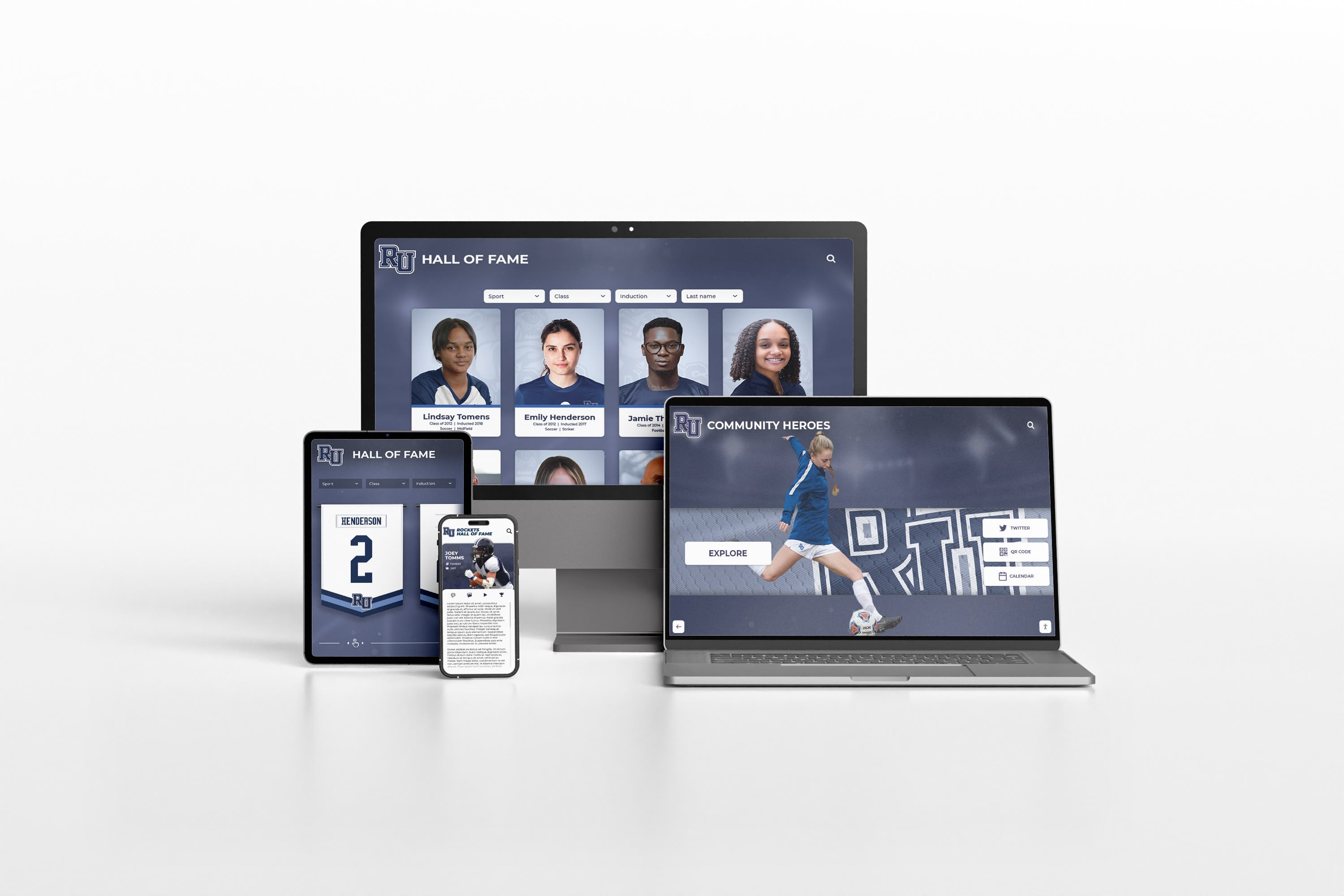
Leading purpose-built solutions combine physical touchscreen installations with responsive web platforms accessible worldwide. Content management occurs once, powering both facility displays and online access. This integrated approach maximizes visitor reach while eliminating duplicate work managing separate physical and web systems that generic alternatives require.
For museums serious about transformative visitor experiences rather than simple digital signage, specialized platforms designed for cultural institutions deliver capabilities that generic alternatives cannot match without expensive custom development. Institutions evaluating comprehensive digital exhibit strategies benefit from understanding these fundamental differences.
Strategic Implementation Planning for Museum Interactive Displays
Selecting appropriate technology represents only the beginning. Thoughtful implementation planning addressing technical, organizational, and content considerations ensures investments deliver promised value.
Pre-Implementation Planning Phase
Form Comprehensive Implementation Team:
Successful deployments require coordinated effort across multiple stakeholders:
- Museum director providing vision, priorities, and final decisions
- Curator or collections manager ensuring accurate artifact information and interpretation
- Educator representing visitor learning needs and engagement strategies
- IT staff addressing technical infrastructure and network requirements
- Development representative connecting exhibits to donor recognition and fundraising
- Facility manager coordinating installation and physical space integration
- Vendor project manager guiding process and timeline
Conduct Thorough Site Assessment:
Before purchasing equipment, verify physical environments support planned installations:
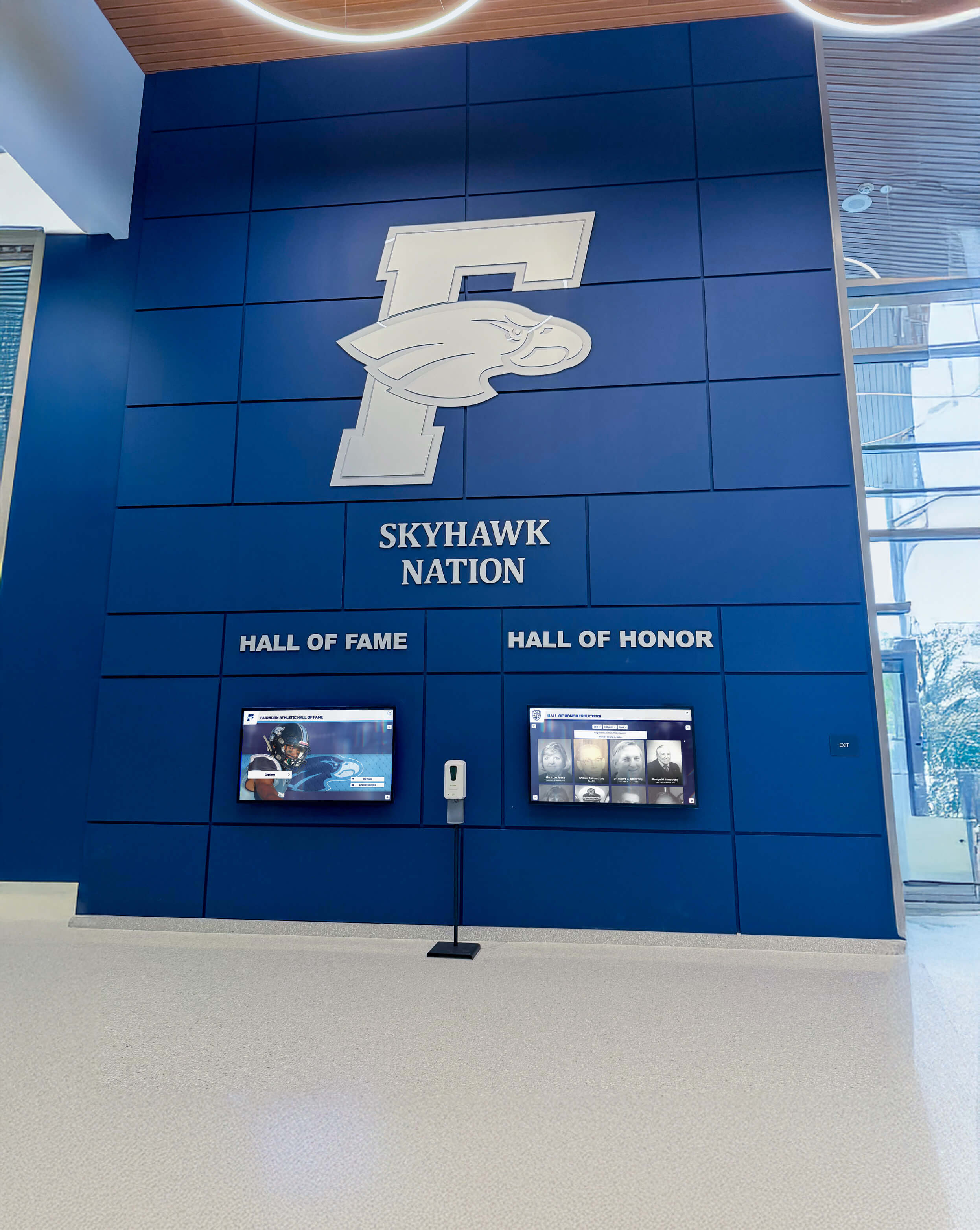
- Confirm adequate floor space for kiosks or wall surfaces for mounting
- Verify power outlet accessibility near planned display locations
- Test network connectivity meeting vendor bandwidth requirements at installation sites
- Assess ambient lighting conditions ensuring display visibility without excessive glare
- Evaluate traffic flow patterns identifying high-visibility locations encouraging engagement
- Consider security protecting equipment from theft or vandalism
- Review ADA compliance ensuring accessible placement and reach ranges
Develop Comprehensive Content Strategy:
Define exactly what collections, artifacts, and interpretive content you’ll include at launch:
- Scope of collections represented (permanent collection highlights? temporary exhibits? archives?)
- Depth of artifact coverage (every object? selected highlights? thematic groupings?)
- Multimedia assets required (photography needs? video production? audio recording?)
- Interpretive text depth and scholarly standards
- Language support (English only? bilingual? multilingual?)
- Accessibility features (audio descriptions? plain language summaries?)
- Launch timeline balancing thoroughness with reasonable schedules
Museums commonly underestimate content development effort. Creating hundreds of artifact profiles with images, research, and interpretation requires substantial staff time or professional services investment. Realistic content planning prevents disappointing launches with minimal content failing to demonstrate system capabilities.
Content Development Workflows and Quality Standards
Establish Consistent Style Guidelines:
Professional presentation requires consistency across hundreds of profiles created by various contributors over many years:
- Image Specifications: Resolution minimums, color profiles, cropping standards, background preferences
- Text Formatting: Length guidelines, tone (formal vs. conversational), citation standards, terminology
- Metadata Standards: Required fields, controlled vocabularies, authority files, taxonomy structure
- Multimedia Standards: Video formats, audio quality requirements, file naming conventions
Purpose-built museum platforms often include template systems enforcing consistency, while generic solutions require manual adherence to style guides creating ongoing quality challenges.
Implement Efficient Production Processes:
Streamline Content Creation:
- Create reusable profile templates with standard sections
- Develop photography workflows ensuring consistent lighting and backgrounds
- Establish research and writing processes for biographical and historical content
- Use bulk import tools for metadata migration from existing databases
- Engage interns, volunteers, or graduate students in content development
- Leverage scholar or community expert contributions when appropriate
Balance Comprehensiveness with Realistic Timelines:
Perfect becomes the enemy of good when comprehensive content goals prevent timely launches. Consider phased approaches:
- Launch with representative collection highlights adding breadth over time
- Prioritize most-visited galleries initially, expanding to other areas systematically
- Focus on multimedia-rich exemplar profiles demonstrating capabilities, adding depth progressively
- Release minimum viable content enabling meaningful launch, improving comprehensiveness continuously
Systems remain valuable only when deployed and accessible to visitors. Better to launch with strong foundation and expand systematically than delay indefinitely pursuing impossible perfection.
For institutions exploring phased implementation strategies, balanced planning enables successful launches while maintaining realistic resource commitments.
Visitor Engagement Strategies and Promotional Campaigns
Launch Event Creating Visibility:
Celebrate new interactive exhibits with events generating awareness and encouraging trial:
- Member preview events providing exclusive early access
- Public unveiling with media coverage through local outlets
- Guided demonstrations showing visitors how to explore content
- Featured artifact spotlights highlighting compelling stories
- Social media campaigns driving traffic to both physical and online access
- Coordination with other museum events or exhibition openings
Ongoing Promotion Maintaining Awareness:
Initial excitement fades without sustained promotion:
- Regular social media posts featuring highlighted artifacts or collection themes
- Email newsletters showcasing recent additions to digital collections
- Signage throughout museum directing visitors to interactive displays
- Docent and volunteer training enabling confident visitor assistance
- Educational programming integrating digital exhibits into curricula
- Community partnerships promoting collections to new audiences
Leverage Analytics for Continuous Improvement:
Review engagement data revealing what resonates with visitors:
- Which artifacts receive most views indicating compelling content
- What search terms visitors enter revealing information needs
- How long typical sessions last showing engagement depth
- When displays receive heaviest use informing promotional timing
- Where visitors abandon journeys indicating navigation problems
This data guides content priorities, helping focus limited resources on exhibit development delivering greatest visitor value. Museums exploring analytics for exhibit optimization can improve engagement systematically rather than guessing what matters to audiences.
Common Implementation Pitfalls and How to Avoid Them
Learning from others’ mistakes prevents costly missteps during vendor selection and deployment.
Underestimating Content Development Requirements
The most common implementation failure involves launching impressive technology with minimal content. Beautiful displays showcasing only a handful of artifacts fail to justify investment or demonstrate interactive systems’ potential value. Museums realize too late that creating robust collection profiles requires far more effort than anticipated.
Prevention Strategy: Budget realistically for either substantial internal staff time or professional content development services. Consider phased launches starting with strong foundation of key collection highlights while systematically expanding coverage. Better to launch with excellent focused content than inadequate attempt at comprehensive coverage.
Prioritizing Price Over Capability and Total Cost
Budget-conscious institutions often select cheapest vendors, discovering limited capabilities, poor reliability, or expensive ongoing costs make “affordable” solutions expensive disappointments over multi-year horizons. The lowest-priced vendor rarely delivers best long-term value.
Prevention Strategy: Calculate comprehensive five-year total cost of ownership including hardware, software, content development, training, support, staff time, and eventual replacement. Evaluate vendors against weighted capability criteria preventing price from overshadowing critical factors like content management ease or accessibility compliance.
Insufficient Stakeholder Involvement in Selection
When museum directors select vendors without curator input, educator perspective, or IT assessment, implementations often miss requirements becoming apparent only after expensive commitments. Systems meeting director preferences may fail to serve curators managing daily operations or visitors interacting with exhibits.
Prevention Strategy: Form evaluation committees including diverse stakeholders. Conduct focus groups with visitors testing vendor demonstrations and providing feedback. Ensure selected platforms serve all constituencies, not just procurement decision-makers.
Accepting Marketing Claims Without Verification
Vendors may oversell capabilities that don’t materialize in real deployments. Marketing materials promise features that don’t actually exist, work differently than implied, or require expensive add-ons beyond base pricing.
Prevention Strategy: Request demonstrations of actual production systems rather than controlled demo environments. Speak with multiple current customers asking about honest experiences. Visit installations observing systems operating in environments similar to yours. Verify claims through independent research rather than accepting sales presentations at face value.
Ignoring Long-Term Vendor Viability
Impressive startups offering innovative solutions may not survive to support investments over 7-10 year horizons typical for museum installations. When vendors exit markets, get acquired, or go out of business, museums lose support access and face expensive migrations to alternative platforms.
Prevention Strategy: Evaluate vendor financial stability, market position, and likelihood of long-term viability. Request information about company history, customer base, and growth trajectory. Favor established vendors with proven track records over startups with unproven business models regardless of impressive demonstrations.
Decision Framework: Choosing the Right Approach for Your Institution
No single solution serves all museums optimally. Your interpretive philosophy, budget constraints, facility characteristics, and audience priorities create unique requirements demanding customized evaluation.
Decision Tree Guiding Technology Selection
If your primary goals emphasize in-depth collection exploration and research access:
Choose touchscreen database systems with powerful search, detailed object records, and scholarly information depth. These systems excel at serving serious museum visitors, researchers, and educational programs requiring comprehensive collection information. Budget $15,000-$30,000 per installation for robust professional systems.
If you want to create dramatic immersive experiences attracting attention:
Select projection mapping or large-format video installations creating theatrical impact impossible with flat displays. These approaches work best for introductory orientation experiences, temporary exhibitions, or signature installations justifying substantial investment. Budget $50,000-$200,000+ for professional immersive experiences.
If budget constraints prevent significant hardware investment:
Start with mobile-first strategies leveraging visitor smartphones through QR codes, web applications, or downloadable apps. Develop comprehensive online collection access while planning future physical display additions as budgets allow. Annual software and content development costs typically range $10,000-$25,000.
If you want comprehensive solutions serving diverse visitor needs:
Select integrated platforms combining physical touchscreen displays with responsive web access and mobile compatibility. Purpose-built museum solutions like Rocket Alumni Solutions provide unified content management powering multiple access modes from single systems, eliminating duplicate work while maximizing audience reach.
Budget Justification: Demonstrating Return on Investment
Museum directors securing board approval must demonstrate tangible value justifying digital exhibit investments. Use these ROI arguments with leadership:
Enhanced Visitor Engagement:
Interactive exhibits increase dwell time 40-60% compared to text panels according to museum industry research. Longer engagement correlates with higher satisfaction, increased membership conversion, and positive word-of-mouth recommendations attracting future visitors.
Expanded Collection Access:
Physical storage and space limitations mean museums typically display only 5-10% of collections. Digital systems provide public access to entire collections including stored objects, enabling comprehensive engagement with institutional holdings rather than tiny fractions visible in galleries.
Educational Impact and School Programming:
Interactive exhibits support curriculum-aligned content, self-paced exploration matching diverse learning styles, and accessible information serving students with varied abilities. Schools value museum partnerships providing rich educational resources—digital systems enhance these relationships through customizable content supporting specific curriculum needs.
Operational Efficiency and Cost Savings:
While requiring initial investment, digital systems reduce long-term costs compared to traditional exhibit fabrication. Label changes, exhibit updates, and interpretive modifications occur instantly at zero marginal cost versus expensive fabrication and installation required for physical exhibit modifications.
Institutional Reputation and Innovation:
Technology investments signal institutional relevance, commitment to accessibility, and visitor-centered priorities. Modern museum facilities compete for visitors, funding, and community support—interactive exhibits demonstrate institutional vitality and forward-thinking stewardship.
Data-Informed Decision Making:
Analytics reveal visitor interests, popular content, engagement patterns, and demographic insights impossible to gather from traditional exhibits. These data inform collection development, acquisition priorities, programming decisions, and strategic planning through actual visitor behavior rather than assumptions.
Future Trends in Museum Interactive Display Technology
Digital exhibit technology continues evolving, with emerging trends suggesting capabilities museums should consider during platform selection and long-term planning.
Artificial Intelligence and Personalization:
AI-powered systems will enable personalized content recommendations matching visitor interests, chatbot interfaces answering questions conversationally, automated translation supporting dozens of languages instantly, and computer vision identifying visitor attention patterns optimizing exhibit design. While current AI capabilities remain limited, trajectory suggests substantial enhancements within typical platform lifecycles.
Extended Reality (XR) Integration:
Mixed reality combining physical spaces with digital overlays will blur boundaries between real and virtual exhibits. Visitors might view artifacts through AR glasses revealing contextual information, temporal reconstructions showing objects in original settings, or animated demonstrations of function and use. WebXR standards enable browser-based experiences requiring no app downloads.
Voice and Gesture Interfaces:
Beyond touch, natural interfaces using voice commands or gesture controls will reduce hygiene concerns while accommodating visitors preferring touchless interaction. Conversational interfaces enable intuitive information requests like “show me more objects from this artist” or “what else is from this time period?”
Blockchain and Digital Provenance:
Distributed ledger technology may transform how museums document and share provenance information, authenticity verification, and ownership history. Interactive displays could provide transparent chains of custody, fractional ownership documentation, or NFT connections between physical objects and digital representations.
Increased Accessibility Through Universal Design:
Future systems will incorporate accessibility features from conception rather than retrofitting compliance afterward. Multimodal interaction supporting touch, voice, gesture, and keyboard navigation; automatic contrast adjustment; real-time caption generation; and cognitive accessibility features reducing complexity will serve broader audiences more effectively.
Organizations selecting platforms today should evaluate vendor commitment to innovation, development roadmaps, technical architecture supporting future enhancement, and track records of actual platform evolution. Forward-looking platform selection protects investments by choosing partners positioned for ongoing advancement.
Conclusion: Transforming Museum Experiences Through Interactive Technology
Digital interactive displays represent far more than simple technology upgrades replacing text panels with screens. They fundamentally transform how museums present collections, interpret artifacts, engage diverse audiences, and fulfill educational missions through dynamic, accessible, comprehensive systems that traditional approaches cannot match.
Museums approaching interactive exhibits strategically—defining clear goals, assembling capable teams, conducting thorough requirements analysis, selecting appropriate technology partners, developing quality content, and maintaining systems proactively—realize transformative value extending far beyond initial investments.
Successful interactive exhibits create destination experiences that engage visitors, support educational programming, provide research access, accommodate diverse abilities, and build institutional pride across entire communities. They tell complete stories rather than just displaying objects, accommodate comprehensive collections rather than forcing impossible selection, and extend access globally rather than limiting engagement to physical visits.
Modern solutions like Rocket Alumni Solutions demonstrate how purpose-built platforms deliver capabilities specifically designed for institutional recognition, collection management, and historical preservation rather than generic digital signage repurposed for museum purposes. When evaluating providers, prioritize specialists focused on cultural institutions over companies treating museums as minor market segments.
The future belongs to museums embracing digital transformation while honoring tradition—leveraging technology to present collections more comprehensively, more engagingly, and more inclusively than ever before possible. Interactive displays represent not abandonment of museum tradition but rather its enhancement and expansion, ensuring every artifact receives appropriate interpretation while creating experiences that resonate with modern audiences expecting interactive, multimedia-rich engagement.
Ready to explore how interactive display technology can transform your museum’s visitor experience and collection accessibility? Book a demo to discuss comprehensive solutions serving your institution’s unique interpretive goals and audience needs.
































