




Key Takeaways
Run a digital hall of fame shadow dom accessibility audit to verify that inductee search labels, ARIA references, and focus navigation work correctly across web component boundaries—where standard aria-labelledby ID references cannot cross shadow roots.
aria-labelledby attribute that references an ID in the main document cannot reach inside a shadow root, and an id defined inside a shadow root is invisible to elements outside it. A digital hall of fame shadow DOM accessibility audit checks that every label, accessible name, and focus navigation path crossing a web component boundary is established through mechanisms that actually work — such as the ElementInternals API or internal aria-label attributes — rather than ID references that the browser silently cannot resolve. This guide gives school IT staff, athletics directors, and accessibility coordinators a step-by-step process for running that audit, even without access to the component's source code.
Why Shadow DOM Changes the Accessibility Label Problem
Standard ARIA label associations work through ID references. A visible label element in the document carries an id attribute, and a form control carries an aria-labelledby attribute that references that ID. The browser resolves the reference by finding the element with that ID in the same document scope and using its text content as the control’s accessible name.
Shadow DOM breaks this mechanism at the component boundary. When a web component attaches a shadow root, it creates a new ID scope — a separate namespace for element identifiers that is isolated from the containing document. An id of "inductee-search-label" defined in the main document is not visible to an aria-labelledby="inductee-search-label" attribute on an input element inside the shadow root. Conversely, an id of "search-hint" defined inside the shadow root cannot be referenced by an aria-describedby on a description element in the main document that sits outside the component.
The accessibility tree that screen readers use is composed across shadow boundaries — browsers flatten the shadow tree into the accessibility view that assistive technology receives — so the content inside a shadow root is not hidden from screen readers. The encapsulation boundary affects only ID-based references: aria-labelledby IDREFs, aria-describedby IDREFs, and the HTML <label for="..."> association for form inputs. Focus order also composes across the boundary: keyboard navigation moves into and out of shadow DOM components following the composed event model, with delegatesFocus optionally changing which internal element receives focus first.
The practical consequence for a hall of fame platform: if the inductee search field is implemented as a custom element using shadow DOM, and the visible “Search inductees by name, sport, or graduation year” label sits in the main document, that label provides no programmatic name for the input inside the shadow root. A screen reader user navigating to the search field hears “edit” or “search” with no context for what the field accepts. The WCAG failure is SC 4.1.2 (Name, Role, Value, Level AA): the input lacks a programmatically determinable name.
Understanding whether a platform uses web components with shadow DOM at all is therefore the first step in a digital hall of fame shadow DOM accessibility audit.
Decision Table: Which Label Mechanisms Cross Shadow Boundaries
Use this table when auditing a hall of fame inductee search or filter component to determine whether a given label mechanism will work across the component boundary.
| Label Mechanism | Crosses Shadow Boundary? | Notes |
|---|---|---|
aria-labelledby referencing an ID in the outer document | No | ID is invisible inside the shadow root; browser cannot resolve the reference |
aria-labelledby referencing an ID inside the same shadow root | Yes | Both elements are in the same shadow tree; ID resolves correctly |
aria-label on the shadow-internal element | Yes | Self-contained; no external ID reference needed |
aria-label on the shadow host element | Partial | Accessible name on the host; effectiveness depends on which element AT focuses |
<label for="..."> linking to an input inside the same shadow root | Yes | for/id works within the same shadow tree |
<label for="..."> in the outer document linking to an input in a shadow root | No | for uses ID references and cannot cross shadow boundaries |
ElementInternals.ariaLabel set on the host element | Yes | Sets accessible semantics on the host element itself, visible to AT |
aria-describedby referencing an ID in the outer document (from inside shadow root) | No | Same boundary limitation as aria-labelledby |
aria-describedby referencing an ID inside the same shadow root | Yes | Resolves correctly within the same shadow tree |
title attribute on the shadow-internal element | Yes | Self-contained attribute; no external reference |
Composed focus via delegatesFocus: true | Yes — focus only | Delegates focus into shadow root; does not affect label resolution |
This table reflects current browser behavior as documented in the MDN Web Components — Using shadow DOM reference. A proposal for cross-root ARIA reflection is under active development in the W3C Web Components Community Group, but it is not yet widely deployed in production browsers. Audit decisions should be made against current shipping behavior, not anticipated future capability.
How to Run a Digital Hall of Fame Shadow DOM Accessibility Audit
Step 1 — Determine Whether the Platform Uses Shadow DOM Components
Open the hall of fame interface in Chrome or Edge. Open DevTools (F12) and navigate to the Elements panel. Expand the DOM tree around the inductee search field, filter panel, and results list. Shadow root boundaries appear as #shadow-root (open) or #shadow-root (closed) nodes inside the host element.
If no #shadow-root nodes appear, the platform does not use shadow DOM components for these elements. Standard ARIA label checks apply and the shadow-boundary-specific steps in this guide are not necessary — proceed with a standard accessible name audit.
If one or more #shadow-root nodes appear, note for each:
- Which element is the shadow host (the custom element tag, such as
<inductee-search>or<hof-search-bar>) - Whether the shadow root is
openorclosed - What interactive elements — inputs, buttons, comboboxes — are inside the shadow root
A closed shadow root means DevTools cannot display the shadow tree contents and automated accessibility queries against the shadow DOM may not work. Record this as a finding: closed shadow roots impede third-party accessibility auditing, including audits by the school’s IT staff or external accessibility reviewers.
Step 2 — Identify All Label Associations on Shadow-Hosted Inputs
For each shadow root discovered in Step 1, determine how the internal form controls are labeled. If the shadow root is open, run the following query in the DevTools Console:
document.querySelectorAll('*').forEach(el => {
  if (el.shadowRoot) {
    const inputs = el.shadowRoot.querySelectorAll(
      'input, [role="searchbox"], [role="combobox"], textarea, select'
    );
    inputs.forEach(input => {
      console.log({
        host: el.tagName,
        inputType: input.type || input.getAttribute('role'),
        ariaLabel: input.getAttribute('aria-label') || '(absent)',
        ariaLabelledBy: input.getAttribute('aria-labelledby') || '(absent)',
        id: input.id || '(none)',
        placeholder: input.placeholder || '(absent)'
      });
    });
  }
});
This reports every form input inside an open shadow root. For each result:
- If
ariaLabelis present and non-empty, the input has a self-contained accessible name. This is correct for shadow DOM context. - If
ariaLabelledByis present, check whether the referenced ID exists inside the same shadow root (correct) or in the outer document (broken — the reference will not resolve). - If both
ariaLabelandariaLabelledByare absent andplaceholderis the only text, the input lacks an accessible name — a SC 4.1.2 failure. Placeholder text is not a substitute for an accessible name.
Step 3 — Check the Host Element’s Computed Accessible Name
An alternative to labeling the internal input directly is to expose an accessible name on the shadow host element itself via the ElementInternals API, or via an aria-label or aria-labelledby on the host element from the outer document (where ID references work, since the host element is in the outer document).
In the DevTools Accessibility panel, select the shadow host element and inspect its computed accessible name. If the host element exposes a usable name and delegatesFocus is active — so focus delegates to the shadow root’s first focusable element — the screen reader may announce the host element’s accessible name when focus enters the component. However, this behavior is not consistent across all assistive technology combinations, and relying on it alone is less robust than labeling the internal input directly.
As described in the MDN ElementInternals documentation, a custom element that calls this.attachInternals() receives an ElementInternals object. Setting internals.ariaLabel = "Search inductees by name, sport, or year" exposes that string as the accessible name of the host element — available to AT even if the shadow root is closed. This approach requires the platform vendor to implement it in the component’s JavaScript, but it provides the most reliable accessible name across AT and browser combinations.
Step 4 — Test aria-labelledby References for Cross-Boundary Resolution
When Step 2 reveals an aria-labelledby attribute on a shadow-internal input, verify whether the referenced ID resolves correctly. In the Console, run:
document.querySelectorAll('*').forEach(el => {
  if (el.shadowRoot) {
    const inputs = el.shadowRoot.querySelectorAll('[aria-labelledby]');
    inputs.forEach(input => {
      const ids = input.getAttribute('aria-labelledby').split(' ');
      ids.forEach(id => {
        const inShadow = el.shadowRoot.getElementById(id);
        const inDocument = document.getElementById(id);
        console.log({
          host: el.tagName,
          referencedId: id,
          foundInShadow: !!inShadow,
          foundInDocument: !!inDocument,
          verdict: inShadow
            ? 'CORRECT — same shadow root'
            : inDocument
            ? 'BROKEN — ID in outer document, crosses boundary'
            : 'BROKEN — ID not found anywhere'
        });
      });
    });
  }
});
Any result where verdict is 'BROKEN — ID in outer document' is a SC 4.1.2 failure. The aria-labelledby attribute exists and appears syntactically correct, but the browser cannot resolve the reference across the shadow boundary. The input’s computed accessible name is empty. The AT announces the input with no name.
Step 5 — Test Composed Focus Navigation
Shadow DOM does not prevent keyboard focus from entering and leaving components. Verify that focus moves correctly into the inductee search component and back out:
- Place focus before the search component using Tab.
- Press Tab once more — focus should move into the component’s first interactive element (the search input, in most cases).
- Continue pressing Tab — focus should eventually leave the component and move to the next interactive element in the main document.
If focus enters the component but cannot leave — cycling within the shadow root indefinitely — the component is not managing focus exit correctly. This is a separate failure from label association but should be documented alongside it: a screen reader user trapped inside the component cannot navigate to the inductee results that the search returns.
If the component uses delegatesFocus: true, focus on the shadow host element automatically transfers to the first focusable element inside the shadow root. Verify this works by clicking directly on the host element (not its internal input) and observing where focus lands.

Step 6 — Test with a Screen Reader on Each Component
Install NVDA (Windows, free) or activate VoiceOver (macOS, built-in). Navigate to the inductee search component using Tab.
When the search field receives focus, the screen reader should announce a name that communicates the field’s purpose — something equivalent to “Search inductees by name, sport, or graduation year, search.” If the screen reader announces only “edit” or “search” with no descriptive name, the accessible name is absent or empty.
After entering a search term and receiving results, navigate to the results list. On platforms that use a shadow DOM results component, verify that the result count and the result items are announced — this confirms the composed accessibility tree includes the shadow DOM content.
If the search field and results use different custom element components, test each independently: the search input component’s labeling and the results component’s region or list role and accessible name.
Common Failure Patterns in Hall of Fame Shadow DOM Implementations
Pattern 1: aria-labelledby referencing an outer-document ID. The platform places a visible label in the main document — “Search athletes, sports, and years” as an <h3> or <label> element — and sets aria-labelledby on the input inside the shadow root to reference that element’s id. The visible layout looks correct. The label appears visually above the search field. But the browser cannot resolve the cross-boundary ID reference, and the computed accessible name is empty. The screen reader announces an unlabeled input. This is the most common pattern because it mirrors how label association works in ordinary HTML, where developers do not expect the shadow boundary to invalidate a standard ARIA reference.
Pattern 2: Closed shadow root preventing accessibility auditing. The platform’s search component uses attachShadow({ mode: 'closed' }). DevTools cannot display the shadow root contents. The school’s IT staff cannot run console queries against the shadow DOM. AT behavior is unpredictable because some browsers do expose closed shadow root content to the accessibility tree and some do not. A closed shadow root on a component that contains interactive elements is a governance concern: the school cannot verify accessibility compliance without access to the platform vendor’s source code.
Pattern 3: Placeholder used as the only accessible name. The shadow-internal input carries no aria-label and no aria-labelledby. The only text associated with the field is placeholder="Search inductees...". Placeholder text is not an accessible name — it disappears when the user starts typing, and many screen readers announce it inconsistently or not at all. After a user has entered text in the field, the placeholder is gone; a screen reader user who tabs back to the field after submitting a search hears no label at all.
Pattern 4: Label correctly placed inside the shadow root but on a <span>, not a <label>. A developer placed the label text inside the shadow root to avoid the cross-boundary problem, but used <span>Search inductees</span> followed by an <input> rather than a <label for="..."> linking to the input’s internal id. Since for/id label association works within the same shadow root, a properly linked <label> is valid. But a <span> has no native association mechanism — the span’s text is not connected to the input’s accessible name. The aria-labelledby on the input must reference the span’s id explicitly to create the association.
Pattern 5: aria-describedby hint text placed in the outer document. The platform adds a hint below the search field — “Enter at least two characters to begin searching” — as a paragraph in the main document. The input inside the shadow root carries aria-describedby referencing that paragraph’s id. The described-by reference fails for the same cross-boundary reason as aria-labelledby: IDs in the outer document are not visible to elements inside the shadow root. The hint text is never announced by the screen reader when the user is focused on the input. Moving the hint inside the shadow root, or using aria-description (a self-contained attribute that does not require an ID reference), resolves this pattern.
Shadow DOM, Focus Navigation, and the Inductee Search Experience
Composed focus navigation — keyboard Tab movement that enters and exits shadow DOM components — is a fundamental part of the search experience for keyboard and AT users. A hall of fame inductee search that works correctly in composed focus mode allows a user to:
- Tab into the search input (inside the shadow root)
- Type a query
- Read results announced by a live region or navigate to a results list
- Tab out of the search component to the results list
- Navigate individual inductee cards in the results
Each transition between shadow DOM and the outer document is a potential focus-management failure point. The most common issue occurs at step 4: after submitting a search, focus remains inside the search component (on the input) but the results have appeared in a different component or a main-document section. The screen reader user must Tab through the search component’s controls to reach the results, without knowing that the results appeared at all unless a live region announces the result count.
When a live region announces the result count — “12 inductees found” — verify that the live region element is accessible to the AT. If the live region is inside the search component’s shadow root, it is in the composed accessibility tree and should announce correctly. If the live region is inside a different component’s shadow root, verify it independently.
Recognition programs that also maintain physical display infrastructure — such as LED trophy cases — coordinate digital and physical systems on a shared schedule. The same attention to system-level verification that goes into a pre-installation LED lighting check for trophy case upgrades applies to confirming that a web component deployment does not introduce regression failures in the platform’s accessibility layer.
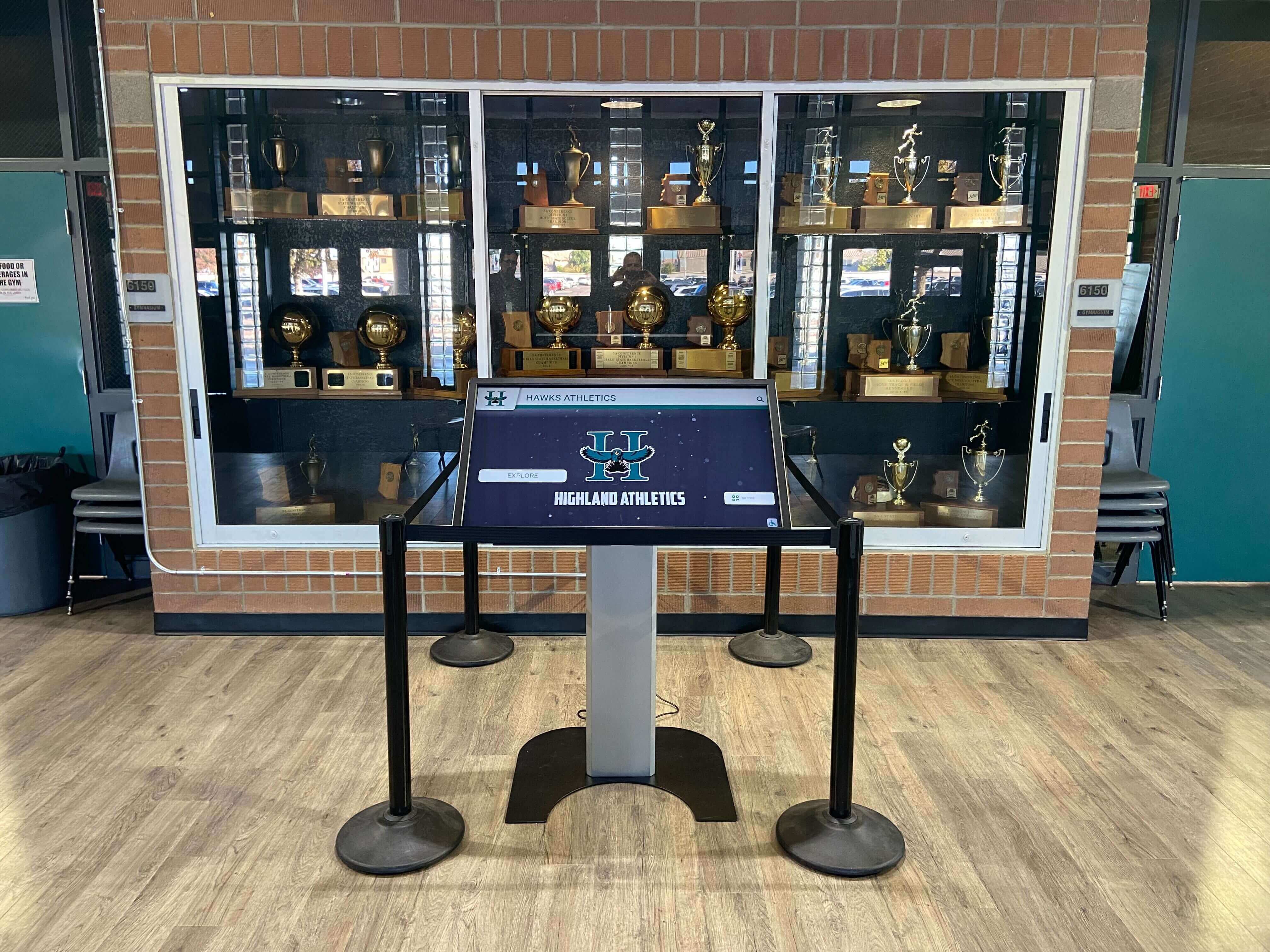
A kiosk deployment of a hall of fame platform may render the same web components as the browser version but in a different shell — a kiosk wrapper application, a fullscreen browser, or a custom WebView. Each shell has different behavior with respect to assistive technology: a kiosk shell running in a non-standard browser mode may not fully support the composed accessibility tree, meaning that shadow DOM content correctly announced in a standard browser may not be announced on the kiosk.
Audit the kiosk deployment independently. If the kiosk shell exposes accessibility APIs — which a kiosk using a switch device or eye-tracking controller must do — run the same DevTools queries (if accessible in the kiosk environment) and the same screen reader tests. If the kiosk shell is a restricted browser without DevTools access, request the component source code from the vendor and verify label associations in the markup directly.
Practical School Recognition Examples
The following examples are hypothetical illustrations of how shadow DOM label failures could arise in school recognition contexts.
Athletics hall of fame inductee search field. A school’s hall of fame platform builds its search interface as a <hof-search> custom element. The main document contains a visible <label> with the text “Find an inductee by name, sport, or year” and id="search-label". The <hof-search> shadow root contains an <input type="search"> with aria-labelledby="search-label". Because search-label is in the outer document and the input is inside the shadow root, the browser cannot resolve the reference. A student using NVDA to navigate the hall of fame during a recognition banquet hears “edit” when focus reaches the search field. Adding aria-label="Find an inductee by name, sport, or year" directly to the shadow-internal input, or using ElementInternals.ariaLabel on the host element, resolves the failure.
Championship display filter panel with sport checkboxes. A school’s recognition display uses a <sport-filter> web component to render sport filter checkboxes. Each checkbox inside the shadow root carries aria-describedby referencing an outer-document paragraph that explains the filter behavior. The descriptions are never announced. Moving the description paragraphs inside the shadow root and referencing their IDs — now in the same shadow tree as the checkboxes — restores the associations.

Inductee portrait grid with closed shadow root. A school evaluating a new hall of fame platform discovers that the platform’s inductee portrait grid is built as a custom element with a closed shadow root. When IT staff attempt to audit the accessible names of the portrait cards, DevTools shows #shadow-root (closed) and the console queries return no accessible name information. The school’s IT coordinator asks the vendor for documentation of the component’s ARIA implementation and requests an accessibility conformance report (ACR) covering the shadow DOM components. Platforms that use closed shadow roots for interactive content should provide an ACR or equivalent documentation because schools cannot independently verify accessibility compliance.
Search result live region in a separate shadow root. A school’s platform renders search results in a <hof-results> component whose shadow root includes a visually hidden <div role="status" aria-live="polite"> that announces the count of matching inductees. After a search, this live region correctly announces “8 results found” in the composed accessibility tree when using NVDA on Windows. This is the correct pattern: the live region inside the shadow root is part of the composed accessibility tree and functions as expected.
Athletic archive programs that combine digital hall of fame displays with historical photograph collections — including programs working through a photo negative scanning workflow for athletic archives — benefit from the same structured approach: verify each component of the system independently before confirming overall accessibility compliance.
Connecting Shadow DOM Labels to Broader Accessible Name Work
A digital hall of fame shadow DOM accessibility audit does not stand alone. Shadow DOM label failures occur at the intersection of two broader accessibility concerns: accessible name computation and component architecture decisions.
Pair with an accessible name audit for search and filter controls. The digital hall of fame accessible name audit for icon buttons and search filters covers the full range of accessible name failures on a hall of fame search interface — not only shadow DOM boundary failures but also missing aria-label on icon buttons, unlabeled search inputs in plain HTML, and aria-labelledby references to hidden elements. Running both audits together ensures that shadow-boundary failures and ordinary-HTML label failures are captured in a single remediation request.
Pair with a focus order audit. Focus order failures inside shadow DOM components — components that trap focus, that do not delegate focus correctly, or that do not announce results after a search — compound label failures by creating a navigation environment where a screen reader user cannot reach information even if the labels were correct. A focus order audit that explicitly traces Tab and arrow key navigation into and out of each shadow DOM component confirms the composed focus model works end-to-end.
Pair with a component architecture review. Shadow DOM label failures are ultimately a component design issue. When the platform vendor designs a web component, the decision to use shadow DOM — and whether to use open versus closed shadow roots — determines what label mechanisms are available. Asking a vendor whether their components use the ElementInternals API for ARIA properties, and whether shadow roots are open or closed, answers whether a future audit will be able to independently verify accessibility compliance.
Database decisions at the back end also affect recognition data integrity. Schools that manage inductee records using award database policies — including understanding how an athletic awards database handles cascade deletions — apply the same principle of verifiable system behavior: each layer of the system should be auditable and its behavior documentable rather than opaque.

Remediation Priority Framework
When bringing shadow DOM accessibility findings to a platform vendor, organize requests in three tiers:
Tier 1 — Cross-boundary aria-labelledby or aria-describedby on interactive inputs. An inductee search input inside a shadow root that has no resolvable accessible name because its aria-labelledby references an outer-document ID is a Level AA failure under SC 4.1.2. Every screen reader user who navigates to the search field cannot determine what the field is for. Remediation is to add aria-label directly on the shadow-internal input, move the label element inside the shadow root with a for/id linkage, or implement ElementInternals.ariaLabel on the host element. This is a single-element change per affected input.
Tier 2 — Closed shadow roots on interactive components. A closed shadow root is not a WCAG failure by itself — the browser may still expose the shadow content to the accessibility tree. But it is an auditing governance failure: the school cannot independently verify that the component’s internal ARIA is correct. Request from the vendor either an open shadow root, an accessibility conformance report covering the specific component, or access to the component’s source code for third-party review.
Tier 3 — Focus delegation edge cases and live region placement. Components where focus enters correctly but does not exit gracefully, or where live regions inside shadow roots are not consistently announced across AT/browser combinations, are lower-severity findings that require testing across a matrix of screen reader and browser pairs before remediation can be confirmed. These findings are real but do not block core search functionality the way a missing accessible name does.
Recognition programs planning a platform transition can apply the same evaluation discipline to their digital infrastructure setup as they do to their physical installation. Just as school administrators reviewing school recognition display deployment readiness confirm that infrastructure dependencies are resolved before a launch, an accessible name audit for shadow DOM components should be completed before a new hall of fame platform goes live.
Audit Scope Reference Table
| Audit Area | What to Check | Shadow DOM Specific? | Common Finding |
|---|---|---|---|
| Inductee search input | Accessible name source and boundary | Yes | aria-labelledby crossing shadow root boundary |
| Sport filter checkboxes | Label association within same shadow root | Yes | aria-describedby referencing outer-document IDs |
| Search result list | Role, accessible name, live region | Yes | Live region in separate component, not tested independently |
| Shadow root type | Open vs. closed | Yes | Closed roots block independent audit |
| Focus entry/exit | Tab in and out of component | Yes | Focus trapping inside component |
delegatesFocus behavior | First focusable element in shadow root receives focus | Yes | Host receives focus but does not delegate to internal input |
| Host element accessible name | ElementInternals.ariaLabel or host aria-label | Yes | Host has no name; relies on unresolvable internal reference |
| Kiosk shell accessibility | Composed tree available in kiosk AT mode | Yes | Kiosk shell does not expose shadow DOM content to AT |
Quick-Reference Audit Checklist
Discovery
- DevTools Elements panel checked for
#shadow-rootnodes in search and filter components - Shadow root type (open or closed) recorded for each component
- Host element tag names and their shadow-internal interactive elements listed
Label Association Verification
- Console query run to extract
aria-labelandaria-labelledbyfrom shadow-internal inputs - Each
aria-labelledbyreference checked: ID in same shadow root (pass) or outer document (fail) - Inputs with
placeholderas only text flagged as missing accessible name - Host element accessible name verified in DevTools Accessibility panel
-
ElementInternals.ariaLabelimplementation confirmed or flagged as absent where needed
Focus Navigation
- Tab entry into each shadow DOM component verified
- Tab exit from each shadow DOM component verified (no trapping)
-
delegatesFocusbehavior confirmed: focus lands on internal input, not host element only - Post-search focus placement confirmed: user is informed that results have appeared
Screen Reader Testing
- NVDA or VoiceOver active; search field accessible name announced when focus enters
- Result count announced after search submission
- Individual result card accessible names announced in results list
- Kiosk template tested independently if kiosk deployment exists
Documentation
- Each finding categorized as Tier 1 (cross-boundary label failure), Tier 2 (closed shadow root), or Tier 3 (focus or live region edge case)
- Remediation request includes component name, current label mechanism, and recommended fix
- Re-test plan scheduled after vendor remediation delivery
Rocket Alumni Solutions builds accessible name handling into every hall of fame component without relying on cross-shadow-boundary ID references — each interactive element inside a web component exposes its accessible name through mechanisms that work within the shadow DOM encapsulation model, and open shadow roots allow school IT staff to independently verify accessibility compliance using standard DevTools and screen reader tests. Schools that want to confirm their current inductee search interface exposes correct labels across component boundaries — or that are evaluating a new platform for an accessible recognition installation — can walk through the component accessibility implementation during a personalized demo.
































