




Key Takeaways
Govern and test your digital hall of fame search autocomplete to surface safe suggestions, validate nicknames and historic names, and improve inductee discovery without false associations.

Why Autocomplete Governance Matters for School Recognition Programs
A visitor standing in front of a touchscreen in your gym lobby—or browsing your hall of fame website from a reunion table—arrives with a specific person in mind. They may know the name from a game program, a trophy plaque, or a story told at the banquet. What they type may be a nickname, a maiden name, a partial last name, or the year of a championship. The autocomplete list is the first moment of recognition: it either confirms that your system knows who they are looking for, or it signals a gap.
For programs that maintain deep historical records—inductees spanning decades, name changes through marriage, team nicknames that evolved across eras—the autocomplete suggestion set can grow unwieldy without a governance structure. Suggestions added during one platform migration may reference profiles that were later merged. A common first name like “Mike” may autocomplete to a dozen entries, making the list more confusing than helpful. Historic team labels from a different mascot era may conflict with current branding in ways that require editorial decisions, not just search configuration.
Governance answers these questions systematically rather than on an ad-hoc basis. It assigns ownership—who reviews suggestions, who approves new entries, who removes stale ones—and it creates a testing routine that catches problems before visitors encounter them. Programs that apply structured workflows to digital hall of fame faceted search filters can apply the same editorial discipline to their autocomplete layer.
Step 1: Audit Your Current Autocomplete Suggestion Set
Before establishing a governance policy, document what your system currently surfaces. This audit becomes the baseline against which all future changes are measured.
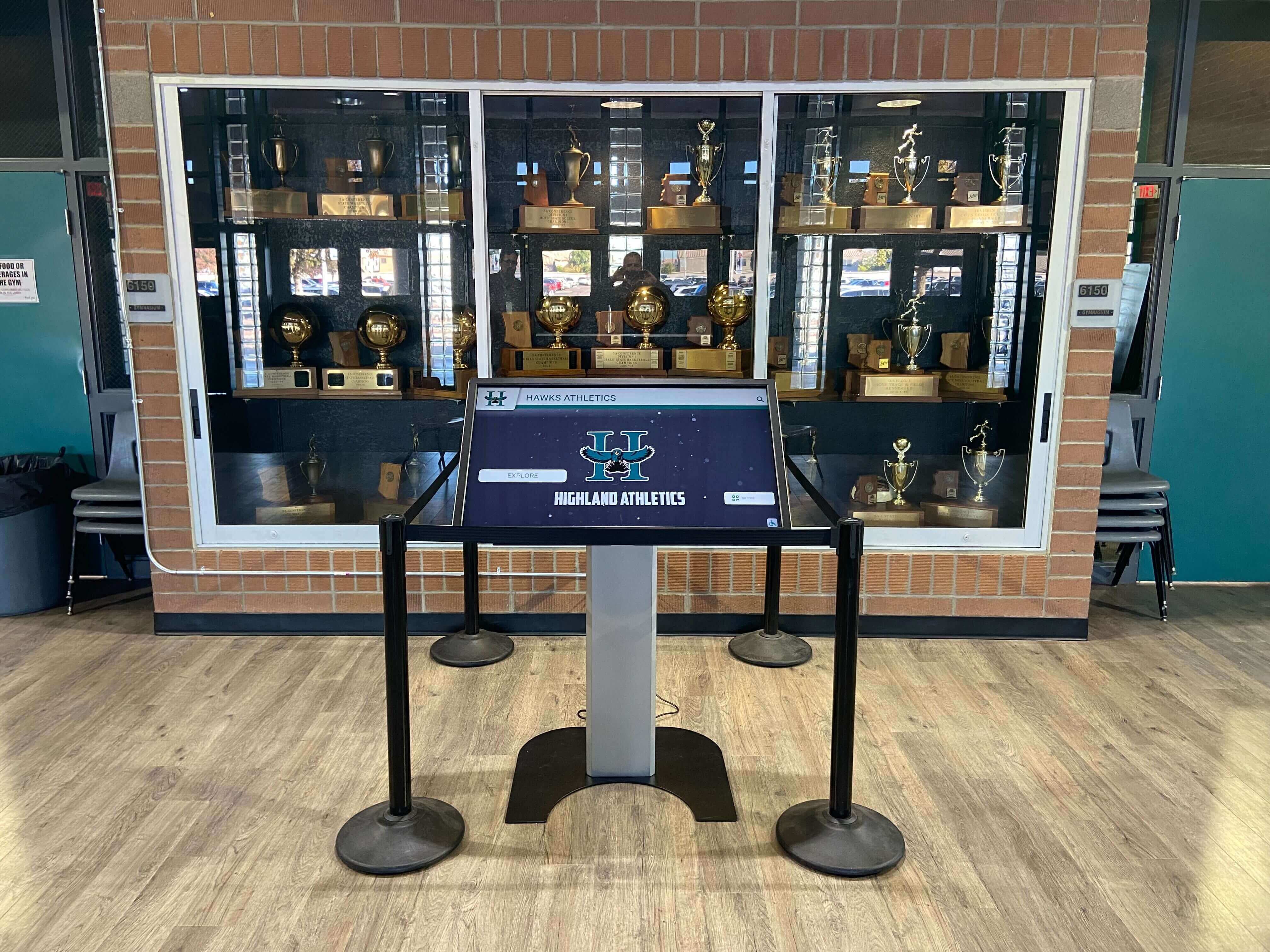
Pull a full export of every term your autocomplete system is configured to surface. On purpose-built hall of fame platforms, this is typically available in the admin panel under search settings or synonym management. On general-purpose CMS platforms with a third-party search layer such as Algolia or Typesense, the suggestion list lives in the analytics or merchandising dashboard.
If your platform generates suggestions algorithmically from profile data rather than from a curated list, export the inductee name field from your database along with every alias, nickname, and alternate-spelling field. That combined export is the effective suggestion corpus, even if the platform does not label it as such.
Audit checklist:
- Export all configured autocomplete suggestions or, for algorithmic systems, all name fields used as source data
- Identify any suggestions that reference profiles which are currently in draft or unpublished status
- Flag entries where the suggestion text does not exactly match the published profile name or any approved alias
- Identify duplicate entries created by case variations (
Smith, Jamesvs.james smith) that should be deduplicated - List all entries that include a year or team name alongside a person’s name (e.g.,
Rodriguez 1994 Basketball) and confirm each resolves to the correct profile - Document the current suggestion trigger threshold: how many characters must the visitor type before suggestions appear?
This audit typically surfaces three categories of problems: orphaned suggestions pointing to deleted profiles, ambiguous suggestions that could match multiple inductees, and missing suggestions for recently added inductees or approved aliases. Each category requires a different corrective action.
Step 2: Define the Scope of Approved Suggestion Types
Not every possible search term should appear as an autocomplete suggestion. Defining which types of terms are eligible—and which are out of scope—prevents the suggestion list from becoming cluttered and sets clear expectations for staff who submit new entries.
Approved Suggestion Types
| Suggestion Type | Example | Notes |
|---|---|---|
| Canonical full name | Patricia Morales | Always approved if profile is published |
| Preferred first name | Pat Morales | Approved with signed preference from inductee or family |
| Maiden name | Patricia Okonkwo | Approved; requires alias tag on profile |
| Common nickname | Coach Morales | Approved if inductee is widely known by this title |
| Retired jersey number + sport | #22 Soccer | Approved for retired numbers; must resolve to one profile |
| Championship team label | 1997 State Champions Basketball | Approved as team entry; must resolve to team profile or season record |
| Award category name | Academic All-State | Approved as category filter suggestion; resolves to filtered results page |
Out-of-Scope Suggestion Types
| Suggestion Type | Reason |
|---|---|
| Partial first name only | Resolves ambiguously across multiple inductees |
| Deceased inductee’s profile before family notification | Privacy and recognition protocol |
| Draft or pending profiles | Suggestion should not be live until profile is published |
| Former mascot names under active rebranding | Requires communications review before search exposure |
Generic terms (athlete, coach, champion) | Returns too many results to be useful as a suggestion |
Programs building or refining their search layer should also review typo-tolerant search design for digital halls of fame to understand how fuzzy matching interacts with a curated suggestion set—typo tolerance operates on the query the visitor types, while the allowlist governs what the system is permitted to suggest.
Step 2 actions:
- Document the approved suggestion types in your recognition program’s content policy
- Identify which staff roles have authority to submit and approve each type
- Establish a naming convention for alias entries so they are consistently formatted across the database
Step 3: Build an Approval Workflow for New Suggestions
Autocomplete suggestions that go live without review create the same risks as inductee profiles published without editorial sign-off. An approval workflow prevents both from happening.
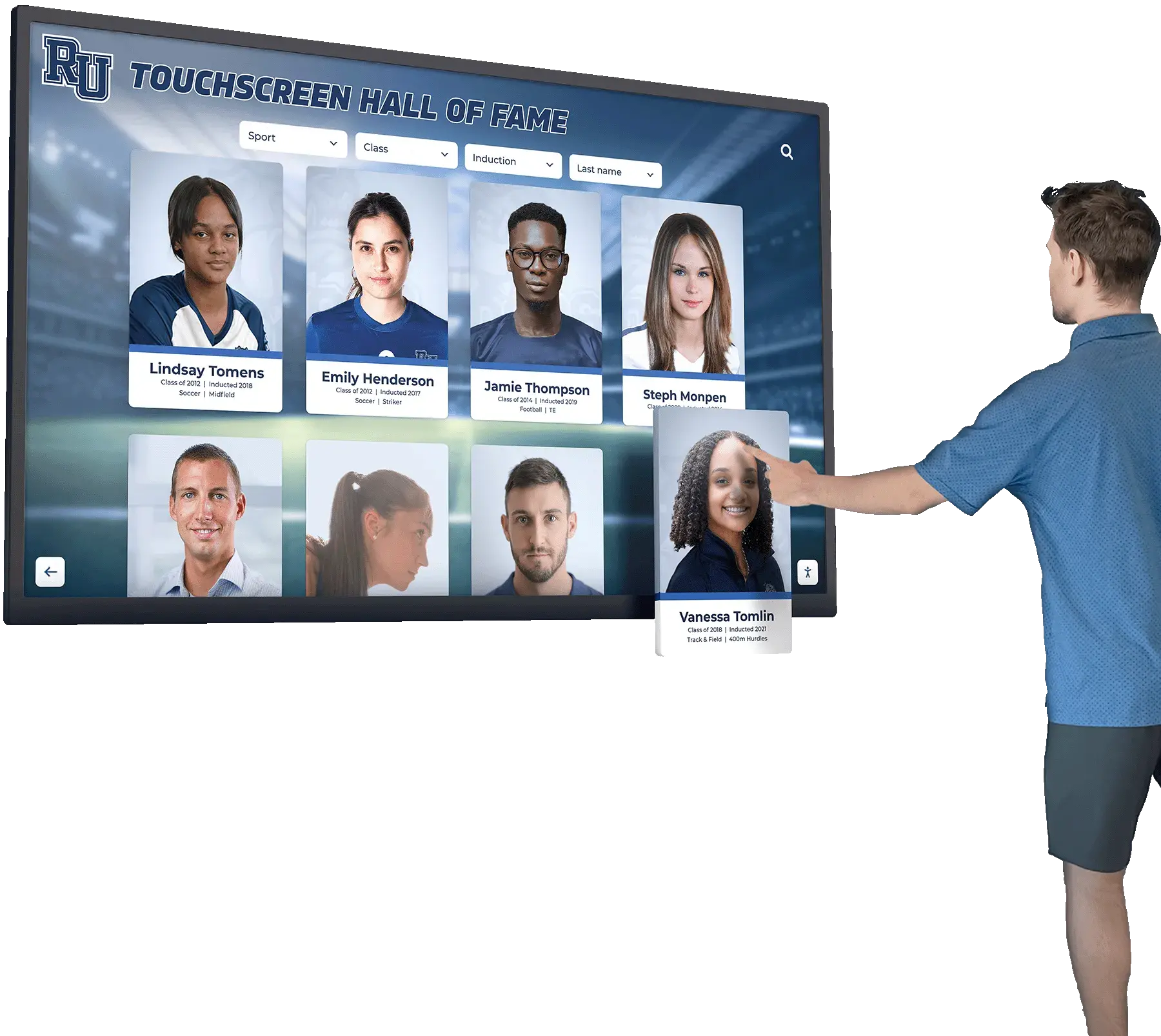
Recommended Workflow for Inductee Name Suggestions
Trigger: A new inductee profile is created in the CMS or a name alias is proposed by staff or an inductee’s family.
- Submission — The staff member creating the profile enters all approved name variants (canonical name, preferred name, maiden name, nickname) in the alias field on the profile editing screen.
- Review — The recognition program administrator or athletic director reviews the alias list for accuracy and confirms that each variant resolves unambiguously to this profile and no other.
- Cross-reference check — Search the existing inductee database for any other profile that shares a proposed alias. If
Pat Moralesalready exists as an alias for a different inductee, flag the conflict before approving. - Approval — The administrator marks the alias list approved. This action publishes the suggestions to the live autocomplete index.
- Verification test — The submitting staff member searches each approved alias on the live site within 24 hours of publication and confirms the correct profile appears as the first suggestion.
- Audit log entry — The workflow system or a shared spreadsheet records: alias text, linked profile, date added, reviewer name, and verification test result.
Workflow for Team and Award Category Suggestions
Team and award suggestions follow the same pattern but require an additional step: confirming that the suggestion resolves to a results page or team profile rather than a personal inductee profile. A suggestion like 1997 State Champions Basketball should navigate to the team’s season record, not to any individual inductee’s page.
For programs implementing structured digital hall of fame profile versioning and approval policies, the autocomplete approval workflow fits naturally within the existing change-review process. Treating a new alias the same as a profile edit—requiring review, approval, and a verification test—keeps the governance model consistent across all content types.
Step 4: Test Autocomplete for Nicknames and Historic Names
Testing is where governance becomes operational. A policy that is never tested is not a governance framework—it is a document. The testing routine described here should run after every batch of new suggestions is added and at least twice per year as a full regression check.
Build a Test Matrix
A test matrix is a structured spreadsheet with one row per suggestion term and the expected result for that term. It is the acceptance criteria for your autocomplete configuration.
| Test Term | Expected Result | Profile / Page | Pass / Fail | Notes |
|---|---|---|---|---|
Rodriguez | Autocomplete shows inductees with that surname | Filter list | — | Should not show team records |
Coach Rivera | Autocomplete shows single inductee | Ana Rivera (HOF 2019) | — | Verify “Coach” prefix resolves correctly |
Rodriguez 1994 | Autocomplete shows season or team record | 1994 Baseball State Champions | — | Year + surname should narrow to team, not individual |
Katy Rivera | Autocomplete shows Ana Rivera (maiden name Katy Martinez) | Ana Rivera (HOF 2019) | — | Test maiden name alias |
#14 Football | Autocomplete shows retired jersey profile | D. Washington #14 | — | Confirm jersey number resolves to one profile only |
Lady Eagles | Autocomplete shows women’s soccer category | Women’s Soccer filter | — | Historic team nickname; confirm current branding is also indexed |
Académicos | Autocomplete shows academic award category | Academic Recognition | — | Test diacritical variant; confirm UTF-8 handling |
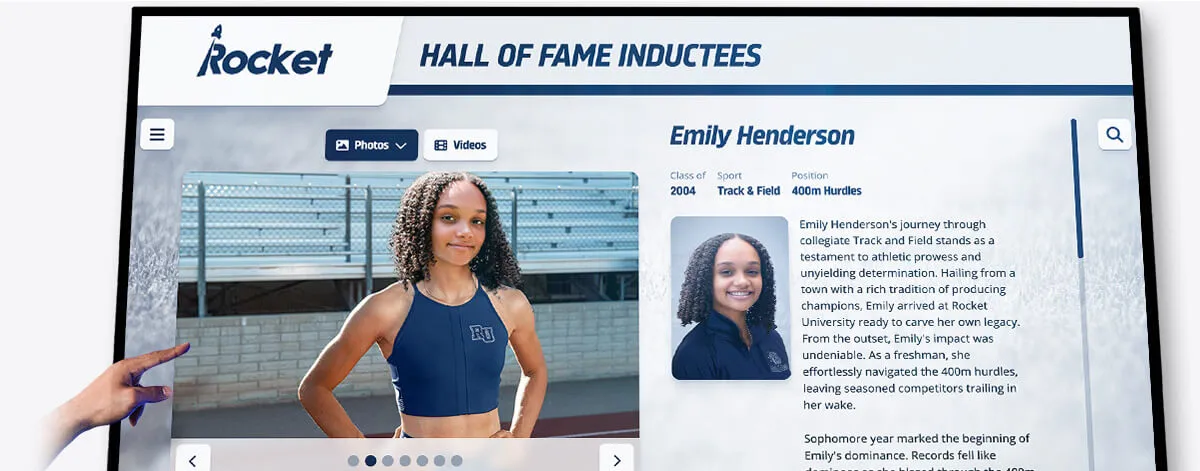
Run the test matrix on a staging or QA environment before pushing changes to production. If your platform does not maintain a separate staging environment, run the matrix on the live site immediately after publishing each batch of changes, before announcing the updates to stakeholders.
For each row that fails, record the actual result observed, not just "fail." Knowing whether the failure returned zero results, the wrong profile, or an unrelated autocomplete suggestion tells you whether the root cause is a missing alias, a duplicate alias conflict, or a character-encoding problem. Each failure type has a different corrective action.
Testing Edge Cases
Maiden names and married names: Test both directions. A visitor searching the name a person used during their athletic career should find the profile, even if the honoree now uses a different surname. A visitor searching the current legal name should also find the profile. Both directions require aliases, and both should be in the test matrix.
Names with diacritical marks: Test the accented form (Rodríguez) and the unaccented form (Rodriguez). Visitors may type either depending on their keyboard. Your search engine should handle both through Unicode normalization or explicit alias entries. If it does not, add the unaccented variant as an approved alias.
Abbreviated names and initials: Programs with historical records from eras when initials were common in official documents (e.g., J.T. Williams) should test whether Williams alone, J.T. Williams, and James Williams all resolve to the same profile. Some platforms treat the period after an initial as a word boundary; test whether JT Williams (no periods) also resolves correctly.
Historic team labels: If your school has changed mascot names or team designations over the years, test both the historic label and the current label. A visitor who attended a reunion and remembers the team as the Trojans should be able to find a team that is now called the Warriors if both names are documented. This requires a category-level alias or a redirect note in the team profile, not just a personal-name alias.
Step 5: Establish a Recurring Quality Review Calendar
A one-time audit and approval workflow becomes effective only when it is repeated on a predictable schedule. The following calendar aligns autocomplete reviews with the natural rhythm of a school recognition program.
| Review Trigger | Scope | Owner | Action |
|---|---|---|---|
| After each induction ceremony | New inductee names and aliases | Recognition program administrator | Add and verify new suggestions; run test matrix for new entries only |
| After mascot or program rebranding | All team and award suggestions | Athletic director + IT | Update historic label aliases; confirm both old and new labels resolve correctly |
| Quarterly | Full suggestion set vs. published profiles | Archives staff | Remove suggestions for deleted profiles; flag suggestions without a matching live profile |
| Semi-annual regression test | Full test matrix | Recognition program administrator | Run every test case; document pass rate; escalate failures |
| Before platform migration | Full suggestion export | IT administrator | Export suggestion configuration; validate against profile database; re-import and test on new platform |
Connecting autocomplete governance to a broader understanding of the hall of fame selection process and display planning helps program administrators see the suggestion set as a downstream reflection of inductee decisions—whenever the selection committee approves a new honoree or a new award category, the autocomplete set needs a corresponding update.
Recurring review checklist:
- Pull a full export of current suggestions at the start of each scheduled review
- Compare the suggestion list against the list of published profiles; flag orphaned suggestions
- Run the test matrix and record pass / fail for each row
- For each failure, assign a corrective action and a responsible owner
- Document the review date, reviewer name, suggestion count, failure count, and resolution status
- Update the test matrix to add any new inductee names or alias types added since the last review
Step 6: Govern Autocomplete on Touchscreen Displays Separately from the Web Platform
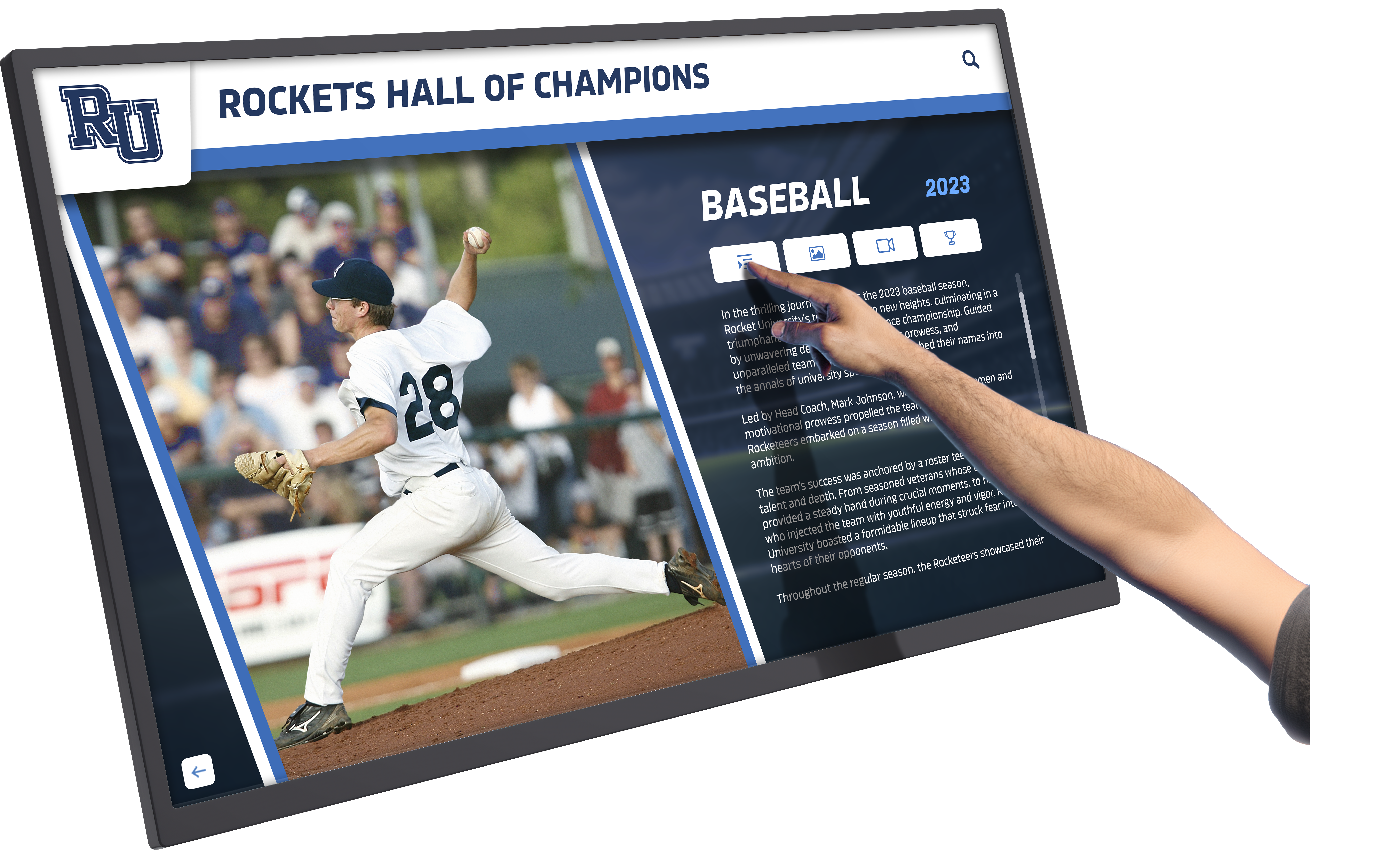
Schools with both a physical touchscreen display and a companion website often run two separate search configurations: one for the kiosk software and one for the web CMS. Autocomplete governance must cover both, and the two configurations may differ in meaningful ways.
Touchscreen displays in a gym lobby or athletics corridor serve a primarily browse-mode audience: visitors are physically present, often with limited time, and benefit from shorter suggestion lists and faster navigation to a featured inductee. Web-based search serves a more patient, research-oriented audience who may type longer queries and expect more granular results.
For programs managing both channels, a practical governance approach is to maintain a single canonical alias list in the primary CMS and export a filtered subset of that list to the touchscreen configuration. The full alias set—including maiden names, historic labels, and diacritical variants—is available on the web. The touchscreen configuration surfaces the canonical name and the most common nickname, keeping the suggestion list short enough for a touch interface.
| Configuration Dimension | Web Platform | Touchscreen Display |
|---|---|---|
| Suggestion trigger (characters) | 2–3 | 3–4 |
| Maximum suggestions shown | 8–10 | 4–6 |
| Alias types included | All approved aliases | Canonical + primary nickname only |
| Team and award suggestions | Yes | Optional; depends on display purpose |
| Diacritical variants | Yes (normalized or explicit alias) | Yes (same as web for consistency) |
| Draft profile suggestions | No | No |
Programs building out recognition displays across multiple campus locations should consult guidance on digital hall of fame platform selection when evaluating whether a single system can govern both web and touchscreen search from a unified admin interface—eliminating the need to maintain separate suggestion configurations.
Step 7: Prevent False Associations in Autocomplete Suggestions
A false association occurs when an autocomplete suggestion causes a visitor to believe that two people are connected—or that a specific person is associated with an event, record, or award they were not part of. False associations are most common in three scenarios.
Shared surnames with active induction classes. When multiple inductees share a surname and a new inductee with the same surname is added, the suggestion Rivera will autocomplete to all of them. This is expected behavior, but if one of those Rivera profiles is incomplete or mislabeled, the association between the new inductee and the mislabeled profile becomes visible in the suggestion list. Governance prevents this by requiring all profiles for a shared surname to be publication-ready before the new inductee’s suggestions go live.
Common first names used as standalone suggestions. If a program has configured Mike as a standalone suggestion because several inductees go by that nickname, typing Mike surfaces all of them as a group. Visitors may incorrectly assume that the first suggestion in that group is the person they are looking for. Best practice is to require at least a surname initial alongside any first-name suggestion—Mike R., not Mike—to reduce the ambiguity of the suggestion list.
Award names that sound like person names. An award called The James Scholarship will autocomplete alongside inductee profiles when a visitor types James, creating the impression that James is a person to search for. Qualifying the suggestion as James Scholarship (Award) in the display text makes the category type explicit and prevents the false-person association.
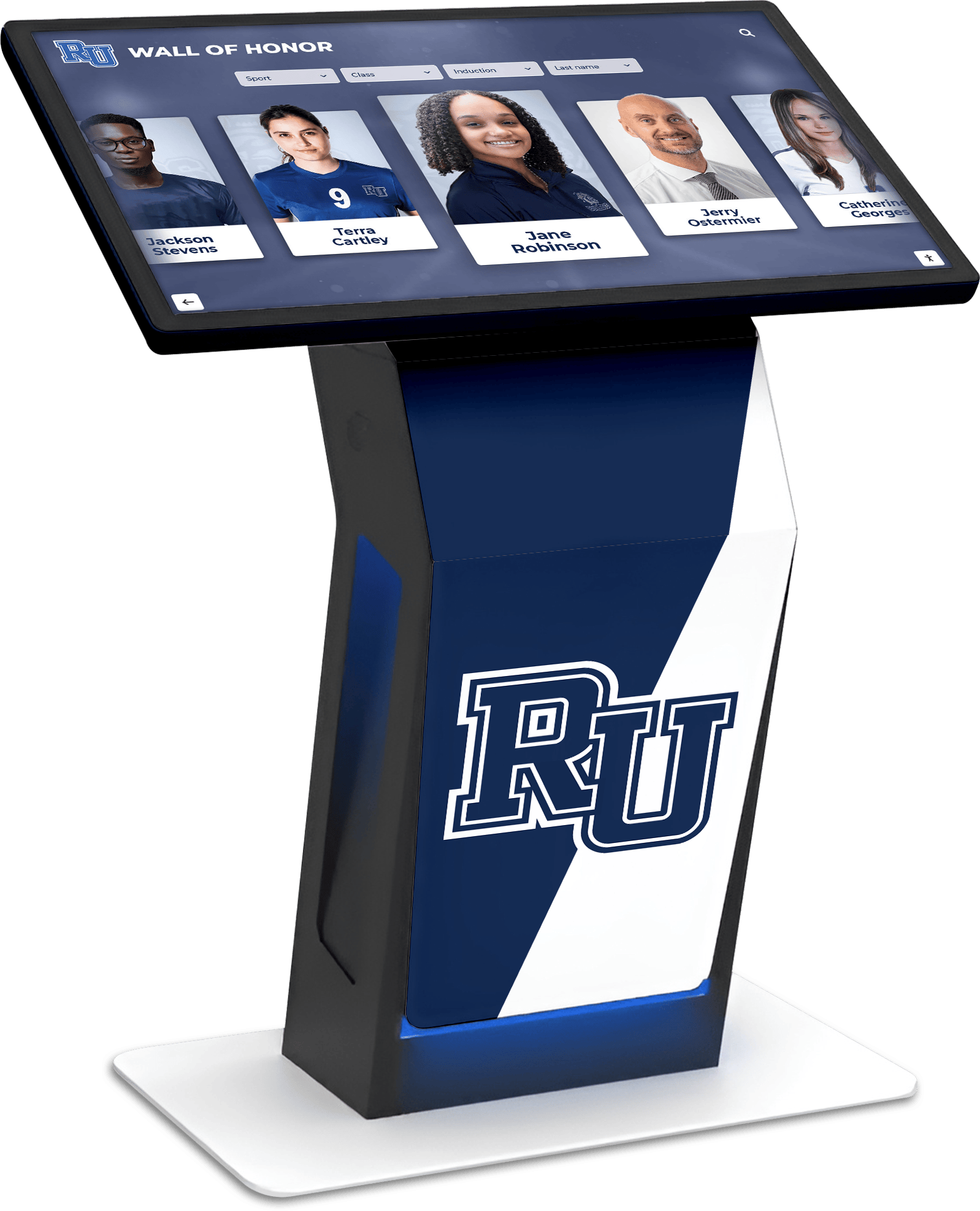
Programs evaluating platforms for their ability to prevent false associations should ask vendors specifically about how suggestion display text is controlled. Can an administrator append a category label—(Award), (Team Record), (Coach)—to a suggestion entry without modifying the underlying profile name? Can suggestions be ranked to surface exact-match entries above partial-match entries? Can a suggestion for a draft profile be staged without going live?
These are operational questions that reveal whether the platform treats autocomplete as a first-class feature with editorial controls or as an automatic byproduct of the search index. Purpose-built recognition platforms tend to offer more granular suggestion management than general-purpose CMS platforms adapted for recognition use.
Programs that are actively reviewing their content governance model should also look at how high school digital hall of fame implementations handle the full content lifecycle—from profile creation through search indexing—as autocomplete governance fits within that broader lifecycle rather than sitting outside it.
Autocomplete Governance Summary Checklist
Use this checklist at each scheduled review to confirm the suggestion set meets the program’s quality standards.
Scope and policy:
- Approved suggestion types are documented in the content policy
- Out-of-scope suggestion types are defined and understood by all contributing staff
- Role-based authority for submitting, reviewing, and approving suggestions is assigned
Data quality:
- No suggestions point to unpublished or draft profiles
- No duplicate suggestions exist for the same inductee under case-variant spellings
- All maiden-name and preferred-name aliases are approved in writing (family or inductee consent documented)
- All jersey-number suggestions resolve to exactly one profile
- All team and award category suggestions resolve to the correct page type (not a personal profile)
Testing:
- Test matrix exists and covers canonical names, nicknames, maiden names, historic team labels, and award categories
- Full test matrix was run within the last six months
- All test failures from the last review have been resolved or formally deferred
- New suggestions added since the last review have been individually verified with a live search test
Touchscreen vs. web parity:
- If operating both channels, the touchscreen suggestion set is a defined subset of the web suggestion set (not a separate, unaudited configuration)
- Character trigger thresholds and maximum suggestion counts are documented for each channel
Documentation:
- Each review session is logged with date, reviewer, suggestion count, failure count, and resolution status
- The log is accessible to the athletic director and IT administrator, not just the recognition program staff
Frequently Asked Questions
What is digital hall of fame search autocomplete governance? Governance is the set of policies, approval workflows, and testing routines that control which suggestions appear as visitors type in the search box. It assigns ownership for adding, reviewing, and removing suggestions, and it ensures that the autocomplete list reflects approved inductee data rather than stale or algorithmically generated entries that may mislead visitors.
Can autocomplete suggestions expose draft profiles before they are ready? Yes, on platforms that generate suggestions automatically from the search index rather than from a curated allowlist. If a draft profile is indexed, the inductee’s name may appear as an autocomplete suggestion before the profile is published. Preventing this requires either a platform setting that excludes draft-status content from the search index, or a governance policy that prohibits adding alias entries to a profile until the profile has been approved and published.
How should we handle inductees who request that a former name not appear in autocomplete? Document the request in the inductee’s profile record and remove the former name from the alias field. Run a verification test to confirm the term no longer appears as an autocomplete suggestion. Note the change in the governance log with a date and reason code so future staff understand why the alias is absent. If the term still appears in the search index due to historical content (news articles, award lists), note that removing the alias affects only the autocomplete suggestion—full-text search results from archival content may still surface the term.
What search governance practices apply to both the website and the touchscreen display? The canonical alias list, the approval workflow, and the test matrix should be shared across both channels. Channel-specific configuration—trigger character count, maximum suggestions displayed, alias types included—can differ based on the interface context. Maintaining a single source of truth for approved suggestion text and routing it to both channels prevents the two configurations from drifting apart over time.
How does autocomplete governance relate to broader hall of fame search quality? Autocomplete governance is one layer of a broader search quality program. It controls what visitors see before they finish typing. Complementary layers include typo tolerance and fuzzy matching (what happens when a visitor types an imperfect query), faceted filters (how visitors narrow results after typing), and zero-results reporting (what happens when a search returns nothing). A complete search quality program addresses all four layers, with autocomplete governance being the layer that has the most immediate visible impact on visitor confidence.
Programs considering a new platform should evaluate all four layers as part of their selection process. A useful overview of what to look for appears in the digital hall of fame complete guide and in detailed high school buying guides that compare platform capabilities in the context of school recognition programs.
Why Platform Choice Affects Autocomplete Governance Effort
The effort required to govern autocomplete suggestions varies significantly depending on whether the recognition platform was purpose-built for hall of fame programs or adapted from a general-purpose CMS.
Purpose-built platforms typically expose alias management as a native profile field, gate autocomplete suggestions behind the profile publication status, and provide a search analytics view that shows which suggestions visitors actually selected. These features reduce governance overhead because the platform enforces the right defaults: a draft profile never surfaces as a suggestion, alias additions go through the same approval modal as profile edits, and the analytics view makes it visible when a high-traffic suggestion is resolving incorrectly.
General-purpose CMS platforms adapted for recognition use often require additional configuration—a third-party search layer, custom metadata fields, and manual index exclusions for draft content—to achieve the same governance baseline. The configuration is possible, but it shifts governance work from editorial staff to IT administrators, and it creates more failure points if configuration changes are made without understanding the downstream impact on the suggestion set.
For programs building or upgrading their recognition infrastructure, the digital hall of fame planning guide for high schools includes platform evaluation criteria that cover search and content management capabilities alongside hardware and installation considerations.
Putting It Together: A Governance-First Approach to Digital Hall of Fame Search Autocomplete
Digital hall of fame search autocomplete is visible to every visitor who uses the search box, and each suggestion it surfaces either builds or erodes confidence in the recognition program’s accuracy. Governing the suggestion set—defining approved types, building an approval workflow, running a structured test matrix, and reviewing on a recurring calendar—transforms autocomplete from an unmanaged byproduct of the search index into an editorial asset that reflects the program’s standards.
The seven steps in this guide can be implemented incrementally. Start with the audit to understand what your system currently surfaces. Define scope and approved types before adding new suggestions. Build the test matrix for the inductees and award categories that receive the most visitor traffic. Extend governance to touchscreen displays as a second phase. Add the recurring review calendar once the core workflow is stable.
Programs that pair autocomplete governance with structured inductee profile management and search analytics review have the most complete picture of how visitors interact with recognition content—and the clearest path to improving that experience over time.
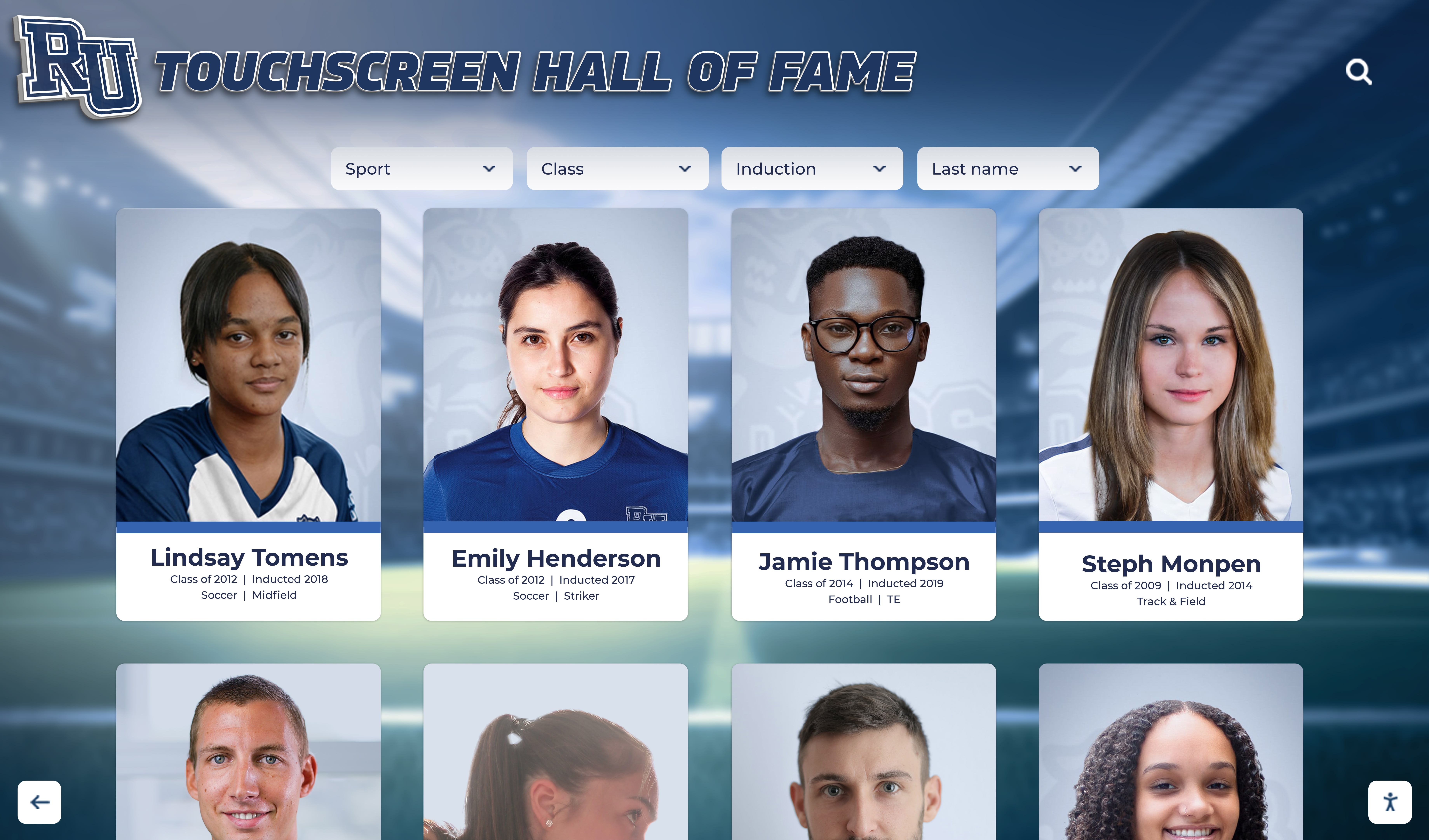
Rocket Alumni Solutions includes native alias management, publication-gated autocomplete, and search analytics as core platform features. Athletic directors and recognition program administrators can add and test autocomplete aliases from the same admin panel used to create and publish inductee profiles—no separate search configuration tool required. To see how the platform handles autocomplete governance in practice, request a live walkthrough with the Rocket team.
Request a live demo of Rocket Alumni Solutions to see autocomplete governance, alias management, and search analytics in action for your school's hall of fame program.
































