




Key Takeaways
Run a digital hall of fame roving tabindex audit to verify that inductee gallery cards implement a roving focus pattern — so keyboard users navigate profiles with arrow keys rather than tabbing past every card individually.

What Roving Tabindex Is — and Why Inductee Galleries Need It
Roving tabindex is a keyboard focus management pattern defined in the WAI-ARIA Authoring Practices Guide for composite widgets — interactive components that contain multiple focusable items navigated with arrow keys rather than the Tab key. Toolbars, tab lists, listboxes, carousels, and grids all use the pattern.
The mechanism works in three parts:
- One item carries
tabindex="0"— it is part of the page’s Tab order and receives focus when a visitor Tabs into the widget from outside. - All other items carry
tabindex="-1"— they are removed from the Tab sequence but can still receive focus through JavaScript.focus()calls. - As the visitor presses arrow keys, JavaScript roves the
tabindex="0"designation to the item being entered, while the item being departed reverts totabindex="-1", then calls.focus()on the newly designated item.
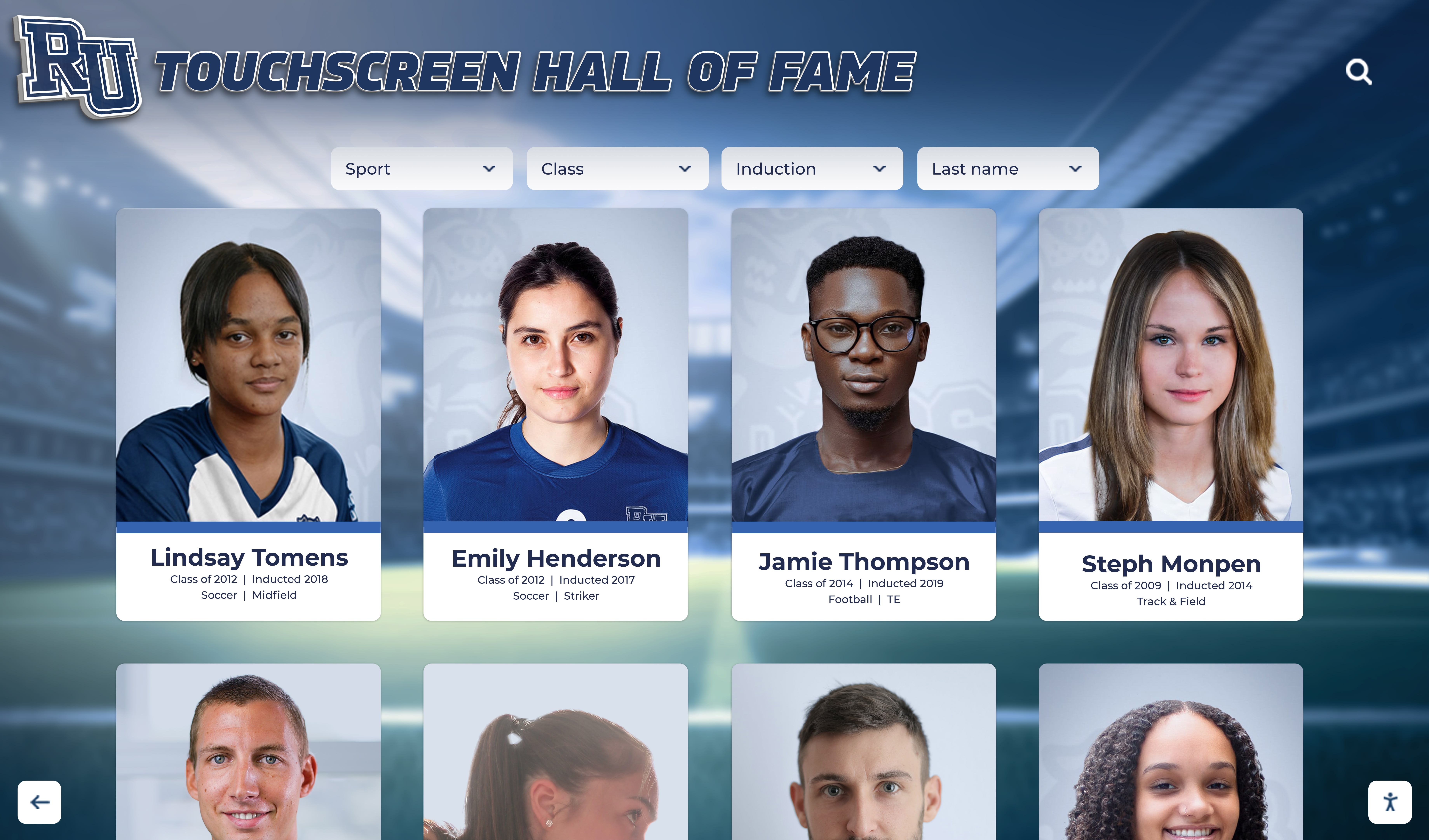
For a school hall of fame inductee gallery, this pattern is the direct solution to a real usability problem. A gallery displaying forty athlete profiles — each as a card with a portrait image, name, sport, and induction year — is a composite widget analogous to a grid. Without roving tabindex, every card sits in the page’s Tab sequence, which means a keyboard user who Tabs past the gallery’s first card must press Tab thirty-nine more times to exit it. On a roster of eighty inductees, that is eighty Tab presses. Visitors using switch-scanning devices or sip-and-puff controllers face the same penalty.
With roving tabindex, the gallery is one Tab stop. The visitor Tabs in, arrow-keys through profiles efficiently, and Tabs out when done — proportionate to how a mouse user scans the grid visually and clicks the card they want.
For recognition programs that also display photo timelines and event galleries alongside inductee profiles, the same pattern applies. The day-in-the-life school event gallery and timeline display guide covers the broader gallery context in which inductee profiles appear — understanding that layout helps calibrate the roving tabindex scope.
Roving Tabindex vs. Flat tabindex=“0” in an Inductee Gallery
Before auditing, understanding what correct and incorrect implementations look like in the DOM helps calibrate the findings.
| Implementation | tabindex on Each Card | What a Keyboard User Experiences |
|---|---|---|
| Roving tabindex (correct for a grid) | One card: tabindex="0" / All others: tabindex="-1" | Tab once to enter gallery; arrow keys navigate; Tab once to exit |
Flat sequential (tabindex="0" on all) | Every card: tabindex="0" | Tab through every card individually — 40 Tab presses for 40 cards |
Gallery unreachable (tabindex="-1" on all) | Every card: tabindex="-1" | Tab skips the gallery entirely — cards inaccessible by keyboard |
| No tabindex attribute on non-native elements | Every card: no attribute | <div> cards are not focusable at all; Tab skips them |
| Tab trap (no Tab exit) | One card: tabindex="0" | Visitor enters gallery but cannot Tab out — keyboard stuck |
The flat sequential pattern is the most common finding on hall of fame platforms, because it is the simplest implementation: add tabindex="0" to every card and the keyboard can reach all of them. The pattern works technically — no card is unreachable — but it scales poorly. A recognition platform that begins with twelve inductees (twelve Tab stops) may expand the roster to sixty (sixty Tab stops) without revisiting the tab order implementation.
The unreachable gallery — every card at tabindex="-1" — is less common but more severe: no keyboard user can enter the gallery without mouse or touch input. This is a WCAG SC 2.1.1 failure.
The tab trap is rare but critical: the gallery captures keyboard focus and does not release it on Tab press, requiring a screen reader user to use a shortcut to escape the component. This typically happens when a developer correctly implements roving tabindex inside the grid but does not allow Tab to exit — intercepting the Tab key for use as an arrow-key equivalent within the gallery without providing an exit path.
WCAG Criteria That Apply to Roving Tabindex in an Inductee Gallery
| WCAG Criterion | Level | How It Applies to a Hall of Fame Inductee Gallery |
|---|---|---|
| 2.1.1 Keyboard | A | All inductee profile cards must be reachable and activatable by keyboard; the gallery must not require more keystrokes than reasonably necessary |
| 2.1.2 No Keyboard Trap | A | A visitor who tabs into the gallery must be able to tab out using Tab or Shift+Tab; the gallery must not trap focus |
| 2.4.3 Focus Order | A | Arrow key navigation must follow logical reading order — left to right, top to bottom within the grid |
| 2.4.7 Focus Visible | AA | The card currently holding tabindex="0" and .focus() must have a visible focus indicator at all times |
| 4.1.2 Name, Role, Value | AA | The grid container and individual cards must expose their roles correctly; tabindex state is part of the programmatic interface |
SC 2.1.1 is the governing criterion. It does not specifically require roving tabindex — any keyboard-operable implementation satisfies it technically. But the WAI-ARIA Authoring Practices Guide, which is the authoritative guidance on accessible widget patterns for the grid role, defines roving tabindex as the expected keyboard interaction model for grids. A platform that uses flat sequential tabindex across a large gallery does not fail SC 2.1.1 outright but represents an implementation that falls below the interaction quality the specification recommends.
SC 2.1.2 (No Keyboard Trap) is the most critical failure mode. A gallery that captures Tab presses and never releases focus forces screen reader users to use their screen reader’s virtual cursor escape shortcut rather than standard keyboard navigation. This is a Level A failure with no acceptable workaround short of remediation.
SC 2.4.7 (Focus Visible) is commonly missed in roving implementations. Developers who add the roving logic in JavaScript sometimes omit or break the CSS focus ring on the card carrying tabindex="0". If the :focus or :focus-visible styles are scoped to specific selectors that do not match the card element after the tabindex attribute is set dynamically, the visitor can navigate the gallery by arrow key without any visible indicator of which card is focused.
How to Run a Digital Hall of Fame Roving Tabindex Audit
Step 1 — Identify the Gallery Widget Type and Role
Open the hall of fame interface in Chrome or Edge and navigate to the inductee gallery view. Open DevTools (F12) and inspect the container element that wraps all profile cards. Note:
- What element is the container? (
<ul>,<div>,<section>,<ol>) - What ARIA role does the container carry? (
role="grid",role="listbox",role="list", or no role) - What element is each card? (
<li>,<div>,<article>,<button>,<a>) - What ARIA role does each card carry? (
role="gridcell",role="option",role="listitem",role="row", or no role)
The container role determines which keyboard interaction model applies. A role="grid" container expects the full two-dimensional arrow-key navigation described in the WAI-ARIA APG grid pattern. A role="listbox" expects vertical arrow key navigation only. A role="list" with role="listitem" children has no native arrow-key interaction model defined in WAI-ARIA and requires a custom implementation. A container with no role may be styled as a grid but carries no semantic navigational structure, and visitors who use a screen reader without roving tabindex in place cannot distinguish the gallery from surrounding page content by role alone.
Step 2 — Inventory tabindex Values Using DevTools
In the DevTools Console tab, run the following query to capture the tabindex attribute of every card in the gallery:
Array.from(document.querySelectorAll(
  '[role="gridcell"], [role="option"], [role="row"], ' +
  '.inductee-card, .profile-card, .hof-card, .athlete-card'
)).map(el => ({
  tag: el.tagName,
  text: el.textContent.trim().slice(0, 50),
  tabindex: el.getAttribute('tabindex') ?? '(absent)',
  role: el.getAttribute('role') ?? '(none)'
}))
Replace the class selectors (.inductee-card, .profile-card, etc.) with the actual class names used by the platform. If you are unsure of the class names, use a broader selector targeting the card container’s children:
Array.from(document.querySelectorAll('#inductee-gallery > *, .gallery-grid > *')).map(el => ({
  tag: el.tagName,
  text: el.textContent.trim().slice(0, 50),
  tabindex: el.getAttribute('tabindex') ?? '(absent)',
  role: el.getAttribute('role') ?? '(none)'
}))
Record the output. In a correctly implemented roving tabindex gallery, you should see exactly one entry with tabindex: "0" and all others with tabindex: "-1". Any other distribution is a finding.
Step 3 — Test Tab Navigation Into and Out of the Gallery
Without a screen reader active, use only the keyboard to navigate the page:
- Start focus at the top of the page (press F5 to reload and place focus at the top, then Tab once to begin)
- Tab through the page until focus reaches the inductee gallery
- Confirm that focus enters the gallery on a single Tab press — not that focus skips the gallery entirely or that Tab stops on every card sequentially on the way in
- Once inside the gallery, press Tab once more
- Confirm that focus moves out of the gallery to the next interactive element after it (a filter control, pagination, or footer link)
- Press Shift+Tab to return focus to the gallery
- Confirm focus returns to the last card that carried
tabindex="0"before you tabbed out — not that it resets to the first card
Flag any of these outcomes as failures:
- Tab skips the gallery entirely (no card is in Tab order — tabindex="-1" or absent on all cards)
- Tab enters every card individually rather than treating the gallery as one stop (flat tabindex=“0”)
- Tab into the gallery does not exit on the next Tab press (keyboard trap — SC 2.1.2 failure)
- Focus resets to the first card after Tab exit and re-entry (focus memory not preserved)
Step 4 — Test Arrow Key Navigation Within the Gallery
After Tabbing into the gallery and confirming focus lands on the first card, test the full arrow key matrix:
Horizontal navigation:
- Press ArrowRight — confirm focus moves to the next card in the same row; re-run the DevTools tabindex query and confirm only the new card carries
tabindex="0" - Press ArrowLeft — confirm focus returns to the previous card
- Press ArrowRight from the last card in a row — confirm focus moves to the first card in the next row (or wraps to the first card in the same row, depending on the platform’s defined behavior — either is acceptable, but the behavior must be consistent)
Vertical navigation:
- Press ArrowDown — confirm focus moves to the card directly below in the same column position
- Press ArrowUp — confirm focus moves to the card directly above
Boundary navigation:
- Press Home — confirm focus moves to the first card in the current row
- Press End — confirm focus moves to the last card in the current row
- Press Ctrl+Home — confirm focus moves to the first card in the entire gallery
- Press Ctrl+End — confirm focus moves to the last card in the entire gallery
Activation:
- Press Enter or Space on a focused card — confirm the inductee’s detail profile opens
- Press Escape — confirm the detail panel closes and focus returns to the card that triggered it
Record every arrow key combination that fails to move focus as expected. The most common finding is that ArrowDown and ArrowUp are not implemented, leaving the gallery functional for single-row carousel navigation but broken for a multi-row grid.
Step 5 — Verify the tabindex Update After Each Arrow Key Press
After each arrow key press in Step 4, run the DevTools tabindex inventory query from Step 2 and confirm:
- Exactly one card carries
tabindex="0"— the card that should currently hold focus - The previously focused card has reverted to
tabindex="-1" - No card carries an absent (
null) tabindex that should be participating in the roving pattern
A common failure is that JavaScript updates the visual focus indicator (a CSS class that adds a border or shadow) without updating the tabindex attribute in the DOM. In this case, the visual focus appears to rove correctly, but the tabindex values in the DOM do not change. A visitor who Tabs away and then Tabs back into the gallery will find focus returning to the card that had tabindex="0" at page load — not the visually-focused card they navigated to before Tabbing out — because tabindex is what the browser uses to determine which element to restore focus to, not the CSS class.
Step 6 — Test Screen Reader Announcement on Arrow Key Navigation
Activate NVDA (Windows, free) or VoiceOver (macOS, built-in). Tab into the gallery. Listen to the full announcement when focus arrives on the first card:
- With
role="grid"androle="gridcell", NVDA typically announces: “[Inductee Name], [position in grid], gridcell” - With
role="listbox"androle="option", NVDA announces: “[Inductee Name], [position], option” - With no role, NVDA may announce only the text content with no structural context
Press ArrowRight and listen to the announcement for the next card. Confirm:
- The screen reader announces the new card immediately — there is no silence or delay that would suggest focus did not move to the expected element
- The announcement includes the card’s accessible name — the inductee’s full name — not just “gridcell” or a generic container label
- The screen reader does not announce every card between the previous and current focus position (which would indicate focus is moving character-by-character through text rather than card-by-card through cells)
If the screen reader announces nothing after an arrow key press, the arrow key event was not handled by the gallery JavaScript — focus did not move, and the arrow key either scrolled the page or was silently ignored.
Step 7 — Test Focus Visibility on Every Focused Card
With keyboard navigation active (no screen reader), arrow through every card in the first row and the first column. For each card that receives focus:
- Confirm a visible focus indicator is present on the card — a border, outline, box shadow, or background change that is visually distinct from the unfocused state
- Confirm the focus indicator is visible against the card’s background at the contrast ratio required by WCAG SC 2.4.7 (at minimum, the focus indicator must be visible — enhanced contrast requirements apply under SC 2.4.11, which is WCAG 2.2 Level AA)
- Confirm the focus indicator disappears from the previous card as focus moves to the next
A CSS pattern that causes a common failure is :focus styling scoped to .inductee-card:focus when the card element is a <div> or <article> with tabindex set dynamically by JavaScript. Some browsers apply :focus-visible rather than :focus for programmatically-focused elements, which can suppress the focus ring if the platform’s CSS only defines :focus styles. Confirm that the focus ring appears for keyboard-triggered focus specifically — not only for mouse-click focus.
Step 8 — Audit the Kiosk Deployment Separately
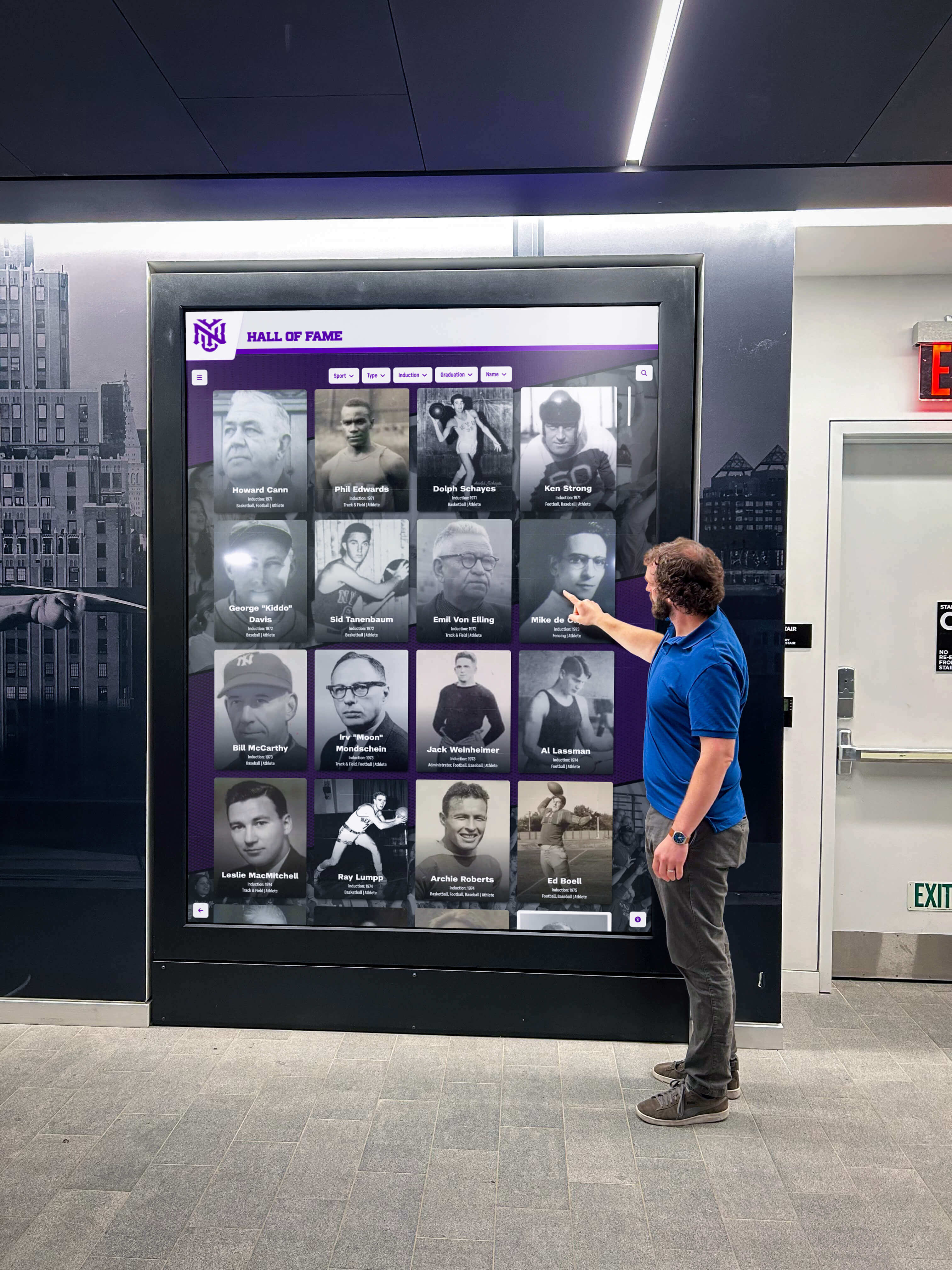
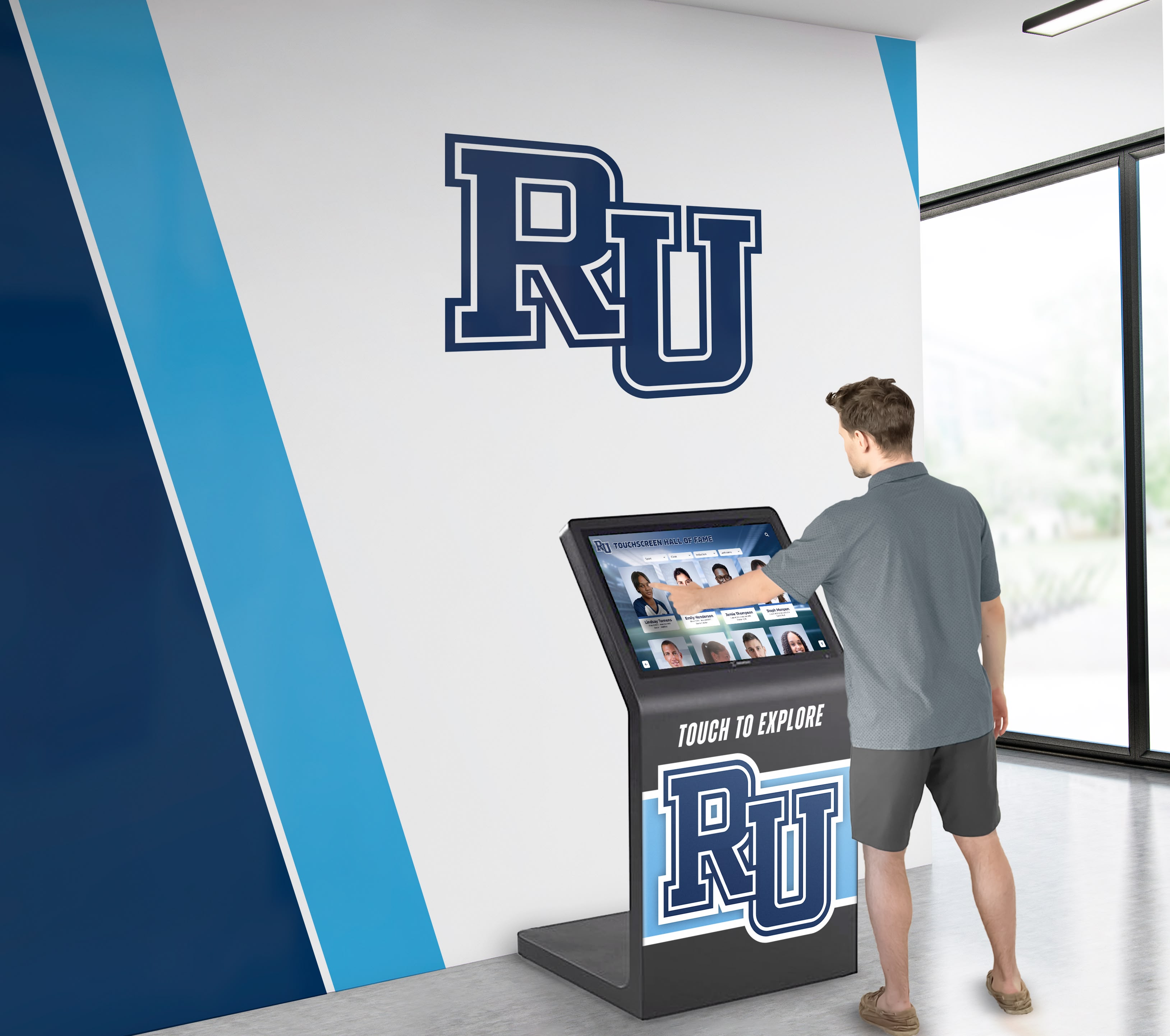
If the hall of fame is deployed as both a website and a physical touchscreen kiosk, repeat Steps 1 through 7 on the kiosk template. Load the kiosk interface in a browser (or test on the kiosk hardware with a Bluetooth keyboard connected) and re-run the DevTools tabindex query.
Kiosk-specific items to verify:
- Touch-then-keyboard handoff: Tap a card in the middle of the gallery. Then press ArrowRight on a Bluetooth keyboard. Confirm focus moves to the card immediately to the right of the tapped card — not to the card immediately to the right of whatever card had
tabindex="0"at page load. The touch event must update the roving tabindex state, not only the visual selection. - Inactivity reset: Many kiosk platforms reset the interface after a period of inactivity. After a reset, confirm that
tabindex="0"returns to the first card (the gallery’s initial state) rather than remaining on a card from a prior visitor’s session. - Switch-scanning behavior: A single-switch device typically sends Tab or Space keystrokes. Confirm the gallery behaves correctly when navigated with only Tab and Space: Tab moves into the gallery, and within it, activating the gallery’s built-in focus management to advance with arrow-key equivalent sends is covered by switch auto-scanning settings. The JavaScript should not intercept or suppress Tab in a way that breaks switch scanning.
Roving Tabindex Audit Verification Table
Use this table to record findings during the audit. Each row covers one interaction scenario; the expected behavior column describes what a correctly implemented roving tabindex gallery should do.
| Scenario | Expected Behavior | Pass / Fail | Notes |
|---|---|---|---|
| Tab to gallery from preceding element | Focus lands on one card; no other cards have tabindex=“0” | ||
| Tab out of gallery from focused card | Focus moves to next interactive element after gallery | ||
| Shift+Tab out of gallery | Focus moves to element immediately preceding gallery | ||
| Tab back in after exit | Focus returns to last-roving-tabindex card, not first card | ||
| ArrowRight from card in middle of row | Focus moves to next card in same row; tabindex=“0” roves | ||
| ArrowLeft from card in middle of row | Focus moves to previous card in same row | ||
| ArrowDown from card in top row | Focus moves to card directly below in same column | ||
| ArrowUp from card in second row | Focus moves to card directly above in same column | ||
| Home key | Focus moves to first card in current row | ||
| End key | Focus moves to last card in current row | ||
| Ctrl+Home | Focus moves to first card in gallery | ||
| Ctrl+End | Focus moves to last card in gallery | ||
| Enter or Space on focused card | Inductee detail profile opens | ||
| Escape with profile open | Profile closes; focus returns to triggering card | ||
| ArrowRight from last card in row | Defined behavior (wrap or move to next row) — consistent | ||
| ArrowDown from last row | Defined behavior (wrap or stop) — consistent | ||
| Touch card then press ArrowRight | Focus moves relative to tapped card, not page-load card | ||
| DevTools tabindex query after arrow press | Exactly one card has tabindex=“0”; all others “-1” | ||
| Screen reader arrow key announcement | Next card announced immediately with accessible name | ||
| Focus indicator visible on every card | Visible ring or highlight present on focused card |
Common Failure Patterns on Hall of Fame Platforms
Pattern 1: Flat tabindex=“0” on every card, no arrow key handling. Every profile card in the gallery carries tabindex="0", placing all of them in the Tab sequence. No JavaScript handles ArrowRight, ArrowLeft, ArrowDown, or ArrowUp within the gallery. This is the default pattern for developers who are aware that gallery items need to be keyboard reachable but are not familiar with the roving tabindex model. The gallery is technically keyboard accessible but not efficient for large rosters. The remediation requires adding a keyboard event handler on the gallery container and reworking the tab order from flat to roving.
Pattern 2: Roving tabindex implemented for horizontal navigation only. ArrowRight and ArrowLeft navigate within a row correctly, but ArrowDown and ArrowUp are not handled. This pattern is common on platforms that initially launched with a single-row carousel and later expanded to a multi-row grid without updating the keyboard handler. Visitors can reach all cards in the first row but must Tab through subsequent rows one by one, or cannot reach them at all if the gallery uses tabindex="-1" on all cards except the first-row item.
Pattern 3: tabindex attribute updated correctly but .focus() not called. JavaScript sets tabindex="0" on the target card and tabindex="-1" on the departing card, but does not call .focus() on the newly designated card. The DevTools query shows the correct tabindex values, but focus does not actually move. A keyboard user pressing ArrowRight hears or sees nothing — the focus indicator stays on the original card even though the DOM now marks a different card as the primary Tab stop. Calling .focus() on the newly designated element is required; tabindex="0" alone does not move browser focus.
Pattern 4: Focus memory not preserved on Tab exit and re-entry. When a visitor Tabs out of the gallery and then Tabs back in, focus returns to the first card rather than the last-navigated card. This happens when the JavaScript that restores focus on Tab re-entry always initializes to the first card rather than to whichever card currently holds tabindex="0". The fix is to ensure the JavaScript that handles Tab-in to the gallery calls .focus() on the element with tabindex="0" — which should be the last-roving card — rather than resetting to the first card unconditionally.
Pattern 5: Focus visible on CSS :focus but not on programmatic .focus(). The CSS defines .inductee-card:focus { outline: 2px solid ... }, but when focus is programmatically set by JavaScript via .focus(), modern browsers apply :focus-visible rather than :focus on elements that appear to have received keyboard focus. If the CSS only defines :focus styles and not :focus-visible styles, programmatic focus may not show a ring in some browser versions. The fix is to add :focus-visible styles alongside or instead of :focus styles on gallery cards.
Pattern 6: Keyboard trap when gallery container intercepts Tab. The gallery’s JavaScript event listener on the container intercepts the Tab key and either scrolls to the next card (treating Tab as ArrowRight) or does nothing. The visitor cannot Tab out of the gallery. This is a WCAG SC 2.1.2 failure (No Keyboard Trap), which is Level A. The WAI-ARIA Authoring Practices Guide explicitly states that Tab must move focus out of a composite widget to the next interactive element in the page order. The fix is to remove the Tab key interception and ensure only arrow keys are handled within the gallery container.
Pattern 7: No roving tabindex update on touch activation. A visitor who taps a card in the gallery triggers visual selection (the card appears highlighted), but the JavaScript handling the touch event does not update tabindex values — only mouse click and keyboard handlers do. If the visitor then picks up a Bluetooth keyboard on a kiosk and presses ArrowRight, focus moves from the card that had tabindex="0" at page load or at the last keyboard interaction, not from the tapped card. The fix is to include a tabindex update in the touch event handler (or in the shared card-activation function called by all event handlers) so that touch, mouse, and keyboard interactions all maintain a consistent roving state.
Correct Implementation Patterns
Minimum Correct Structure
<div role="grid" aria-label="Inductee Gallery" id="inductee-gallery">
  <div role="row">
    <div role="gridcell" tabindex="0" class="inductee-card">
      <img src="..." alt="Jane Doe, Basketball, Class of 1998">
      <span class="card-name">Jane Doe</span>
    </div>
    <div role="gridcell" tabindex="-1" class="inductee-card">
      <img src="..." alt="Marcus Lee, Track, Class of 2003">
      <span class="card-name">Marcus Lee</span>
    </div>
    <!-- Additional cells -->
  </div>
  <!-- Additional rows -->
</div>
The container carries role="grid" and an aria-label that identifies it as the inductee gallery. Each row carries role="row". Each card carries role="gridcell". The first card has tabindex="0"; all others have tabindex="-1".
JavaScript Roving Focus Handler
const gallery = document.getElementById('inductee-gallery');
const getCards = () => Array.from(gallery.querySelectorAll('[role="gridcell"]'));
const cols = 4; // number of columns in the grid layout

function roveToCard(card) {
  getCards().forEach(c => c.setAttribute('tabindex', '-1'));
  card.setAttribute('tabindex', '0');
  card.focus();
}

gallery.addEventListener('keydown', (e) => {
  const cards = getCards();
  const current = document.activeElement;
  const idx = cards.indexOf(current);
  if (idx === -1) return;

  let next = null;
  if (e.key === 'ArrowRight') next = cards[idx + 1] ?? null;
  if (e.key === 'ArrowLeft') next = cards[idx - 1] ?? null;
  if (e.key === 'ArrowDown') next = cards[idx + cols] ?? null;
  if (e.key === 'ArrowUp') next = cards[idx - cols] ?? null;
  if (e.key === 'Home') next = cards[Math.floor(idx / cols) * cols];
  if (e.key === 'End') next = cards[Math.min(Math.floor(idx / cols) * cols + cols - 1, cards.length - 1)];
  if (e.key === 'Control' || !next) return;

  if (['ArrowRight','ArrowLeft','ArrowDown','ArrowUp','Home','End'].includes(e.key)) {
    e.preventDefault();
    roveToCard(next);
  }
});

// Preserve roving state on touch activation
gallery.addEventListener('click', (e) => {
  const card = e.target.closest('[role="gridcell"]');
  if (card) roveToCard(card);
});
The e.preventDefault() call on arrow keys prevents the browser from scrolling the page when ArrowDown or ArrowUp is pressed while the gallery has focus. Without it, the gallery keyboard logic fires correctly but simultaneously scrolls the page, moving the gallery out of view.
The shared roveToCard function is called by both the keyboard handler and the click (touch/mouse) handler, ensuring the tabindex state stays consistent across all input modalities.
CSS Focus Visibility
.inductee-card:focus,
.inductee-card:focus-visible {
  outline: 3px solid #1a73e8;
  outline-offset: 2px;
  border-radius: 4px;
}
Defining both :focus and :focus-visible ensures the focus ring appears in all browsers that programmatically move focus via JavaScript, regardless of whether the browser applies :focus or :focus-visible semantics to programmatic focus invocations.
Connecting This Audit to Broader Accessibility Work
A digital hall of fame roving tabindex audit addresses keyboard navigation within the gallery widget. It belongs alongside related audits that cover the full inductee-browsing experience for keyboard and assistive-technology users.
Pair with a heading structure audit. Before a screen reader user reaches the inductee gallery, they navigate the page by heading landmarks. A heading hierarchy that is correctly structured helps them skip directly to the gallery section. For the heading layer, the digital hall of fame ARIA-level audit for inductee page headings covers the heading-level requirements that complement the focus management this audit addresses.
Pair with a photo requirements and image quality review. A gallery card’s accessible name should describe the inductee clearly — not rely on a generic portrait or a placeholder. The athletic hall of fame photo requirements and image specs guide for inductee profiles covers the image quality standards that underpin the alt text accuracy the roving tabindex audit relies on for screen reader announcements.
Pair with a full gallery and timeline audit. Recognition programs that display inductee galleries alongside photo timelines and school history sections — where the same arrow-key patterns apply to each composite widget — benefit from running the roving tabindex audit on every gallery component. The school storytelling photo galleries, timelines, and profiles guide provides context on the gallery types that share this keyboard management requirement.
Pair with an event gallery audit. Schools that display event galleries and inductee history together in the same recognition platform — as many digital yearbook-style programs do — should verify roving tabindex on both gallery types. The school event galleries and history profiles reference covers the broader context of school recognition galleries that share the same keyboard navigation requirements.
Programs that maintain induction history across multiple decades — including those that document athletic achievement selection criteria alongside profile data — should verify that the gallery’s roving tabindex implementation handles dynamically loaded content correctly: when additional inductees load on scroll (infinite scroll) or on pagination, newly added cards must receive tabindex="-1" and be included in the arrow key handler’s card list without disrupting the current focus position.
Remediation Priority Framework
Tier 1 — Gallery unreachable by keyboard. All cards carry tabindex="-1" or no tabindex, or the gallery container intercepts Tab and never releases it. This is a WCAG SC 2.1.1 (keyboard unreachable) or SC 2.1.2 (keyboard trap) failure at Level A. Prioritize immediately: the gallery is functionally inaccessible to keyboard-only and switch-device users.
Tier 2 — Flat tabindex=“0” on all cards, no arrow key handling. All cards are in the Tab sequence but no roving pattern is implemented. This satisfies SC 2.1.1 at the letter but at a significant usability cost on large rosters. Remediation requires implementing the roving tabindex handler from scratch — a template-level JavaScript change.
Tier 3 — Roving tabindex partial (horizontal only, no vertical). ArrowRight and ArrowLeft work; ArrowDown and ArrowUp do not. Cards below the first row are reachable only by Tab from the first row, which may be acceptable on a small gallery but scales poorly. Remediation requires extending the existing arrow key handler to include vertical navigation.
Tier 4 — Focus memory not preserved on Tab exit and re-entry. The roving pattern is correctly implemented, but focus resets to the first card when the visitor Tabs away and returns. This is a usability finding that frustrates visitors who Tab out to interact with a filter, then return to continue browsing. Remediation is a one-line fix in the Tab-in handler.
Tier 5 — Focus indicator absent or insufficient. The roving tabindex works correctly, but no visible focus ring appears on the focused card. This is a WCAG SC 2.4.7 failure — the keyboard path exists but is effectively invisible. Remediation is a CSS-only fix to add :focus-visible styles to the card element.
Schools evaluating a new recognition platform should treat Tier 1 and Tier 2 findings as procurement criteria. A platform that places every inductee card in the flat Tab sequence will require increasing remediation effort as the roster grows; a platform that correctly implements roving tabindex from the start scales gracefully from twelve inductees to three hundred without keyboard accessibility degradation.
Quick-Reference Audit Checklist
Discovery
- Gallery container element and role identified (grid, listbox, list, or no role)
- Each card element and role identified (gridcell, option, listitem, or no role)
- DevTools tabindex query run; output recorded for initial state
Initial tabindex State
- Exactly one card carries
tabindex="0"in the initial gallery state - All other cards carry
tabindex="-1"(not absent, not"0")
Tab Navigation
- Tab from preceding element lands focus on gallery as one stop (not skipping gallery, not entering every card)
- Tab from within gallery exits to next interactive element (no keyboard trap)
- Shift+Tab from within gallery exits to preceding element
- Tab back into gallery after exit restores focus to last-roving card, not first card
Arrow Key Navigation
- ArrowRight moves focus to next card in same row; tabindex roves
- ArrowLeft moves focus to previous card in same row; tabindex roves
- ArrowDown moves focus to card in next row, same column; tabindex roves
- ArrowUp moves focus to card in previous row, same column; tabindex roves
- Home moves focus to first card in current row
- End moves focus to last card in current row
- Ctrl+Home moves focus to first card in gallery
- Ctrl+End moves focus to last card in gallery
- Arrow keys do not scroll the page when gallery has focus (e.preventDefault confirmed)
Activation and Return
- Enter or Space on focused card opens inductee detail profile
- Escape closes profile and returns focus to triggering card
- Profile opened by arrow-key navigation (not only by click) also returns focus correctly on Escape
DOM State Verification
- DevTools tabindex query after each arrow key press shows exactly one card with tabindex=“0”
- Previously focused card has reverted to tabindex="-1" (not absent, not still “0”)
-
.focus()confirmed called on newly designated card (not only tabindex attribute updated)
Focus Visibility
- Visible focus indicator present on every card as focus roves through gallery
- Focus indicator disappears from previous card when focus moves
- Focus indicator passes SC 2.4.7 visibility requirements (not absent or same appearance as unfocused state)
Screen Reader
- NVDA + Chrome (Windows) or VoiceOver + Safari (macOS) used for verification
- Card accessible name announced on focus arrival (inductee name, not generic “gridcell”)
- Arrow key navigation produces immediate new-card announcement (no silence)
- Grid position information announced (row/column count if grid role is used)
Kiosk Deployment
- Kiosk template audited separately from web template
- Touch card then press ArrowRight — focus moves relative to tapped card
- Inactivity reset restores tabindex=“0” to first card (gallery reinitializes correctly)
- Bluetooth keyboard connected to kiosk produces correct roving behavior
Documentation
- Each finding categorized as Tier 1 through Tier 5
- Remediation request includes: current tabindex distribution, expected distribution, failing interaction scenario, and affected deployment (web, kiosk, or both)
- Re-test plan scheduled within 30 days of vendor remediation delivery
Rocket Alumni Solutions builds roving tabindex keyboard management into every inductee gallery at the component level — the grid container and each profile card carry the correct roles and tabindex values from the initial page render, arrow key navigation covers both horizontal and vertical axes, and focus memory is preserved across Tab exit and re-entry. Touch interactions update the same roving state as keyboard interactions, so a visitor who taps a card and then uses a Bluetooth keyboard on a kiosk continues navigating from the tapped card without a focus reset. Schools confirming that their current recognition display handles gallery keyboard accessibility correctly — or evaluating platforms before a new installation — can verify the implementation during a personalized demo.
































