




Key Takeaways
Run a digital hall of fame link purpose audit to replace vague repeated links with descriptive labels across inductee profile cards, category navigation, related stories, and breadcrumbs.

Why Link Purpose Is a Distinct Accessibility Requirement
Touch target size, color contrast, and ARIA roles get most of the attention in recognition display audits, but link purpose addresses a different layer of the experience: whether the information architecture is navigable without visual scanning. WCAG Success Criterion 2.4.4 (Link Purpose – In Context, Level AA) requires that the purpose of each link can be determined from the link text alone or from the link text together with its programmatically determined context—the surrounding sentence, list item, table cell, or heading. WCAG 2.4.9 (Link Purpose – Link Only, Level AAA) raises the bar by requiring the link text itself to be descriptive with no reliance on context at all.
For a hall of fame platform, the practical consequence is this: assistive technology users often navigate by pulling up a list of all links on a page. In that list, the surrounding card layout disappears—only the raw anchor text remains. A page with fifty inductee cards and fifty “View profile” links presents fifty identical list entries. The visitor has no way to select the card for a specific athlete, scholar, or donor without abandoning the links list and reading each card sequentially.
Recognition programs that support diverse events—from academic honors ceremonies to alumni reunion event programming where returning graduates browse the display for familiar faces—invest significant effort in the content. Vague link labels undercut that investment precisely when it matters most: when a visitor is searching under time pressure in a busy lobby.
The Four Zones Where Vague Links Concentrate
A digital hall of fame tends to cluster its link-purpose failures in four predictable locations. Auditing each zone in sequence produces a manageable finding list without duplicating effort.
Zone 1: Profile Cards
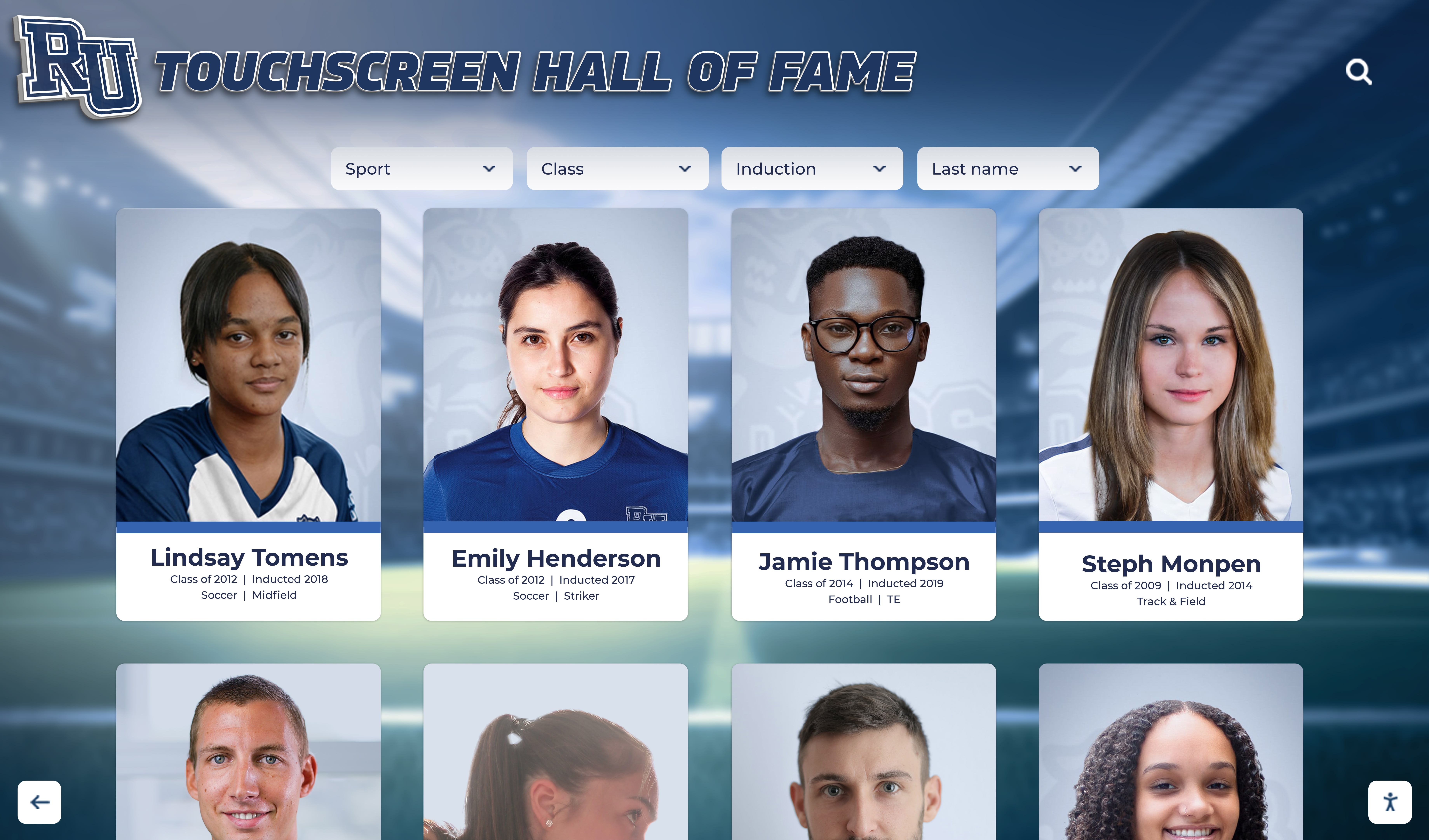
Profile cards are the central navigation surface of any inductee display. Each card typically shows a portrait, a name, a sport or award category, and a year. The link on that card is the primary action: tapping or clicking it opens the full inductee profile.
Common failures on profile cards:
- Repeated “View profile” anchor text. Every card carries the same label, creating a list of identical links pointing to different URLs.
- “Read more” appended below the card abstract. A short description of the inductee’s career ends with a truncation and a “Read more” link, but the link text carries no name.
- Image-only links with empty or missing alt text. The portrait image is wrapped in an anchor tag but has no
altattribute, producing a link with no accessible name at all. - Bookmark or share icons with no
aria-label. Small action icons in the card corner are tappable but unlabeled.
Zone 2: Category and Sport Navigation
Halls of fame organize inductees into categories—sport, award type, graduation decade, or department. The navigation elements that filter or browse those categories are a second failure zone.
Common failures in category navigation:
- “See all” links without naming the category. A sport section ends with “See all” rather than “See all Basketball inductees.”
- “Browse more” attached to a year range. A decade section links to filtered results, but the link reads “Browse more” rather than “Browse all 1990s inductees.”
- Tab or chip labels that abbreviate. A sport filter chip labeled “BB” provides no programmatic name for the full category.
Zone 3: Related Stories and Recommended Inductees
Many hall of fame platforms display a related-content row beneath an individual profile—other inductees from the same sport, the same graduation year, or linked to the same championship team. These sections are a concentrated source of repeated vague links.
Common failures in related sections:
- “Learn more” repeated for each related card. Three related inductees each carry a “Learn more” link; none names the inductee being recommended.
- “You may also like” as a heading with no differentiation below. The heading sets a context, but each child link still carries only “View” or “Read.”
- “Related stories” links that use article publication dates as the only anchor text. A date alone (“August 14, 2024”) does not describe the destination.
Zone 4: Breadcrumb, Pagination, and Navigation Controls
The structural navigation elements surrounding the hall of fame content are the fourth zone.
Common failures in navigation controls:
- “Next” and “Previous” pagination without context. A visitor who has filtered to Volleyball inductees and navigated to page 3 encounters “Previous” and “Next” links that carry no information about the category or destination page.
- Breadcrumb items that use internal short codes. A breadcrumb reading “Home > HOF > VB > 2010s” instead of “Home > Hall of Fame > Volleyball > 2010–2019.”
- “Back to top” links scattered through long profile pages. These are acceptable when they describe the action, but they become a link-purpose failure when the only anchor text is an upward arrow icon with no
aria-label.
How to Run the Audit
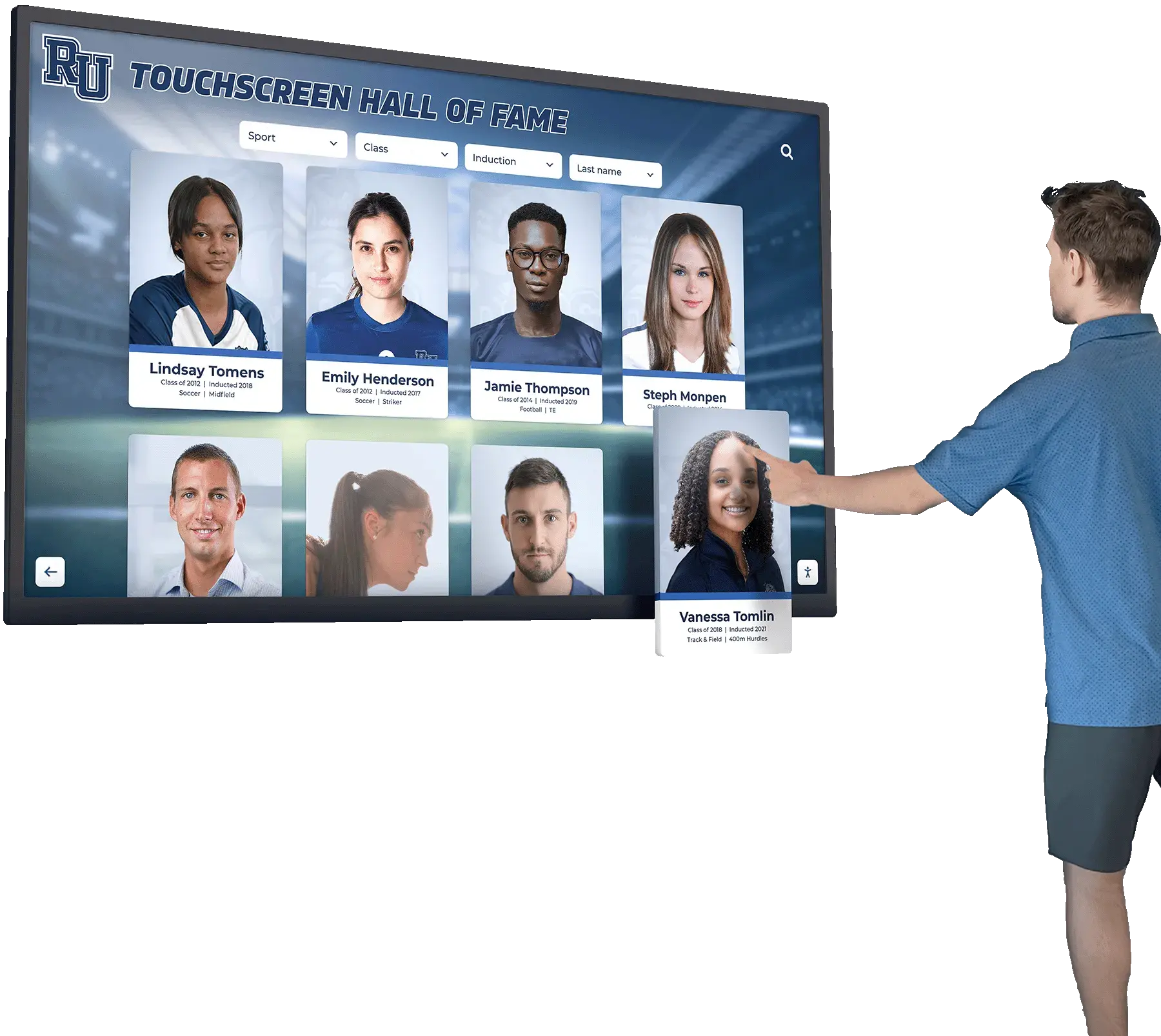
A link purpose audit does not require source code access. The entire process can be completed through a browser and a spreadsheet, making it accessible to athletics directors, school IT staff, and facilities teams without developer involvement for the discovery phase.
Plan for one to two hours of discovery time on a typical hall of fame platform with 100–300 inductee profiles. Remediation time depends on whether your platform supports template-level changes—if it does, a single fix to the profile card template can resolve all repeated "View profile" instances at once.
Step 1 — Pull the Full Link List
Open the hall of fame in Chrome or Firefox. In Chrome, open DevTools, switch to the Console tab, and run:
Array.from(document.querySelectorAll('a')).map(a => ({
  text: a.textContent.trim(),
  href: a.href,
  ariaLabel: a.getAttribute('aria-label') || ''
}))
This returns every anchor on the page with its visible text, URL, and aria-label. Copy the output into a spreadsheet. Repeat for the search results page, an individual profile page, and the category browse page.
An alternative that requires no DevTools knowledge: install the free axe DevTools browser extension and run it on each page. The “Links must have discernible text” and “Links with the same name must have a similar purpose” rules surface most failures automatically.
Step 2 — Identify Duplicate Text Pointing to Different URLs
In your spreadsheet, sort the link text column alphabetically. Any text that appears more than once—“View profile,” “Read more,” “Learn more,” “See all”—is a candidate for review. Confirm that each occurrence points to a different URL. If ten “View profile” entries all link to ten different inductee URLs, every one is a failure under WCAG 2.4.4.
Flag the following categories separately:
- Exact duplicate text, different URLs: highest priority, affects every card on every results page
- Icon-only links with no
aria-label: high priority, produce links with no accessible name - Abbreviated or date-only link text: medium priority, context may partially compensate
- “Next” and “Previous” without category context: medium priority
Step 3 — Check Surrounding Context for Partial Passes
WCAG 2.4.4 allows a link to pass if the purpose is clear from context. A “View profile” link passes at Level AA if the surrounding <li>, <article>, or <section> element contains the inductee’s name and that name is programmatically associated with the link through a shared heading or ARIA relationship.
Inspect each flagged link in DevTools to check whether the parent container establishes sufficient context. A link that visually sits inside a named card may still fail if the DOM structure places the name in a separate element with no ARIA relationship to the link.
Step 4 — Document Findings
Complete one spreadsheet row per finding with:
| Column | Content |
|---|---|
| Zone | Profile Card / Category Nav / Related / Breadcrumb |
| Screen or page | Search results / Profile detail / Category browse |
| Link text (current) | “View profile” |
| URL | /profiles/john-smith-basketball-1994 |
| Failure type | Duplicate text, different URLs |
| Context check | Fail — name is in a separate <span> with no ARIA relationship |
| Proposed label | “View profile for John Smith, Basketball, Class of 1994” |
A complete finding document organized by zone is the deliverable to share with your platform vendor or development team.
Remediation Patterns
Pattern 1: Visually Hidden Supplementary Text
The most maintainable pattern for profile cards preserves the visible “View profile” label—which sighted users already supplement with the portrait and name—while adding an accessible label for assistive technology:
<a href="/profiles/jane-doe-volleyball-2001">
  View profile
  <span class="sr-only">for Jane Doe, Volleyball, Class of 2001</span>
</a>
The .sr-only class (or visually-hidden depending on your CSS framework) removes the text from visual rendering while keeping it in the accessibility tree. This approach requires a template change: the card component must inject the inductee’s name, sport, and year into the hidden span.
If your platform supports a single profile card template, this fix resolves every repeated “View profile” instance simultaneously. Platforms that generate cards from a CMS typically expose the inductee name as a template variable, making the injection straightforward.
Pattern 2: Full-Card Anchor with aria-label
An alternative avoids the hidden span by wrapping the entire card in a single anchor with an aria-label:
<a href="/profiles/jane-doe-volleyball-2001"
   aria-label="Jane Doe – Volleyball, Class of 2001 – View full profile"
   class="card-link">
  <!-- Card contents: portrait, name, sport chip, year -->
</a>
The aria-label on the anchor overrides the computed accessible name derived from the link’s contents, so assistive technology announces the explicit label rather than the concatenated text of all child elements. This pattern avoids the risk of screen readers announcing redundant content (portrait alt text + name + sport + “View profile”) when the card contains multiple text nodes.
Pattern 3: Descriptive Category Navigation Links
Category navigation links are easier to fix because there are fewer of them and the category name is always known at render time:
| Before | After |
|---|---|
| See all | See all Basketball inductees |
| Browse more | Browse all 1990s Hall of Fame inductees |
| Filter results | Filter by sport or graduation year |
| View archive | View the complete athletic archive |
For platforms that use short labels due to space constraints, the visible text can remain abbreviated while an aria-label provides the full description:
<button aria-label="Filter by Basketball">BB</button>
Pattern 4: Related-Section Links
Related-section links require the same visually-hidden-text approach as profile cards, with the inductee name from each recommendation inserted into the anchor:
<a href="/profiles/mark-chen-swimming-1988">
  Learn more
  <span class="sr-only">about Mark Chen, Swimming, inducted 1988</span>
</a>
For platforms that build related sections dynamically from a recommendation engine, confirm that the inductee name is available as a variable in the recommendation payload. Passing the name to the link template at render time is preferable to a client-side JavaScript patch that injects labels after page load, because the server-rendered version is available before JavaScript executes and is more reliable across assistive technology configurations.
Pattern 5: Pagination with Context
Pagination controls become descriptive when they name the category or result set:
| Before | After |
|---|---|
| Previous | Previous page of Basketball inductees |
| Next | Next page – Volleyball, 1990–2000 |
| Page 3 | Page 3 of Basketball inductees (showing 21–30 of 47) |
For platforms where pagination is a shared component, add an aria-label to each pagination anchor that interpolates the active filter state:
<a href="/hall-of-fame/basketball?page=4"
   aria-label="Next page of Basketball inductees, page 4">
  Next →
</a>
Connecting the Audit to Broader Content Governance
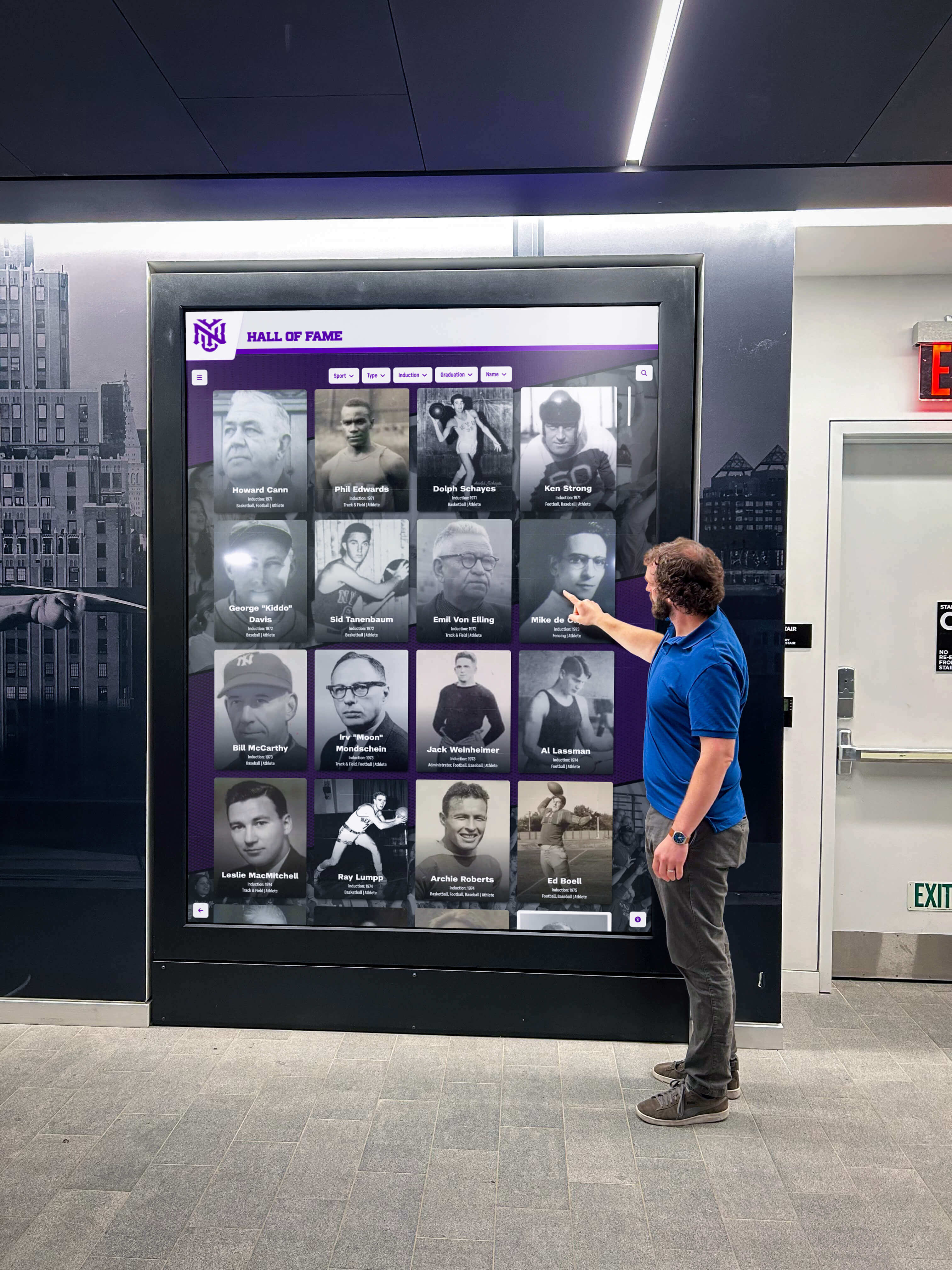
A link purpose audit is not a one-time correction. Recognition programs add inductees after each award season, introduce new sport categories over time, and may launch companion web experiences alongside the physical kiosk. Each of these changes creates new opportunities for vague link text to reappear.
Build the link purpose check into the standard QA step for content additions. When a new inductee is added to the system, the editor verifying the published card should confirm that the profile link names the inductee, not just that the card appears correctly in the grid. That single check, added to an existing review workflow, prevents the audit finding list from growing between scheduled full reviews.
Programs that maintain digital signage content across multiple screens and kiosk locations often use a content calendar to coordinate updates. Including a link-purpose spot-check column in that calendar—aligned to any week when new inductee profiles, category pages, or navigation sections are published—keeps the burden light while preventing regressions.
Athletic archives that cover the full range of school sports also benefit from descriptive link text in category navigation. A hall of fame that honors aquatics alongside field sports, where each section hosts detailed records like swim meet events and competition formats, needs category links that communicate that specificity. A link reading “See all Aquatics inductees” is immediately distinguishable from “See all Track & Field inductees” even in a links list stripped of surrounding context.
Academic recognition sections present the same challenge. When your hall of fame includes academic categories alongside athletic ones—displaying Latin honors and GPA distinctions like cum laude and summa cum laude alongside sport achievement records—category navigation links must name the academic tier, not just say “View honorees.”
Audit Timing and Event-Driven Triggers
Not all periods carry equal risk for link regressions. The following events should each trigger at minimum a targeted link purpose check:
After adding a new inductee class. New profile cards appear in the grid. Confirm that each card link names the inductee in its accessible label, either through a template update (preferred) or a spot-check of the published cards.
After introducing a new sport or award category. New category navigation links appear. Confirm that each link names the category rather than using a generic “See all” label.
After a platform template update. Vendor platform updates sometimes reset custom template variables. After any CMS or platform update, re-run the browser console link inventory and compare against the pre-update spreadsheet.
Before high-traffic recognition events. Senior recognition events like senior breakfast and year-end athletic banquets bring community members to the hall of fame display who may not interact with it regularly. Running the audit in the week before a high-attendance event catches regressions that accumulated since the last review.
After expanding to a companion website. Programs that publish athletic archives online for remote browsing—particularly those maintaining consistent athletic archive display standards across physical kiosk and web formats—should audit link purpose on the web version separately. A web page accessible by search engine crawler and screen reader from home carries higher link-purpose stakes than a physical kiosk in a supervised lobby.
Working With Your Platform Vendor
If your hall of fame runs on a purpose-built recognition platform, remediation at the template level is the most efficient path. Prepare your audit findings document before contacting the vendor, organized by zone and including the proposed descriptive label for each failure type. Most platform vendors can resolve profile card link labels through a template variable update once they have a clear specification.
Questions to bring to your vendor:
- Does the profile card template expose the inductee name, sport, and year as injectable variables in the link anchor or
aria-label? - Is there a global profile card component, or is the card template duplicated per sport section?
- Do related-story recommendation widgets pass the recommended inductee’s name to the link element?
- Can pagination
aria-labelattributes interpolate the active filter state? - Does the platform include a CMS-level validation step that flags empty or duplicate link text before a profile is published?
- Is there a staging environment where template changes can be verified before reaching production?
Programs evaluating platforms for the first time should include link-purpose questions alongside touch target and color contrast criteria. A platform designed with accessible link labels in its card template costs nothing extra to deploy correctly; a platform that hard-codes “View profile” into every card template requires vendor-side changes for every affected page.
Recognition programs that cover a wide range of school activities—from sport-specific pages covering content like sport category pages, including basketball transition offense resources, to squad-level recognition pages covering cheer team recognition and apparel galleries—benefit from a platform that enforces descriptive link conventions across all content types automatically, rather than requiring per-section manual audits.
Quick-Reference Audit Checklist
Use this checklist at each review cycle. A pass requires the link’s accessible name—either the anchor text or the combined anchor text plus visually-hidden supplement, or an explicit aria-label—to identify the destination without relying on surrounding visual context.
Profile Cards
- Each card link includes the inductee’s name in its accessible label (visible text or
sr-onlysupplement oraria-label) - Portrait image links have non-empty
alttext naming the inductee - “View profile” visible text is supplemented with inductee name for assistive technology
- Action icon links (bookmark, share) have explicit
aria-labelattributes
Category and Sport Navigation
- “See all” links name the category: “See all Basketball inductees”
- “Browse more” links name the year range or filter: “Browse all 1990s inductees”
- Abbreviated filter chips have full-name
aria-labelattributes - Tab navigation items use full category names, not abbreviations
Related Stories and Recommended Inductees
- Each related-section link names the recommended inductee
- “Learn more” links supplement with inductee name via
sr-onlyoraria-label - Date-only link text is replaced with or supplemented by a descriptive title
Breadcrumb and Pagination
- Breadcrumb items use full section names, not abbreviations or codes
- “Next” and “Previous” pagination links name the category and direction
- “Back to top” links have descriptive labels if implemented as icon-only
- Page number links include category context in
aria-labelwhen feasible
Tool-Assisted Check
- axe DevTools or equivalent run on search results page, profile detail page, and category browse page
- Links panel reviewed in screen reader (NVDA, VoiceOver, or browser equivalent) on each page type
- No links present with empty accessible names (icon-only with no
aria-label, image links with emptyalt)
Building Descriptive Links Into Your Recognition Program
Running a link purpose audit once resolves the backlog of vague links that accumulated during the initial platform setup. Keeping the results clean over time requires making descriptive link labels part of the content workflow, not a separate accessibility task.
The most durable approach is a platform template that injects the inductee name into every profile card link automatically, so editors never have to manually write the accessible label—the system derives it from the same name field used to populate the card. When the template handles it, every new inductee added through the CMS inherits a correctly labeled link without any additional editor step.
For programs coordinating recognition across multiple display locations and an online presence—maintaining high engagement during alumni events and reunion gatherings where guests look up familiar names—descriptive link text is part of what makes the display genuinely usable for every visitor who approaches the screen.
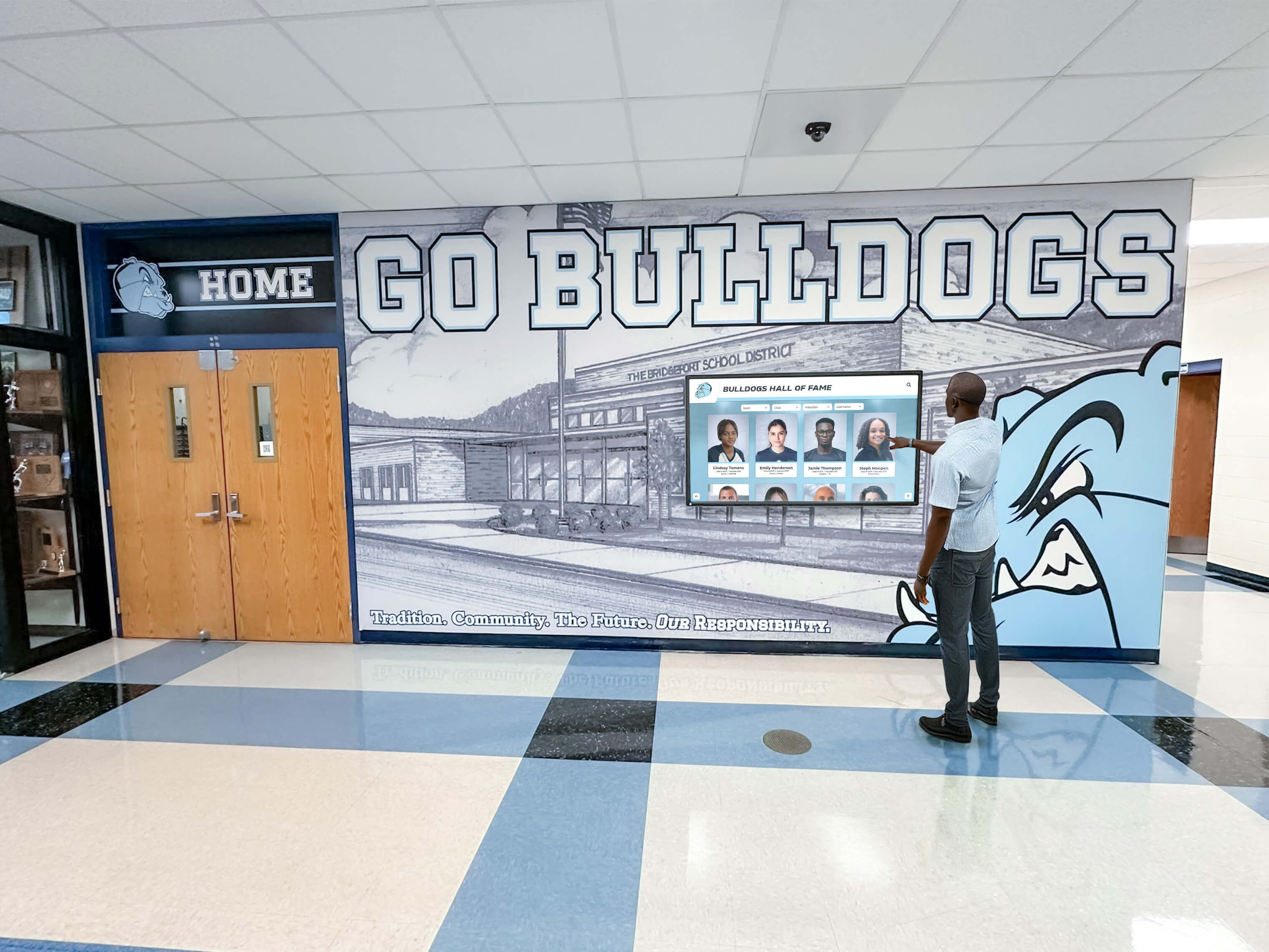
A well-labeled recognition display treats every visitor’s navigation path as equally valid—whether they are visually scanning a grid of portrait cards, navigating by keyboard through a list, or listening to a screen reader announce each inductee name as a distinct, identifiable link.
































