




Key Takeaways
Run a digital hall of fame ARIA-sort audit to verify every sortable inductee table column header announces the active sort direction—ascending, descending, or unsorted—to screen-reader users without changing the visual touchscreen experience.
aria-sort is the single attribute that communicates that state. A digital hall of fame ARIA-sort audit checks every sortable column header on the inductee table to confirm that exactly one column carries the active sort direction, that the direction updates correctly when a visitor sorts by a different column, and that non-active sortable columns are marked appropriately — all without changing anything about the visual touchscreen experience. This guide walks school IT staff, athletic directors, and accessibility coordinators through every step of that audit: the one-column rule, the ascending and descending test cases, the unsorted state, and how to remediate the most common failures found on school recognition platforms.
What aria-sort Does — and Why Sortable Inductee Tables Need It
aria-sort is an HTML attribute applied to a <th> element — or any element with role="columnheader" — inside a sortable data table. It tells assistive technology which column is currently sorted and in which direction. Without it, a screen reader user lands in a sorted inductee table and has no way to know the data is sorted at all, let alone which column controls the sort or which direction the sort runs.
The ARIA specification defines four valid values for aria-sort:
| Value | Meaning | When to Use on a Hall of Fame Table |
|---|---|---|
ascending | Column sorted smallest-to-largest or A-to-Z | Active sort column, sorted A–Z by name, earliest year first, etc. |
descending | Column sorted largest-to-smallest or Z-to-A | Active sort column, sorted Z–A by name, most recent year first, etc. |
none | Column is sortable but not currently sorted | Every sortable column that is not the active sort column |
other | Sort algorithm is not ascending or descending | Custom relevance sort, manual ranking, or weighted scoring |
On a hall of fame inductee table with columns for Inductee Name, Sport, Induction Year, and Award Type, only one column should carry aria-sort="ascending" or aria-sort="descending" at any moment. The remaining sortable columns carry aria-sort="none". Columns that cannot be sorted at all — a row-number column or a fixed-text column — carry no aria-sort attribute.
A screen reader that encounters a <th aria-sort="ascending">Inductee Name</th> announces it as “Inductee Name, column header, ascending.” A screen reader that encounters a <th>Inductee Name</th> with no sort state announces it as a plain column header — the visitor has to read every row to determine whether and how the table is ordered.
The compliance anchor is WCAG 2.1 SC 4.1.2 (Name, Role, Value, Level AA): the sort state is a programmatically determinable property of the column header, and failing to expose it is a Level AA failure. The table below maps each WCAG criterion to its hall of fame relevance:
| WCAG Criterion | Level | How It Applies |
|---|---|---|
| 4.1.2 Name, Role, Value | AA | Sort state must be programmatically determinable via aria-sort on the active column header |
| 1.3.1 Info and Relationships | A | Sort direction cannot be communicated only through a visual arrow icon — the relationship must be in markup |
| 2.1.1 Keyboard | A | If column headers are clickable to sort, they must be keyboard-operable so keyboard-plus-screen-reader users can activate sort changes |
| 4.1.3 Status Messages | AA | If sorting triggers a result count or status announcement (“Sorted by Name, 147 inductees”), that message must be programmatically determinable |
The One-Column aria-sort Rule
The most common aria-sort implementation error on school recognition platforms is applying the attribute to the active column only — and leaving all other sortable column headers without any aria-sort attribute. This is partly correct: the active column’s ascending or descending value is right. What is missing is the none value on all other sortable columns.
The one-column rule has two parts:
Part 1 — Exactly one active sort value at a time. At any given moment, exactly one column header may carry aria-sort="ascending" or aria-sort="descending". If a visitor sorts by Sport and then sorts by Year, the Sport header must revert to aria-sort="none" before or simultaneously with the Year header receiving aria-sort="ascending". A platform that retains aria-sort="ascending" on Sport while adding aria-sort="ascending" on Year produces a logically impossible state — two columns claiming to be the active ascending sort — and a screen reader user who navigates across the column headers will receive conflicting information.
Part 2 — All other sortable columns carry aria-sort="none". A column header with aria-sort="none" announces to a screen reader that the column is capable of sorting but is not the current sort column. A column header with no aria-sort attribute at all announces nothing about sortability. On a hall of fame inductee table where every column is sortable, every column must carry aria-sort — the active column carries ascending or descending, and all others carry none.
The JavaScript responsible for handling sort activation must:
- Remove
aria-sort="ascending"oraria-sort="descending"from the previously sorted column and set it toaria-sort="none" - Set
aria-sort="ascending"on the newly activated column (ordescendingif toggling the same column)
This DOM update is the same size whether the table has four columns or forty. Platforms that omit it leave their sort state invisible to assistive technology on every column except the one a visitor happens to activate.

Ascending, Descending, and Unsorted — All Three States Must Be Tested
A complete digital hall of fame ARIA-sort audit requires testing all three states for each sortable column. Testing only the ascending state is insufficient: a platform may correctly apply aria-sort="ascending" on the first sort click but fail to update to aria-sort="descending" on the second click, or fail to move the attribute to a new column when the visitor sorts by a different header.
Test Case 1 — Ascending Sort
Activate a sortable column header once. The expected outcome:
- The activated column header carries
aria-sort="ascending" - All other sortable column headers carry
aria-sort="none" - No column header carries
aria-sort="descending"(unless the platform defaults to descending on the first click — confirm the platform’s intended default) - A screen reader active on the page announces the sorted column header as “ascending” when focus reaches that cell
Test Case 2 — Descending Sort
Activate the same column header a second time. The expected outcome:
- The same column header now carries
aria-sort="descending" - All other sortable column headers continue to carry
aria-sort="none" - The switch from
ascendingtodescendinghappens on the same DOM element without removing and re-adding the element (which would disrupt screen reader focus)
Test Case 3 — Switching Active Column
Activate a different column header after establishing a sort on the first. The expected outcome:
- The new column header carries
aria-sort="ascending"(ordescending, per the platform’s default for a newly activated column) - The previously sorted column reverts to
aria-sort="none" - No orphaned
ascendingordescendingvalues remain on inactive columns
Test Case 4 — Returning to Unsorted State
Some platforms offer a third click on the active column to return the table to its default, unsorted order. If this behavior exists, the expected outcome:
- The column header that was sorted now carries
aria-sort="none"— notaria-sort="ascending"or absent - If the table returns to a server-defined default sort (not user-driven), confirm that the server-default column carries the appropriate
aria-sortvalue reflecting the default sort direction
Recognition programs that maintain induction records alongside alumni engagement tools can align this audit work with broader display maintenance, including the recommendations in the digital hall of fame print stylesheet checklist that addresses how accessible structural information in the DOM transfers across rendering contexts.
How to Run a Digital Hall of Fame ARIA-Sort Audit
Step 1 — Inventory All Column Headers and Their Initial aria-sort State
Open the hall of fame interface in Chrome or Edge and navigate to any view that renders a sortable inductee table. Open DevTools (F12) and run the following query in the Console tab:
Array.from(document.querySelectorAll('th, [role="columnheader"]')).map(el => ({
  text: el.textContent.trim().slice(0, 60),
  sort: el.getAttribute('aria-sort') || '(absent)',
  scope: el.getAttribute('scope') || el.getAttribute('role') || '(none)',
  tabindex: el.getAttribute('tabindex')
}))
Record the output. Every column header that is visually sortable (indicated by a sort arrow, an up/down chevron, or a hover state that changes the cursor) must appear in this output with an aria-sort value. Any sortable column header where sort is '(absent)' is a missing-attribute finding.
Step 2 — Test the Ascending State on Each Column
For each sortable column, activate it once (click or keyboard Enter). After activation, re-run the Step 1 query and confirm:
- Exactly one column carries
aria-sort="ascending"(or"descending"if the platform defaults to descending-first) - All other sortable columns carry
aria-sort="none" - No sortable column carries
'(absent)'
Flag every column that does not update correctly.
Step 3 — Test the Descending State
Activate the same column a second time and re-run the query. Confirm the column switches from ascending to descending. Flag any column that retains ascending after the second activation or that removes the attribute entirely instead of switching to descending.
Step 4 — Test the Column-Switch Update
Activate a second column while the first remains sorted. Re-run the query. Confirm the new column carries the active sort value and the previously sorted column reverts to none. Flag any case where two columns simultaneously carry ascending or descending, and any case where the previously sorted column loses its aria-sort attribute entirely (absent is not the same as none).
Step 5 — Run the Query in Each View That Renders a Table
If the hall of fame platform renders inductee tables on more than one route — a full roster view, a filtered results view, and a search results view — run the complete audit separately in each view. Different route templates may render different table components with different sort implementations. A sort that is correctly implemented on the main roster table may be missing or incorrect on the filtered results table.

Sortable inductee tables appear across multiple views on a hall of fame platform — the main roster, filtered sport-specific views, and search result sets. Each view may use a different template, and each template requires independent verification. A passing audit on the main roster does not guarantee the filtered results view is correct.
Schools building or refreshing recognition displays alongside venue improvements can review gymnasium wall design and school pride display considerations for context on how physical and digital recognition elements are integrated — and how the same accessibility standards apply to kiosk-mounted displays in those spaces.
For recognition programs that include alumni engagement alongside athletic induction, the alumni spotlight guide addresses how structured data organization on these platforms intersects with the sortable record display that this audit targets.
Step 6 — Verify Screen Reader Announcement
Install NVDA (Windows, free) or use VoiceOver (macOS, built-in). Navigate to the inductee table using Tab or arrow keys. Move focus across each column header cell and listen to the full announcement:
- An unsorted but sortable column should announce: “[Column Name], column header, none”
- The actively sorted column should announce: “[Column Name], column header, ascending” or “descending”
If the screen reader announces a sorted column header as a plain column header with no sort state, the aria-sort attribute is either absent or is being overridden by a conflicting ARIA attribute. Note every column header that fails to announce a sort state.
Common Failure Patterns on Hall of Fame Platforms
Pattern 1: aria-sort applied only on first sort, not updated on toggle. The platform correctly places aria-sort="ascending" on a column header when a visitor clicks it. On a second click, the column re-sorts visually to descending order, but the JavaScript that handles the sort does not update the aria-sort value. The attribute remains "ascending" while the data order is descending. A screen reader user hears “ascending” but the inductee listed first in the Name column is the last alphabetically. This is a SC 4.1.2 failure: the programmatically exposed value does not match the actual state.
Pattern 2: aria-sort removed instead of set to “none” when column becomes inactive. When a visitor activates a second sort column, the previously sorted column’s aria-sort attribute is removed entirely via el.removeAttribute('aria-sort') instead of being set to el.setAttribute('aria-sort', 'none'). The result is that only the active column ever carries aria-sort — all other sortable columns have no attribute — and a screen reader user cannot determine which other columns are sortable without activating each one.
Pattern 3: Sort icon treated as the only sort indicator. A sort arrow icon inside the column header <th> is the sole visual indicator of sort direction. The icon has no alt text and no aria-label. The aria-sort attribute is absent. A screen reader user receives no information about the sort state from the column header. This is both a SC 4.1.2 failure (missing property) and a SC 1.3.1 failure (structural relationship communicated only visually).
Pattern 4: aria-sort on the wrong element. The aria-sort attribute is placed on the sort icon <span> inside the column header rather than on the <th> element itself. ARIA inheritance does not propagate aria-sort from a child element to a parent <th>. The attribute is present in the DOM but is not associated with the columnheader role — so assistive technology does not read it as part of the column header’s state announcement.
Pattern 5: Static aria-sort values that never update. During development or initial accessibility remediation, aria-sort="ascending" was hard-coded into a column header template as a static attribute. The attribute is always present on that column regardless of the actual sort state, and it never updates when other columns are sorted. Every page load announces that column as ascending — even when the table is sorted by a different column entirely.
Schools evaluating how to connect recognition program content with consistent physical environment cues can review graduation decoration and display guidance for how visual recognition elements in school spaces correspond to the digital record systems that this audit covers.
Touchscreen Kiosk Considerations
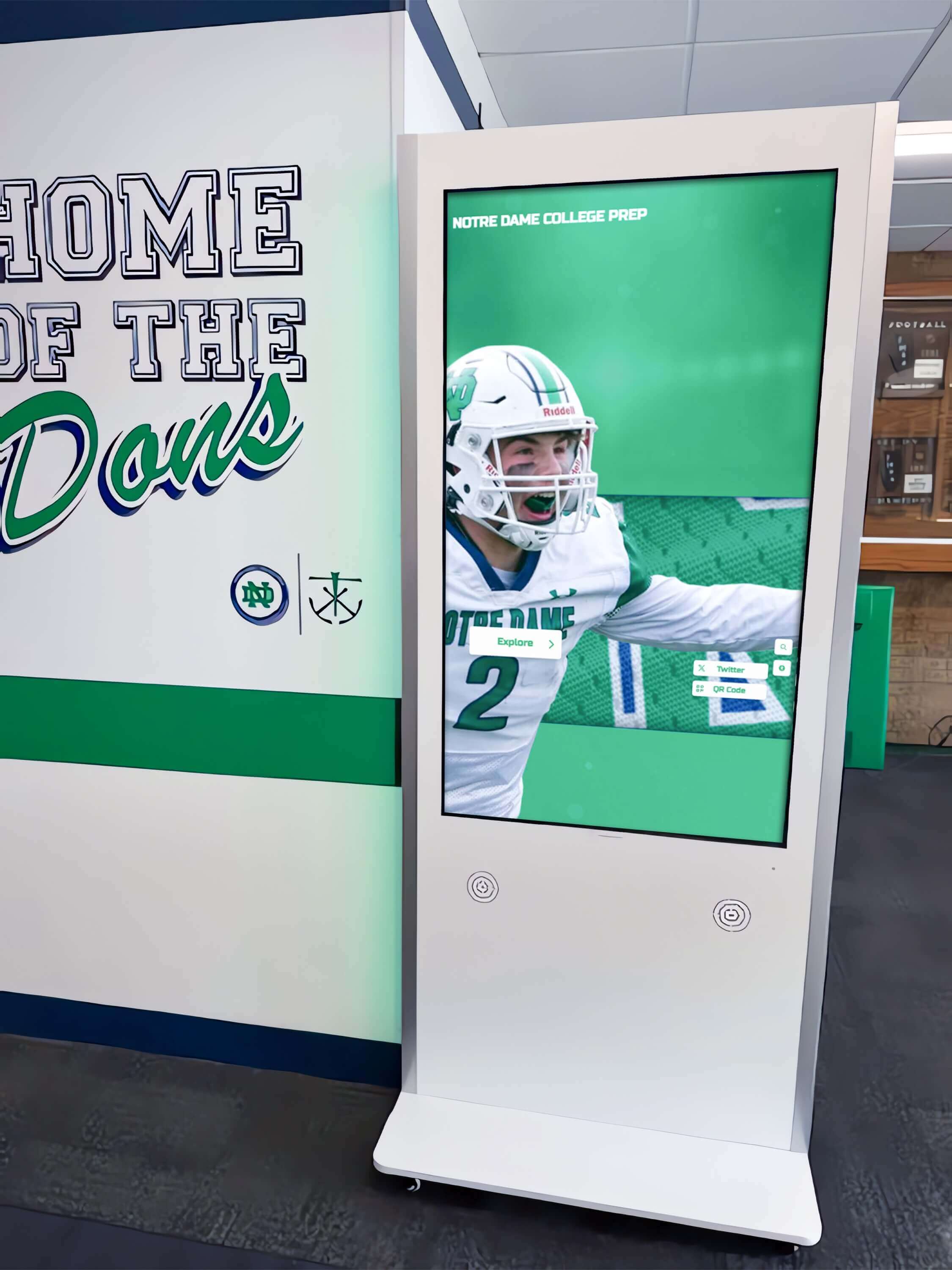
A touchscreen kiosk in a school lobby or hallway typically renders the same hall of fame platform as the web-accessible version but may present a condensed table — fewer columns, larger touch targets on column headers, or a simplified sort interface. These layout differences affect the aria-sort audit in two ways.
First, a kiosk table that displays only three columns instead of five has three column headers to verify instead of five. If the kiosk table omits the Induction Year column that the web version displays, the Year column’s aria-sort behavior does not need to be audited on the kiosk — but the remaining three columns do.
Second, a kiosk that renders a simplified sort interface — such as a sort dropdown menu instead of clickable column headers — may not use aria-sort at all. If sort direction is communicated through a separate <select> control or a set of sort buttons outside the table, aria-sort may not be applicable. The audit should document how sort direction is communicated on the kiosk and verify that whichever mechanism is used exposes the current sort state to assistive technology through an appropriate ARIA pattern.
The kiosk audit must be run independently from the web audit. Load the kiosk URL or template, run the Step 1 DevTools query, and compare the aria-sort results against the kiosk’s actual sort behavior. Do not assume the kiosk implementation matches the web implementation.
Recognition coordinators planning comprehensive display reviews can pair the sort audit with broader accessibility verification, including checks recommended in the recognition display ethernet and connectivity test guide to confirm that infrastructure supporting the display is stable enough to sustain the continuous DOM updates that correct aria-sort implementation requires.
Correct HTML Pattern for a Sortable Inductee Table
The following markup illustrates a correctly implemented sortable inductee table at the moment the visitor has sorted by Induction Year, descending:
<table>
  <thead>
    <tr>
      <th scope="col" aria-sort="none" tabindex="0">Inductee Name</th>
      <th scope="col" aria-sort="none" tabindex="0">Sport</th>
      <th scope="col" aria-sort="descending" tabindex="0">Induction Year</th>
      <th scope="col" aria-sort="none" tabindex="0">Award Type</th>
    </tr>
  </thead>
  <tbody>
    <tr>
      <td>Rivera, M.</td>
      <td>Baseball</td>
      <td>2024</td>
      <td>Athlete</td>
    </tr>
    <!-- additional rows -->
  </tbody>
</table>
When the visitor activates the Inductee Name header to sort alphabetically ascending, the JavaScript must execute:
// Reset all sortable headers to 'none'
document.querySelectorAll('th[aria-sort]').forEach(th => {
  th.setAttribute('aria-sort', 'none');
});

// Apply active sort to the clicked column header
clickedHeader.setAttribute('aria-sort', 'ascending');
This two-step approach — reset all, then set the active one — prevents the simultaneous-sort-state failure. It applies equally to click events (mouse and touch) and to keyboard Enter or Space events on the column header.
The tabindex="0" on each <th> ensures keyboard users can reach and activate the column headers. Without it, keyboard-plus-screen-reader users cannot sort the table at all — which is a SC 2.1.1 failure independent of the aria-sort state issues.
Connecting This Audit to Broader Accessibility Work
A digital hall of fame ARIA-sort audit for sortable inductee tables belongs alongside companion audits that address the full interactive table experience.
Pair with a column header scope audit. Every <th> in a sortable table must carry scope="col" (or scope="row" for row headers). Without scope, some assistive technologies cannot associate the header cell with the data cells it governs, making the column header’s aria-sort value meaningless in the context of the data it describes.
Pair with a keyboard navigation audit. Sortable column headers must be reachable by Tab and activatable by Enter or Space. An audit that verifies aria-sort values without verifying keyboard operability of the sort controls confirms accessible markup without confirming accessible behavior.
Pair with a live region audit. When a sort action reloads or reorders the table rows, a live region announcement (“Table sorted by Name, ascending”) gives screen reader users immediate confirmation that the sort completed. Without a live region, the screen reader user may not know whether their activation of the column header succeeded.
Recognition programs that acknowledge students across multiple recognition categories — from athletics to academics — can reference the chess club and tournament winner recognition guide for context on how diverse recognition data types are structured in the same platform where sortable inductee tables appear.
Schools evaluating recognition program platforms alongside physical display installations can review commemorative plaque design and materials guidance for how the physical and digital recognition elements that share an inductee record must both accurately represent the same underlying data — the same data that sortable tables present to digital visitors.
Honor programs that extend beyond athletics to academic achievement can review national honor program eligibility and recognition guidance for context on the range of recognition categories that a hall of fame platform’s sortable inductee tables may need to support.

Remediation Priority Framework
When bringing aria-sort findings to a platform vendor, organize requests in three tiers:
Tier 1 — Missing aria-sort on sortable column headers. Any <th> that visually sorts the table when activated but carries no aria-sort attribute is a Level AA failure under SC 4.1.2. Prioritize remediation of the most frequently used sort columns — Inductee Name, Sport, and Induction Year — because these are the columns visitors are most likely to sort during a browsing session.
Tier 2 — aria-sort not updating on sort change. A trigger that carries aria-sort initially but does not update when a sort is activated or changed is a dynamic state failure. The attribute is present in the initial markup but the JavaScript managing sort activation does not update the DOM. This failure is worse than absence in one respect: it actively misrepresents the sort state, leading screen reader users to form incorrect assumptions about the table’s data order.
Tier 3 — aria-sort=“none” absent on non-active sortable columns. Triggers that correctly carry ascending or descending on the active column but omit aria-sort="none" from all other sortable columns are incomplete. The active sort state is correctly communicated, but a screen reader user cannot determine which other columns are sortable without activating each one. Remediation is a low-effort JavaScript change — adding setAttribute('aria-sort', 'none') to all non-active sortable headers in the sort handler.
Schools evaluating recognition platforms as part of an accessibility-first procurement review should treat Tier 1 and Tier 2 failures as decision factors. A platform that does not correctly expose the sort state of its primary inductee table — Name, Sport, Year — on initial load and after user interaction will require custom JavaScript remediation after every template update that modifies the table component.

Quick-Reference Audit Checklist
Discovery
- DevTools Console query run on main roster view, filtered sport view, and search results view
- Every
<th>and[role="columnheader"]recorded with itsaria-sortvalue,scope, andtabindex - Visually sortable columns without any
aria-sortattribute identified and flagged as Tier 1 findings
Ascending State Test
- Each sortable column activated once;
aria-sort="ascending"confirmed on active column - All other sortable columns confirmed to carry
aria-sort="none"(not absent) - No two columns simultaneously carrying
ascendingordescending
Descending State Test
- Same column activated twice;
aria-sort="descending"confirmed on same column -
aria-sortvalue confirmed to update dynamically (not hard-coded static value)
Column-Switch Test
- Second column activated; new column carries active sort value
- Previously sorted column reverts to
aria-sort="none"(not absent orascending)
Keyboard Operability
- All sortable
<th>elements reachable by Tab (tabindex=“0” or in tab order) - Each column header activatable by Enter and Space
-
aria-sortupdates on keyboard activation, not only on mouse click
Screen Reader Test
- NVDA or VoiceOver active; each column header tabbed to and full announcement recorded
- Active sort column announces “ascending” or “descending” as part of header announcement
- Non-active sortable columns announce “none” as part of header announcement
- After sort activation, live region or focus management confirms sort completed
Kiosk Deployment
- Kiosk template loaded independently and Step 1 query repeated
- Kiosk column headers compared against web column headers for
aria-sortconsistency - Kiosk-specific sort interface (if different from web) verified for accessible sort state communication
Documentation
- Each finding categorized as Tier 1 (missing), Tier 2 (not updating), or Tier 3 (none absent on non-active columns)
- Remediation request structured with column text, current aria-sort value, expected value, and reproduction steps
- Re-test plan scheduled for 30 days after vendor remediation delivery
Rocket Alumni Solutions builds correct aria-sort implementation into every sortable inductee table at the component level — the active sort column carries the correct ascending or descending value, all non-active sortable columns carry none, and the JavaScript sort handler updates both sets of columns on every sort activation. The implementation covers click, touch, and keyboard events with the same DOM update, so sighted users sorting by touch and screen reader users sorting by keyboard receive the same accurate sort state from the accessibility tree. Schools confirming their current display handles sortable table accessibility correctly — or evaluating platforms for a new installation — can verify the implementation firsthand during a personalized demo.
































