



Key Takeaways
Transform traditional flip-through class composites into interactive digital displays. Compare digital yearbook solutions, features, costs, and implementation for schools accessing photos and information by class year.
This comprehensive guide examines how digital flip-through composite displays work, what features distinguish quality systems from basic alternatives, implementation considerations for schools and organizations, and how to evaluate whether interactive digital solutions provide better value than traditional approaches for your specific needs.
Understanding Digital Flip-Through Composite Displays
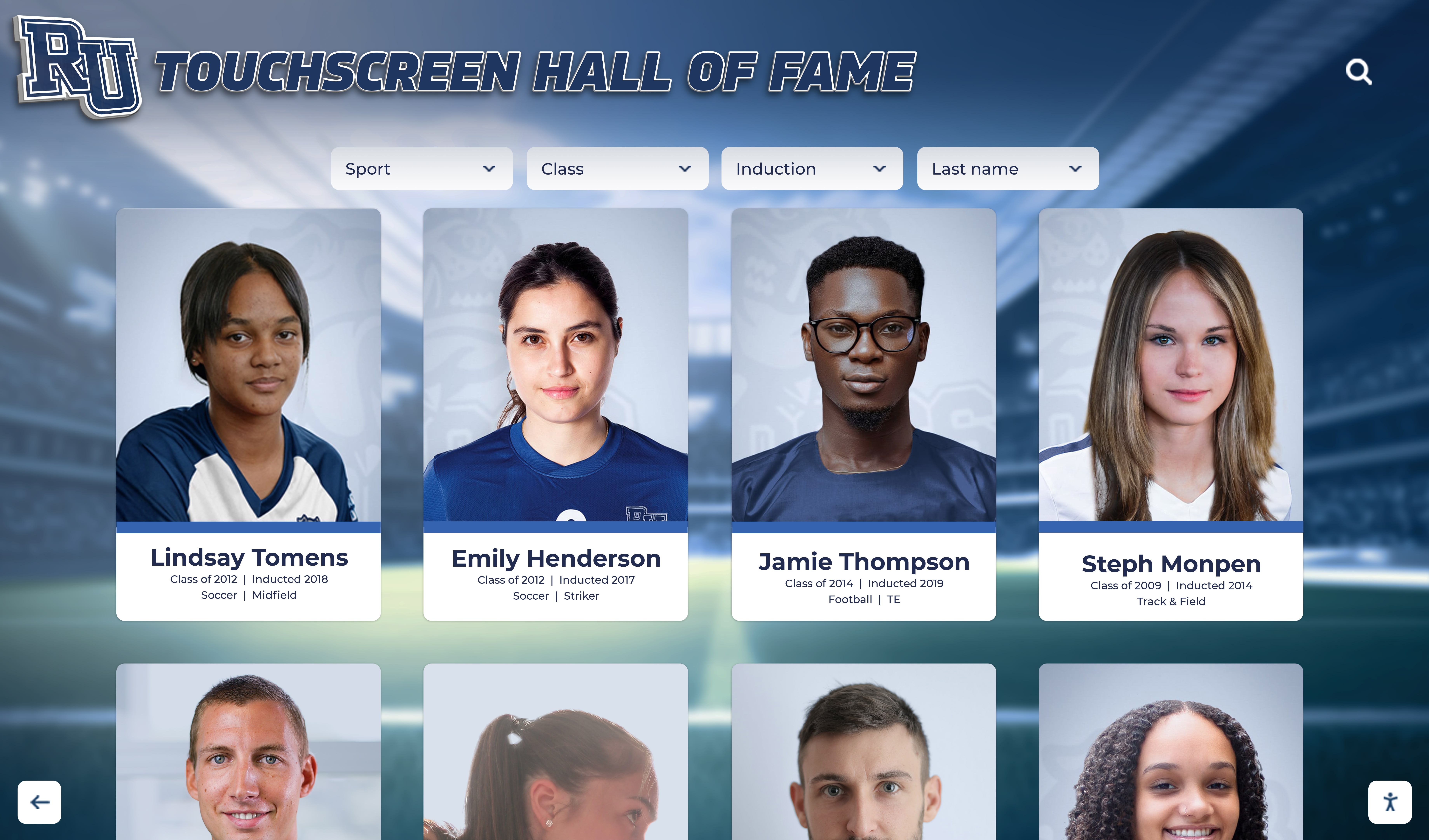
Digital flip-through composite displays replicate and enhance the experience of browsing traditional class composite books through interactive touchscreen technology.
The Traditional Composite Book Experience
Physical class composite books have served schools effectively for decades, organizing graduating class photos in bound volumes that visitors can browse chronologically. Students and alumni return to campuses, pull composite books from shelves, and flip through pages searching for their class year and individual portraits.
Traditional Composite Book Characteristics:
- Year Organization: Separate books or sections for each graduating class, requiring users to select appropriate volume before browsing
- Physical Interaction: Tactile page-turning creates familiar browsing experience but limits to one user at a time
- Fixed Content: Printed information cannot be corrected or enhanced after production
- Storage Requirements: Growing collections consume significant shelf space as years accumulate
- Access Limitations: Available only to those who can physically visit the location and handle books
- Deterioration: Pages wear, bindings break, and print quality degrades over time despite careful handling
Many schools maintain composite book collections spanning decades, with older volumes stored in archives rather than remaining accessible due to preservation concerns or space constraints.
Digital Transformation of the Composite Experience
Modern interactive touchscreen displays preserve the intuitive year-by-year browsing experience while eliminating physical format limitations.
Digital Flip-Through Capabilities:
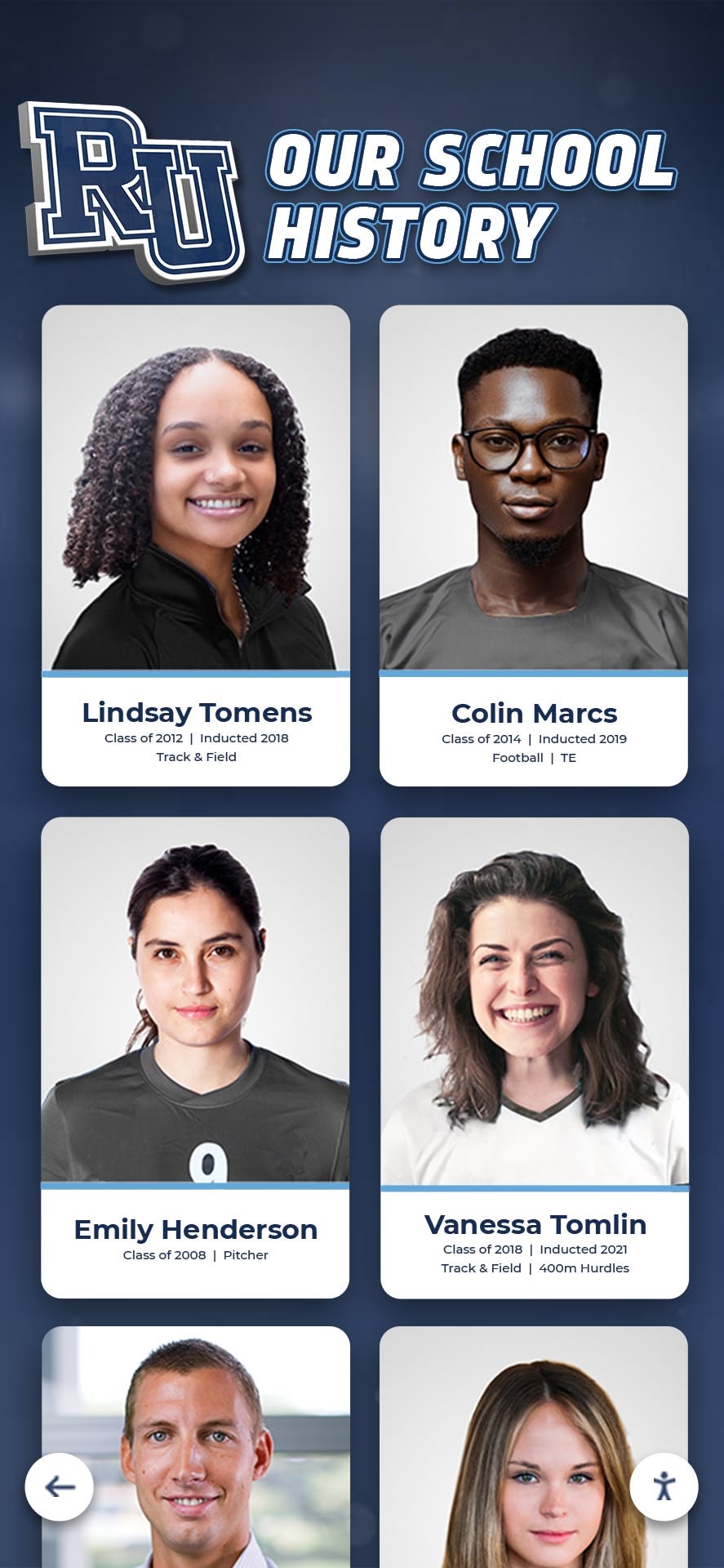
Digital systems enable users to navigate graduating classes chronologically through touchscreen interfaces designed to feel natural for anyone familiar with browsing photo albums or yearbooks. Instead of turning pages, visitors swipe through virtual class pages organized by year, accessing decades of graduating classes through single displays.
Enhanced Search and Discovery:
While maintaining browsing functionality, digital systems add instant search capabilities letting visitors jump directly to specific years or locate individual students by name without manually flipping through multiple classes. This addresses the primary frustration of physical books—finding specific individuals within large collections.
Multimedia Integration:
Digital displays extend beyond static photos to include video interviews with alumni, audio messages from graduates, historical context about specific class years, reunion photos and updates, career accomplishments and news, and links to additional resources or social media profiles.
Unlimited Capacity:
Physical composite books eventually fill shelves and storage facilities, forcing difficult decisions about what to keep accessible. Digital systems accommodate unlimited graduating classes in identical physical footprints, displaying complete institutional histories without space constraints.
Remote Accessibility:
Cloud-based digital composite platforms extend access beyond physical installations. Alumni worldwide can explore their graduating classes remotely through web interfaces, while on-site touchscreen displays serve campus visitors. This dual-access model serves both local and distant community members.
Key Features of Effective Digital Composite Systems
Not all digital display platforms effectively replicate and improve upon traditional composite book experiences. Specialized features distinguish purpose-built systems from generic alternatives.
Year-Based Organization and Navigation
Digital composites must organize content primarily by graduating class year, matching how visitors naturally think about and search for class information.
Chronological Browsing Interface:
Effective systems present graduating classes in clear chronological sequences, enabling intuitive forward and backward navigation through years. Visual timelines or year selectors allow direct jumps to specific graduation years without sequential browsing through intervening classes.
Class Overview Pages:
Each graduating class should have dedicated overview pages featuring class photos or composite layouts, total number of graduates, year-specific information and context, quick links to individual students, and featured highlights or notable achievements from that class.
Decade and Era Grouping:
For institutions with extensive histories, organizing classes by decades (1950s, 1960s, etc.) or significant eras provides helpful hierarchical navigation preventing overwhelming single lists of hundreds of graduating years.
Recent Class Highlighting:
While historical browsing is important, systems should prominently feature recent graduating classes that draw most interest from current students, parents, and recent alumni.
Individual Profile Management
Within each graduating class, digital systems must efficiently organize and present individual graduate information.
Comprehensive Profile Information:
Digital profiles support extensive information that physical composites cannot accommodate:
- Professional headshot photographs meeting quality standards
- Full names with maiden names and preferred names
- Academic honors and achievement designations
- College attendance and degree information
- Athletic accomplishments and records
- Arts, music, and extracurricular participation
- Career information for alumni who choose to share
- Current city and state for willing graduates
- Social media or professional networking links
- Personal messages or reflections
Flexible Privacy Controls:
Graduates should have options regarding information visibility, from full public profiles through name-and-photo-only presentations to complete opt-outs respecting privacy preferences.
Update Capabilities:
Unlike fixed printed composites, digital profiles enable ongoing updates. Alumni can submit career accomplishments, reunion photos, or personal news that gets added to their graduating class profiles, keeping content current and engaging.
Search and Filtering Functionality

Powerful search capabilities distinguish digital composites from physical books, dramatically improving information discovery.
Name Search:
Instant search finding specific individuals by first name, last name, or partial name eliminates manually browsing through entire classes. Auto-complete suggestions help when exact spelling is uncertain.
Multi-Field Search:
Advanced systems search across multiple data fields including college destinations, achievement categories, activities and clubs, honors received, hometowns, and career industries.
Filter Combinations:
Layering multiple filters enables targeted discovery, such as finding all graduates from the 1990s who played football and attended Big Ten universities. These discovery tools create engaging exploration opportunities beyond simple name lookup.
Boolean and Wildcard Search:
Sophisticated search supporting Boolean operators (AND, OR, NOT) and wildcard characters accommodates complex queries and uncertain information. This flexibility helps alumni with partial memories locate specific classmates.
Content Management and Administration
Schools need intuitive tools for managing digital composite content without requiring technical expertise.
Bulk Import Capabilities:
Efficient systems support bulk uploading of entire graduating classes through spreadsheet imports. This proves essential when digitizing historical classes or adding annual graduating classes with hundreds of students.
Template-Based Data Entry:
Consistent data entry templates ensure information uniformity across all profiles while simplifying the administrator experience. Pre-defined fields guide data collection and prevent formatting inconsistencies.
Approval Workflows:
Multi-step review processes enable content verification before publication. Draft profiles can be reviewed by multiple staff members, correcting errors before information becomes publicly visible.
Automated Backup and Version Control:
Professional platforms automatically backup all content and maintain version histories, protecting against data loss and enabling recovery from accidental deletions or erroneous edits.
Access Permission Levels:
Role-based permissions let schools grant different access levels to various staff members. Senior administrators may have full editing rights while department coordinators might only update specific categories.
Comparing Digital Composite Platform Options
Multiple technology approaches can create digital flip-through composite experiences, with significant capability and cost differences.
Specialized Recognition Platforms
Purpose-built recognition platforms designed specifically for educational contexts offer comprehensive features optimized for class composite applications.
Platform Characteristics:
Specialized educational recognition systems like Rocket Alumni Solutions provide dedicated composite and yearbook functionality with pre-built templates for class organization, intuitive year-based navigation structures, graduating class metadata and information fields, searchable student databases, and integration with broader alumni recognition programs.
Advantages:
Purpose-built platforms require minimal customization because core functionality already matches school needs. Vendors understand educational contexts and provide relevant support. Implementation timelines are shorter since foundational features already exist rather than requiring custom development.
Implementation Considerations:
Specialized platforms typically cost $8,000-$25,000 for complete implementations including hardware, software, installation, and initial content development. Annual licensing and support fees range $1,000-$3,000. While representing significant investment, specialized platforms deliver professional results with ongoing vendor support.
Ideal For:
Schools and universities prioritizing comprehensive composite features, ease of content management, and long-term vendor relationships. Institutions with multiple recognition needs beyond composites benefit from platforms supporting athletic recognition, donor walls, and other applications through unified systems.

Custom Web-Based Solutions
Organizations with technical resources can develop custom web applications specifically designed for their composite needs.
Development Approach:
Custom solutions typically involve contracting web developers to build bespoke databases and interfaces matching exact institutional requirements. This provides maximum flexibility for unique features or integration with existing school systems.
Advantages:
Complete customization accommodates any institutional requirement or preference. Schools own the resulting code and can modify it independently. Integration with existing databases and systems can be deeply implemented.
Challenges:
Custom development requires significant upfront investment ($15,000-$50,000+) depending on complexity. Ongoing maintenance and updates require continued developer access or internal technical staff. No vendor support exists beyond original developers who may become unavailable.
Ideal For:
Large universities with dedicated IT departments capable of maintaining custom systems, institutions with highly specific requirements that commercial platforms cannot address, or organizations already committed to custom development approaches across their technology ecosystem.
Digital Signage Platforms
General-purpose digital signage software can display composite content but lacks specialized features purpose-built for class browsing.
Platform Characteristics:
Digital signage platforms like ScreenCloud, Rise Vision, or OptiSigns focus primarily on displaying scheduled content rather than interactive databases. Composite functionality requires significant customization and workarounds.
Limitations for Composite Use:
Generic digital signage lacks graduating class organizational structures, sophisticated search functionality, individual profile databases, intuitive year-based navigation, and content management workflows designed for educational contexts.
Cost Considerations:
Digital signage platforms cost less initially ($500-$2,000 annually for software), but adapting them for composite use requires custom development largely eliminating cost advantages while delivering inferior functionality compared to specialized platforms.
When Appropriate:
Schools primarily needing scheduled content display (announcements, event calendars) with basic composite viewing as secondary function might accept limited composite capabilities in exchange for multipurpose signage functionality.
Implementation Process for Digital Composite Displays
Successful implementations require coordinated planning across content development, hardware selection, and staff training.
Content Collection and Preparation
Quality content determines display effectiveness regardless of technology sophistication.
Historical Content Digitization:
Schools implementing digital composites often want to include decades of historical graduating classes from physical yearbooks and composite books.
Digitization Workflow:
Professional scanning services or internal efforts convert physical materials to digital formats. High-resolution scanning captures individual portraits and yearbook pages. Image processing software enhances photo quality and extracts individual portraits from composite layouts. Data entry creates searchable records with names, years, and available biographical information.
Many organizations implementing digital school history archives discover that comprehensive digitization requires several months for extensive collections but creates permanent preservation of institutional history.
Current Class Photography:
Annual processes for capturing graduating senior portraits must produce digital images meeting display requirements:
- Minimum resolution specifications (typically 300 DPI at display size)
- Consistent backgrounds and lighting
- Standardized poses and compositions
- Proper file formats (JPEG or PNG)
- Appropriate file naming conventions
- Timely submission before graduation deadlines
Biographical Information Collection:
Beyond photographs, schools must gather information that makes profiles meaningful. Student surveys, yearbook data, registrar records, and alumni updates provide biographical content. Data quality assurance prevents errors in names, graduation years, or other information that would undermine credibility.
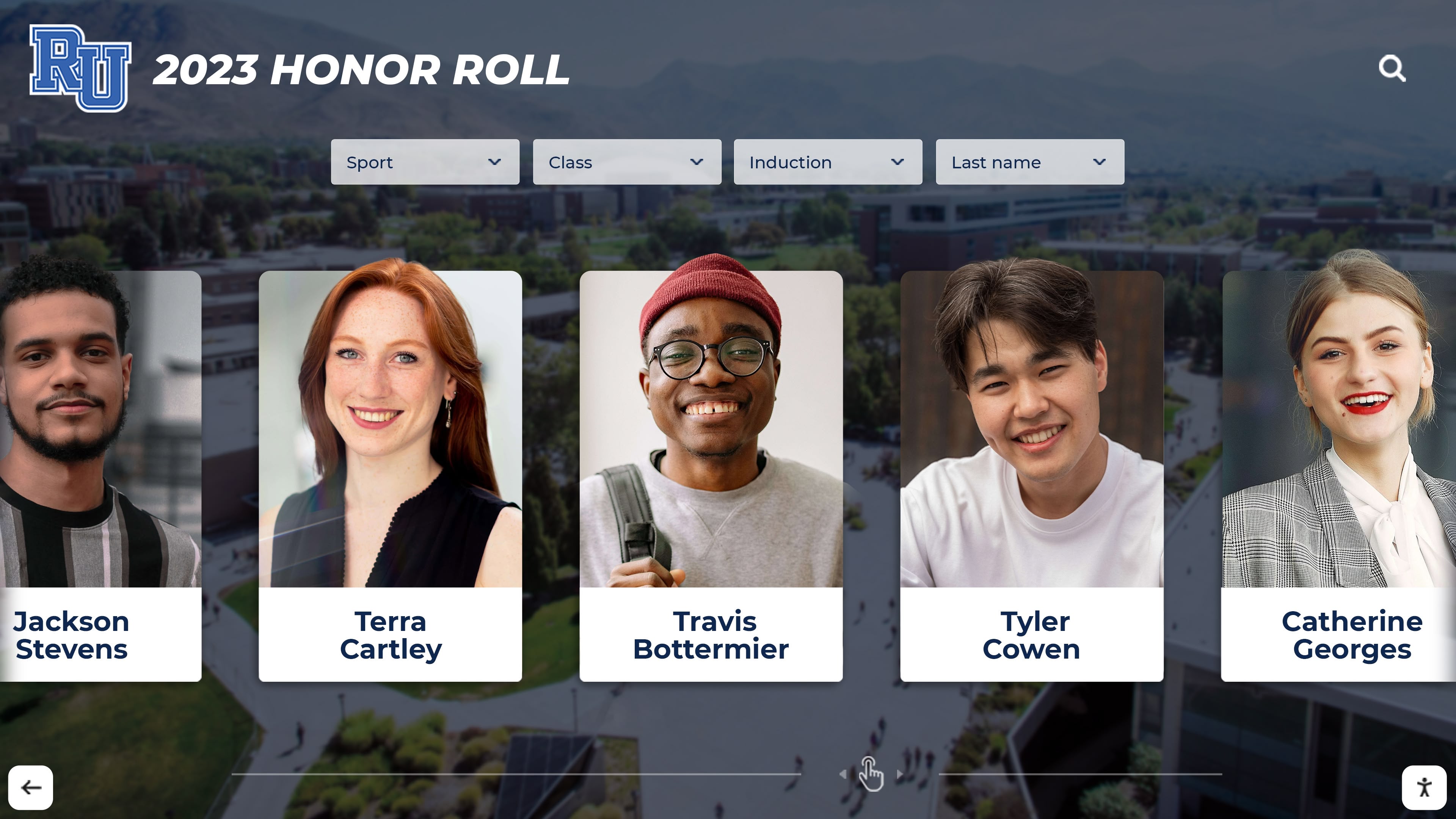
Hardware Selection and Installation
Physical display components significantly impact user experience and long-term satisfaction.
Touchscreen Display Selection:
Commercial-grade touchscreen monitors designed for continuous operation provide reliability that consumer displays cannot match. Key specifications include:
- Screen Size: 43"-75" depending on installation location and viewing distances, with 55" being most common for main lobby installations
- Touch Technology: Capacitive touchscreens offering smartphone-like responsiveness and supporting multi-touch gestures
- Resolution: Minimum 1920x1080 (Full HD), with 4K preferred for larger displays
- Brightness: 350+ nits for well-lit environments, higher for locations with natural light
- Operating Hours Rating: Commercial displays rated 16-24 hours daily operation versus consumer 8-hour ratings
- Warranty: Commercial warranties of 3-5 years versus typical 1-year consumer coverage
Computing Hardware:
Touchscreen displays require computers running display software. Options include dedicated media players, integrated system-on-chip displays, or standard desktop computers with appropriate specifications. Processing power must support smooth interface interaction, quick search responses, and high-resolution image rendering.
Mounting Solutions:
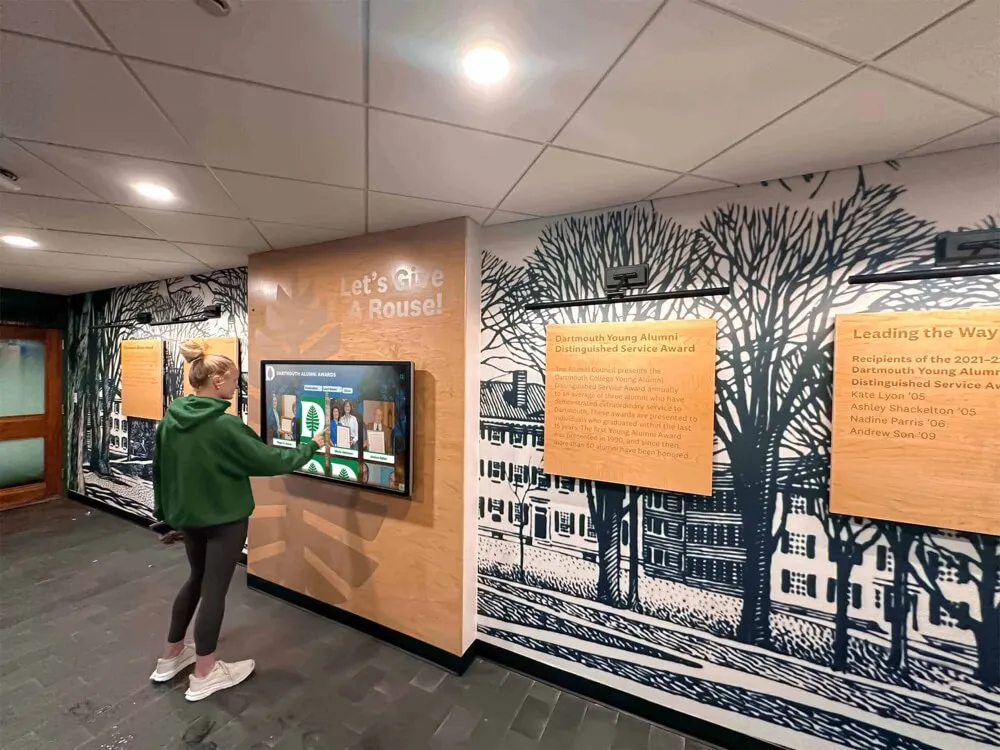
Professional installations use commercial-grade mounts appropriate for display weight and installation location. Wall mounts provide clean appearances in locations with available wall space. Freestanding kiosks work better in open areas without suitable walls or where portability matters. Custom millwork integration creates cohesive appearances matching architectural aesthetics.
Network Connectivity:
Digital composites require internet connectivity for content updates and remote management. Wired Ethernet provides most reliable connectivity when available. WiFi works well with strong signal strength at installation locations. Adequate bandwidth supports content synchronization without affecting other network traffic.
Physical Location Considerations:
Successful installations carefully consider placement factors including high-traffic areas maximizing visibility and natural usage, appropriate lighting preventing screen glare, comfortable viewing heights for diverse users, ADA-compliant access accommodating wheelchair users, and protection from physical damage in high-activity environments.
Software Configuration and Training
Technical setup and staff preparation ensure smooth ongoing operations.
Platform Configuration:
Initial software setup customizes systems to institutional branding and requirements including uploading school logos, colors, and visual identity, configuring graduating class structures and metadata fields, setting up user accounts and permission levels, customizing interface language and terminology, and establishing backup and security settings.
Content Migration:
Once platforms are configured, historical and current content loads into systems. Bulk import tools efficiently load thousands of records. Data validation processes identify errors or inconsistencies. Preview functionality enables review before making content publicly visible. Phased deployment allows incremental content addition rather than requiring complete systems before launch.
Staff Training:
Effective ongoing management requires training personnel who will maintain content including content entry procedures and best practices, search and navigation demonstration, troubleshooting common issues, content approval workflows, report generation and analytics review, and backup and recovery procedures.
Professional vendors typically provide comprehensive training as part of implementation, with ongoing support available for questions or issues that arise during normal operations.

Cost Analysis: Digital vs Traditional Approaches
Understanding complete cost structures enables informed decisions about format investments.
Traditional Composite Book Costs
Physical composite books incur ongoing expenses that accumulate over time:
Annual Production Costs:
- Photography (included in student yearbook fees): $0-$1,000
- Book printing and binding: $400-$1,200 per graduating class
- Multiple copies for different locations: $400-$1,200 additional per copy
- Storage shelving and furniture: $200-$500 amortized annually
- Climate control for preservation: $100-$300 annually
- Periodic rebinding or restoration: $100-$500 every 5-10 years
Total Traditional Annual Cost: $800-$2,500 depending on class size and quality level
10-Year Traditional Cumulative Cost: $8,000-$25,000 plus storage infrastructure
Digital Composite System Costs
Digital implementations have higher initial investment but lower ongoing expenses:
Initial Implementation:
- Professional touchscreen display (55"): $3,000-$6,000
- Computing hardware and mounting: $1,000-$2,000
- Software licensing (first year): $2,000-$8,000
- Installation and configuration: $1,000-$3,000
- Initial content development and migration: $2,000-$6,000
Total Initial Investment: $9,000-$25,000
Ongoing Annual Costs:
- Software licensing and support: $1,000-$3,000
- Content management (typically internal staff): $500-$1,500
- Electricity and network costs: $100-$200
- Maintenance and updates: $200-$500
Total Annual Operating Cost: $1,800-$5,200
10-Year Digital Cumulative Cost: $27,000-$50,000 including initial investment
Cost-Benefit Analysis
While digital systems cost more over typical analysis periods, cost-per-feature comparisons favor digital approaches when accounting for capabilities:
Traditional Format:
- Lower absolute cost
- Single location access only
- Fixed information, no updates possible
- Limited to print-quality photos
- Physical deterioration over time
- Growing storage requirements
- Manual search only (flipping pages)
Digital Format:
- Higher absolute cost
- Multi-location and remote access
- Unlimited updates and enhancements
- High-resolution multimedia support
- Permanent digital preservation
- No additional space requirements
- Instant search and filtering
- Analytics and engagement tracking
- Integration with other recognition programs
Organizations primarily valuing lowest absolute cost prefer traditional approaches. Those prioritizing capabilities, accessibility, long-term preservation, and engagement favor digital investments.
Best Practices for Digital Composite Success
Successful implementations share common characteristics regardless of specific platforms or approaches.
Content Quality Standards
Display effectiveness depends fundamentally on content quality:
Photography Excellence:
- Consistent professional photography standards
- Adequate resolution for touchscreen display
- Uniform backgrounds and lighting
- Regular updating ensuring currency
- Proper file management and naming
Information Accuracy:
- Verification against official records
- Multiple review cycles before publication
- Clear processes for corrections
- Regular audits of existing content
- Documentation of information sources
Biographical Richness:
- Moving beyond basic names and years
- Adding achievement and activity information
- Including college destinations when available
- Soliciting alumni career updates
- Incorporating class histories and context
Organizations implementing class composite presentations find that biographical richness significantly increases engagement and time spent exploring displays.
User Experience Optimization
Intuitive interfaces require no instruction manuals:
Navigation Clarity:
- Clear visual hierarchy emphasizing important elements
- Intuitive touch targets sized appropriately
- Obvious navigation controls
- Breadcrumb trails showing current location
- Easy return to home or starting points
Search Accessibility:
- Prominent search entry fields
- Auto-complete suggestions
- Forgiving search matching partial or misspelled names
- Filter options presented clearly
- Search result relevance ranking
Performance Responsiveness:
- Fast response to all touch interactions
- Quick search result delivery
- Smooth scrolling and transitions
- Optimized image loading
- Offline functionality for network issues
Accessibility Compliance:
- Text sizes readable from comfortable distances
- High contrast ratios for visibility
- Touch targets meeting ADA guidelines
- Alternative navigation methods
- Screen reader compatibility where feasible
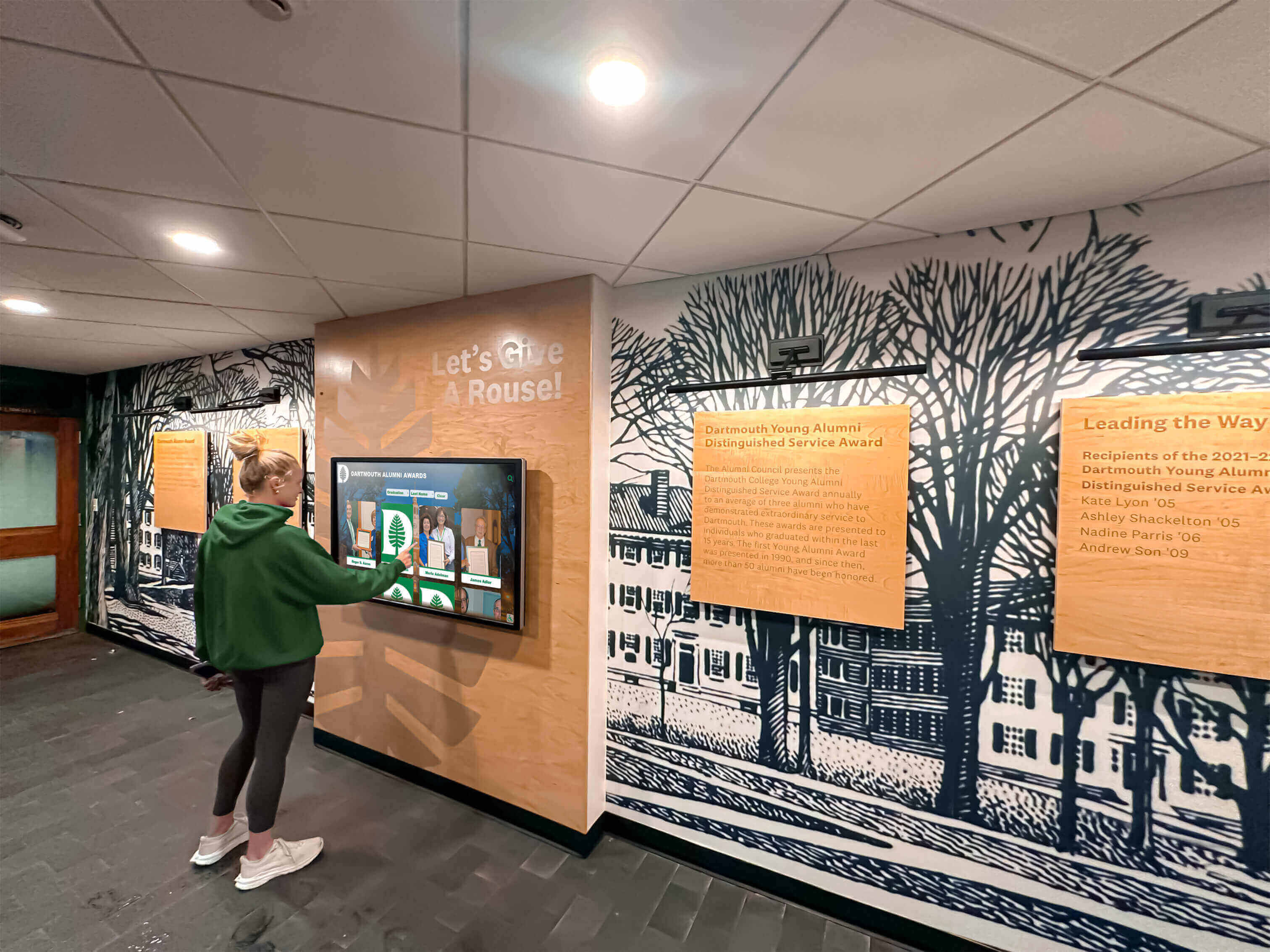
Ongoing Engagement and Promotion
Digital displays must remain active and relevant rather than becoming ignored fixtures:
Launch Activation:
- Formal unveiling events generating excitement
- Communications to all stakeholder groups
- Social media promotion showing capabilities
- Integration into admissions tours and campus visits
- Signage directing visitors to display locations
Continuous Content Addition:
- Regular feature highlighting interesting profiles
- Annual addition of new graduating classes
- Solicitation of alumni updates and news
- Integration of reunion photos and stories
- Celebration of milestone class anniversaries
Community Participation:
- Alumni contribution opportunities
- Student research projects using displays
- Class reunion integration
- Historical documentation initiatives
- Interactive contests or scavenger hunts
Analytics Review:
- Monitoring usage patterns and trends
- Identifying popular content and searches
- Recognizing underutilized features
- Tracking engagement over time
- Using data to inform improvements
Integration with Broader Recognition Programs
Digital composites work best as components of comprehensive recognition ecosystems rather than isolated systems.
Multi-Category Recognition:
Institutions implementing digital composites often expand to include related recognition categories through unified platforms:
- Athletic halls of fame celebrating sports achievements
- Academic recognition honoring scholarly excellence
- Donor recognition thanking philanthropic supporters
- Faculty and staff appreciation
- Historical timelines and institutional narratives
Unified Content Management:
Managing multiple recognition categories through single administrative interfaces reduces staff burden while creating richer storytelling. Graduates appearing in class composites can also be featured in athletic halls of fame, academic honor rolls, or alumni achievement spotlights without duplicating data entry.
Cross-Linking and Discovery:
Connected recognition systems enable exploration across categories. Visitors viewing graduating class profiles can discover related content about athletic achievements, academic honors, or later career accomplishments, creating engaging experiences that simple class listings cannot provide.
Decision Framework: Is Digital Right for Your Institution?
Evaluating whether digital flip-through composite displays suit your specific context requires analyzing multiple factors:
Choose Digital Composite Displays When:
Space Constraints Are Significant: Physical composite books and albums consume substantial shelf space that many institutions lack. Digital displays accommodate unlimited graduating classes in identical physical footprints.
Remote Accessibility Matters: Alumni communities increasingly live globally rather than locally. Digital systems with web access serve distant graduates unable to visit campus regularly.
Content Richness Is Valued: Institutions wanting to include extensive biographical information, multimedia content, career updates, or contextual histories benefit from digital format flexibility.
Search Functionality Is Important: Large graduating classes or extensive institutional histories make manual browsing inefficient. Instant search dramatically improves information discovery.
Long-Term Preservation Is Priority: Physical materials deteriorate despite careful handling. Digital preservation with proper backups ensures permanent institutional history.
Integration with Other Recognition Is Planned: Schools implementing comprehensive recognition programs benefit from unified platforms managing composites alongside athletic achievements, donor recognition, and other categories.
Technical Support Is Available: Digital systems require periodic technical attention. Institutions with IT support or vendor relationships manage technical requirements more easily.
Budget Supports Initial Investment: Digital systems cost more initially than traditional approaches. Schools must have budget capacity for upfront implementation expenses.
Continue Traditional Composites When:
Limited Budget Constrains Options: Organizations unable to invest $10,000-$25,000 in digital systems may need to continue traditional approaches until budgets permit.
Tradition Is Highly Valued: Some communities strongly prefer physical formats matching historical practices. Change management resistance may outweigh digital benefits.
Technical Resources Are Unavailable: Schools without any technical support and unable to contract with vendors may struggle with digital system management.
Simplicity Is Paramount: Organizations preferring simplest possible approaches may choose traditional formats despite limitations.
Immediate Need Exists: Digital implementations require several months. Immediate composite needs may be better served by traditional formats with digital transition planned for future.
Hybrid Approaches:
Many institutions successfully combine traditional and digital methods:
- Continue traditional formats for most recent classes while digitizing historical collections
- Maintain traditional composites in primary locations while implementing digital systems in secondary areas
- Produce traditional books for distribution while also loading content into digital displays
Phased transitions allow gradual adaptation while honoring traditional preferences during digital transition periods.
Conclusion
Digital flip-through composite displays transform how schools and organizations preserve and share graduating class memories. By maintaining the intuitive year-by-year browsing experience of traditional composite books while adding powerful search, unlimited capacity, multimedia content, and remote accessibility, interactive touchscreen systems deliver capabilities that physical formats cannot match.
The decision between traditional and digital approaches depends on institutional priorities, budget capacity, technical resources, and community preferences. While digital systems require higher initial investment, they provide long-term value through unlimited capacity, permanent preservation, enhanced engagement, and integration with broader recognition programs. Schools valuing these benefits increasingly implement digital composites, while those prioritizing lowest absolute cost or strong traditional preferences continue physical formats.
Successful digital composite implementations share common characteristics: quality content with strong photography and biographical information, intuitive interfaces requiring no instructions, strategic physical placement in high-visibility locations, ongoing content addition maintaining currency, and active promotion ensuring community awareness. Purpose-built educational recognition platforms deliver superior results compared to generic digital signage or custom development because they provide specialized features designed specifically for class composite applications.
As schools evaluate options for preserving graduating class memories, digital flip-through composite displays represent proven solutions serving over 1,000 educational institutions nationwide. These systems honor tradition while embracing technology, creating engaging interactive experiences that serve current students, recent graduates, and distant alumni through single installations.
Ready to transform your traditional composite books into an interactive digital experience? Book a demo to discover how specialized recognition platforms make it simple to create searchable, year-by-year class displays that preserve your complete institutional history while providing the engaging, accessible experience your community deserves.
































