



Key Takeaways
Discover innovative digital bulletin board ideas for schools. Transform communication with interactive displays, touchscreen technology, and modern solutions that engage students, staff, and visitors.
Traditional cork boards and paper flyers lining school hallways represent communication approaches built for another era. While physical bulletin boards served schools adequately for decades, they limit content capacity, require constant manual updating, deteriorate quickly, and fail to engage digitally native students accustomed to interactive screens in every aspect of daily life. Digital bulletin boards transform how schools communicate, replacing static paper announcements with dynamic, engaging displays that capture attention, reduce administrative burden, and extend information reach far beyond physical hallway locations. This comprehensive guide explores practical digital bulletin board ideas helping schools modernize communication infrastructure while creating more effective engagement with students, staff, families, and visitors.
Schools implementing digital bulletin board systems discover benefits extending far beyond eliminated paper waste and reduced staff time updating physical displays. Interactive touchscreen platforms enable searchable content databases, support multimedia storytelling through photos and videos, provide real-time information updates, extend access through mobile devices, generate engagement analytics, and create recognition experiences impossible with traditional approaches. Whether replacing existing physical bulletin boards or establishing entirely new communication channels, understanding digital options and strategic implementation approaches ensures schools select solutions delivering genuine value rather than expensive technology providing minimal practical improvement.
Understanding Digital Bulletin Board Options and Technology Categories
Before implementing digital bulletin board systems, schools must understand the fundamental technology categories and their distinct capabilities, limitations, and appropriate applications.
Passive Digital Signage Displays
Basic digital signage systems display rotating content without user interaction capabilities:
Slideshow-Based Communication Displays:
Simple displays show announcements, schedules, and information in repeating sequences:
- Pre-programmed content rotation on fixed schedules
- Text, images, and video displayed without interactivity
- Cloud-based content management enabling remote updates
- Multiple screen control from centralized dashboards
- Lower initial investment compared to interactive systems
- Limited engagement beyond passive viewing
- Appropriate for hallway announcements and wayfinding
These systems work well for daily announcements, lunch menus, event calendars, and directional information where viewer interaction isn’t required. Schools already invested in digital signage infrastructure can leverage platforms like Rise Vision or ScreenCloud for communication displays sharing screens with other digital signage content across campus.
Dedicated Announcement Screens:
Purpose-specific displays focusing exclusively on school communications:
- Morning announcements replacing intercom systems
- Real-time schedule changes and last-minute updates
- Emergency communications and safety information
- Cafeteria menus and nutrition information
- Transportation schedules and route changes
- Weather alerts and closure notifications
Dedicated announcement displays concentrate on time-sensitive information requiring immediate visibility rather than comprehensive content archives or interactive exploration.
Interactive Touchscreen Display Systems
Advanced systems enable user-driven content exploration and engagement:
Recognition and Achievement Displays:
Interactive databases celebrating student and staff accomplishments:
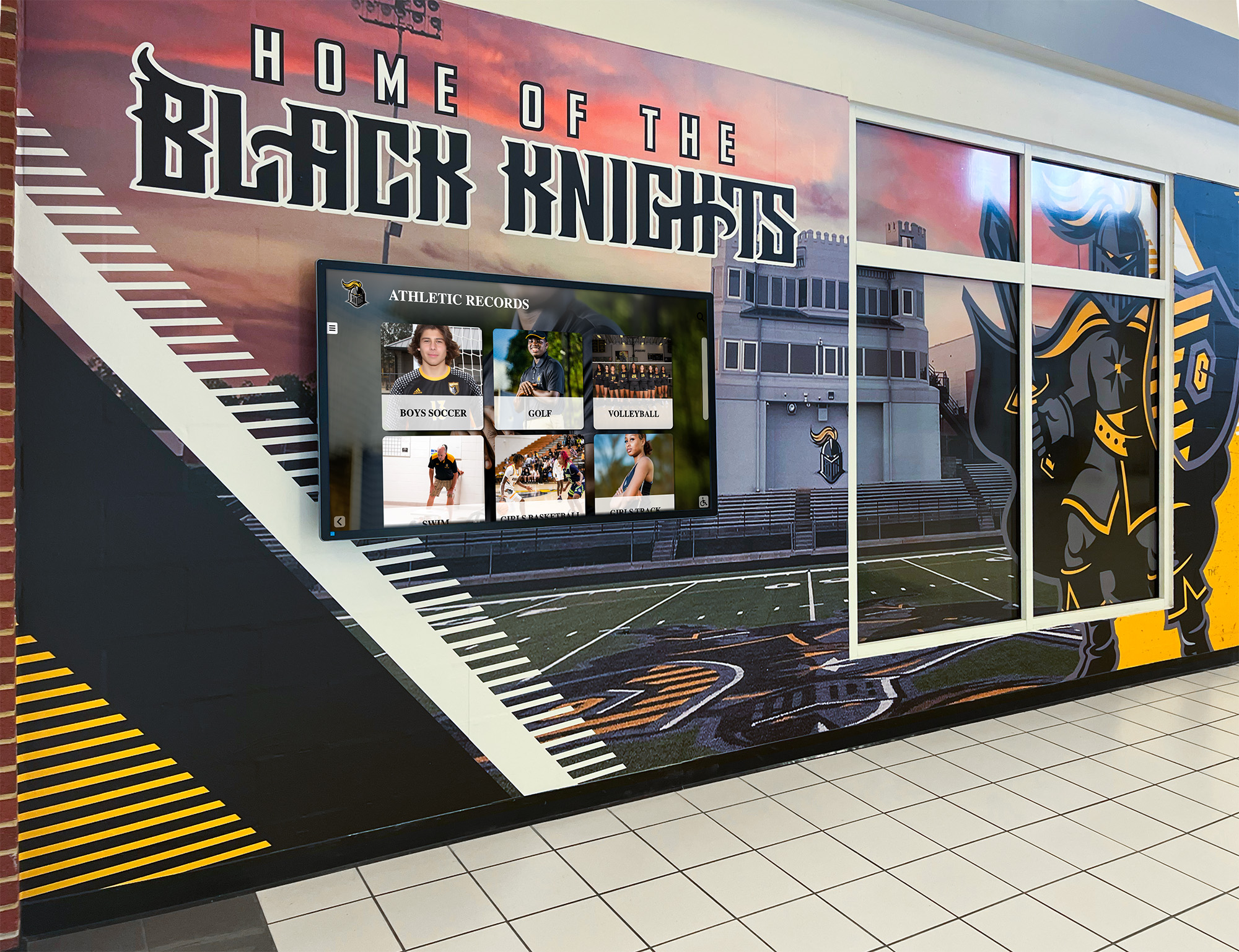
- Searchable athlete profiles and athletic records
- Academic honor roll and scholarship recognition
- Arts program showcases with performance archives
- Staff recognition and years of service honors
- Alumni achievement and career success stories
- Historical timelines documenting institutional heritage
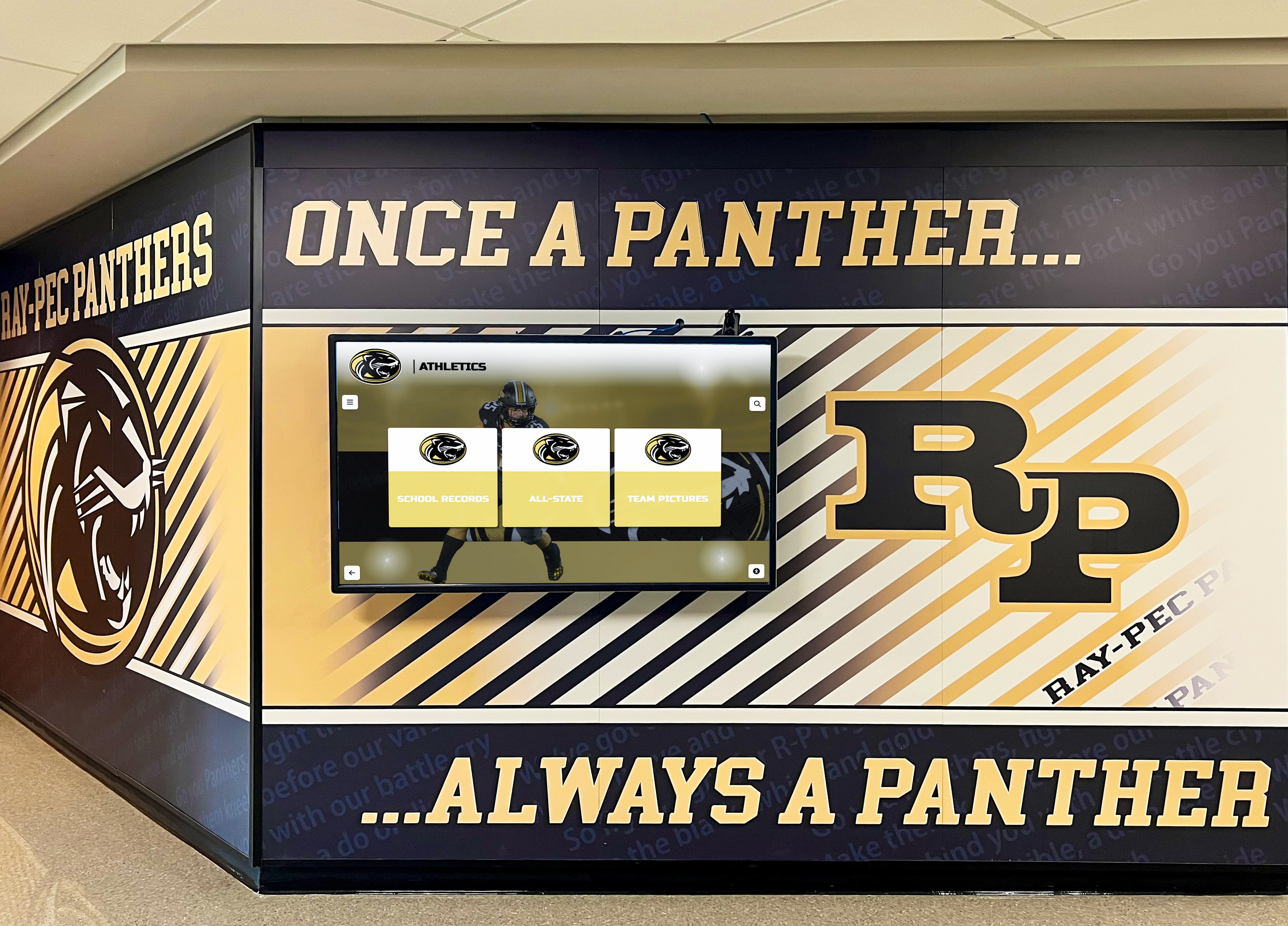
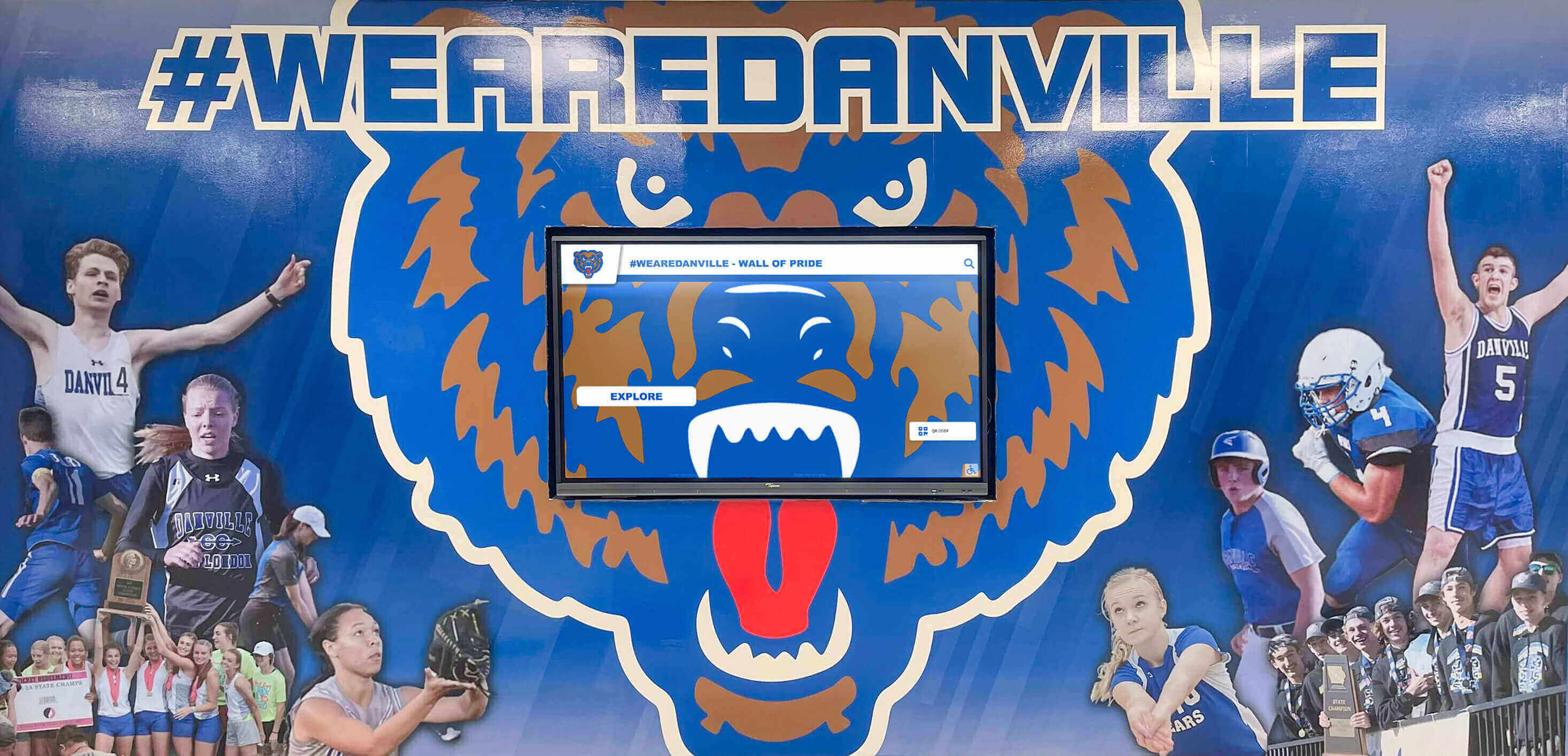
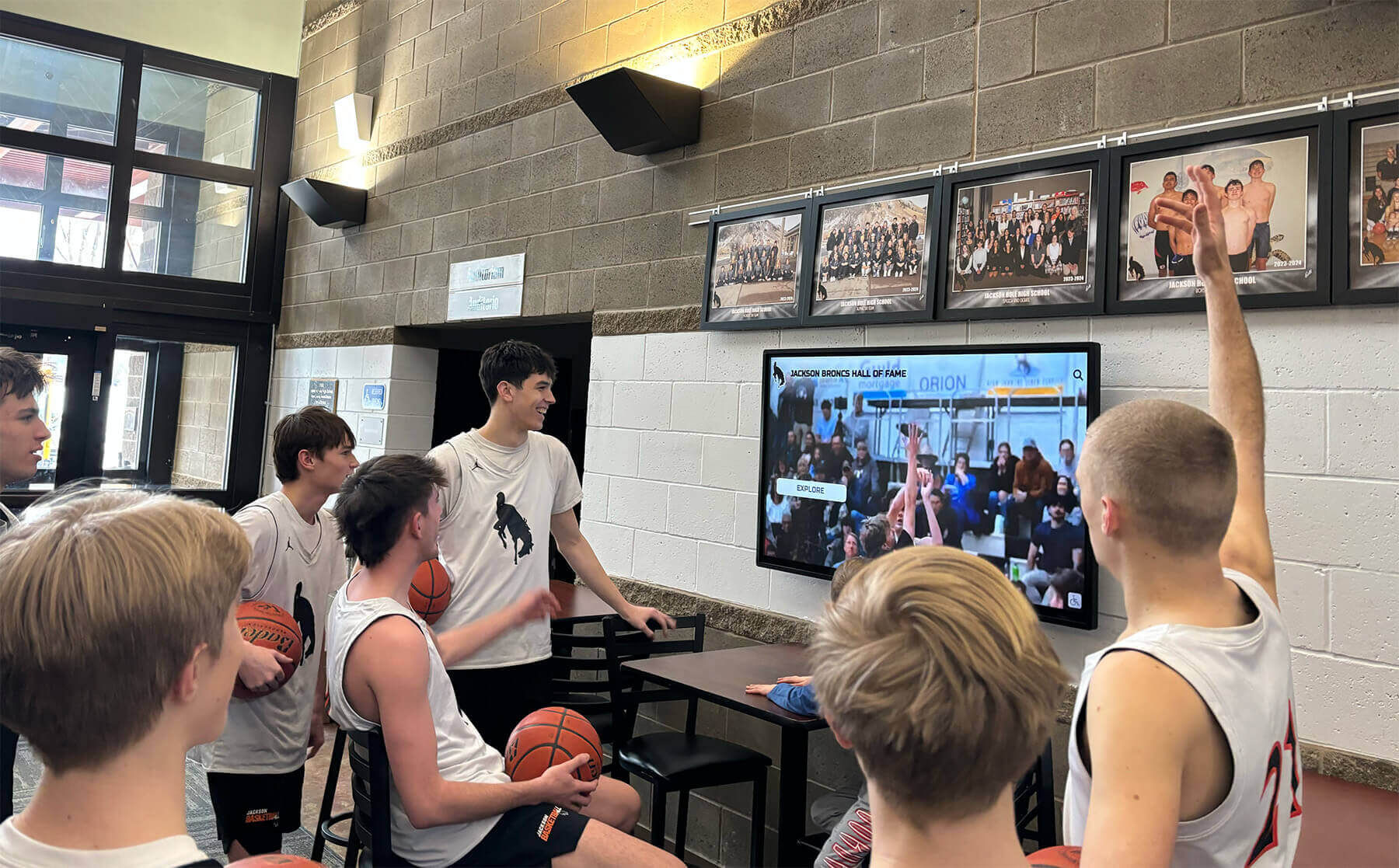
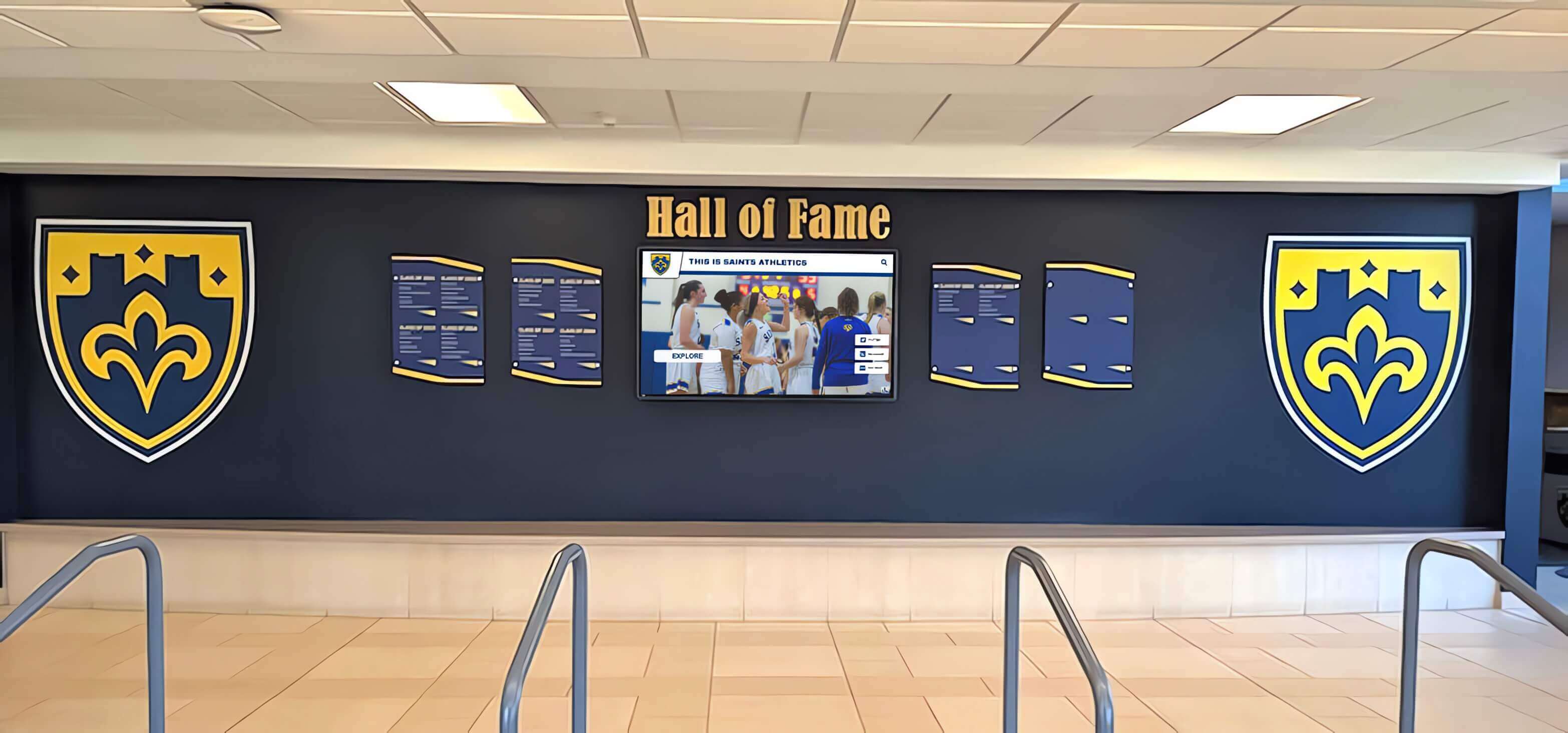
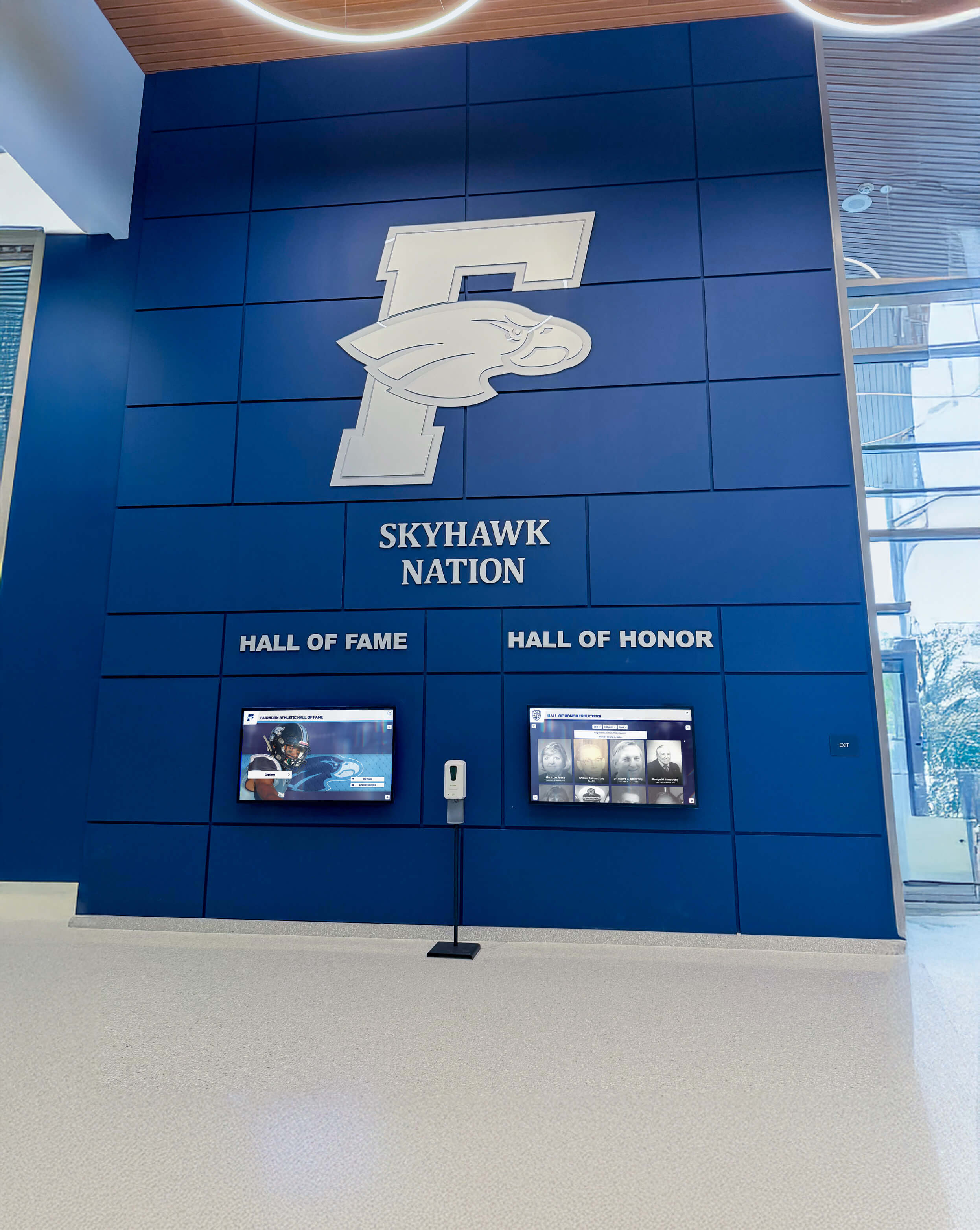
Solutions like Rocket Alumni Solutions provide purpose-built platforms specifically designed for recognition content, offering features that generic digital signage cannot match. These systems transform recognition from static lists into engaging experiences where students explore achievements, discover school history, and connect with institutional legacy. Schools can explore how interactive display technology transforms school lobbies and common spaces.
Directory and Wayfinding Systems:
Interactive maps and information helping visitors navigate campuses:
- Searchable staff directories with office locations
- Building maps with room number search functionality
- Campus navigation for multi-building complexes
- Event location guides for performances and competitions
- Accessible route information for visitors with disabilities
- Real-time updates during construction or renovations
Wayfinding displays reduce front office burden answering repetitive location questions while improving visitor experience through self-service information access. Learn more about implementing campus directory touchscreen displays for comprehensive navigation solutions.

Hybrid Digital-Physical Bulletin Board Approaches
Some schools combine traditional and digital elements:
Augmented Physical Displays:
QR codes on physical bulletin boards link to digital content:
- Traditional bulletin boards with QR codes for detail access
- Physical event posters connecting to registration or information
- Print announcements linking to multimedia content
- Trophy case placards directing to athlete profile databases
- Recognition plaques connecting to comprehensive online biographies
Hybrid approaches preserve familiar physical presence while extending information depth through digital connections, easing transition for communities hesitant about fully digital communication.
Strategic Digital Bulletin Board Content Ideas for Schools
Effective digital bulletin boards require content strategies maximizing engagement value while reducing administrative burden.
Student Recognition and Achievement Content
Recognition content generates the highest engagement because students actively seek personal connections:
Academic Excellence Displays:
Celebrating intellectual achievement and academic success:
- Honor roll students by grade level and semester
- National Merit Scholars and AP Scholar recognition
- Academic competition winners (Science Olympiad, Mathcounts, debate)
- College acceptance announcements and scholarship awards
- Perfect attendance and academic improvement recognition
- Academic team achievements and quiz bowl successes
- Salutatorian and valedictorian histories across decades
Academic recognition provides visibility for intellectual achievement often overshadowed by athletic accomplishments, demonstrating school commitment to diverse excellence. Explore comprehensive approaches to academic recognition programs that celebrate student achievement.
Athletic Achievement Showcases:
Highlighting sports excellence and team success:
- Season schedules with game results and standings
- Athlete of the week spotlights with photos and statistics
- All-conference, all-state, and all-American selections
- Team championship history and tournament results
- School record holders across all sports
- Senior athlete recognition and college commitment announcements
- Athletic hall of fame inductee profiles with career highlights
Athletic content maintains high interest from students, families, and community members following school sports programs. Digital displays enable updating rosters, schedules, and results instantly without replacing physical posters. Schools can learn from examples of effective digital athletic achievement displays serving recognition and communication purposes simultaneously.

Arts and Activities Recognition:
Celebrating non-athletic excellence and participation:
- Theatre production cast lists and performance schedules
- Musical concert programs and ensemble rosters
- Art exhibition showcases with student artist profiles
- Club achievement and competition results (robotics, speech, FBLA)
- Community service hours and volunteer recognition
- Student government officers and class representatives
- Special awards and unique achievement categories
Arts recognition ensures students pursuing non-athletic passions receive equal visibility, supporting holistic school culture celebrating diverse talents. Many schools implement comprehensive recognition programs balancing athletics with academics and arts.
Daily Operations and Information Content
Practical information content serves immediate student and staff needs:
Schedule and Calendar Information:
Time-sensitive information requiring frequent updates:
- Daily bell schedules including special timing for assemblies
- Upcoming events with dates, times, and locations
- Testing schedules for SAT, ACT, AP, and state assessments
- School calendar highlighting holidays and professional development days
- Athletic event schedules with transportation departure times
- Arts performance dates with ticket information
- Club meeting schedules and activity times
Schedule content generates consistent engagement as students and staff regularly check for timing changes or upcoming events. Digital systems eliminate constant poster replacement as schedules evolve.
Cafeteria and Nutrition Information:
Food service content supporting student wellness:
- Daily lunch menus with nutritional information
- Allergen alerts and dietary accommodation information
- Breakfast program details and timing
- Nutrition education and healthy eating tips
- Special meal offerings for holidays or events
- Pricing information for a la carte items
- Food service staff recognition
Menu displays enable students planning food choices while providing transparency about nutritional content supporting family wellness decisions.
Safety and Emergency Communications:
Critical information ensuring campus security:
- Weather alerts and severe weather procedures
- Lockdown procedures and safety protocol reminders
- Bus route changes or transportation delays
- Facility closures or area restrictions during repairs
- Visitor check-in requirements and security expectations
- Anonymous reporting information for safety concerns
- Health and wellness resources
Digital displays provide rapid emergency communication channels supplementing other alert systems while supporting ongoing safety education during normal operations.

Student Life and Engagement Content
Content fostering community and encouraging participation:
Club and Activity Promotion:
Building awareness and driving participation:
- Club meeting announcements and recruitment information
- Activity fair schedules and organization showcases
- Leadership opportunities and officer elections
- Community service projects seeking volunteers
- Competition announcements for academic and arts teams
- Social event promotion (dances, spirit weeks, celebrations)
- Student newspaper or yearbook submission calls
Promotion content helps students discover involvement opportunities matching interests while building vibrant school culture through participation.
College and Career Readiness:
Supporting post-graduation planning and preparation:
- College representative visit schedules
- Financial aid workshop announcements
- Scholarship opportunity deadlines and requirements
- Career day information and employer participants
- College application timeline reminders
- SAT/ACT preparation resources and testing dates
- Internship and job shadow opportunity announcements
Career content positions schools as partners in student future success, providing practical guidance supporting post-graduation transitions. Explore how end-of-year recognition programs celebrate achievement while reinforcing college and career readiness.
Student Wellness and Support:
Mental health and wellbeing resources:
- Counseling services availability and contact information
- Mental health awareness education and resources
- Peer support program information
- Wellness tips and stress management strategies
- Anonymous resource access (crisis hotlines, support organizations)
- Health services information and clinic hours
- Study skill resources and academic support options
Wellness content demonstrates institutional commitment to whole-student development while reducing stigma around accessing support services.
Community Engagement and School Culture Content
Building pride and strengthening connections:
School History and Heritage:
Connecting students with institutional legacy:
- Historical timelines documenting school founding and evolution
- Notable alumni achievements and career successes
- Institutional milestone celebrations
- Historical photos showing facility evolution
- Retired principal and teacher recognition
- School tradition explanations and historical context
- Archive material from yearbooks and historical records
Historical content builds institutional pride while helping students understand their place in continuing school legacy. Schools can implement historical timeline displays preserving heritage while engaging current students.

Staff Recognition and Appreciation:
Celebrating faculty and support personnel:
- New staff introductions with biographies
- Staff milestone anniversaries and years of service
- Teacher appreciation week special features
- Retirement celebrations and career reflections
- Staff achievement and professional honors
- Behind-the-scenes spotlights on support staff (custodians, cafeteria, maintenance)
- Coach recognition beyond athletic seasons
Staff recognition builds positive workplace culture while helping students understand the adults supporting their education. Programs acknowledging educators can draw from teacher appreciation recognition ideas.
Parent and Family Connection:
Strengthening home-school partnerships:
- PTSA meeting schedules and agenda highlights
- Volunteer opportunity announcements
- Family event invitations (open house, curriculum nights)
- Parent education workshop offerings
- Communication tool tutorials (parent portals, grade access)
- Upcoming parent-teacher conference scheduling
- Family resource information and community connections
Family-focused content acknowledges parents as essential partners while providing practical information supporting student success.
Implementation Strategies: From Planning to Deployment
Successful digital bulletin board implementation requires systematic planning addressing technology, content, training, and ongoing operations.
Needs Assessment and Goal Definition
Clear objectives guide technology and content decisions:
Identifying Communication Pain Points:
Document existing communication challenges:
- Paper bulletin board update burden consuming staff time
- Information reaching only students physically present in hallways
- Inconsistent posting leading to cluttered, unprofessional appearance
- Difficulty updating time-sensitive information quickly
- Limited space constraining information volume
- Information accessibility challenges for students with disabilities
- Lack of engagement metrics showing communication effectiveness
Understanding specific problems ensures digital solutions address genuine needs rather than implementing technology for its own sake.
Establishing Measurable Objectives:
Define success criteria guiding evaluation:
- Reduce staff time updating physical boards by 75%
- Increase student awareness of school events by 40%
- Extend information access to 100% of families through mobile
- Generate 500+ monthly touchscreen interactions per display
- Eliminate paper waste from physical bulletin boards
- Improve accessibility compliance meeting ADA standards
- Enable real-time schedule updates within 5 minutes
Quantifiable goals enable objective assessment of whether implementations deliver intended value justifying investment.
Location Selection and Display Placement
Strategic positioning maximizes visibility and engagement:
High-Traffic Location Identification:
Place displays where students naturally congregate:
- Main entrance lobbies capturing arrival and dismissal traffic
- Cafeteria common areas with extended student dwell time
- Athletic facility lobbies serving athletes, families, and community
- Library entrances and media center common spaces
- Main hallway intersections with maximum foot traffic
- Outside administrative offices near parent visits
- Auditorium lobbies for arts program visibility
Location analysis should consider viewing angles, ambient lighting affecting screen visibility, electrical and network access, and physical mounting options for secure installation.
Purpose-Specific Placement Strategy:
Match display locations to content purposes:
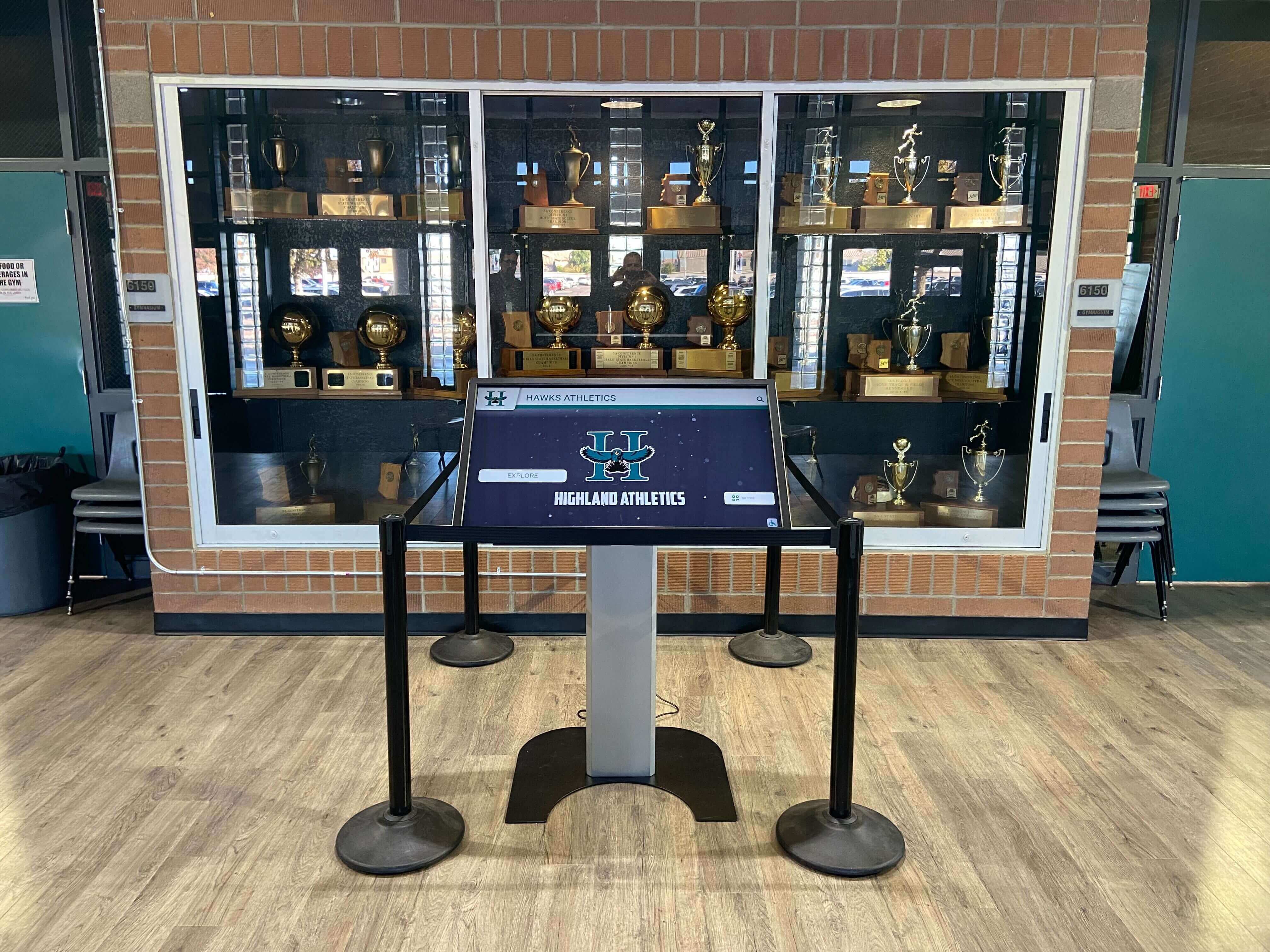
- Recognition displays in prestigious locations (main lobby, athletic entrance)
- Daily information displays near cafeterias and common spaces
- Safety communication displays at all building entrances
- Wayfinding displays at visitor entrances and complex intersections
- Athletic content displays near gymnasiums and athletic offices
- Academic recognition displays near counseling or main offices
Thoughtful placement ensures content reaches intended audiences in contexts where they naturally seek that information category.
Content Management System Selection
Platform capabilities determine long-term operational success:
Essential Feature Requirements:
Evaluate platforms against must-have capabilities:
- Intuitive interfaces enabling non-technical staff updates
- Cloud-based access supporting remote content management
- Template systems ensuring consistent visual presentation
- Multi-user collaboration with appropriate permission levels
- Scheduling capabilities for automatic content rotation
- Mobile responsiveness extending access beyond physical displays
- Analytics tracking engagement and content performance
- Media library management for organized asset storage
Purpose-built platforms like Rocket Alumni Solutions deliver recognition-specific features that adapted generic signage software cannot match. Schools prioritizing recognition content benefit from systems designed specifically for celebrating achievement rather than compromised solutions attempting to serve all purposes adequately. Review comparisons in guides to best hall of fame and recognition tools.
Integration Considerations:
Assess how platforms connect with existing systems:
- Student information system integration for automatic roster updates
- Calendar system synchronization for event information
- Social media connections for coordinated announcements
- Emergency alert system integration for safety communications
- Single sign-on authentication leveraging existing credentials
- Data export capabilities supporting analysis and reporting
Integration capabilities reduce duplicate data entry while enabling sophisticated automated content workflows reducing ongoing administrative burden.
Hardware Specifications and Installation
Appropriate equipment ensures reliable long-term operation:
Display Hardware Selection:
Commercial-grade equipment rated for continuous operation:
- Screen size appropriate for viewing distance (43"-75" typically)
- Commercial display panels rated for 16-24 hour daily operation
- Touchscreen capability for interactive applications
- High brightness (400+ nits) for locations with ambient lighting
- Landscape or portrait orientation matching content design
- 1920x1080 or 4K resolution for crisp text readability
- Commercial warranty coverage (3-5 years typical)
Consumer televisions lack industrial components and warranties appropriate for school installations requiring years of reliable operation. Commercial displays cost more initially but prevent frequent replacement and ongoing reliability issues.
Network Infrastructure Requirements:
Reliable connectivity supports content delivery:
- Wired ethernet connections providing superior reliability
- WiFi backup where ethernet installation impractical
- Bandwidth assessment ensuring network capacity
- VLAN configuration for network security
- Remote management access for troubleshooting
- Offline capability maintaining basic operation during outages
Network planning should occur during purchasing decisions rather than discovering connectivity limitations after installation.
Professional Installation Considerations:
Quality installation prevents ongoing operational problems:
- Secure mounting meeting safety and security requirements
- Proper cable management creating professional appearance
- Electrical code compliance and safety standards
- Network connectivity testing verifying performance
- Viewing angle optimization for primary traffic patterns
- Tamper resistance appropriate for school environments
- Accessibility compliance meeting ADA mounting height requirements
Professional installation costs $500-1,500 per display but prevents amateur errors requiring expensive remediation while ensuring safe, compliant, aesthetically integrated implementations.
Staff Training and Change Management
Successful adoption requires user confidence and organizational buy-in:
Comprehensive Training Programs:
Multiple learning approaches accommodate different preferences:
- Live group training sessions with hands-on practice
- Video tutorial libraries for on-demand reference
- Written quick-start guides for common tasks
- Individual coaching for key content managers
- Regular refresher sessions introducing new features
- Peer mentoring leveraging experienced users
- Ongoing technical support access for questions
Training should extend beyond initial launch, supporting long-term capability development as staff grow comfortable with basic operations and seek advanced functionality.
Change Management Strategies:
Build enthusiasm and reduce resistance:
- Early involvement of key stakeholders in planning
- Pilot implementations demonstrating value before wide rollout
- Quick wins showcasing immediate benefits
- Regular communication about implementation progress
- Celebration of successful content and engagement milestones
- Addressing concerns and resistance respectfully
- Leadership modeling by using systems consistently
Organizational change succeeds when communities understand benefits, participate in planning, receive adequate support, and experience genuine value from new approaches.
Maximizing Digital Bulletin Board Value Through Strategic Use
Technology deployment alone delivers minimal value without content strategies and operational practices maximizing engagement.
Content Creation and Curation Workflows
Sustainable systems distribute responsibility while maintaining quality:
Distributed Content Contribution:
Prevent single-point bottlenecks stalling updates:
- Athletic department owns sports content updates
- Counseling manages college and career information
- Activities director handles club and event content
- Safety coordinator controls emergency communications
- Principal’s office manages administrative announcements
- Library staff curate educational resources
- Student leadership contributes event promotion
Distribution empowers subject matter experts while preventing overwhelming single staff members with entire content management burden.
Content Quality Standards:
Consistency ensures professional presentation:
- Photo resolution requirements (minimum 1920x1080 for full screens)
- Image orientation specifications (landscape or portrait)
- File format standards (JPG, PNG, MP4)
- Biographical content minimum requirements
- Proofreading procedures preventing errors
- Branding consistency guidelines
- Approval workflows for sensitive content
Written standards enable confident contribution by distributed content creators while maintaining professional appearance across diverse contributors.
Update Frequency Expectations:
Regular refreshes maintain audience attention:
- Daily announcements updated each morning
- Event calendars refreshed weekly
- Recognition content updated monthly or quarterly
- Historical content refreshed annually or as needed
- Emergency information updated immediately when necessary
- Menu displays updated daily or weekly
- Athletic schedules updated throughout seasons
Predictable update cycles prevent content staleness while setting realistic expectations aligned with available staff capacity.
Engagement Analytics and Performance Measurement
Data-driven decisions optimize content strategies:
Key Performance Indicators to Track:
Quantifiable metrics demonstrate value:
- Total display interactions or sessions per month
- Average engagement time per user session
- Most-viewed content categories and individual items
- Search queries revealing information needs
- Time-of-day usage patterns informing content scheduling
- QR code scans connecting physical and digital
- Web portal visits extending reach beyond physical displays
Analytics capabilities vary significantly across platforms. Purpose-built recognition systems typically provide more sophisticated tracking than generic digital signage adapted for school use.
Continuous Improvement Processes:
Use data informing optimization:
- Monthly analytics reviews identifying trends
- A/B testing alternative content approaches
- Content retirement decisions based on engagement data
- User feedback collection through surveys or comments
- Success story documentation for continued stakeholder support
- Budget justification through usage statistics
- Expansion priority decisions informed by demonstrated value
Analytics transform subjective opinions about content effectiveness into objective evidence guiding strategic decisions and resource allocation.
Accessibility and Inclusive Design Practices
Digital bulletin boards must serve all community members:
ADA Compliance Requirements:
Legal and ethical obligations ensuring access:
- Mounting height requirements for touchscreen access (typically 15"-48" from floor)
- Alternative text descriptions for images supporting screen readers
- Sufficient color contrast ratios for visual readability
- Keyboard navigation alternatives to touch interaction
- Captioning for video content
- Font sizes meeting minimum readability standards
- Audio alternatives for text-heavy content
Accessibility represents legal compliance requirement under ADA and ethical commitment ensuring equitable access for students and community members with disabilities. Learn more about effective approaches in guides to ADA accessibility for digital displays.
Multilingual Content Support:
Serving diverse linguistic communities:
- Spanish translations for significant Latino populations
- Additional language support reflecting community demographics
- Translation quality review by fluent speakers
- Cultural sensitivity in content and imagery
- Family communication in primary languages
- Language preference settings for interactive displays
- Consistent translation terminology across platforms
Multilingual support demonstrates respect for diverse communities while ensuring critical information reaches all families regardless of English proficiency.
Budget Considerations and Funding Strategies
Understanding total costs and identifying funding sources enables realistic implementation planning.
Total Cost of Ownership Analysis
Comprehensive budgeting prevents surprise expenses undermining programs:
Initial Implementation Costs:
One-time expenses launching systems:
- Display hardware: $800-2,500 per screen (commercial-grade)
- Mounting hardware and installation: $500-1,500 per location
- Content management software: $0-5,000 initial setup
- Network infrastructure upgrades: $1,000-5,000 depending on requirements
- Initial content development: $2,000-10,000 for historical migration
- Staff training: $500-2,000 for comprehensive programs
- Project management and coordination: internal staff time or consultant fees
Typical single-display implementation costs range $4,000-15,000 depending on hardware quality, software sophistication, content complexity, and installation requirements.
Ongoing Annual Costs:
Recurring expenses sustaining operations:
- Software subscription fees: $500-3,000 annually per platform
- Cloud hosting and bandwidth: $200-1,000 annually
- Content updates and photography: $500-2,000 annually
- Staff time for content management: internal allocation
- Hardware maintenance and repairs: $200-500 annually
- Electricity consumption: $50-150 annually per display
- Software updates and support: included in subscriptions typically
Annual operational costs typically range $1,500-6,000 per display location depending on software platform, content update frequency, and support requirements.
Five-Year Total Cost of Ownership:
Realistic long-term investment assessment:
- Initial implementation: $8,000-15,000 per display
- Five years operation: $7,500-30,000 (5 × annual costs)
- Hardware refresh (year 4-5): $1,000-3,000
- Total five-year cost: $16,500-48,000 per display location
TCO analysis enables accurate comparison with traditional bulletin board approaches and justification for capital investment allocations.
Funding Sources and Financial Strategies
Multiple approaches can fund digital bulletin board implementations:
Traditional School Budget Allocations:
Standard capital funding approaches:
- Technology budget allocations from annual operating funds
- Capital improvement project designations
- Facility renovation integration during construction projects
- Technology refresh cycles replacing outdated equipment
- Multi-year phased implementations spreading costs
- Contingency fund allocations
Budget allocations work best when digital bulletin boards support strategic priorities documented in technology plans and facility master plans.
Booster Clubs and Parent Organizations:
Supporter fundraising and donations:
- Booster club capital gifts for athletic facilities
- PTSA fundraising for communication improvements
- Alumni association contributions for recognition systems
- Memorial or tribute gifts honoring individuals through lasting infrastructure
- Corporate sponsorships from local businesses
- Crowdfunding campaigns engaging broad community support
Supporter funding often proves most accessible for recognition-focused displays celebrating students and building school pride. Schools can explore approaches outlined in guides to booster club fundraising supporting technology investments.
Grant Opportunities:
External funding supporting technology implementation:
- State technology grants for educational innovation
- Federal programs supporting accessibility improvements
- Local foundation grants for school improvement projects
- Technology company grants supporting educational use
- Corporate community investment programs
- Telecommunications grants for infrastructure upgrades
Grant funding requires significant application effort but can fund entire implementations without impacting operating budgets or requiring constituent fundraising.
Alternative Financing Approaches:
Creative strategies reducing immediate budget impact:
- Lease-to-own agreements spreading payments across multiple years
- Vendor financing programs with educational discounts
- Multi-school district purchasing cooperatives achieving volume discounts
- Phased implementations prioritizing highest-impact locations first
- Vendor trade-in programs providing credits for obsolete equipment
- In-kind donations from businesses upgrading their own systems
Creative financing enables implementations even when immediate capital availability proves challenging.
Common Implementation Challenges and Solutions
Learning from typical obstacles enables proactive problem prevention.
Technical Issues and Troubleshooting
Technology inevitably encounters problems requiring resolution:
Network Connectivity Problems:
Displays losing connection or experiencing performance issues:
- Implement redundant connectivity (wired primary, WiFi backup)
- Conduct thorough site surveys before installation
- Establish network priority for critical displays
- Deploy content buffering for offline operation
- Create troubleshooting documentation for common issues
- Establish vendor support contact procedures
- Train facilities staff for basic connectivity troubleshooting
Connectivity problems represent the most common technical issue in school digital display implementations, justifying careful network planning before deployment.
Hardware Failures and Maintenance:
Equipment requiring repair or replacement:
- Purchase extended commercial warranties covering parts and labor
- Establish vendor service level agreements defining response times
- Maintain spare equipment for critical locations
- Document hardware specifications enabling rapid replacement
- Train facilities staff for basic troubleshooting
- Create maintenance schedules for preventive care
- Budget for periodic hardware refresh cycles (5-7 years)
Commercial-grade equipment with proper warranties and support contracts minimizes downtime when inevitable hardware issues occur.
Content Management and Staffing Challenges
Operational sustainability requires adequate resources:
Staff Turnover Affecting Content Management:
Knowledge loss when key personnel leave:
- Document all processes and procedures comprehensively
- Cross-train multiple staff members for critical roles
- Include content management in formal job descriptions
- Maintain vendor contact information and support resources
- Create video tutorial libraries for self-service learning
- Establish peer mentoring with experienced users
- Build content management into onboarding for new staff
Documentation and distributed expertise prevent programs from collapsing when individual champions leave organizations.
Content Staleness and Neglect:
Displays showing outdated information undermining credibility:
- Establish update responsibility calendars with assigned owners
- Implement automated content rotation reducing manual updates
- Create content approval workflows preventing bottlenecks
- Monitor analytics identifying stale content requiring refreshes
- Include content management in staff performance expectations
- Celebrate and recognize quality content contributions
- Conduct regular content audits identifying update needs
Sustainable content operations require treating digital bulletin boards as ongoing responsibilities rather than one-time projects requiring attention only at launch.
Community Acceptance and Change Resistance
Some stakeholders prefer traditional approaches:
“We’ve Always Done It This Way” Resistance:
Overcoming preference for familiar methods:
- Document specific problems with current approaches
- Demonstrate digital benefits through pilot implementations
- Involve skeptics in planning and feedback processes
- Preserve some physical bulletin boards during transitions
- Highlight peer school successes with similar implementations
- Address specific concerns about accessibility or reliability
- Provide ample training and support reducing anxiety
Gradual implementation with clear communication often proves more successful than abrupt replacement of all traditional bulletin boards simultaneously.
Equity Concerns About Digital Access:
Ensuring technology benefits all students equitably:
- Maintain web access extending reach beyond physical displays
- Ensure mobile-responsive design supporting smartphone access
- Provide public WiFi access enabling home internet-free families
- Keep critical safety information on multiple channels
- Offer printed alternatives when specifically requested
- Demonstrate accessibility features supporting students with disabilities
- Document how digital improves rather than reduces equitable access
Thoughtful implementation addressing legitimate equity concerns builds community support while ensuring genuine accessibility improvements.
Conclusion: Transforming School Communication Through Strategic Digital Bulletin Board Implementation
Digital bulletin boards represent significant opportunities for schools to modernize communication infrastructure, reduce administrative burden, increase information accessibility, celebrate student achievement more effectively, and create engaging experiences reflecting how digital-native students naturally interact with information. However, successful implementation requires strategic planning addressing technology selection, content strategy, staff training, ongoing operations, and realistic budgeting ensuring systems deliver sustained value rather than becoming expensive disappointments abandoned after initial enthusiasm fades.
Schools achieving greatest success approach digital bulletin boards as comprehensive communication system improvements rather than simple hardware purchases, investing time in needs assessment, stakeholder engagement, thorough planning, and sustainable operational models. Whether implementing single displays in main lobbies or comprehensive networks across entire campuses, understanding technology options, content possibilities, implementation best practices, and common challenges enables confident decisions supporting schools’ communication objectives.
Digital bulletin board technology continues evolving, with platforms like Rocket Alumni Solutions delivering purpose-built recognition capabilities that generic digital signage cannot match. Schools prioritizing student achievement celebration, alumni engagement, and historical preservation benefit from specialized platforms designed specifically for recognition rather than compromised generic tools attempting to serve all purposes adequately. Interactive touchscreen displays transform recognition from static lists into engaging discovery experiences where students explore achievements, connect with institutional heritage, and see themselves within continuing legacy of excellence.
The investment in thoughtful digital bulletin board implementation pays dividends through years of improved communication effectiveness, reduced administrative burden, enhanced student engagement, and communication infrastructure serving contemporary needs while adapting to future requirements. Schools ready to modernize communication should begin with clear objective definition, comprehensive planning, appropriate technology selection matching specific needs, and commitment to sustainable content operations ensuring systems deliver genuine long-term value justifying initial investment.
Ready to explore how purpose-built recognition platforms transform school communication beyond what generic digital signage can deliver? Discover Rocket Alumni Solutions and see how specialized interactive touchscreen systems create recognition experiences that engage students, celebrate achievement, preserve institutional heritage, and modernize school communication in ways traditional bulletin boards and adapted signage platforms cannot match. Learn more about effective digital signage content strategies, explore interactive announcement systems, or understand how modern communication technology supports comprehensive school communication objectives. Transform how your school communicates—replacing outdated paper bulletin boards with engaging digital experiences serving students, staff, families, and communities more effectively than traditional approaches ever could.
































