



Key Takeaways
Discover how digital art galleries transform student art showcase programs. Learn about interactive displays, exhibition benefits, and modern solutions for celebrating creativity.
Why Schools Need Digital Art Gallery Solutions
Before exploring specific implementation strategies, it’s essential to understand why digital art galleries have become critical infrastructure for modern arts education programs.
The Limitations of Traditional Art Displays
Schools have historically relied on physical display methods that create significant challenges:
Capacity and Space Constraints
- Bulletin boards accommodate only small selections of work
- Hallway displays compete for limited wall space
- Physical galleries require dedicated rooms often unavailable
- Trophy cases designed for awards don’t suit artwork
- Rotating displays requires constant physical labor
Equity and Inclusion Challenges
- Limited space forces teachers to select “best” work only
- Many talented students never see their work displayed
- Different art forms receive unequal exhibition opportunities
- 3D work and large pieces often excluded due to space
- Advanced students dominate displays while beginners go unrecognized
Presentation and Preservation Issues
- Artwork fades from light exposure over time
- Physical damage from handling during installation
- Weather and humidity affect displayed pieces
- Removal for rotation often results in damage or loss
- No permanent archive of student work
Engagement Limitations
- Static displays offer no interaction or context
- Viewers cannot learn about artistic process or intent
- Artist statements rarely accompany displayed work
- No connection between viewers and student artists
- Passive viewing with limited educational value
These limitations mean that traditional art display methods, while familiar, fail to adequately celebrate the breadth and depth of student artistic achievement in contemporary educational environments.
The Transformative Benefits of Digital Art Galleries
Digital art gallery systems address traditional limitations while providing capabilities impossible with physical displays:
Unlimited Exhibition Capacity
Digital galleries eliminate space constraints entirely. Schools can showcase every student’s artwork regardless of class size, grade level, or artistic medium. Rather than difficult decisions about which pieces deserve display, comprehensive digital galleries celebrate all student creativity—from kindergarten finger paintings to advanced AP Studio Art portfolios. This unlimited capacity ensures equitable recognition where every young artist sees their work professionally exhibited.
Professional Presentation Quality
High-resolution digital displays present artwork with clarity, color accuracy, and detail that physical bulletin boards cannot match. Professional formatting, consistent presentation templates, and quality imaging elevate student work to gallery-worthy status. When students see their creativity treated with professional respect through quality presentation, it validates their artistic efforts and inspires continued development.
Interactive Engagement Features
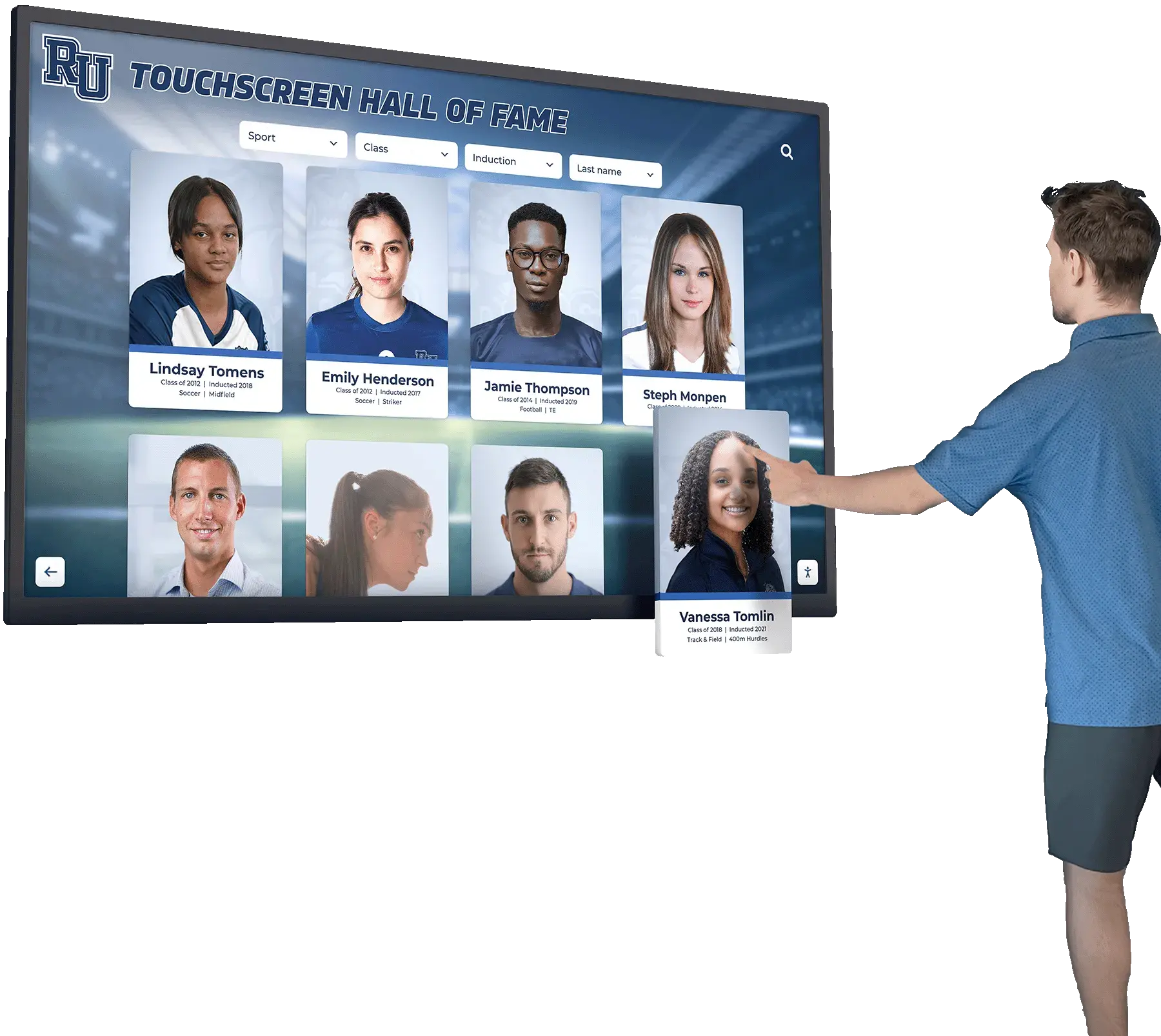
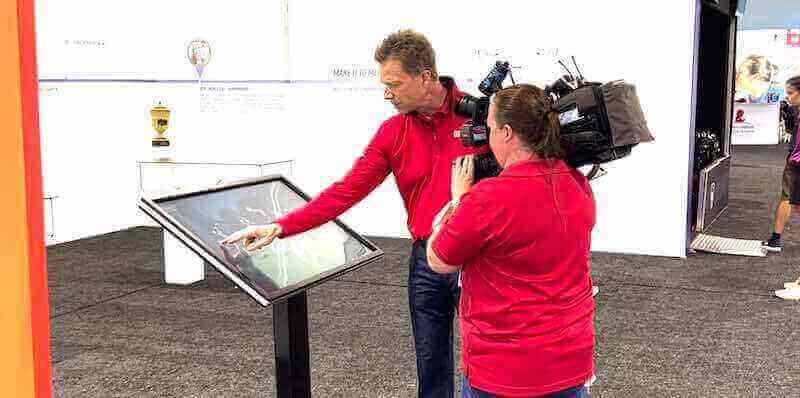
Modern digital galleries transform passive viewing into active exploration. Interactive touchscreens allow viewers to select artwork for detailed viewing, read artist statements explaining creative intent and process, watch time-lapse videos showing creation from concept to completion, explore artistic techniques and media used, and discover related works by the same artist or theme. This interactivity creates educational experiences impossible with static displays.
Continuous Updates and Fresh Content
Digital systems allow instant additions and rotations without physical labor. Art teachers can feature new work weekly, create thematic exhibitions responding to current events, highlight seasonal artwork, or develop rotating showcases ensuring regular visibility for all students. Fresh content maintains viewer interest while providing ongoing exhibition opportunities throughout the year.
Permanent Digital Archives
Unlike physical displays where removed artwork disappears, digital galleries create permanent archives preserving student work indefinitely. Students can revisit their own artistic development years later, families can access their children’s artwork remotely, and schools build historical collections documenting creative programs over time.
Research on arts education consistently demonstrates that public exhibition significantly influences student motivation, skill development, and continued participation in creative pursuits. When students know their work will be professionally displayed and celebrated, they invest greater effort, take creative risks, and develop stronger artistic identities.
Types of Digital Art Gallery Solutions for Schools
Schools can implement digital art galleries through several technology approaches, each offering distinct advantages for different needs and budgets.
1. Interactive Touchscreen Display Systems
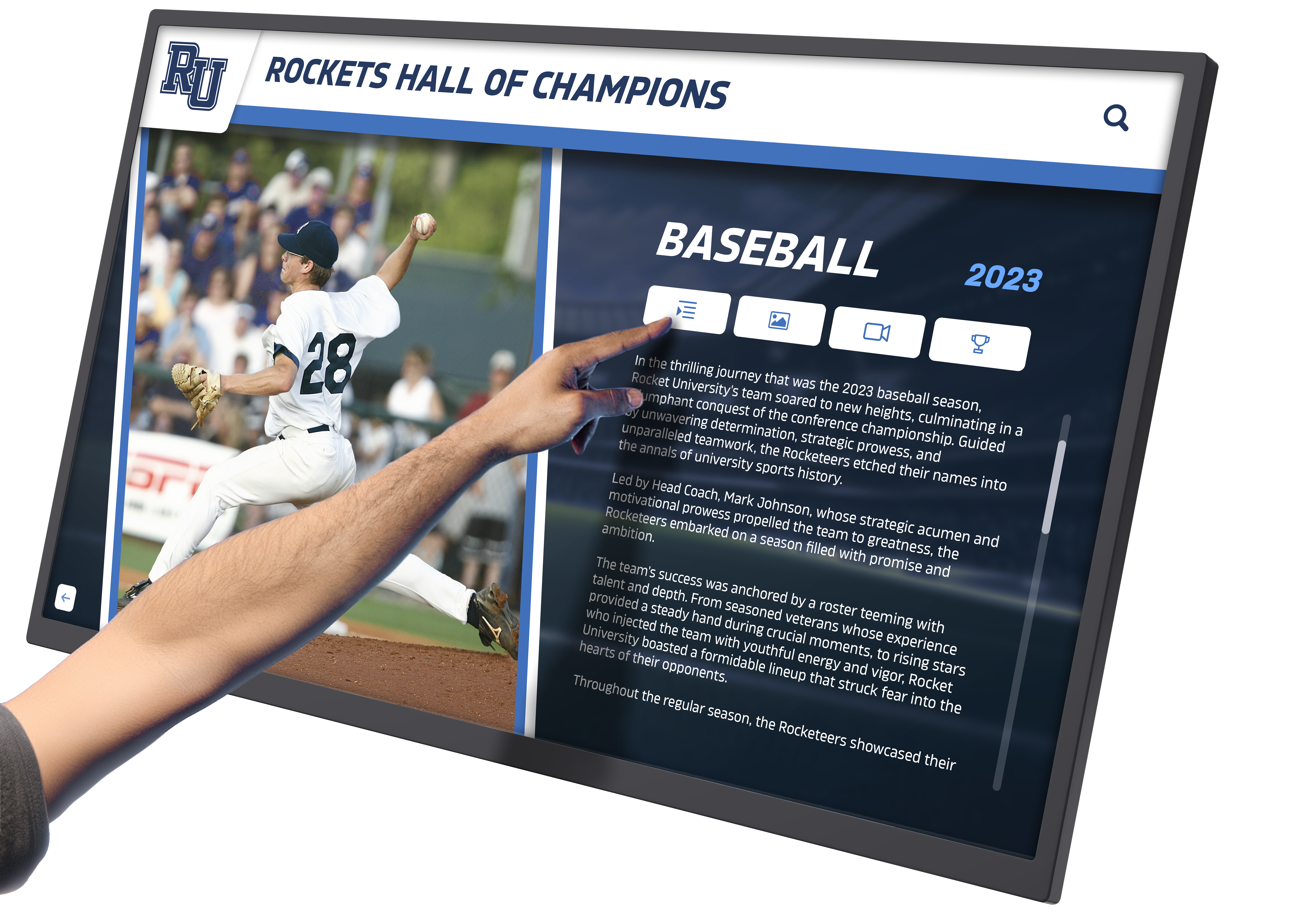
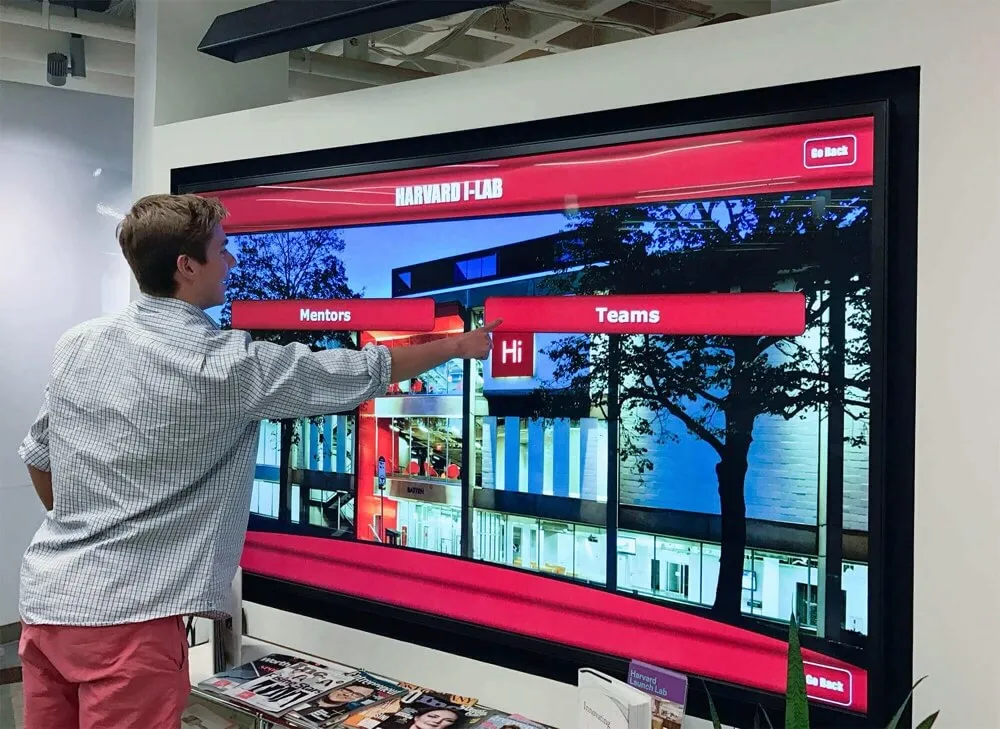
Interactive touchscreen displays represent the most engaging and comprehensive digital gallery solution for schools.
Capabilities and Features
Purpose-built interactive systems like those from Rocket Alumni Solutions provide:
- Large format touchscreens (43" to 75"+ displays)
- Intuitive touch interfaces students and visitors easily navigate
- High-resolution image display showcasing artwork detail
- Multimedia integration including videos, audio, and animations
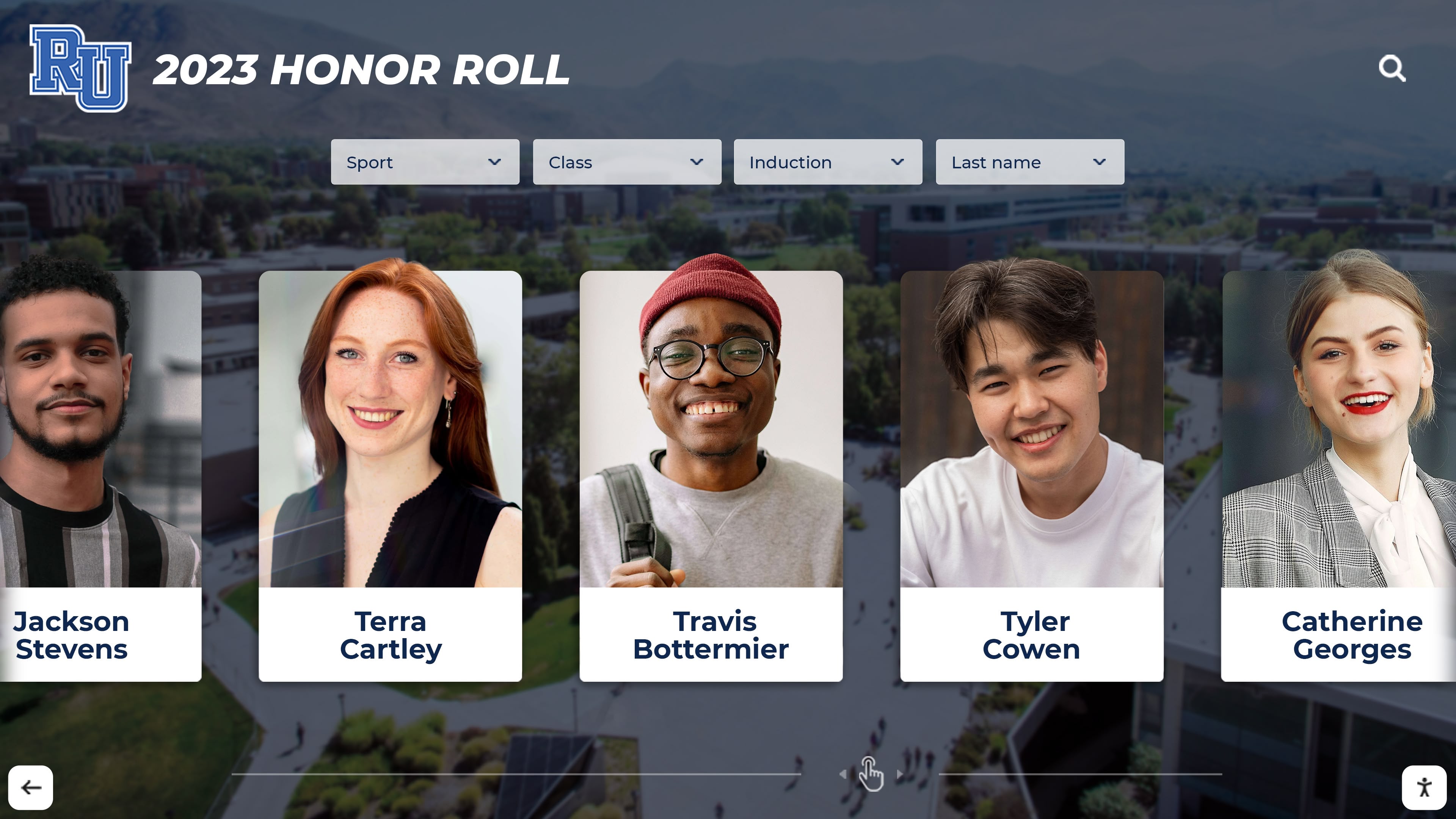
- Searchable databases allowing discovery by artist, medium, or theme
- Customizable exhibition layouts and presentation templates
- Content management systems art teachers can operate independently
- Cloud-based platforms enabling remote updates from anywhere
Ideal Implementation Contexts
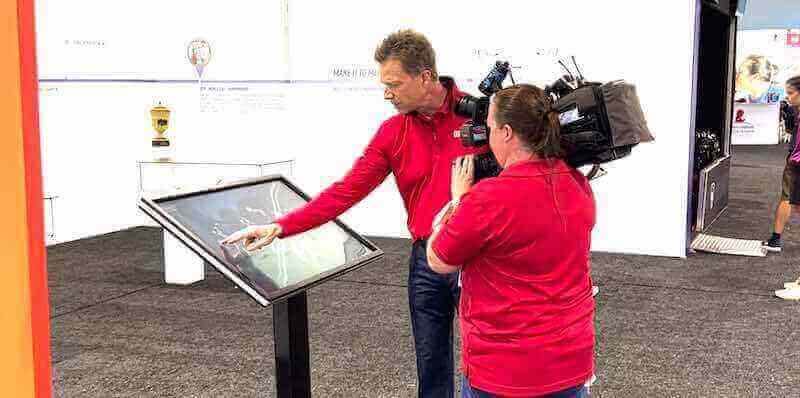
Interactive touchscreen galleries excel in high-traffic locations where students, families, and visitors naturally gather—main building entrances, cafeterias and common areas, art department hallways, performing arts center lobbies, and media center spaces. The interactive nature encourages exploration and sustained engagement compared to passive digital displays.
Benefits for Arts Programs
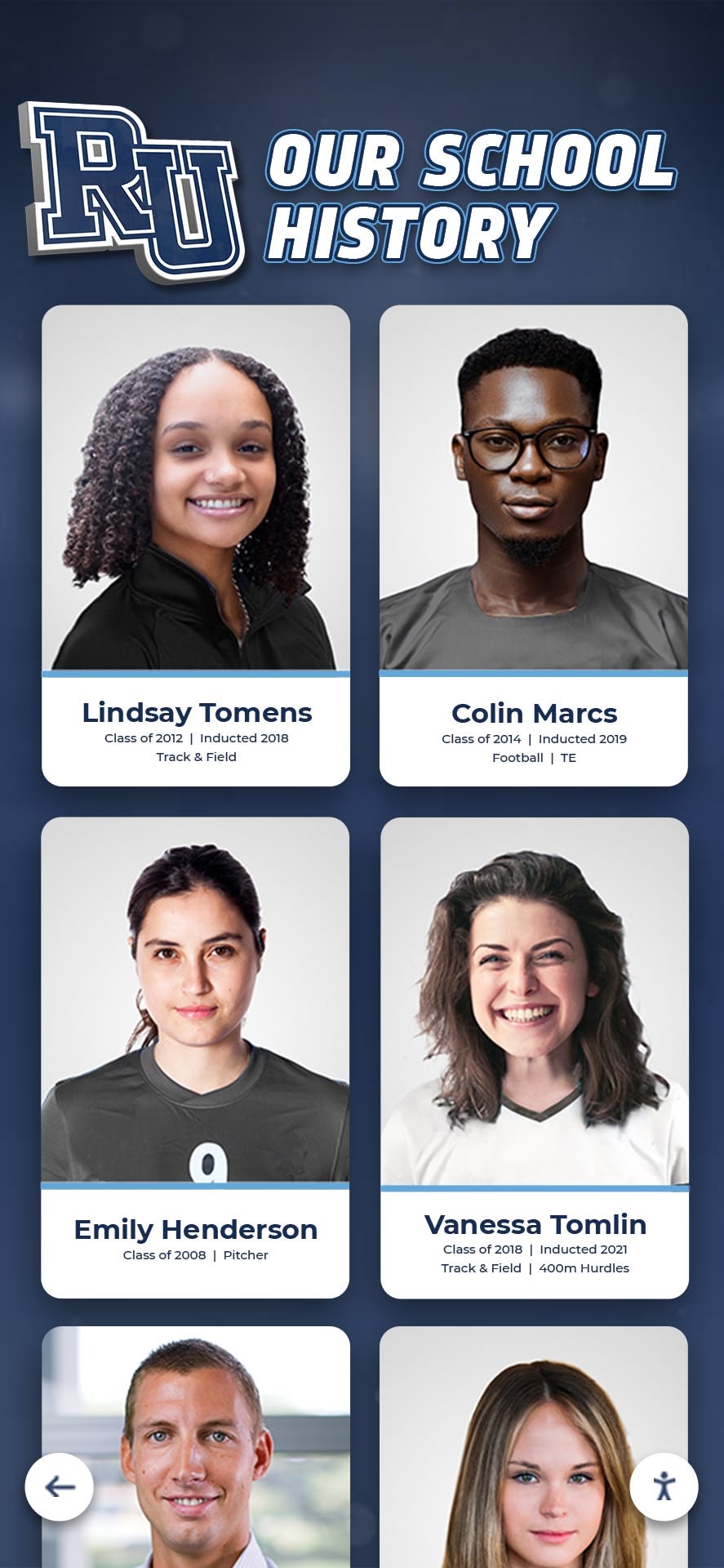
Interactive displays provide maximum impact for arts programs through features specifically designed for artwork presentation. Students can showcase multiple views of 3D work through image galleries, include artist statements explaining their creative vision and process, present work-in-progress documentation showing artistic development, organize personal portfolios containing all their exhibited work, and create thematic exhibitions around concepts, techniques, or social issues.
Solutions like digital art walls for schools transform how institutions celebrate creative achievement by providing professional-quality exhibition infrastructure previously available only in dedicated art galleries.
2. Digital Display Screens with Automated Content
Non-interactive digital screens offer simpler, more affordable gallery solutions suitable for many school contexts.
System Components
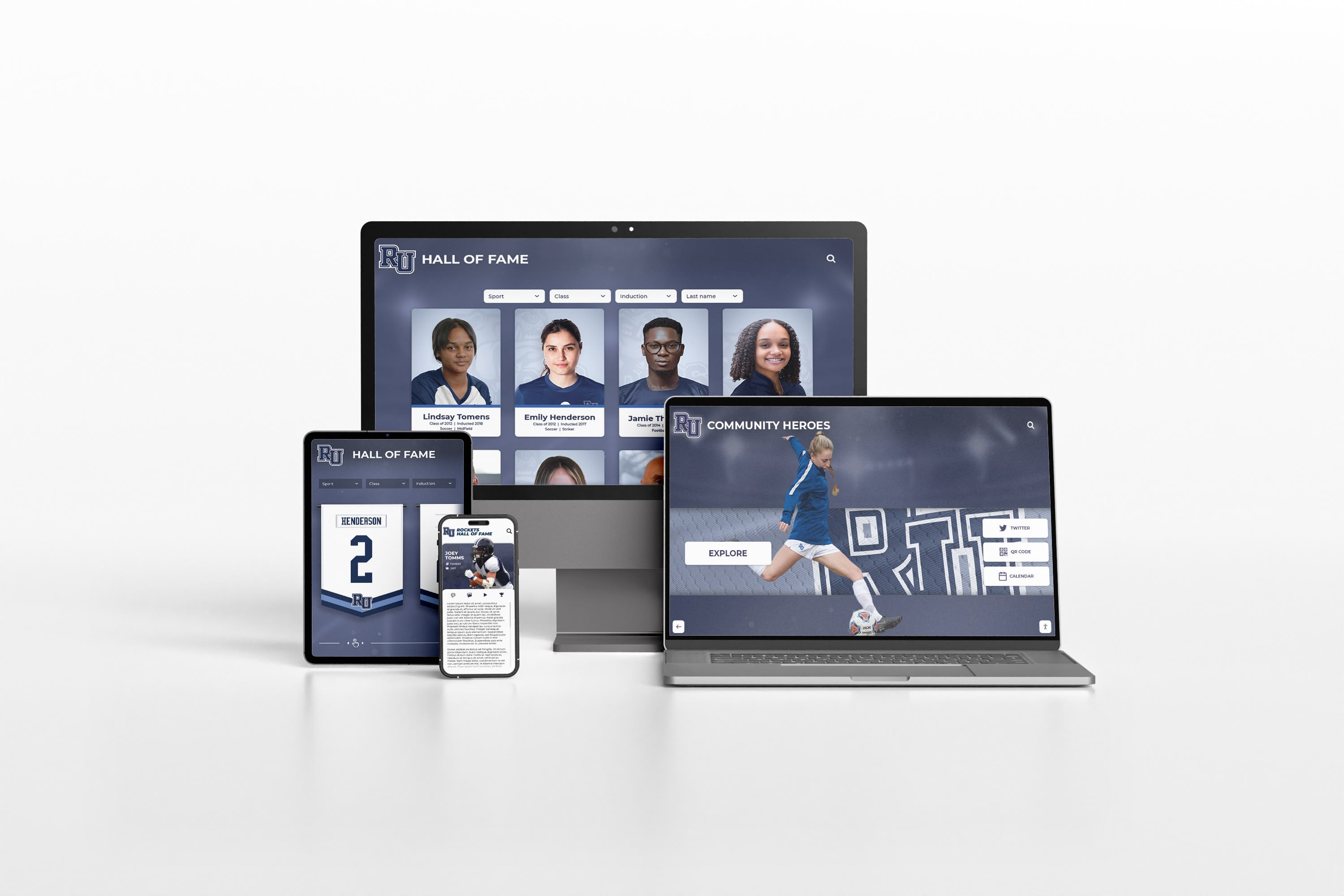
Basic digital gallery displays consist of large format digital screens (similar to digital signage), media players running presentation software, cloud-based content management for uploading and scheduling, and automated rotation displaying artwork in slideshow formats with customizable timing and transitions.
Advantages and Limitations
Digital screens without touch interaction cost significantly less than interactive systems, require minimal technical expertise to operate, work well for passive viewing in hallways and common areas, and allow multiple displays throughout buildings affordably. However, they lack the engagement power of interactive systems, offer no viewer control over content exploration, and provide limited educational context compared to interactive features.
Best Use Cases
Non-interactive digital displays work particularly well as secondary exhibition spaces complementing a primary interactive gallery, as hallway displays showcasing rotating collections automatically, in administrative areas and offices celebrating student work, and as budget-friendly starting points for schools planning future interactive system expansion.
3. Online Digital Gallery Platforms
Web-based digital galleries extend exhibition beyond physical school spaces to reach families and communities anywhere.
Platform Capabilities
Online gallery platforms provide:
- Web-based interfaces accessible on any device
- Unlimited virtual exhibition space
- Student portfolio development over multiple years
- Social sharing enabling family engagement
- Commenting features for feedback and appreciation
- Exhibition organization by class, grade, medium, or theme
- Mobile apps for smartphone and tablet access
- Integration with school websites and portals
Implementation Benefits
Online galleries excel at extending reach beyond physical school buildings, providing 24/7 access for families viewing student work from home, enabling remote family members and community supporters to view exhibitions, creating permanent portfolios students carry beyond graduation, and offering free or low-cost solutions accessible to all schools regardless of budget.
Popular Platform Options
Schools commonly use platforms including Artsonia (dedicated student art showcase platform with family engagement features), Google Sites or similar website builders for custom gallery pages, school district portals with integrated gallery sections, social media platforms like Instagram for public exhibitions, and specialized portfolio platforms like Seesaw for elementary programs.
4. Hybrid Physical-Digital Gallery Systems
The most comprehensive approach combines physical and digital elements leveraging the strengths of each.
Integration Strategies
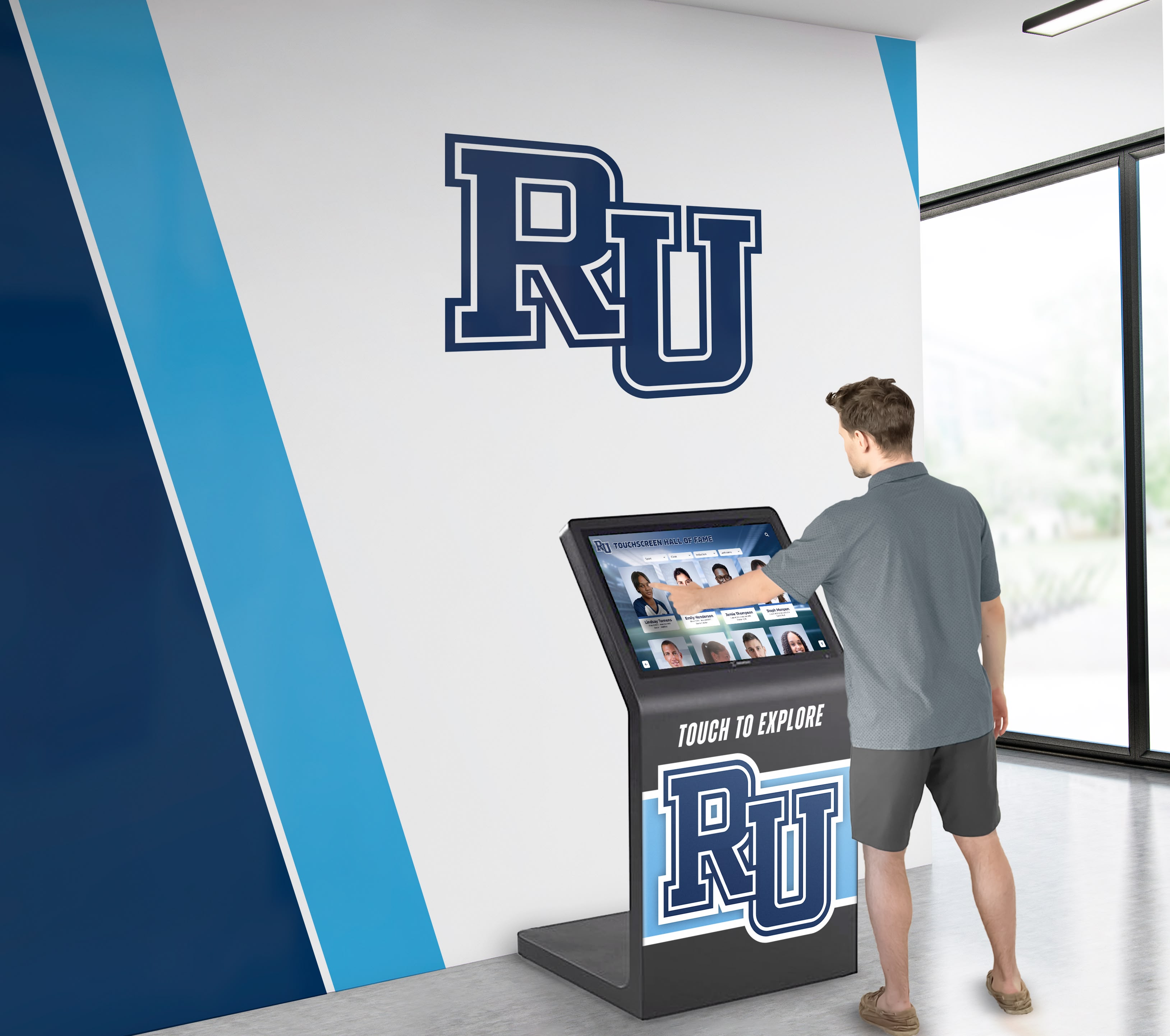
Hybrid galleries might include physical artwork displays augmented with QR codes linking to digital artist statements and process videos, touchscreen kiosks within traditional gallery spaces providing context and exploration, digital displays showing rotating collections while featured work remains physically displayed, and online galleries mirroring physical exhibitions allowing remote access to in-person shows.
Maximizing Exhibition Impact
Hybrid approaches deliver maximum benefits by honoring the tactile, authentic experience of viewing physical artwork while providing unlimited capacity and interactive engagement through digital components. This combination appeals to traditional arts educators valuing physical exhibitions while embracing modern technology’s capacity to extend recognition and engagement exponentially.
Implementing a Digital Art Gallery: Step-by-Step Process
Successful digital gallery implementation requires thoughtful planning and systematic execution across several key phases.
Phase 1: Assessment and Planning
Define Exhibition Goals and Priorities
Begin by clarifying what you want your digital gallery to accomplish:
- What types of artwork will be featured (2D, 3D, digital, photography, video art)?
- Which grade levels and programs will be included?
- How frequently will content be updated and rotated?
- What audience will the gallery primarily serve (students, families, community, donors)?
- How will the gallery support curriculum goals and arts program development?
- What level of interactivity and engagement do you want to provide?
Involving art teachers, department chairs, administrators, and student artists in goal-setting ensures the gallery serves actual program needs rather than simply implementing technology for its own sake.
Assess Space and Technical Requirements
Evaluate potential gallery locations considering:
- High-traffic areas with good visibility and natural audience flow
- Available electrical power and network connectivity
- Wall space, mounting options, and ADA accessibility requirements
- Ambient lighting conditions affecting screen visibility
- Security considerations for valuable display equipment
- Proximity to art classrooms for convenient content updates
Determine Budget and Funding Sources
Equipment and Installation Costs
- Interactive touchscreen display systems ($8,000-$25,000)
- Non-interactive digital screens ($2,000-$5,000)
- Installation, mounting, and wiring ($500-$2,000)
- Content management software (often included or $500-$2,000/year)
- Initial content development and training
Potential Funding Sources
- Arts education grants from foundations and organizations
- PTA/PTO fundraising specifically for arts recognition
- Donor contributions from arts supporters and alumni
- District technology budgets or capital improvement funds
- Arts booster organizations and community partnerships
- Grant programs supporting educational technology
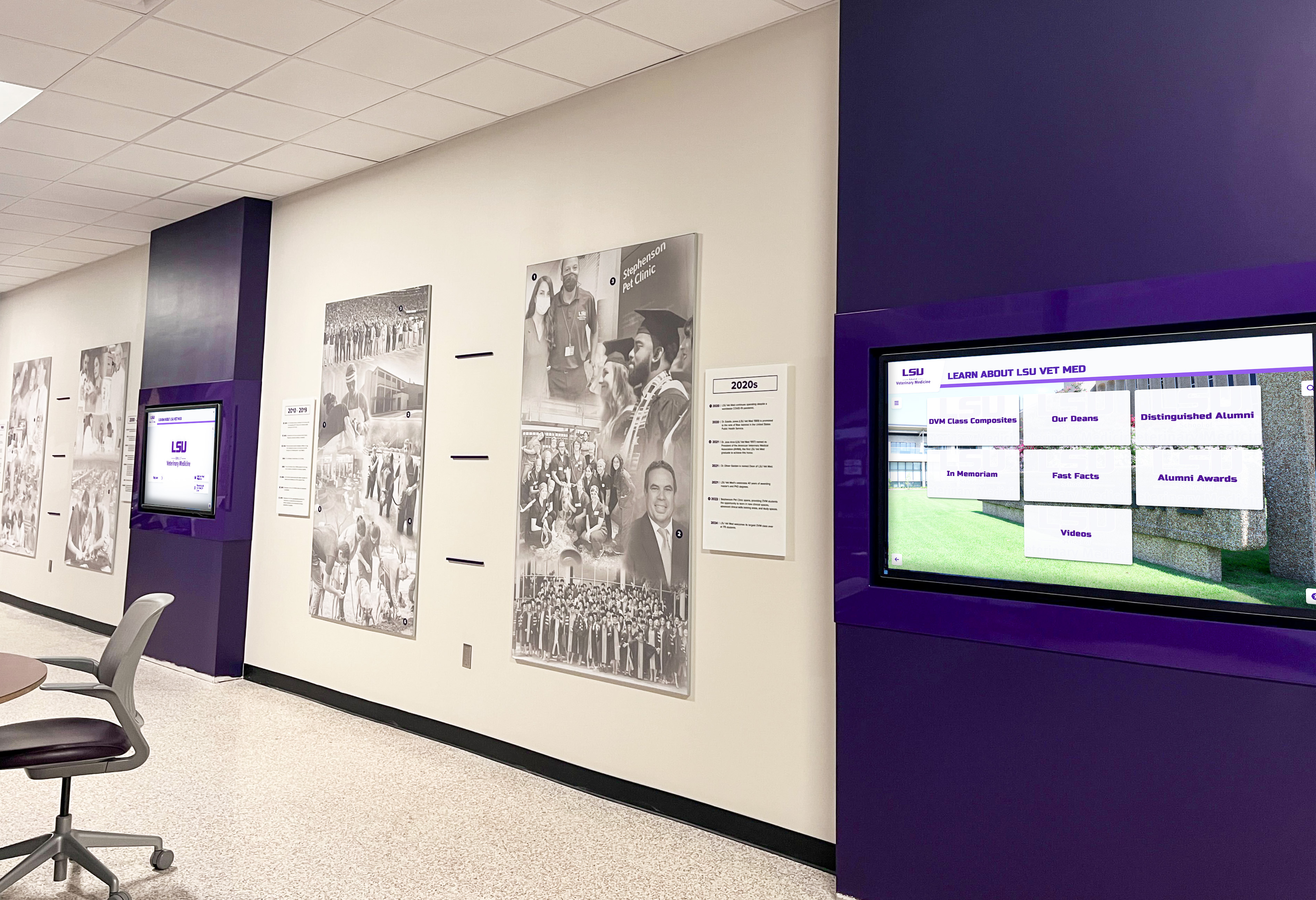
Many schools implement digital galleries in phases, starting with one primary display and expanding as benefits become evident and additional funding becomes available.
Phase 2: Technology Selection and Procurement
Evaluating Digital Gallery Solutions
When comparing digital gallery systems, consider:
Content Management Capabilities
- Can art teachers and staff update content independently without technical support?
- Does the system support bulk uploading for efficiency?
- Are exhibition templates customizable for different presentation styles?
- Can students submit work directly through student portals?
- Does the platform support scheduling future exhibitions in advance?
Display and Presentation Features
- Does image quality showcase artwork detail effectively?
- Are multimedia formats (video, audio, animation) supported for digital art?
- Can multiple images be grouped for 3D work documentation?
- Does the interface support artist statements and process descriptions?
- Are search and browse features intuitive for viewers?
Technical Support and Sustainability
- What level of ongoing technical support is provided?
- How are software updates and new features delivered?
- What is the expected lifespan of display hardware?
- Are there long-term content hosting or subscription fees?
- Can the school maintain the system independently if needed?
Recommended System Features for Schools
Based on successful implementations, prioritize systems offering:
- User-friendly content management requiring minimal technical expertise
- Reliable performance with minimal maintenance requirements
- Scalability allowing future expansion to additional displays
- Integration capabilities connecting with student information systems when beneficial
- Professional presentation templates elevating artwork presentation
- Accessibility features ensuring inclusive viewing experiences
Educational technology solutions like those from Rocket Alumni Solutions are specifically designed for school environments with features addressing the unique needs of arts education programs.
Phase 3: Content Development and Digitization
Establishing Content Workflows
Sustainable digital galleries require efficient processes for continuously adding new artwork:
Artwork Digitization Methods
- High-quality smartphone photography (often sufficient)
- Flatbed scanning for smaller 2D works
- Professional photography for important exhibitions
- 360-degree photography for sculptures
- Video documentation for installations and performances
- Digital file exports for computer-created artwork
Metadata and Documentation
- Artist name, grade, and program
- Artwork title and creation date
- Artistic medium and techniques
- Dimensions and materials (for physical work)
- Artist statement or reflection
- Teacher or curriculum connection
Submission and Approval Processes
- Teacher curation selecting work for exhibition
- Student self-submission with teacher approval
- Automated inclusion of all student work
- Parent permission protocols for public display
- Copyright and intellectual property considerations
- Storage and archival policies
Exhibition Organization
- Thematic collections (portraits, landscapes, abstracts)
- Curriculum-based exhibitions (unit projects, specific techniques)
- Grade-level showcases
- Seasonal or holiday themes
- Social justice and awareness exhibitions
- Student artist spotlights and featured portfolios
Content Development Best Practices
Successful digital galleries balance quality presentation with sustainable workloads:
- Establish regular upload schedules (weekly or monthly) rather than overwhelming batch updates
- Create standardized photography setups in art rooms for consistent quality
- Develop templates for artist statements that prompt meaningful reflection without excessive writing
- Train student assistants or art club members to help with digitization and uploads
- Start with current year content and gradually add historical archives as time allows
- Celebrate the exhibition process itself to build excitement and encourage participation
Phase 4: Installation and Launch
Technical Installation
Professional installation ensures reliable, safe, and attractive display systems:
- Secure wall mounting at appropriate heights for primary audience (consider ADA requirements)
- Proper electrical connections and network configuration
- Cable management for clean, professional appearance
- Testing of all interactive features and content display
- Training for art teachers and staff on system operation
Content Population and Testing
Before public launch:
- Upload initial collection of diverse artwork representing program breadth
- Test all interactive features and navigation pathways
- Verify image quality, color accuracy, and text readability
- Confirm artist information and metadata accuracy
- Gather feedback from student artists on their work presentation
- Conduct staff training on ongoing content management
Launch Events and Promotion
Create excitement and awareness through strategic launches:
- Ribbon-cutting or unveiling ceremonies with student artists present
- Featured artist presentations describing work and artistic process
- Art department open houses inviting families to explore the gallery
- Student demonstrations showing how to interact with touchscreens
- Media coverage through local news, school publications, and social media
- Integration into school tours for prospective families and visitors
Successful launches establish digital galleries as celebrated, valued additions to school culture rather than merely installed technology. When students see their work unveiled in professional exhibition formats with celebration and recognition, they develop pride in artistic identity and motivation to continue creating.

Phase 5: Ongoing Management and Evolution
Sustainable Content Management
Long-term success requires establishing manageable routines:
Regular Update Schedules
- Weekly additions for current coursework
- Monthly thematic exhibitions
- Quarterly major updates featuring new programs or grade levels
- Annual archives preserving each school year’s work
- Special exhibitions for arts festivals, competitions, and events
Distributed Responsibilities
- Art teachers as primary content contributors
- Student technology assistants helping with digitization
- Art club or National Art Honor Society managing special exhibitions
- Media specialists supporting technical operations
- Administrators promoting gallery visibility and community engagement
Quality Maintenance
- Periodic content audits ensuring accuracy and appropriateness
- Hardware maintenance including screen cleaning and software updates
- User experience monitoring to identify improvement opportunities
- Engagement tracking to understand what content resonates most
- Continuous improvement based on feedback and usage patterns
Evolution and Expansion
As digital galleries mature, schools often expand capabilities:
- Adding displays in additional locations throughout buildings
- Developing online components extending reach beyond physical spaces
- Creating student portfolios tracking artistic development over years
- Integrating with school library systems and media centers
- Connecting current student work with alumni artist profiles
- Establishing partnerships with local galleries and arts organizations
Maximizing Educational Benefits of Digital Art Galleries
Beyond simply displaying artwork, digital galleries can become powerful educational tools that enhance arts learning and program development.
Supporting Artistic Development and Reflection
Artist Statements and Reflection Practices
Digital galleries provide ideal platforms for student artistic reflection:
- Written artist statements explaining creative intent and choices
- Video artist talks where students discuss their work and process
- Work-in-progress documentation showing development from concept to completion
- Technique explanations educating viewers about artistic methods
- Personal narratives connecting artwork to student experiences and identities
These reflective practices support deeper learning as students articulate their creative thinking, develop critical analysis skills, build vocabulary for discussing art, learn to receive and respond to feedback, and develop confidence communicating about their work.
Peer Learning and Inspiration
Digital galleries facilitate peer learning impossible with limited physical displays:
- Students explore diverse approaches to similar assignments
- Technical excellence provides models for skill development
- Creative risk-taking inspires experimentation
- Cross-grade viewing shows artistic progression possibilities
- Interdisciplinary connections reveal art’s relationship to other subjects
When students browse digital galleries during free time or in art classes, they engage in informal but powerful learning that complements formal instruction.
Assessment and Portfolio Development
Digital galleries support authentic assessment and documentation:
- Teachers can review student work longitudinally across units and years
- Students develop comprehensive portfolios for college applications and scholarships
- Programs document learning outcomes and student growth for evaluation
- Parents gain windows into classroom learning and student development
- Digital archives provide evidence for arts program advocacy and funding
Many art teachers report that digital galleries transform assessment by making all student work continuously accessible for review rather than relying on memory or limited physical portfolios.
Building Community Connections and Support
Family Engagement
Digital art galleries strengthen home-school connections around arts learning:
Immediate Sharing
- Families see student work as soon as it’s exhibited
- Remote relatives access artwork regardless of geography
- Parents can share student achievements on personal social media
- Family conversations about art and creativity increase
- Pride in student artistic accomplishment grows
Program Understanding
- Parents develop appreciation for arts curriculum rigor
- Artistic development across grades becomes visible
- Families recognize diverse media and techniques taught
- Value of arts education becomes more apparent
- Support for arts programs and resources strengthens
Community Partnerships
Visible, professional digital galleries attract community engagement:
- Local artists offer mentorship when they see student work
- Arts organizations develop partnership opportunities
- Businesses sponsor exhibitions or provide materials
- Community members advocate for arts funding
- Media coverage highlights school arts programs
- Alumni artists maintain connections to school programs
Supporting Program Advocacy and Growth
Documentation and Communication
Digital galleries provide powerful evidence supporting arts program advocacy:
- Administrators see student engagement and learning outcomes
- School board members witness program quality and breadth
- Grant applications include professional documentation of student work
- Accreditation reviews receive comprehensive program evidence
- Recruitment materials showcase creative opportunities to prospective families
- Social media content demonstrates program vitality and success
Arts educators consistently report that digital galleries elevate perceptions of their programs among colleagues, administrators, and community members. When student artwork receives professional presentation with engaged audiences, arts education gains recognition as a core academic discipline rather than a peripheral activity.
Equity Advocacy
Comprehensive digital galleries support equity in arts education:
- Every student artist receives exhibition opportunities regardless of skill level
- Diverse artistic styles and cultural perspectives gain equal visibility
- Beginning students see recognition alongside advanced artists
- Non-traditional media receive equal presentation with established forms
- Underrepresented student populations gain visibility and voice
- Arts access and excellence become inseparable values
When administrators and community members see inclusive digital galleries celebrating diverse student creativity, it reinforces the imperative of equitable arts access and resources for all students.
Best Practices for Digital Art Gallery Success
Learning from successful implementations helps schools maximize digital gallery benefits while avoiding common challenges.
Content Strategy Best Practices
Balance Breadth and Depth
Effective galleries showcase:
- Wide representation across all students and programs
- Featured exhibitions providing depth on selected artists or themes
- Rotating schedules ensuring freshness and continued interest
- Mix of current and historical work connecting past and present
- Diverse media representing full program breadth
- Range of skill levels from beginners to advanced artists
Maintain Consistent Quality
While celebrating all student work:
- Establish basic photography and digitization standards
- Use consistent formatting and presentation templates
- Ensure accurate, properly spelled artist information
- Verify appropriate content before public exhibition
- Maintain regular update schedules avoiding stale content
- Monitor for technical issues affecting presentation quality
Tell Stories Through Curation
The most engaging digital galleries curate thematic exhibitions that tell stories:
- Curriculum Connections: “Exploring Perspective in 8th Grade Drawing” or “AP Studio Art Sustained Investigations”
- Artistic Movements: “Student Interpretations of Impressionism” or “Contemporary Self-Portraiture”
- Social Themes: “Art for Social Justice” or “Environmental Awareness Through Creativity”
- Cultural Celebrations: “Hispanic Heritage Through Visual Arts” or “Black History Month Artist Spotlight”
- Process Explorations: “From Sketch to Sculpture” or “The Printmaking Process”
- Interdisciplinary Projects: “Science and Art: Anatomy Studies” or “Historical Portraits and Biography”
Curated exhibitions with clear themes and educational context engage viewers more deeply than random collections of artwork, creating educational experiences that complement the visual enjoyment of viewing student creativity.
Engagement Strategy Best Practices
Promote Active Exploration
Encourage interaction through:
- Classroom visits to gallery with guided exploration activities
- Scavenger hunts finding specific artwork or techniques
- Student-led tours explaining featured exhibitions
- Art history connections between student and professional work
- Reflection prompts encouraging viewer responses
- Social media campaigns sharing favorite pieces
Integrate Across Curriculum
Extend gallery impact beyond art classes:
- Language arts classes analyze artist statements and write reviews
- History classes explore artwork reflecting historical periods or events
- Science classes examine technical aspects of artistic media and processes
- Math classes analyze geometric patterns and proportions in artwork
- Technology classes learn about digital art creation and exhibition tools
- Advisory programs use gallery exploration as community-building activities
Celebrate Student Artists
Make exhibition a celebration:
- Feature “artist of the month” with special recognition
- Host opening receptions for major exhibitions with student artists present
- Enable peer appreciation and positive feedback systems
- Include gallery recognition in school announcements and newsletters
- Nominate outstanding work for competitions and community exhibitions
- Connect gallery exhibitions to broader school recognition programs
Program Sustainability Best Practices
Distribute Responsibilities
Sustainable programs avoid overburdening single individuals:
- Multiple art teachers share upload responsibilities across their classes
- Student assistants help with photography, digitization, and data entry
- Technology staff handle technical maintenance and troubleshooting
- Administrative assistants manage permissions and communications
- Student organizations (Art Club, National Art Honor Society) develop special exhibitions
- Clear documentation ensures smooth transitions when personnel change
Build Efficient Workflows
Streamlined Processes
- Photography stations in art rooms for quick, consistent imaging
- Template artist statement forms students complete digitally
- Bulk upload capabilities reducing time requirements
- Automated naming conventions organizing content logically
- Scheduled update days integrating gallery management into routines
- Simple approval workflows maintaining quality without bottlenecks
Documentation and Training
- Written procedures for common tasks
- Video tutorials for reference
- Regular training for new staff members
- Student helper training programs
- Troubleshooting guides for common issues
- Contact information for technical support
Regularly Assess and Improve
Establish review cycles ensuring continued effectiveness:
- Quarterly usage data review identifying popular content and underutilized features
- Student and staff feedback collection through surveys or focus groups
- Annual program assessment against established goals and benchmarks
- Comparison with other school recognition systems to identify improvement opportunities
- Budget review ensuring sustainable resource allocation
- Celebration of successes building continued enthusiasm and support
Integrating Digital Galleries with Broader Recognition Systems
Digital art galleries work most effectively when integrated into comprehensive student recognition ecosystems celebrating diverse accomplishments across all programs.
Cross-Program Recognition Connections
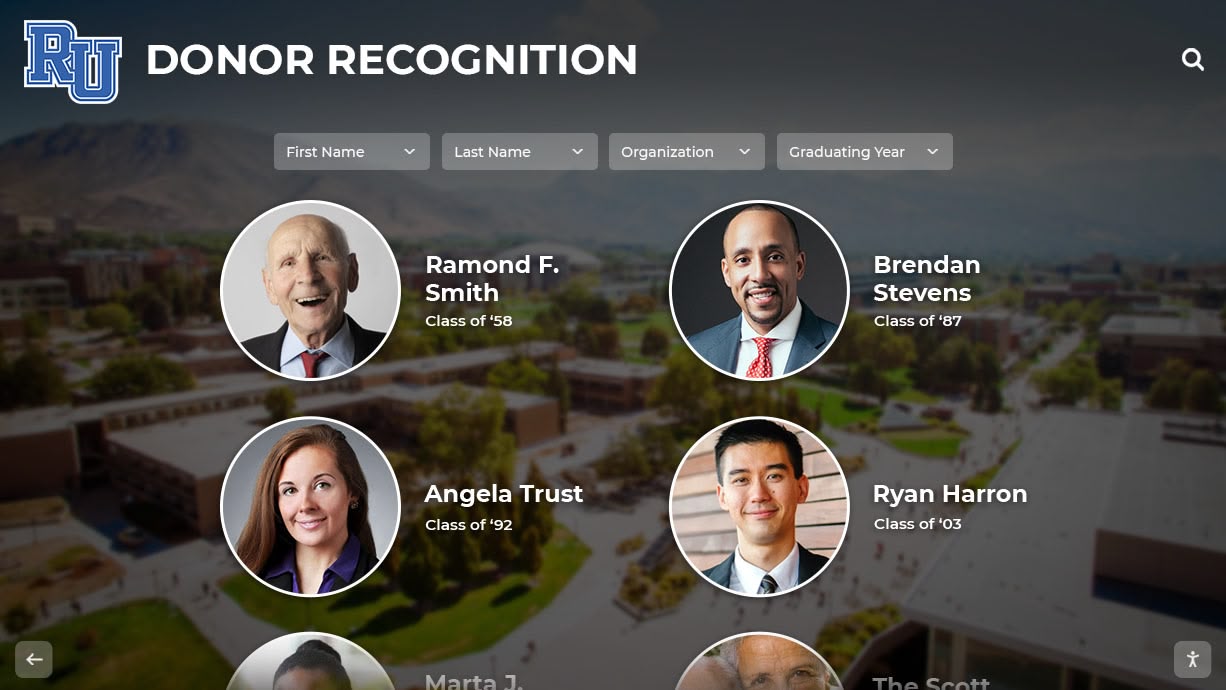
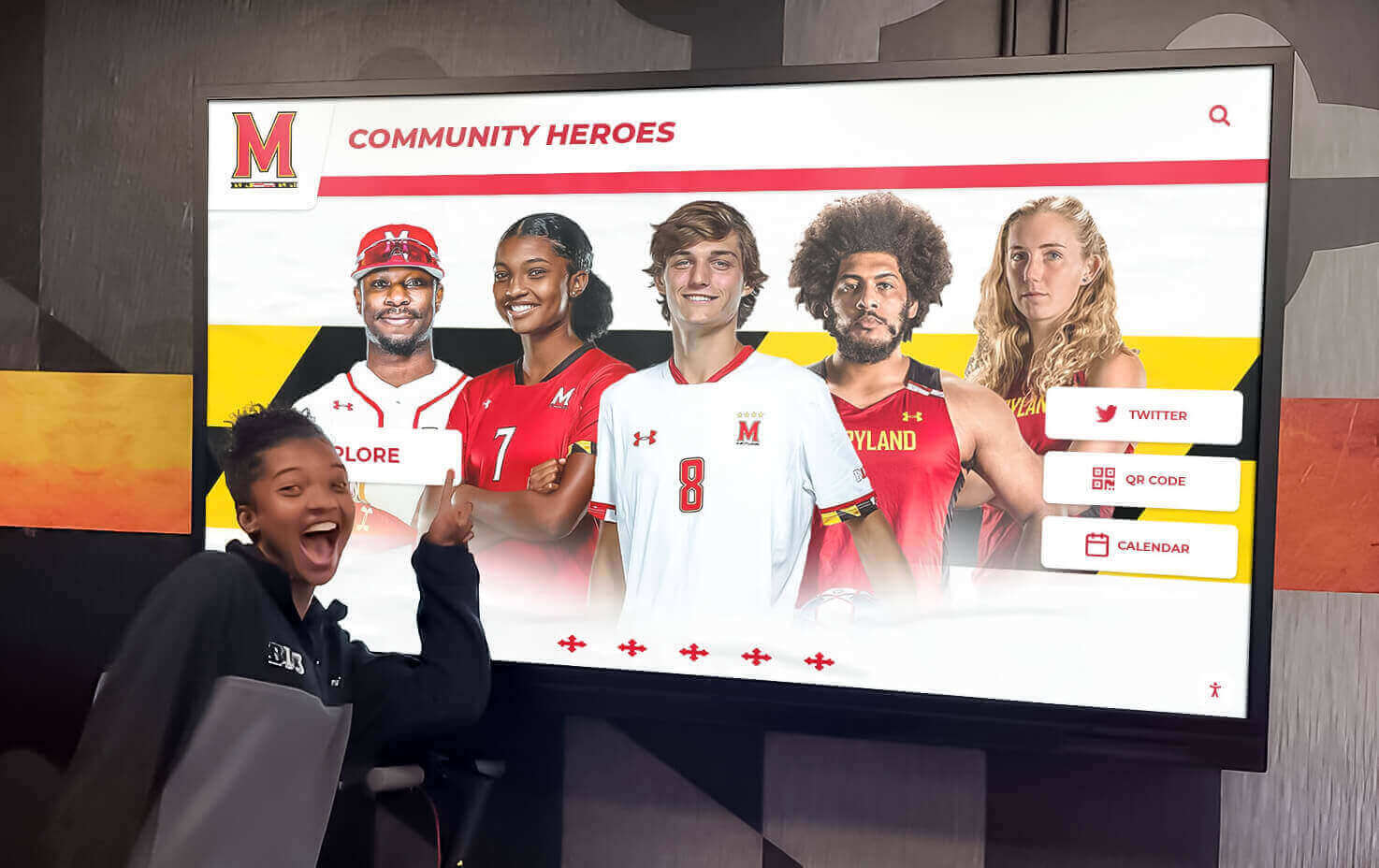
Schools using digital recognition displays for athletics and academics can seamlessly incorporate arts achievements:
- Unified technology platforms featuring arts, athletics, academics, and service
- Consistent presentation formats elevating all achievement types equally
- Cross-referenced content connecting student accomplishments across domains
- Comprehensive student profiles showing multifaceted talents and achievements
- Integrated search and browse features allowing exploration across all programs
This integrated approach reinforces that schools value diverse excellence, artistic achievement receives equal institutional recognition to other accomplishments, and students develop multidimensional identities beyond single talents. When digital recognition systems celebrate the full breadth of student achievement, they support holistic development and inclusive school cultures.
Exhibition Space Planning
Strategic placement reinforces arts program visibility:
- Primary art gallery displays in main building entrances
- Art-specific displays near art department facilities
- Integrated arts content in multi-purpose recognition displays
- Performing arts lobby displays for theater and music programs
- Mobile-responsive online galleries accessible anywhere
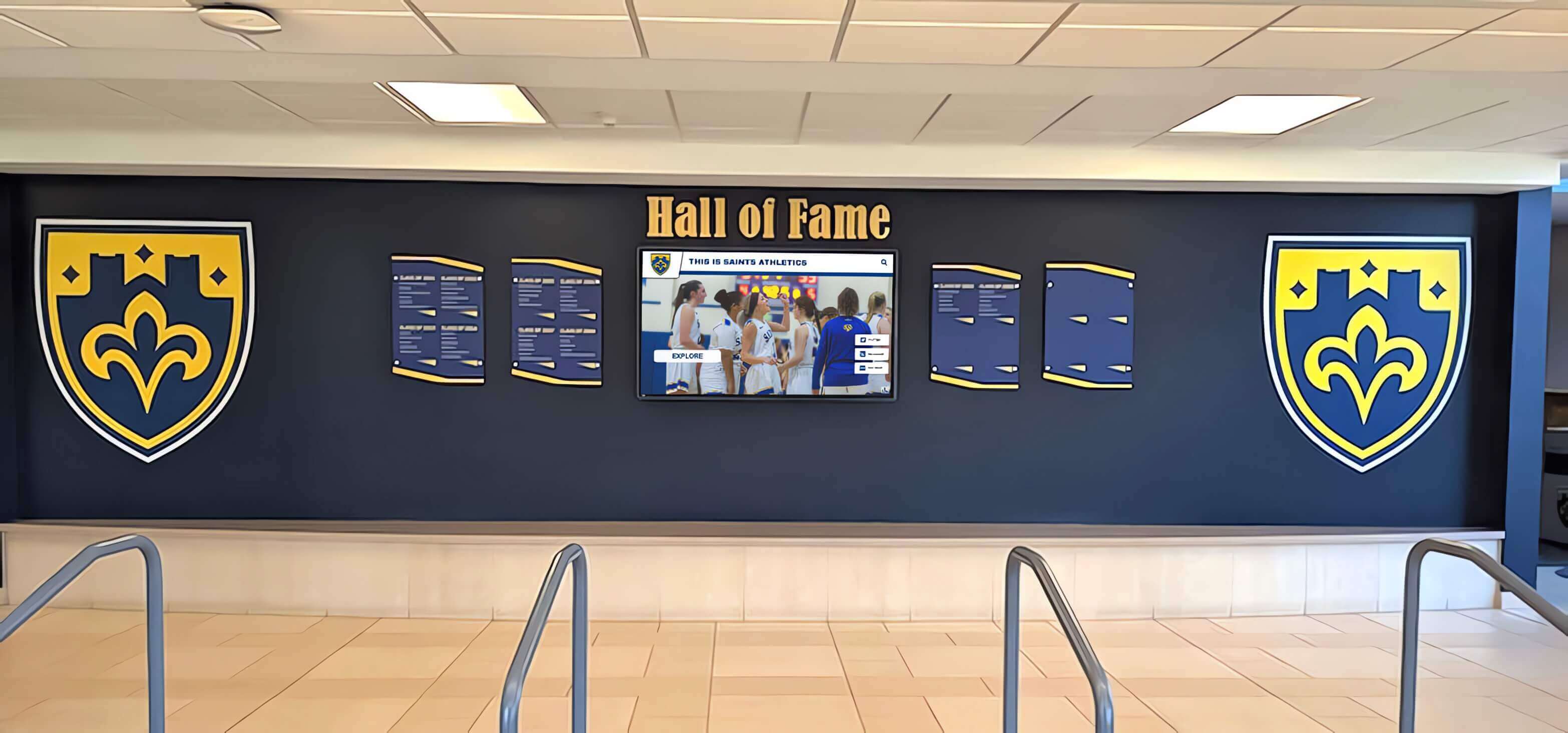
Consider comprehensive recognition wall strategies that incorporate multiple achievement types including visual arts, performing arts, academic honors, athletic accomplishments, and service leadership, creating holistic celebration of school community excellence.
Technology Considerations and Future Trends
Understanding emerging technologies helps schools make forward-looking decisions when implementing digital art gallery systems.
Current Technology Landscape
Display Hardware Evolution
Current Options
- Commercial-grade LED displays (50,000+ hour lifespans)
- Capacitive touchscreens with precise, responsive interaction
- 4K ultra-high-definition resolution for image clarity
- Wide color gamut displays for accurate color reproduction
- Energy-efficient systems with reduced operating costs
- Increasingly affordable pricing making quality displays accessible
Emerging Technologies
- OLED displays with superior contrast and color accuracy
- Large-format flexible displays for unique installations
- Transparent displays for innovative exhibition designs
- Ultra-high-resolution 8K displays for immersive detail
- Low-power e-ink displays for static exhibition spaces
- Modular display systems creating custom configurations
Content Management Evolution
Modern platforms increasingly offer:
- Cloud-based systems accessible from any device anywhere
- Mobile apps for smartphone uploads and management
- AI-assisted image enhancement and optimization
- Automated metadata extraction from digital files
- Integration with learning management systems and student information systems
- Analytics showing engagement patterns and popular content
- Accessibility features including screen readers and multiple language support
- Social features enabling safe commenting and appreciation
These evolving capabilities make digital gallery management increasingly accessible to busy educators while providing richer experiences for viewers and student artists.
Future Possibilities
Augmented and Virtual Reality Integration
Emerging technologies may soon enable:
- AR viewers experiencing 3D artwork in physical space
- Virtual gallery tours exploring exhibitions remotely
- Mixed reality where digital and physical artwork coexist
- Immersive experiences stepping “into” artistic environments
- Virtual collaboration spaces where students create together remotely
Artificial Intelligence Applications
AI may enhance digital galleries through:
- Automated artwork analysis suggesting similar pieces or influences
- Style recognition organizing collections by artistic techniques
- Personalized recommendation engines suggesting artwork based on viewing history
- Natural language interfaces allowing conversational exploration
- Automated captioning and accessibility features
- Creative tools helping students develop and refine work
Extended Connectivity
Future digital galleries may seamlessly connect:
- School galleries in district-wide or regional exhibition networks
- National and international student art exchange programs
- Professional gallery partnerships featuring student work
- Alumni artist networks mentoring current students
- College and career pathways visible through alumni artistic journeys
While these emerging technologies hold exciting potential, schools should focus current investments on proven, reliable systems that deliver immediate benefits while remaining adaptable to future enhancements as technologies mature and become accessible.

Overcoming Common Implementation Challenges
Anticipating obstacles helps schools navigate digital gallery implementation more successfully.
Challenge: Limited Technology Budget
Solution: Start small with one quality display rather than multiple inferior systems. Seek grant funding from arts organizations, education foundations, and technology initiatives. Partner with PTA/PTO for fundraising specifically supporting arts recognition. Consider phased implementation spreading costs over multiple years. Explore refurbished commercial displays offering quality at reduced prices. Calculate and communicate long-term cost savings from eliminating printing and physical display materials.
Challenge: Teacher Concerns About Workload
Solution: Prioritize user-friendly systems requiring minimal technical expertise. Provide comprehensive training and ongoing support. Start with manageable content volumes and expand gradually. Develop student assistant programs distributing workload. Create efficient workflows integrating gallery management into existing routines. Communicate time savings from digital systems compared to physical bulletin board maintenance. Celebrate successes and acknowledge teacher contributions publicly.
Challenge: Limited Technical Support
Solution: Select turnkey systems with vendor-provided technical support and training. Choose cloud-based platforms requiring minimal onsite IT infrastructure. Develop clear documentation for common tasks and troubleshooting. Identify tech-savvy staff members or students who can provide peer support. Establish relationships with vendors providing responsive assistance. Consider managed service options where vendors handle technical operations remotely.
Challenge: Copyright and Permission Concerns
Solution: Establish clear policies about student artwork copyright and exhibition permissions. Include photo and artwork release forms in enrollment paperwork. Create opt-out processes for families preferring privacy. Educate students about their intellectual property rights. Document permission status in content management systems. Provide privacy controls allowing selective visibility for sensitive work. Consult district legal counsel about appropriate policies and practices.
Challenge: Maintaining Fresh, Engaging Content
Solution: Establish regular update schedules with clear expectations and deadlines. Rotate thematic exhibitions creating reasons for repeat viewing. Feature specific artists or programs periodically. Include historical artwork celebrating school traditions alongside current work. Develop student-curated exhibitions distributing responsibility. Create content calendars planning exhibitions quarterly or annually. Monitor engagement data identifying what content resonates most. Promote new additions through announcements and social media.
Case Study Patterns from Successful Implementations
While avoiding specific client references, common patterns emerge from successful digital art gallery implementations across educational institutions.
Elementary School Implementations
Typical Approach
Elementary schools commonly implement:
- Single large touchscreen display in main entrance or lobby
- Simplified interface appropriate for young children
- Heavy use of visual categories with minimal text
- Rotation featuring each grade level regularly
- Integration with school-wide celebrations and events
- Parent engagement as primary audience alongside students
Reported Benefits
Schools report:
- Excitement from young students seeing their work displayed professionally
- Increased family traffic into buildings to view children’s work
- Enhanced perception of arts program quality among parents
- Student pride and motivation from public recognition
- Visitors consistently engaging with displays
Middle School Implementations
Typical Approach
Middle schools often feature:
- Multiple displays in art department and common areas
- Student artist statements developing reflection skills
- Integration with exploratory arts classes rotating through programs
- Thematic exhibitions connecting to curriculum units
- Student curation opportunities through art clubs
- Online components extending reach to families and community
- Connection to broader school recognition programs and celebrations
Middle school implementations particularly emphasize artistic identity development during formative adolescent years when peer perception significantly influences self-concept and continued creative engagement.
High School Implementations
Typical Approach
High schools commonly develop:
- Comprehensive gallery systems with multiple displays
- Portfolio development features for college applications
- Integration with AP Studio Art programs
- Student-managed curation and exhibition design
- Community event connections and local partnerships
- Alumni artist features connecting graduates to programs
Reported Benefits
High schools report:
- Stronger arts program enrollment and retention
- Enhanced college admission outcomes for art students
- Increased arts program support from administration
- Recruitment advantages showcasing creative opportunities
- Community partnerships and local gallery relationships
Measuring Digital Art Gallery Success
Data-driven assessment ensures galleries deliver intended benefits and supports continuous improvement.
Quantitative Metrics
Exhibition Metrics
- Number of student artists featured
- Total artworks displayed
- Representation across grade levels
- Diversity of media and artistic approaches
- Update frequency and content freshness
- Historical archive growth over time
Engagement Metrics
- Physical display interactions and viewing time
- Online gallery visits and page views
- Social media engagement and shares
- Search queries revealing interest patterns
- Most viewed artworks and exhibitions
- Time spent exploring different content types
Program Impact Metrics
- Arts program enrollment trends
- Student retention in arts courses
- Participation in arts competitions and shows
- College arts program acceptances
- Scholarship awards for artistic achievement
- Community partnership development
Equity Metrics
- Demographic distribution of featured artists
- Representation across skill levels
- Balance of media and program types
- Access patterns for online components
- Family engagement across populations
- Underrepresented student visibility
Qualitative Assessment
Stakeholder Feedback
Gather perspectives through:
- Student artist surveys about exhibition experience and impact
- Family feedback on accessibility and engagement
- Teacher observations of student motivation and pride
- Administrator perceptions of program quality and visibility
- Community member responses and engagement patterns
- Visitor comments and reactions during gallery interactions
Impact Stories
Document meaningful outcomes:
- Students pursuing arts more seriously after recognition
- Family conversations sparked by viewing artwork
- Community connections formed through exhibitions
- Student confidence and identity development
- College admission and scholarship successes
- Alumni maintaining creative connections
Longitudinal Assessment
Track long-term trends including arts program growth and sustainability, school culture shifts around creativity and recognition, technological capability evolution, community partnership development, and integration with broader institutional recognition systems.
Regular assessment demonstrates value, justifies continued investment, identifies improvement opportunities, celebrates successes, and guides strategic planning for program evolution.
Conclusion: Celebrating Every Student Artist
Student artwork represents more than decorated hallways—it embodies creative thinking, personal expression, technical skill development, and cultural contributions that deserve professional recognition equal to athletic and academic achievements. Traditional physical display methods, while familiar, fundamentally limit how many students receive recognition, how effectively artwork is presented, and how deeply audiences engage with student creativity.
Digital art galleries transform recognition possibilities by providing unlimited exhibition capacity ensuring every student artist sees their work displayed, professional presentation quality elevating student creativity to gallery-worthy status, interactive engagement features creating educational experiences beyond passive viewing, permanent archives preserving artistic development across students’ educational journeys, and equitable access where recognition depends on creativity rather than limited physical space.
Whether schools implement comprehensive interactive touchscreen systems, simpler digital display solutions, online gallery platforms, or hybrid approaches combining multiple methods, the essential element is commitment to celebrating student artistic achievement visibly, consistently, and professionally. When schools invest in modern recognition infrastructure, they communicate clearly that creativity matters, artistic development is valued, and every student artist deserves celebration.
Modern solutions like Rocket Alumni Solutions provide purpose-built platforms specifically designed for educational contexts with features supporting arts programs comprehensively—from user-friendly content management to engaging interactive experiences to sustainable long-term operation. These systems transform what’s possible in student art recognition while remaining accessible to schools of all sizes and budgets.
Your students pour creativity, effort, and personal expression into their artwork. They develop technical skills, explore complex themes, and contribute cultural value to school communities. They deserve recognition systems that honor their achievements with the same professionalism, visibility, and celebration that other student accomplishments receive. Digital art galleries provide that recognition while inspiring continued creative excellence, supporting program growth, and building inclusive communities that value diverse expressions of human creativity.

Begin Your Digital Art Gallery Journey
Ready to transform how your school celebrates student creativity? Explore comprehensive digital gallery solutions at Rocket Alumni Solutions, discover additional arts recognition strategies through resources on recognizing artistic achievement, and learn from successful implementations of engaging school displays.
With proven technology, comprehensive support, and expertise helping schools celebrate excellence across all programs, Rocket Alumni Solutions provides everything needed to implement digital art gallery systems that engage students, honor creativity, and build lasting appreciation for the arts in your school community.
Contact us today to schedule a demonstration and discover how modern digital gallery technology can ensure every student artist in your school receives the professional recognition and celebration their creativity deserves.
































