




Key Takeaways
Discover how schools achieve design consistency while maintaining creative freedom. Learn strategies to reduce fragmented visuals without sacrificing unique layouts and custom recognition displays.
The Real Cost of Fragmented Visuals in School Recognition
Fragmented visual experiences quietly undermine your school’s brand and recognition effectiveness. When every athletic team creates their own social media graphics with different fonts, when donor walls use clashing color palettes, when hall of fame displays bear no visual relationship to your website, the cumulative effect damages your institution’s perceived professionalism.
The consequences extend beyond aesthetics. Fragmented design creates cognitive load for visitors trying to understand what content belongs together. Students struggle to identify official school communications from unauthorized posts. Alumni lose confidence in the institution’s attention to detail. Prospective families form impressions about organizational competence based on visual coherence—or lack thereof.
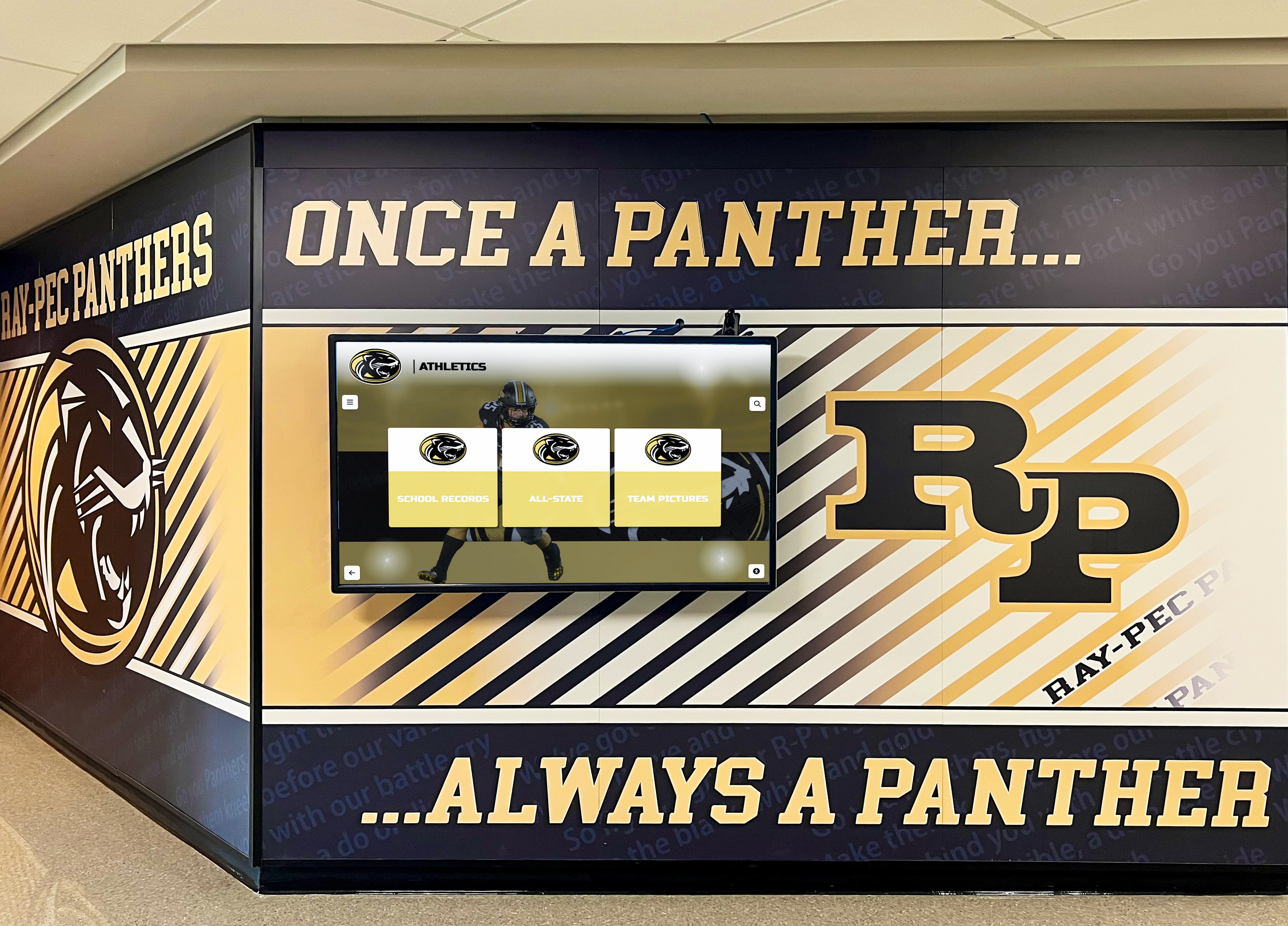
Budget implications compound these concerns. When every department creates one-off designs, you pay fabrication costs repeatedly. Custom signage that doesn’t follow standard sizing requires specialized mounting hardware. Printed materials using non-standard specifications eliminate bulk pricing benefits. The hidden expense of visual fragmentation often exceeds the perceived cost of implementing consistent systems.
Most critically, fragmented design wastes the emotional power of recognition. When an athlete’s hall of fame induction appears in a completely different visual language than their social media celebration, recruitment poster, and banner hanging in the gym, you’ve weakened the narrative thread connecting these moments. Consistency amplifies recognition by creating visual continuity across touchpoints.
Why Traditional Templates Kill Creativity (And What Works Better)
The standard response to visual fragmentation—rigid, unchangeable templates—creates different problems. Static templates that permit no deviation protect consistency but eliminate the creative freedom needed for authentic storytelling.
Consider the athletic director who wants to honor your school’s first state championship team with a special 50th anniversary display. The rigid template system offers exactly three layout options, none appropriate for presenting historical newspaper clippings, vintage team photos, and championship memorabilia in an engaging narrative format. Faced with templates that don’t serve the content, the director either forces inappropriate layouts or abandons the system entirely—neither outcome serves your consistency goals.
Why Static Templates Fail
- Content-layout mismatch forces awkward presentations
- Limited options cannot accommodate diverse recognition scenarios
- Innovation becomes impossible within template constraints
- Teams bypass systems rather than use inadequate templates
- Templates age poorly as design standards evolve
What Modern Systems Provide Instead
- Governed flexibility through design systems
- Expanding component libraries that grow with needs
- Controlled customization within brand guardrails
- Quality controls that prevent common mistakes
- Platform guarantees for accessibility and responsiveness
The better approach recognizes that consistency comes from systematic design governance, not limitation. Modern design systems establish rules—typography hierarchies, spacing standards, color relationships, interaction patterns—while providing diverse components that combine in countless ways. This shifts the question from “which template?” to “which components best tell this story?”
How Expandable Component Libraries Deliver Real Creative Freedom
The key to balancing consistency with creativity lies in component libraries that expand to meet actual needs rather than forcing all content into predetermined boxes.
Here’s how this works in practice: Your school implements digital recognition displays with an initial component library containing standard layouts for individual athlete profiles, team championships, academic honor rolls, and historical timelines. These components share consistent typography, spacing, navigation patterns, and interaction behaviors—but each serves different content needs effectively.
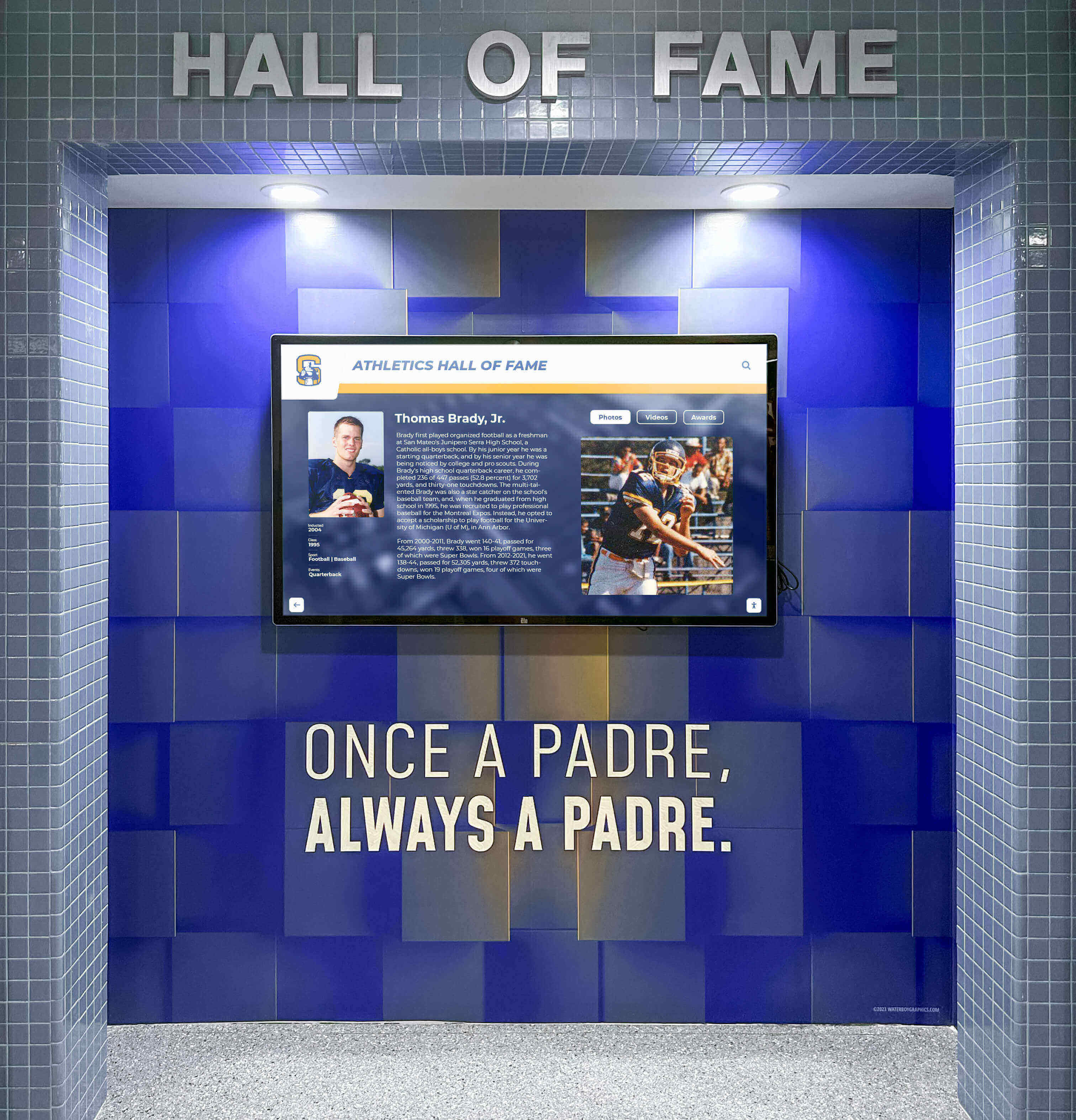
Six months later, your advancement team launches a capital campaign and needs a custom layout displaying major donors with campus maps showing their impact locations. Rather than forcing this content into an athlete profile template or abandoning your recognition system, you request a new donor recognition component.
In well-designed systems, this request gets fulfilled rapidly—often within a week—because the new component inherits existing design system rules. The developer building your donor layout doesn’t reinvent typography, spacing, navigation, or accessibility—those elements come from the system. They focus exclusively on the novel aspects: the donor spotlight structure, impact map integration, and giving level visualization.
Once built, this new donor component becomes available across your entire system. Other schools in your district can use it. Your alumni association can adopt it. Future campaigns inherit the work. The library expands in response to real needs while maintaining systematic consistency.
This approach flips the traditional template model. Instead of “here are your only options,” the message becomes “here’s what exists today, and we’ll build what you need tomorrow.” Creative freedom emerges not from ignoring standards but from rapidly expanding options within those standards.
For schools exploring these systems, touchscreen display solutions that include component library expansion demonstrate this principle in action.

Platform Guarantees: Why Custom Doesn’t Mean Brittle
The greatest advantage of modern recognition systems isn’t the initial component library—it’s the platform guarantees that ensure custom layouts never become technical debt.
When you build custom displays outside systematic platforms, each unique layout introduces maintenance burdens. That special donor wall designed in 2018 breaks on tablets because it predates mobile-responsive design standards. The athletic hall of fame built for portrait monitors fails when you upgrade to landscape screens. The accessibility features painstakingly added to one display don’t carry forward to subsequent projects.
Quality recognition platforms eliminate these problems through architecture that separates content from presentation and enforces platform-wide standards automatically:
Responsive Design Across Devices: Every layout—standard or custom—automatically adapts to different screen sizes and orientations. A component built for a 55" horizontal touchscreen in your lobby works equally well when displayed on a smartphone, tablet, or 75" vertical kiosk in your athletic facility. Schools never maintain separate mobile and desktop versions or worry that custom layouts break on different hardware.
Accessibility Compliance Built In: WCAG 2.1 AA accessibility standards apply universally. Custom layouts inherit proper contrast ratios, keyboard navigation, screen reader compatibility, and text sizing controls without special accessibility development for each project. When standards evolve, platform updates propagate accessibility improvements across all content simultaneously.

Interaction Pattern Consistency: Navigation logic, search behavior, filtering mechanisms, and touch gestures remain consistent regardless of layout variations. Users who learn how to find athletes by sport in one display immediately understand how to filter donors by giving level in another display, even though the content and visual design differ completely.
Platform Feature Compatibility: When your recognition system adds QR code sharing, social media integration, content scheduling, or analytics capabilities, these features work across all layouts including custom components. New functionality never requires retrofitting individual displays.
Search and Discovery Integration: Custom layouts automatically feed into platform-wide search systems. An athlete featured in a special 50th anniversary championship display appears in standard search results, filtered views, and related content suggestions using the same discovery mechanisms as standard profile layouts.
This architectural approach means “custom” describes visual presentation, not fundamental technical infrastructure. Schools gain unique layouts without accumulating the brittle, hard-to-maintain systems that plague do-it-yourself approaches. For institutions comparing options, understanding digital display implementation approaches clarifies these differences.
Design Governance: How to Prevent Fragmentation Without Limiting Expression
Effective design governance establishes clear boundaries while creating spaciousness within those boundaries for creative expression.
The key lies in understanding which elements require strict consistency and which elements can vary without fragmenting the experience:
Enforce Consistency On:
Typography Systems: Headline fonts, body text families, size hierarchies, and weight relationships should remain constant. This doesn’t mean every display uses identical font sizes—it means they use the same proportional relationships and typographic hierarchy logic.
Spacing Standards: Consistent padding, margins, and element spacing create visual rhythm that users perceive as coherent even when content and layout vary significantly. A spacing system based on 8-pixel increments, for example, applies across all displays regardless of unique layouts.
Navigation Patterns: The logic of how users move between content, access search, apply filters, and return to previous views should behave identically across all displays. Visual appearance can vary, but interaction models must stay consistent.
Color Relationships: While custom displays might emphasize different palette segments, the underlying color system—primary, secondary, neutral, accent, and semantic colors with defined relationships—remains constant. This prevents the jarring experience of recognition systems that shift from warm autumn tones to cool blues with no visual connection.
Accessibility Minimums: Contrast ratios, text sizes, touch target dimensions, and compatibility with assistive technologies represent non-negotiable boundaries that apply uniformly.
Allow Flexibility In:
Layout Structures: Different content types legitimately require different spatial arrangements. Donor recognition focused on impact storytelling needs different layout logic than athletic record boards emphasizing statistics and comparisons.
Visual Focus: Custom displays can prioritize different elements based on content needs—large hero images for anniversary celebrations, data visualization for record progressions, video integration for coach tributes—while maintaining systematic consistency.
Content Density: Some recognition scenarios suit detailed, information-rich displays while others benefit from spacious, contemplative presentations. Governance prevents accidentally creating cluttered layouts without prohibiting intentionally dense content when appropriate.
Storytelling Approaches: Different achievements call for different narrative structures. Systematic design governance ensures these varied approaches maintain visual coherence without forcing identical presentation formulas.
For schools developing these systems, interactive display technology implementation demonstrates how governance creates consistency without limiting appropriate variation.
AI-Assisted Quality Control: Catching Mistakes Before They Compound
Even well-governed design systems face threats from human error during rapid content creation. Busy administrators updating recognition displays make predictable mistakes: accidentally applying inconsistent styles, choosing low-contrast color combinations, creating cramped layouts, uploading awkwardly cropped images, or introducing off-brand variations.
Modern recognition platforms now include AI-assisted quality controls that catch these common failure modes before they damage your visual consistency:
Style Consistency Checking: AI agents detect when uploaded content uses fonts, colors, or spacing that deviate from your design system. Before publishing a new donor profile using an unauthorized decorative font, the system flags the inconsistency and suggests approved alternatives.
Accessibility Validation: Automated contrast analysis identifies text-background combinations that fail WCAG guidelines. When an administrator selects a light gray text color against a white background, the system prevents publication and recommends compliant options.
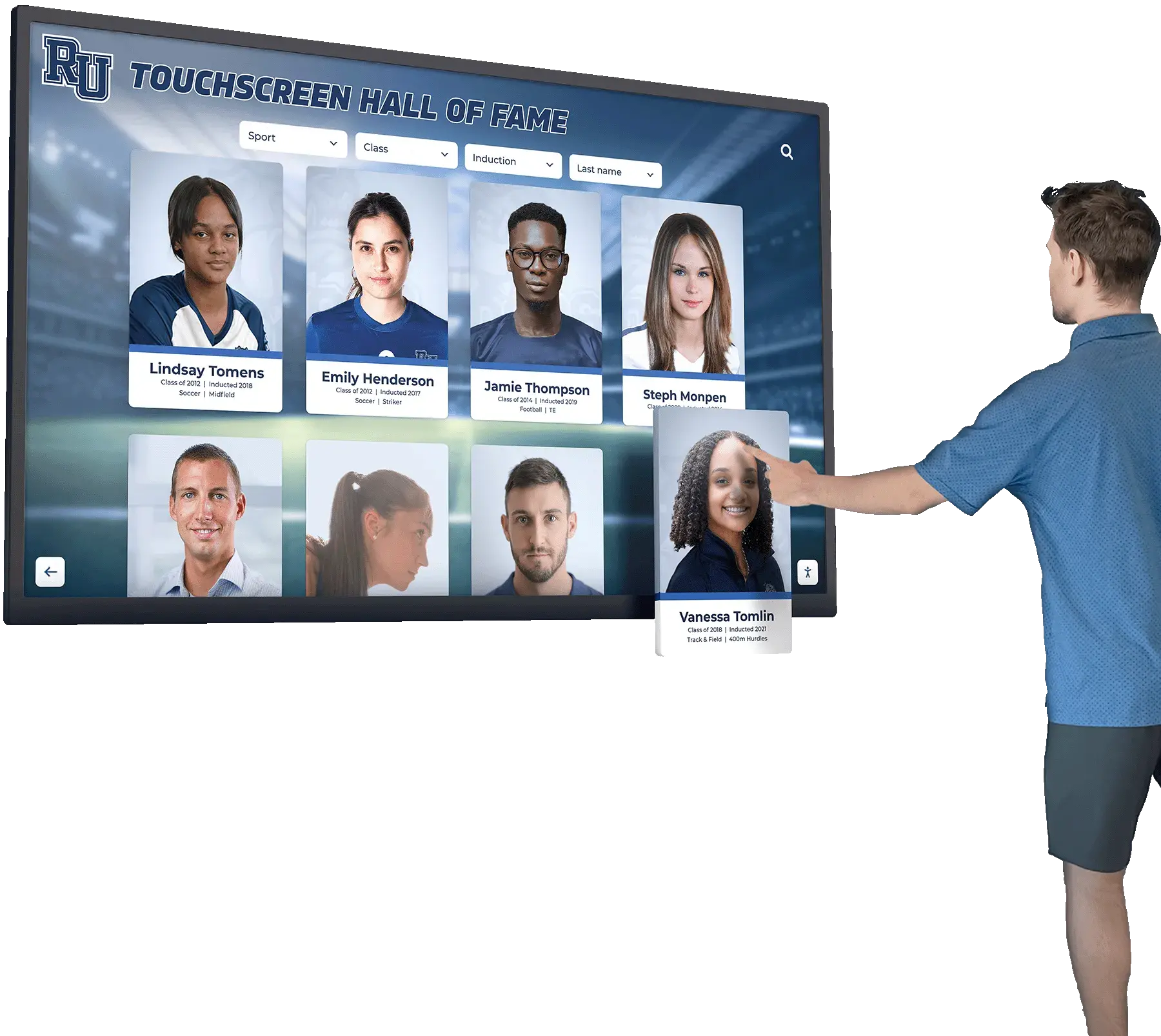
Layout Quality Scoring: AI evaluates spacing density, visual balance, and content hierarchy to identify overly cluttered layouts or awkwardly empty compositions. This catches common mistakes like cramming too much information into a single screen or failing to establish clear visual hierarchy.
Image Quality Assessment: Automated analysis identifies low-resolution images, awkward crops that cut off faces, and photos with distracting backgrounds before they reach your recognition displays. The system suggests re-cropping or requests higher-resolution versions.
Brand Consistency Monitoring: Machine learning models trained on your approved designs detect subtle drift away from brand standards—colors that gradually shift, spacing that becomes inconsistent, or layouts that start incorporating unapproved patterns.
The goal isn’t eliminating human judgment but preventing common mistakes that accumulate into visual fragmentation. These AI systems act as design assistants that help non-designer administrators maintain professional quality without requiring specialized expertise.
Critically, quality controls balance guidance with flexibility. Systems that simply reject non-compliant content frustrate users. Better implementations explain detected issues, suggest corrections, and allow intentional overrides when appropriate—while logging those decisions for later review.
For schools evaluating these capabilities, digital hall of fame software comparisons reveal significant differences in built-in quality control sophistication.
The Real Tradeoff: Build Your Own Freedom vs. Borrow Platform Freedom
Schools ultimately face a fundamental choice about how to achieve both consistency and creative freedom in recognition programs.
One path involves building and maintaining your own complete system. This delivers 100% control over every aspect—you own the codebase, determine all design decisions, implement custom features without external dependencies, and never face platform limitations. However, this path also means you own:
Responsive Design Responsibility: Your team must ensure every custom layout works across all device sizes, orientations, and screen types. When new devices emerge with different aspect ratios or touch interfaces, your developers handle compatibility.
Accessibility Compliance Burden: Your institution bears responsibility for WCAG conformance, including staying current as standards evolve, conducting audits, remediating issues, and documenting compliance for legal purposes.
Feature Parity Over Time: As recognition best practices evolve—QR sharing, social integration, advanced search, analytics, content scheduling—your team must continually develop these capabilities to maintain competitive programs.
Ongoing Quality Assurance: Your staff handles testing across browsers, devices, and usage scenarios. You troubleshoot issues, fix bugs, and ensure system reliability without vendor support.
Brand Drift Prevention: Without systematic guardrails, you must vigilantly monitor for gradual degradation of design consistency as different administrators update content over months and years.
Technical Debt Management: Custom systems accumulate “quick fixes” and workarounds that compound maintenance costs. Refactoring these systems to maintain long-term viability requires dedicated resources.
The alternative path—using recognition platforms with expandable component libraries—offers a different bargain: custom outcomes with platform-grade reliability and governance. You gain creative freedom through rapidly expanding layout options while borrowing the platform’s guarantees for responsiveness, accessibility, feature compatibility, and quality control.
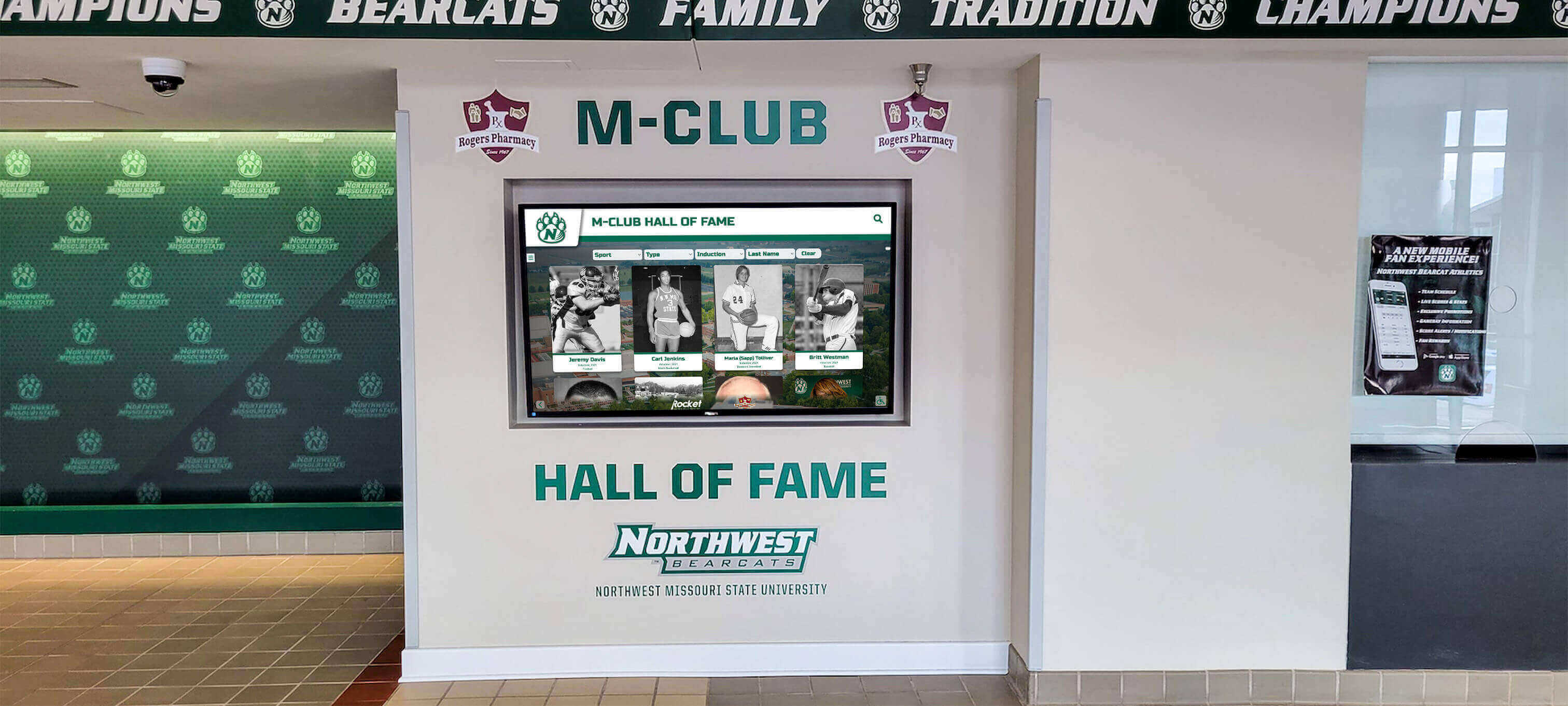
This doesn’t mean surrendering all control. You still determine content strategy, select design emphasis, request custom layouts, and shape the user experience. But you offload technical infrastructure, maintenance burden, and compliance responsibility to the platform while retaining creative direction.
The decision hinges on institutional priorities: Does your school have dedicated development resources and the desire to own complete technical control? Or do you prefer investing staff time in content excellence and storytelling while borrowing technical infrastructure from specialized platforms?
For most educational institutions, platform approaches prove more cost-effective. The perceived freedom of complete customization rarely justifies the ongoing expense of building, documenting, maintaining, and continually improving custom recognition systems when purpose-built platforms deliver comparable outcomes with dramatically lower total cost of ownership.
Schools comparing these approaches benefit from understanding recognition display implementation tradeoffs between self-built and platform-based systems.
Making Design Consistency Work in Multi-Campus Districts
District-level administrators face additional complexity: how do you maintain systematic consistency while respecting each school’s unique identity and traditions?
The solution involves separating district-level design governance from school-level expression. District systems establish the non-negotiable foundation—accessibility standards, typography systems, spacing logic, interaction patterns, and technical infrastructure—while allowing individual schools to express identity through customized color palettes, layout emphasis, content strategies, and visual themes.
District-Level Standards Ensure:
Technical Consistency: All schools use common platforms, interaction patterns, and accessibility compliance approaches. This simplifies training, reduces maintenance complexity, and ensures families moving between schools encounter familiar systems.
Professional Quality: Consistent standards prevent individual schools from implementing subpar recognition displays that reflect poorly on the entire district. Quality baselines protect district reputation while allowing school-level creativity.
Efficient Resource Utilization: Shared component libraries mean custom layouts developed for one school benefit the entire district. Innovation spreads quickly without each school duplicating development effort.
School-Level Customization Permits:
Identity Expression: Each school selects color palettes reflecting their traditions, chooses visual themes that match their culture, and prioritizes content categories that reflect their strengths—athletics, arts, academics, or community service.
Layout Selection: Schools choose component combinations that tell their unique stories. One high school might focus on historical timelines celebrating 100 years of tradition while another highlights recent championship success.
Content Strategy: Individual recognition philosophies—from comprehensive inclusivity to selective distinction—shape how each school uses shared platforms while maintaining systematic consistency.
This tiered approach delivers the benefits of standardization—reduced costs, professional quality, simplified management—without imposing uniformity that erases institutional identity. For districts navigating these decisions, understanding multi-campus digital signage approaches clarifies governance models.
Practical Implementation: Moving from Fragmented to Cohesive Recognition
Transitioning from fragmented recognition displays to cohesive, well-governed systems requires thoughtful planning:
Phase 1: Audit Current State
Document all existing recognition displays, websites, printed materials, and communications across your institution. Note visual inconsistencies, technical limitations, accessibility gaps, and maintenance burdens. This baseline assessment quantifies the fragmentation problem and builds the case for systematic improvement.
Phase 2: Define Design System Boundaries
Establish what elements require strict consistency (typography, spacing, navigation, accessibility) and what areas permit flexibility (layouts, emphasis, density, storytelling). Document these decisions as design system principles that guide future choices.
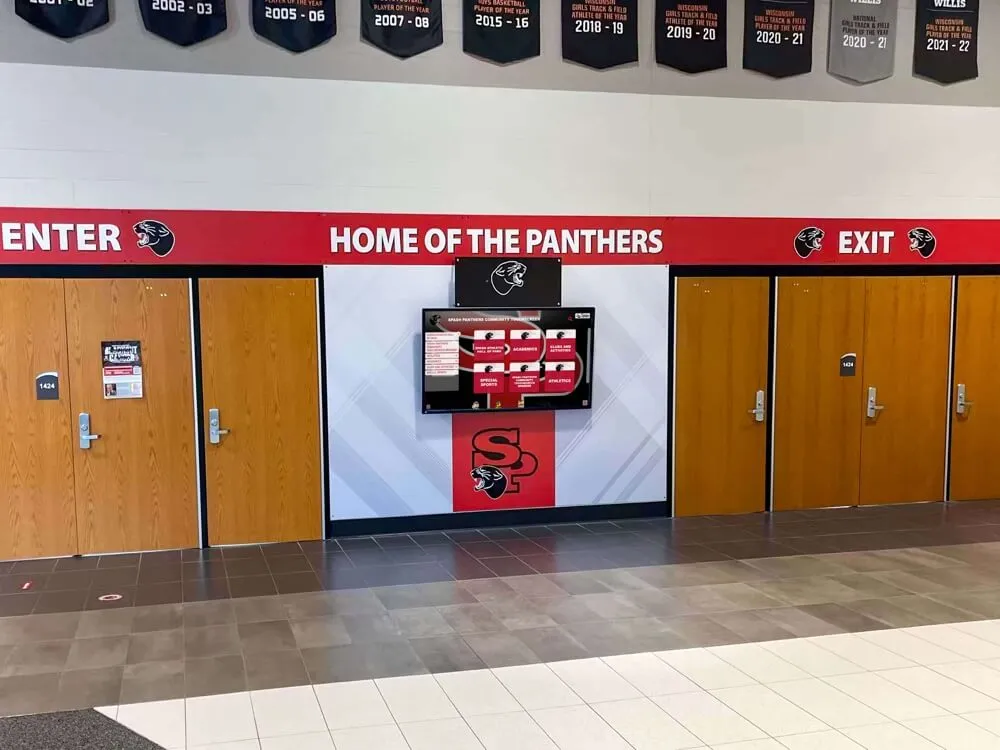
Phase 3: Select or Build Foundation Platform
Choose between building custom systems or adopting purpose-built recognition platforms. For most schools, platforms with expandable component libraries deliver better outcomes at lower total cost. Evaluate options based on component flexibility, platform guarantees, expansion responsiveness, and quality control sophistication.
Phase 4: Migrate Priority Content
Begin with highest-visibility recognition displays—main lobby installations, athletic facility halls of fame, primary donor walls. These flagship implementations establish patterns and demonstrate system capabilities before broader rollout.
Phase 5: Train Content Administrators
Ensure staff responsible for recognition updates understand both system capabilities and design governance principles. Training should cover technical operation, quality standards, when to request custom components, and how to maintain consistency while creating engaging content.
Phase 6: Establish Expansion Process
Define how requests for new layout components get evaluated, prioritized, developed, and deployed. Clear processes prevent custom requests from languishing while ensuring new components genuinely serve content needs rather than working around system limitations.
Phase 7: Monitor and Evolve
Regularly review recognition displays for consistency, gather user feedback, track engagement analytics, and identify opportunities for improvement. Design systems should evolve based on actual needs rather than remaining static.
For schools beginning this journey, recognition display planning resources provide implementation frameworks.
Measuring Success: How to Know If Your System Balances Consistency with Freedom
Effective systems should deliver observable improvements across multiple dimensions:
Reduced Production Time: Content updates that previously required design expertise, fabrication coordination, and installation scheduling should become quick administrative tasks completed in minutes. If creating new recognition content still takes weeks, your system hasn’t achieved appropriate flexibility.
Eliminated Design Review Bottlenecks: Administrators should confidently publish recognition updates without requiring designer approval for every change. Systems that still depend on design review for routine updates haven’t achieved sufficient governance automation through design systems and quality controls.
Consistent User Experience: Survey visitors about navigation clarity, visual coherence, and content discovery. Users should perceive recognition displays as parts of integrated systems rather than disconnected experiences.
Increased Recognition Volume: Reducing friction should enable more frequent recognition across more categories. If you’re honoring the same number of achievements after implementation as before, your system may still impose excessive limitations.
Lower Ongoing Costs: Track total cost of recognition over time, including labor, materials, maintenance, and system support. Well-designed platforms should reduce long-term expense despite higher initial investment.
Signs Your System Needs Improvement
- Teams routinely bypass official systems to create one-off displays
- Recognition updates require weeks of designer availability
- New layout needs take months to fulfill
- Each recognition project feels custom-built from scratch
- Staff express frustration with system limitations
- Visual inconsistency remains obvious to casual observers
Evidence of Effective Balance
- Content administrators work independently without designer dependencies
- Recognition updates happen quickly and frequently
- Custom layout requests get fulfilled within days
- New recognition projects reuse existing components creatively
- Staff praise system flexibility and ease of use
- Visitors perceive cohesive, professional recognition experiences
Regular assessment ensures your recognition systems continue serving institutional goals rather than becoming rigid constraints that inhibit appropriate evolution.
Conclusion: Templates Are Quality Frameworks, Not Creative Ceilings
The persistent tension between design consistency and creative freedom resolves when schools recognize that these goals are complementary, not contradictory. Rigid templates that limit creativity represent failures of imagination, not necessary tradeoffs. Visual fragmentation that undermines brand coherence reflects inadequate governance, not authentic expression.
Modern recognition platforms demonstrate that schools can achieve distinctive, creative displays while maintaining systematic consistency. The key lies in design systems that establish clear governance rules—typography, spacing, accessibility, interaction patterns—while providing expanding component libraries that grow in response to real content needs.
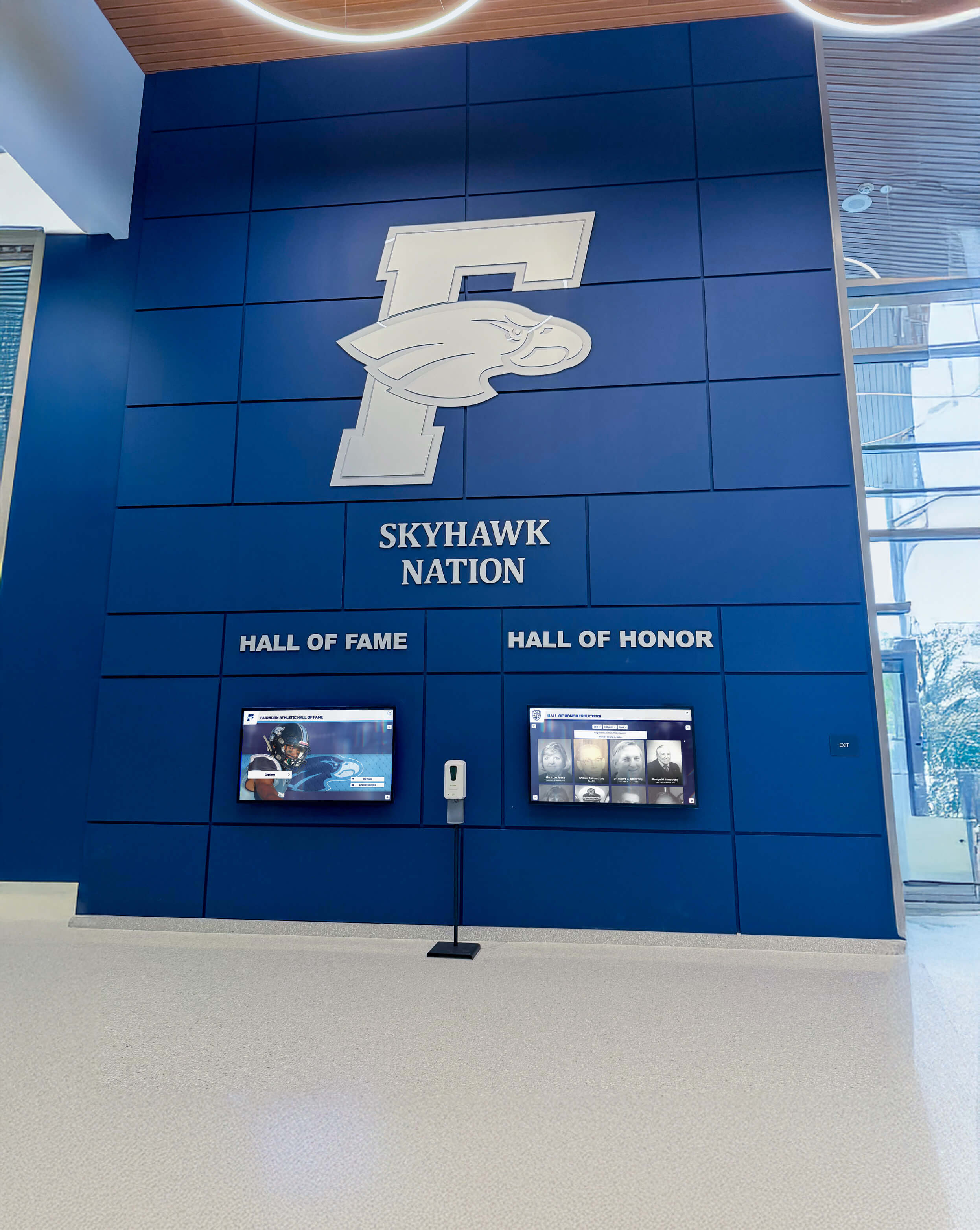
When platforms deliver custom layouts rapidly, inherit platform guarantees for responsiveness and accessibility, and incorporate quality controls that prevent common mistakes, schools gain creative freedom without accumulating technical debt. Templates evolve from limiting constraints into quality frameworks that enable rather than restrict expression.
The choice isn’t between consistency and freedom—it’s between building your own system with complete control and ongoing maintenance burden, or borrowing platform capabilities that deliver custom outcomes with professional infrastructure. For most educational institutions, purpose-built recognition platforms prove more cost-effective and sustainable than self-built alternatives.
Your school’s achievements deserve recognition that honors both their significance and your institutional standards. Systematic design governance makes this possible by reducing fragmented visuals without limiting the creative freedom needed to tell authentic, compelling stories about excellence in all its forms.
Ready to explore recognition platforms that balance consistency with creative freedom? Talk to our team to discover how expandable component libraries, platform guarantees, and AI-assisted quality controls reduce fragmented visuals while preserving the flexibility your recognition program needs to celebrate diverse achievements authentically.
































