



Key Takeaways
Comprehensive guide to residence hall interactive displays covering digital signage, touchscreen kiosks, emergency communications, student engagement solutions, ROI analysis, and best practices for modern campus life.
Understanding Interactive Display Applications in Campus Housing
Before investing in display technology, understanding the diverse applications and use cases specific to residential environments helps institutions prioritize implementations delivering greatest student impact and administrative efficiency.
Lobby Touchscreen Kiosks and Information Centers
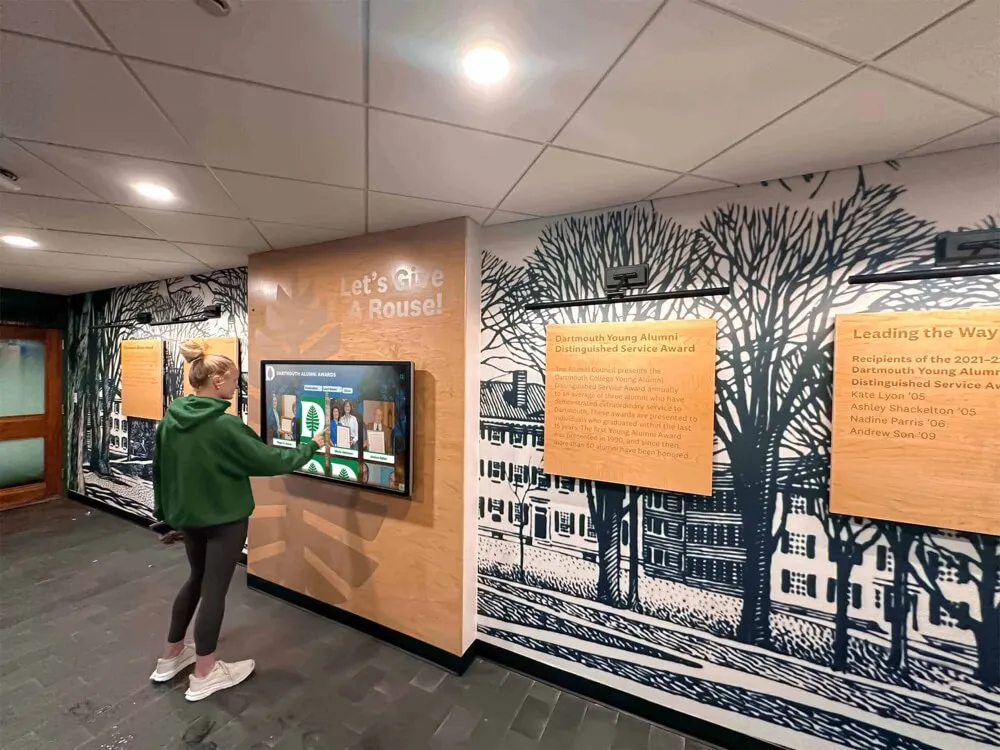
Residence hall lobbies serve as central gathering points and primary entry zones where students, visitors, parents, and service providers converge—making these high-traffic locations ideal for prominent interactive display installations.
Digital Building Directories and Wayfinding
Interactive building directories modernize traditional static maps and room listings with searchable databases enabling visitors to quickly locate residents, campus offices, common spaces, and amenities. Parents visiting for family weekend, delivery personnel, and students visiting friends simply enter names or room numbers, and intuitive interfaces display clear directions, floor plans, and routing guidance.
Research indicates that large residence complexes housing 300+ students experience significant visitor confusion, particularly during move-in periods, family weekends, and social events. Digital wayfinding systems address this challenge while creating positive first impressions demonstrating institutional investment in user experience. Housing departments implementing touchscreen directories consistently report 50-70% reductions in front desk wayfinding inquiries, allowing residential staff to focus on community building and student support rather than repetitive directional questions.
Campus Resource Integration
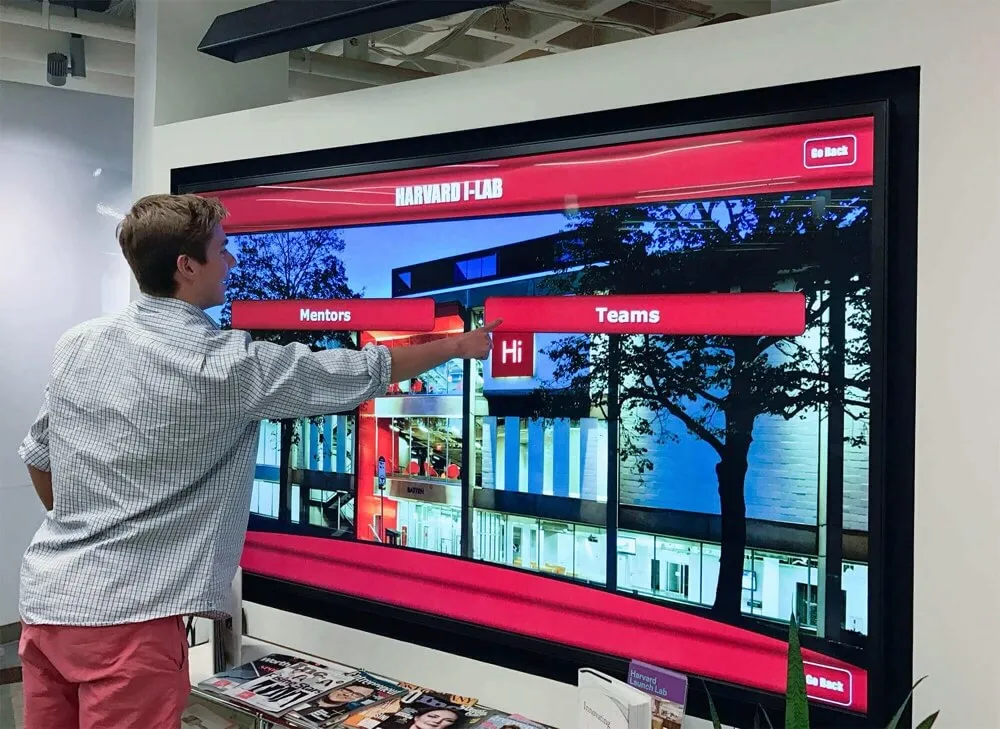
Beyond building navigation, lobby kiosks serve as comprehensive campus resource portals providing instant access to dining hall menus and hours, library schedules, fitness center availability, academic support services, health center appointments, and campus event calendars. This centralized information access reduces student frustration hunting for information across multiple websites and apps while ensuring current accurate details through automated integration with campus management systems.
Students visiting kiosks during natural pause moments—waiting for friends, checking weather before leaving, or simply passing through lobbies—passively absorb information about campus opportunities they might otherwise miss through email announcements or online portals they don’t regularly check. This ambient information exposure increases participation in campus activities, utilization of support services, and general awareness of institutional resources.
Interactive Community Engagement Features
Progressive institutions leverage lobby kiosks for interactive community building including resident feedback submission, anonymous suggestion boxes, community polls on floor programming preferences, digital photo galleries from residence hall events, and recognition displays highlighting student achievements and leadership. These engagement features transform kiosks from passive information delivery systems into active community platforms fostering connection and participation.
Floor-Level Digital Bulletin Boards
While lobby kiosks serve building-wide functions, floor-level displays provide targeted communication for specific residential communities typically housing 30-50 students sharing common spaces and programming.
Community-Specific Programming
Floor bulletin boards showcase programming specific to residential communities including upcoming floor meetings, social events, academic study sessions, wellness activities, and intramural team formations. This localized content relevance increases student attention and participation compared to building-wide announcements addressing broader audiences with less personal relevance.
Resident Assistants (RAs) gain user-friendly content management capabilities enabling quick updates about spontaneous gatherings, last-minute event changes, and time-sensitive community news without dependence on central housing office approval workflows. This RA empowerment increases communication freshness and relevance while reducing administrative bottlenecks.
Resident Recognition and Celebration
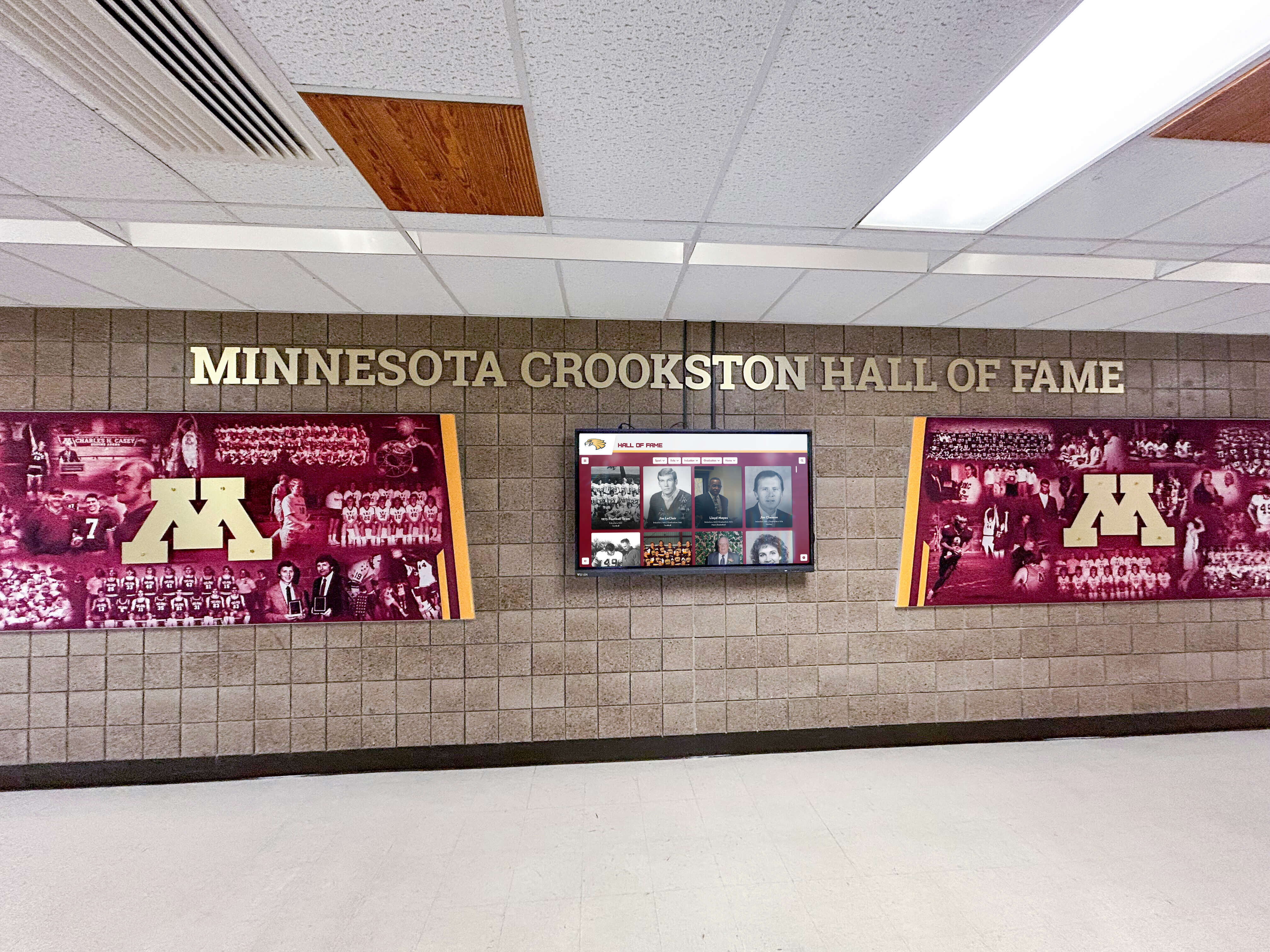
Floor displays provide excellent platforms for celebrating student achievements, welcoming new residents, highlighting birthdays, recognizing academic accomplishments, and showcasing resident involvement in campus activities. This public recognition builds community identity and encourages positive resident culture aligning with educational development objectives.
Academic recognition programs implemented through residence hall displays normalize achievement celebration and create peer motivation—students seeing floormates recognized for Dean’s List performance, research presentations, or leadership roles develop stronger connections between academic success and community identity.
Practical Floor-Level Information
Beyond programming and recognition, floor displays deliver practical daily information including quiet hour reminders, laundry machine availability, maintenance schedules, move-out procedures, and policy reminders presented contextually when students are most receptive to messaging within their immediate living environment.
Study Lounge and Common Area Interactive Screens
Residence halls increasingly feature dedicated study lounges, community rooms, and social spaces benefiting from specialized display content supporting space function and student activity.
Academic Resource Integration
Study lounge displays showcase academic support resources including library database access, online tutoring availability, writing center hours, study group formation boards, and academic deadline reminders. Students studying in residence halls appreciate convenient access to academic tools without returning to library or lab facilities, particularly during evening and weekend hours when campus buildings may have limited access.
Interactive screens in study spaces can display collaborative scheduling tools enabling students to reserve group study rooms, book presentation practice spaces, and coordinate project team meetings. Integration with campus space management systems ensures real-time accuracy preventing double-booking conflicts and frustration.
Entertainment and Recreational Content
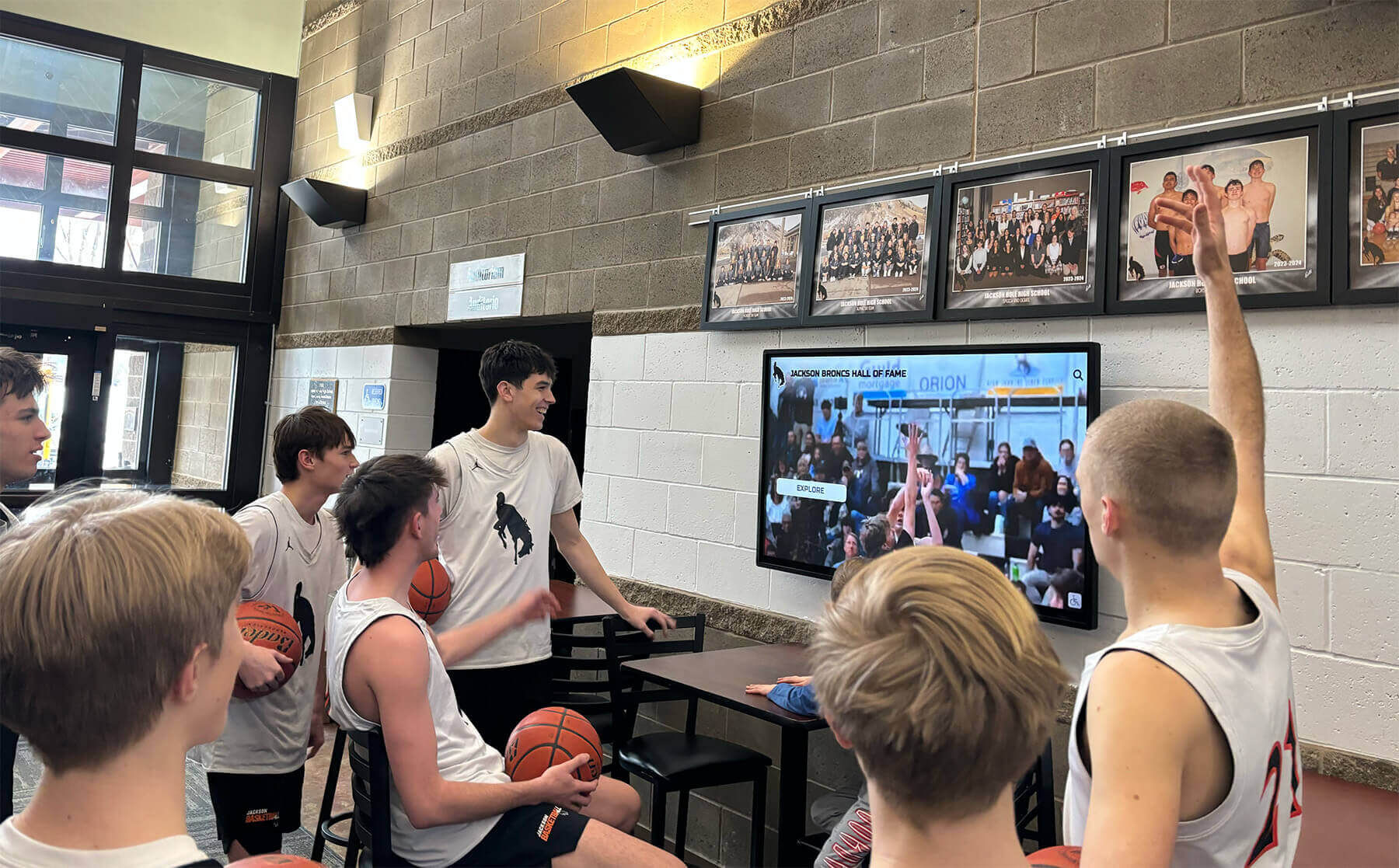
Social lounges benefit from displays featuring entertainment content including campus event promotions, student organization activities, upcoming concerts and performances, intramural sports schedules, and recreational facility information. During major campus events, displays can livestream activities enabling students to follow games, performances, or special events from residence hall common spaces.
Community movie nights, viewing parties for athletic competitions, and social gatherings centered around shared screen experiences build resident connections and floor community identity. Displays with streaming capabilities enable flexible programming supporting diverse student interests and spontaneous social activities.
Wellness and Mental Health Resources
Given increasing focus on student mental health and wellbeing, residence hall common areas provide appropriate contexts for wellness resource promotion including counseling center contact information, stress management tips, sleep hygiene reminders, healthy eating information, and campus recreation opportunities. These wellness messages delivered in relaxed social environments reach students during receptive moments outside clinical or academic contexts.
Timing wellness content strategically—stress management resources during finals periods, healthy eating tips at the start of semesters, mental health awareness during transitions—increases relevance and uptake. According to campus mental health research, students are 40-60% more likely to seek support services when information is presented repeatedly through ambient awareness channels rather than single-point interventions during crises.
Elevator and Corridor Announcement Displays
Elevators and high-traffic corridors provide captive audience opportunities for delivering brief information to students during natural pause moments throughout daily routines.
Micro-Content for Brief Viewing Windows
Elevator rides lasting 10-30 seconds create perfect viewing windows for short-form content including brief announcements, upcoming event reminders, safety tips, campus trivia, and emergency notification readiness. Unlike lobby displays where students might not linger, elevator passengers naturally view screens during rides, ensuring message visibility and retention.
Content designed for elevator contexts should feature large readable text, minimal information density, and complete messages digestible within 20-30 seconds. Rotating slide formats work effectively, with 3-5 content pieces cycling through 8-10 second display intervals ensuring variety across multiple elevator trips while keeping individual messages brief and scannable.
Emergency and Safety Messaging
Corridor and elevator displays play critical roles during emergencies, providing immediate mass notification capabilities overriding scheduled content with critical alerts. During weather events, campus security situations, building evacuations, or public health alerts, housing administrators can push emergency messages to all residence hall displays instantly through centralized systems.
According to campus safety research, visual notification systems complement audio alarms and text alerts, particularly for hearing-impaired students and situations where audio systems may be inaudible due to ambient noise. Multi-channel emergency communication including visual displays reduces emergency response times and improves evacuation compliance compared to single-channel approaches.
Strategic Benefits of Residence Hall Interactive Displays
Understanding specific educational and operational benefits that interactive displays deliver helps housing departments build investment justifications while establishing appropriate success metrics.
Enhanced Student Communication and Engagement
Traditional residence hall communication through bulletin boards, door hangers, and email announcements often goes unread by busy students juggling academic, social, and extracurricular commitments. Digital displays positioned throughout buildings ensure message visibility during natural daily movements.
Improved Information Accessibility
Students report overwhelming email volume from academic departments, student organizations, campus services, and administrative offices—leading to selective attention where important housing communications get missed among dozens of daily messages. Digital displays provide alternative communication channels reaching students through ambient awareness rather than requiring active information seeking.
According to student technology use research, college students process information through multiple simultaneous channels, with 78% reporting they prefer visual information displays to text-based communications for quick updates and event notifications. Digital displays align with these information consumption preferences, increasing message retention and response rates.
Real-Time Updates and Current Information
Housing departments using digital displays eliminate the lag time inherent in print communication—no more outdated flyers promoting past events or referencing changed policies. When programming changes, facilities close for maintenance, or new opportunities arise, housing staff update digital content instantly through cloud-based management platforms accessible from any device.
This real-time accuracy prevents student frustration from planning around outdated information while reducing repeated front desk inquiries about whether posted information remains current. Students develop trust that display content reflects accurate current details rather than potentially outdated notices they must verify independently.
Community Building and Social Connection
Residence halls serve educational missions beyond providing sleeping accommodations—they function as learning communities where students develop social skills, build peer relationships, and establish belonging. Interactive displays support community building by highlighting resident achievements, promoting floor activities, showcasing community traditions, and creating shared identity through visual storytelling.
Displays featuring resident photos from community events, welcome messages for new floor members, and celebration of milestones create sense of visibility and belonging particularly important for first-year students adjusting to college life. Students who feel connected to residential communities demonstrate higher retention rates, better academic performance, and greater overall satisfaction with college experiences according to research on student engagement and persistence.
Operational Efficiency for Housing Departments
Beyond student-facing benefits, interactive displays deliver substantial operational advantages reducing housing staff workload while improving communication effectiveness.
Reduced Front Desk Inquiries
Housing departments implementing comprehensive digital information systems consistently report 40-60% reductions in routine front desk inquiries about building information, campus resources, event schedules, and general housing questions. This inquiry reduction frees residential staff to focus on high-value student support activities including crisis response, community development programming, and individual student mentorship rather than answering repetitive questions addressed through readily available digital information.
Front desk staff time represents significant operational expense for housing departments. Reducing inquiry volume by 40-60% translates to estimated annual staff time savings of 500-1,000 hours for typical 400-resident hall, valued at $7,500-$15,000 in wages that can be redirected to strategic priorities or operational savings.

Eliminated Printing and Physical Signage Costs
Traditional residence hall communication requires continuous printing of flyers, posters, event notices, and informational materials that quickly become outdated requiring replacement. A typical 300-student residence hall spends $1,500-$3,000 annually on printing communication materials and physical signage—expenses largely eliminated through digital display implementation enabling unlimited content updates without per-message costs.
Environmental benefits complement financial savings, with digital systems eliminating paper waste while demonstrating institutional commitment to sustainability values increasingly important to environmentally conscious students. Many institutions prominently feature paper reduction calculations in sustainability reporting, crediting digital communication systems with measurable environmental impact reductions.
Centralized Management Across Residential Portfolio
Universities operating multiple residence halls benefit enormously from centralized digital display management platforms enabling housing departments to distribute policy updates, emergency notifications, and campus-wide programming information across entire residential portfolios while preserving building-specific and floor-specific customization for local content.
Cloud-based content management systems allow authorized housing staff and RAs to create and publish content from any device with internet access—no need for physical access to display hardware or technical expertise. Role-based permissions ensure appropriate content control, with campus housing administrators managing building-wide systems while RAs maintain autonomy over floor-level community content.
Emergency Communication and Campus Safety
Campus safety represents paramount institutional responsibility, with residence halls requiring robust emergency communication infrastructure ensuring rapid notification during crises.
Immediate Mass Notification Capabilities
During emergencies including severe weather, campus security threats, building evacuations, public health alerts, or utility failures, interactive displays provide immediate visual notification channels complementing text messages and audio systems. Centralized emergency override functionality enables housing administrators and campus safety officials to push critical alerts to all residence hall displays instantly, ensuring students receive safety information without delays.
Visual emergency messaging particularly benefits hearing-impaired students who might not hear audio alarms, students sleeping with noise-canceling headphones, and situations where audio systems become inaudible due to ambient noise or system failures. Redundant multi-channel emergency notification—visual displays, text alerts, audio alarms, and door-to-door checks—creates comprehensive coverage addressing diverse communication access needs.
Multilingual Emergency Communication
Many campuses serve international student populations representing dozens of countries and native languages. During emergencies, language barriers can create confusion and dangerous delays in protective action. Digital displays can simultaneously present emergency notifications in multiple languages ensuring all students understand threats and required responses regardless of English proficiency.
According to campus safety best practices, emergency communications should be provided in at least the top three languages represented in residential populations, with digital systems easily accommodating multilingual presentation through split-screen formats or rapid rotation between language versions.
Post-Emergency Information Distribution
Following initial emergency notifications, displays provide essential platforms for ongoing situational updates, all-clear notifications, resource information for affected students, and recovery instructions. During extended emergencies like weather events or campus closures, displays can provide continuous information feeds keeping students informed about developing situations without overwhelming them with constant text alerts.
Housing departments report that comprehensive emergency communication infrastructure including digital displays significantly improves emergency response coordination, reduces panic and confusion, and facilitates rapid return to normal operations following incidents. These capabilities justify technology investments independent of routine communication benefits.
Selecting the Right Interactive Display Solutions
With diverse technologies, platforms, and vendors available, selecting appropriate systems requires evaluating specific institutional needs, student demographics, housing department capabilities, and long-term scalability requirements.
Hardware Considerations for Campus Environments
Screen Size and Display Type Selection
Display selection depends heavily on viewing contexts and content types. Lobby touchscreen kiosks typically feature 43"-55" screens enabling comfortable interaction while displaying detailed campus maps and resource directories. Floor-level bulletin boards range from 43"-65" depending on corridor width and viewing distances. Study lounge displays often utilize 55"-75" screens supporting multiple simultaneous viewers during social events or collaborative activities.
Resolution standards have converged around 4K (3840 x 2160 pixels) for displays larger than 43", ensuring sharp text and graphics at typical viewing distances. Elevator displays function effectively at smaller sizes (22"-32") and 1080p resolution given confined viewing spaces and simpler content requirements.
Interactive Touchscreen vs. Non-Interactive Displays
Interactive touchscreen displays excel in applications requiring user input including building directories, campus resource exploration, room reservations, and feedback collection. Non-interactive displays suit contexts where passive information delivery suffices including elevator announcements, event calendars, and emergency notifications.
Budget considerations influence interactive vs. non-interactive decisions, with touchscreen systems costing 40-60% more than comparable non-touch displays due to touch sensor technology and more robust enclosures protecting against frequent student interaction. However, interactive displays deliver significantly higher engagement and utility justifying premium costs for high-impact lobby locations while non-interactive screens provide cost-effective solutions for corridor and elevator applications.

Durability and Vandalism Resistance
Residence hall environments require robust hardware withstanding intensive use, occasional impacts, spills, and vandalism risks higher than typical commercial installations. Commercial-grade displays feature components rated for continuous 16-24 hour daily operation, impact-resistant glass, sealed enclosures preventing liquid intrusion, and tamper-resistant mounting systems.
Anti-vandalism considerations include recessed mounting protecting screen edges, tempered or polycarbonate protective overlays preventing glass shattering, cable management concealing and protecting connections, and lockable enclosures preventing unauthorized hardware access. These protective features increase initial hardware costs but dramatically reduce repair expenses and downtime compared to consumer-grade equipment vulnerable to damage in high-traffic student environments.
Accessibility Compliance Requirements
Campus displays must meet Americans with Disabilities Act (ADA) requirements ensuring accessibility for students with visual, hearing, or mobility disabilities. Interactive kiosks should be mounted with screen centers 48"-52" from floor level enabling comfortable interaction for both standing users and wheelchair users. Text size, color contrast, and interface design must accommodate visual impairments, while alternative communication channels ensure emergency notifications reach hearing-impaired students.
According to ADA guidelines, interactive kiosk installations require clear floor space of at least 30" x 48" enabling wheelchair approach, with controls positioned within accessible reach ranges. Housing departments should consult campus disability services offices during planning to ensure full compliance with accessibility requirements beyond basic legal minimums.
Software Platforms and Content Management Systems
Hardware represents only half of interactive display solutions—content management software determines ease of use, update efficiency, and long-term operational success for housing department staff.
Cloud-Based Content Management Advantages
Cloud-based content management platforms have become industry standard for campus installations, providing remote access from any internet-connected device without requiring on-site servers or IT infrastructure. Housing administrators, residential life coordinators, and RAs can create and publish content from offices, homes, or mobile devices—dramatically increasing update frequency and content freshness compared to systems requiring physical hardware access.
Subscription-based pricing models spread costs over time while ensuring automatic software updates, security patches, and feature enhancements without additional investment. Cloud platforms also provide inherent disaster recovery—content and configurations remain secure in cloud storage even if local hardware fails or is damaged.
User-Friendly Template-Based Content Creation
Busy housing staff and student RAs lack time and graphic design expertise for creating custom content from scratch. User-friendly platforms offer template libraries enabling non-technical users to create professional content through simple form completion, image uploads, and preset layouts. Templates ensure consistent branding and visual quality while dramatically reducing content creation time compared to designing every announcement from scratch.
The optimal platform provides template convenience for routine communications while preserving flexibility for special programming, major events, or campaigns requiring unique presentation. Look for platforms offering diverse template categories addressing common residence hall communication needs including event promotions, safety reminders, community celebrations, policy notifications, and resource directories.
Integration With Campus Systems
Modern digital display platforms integrate with student information systems, campus event calendars, dining services, facility scheduling, and emergency notification systems creating seamless operational workflows. Integration enables automatic content updates reflecting current information without manual data entry—for example, displaying real-time dining hall hours from food service systems or upcoming campus events from centralized event calendars.
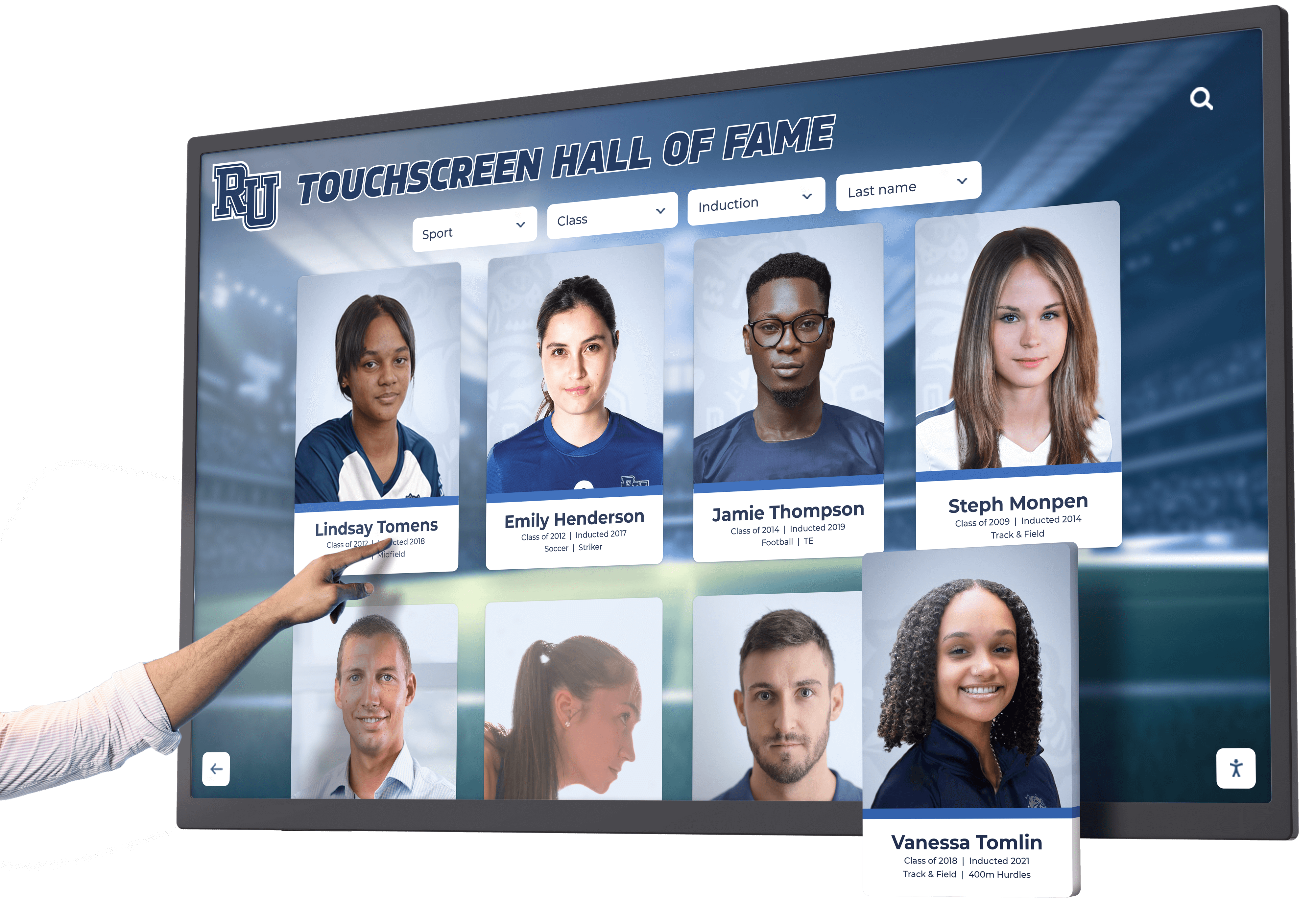
When evaluating platforms, prioritize those offering pre-built integrations with your existing campus technology ecosystem. Solutions like comprehensive touchscreen kiosk software designed specifically for educational institutions typically provide broader integration capabilities than generic digital signage platforms lacking higher education expertise.
Role-Based Permissions and Workflow Management
Campus housing departments require content management systems supporting multiple user roles with appropriate permissions—central housing administrators need global control across all buildings, building coordinators require building-level authority, and RAs need floor-level content management without ability to modify building-wide messaging.
Workflow management features enable content approval processes ensuring appropriate review before publication, scheduled content releases for time-sensitive announcements, and audit trails tracking who published what content and when. These governance capabilities become increasingly important as display networks scale across multiple buildings and content contributors.
Implementation Best Practices for Campus Housing
Technology investments deliver value only when implemented thoughtfully with attention to placement strategy, content quality, and ongoing management commitment specific to residential environments.
Strategic Display Placement and Network Design
Building-Wide Coverage Planning
Effective residence hall display networks balance comprehensive coverage with budget constraints and content management capabilities. Priority locations providing maximum student exposure include:
- Main lobby entrances: Universal resident and visitor pass-through ensuring 100% exposure
- Elevator lobbies on residential floors: Repeated daily exposure during comings and goings
- Mailroom and package centers: Concentrated dwell time during mail retrieval
- Study lounge and common social spaces: Extended viewing during homework and socializing
- Dining hall entrances within residence halls: High-traffic gathering points
Start with 3-5 strategically placed displays establishing core network coverage before expanding to secondary locations like stairwell landings, laundry rooms, or floor kitchenettes. This phased approach enables budget spreading while allowing housing teams to develop content management expertise and gather student feedback before broader deployment.
Viewing Distance and Height Considerations
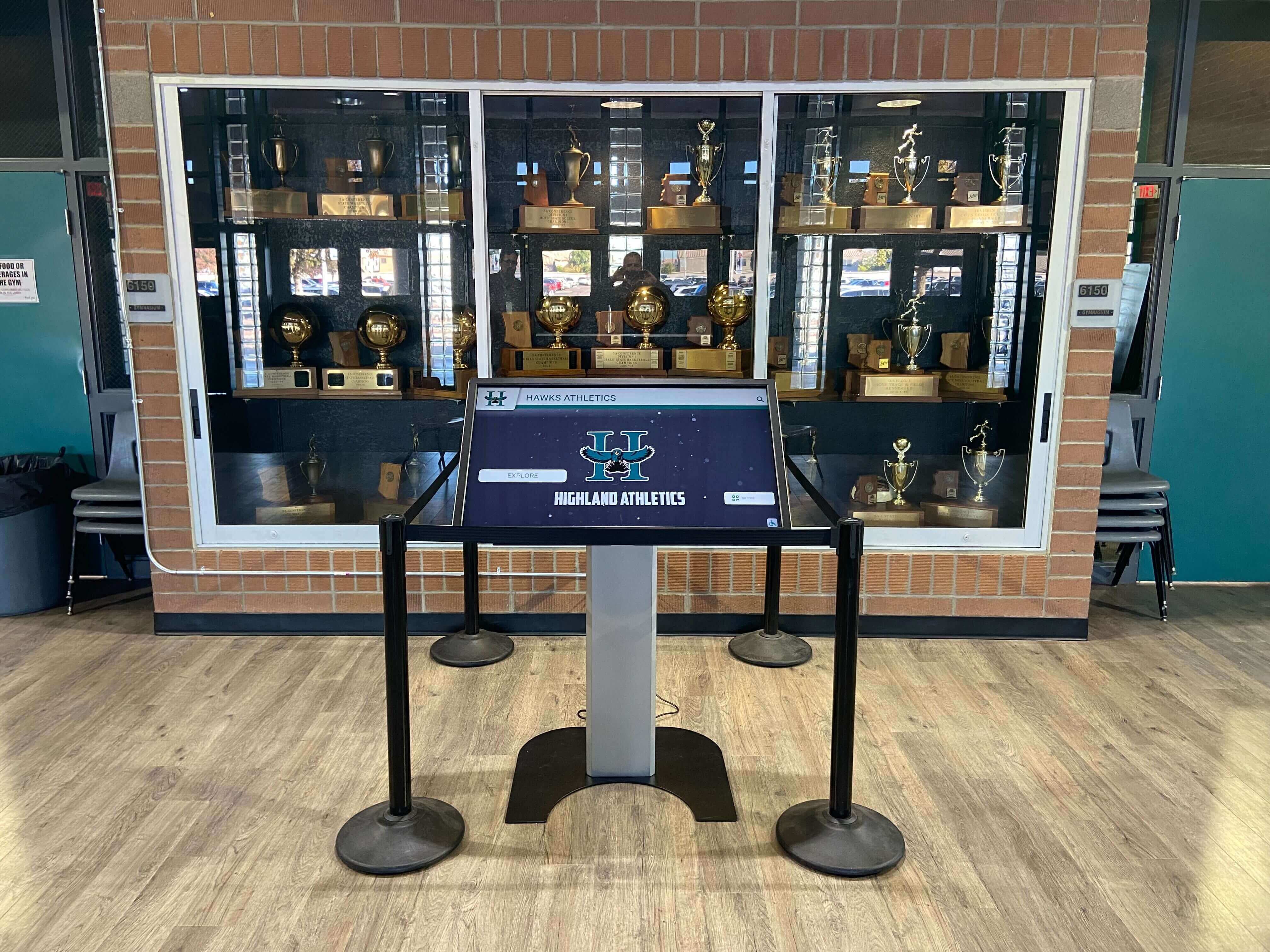
Position displays at appropriate heights based on viewing contexts and ADA accessibility requirements. Interactive lobby kiosks should be mounted with screen centers 48"-52" from floor enabling comfortable interaction for standing adults and wheelchair users. Non-interactive announcement displays benefit from higher mounting (60"-72" to screen center) optimizing visibility from greater distances in corridors and common areas.
Account for typical viewing distances when planning screen sizes and content design. Displays viewed primarily from 3-6 feet away (interactive kiosks, elevator screens) function effectively at 32"-43" sizes, while displays viewed from 10-20 feet (study lounge announcements, corridor displays) require 55"+ screens ensuring readability from distance.
Network Infrastructure Requirements
Successful display implementations require robust network infrastructure supporting reliable connectivity. Each display needs dedicated network connection—either hardwired ethernet (preferred for reliability) or enterprise-grade WiFi (acceptable if signal strength and bandwidth are verified). Power outlets with surge protection should be located within 6 feet of planned display locations, with cable management systems concealing wiring for aesthetic appeal and vandalism prevention.
Work closely with campus IT departments during planning to verify network capacity, arrange necessary infrastructure installation, coordinate firewall configurations for cloud-based content management platforms, and establish technical support responsibilities. Clear IT collaboration agreements prevent implementation delays and post-installation technical support confusion.
Content Strategy and Governance Framework
Balanced Content Mix for Diverse Needs
Successful residence hall display programs balance diverse content types serving different student needs and housing department objectives:
Essential Information (40-50% of content)
- Dining hall hours and menu highlights
- Academic deadlines and registration dates
- Facility hours and holiday schedule changes
- Maintenance notifications and service disruptions
- Campus maps and wayfinding resources
Community and Social Programming (25-35% of content)
- Floor social events and community gatherings
- Student organization meetings and activities
- Resident recognition and achievements
- Intramural sports teams and recreational opportunities
- Community guidelines and courtesy reminders
Wellness and Support Resources (15-25% of content)
- Mental health resources and counseling services
- Safety tips and emergency preparedness
- Academic support services and tutoring availability
- Health center services and wellness programming
- Academic success resources
Campus Life and Engagement (10-15% of content)
- Campus event calendars and entertainment
- Local business partnerships and student discounts
- Weather forecasts and transit information
- Student media and campus news
- Leadership opportunities and involvement
This content mix ensures displays serve practical student needs while supporting community building and campus engagement objectives without becoming overly administrative or promotional.
Content Update Frequency Standards
Student engagement with digital displays correlates strongly with content freshness. Displays showing identical content week after week become invisible background fixtures students unconsciously ignore. Establish content update schedules ensuring:
- Multiple times daily: Time-sensitive information, weather, emergency alerts
- Daily updates: Dining menus, event reminders, campus news
- Weekly rotation: Community programming, resident spotlights, policy reminders
- Monthly themes: Seasonal content, wellness campaigns, campus traditions
According to student engagement research, displays updated at least twice weekly maintain 3-4x higher student attention and recall compared to static monthly content. Prioritize content currency over production complexity—simple timely announcements outperform elaborate but outdated content consistently.
Governance and Content Approval Workflows
Establish clear content governance frameworks defining who can publish what content, whether approval is required, and standards ensuring appropriate messaging quality. Typical governance structures include:
- Central housing administration: Building-wide emergency alerts, policy notifications, major announcements
- Building coordinators: Building-specific programming, facility updates, community initiatives
- Resident Assistants: Floor-level programming, resident recognition, community celebrations
- Student organizations: Approved event promotions following submission guidelines
Content approval workflows balance oversight ensuring appropriate messaging with RA autonomy encouraging frequent updates and community responsiveness. Many housing departments adopt hybrid approaches where routine community programming requires no approval while policy communications or campus-wide announcements require administrative review.
Student Education and Adoption Strategies
Launch Communication and Awareness Building
Introducing interactive displays requires student education ensuring awareness of available information and interactive features. Consider multi-channel launch communication including:
- Move-in weekend demonstrations introducing displays to incoming students
- Floor meetings showcasing display capabilities and content categories
- QR code signage near displays directing students to feature tutorials
- Student organization partnerships promoting display content submission
- Resident Assistant training enabling peer-to-peer education
Treat display launches as amenity enhancements rather than simple technology installations, creating student excitement about improved communication and community engagement opportunities. Housing departments report that prominent launch events generate 40-60% higher initial student engagement compared to passive installations without formal introduction.
Gathering Student Feedback and Iteration
After initial deployment, systematically collect student feedback identifying content preferences, feature requests, and usability concerns. Simple methods include:
- Anonymous feedback features built into interactive kiosks
- Online surveys distributed through student email and housing portals
- Focus groups with diverse resident populations
- Resident Assistant observations and floor conversations
- Usage analytics from display platforms showing content engagement
This feedback loop demonstrates student input influences housing decisions while providing actionable insights for content refinement and feature prioritization. Students who see their suggestions implemented develop stronger sense of agency and community ownership over residential experiences.
Measuring Success and Demonstrating Value
Quantifying interactive display value justifies initial investment while guiding ongoing optimization and demonstrating contribution to housing department strategic objectives.
Financial Return on Investment Analysis
Direct Cost Savings Calculations
Calculate tangible cost reductions including:
- Eliminated printing expenses: Annual savings of $1,500-$3,000 for typical 300-student residence hall
- Reduced front desk labor: Staff time savings from decreased routine inquiries valued at 10-15 hours weekly ($6,000-$9,000 annually at student wage rates)
- Lower damage and vandalism costs: Digital displays reduce bulletin board vandalism, torn posters, and facility damage from tape/tacks
- Decreased physical signage replacement: Eliminated costs for updating wayfinding signs, policy notices, and informational materials
Comprehensive residence hall display implementation typically ranges from $25,000-$75,000 depending on building size, number of displays, integration sophistication, and feature requirements. Most housing departments achieve ROI within 12-24 months through combined operational savings and student experience improvements supporting retention.
Student Retention Value Considerations
While attributing retention directly to specific amenities remains challenging, student satisfaction research consistently demonstrates that effective communication, community belonging, and perceived institutional investment in student experience correlate significantly with retention decisions. Students who feel connected to residential communities demonstrate 8-12% higher retention rates compared to students with weak residential community bonds according to research on student persistence.
For institutions where average student lifetime value exceeds $100,000 in tuition revenue, each percentage point improvement in retention translates to substantial financial impact justifying investments in infrastructure supporting student success and belonging. Housing administrators increasingly frame interactive display investments within broader student success initiatives contributing to retention rather than isolated technology purchases.
Student Satisfaction and Engagement Metrics
Survey-Based Satisfaction Measures
Annual student satisfaction surveys should include specific questions assessing digital display impact including:
- Awareness of display locations and available information
- Frequency of interaction with displays or viewing content
- Perceived usefulness of information provided
- Preferred content types and feature requests
- Overall satisfaction with housing communication effectiveness
- Community connection and sense of belonging
Housing departments implementing comprehensive digital communication systems typically observe 10-15% improvements in communication satisfaction scores compared to pre-installation baselines, with particularly strong improvements in “housing keeps me informed” and “feel connected to floor community” survey dimensions.
Operational Performance Indicators
Track operational metrics reflecting digital display impact including:
- Front desk inquiry volumes (target: 40-60% reduction in routine inquiries)
- Emergency notification reach and acknowledgment rates
- Residential programming attendance and participation
- Student organization event attendance from display promotions
- Support service utilization from resource information
These operational indicators provide objective evidence of digital display contribution to housing department efficiency and student engagement beyond subjective satisfaction measures.
Technology Platform Analytics and Optimization
Usage Data and Engagement Patterns
Modern content management platforms provide usage analytics revealing student engagement patterns including:
- Total display interactions: Touchscreen taps, searches, navigation patterns on interactive kiosks
- Peak usage times: Optimal scheduling windows for time-sensitive content
- Popular content categories: Topics generating greatest student interest and engagement
- Average session duration: Depth of engagement vs. passive glancing
- Search query analysis: What information students seek most frequently
These analytics guide content strategy optimization, revealing which information types resonate with students, optimal content rotation frequency, and underutilized features requiring promotion or redesign. Housing departments leveraging analytics to refine display programs report 25-40% higher student engagement within 6-12 months compared to baseline launch metrics.
Continuous Improvement Cycles
Establish regular review cycles (quarterly or semester-based) analyzing usage data, student feedback, satisfaction survey results, and operational metrics to guide systematic improvements:
- Adjust content mix based on engagement data and student preferences
- Refine content design improving readability and visual appeal
- Add new features addressing identified student needs
- Optimize update schedules based on peak viewing times
- Expand successful content categories while reducing underperforming types
This continuous improvement mindset treats interactive displays as evolving platforms requiring ongoing attention rather than one-time technology purchases, maximizing long-term value through systematic optimization informed by data and feedback.
Advanced Features and Emerging Technologies
Understanding technology evolution helps housing departments make forward-looking investments while preparing for emerging capabilities enhancing interactive display value.
Mobile Integration and Omnichannel Experiences
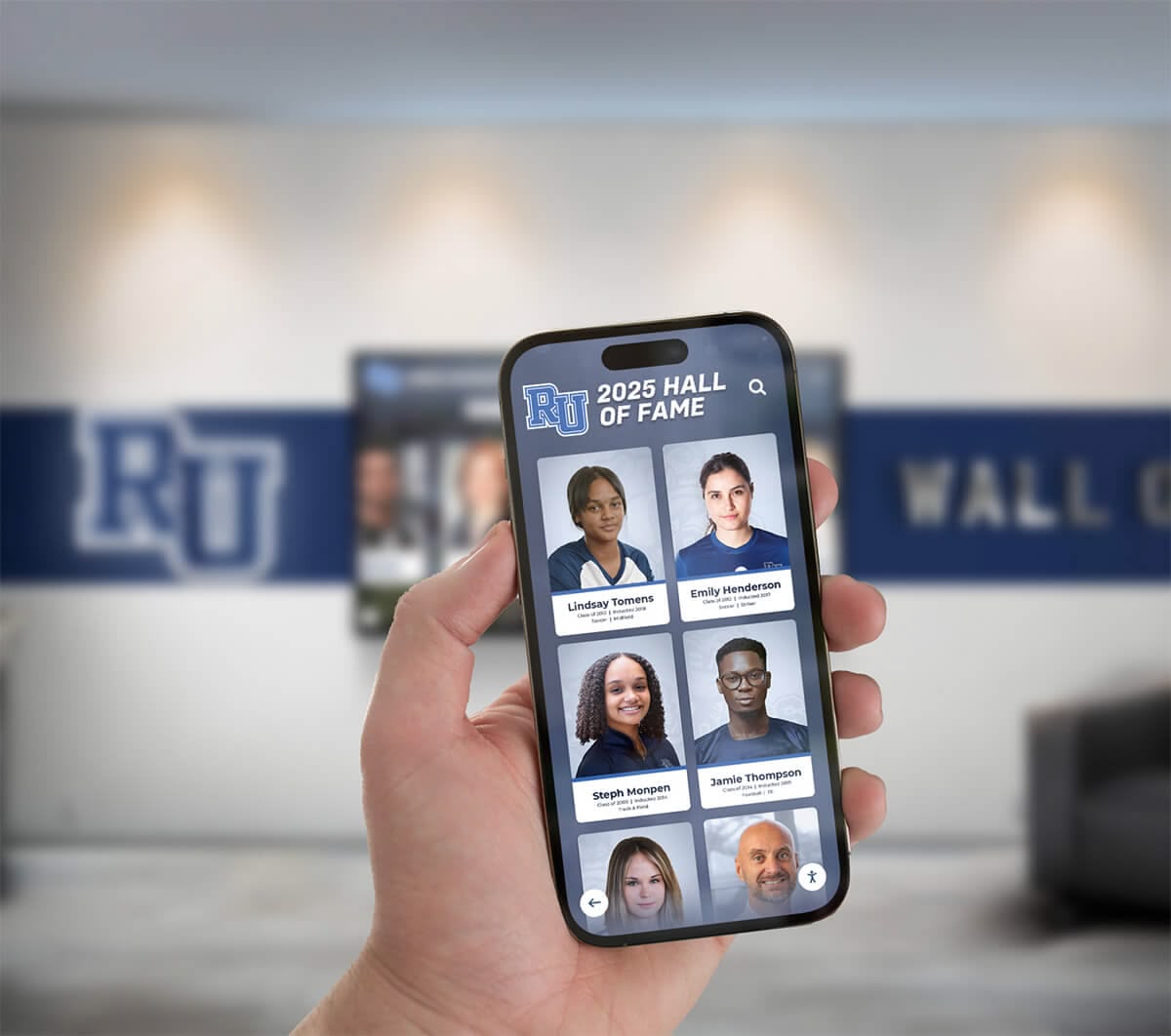
Progressive housing departments integrate digital displays with mobile apps and student portals creating unified omnichannel experiences. Students discover events on lobby displays then immediately register via smartphone QR codes, receive mobile notifications about display content relevant to their interests, and access extended information beyond what fits on physical screens.
Mobile companion experiences extend display content beyond physical locations, enabling students to access building directories, campus maps, and event calendars from anywhere while maintaining consistent information architecture between physical and digital touchpoints. This omnichannel integration increases content value by making information available whenever and wherever students need it rather than limiting access to moments when they physically encounter displays.
Artificial Intelligence and Personalization
AI-powered content management systems emerging in commercial digital signage markets will increasingly reach campus applications, enabling dynamic content personalization based on time of day, academic calendar, and student engagement patterns. Morning lobby displays might emphasize dining options, class reminders, and weather, while evening content shifts to social programming, study resources, and recreational opportunities.
Computer vision technology can detect viewer presence without identifying individuals, enabling displays to show content only when students are actually viewing—conserving energy while maximizing content relevance during active engagement moments. These privacy-respecting personalization capabilities remain in early adoption but represent likely evolution within 3-5 years as technology costs decline and platforms mature.
Interactive Wayfinding and Augmented Reality
Next-generation wayfinding systems combine interactive displays with mobile augmented reality (AR) capabilities. Students plan routes on lobby kiosks then receive AR navigation overlays on their smartphones providing turn-by-turn directions with visual arrows overlaid on their camera views of actual hallways and buildings. This seamless physical-digital integration eliminates confusion particularly valuable during orientation periods and large campus events.
According to digital wayfinding research, AR-enhanced navigation systems reduce time-to-destination by 30-50% compared to traditional paper maps or static digital displays, while significantly improving user confidence and reducing navigation anxiety particularly common among first-year students and campus visitors unfamiliar with complex residential facilities.
Advanced Emergency Communication Integration
Emerging emergency communication platforms integrate interactive displays with mass notification systems, emergency operations centers, and threat detection technologies creating comprehensive safety ecosystems. Displays can automatically show evacuation routes based on threat locations, display emergency assembly point maps, provide shelter-in-place instructions with real-time updates, and enable two-way communication with emergency responders.
Integration with environmental sensors enables automatic emergency messaging triggered by smoke detection, severe weather conditions, or facility system failures without requiring manual intervention. These automated responses accelerate emergency notification while ensuring consistent messaging across all communication channels during crises when seconds matter.
Conclusion: Transforming Residence Hall Communication Through Interactive Technology
College residence hall interactive displays represent far more than trendy technology amenities—they fundamentally transform student experience, housing department operations, and campus safety capabilities. From touchscreen lobby kiosks providing instant access to campus resources, to floor-level bulletin boards building community identity, to emergency notification systems protecting student safety, strategic interactive display implementation addresses genuine student needs while supporting housing department objectives.
The measurable benefits extend across operational dimensions including 40-60% reductions in routine front desk inquiries, $1,500-$3,000 annual printing cost savings, dramatically improved emergency communication capabilities, and 10-15% improvements in student satisfaction with housing communication effectiveness. These quantifiable outcomes translate to stronger retention, positive campus culture, and competitive differentiation in enrollment markets where student experience quality increasingly influences institutional choice.
Success requires thoughtful implementation starting with high-traffic strategic locations, maintaining fresh relevant content updated consistently, integrating displays into broader student success initiatives, and treating systems as evolving platforms requiring ongoing attention rather than one-time installations. Housing departments that commit to content quality, student engagement, and continuous improvement realize substantially greater value than those installing hardware without corresponding operational dedication.
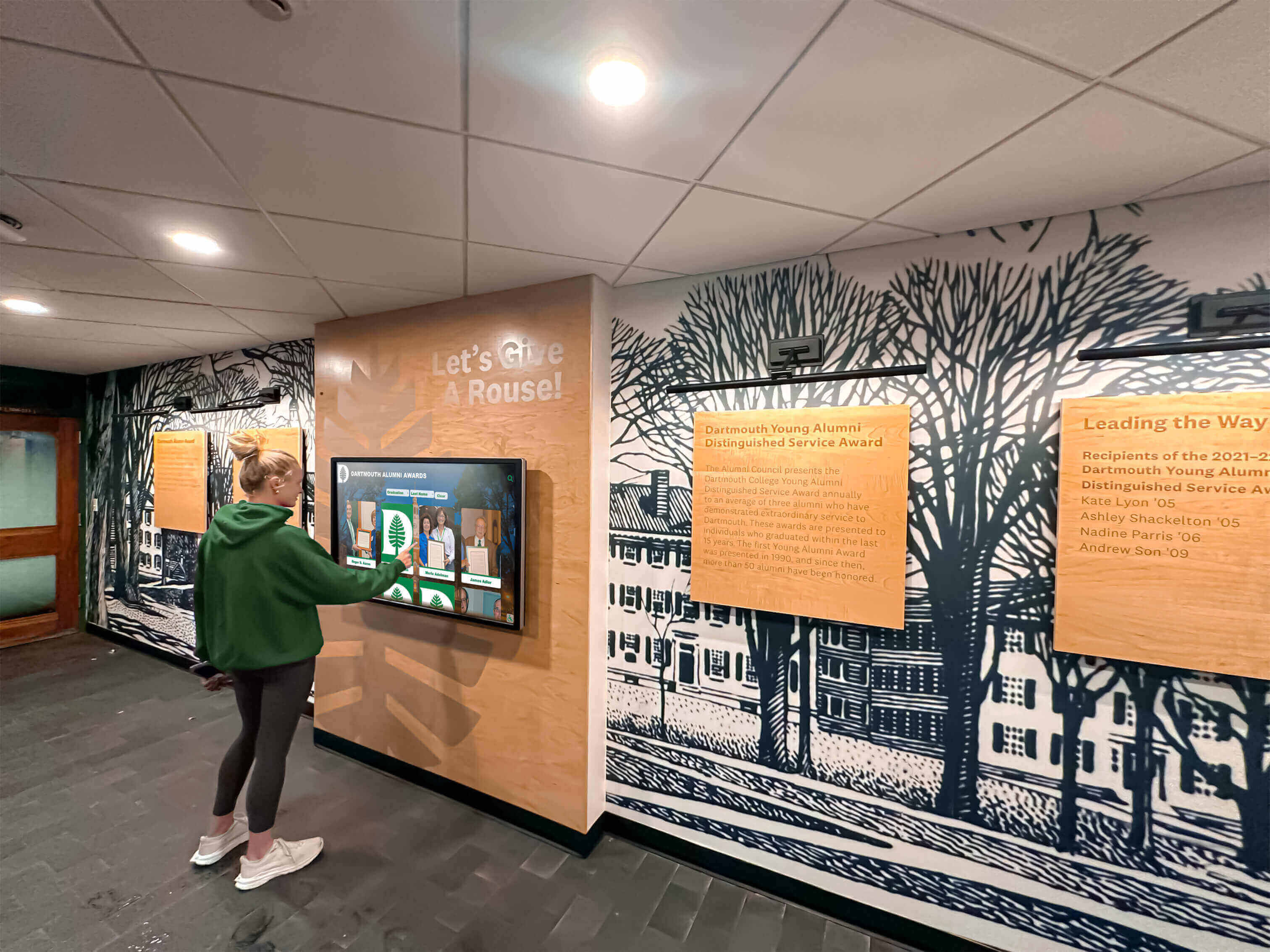
Solutions like interactive recognition displays demonstrate how purpose-built platforms designed for educational communities deliver superior experiences compared to generic digital signage tools. While Rocket Alumni Solutions primarily serves institutional recognition and alumni engagement applications through specialized digital archive systems and alumni showcase platforms, the same principles of intuitive touchscreen interfaces, user-friendly content management, and engaging interactive experiences apply equally to residential life environments seeking modern communication solutions.
Ready to Transform Your Residence Hall Communication?
As higher education increasingly competes based on student experience quality and campus life vibrancy rather than solely academic reputation and cost, interactive communication infrastructure has evolved from nice-to-have amenity to essential student expectation. Housing departments that proactively invest in modern display technology position their institutions advantageously for sustained enrollment and student satisfaction in competitive markets.
Whether implementing comprehensive building-wide systems or starting with strategic lobby kiosks and common area displays, the key lies in viewing interactive displays as ongoing student engagement platforms requiring consistent attention and evolution rather than one-time technology purchases. Institutions that embrace this mindset consistently achieve superior returns while building stronger residential communities and student success outcomes.
For organizations seeking interactive touchscreen solutions for institutional recognition and community engagement, explore how Rocket Alumni Solutions delivers purpose-built platforms for digital halls of fame, alumni gathering areas, and donor recognition walls demonstrating similar principles of intuitive interfaces, powerful content management, and engaging user experiences that honor community achievements while building lasting connections across campus constituencies.
Sources:
- Digital Signage in the Residence Halls | Residential Education and Housing
- Campus Signage Solutions | How to Improve the University’s Residence Halls With Digital Signage
- 11 Ideas for College Campus Digital Signage Screens (2025) | AIScreen
- Digital Wayfinding for Universities: A Smarter Campus, One Tap at a Time - NENTO
































