




Key Takeaways
Use this coach bio template to build complete, display-ready profiles for hall of fame walls and team history archives. Includes required fields, example language, and a final checklist.
Why Coach Bios Matter for Hall of Fame and Team History Displays
Coaches shape programs for years—sometimes decades—but their contributions can fade quickly once they step away. A well-crafted bio anchors their legacy in institutional memory, giving future athletes and community members the context to understand why a particular coach belongs in a hall of fame or team history display.
Poorly written or incomplete profiles create real problems. A bio that lists win totals without context fails to convey why a coach mattered. A profile that lacks photos or career dates leaves visitors with more questions than answers. And when bios vary wildly in length or depth across inductees, the display loses coherence and authority.
A standardized template addresses all three issues. It tells information-gatherers exactly what to collect, gives writers a clear structure to follow, and gives display designers consistent content to work with. The result is a cohesive recognition program that honors coaches the right way—completely, accurately, and engagingly.
For schools building or expanding their recognition infrastructure, resources like the hall of fame inductee bio examples and school profile guide offer useful benchmarks for what a finished profile looks like across different sport types and career lengths.
The Coach Bio Template: All Required Fields
Use this template as a checklist when collecting information for a new inductee. Every field listed here serves a specific purpose in the final display.
Section 1: Identity and Header Information
These fields appear at the top of every profile. They establish who the coach is and create the searchable record used in digital archives.
| Field | Notes |
|---|---|
| Full legal name | As the coach prefers to be listed publicly |
| Preferred display name | Nickname or shortened form if applicable (e.g., “Coach Mac”) |
| Primary sport(s) coached | List all sports if multi-sport coach |
| Position/title | Head Coach, Assistant Coach, Athletic Director, etc. |
| School or organization | Current or primary institution |
| Years of service | Start year – end year (or “present”) |
| Induction year | Year inducted into this hall of fame |
| Headshot photo | High-resolution, minimum 800×800px; consistent framing across inductees |
Why this matters: Visitors using a digital hall of fame search by sport, year, or name. Clean identity fields make those searches work correctly and ensure the coach appears in the right filtered views.
Section 2: Career Statistics and Record
This section provides the objective, verifiable record that establishes a coach’s achievement tier. Gather this data before the writing phase to ensure the bio reflects accurate numbers.
| Field | Notes |
|---|---|
| Overall career record | Wins – Losses – Ties (where applicable) |
| Career winning percentage | Calculate to one decimal point |
| Total seasons coached | At this school and overall if relevant |
| Conference/league record | If applicable |
| Championship record | State, regional, conference, national titles won |
| Playoff/postseason appearances | Total number and years |
| Records set or broken | Program, conference, or state records established during tenure |
| Athletes sent to next level | College signees, professional players, academic scholarship athletes |
Example language: “During her 22 seasons leading Westfield varsity volleyball, Coach Rivera compiled a 487–112 record (.813 winning percentage), claimed six conference championships, and sent 34 athletes to collegiate programs.”
This kind of sentence-level summary is what your bio writer needs before they begin drafting. Providing pre-verified statistics prevents errors and speeds up the writing process significantly.
Section 3: Biographical Background
The biographical section provides the human context behind the statistics. It answers the question visitors always ask: Who was this person before they became a coach here?
| Field | Notes |
|---|---|
| Playing career | Sport(s) played, level reached, notable achievements as an athlete |
| Educational background | Degrees and institutions (optional: graduation years) |
| Coaching career timeline | All coaching positions, schools, and years in reverse chronological order |
| Certifications and licenses | Relevant coaching credentials, association memberships |
| Family connection to program | Alumni status, children who played in the program, etc. (if coach chooses to share) |
| Community involvement | Relevant volunteer work, community leadership, booster involvement |
Example language: “A four-year varsity basketball letterman at Lincoln High School, Coach Thompson went on to earn his degree in Physical Education from State University before beginning a coaching career that spanned four decades and three different school districts.”
This section does not need to be exhaustive. Choose the biographical details that explain why coaching became this person’s calling and how they arrived at your program.
Section 4: Honors, Awards, and Recognition
External recognition from peers, associations, and media validates the case for hall of fame induction and adds authority to the profile.
| Field | Notes |
|---|---|
| Coach of the Year awards | Level, association, and year for each |
| All-conference or all-state coaches association honors | Year and conferring body |
| Hall of fame memberships | Other halls of fame in which the coach is already inducted |
| Media recognition | Newspaper features, broadcast recognition, community awards |
| Program-specific honors | Retired jersey numbers, named facilities, endowed awards |
When listing awards, always include the conferring organization and year. “Coach of the Year” without attribution is meaningless; “2019 IHSAA Class 4A Volleyball Coach of the Year” is verifiable and impressive.
Section 5: Narrative Bio (150–250 Words)
The narrative is the heart of the profile. It synthesizes the statistical and biographical data above into a readable story. For hall of fame displays—especially digital ones—this paragraph is what most visitors will actually read.
Structure for a strong coaching bio narrative:
- Opening sentence: Name, sport, institution, and years of service in one clear statement
- Achievement summary: Two to three sentences covering the most impressive career highlights
- Coaching philosophy or program impact: One or two sentences describing how the coach shaped athletes or program culture
- Personal background: One sentence connecting the coach’s own athletic experience to their coaching path
- Legacy statement: One sentence describing what the program, school, or community remembers about this coach
Full example narrative:
Carol Nguyen served as head cross country and track coach at Riverside High School for 19 seasons, building one of the most consistently competitive distance programs in the state. Her teams captured four state championships and 11 regional titles while she earned State Track Coach of the Year honors on three separate occasions. Coach Nguyen was known for developing athletes who improved year over year—53 of her athletes earned collegiate scholarships during her tenure, with seven going on to compete at the Division I level. A two-time All-State distance runner herself, she brought a competitor’s discipline and a teacher’s patience to every practice. Riverside’s distance tradition—still thriving today—is her lasting legacy.
Notice that this bio is 107 words, well within the 150–250 word target. It is specific, verifiable, and gives the reader a genuine sense of who Coach Nguyen was and why she belongs in the hall of fame.
Section 6: Coach Quote (Optional but Recommended)
A brief quote from the coach adds authenticity and personality to the profile. If the coach is living, collect this directly. For posthumous inductions, a quote from a recorded speech, program notes, or yearbook message can serve the same purpose with proper attribution.
| Field | Notes |
|---|---|
| Direct quote | 1–2 sentences, in the coach’s own words |
| Quote source | Where and when the quote was said or published |
Example: “Championship banners come down eventually. What lasts is what you taught your players about how to compete—and how to get back up.” — Coach Rivera, 2018 Athletic Banquet Address
Section 7: Associated Team History (For Team History Displays)
When a coach bio appears inside a broader team history display, it needs to connect the individual to the program’s arc. Add these fields to link the coach’s tenure to key program milestones.
| Field | Notes |
|---|---|
| Program record at hire | Wins, losses, or standing when coach took over |
| Program record at departure | Same metrics at end of tenure |
| Key program milestones during tenure | First state title, first playoff appearance, facility openings, etc. |
| Signature seasons | One to three seasons that defined the tenure (year, record, outcome) |
| Notable athletes coached | Athletes who reached significant individual milestones under this coach |
| Successor(s) | Who followed this coach and whether they were a direct hire or developed within the program |
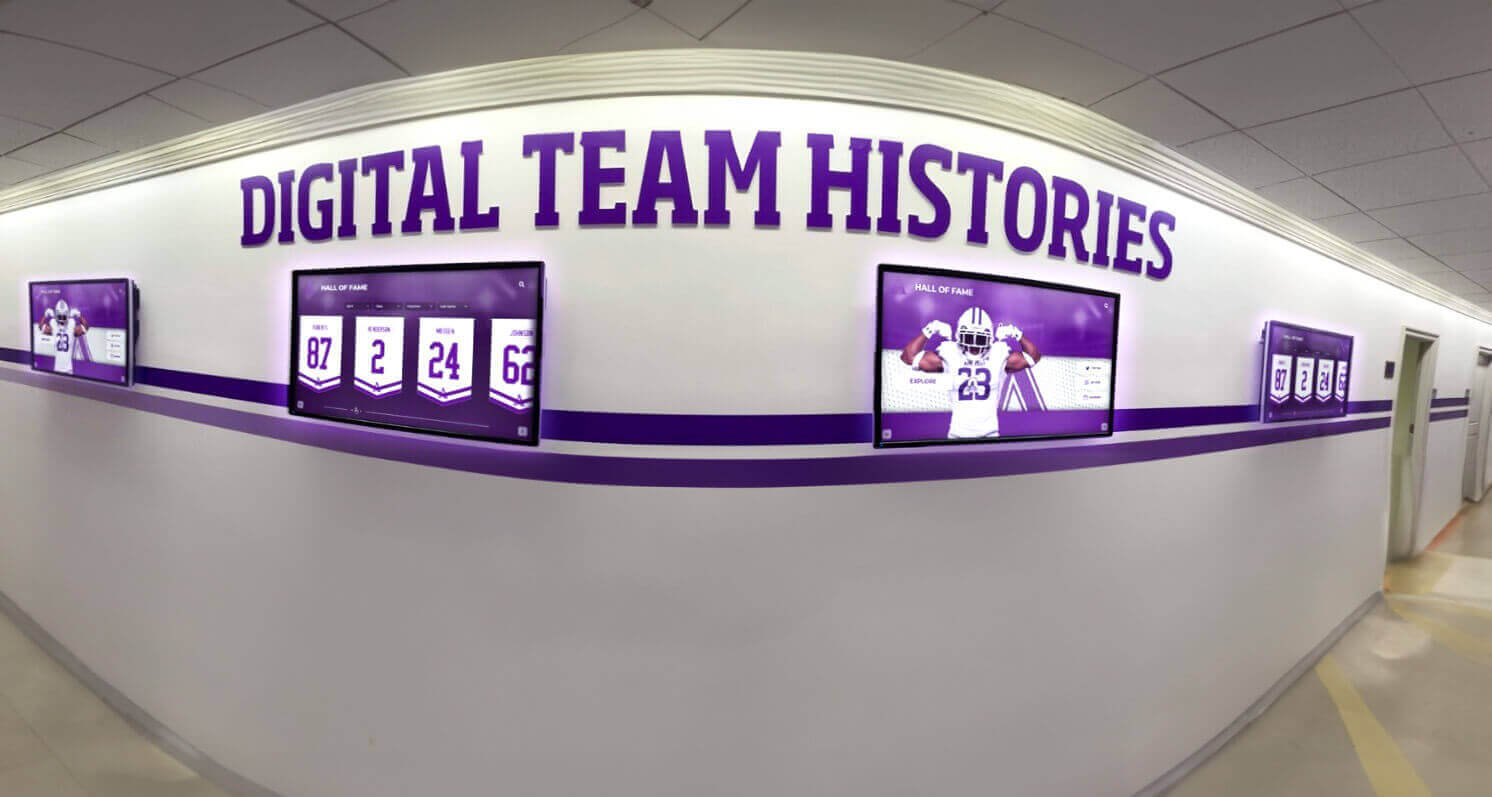
Schools maintaining deep team history archives—going back decades or more—can use this section to create a continuous coaching timeline that shows how each coach’s tenure built on or transformed what came before. Digital platforms make this kind of longitudinal storytelling especially compelling, since visitors can browse from one coaching era to the next without ever leaving the display.
For schools planning long-range displays that will grow with each new induction class, the guide to modular hall of fame wall panels explains how to design physical installations that accommodate new additions without requiring full renovations.
Common Mistakes in Coach Bio Collection
Even programs with good intentions make preventable errors when gathering profile content. Here are the most common issues and how the template above prevents them.
Vague or unverified statistics. A bio that says “many championships” or “numerous accolades” signals that no one confirmed the actual record. The statistics table in Section 2 forces specific, verifiable numbers before the bio is written.
Missing photo or low-resolution image. A headshot field in the template reminds collectors to gather a usable photo upfront, not as an afterthought after the display is built.
Bio written before stats are confirmed. Writers who draft before the statistical record is verified frequently introduce errors that are embarrassing to correct after a public display is installed. The template structures data collection first, writing second.
Inconsistent bio length across inductees. When some bios run 400 words and others run 50, the display looks unprofessional and seems to rank inductees by word count rather than achievement. A 150–250 word target creates a consistent presentation.
No team history context. A coaching bio that treats a coach as an island—without connecting them to the program’s larger story—misses the opportunity to show how individual tenures built something lasting. Section 7 addresses this directly.
Adapting the Template for Different Display Contexts
The same core information serves different display formats, but each format has specific length and format requirements worth knowing before you start collecting content.
Physical Hall of Fame Panels
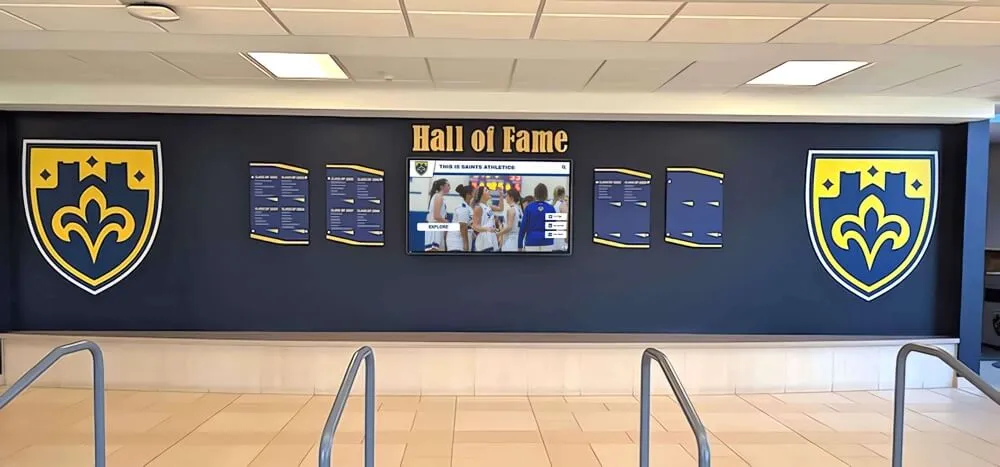
Print panels have strict space constraints. A 12×18-inch panel typically accommodates:
- Name and header (large type)
- Headshot photo
- 100–150 word bio
- Three to five career highlights in bullet form
Use the full template to collect everything, then edit down to fit the panel. Having complete information available makes selective editing much easier than trying to expand sparse notes later.
Touchscreen Kiosk Profiles
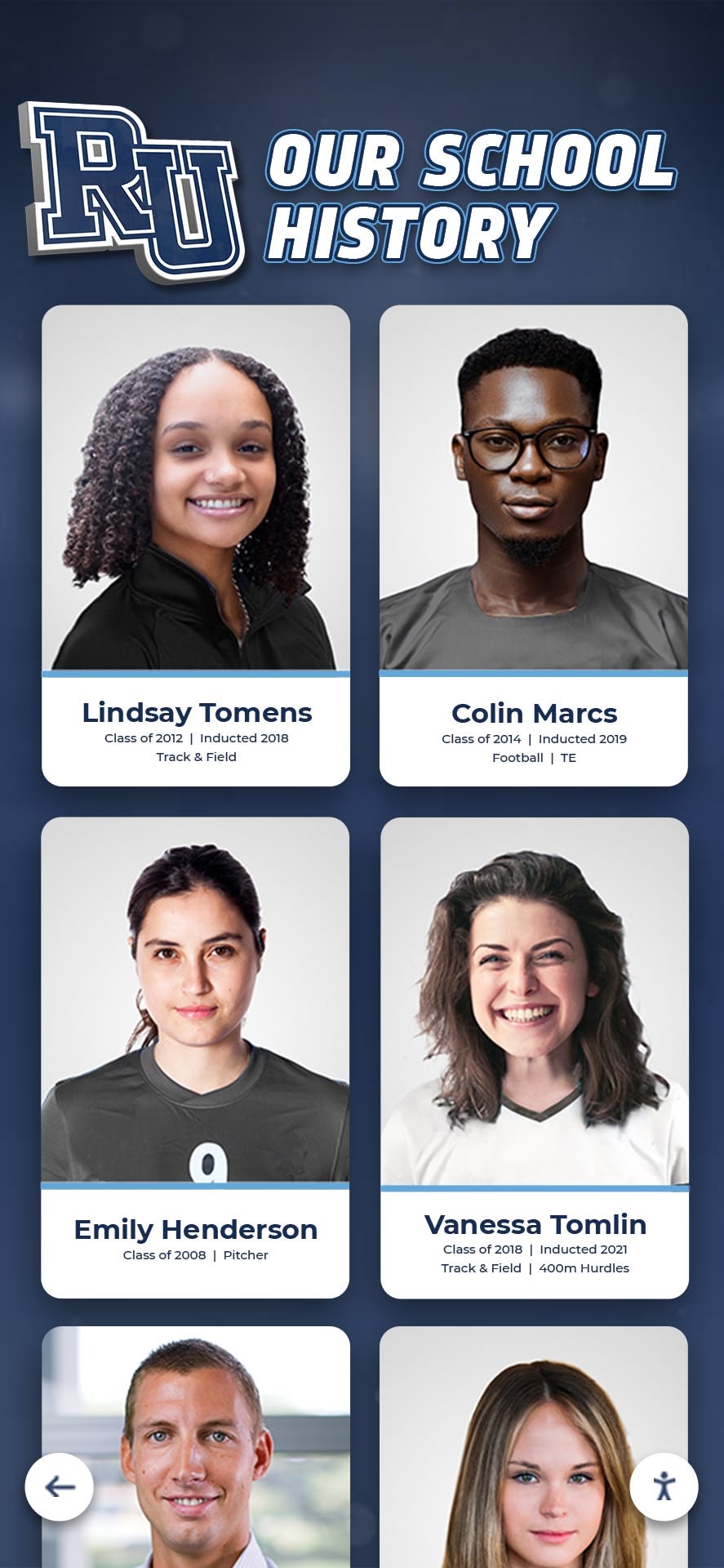
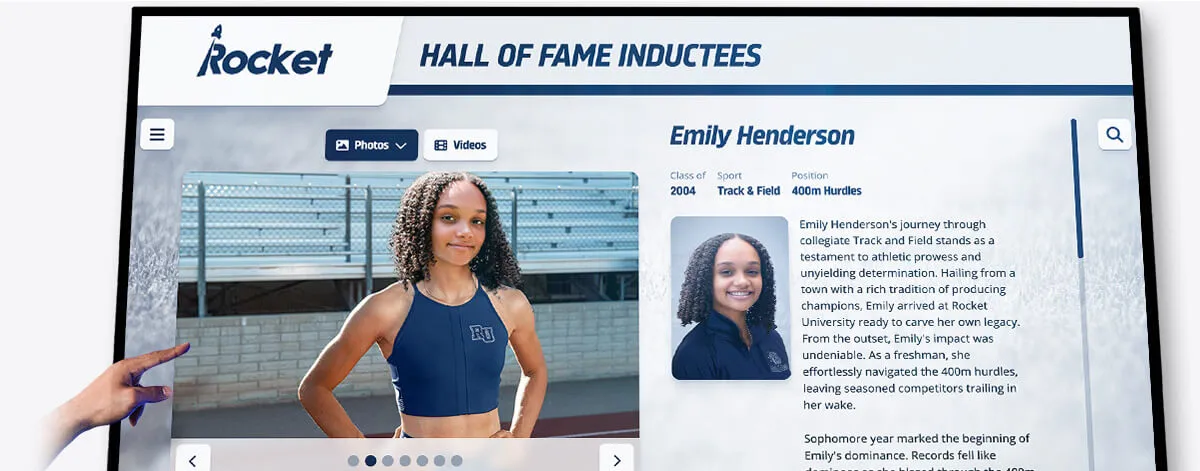
Digital touchscreen displays can present layered information—a summary view visitors see first, with expandable sections for full statistics, additional photos, video highlights, and team history context. For programs exploring digital hall of fame displays and interactive kiosk options, this layered approach means the same profile can serve casual visitors and dedicated researchers equally well.
For touchscreen profiles, the full template translates directly:
- Header fields → top card (name, sport, years, photo)
- Narrative bio → summary panel
- Statistics table → expandable “Career Record” section
- Honors and awards → expandable “Recognition” section
- Team history → expandable “Program Legacy” section
Online Hall of Fame Archives
Web-accessible archives allow unlimited length and multimedia, making the complete template especially valuable. Schools digitizing their recognition programs can review the best hall of fame tools for athletics and team history to find platforms that support structured data entry, multi-media profiles, and search filtering by sport, year, and achievement type.
Coach Bio Template Checklist
Before marking any profile complete, run through this final checklist. Every item should be confirmed before the profile goes to a designer or enters a display platform.
Identity and Header
- Full legal name confirmed and spelled correctly
- Display name noted if different from legal name
- Sport(s) listed correctly
- Title and role confirmed
- Years of service confirmed with HR or athletic office records
- High-resolution headshot received (800×800px minimum)
- Induction year noted
Career Statistics
- Win-loss record verified against official records
- Championship titles confirmed with year and level
- Playoff appearance count verified
- Athlete advancement data gathered and sourced
- Records set during tenure documented
Biographical Background
- Playing career summary gathered
- Educational background confirmed with coach or family
- Full coaching timeline compiled in reverse chronological order
- Relevant certifications or memberships noted
Honors and Awards
- All Coach of the Year awards listed with year and conferring body
- Other hall of fame memberships noted
- Program-specific honors confirmed (named facilities, retired numbers, etc.)
Narrative Bio
- Bio runs 150–250 words (print: 100–150 words)
- All statistics in the bio match the verified statistics table
- Opening sentence establishes name, sport, school, and tenure
- Legacy statement closes the bio
- Proofread by at least one additional reader
Quote (if included)
- Quote sourced and attributed correctly
- Coach or family has approved use
Team History Connection (if applicable)
- Program metrics at hire and departure noted
- Key milestones during tenure listed
- Signature seasons identified
- Successor noted
How Digital Displays Bring Coach Bios to Life
A complete coach bio template does more than produce accurate print panels. When schools transition to digital recognition systems, well-structured profile data becomes searchable, filterable, and linkable in ways that static displays cannot achieve.
Programs that have uploaded complete coach and athlete profiles report that visitors spend significantly more time at digital displays than at traditional trophy cases or static panels. The difference is depth: a visitor who starts at a coach’s profile can navigate to the athletes who played under that coach, then to the team history from a specific championship season, then to a related record board—all within a single interactive session.
For schools weighing the transition from physical to digital displays, the overview of digital hall of fame tools for athletics and donors and the guide to digital donor wall and hall of fame displays offer useful context on what platforms currently do well and where gaps still exist.
Schools building historical archives alongside current recognition programs can also benefit from guidance on digitizing old yearbooks and historical materials for hall of fame displays, which addresses safe scanning methods and metadata practices that make archived photos and records usable in modern digital platforms.
Rocket Alumni Solutions builds platforms specifically for this kind of comprehensive institutional recognition. Their touchscreen systems pull from the same structured profile database to power physical kiosks, web archives, and record boards simultaneously—meaning a coach bio entered once appears correctly in every context without duplicate data entry or format translation.
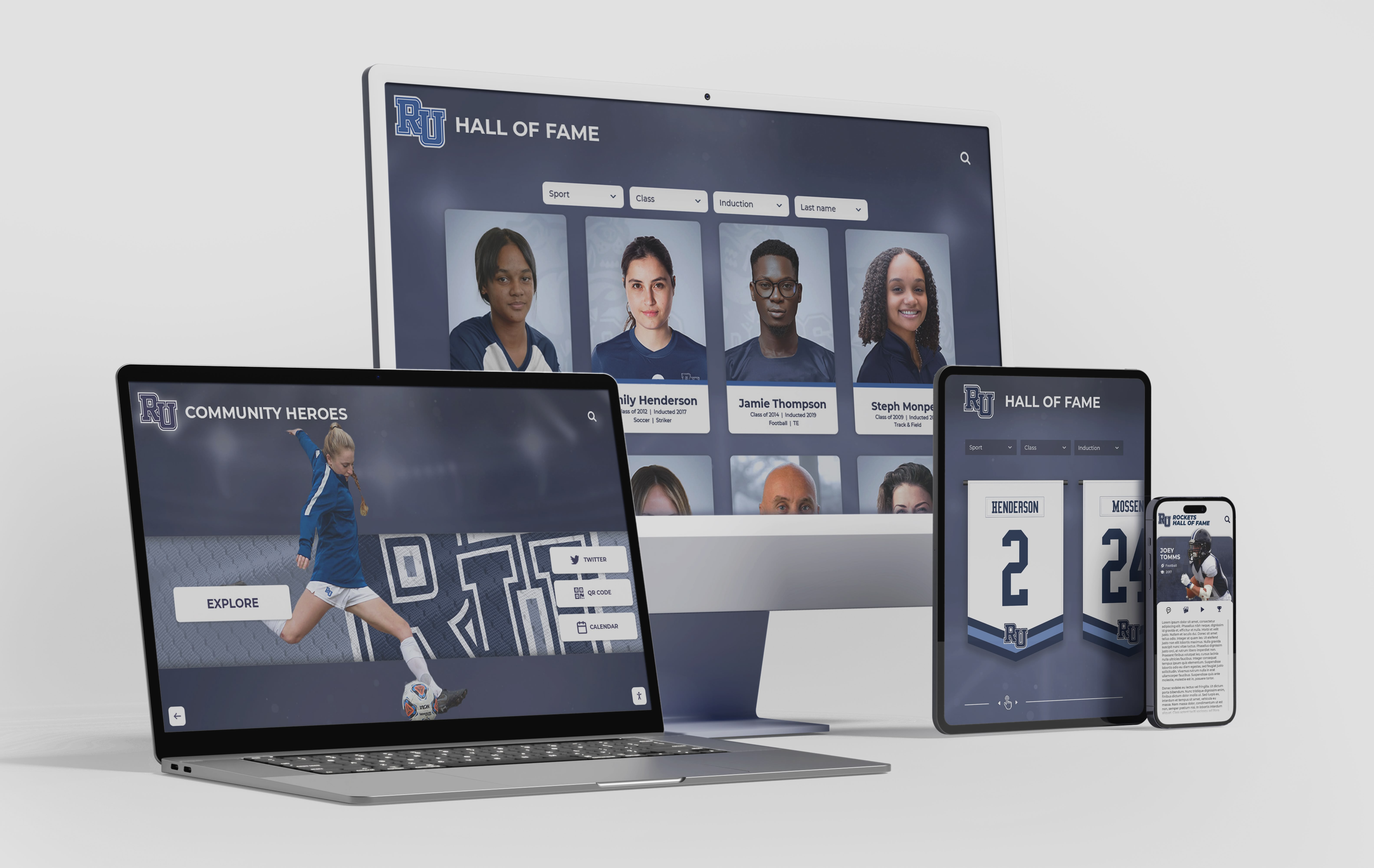
See How Complete Coach Profiles Look on a Touchscreen Display
Rocket Alumni Solutions makes it easy to build, manage, and display professional coach and athlete bios on touchscreen walls of fame, digital trophy cases, and online recognition archives—all from one platform.
Request a DemoConnecting Coach Bios to Broader Athletic Recognition Programs
Coach profiles are most powerful when they exist inside a complete recognition ecosystem rather than as standalone documents. Programs that integrate coach bios with athlete hall of fame profiles, team championship histories, and individual record boards create archives that tell the full story of a program’s development over time.
For programs that include retired jersey displays and equipment alongside biographical records, the baseball jersey display case setup guide offers practical advice on presenting physical artifacts alongside digital recognition in cohesive lobby installations. Schools interested in how other programs structure their inductee selection and validation processes can reference the overview of hall of fame inductee selection standards for benchmarks on criteria weighting and committee processes.
When your recognition program eventually grows to include multiple sports, multiple graduating classes, and multiple coaching eras, the right infrastructure makes that growth manageable. Athletic hall of fame recognition tools built for institutional scale handle the database growth that single-sport displays cannot anticipate.
Maintaining Coach Bio Quality Over Time
A completed profile is not a permanent document. Coaches earn additional honors after induction, and historical research sometimes surfaces records or achievements that were originally missed. Building a review process into your recognition program’s calendar prevents profiles from becoming outdated.
Practical maintenance steps:
- Review all coach bios when inducting a new class—use the process to update existing profiles if new information has emerged
- Assign one staff member as records custodian who tracks coaching honors, awards, and milestones as they happen
- Store profile source files (including original photos) in a central, backed-up location separate from the display platform
- For digital platforms, confirm annually that all photo links, video embeds, and statistical references still resolve correctly
Programs that treat their recognition archive as a living document rather than a completed project build displays that remain accurate and engaging for decades rather than degrading into outdated snapshots.
Final Thoughts
A coach bio template is, at its core, a promise to the coaches your program honors: that their stories will be told completely, accurately, and with the care their careers deserve. By standardizing which fields belong in every profile, you protect against the gaps and inconsistencies that undermine recognition displays and frustrate the people they are meant to celebrate.
Use the template fields, checklist, and example language in this guide as a starting point. Adapt the word counts and optional fields to match your specific display format. And when your profiles are complete, give them a platform that presents them with the quality they deserve—whether that is a physical panel, a touchscreen kiosk, or a web archive that your community can explore for years to come.
Ready to Build Your Hall of Fame the Right Way?
Rocket Alumni Solutions provides everything your program needs to collect, manage, and display coach and athlete profiles on professional touchscreen walls of fame and digital trophy cases—with no technical expertise required.
Book Your Free Demo































