




Key Takeaways
Compare web-based vs native app touchscreen software for digital recognition displays. Weighted decision framework with ADA compliance, performance, and deployment criteria to choose the best solution.
Why the Web vs Native Decision Matters Now
The touchscreen software market has evolved dramatically over the past five years. Early digital recognition displays typically ran native applications because web technologies lacked the performance and offline capabilities required for reliable public-facing installations. However, modern web frameworks, progressive web app (PWA) capabilities, and improved browser engines have fundamentally changed the technical landscape.
According to recent industry analysis, web apps are quicker, easier, and cheaper to build than mobile apps, with less complicated technology and more abundant developers available. Yet native touchscreen software still offers advantages that web-based solutions struggle to match, particularly for mission-critical installations where performance, reliability, and offline operation are non-negotiable.
This decision carries long-term consequences. The architecture you choose determines:
- Deployment flexibility across different hardware platforms and operating systems
- Performance characteristics under heavy public use in high-traffic locations
- Maintenance burden for content updates, security patches, and feature additions
- Total cost of ownership including development, hosting, support, and replacement cycles
- User experience quality affecting engagement, accessibility, and satisfaction
- Vendor dependency and risk if the provider discontinues support
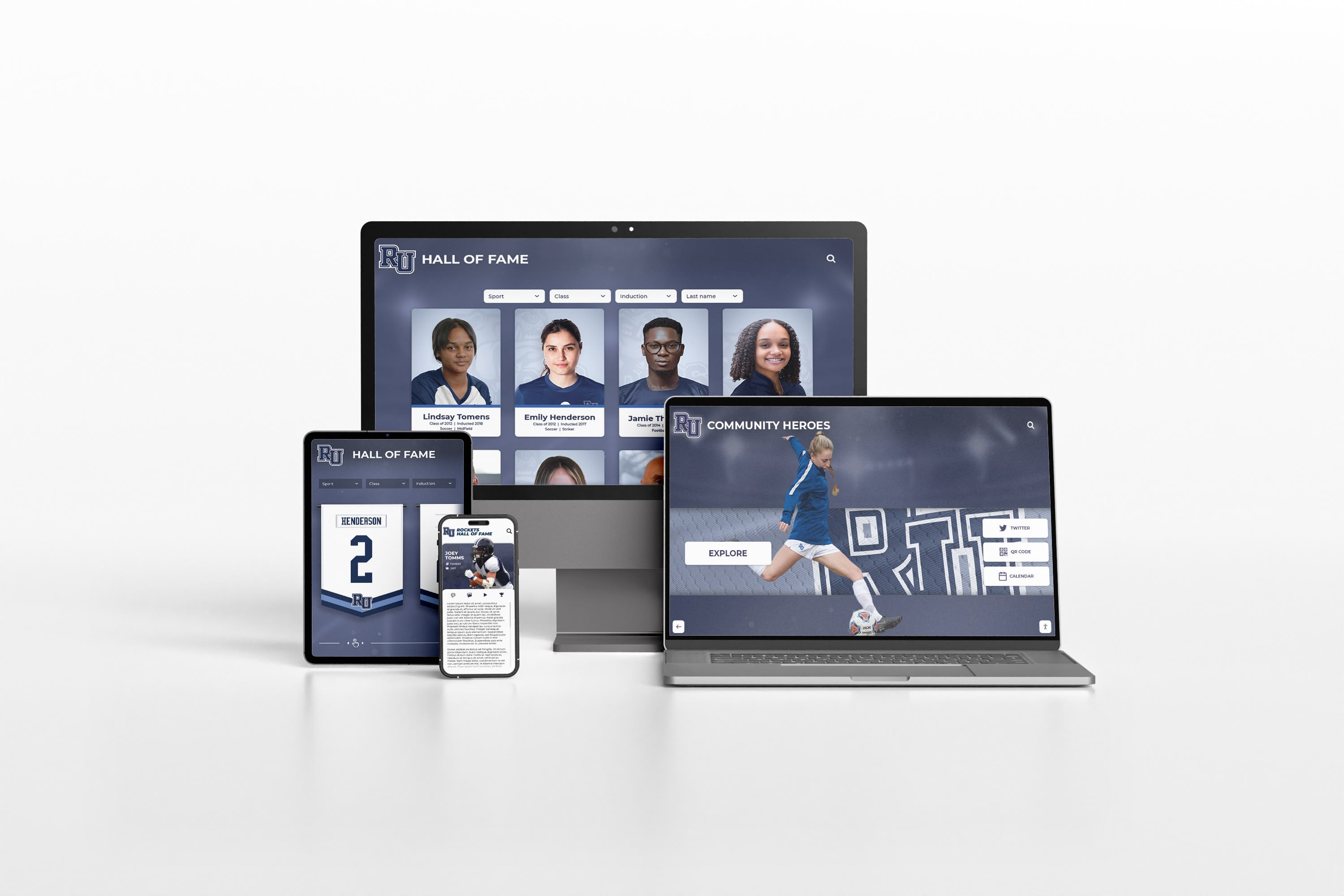
Organizations evaluating recognition display software need frameworks that move beyond surface-level feature lists to analyze how architectural choices impact operational realities over multi-year deployments.
Essential Evaluation Criteria for Touchscreen Software
Before comparing specific approaches, establishing weighted evaluation criteria creates objective assessment frameworks. Based on typical institutional requirements, these criteria prove most decision-critical:
1. ADA Compliance & Accessibility (Weight: 20%)
Federal accessibility requirements under the Americans with Disabilities Act mandate that digital recognition systems provide equivalent access for users with disabilities. Compliance failures expose institutions to legal liability while excluding portions of the community from recognition experiences.
Key Requirements:
- WCAG 2.1 AA conformance for visual content presentation
- Screen reader compatibility for profile content and navigation
- Keyboard navigation alternatives to touch interaction
- Sufficient color contrast ratios (minimum 4.5:1 for text)
- Responsive text sizing without loss of functionality
- Alternative text for all meaningful images and graphics
Solutions like Rocket Alumni Solutions prioritize accessibility in their architecture, ensuring recognition displays welcome all visitors regardless of ability.
2. Content Management Efficiency (Weight: 20%)
Recognition programs require frequent updates as new achievements occur, inductees are added, and content is refreshed. Content management system (CMS) efficiency directly determines staff time requirements and program sustainability.
Critical Capabilities:
- Intuitive interfaces enabling non-technical staff to update content independently
- Cloud-based access allowing updates from any location without physical hardware access
- Bulk import functionality for migrating historical achievements efficiently
- Template-based profile creation maintaining visual consistency
- Media library management for photos, videos, and documents
- Workflow tools for content approval before publication
Organizations should evaluate how much time current staff will spend maintaining content. Systems requiring technical expertise for routine updates create ongoing operational friction.
3. Hardware & Deployment Flexibility (Weight: 15%)
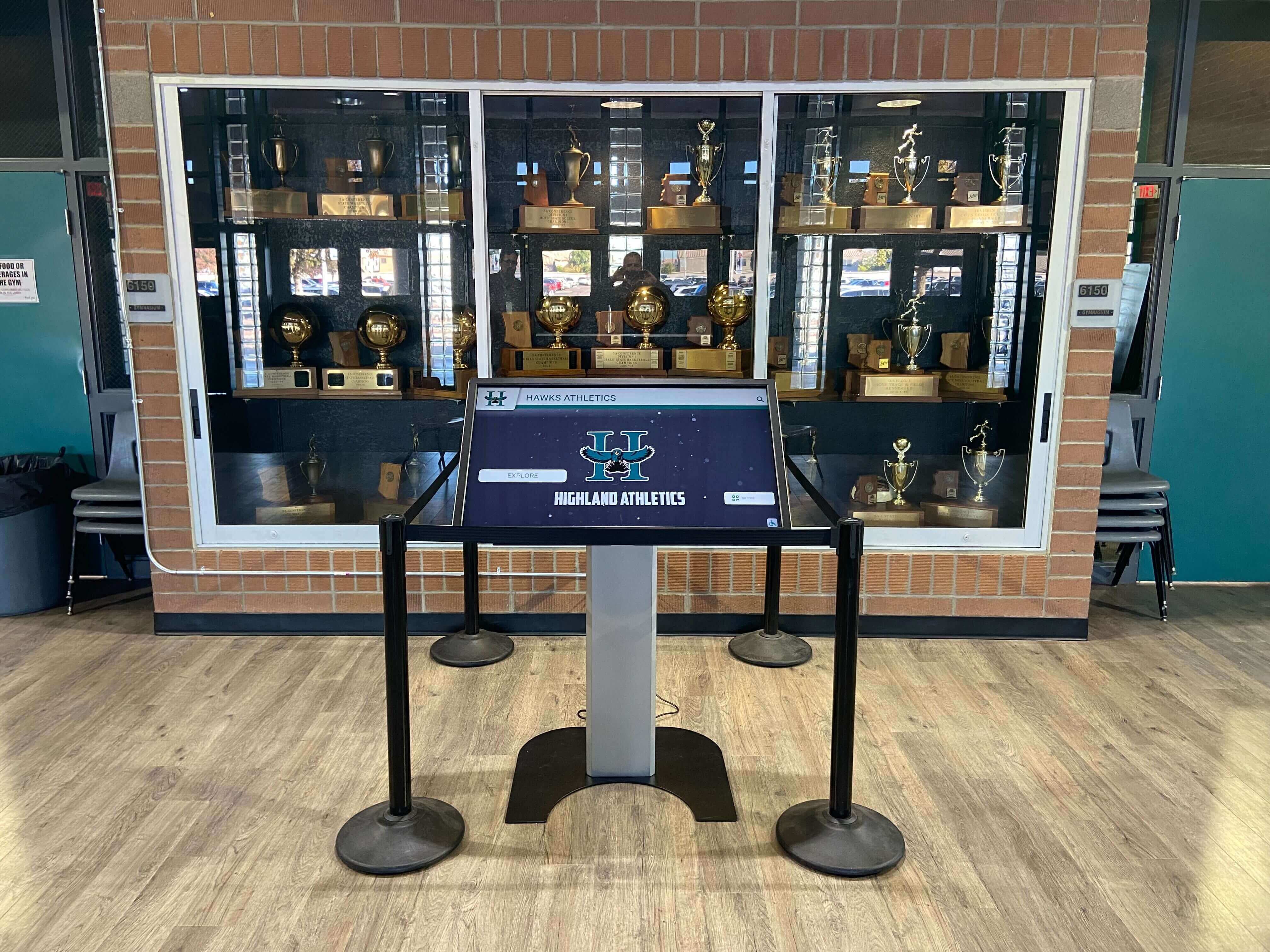
Recognition displays operate on diverse hardware configurations ranging from wall-mounted commercial displays to freestanding kiosks to large-format video walls. Software locked to specific hardware creates constraints that limit facility planning flexibility.
Flexibility Requirements:
- Cross-platform operation (Windows, Android, iOS, ChromeOS, Linux)
- Display size adaptability from tablets through large-format screens
- Touchscreen technology compatibility (capacitive, infrared, optical)
- Network connectivity options (ethernet, WiFi, cellular, offline)
- Peripheral device support (printers, card readers, QR scanners)
Hardware flexibility provides future-proofing as technology evolves and organizational needs change. Solutions supporting multiple platforms prevent vendor lock-in situations where replacing displays requires replacing entire software systems.
4. Performance & Reliability (Weight: 15%)
Public-facing recognition displays must operate reliably during high-traffic periods without performance degradation, crashes, or unresponsive behavior. Performance failures during major events damage institutional credibility.
Performance Factors:
- Response time under concurrent multi-user interaction
- Media loading speed for high-resolution images and video content
- Stability during extended continuous operation (weeks without restart)
- Graceful degradation when network connectivity is lost
- Resource efficiency preventing hardware overheating or slowdown
Native applications typically demonstrate superior performance compared to web-based solutions because they execute directly on device hardware without browser overhead. However, modern PWA frameworks have narrowed this gap substantially.
5. Data Security & Privacy (Weight: 10%)
Recognition displays handle personal information about honorees including names, photos, biographies, and achievement details. Security architecture must protect this data while maintaining appropriate access controls.
Security Requirements:
- Encrypted data transmission preventing interception
- Role-based access control limiting editing capabilities
- Audit logging tracking all content changes
- Secure authentication for administrative access
- Backup systems protecting against data loss
- Compliance with FERPA (educational institutions) or organizational privacy policies
Cloud-based systems introduce additional considerations around data residency, vendor security practices, and third-party access policies. Organizations should review vendor security documentation thoroughly.
6. Total Cost of Ownership (Weight: 10%)
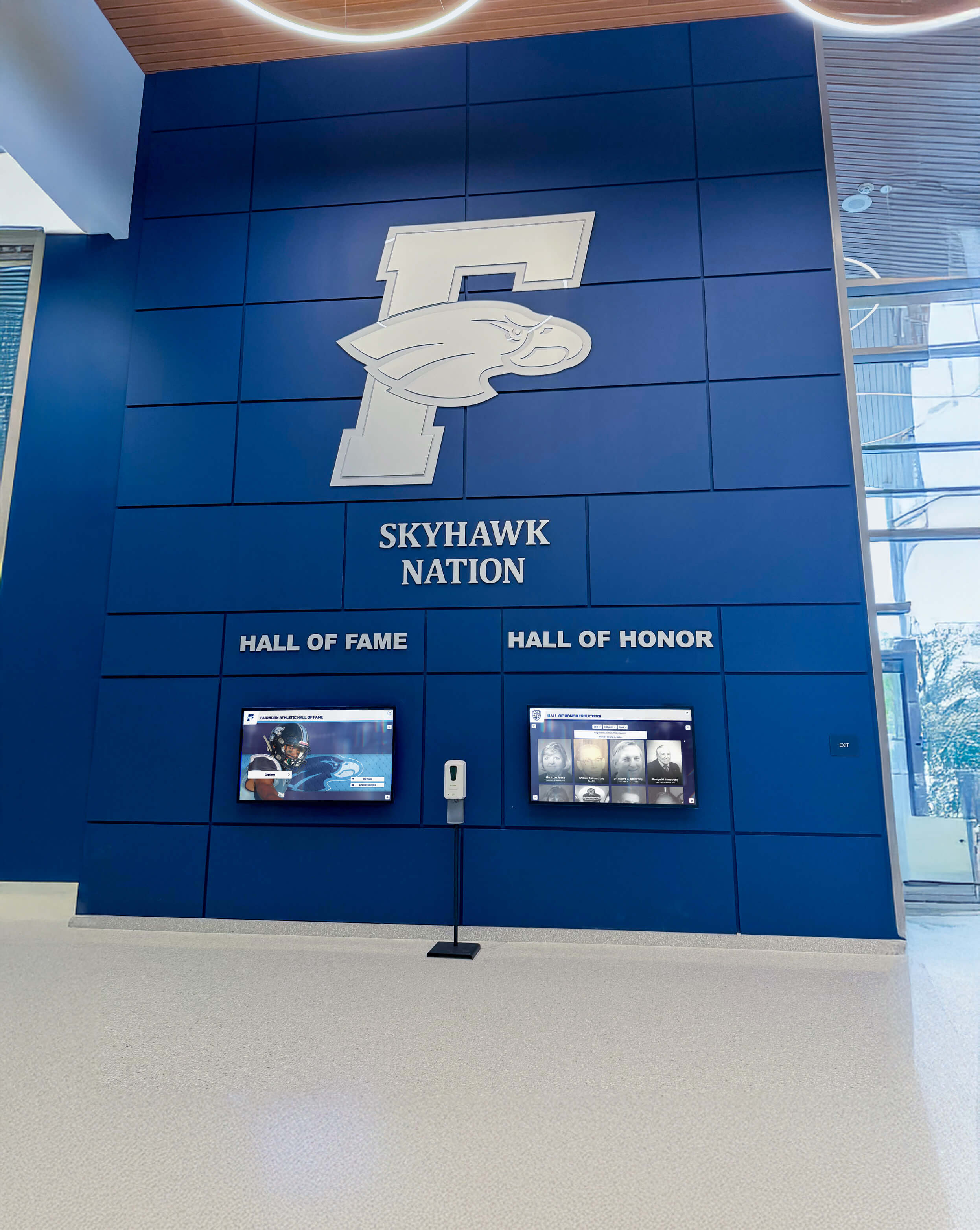
Budget realities constrain all technology decisions. Accurate cost analysis requires examining multi-year expenses rather than initial purchase price alone.
Cost Components:
- Software licensing (subscription vs. perpetual vs. hosted)
- Initial development or customization investment
- Hardware acquisition (if not included in solution)
- Installation and implementation services
- Staff training requirements
- Ongoing maintenance and support fees
- Content migration from existing systems
- Future expansion costs as programs grow
Web-based solutions generally require lower initial investment because they avoid native app development for multiple platforms. However, subscription hosting fees accumulate over time, potentially exceeding one-time native app development costs over five-year periods.
7. Support & Long-Term Viability (Weight: 10%)
Recognition displays often operate for 5-10 years. Vendor stability, support quality, and continued development determine whether systems remain functional and secure throughout their intended lifespan.
Viability Factors:
- Vendor company stability and market presence
- Support availability (business hours vs. 24/7, response time commitments)
- Documentation quality and completeness
- Community resources and user base size
- Update frequency for security patches and feature enhancements
- Migration path if transitioning to different solutions becomes necessary
Established providers with substantial installed base demonstrate lower abandonment risk compared to startups or individual developers offering open-source solutions without commercial support.
Web-Based Touchscreen Software: Detailed Analysis
Web-based touchscreen software runs within browser environments, delivering content through HTML5, CSS, JavaScript, and related web technologies. This architectural approach provides several inherent advantages while introducing specific limitations that organizations must consider.
Web-Based Architecture Explained
When users interact with web-based touchscreen displays, the software stack typically consists of:
- Frontend framework (React, Vue, Angular, or similar) handling user interface and interaction
- Backend server providing content management APIs and data storage
- Content delivery network (CDN) distributing media assets efficiently
- Browser engine (Chrome, Firefox, Safari, Edge) rendering the interface
- Web server (Apache, Nginx, Node.js) handling requests
The browser mediates all interactions between the user interface and the underlying device hardware. While this creates consistency across platforms, it also introduces performance overhead and capabilities limitations compared to direct hardware access.
Key Advantages of Web-Based Solutions
1. Universal Cross-Platform Compatibility
Web applications run identically across any device with a modern browser, regardless of underlying operating system. A single codebase serves Windows, macOS, Linux, Android, iOS, and ChromeOS without modification. This universality dramatically simplifies development and maintenance compared to building separate native applications for each platform.
For institutions with diverse hardware across multiple locations, web-based solutions eliminate compatibility concerns. Athletic departments can deploy recognition displays on existing lobby TVs running any platform without procuring specific hardware models.
2. Centralized Content Management

All content resides on central servers, enabling instant updates across all connected displays simultaneously. When staff add new inductees or update achievements, changes appear everywhere immediately without individual device updates.
This centralized architecture also provides:
- Real-time synchronization ensuring consistency across all displays
- Cloud backup protecting content against local hardware failures
- Remote troubleshooting allowing support teams to diagnose issues without site visits
- Analytics aggregation combining usage data from all installations
Platforms like interactive touchscreen software solutions leverage cloud architecture for superior content management efficiency.
3. Lower Initial Development Investment
Web developers substantially outnumber native app specialists, creating abundant talent pools with competitive pricing. According to industry research, web apps typically cost 40-60% less to develop than equivalent native applications because:
- Single codebase serves all platforms rather than separate iOS, Android, Windows builds
- More developers available means competitive market pricing
- Mature frameworks and libraries accelerate development
- Testing complexity is reduced without platform-specific variations
For budget-conscious institutions, web-based approaches provide lower barriers to entry while still delivering functional recognition displays.
4. Simplified Updates and Maintenance
Software updates deploy server-side without requiring actions at individual display locations. When vendors release security patches or new features, all installations receive improvements automatically upon next page refresh.
This server-side update model contrasts sharply with native applications requiring:
- App store approval processes (iOS App Store, Google Play, Microsoft Store)
- Individual device updates across all installations
- Compatibility testing across multiple OS versions
- User prompts and manual update acceptance
For organizations managing multiple displays across distributed locations, server-side updates dramatically reduce maintenance burden.
5. Progressive Web App (PWA) Capabilities
Modern PWA technology enables web applications to function offline, send notifications, and access device hardware previously restricted to native apps. Service workers cache content locally, allowing displays to continue operating even when network connectivity is lost.
PWAs bridge the gap between traditional web apps and native applications, providing:
- Offline functionality maintaining operation during network outages
- Background synchronization uploading changes when connectivity returns
- Push notifications alerting administrators to issues
- Faster load times through intelligent caching strategies
As noted by recent analysis, PWAs have narrowed the capability gap between web and native approaches substantially.
Limitations and Challenges of Web-Based Architecture
1. Performance Constraints
Despite improvements, web applications cannot match native app performance for graphics-intensive operations. The browser introduces overhead that impacts:
- Touch response latency creating slight delays between input and visual feedback
- Animation smoothness especially for complex transitions or video playback
- Concurrent user handling when multiple people interact simultaneously
- Media loading speed for high-resolution images and video content
Industry technical analysis identifies performance as native software’s most significant advantage, particularly for installations experiencing heavy public use.
2. Limited Hardware Integration
Web security models restrict browser access to device hardware and system resources. While APIs exist for cameras, location, and basic sensors, comprehensive peripheral integration remains challenging.
Organizations requiring specialized hardware face obstacles:
- Card readers for membership identification
- Receipt printers for donation acknowledgment
- Biometric scanners for secure access
- Custom USB peripherals unique to specific applications
Native applications access hardware directly without browser restrictions, enabling sophisticated device integrations.
3. Network Dependency Risks

Traditional web applications require constant network connectivity. While PWA technology provides offline capabilities, functionality degrades when servers are unavailable:
- Content updates cannot occur without connectivity
- Analytics collection halts during network outages
- Remote management becomes impossible
- New profile loading fails if content isn’t cached
Organizations should evaluate network reliability at installation locations. Buildings with spotty WiFi or unreliable internet connections may experience frequent disruptions.
4. Browser Compatibility Complexities
Despite standards, browsers render content differently. Subtle variations between Chrome, Firefox, Safari, and Edge create inconsistencies requiring extensive cross-browser testing:
- Touch event handling differs across browser engines
- Media codec support varies affecting video playback
- JavaScript performance fluctuates between implementations
- CSS rendering produces layout inconsistencies
While web standards have improved dramatically, complete consistency across all browsers remains elusive. Organizations deploying on varied hardware must test thoroughly across all target browsers.
5. Security Vulnerabilities
Web applications face unique security challenges:
- Cross-site scripting (XSS) attacks injecting malicious code
- Cross-site request forgery (CSRF) exploiting authenticated sessions
- SQL injection manipulating database queries
- Session hijacking stealing authentication credentials
While these vulnerabilities affect native apps too, the public nature of web architecture creates larger attack surfaces requiring vigilant security practices and regular updates.
Native Application Software: Detailed Analysis
Native touchscreen applications are built specifically for target operating systems using platform-specific development tools and programming languages. iOS apps use Swift or Objective-C with Xcode, Android apps use Kotlin or Java with Android Studio, and Windows apps use C# or C++ with Visual Studio.
Native Architecture Explained
Native applications compile to machine code that executes directly on device hardware without intermediate layers. The software stack consists of:
- Compiled binary executing directly on the processor
- Operating system APIs providing hardware and system resource access
- Framework libraries offering platform-specific capabilities
- Local database storing content and configuration data
- Network layer synchronizing with remote servers as needed
This direct hardware access enables performance and capabilities that browser-mediated web applications cannot match.
Key Advantages of Native Applications
1. Superior Performance and Responsiveness
Native applications deliver consistently smooth, responsive experiences because they execute directly on device hardware without browser overhead. According to technical research, native software offers interfaces that are quicker, seamless, more intuitive, and feature-rich compared to web-based applications.
Performance advantages manifest as:
- Instant touch response with no perceptible delay between input and reaction
- Smooth animations maintaining 60+ frames per second consistently
- Efficient resource usage preventing device overheating during extended operation
- Rapid media loading leveraging local caching and hardware acceleration
- Concurrent user support handling multiple simultaneous interactions gracefully
For high-traffic recognition displays in athletic facility lobbies or main entrances, performance differences become immediately apparent. Native applications maintain responsiveness even when dozens of visitors interact during peak periods after major events.
2. Complete Hardware Access
Native applications access device hardware and peripherals without browser security restrictions. This comprehensive integration enables:
- Camera integration for capturing visitor photos or document scanning
- Printer connectivity for donation receipts or achievement certificates
- Card reader support for membership identification or payment processing
- Barcode/QR scanners for self-guided tour functionality
- Custom USB devices supporting specialized requirements
Organizations developing interactive announcements feeds or college tour directory systems benefit from native app hardware flexibility.
3. Robust Offline Operation
Native applications store content locally, enabling full functionality without network connectivity. When internet connections fail or WiFi is unavailable, native apps continue operating normally:
- Complete content access from local databases
- Full interactive capabilities without degradation
- Analytics collection storing data for later synchronization
- Content updates applied when connectivity returns
This offline resilience proves critical for installations in locations with unreliable networks or during internet outages. Recognition displays remain operational regardless of network conditions.
4. Platform-Specific Optimization
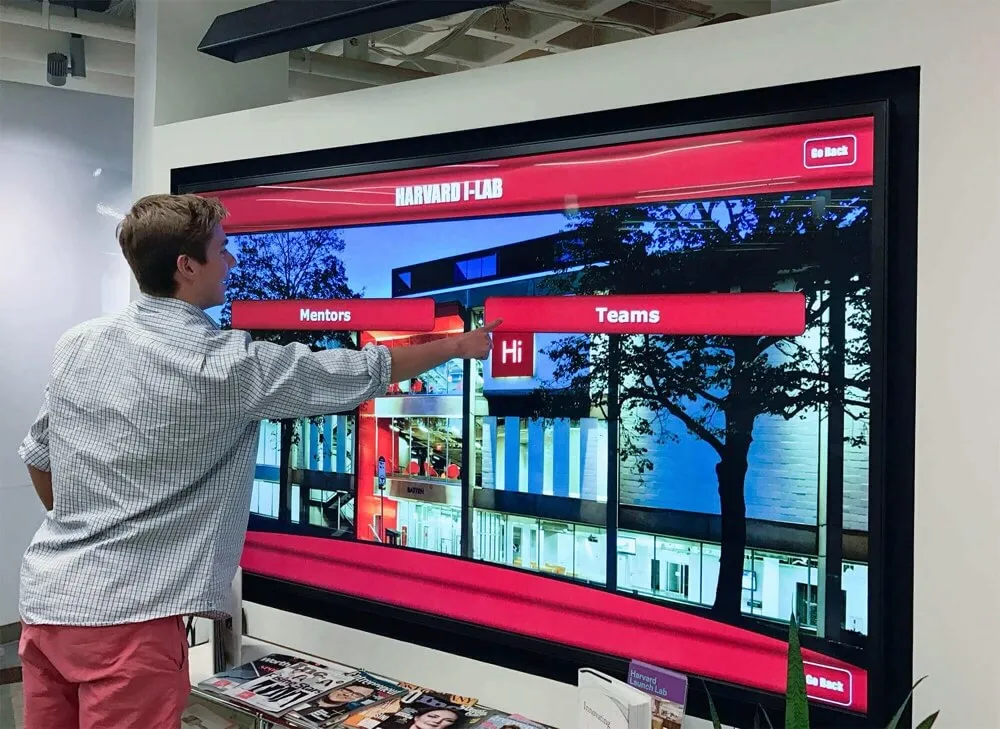
Native applications leverage platform-specific capabilities that web standards cannot access:
- iOS Handoff enabling seamless transitions between devices
- Android Intents integrating with other apps on the device
- Windows Ink supporting stylus input and handwriting recognition
- Platform notifications using native notification systems
Organizations can exploit platform strengths rather than designing for lowest-common-denominator web standards.
5. Enhanced Security Architecture
Native applications implement security at multiple layers:
- Binary obfuscation making reverse-engineering more difficult
- Hardware-backed encryption leveraging device security chips
- Platform security features using iOS Keychain or Android KeyStore
- Sandbox isolation preventing interference from other applications
While native apps aren’t immune to security threats, the compiled binary format and platform security integrations provide stronger protection than interpreted JavaScript code.
Limitations and Challenges of Native Applications
1. Substantial Development Investment
Building native applications for multiple platforms requires separate codebases for each target operating system. Organizations supporting iOS, Android, and Windows need three distinct development efforts using different programming languages, tools, and expertise.
Development costs accumulate from:
- Platform-specific expertise requiring specialized developers for each OS
- Parallel development building equivalent functionality three times
- Separate testing validating across multiple platform versions
- Ongoing maintenance fixing bugs and adding features across all platforms
Industry data suggests native app development costs approximately $50,000-$150,000 per platform for moderately complex applications. Multi-platform strategies require either substantial budgets or sacrificing platform coverage.
2. Complex Update Distribution
Deploying updates to native applications requires coordinated processes:
- App store submission with approval delays (iOS typically 24-48 hours)
- Version management ensuring all installations run compatible versions
- Device updates requiring actions at each physical location
- Testing across OS versions validating compatibility with older operating systems
Unlike web applications updating instantly server-side, native apps require planning and coordination for each release cycle. Critical security patches cannot be deployed immediately across all installations.
3. Platform Fragmentation Challenges
Each operating system evolves independently with new versions introducing features while deprecating older APIs:
- iOS annual releases requiring compatibility testing and updates
- Android fragmentation with hundreds of device models running varied OS versions
- Windows updates occasionally breaking application compatibility
Organizations must continuously invest in keeping applications compatible with evolving platforms. Applications become obsolete when vendors stop supporting older OS versions that legacy hardware runs.
4. Hardware Lock-In Risks
Native applications tied to specific platforms create hardware dependencies. Organizations deploying iOS-only apps must use Apple hardware exclusively, preventing switching to less expensive Android displays if budget pressures emerge later.
This lock-in extends to:
- Vendor relationships limiting procurement flexibility
- Replacement costs requiring same-platform hardware for upgrades
- Expansion constraints restricting hardware choices for new locations
While this constraint matters less for organizations committed to specific ecosystems, it introduces risk if vendor pricing increases or platform strategies shift.
5. Limited Cross-Platform Code Reuse
Despite cross-platform frameworks like React Native, Flutter, and Xamarin promising code sharing across platforms, substantial platform-specific customization remains necessary for quality applications:
- UI adaptations matching platform design guidelines
- Platform-specific features requiring native code
- Performance optimization tuning for each platform
- Testing requirements validating on all target platforms
Cross-platform frameworks reduce but don’t eliminate multi-platform development complexity. Organizations still need broader expertise than web development alone.
Head-to-Head Comparison: Decision Matrix
This weighted comparison evaluates web-based and native approaches across critical criteria, using a 100-point scale where higher scores indicate better fit for typical recognition display requirements:
| Criteria | Weight | Web-Based Score | Native App Score | Winner |
|---|---|---|---|---|
| ADA Compliance & Accessibility | 20% | 85 | 75 | Web-Based |
| Screen reader compatibility | ✅ Excellent | ⚠️ Platform-dependent | ||
| Keyboard navigation | ✅ Standard HTML | ⚠️ Must implement | ||
| Responsive design | ✅ Core strength | ⚠️ Requires work | ||
| WCAG conformance ease | ✅ Standard tools | ⚠️ Platform-specific | ||
| Content Management Efficiency | 20% | 90 | 65 | Web-Based |
| Remote updates | ✅ Instant cloud | ⚠️ Requires sync | ||
| Non-technical staff usability | ✅ Web interface | ⚠️ Varies by solution | ||
| Multi-display synchronization | ✅ Automatic | ⚠️ Manual sync | ||
| Bulk content import | ✅ Server-side | ⚠️ Varies | ||
| Hardware & Deployment Flexibility | 15% | 95 | 60 | Web-Based |
| Cross-platform support | ✅ Universal browser | ⚠️ Platform-specific | ||
| Hardware independence | ✅ Any device | ❌ OS-restricted | ||
| Display size adaptability | ✅ Responsive design | ⚠️ Must design | ||
| Easy hardware replacement | ✅ No reinstall | ❌ Reinstall required | ||
| Performance & Reliability | 15% | 70 | 95 | Native App |
| Touch response speed | ⚠️ Good | ✅ Excellent | ||
| Graphics performance | ⚠️ Adequate | ✅ Superior | ||
| Offline operation | ⚠️ PWA only | ✅ Full functionality | ||
| Concurrent user handling | ⚠️ Good | ✅ Excellent | ||
| Long-term stability | ⚠️ Network-dependent | ✅ Stable | ||
| Data Security & Privacy | 10% | 75 | 85 | Native App |
| Encryption | ✅ HTTPS | ✅ Hardware-backed | ||
| Access control | ✅ Server-based | ✅ Multi-layer | ||
| Data residency control | ⚠️ Cloud hosted | ✅ Local storage | ||
| Audit logging | ✅ Centralized | ⚠️ Must implement | ||
| Total Cost of Ownership (5-year) | 10% | 80 | 65 | Web-Based |
| Initial development | ✅ Lower | ❌ Higher | ||
| Ongoing hosting | ⚠️ Subscription | ✅ One-time | ||
| Maintenance burden | ✅ Centralized | ⚠️ Distributed | ||
| Update costs | ✅ Server-side | ⚠️ Per-platform | ||
| Support & Long-Term Viability | 10% | 80 | 75 | Web-Based |
| Vendor independence | ⚠️ Cloud-dependent | ✅ Self-hosted option | ||
| Developer availability | ✅ Abundant | ⚠️ Specialized | ||
| Migration path | ✅ Export data | ⚠️ Platform-locked | ||
| Community support | ✅ Large | ⚠️ Platform-specific | ||
| WEIGHTED TOTAL SCORE | 100% | 83.25 | 74.75 | Web-Based |
Interpretation of Comparison Results
This weighted analysis suggests web-based solutions better serve typical recognition display requirements for most organizations. However, the native app performance advantage proves significant for specific use cases:
Choose Web-Based When:
- Budget constraints limit initial investment capacity
- Content requires frequent updates from remote locations
- Deploying across varied hardware platforms and operating systems
- Non-technical staff will manage content without IT support
- Accessibility compliance is legally required (ADA, Section 508)
- Replacing or upgrading hardware needs flexibility
Choose Native Apps When:
- Performance is absolutely critical for user experience
- Installations experience unreliable or absent network connectivity
- Require integration with specialized hardware peripherals
- Data must remain on-premises rather than cloud-hosted
- Can commit to single platform (iOS, Android, or Windows)
- Have budget for ongoing multi-platform development and maintenance
Why Rocket Wins This Comparison
After evaluating architectural approaches, examining specific solutions reveals how professional recognition software providers implement these technologies effectively. Rocket Alumni Solutions demonstrates why purpose-built platforms outperform generic approaches:

Hybrid Architecture Combining Best of Both Approaches
Rocket deploys web-based software architecture for content management while optimizing frontend performance to match native app responsiveness. This hybrid approach delivers:
- Cloud-based CMS enabling instant remote updates across all installations
- Progressive web app technology providing offline functionality and native-like performance
- Universal hardware compatibility supporting any modern touchscreen regardless of platform
- Optimized media delivery leveraging CDN technology for fast loading
- Responsive design adapting perfectly from tablets through large-format displays
Recognition-Specific Features Generic Platforms Lack
Unlike general-purpose web frameworks or native app builders requiring extensive customization, Rocket provides purpose-built recognition capabilities:
- Auto-ranking systems dynamically organizing achievements by category, date, or statistical performance
- Unlimited inductee capacity without artificial profile limits or performance degradation
- Rich multimedia integration seamlessly incorporating photos, videos, statistics, and biographical narratives
- Advanced search and filtering enabling visitors to discover honorees by sport, year, achievement type, or custom categories
- QR code generation extending recognition beyond physical displays to mobile devices
Organizations implementing digital hall of fame solutions benefit from features specifically designed for recognition rather than adapting generic tools.
WCAG 2.1 AA Accessibility Compliance
Rocket’s architecture implements accessibility at the foundation rather than adding it retroactively:
- Third-party accessibility audits validating compliance with ADA requirements
- Screen reader optimization ensuring complete content accessibility for visually impaired visitors
- Keyboard navigation providing touch alternatives for users with motor disabilities
- Color contrast compliance meeting minimum ratio requirements throughout interfaces
- Responsive text scaling maintaining usability at enlarged sizes
Educational institutions and government entities facing strict accessibility mandates can deploy Rocket with confidence.
Flexible Deployment Matching Institutional Requirements
Whether organizations need single displays or campus-wide networks, Rocket’s architecture scales appropriately:
- Web-accessible online halls of fame extending recognition beyond physical locations
- Physical touchscreen kiosks for high-traffic lobby installations
- Hybrid deployments combining physical and web access from unified content management
- Multi-campus coordination managing district-wide recognition from centralized dashboards
Interactive kiosk software implementations demonstrate Rocket’s deployment flexibility across varied institutional contexts.
Comprehensive Implementation Support
Technical architecture matters less if organizations struggle with implementation. Rocket provides end-to-end assistance:
- Content migration services digitizing historical achievements from physical plaques and records
- Recognition strategy consulting helping institutions establish selection criteria and organizational frameworks
- Hardware recommendations matching display specifications to installation environments and budgets
- Staff training ensuring content managers operate systems confidently
- Ongoing technical support resolving issues rapidly when they occur
Proven Reliability at Scale
With over 1,000 installations across educational institutions nationwide, Rocket demonstrates operational stability that startup vendors and open-source projects cannot match:
- 99%+ uptime supporting mission-critical recognition during major events
- Commercial-grade hardware rated for continuous 24/7 operation
- Redundant infrastructure preventing single points of failure
- Regular security updates maintaining protection against evolving threats
- Long-term vendor stability ensuring continued support throughout multi-year deployments
Organizations implementing touchscreen software solutions need vendors who will remain viable for the decade-long lifespan of recognition displays.
Deal-Breaker Checklist: Red Flags to Watch
When evaluating specific touchscreen software vendors, watch for warning signs indicating potential future problems:
Development and Architecture Red Flags
❌ Claims of “100% native performance” from web-based solutions — Physics prevents browsers from matching native app performance. Honest vendors acknowledge trade-offs.
❌ No offline functionality — Recognition displays must operate during network outages. Reject solutions requiring constant connectivity.
❌ Platform lock-in without disclosed alternatives — Avoid solutions restricting future hardware choices without compelling technical justification.
❌ Custom hardware requirements — Software demanding specific display models or proprietary equipment creates vendor dependency and inflates costs.
❌ Proprietary content formats — Ensure ability to export recognition data in standard formats (JSON, CSV, SQL) enabling migration if vendor relationships end.
Accessibility and Compliance Red Flags
❌ No accessibility documentation — If vendors cannot provide WCAG compliance statements or VPAT (Voluntary Product Accessibility Template) documents, assume non-compliance.
❌ Accessibility as “add-on” rather than core — Retrofitting accessibility rarely works well. Solutions must design for universal access from inception.
❌ No keyboard navigation — Federal accessibility standards require alternatives to touch interaction. Test keyboard navigation thoroughly.
Content Management Red Flags
❌ Requires coding for content updates — Non-technical staff must update content independently. Systems requiring developer assistance for routine updates prove unsustainable.
❌ No bulk import capabilities — Manually entering hundreds of historical honorees creates insurmountable implementation barriers. Bulk import is mandatory.
❌ Per-profile pricing models — Avoid vendors charging per inductee. Recognition programs grow over time, making per-profile pricing increasingly expensive.
❌ Slow content synchronization — Updates should appear across all displays within seconds, not hours. Test update propagation speed explicitly.
Vendor and Support Red Flags
❌ No reference customers in your sector — Vendors without proven experience in educational or nonprofit recognition lack understanding of institutional requirements.
❌ Limited support hours — Recognition displays operate during evenings and weekends when events occur. Vendors offering only business-hours support create risk.
❌ No documented SLA (Service Level Agreement) — Without uptime commitments and response time guarantees, vendors face no accountability for reliability.
❌ Startup vendors without financial backing — Recognition displays operate for 5-10 years. Vendors without financial stability may disappear, leaving systems unsupported.
Decision Framework: Choosing Your Approach
This flowchart guides organizations through the evaluation process systematically:
Step 1: Assess Budget Availability
- Budget <$15,000: Explore web-based SaaS solutions with monthly subscriptions
- Budget $15,000-$50,000: Consider purpose-built platforms like Rocket Alumni Solutions
- Budget >$50,000: Evaluate custom native development for unique requirements
Step 2: Evaluate Network Reliability
- Unreliable connectivity: Require robust offline operation (favors native or PWA solutions)
- Stable connectivity: Web-based architecture performs well
Step 3: Determine Hardware Constraints
- Existing hardware to reuse: Web-based solutions offer maximum compatibility
- New hardware procurement: Native apps enable platform optimization if committing to single ecosystem
Step 4: Assess Technical Staff Capabilities
- Limited IT resources: Cloud-based SaaS with vendor support reduces maintenance burden
- Strong IT teams: Self-hosted solutions provide control but require ongoing maintenance
Step 5: Analyze Performance Requirements
- High-traffic installations: Native apps or optimized PWAs deliver best experience
- Moderate traffic: Standard web applications suffice
Step 6: Review Accessibility Mandates
- ADA compliance required: Verify WCAG 2.1 AA conformance with documentation
- No formal requirements: Still prioritize accessibility for inclusive recognition
Step 7: Evaluate Long-Term Vendor Relationships
- Prefer vendor partnerships: SaaS solutions with comprehensive support
- Value independence: Self-hosted open-source or custom development
Organizations implementing digital recognition boards should document their evaluation process, scoring alternatives against weighted criteria to support informed decision-making.
Common Implementation Mistakes to Avoid
Even with optimal software architecture choices, implementation errors undermine recognition program effectiveness:
Underestimating Content Development Effort
Organizations focus on software selection while overlooking that creating comprehensive profiles for hundreds of honorees requires substantial time investment. Budget for:
- Historical research identifying past achievements
- Photo digitization from archives and yearbooks
- Biography writing or collecting from honorees
- Statistical compilation from records and databases
- Video editing if incorporating multimedia elements
Recognize that content development often exceeds software costs. Plan accordingly or engage content migration services specializing in historical digitization.
Neglecting Staff Training Investment
Intuitive software still requires training ensuring content managers understand capabilities and workflows. Insufficient training leads to:
- Underutilization of advanced features
- Inconsistent content formatting and quality
- Fear of making updates independently
- Continued dependence on IT support for routine tasks
Schedule comprehensive training sessions and create documentation supporting ongoing self-service content management.
Ignoring User Experience Testing
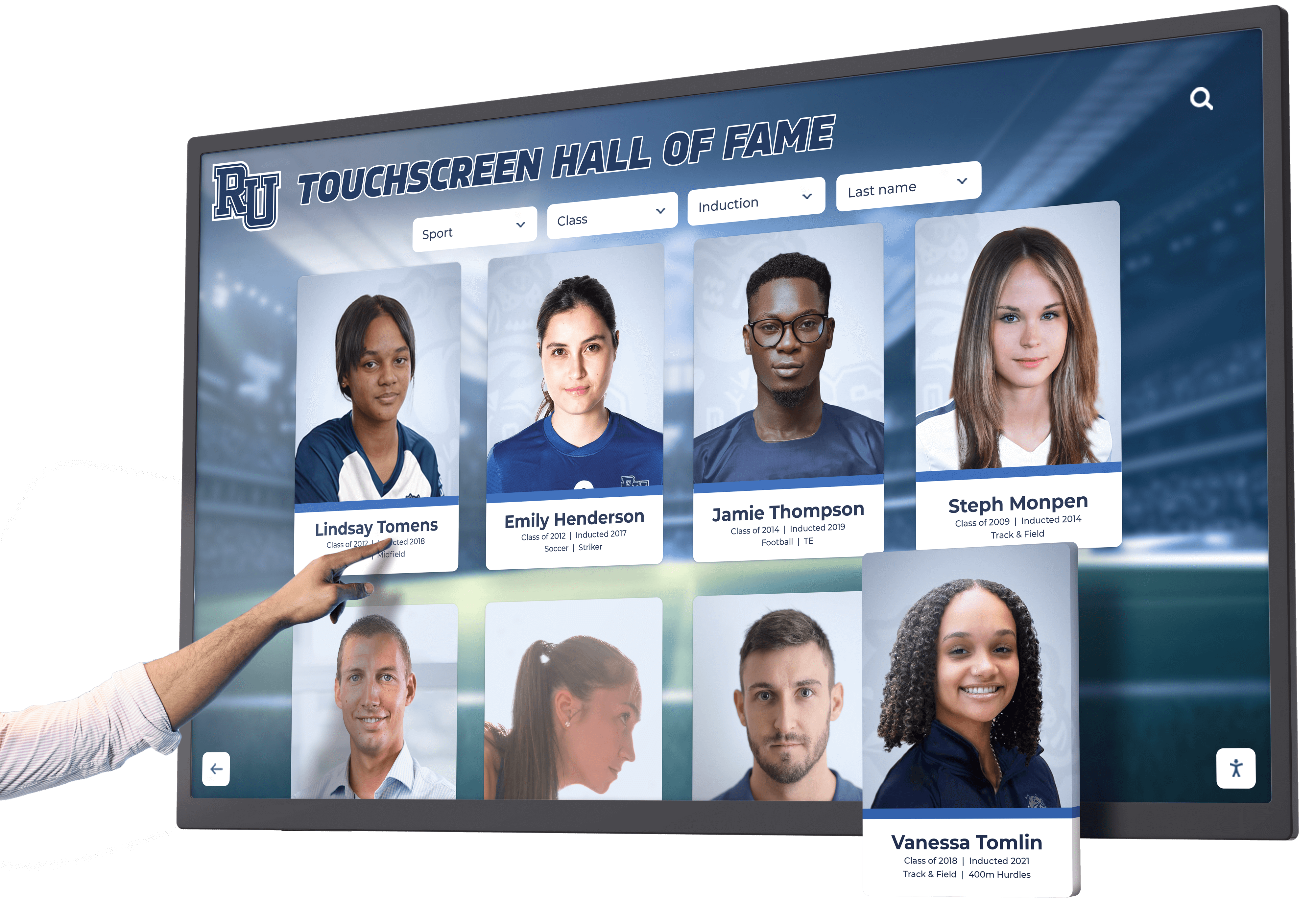
Developers and administrators understand systems intimately while public visitors encounter them fresh. User experience failures include:
- Navigation patterns that confuse visitors
- Text too small for comfortable reading
- Touch targets too small for accurate selection
- Information architecture that hides popular content
- Search functionality that doesn’t match user expectations
Conduct usability testing with representative visitors before finalizing interfaces. Observe where confusion occurs and iterate designs accordingly.
Overlooking Analytics Integration
Without measuring engagement, organizations cannot assess recognition program effectiveness or justify continued investment. Implement analytics tracking:
- Most-viewed profiles revealing popular honorees
- Search queries showing what visitors seek
- Navigation paths indicating discovery patterns
- Session duration measuring engagement depth
- Return visitor rates demonstrating ongoing interest
Data-driven insights enable continuous improvement and demonstrate measurable program impact to stakeholders.
Skipping Accessibility Validation
Self-assessment rarely identifies accessibility barriers that disabled users encounter. Invest in:
- Third-party accessibility audits by certified evaluators
- Testing with actual assistive technology users
- Automated scanning tools detecting technical violations
- Remediation of identified issues before public launch
Accessibility failures expose institutions to legal liability while excluding portions of the community. Thorough validation proves essential.
Future Trends Shaping Touchscreen Software
Understanding emerging trends helps organizations select solutions that will remain relevant throughout multi-year deployments:
WebAssembly Closing Performance Gaps
WebAssembly (Wasm) enables compiled code execution within browsers at near-native speeds. As frameworks mature, web-based applications will increasingly match native app performance without sacrificing cross-platform compatibility. Organizations deploying today should verify whether vendors plan WebAssembly adoption for future performance improvements.
Progressive Web App Advancement
PWA capabilities continue expanding, providing offline operation, push notifications, and hardware access that previously required native apps. The gap between web and native narrows consistently, reinforcing web-based architecture advantages for recognition displays.
Artificial Intelligence Integration
AI will transform recognition software through:
- Automated content generation creating profile narratives from structured data
- Intelligent search understanding natural language queries for better discovery
- Personalization highlighting connections between visitors and honorees
- Voice interaction enabling verbal queries alongside touch input
Organizations should evaluate vendor roadmaps for AI integration timelines.
Augmented Reality Extensions
AR capabilities will enable mobile devices to overlay digital content on physical recognition displays:
- QR code scanning launching detailed mobile profiles from physical plaques
- AR photo experiences placing visitors in scenes with honored athletes
- 360-degree media providing immersive achievement documentation
- Social sharing encouraging visitors to spread recognition digitally
Solutions implementing interactive display strategies should plan for AR integration as technology matures.
Enhanced Privacy Controls
Privacy regulations continue evolving globally. Recognition software must provide:
- Consent management tracking honoree permission for information display
- Right to erasure enabling profile removal upon request
- Data portability exporting personal information in structured formats
- Privacy notices informing visitors about data collection practices
Vendors should demonstrate privacy compliance readiness for GDPR, CCPA, and emerging regulations.
Conclusion: Making Your Decision
The web-based versus native app decision fundamentally shapes recognition display technology deployments. While native applications offer superior performance and offline reliability, web-based solutions provide accessibility, deployment flexibility, and cost efficiency that better serve most institutional requirements.
For the majority of schools, universities, athletic departments, and nonprofit organizations, purpose-built web-based platforms like Rocket Alumni Solutions represent optimal choices. These solutions combine cloud-based content management efficiency with progressive web app performance, delivering native-like experiences without native app development costs or platform lock-in constraints.
Organizations with truly exceptional performance requirements, unreliable network connectivity, or specialized hardware integration needs may justify native development investment. However, thoroughly evaluate whether modern PWA technology and optimized web frameworks can meet requirements before committing to more expensive, platform-specific development.
The recognition display investment you make today will serve your institution for 5-10 years. Prioritize solutions from established vendors with proven track records, comprehensive support, and demonstrated commitment to accessibility and long-term platform evolution. The quality of your technology platform directly impacts how effectively you celebrate achievements, inspire current students, and strengthen community connections through recognition.
Ready to evaluate professional recognition display platforms? Learn more about Rocket Alumni Solutions’ touchscreen software designed specifically for educational institutions and nonprofit organizations. Explore interactive touchscreen implementations, discover digital hall of fame strategies, or review athletic recognition best practices that maximize program impact.
Your institution’s achievements deserve recognition technology that honors them with professionalism, accessibility, and reliability for years to come. Choose platforms specifically designed for recognition rather than adapting generic tools to purposes they were never meant to serve.
Disclaimer: This comparison is based on publicly available information as of November 2025. All product names and trademarks belong to their respective owners. Comparative statements reflect Rocket Alumni Solutions’ interpretation of available data and may change over time. This content was produced by or on behalf of Rocket Alumni Solutions. All trademarks are property of their respective owners. Rocket Alumni Solutions is not affiliated with or endorsed by any web framework providers, native app development platforms, or competing recognition software vendors mentioned in this analysis.
































