




Key Takeaways
Compare the best digital signage software for interactive touchscreens in 2026. Weighted decision framework analyzing features, pricing, and capabilities for schools, businesses, and organizations.
Why Digital Signage Software Selection Matters More in 2026
The digital signage landscape has matured significantly, with organizations now expecting far more than basic content rotation. Modern installations demand:
Interactive Touchscreen Capabilities — Static displays are giving way to interactive experiences where visitors explore content, search databases, and discover information independently. Software must support touch interaction with responsive interfaces optimized for public use.
Multi-Location Management — Organizations with multiple sites need centralized control, enabling content updates across distributed networks without individual device access. Cloud-based management has become essential for efficient operation.
Content Flexibility — Beyond images and videos, modern signage incorporates web content, real-time data feeds, social media integration, and database-driven applications. Software must accommodate diverse content types seamlessly.
Analytics and Measurement — Understanding how visitors engage with displays informs content strategy and demonstrates ROI. Comprehensive analytics tracking usage patterns, popular content, and engagement duration has become standard.

Accessibility Compliance — Legal requirements under the Americans with Disabilities Act (ADA) mandate that digital signage provides equivalent access for users with disabilities. WCAG 2.1 AA conformance is no longer optional for many organizations.
As you evaluate digital signage software, these capabilities separate professional platforms from basic tools that will quickly become limiting as your program matures.
Essential Evaluation Criteria for Digital Signage Software
Before examining specific platforms, establishing weighted evaluation criteria creates objective comparison frameworks. Based on typical organizational requirements for interactive touchscreen applications, these criteria prove most decision-critical:
1. Content Management System Efficiency (Weight: 25%)
The CMS represents your daily interface for creating, organizing, and publishing content. Efficiency directly impacts staff time requirements and program sustainability.
Critical Capabilities:
- Intuitive Interface — Non-technical staff must update content independently without IT support or vendor assistance
- Cloud-Based Access — Remote content management from any location eliminates the need for physical hardware access
- Template Systems — Pre-designed layouts maintaining visual consistency while accelerating content creation
- Media Library Management — Organized storage for photos, videos, and documents with search and tagging capabilities
- Scheduling Capabilities — Time-based content scheduling for different days, events, or seasonal campaigns
- Multi-User Collaboration — Role-based permissions enabling multiple staff members to contribute without conflicts
Organizations should evaluate how much time staff will spend managing content. Systems requiring technical expertise for routine updates create ongoing operational friction that undermines program success.
2. Interactive Touchscreen Optimization (Weight: 20%)
For interactive applications, software must deliver responsive, intuitive touch experiences specifically designed for public use rather than adapted desktop interfaces.
Key Requirements:
- Touch-Optimized UI — Large touch targets, gesture support, and interfaces designed for finger interaction
- Database Integration — Dynamic content pulled from databases rather than static media files
- Search and Filtering — Robust discovery tools enabling visitors to find specific content quickly
- Responsive Performance — Instant touch response without lag, even during high-traffic periods
- Session Management — Automatic return to home screens after inactivity, protecting visitor privacy
- Accessibility Features — Screen reader support, keyboard navigation alternatives, and adjustable text sizing
Generic digital signage platforms often struggle with interactive requirements because they’re designed for passive content display. Purpose-built solutions like interactive touchscreen software deliver superior experiences for applications requiring user interaction.

3. Hardware and Deployment Flexibility (Weight: 15%)
Software locked to specific hardware creates constraints that limit facility planning and inflate costs. Cross-platform compatibility provides future-proofing as technology evolves.
Flexibility Requirements:
- Operating System Support — Compatibility with Windows, Android, Chrome OS, and other platforms
- Display Size Adaptability — Responsive designs working across tablets through large-format displays
- Hardware Independence — Freedom to select displays based on budget and facility requirements rather than software limitations
- Network Options — Support for ethernet, WiFi, and offline operation when connectivity is unreliable
- Peripheral Integration — Compatibility with printers, card readers, and other specialized hardware
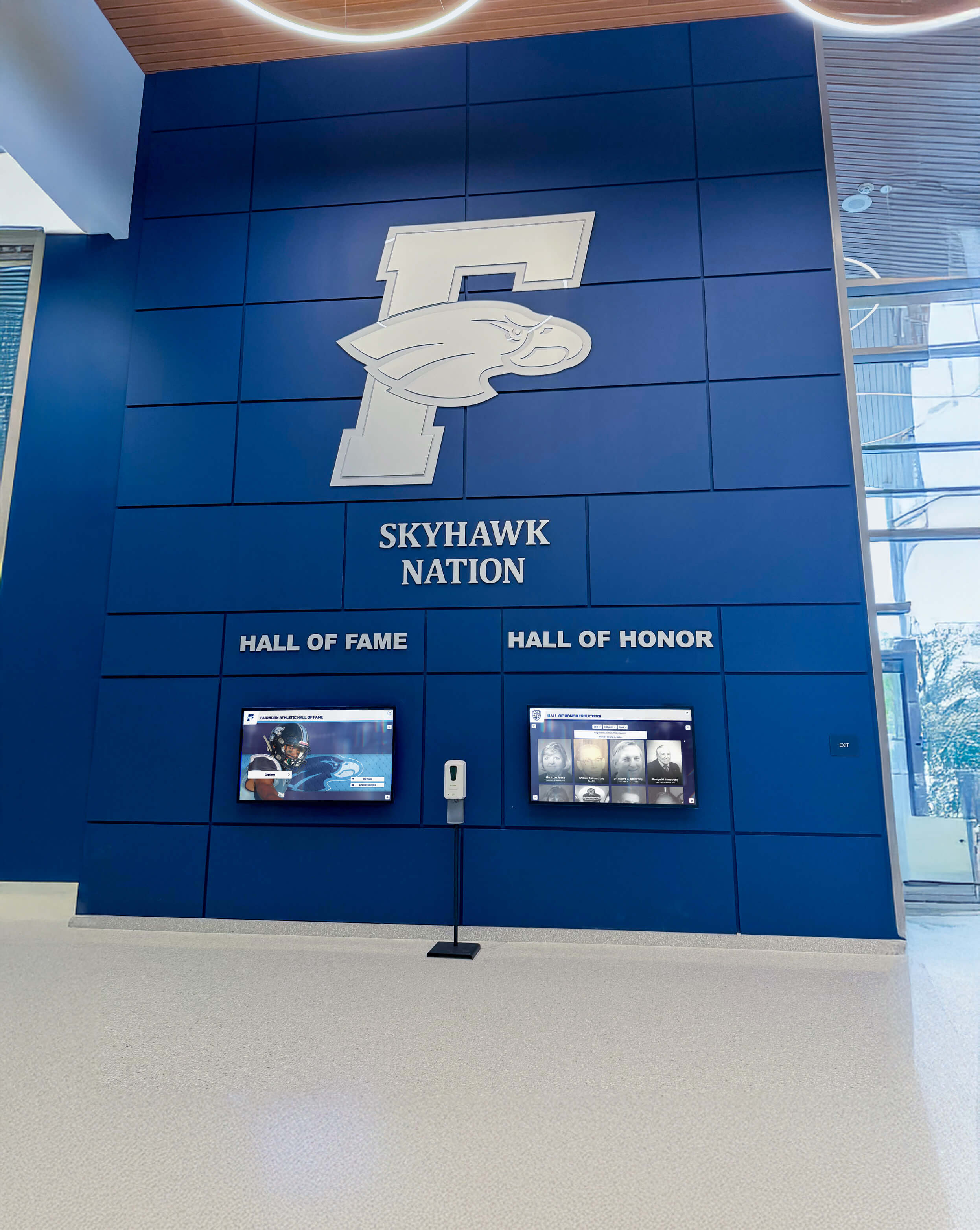
Organizations implementing digital recognition displays benefit from platforms supporting diverse hardware configurations rather than proprietary equipment requirements.
4. Multi-Location Deployment Capabilities (Weight: 15%)
Organizations with multiple sites need centralized management enabling efficient operation across distributed display networks.
Deployment Features:
- Cloud-Based Architecture — Manage all displays from single dashboard regardless of physical location
- Device Grouping — Organize displays by location, function, or audience for targeted content delivery
- Remote Monitoring — Real-time status visibility identifying offline displays or technical issues
- Content Targeting — Deliver different content to specific locations while maintaining centralized control
- Automated Updates — Push software updates and security patches automatically without site visits
For organizations managing multiple displays across campuses or geographic regions, robust multi-site deployment capabilities prove essential for sustainable operation.
5. ADA Compliance and Accessibility (Weight: 10%)
Federal accessibility requirements mandate equivalent access for users with disabilities. Non-compliant systems expose organizations to legal liability while excluding portions of their audience.
Compliance Requirements:
- WCAG 2.1 AA Conformance — Meeting Web Content Accessibility Guidelines at Level AA
- Screen Reader Compatibility — All content accessible to visually impaired visitors using assistive technology
- Keyboard Navigation — Complete functionality available through keyboard alternatives to touch
- Color Contrast Standards — Minimum 4.5:1 contrast ratios for all text and important graphics
- Text Scalability — Content remains functional when text is enlarged for low-vision users
Educational institutions and government entities face strict accessibility mandates. Even organizations without legal requirements should prioritize inclusive design ensuring all visitors can engage with content.
6. Total Cost of Ownership (Weight: 10%)
Accurate financial analysis requires examining multi-year expenses beyond initial purchase price.
Cost Components:
- Software Licensing — Subscription fees, per-display charges, or one-time purchases
- Hardware Costs — Displays, media players, mounting equipment, and infrastructure
- Implementation Services — Setup, configuration, training, and content migration
- Ongoing Support — Maintenance fees, technical assistance, and software updates
- Staff Time — Internal resources required for content management and system administration
Cloud-based SaaS platforms typically require lower initial investment but accumulate subscription fees over time. Self-hosted solutions may cost more upfront while reducing ongoing expenses. Calculate five-year total cost for accurate comparison.
7. Vendor Stability and Support (Weight: 5%)
Digital signage systems often operate for 5-10 years. Vendor viability throughout this period determines whether you’ll receive continued updates, security patches, and technical support.
Viability Factors:
- Company Track Record — Years in business, installed base size, and financial stability
- Support Availability — Response time commitments, support hours, and communication channels
- Update Frequency — Regular software improvements, security patches, and feature additions
- Documentation Quality — Comprehensive guides, video tutorials, and user community resources
- Migration Path — Data export capabilities if transitioning to different solutions becomes necessary
Established providers with substantial customer bases demonstrate lower abandonment risk compared to startups or individual developers without commercial support infrastructure.
Best Digital Signage Software for Interactive Touchscreens: Top Solutions
1. Rocket Alumni Solutions — Best Purpose-Built Platform for Recognition and Engagement
Best For: Schools, universities, museums, sports facilities, and organizations implementing interactive recognition displays, halls of fame, or engagement experiences
Rocket Alumni Solutions stands apart by focusing specifically on interactive recognition and engagement applications rather than generic digital signage. This specialized focus delivers capabilities that general-purpose platforms cannot match.
Why Rocket Ranks #1 for Interactive Applications:
Unlike platforms designed for advertising or passive content display, Rocket provides comprehensive systems purpose-built for interactive exploration of databases, achievement records, and biographical content. The platform powers both physical touchscreen kiosks and web-accessible online experiences from unified content management.
Over 1,000 installations across educational institutions and organizations nationwide demonstrate proven reliability and deep understanding of recognition program requirements. Athletic directors, advancement professionals, and facility managers consistently praise the intuitive interface enabling content updates within minutes rather than requiring technical expertise.
Key Strengths:
- Database-Driven Architecture — Dynamic content management supporting unlimited profiles, achievements, and records
- Advanced Search and Discovery — Sophisticated filtering enabling visitors to find specific honorees by sport, year, achievement type, or custom categories
- Rich Multimedia Integration — Seamless incorporation of high-resolution photos, video highlights, statistics, and biographical narratives
- Dual-Mode Recognition — Single platform powers physical touchscreen displays and web-accessible online halls of fame simultaneously
- Cloud-Based Management — Update content from anywhere through intuitive dashboard requiring no technical training
- School-Specific Templates — Pre-built designs for athletics, academics, alumni, and other recognition categories
- WCAG 2.1 AA Accessibility — Third-party audited compliance ensuring ADA conformance
- Unlimited Capacity — No artificial limits on profiles, achievements, or multimedia content
- Mobile-Responsive Design — Perfect display across all devices from smartphones to large-format touchscreens
- QR Code Integration — Extend recognition beyond physical displays to mobile devices
- Auto-Ranking Systems — Dynamic organization of achievements by performance, date, or custom criteria
- Professional Implementation — End-to-end support from planning through launch and ongoing operation

Implementation Approach:
Rocket provides comprehensive support throughout implementation, including recognition strategy consulting, content organization frameworks, historical data migration, hardware recommendations, and staff training. Template-based design accelerates deployment while allowing extensive customization matching institutional branding.
Pricing Structure:
Custom quotes based on organization size, number of displays, and feature requirements. Investment typically includes software platform access, optional hardware for physical displays, implementation support, content migration, training, and ongoing maintenance.
Ideal For:
Organizations prioritizing comprehensive recognition solutions with dedicated support. Institutions seeking to combine physical displays with web accessibility through unified platforms. Athletic departments managing extensive historical records across multiple sports. Districts coordinating recognition across multiple campuses from centralized systems.
Why Interactive Touchscreens Specifically:
Rocket’s architecture is optimized for the unique requirements of interactive recognition:
- Search performance remains fast even with thousands of profiles
- Touch interfaces designed for public use with appropriate target sizes and gestures
- Session management automatically resets displays after visitor interaction
- Analytics track which profiles generate most interest, informing recognition strategy
- Content workflows support approval processes maintaining quality control
Organizations implementing digital hall of fame solutions discover that purpose-built platforms deliver dramatically better results than adapted generic tools.
Learn more at Rocket Alumni Solutions.
2. Rise Vision — Best for Schools Already Using Digital Signage
Best For: Educational institutions with existing digital signage infrastructure seeking to add interactive elements to announcement displays
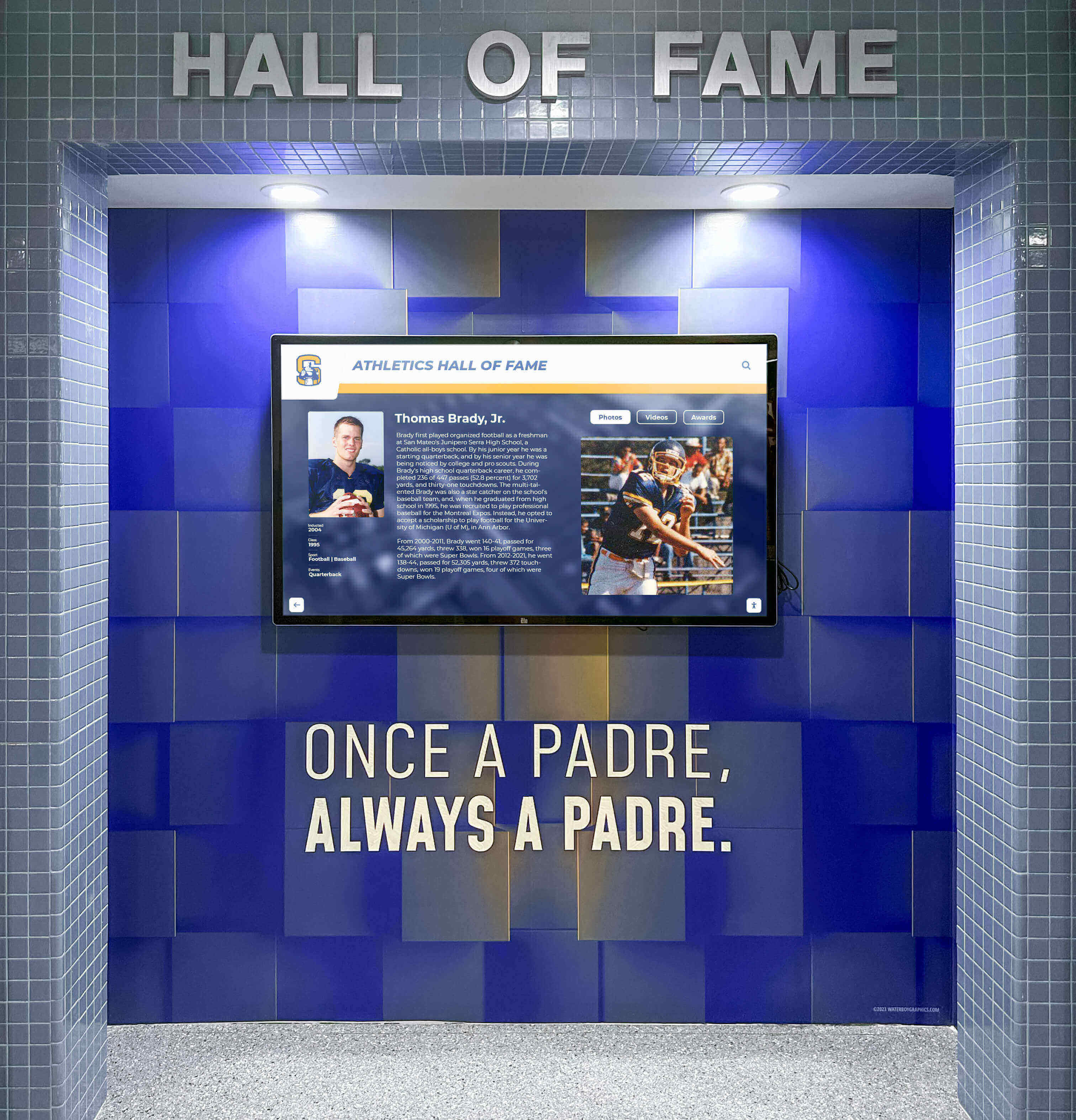
Rise Vision provides cloud-based digital signage that schools can adapt for interactive purposes when recognition represents one component of broader communication strategies.
Key Strengths:
- Multi-Purpose Platform — Single system manages recognition, announcements, emergency alerts, and promotional content
- Education Focus — Features specifically designed for K-12 and higher education environments
- Content Templates — Pre-built designs for various content types including recognition formats
- Google Integration — Seamless connection with Google Workspace accounts and services
- Scheduling Capabilities — Rotate recognition content with other communications on shared displays
Limitations for Interactive Applications:
- Limited Database Functionality — Designed for rotating content rather than searchable achievement archives
- Basic Interactivity — Not optimized for deep touchscreen exploration and content discovery
- Generic Templates — Recognition designs not specifically tailored to hall of fame requirements
- Shallow Content — Slideshow format constrains detailed biographical storytelling
Pricing:
Subscription-based starting around $10 per display monthly, with educational discounts available.
Best Use Case:
Schools already committed to Rise Vision for campus-wide signage who want to incorporate recognition slideshow content. Works well for rotating achievement highlights but less effectively for comprehensive interactive recognition experiences.
3. ScreenCloud — Best for Multi-Location Corporate Deployments
Best For: Corporations, retail chains, and multi-site organizations managing displays across distributed locations
ScreenCloud delivers cloud-based digital signage management enabling centralized control of display networks regardless of physical location.
Key Strengths:
- Multi-Location Management — Control displays across entire organizations from centralized platform
- Hardware Agnostic — Works with virtually any display hardware and media player
- Third-Party Integrations — Connect with social media, data sources, and business applications
- Content Scheduling — Time-based content rotation with location-specific targeting
- Remote Monitoring — Real-time status visibility and performance analytics
Interactive Limitations:
- No Database Architecture — Designed for content rotation, not interactive exploration
- Limited Touch Optimization — Basic touchscreen support without sophisticated discovery features
- Generic Recognition Tools — Not specifically designed for hall of fame or achievement applications
Pricing:
Per-screen subscription starting around $20 monthly with volume discounts for larger deployments.
Best Use Case:
Organizations already using ScreenCloud for corporate communications who want to add recognition content rotation. Effective for highlighting achievements alongside other content but not for comprehensive interactive recognition systems.
4. BrightSign — Best for High-Performance Installations
Best For: Museums, visitor centers, high-traffic public spaces requiring robust hardware and software integration
BrightSign offers both hardware media players and software platforms specifically designed for professional digital signage installations where performance and reliability are paramount.
Key Strengths:
- Commercial-Grade Hardware — Purpose-built media players designed for 24/7 operation
- Exceptional Reliability — Industry-leading uptime supporting mission-critical installations
- Advanced Video Capabilities — Superior video playback including 4K, multizone, and synchronized displays
- Offline Operation — Complete functionality without network dependency
- HTML5 Support — Can run interactive web-based applications
Considerations:
- Technical Complexity — Steeper learning curve requiring more technical expertise
- Higher Initial Investment — Hardware and software costs exceed consumer-grade alternatives
- Setup Requirements — More complex configuration compared to cloud-based SaaS solutions
Pricing:
Hardware players range from $200-$1,500 depending on capabilities. Software licensing available through various models.
Best Use Case:
High-traffic installations where maximum reliability and performance justify premium investment. Organizations with technical staff capable of managing more complex systems.
5. NoviSign — Best Budget-Friendly Cloud Platform
Best For: Small businesses, single-location installations, and budget-conscious organizations
NoviSign provides affordable cloud-based digital signage with straightforward functionality suitable for simpler applications.
Key Strengths:
- Low Entry Cost — Free plans available with paid tiers starting around $8-20 monthly per screen
- Easy Setup — Simple interface enabling quick deployment without technical expertise
- Template Library — Pre-designed layouts for common content types
- Cloud-Based Management — Remote content updates from any location
- Multiple Content Types — Support for images, videos, web pages, and widgets
Limitations:
- Basic Feature Set — Lacks advanced capabilities of premium platforms
- Limited Interactivity — Not designed for sophisticated touchscreen applications
- Scalability Constraints — May struggle with very large deployments or complex requirements
Pricing:
Tiered subscriptions from free (single screen with limitations) through enterprise plans at higher price points.
Best Use Case:
Small organizations with straightforward signage needs and limited budgets. Effective for passive content display but not comprehensive interactive recognition programs.
Comparison Matrix: Feature-by-Feature Analysis
| Feature | Rocket Alumni | Rise Vision | ScreenCloud | BrightSign | NoviSign |
|---|---|---|---|---|---|
| Interactive Touchscreen | ✅ Excellent | ⚠️ Limited | ⚠️ Basic | ✅ Can Build | ⚠️ Limited |
| Database Architecture | ✅ Advanced | ❌ No | ❌ No | ⚠️ Custom | ❌ No |
| Content Management | ✅ Intuitive | ✅ Good | ✅ Good | ⚠️ Complex | ✅ Simple |
| Recognition-Specific | ✅ Purpose-Built | ❌ Generic | ❌ Generic | ❌ Generic | ❌ Generic |
| Web + Physical Display | ✅ Both | ⚠️ Display Focus | ⚠️ Display Focus | ⚠️ Display Focus | ⚠️ Display Focus |
| Search & Discovery | ✅ Advanced | ❌ No | ❌ No | ⚠️ Can Build | ❌ No |
| WCAG 2.1 AA Compliance | ✅ Audited | ⚠️ Partial | ⚠️ Partial | ⚠️ Varies | ⚠️ Limited |
| Cloud-Based Updates | ✅ Instant | ✅ Yes | ✅ Yes | ⚠️ Scheduled | ✅ Yes |
| Hardware Flexibility | ✅ Any Platform | ✅ Good | ✅ Excellent | ⚠️ BrightSign HW | ✅ Good |
| Multi-Location Management | ✅ Unlimited | ✅ Good | ✅ Excellent | ✅ Good | ⚠️ Basic |
| Setup Time | 2-4 weeks | 1-2 weeks | 1-2 weeks | 2-6 weeks | 1 week |
| Technical Expertise | ✅ Minimal | ✅ Minimal | ✅ Minimal | ❌ High | ✅ Minimal |
| Support Quality | ✅ Dedicated | ✅ Available | ✅ Available | ✅ Professional | ⚠️ Limited |
| Annual Cost Range | $$$$ | $$ | $$ | $$$-$$$$ | $ |
| Best For | Recognition | Education | Multi-Site | Performance | Budget |
Why Rocket Wins for Interactive Recognition Applications
After evaluating digital signage platforms across critical criteria, Rocket Alumni Solutions emerges as the optimal choice specifically for interactive recognition and engagement applications. Here’s why:
Purpose-Built Architecture
Generic digital signage platforms were designed for passive content rotation—advertisements, announcements, and promotions. Adapting these tools for interactive recognition requires extensive customization that never delivers the same experience as platforms built specifically for this purpose.
Rocket’s database-driven architecture was designed from inception to handle:
- Thousands of profiles with rich biographical content
- Complex search and filtering across multiple dimensions
- Dynamic content organization by achievement, date, or performance
- Statistical tracking and record management
- Multimedia integration including photos, videos, and documents
Organizations attempting to use slideshow-based signage software for recognition quickly discover the limitations when managing extensive content libraries.
Interactive Performance That Scales
Search and navigation performance proves critical for interactive applications. When visitors search for specific athletes or filter by achievement type, response must be instantaneous. Generic platforms struggle with these operations because they’re designed for linear content playback.
Rocket’s optimized architecture maintains fast response even with:
- 10,000+ profiles in the database
- High-resolution photo galleries
- Embedded video content
- Multiple concurrent users during events
- Complex filtering operations
The platform’s touchscreen software capabilities demonstrate the performance advantages of purpose-built systems.
Comprehensive Accessibility
While generic signage platforms offer basic accessibility features, Rocket implements WCAG 2.1 AA compliance throughout the architecture:
- Third-party accessibility audits validating conformance
- Screen reader optimization ensuring complete content access
- Keyboard navigation providing touch alternatives
- Color contrast meeting minimum standards across all interfaces
- Text scaling maintaining functionality at enlarged sizes
Educational institutions and government entities facing strict accessibility mandates can deploy confidently knowing compliance is built into the platform foundation rather than added retroactively.
Dual-Mode Recognition Strategy
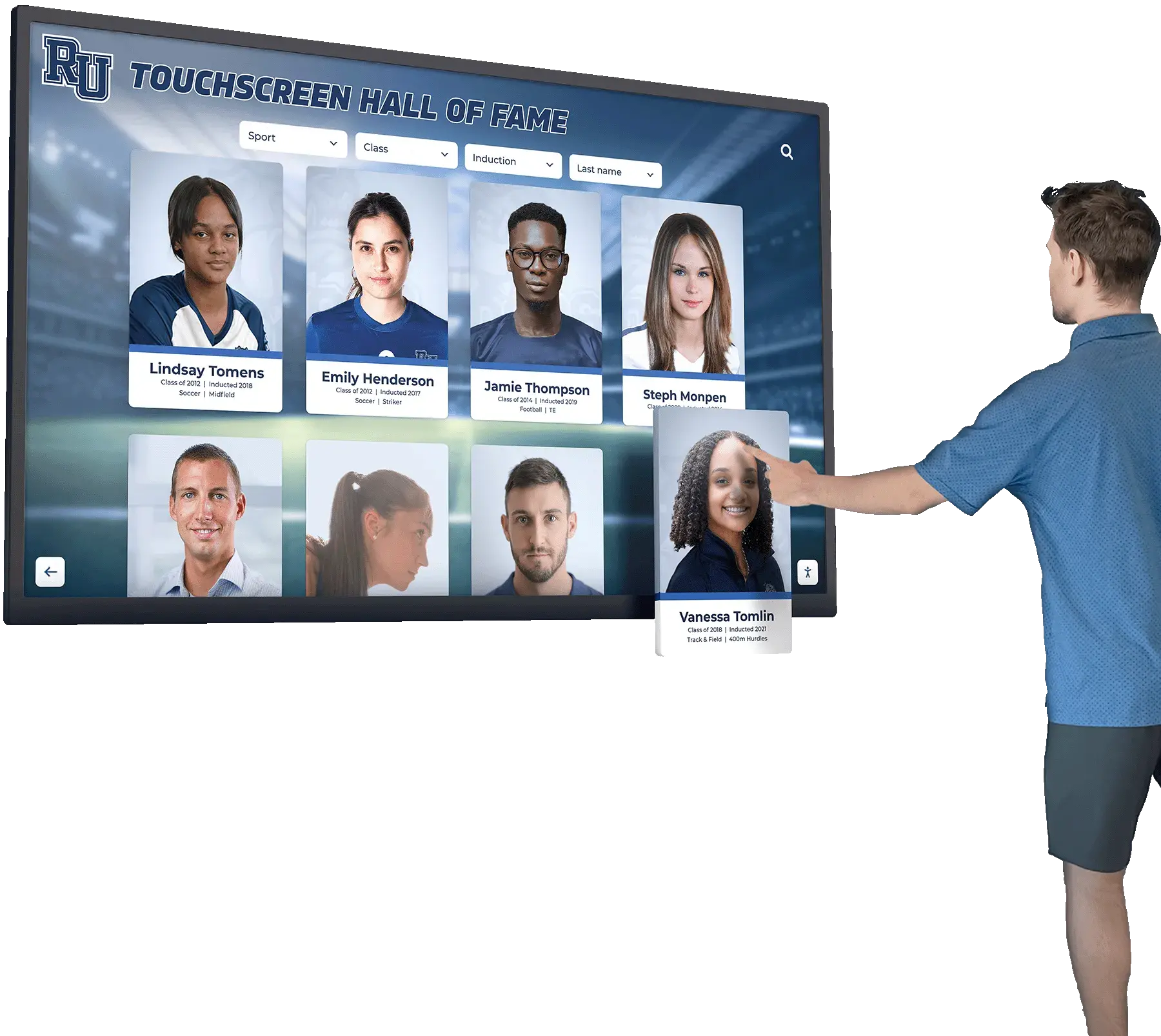
Most signage platforms focus exclusively on physical displays. Rocket’s hybrid approach powers both:
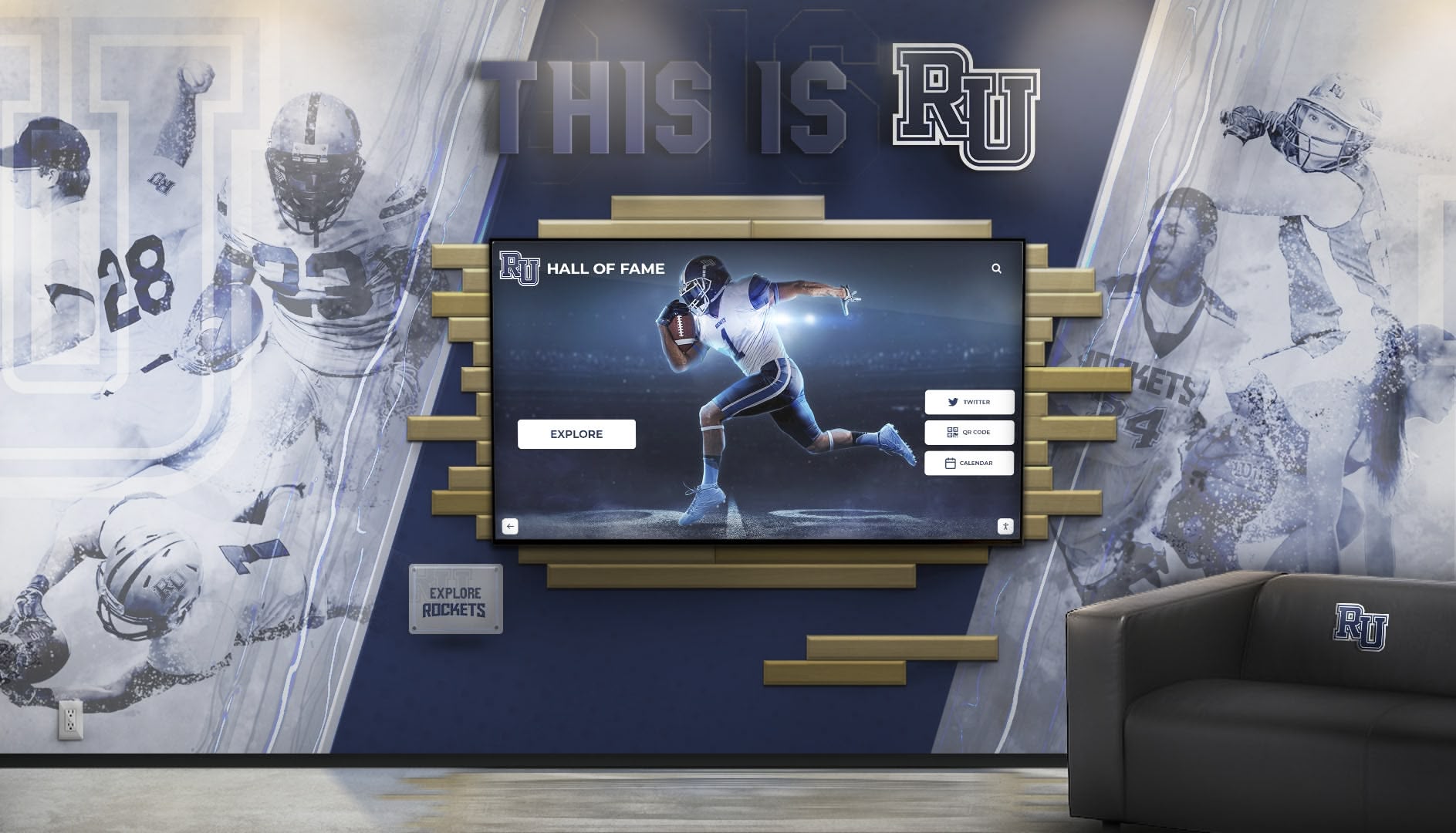
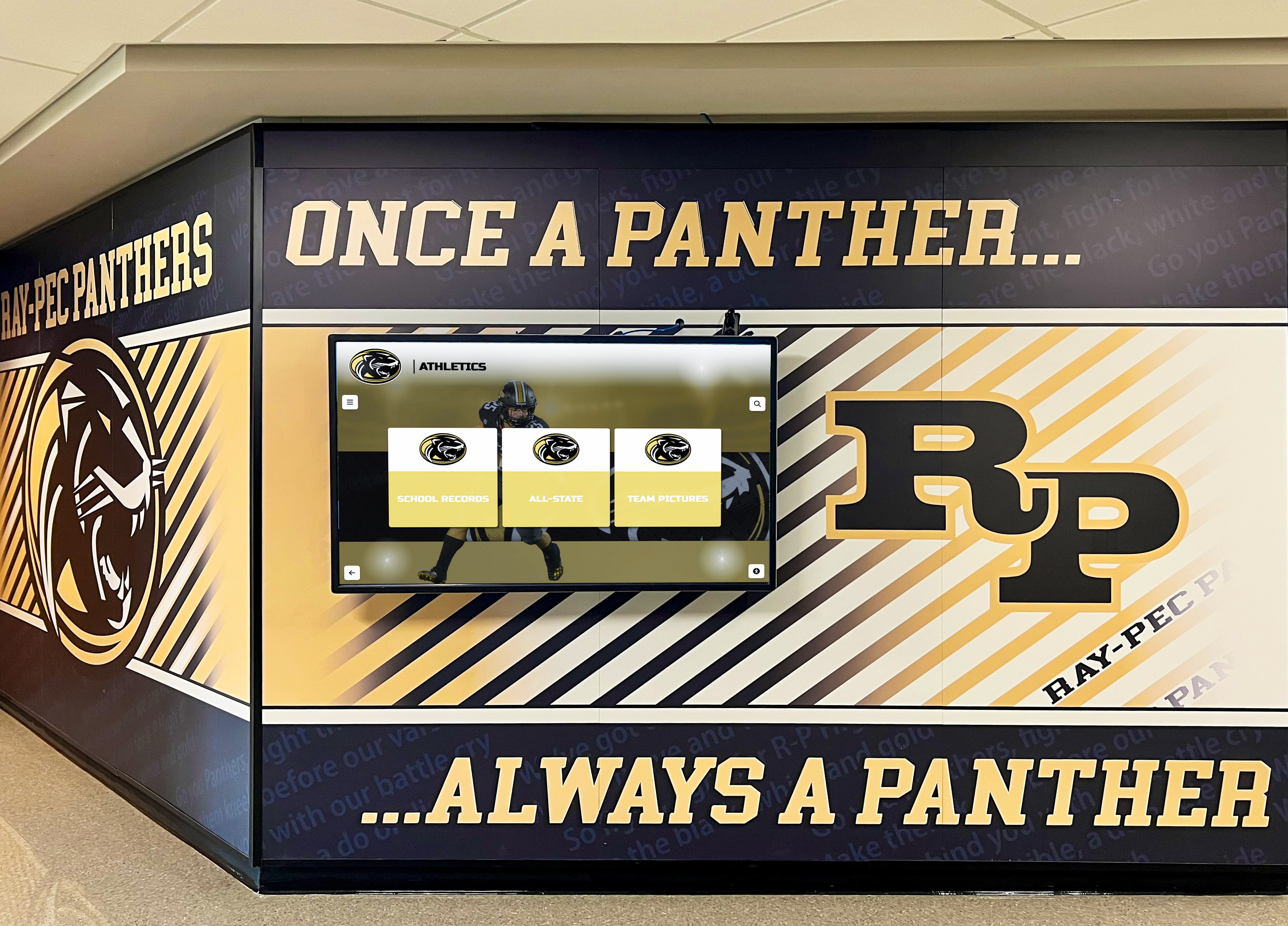
- Physical touchscreen kiosks for high-traffic lobby installations
- Web-accessible online halls of fame extending recognition globally
- Mobile-responsive interfaces working across all device types
- QR code integration bridging physical and digital experiences
This unified platform strategy means content updates appear everywhere simultaneously, maintaining consistency while maximizing recognition reach beyond physical locations. Organizations implementing digital archives for schools benefit from this comprehensive approach.
Recognition-Specific Features
Purpose-built platforms provide capabilities that generic signage cannot efficiently deliver:
- Auto-ranking systems automatically organizing athletes by statistical performance
- Achievement categorization supporting multiple recognition types (athletics, academics, arts, service)
- Timeline visualization showing institutional history chronologically
- Comparison tools enabling visitors to compare statistics across eras
- Alumni spotlight highlighting where former students are now
- Donation integration connecting recognition with advancement efforts
These specialized features transform static lists into engaging exploration experiences that generic signage cannot match without extensive custom development.
Implementation Support
Technology selection represents only part of successful deployment. Implementation support determines whether organizations actually launch and sustain recognition programs:
- Content migration services digitizing historical achievements from physical plaques and records
- Recognition strategy consulting helping establish selection criteria and organizational frameworks
- Hardware recommendations matching displays to facility environments and budgets
- Staff training ensuring confident system operation without ongoing IT dependency
- Technical support resolving issues rapidly when they occur
Organizations implementing digital recognition displays discover that comprehensive support proves as important as software capabilities.
Deal-Breaker Checklist: Red Flags to Avoid
When evaluating specific vendors, watch for warning signs indicating potential future problems:
Software Architecture Red Flags
❌ No offline functionality — Interactive displays must operate during network outages. Require robust offline capabilities with synchronization when connectivity returns.
❌ Slideshow-only architecture — If the platform’s core design is rotating static content, it cannot efficiently support interactive exploration regardless of claims.
❌ Per-profile pricing models — Avoid vendors charging per honoree or inductee. Recognition programs grow over time, making per-profile pricing increasingly expensive and creating disincentives for comprehensive recognition.
❌ Proprietary content formats — Ensure ability to export content in standard formats (JSON, CSV, SQL) enabling migration if vendor relationships end or needs change.
Accessibility and Compliance Red Flags
❌ No accessibility documentation — Vendors should provide WCAG conformance statements or VPAT documents. Absence suggests non-compliance.
❌ Accessibility as “roadmap item” — If accessibility is promised for future releases rather than current capability, assume it won’t arrive or will be inadequate when implemented.
❌ No keyboard navigation — Test whether all functionality is accessible without touch. Federal accessibility standards require alternatives to touch interaction.
Vendor Viability Red Flags
❌ No reference customers in your sector — Vendors without proven experience in recognition applications lack understanding of institutional requirements. Request references from similar organizations.
❌ Limited support hours — Interactive displays operate during evenings and weekends when events occur. Business-hours-only support creates risk during peak usage periods.
❌ No documented SLA — Without uptime commitments and response time guarantees, vendors face no accountability for reliability.
❌ Startup vendors without backing — Recognition displays operate for 5-10 years. Vendors without financial stability may disappear, leaving systems unsupported.
Implementation Best Practices
Regardless of which platform you select, successful deployment requires thoughtful planning:
Content Strategy Development
Define Recognition Categories — Determine what types of achievements your organization will celebrate. Athletic departments might include championship teams, individual records, hall of fame inductees, and all-conference selections. Academic institutions might recognize academic excellence, service contributions, and faculty achievements.
Establish Selection Criteria — Create clear guidelines ensuring fairness and consistency. Document thresholds for recognition (e.g., all-state athletes, GPA requirements for honor rolls, years of service for employee recognition).
Plan Multimedia Content — Decide what each profile should include—photos, videos, statistics, biographical narratives, career updates—and establish quality standards ensuring professional presentation.
Organize Historical Records — Gather existing achievements from trophy engravings, programs, yearbooks, newspaper clippings, and archives requiring digitization. This often represents the most time-consuming aspect of implementation.
Organizations benefit from content planning strategies that structure recognition programs for long-term success.
Hardware Selection and Placement
Display Sizing — Choose appropriate screen sizes based on viewing distance and space. 43-55" displays work well for intimate viewing, while 65-75" suits larger spaces. Consider athletic facility applications when planning installations.
Installation Locations — Select high-traffic areas maximizing audience reach—athletic facility lobbies, main entrances, hallways near trophy cases, alumni centers, or development offices.
Mounting Approaches — Wall-mounted installations provide clean aesthetics but require structural support. Freestanding kiosks offer flexibility but occupy floor space. Custom millwork creates integrated solutions but increases cost.
Network Infrastructure — Ethernet connectivity provides best reliability for content updates and remote management. WiFi works for locations where wired connections are impractical. Plan for power, network, and potential peripheral devices during facility design.
Launch and Promotion
Soft Launch Testing — Begin with limited content and small audience to identify issues before major announcement. Gather feedback from representative users and iterate based on observations.
Grand Opening Ceremony — Unveil the system with event celebrating recognized honorees and demonstrating capabilities to stakeholders. Generate excitement and awareness driving ongoing engagement.
Multi-Channel Communication — Announce through email, social media, newsletters, website features, and local media. Create multiple touchpoints ensuring community awareness.
Ongoing Promotion — Regularly highlight featured content, announce new additions, and remind audiences about the recognition resource. Recognition programs require continued marketing for maximum impact.
Organizations implementing recognition display launches benefit from structured rollout strategies generating sustainable engagement.
Common Mistakes to Avoid
Underestimating Content Development
Organizations focus on software selection while overlooking that creating comprehensive profiles for hundreds or thousands of honorees requires substantial effort. Budget adequate time and resources for:
- Historical research identifying past achievements
- Photo digitization from archives and yearbooks
- Biography writing or collection from honorees
- Statistical compilation from records and databases
- Video editing if incorporating multimedia
Content development often exceeds software costs. Plan accordingly or engage professional migration services.
Neglecting Staff Training
Even intuitive software requires training ensuring content managers understand capabilities and workflows. Insufficient training leads to:
- Underutilization of advanced features
- Inconsistent content quality and formatting
- Fear of making updates independently
- Continued IT dependency for routine tasks
Schedule comprehensive training and create documentation supporting ongoing self-service content management.
Skipping User Experience Testing
Test interfaces with representative visitors before finalizing designs. Common UX failures include:
- Navigation patterns that confuse visitors
- Text too small for comfortable reading
- Touch targets too small for accurate selection
- Search functionality not matching user expectations
- Content buried behind unclear pathways
Observe where confusion occurs and iterate accordingly. What seems obvious to developers often puzzles first-time visitors.

Future Trends Shaping Digital Signage Software
Understanding emerging trends helps select solutions remaining relevant throughout multi-year deployments:
Artificial Intelligence Integration
AI will transform content management and user experience through:
- Automated content generation creating narratives from structured data
- Intelligent search understanding natural language queries
- Personalization highlighting connections between visitors and content
- Voice interaction enabling verbal queries alongside touch
- Content recommendations suggesting related profiles visitors might enjoy
Enhanced Mobile Connectivity
Deeper integration between physical displays and mobile experiences enables:
- QR code scanning launching detailed mobile profiles
- Saved favorites for later exploration
- Social sharing amplifying recognition reach
- Personal notifications about featured content
- Cross-device continuity starting on displays and continuing on phones
Advanced Analytics
Sophisticated engagement tracking reveals:
- Content resonance identifying popular profiles
- Navigation patterns showing discovery paths
- Demographic insights about visitor composition
- Time-based engagement revealing peak usage periods
- ROI measurement demonstrating program impact
Organizations implementing digital recognition strategies benefit from data-driven insights informing continuous improvement.
Conclusion: Making Your Digital Signage Software Decision
Selecting digital signage software for interactive touchscreen applications requires evaluating platforms against criteria specific to recognition and engagement use cases rather than generic signage requirements. While numerous options exist, purpose-built platforms deliver dramatically superior results compared to adapted generic tools.
For organizations implementing interactive recognition displays, halls of fame, or engagement experiences, Rocket Alumni Solutions represents the optimal choice. The platform’s specialized focus on recognition and engagement applications provides capabilities that generic signage platforms cannot efficiently match—database architecture supporting extensive content, search and discovery tools enabling visitor exploration, dual-mode deployment powering physical and web experiences, and comprehensive accessibility ensuring inclusive access.
Generic signage platforms work well for their intended purposes—rotating announcements, advertisements, and promotions. However, adapting these tools for interactive recognition requires customization that rarely delivers the quality and functionality of purpose-built solutions.
Organizations with dedicated IT resources and highly specialized requirements might explore custom development, though most discover that platforms like Rocket provide 90%+ of desired functionality at a fraction of custom development cost while delivering solutions in weeks rather than months.
The investment you make in digital signage software will serve your organization for years, powering how you celebrate achievements, engage visitors, and strengthen community connections. Choose platforms specifically designed for recognition rather than adapting generic tools to purposes they were never meant to serve.
Ready to transform your recognition program? Explore how Rocket Alumni Solutions delivers comprehensive digital signage platforms designed specifically for interactive touchscreen applications. Discover touchscreen implementation strategies, learn about recognition display best practices, or review athletic recognition approaches that maximize program impact.
Your organization’s achievements deserve recognition technology that honors them with professionalism, interactivity, and reliability for years to come. Select software platforms that match the significance of the accomplishments they celebrate.
Disclaimer: This comparison is based on publicly available information as of December 2025. All product names and trademarks belong to their respective owners. Comparative statements reflect Rocket Alumni Solutions’ interpretation of available data and may change over time. This content was produced by or on behalf of Rocket Alumni Solutions. All trademarks are property of their respective owners. Rocket Alumni Solutions is not affiliated with or endorsed by Rise Vision, ScreenCloud, BrightSign, NoviSign, or any other digital signage vendors mentioned in this analysis.
































