



Key Takeaways
A practical guide to building an athletic hall of fame artifact numbering system—covering the numbering formula, worked examples, label placement, catalog fields, and a step-by-step implementation sequence for school committees.
Every athletic hall of fame has them: a storage room, a back hallway, or an overstuffed trophy case where objects accumulate without a clear system connecting them to records, to donors, or to the inductees they represent. A championship banner sits rolled in a tube with no tag. A game ball in a display case has an engraved date but no catalog entry. Three photographs from the same season live in different folders with different names and no link to each other or to the inductee’s profile.
An athletic hall of fame artifact numbering system solves all of this by assigning a unique, permanent identifier to every object the program accepts. That number travels with the artifact—on a tag, a label, a storage container, and a catalog entry—and becomes the thread that connects the physical object to every record, photograph, and digital profile the program creates about it. This guide gives hall-of-fame committees, athletic directors, archives staff, and booster-club leaders a practical formula, worked examples, and a numbered implementation sequence they can put into use immediately.
Why a Numbering System Comes Before Everything Else
Collections without identifiers create compounding problems. A donated jersey with no number cannot be linked to the accession form completed when it arrived. An intake photograph taken at condition assessment cannot be filed next to the right catalog record without a shared identifier. A display case label cannot reference a digital profile without a code tying the two together.
The numbering system is infrastructure. Everything else—the accession form, the catalog spreadsheet, the storage tags, the display labels, and the digital platform entries—depends on it. A program that skips this step and plans to “add numbers later” typically discovers that retroactive numbering requires physically retrieving every artifact, cross-referencing incomplete paperwork, and making judgment calls about items whose origins are no longer clear. Starting with a numbering system before the first artifact is accepted costs almost nothing. Retrofitting one to a collection of two hundred undifferentiated objects takes weeks.
The Numbering Formula
The formula recommended here is designed to be readable without a lookup, sortable in any spreadsheet, and short enough to fit on an artifact tag.
Standard Formula
YYYY-[CAT]-[###]
YYYY — The four-digit year the artifact was accepted into the collection (intake year, not the year the object was created or used).
[CAT] — A two-to-four character sport or category code drawn from a controlled vocabulary the program establishes at launch.
[###] — A three-digit sequence number that resets to 001 at the start of each new year within each category.
Category Code Reference Table
Establish the code list before assigning any numbers. Programs should create only the codes they will actually use, then add new codes as categories emerge.
| Category | Recommended Code | Example Objects |
|---|---|---|
| Football | FB | Jerseys, helmets, trophies, game balls, programs |
| Basketball | BB | Nets, trophies, uniforms, scorebooks |
| Baseball / Softball | BS | Bats, balls, gloves, trophies, uniforms |
| Track and Field | TF | Medals, trophies, spikes, programs |
| Swimming and Diving | SD | Ribbons, trophies, caps, goggles |
| Wrestling | WR | Singlets, medals, trophies |
| Soccer | SC | Jerseys, trophies, game balls |
| Volleyball | VB | Jerseys, net sections, trophies |
| Multi-sport / General | GEN | Items spanning sports or with unclear sport origin |
| Photograph | PHO | Any photographic print or mounted image |
| Document | DOC | Programs, certificates, letters, yearbook pages |
| Equipment | EQP | Protective gear, practice equipment, timing devices |
| Award / Plaque | AWD | Plaques, banners, framed recognitions |
A photograph of a football player would carry the code PHO, not FB, because the photograph itself is the artifact type. Its catalog record then notes the associated sport and inductee separately.
Extended Formula for Multi-Site Programs
Programs operating across more than one school, or athletic associations managing multiple member schools, should prepend a two-to-four character school code:
[SCH]-YYYY-[CAT]-[###]
Example: LHS-2026-FB-003 — Lakewood High School, accepted in 2026, football category, third item of the year.
This extension prevents collisions when collections from different schools are stored or cataloged in a shared system and ensures any artifact can be traced back to its originating institution without opening the catalog.
Worked Examples
The following examples show how the formula applies across the artifact types most commonly donated to school hall-of-fame programs.
Example 1: Championship Trophy
A family donates the football team’s 1987 regional championship trophy in March 2026. It is the first football artifact accepted that year.
Number assigned: 2026-FB-001
The number goes on:
- An archival-quality tag tied to the base of the trophy with cotton twine
- The cardboard storage box if the trophy is held in storage before display
- The accession form as the accession number field
- The catalog spreadsheet entry for this artifact
- The file name of every intake photograph:
2026-FB-001_front.jpg,2026-FB-001_back.jpg
Example 2: Varsity Letter Jacket
A letterman’s jacket from a 1995 basketball player is accepted during a March 2026 induction ceremony. It is the second basketball artifact accepted that year.
Number assigned: 2026-BB-002
The number goes on:
- An acid-free label sewn to the inside collar lining using conservation-safe adhesive (or attached via a hang tag pinned inside)
- The garment bag or archival storage box
- The accession form
- The catalog entry linking this artifact to the inductee’s profile ID
Example 3: Framed Photograph
A mounted 8×10 print from the 1978 state championship is donated alongside a jersey. It is the first photograph accepted in 2026.
Number assigned: 2026-PHO-001
The number goes on:
- A soft pencil notation on the back of the mount (never on the photograph itself)
- An acid-free archival envelope or sleeve used for storage
- The catalog entry, which also records the associated inductee, estimated date of the photograph, and the photographer if known
Example 4: Game Ball
A signed game ball from a 1999 basketball state championship is donated at the same event as the jacket above. It is the third basketball artifact accepted that year.
Number assigned: 2026-BB-003
For three-dimensional objects like balls or helmets, the number tag attaches to the display stand or mount rather than to the object surface, which prevents adhesive damage.
Example 5: Archival Program
A printed game program from a 1963 football season opener is found during a storage room clean-out and accepted into the collection. It is the first document artifact accepted in 2026.
Number assigned: 2026-DOC-001
Flat documents are stored in an archival polyester sleeve. The number is written in soft pencil on an acid-free index card placed inside the sleeve—never written directly on the document.
Where the Number Goes: Four Required Placements
A number that exists only on a form is a fragile link. Physical artifacts get moved, forms get separated from objects, and storage rooms get reorganized by people who never saw the original intake documentation. Every artifact number should appear in at least four places.
1. On the artifact itself (or its mount)
Three-dimensional objects: archival-quality hang tag tied with undyed cotton twine. Flat objects: soft pencil on the verso or an acid-free label on the back. Items that cannot bear any marking (fragile glass, painted surfaces, textiles too delicate for a tag): the number goes on the artifact’s individual storage container only, with a note in the catalog flagging the tagging limitation.
2. On the storage or display container
The box, bag, tube, or display case drawer gets a label with the number. If the artifact is moved or the tag is lost, the container label provides a second reference point.
3. In the catalog record
The catalog entry for this artifact—whether a spreadsheet row, a database record, or a collections management software entry—carries the number as its primary key. Every other field (inductee name, sport, condition, location, donor, permissions) is retrieved by this key.
4. In the digital platform
When the artifact is linked to an inductee’s digital profile, the number appears as a reference field in the platform entry. This allows staff to cross-check physical catalog records against the digital system during annual audits without re-identifying every artifact from scratch.
Understanding how physical artifacts connect to recognition infrastructure is part of the broader role that athletic directors and hall-of-fame committee chairs carry in managing a program’s public-facing recognition system.
Building the Catalog That the Number Anchors
The numbering system’s value depends entirely on the catalog it indexes. A number without a corresponding record is just a tag. The catalog is the record of what the number means.
At minimum, each catalog entry should contain the following fields:
| Field | Purpose |
|---|---|
| Artifact number | Primary key linking all records for this object |
| Artifact category | Drawn from the category code list |
| Brief description | Plain-language name for the object |
| Estimated date of origin | When the object was created or used, not when it was accepted |
| Date of intake | When the program received the artifact |
| Condition rating | Excellent / Good / Fair / Poor at time of intake |
| Condition notes | Specific damage, repairs, or missing components |
| Associated inductee | Name and inductee ID if applicable |
| Associated sport or event | Sport or program context for the artifact |
| Donor name | Person or organization that donated the item |
| Ownership status | Permanent gift, loan, or institutional property |
| Display permission | Yes / No / Conditional |
| Reproduction permission | Yes / No / Conditional (for digital display and photography) |
| Digitization status | Completed / Pending / Not planned |
| Digital file location | Specific folder path or cloud storage URL |
| Current location | Physical storage or display location |
| Last location update | Date the location field was last verified |
Programs using spreadsheet software should treat the artifact number column as the first column and sort the registry by number. Programs using collections management software should configure the artifact number as the primary identifier rather than a secondary field.
The relationship between artifact numbers and broader tracking systems mirrors the approach used by institutions that maintain athletic records boards alongside hall-of-fame collections—both depend on consistent identifiers that connect display elements to the underlying data.
Display Labels: Connecting the Number to What Visitors See
Display labels are not the same as artifact tags. A tag is an administrative tool. A display label is a visitor-facing element that communicates the artifact’s significance without revealing catalog infrastructure.
A well-designed display label contains:
- Artifact name: Championship Trophy, Varsity Letter Jacket, Game Ball
- Sport and year: Football, 1987 Regional Championship
- Associated inductee (if applicable): Donated by the family of [inductee name], Class of 2026
- Brief contextual note: Won in the program’s first state championship appearance
The artifact number does not need to appear on the visitor-facing label. It belongs on the back of the label, on the display case diagram, or in a QR-linked digital record—anywhere that connects the physical display element to the administrative catalog without cluttering the visitor experience.
For programs integrating physical and digital recognition, display labels can include a QR code that opens the inductee’s digital profile, where the artifact appears alongside biography, statistics, and other memorabilia. Best practices for campus signage and label placement that balance information density with clean design apply directly to recognition spaces, as school signage guidelines demonstrate in detail.
The Implementation Sequence
These steps apply whether a program is starting its numbering system from scratch with a new collection or retrofitting it to an existing group of unlabeled artifacts.
Step 1: Establish the category code list. Before assigning any numbers, create the controlled vocabulary of category codes the program will use. Write them down in the catalog template so every staff member and volunteer sees the same list. Lock the list to prevent ad-hoc additions that fragment the scheme.
Step 2: Create the catalog template. Build the catalog spreadsheet or configure the database before the first number is assigned. The template should include all required fields, with the artifact number column first. A blank template is more useful than a partially filled one with inconsistent fields.
Step 3: Set the sequence counter for the current year. For each category in use, the sequence starts at 001 on January 1 of the intake year and increments by one for each new artifact accepted. The counter resets to 001 at the start of each new calendar year. Record the current counter state in a visible location—a note at the top of the catalog, a shared document accessible to all committee members—so numbers are never assigned twice.
Step 4: Assign a number to every artifact before handling it further. The number is the first thing assigned at intake—before condition assessment, before photography, before completing any other form field. This sequence ensures that every document, photograph, and tag created during intake already carries the correct identifier.
Step 5: Apply the tag or label immediately. Do not set the artifact aside and plan to tag it later. Apply the archival tag or label during the intake session while the artifact is in hand, the catalog entry is open, and the number is confirmed.
Step 6: Complete intake photography with the number visible.
Photograph the artifact with the tag visible in at least one shot so the image file can be verified against the catalog without opening the accession form. Name every image file with the artifact number as the first element: 2026-FB-001_front.jpg.
Step 7: Enter the catalog record before releasing the artifact. Complete the catalog entry—including all required fields—before the artifact is moved to storage or display. Incomplete entries in “draft” status tend to stay incomplete indefinitely.
Step 8: Update the location field whenever the artifact moves. Every time an artifact moves from storage to display, from one case to another, or to a temporary exhibit, the location field in the catalog is updated. Location fields that are never maintained become useless within a year.
Step 9: Conduct an annual audit. Once per year, physically verify a sample of catalog entries against the artifacts they describe. Confirm that tags are present and legible, that locations match the current state of display and storage, and that digitization records are complete and accessible. Annual audits catch drift before it accumulates into a retroactive cleanup project.
Step 10: Train every new committee member and volunteer on the numbering scheme. The system only works if everyone who handles artifacts understands it. A one-page reference card with the formula, the category code list, and the tagging procedure is all the training material most programs need.
Numbering Artifacts Already in the Collection
Programs with existing collections—trophy cases full of items, storage rooms with boxes accumulated over decades—face a harder problem than programs starting fresh. The retroactive process is slower but follows the same logic.
Triage by urgency. Begin with items currently on display. These are the highest-visibility artifacts and the ones most likely to be asked about by visitors, donors, or inductees’ families. Assign numbers and catalog entries to displayed items first, then move to storage.
Work through storage in one location at a time. Do not pull items from multiple storage areas simultaneously. Complete one location—one storage room, one set of cabinets—before moving to the next. This prevents confusion about where an unlabeled item came from.
Assign numbers from the current year. Use the current intake year for retroactive numbering, but add a provenance note in the catalog recording the artifact’s estimated origin date. The intake year reflects when the item entered the formal catalog system, not when it was donated or created. A catalog note captures the distinction.
Photograph everything. If intake photographs were never taken, photograph the artifact during the retroactive cataloging session. The photograph date does not need to match the original donation date; it establishes a current condition baseline.
Do not try to do everything at once. Large established collections can take multiple cycles to fully catalog. A program that numbers and catalogs 30 artifacts per month will work through a 300-item backlog in about 10 months—without disrupting normal operations or burning out committee volunteers.
Large institutions that manage well-established collections alongside active induction programs—similar to the scale of major conference hall-of-fame displays—demonstrate that even extensive collections become navigable when organized around consistent identifiers applied at every level of the system.
Connecting the Artifact Numbering System to Digital Displays
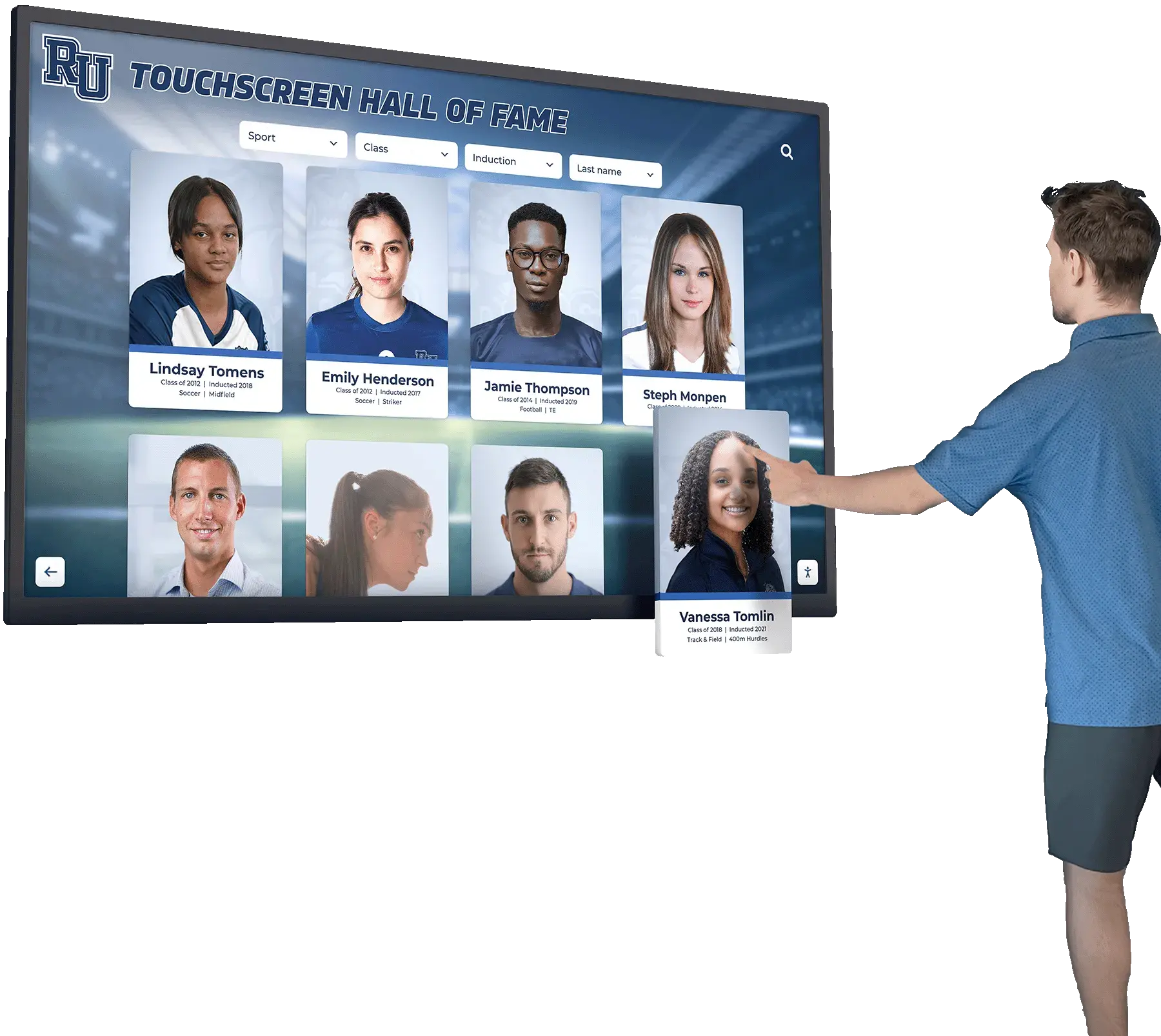
A catalog built on consistent artifact numbers integrates naturally with digital hall-of-fame platforms. The artifact number becomes the reference field that links a physical object’s catalog record to the inductee’s digital profile—so that when a visitor explores the profile on a touchscreen kiosk, they can also see photographs and metadata for the physical artifacts associated with that inductee.
This integration requires three things to be in place before any artifact is entered into the digital platform:
Documented digital reproduction permissions. The catalog must confirm that the school has permission to display images of the artifact digitally. Permissions obtained at intake—before the artifact enters a display case—are the most straightforward to document. Retroactive permission collection is possible but slower.
Digitized artifact images filed under the artifact number. Image files named with the artifact number as the leading element (2026-FB-001_front.jpg) can be linked to the platform entry without confusion about which physical object each image depicts.
A platform that accepts artifact media linked to inductee profiles. Not every digital recognition platform supports this level of artifact integration. Programs evaluating software should confirm that the system can store and display artifact photographs and metadata as part of the inductee’s profile view, rather than as a separate unlinked gallery.
When these three elements are in place, the artifact numbering system becomes the bridge between the physical collection and the digital experience. Visitors can move from a digital profile to the artifacts associated with it; committee members can audit the digital catalog against the physical one using the same identifier; and new artifacts accepted in future years slot directly into the existing structure without requiring changes to either the physical or digital system.
Digital tools that bring physical collections to life depend on exactly this kind of foundational identifier structure to connect what visitors see on a screen to what the institution holds behind the glass.
Maintaining the System Over Time
The numbering system is not a launch project. It is a permanent operational commitment that requires maintenance across staff transitions, budget cycles, and committee turnovers.
Document the system in writing. The formula, the category code list, the tagging procedure, and the sequence counter state should be recorded in a program operations manual or standing procedures document—not kept in a single staff member’s institutional memory. When an athletic director leaves or a committee chair rotates off, the incoming person should be able to read the document and begin assigning numbers correctly within an hour.
Review the category code list annually. As programs grow, they accept new types of artifacts. Add new category codes deliberately, during the annual review, rather than creating ad-hoc codes mid-year. Record every code change with its effective date so the catalog history remains interpretable.
Keep location fields current. The location field in the catalog is the most frequently stale field in most programs. Build location updates into every artifact move—from the person doing the moving, not from a periodic inventory attempt that always trails reality by months.
Include artifact catalog audits in the annual program review. Hall-of-fame programs that conduct periodic reviews of their governance, display systems, and collections benefit from treating the artifact catalog as a standing agenda item rather than an episodic project. The connection between strong collections documentation and meaningful inductee recognition—the kind that draws alumni back for class reunion and alumni events—is direct: visitors who can see real artifacts connected to real histories have a more compelling experience than visitors reading plaques with no physical objects behind them.
Protect the catalog backup. The catalog is as valuable as the collection it describes. Maintain at least two copies of the catalog in different locations—a local file and a cloud backup, or a shared drive and a printed backup filed with the program records. A catalog lost to a server failure or a departing staff member’s personal drive is not recoverable.
Connect Your Artifact Collection to a Digital Hall of Fame
Rocket Alumni Solutions builds interactive digital halls of fame that link inductee profiles with artifact photographs, archival media, and career statistics—giving visitors a searchable, multimedia experience of your program's full history. See how the platform works for your school's collection.
Book a Demo































