



Key Takeaways
A complete guide to the athletic hall of fame accession form—covering ownership, provenance, physical condition, donor permissions, and digitization fields every school needs before placing an artifact on display.
When a family donates a championship trophy, a retired jersey, or a set of photographs from a team’s undefeated season, those objects carry history that words alone cannot capture. Before any artifact takes its place behind glass or appears on a digital display, an athletic hall of fame accession form creates the institutional record that protects the school, honors the donor’s intent, and preserves context for everyone who views the collection for decades to come. Completing this intake step correctly—covering ownership, physical condition, permissions, and digitization—prevents the documentation gaps that turn a meaningful donation into an unresolvable dispute over ownership or a display item with no traceable origin.
Accession vs. Nomination: Two Separate Processes
An accession form is not a nomination form. Understanding the distinction prevents programs from conflating two genuinely separate workflows.
A nomination form identifies an individual—a former athlete, coach, or contributor—and documents their athletic record and character for committee review. The nomination form fields schools need for digital inductee profiles typically capture career statistics, honors received, and references who can speak to the nominee’s contribution to the program.
An accession form documents a physical or archival object: a trophy, game ball, uniform, photograph, letter, plaque, or piece of equipment. It records how the school will hold, care for, and display that object. A single inductee class may produce dozens of accession records if families and boosters contribute artifacts alongside the induction ceremony.
Most athletic halls of fame run robust nomination workflows and no accession process at all. The result is a trophy case full of items with no recorded owner, no condition baseline, and no documentation of whether the school is displaying the item with the owner’s permission. When a donor’s family asks for an item back twenty years later, the institution has no record of the original arrangement.
What an Accession Form Must Capture
A complete athletic hall of fame accession form addresses six categories: cataloging identity, physical description and condition, ownership and provenance, donor contact and intent, display and reproduction permissions, and digitization status. The table below maps each category to its core fields.
| Category | Field | Purpose |
|---|---|---|
| Cataloging | Accession number | Unique ID linking the artifact to its record |
| Cataloging | Artifact category | Trophy, photograph, uniform, equipment, document, other |
| Cataloging | Associated inductee or event | Links the object to the person or moment it represents |
| Cataloging | Date of intake | When the institution accepted the artifact |
| Physical description | Item name and brief description | What the object is in plain language |
| Physical description | Estimated date of origin | When the object was created or used |
| Physical description | Dimensions and materials | For storage and display planning |
| Condition | Condition rating | Excellent / Good / Fair / Poor on a consistent scale |
| Condition | Condition notes | Specific damage, repairs, or missing components |
| Condition | Date of condition assessment | Establishes a baseline for future comparison |
| Ownership | Ownership status | Permanent gift, loan, or existing institutional property |
| Ownership | Owner name (if loan) | Legal owner if the institution does not hold title |
| Provenance | Provenance notes | Prior owners, acquisition history, documented origin |
| Donor | Donor name | Person or organization donating the artifact |
| Donor | Donor contact information | Address, phone, and email for follow-up |
| Donor | Donor relationship to program | Alumnus, family member, booster, or third party |
| Permissions | Display permission granted | Yes / No / Conditional |
| Permissions | Display conditions or restrictions | Any limitations the donor placed on exhibition |
| Permissions | Reproduction permission | Permission to photograph, scan, or publish digitally |
| Digitization | Digitization completed | Yes / No / Pending |
| Digitization | Digital file format and resolution | TIFF or JPEG; minimum 300 DPI for archival quality |
| Digitization | Digital file storage location | Server path or cloud folder where files are saved |
| Signatures | Donor or owner signature | Confirms ownership status and permissions |
| Signatures | Receiving staff signature | Documents who accepted the artifact and when |
Programs using digital hall of fame display software should confirm that artifact records can be linked to inductee profiles within the platform, so a visitor tapping an inductee’s screen profile can see associated artifacts alongside their biography and career statistics.
Step 1: Assign an Accession Number Before Anything Else
Every artifact entering the collection needs a unique identifier assigned at intake, before any other documentation is completed. Without a number, forms get separated from items, photographs lose their labels, and storage bins accumulate objects with no clear identity.
A simple numbering system works well for most school programs:
YYYY-SPORT-###
For example, the third artifact accepted into the football collection in 2026 would be 2026-FB-003. The accession number goes on the form, on the artifact’s storage tag, on any digitized file names, and on the display case label if space allows. This single field ties the physical object to every record the program will ever create about it.

Step 2: Document Physical Condition at Intake
Condition documentation protects both the institution and the donor. When an artifact arrives with existing damage, the intake record proves the school was not responsible. When the school returns a loaned item, the intake record establishes the baseline for comparison.
Use a consistent four-point scale:
- Excellent: No visible damage, deterioration, or missing components. Original finish and materials intact.
- Good: Minor wear consistent with age and use. No structural damage. Original completeness maintained.
- Fair: Visible deterioration, fading, or minor damage. Some components may be missing or previously repaired.
- Poor: Significant damage, structural instability, or extensive missing components. Conservation review recommended before display.
The condition notes field captures specifics: a crack in a trophy base, a faded signature on a game ball, a torn seam on a uniform, or water staining along one edge of a photograph. Photographs taken at intake are the strongest possible condition record—attach them to the accession file with file names that include the accession number.
Programs displaying physical equipment such as helmets, game balls, or protective gear should review helmet and equipment display case setup guidance before installation, since environmental factors including UV exposure and humidity affect condition ratings over time.
Step 3: Establish Ownership and Provenance
Ownership status is the most legally significant field on the accession form. Three statuses cover most situations.
Permanent gift: The donor transfers all ownership rights to the institution. The school may display, store, lend, or deaccession the item according to its policies. The accession form records the transfer; many programs also use a separate gift agreement for items of significant value.
Loan: The donor retains ownership but permits the institution to display the item for a defined or indefinite period. A loan agreement should specify loan duration, renewal terms, the institution’s care obligations, and the return procedure. Loans require periodic review—programs that accepted long-term loans without documentation often discover decades later that heirs claim ownership of prominently displayed items with no paperwork establishing the original arrangement.
Institutional property: The artifact was already in school possession—from a storage room, an old trophy case, or a prior program that has since concluded. The form documents where the item came from and who confirmed its institutional origin.
Provenance notes capture anything known about the artifact’s history before it entered the hall of fame: “Trophy awarded at the 1978 state championship, held by the coach’s family for 47 years before donation” or “Photograph found in athletic department storage, confirmed by the 1989 yearbook.” Future committee members and display coordinators will rely on these notes to write accurate display text.
Hall of fame programs operate within a broader governance framework that determines how ownership transfers are handled. Athletic hall of fame bylaws often address artifact acceptance policies, including what types of items the program will and will not accept and who has authority to approve accessions on behalf of the institution.
Step 4: Capture Donor Context and Intent
The donor section of the accession form serves two purposes: it creates a contact record for future communication, and it preserves the story behind the donation. Both matter for long-term program quality.
Contact information enables the institution to send acknowledgment letters, invite donors to related events, correct errors discovered later, and fulfill return requests for loans. Donor relationships are long-term; a family that donates a jersey in 2026 may be a meaningful program supporter for the next generation.
Donor narrative captures the human story: why the donor chose to contribute the item, what it meant to them, and what they hope visitors will understand when they see it. This information feeds directly into display text and digital profile captions. A donor describing the night a championship trophy was won—in their own words—produces content that no spreadsheet field can generate automatically.
A brief donor intent section on the form—three to five lines of free text—collects this narrative at intake when the donor is present and the memory is vivid. Waiting to gather it later typically means it is never gathered.
Step 5: Confirm Display and Reproduction Permissions
No artifact should appear in a physical display case or digital exhibit without documented permission. This applies even to donations made with obvious goodwill—oral permission is not institutional documentation.
The permissions section of the accession form should address:
- Physical display permission: May the institution exhibit the item in the hall of fame?
- Photography permission: May the institution photograph the artifact for internal records, publications, or media coverage?
- Digital reproduction permission: May the institution scan or photograph the artifact for use on a digital display platform, website, or social media?
- Conditions or restrictions: Are there any limitations—no publication of certain photographs, no commercial use, display only in a specific location?
For permanent gifts without restrictions, a single signed field confirming unrestricted display and reproduction rights is sufficient. For loans or conditional donations, a separate exhibit loan agreement detailing the terms provides clearer protection for all parties.
Reproduction permission is increasingly important as programs integrate physical artifacts into digital hall of fame platforms where artifact images appear on touchscreen displays alongside inductee profiles. If the school did not obtain digital reproduction rights at intake, adding an artifact to a digital exhibit later requires contacting the donor again—often years after the original donation, when contact information may have changed.
Note: This section reflects general best practices. It is not legal advice. Consult your institution’s legal counsel or advancement office for requirements specific to your jurisdiction and donor relationships.
Step 6: Plan Digitization at Intake
Digitization planning belongs on the accession form because the time to plan it is when the artifact arrives, not eighteen months later when it is already installed behind glass in a case that requires a key and a facilities request to open.
The digitization section should capture:
- Digitization status: Has the artifact been scanned or photographed? (Yes / No / Pending)
- File format: TIFF for archival masters; JPEG for web and display use. Minimum 300 DPI for photographs and documents; 600 DPI or higher for small items like medals or pins.
- Digital file location: The specific folder path or cloud storage location where files are saved. Generic notes like “on the server” become useless after two staff transitions.
- Backup confirmation: Are the digital files backed up to a secondary location?
Three-dimensional artifacts—trophies, helmets, game balls, equipment—benefit from photography in multiple angles: front, back, left side, right side, and close-up shots of inscriptions or identifying markings. Document which angles were captured on the accession form so future staff know whether additional photography is needed.
Digitized artifacts integrate naturally into interactive recognition displays. Schools with thorough accession documentation can build searchable artifact galleries where visitors navigate by sport, by decade, or by inductee to explore the physical history of the program.
The Accession Workflow in Sequence
Bringing these steps together, the intake process for a single artifact runs as follows:
- Assign an accession number from the program’s numbering sequence before handling the artifact further.
- Photograph the artifact at intake—front, back, and detail shots—before any cleaning or preparation.
- Complete the physical description fields while the item is in hand: dimensions, materials, estimated date of origin.
- Rate and document condition using the four-point scale with written notes referencing specific damage or wear.
- Confirm ownership status with the donor present: permanent gift, loan, or institutional property.
- Collect donor contact information and narrative while the donor is available to share context.
- Obtain signed permissions for display, photography, and digital reproduction.
- Complete digitization or schedule it within a defined timeframe—within 30 days of intake is a practical standard for most programs.
- Assign a storage or display location and update the location field in the registry when the artifact is moved.
- File the completed accession form in a dedicated artifact registry and attach the intake photographs with file names that include the accession number.
Connecting Accession Records to Digital Displays
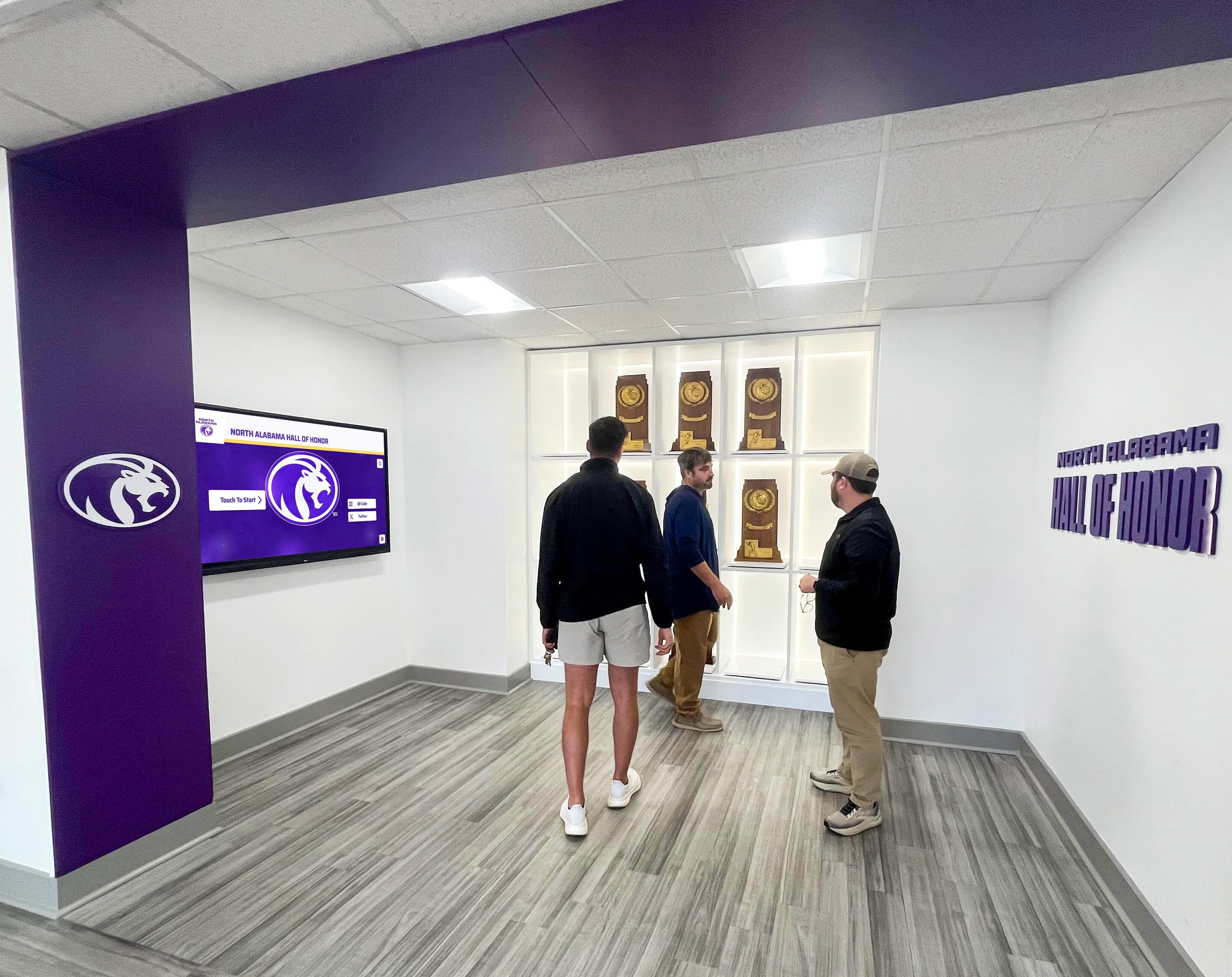
A well-maintained accession registry transforms the relationship between a school’s physical artifact collection and its digital recognition program. Instead of inductee profiles that show only a headshot and career statistics, a connected system lets visitors explore the physical history of the program: the championship trophy, the jersey from the record-breaking season, the photograph from the team’s first conference title.
This connection requires two things: digitized artifact images with permissions documented at intake, and a display platform that accepts artifact media linked to inductee profiles. When the accession form captures digital reproduction permissions and file locations from the start, the path from artifact donation to digital exhibit is straightforward. When permissions were never recorded, connecting artifacts to digital displays requires tracking down donors whose contact information may have changed significantly since the original donation.
Programs evaluating their hall of fame program structure may find the athletic hall of fame complete guide for school administrators useful for understanding how accession workflows fit within a broader program, from selection governance through display technology.
Bring Your Artifact Collection Into the Digital Hall of Fame
Rocket Alumni Solutions builds interactive digital halls of fame that connect inductee profiles with photographs, artifacts, and archival media—giving visitors a searchable, multimedia experience of your program's full history. See how it works for your school.
Book a Demo































