Blog Posts
- Home /
- Blog Posts
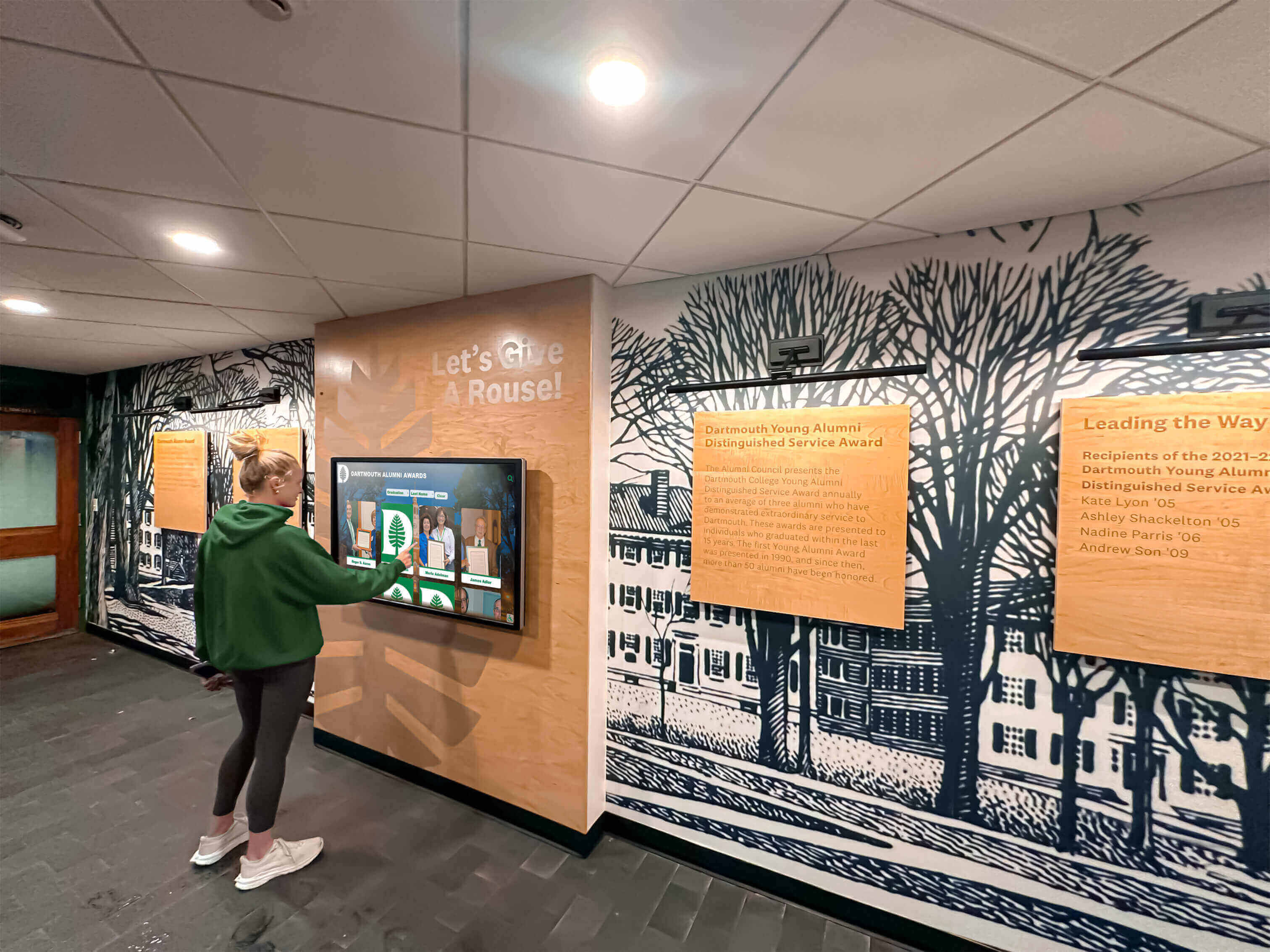
Digital Hall of Fame ARIA-Checked Audit for Inductee Filters
A school's digital hall of fame filter panel — the controls that let a visitor narrow the inductee roster by sport, decade, or award category — relies on a correct checked state announcement to be operable by screen reader users. When a visitor checks "Basketball" to filter the roster, a screen reader user needs to hear "Basketball, checkbox, checked" to confirm the filter is active; without that update, the visitor has no reliable way to know whether their interaction succeeded. aria-checked is the state attribute that communicates that confirmation. A digital hall of fame ARIA-checked audit examines every custom filter checkbox on the interface to confirm the attribute is present, that it carries the correct value — true, false, or mixed — and that the value updates accurately after every visitor interaction. This guide walks school IT staff, athletic directors, and accessibility coordinators through every step of that audit, explains how it differs from prior selected, pressed, and invalid-state audits, and provides a practical remediation framework. What aria-checked Does — and Why Inductee Filters Need It aria-checked is a state attribute defined in the WAI-ARIA 1.2 specification that tells assistive technology whether a control is currently checked, unchecked, or in a mixed state. It applies to any element that models the behavior of a checkbox or radio button but is built from non-native HTML elements — typically <div>, <span>, <li>, or <button> elements assigned a checkbox-type role.
Read More
Digital Hall of Fame ARIA-Sort Audit for Sortable Inductee Tables
When a school's digital hall of fame displays a sortable inductee roster — names, sports, induction years, and award types — a screen reader user needs to know at a glance which column is sorted, and in which direction, without reading through every row to infer the order. aria-sort is the single attribute that communicates that state. A digital hall of fame ARIA-sort audit checks every sortable column header on the inductee table to confirm that exactly one column carries the active sort direction, that the direction updates correctly when a visitor sorts by a different column, and that non-active sortable columns are marked appropriately — all without changing anything about the visual touchscreen experience. This guide walks school IT staff, athletic directors, and accessibility coordinators through every step of that audit: the one-column rule, the ascending and descending test cases, the unsorted state, and how to remediate the most common failures found on school recognition platforms. What aria-sort Does — and Why Sortable Inductee Tables Need It aria-sort is an HTML attribute applied to a <th> element — or any element with role="columnheader" — inside a sortable data table. It tells assistive technology which column is currently sorted and in which direction. Without it, a screen reader user lands in a sorted inductee table and has no way to know the data is sorted at all, let alone which column controls the sort or which direction the sort runs.
Read MoreDigital Hall of Fame ARIA-Haspopup Audit for Menus and Filter Dialogs
When a visitor to a school's digital hall of fame taps a sport dropdown or opens a filter panel, a screen reader user needs to know before activating the control whether they are about to enter a menu, a listbox, or a dialog — because each widget follows a different keyboard model. aria-haspopup is the attribute that communicates that distinction. A digital hall of fame ARIA-haspopup audit checks every menu trigger, filter dropdown button, and filter dialog opener on the interface to confirm that the declared popup type matches the widget that actually appears. A mismatch — a button labeled as a menu opener that produces a dialog, or a filter trigger that declares nothing — leaves screen reader users navigating with the wrong keyboard model and no reliable signal that a popup appeared at all. This guide walks school IT staff, athletic directors, and accessibility coordinators through every step of that audit without requiring access to the platform's source code. What aria-haspopup Does — and Why the Value Matters aria-haspopup is an HTML attribute applied to an interactive element that signals to assistive technology that activating the element will produce a specific type of popup widget. The attribute does not open the popup. It tells a screen reader, before the visitor acts, what kind of interface will appear so the visitor can prepare the appropriate interaction strategy.
Read More
Digital Hall of Fame ARIA-Hidden Audit for Decorative Content
Decorative images, icon duplicates, and visual chrome on a digital hall of fame interface create noise for screen reader users unless they are correctly hidden from the accessibility tree. aria-hidden="true" is the mechanism that removes those elements — but applied to the wrong target, it silences inductee names, sport labels, or award years that visitors relying on assistive technology cannot recover from anywhere else on the page. A digital hall of fame ARIA-hidden audit identifies every element carrying the attribute, confirms that each hidden element is genuinely decorative, and catches any case where meaningful inductee information has been accidentally removed from the screen reader experience. This guide walks school IT teams, athletics directors, and accessibility coordinators through every step of that audit without requiring access to the platform's source code. What aria-hidden Does — and What It Must Not Do aria-hidden="true" removes an element from the accessibility tree. A screen reader skips it completely. It does not read the element’s text, does not announce its role, and does not expose any of its descendants — including any focusable links or buttons nested inside.
Read MoreDigital Hall of Fame ARIA-Keyshortcuts Audit for Search and Navigation
Keyboard shortcuts on a digital hall of fame search interface help visitors jump to the search field, clear active filters, and move through inductee profiles without a pointing device. The aria-keyshortcuts attribute is what tells a screen reader which shortcuts exist, so a visitor hears "slash — Jump to search" alongside the search control rather than discovering shortcuts only by reading documentation. A digital hall of fame ARIA-keyshortcuts audit checks two things: that every shortcut documented in the markup genuinely works, and that the display does not advertise keyboard shortcuts on a touchscreen kiosk where no keyboard is present. This guide walks school IT teams, athletic directors, and accessibility coordinators through every step of that audit without requiring access to the platform's source code. What aria-keyshortcuts Does in a Hall-of-Fame Interface aria-keyshortcuts is an ARIA property—not a behavioral attribute. It does not create a keyboard shortcut. It documents one. The shortcut itself must be implemented in JavaScript; the attribute tells assistive technology that the shortcut exists so it can announce the key combination to a user who would otherwise have no way of discovering it.
Read MoreDigital Hall of Fame ARIA-Atomic Audit for Complete Live-Region Announcements
When a visitor to a school's digital hall of fame types a name into the search field or taps the Basketball filter, the result count updates—"Showing 12 inductees"—and a sighted visitor sees it instantly. A screen reader user relies on an ARIA live region to hear that update without moving focus to it. Whether the announcement is "12" or "Showing 12 inductees in Basketball" depends on a single attribute: aria-atomic. A digital hall of fame ARIA-atomic audit checks every live region on the interface—result counts, search status messages, filter confirmations, loading indicators, and error notices—to confirm that each one announces a complete, contextual phrase rather than a bare fragment. This guide walks school IT staff, athletic directors, and accessibility coordinators through every step of that audit without requiring access to the platform's source code. What ARIA Live Regions Do in a Hall-of-Fame Interface Most content on a hall of fame webpage or kiosk is static: inductee names, portrait images, career summaries, and sport categories are loaded once and do not change while a visitor browses. ARIA live regions exist for the content that does change—content that updates in response to a visitor’s action without a full page reload.
Read MoreDigital Hall of Fame Search Stemming Audit for Better Inductee Discovery
When a school's hall of fame platform indexes the word "runner" as a distinct term from "running," a visitor searching the roster for cross-country inductees may find nothing—not because the athletes are absent, but because the search index treats inflected forms as separate queries. Search stemming is the mechanism that connects these variations: it reduces "runner," "running," and "runners" to a shared root so that any of the three finds the same set of profiles. A digital hall of fame search stemming audit tests whether that mechanism is calibrated correctly for the singular, plural, and inflected award and sport terms your recognition program actually uses—and identifies the gaps where visitors are returned empty results for inductees who are fully in the system. What Search Stemming Is and Why It Matters for Hall of Fame Discovery Search stemming is the process by which a search engine reduces a word to its base or root form—called a stem—before matching it against the search index. When stemming is applied, “inducted,” “inductees,” “inducting,” and “induction” all reduce to the root “induct,” which means a visitor who types any one of these forms retrieves the same set of profiles.
Read MoreDigital Hall of Fame Motion Actuation Accessibility Audit: A Step-by-Step Checklist
Athletic directors and IT coordinators planning or managing a touchscreen hall of fame spend considerable effort on content quality, visual design, and hardware durability. Motion actuation accessibility—whether every gesture, swipe, and sensor-triggered interaction on the display can also be completed by a visitor who cannot perform that motion—is a narrower but equally important audit area. A digital hall of fame motion actuation accessibility audit systematically checks each touch-and-gesture interaction in your display for an accessible alternative, so every community member who visits the lobby, gymnasium, or alumni center can explore inductee profiles and program history without assistance.
Read More
Digital Hall of Fame Language-of-Parts Audit for Inductee Profiles
A school's digital hall of fame may already carry a correct page-level language declaration—the lang="en" attribute on the root HTML element that tells screen readers to apply English pronunciation rules across the entire page. That declaration, required by WCAG 3.1.1, is only the first layer of multilingual accessibility. When an inductee profile contains a Spanish quotation from a coach, a Japanese rendering of an inductee's name, a Latin school motto, or an archival caption originally written in French, each of those passages needs its own language designation under WCAG 3.1.2 (Language of Parts). Without it, a screen reader reads every word on the profile page with English phonetics—mispronouncing the inductee's name, garbling the quotation, and making the archival context unintelligible to visitors who rely on synthesized speech. A digital hall of fame language of parts accessibility audit identifies every profile field where this mismatch exists and provides the markup fixes that restore correct pronunciation for every visitor. Page Language Versus Language of Parts: The Core Distinction Every digital hall of fame platform should begin with a correct page-level language declaration:
Read MoreDigital Hall of Fame Label in Name Audit for Voice Control and Screen Readers
When a voice-control user looks at a digital hall of fame and says "click View Jane Doe's Profile," the interface should activate. If the button's accessible name is "View profile" instead of "View Jane Doe's Profile," the command fails silently—the user sees a labeled button but cannot activate it by speaking what they read. WCAG 2.1 Success Criterion 2.5.3 (Label in Name, Level A) exists to prevent exactly this gap. For school administrators and accessibility teams responsible for inductee display platforms, a label in name audit identifies every button, link, and interactive control where the visible text and the programmatic accessible name have drifted apart—and confirms the interface is operable by voice-control users and accurate for screen reader users who hear accessible names read aloud. What WCAG Label in Name Requires—and What It Does Not WCAG 2.1 Success Criterion 2.5.3 — Label in Name (Level A) states: for user interface components with labels that include text or images of text, the name contains the text that is presented visually.
Read MoreDigital Hall of Fame Error Suggestion Audit for Search and Forms
When a visitor searches a digital hall of fame for an athlete by name and receives a blank results page with no guidance, the recognition platform has failed them twice: it did not find what they were looking for, and it offered no path forward. WCAG 2.1 Success Criterion 3.3.3 (Error Suggestion, Level AA) requires that when a search or form input produces a detectable error and a correction can be determined, that suggestion must appear in text. For school administrators and athletic directors managing nomination workflows, inductee search tools, and category filter interfaces, an error suggestion audit identifies exactly which inputs fail this standard—and what actionable guidance they should be providing instead. What Error Suggestion Means for Hall of Fame Search and Forms WCAG 2.1 Success Criterion 3.3.3 — Error Suggestion (Level AA) states: if an input error is automatically detected and suggestions for correction are known, then the suggestions are provided to the user, unless doing so would jeopardize the security or purpose of the content.
Read MoreDigital Hall of Fame Inert Attribute Accessibility Audit for Modals and Drawers
When a digital hall-of-fame display opens an inductee bio modal or a sport-category drawer, every button, link, and interactive control behind that overlay should be invisible to assistive technology until the modal closes. The HTML inert attribute is the mechanism that makes this happen—and when it is missing or misapplied, screen reader users and keyboard-only navigators can drift into background inductee cards, navigation rails, and search controls while the modal is still open. This audit guide explains what the inert attribute does, where modals and drawers on school recognition platforms most commonly fail the check, and how IT staff or athletic directors can run the test without modifying any source code. What the Inert Attribute Does—and Why Hall-of-Fame Interfaces Need It The HTML inert attribute is a single boolean attribute applied to a DOM element. When present, it instructs the browser to:
Read MoreAthletic Archive Newton Rings Removal for Scanned Team Photos
Athletic archives hold team photos spanning decades—championship portraits, conference title celebrations, all-state athlete headshots, and group pictures from seasons that shaped a program's identity. When staff scan these prints for digital hall of fame profiles, touchscreen displays, or inductee tribute pages, a common flatbed scanning artifact called a Newton ring can emerge from the process looking like a defect in the original photo. These iridescent rainbow bands have nothing to do with the condition of the print itself; they are optical interference patterns created by the scanning geometry. This guide explains what Newton rings are, why athletic archive photos produce them, how to prevent them during the scan, how to remove them in post-processing, and how clean scans translate into credible digital recognition displays. The Physics of Newton Rings in Flatbed Scanning Newton rings are named after Isaac Newton, who described the thin-film interference phenomenon in his 1704 publication Opticks while studying how light behaves when refracted and reflected through curved glass surfaces. The underlying principle applies directly to flatbed scanning of photographic prints.
Read More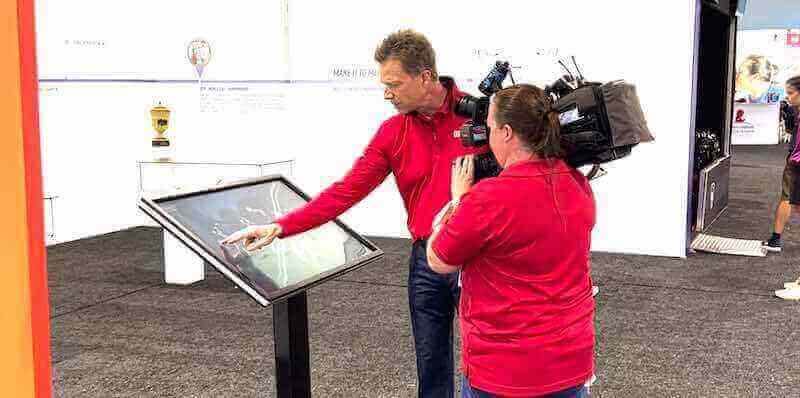
Interactive Touch Screen Digital Signage: How It Works and What You Need
Interactive touch screen digital signage has moved well beyond retail kiosks and airport wayfinding. Schools, universities, athletic departments, and alumni organizations are deploying these systems to recognize achievement, welcome visitors, display donor walls, and bring institutional history to life in ways that static plaques and printed banners simply cannot match. If you are evaluating whether an interactive display belongs in your lobby, gymnasium, or hallway, this guide covers every layer of the decision: the underlying technology, the hardware you will need to spec, the software that powers the experience, and the questions worth asking before you sign any contract. What Interactive Touch Screen Digital Signage Actually Is Interactive touch screen digital signage combines a display panel, touch-sensing hardware, a media player or built-in computer, and software into a single system that responds to user input in real time. Unlike passive digital signage—the looping slide shows you see in many school lobbies—interactive systems let visitors tap, swipe, search, and explore content on their own terms.
Read MoreDigital Hall of Fame Error Prevention Audit for Inductee Profile Forms
Inductee profile forms are where school staff add names, upload portraits, enter graduation years, write biographies, and assign sport categories to the athletes, scholars, and contributors a recognition program honors. When those forms lack error prevention controls—no confirmation on delete, no date validation, no undo for overwrites—a single misclick can remove a profile that took years to build, or publish a biography with a graduation year four decades out of range. This guide defines what error prevention means in a hall of fame CMS context, identifies the four highest-risk form actions, provides a numbered audit process that athletic directors and archives staff can run without developer access, and supplies a remediation checklist that maps to specific WCAG success criteria. What Is Error Prevention and Why It Matters for Inductee Profile Forms Error prevention in the context of a web form is the set of design controls that reduce the likelihood of a user submitting invalid data, triggering an irreversible action, or losing entered content without warning. The term covers three levels of protection that build on each other:
Read MoreDigital Hall of Fame Reading Order Accessibility Audit for Inductee Pages
Reading order on a digital hall of fame inductee page is the sequence in which a screen reader or keyboard user encounters an honoree's name, sport, achievements, media, and navigation controls—determined by the DOM, not by the visual layout. When CSS floats, absolute positioning, or flexbox reversal create a gap between what sighted visitors see and what assistive technology announces, the inductee's story arrives in a scrambled sequence that undermines the recognition the school worked hard to create. This guide defines reading order in plain terms, shows where inductee pages most commonly break it, provides a numbered audit process schools can run without developer access, and supplies a visual-order versus programmatic-order comparison table ready for answer-engine extraction. What Is Reading Order and Why Does It Matter for Inductee Pages Reading order is the sequence in which content is presented to a visitor who is not viewing the page visually—specifically, the order in which a screen reader announces elements and the order in which keyboard focus moves from one interactive control to the next. It is determined by the Document Object Model (DOM): the linear arrangement of HTML elements in the page’s source code, independent of how CSS positions them on screen.
Read MoreDigital Hall of Fame Link Purpose Audit: Profile Cards, Categories, and Navigation
A link purpose audit examines every anchor element on a school's digital hall of fame and asks one question: can a visitor understand where this link leads without reading the surrounding paragraph? On a recognition display, dozens of profile cards often carry identical link text—"View profile," "Read more," "Learn more"—while pointing to completely different inductees. A visitor navigating by keyboard or using a screen reader encounters those repeated labels as an undifferentiated list, with no way to choose between them short of reading each card in full. This guide explains which link patterns cause the most friction, shows how to run a structured audit across profile cards, category navigation, related-story sections, and breadcrumbs, and provides remediation patterns that preserve the visual design while making every link self-explanatory. Why Link Purpose Is a Distinct Accessibility Requirement Touch target size, color contrast, and ARIA roles get most of the attention in recognition display audits, but link purpose addresses a different layer of the experience: whether the information architecture is navigable without visual scanning. WCAG Success Criterion 2.4.4 (Link Purpose – In Context, Level AA) requires that the purpose of each link can be determined from the link text alone or from the link text together with its programmatically determined context—the surrounding sentence, list item, table cell, or heading. WCAG 2.4.9 (Link Purpose – Link Only, Level AAA) raises the bar by requiring the link text itself to be descriptive with no reliance on context at all.
Read MoreDigital Hall of Fame Touch Target Size Accessibility Audit: Requirements, Measurement Table, and Audit Steps
A touch target size audit examines every interactive element on your school's digital hall of fame—search controls, profile cards, filter chips, and navigation buttons—and measures whether each tappable area is large enough for reliable, comfortable activation by fingers of all sizes. When a hall of fame kiosk sits in a lobby or gymnasium hallway and is used by students, alumni, parents, and older guests, undersized targets create friction for everyone and create real barriers for visitors with motor limitations. This guide explains the governing standards, provides a measurement table covering the four control families that appear on almost every recognition display, and walks you through a practical audit you can complete with a browser and a test device. Why Touch Target Size Matters on Hall of Fame Displays A recognition display is not a typical application. Visitors approach it briefly—during halftime, at a reunion, after a ceremony—and they are often standing, sometimes in poor lobby lighting, occasionally holding something in the other hand. The interaction window is short and the expectation is immediate success. An athlete’s family member trying to find a parent’s induction profile should not need three attempts to tap the correct filter chip.
Read MoreDigital Hall of Fame Search Autocomplete: Governance and Testing Guide
Digital hall of fame search autocomplete is the live suggestion list that appears as a visitor types a name or term into the search box on your recognition platform. Governing that list—deciding which suggestions are approved, how nicknames and historic names are validated, and what testing routine confirms each entry is accurate—is one of the most underrated maintenance tasks in athletic recognition programs. Done well, autocomplete reduces the effort required to find an inductee by two to three keystrokes and surfaces names that visitors recognize but cannot spell precisely. Done poorly, it surfaces stale suggestions, creates false associations between people who share a name, or promotes draft profiles before they are ready. This guide gives school athletic directors, archivists, and IT administrators a practical framework for governing and testing the autocomplete suggestion set on a hall of fame website or touchscreen display. Why Autocomplete Governance Matters for School Recognition Programs A visitor standing in front of a touchscreen in your gym lobby—or browsing your hall of fame website from a reunion table—arrives with a specific person in mind. They may know the name from a game program, a trophy plaque, or a story told at the banquet. What they type may be a nickname, a maiden name, a partial last name, or the year of a championship. The autocomplete list is the first moment of recognition: it either confirms that your system knows who they are looking for, or it signals a gap.
Read MoreDigital Hall of Fame Empty-State Design: Guide Visitors When Profiles or Filters Return Nothing
A visitor steps up to your school's digital hall of fame touchscreen, types a former athlete's name into the search bar, and watches a blank screen appear. No profiles, no suggestions, no next step—just a stark "No results found" message that sends them walking away. This moment, called an empty state, happens more often than most schools realize: a filter narrows to zero matches, a newly added inductee profile is still being built, or a recognition category hasn't been populated yet. Thoughtfully designed empty states transform these moments from dead ends into useful navigation opportunities, keeping visitors engaged and steering them toward content they can actually find. This guide explains the four main scenarios where digital hall of fame empty states occur, the design principles that turn them into productive experiences, and practical steps IT teams, athletic directors, and archivists can take to configure and maintain them. What Empty States Are and Why They Matter In interactive software, an “empty state” is any screen or section that displays when there is no content to show. For a digital hall of fame, empty states appear in at least four distinct situations:
Read MoreCategories
- Academic Achievement ( 8 )
- Academic Excellence ( 8 )
- Academic Programs ( 4 )
- Academic Recognition ( 22 )
- Accessibility ( 19 )
- Advancement ( 4 )
- Agricultural Education ( 1 )
- Alumni Engagement ( 24 )
- Alumni Memories ( 2 )
- Alumni Recognition ( 43 )
- Analytics ( 2 )
- Arts Education ( 1 )
- Arts Programs ( 1 )
- Arts Recognition ( 2 )
- Athletic Achievement ( 21 )
- Athletic Administration ( 4 )
- Athletic Awards ( 2 )
- Athletic Career ( 1 )
- Athletic Displays ( 1 )
- Athletic Facilities ( 3 )
- Athletic Fundraising ( 1 )
- Athletic History ( 1 )
- Athletic Leadership ( 2 )
- Athletic Performance ( 1 )
- Athletic Programs ( 42 )
- Athletic Recognition ( 121 )
- Athletic Training ( 1 )
- Athletics ( 4 )
- Award Programs ( 1 )
- Awards Programs ( 1 )
- Band Programs ( 1 )
- Baseball ( 2 )
- Baseball Recognition ( 1 )
- Basketball ( 15 )
- Basketball History ( 1 )
- Basketball Recognition ( 2 )
- Board Recognition ( 1 )
- Branding ( 1 )
- Budget Planning ( 1 )
- Business Technology ( 1 )
- Buyer Guides ( 1 )
- Buyer's Guide ( 4 )
- Campus Design ( 1 )
- Campus Engagement ( 2 )
- Campus Experience ( 1 )
- Campus Ministry ( 1 )
- Campus Technology ( 1 )
- Capital Campaigns ( 1 )
- Career Development ( 2 )
- Catholic Education ( 1 )
- Celebration Planning ( 1 )
- Championship Celebration ( 1 )
- Championship Displays ( 2 )
- Championship Recognition ( 2 )
- Cheer Recognition ( 3 )
- Class Recognition ( 1 )
- Classroom Projects ( 1 )
- Club Programs ( 1 )
- Club Recognition ( 2 )
- Coach Recognition ( 1 )
- Coaching Recognition ( 2 )
- Coaching Resources ( 1 )
- College Athletics ( 2 )
- College Recruitment ( 1 )
- College Sports ( 5 )
- Community ( 1 )
- Community Building ( 3 )
- Community Engagement ( 18 )
- Community Recognition ( 1 )
- Community Tributes ( 1 )
- Comparison ( 1 )
- Comparison Guides ( 2 )
- Compliance ( 2 )
- Construction Planning ( 1 )
- Content Strategy ( 1 )
- Corporate Recognition ( 2 )
- Customer Success ( 1 )
- Design ( 1 )
- Design Strategy ( 1 )
- Digital Archives ( 11 )
- Digital Asset Management ( 1 )
- Digital Communication ( 1 )
- Digital Display ( 3 )
- Digital Displays ( 60 )
- Digital Halls of Fame ( 4 )
- Digital Preservation ( 2 )
- Digital Recognition ( 68 )
- Digital Records ( 1 )
- Digital Signage ( 26 )
- Digital Solutions ( 2 )
- Digital Tools ( 1 )
- Digital Transformation ( 3 )
- Display Solutions ( 1 )
- Diversity Recognition ( 1 )
- DIY ( 2 )
- Donor Engagement ( 2 )
- Donor Recognition ( 14 )
- E-Sports ( 1 )
- Educational Displays ( 1 )
- Educational Facilities ( 1 )
- Educational Programs ( 1 )
- Educational Technology ( 11 )
- Employee Appreciation ( 1 )
- Employee Engagement ( 1 )
- Employee Recognition ( 4 )
- Engagement ( 1 )
- Engagement Programs ( 1 )
- Enrollment Management ( 1 )
- Event Planning ( 6 )
- Event Technology ( 1 )
- Events ( 1 )
- Facilities ( 1 )
- Facility Design ( 5 )
- Facility Management ( 1 )
- Facility Planning ( 1 )
- Facility Renovation ( 1 )
- Family Engagement ( 1 )
- Fan Engagement ( 1 )
- Football ( 7 )
- Football Recognition ( 1 )
- Fundraising ( 10 )
- Golf Programs ( 1 )
- Governance ( 8 )
- Graduation ( 1 )
- Graduation Planning ( 2 )
- Greek Life ( 3 )
- Hall of Fame ( 45 )
- Hall of Honor ( 1 )
- Halls of Fame ( 183 )
- Hardware ( 1 )
- Hardware Comparison ( 1 )
- Hardware Guide ( 1 )
- Healthcare Technology ( 2 )
- High School ( 1 )
- High School Achievement ( 1 )
- High School Athletics ( 1 )
- High School Football ( 1 )
- High School Sports ( 8 )
- High School Traditions ( 1 )
- Higher Education ( 1 )
- Historical Preservation ( 2 )
- Hockey ( 1 )
- Howto ( 4 )
- Installation Services ( 1 )
- Interactive Displays ( 15 )
- Interactive Kiosks ( 2 )
- Interactive Technology ( 23 )
- Junior Varsity ( 1 )
- Kiosk Software ( 1 )
- Kiosk Solutions ( 2 )
- Lacrosse ( 1 )
- Lacrosse Excellence ( 1 )
- Leadership Development ( 1 )
- Leadership Programs ( 1 )
- Legacy Recognition ( 1 )
- Local Connections ( 1 )
- Marketing ( 1 )
- Memorial Programs ( 2 )
- Memorial Recognition ( 2 )
- Memory Care ( 1 )
- Military Recognition ( 6 )
- Museum Technology ( 3 )
- Music Programs ( 3 )
- Music Recognition ( 1 )
- NCAA Eligibility ( 1 )
- Nonprofit Management ( 1 )
- Olympic Sports ( 2 )
- Parent Engagement ( 1 )
- Performance Arts ( 1 )
- Performing Arts ( 3 )
- Photo Management ( 1 )
- Platform Comparison ( 3 )
- Pricing Comparison ( 1 )
- Professional Sports ( 5 )
- Property Management ( 1 )
- Recognition ( 24 )
- Recognition Comparison ( 1 )
- Recognition Displays ( 47 )
- Recognition Ideas ( 1 )
- Recognition Programs ( 66 )
- Recognition Systems ( 1 )
- Recognition Technology ( 2 )
- Record Boards ( 1 )
- Record Keeping ( 1 )
- Rugby ( 1 )
- Sales Leadership ( 1 )
- School Administration ( 3 )
- School Awards ( 1 )
- School Communication ( 1 )
- School Communications ( 1 )
- School Culture ( 66 )
- School Design ( 3 )
- School Events ( 8 )
- School Fundraising ( 1 )
- School History ( 9 )
- School Leadership ( 2 )
- School Marketing ( 2 )
- School Memories ( 1 )
- School Pride ( 3 )
- School Programs ( 10 )
- School Recognition ( 31 )
- School Solutions ( 6 )
- School Spirit ( 3 )
- School Sports ( 1 )
- School Technology ( 15 )
- School Traditions ( 4 )
- Senior Living ( 1 )
- Senior Night ( 2 )
- Senior Recognition ( 1 )
- Small Schools ( 1 )
- Soccer ( 2 )
- Social Media ( 1 )
- Softball ( 1 )
- Software Comparison ( 9 )
- Software Development ( 2 )
- Software Guide ( 5 )
- Software Selection ( 2 )
- Space Design ( 3 )
- Sports ( 2 )
- Sports Achievement ( 3 )
- Sports Archives ( 1 )
- Sports Awards ( 2 )
- Sports Banquets ( 2 )
- Sports History ( 1 )
- Sports Performance ( 1 )
- Sports Programs ( 1 )
- Sports Recognition ( 10 )
- Sports Technology ( 5 )
- Sports Venues ( 1 )
- Staff Recognition ( 5 )
- State Recognition ( 1 )
- STEM Education ( 1 )
- STEM Recognition ( 1 )
- Student Achievement ( 21 )
- Student Athletes ( 6 )
- Student Celebration ( 2 )
- Student Development ( 1 )
- Student Engagement ( 12 )
- Student Leadership ( 1 )
- Student Life ( 1 )
- Student Organizations ( 3 )
- Student Programs ( 4 )
- Student Recognition ( 54 )
- Student Recruitment ( 1 )
- Student Success ( 2 )
- Student Wellness ( 1 )
- Swimming ( 1 )
- Teacher Recognition ( 1 )
- Team Awards ( 1 )
- Team Building ( 1 )
- Team Spirit ( 1 )
- Technology ( 22 )
- Technology History ( 1 )
- Technology Solutions ( 2 )
- Theatre Programs ( 2 )
- Theatre Recognition ( 1 )
- Title IX Compliance ( 1 )
- Touchscreen Kiosk ( 5 )
- Touchscreen Kiosks ( 1 )
- Touchscreen Software ( 17 )
- Touchscreen Technology ( 1 )
- Tournament Management ( 1 )
- Track and Field ( 3 )
- Traditions ( 1 )
- Training ( 3 )
- Training Centers ( 1 )
- Trophy Displays ( 3 )
- University Athletics ( 1 )
- University Programs ( 1 )
- User Experience ( 1 )
- Vendor Comparison ( 1 )
- Veterans Recognition ( 2 )
- Visitor Management ( 1 )
- Volleyball Programs ( 1 )
- Volunteer Recognition ( 2 )
- Wall of Fame ( 4 )
- Web Development ( 1 )
- Winter Sports ( 1 )
- Workplace Culture ( 4 )
- Wrestling ( 2 )
- Wrestling Programs ( 1 )
- Youth Programs ( 1 )
- Youth Sports ( 4 )
- Youth Sports Recognition ( 1 )
Tags
- 1000 Point Scorer
- 1000 Points
- 1600 SAT
- 3D Scanning
- 501c3
- 5K Race
- 5th Year Senior
- Aau Basketball
- Academic Achievement
- Academic All-American
- Academic Awards
- Academic Competition
- Academic Competitions
- Academic Display
- Academic Excellence
- Academic Excellence Awards
- Academic Excellence Programs
- Academic Honors
- Academic Honors Examples
- Academic Honors High School
- Academic Programs
- Academic Recognition
- Accessibility
- Accessibility Audit
- Accessibility Compliance
- Accessible Recognition Displays
- Accidental Deletion
- Achievement Celebration
- Achievement Legacy
- Achievement Recognition
- Achievement Walls
- ACT 30+ Club
- ACT Recognition
- ACT Scores
- AD Job Search
- ADA
- ADA Compliance
- ADA Compliant Digital Displays
- Admissions
- Admissions Technology
- Admissions Tours
- Advanced Kiosk Solutions
- Advanced Placement
- Advancement
- Advancement Technology
- Affordable School Signage
- After School Activities
- Agricultural Education
- AI
- AI Content Creation
- Ai Graphics
- Air Traffic Controllers
- Alabama Football
- All Conference Meaning
- All-American Wrestlers
- All-Conference Team
- All-Region Athletes
- All-Star Athletes
- All-State Athletes
- All-State Musicians
- All-State Recognition
- All-State Records
- All-State Wrestlers
- Allstar Achievement
- Alumni
- Alumni Association
- Alumni Board
- Alumni Center
- Alumni Communication
- Alumni Content
- Alumni Directory
- Alumni Engagement
- Alumni Engagement Solutions
- Alumni Events
- Alumni Games
- Alumni Gathering Area
- Alumni Giving
- Alumni Hall of Fame
- Alumni Legacy Digital Wall
- Alumni Memories
- Alumni Mentorship
- Alumni Network
- Alumni Networking
- Alumni of the Month
- Alumni Photos
- Alumni Programs
- Alumni Recognition
- Alumni Recognition Wall
- Alumni Relations
- Alumni Reunion
- Alumni Speakers
- Alumni Spotlight
- Alumni Spotlights
- Alumni Stories
- Alumni Traditions
- Alumni Wall
- American History
- Analytics
- Android
- Android Kiosk
- Announcements
- AP Awards
- AP Scholar
- AP Scholar Recognition
- Apartment Complex
- Appreciation Ideas
- Appreciation Speeches
- Aquatic Facilities
- AR Displays
- Archival Preservation
- Archive Management
- Archiving
- Arena Displays
- Arena Recognition
- Arena Technology
- Aria Live Region
- Aria-Atomic
- Aria-Checked
- Aria-Haspopup
- Aria-Hidden
- Aria-Keyshortcuts
- Aria-Sort
- Arizona Championships
- Arizona High School Football
- Art Display
- Art Gallery
- Art Programs
- Artifact Intake
- Artifact Labeling
- Artifact Tracking
- Artificial Intelligence
- Arts Education
- Arts Recognition
- Assembly Programs
- Assistive Technology
- Athlete Celebration
- Athlete Development
- Athlete Honoring
- Athlete Honors
- Athlete of the Week
- Athlete Recognition
- Athlete Recovery
- Athletic Achievement
- Athletic Achievements
- Athletic Administration
- Athletic Archive Newton Rings Removal
- Athletic Awards
- Athletic Banners
- Athletic Banquet
- Athletic Boosters
- Athletic Building
- Athletic Celebration
- Athletic Ceremonies
- Athletic Championships
- Athletic Commitments
- Athletic Communication
- Athletic Department
- Athletic Department Roles
- Athletic Development
- Athletic Director
- Athletic Director Jobs
- Athletic Director Qualifications
- Athletic Director Requirements
- Athletic Director Resources
- Athletic Director Salary Guide
- Athletic Director Software
- Athletic Directors
- Athletic Display
- Athletic Displays
- Athletic Eligibility
- Athletic Events
- Athletic Excellence
- Athletic Facilities
- Athletic Facility Design
- Athletic Facility Management
- Athletic Fundraising
- Athletic Graphics
- Athletic Hall of Fame
- Athletic Hall of Fame Accession Form
- Athletic Hall of Fame Artifact Numbering System
- Athletic Hall of Fame Bylaws
- Athletic Hall of Fame Selection Committee
- Athletic Hall of Fame Software
- Athletic History
- Athletic Honors
- Athletic Information
- Athletic Leadership
- Athletic Legacy
- Athletic Levels
- Athletic Memorabilia Insurance Appraisal
- Athletic Memorabilia Inventory
- Athletic Participation
- Athletic Performance
- Athletic Program Recognition
- Athletic Programs
- Athletic Recognition
- Athletic Recognition Compliance
- Athletic Recognition Displays
- Athletic Records
- Athletic Recruiting
- Athletic Recruitment
- Athletic Resume
- Athletic Signing
- Athletic Staff
- Athletic Trainer Awards
- Athletic Trainer Hall of Fame
- Athletic Trainer Recognition
- Athletic Training
- Athletic Training Equipment
- Athletic Training Room Design
- Athletic Wall of Honor
- Athletics
- Athletics Equity
- Athletics Wall of Honor
- Attendance Programs
- Attorney Directory
- Augmented Reality
- Authentication
- Autocomplete Governance
- AV Installation
- Award Displays
- Award Plaques
- Award Presenter Speech
- Award Terms
- Award Winners
- Awards Ceremony
- Awards Displays
- Awards Management
- Awards Touchscreen
- Back to School
- Backyard Party Ideas
- Ballpark Village
- Band Awards
- Band Banquet
- Band Recognition
- Band Uniforms
- Banner Displays
- Banner Exhibits
- Banquet Display
- Banquet Planning
- Base Path Distance
- Baseball
- Baseball Championships
- Baseball Coaching
- Baseball Diamond Dimensions
- Baseball Drills
- Baseball Facilities
- Baseball Field Layout
- Baseball Hall of Fame
- Baseball Practice Plan
- Baseball Recognition
- Basketball
- Basketball Alumni
- Basketball Awards Ceremony
- Basketball Banquet Ideas
- Basketball Captain Recognition
- Basketball Coaching
- Basketball Hall of Fame
- Basketball History
- Basketball Officiating
- Basketball Programs
- Basketball Recognition
- Basketball Records
- Basketball Referee Signals
- Basketball Rules
- Basketball Team Awards
- Basketball Team History
- Beanpot
- Best Kiosk Software
- Best Practices
- Big XII Basketball
- Birthday Recognition
- Bloomsburg
- Board Members
- Booster Club
- Booster Club Fundraising
- Booster Club Ideas
- Booster Clubs
- Boston Bruins
- Boston College
- Boston Sports
- Boxing Footwork Drills
- Brotherhood Celebration
- Budget
- Budget Planning
- Budget Solutions
- Budget-Friendly
- Building Directory
- Bulletin Boards
- Business Automation
- Business Awards
- Business Directory
- Business Leaders
- Buyer's Guide
- Buying Guide
- Cadet Achievement
- Cadet Recognition
- Camp Awards
- Camp Management
- Campus Design
- Campus Digital Signage
- Campus Directory
- Campus Displays
- Campus Engagement
- Campus Ministry
- Campus Navigation
- Campus Pride
- Campus Recreation
- Campus Technology
- Campus Tour
- Campus Tours
- Campus Visits
- Canva
- Canva API
- CAP Awards
- Capacitive Touchscreen
- Capital Campaign
- Capital Campaigns
- Captain Selection
- Captain Speech
- Career Advancement
- Career and Technical Education
- Career Day
- Career Development
- Career Education
- Career Exploration
- Career Guidance
- Career Pathways
- Career Planning
- Career Technical Education
- Catcher Training
- Catching Drills
- Catholic Education Technology
- Catholic Parish
- Catholic School Recognition
- Celebration
- Ceremonies
- Ceremony Planning
- Ceremony Timing
- Certificate Templates
- Championship Archives
- Championship Banners
- Championship Banners for Gyms
- Championship Celebration
- Championship Format
- Championship Honors
- Championship Qualification
- Championship Recognition
- Championship Season
- Championship Traditions
- Championship Trophy
- Championships
- Chapter Directory
- Chapter Heritage
- Chapter House Displays
- Chapter Recognition
- Character Education
- Charity Drive
- Cheer Awards
- Cheer Banquet Ideas
- Cheer Squad Recognition
- Cheerleader Awards
- Cheerleading Awards
- Cheerleading Celebration
- Cheerleading Programs
- Chess Club
- Chess Hall of Fame
- Chess History
- Chess Programs
- Children's Hospitals
- Church Communication
- Church Sports
- Church Technology
- Churches
- Civic Engagement
- Civil Air Patrol
- Class Competition
- Class Composite
- Class Composites
- Class of 2026
- Class Officers
- Class Photos
- Class President
- Class Rank
- Class Recognition
- Class Reunion
- Class Reunion Ideas
- Class Reunions
- Classroom Awards
- Classroom Celebrations
- Classroom Displays
- Classroom Leaderboard
- Classroom Projects
- Classroom Technology
- ClearTouch Displays
- Client Experience
- Cloud-Based Cms
- Cloud-Based Software
- Cloud-Based Trophy Display
- Club Leadership
- Club Management
- Club Officers
- Club Sports
- CMS Migration
- Coach Appreciation
- Coach Bio Template
- Coach Gifts
- Coach Hall of Fame Display
- Coach Profile Template
- Coach Recognition
- Coach Responsibilities
- Coach Speech
- Coaches Appreciation
- Coaching
- Coaching Awards
- Coaching Decisions
- Coaching Excellence
- Coaching Honors
- Coaching Recognition
- Coaching Resources
- Coaching Strategies
- Coaching Strategy
- Coaching Tips
- Cocktail Dress
- Cognitive Development
- Collaborative Technology
- College Advancement
- College Applications
- College Athletics
- College Awards
- College Basketball
- College Coach Visits
- College Commitment Day
- College Commitments
- College Decision Day
- College Football
- College Football Awards
- College Football Hall of Fame
- College Fundraising
- College History
- College Hockey
- College Honors
- College Lacrosse
- College Lecture Hall
- College Placement
- College Readiness
- College Recognition
- College Recruiting
- College Recruitment
- College Signing Day
- College Signing Day Table Ideas
- College Signings
- College Sports
- College Sports Technology
- College Success
- College Tours
- Collegiate Experience
- Commencement
- Commencement Planning
- Committee Roles
- Community
- Community Archives
- Community Awards
- Community Building
- Community Celebration
- Community College Sports
- Community Development
- Community Engagement
- Community Fundraising
- Community Hall of Fame
- Community Identity
- Community Improvement
- Community Involvement
- Community Memorials
- Community Organizations
- Community Partnerships
- Community Praise
- Community Projects
- Community Recognition
- Community Service
- Community Showcase
- Community Visitors
- Community Volunteers
- Comparison Guide
- Competition Robotics
- Competitive Gaming
- Complete Packages
- Compliance
- Compliance Checklist
- Compliance Management
- Computer Module
- Computer Science
- Concession Stand Supplies
- Conference Championship
- Conference Championships
- Conference Honors
- Conference Sports
- Conference Standings
- Congregation Engagement
- Construction Planning
- Content Calendar
- Content Licensing Schools
- Content Management
- Content Management System
- Content Organization
- Content Planning
- Content Review
- Content Security Policy
- Content Setup
- Content Transfer
- Cookie Consent
- Corporate Culture
- Corporate Recognition
- Cost Comparison
- Cost Savings
- Country Club Recognition
- Course Design
- Course Layout
- Courtroom Modernization
- Courtroom Technology
- Crawl Management
- Creative Achievement
- Creative Arts
- Creative Freedom
- Creative Recognition
- Critical Thinking
- Cross Country
- Cross Country Course
- Cross Country Running
- Cross-Platform
- Cross-Training
- CSS
- CSS Viewport
- CTE Programs
- Cultural Diversity
- Cultural Institutions
- Cultural Preservation
- Cum Laude
- Custom Design
- Custom Signage
- Customer Engagement
- Customer Experience
- Customer Service
- Customer Success
- Customer Support
- Cybersecurity
- Dance Team Recognition
- Data
- Data Analytics
- Data Migration
- Data Protection
- Dean's List
- Debate Team
- Deceased Alumni
- Deceased Faculty
- Decorating Graduation Cap
- Decorative Content
- Defense Drills
- Defensive Skills
- Delta Gamma
- Dementia Care
- Dental Office Displays
- Deployment
- Descriptive Links
- Design Consistency
- Design Systems
- Design Tools
- Development
- Development Office
- Digital Alumni Hall of Fame
- Digital Archive
- Digital Archives
- Digital Art Gallery
- Digital Art Wall
- Digital Asset Management
- Digital Awards
- Digital Banners
- Digital Board
- Digital Boards
- Digital Bulletin Board
- Digital Collections
- Digital Communication
- Digital Composite
- Digital Composites
- Digital Directory
- Digital Display
- Digital Display Rights Management
- Digital Displays
- Digital Donor Recognition
- Digital Donor Recognition Wall
- Digital Donor Wall
- Digital Donor Walls
- Digital Engagement
- Digital Exhibits
- Digital Galleries
- Digital Gallery
- Digital Hall of Fame
- Digital Hall of Fame Aria Atomic Audit
- Digital Hall of Fame Aria Checked Audit
- Digital Hall of Fame Aria-Haspopup Audit
- Digital Hall of Fame Aria-Hidden Audit
- Digital Hall of Fame Aria-Keyshortcuts Audit
- Digital Hall of Fame Aria-Sort Audit
- Digital Hall of Fame Error Prevention Audit
- Digital Hall of Fame Error Suggestion Audit
- Digital Hall of Fame Inert Attribute Accessibility Audit
- Digital Hall of Fame Label in Name Audit
- Digital Hall of Fame Language of Parts Accessibility Audit
- Digital Hall of Fame Link Purpose Audit
- Digital Hall of Fame Motion Actuation Accessibility Audit
- Digital Hall of Fame Pricing
- Digital Hall of Fame Reading Order Accessibility Audit
- Digital Hall of Fame Remote Access Policy
- Digital Hall of Fame Rights Expiration Tracker
- Digital Hall of Fame Search Autocomplete
- Digital Hall of Fame Search Stemming Audit
- Digital Hall of Fame Touch Target Size Audit
- Digital Halls of Fame
- Digital History
- Digital Kiosk
- Digital Kiosks
- Digital Leaderboard
- Digital Libraries
- Digital Memorial
- Digital Memory Board
- Digital Museums
- Digital Photo Gallery
- Digital Plaques
- Digital Playbills
- Digital Preservation
- Digital Recognition
- Digital Recognition Analytics
- Digital Recognition Displays
- Digital Recognition Platform
- Digital Recognition Policy
- Digital Recognition Software
- Digital Recognition Systems
- Digital Record Board
- Digital Record Boards
- Digital Records
- Digital Reunion Displays
- Digital School Tour
- Digital Showcase
- Digital Signage
- Digital Signage Cms
- Digital Signage for Schools
- Digital Signage Hardware
- Digital Signage Pricing
- Digital Signage Screens
- Digital Signage Software
- Digital Signage Widgets
- Digital Solutions
- Digital Storytelling
- Digital Therapy
- Digital Timeline
- Digital Timelines
- Digital Tools
- Digital Touchscreen
- Digital Trophy Case
- Digital Trophy Displays
- Digital Trophy Wall
- Digital Wall of Achievement
- Digital Wall of Fame
- Digital Wayfinding
- Digital Yearbook
- Digital Yearbooks
- Digital-Migration
- Digitization
- Digitizing Yearbooks
- Director Appreciation
- Disable Pinch to Zoom
- Display Archive
- Display Cabinets
- Display Case Glass
- Display Design
- Display System Security
- Display Updates
- Display-Transition
- Distance Running
- Distinguished Alumni
- Distinguished Graduates
- District Playoffs
- Division I Athletics
- Division II Athletics
- Division III Athletics
- Diy Kiosk
- Document Digitization
- Document Management
- Document Preservation
- Document Scanning
- Donation Wall
- Donor Appreciation
- Donor Appreciation Event Ideas
- Donor Artifact Permissions
- Donor Board
- Donor Engagement
- Donor Recognition
- Donor Recognition Ideas
- Donor Recognition Plaque
- Donor Recognition Wall
- Donor Stewardship
- Donor Wall
- Donor Wall Design
- Donor Walls
- Dormitory Communication
- Drama Club
- Drama Department
- Drama Programs
- Drawers
- Drill Team Director
- Dual Achievement
- Dual Excellence
- Dual Recognition
- Eagle Scout Projects
- Easescreen
- ECNL
- Eco-Friendly
- Education Careers
- Education Requirements
- Educational Displays
- Educational Facilities
- Educational Fundraising
- Educational Leadership
- Educational Reform
- Educational Spaces
- Educational Technology
- Educator Appreciation
- Educator Honors
- Educator Memorial
- Educator Recognition
- Elderly Care
- Elementary School
- Elite Athletes
- ELO Touch
- Emerging Technology
- Employee Engagement
- Employee Motivation
- Employee of the Month Certificate
- Employee Recognition
- Employee Recognition Board
- Empty State Design
- Encryption
- End of Season
- End of Season Awards
- End of Season Banquet
- End of Season Banquets
- End of Season Celebration
- End of Year Awards
- End of Year Celebration
- Endurance Training
- Engagement
- Engagement Metrics
- Engagement Platforms
- Engagement Strategies
- Engineering Programs
- Enrollment Marketing
- Entrance Design
- Equipment Organization
- Error Prevention
- Error Suggestion
- Escuelas
- Esports
- Esports Athletes
- Esports Hall of Fame
- Esports Teams
- Event Awards
- Event Documentation
- Event Management
- Event Planning
- Event Software
- Event Technology
- Evidence Presentation
- Executive Board
- Exhibition Design
- Exhibition Software
- Extracurricular Activities
- Extracurricular Recognition
- Facility Branding
- Facility Design
- Facility Modernization
- Facility Planning
- Faculty Memorial
- Faith Formation
- Fall Sports
- Fall Sports High School
- Fall Sports Programs
- Fallen Heroes
- Fallen Soldiers
- Family Caregivers
- Family Engagement
- Family History
- Family Involvement
- Family Legacy
- Family Partnerships
- Family Reunion
- Famous Alumni
- Famous Graduates
- Fan Engagement
- Fan Experience
- Fan Experience Centers
- Fbla
- Fbla Awards
- FERPA Compliance
- FFA Awards
- Field Specifications
- Filter Checkbox Accessibility
- Filter Dialog
- Find Yearbooks Online
- FIRST Robotics
- Florida State Seminoles
- Football
- Football Achievements
- Football Awards
- Football Championships
- Football Divisions
- Football Hall of Fame
- Football History
- Football Honors
- Football Programs
- Football Rankings
- Football Recognition
- Football Records
- Football Season
- Football Senior Night Ideas
- Football Strategy
- Football Traditions
- Footwork Techniques
- Footwork Training
- Forensics Recognition
- Form Validation
- Formal Wear
- Fraternity Composites
- Fraternity History
- Fraternity House
- Fraternity Recognition
- Free Design Tools
- Free Digital Displays
- Free Kiosk Software
- Free Software
- Free Tools
- Freshmen Transition
- Full-Service Provider
- Fully Kiosk Browser
- Fundraising
- Fundraising Activities
- Fundraising Events
- Fundraising Game Ideas
- Fundraising Programs
- Fundraising Recognition
- Fundraising Strategies
- Fundraising Technology
- Funny Awards
- Funny Basketball Awards
- Future Business Leaders of America
- Future Trends
- Gala Fundraiser
- Gallery Displays
- Game Day Experience
- Game Day Operations
- Game Day Traditions
- Game Strategy
- Gaming
- Gaming Programs
- Gaming Recognition
- Gatorade Player of the Year
- Georgia High School Football
- Getting Started
- GHSA Football
- Gipper
- Gipper Alternative
- Giving Tuesday
- Glass Display Case
- Goal Leaders
- Goalie Awards
- Golf
- Golf Achievements
- Golf Awards
- Golf Ball Trophy Case
- Golf Club Recognition
- Golf Club Technology
- Golf Course Technology
- Golf Display
- Golf Programs
- Golf Recognition
- Golf Tournament
- Golf Tournaments
- Google Search Console
- GPA Requirements
- Grad Cap Designs
- Graduate Connections
- Graduate Programs
- Graduate Recognition
- Graduating Seniors
- Graduation
- Graduation Cap Decoration
- Graduation Cap Ideas
- Graduation Celebration
- Graduation Ceremony
- Graduation Honors
- Graduation Party
- Graduation Party Themes
- Graduation Planning
- Graduation Recognition
- Grand Opening
- Grayshirt
- Greek Life
- Greek Life Preservation
- Greek Life Recognition
- Green Events
- Guest Experience
- Gym Banner
- Gym Banners
- Gym Displays
- Gym Lobby
- Gymnasium Construction
- Hall of Achievement
- Hall of Fame
- Hall of Fame Accessibility Checklist
- Hall of Fame Administration
- Hall of Fame Artifact Catalog
- Hall of Fame Artifact Documentation
- Hall of Fame Ballot
- Hall of Fame Bylaws
- Hall of Fame Collection Management
- Hall of Fame Content Gaps
- Hall of Fame Content Moderation Policy
- Hall of Fame Design
- Hall of Fame Display Ideas
- Hall of Fame Displays
- Hall of Fame Due Process
- Hall of Fame Exhibit Ideas
- Hall of Fame Exhibits
- Hall of Fame Governance
- Hall of Fame Inductee
- Hall of Fame Inductee Profile
- Hall of Fame Inductee Questionnaire
- Hall of Fame Inductee Revocation Policy
- Hall of Fame Induction
- Hall of Fame Induction Ceremony Ideas
- Hall of Fame Induction Invitation
- Hall of Fame Layout
- Hall of Fame Modernization
- Hall of Fame Name Change Policy
- Hall of Fame Photos
- Hall of Fame Planning
- Hall of Fame Plaque Wording
- Hall of Fame Plaques
- Hall of Fame Profile
- Hall of Fame Profile Update Request Form
- Hall of Fame Program
- Hall of Fame Programs
- Hall of Fame RSVP
- Hall of Fame Search
- Hall of Fame Search Analytics
- Hall of Fame Selection Committee
- Hall of Fame Selection Process
- Hall of Fame Software
- Hall of Fame Speech
- Hall of Fame Video
- Hall of Fame Voting Process
- Hall of Fame Wall
- Hall of Fame Walls
- Hall of Fame Website Consent Management Checklist
- Hall of Fame Website HTTP Security Headers Checklist
- Hall of Fame Website Robots.txt Checklist
- Hall of Fame Website Security
- Hall of Fame Website Video Sitemap Checklist
- Hall of Fame Website Zero Results Search Report
- Hall of Fame Wording
- Hall of Honor
- Halls of Fame
- Hallway Displays
- Hardware Integration
- Hardware Partnerships
- Hardware Selection
- Hardware Support
- Healthcare
- Healthcare Displays
- Healthcare Fundraising
- Healthcare Technology
- Heisman Trophy
- Heritage
- Heritage Displays
- Heritage Documentation
- Heritage Management
- Heritage Months
- Heritage Preservation
- Hidden Costs
- High School
- High School Athletics
- High School Awards
- High School Baseball Playoffs
- High School Basketball
- High School Displays
- High School Esports
- High School Events
- High School Football
- High School Football Championships
- High School Graduation
- High School Hall of Fame Induction Speech
- High School Hockey
- High School Lacrosse
- High School Memories
- High School Music
- High School Playoffs
- High School Recognition
- High School Recruiting
- High School Reunion
- High School Reunions
- High School Signing Day Tables
- High School Spirit
- High School Sports
- High School Sports Banquet Ideas
- High School Sports Camp Planning
- High School Swimming
- High School Technology
- High School Theatre
- High School Track
- High School Traditions
- High School Varsity Letters
- High School Wall of Fame
- High School Wrestling
- Higher Ed
- Higher Education
- Higher Education Technology
- Highlight Board
- Highlight Tapes
- Historical Displays
- Historical Photos
- Historical Preservation
- Historical Records
- Historical Timeline
- History Competition
- History Education
- History Honor Society
- History of Homecoming
- History Preservation
- Hitting Drills
- Hockey
- Hockey Arena
- Hockey Coach Gifts
- Hockey East
- Hockey Facility Planning
- Hockey Hall of Fame
- Hockey Programs
- Hockey Recognition
- Hockey Records
- Hockey Rink Dimensions
- Home Celebration
- Homecoming
- Homecoming Ceremony
- Homecoming Court
- Homecoming Court Tradition
- Homecoming Dance
- Homecoming Game
- Homecoming History
- Homecoming Royalty
- Homecoming Tradition
- Homecoming Week
- Honor Cords
- Honor Programs
- Honor Roll
- Honor Roll Display
- Honor Roll Programs
- Honor Roll Requirements
- Honor Societies
- Honor Society
- Honor Society Programs
- Honor Wall
- Honor Wall Displays
- Honor Walls
- Honors Display
- Horizontal Jumps
- Horse Racing
- Hospital Directory
- Hotel Technology
- HSTS
- HTML
- HTML Keyboard
- HTTP Security Headers
- Humorous Sports Recognition
- Hybrid Events
- Ice Rink Size
- Ice Sports
- Implementation
- Implementation Guide
- Inclusive Design
- Inclusive Honors
- Inclusive Programs
- Indoor Practice Fields
- Inductee Celebration
- Inductee Discovery
- Inductee Filters
- Inductee Intake Form
- Inductee Pages
- Inductee Policy
- Inductee Profile Forms
- Inductee Profile Permissions
- Inductee Profile Update
- Inductee Profiles
- Inductee Records
- Inductee Removal Policy
- Inductee Stories
- Inductee Table
- Inductee Videos
- Inductee Voting
- Inductee Voting Rules
- Induction Ceremony
- Induction Ceremony Planning
- Induction Ceremony Video
- Induction Order
- Induction Speeches
- Inert Attribute
- Infrastructure Planning
- Innovation
- Insights
- Installation
- Installation Guide
- Installation Planning
- Installation Services
- Institutional Archives
- Institutional Heritage
- Institutional Identity
- Institutional Legacy
- Institutional Memory
- Integration
- Interactive Alumni Display
- Interactive Boards
- Interactive Classrooms
- Interactive Content
- Interactive Directory
- Interactive Display
- Interactive Displays
- Interactive Exhibits
- Interactive Hall of Fame
- Interactive Kiosk
- Interactive Kiosk Software
- Interactive Kiosks
- Interactive Learning
- Interactive Memorial
- Interactive Recognition
- Interactive Screens
- Interactive Signage
- Interactive Sports Displays
- Interactive Storytelling
- Interactive Technology
- Interactive Timeline
- Interactive Touch Screen
- Interactive Touchscreen
- Interactive Touchscreens
- Interactive Wayfinding
- Interactive Yearbook
- Interior Branding
- Interviews
- Intramural Programs
- Intramural Sports
- Iowa Athletics
- Iowa Wrestling
- IT Security
- IT Training
- JavaScript
- JavaScript Touch Events
- Jersey Display
- Jersey Display Case
- Jersey Frames
- Jersey Retirement
- Journalism Programs
- JuCo Sports
- Jumping Technique
- Junior College Athletics
- Junior Varsity
- Junior Varsity Displays
- Junior Varsity Hockey
- JV Athletes
- JV Basketball Recognition
- JV Sports
- Jv vs Varsity
- K-12
- Keyboard Navigation
- Keyboard Shortcuts
- Kiosk Browser
- Kiosk Compatibility
- Kiosk Computer
- Kiosk Content
- Kiosk Deployment
- Kiosk Development
- Kiosk Displays
- Kiosk Features
- Kiosk Interface
- Kiosk Management
- Kiosk Mode
- Kiosk Security
- Kiosk Setup
- Kiosk Software
- Kiosk Software Comparison
- KPIs
- Label in Name
- Lacrosse
- Lacrosse All Stars
- Lacrosse Coaching
- Lacrosse Excellence
- Lacrosse Recognition
- Lacrosse Training
- Language of Parts
- Latin Honors
- Launch Event
- Law Firm Technology
- LCD Displays
- Leaderboards
- Leadership Awards
- Leadership Development
- Leadership Encampment
- Leadership Programs
- Leadership Recognition
- Leadership Skills
- Learning Spaces
- Lecture Hall Design
- LED Displays
- Legacy Building
- Legacy Ideas
- Legacy Preservation
- Legacy Recognition
- Legacy Wall
- Legal Technology
- Letter Jacket
- Letter Requirements
- Letter Winners
- Letterman Jacket
- Letterman Jacket High School
- Letterman Jacket Patches
- LG Touchscreen
- Library Collections
- Library Technology
- Link Purpose
- Linux
- Linux Kiosk
- Live Region
- Lobby Design
- Lobby Planning
- Local Achievements
- Local Connections
- Local Heroes
- Local Recognition
- Local Sponsors
- Locked Down Browser
- Machine Learning
- Macos
- Magna Cum Laude
- Maintenance
- Major Gifts
- March Madness
- Marching Band
- Marching Band Awards
- Marching Band Uniform
- Marketing
- Massachusetts Hockey
- Massachusetts Schools
- Masters Tournament
- Math Achievement
- MaxPreps
- McDonald's All American
- MDM Device Management
- Medal and Trophy Display
- Media Management
- Media Organization
- Media Rights School Recognition
- Medical Facilities
- Medical Hardship Waiver
- Medical Redshirt
- Member Engagement
- Member Motivation
- Member Recognition
- Membership Engagement
- Memorial Displays
- Memorial Page
- Memorial Plaques
- Memorial Quotes
- Memorial Recognition
- Memorial Tributes
- Memorial Wall
- Memorial Walls
- Memory Care
- Memory Displays
- Mental Health
- Mentor Programs
- Mentorship Programs
- Menu Accessibility
- Metrics
- Middle School
- Middle School Yearbook
- Military Alumni
- Military Displays
- Military Memorabilia
- Military Memorial
- Military Memorials
- Military Recognition
- Military Tribute
- Military Wall of Honor
- Mini PC
- Ministry
- Ministry Athletics
- Ministry Technology
- Ministry Trips
- Minnesota Hockey
- Miracle on Ice
- Missing Inductees
- Missouri Football Playoffs
- MLB
- Mobile Web
- Modals
- Modernization
- Monthly Spotlight
- Motion Actuation
- Motivation
- Mounting Services
- MSHSAA
- Multi-Generational Families
- Multi-Screen Display
- Multi-Screen Displays
- Multi-Site Deployment
- Multi-Touch Displays
- Multi-Touch Software
- Multi-User Software
- Multi-Year Contracts
- Multifamily Housing
- Multilingual
- Multimedia Displays
- Multimedia Storytelling
- Museum Displays
- Museum Kiosks
- Museum Recognition
- Museum Technology
- Music Educators
- Music Excellence
- Music Program Celebration
- Music Programs
- Music Recognition
- MWE QIXZOCV
- NACE
- Naismith Memorial
- Name Change Policy
- Narrative Techniques
- NASEF
- National Athletic Trainer Day
- National History Day
- National Honor Society
- National Letter of Intent
- National Merit Scholars
- National Signing Day
- Native App
- Navigation
- NBA
- Nba Icons
- NCAA Basketball
- Ncaa Eligibility
- NCAA Hockey
- Network Security
- Network Setup
- Networking Events
- Newton Rings
- NFHS Records
- NFL
- NFL Alumni
- NFL Hall of Fame
- NFL Icons
- NFL Recognition
- NFL Rules
- NFL Stadiums
- Nhd
- NHL
- NHL Championship
- NHL Players
- NHL Rink Size
- NHS Induction Ceremony
- NHS Recognition
- NIL
- NIL Rights
- NJCAA Recognition
- No-Code Development
- Nomination Form Consent
- Nomination Forms
- Nomination Letters
- Nomination Process
- Nonprofit
- Nonprofit Events
- Nonprofit Fundraising
- Nonprofit Organization
- Nonprofit Recognition
- Nonprofit Solutions
- Nonprofit Support
- Northeastern University
- Nostalgia Marketing
- Notable Alumni
- Notable Graduates
- NSDA
- Nursing Homes
- Office Community Engagement
- Ohio High School Football
- OHSAA Football
- Old School Photos
- Oldtimers Wall
- Olympic Athletes
- Olympic Hockey
- Olympic Ice Rink
- Olympic Recognition
- Olympic Sports
- Olympic Training Centers
- Olympic Wrestling
- Olympics
- On-Screen Keyboard
- Onboarding
- Online Engagement
- Online Hall of Fame
- Online Recognition
- Online Yearbooks
- Onside Kick
- Open House Planning
- Open Source
- Oral History
- Organizational Culture
- Os Compatibility
- Outlet Malls
- Pantalla Táctil
- Pantallas Táctiles
- Paper Plate Awards
- Parent Engagement
- Parent Involvement
- Parent Organizations
- Parent Participation
- Parent Volunteers
- Participation Strategies
- Party Planning
- Patient Engagement
- Patient Entertainment
- Patient Experience
- Patriots
- Patron Engagement
- Payment Options
- Pediatric Healthcare
- Peer Leadership
- Peer Mentorship
- Peer Tutoring
- Pennsylvania Youth Sports
- Pep Rally
- Pep Rally Games
- Perfect Attendance
- Perfect SAT Score
- Perfect Scores
- Performance Arts
- Performance Tracking
- Performing Arts
- Performing Arts Honors
- Performing Arts Recognition
- Permanent Memorial Ideas
- Permanent Recognition
- Personalized Recognition
- PGA Tour
- Phi Alpha Theta
- Philadelphia Flyers
- Photo Archives
- Photo Booth Software
- Photo Digitization
- Photo Displays
- Photo Galleries
- Photo Gallery
- Photo Management
- Photo Organization
- Photo Permissions Hall of Fame
- Photo Preservation
- Photo Restoration
- Photography Recognition
- Pitching Mound Distance
- Planning
- Planning Guide
- Plaque Design
- Plaque Displays
- Plaque Recognition
- Platform Comparison
- Platform Development
- Playbill Displays
- Player Development
- Player Recognition
- Player Tributes
- Playoff Brackets
- Playoff Journey
- Playoff Recognition
- Playoff Schedule
- Pool Recognition
- Pool Records
- Pool Technology
- Portfolio
- Power Installation
- Practice Organization
- Pre-Game Preparation
- Pregame Ceremonies
- Preservation
- Presidential Recognition
- Pricing
- Pricing Guide
- Principal Appreciation Gifts
- Principal Gifts
- Privacy
- Privacy Controls
- Private Schools
- Professional Athletes
- Professional Certifications
- Professional Development
- Professional Recognition
- Professional Services
- Professional Sports
- Profile Cards
- Profile Update Form
- Profile Update Request
- Program Planning
- Project Management
- Prom History
- Promethean Boards
- Property Displays
- Prospective Families
- Prospective Students
- Provider Migration
- Public Kiosks
- Racing History
- Raspberry Pi
- Raspberry Pi Kiosk
- Reading Order
- Real Estate Technology
- Real-Time Results
- Realtor Agencies
- Recognition Boards
- Recognition Ceremonies
- Recognition Display Software
- Recognition Displays
- Recognition Equity
- Recognition Events
- Recognition Ideas
- Recognition Platforms
- Recognition Programs
- Recognition Software
- Recognition Solutions
- Recognition Spaces
- Recognition Systems
- Recognition Technology
- Recognition Tools
- Recognition Wall
- Recognition Wall Plaques
- Recognition Walls
- Recognition-Display
- Recognition-Upgrade
- Recognizing Famous Alumni
- Reconocimiento Deportivo
- Reconocimiento Digital
- Reconocimiento Escolar
- Record Boards
- Record Displays
- Record Keeping
- Record Tracking
- Records Management
- Records Retention
- Recovery Centers
- Recovery Space
- Recruiting
- Recruiting Technology
- Redshirt Freshman
- Redshirt Meaning
- Redshirt Rules
- Referee Hand Signals
- Religious Institutions
- Religious Recognition
- Remembrance
- Reminiscence Therapy
- Remodeling Ideas
- Remote Access
- Remote Access Policy
- Remote Management
- Remote Support Authorization
- Residence Hall Displays
- Resident Engagement
- Resident Recognition
- Resistive Touchscreen
- Retail Technology
- Retired Coaches
- Retired Jersey
- Retired Jersey Ceremony
- Retired Jerseys
- Retirement Celebration
- Retirement Community
- Retirement Ideas
- Retirement Recognition
- Reunion Activities
- Reunion Checklist
- Reunion Committee
- Reunion Display
- Reunion Ideas
- Reunion Memory Wall
- Reunion Outfit
- Reunion Planning
- Reunion Themes
- Ribbon Cutting
- Ribbon Rack
- Rise Vision Alternative
- Rise Vision Alternatives
- Rivalry Games
- Rivalry Recognition
- Robotics Competition
- Robotics Team
- Robots Txt
- Robots Txt Sitemap
- Rocket Alumni Solutions
- Rocket Alumni Solutions Digital Signage
- Rocket Graphics
- Rocket Kiosks
- Rocket Recognition
- Rocket Software
- ROI
- Rugby History
- Rugby Records
- Running Trails
- Running Workouts
- Rural Education
- SaaS Integration
- Sales Performance
- Sales Recognition
- Salutatorian
- Salón De La Fama
- Sample Sports Banquet Speech
- San Jose Sharks
- SAP Center
- Saratoga Race Track
- SAT Recognition
- Scalability
- Scaling
- Scanning Artifacts
- Scheduling Software
- Scholar Athlete
- Scholar Athlete Award
- Scholar-Athletes
- Scholarship Fundraising
- Scholarship Recognition
- Scholastic Achievement
- Scholastic Chess
- School Accessibility
- School Achievement
- School Administration
- School Archives
- School Assembly Ideas
- School Athletic Archives
- School Athletic Director
- School Athletics
- School Awards
- School Banners
- School Board
- School Board Meeting
- School Branding
- School Building
- School Celebrations
- School Clubs
- School Communication
- School Communication Technology
- School Communications
- School Community
- School Competitions
- School Consolidation
- School Culture
- School Design
- School Digital Signage
- School Display
- School Display Cases
- School Displays
- School Engagement
- School Enrollment
- School Entrance
- School Entrance Design
- School Events
- School Facilities
- School Fundraising
- School Galleries
- School Governance
- School Graphics
- School Hall of Fame
- School Hall of Fame Governance
- School Hall of Fame Security
- School Hallway
- School Heritage
- School Heroes
- School History
- School History Displays
- School History Software
- School Honors
- School Improvement
- School IT Security
- School Kiosks
- School Leader Recognition
- School Leadership
- School Letterman Jacket
- School Lobby Design
- School Marketing
- School Memories
- School Mergers
- School Music Programs
- School Open House
- School Open House Ideas
- School Organizations
- School Party Ideas
- School Photography
- School Photos
- School Preservation
- School Pride
- School Productions
- School Programs
- School Recognition
- School Recognition Displays
- School Recognition Events
- School Recognition Programs
- School Recognition System
- School Recruiting
- School Renovation
- School Rivalry
- School Robotics
- School Screens
- School Signage
- School Signage Systems
- School Social Media
- School Software
- School Spirit
- School Spirit Activities
- School Spirit Days
- School Sports
- School Sports Celebration
- School Sports Records
- School Support
- School Technology
- School Theatre
- School Tours
- School Traditions
- School Trophy Cases
- School Values
- School Visit
- School Volunteers
- School Website Governance
- School Yearbook
- School Yearbook Planning
- School-Home Connection
- School-Modernization
- Schools
- Science Awards
- Scoring Milestones
- Scoring Records
- Scout Projects
- Screen Content
- Screen Reader
- Screen Size
- Search Forms
- Search Navigation
- Search Stemming
- Search Suggestions
- Search Synonyms
- Search Testing
- Searchable Database
- Seasonal Content
- SEC Athletics
- Section 508
- Secure Kiosk
- Security
- Selection Committee Rubric
- Selection Criteria
- Self-Service
- Self-Service Kiosks
- Self-Service Technology
- Semester Highlights
- Semester Recognition
- Semiquincentennial
- Senior Athlete Celebration
- Senior Athlete Recognition
- Senior Awards
- Senior Care
- Senior Class Plaque
- Senior Composites
- Senior Day
- Senior Display
- Senior Living
- Senior Mentors
- Senior Night
- Senior Night Ceremonies
- Senior Night Ceremony
- Senior Night Decorations
- Senior Night Ideas
- Senior Night Posters
- Senior Night Questionnaire
- Senior Night Recognition
- Senior Night Senior Poster Ideas
- Senior Night Speeches
- Senior Night Speeches for Teammates
- Senior Recognition
- Senior Showcase
- Senior Superlatives
- Senior Year
- Service Awards
- Service Members
- Service Milestones
- Service Projects
- Service Recognition
- Setup Guide
- Señalización Digital
- Sharing
- Shopping Centers
- Sidearm Sports
- Signage Ideas
- Signing Day
- Signing Day Ceremony
- Signing Day Table
- Signing Day Table Ideas
- Signing Wall
- Simple Solutions
- Sisterhood Celebration
- Ski Recognition
- Small Business
- Small Schools
- Snowboard Recognition
- Soccer
- Soccer Alumni
- Soccer Awards
- Soccer Excellence
- Soccer Memories
- Soccer Program
- Soccer Recognition
- Soccer Records
- Soccer Scorers
- Social Connection
- Social Media
- Social Media Graphics
- Social Media Integration
- Softball
- Softball Awards
- Softball Awards Ideas
- Softball Recognition
- Softball Season
- Softball Team Awards
- Softball Training
- Software Comparison
- Software Creation
- Software Features
- Software Integration
- Software Optimization
- Software Security
- Software Selection
- Sorority Alumni
- Sorority Archives
- Sorority Displays
- Sorority Heritage
- Sorority House
- Sorority Recognition
- Sortable Table Accessibility
- Space Design
- Space Planning
- Special Teams
- Speech and Debate
- Spirit Awards
- Spirit Day Ideas
- Spirit Days
- Spirit Wall
- Spirit Week
- Spirit Week Ideas
- Spirit Week Themes
- Split Screen Display
- Sponsor Recognition
- Sports Achievement
- Sports Achievements
- Sports Administration
- Sports Administration Careers
- Sports Agility
- Sports Archives
- Sports Artifacts Documentation
- Sports Awards
- Sports Awards Ceremony
- Sports Banners
- Sports Banquet
- Sports Banquet Awards Ideas
- Sports Banquet Speech Examples
- Sports Camps
- Sports Captains
- Sports Celebrations
- Sports Clubs
- Sports Concessions
- Sports Databases
- Sports Display
- Sports Displays
- Sports Education
- Sports Equipment Storage
- Sports Excellence
- Sports Facility
- Sports Halls of Fame
- Sports Heritage
- Sports Highlights
- Sports History
- Sports Honors
- Sports Leadership
- Sports Legacy
- Sports Legends
- Sports Management
- Sports Medicine
- Sports Medicine Facilities
- Sports Medicine Recognition
- Sports Memorabilia
- Sports Milestones
- Sports Ministry
- Sports Museum
- Sports Museums
- Sports Programs
- Sports Recognition
- Sports Recognition Displays
- Sports Records
- Sports Scoring
- Sports Seasons
- Sports Showcases
- Sports Teams
- Sports Technology
- Sports Tradition
- Sports Traditions
- Sports Training
- Sports Trophies
- Sports Trophy
- Sports Venues
- Sportsmanship
- Spring Sports
- Spring Sports Banquet
- Spring Sports High School
- Spring Sports Season
- Stadium Design
- Stadium Technology
- Staff Appreciation
- Staff Appreciation Gifts
- Staff Morale
- Staff Recognition
- Staff Training
- Staff Tribute
- Standardized Test Achievement
- Standardized Test Recognition
- Standardized Testing
- State Athletics
- State Baseball Tournament
- State Championship
- State Championships
- State History
- State Qualifiers
- State Records
- State Tournament
- State Wrestling Tournament
- STEM Education
- STEM Programs
- STEM Recognition
- Stewardship
- Storytelling
- Student Accomplishments
- Student Achievement
- Student Achievement Recognition
- Student Activities
- Student Art Showcase
- Student Artwork
- Student Assemblies
- Student Athlete
- Student Athlete Guide
- Student Athlete Health
- Student Athlete Leadership
- Student Athlete Resume
- Student Athletes
- Student Awards
- Student Celebration
- Student Celebrations
- Student Clubs
- Student Council
- Student Engagement
- Student Enrichment
- Student Government
- Student Inspiration
- Student Leadership
- Student Memories
- Student Mentors
- Student Motivation
- Student Musicians
- Student Networking
- Student of the Month
- Student Organization Recognition
- Student Organizations
- Student Participation
- Student Performers
- Student Profiles
- Student Recognition
- Student Recreation
- Student Research Competitions
- Student Researchers
- Student Showcase
- Student Success
- Student Tribute
- Student Welcome
- Student Work Display
- Student-Athlete Celebration
- Student-Athlete Development
- Student-Athlete Recognition
- Summa Cum Laude
- Summer Programs
- Supporter Appreciation
- Supporter Recognition
- Sustainable Recognition
- Swim Records
- Swimming Recognition
- Swimming Records
- TD Garden
- Teacher Appreciation
- Teacher Awards
- Teacher of the Year
- Teacher Recognition
- Teacher Retirement
- Teaching Awards
- Team Achievement
- Team Achievements
- Team Appreciation
- Team Awards
- Team Building
- Team Captain
- Team Captain Election
- Team Celebration
- Team Culture
- Team Defense
- Team Development
- Team GPA
- Team History
- Team History Display
- Team Leadership
- Team Motivation
- Team Photos
- Team Plaques
- Team Profiles
- Team Recognition
- Team Records
- Team Training
- Team Usa
- Technical Guide
- Technical SEO
- Technical Support
- Technology Recognition
- Technology Upgrade
- Tecnología Educativa
- Tennis Clubs
- Tennis Hall of Fame
- Tennis Programs
- Texas
- Texas Track and Field
- Thank You Messages
- Thanksgiving Football
- Thanksgiving Parade
- Theater Recognition
- Theatre Awards
- Theatre Programs
- Theatre Recognition
- Theatre Wall of Honor
- Thespian Society
- Timeline Displays
- Timeline Software
- Title IX
- Top Recruits
- Toronto Blue Jays
- Touch Analytics
- Touch Board
- Touch Interface
- Touch Kiosk
- Touch Target Size
- Touch Technology
- Touch Tv
- Touch Wall
- Touch-Base
- Touchboard Sign
- TouchPros
- Touchscreen
- Touchscreen Accessibility
- Touchscreen Banner Displays
- Touchscreen Calibration
- Touchscreen CMS
- Touchscreen Design
- Touchscreen Directory
- Touchscreen Display
- Touchscreen Displays
- Touchscreen Driver
- Touchscreen Games
- Touchscreen Hall of Fame
- Touchscreen History
- Touchscreen Kiosk
- Touchscreen Kiosk Accessibility
- Touchscreen Kiosk App
- Touchscreen Kiosk Software
- Touchscreen Kiosks
- Touchscreen Recognition
- Touchscreen Selection
- Touchscreen Software
- Touchscreen Solutions
- Touchscreen Suggestions
- Touchscreen Systems
- Touchscreen Technology
- Tournament Achievements
- Tournament Brackets
- Tournament Format
- Tournament Leaderboards
- Tournament Legends
- Tournament Recognition
- Tournament Seeding
- Tournament Winners
- Toys for Tots
- Track and Field
- Track Meet Qualification
- Track Records
- Trade Show Displays
- Tradition Wall
- Traditional Plaques
- Traditions
- Training
- Training Centers
- Training Facility
- Training Plan
- Travel Basketball
- Tribute Board
- Tribute Displays
- Tribute Inscriptions
- Triple Jump
- Trophy Case
- Trophy Case Insurance
- Trophy Cases
- Trophy Design
- Trophy Display
- Trophy Display Ideas
- Trophy Displays
- Trophy Organization
- Trophy Recognition
- Trophy Storage
- Trophy-Case-Replacement
- Troubleshooting
- Turnkey Solutions
- U.S. Open
- UDA Championships
- UI
- Uil Athletics
- Uil State Track Meet
- Uniform Customization
- University Advancement
- University Alumni
- University Archives
- University Athletics
- University Design
- University Engagement
- University Fundraising
- University Recognition
- University Timeline
- Unlimited Digital Signage
- UPDD
- URI
- USA Hockey
- USCF
- User Experience
- User Input
- User Retention
- User-Generated Content
- User-Scalable
- UX Best Practices
- UX Design
- Valedictorian
- Valedictorian Recognition
- Valedictorian vs Salutatorian
- Varsity Athletics
- Varsity Awards
- Varsity Eligibility
- Varsity Esports
- Varsity Hockey
- Varsity Letter
- Varsity Letter Requirements
- Varsity Sports
- Vendor Comparison
- Vendor Selection
- Veteran Alumni
- Veteran Artifacts
- Veteran Honors
- Veteran Recognition
- Veterans Day
- Veterans Recognition
- Veterans Wall of Honor
- VEX Robotics
- Video Archive
- Video Archives
- Video Production
- Video Recognition
- Video SEO
- Video Sitemap
- Video Walls
- ViewSonic Displays
- Villanova Basketball
- Virtual Events
- Virtual Hall of Fame
- Virtual Keyboard
- Virtual Tours
- Virtual Trophy Case
- Visibility
- Visitor Engagement
- Visitor Experience
- Visitor Kiosks
- Visitor Management
- Visual Arts
- Visual Storytelling
- VitalSigns
- Voice Control
- Volleyball
- Volleyball Awards
- Volleyball Recognition
- Volleyball Senior Night
- Volunteer Appreciation Ideas
- Volunteer Appreciation Week 2026
- Volunteer Events
- Volunteer Recognition
- Voting Rules
- Waiting Room Technology
- Wall Design
- Wall Graphics
- Wall Murals
- Wall of Excellence Renovation
- Wall of Fame
- Wall of Fame Ideas
- Wall of Fame Upgrade
- Wall of Honor
- Wall of Honor Ideas
- Wall Plaques
- Wall Wraps
- Warm Up Routine
- Wayfinding
- Wayfinding Kiosk
- Wayfinding Systems
- WCAG
- WCAG 2.1
- WCAG 2.2
- WCAG 2.5.3
- WCAG 2.5.4
- WCAG 3.1.2
- Weather Widgets
- Web Based Software
- Web Development
- Web Integration
- Web-Based Kiosk
- Web-Based Recognition
- Website Compliance
- Website Governance
- Weekly Recognition
- Weight Room Design
- Weight Rooms
- Welcome Area
- Wellness Programs
- What Is Fbla
- What Is Honor Roll in High School
- What Is Senior Night
- White Glove Support
- Windows
- Windows Kiosk
- Winter Concerts
- Winter Sports
- Womens Soccer
- Workplace Appreciation
- Workplace Awards
- Workplace Culture
- Workplace Recognition
- Worship Displays
- Wrestling
- Wrestling Bracket
- Wrestling Camps
- Wrestling Hall of Fame
- Wrestling History
- Wrestling Recognition
- Wrestling Traditions
- Wrestling Training
- X-Frame-Options
- Year-End Recognition
- Yearbook
- Yearbook Alternative
- Yearbook Archives
- Yearbook Dedication
- Yearbook Design
- Yearbook Digitization
- Yearbook Ideas for Middle School
- Yearbook Photos
- Yearbook Planning
- Yearbook Preservation
- Yearbook Recognition
- Yearbook Scanning
- Yearbook Signing
- Yearbook Signing Party
- Yearbook Spreads
- Yearbook Theme Ideas
- Yearbook Themes
- Yearbooks
- Youth Athletics
- Youth Basketball
- Youth Hockey
- Youth Leadership
- Youth Sports
- Youth Sports Awards
- Zero Results Search































